


The Engineering Behind an Office Chair for Neck Pain

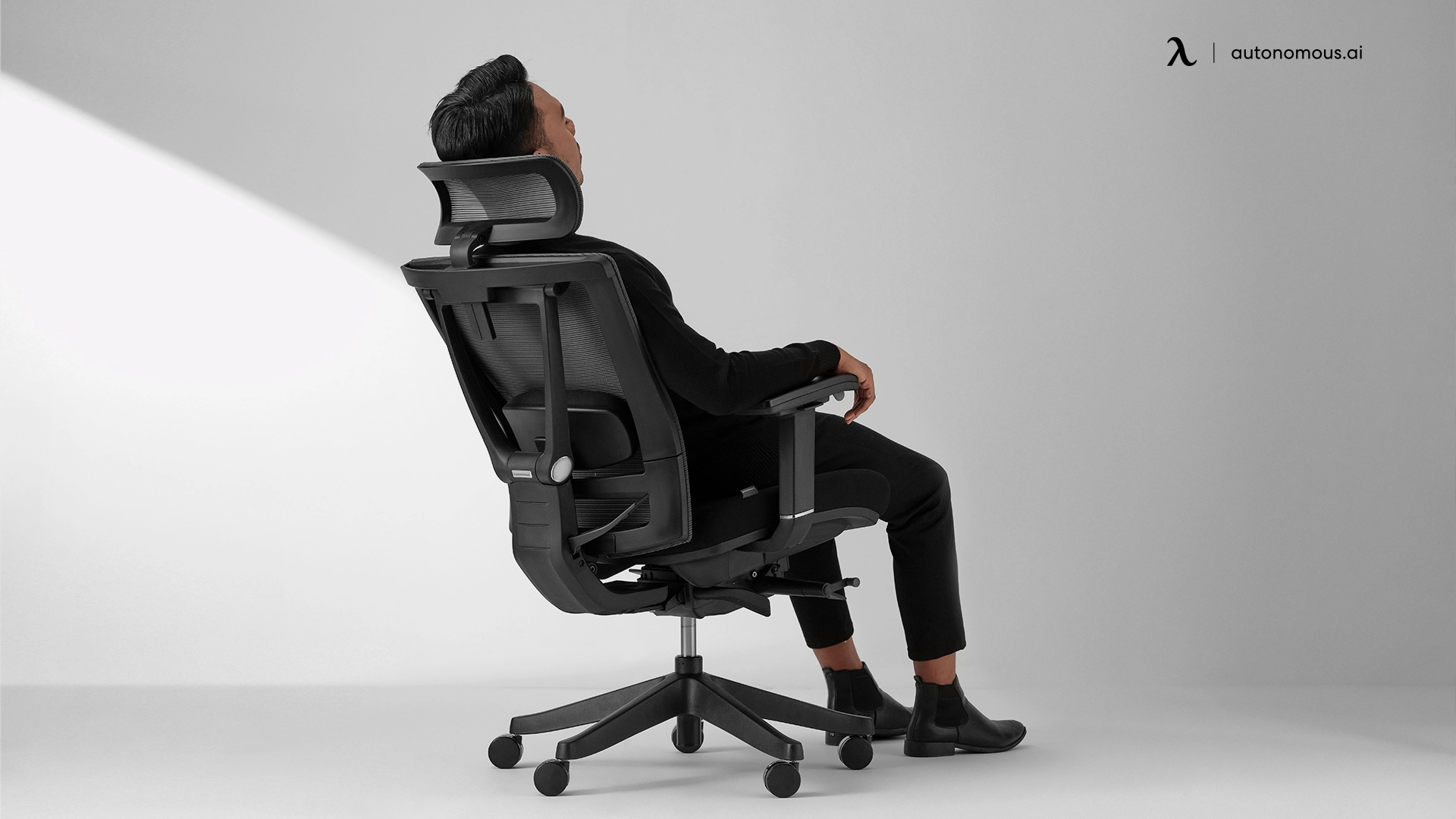
If you have neck pain at a desk, your chair is doing one of four things wrong. The headrest isn't there, or it pushes your head forward. The lumbar doesn't reach your lower back, so your thoracic spine collapses and pulls the neck with it. The armrests sit too low, so your shoulders carry the weight of your forearms. Or the recline doesn't lock, so your neck stabilizes your head against gravity for eight hours.
I work on the team that designed the ErgoChair Pro. This article walks through each of those four mechanisms, what the research says about how they cause cervical pain, and how the Pro's geometry was engineered against each.
The load problem behind desk neck pain
The math is unforgiving. A neutral human head weighs 10–12 lb. A study published in Surgical Technology International found that while the head weighs 10-12 pounds in a neutral position, tilting it forward by just 15 degrees increases the effective load on the cervical spine to 27 pounds. Eight hours a day, five days a week, the chronic strain breaks down the trapezius and the suboccipital muscles - the band of tension and the ache at the base of the skull most desk workers know.
The research is direct on the cause. Office employees had a defective posture while working and the improper posture was more severe in the office employees who suffered from neck pain. Posture is the variable. A chair designed against neck pain has to do four things: hold the head neutral, support the lumbar, carry the arms, and allow controlled recline. Here is how the Pro handles each.
1. The headrest - angle and contact point
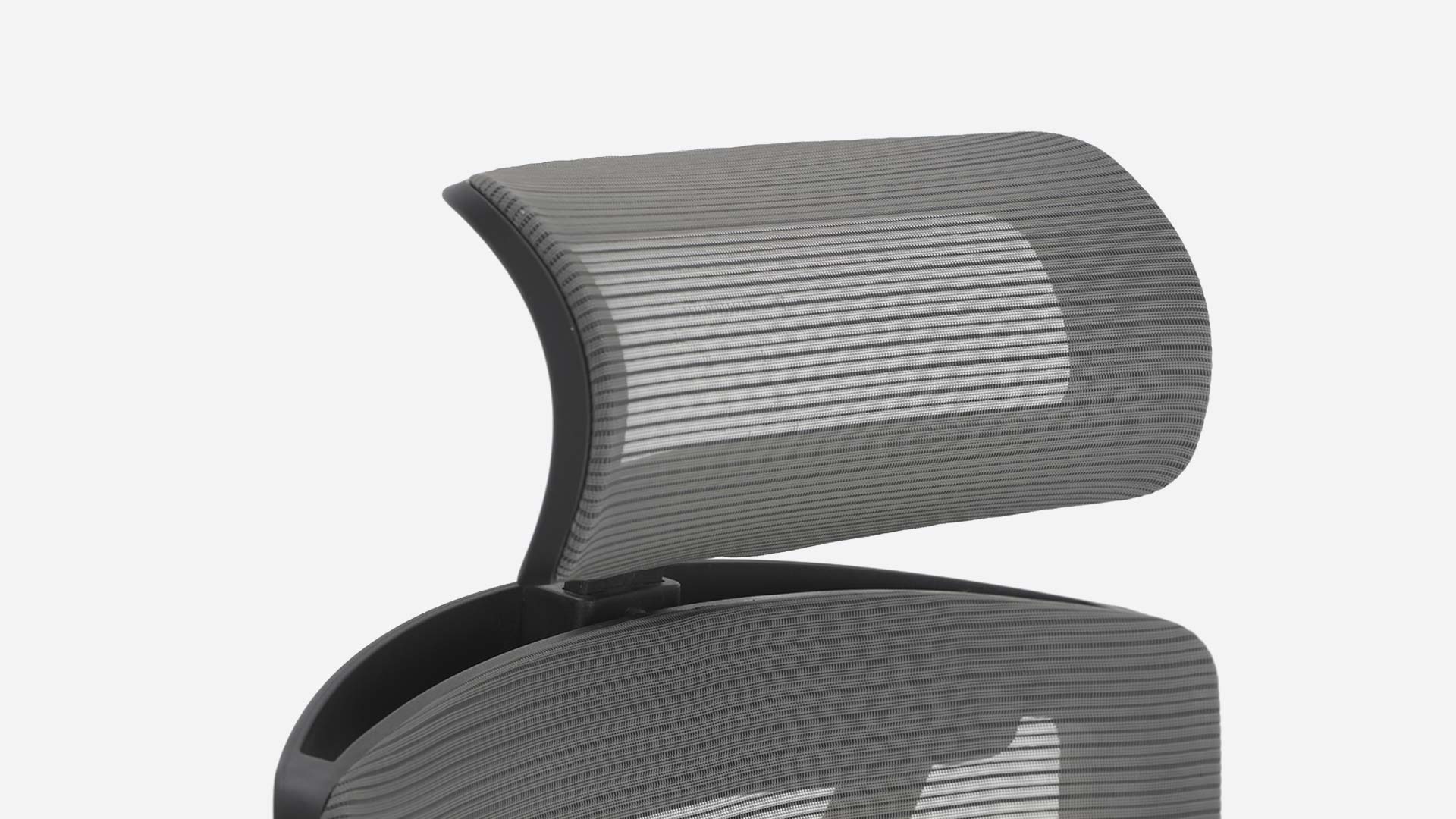
A headrest only works if it contacts the right part of the skull. The firmest point should meet the back of the skull at the external occipital protuberance - the bony ridge where the skull meets the neck - not the soft tissue below. Contact at the mid-neck pushes the head into flexion, which increases cervical load rather than reducing it.
The ErgoChair Pro's headrest adjusts in both height and tilt angle, so the contact point can be set correctly for any user between roughly 5'0" and 6'4". Critically, the headrest is included at the $499 base price. Most chair shoppers compromising for neck pain either skip the headrest to save money or get sold a $70–$100 upsell that gets skipped. A chair without a headrest cannot support cervical alignment during recline. No software fix for missing hardware.
2. The lumbar - sliding support that meets the lower back
Neck pain is rarely a neck problem. When the lower back loses its curve, the thoracic spine collapses forward to compensate. The shoulders roll inward. The head drifts forward to maintain eye line. The neck stabilizes the head against gravity, hour after hour.
The Pro's lumbar slides 6" along the backrest and flexes forward as you shift. The slide range covers the L3–L5 region for users between 5'2" and 6'4". The flex keeps support engaged when you change posture - most fixed lumbar pads disengage the moment you shift, which is when cervical strain accumulates most. The engineering rationale is documented on the chair ergonomics breakdown: nine adjustment points across eleven axes, fitting each segment of the spine independently rather than as a single shape.
3. The armrests - carrying the weight of the arms
Each arm weighs about 5–6% of body weight. For a 170 lb person, that's 18–20 lb total hanging from the shoulder girdle. When armrests don't carry the arms at the right height, the upper trapezius takes the load - the same muscle that runs from the base of the skull to the mid-back, and the one that produces the band of tension most desk workers describe as neck pain.
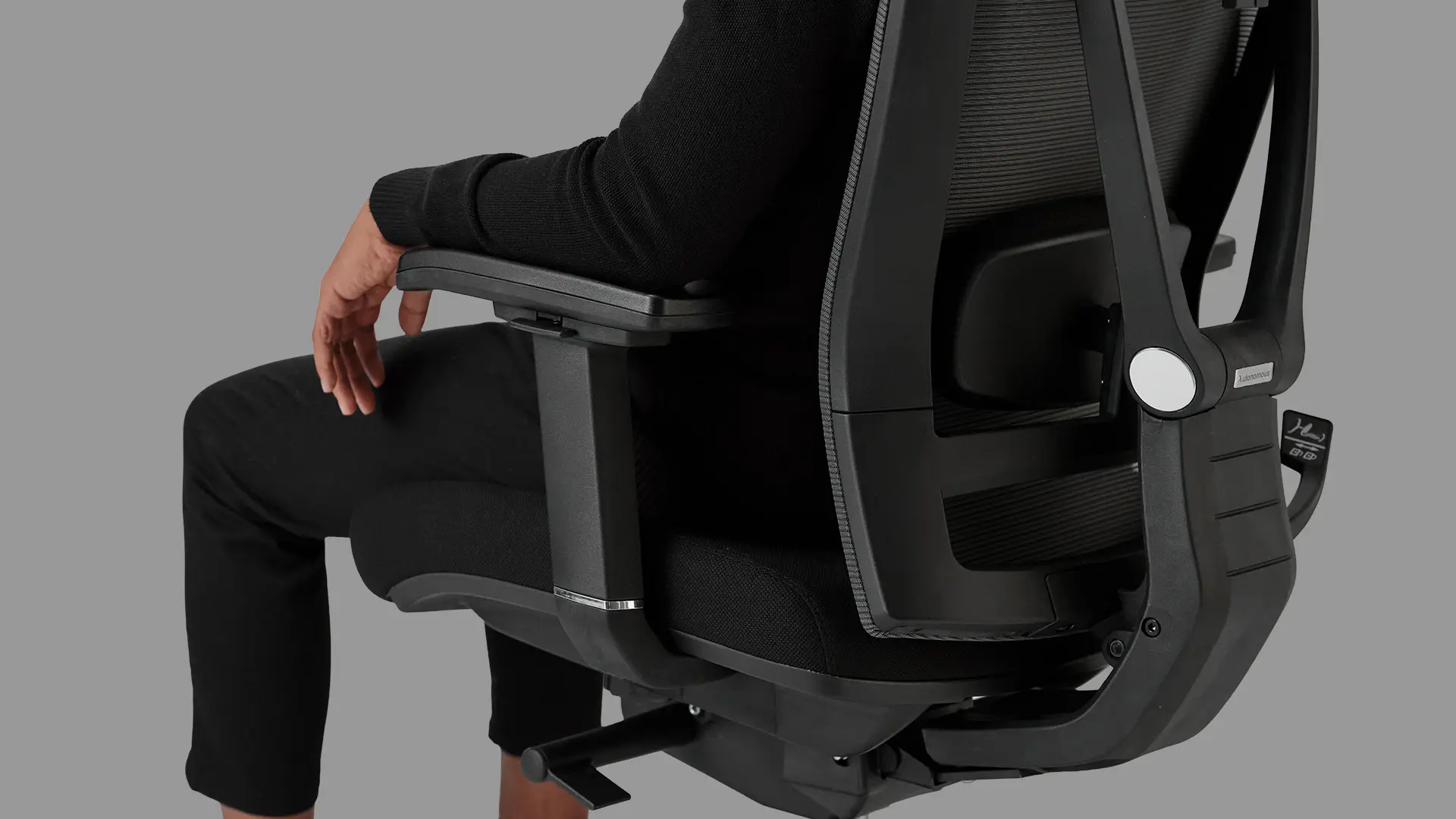
The Pro uses 3D armrests adjustable in height (11" to 14" above the seat), width, and forward/back position. The 11" minimum is critical for shorter users - most chairs bottom out at 9–10" above the seat, too high for a 5'2" user at a standard 29" desk. The setup target: forearms parallel to the floor, elbows at 90 degrees, shoulders relaxed. If you can drop your shoulders an inch from the current position, the arms are too high.
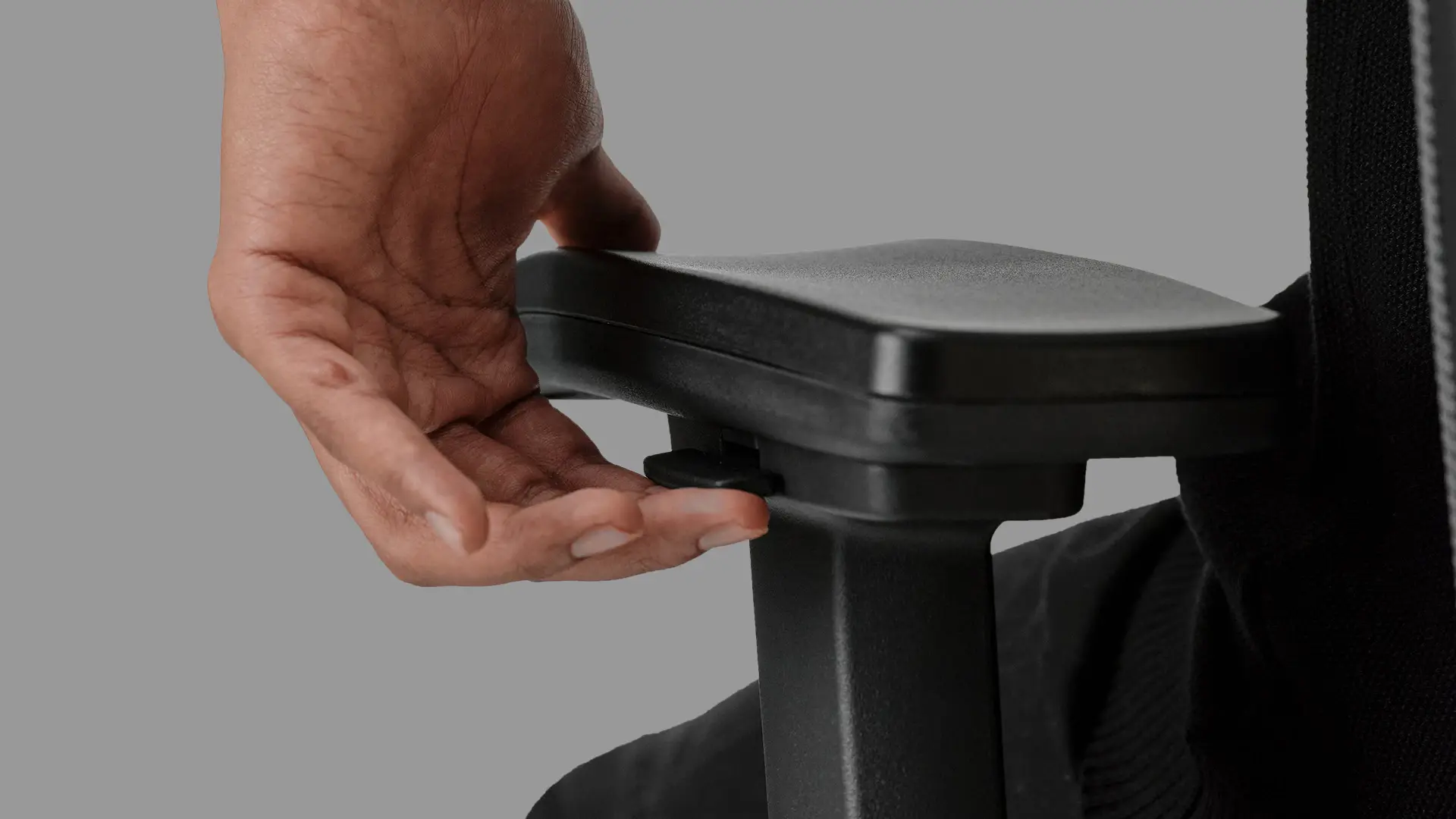
4. Synchro-tilt - offloading the head's weight
The fourth mechanism is the one most chair guides miss: the head is heavy even in neutral posture, and the neck cannot hold it for eight straight hours without breaks. The cure is a chair that lets you recline at intervals so the headrest carries the load while you stay productive.
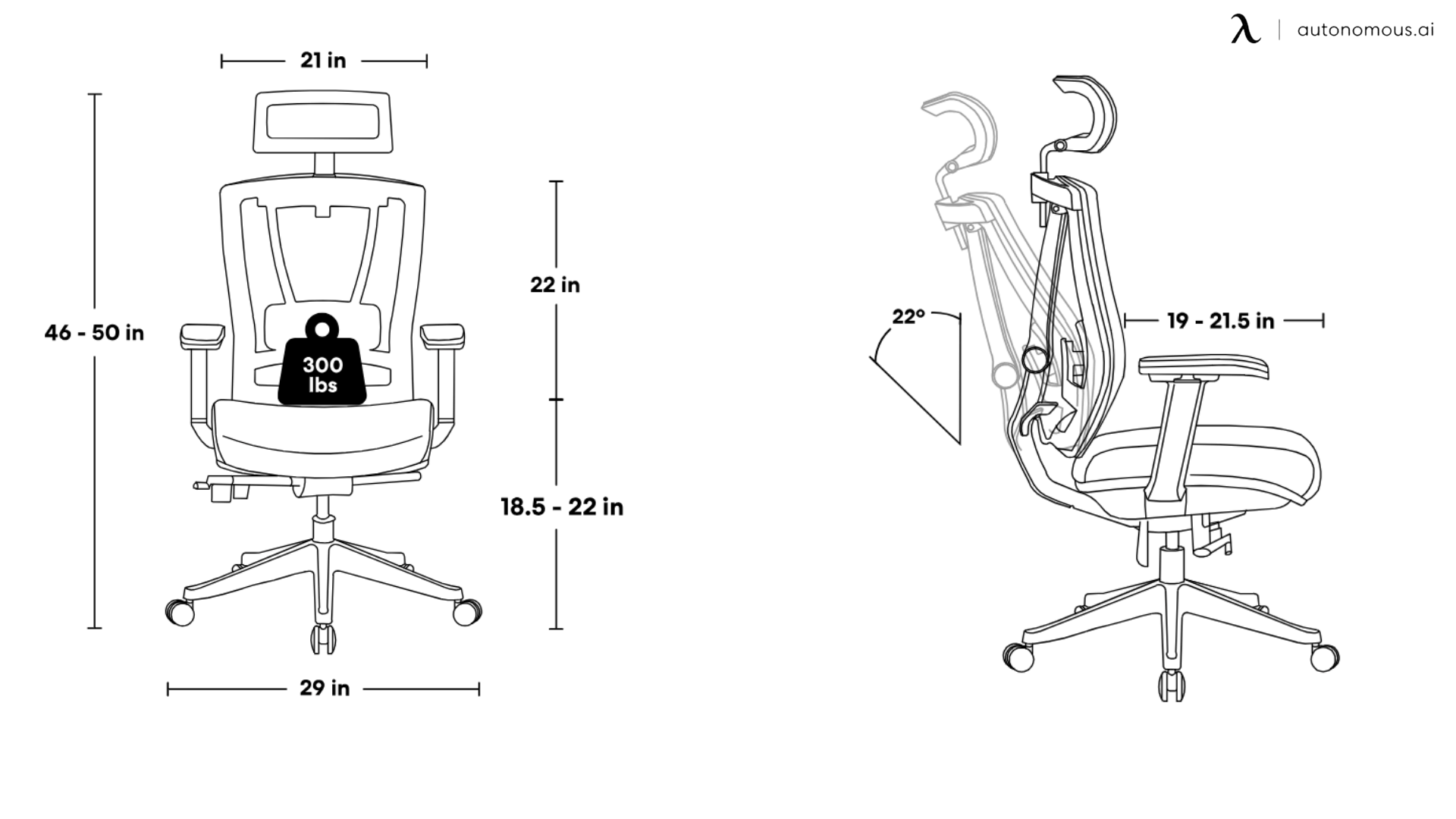
The Pro's synchro-tilt mechanism reclines 22° across five lockable positions. The seat and backrest move at a 2:1 ratio - for every 2° the back tilts, the seat tilts 1°. The thighs stay supported through the recline rather than sliding forward, which is what produces the slumped-down posture that defeats most reclining chairs. The Donati mechanism, Italian-built and 100,000-cycle tested, makes the recline smooth enough to use as a working position. Lock at position three or four for reading or calls. The headrest carries the head, the lumbar holds the back, and the upper trapezius gets twenty minutes off.
What the chair cannot fix
A chair sets the mechanical foundation. It does not fix screen height (the monitor's top edge should sit at or just below seated eye level), total sitting time (Cornell ergonomics recommends 20 minutes sitting, 8 minutes standing, 2 minutes moving), or diagnosed structural conditions like disc herniation, which need clinical care.
FAQs
What is the best office chair for neck pain?
The best office chair for neck pain holds the head at a neutral cervical angle, supports the lumbar curve, carries the arms at the right height, and allows controlled recline. Single-feature chairs (headrest only, or lumbar only) treat symptoms downstream of the cause.
Does a headrest help with neck pain?
A properly positioned headrest helps by supporting the back of the skull during recline, offloading the head's weight from the cervical muscles. A headrest set too low pushes the head forward and increases cervical load - worse than no headrest at all. Contact point should be at the base of the skull, not the neck itself.
How does forward head posture cause neck pain?
Forward head posture multiplies the head's effective weight on the cervical spine. A neutral head weighs 10–12 lb; tilting 15 degrees forward increases the load to roughly 27 lb. The cervical muscles compensate, and the resulting chronic strain produces the band of tension most desk workers describe as neck pain.
Can an ergonomic chair really fix neck pain?
An ergonomic chair addresses the postural causes but cannot eliminate other factors - screen height, total sitting time, and pre-existing conditions still matter. For pain rooted in desk posture, a chair that supports the lumbar, holds the head neutral, and carries the arms removes the mechanical drivers. Most users feel the difference within two weeks of correct setup.
Is the ErgoChair Pro good for back and neck pain?
The ErgoChair Pro is engineered against the mechanical causes of both - sliding lumbar, included headrest, 3D armrests, and synchro-tilt recline address the four mechanisms that produce cervical and lumbar strain. It is not a medical device; users with diagnosed conditions should consult a clinician in addition to upgrading the chair.
Bottom line
Neck pain at a desk is a load problem. The head is heavy, the cervical spine is small, and eight hours of static load with bad geometry breaks down the muscles that hold it. The ErgoChair Pro was engineered against the four mechanisms that produce that load: a headrest that holds the skull neutral, a lumbar that supports the lower back through posture changes, armrests that carry the arms at the right height, and a synchro-tilt recline that offloads the head's weight periodically. At $499 with the headrest included and a lifetime warranty, it covers the mechanical foundation. The rest - screen height, breaks, movement - is your part.
.webp)
References
- Green, B. N. (2008). A literature review of neck pain associated with computer use: public health implications. Journal of the Canadian Chiropractic Association, 52(3), 161–167.
- Nejati, P., Lotfian, S., Moezy, A., & Nejati, M. (2015). The study of correlation between forward head posture and neck pain in Iranian office workers. International Journal of Occupational Medicine and Environmental Health, 28(2), 295–303.
- Hansraj, K. K. (2014). Assessment of stresses in the cervical spine caused by posture and position of the head. Surgical Technology International, 25, 277–279.
- Hedge, A. (2015). Cornell University Human Factors and Ergonomics Research Group. Active sitting and the 20-8-2 rule.
- OSHA. Computer Workstations eTool - Good Working Positions. U.S. Occupational Safety and Health Administration.