OpenClaw Hardware Requirements: What You Need
The OpenClaw hardware requirements come down to one question, and it isn't "how fast is the GPU." OpenClaw is an orchestration layer - it routes messages and runs a reasoning loop, but the heavy thinking happens in whatever model you connect. So the real requirements are constant uptime and enough memory for how you plan to run the model. Get that one decision right and a $80 board can run it; get it wrong and a $1,500 machine still stalls.
This guide covers what OpenClaw actually needs, the hardware tiers that meet those needs, and how to pick by budget and by how you'll use it.
What hardware does OpenClaw need?
The minimum is a machine that stays on 24/7 with enough RAM for your model strategy. There are two strategies, and they have very different requirements:
- Cloud-API orchestration. The model (Claude, GPT, Gemini) runs in the cloud; the box only runs OpenClaw's loop. This is lightweight - a few gigabytes of RAM and a modest CPU are enough. A Raspberry Pi 5 handles it.
- Local-model inference. You also run the model on the same box via a runtime like Ollama. Now memory is the bottleneck. An 8-billion-parameter model quantized to 4-bit needs roughly 6GB of RAM just for the weights, before the OS and OpenClaw's context.
Requirement | Cloud-API orchestration | Local models |
Uptime | 24/7 (Gateway is a persistent process) | 24/7 |
RAM | ~2-4GB usable is workable | 16GB floor; 32GB realistic for responsive use |
CPU/accelerator | Modest CPU is fine | NPU or high memory bandwidth for low-wattage inference |
Storage | Small SSD/eMMC | More, for model weights |
The distinction matters because most of the "you need 32GB and an NPU" advice online assumes local inference. If your model lives in the cloud, those requirements don't apply to you - and that changes which hardware makes sense.
The hardware tiers, compared
Four tiers cover almost every OpenClaw setup. Prices are approximate and change.
Tier | Example | Approx. price | Setup effort | RAM | Onboard voice | Best for |
DIY board | Raspberry Pi 5 (8GB) | ~$80 board | High (OS, SSH, systemd) | 8GB | No | Cheapest 24/7 cloud-API loop |
Mini PC | GEEKOM / GMKtec, etc. | ~$300-1,300 | High (WSL2/systemd, cooling) | 16-64GB | No | Local models on a budget-to-mid box |
Mac Mini | Apple M4 | ~$599-999 | Medium (SSH, launch daemon) | 16-24GB | No | Local inference + iMessage integration |
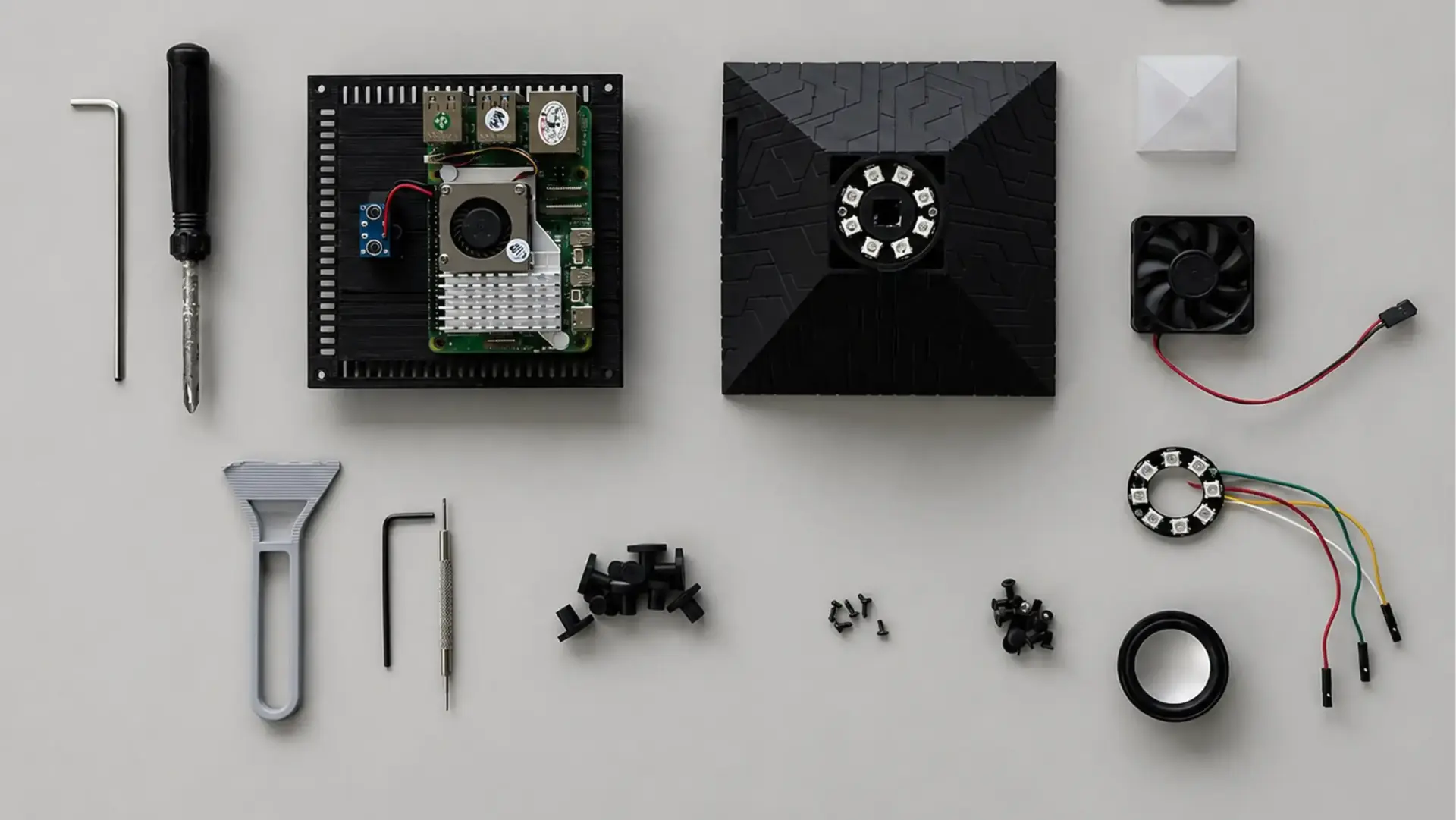
Dedicated device | $249 | None (pre-flashed) | 6GB | Yes | Cloud-API orchestration with zero setup |
The dedicated-device tier is the one most roundups leave off, because it didn't exist when the best mini PC for OpenClaw lists were written. It fills a specific slot: OpenClaw already installed, with the Hermes framework, on a small always-on unit you don't configure.
One honest limitation defines where that tier fits. The Autonomous Intern 2 is built on an Orange Pi 4 Pro with 6GB of LPDDR5 - below the 16GB floor for serious local models. That's not a flaw so much as a design choice: it's a cloud-orchestration-first device, meant to run OpenClaw's loop with a cloud model doing the reasoning, plus small local models. If your plan is to run a 30-billion-parameter model on-device, this tier is the wrong one, and the Mac Mini or a 32GB+ mini PC is where you should look.
(1).webp)
A buyer's test makes that limit concrete. He had his Intern walk him through self-hosting a large model on a spare 4GB Raspberry Pi - CLI, Docker, nginx, the whole stack - and got deep before they both realized a board that small was never going to run a 120-billion-parameter model. He wiped it clean and moved on. He also noted the install itself burned through tokens fast - self-hosting experiments are token-hungry, so budget for it.
Which should you pick?
The right hardware follows from your budget and your tolerance for setup, not from a spec sheet.
Cheapest possible, and you don't mind the terminal. Running OpenClaw on a Raspberry Pi is the lowest-cost 24/7 path. An ~$80 Pi 5 with 8GB runs the cloud-API loop with room to spare. You'll spend an evening on OS setup, SSH hardening, and a systemd service, and you'll own maintenance from there.
You want local models without Apple's price. A mini PC with 32GB of DDR5 gives headroom for small-to-mid local models via Ollama, usually for less than a comparable Mac. Budget for cooling - sustained inference generates heat that budget chassis throttle under.
You want the lowest-maintenance always-on box. The Mac Mini is the community default for good reasons: silent, efficient at idle, and the only platform with native iMessage. If those matter, the Mac Mini for OpenClaw is hard to beat - at 2.5-5x the price of a dedicated device.
You want it running today with no setup. A pre-configured device removes the entire install and maintenance layer. You trade deep configurability for plugging it in and texting it a task. Best fit for cloud-API orchestration, not local heavy lifting.
What setup does each option require?
This is where the tiers really separate. A DIY board, mini PC, or Mac Mini all need the same core work: flash or configure the OS, install Node.js 22+, harden SSH, set up a service so the Gateway restarts on reboot, and manage credentials for each channel. On Windows mini PCs, add WSL2. None of it is exotic for a developer, but it is real, ongoing work - releases are frequent and updates can break a working config. The full setup process covers it step by step.
A dedicated device ships with all of that done. That's the entire value proposition of the tier - not better hardware, but zero configuration. Which one you choose depends on whether that work is something you want to own or skip.
FAQs
How much RAM does OpenClaw need?
For cloud-API orchestration, a few gigabytes is enough. For running local models on the same machine, treat 16GB as the floor and 32GB as comfortable - an 8B model alone needs about 6GB just for its weights.
Does OpenClaw need a GPU?
Only for local model inference, and even then an NPU or high-bandwidth unified memory often beats a discrete GPU on power draw for 24/7 use. Cloud-API setups need no GPU at all.
Can OpenClaw run on a Raspberry Pi?
Yes. Because OpenClaw mostly orchestrates API calls, a Raspberry Pi 5 with 8GB handles the core loop reliably for 24/7 cloud-API use. It's the cheapest always-on option.
What's the cheapest way to run OpenClaw?
A Raspberry Pi 5 (8GB) is the lowest hardware cost for a self-hosted 24/7 setup. A pre-configured device costs more but removes the setup and maintenance labor, which has its own value.
What's the best mini PC for OpenClaw?
Any small always-on x86 mini PC with 16-32GB of RAM works well, and 32GB gives room for small local models. Match RAM to whether you'll run models locally; for cloud-API use, even a modest mini PC is plenty.
How much does it cost to run OpenClaw 24/7?
Hardware aside, the recurring cost is mostly electricity plus any model API usage. Low-power boards and Apple Silicon draw only a few watts at idle, so the always-on power cost is small; a cloud model's API bill depends on how much the agent does.
Is an Orange Pi or Raspberry Pi better for OpenClaw?
Both are single-board computers in the same class and both run the cloud-API loop well. The practical difference is software support and setup, not raw capability - a Pi has the larger community, while a pre-flashed Orange Pi device skips setup entirely.
Do you need a Mac to run OpenClaw?
No. OpenClaw runs on macOS, Windows, and Linux. The Mac Mini is popular for its efficiency and native iMessage, but a Pi, mini PC, or dedicated device all run the same engine.
Can you run OpenClaw 24/7 on a laptop?
You can, but it's a poor fit. Laptops throttle under sustained load, and sleep mode ends the Gateway process and any running task. A dedicated always-on machine is the reliable path.
Can OpenClaw run in the cloud instead of local hardware?
Yes, on a small VPS. That removes the hardware to manage but gives up local data control, and the reasoning still reaches your model provider unless the model runs locally too.
What are the minimum requirements to run OpenClaw?
A machine that stays on 24/7, Node.js 22+, and enough RAM for your model choice - a few gigabytes for cloud-API use, 16GB+ for local models. No GPU is needed unless you run models on-device.
References
- TechRadar, "Best hardware options for deploying OpenClaw," techradar.com/pro/best-hardware-options-for-deploying-openclaw
- ACEMAGIC, "Best Mini PC for OpenClaw: Hardware Requirements for Local AI Agents," acemagic.com
- OpenClaw project repository, github.com/openclaw/openclaw
- "ClawMobile: Rethinking Smartphone-Native Agentic Systems," arXiv:2602.22942