


The Multi-Agent Dashboard Tools Worth Comparing in 2026
.webp)
Before you pick a multi agent dashboard, answer a smaller question: while your agents are working, where do you want your attention to be?
That question sorts this whole category, and it sorts it better than a feature list does. Most of these tools do broadly similar things. They show you which agents are running, what each is doing, and which ones are stuck. Where they genuinely differ is what they ask of you in return, and that difference is mostly about which screen you have to be looking at.
Fair warning up front: most of the options here are free, and for a lot of people free is the correct answer. This guide says so where it applies.
At a glance
Agent View | cmux | AgentsRoom | VS Code | AgentCenter | Harness | |
Attention | Terminal | Terminal | Window | Editor | Browser | Off-screen |
Price | Free | Free | Free / $9.99 | Free | $14/mo | $149 |
Best for | 1 machine | Tabs, alerts | Depth | In-editor | OpenClaw teams | Cross-machine, cost |
Limit | No cost view | macOS only | Learning curve | Editor-tied | OpenClaw only | No full output |
What a multi agent dashboard actually does
A multi agent dashboard is a single interface showing the status, current task, and output of several AI agents running at the same time, so you stop checking each one in its own window.
That is the standard definition and it is accurate as far as it goes. What it leaves out is the interesting part. Almost every tool in this category does not remove the need to look at a screen, it relocates which screen. You go from checking six terminal windows to checking one dashboard, which is a real improvement, and it is a smaller improvement than the marketing suggests.
The tools that change the shape of the problem rather than tidying it are the ones that change where your attention has to be.
The three places your attention can sit
Agent dashboards fall into three groups by where they put your attention: inside the terminal, inside a browser or editor window, or off the screen entirely.
This is a more useful axis than features, because it maps onto what a tool costs your attention during a working day:
- Inside the terminal is cheapest to adopt and most constrained. Nothing new competes for space, but you have to be at that machine and in that terminal.
- Inside a window is most capable and most expensive in attention. Richer output, history, often remote access, paid for by another window in the set you cycle through.
- Off the screen is the narrowest, and the only group that changes the shape of the problem rather than its location. Nothing to open, and correspondingly less it can show you.
Read the rest against your own working pattern, not against a feature count.
Group one: inside the terminal
Terminal-based views are the right answer for anyone running a handful of sessions on a single machine, and they cost nothing.
Two options cover this group:
- Claude Code Agent View, opened with claude agents, lists every background session with its state, activity, and age, grouped so the ones needing input sit at the top. You can peek at a session's latest output, reply to a blocked one in place, and attach for the full conversation. It ships inside Claude Code with no setup, though it is in research preview and needs v2.1.139 or later, and its interface may still change.
- cmux is a native macOS terminal built for agents: vertical tabs, split panes, and notification rings around a pane when an agent needs input, plus a socket API and CLI so you can script it. It restores agent sessions across restarts and can attach to remote tmux over SSH. It suits people who want the control layer in the terminal itself.
The honest recommendation for this group: if your agents run on one machine and you are usually sitting at it, this group is enough and the rest of this article is optional reading.
Where it runs out: sessions are local to one machine, and there is no spend figure anywhere.
Group two: inside a window
Window-based dashboards give you the richest view of what your agents are doing, and they are the only software option that solves remote access.
The four window options each win a different case:
- AgentsRoom is the most capable by a wide margin: a desktop app for macOS, Linux, and Windows that shows each agent as a card, supports around ten providers, and adds roles, teams, scheduled runs, a review diff layer, and a remote-fleet mode across machines. It is free for three projects, then $9.99 a month, and you bring your own key. The trade-off is a large surface to learn, a mobile companion with reliability complaints, and it is still a window you watch.
- VS Code's agents window wins if you already live in VS Code. It manages local, background, and cloud agents in one place and runs Claude and Codex alongside Copilot, adding no new application to your day.
- AgentCenter is a Kanban task board built specifically for OpenClaw agent teams, with real-time agent status, deliverable review by a lead agent, and audit trails. Agents check in on a heartbeat, roughly every 15 minutes, so it is oriented to autonomous task teams rather than live coding sessions. It starts around $14 a month.
Where this group runs out: it is still a window. Everything here requires you to open something and read it, and none of them shows running cost.
Group three: off the screen
Harness is the only option here that is not a screen at all, which means dispatching work never requires finding a window and checking on it never requires switching context.
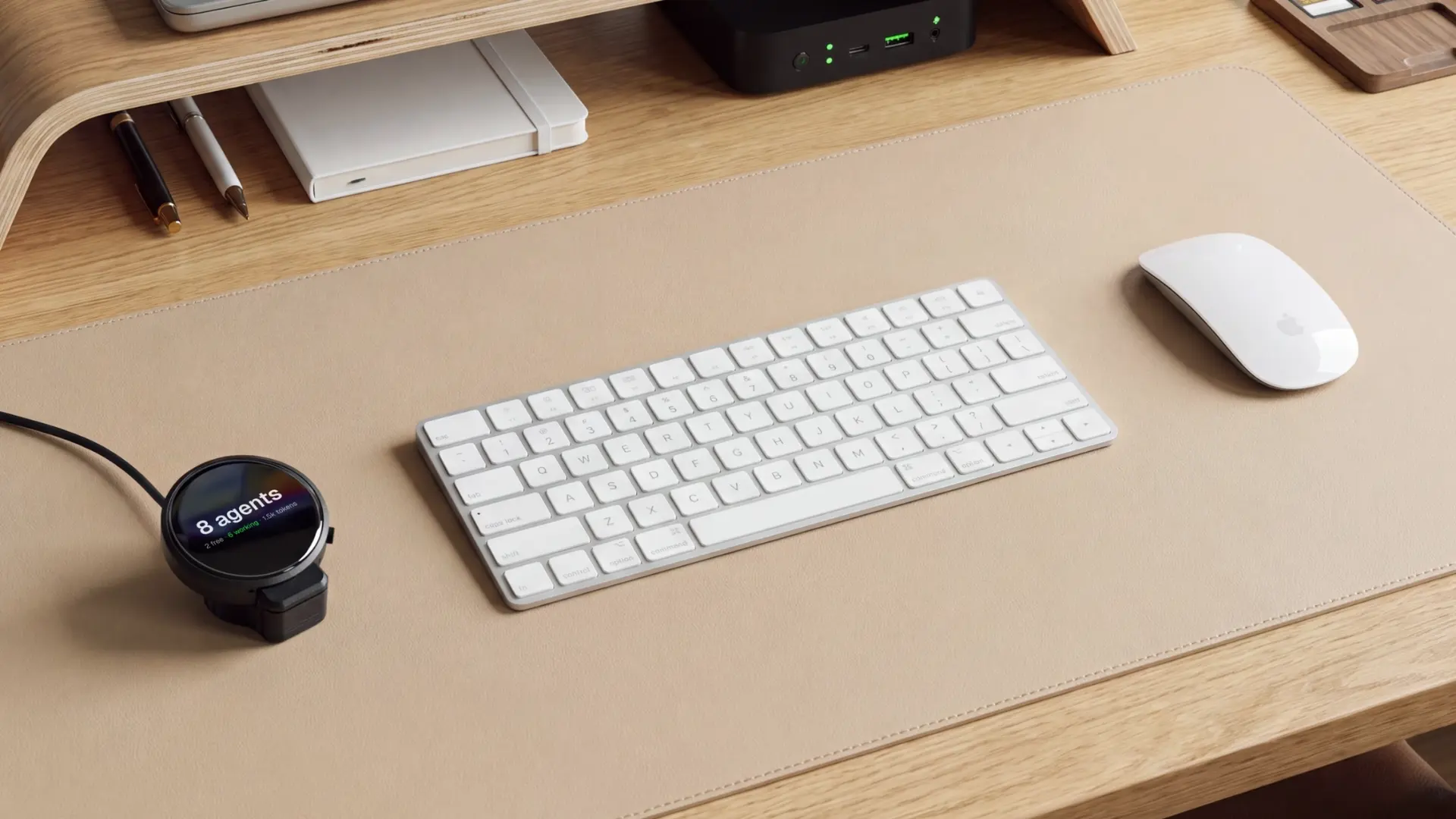
Our view on it, stated plainly: this is a narrow product and it is honest about being narrow. It is a matte black disc that sits at the base of your monitor. You double-tap the face and say what you want done, and the work dispatches into agents already running on your machines. The whole interface is that double-tap. There is no app to open.
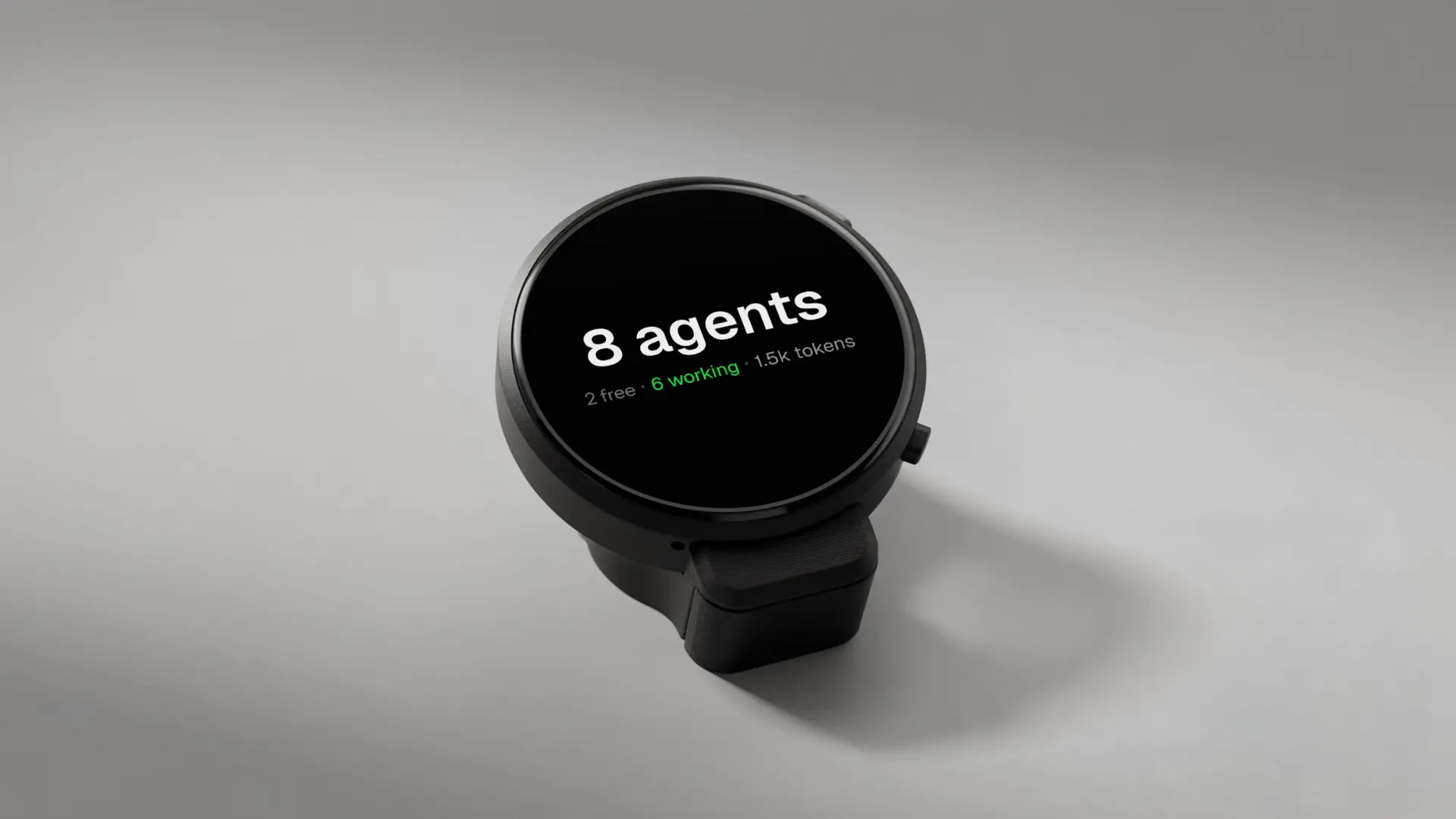
The display carries three things and nothing else: what is running and for how long, the finished work as it returns, and what your agents have spent today, down to the cent and readable across the room. One quiet tone when work comes back. The microphone is input only, so it never speaks.
.jpg)
Two things are worth being precise about, because it would be easy to overstate them.
Voice is not unique on its own. Claude Code has voice dictation, and you can dictate a reply into Agent View. The difference is narrower: dictation needs you at the machine with the input focused, and Harness does not need a window at all.
The spend display is the genuinely uncontested part. None of the other options here surfaces running cost, and Anthropic's own documentation notes that ten parallel sessions consume quota roughly ten times as fast as one. That is the number that goes missing, and it is the one Harness keeps in your visual field.
One more thing you should know before buying: Harness runs spoken work on auto-allow, so dispatched tasks start without an approval step. That is the speed argument and it is also the risk, and which of those it is depends entirely on what your agents have access to.
Keep in mind: Harness is an input and glance surface, not a place to read full output or intervene mid-run. When a session needs a real decision, you still go to a screen.
How to choose a multi agent dashboard
Pick by which of the three attention groups matches how you actually work, not by which tool has the longest feature list.
- One machine, usually sitting at it: use Claude Code Agent View and stop there. It is free, already installed, and anything else is overhead you will not use. This covers more people than the rest of this article implies.
- A terminal list getting unwieldy, or you want roles and a review layer: AgentsRoom is the most capable pick, free for three projects and $9.99 a month beyond. The cost is a learning curve and a busier interface.
- Agents across more than one machine, or you keep losing track of cost rather than status: that is where a separate control surface makes sense, the one gap a window does not close. The Autonomous Harness fills it, dispatching by voice and keeping the day's spend on an always-on display.
Frequently asked questions
What is a multi agent dashboard?
A multi agent dashboard is a single interface that shows the status, current activity, and output of several AI agents running at once. Instead of checking each agent in its own terminal or window, you get one view listing all of them, usually grouped by whether they need your attention.
Is Claude Code Agent View enough on its own?
For most single-machine setups, yes. It lists every background session with its state and activity, lets you reply to blocked sessions in place, and costs nothing. It falls short in two specific cases: agents spread across several machines, and any situation where you need running spend visible.
What is the best free multi agent dashboard?
For a free option with real breadth, AgentsRoom covers three projects at no cost, with roles, teams, and a review layer across ten providers. If you only run Claude Code and want zero setup, the built-in Agent View is simpler and fully free. Pick by how much structure you want.
How much does a multi agent dashboard cost?
Many options have a free tier, including Claude Code Agent View, cmux, and the VS Code agents window. AgentsRoom is free for three projects and $9.99 a month beyond that. Check each vendor's current price against the comparison table above before buying.
Can you monitor agents across several machines?
Not with the built-in terminal views. Anthropic lists this as an Agent View limitation: sessions are local and stop when the machine shuts down. AgentsRoom addresses it in software through its remote-fleet mode, linking several machines into one window over an encrypted relay. A physical control surface covers the same span off the screen.
Do you need a separate device to manage AI agents?
No. Every core function is available free in software, and for a single machine that is the sensible choice. A separate device addresses a narrower set of problems: dispatching without opening a window, and keeping running spend in your visual field rather than in a report.
Which dashboards work with agents other than Claude Code?
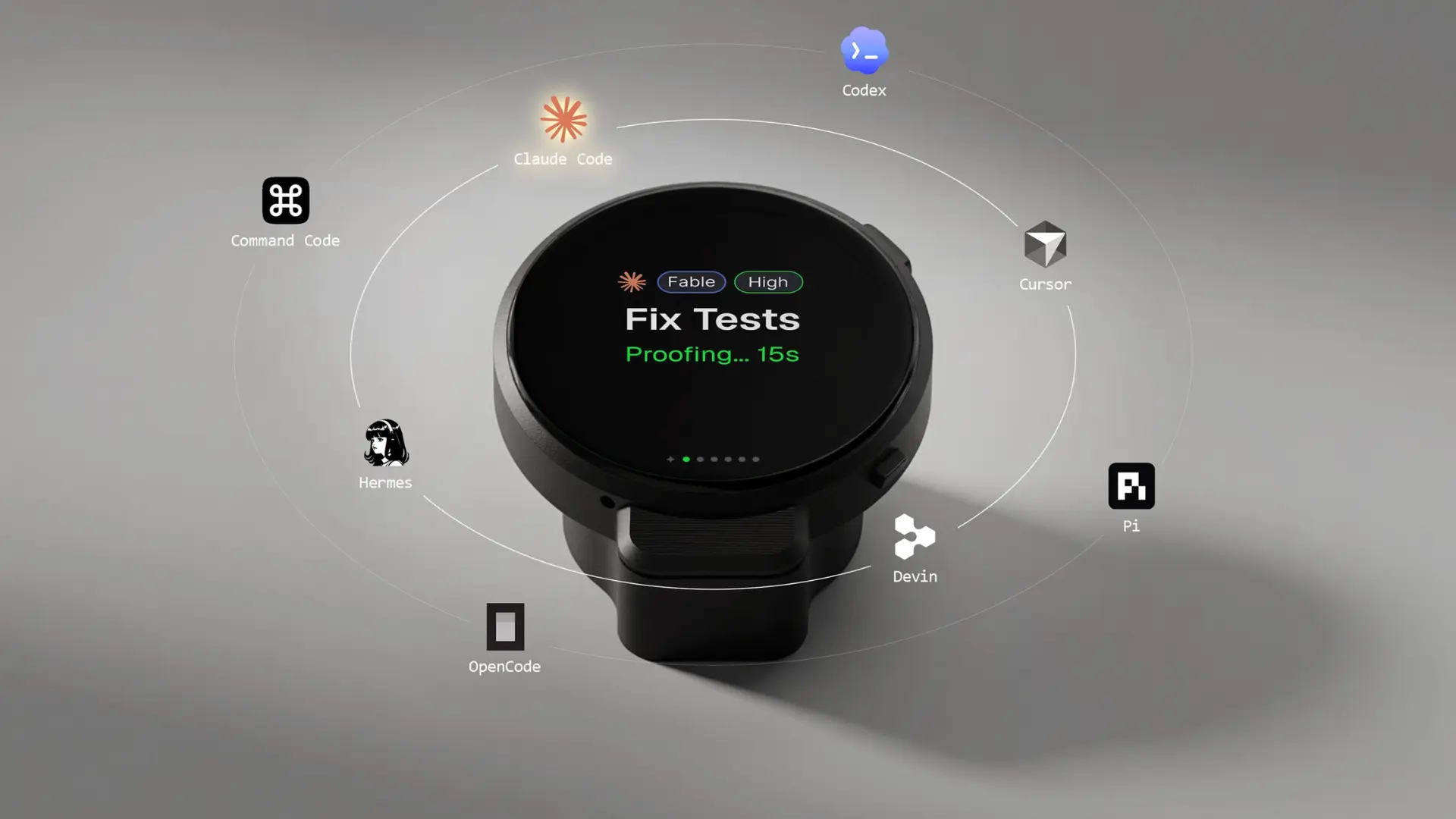
Several. AgentsRoom spans around ten providers, cmux works with any CLI agent that supports hooks or OSC, including Claude Code, Codex, and OpenCode, and the VS Code window runs Claude, Codex, and Copilot. On the hardware side, Harness covers eight agents including Claude Code, Codex, Cursor, and OpenCode.
The short version
The useful question in this category is not which multi agent dashboard has the most features. It is where you want to be looking while your agents work.
If the answer is the terminal you are already in, the free built-in view is the right call and you are done. If the answer is a richer window with roles and review, AgentsRoom handles that well. If the answer is nowhere, because you would rather not open anything at all and you want cost in front of you while it accrues, that is a narrower need and it is the one that costs money to solve.
Start with the free option that matches your group. Most people never need to leave it.
References
- Anthropic. Manage multiple agents with agent view. Claude Code documentation. https://code.claude.com/docs/en/agent-view
- Microsoft. Agents window. Visual Studio Code documentation. https://code.visualstudio.com/docs/agents/agents-window
- Anthropic. Run agents in parallel. Claude Code documentation. https://code.claude.com/docs/en/agents