


Is the Reachy Mini Worth Building and Coding Yourself?
.webp)
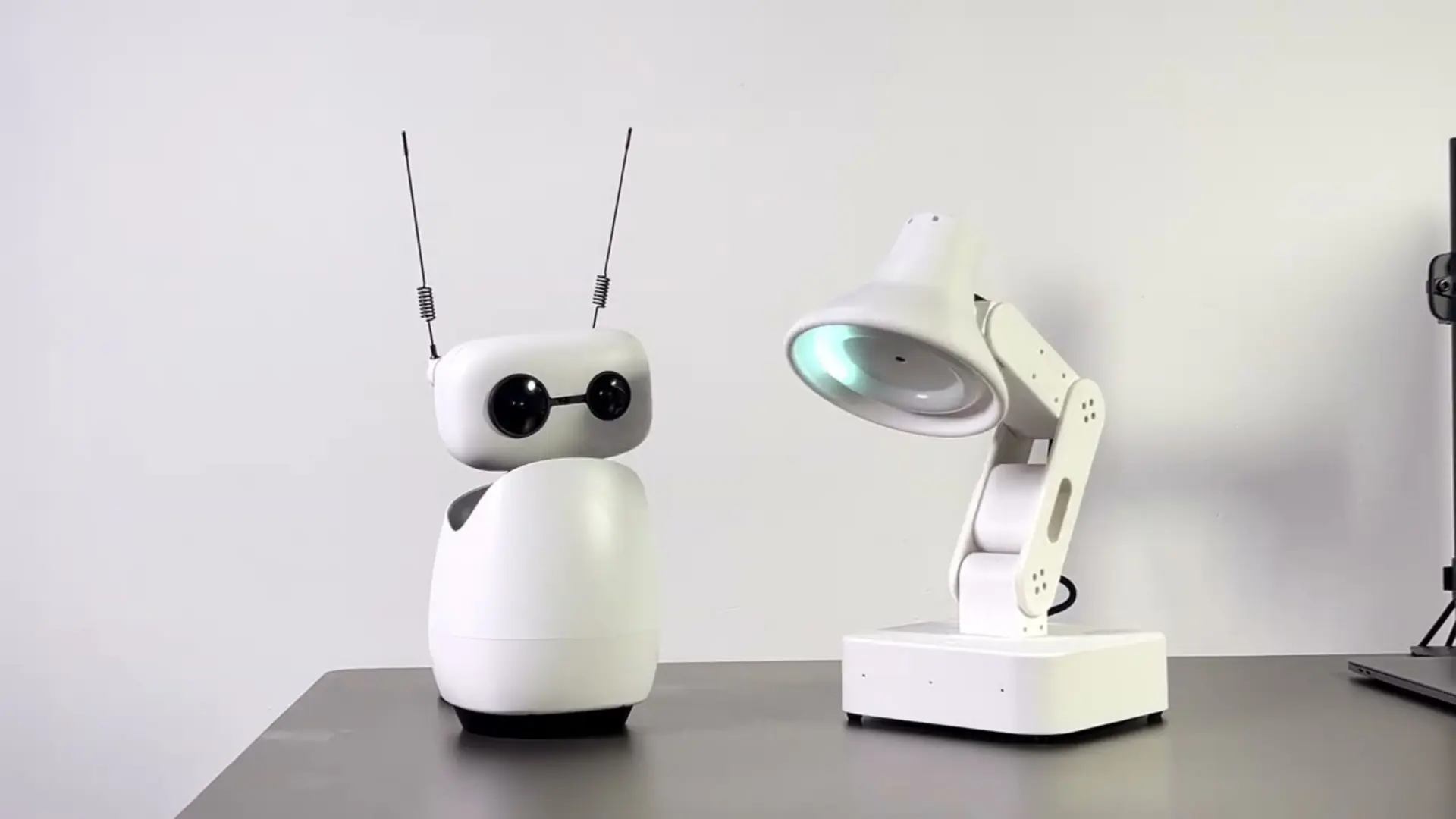
Reachy Mini is a small open-source AI robot that sits on your desk. Pollen Robotics and Hugging Face make it, you build it yourself, and you write what it does in Python. It got popular fast after a CES demo showed it reading a to-do list off a wall and turning sketches into images. This review cuts through the hype: what it really is, the two versions and their prices, what it can actually do, where it's rough, and who should buy one.
What is Reachy Mini
Reachy Mini is a small robot made for talking and reacting, not for doing chores. It has a head that moves, two little antennas, a camera, some microphones, and a speaker, and it can spin its whole body. What it doesn't have is arms, and that's on purpose.
Leaving off the arms is the whole idea. No arms means it can't pick things up, but it also keeps the price low and makes the robot all about looking, listening, and reacting. It's open-source, you code it in Python, and it plugs into Hugging Face. So really it's a body for the AI models and behaviors people already share there.
Reachy Mini specs and how it works
Here's the short spec sheet. It's small on purpose, which is part of why builders like it.
Spec:
- Height and weight: About 28 cm tall, around 1.5 kg
- Movement: Six-DOF head, body spin to +/-160 degrees, two antennas (nine motors)
- Camera: One wide-angle
- Audio: A four-mic array and a 5W speaker
- Extra sensor: Motion sensor, wireless one only
- Arms and wheels: None, on purpose
The two versions only differ in where the computer sits.
- The Lite has no computer of its own, so you plug it into your Mac or Linux machine.
- The Wireless has a Raspberry Pi CM4, WiFi, and a battery inside, so it runs on its own.
The software is the same on both.
How it runs is worth knowing. Turn it on and it starts a little background program called a daemon. You connect to that from an app or your browser to load and switch behaviors. You write those behaviors in Python and share them through Hugging Face, and the whole software side is open on GitHub.
This is the part we know from doing it. When we put our own OS on a Reachy Mini, we talked to it through that same daemon the app uses, and moved all nine motors ourselves. Six of them are in the head, so it's more expressive than the no-arms look makes you think. It feels less like a finished gadget and more like a tiny open computer with a face.
Reachy Mini Lite vs Wireless
Reachy Mini comes in two versions, and the difference is where the brain lives. Prices move with demand, so check before you buy.
Reachy Mini Lite | Reachy Mini Wireless | |
|---|---|---|
Price | $399 | $499 |
Computer | Plugs into your Mac or Linux machine | Has its own (Pi CM4) inside, runs on its own |
Connection | Wired to a host | WiFi and a battery |
Motion sensor | No | Yes, built in |
Best for | Building at your desk on a budget | Using it untethered |
Get the Lite if you already have a computer to plug it into. Get the Wireless if you want it to run on its own, and it's the one most hands-on reviews use. Neither is smarter than the other.
The only difference is power and freedom to move around.
What Reachy Mini can do
Reachy Mini is a base you build on, not a finished helper. What it does comes down to what you or other people make for it. A few uses come up over and over.
1. Give an AI a body
The camera, mics, speaker, moving head, and antennas let an AI do more than just answer. It can turn to face you, react by moving, and use timing so it feels like something is there. People describe it less as a companion and more as a blank character you bring to life. That's why the same robot can be a demo one week and a desk buddy the next.
2. Learn robotics and AI without a lab
At this price, it makes a solid classroom or makerspace robot. You get to work on seeing, hearing, and behavior on real hardware, and building it from parts is part of the lesson. One reviewer said his two kids stuck with it longer than any Anki or Petoi robot they'd tried.
3. Try out AI in the real world
If you build with AI, this gives your models a body to live in, instead of judging them through a chat box. It comes with a simulator too, so you can write and test a behavior before the robot even shows up. That makes the gap between an idea and seeing it move a lot shorter.
4. Share and remix behaviors
This is where it beats closed robots. You write behaviors in Python, share them through Hugging Face, and grab what other people made. So one person's good idea becomes an app anyone can run. The popular ones so far are chatting, dancing, and simple games. A closed robot can only do what its maker ships. An open one grows with its community.
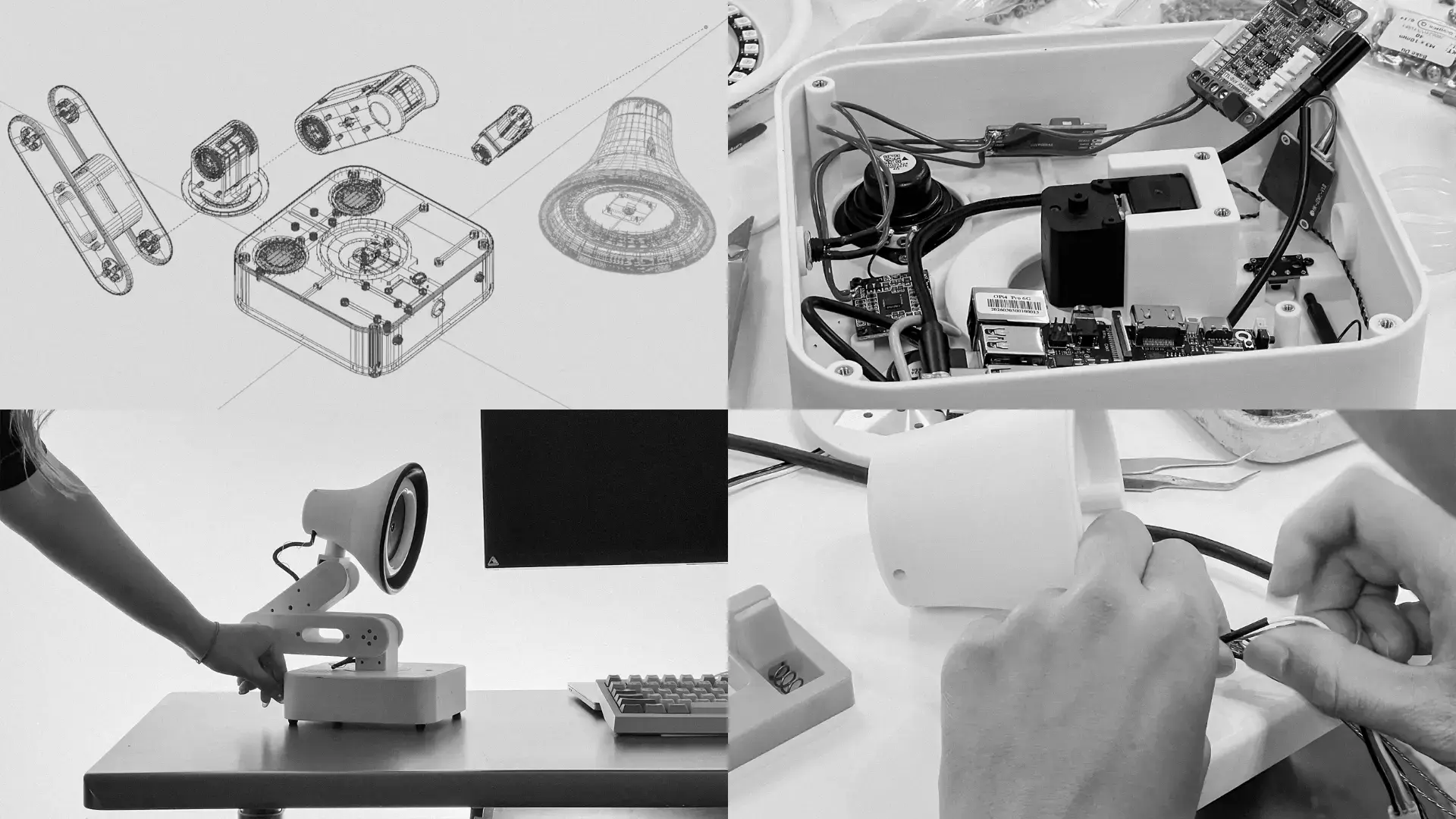
Setting it up: the build and the daemon
Setting up Reachy Mini is a small project, not a plug-and-play unboxing. Here's what to expect:
- Building it: Pollen says about two hours, though your first time may take longer, since it comes as a kit.
- Connecting: you reach it from an app or browser, and the connection sometimes needs a restart to stick.
- Switching apps: not always smooth, and restarting usually fixes it.
- Advanced setup: to make it launch an app on startup, you have to SSH into it.
We hit the connection quirk ourselves while getting our software talking to it. When the link dropped, turning the robot off and on was the fix that always worked, and people who use it every day say the same. Nothing here is broken. It just tells you what kind of robot this is: early, open, and hands-on. If you'd rather not pick up a screwdriver or open a terminal, that's your sign to look elsewhere.
The Hugging Face community behind it
The reason Reachy Mini is more than a cute kit is the community behind it. Hugging Face owns Pollen Robotics now, and it runs the biggest open home for AI models and datasets. The Reachy is built to be a real-world body for all of that. You install community apps in a few clicks, and through the wider LeRobot project you reach the models and tools people share for robotics.
That's its best long-term argument. A closed robot can only do what its maker builds. This one can do whatever the community builds, and behaviors are made to be shared and remixed. The catch is the usual one for open stuff: quality jumps around from great to half-finished. If you like to build, that trade is fine.
What it's actually like to use
Reachy Mini is great if you already know your way around Linux and a bit of robotics, and annoying if you don't. It's a kit, so you build it, which is fun for makers and a real time cost for everyone else. People who've used it for a while are honest that the software and docs are still rough, and that the slick stuff from the CES demo takes real work to pull off at home.
That doesn't make it a bad robot. It makes it an early, open one. If you want a project to learn and build on, the rough parts are the whole point. If you want something that just works when you open the box, this isn't it, and it's better to know that now.
What's good:
- Fully open-source, with a real Python setup, a simulator, and Hugging Face models
- Genuinely fun and capable as a base for AI and robot experiments
- One of the more affordable AI desk robots, from $399
- A busy community sharing code and behaviors
What's not:
- You build it yourself, and it expects some Python and Linux comfort
- The software and docs are still rough, so the best demos take work
- No arms and it doesn't move around, so no picking up or roaming
- Stock has been on and off, and shipping can take months
Who Reachy Mini is for
Reachy Mini is for people who want to build on an open robot, not people who want a finished product. If you build with AI, you get a body for your models. If you teach, you get a cheap robotics kit. If you're a maker, you get something open to take apart and change. For those folks, not much at this price is as open.
If that's not you, ask yourself one thing: do you want to build a robot, or just use one? If it's use, a more finished robot is the better call.
Reachy Mini vs the Autonomous Lamp
If you're weighing an open robot against one that's ready to go, the Autonomous Lamp is the obvious comparison. Here's the honest disclosure that goes with it: we make the Lamp, so read this part knowing we're in the race. That said, the two are less either-or than they look.
Reachy Mini | Autonomous Lamp | |
|---|---|---|
Out of the box | A kit you build and code | A robot that runs an agent and real skills |
Software | Python, you write it | A skill store and plain-language skills, or your own code |
Best for | Building and learning | Getting things done without a build |
Price | $399 to $499 | $499 |
Here's the twist: they're not really rivals. Autonomous OS, the open system behind the Lamp, also installs on the Reachy Mini. So if you like the Reachy hardware, you can run the same agent and skills on it that the Lamp uses. We did exactly that and filmed it: our OS running a Reachy Mini, and then a Reachy Mini, a Lamp, and an Intern all on the same Autonomous OS at once.
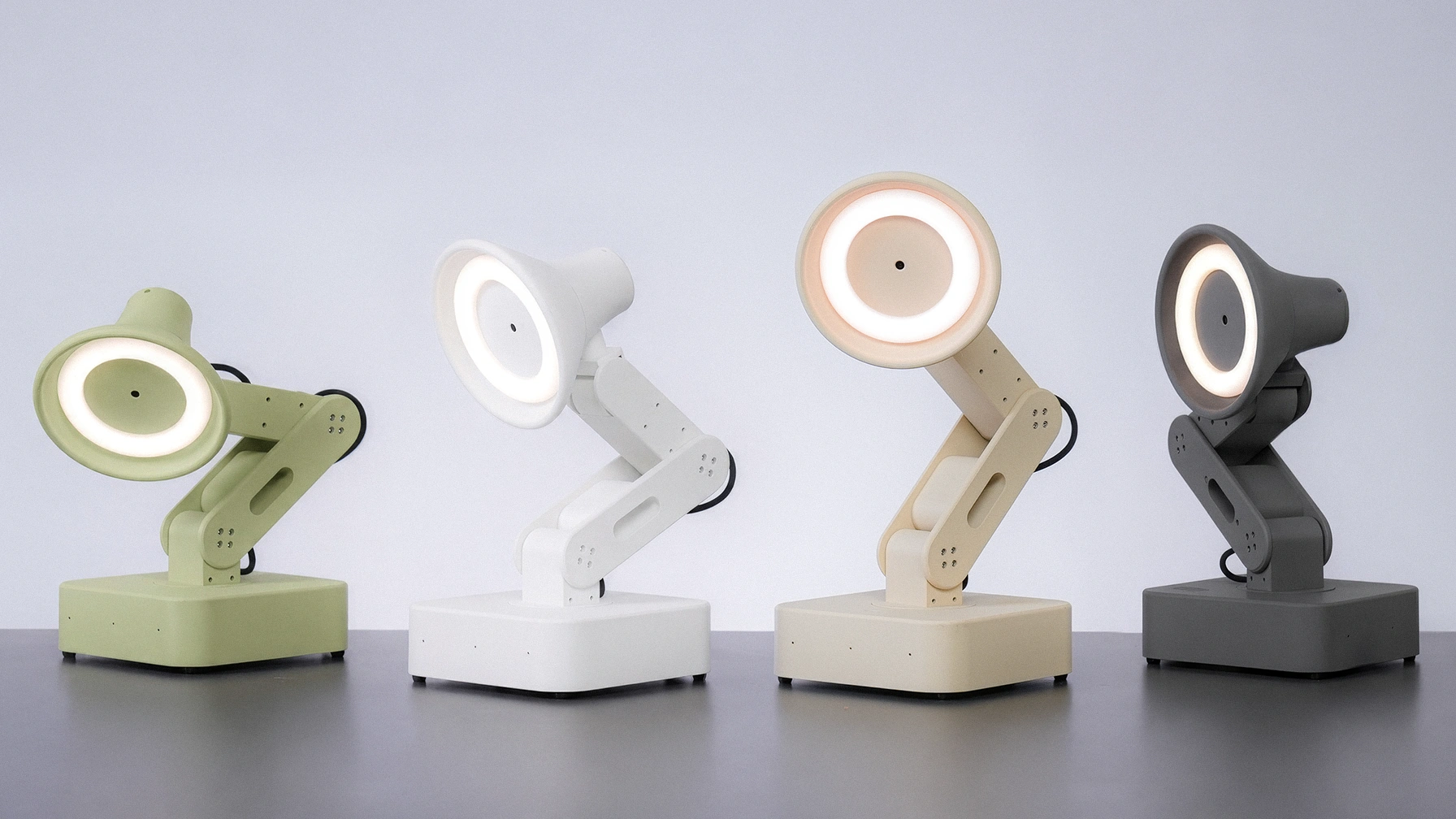
At $499, the Reachy Wireless now costs the same as the Lamp, so it's not a price call. It's a kit you build versus a robot that works on day one. So the choice is less about which robot and more about how you want to get there. Buy the Reachy to build from parts and learn. Pick the Lamp if you want an open robot that works on day one. Either way, the software from one runs on the other.
FAQs
Is Reachy Mini worth it?
It's worth it if you want to build on an open robot and you know a bit of Python and Linux. For that person, nothing near its $399 start is as open or as hackable. If you just want a robot that works out of the box, skip it, because you build this one yourself from a kit.
What does Reachy Mini do?
It gives an AI a body. It follows faces and objects with its camera, talks and listens through its mics and speaker, and runs behaviors you write in Python using Hugging Face models. It's made for expressive, playful interaction and for learning, not for chores or picking things up.
What's the difference between Reachy Mini Lite and Wireless?
The Lite, at $399, plugs into your Mac or Linux computer for its brains. The Wireless, at $499, has its own computer, WiFi, and battery inside, so it runs on its own, and it adds a motion sensor. Both have the same four mics. The difference is power and freedom to move.
Do you need to know how to code to use Reachy Mini?
Mostly, yes. You code it in Python, and getting real behavior out of it means writing or tweaking code, though basic stuff is doable in about an hour if you know a little Python. Easier tools have been promised, but for now it suits people who are comfortable with some coding.
What are Reachy Mini's specs?
It's about 28 cm tall and around 1.5 kg. It has a head that moves six ways, two antennas, and full body spin, for nine motors total, plus a wide-angle camera, a four-mic array, and a speaker. The wireless version also has its own Pi CM4, WiFi, a battery, and a motion sensor.
How hard is Reachy Mini to set up?
Expect a project, not a plug-in. First you build the kit, which Pollen puts at about two hours, then you connect from an app or browser. The most common snag is the connection, which can need a restart, and advanced setup means SSHing into the robot, so some Linux comfort helps.
Do you need a Raspberry Pi for Reachy Mini?
Only for the wireless one, and it's already inside. Reachy Mini Wireless has its own computer built in, so it runs on its own. The Lite has no computer inside and plugs into your Mac or Linux machine instead, so you bring the host rather than a separate board.
Can you run other AI software on Reachy Mini?
Yes. It's open, so on top of the Hugging Face tools it supports, you can run other agents on it. Autonomous OS, the open system behind the Autonomous Lamp, installs on the Reachy Mini, so you can put a full agent and skills on the hardware instead of building the software yourself.
Conclusion
Reachy Mini is one of the best open robots you can put on a desk, as long as you know what you're getting: a kit and a base to build on, not a finished helper. If you build, teach, or tinker and you want an open robot to code in Python, it's a lot for the money, rough parts and all. If you'd rather a robot just worked on day one, get a finished one instead, and remember the open software can move between them.