Autonomous Desk Error Codes
General Reset Instructions
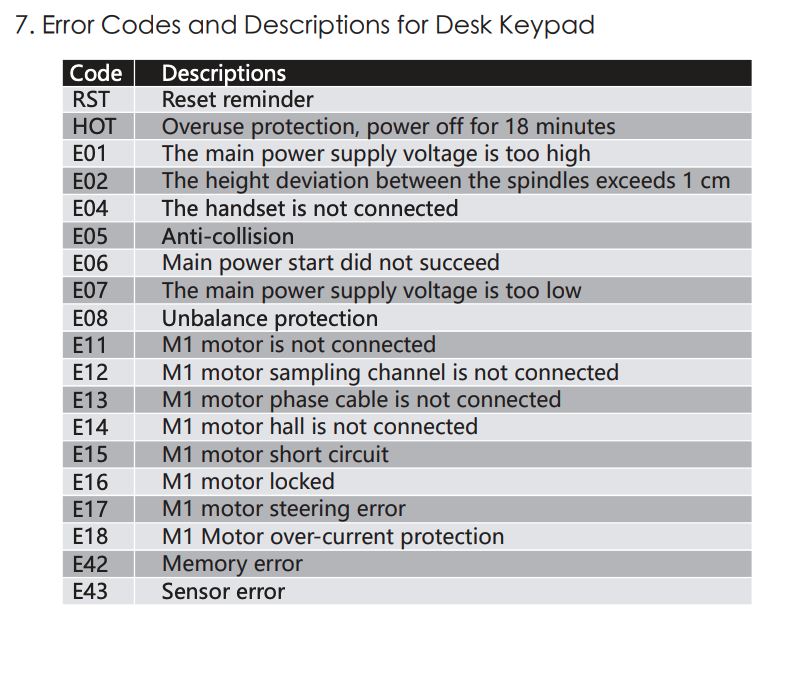
For most error codes (excluding E01 and E03), perform a reset. Check this article to reset your desk.
Important Information: Certain control boxes may not support all functions. Unless the error is E01 or E03, please reset the desk as outlined above when other codes appear.
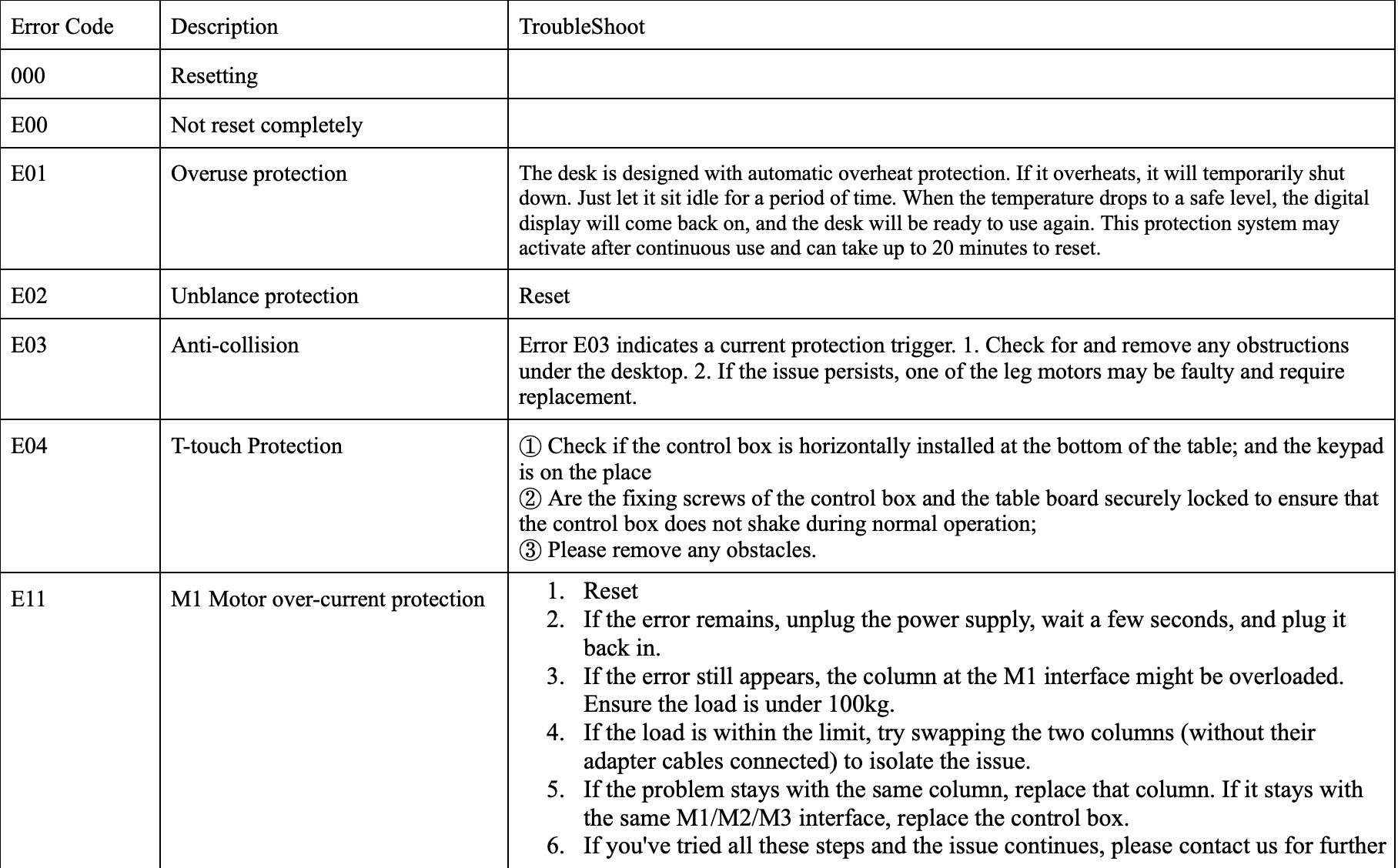
E01 – Overheating Protection: This indicates the motor has overheated. Turn off the power, unplug the desk, and wait 20 minutes before reconnecting and testing it.
E03 – Obstacle Detection: An obstruction is preventing movement. Remove any obstacles and attempt to operate the desk again.
E04
① Check if the control box is horizontally installed at the bottom of the table; and the keypad is on the place
② Are the fixing screws of the control box and the table board securely locked to ensure that the control box does not shake during normal operation;
③ Please remove any obstacles.
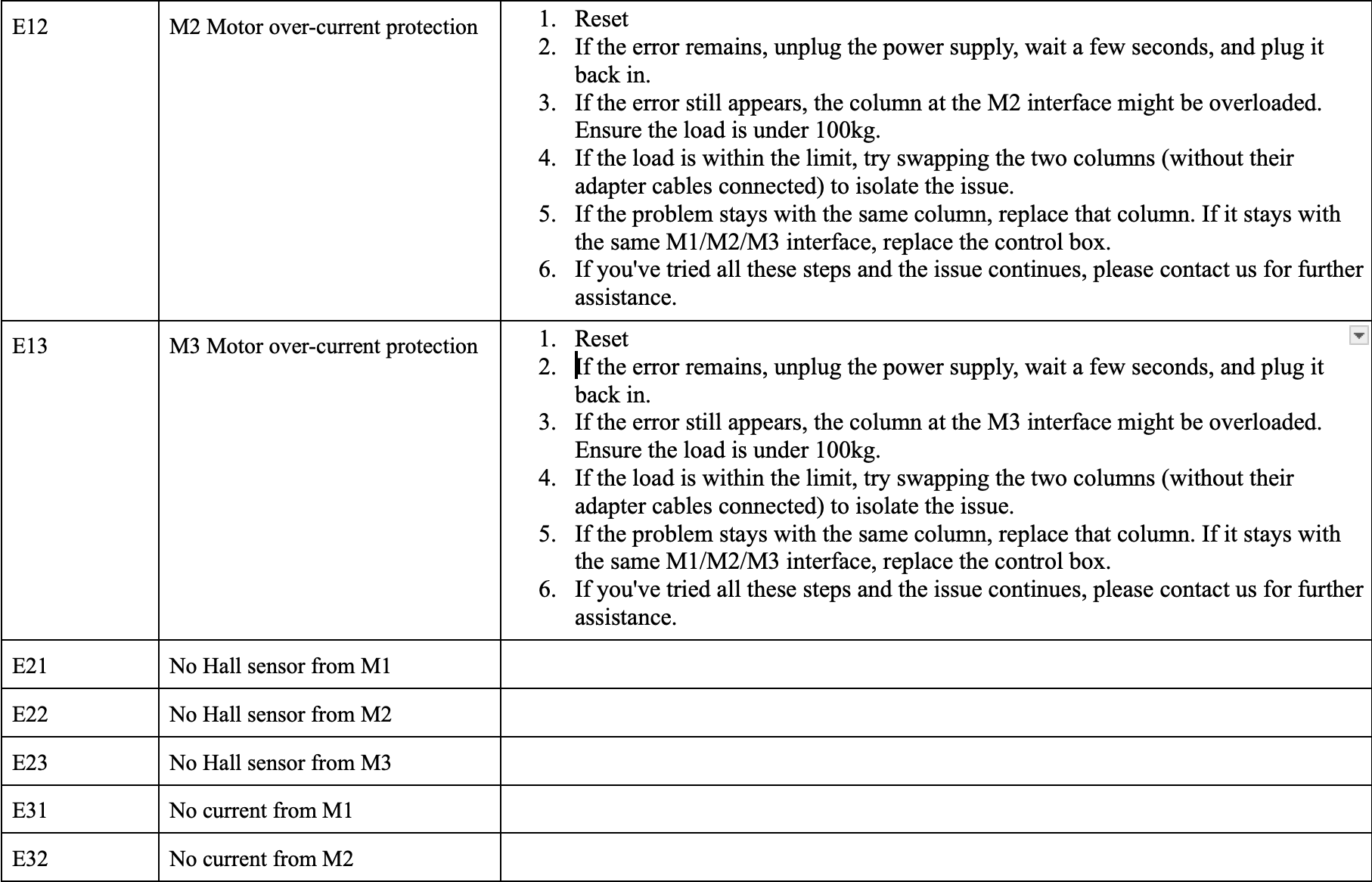
*** Other codes: For further details on other error codes, please find the list at bellow. If the issue persists, please contact our support team with the error code and a brief description of the problem.
Autonomous Desk 2 - E12 Error
The E12 error indicates that the controller system may not be functioning properly. To troubleshoot this, please try performing this hard reset first. Please also try swapping the motor leg cables between the control box ports. This can sometimes help the control box re-detect the motor connections and clear the error.
Note: When completing the reset step, it may take a little longer for the keypad to display “RST.” If “RST” does not appear right away, try holding the button for about 10–15 seconds before releasing it, then continue with the reset instructions.
Autonomous Desk 5 - Single Motor