How to Build a 4x RTX 5090 128GB VRAM AI Workstation
.webp)
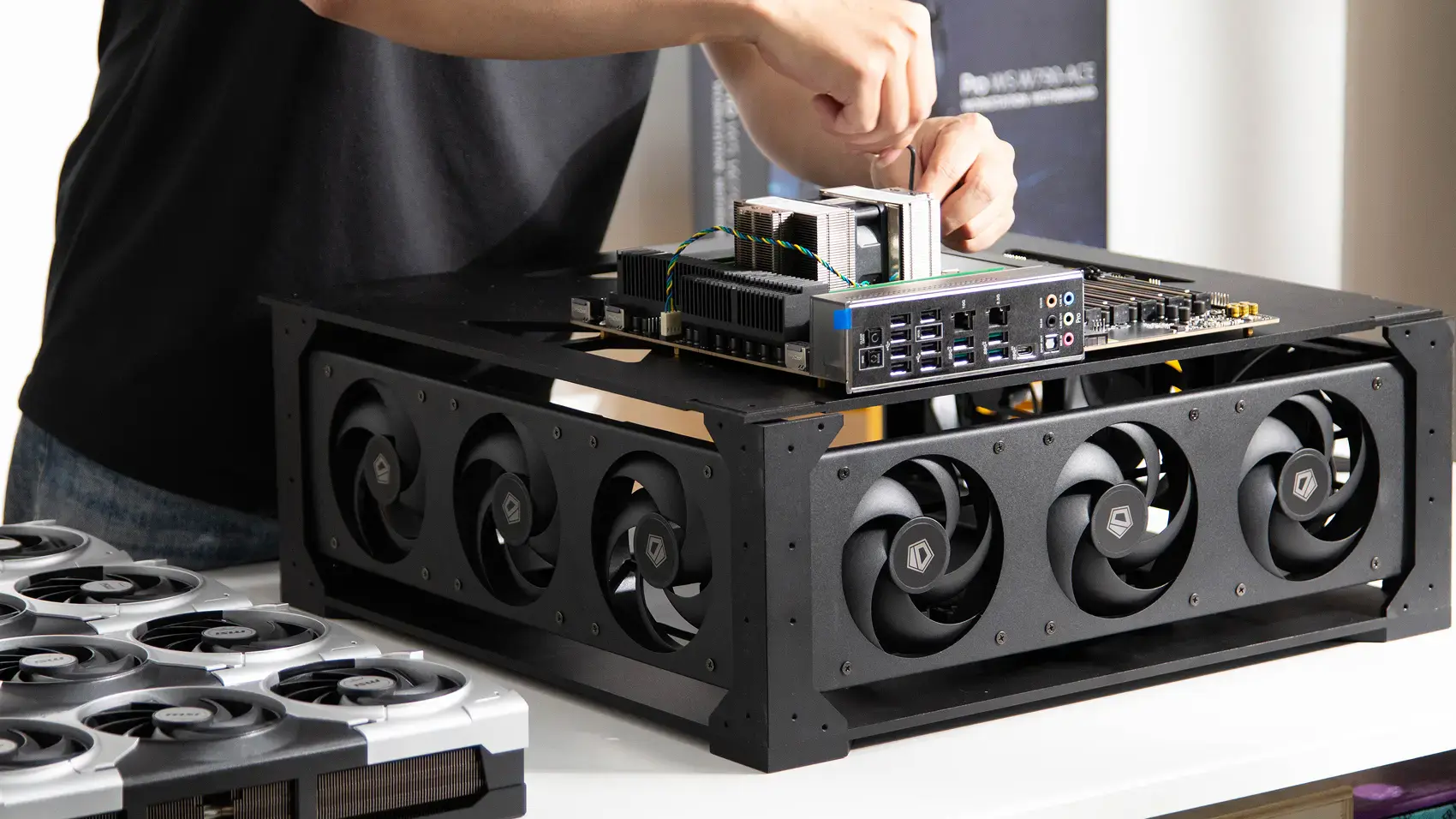
A 4x RTX 5090 build gives you 128GB of combined VRAM, 838 FP32 TFLOPS, and 7,168 GB/s of aggregate bandwidth in a desk-side cube. Four 32GB cards clear the line where larger open models like Kimi, MiniMax, and GLM start to fit without the heavy quantization a two-card build needs. The point of this size is concurrency: it serves several users or several models at once, where a two-card build serves one person well.
Around the cards sits a GPU server setup built on a workstation platform: an AMD Ryzen Threadripper PRO on a WRX90 board, 96GB of system RAM, a 1TB NVMe boot drive, dual 10 GbE networking, and a BMC for remote management. That last detail matters for a team machine, because it lets you manage the box without sitting in front of it.
Why a Threadripper PRO platform
The 4x RTX 5090 build uses an AMD Ryzen Threadripper PRO on a WRX90 board because four cards need more PCIe lanes than a consumer or standard workstation board provides. Each RTX 5090 wants a full Gen5 x16 link, and four of those at once is a lane budget only the HEDT and workstation-class platforms deliver. Threadripper PRO on sTR5 provides those lanes, the memory channels to keep 96GB fed, and the dual 10 GbE and BMC that a shared machine benefits from.
The exact board and CPU model are being finalized by the build team, so treat the platform as Threadripper PRO on WRX90 rather than a specific SKU for now. What is settled is the reason for the platform: lanes, not clock speed. When evaluating GPU vs CPU for AI, the GPUs do the work, and the CPU exists to feed them.
The full build
The build is documented as a bill of materials, and the parts that are confirmed are listed below. A few exact models are still being confirmed by the build team and are marked as such.
Component | Part | Detail |
GPUs | 4x MSI GeForce RTX 5090 | 32GB each, 128GB total |
Motherboard | AMD WRX90 workstation board | sTR5 socket, 2x 10 GbE, BMC (exact model being finalized) |
CPU | AMD Ryzen Threadripper PRO | sTR5 socket (exact model being finalized) |
Memory | DDR5, 96GB total | DIMM count set by the board's channel layout |
Storage | 1TB NVMe | Capacity configurable |
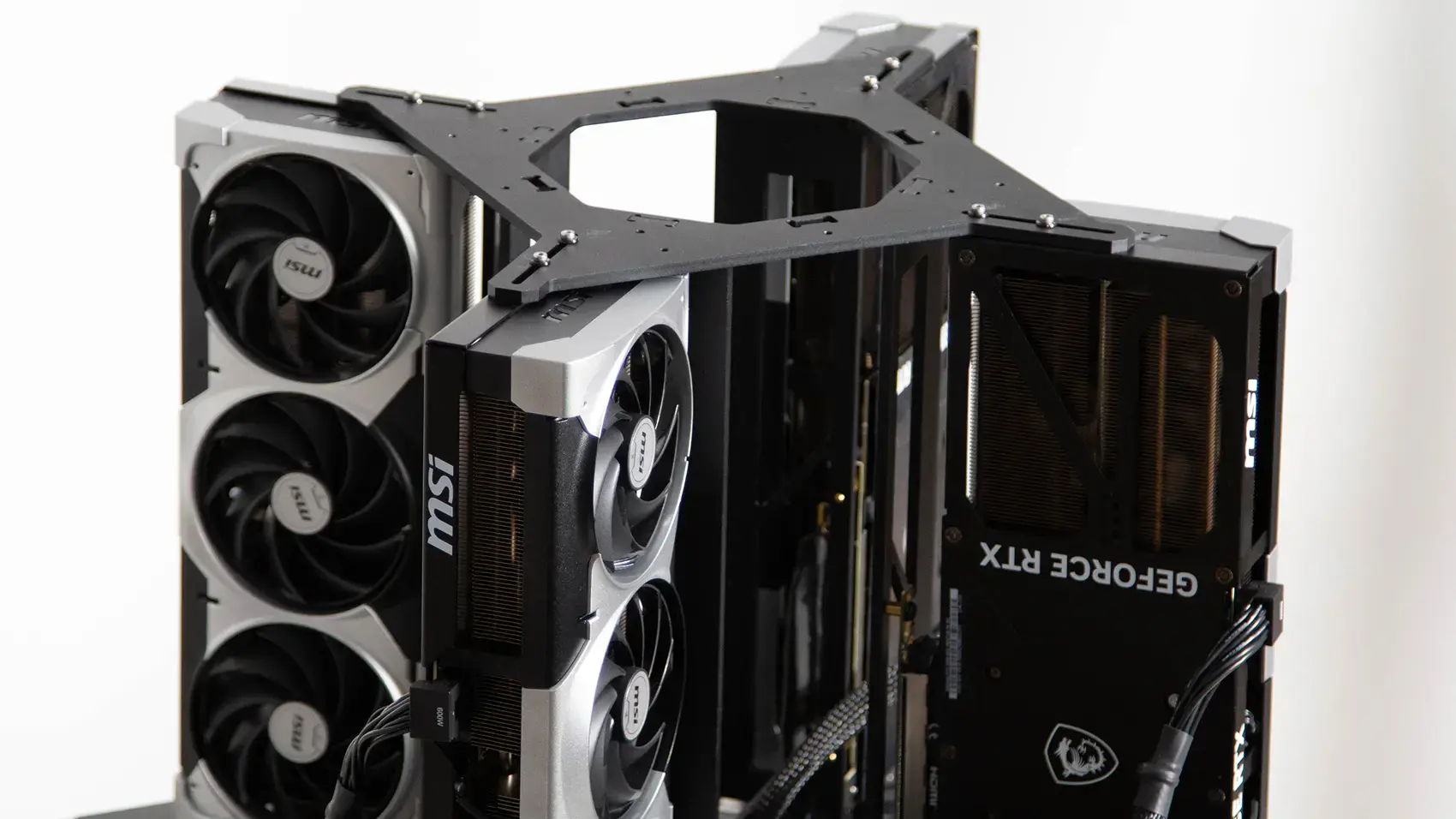
Risers | 4x PCIe 5.0 x16 riser cable | One per GPU |
GPU power | 4x 12V-2x6, 600W rated | One per card |
Power | 4000W PSU | 2,750W draw under load (exact PSU being finalized) |
Cooling | 4 case fans | Mapped to the housing |
Chassis | Cube housing, printed or CNC | Published STL and STEP files |
Two things in that list are worth reading closely. Each GPU gets its own PCIe 5.0 riser, one per card, so no card shares lanes or drops to a narrower link. And the power headroom is generous: a 4000W supply against a 2,750W draw is comfortable margin, which is what keeps a four-card machine stable through the transient spikes that trip a supply running closer to its limit.
Power and the circuit you need
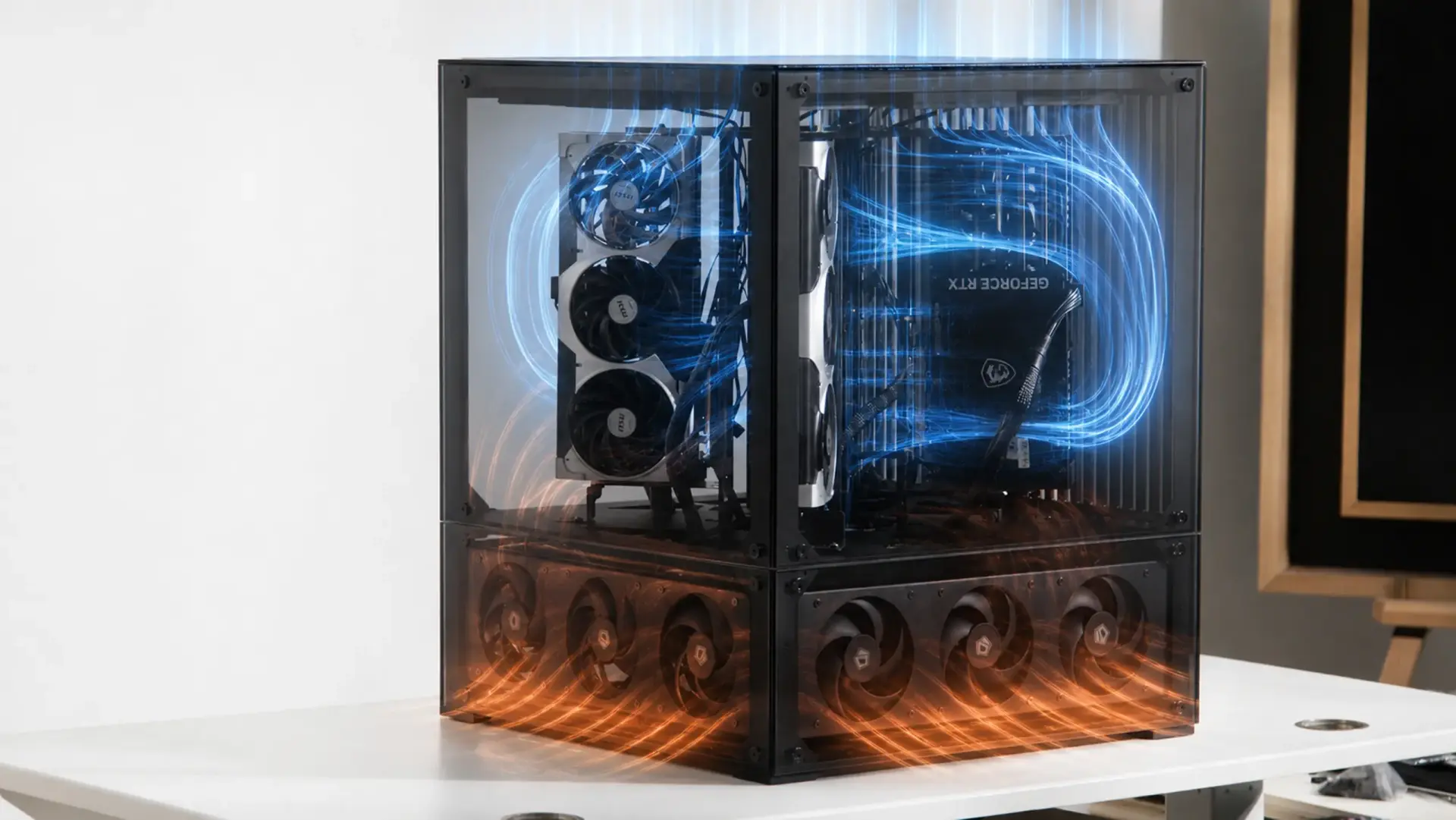
Four RTX 5090s plus a full system draw about 2,750W under load, delivered by a 4000W supply. That is the honest limitation of this build: it is past what a standard wall outlet carries, so it needs a dedicated circuit. In North America that means a 240V circuit sorted before the machine arrives, and in 230V regions a suitable high-current outlet. This is the point where a build stops being desk-and-plug and starts needing an electrician if the room is not already wired for it.
The upside of the 4000W supply is margin.
At 2,750W draw it runs around 69 percent of capacity, well inside the range where a supply stays cool and stable, rather than the near-ceiling load a smaller supply would see. Each card is fed by its own 12V-2x6 cable rated to 600W, which needs to seat fully and click, because a loose 12V-2x6 is the connector behind most of the melting incidents in the news.
Cooling four cards in a cube
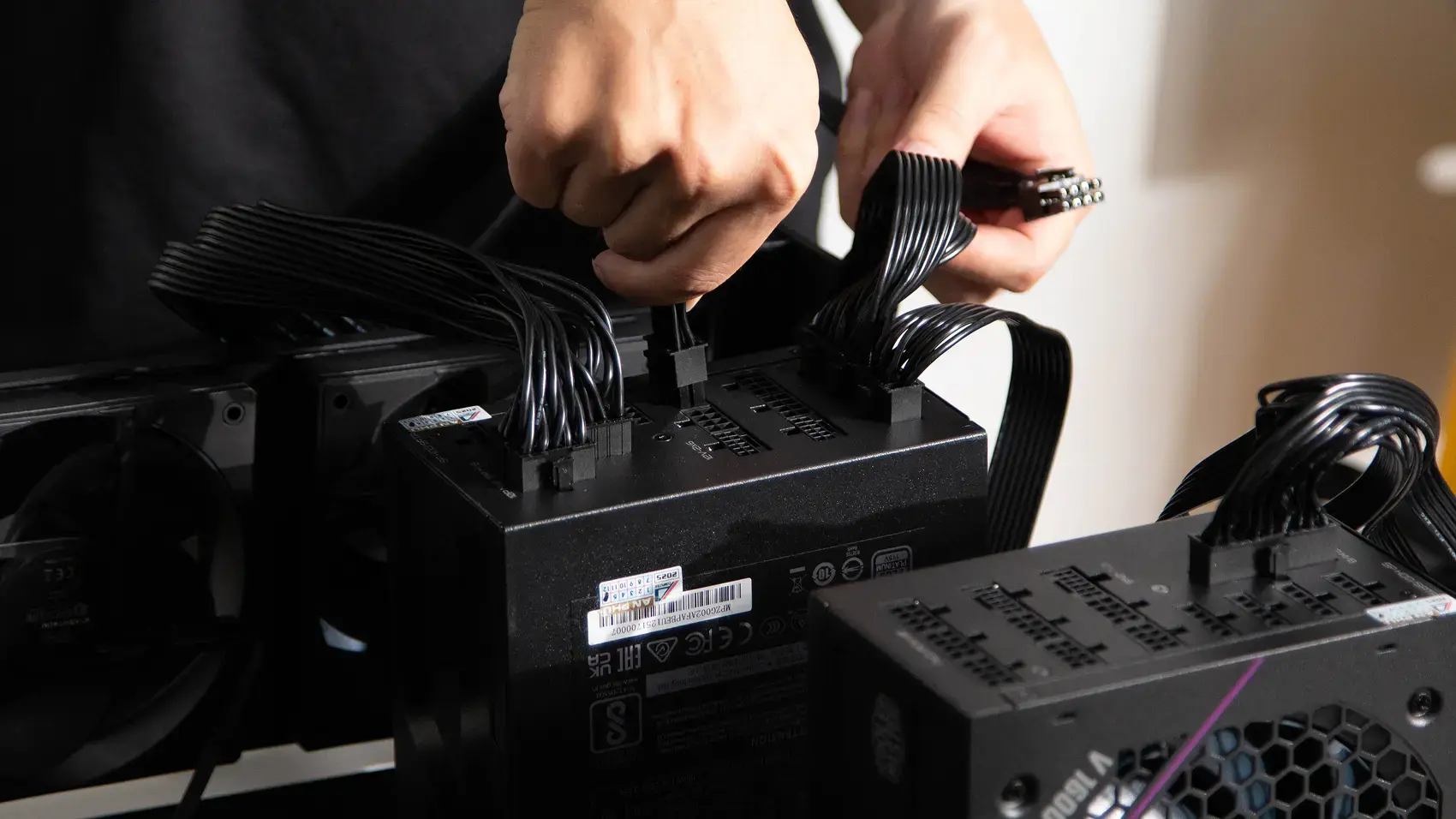
Four cards packed into a cube housing is the hardest thermal case in the lineup, because the inner cards sit between two neighbours and recirculate each other's heat. The build maps four case fans to the housing to move air across all four cards in a defined path rather than letting it swirl. Left unplanned, the inner cards throttle first, and you lose performance without an error to explain why.
If you build your own housing from the published files, the rule is a deliberate intake-to-exhaust path with enough static pressure to push air between the cards, not just around them.
Card spacing and fan placement do more for four-card temperatures than raw fan count, which is why the fans are mapped to the housing before it is printed.
Building it, step by step
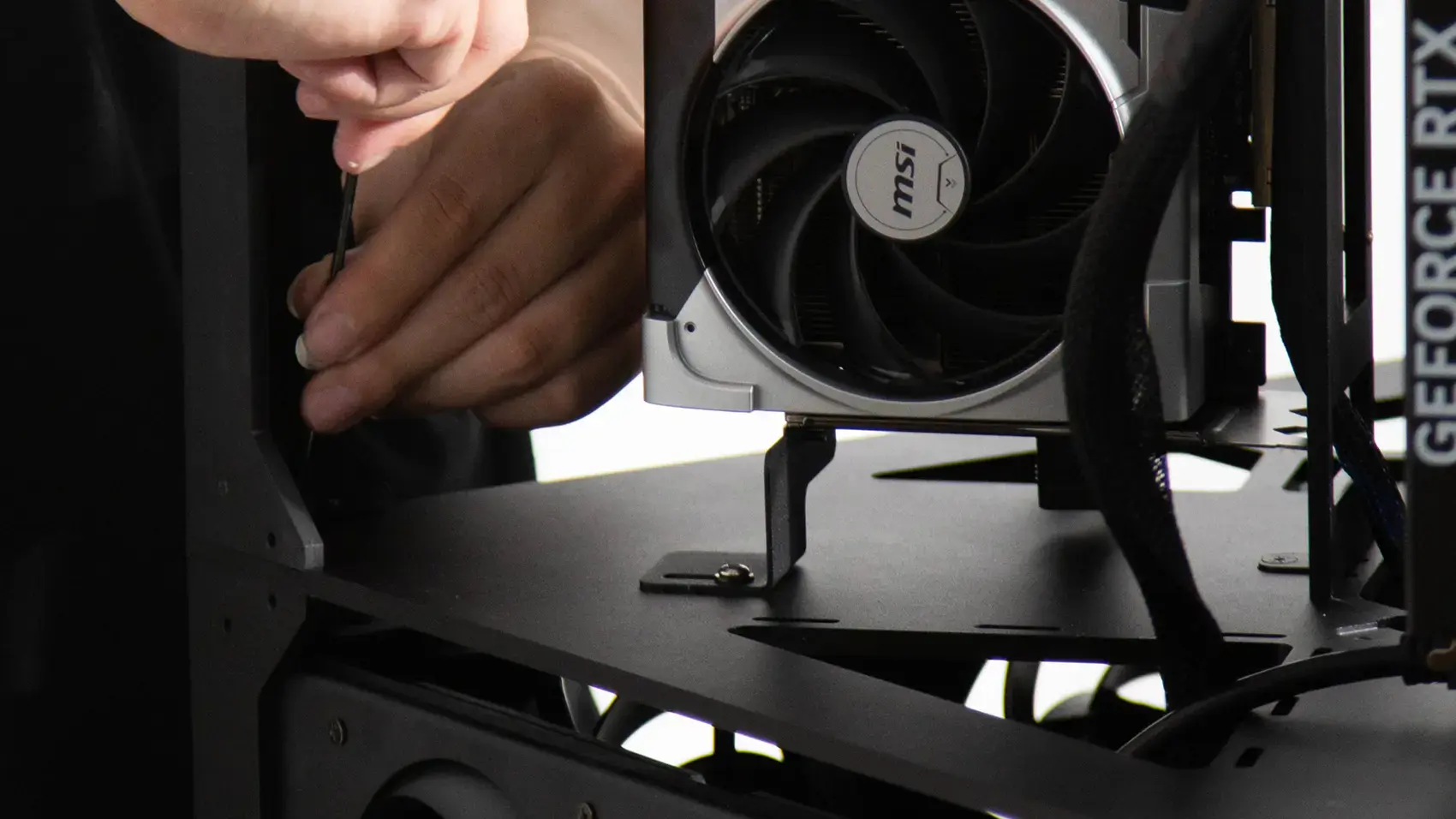
The mechanical build is documented as 23 steps from bare housing to closed box, with a photo of every part, in the build repository. The housing is 3D-printed from the published STL files or milled from the STEP files, and a component checklist covers the electronics layout. Rather than reproduce all 23 steps, here are the ones that matter most and the order that saves a rebuild.
Step 1: Lay out and check every part
Check every part against the component checklist before anything goes together, including the parts still marked as being finalized. Confirming the board and PSU models against the checklist now avoids a stall halfway through.
Step 2: Build the CPU and memory on the board
Seat the Threadripper PRO in its sTR5 socket, fit the cooler, and populate the DDR5 in the board's channel layout. Threadripper boards are specific about DIMM order, so follow the manual rather than filling slots left to right.
Step 3: Mount the motherboard on the fan chassis
Secure the board to the housing's fan chassis. On this build the fan plate and board mount together, so the board goes on with the cooling already in place.
Step 4: Mount the risers and cable the power supplies
Install the four PCIe 5.0 risers and route the power supply cabling while the frame is still open. Doing the power cabling before the GPUs go in keeps the bays clear and easy to reach.
Step 5: Mount the four GPUs to the frame
Fix each card to the frame and seat it into its riser until it clicks. With four cards on a frame, watch that each sits square, because a card under tension pulls its riser link out of alignment.
Step 6: Connect the GPU power and do a final pass
Connect a 12V-2x6 to each card, seat it until it clicks, and confirm with a gentle tug. Then check every riser, every power cable, and every fan header before closing the housing.
If sourcing and assembling a four-card build is not where you want to spend your time, the Autonomous Computer Studio is this same four-GPU class as a finished machine: the GPUs are installed, the drivers are set, and it is burn-tested at full load before it ships.
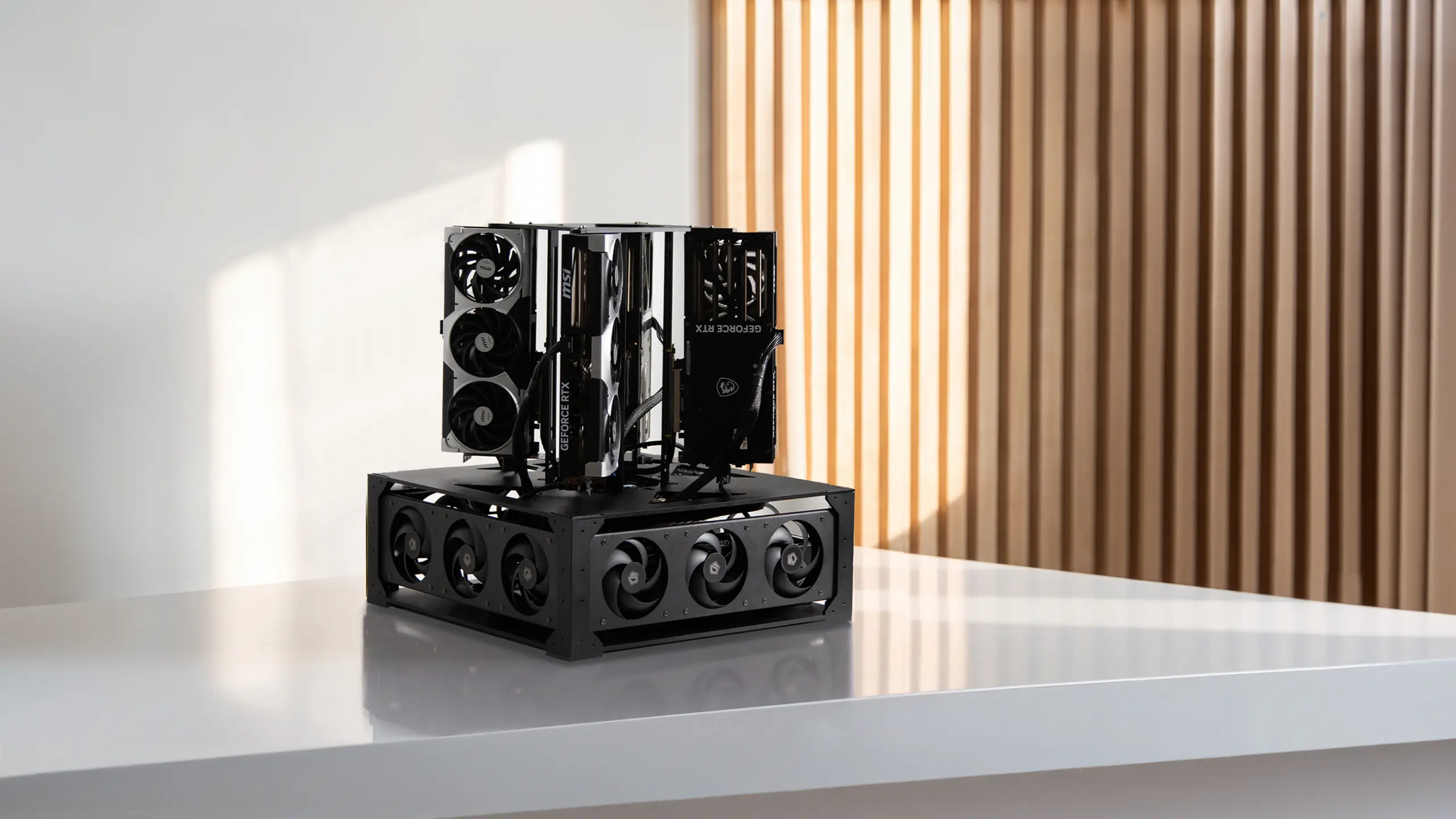
The same page also offers a DIY kit with the case and PCIe risers if you want to build but skip the hardest parts. The open build files stay published either way, so you can check exactly what goes into it.
BIOS settings that matter
Three BIOS changes are needed before first boot on the WRX90 platform, and they are the same principles as any multi-GPU build.
Enable Above 4G Decoding
Enable Re-size BAR support
Set every GPU slot to PCIe Gen 5 (with bifurcation as the board requires)
Beyond those, disable C-states and ASPM so power management does not throttle the cards, and run the memory at its rated speed.
Exact menu paths depend on the board, and the board model is still being finalized, so use the board manual for the precise locations once it is confirmed. The cross-board sequence is in the multi-GPU BIOS setup guide.
Verifying the build
A correct 4x RTX 5090 build shows all four cards detected, each reporting its full 32GB, and each linked at a full PCIe Gen5 x16. Boot into Linux, install the NVIDIA driver and CUDA toolkit, then run nvidia-smi and nvtop. What to confirm:
- All four GPUs appear in nvidia-smi
- Each card reports its full 32GB of VRAM
- PCIe link width is what you set in BIOS, with no card dropped to x1 or x4
- Temperatures and power draw are sane at both idle and under load
The failure to watch for is a card linking at a narrower width than x16, which points to a riser or a BIOS setting rather than a bad card.
On a four-card machine a dropped link silently costs you a quarter of your throughput, so verify every link before you rely on the build.
Serving models
With 128GB of VRAM verified, the build serves larger models to a team. The common options are:
- vLLM, for high-throughput serving
- Ollama, for the simplest setup
- llama.cpp, for flexibility across hardware
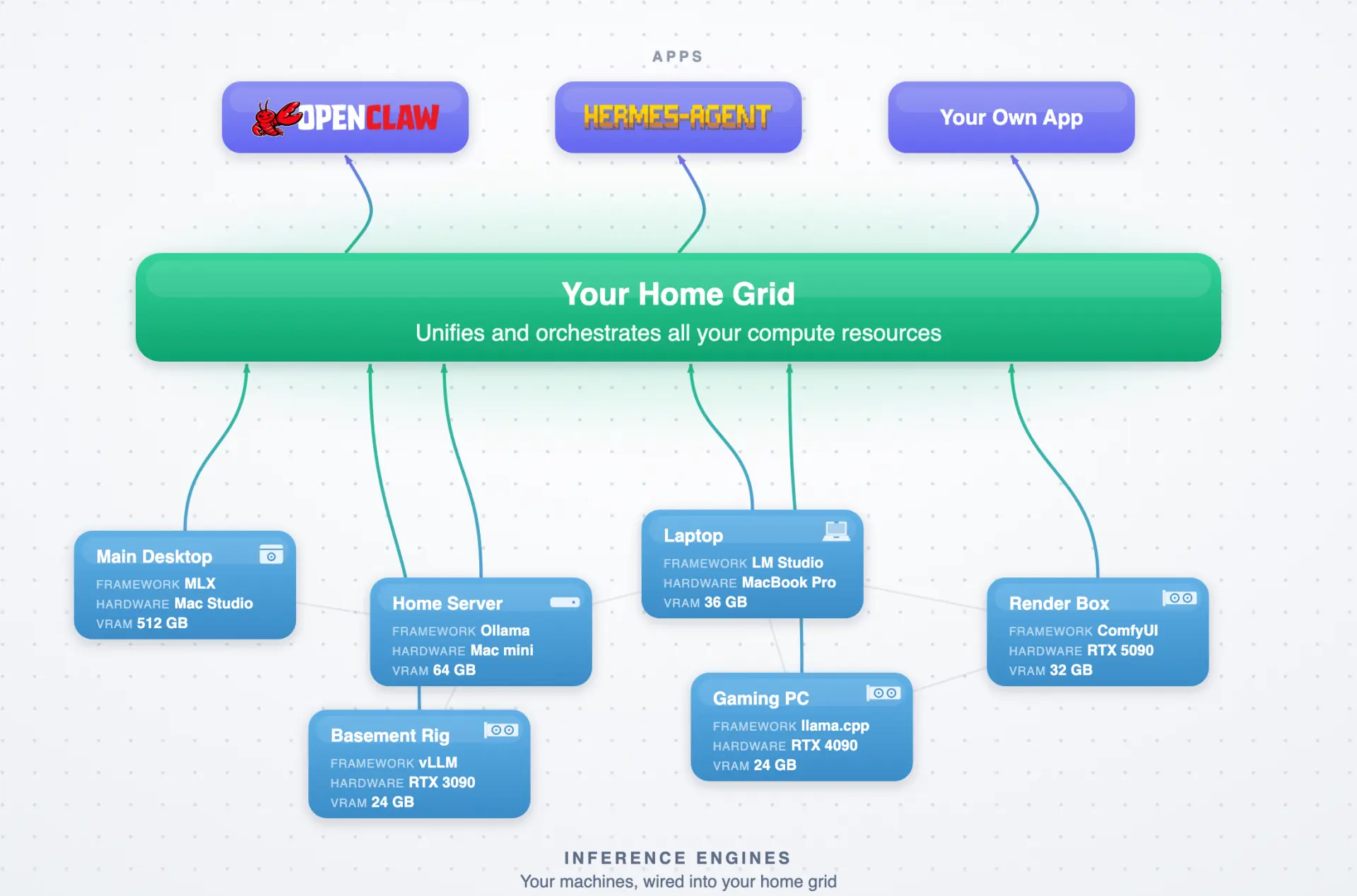
- Grid, an open orchestrator that pools this machine with any others you own into one local network
On top of a Grid network, apps like OpenClaw and Hermes Agent, or your own, run against the pooled compute rather than a single box. Nothing you serve leaves your hardware, which for a team handling private data is often the whole reason to own the machine rather than rent it.
Specs at a glance
Spec | 4x RTX 5090 build |
GPUs | 4x RTX 5090, 128GB VRAM |
VRAM per card | 32GB |
Memory bandwidth | 7,168 GB/s aggregate |
Compute | 838 FP32 TFLOPS |
Platform | AMD Ryzen Threadripper PRO, WRX90 |
System RAM | 96GB DDR5 |
Storage | 1TB NVMe |
Networking | 2x 10 GbE, BMC |
PCIe | Gen5 x16 per card, dedicated riser |
Power | 4000W PSU, 2,750W draw |
Cooling | 4 mapped case fans |
Chassis | Cube housing, 20 x 20 x 24 in, 66 lb |
Frequently asked questions
How much VRAM does a 4x RTX 5090 build have?
A 4x RTX 5090 build has 128GB of VRAM, 32GB per card. That is enough to serve larger open models like Kimi, MiniMax, and GLM to a team without the heavy quantization a 64GB two-card build needs. Aggregate memory bandwidth is 7,168 GB/s across the four cards.
What platform does a four RTX 5090 build need?
Four RTX 5090s need an AMD Ryzen Threadripper PRO on a WRX90 board, because four cards require more PCIe lanes than a consumer board provides. Each card wants a full Gen5 x16 link, which is a workstation-class lane budget. The exact board and CPU models for this build are being finalized.
Does a 4x 5090 build need a special power circuit?
A 4x 5090 build draws about 2,750W under load from a 4000W supply, which is past a standard wall outlet. It needs a dedicated circuit, meaning a 240V circuit in North America or a suitable high-current outlet in 230V regions, sorted before the machine arrives rather than after.
How is 4x 5090 different from 4x RTX PRO 6000?
Both are four-card builds, but they target different work. Four 5090s give 128GB for serving models to a team, while four RTX PRO 6000 cards give 384GB for fine-tuning and training. Choose the 5090 build for inference concurrency, and the PRO 6000 build when you need to fine-tune large models.
Can you keep four RTX 5090s cool in one housing?
Four cards in a cube recirculate each other's heat, so the inner cards run hottest. The build maps four case fans to the housing for a defined intake-to-exhaust path. Card spacing and fan placement matter more than raw fan count, which is why the fans are planned before the housing is printed.
Is a local 4x 5090 server cheaper than the cloud?
Whether owning beats renting depends on utilisation. A team using the machine continuously crosses the break-even point against per-hour cloud rental relatively quickly, while light use often favours renting. Keeping private team data on your own hardware is a separate, non-cost reason many teams build rather than rent.
The bottom line
A 4x RTX 5090 build is the team inference server of the range: 128GB of VRAM on a Threadripper PRO platform, in a cube that serves several users or models at once.
What decides whether it runs stably is the same short list as any multi-GPU build, scaled up: a dedicated riser per card, real power headroom on a 4000W supply, a planned airflow path for four cards, and connectors seated properly. A few exact parts on this open build are still being finalized, so check the current bill of materials before you order. If you would rather not build it, the finished Autonomous Computer Studio ships the same four-GPU class with the cards installed and tested, and a DIY kit covers the case and risers if you want a middle path.
References
- NVIDIA, RTX 5090 specifications and Blackwell architecture overview, nvidia.com
- Autonomous open hardware build repository, 4x RTX 5090 build and bill of materials, github.com/autonomous-ai/autonomous-computer