How to Reset a Standing Desk

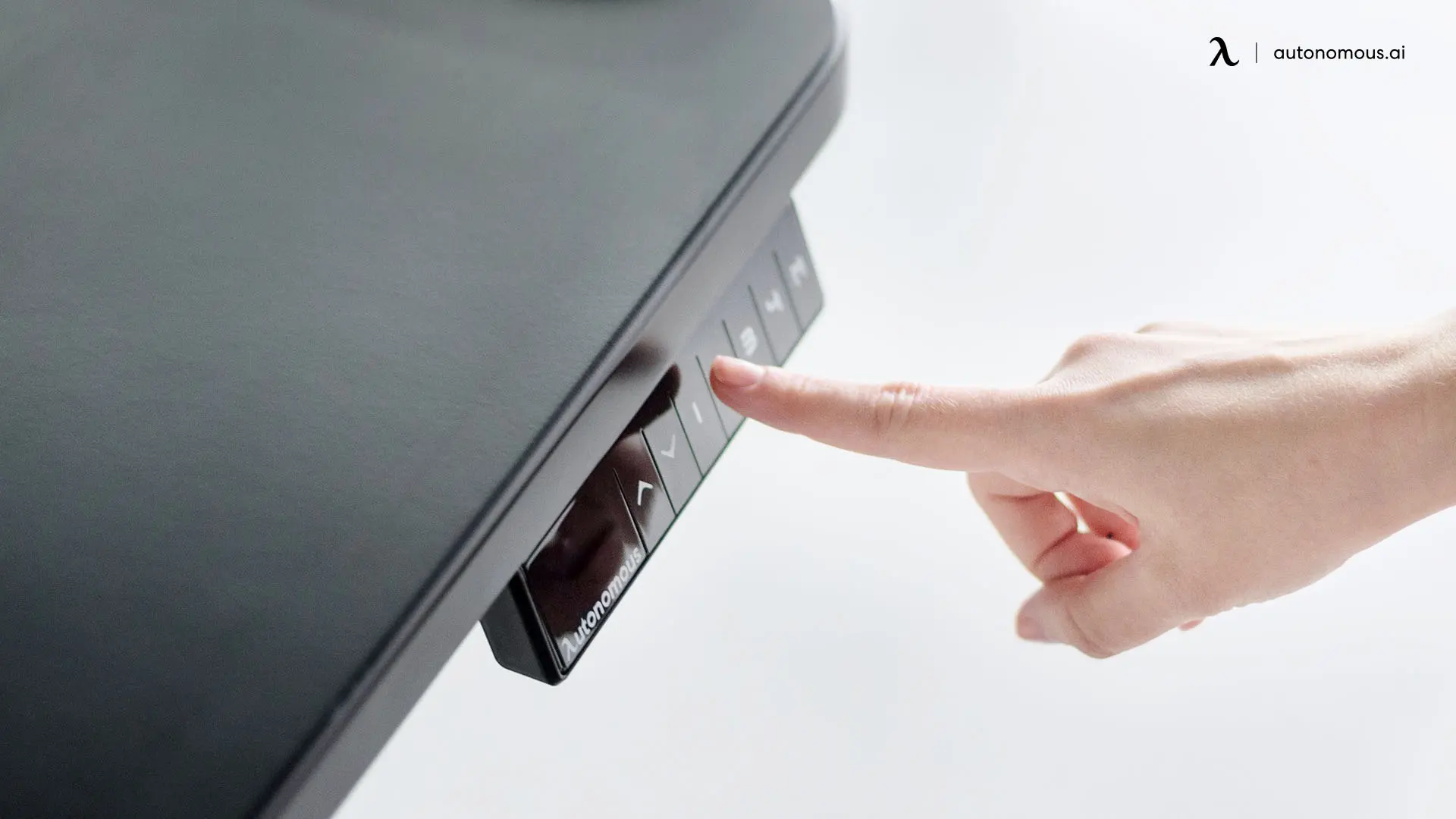
A standing desk that won't move, gets stuck mid-travel, or makes grinding noises usually has one of three problems - an obstruction, a tripped overload sensor, or a control board out of sync. The fix is almost always a factory reset, and it takes about 60 seconds on most desks once you know which buttons to hold.
This guide covers the reset procedures for the two current Autonomous desks (Desk 2 and Desk Pro), the universal reset that works on most electric standing desks, and brand-specific reset answers for Uplift, Vivo, Vari, Fully Jarvis, Flexispot, and AMQ in the FAQs.
Before you reset - three things to check first
A reset clears the desk's height memory and recalibrates the motors. It's the right fix for stuck motors and out-of-sync controllers - but if the issue is something else, resetting won't help.
1. Remove anything under the desk.
If the anti-collision sensor tripped, the desk locked itself for safety. Move chairs, monitors, file cabinets, or anything that might block descent.
2. Check the cables.
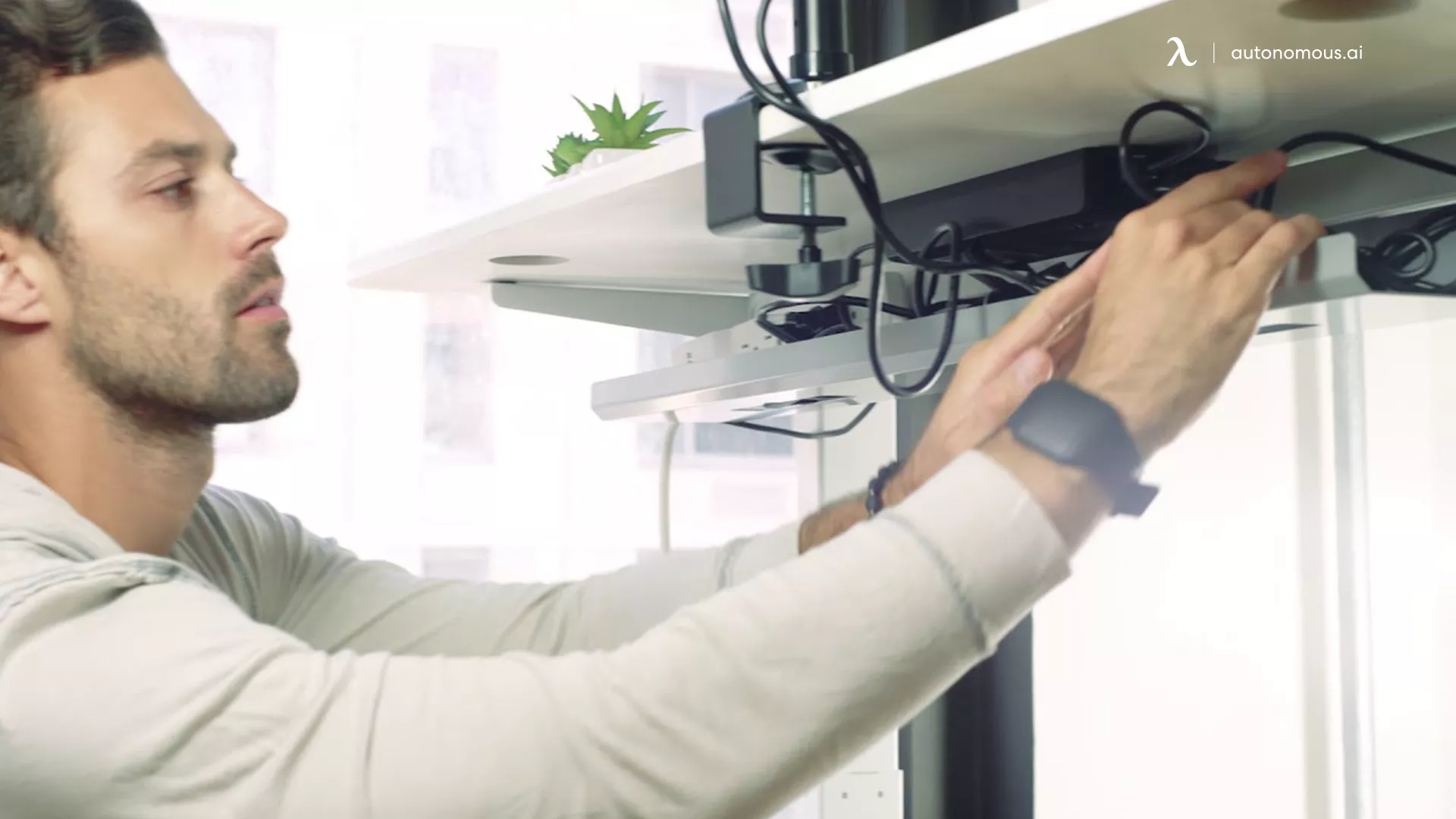
Power cord plugged in firmly at both ends, keypad cable seated in the control box, motor cables clipped in. Loose connections cause about half the "stuck desk" reports.
3. Wait 30 seconds after a heavy use cycle.
Most desks have a duty cycle of 2 minutes on, 18 minutes off. If you've been moving the desk repeatedly, the motors may have overheated and shut down. Wait, then try again before resetting.
If none of those fix it, run the reset.
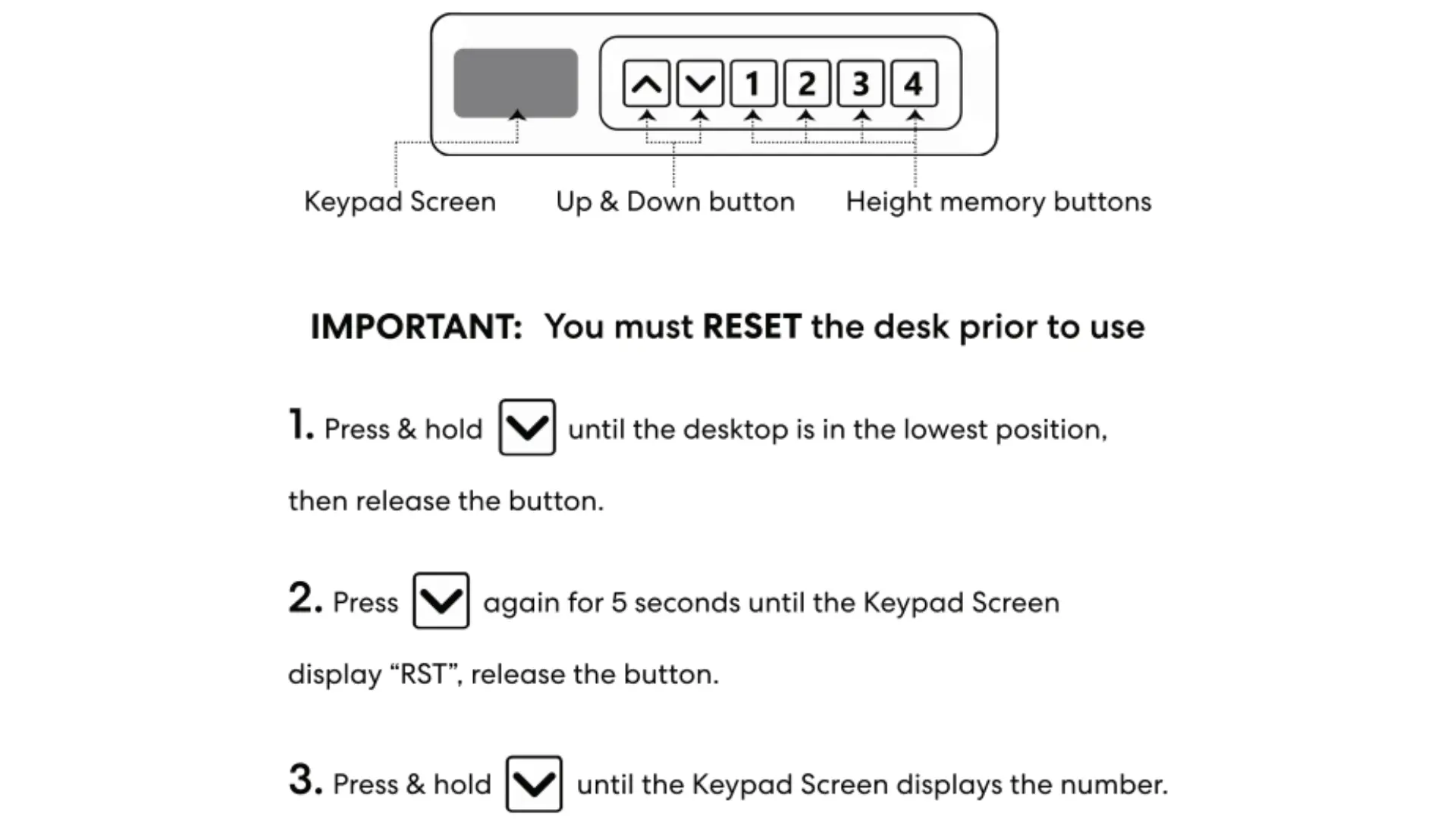
How to reset an Autonomous Desk 2
The Desk 2 uses the keypad with numbered memory buttons (1, 2, 3, 4).
- Press and hold the Down (▼) button until the desktop reaches its lowest position. Release.
- Press and hold the Down (▼) button again for 5 seconds until the keypad screen displays "RST". Release.
- Press and hold the Down (▼) button until the keypad screen displays the height number.
The desk is reset. The height display returns to the factory baseline.
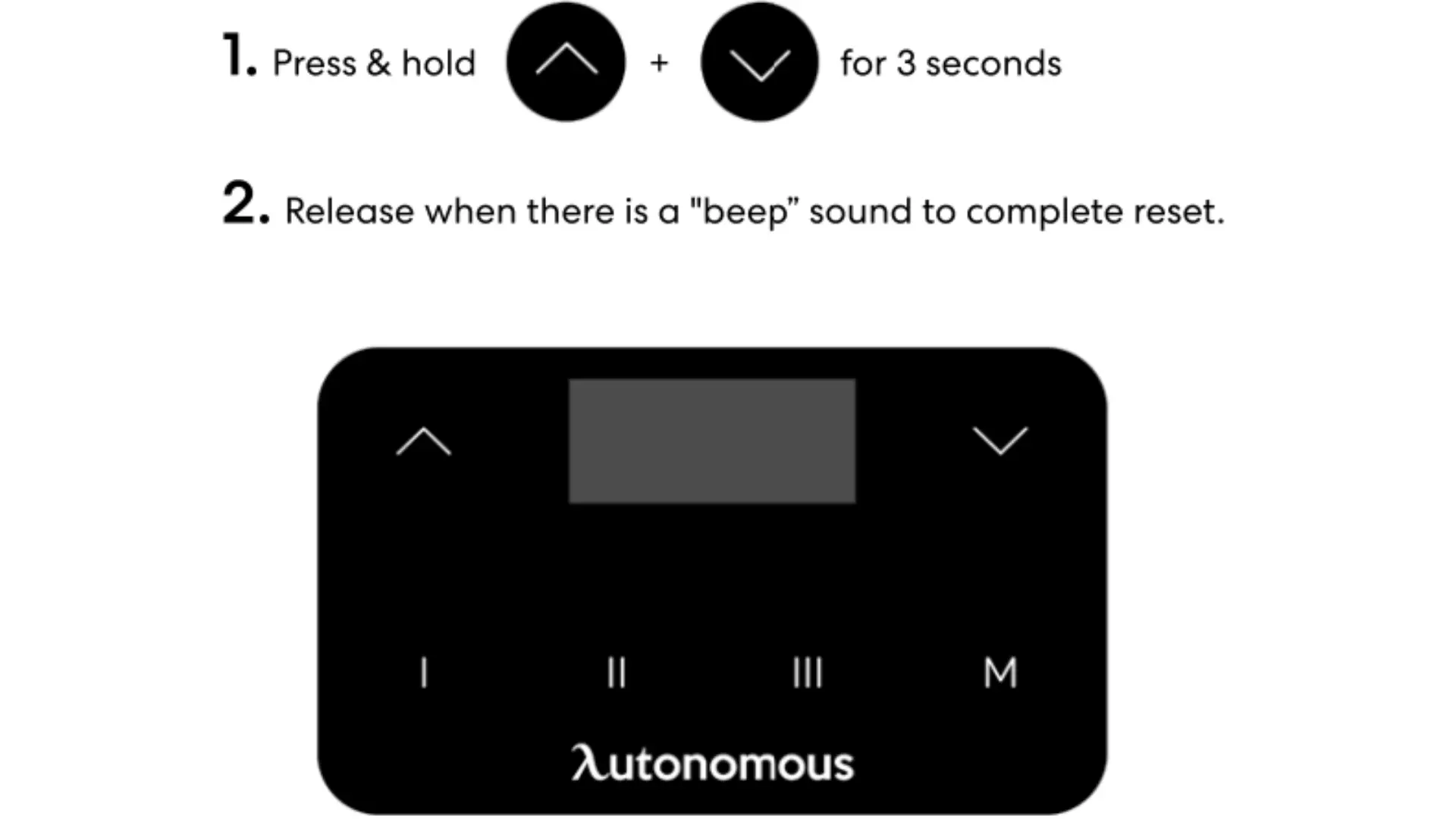
How to reset an Autonomous Desk Pro
The Desk Pro uses the touch keypad with Roman numeral memory buttons (I, II, III, M).
- Press and hold the Up (▲) and Down (▼) buttons simultaneously for 3 seconds.
- Release when you hear a "beep" sound. Reset is complete.
The Up + Down combo is shorter than the Desk 2 procedure because the Desk Pro's controller handles the lowest-position calibration automatically once the reset is triggered.
The universal reset procedure
If your desk isn't covered in the FAQs below, this procedure works on most electric standing desks:
- Remove anything blocking the desk's descent path.
- Hold the Down button until the desk reaches its lowest position. If the desk won't move, hold Down for 15 seconds, pause, then hold again.
- Once at the lowest height, hold the Down button for 20–30 seconds until the display changes (typically to "RST", "ASr", or "REs").
- Hold the Down button one more time. The desk should lower slightly, then rise. Reset complete.
If that doesn't work, unplug the desk for 10 seconds, hold the Down button for 10 seconds to discharge the control box, plug back in, and repeat the procedure.
What to do when the reset doesn't fix it
If you've reset twice and the desk still won't move correctly, the issue isn't the desk controller. Common causes:
Symptom | Likely cause | Fix |
Desk drops then immediately stops, repeats | Anti-collision falsely tripping; uneven leg sync | Reset to recalibrate, then check the desktop for level |
One leg moves, the other doesn't | Motor cable disconnected, or one motor failed | Reseat motor cables; if no change, contact warranty |
Beeping and no movement | Overload protection engaged | Remove weight from desktop, wait 30 minutes, retry |
Display blank, no response | Loose keypad cable or failed control box | Reseat keypad cable; if no change, control box replacement |
Frequently asked questions
Why won't my standing desk go up or down?
A standing desk that won't move usually has one of three causes: an obstruction triggering the anti-collision sensor, an overheated motor (most desks have a 2-minute-on, 18-minute-off duty cycle), or a control board out of sync after a power interruption. Remove obstructions, wait 30 minutes after heavy use, and run a factory reset before assuming hardware failure.
How do I reset an Autonomous standing desk?
Reset procedure depends on the model. For the Autonomous Desk 2, hold the Down button until the desk reaches its lowest position, hold Down again for 5 seconds until "RST" appears, then hold Down until the height number displays. For the Desk Pro, press and hold Up + Down simultaneously for 3 seconds and release at the beep.
How do I reset an Uplift standing desk?
Press the Down button once, then hold until the Uplift desk reaches its lowest position. Hold Down again for 30 seconds until the display shows "ASr" (touch keypads) or "RESET" (paddle keypads). Hold Down once more until the desk lowers slightly, rises, and stops. If the desk doesn't move, unplug for 10 seconds, hold Down for 10 seconds to discharge the control box, plug back in, retry.
How do I reset a Vivo standing desk?
Hold the Down button for 5–10 seconds until the Vivo desk reaches its lowest position. Press the Down button again until "REs" appears on the display, then hold Down until the desk moves slightly. If the desk doesn't respond, unplug for 30 seconds and reconnect before retrying.
How do I reset a Vari standing desk?
Confirm all cables are connected on the Vari desk. Hold the Down button for about 5 seconds until "RST" flashes on the screen. Hold the Down button until the desk lowers, rises slightly, and shows "25.0" on the display. Reset is complete.
How do I reset a Fully Jarvis standing desk?
Hold the Down button on the Fully Jarvis for about 15 seconds until the desk drops to its lowest height. At the lowest position, press the Down button once more to start the reset, then release when the desk stops moving.
How do I reset a Flexispot standing desk?
Unplug the Flexispot desk for 10 seconds, then plug back in. Confirm all cables are secure. Hold the Down button for 10 seconds until "RST" appears on the display, then release. Reset complete.
How do I reset an AMQ standing desk?
Move the AMQ desk to its lowest position using the Down button. Press and hold the Down button for 5 seconds. Release, then press the Down button once more to complete the reset. If the desk doesn't respond, unplug for 10 seconds, hold Down for 10 seconds to discharge the control box, then plug back in and retry.
Why does my standing desk keep beeping?
A standing desk that keeps beeping is signaling either an obstruction (anti-collision sensor tripped) or overload (too much weight on the desktop). Remove items from under or on the desk, wait 30 seconds, and try the height controls again. If beeping continues with no obvious cause, run a factory reset.
How often should I reset my standing desk?
You only need to reset a standing desk when it's malfunctioning - stuck mid-travel, out of sync between legs, or unresponsive after a power loss. Routine resets aren't necessary; the controller holds calibration indefinitely under normal use.
Does resetting a standing desk delete the height presets?
Yes. A factory reset clears the saved height presets along with the calibration. After resetting, you'll need to re-save your preferred heights using the memory buttons (1–4 on the Desk 2, I/II/III/M on the Desk Pro).
What's the duty cycle on a standing desk motor?
Most standing desk motors have a 2-minute-on, 18-minute-off duty cycle. This means after 2 minutes of continuous height adjustment, the motors will pause to prevent overheating. Heavy use cycles - moving the desk repeatedly within a short window - can trigger overload protection until the motors cool.
Can I reset a standing desk without unplugging it?
You can reset most standing desks without unplugging by holding the Down button through the desk's reset procedure. Unplugging is only required when the standard reset fails - in that case, unplug for 10 seconds, discharge the control box by holding Down for 10 seconds, then plug back in and retry.
The short version
Hold the Down button. Wait for the screen to change. Hold Down again. Most resets take under 60 seconds and fix the most common standing desk problems - stuck motors, out-of-sync legs, and unresponsive keypads. If two resets don't fix it, the issue is hardware, not software, and warranty support is the next step.