What Is an AI PC Assistant? Features, Benefits, and How It Works
.webp)
Table of Contents
An AI PC assistant enhances productivity by automating tasks, managing schedules, and optimizing daily workflows. Powered by advanced machine learning and natural language processing, these assistants adapt to your preferences, making them more efficient over time. In this article, we explore how AI computer assistants work, their key benefits, and how dedicated AI devices like the Autonomous Intern bring a new level of productivity to your desk.
1. What Is an AI PC Assistant?
In today’s fast-paced world, staying productive and efficient is essential. One way to streamline workflows and make daily tasks more manageable is through the use of an AI PC assistant. An AI PC assistant is a software-based system designed to assist with various computer tasks using artificial intelligence. It can perform a range of functions like answering queries, managing schedules, handling emails, and automating repetitive tasks, all while learning and adapting to your personal preferences.
As technology advances, AI computers have become more intelligent, efficient, and integrated into our everyday workflows, providing users with a seamless computing experience. These assistants are powered by machine learning algorithms and natural language processing (NLP), making them capable of understanding and executing tasks in a human-like manner.
1.1. Key Features of an AI PC Assistant
The AI PC assistant comes equipped with several powerful features that make it an indispensable tool for increasing productivity. Here are some key features:
- Voice Recognition:
Many AI assistants, such as Siri, Cortana, and Google Assistant, use voice recognition to respond to commands and provide hands-free assistance. This feature allows users to control their computer without needing to physically interact with it.
- Task Automation:
AI assistants can automate repetitive tasks such as scheduling meetings, managing emails, or organizing files, reducing the time spent on mundane tasks and allowing users to focus on more important activities.
- Natural Language Processing (NLP):
With NLP, AI assistants can understand, interpret, and respond to human language more effectively. This enables users to communicate naturally with their assistant, just as they would with another person.
- Contextual Understanding:
AI assistants can process and remember past interactions, learning about a user’s preferences, habits, and work patterns. This allows them to provide tailored suggestions and reminders based on previous conversations or tasks.
- Integration with Other Software:
AI PC assistants can seamlessly integrate with other applications such as calendar apps, messaging platforms, and file management tools, streamlining workflows and making it easier to manage multiple tasks across different platforms.
1.2. Benefits of Using an AI PC Assistant
AI PC assistants are becoming an essential part of our daily routines, offering numerous benefits to users. Some of the top advantages include:
- Increased Productivity:
By automating repetitive tasks and managing schedules, an AI desktop assistant helps save time and reduce the cognitive load, allowing users to focus on high-priority tasks.
- Improved Organization:
AI assistants can help users stay organized by managing emails, setting reminders, scheduling appointments, and even tracking important deadlines. This ensures that tasks are completed on time and nothing slips through the cracks.
- Enhanced Efficiency:
With the ability to process information quickly and intelligently, AI assistants speed up decision-making processes, ensuring that users can accomplish more in less time.
- Customization and Personalization:
AI PC assistants learn from user interactions, adapting to preferences over time. This personalized experience helps users optimize their workflow and boosts overall satisfaction.
- Hands-Free Operation:
With voice recognition, users can perform tasks without needing to touch the keyboard or mouse, making it easier to multitask and keep their hands on the work they’re doing.
1.3. How Does an AI PC Assistant Work?
AI PC assistants operate using a combination of machine learning algorithms, natural language processing (NLP), and cloud computing. Here’s a breakdown of how they work:
- Data Collection:
AI computer assistants collect data from user inputs, including voice commands, written instructions, and interactions with other software.
- Data Processing:
The collected data is processed using algorithms that interpret the user’s request, whether it’s a voice command or text input. The AI then generates a response or performs the requested task.
- Learning and Adaptation:
Over time, AI assistants learn from past interactions, improving their understanding of the user’s needs and preferences. This helps the assistant offer more personalized responses and suggestions.
- Execution:
Once the AI assistant processes the information and identifies the required action, it executes the task, such as scheduling a meeting, sending an email, or managing files.
- Continuous Improvement:
AI assistants continuously evolve, incorporating feedback from users and adapting to new tasks and challenges, making them increasingly useful over time.
2. Autonomous Intern: A Personal AI Device That Works for You
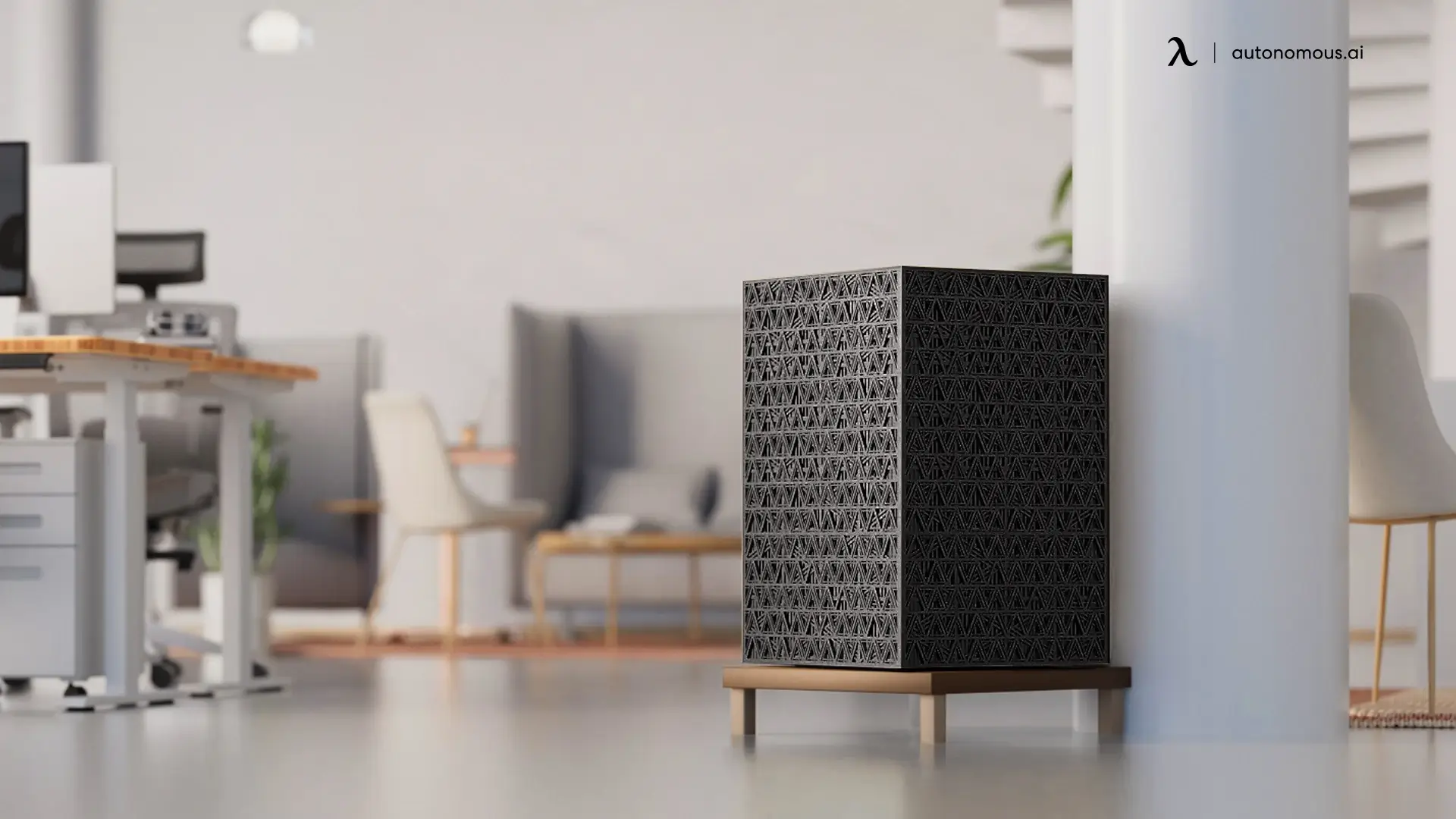
While AI PC assistants are powerful software tools, the Autonomous Intern takes a different approach — it’s a dedicated AI device that sits on your desk and handles tasks through the platforms you already use, like Slack, iMessage, Teams, and more.
What Makes Intern Different from Software-Based AI Assistants?
Most AI PC assistants run as applications or browser extensions on your computer. Intern is a standalone device that connects via Wi-Fi — nothing to install, no browser extensions, no IT approval required. It comes pre-configured with the most capable AI models available, so there are no API keys to set up or subscriptions to manage. Just plug it in, text it a task, and it gets to work.
Privacy and Security Built In
One of the biggest concerns with AI assistants is data privacy. Many cloud-based solutions send your data to external servers for processing. Intern runs entirely on-device — your conversations, files, and tasks stay on your desk. There’s no always-on microphone, no ambient listening, and no background processes running without your permission. What you share with Intern stays between you and the device.
Real-World Use Cases
Intern is designed for professionals who need AI to handle real work, not just answer questions. Real estate agents use it for property lookups and lead qualification. Sales teams use it to draft personalized outreach and manage follow-ups. Marketing teams automate report generation and content briefs. Because Intern retains context across sessions, it gets better at understanding your workflow over time — unlike browser-based AI tools that forget everything when you close the tab.
At $299 with a 30-day free return policy, Intern is a practical way to bring dedicated AI power to your desk without committing to expensive hardware or cloud subscriptions.
3. FAQs
What is an AI PC Assistant?
An AI PC assistant is a software tool that uses artificial intelligence to assist with tasks on a computer, such as voice recognition, task automation, and data management.
What are the key features of an AI PC Assistant?
Key features include voice recognition, task automation, natural language processing (NLP), contextual understanding, and integration with other software.
How do AI PC assistants boost productivity?
They automate repetitive tasks, manage schedules, and assist with decision-making, allowing users to focus on more important activities.
What are the benefits of using an AI PC Assistant?
Benefits include increased productivity, improved organization, enhanced efficiency, customization, and hands-free operation.
Can AI PC assistants perform tasks without internet connectivity?
Some tasks may require internet access, especially for cloud-based AI models, but many AI PC assistants can function offline for local tasks such as managing files and performing simple operations.
How does an AI PC Assistant process data and learn over time?
AI PC assistants use machine learning algorithms to process data and learn from past interactions, improving their ability to adapt and provide personalized assistance.
What industries benefit the most from AI PC Assistants?
Industries like healthcare, education, finance, and customer service benefit greatly from AI assistants due to their ability to automate tasks, improve decision-making, and boost productivity.
What are the challenges of implementing AI PC Assistants in businesses?
Some challenges include ensuring compatibility with existing systems, data privacy concerns, and user adoption. However, with proper implementation, the benefits far outweigh the challenges.
What is the best AI assistant for PC?
The best AI assistant for PC depends on your needs. Popular AI assistants like Cortana, Siri, and Google Assistant are integrated into Windows, macOS, and Android devices. For more specialized tasks, third-party AI-powered software like Autonomous Intern can offer enhanced capabilities, especially for those requiring real-time AI processing and complex data analysis.
What is a personal AI assistant for PC?
A personal AI assistant for PC is software that helps automate tasks, answer questions, and assist with workflows. These assistants use natural language processing (NLP) to understand user commands and adapt over time. Examples include Siri, Cortana, and advanced AI systems like Autonomous Intern, which integrates with devices to provide real-time, local AI processing for tasks requiring high-performance computing.
4. Conclusion
Incorporating AI PC assistants into your daily workflow can revolutionize your productivity by automating tasks and streamlining operations. With powerful features like voice recognition, task automation, and machine learning, these assistants provide invaluable assistance across industries. Dedicated AI devices like the Autonomous Intern further amplify this power by running AI locally on your desk — no cloud, no latency, no privacy concerns. Together, AI PC assistants and personal AI devices pave the way for a smarter, more efficient future.