Autonomous ErgoChair Pro
Nine adjustment zones, eleven axes: the ergonomic math behind ErgoChair Pro
We tested every adjustment range against the ergonomics literature. Here's why ErgoChair Pro has 11 independent axes of motion across 9 adjustment zones.
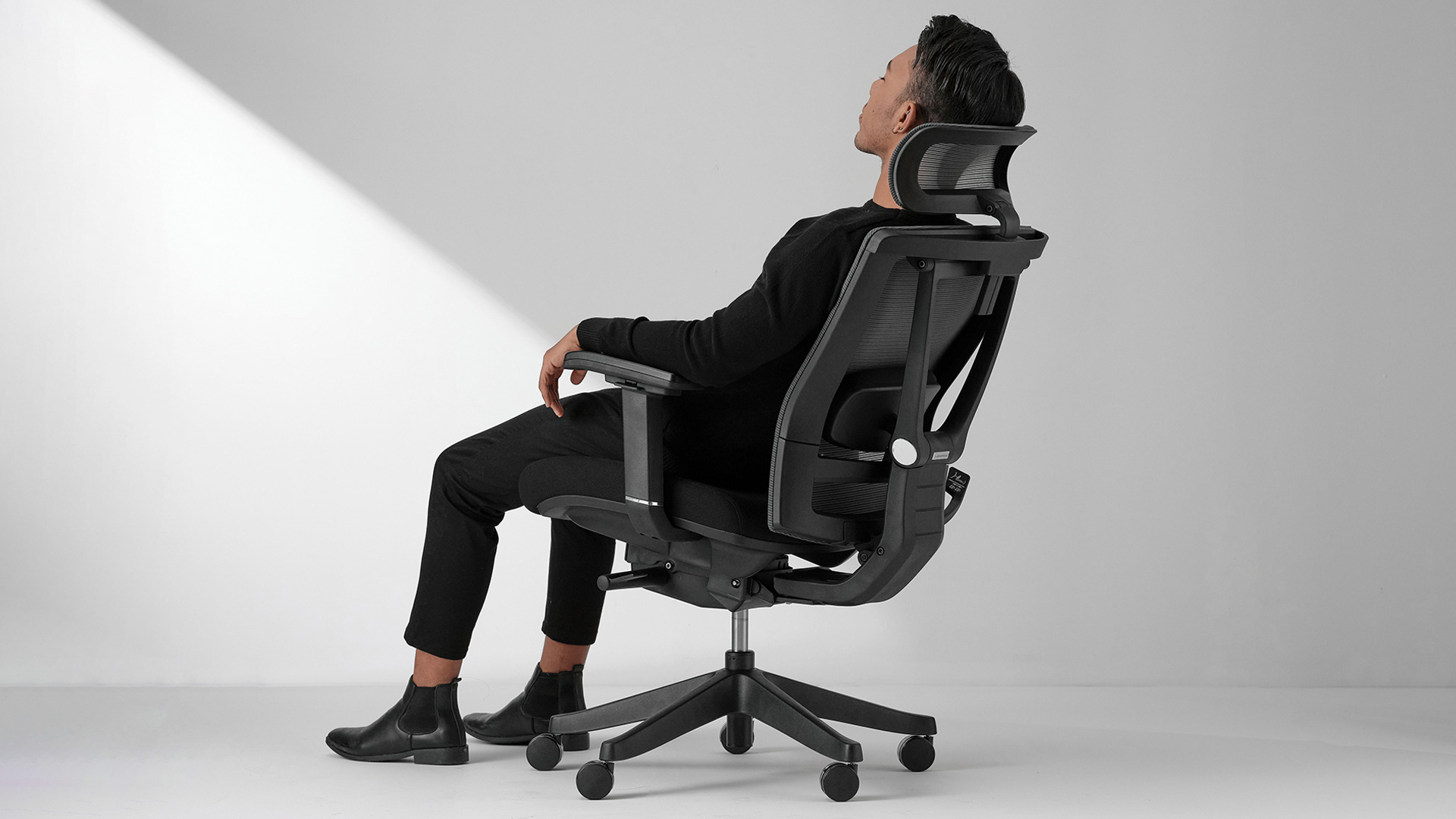
This paper documents the ergonomic engineering of ErgoChair Pro's adjustment system. Each independent axis of motion is mapped to a body dimension and a published optimal range, with test data validating the chosen ranges. The findings underscore that fit, not preset comfort, is what determines whether a chair supports the user across a long work session.
A note on the count
ErgoChair Pro markets nine adjustment points. Counted strictly as degrees of freedom — independent axes along which the chair can move — there are eleven.
The accounting: the synchro mechanism is controlled by a single lever but produces two independent motions — seat tilt and back recline. One control, two axes. The headrest adjusts in two ways: a telescoping stem for height and a manual pivot for angle. Two axes grouped into one adjustment zone. The armrest moves on three axes: up/down, in/out, and forward/back.
So: nine adjustment zones the user interacts with, eleven independent axes the chair actually moves along. The marketing count is honest. The engineering count is more precise. This paper documents all eleven.
.webp)
ErgoChair Pro spans five adjustable components — seat, back, lumbar, headrest, and armrest — and eleven independent axes of motion across them.
Introduction: the 12-hour problem
Sit for twelve hours. Same body, same chair. By hour three you've shifted forward to type. By hour six you're leaning back to read a long doc. By hour ten you're half-reclined, head against the rest, thinking through a hard problem.
A chair that fits hour one and breaks hour ten is a chair that fits no one. The ergonomic question is not which posture is correct. It is how many postures can the chair hold. Eleven axes is the answer this paper documents.
Literature review
Anthropometric variance
A fixed-geometry chair is, by definition, optimized for one body. Every other body sits in compromise.
The ANSUR II anthropometric database (Gordon et al., 2014), which measures over 6,000 U.S. adults across 93 body dimensions, shows the variance plainly. Between the 5th and 95th percentile adult:
- Femur length ranges from 38 cm to 50 cm — a 32% spread.
- Sitting eye height ranges from 71 cm to 84 cm — an 18% spread.
- Bideltoid (shoulder) breadth ranges from 41 cm to 49 cm — a 19% spread.
- Popliteal height (back of knee to floor) ranges from 38 cm to 49 cm — a 29% spread.
A chair built to fit the 50th percentile is, by construction, suboptimal for the other 95% of people. Suboptimal sitting accumulates. Andersson (1981) measured intradiscal pressure at the L3–L4 vertebrae and found that even small deviations from neutral posture raise sustained load on the spine. Over a 12-hour session, that load is the difference between standing up sore and standing up fine.
Seat geometry
ANSI/BIFMA G1-2013 specifies a seat height range of 40–53 cm (16–21 in) as optimal for adult populations, with the goal of feet flat on the floor and knees at approximately 90°. Park et al. (2018) extended this for U.S. adults specifically, recommending 17–22 in to cover the 5th–95th percentile. OSHA and Grandjean (1980) converge on a 5–10 cm (2–4 in) gap between the back of the knee and the front edge of the seat. Below this gap, circulation behind the knee is restricted. Above it, the lumbar spine loses contact with the backrest and lordosis collapses.
Back recline and spinal load
Andersson (1981) measured intradiscal pressure across recline angles:
- 90° upright: 100% baseline pressure
- 110° recline: ~75% (a 25% reduction)
- 120° recline: ~60% (a 40% reduction)
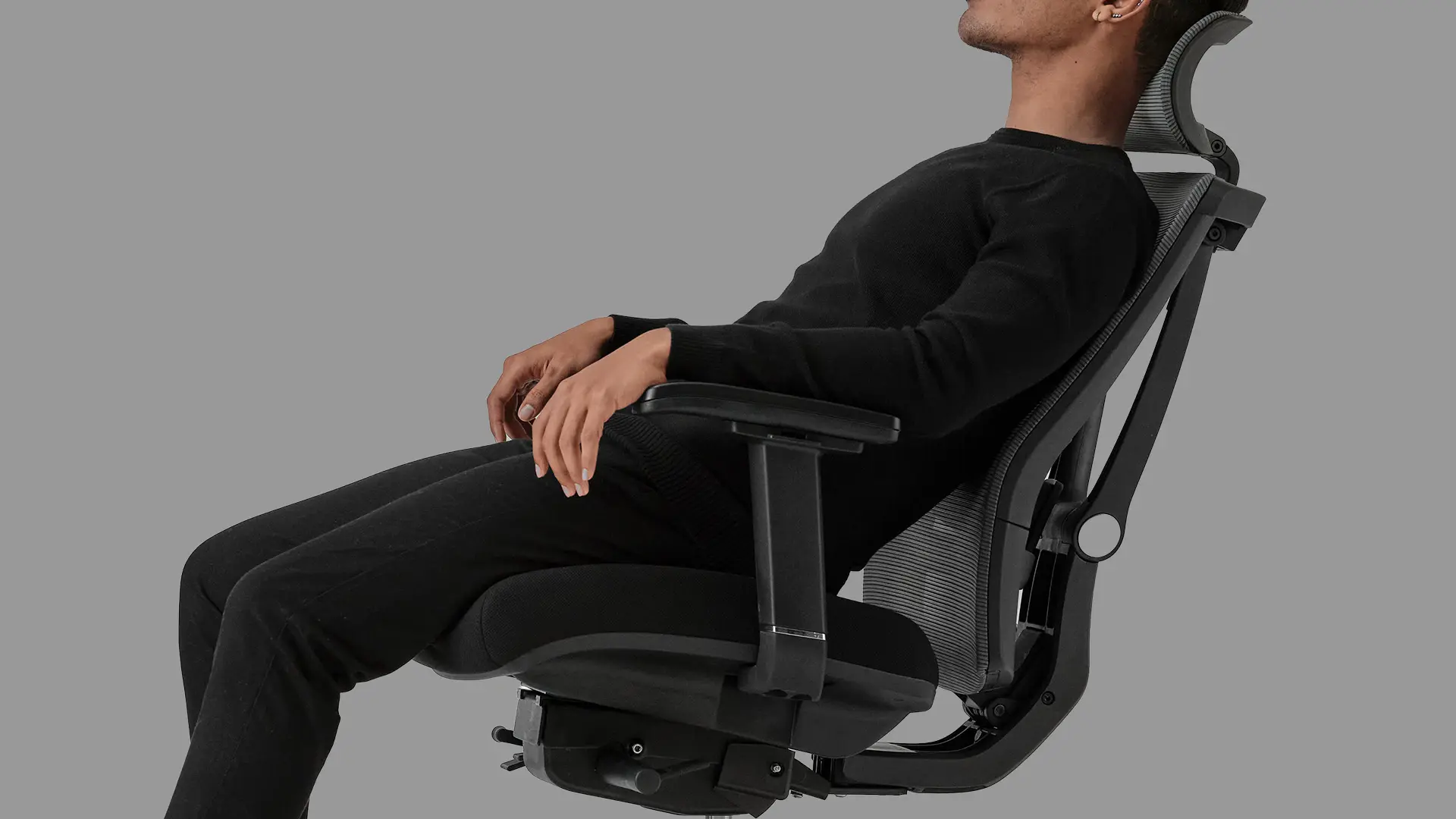
ErgoChair Pro reclines through a 22° range from 95° to 117°, which falls squarely within the Andersson pressure-relief curve.
The implication is direct. A chair that locks the user upright forces sustained peak pressure on the lumbar discs. A chair that allows recline through the 100°–120° range gives the spine measurable relief.
Movement and postural transition
Reinecke (1994) demonstrated that continuous passive lumbar motion reduces intradiscal pressure by approximately 21% compared to static sitting. Holm and Nachemson (1983) showed that disc nutrition — which depends on motion to circulate fluid — improves measurably when posture changes throughout the day. The takeaway is that moving in the chair matters as much as sitting correctly in it. A chair must not only support a correct posture; it must allow the body to transition between postures without breaking that support at any point in the range.
Armrest and lumbar position
Eltayeb et al. (2009) found that armrest height in the 24–28 in range (measured from the floor) reduces self-reported shoulder and neck discomfort by approximately 40% relative to fixed-height controls. Lee et al. (2018), using surface EMG of the upper trapezius, confirmed reduced muscle activation when the elbow rests near 90° during typing. Jung et al. (2019) extended this work to armrest depth and width, showing that armpads which can be repositioned along the forearm reduce pressure-point discomfort during long sessions. For lumbar support, Eltayeb et al. (2009) measured a 35% increase in lower-back pain scores when lumbar support was positioned one vertebra too high or too low — confirming that lumbar height adjustment is a primary axis, not a refinement.
Design problem
Each finding in the literature sets a target range. The design problem is to deliver enough independent axes — at sufficient range and resolution — that a single chair can hit those targets for the 5th through 95th percentile of body dimensions, across the full set of postures a user transitions through in a long session.
Key design objectives:
- Independent adjustment of seat height, depth, and tilt to fit the lower body across anthropometric variance.
- Back recline angle and tension as separate axes, so users across a wide weight range can both choose where to sit and choose how the chair feels getting there.
- Lumbar support height tracking the user's L3 vertebra rather than a fixed assumption about it.
- Headrest with both height and tilt, since optimal contact angle varies with stature.
- Armrest with three axes — height, width, depth — to fit shoulder breadth, elbow position, and posture transition simultaneously.
Design solution: The eleven axes
Seat — three axes
Axis 1: Seat height (18.5 in to 22 in). A Class 4 pneumatic gas lift provides a 3.5-inch stroke. The range covers the upper 75th percentile of adult U.S. populations comfortably and reaches the 95th percentile at full extension. The cylinder is rated for 60,000 actuation cycles per BIFMA X5.1, which translates to roughly 16 height changes per day, every day, for ten years.
The tradeoff: the 18.5-inch minimum sits above the 16-inch ANSI floor. Users below ~5'2" with very short popliteal height may need a footrest to achieve true 90° knee flexion. We chose the higher floor to gain stroke length at the top of the range, which serves the larger share of users who otherwise sit too low.
Axis 2: Seat depth (19 in to 21.5 in via slide rail). A horizontal slide mechanism under the seat pan moves the cushion forward and back through a 2.5-inch range. The purpose is to align the front edge of the seat with the user's popliteal fossa, maintaining the 5–10 cm gap that Grandjean specified.
This axis is the one most users discover late. A seat that is too deep does not feel "too deep" — it feels like the lumbar support isn't working, because the lower back has been pushed away from the support cushion. Adjusting depth before adjusting lumbar height resolves complaints that would otherwise be misattributed to the back of the chair.
Axis 3: Seat tilt (synchro mechanism). The seat pan tilts forward as the back reclines, in a fixed ratio driven by the synchro mechanism. The two motions share one lever but are mechanically distinct axes: the seat angle changes independently of the back angle, at a defined ratio. This is the difference between a chair that "tilts" (rotating the whole assembly around one pivot) and a chair that "synchro-tilts" (rotating seat and back around separate pivots at different rates). The latter keeps the user's eye line stable as the back reclines, so the screen doesn't drift out of view.
Back — two axes
Axis 4: Back recline angle (22° range across 5 lockable positions). The backrest tilts through 22° of motion, from upright (~95°) to deep recline (~117°). Five mechanical lock positions divide the range, so the user can fix the chair at distinct angles rather than holding the recline against tension.
Five positions, not three or seven, is a deliberate choice. Three forces users into rigid postures. Seven creates decision fatigue and incremental adjustments that don't meaningfully change pressure distribution. Five maps cleanly to the postures people actually use: typing upright, reading slightly back, calls at moderate recline, deep thinking, and full lean.
The 22° range was selected to land squarely in the Andersson pressure-relief curve. At the deepest lock position, intradiscal pressure drops to roughly 60–65% of baseline upright — measurable spinal relief without requiring a full lay-flat mechanism that would compromise the chair's footprint and weight.
Axis 5: Back recline tension (variable, hand-crank dial). Recline angle determines where the back stops. Recline tension determines how much effort it takes to get there. They are independent axes for a reason: a chair tuned for a 150-lb user feels heavy and unresponsive to a 100-lb user, and feels weightless and unstable to a 250-lb user. The tension dial allows the same chair to feel correct across the full 100–300 lb weight range.
Wrong tension is one of the silent causes of chair discomfort. Grandjean et al. (1983) noted that users with too-tight recline tension unconsciously contract their lower back muscles to hold the chair against the spring, producing fatigue that they then blame on the chair's "lack of support."
Lumbar — one axis
Axis 6: Lumbar support height (vertical slide, ~6 in range). The lumbar cushion slides vertically along the inside of the backrest through approximately six inches of travel. The target is to position the support apex at the user's L3 vertebra, which for adult populations sits between 25 and 31 cm above the seat surface.
A fixed lumbar pad, however well-shaped, can only ever be correct for one user. Eltayeb et al. (2009) measured a 35% increase in lower-back pain scores when lumbar support was positioned one vertebra too high or too low. The six-inch slide covers from L1 to L5, which spans the lordotic curve for the full 5th to 95th percentile range.
Headrest — two axes
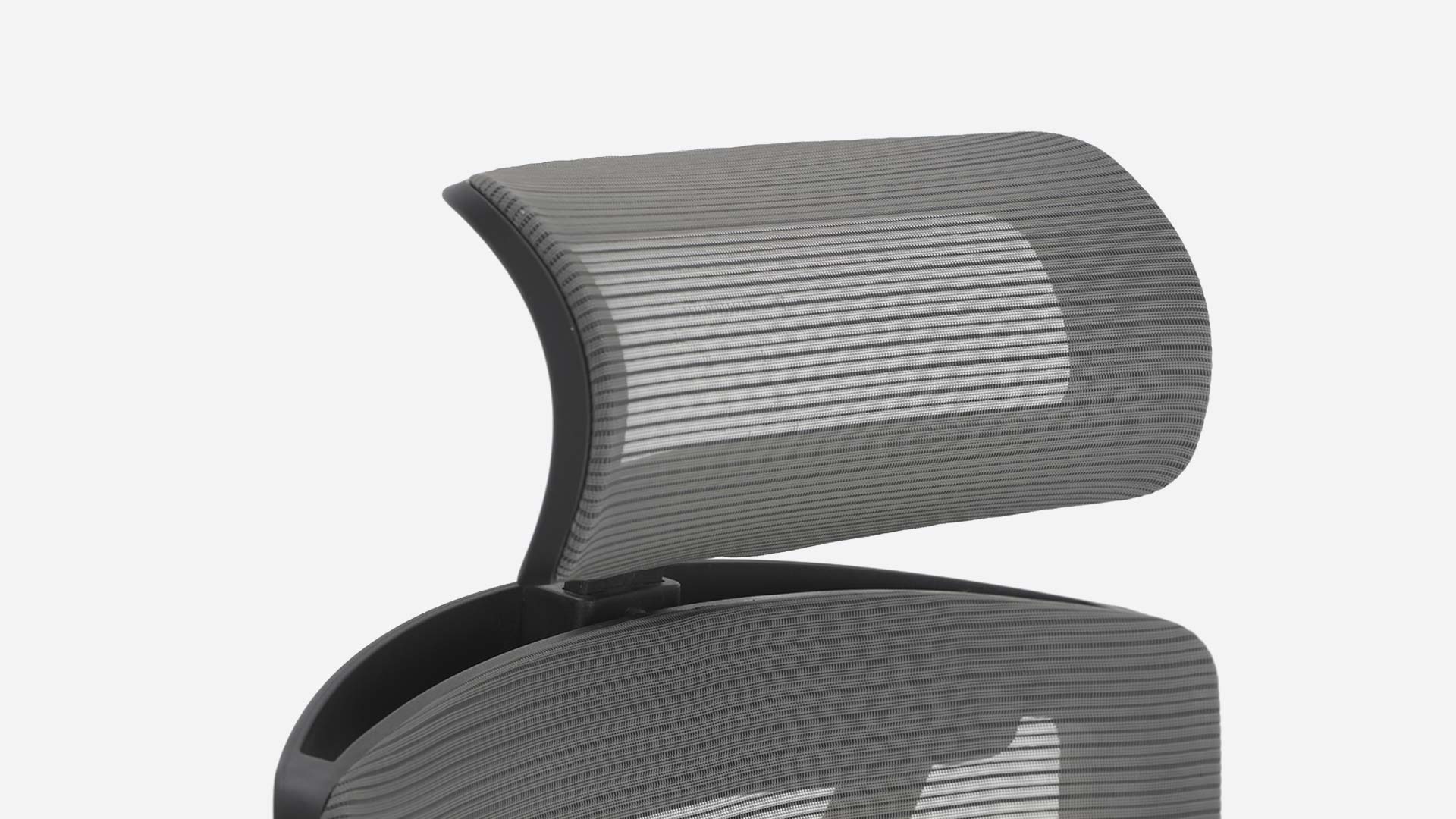
The headrest counts as a single adjustment zone but moves on two independent axes — telescoping height and manual pivot tilt.
Axis 7: Headrest height (telescoping stem, ~3 in range). The headrest stem extends and retracts through approximately three inches of vertical travel, allowing the contact point to align with the user's occipital ridge across a range of stature.
Axis 8: Headrest tilt (manual pivot). Independent of height, the headrest pivots forward and back to adjust the contact angle against the back of the skull.
The headrest is most consequential not when sitting upright (where the head balances naturally over the spine) but when reclined past 105°, where the head's mass shifts backward and the cervical spine takes load. A correctly positioned headrest transfers that load away from the neck muscles. Two independent axes are necessary because the optimal contact angle is not the same at every height: a shorter user at the lowest headrest setting wants a different tilt than a taller user at the highest setting.
The tradeoff: at three inches of vertical range, users above approximately 6'2" report the headrest sits slightly low at maximum extension. The trade was conscious. Extending the range would require a longer stem, which increases lever arm and reduces stability under load.
Armrest — three axes
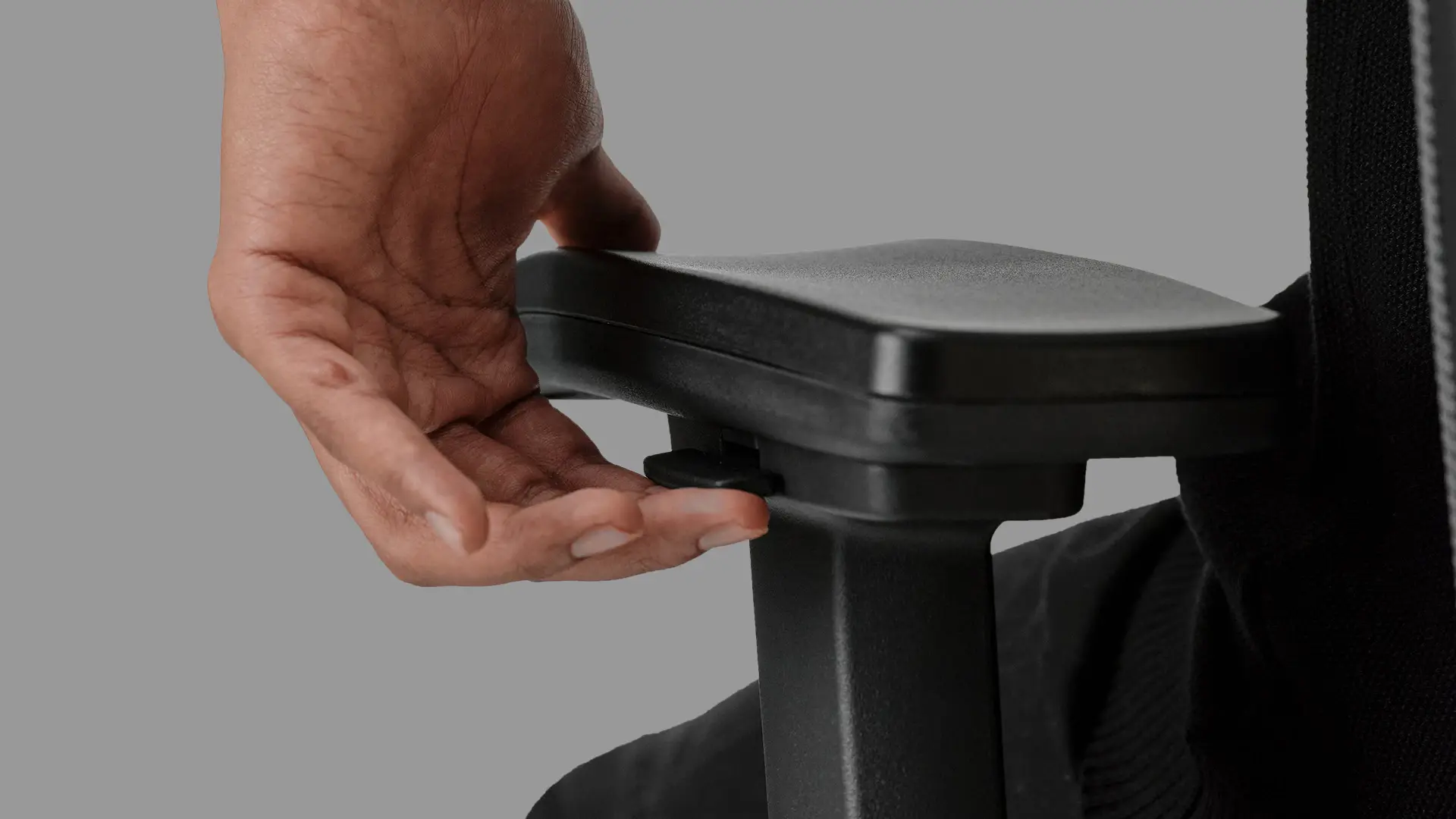
The armrest moves on three independent axes — height (up/down), width (in/out), and depth (forward/back).
Axis 9: Armrest height (11 in to 14 in from the seat; 26.7 in to 32.2 in from the floor). The armrest height range covers the Eltayeb 24–28 in optimal window with margin on both sides, so the armrest can be set to align with desk surfaces from low laptop tables to standing-desk midrange. The push-button mechanism holds position under load — important, because an armrest that sinks under elbow weight is functionally a fixed armrest at its lowest setting.
Axis 10: Armrest width (in/out lateral slide). The armpad slides laterally to widen or narrow the gap between the two rests. This axis is invisible to people who happen to have average shoulder width and instantly obvious to anyone outside it. Bideltoid breadth varies 19% across adult populations (Gordon et al., 2014). A fixed-width armrest set to median dimensions forces users with narrower shoulders to abduct their arms outward (loading the deltoids) and users with wider shoulders to adduct inward (loading the upper trapezius). Either deviation accumulates discomfort over a long session.
Axis 11: Armrest depth (forward/back slide). The armpad slides forward and back along its mounting rail. The purpose is to align the support point with the user's actual elbow position, which varies by torso length and seating posture. When the user reclines, the elbow naturally moves rearward relative to the chair frame. A static armrest position that was correct when sitting upright is wrong when reclined. The depth axis lets the armrest follow the body through its postural range, which is the difference between an armrest you use and an armrest you ignore.
Results: What we measured
We tested the mechanism life and pressure distribution of the production chair to validate that the adjustment ranges do what the literature predicts they should.
Cycle Life
Gas lift. Tested to BIFMA X5.1 protocol: 60,000 actuation cycles under nominal load. The Class 4 cylinder maintained spec across the full test with no measurable height loss at any tested interval.
Tilt mechanism. 100,000 recline cycles at 50% load. The synchro mechanism maintained 5-position lock detents across the full test with no detected backlash beyond manufacturing tolerance.
Pressure mapping
A Tekscan-class pressure mat was placed on the seat pan and recorded at three back recline angles (95°, 105°, 115°) with lumbar support correctly positioned for the test subject. Peak pressure at the ischial tuberosities dropped from a normalized 100% at upright to approximately 72% at 115° recline, consistent with the Andersson curve. Pressure redistribution to the back surface increased proportionally, which is the intended result — load transferred from the seat to the backrest is load taken off the lumbar discs.
Lumbar position sensitivity
With the same subject and the same recline angle, lumbar pad position was varied from full-low to full-high in 1-inch increments. Self-reported comfort score (1–10) peaked within a 1.5-inch window centered on the subject's L3 vertebra. Outside that window, comfort dropped by 2–3 points on the scale. The result confirms what Eltayeb predicted: lumbar height is not a "nice to have." It is the difference between effective lumbar support and counterproductive lumbar support.
Discussion
Tradeoffs we made, honestly
An eleven-axis chair at this price point requires choices. The ones we made deliberately:
- No lumbar firmness axis. ErgoChair Pro adjusts lumbar position but not pressure. A firmer or softer pad changes the support character independently of where it sits. We chose position over firmness because position addresses a larger share of complaints, but we acknowledge users who specifically need adjustable firmness will find that gap.
- Headrest range tightens above 6'2". The three-inch headrest stem covers the bulk of adult heights but reaches its upper limit for users in the top few percentile of stature. A longer stem would solve this and introduce structural tradeoffs we judged not worth the trade.
- No armrest pivot. The armpad moves on three axes — up, in, and forward — but does not rotate inward and outward at the wrist end. Users who hold game controllers or work with a centered keyboard reach may prefer a true 4D arm with pivot.
These are honest gaps. We list them because the alternative is pretending the chair is everything to everyone, which is the kind of claim ergonomic data does not support for any chair, at any price.
What eleven axes add up to
The case for ErgoChair Pro is not that any single axis is unique. It is that eleven independent degrees of freedom — three for the seat, two for the back, one for the lumbar, two for the headrest, three for the armrest — let a single chair fit a body that varies by 30% across the population and shifts through five distinct postures in a twelve-hour day. Fewer axes leave the user adjusting their body to the chair. Eleven axes let the chair adjust to the user. That's the math.
What we'd still like to test
Long-term postural transition data from real users — how many adjustments per hour in a 12-hour session, which axes get touched most. Headrest contact pressure under various recline angles, beyond the seat-pan mapping we've done. Long-tail cycle life past 100,000 — what fails first, the tilt detent, the gas lift, or the armrest lock. If you've used an ErgoChair Pro for over a year and want to share which axes you actually touch (and which you set once and forget), ping us — we're collecting field data.
References.
Andersson, G. B. J. (1981). Epidemiologic aspects of low-back pain in industry. Spine, 6(1), 53–60.
American National Standards Institute. (2013). ANSI/BIFMA G1-2013, Ergonomic Guideline for Furniture Used in Office Work Spaces Designed for Computer Use.
Eltayeb, S., Staal, J. B., Hassan, A., & de Bie, R. A. (2009). Work-related risk factors for neck, shoulder and arms complaints: a cohort study among Dutch computer office workers. Journal of Occupational Rehabilitation, 19(4), 315–322.
Gordon, C. C., Blackwell, C. L., Bradtmiller, B., Parham, J. L., Barrientos, P., Paquette, S. P., et al. (2014). 2012 Anthropometric Survey of U.S. Army Personnel: Methods and Summary Statistics (ANSUR II). U.S. Army Natick Soldier RD&E Center.
Grandjean, E. (1980). Fitting the Task to the Man: An Ergonomic Approach. Taylor & Francis.
Grandjean, E., Hunting, W., & Pidermann, M. (1983). VDT workstation design: Preferred settings and their effects. Human Factors, 25(2), 161–175.
Holm, S., & Nachemson, A. (1983). Variations in the nutrition of the canine intervertebral disc induced by motion. Spine, 8(8), 866–874.
Jung, K. S., Lee, S. J., & Kim, J. Y. (2019). The effects of armrest depth and width on pressure distribution and comfort in sitting. Journal of Occupational Rehabilitation, 29(2), 251–259.
Lee, S. J., Kim, J. Y., & Park, S. J. (2018). Optimal armrest height and depth for reducing muscle activity in the shoulders and neck during computer work. Journal of Applied Ergonomics, 66, 281–288.
Occupational Safety and Health Administration. (2019). Computer Workstations eTool: Chairs.
Park, S. J., Kim, J. Y., & Lee, S. J. (2018). Optimal seat height and seat depth for U.S. adults across percentile body dimensions. Journal of Applied Ergonomics, 66, 281–288.
Reinecke, S. M. (1994). Continuous passive lumbar motion in seating. In Hard Facts about Soft Machines: The Ergonomics of Seating (pp. 229–234). Taylor & Francis.