


Best AI Tools for Coding in 2026


The best AI tools for coding in 2026 no longer fit one list, because the category has split into three: in-editor assistants that autocomplete and chat, terminal agents that plan and execute whole features on their own, and AI-first IDEs built around an agent. Two years ago you had GitHub Copilot and a few experiments. Now the tools score above 80% on real bug-fixing benchmarks, and most working developers use at least two. This guide covers what each of the leading tools is genuinely best at, what it costs, and how to combine them.
The three kinds of AI coding tools
AI coding tools in 2026 fall into three categories, and knowing which one you're buying matters more than any single feature.
- In-editor assistants live inside your existing editor and speed up the typing: inline completions, chat, and increasingly an "agent mode" for multi-file edits. GitHub Copilot is the archetype. Best when you want help without changing how you work.
- Terminal agents run from the command line, read your whole codebase, write code, run commands, test their own output, and iterate, often for minutes at a time unsupervised. Claude Code, OpenAI Codex, Cline, and Aider live here. Best for large refactors and autonomous work.
- AI-first IDEs rebuild the editor around the agent, so it understands project context and edits across files in its own environment. Cursor, Windsurf, and Google Antigravity lead here.
One theme runs through every serious 2026 comparison: the tools mostly wrap the same coding loop (read, edit, run, repeat), so the real difference is the harness around the model, not the model itself. That's why most developers pair one editor tool with one terminal agent rather than hunting for a single winner.
The best AI tools for coding in 2026
Tool | Type | Best for | Cost model |
Cursor | AI-first IDE | Daily coding, fast iteration | Free tier + subscription |
Claude Code | Terminal agent | Autonomous multi-file work | Subscription or pay-per-use API |
GitHub Copilot | In-editor assistant | GitHub teams, low friction | Free tier + subscription |
Windsurf | AI-first IDE + agent | The most usable free tier | Free tier + subscription |
Cline | Open-source terminal agent | Model choice, local/private | Open-source; pay only your API |
OpenAI Codex | Terminal agent | ChatGPT users, sandboxing | Bundled with ChatGPT plans |
Google Antigravity | AI-first IDE | Parallel agents | Free public preview |
Aider | Open-source terminal agent | Git-heavy CLI work | Open-source; pay only your API |
Augment Code | In-editor assistant | Large codebases, context | Free tier + paid plans |
Zed | Fast editor + AI | Speed, lightweight setup | Free + paid tiers |
1. Cursor
Cursor is the most widely used AI code editor, with tens of millions of users, built as a VS Code fork so it feels instantly familiar. Its strength is the all-around experience: inline Tab completions plus the Composer agent for multi-file edits. The limitation is that the heaviest autonomous jobs still run better in a dedicated terminal agent. Best for daily coding and fast iteration; it has a free tier with paid plans above it.
2. Claude Code
Claude Code is the strongest terminal agent for autonomous work, planning and executing large multi-file changes with a project-level loop that consistently leads bug-fixing benchmarks. Its strength is depth - it can run for long stretches unsupervised on jobs too big to babysit. The limitation is that it's terminal-only and heavy sessions burn through tokens. Best for large refactors and autonomous tasks; available on a subscription or pay-per-use API.
3. GitHub Copilot
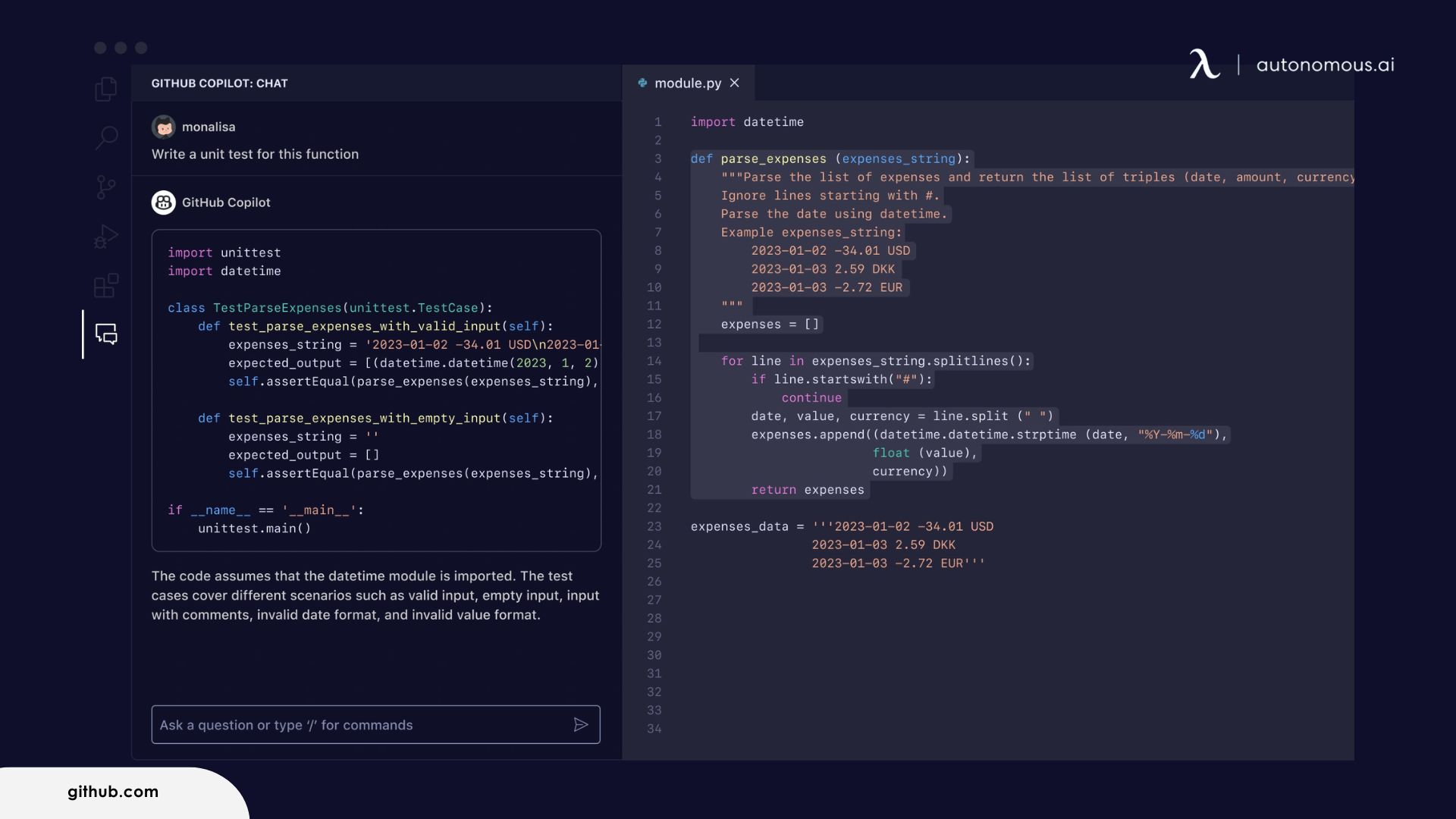
GitHub Copilot is the most widely adopted assistant, with around 15 million users and the tightest fit for teams already in GitHub. Its strength is low friction: it lives in your editor and needs almost no setup. The limitation is that its agent mode still trails dedicated agents on the hardest autonomous work, and premium requests are capped. Best for GitHub teams and low-friction help; it has a free tier plus paid individual and team plans.
4. Windsurf
Windsurf, from Codeium, offers one of the most generous free tiers in the market, and its Cascade agent is more willing to work ahead of you than most. Its strength is proactive, low-cost agentic editing you can use as a primary tool without paying. The limitation is credit-based pricing that's harder to reason about, plus recent rebranding churn. Best for budget-conscious developers who want a proactive agent; the free tier is usable on its own, with paid plans above it.
5. Cline
Cline is the open-source terminal agent that matters most in 2026 - a free VS Code extension where you bring your own model from any provider, including local models through Ollama. Its strength is control: you can run AI over sensitive code with no external API call. The limitation is more setup, less predictable API costs, and community-only support. Best for model flexibility and private or local coding; the tool is free and open-source, and you pay only for the model API you connect.
6. OpenAI Codex
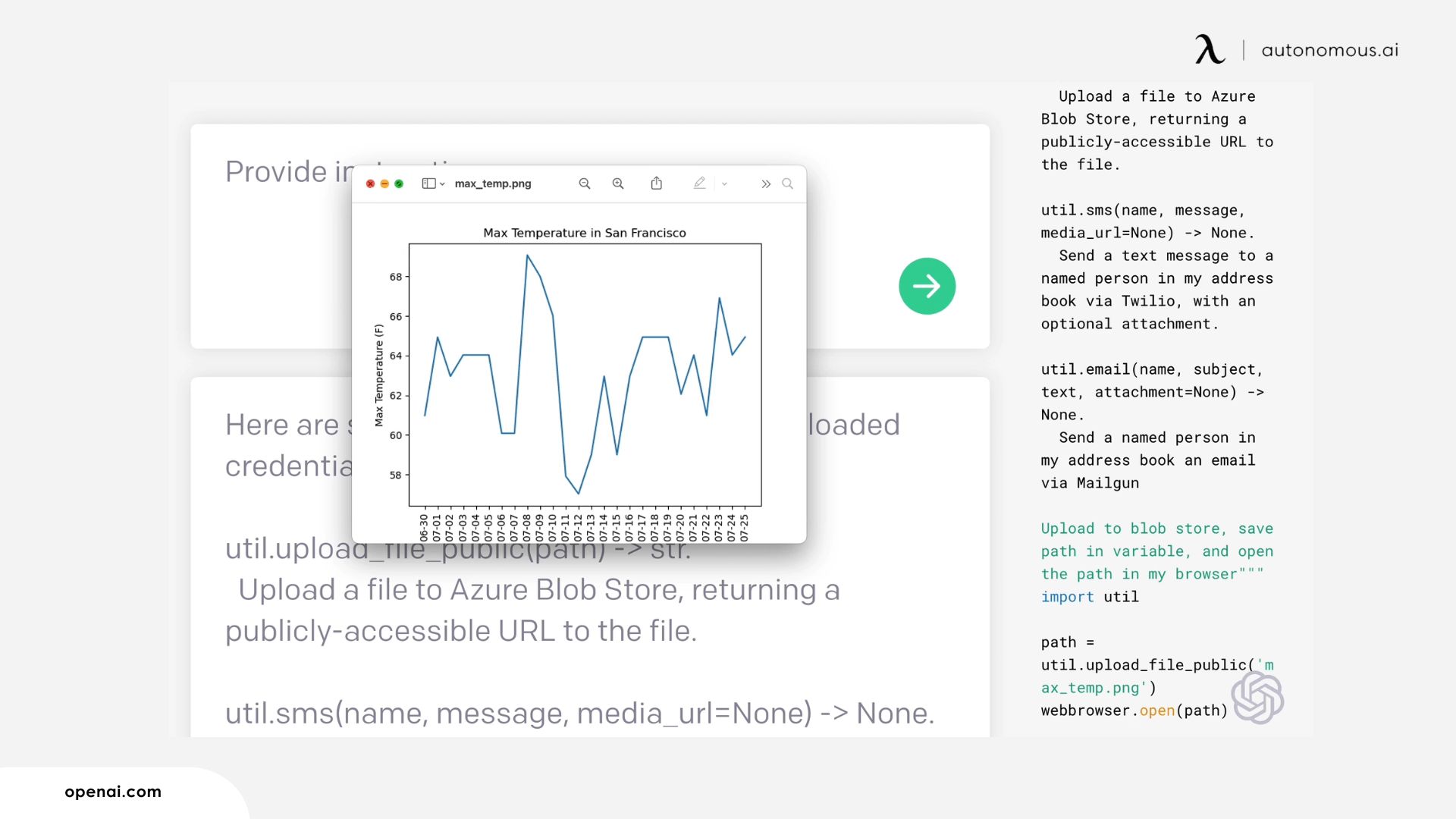
OpenAI Codex is OpenAI's terminal agent, powered by its latest models and bundled with ChatGPT plans, using a cloud-sandbox approach to run tasks. Its strength is the ChatGPT integration and sandboxed execution of jobs. The limitation is that it's tied to OpenAI's ecosystem and model choices. Best for developers already living in ChatGPT; it's bundled with paid ChatGPT plans.
7. Google Antigravity
Google Antigravity is Google's AI-first IDE, running on Gemini and able to orchestrate several agents in parallel. Its strength is parallel-agent workflows and a free public preview with generous limits. The limitation is that it's newer, cloud-heavy, and tied to Google's stack. Best for developers who want to run parallel agents at no cost; it's free in public preview.
8. Aider
Aider is an open-source, terminal-first agent built around git, so every change lands as a reviewable commit. Its strength is transparent, version-controlled edits with full bring-your-own-key model choice at no tool cost. The limitation is that it's CLI-only, with a steeper learning curve and no visual interface. Best for git-heavy terminal workflows on a budget; it's free and open-source, and you pay only for the model API you use.
9. Augment Code
Augment Code is an in-editor assistant built around a large-context engine that reads across big codebases, and it scores near the top of bug-fixing benchmarks. Its strength is context handling on large, multi-repository projects. The limitation is that it's less established than Cursor or Copilot, with a smaller community. Best for large or complex codebases; it offers a free tier with paid plans above it.
10. Zed
Zed is a speed-first editor built from scratch in Rust, noticeably lighter than Electron-based tools, with hosted and local models through Ollama. Its strength is raw performance and a clean, fast editing loop. The limitation is a smaller ecosystem and plugin base than VS Code-derived editors. Best for developers who prioritize speed and a lightweight setup; it's free with paid tiers.
Also worth knowing: Gemini CLI has one of the most generous free allowances of any terminal tool, Tabnine remains the privacy pick with on-premises deployment, and Kiro is another agentic entrant gaining attention.
How to choose (and why you'll use two)
The most effective pattern in 2026 isn't picking one tool, it's matching the tool to the task. Small edits and fast iteration go to an in-editor assistant like Cursor or Copilot. Large jobs - migrating a codebase, hunting a cross-service bug, writing a full test suite - go to a terminal agent like Claude Code, which you give context, let plan, then let execute. If cost predictability or keeping code on local models matters, Cline is the one mainstream option built for that; our guide to running AI locally covers that setup. And a caveat worth keeping: surveys still show most developers don't fully trust AI output, so the job is shifting toward review and orchestration, not away from thinking.
Where to run agentic coding tools unattended
Most of these tools run on your laptop, but the agentic ones don't have to. Claude Code, Cline, and open-source agents like OpenClaw can run on a machine of their own - which is worth knowing if you want an agent working while your laptop is closed, or you'd rather not hand an autonomous agent shell access to your main computer.
That's a different category from anything above, and it's the one place we build. Full disclosure: the Autonomous Intern is our own device, and its Developer edition ships bare with SSH open so you install your own stack - Claude Code, Cline, an OpenClaw agent - and let it run coding jobs, monitors, or scheduled builds on its own, with your keys and context on the device rather than a vendor cloud.
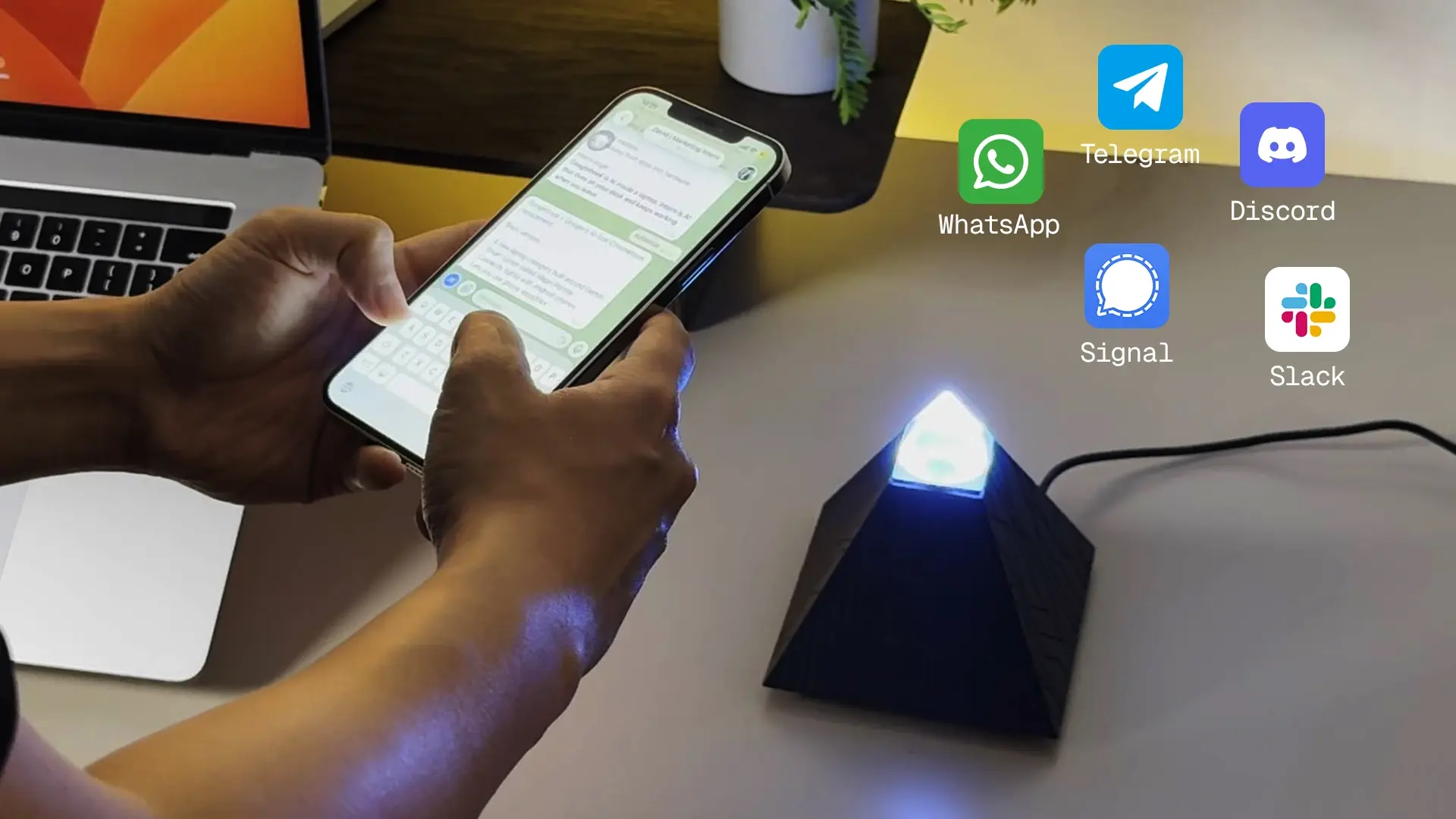
Two honest limits so you can judge the fit: it's a 6GB board, so it's meant to run an agent with a cloud model doing the reasoning, not to serve large local models on-device; and it's a machine you configure over SSH, not a plug-in you drop into your editor. It doesn't replace Cursor or Copilot - those write code in your editor. The Intern is where you can run the agentic tools when you want them off your laptop and always on.
Frequently asked questions
What is the best AI tool for coding in 2026?
There isn't one winner. Cursor is the best all-around AI editor, Claude Code the best terminal agent for autonomous work, and GitHub Copilot the most pragmatic for teams on GitHub. Most developers pair an editor assistant with a terminal agent rather than choosing one.
Is Claude Code better than Cursor?
They do different jobs. Cursor is a full AI editor for daily inline work and fast iteration; Claude Code is a terminal agent for autonomous, multi-file tasks like big refactors. Many developers use Cursor for everyday coding and Claude Code for large rewrites.
Are any AI coding tools free?
Yes. GitHub Copilot, Windsurf, and Cursor all have free tiers, and Cline and Aider are free open-source tools where you only pay for the model API you connect. Gemini CLI offers one of the most generous free allowances.
Can I run AI coding tools locally or privately?
Yes, mainly through Cline or Aider, which support local models via Ollama or LM Studio so your code never leaves your machine. Local models need real hardware, so many setups still use a cloud model for the heavy reasoning.
Do I really need more than one AI coding tool?
Most working developers use two - an in-editor assistant for day-to-day speed and a terminal agent for big autonomous jobs. The two categories solve different problems, and skills you build transfer across tools.
Should I trust AI-generated code?
Treat it as a fast draft, not a final answer. Surveys in 2026 show most developers still review AI output closely, and the effective workflow is to direct, review, and correct the agent rather than accept its code unchecked.
Conclusion
The best AI tools for coding in 2026 reward understanding the categories more than chasing a single name. Pick an in-editor assistant for daily speed - Cursor or Copilot - and a terminal agent for the heavy autonomous work, where Claude Code leads. Add Cline if model choice or local privacy matters. And if your interest is running those agents unattended or off your main machine, that's a hardware question rather than a tool question. Whatever you choose, the constant is that the developer's job is shifting from typing toward directing and reviewing - and that's the skill worth investing in.
References
- Scrimba, "Best AI Coding Assistants 2026" - scrimba.com
- Developers Digest, "AI Coding Tools Pricing Comparison 2026" - developersdigest.tech
- JobsByCulture, "AI Code Assistants Compared 2026" - jobsbyculture.com
- Blink, "Best AI Coding Tools in 2026: 6 Honest Options" - blink.new
- Nimbalyst, "Best AI IDEs for Claude Code and Codex Users (2026)" - nimbalyst.com