Claude Cowork vs OpenClaw: Which Should You Use?

.webp)
If you're weighing Claude Cowork vs OpenClaw, the honest answer is that they're built for different jobs, and most "which is better" verdicts miss that by treating them as rivals. Claude Cowork is a desktop agent that works on your files. OpenClaw is an always-on agent you delegate to from your chat apps. Pick by the job, not the label.
The short answer
Cowork comes to your files; OpenClaw meets you in your chats - that one line is most of the comparison. Cowork stands inside your file system and produces finished deliverables; OpenClaw runs in the background and takes instructions from the messaging apps you already use. Neither is a worse version of the other, so choose by what you need:
- Choose Claude Cowork if your work lives in local files - documents, spreadsheets, research, reports - and you want a polished, no-setup agent that hands back finished work. It's the safer, simpler pick.
- Choose OpenClaw if you want an always-on agent you message from Telegram, Slack, or Discord, that runs in the background, uses whatever model you like, and remembers you across weeks - and you're willing to run it yourself.
- If you want OpenClaw's side without the setup, there's a third option most comparisons skip - a dedicated device that runs it always-on, out of the box. More on that below.
What Claude Cowork is
Claude Cowork is Anthropic's agentic desktop app - it brings the engine behind Claude Code to knowledge work, with no terminal required. You describe an outcome, and it plans the steps, works on your local files inside a sandboxed VM, and hands back finished deliverables: sorted folders, formatted documents, Excel sheets with working formulas. It reached general availability in April 2026, runs on Claude's frontier model, and now offers scheduled tasks and remote sessions that keep going when your laptop is closed. It's a paid feature on Claude plans (Pro at $20/month up to Max at $100–$200/month).
What OpenClaw is
OpenClaw is a free, open-source AI agent you host yourself - on your own machine, a VPS, or a dedicated device. Instead of living in one app, it connects to the messaging apps you already use (Telegram, Slack, Discord, WhatsApp) and acts as an always-on assistant you message like a colleague. It's model-agnostic - Claude, GPT, Gemini, DeepSeek, or a local model - and persistent, remembering across sessions and acting on a schedule without being asked. The tradeoff is that you own the setup, security, and upkeep.
Claude Cowork vs OpenClaw: side by side
Claude Cowork | OpenClaw | |
Made by | Anthropic (commercial) | Open-source community (MIT) |
Runs on | Claude Desktop app (+ web/mobile beta) | Self-hosted: your machine, a VPS, or a device |
Model | Claude only | Any - Claude, GPT, Gemini, DeepSeek, local |
You reach it via | The Claude app + mobile dispatch | Your chat apps: Telegram, Slack, Discord, WhatsApp |
Local files | Direct read/write (sandboxed VM) | Through tools/skills you configure |
Always-on | Remote sessions + scheduled tasks (account-tied) | Yes, if hosted 24/7 |
Memory | Per project, per session | Persistent, long-term across sessions |
Setup | None - subscribe and open the app | Involved (Node, keys, config, security) unless pre-configured |
Cost shape | Subscription ($20–$200/mo) | Free software + model tokens + hosting or hardware |
Best for | Desktop file and document work | Always-on, multi-channel automation |
Where Claude Cowork wins
Claude Cowork wins in three situations, and for a large group of people it's the right call.
No setup, and the safest by default.
You subscribe, open the app, and start - no API keys, no config files, no VM to provision. It runs in a sandboxed environment with folder-level permissions, which makes it far harder to hurt yourself with than a self-hosted agent that has full system access.
The best at local file and document work.
Direct file access plus polished output - Excel with real formulas, PowerPoint, formatted docs - is Cowork's home turf. OpenClaw can be wired up to do file work, but it isn't built around it.
Predictable cost and a frontier model.
A flat subscription with no surprise bills, running on Claude's strongest model with self-verification. For non-technical knowledge workers, that "just works" experience is usually worth the trade.
If your day is document drafting, research synthesis, and report assembly on files that live on your computer, Cowork is the better tool. Full stop.
Where OpenClaw wins
OpenClaw wins wherever always-on, cross-tool automation matters more than polished document output.
Always-on and multi-channel.
It runs in the background 24/7 and meets you in the apps you already use, rather than asking you to open a desktop app. That channel-first delegation is the thing Cowork doesn't do.
Model choice.
Claude, GPT, Gemini, DeepSeek, or a fully local model - you're not locked to one vendor, and you can even run it air-gapped with local weights.
Persistent long-term memory.
It accumulates an understanding of your preferences and projects across months, where Cowork's memory is more scoped to a project or session.
You own it.
Open-source, self-hosted, no subscription and no vendor lock-in - if pricing or a roadmap changes, your setup is still yours.
The honest catch every fair comparison names: running OpenClaw yourself means real setup, ongoing maintenance, and security diligence - its community skill registry had to purge hundreds of malicious skills in early 2026. That overhead is the price of the flexibility.
The option both sides of this debate skip
There's a third option almost every Cowork-vs-OpenClaw comparison leaves out: a dedicated device that runs OpenClaw always-on, out of the box. When those comparisons reach "OpenClaw is powerful but hard to run," their answer is always one of two things - fight the setup yourself, or pay a monthly managed-hosting service. The device is the missing third answer, and it's the reason we can write this honestly, since we build one.
The Autonomous Intern runs OpenClaw or Hermes always-on, on a small unit that sits on your desk and stays on when your laptop is closed. It removes OpenClaw's biggest weakness - the setup and maintenance - without a recurring hosting subscription, and it keeps your credentials and memory on hardware you own. Because OpenClaw is model-agnostic, it can run Claude's models, so this isn't a "leave Claude" decision: you get Claude's intelligence in an always-on, chat-delegated form, on a device you bought once. If you're weighing which engine to run on it, our Hermes overview and the OpenClaw hardware guide cover the options.
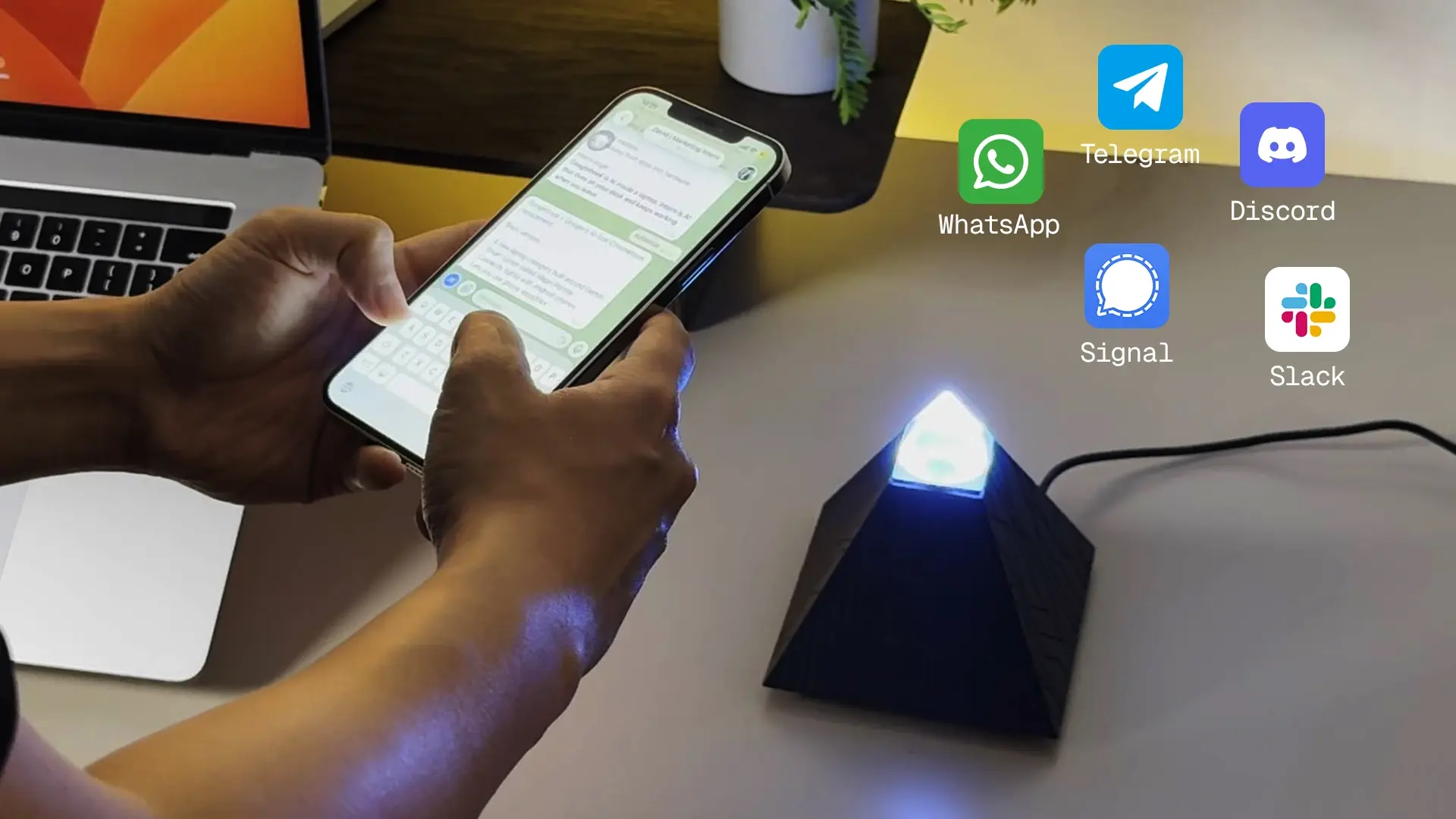
The honest limit, so this stays fair: the Intern is not a Cowork replacement. It's a 6GB device built for cloud-orchestration - great for running an always-on agent with a cloud model doing the reasoning, not for direct local file work or polished document production on your desktop. For that, Cowork is better. The Intern answers the other need in this comparison - the always-on, delegated one. (Model usage runs on tokens, separate from the device.)
FAQs
Is Claude Cowork better than OpenClaw?
Neither is universally better. Cowork is better for desktop file work and non-technical users who want a safe, no-setup agent; OpenClaw is better for always-on, multi-channel automation and model choice. They solve different problems.
Is Claude Cowork only for Claude models?
Yes. Cowork runs on Claude's models only. OpenClaw is model-agnostic - it works with Claude, GPT, Gemini, DeepSeek, or local models, so you can pick or switch.
Can OpenClaw use Claude?
Yes. OpenClaw connects to Claude's models among others, so choosing OpenClaw doesn't mean leaving Claude - you can run Claude's intelligence in an always-on, self-hosted form.
Which is safer, Claude Cowork or OpenClaw?
Cowork is safer by default - a managed, sandboxed environment with scoped permissions. OpenClaw has full system access and community skills that need vetting, so self-hosting it demands more security care.
Is OpenClaw free?
The software is free and open-source. You pay for model usage (tokens) and for wherever you run it - your own machine, a host, or a device. Cowork is a paid subscription with no separate infrastructure.
Does Claude Cowork run when my computer is off?
Its remote sessions and scheduled tasks can keep running tied to your Claude account, but local-file tasks need the desktop app open. An always-on device runs independently of your computer entirely.
Which is better for a non-technical person?
Claude Cowork, clearly - the app, visual interface, and managed setup remove the infrastructure work. OpenClaw's flexibility comes with setup that non-technical users usually underestimate.
Can I get always-on OpenClaw without the setup?
Yes - either a managed hosting service (a monthly subscription) or a dedicated device that ships pre-configured (a one-time cost). The device also keeps your memory and credentials on hardware you own.
Is there a device that runs OpenClaw always-on?
Yes. Dedicated units like the Autonomous Intern run OpenClaw or Hermes 24/7 out of the box, on a 6GB board built for cloud-orchestration - not for the local file work Cowork specializes in.
Conclusion
Claude Cowork vs OpenClaw isn't a contest with one winner - it's a fork in what you need. Cowork is the polished, safe, no-setup way to put an agent inside your files and get finished documents back; for desktop knowledge work, it's the right call. OpenClaw is the always-on, multi-channel, model-agnostic agent you delegate to from chat, with the tradeoff that you run it yourself. And if it's OpenClaw's strengths you want, the choice was never only "fight the setup" or "rent hosting" - a dedicated device gives you the always-on version out of the box, running the model of your choice, Claude included. Decide by where your work actually happens, and either path can be the right one.
References
- Anthropic, "Get started with Claude Cowork" - support.claude.com
- Sliq, "Claude Cowork vs OpenClaw: An Honest Comparison," 2026 - getsliq.com
- Softr, "Claude Cowork vs OpenClaw," 2026 - softr.io
- Mehul Gupta, "OpenClaw vs Claude Cowork," Data Science in Your Pocket (Medium), 2026
- OpenClaw project repository - github.com/openclaw/openclaw