Brick vs Bloom: Which NFC App Blocker Wins in 2026
.webp)
Brick vs Bloom comes down to how you want to regain access to blocked apps. Both use a physical NFC device to make opening distracting apps a deliberate decision. Brick keeps the experience relatively rigid: tap its device to lock, then return to it to unlock. Bloom adds adjustable breaks, schedules, and a parental mode to its metal card.
Neither is automatically better. If you often bargain with yourself for “just five minutes,” you may want fewer escape routes. If you need occasional access to social apps for work or manage a child's screen time, controlled flexibility matters more. Here is what changes in everyday use, with a lower-cost, locked-by-default alternative near the end.
Brick vs Bloom at a glance
| What matters | Brick | Bloom Card |
|---|---|---|
| Device | Magnetic NFC block | Stainless steel NFC card |
| Listed US price | $59 | $39 |
| Subscription | No | No |
| Blocking method | Tap to start; tap again to end | Tap to start or end; schedules available |
| Short breaks | No equivalent built-in break allowance advertised | Configurable break duration/frequency |
| Emergency unlocks | Five; request more from support | Three, plus one added each month |
| Strict mode | Yes | Yes, optional |
| Child-specific mode | No dedicated mode listed | Yes |
| Phones | iOS 18+; Android 12+ per current FAQ | iPhone and Android; verify OS requirements |
| HSA/FSA | Advertised eligible in the US | Advertised eligible in the US |
How do Brick and Bloom actually work?
Brick and Bloom are physical app blockers, not devices that switch off your entire phone. You select distracting apps or websites in a companion app, begin a focus session, and keep the NFC object away from your phone. Returning to that object creates a pause between wanting to scroll and actually unlocking a blocked app.
- Choose what stays available. Keep the tools you need for calls, navigation, work, or family while restricting the apps that draw you into unplanned scrolling. Available website blocking depends on the phone's operating system.
- Start a session. Tap the phone against the Brick or Bloom Card, or use a supported app-based activation option. The physical device becomes important when you want to end the block.
- Move the object away. A blocker beside your keyboard is easy to reach. A blocker in another room, or left with someone you trust, creates actual friction.
Neither product needs charging because the NFC object is passive. Both offer a companion app without a recurring subscription. But they differ in what happens when you want a temporary exception.
Brick vs Bloom: strict locking or scheduled breaks?
Brick is the simpler choice if you do not want an easy short-break button. Brick users typically end a session by scanning the physical block. The app includes Strict Mode and five emergency unblocks for unexpected situations; additional emergency unblocks can be requested from Brick support.
Bloom gives you more ways to shape a session. Its app offers break timers whose frequency and duration can be configured, along with schedules and optional Strict Mode. Bloom includes three emergency exits and adds one each month. Its Child Mode can disable emergency exits and prevent changing the rules without a parent's card.
That creates a practical trade-off. For someone who needs Instagram briefly to publish a work post, a configured break may be useful. For students trying to stay focused while studying, that same flexibility can backfire when a five-minute break repeatedly becomes half an hour. Strict Mode matters on both products, but neither approach is guaranteed to prevent every workaround on every OS version.
Brick vs Bloom for iPhone, Android, and families
Both Brick and Bloom support iPhone and Android, but compatibility should be checked by OS version. Brick's current FAQ lists Android 12 or later and iOS 18 or later. Bloom officially confirms Android and iOS support but does not clearly publish a minimum version on the FAQ page. Check your exact phone and permissions before ordering, especially on an older Android device.
For families, Bloom has the clearer documented option: its Child Mode gives parents control over app and website access, with restrictions against deleting the app or using emergency exits. Brick offers customizable modes for different activities but does not currently advertise an equivalent dedicated parental mode.
One question frequently asked about Bloom is whether one card works with multiple phones. Bloom explicitly confirms that one phone can use multiple cards, but its public FAQ does not clearly confirm the reverse. Do not assume one card covers the whole household without getting written confirmation from Bloom. Brick, by contrast, explicitly states that one device can serve multiple phones.
Which is easier to live with day to day?
The better shape depends on whether you want to carry the unlock device or deliberately leave it behind. Bloom's slim metal card fits a wallet. Brick's larger magnetic block is better suited to a fixed location such as a shelf or fridge. Portability is convenient, but if the card is always next to your phone, tapping it may become as automatic as dismissing a software reminder.
Setup reliability also matters more than the exterior. In recent user discussion about Brick and Bloom, experiences with Bloom were mixed: some people reported no trouble, while others described NFC or scheduling problems on Android. Those are individual reports, not measured failure rates. Test your own device during the return window before relying on either blocker for a strict routine.
Brick vs Bloom: which should you choose?
| Your situation | Better fit to investigate | Reason |
|---|---|---|
| You repeatedly extend small breaks | Brick | Fewer built-in temporary-access options |
| You need short access for work | Bloom | Configurable breaks and schedules |
| You are setting rules for a child | Bloom | Dedicated Child Mode |
| You want one device shared across phones | Brick | Multi-phone pairing expressly documented |
| You want a flat, wallet-friendly object | Bloom | Metal keycard design |
| You want a stationary reminder at home | Brick | Magnetic block format |
The meaningful difference is not which object has a more impressive NFC chip. It is whether its unlocking rules and physical location fit the behavior you are trying to change.
Another option: Autonomous Key
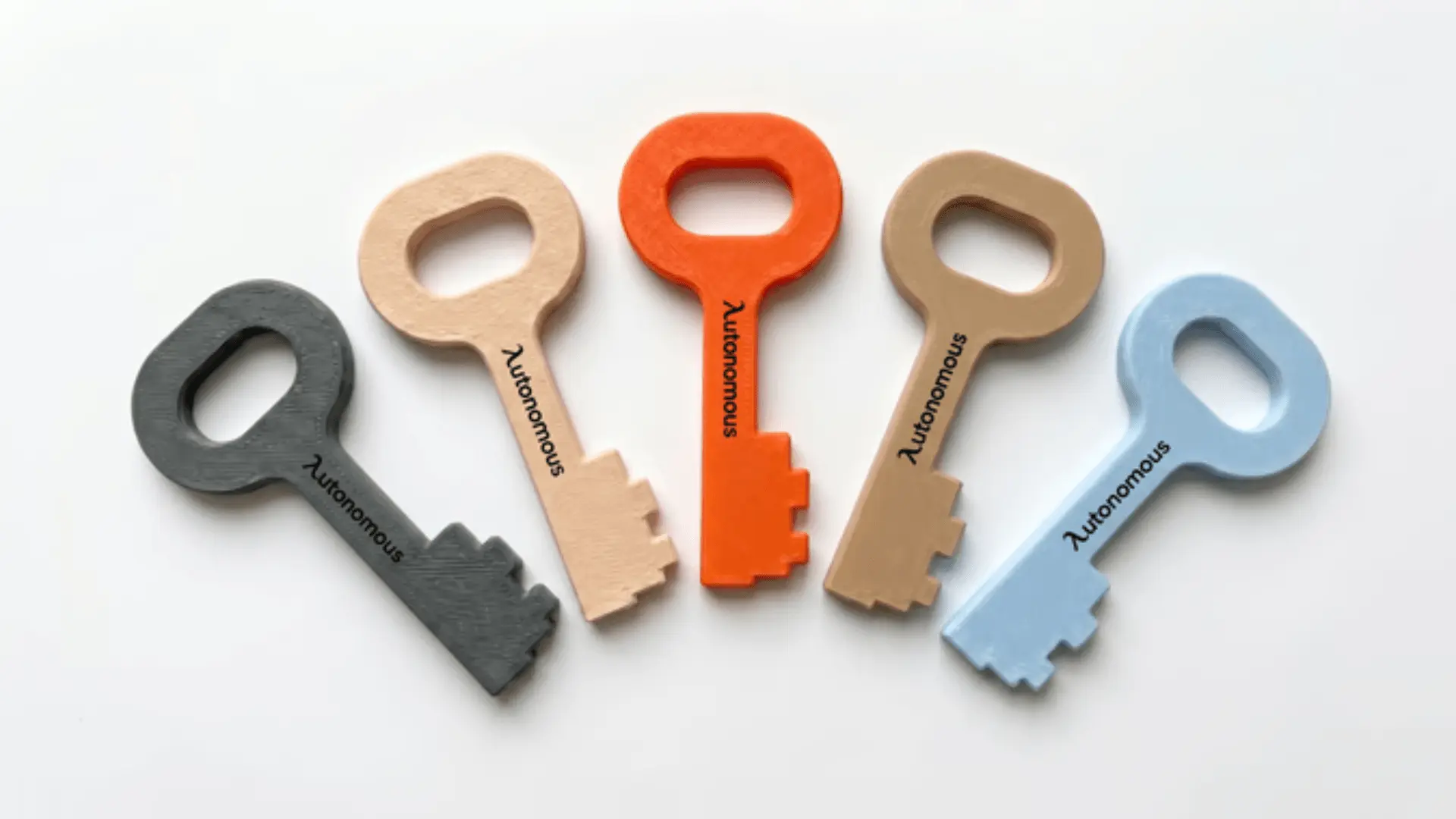
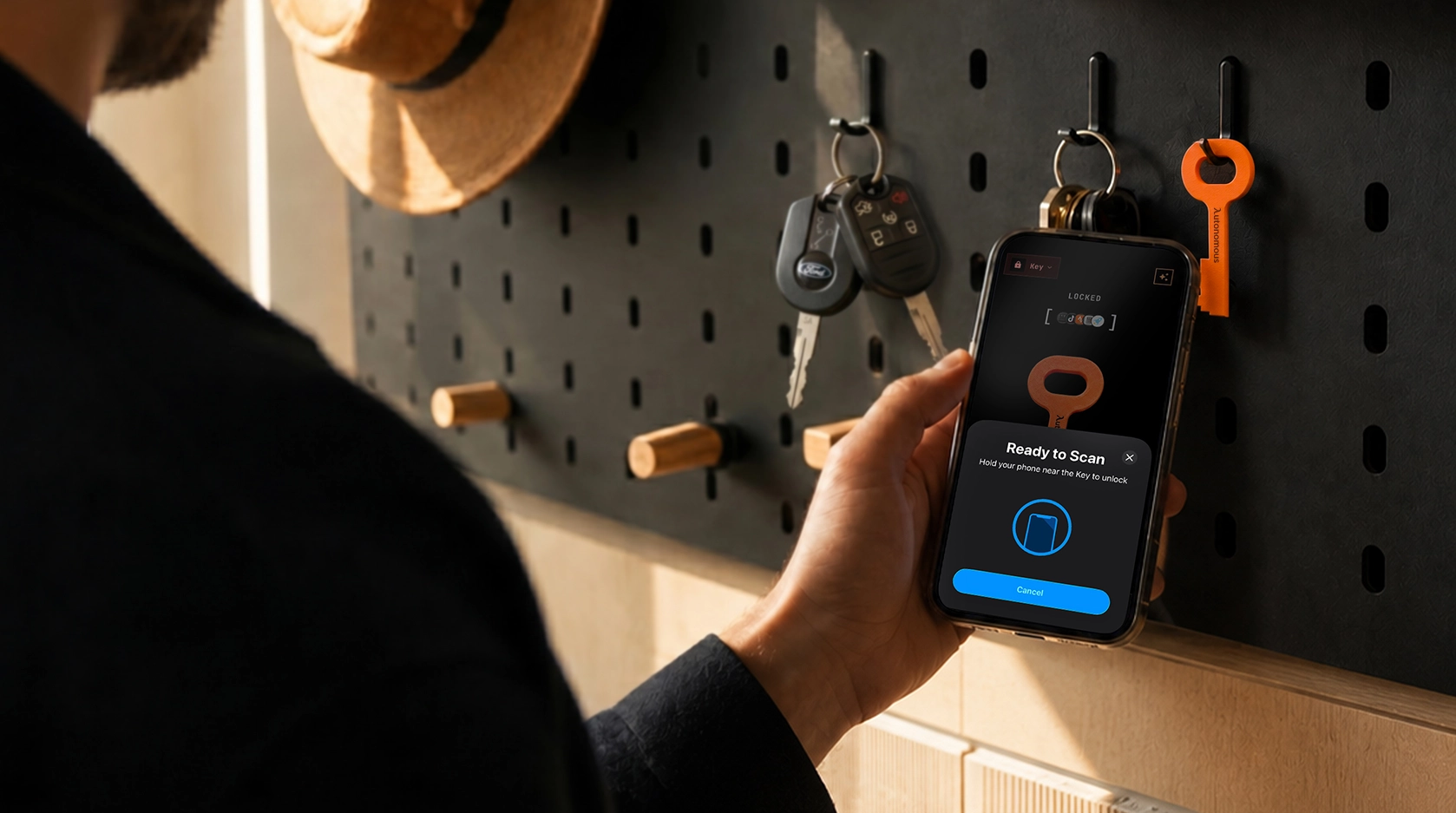
Autonomous Key, one of Autonomous's AI gadgets, is worth comparing if you like physical app blocking but prefer apps to be locked by default. Brick and Bloom center the experience around starting a blocked session. With Key, selected apps remain blocked until you scan the physical key, which opens an access window of up to 60 minutes before the apps lock again.
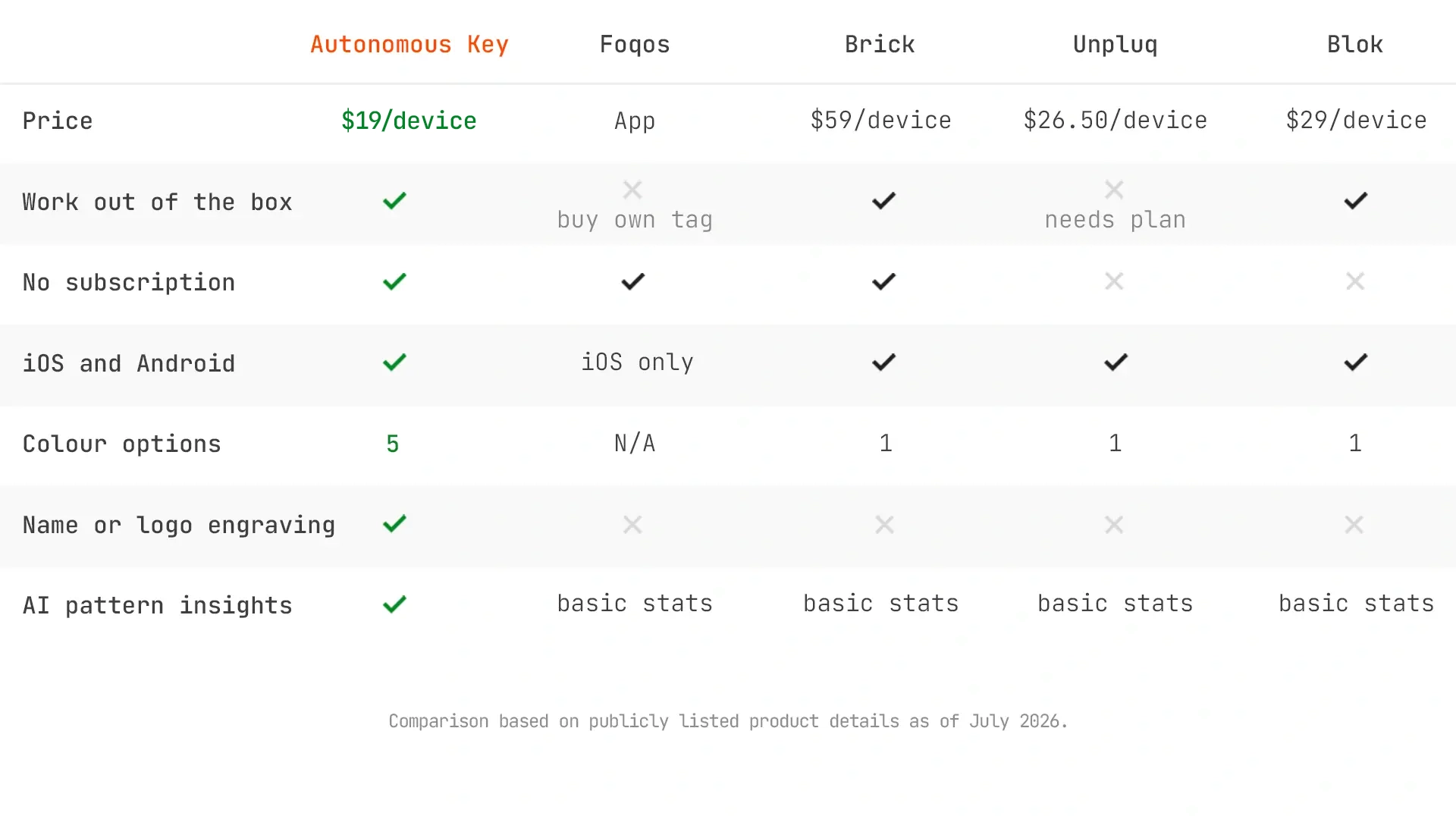
That difference is relevant if your problem is forgetting to turn blocking back on. Key also supports iOS 15+ and Android 8+, offers a subscription-free companion app, and includes Key Intelligence to summarize unlock patterns. The product page currently lists it below both Brick and Bloom, although prices change periodically.
Its limitation is worth taking seriously. In an independent WhistleOut review, the tester liked timed relocking but reported an earlier software issue where apps sometimes failed to re-lock until reopening the app; the reviewer said later use suggested a fix. New Atlas also reviewed the physical-key approach. These are useful experiences, not guarantees for every phone or app version.
Frequently asked questions
Is Brick or Bloom better?
Brick is better suited to someone who wants a simple physical lock without configurable short breaks. Bloom is better suited to someone who values scheduled breaks, a wallet-friendly card, and a dedicated parental mode. Both are one-time purchases with optional strict blocking controls.
What is the main difference between Brick and Bloom?
Brick uses a magnetic NFC block and emphasizes returning to the device to end a locked session. Bloom uses a metal NFC card and offers adjustable breaks, schedules, and Child Mode. The more useful feature depends on how often you need temporary app access.
Does Bloom work on Android?
Yes, Bloom officially supports Android and iPhone. However, its public FAQ does not specify a clear minimum Android version. Confirm compatibility and test NFC scanning, scheduled sessions, and the unlock action on your own phone before relying on it.
Can I use one Bloom card for multiple phones?
Bloom's published FAQ confirms multiple cards can work with one phone, but does not clearly say one card can serve multiple phones. Ask Bloom support before purchasing for a household. Brick explicitly confirms one device can work with multiple phones.
Which blocker is harder to bypass?
Brick avoids a configurable short-break feature, while Bloom provides optional Strict Mode and Child Mode for tighter controls. Both depend on app permissions and where the physical device is kept. Neither should be described as completely impossible to bypass.
Are Brick and Bloom subscription-free?
Yes. Both brands advertise a one-time hardware purchase with companion app access and no recurring subscription. Check the current product listing for device price, shipping, and any optional accessories before ordering.
Are Brick and Bloom HSA/FSA eligible?
Both Brick and Bloom currently advertise HSA/FSA eligibility in the United States. Actual eligibility and reimbursement depend on the payment program and applicable requirements, so confirm the process at checkout instead of assuming every purchase qualifies automatically.
What do Brick vs Bloom Reddit discussions say?
Recent Reddit discussions include positive experiences with Brick and mixed reports about Bloom card scanning and Android scheduling. These comments are anecdotal rather than controlled testing; they are useful questions to investigate, not evidence that one brand has a known failure rate.
How is Autonomous Key different from Brick and Bloom?
Autonomous Key keeps selected apps locked by default and uses physical scans to open timed access windows of up to 60 minutes. Brick and Bloom mainly use a tap-to-start, tap-to-end model. Key also offers usage-pattern insights and compatibility with older operating systems.
Bottom line
Choose Brick if firm boundaries matter more than flexibility; choose Bloom if configurable breaks or parental controls matter more. Both can help interrupt automatic scrolling, but neither is effective if the unlocking device stays constantly within reach. For users who routinely forget to restart their blocks, a default-locked design such as Autonomous Key offers a meaningfully different rule.
Before buying, check your phone's OS, the exact emergency-unlock policy, and whether the device's physical location fits your daily routine. That decision is more useful than treating “strictest” or “best dupe” as a universal answer.