Brick vs Autonomous Key: Same Lock, Different Trade-offs
Brick and the Autonomous Key solve the same problem the same way: a small passive NFC object sits between you and your distracting apps, and you have to involve that object to get back in. Both are shipping today, both are one-time purchases, and neither needs a battery or a subscription.
So if you are comparing Brick vs Autonomous Key, availability is no longer the deciding factor it was earlier this year. What separates them now is the shape of the hardware, how each one decides to let you back in, and how much you pay. Here is the honest breakdown.
Brick vs Autonomous Key at a glance
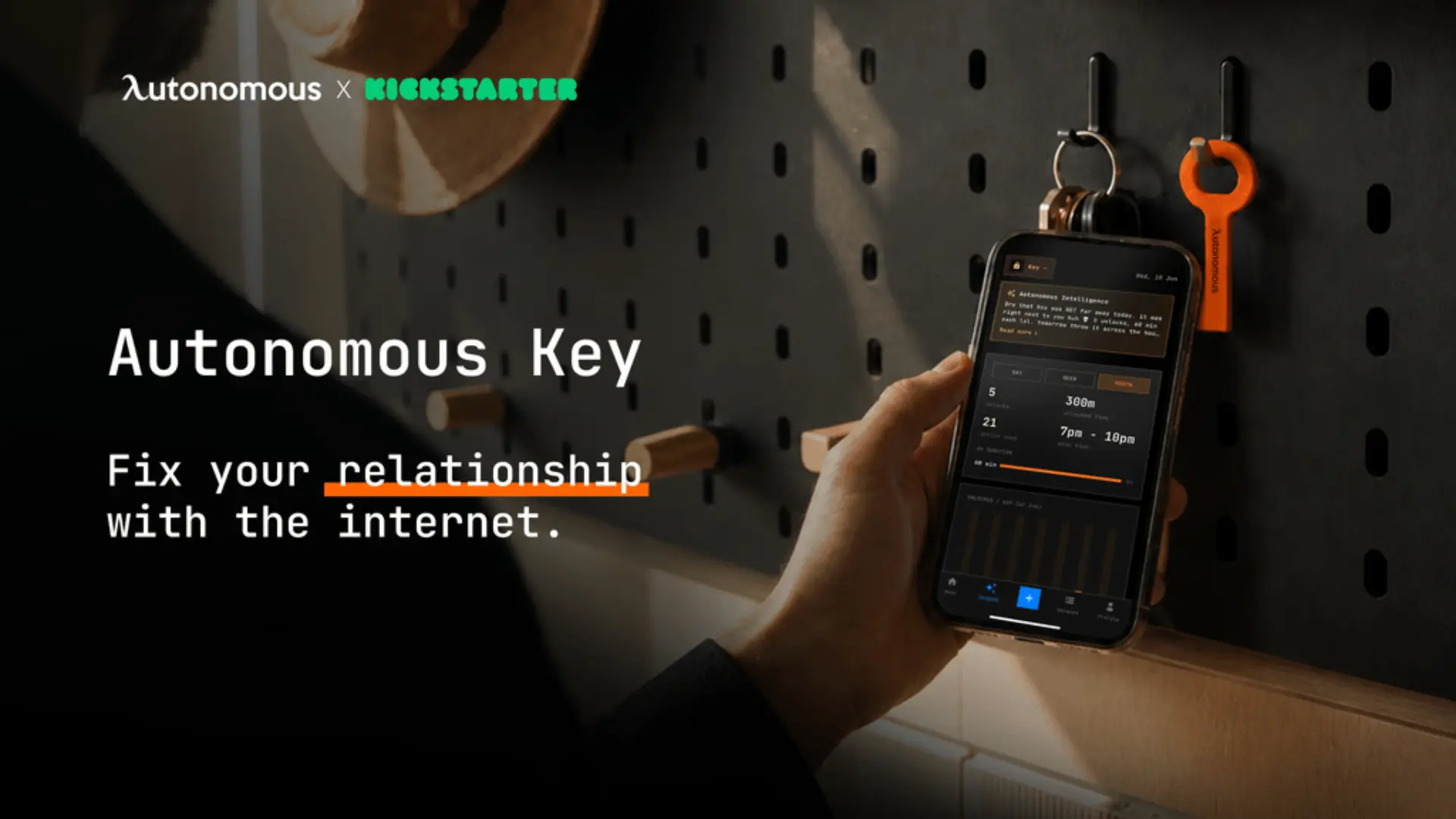
Both devices use passive NFC and both ship now, so the decision comes down to form factor, unlock rules and cost. Brick is a magnet-backed cube that lives on a fridge or a desk. The Autonomous Key is a flat tag thin enough to hang on a keyring next to your car keys.
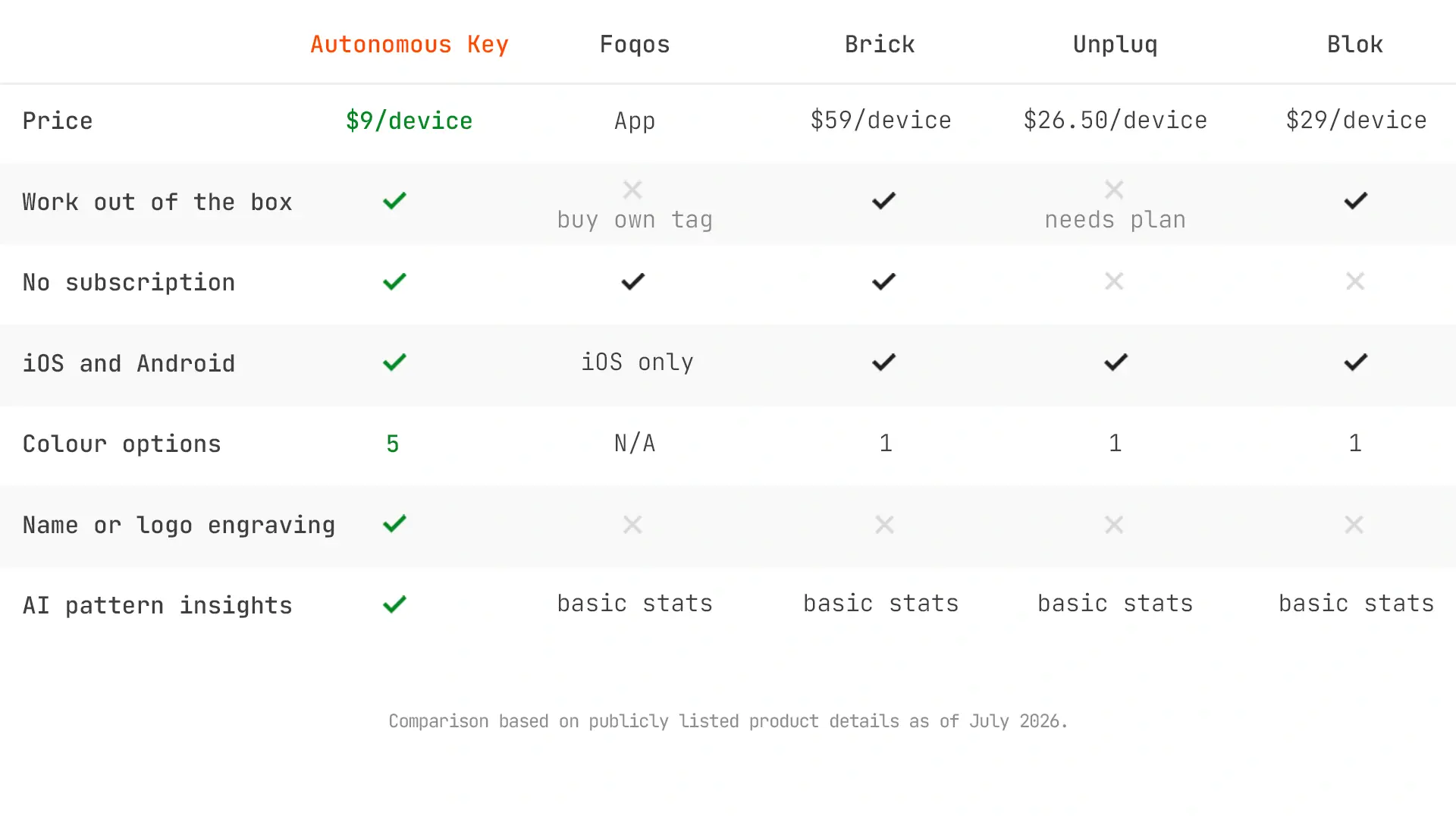
Autonomous Key | Brick | |
Price | $9 | About $59 |
One-time purchase | ✓ | ✓ |
No subscription | ✓ | ✓ |
No battery | ✓ | ✓ |
Works on iPhone | ✓ iOS 15+ | ✓ iOS 17+ |
Works on Android | ✓ Android 8+ | ✓ Android 12+ |
Apps locked by default | ✓ | ✗ tap to lock, tap to unlock |
Timed unlock session | ✓ up to 60 minutes | ✗ |
Emergency overrides | None, timed by design | 5 per device |
Fits on a keyring | ✓ | ✗ magnet-mounted cube |
Colour and personalisation | ✓ five colours, optional name or logo | ✗ |
Usage pattern insights | ✓ Key Intelligence | basic stats |
HSA/FSA eligible (US) | Not stated | ✓ via Truemed |
How Brick and the Autonomous Key work
Both pair with a passive NFC object once and then use a physical scan as the gate, but they treat that object differently.
Brick: a switch you flip both ways
Brick works as a switch. Tap the cube to start a locked session, tap it again to end that session. Nothing happens on its own, so the block lasts exactly as long as you remember to leave it on.
Autonomous Key: locked by default, unlocked in windows
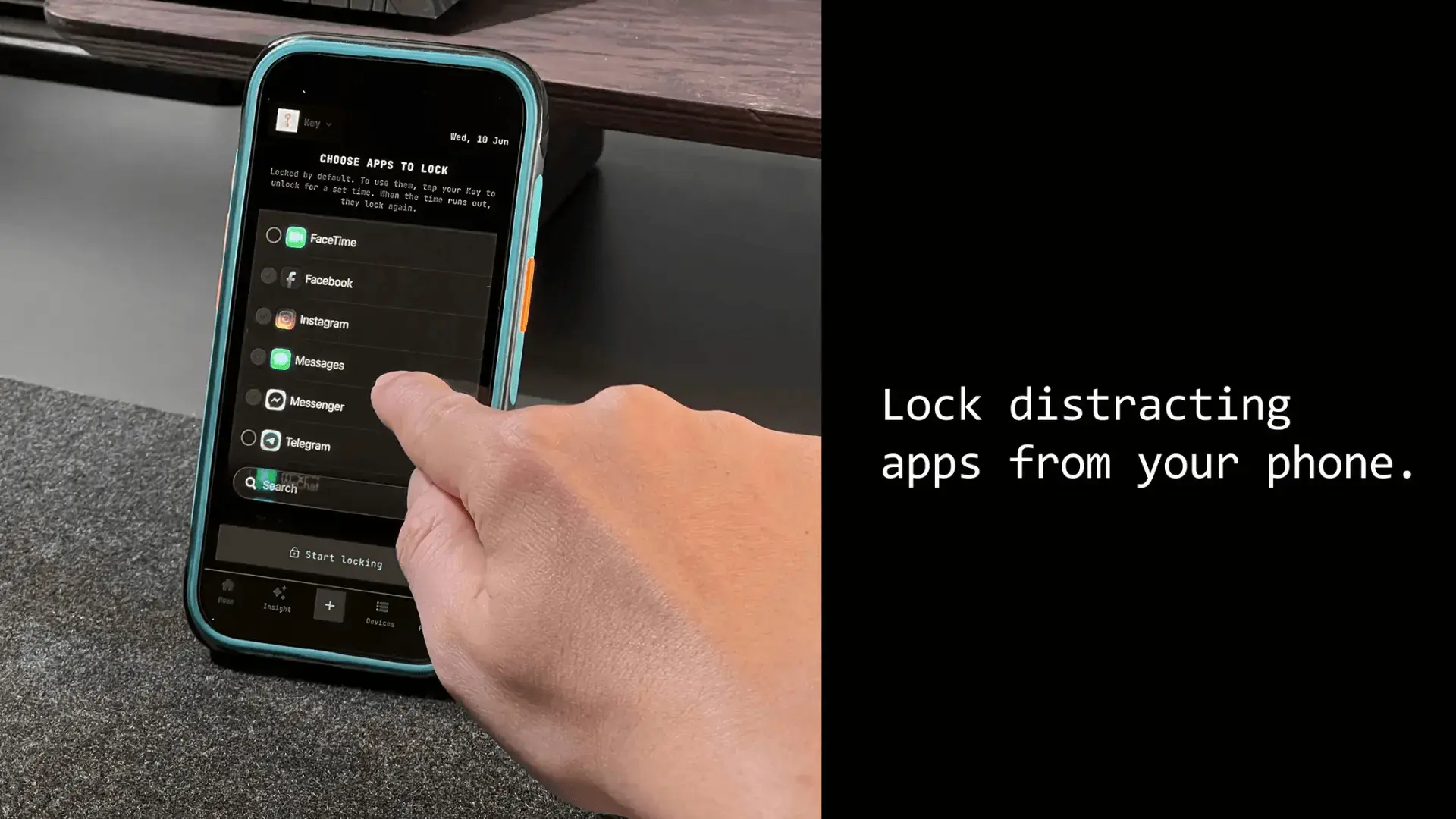
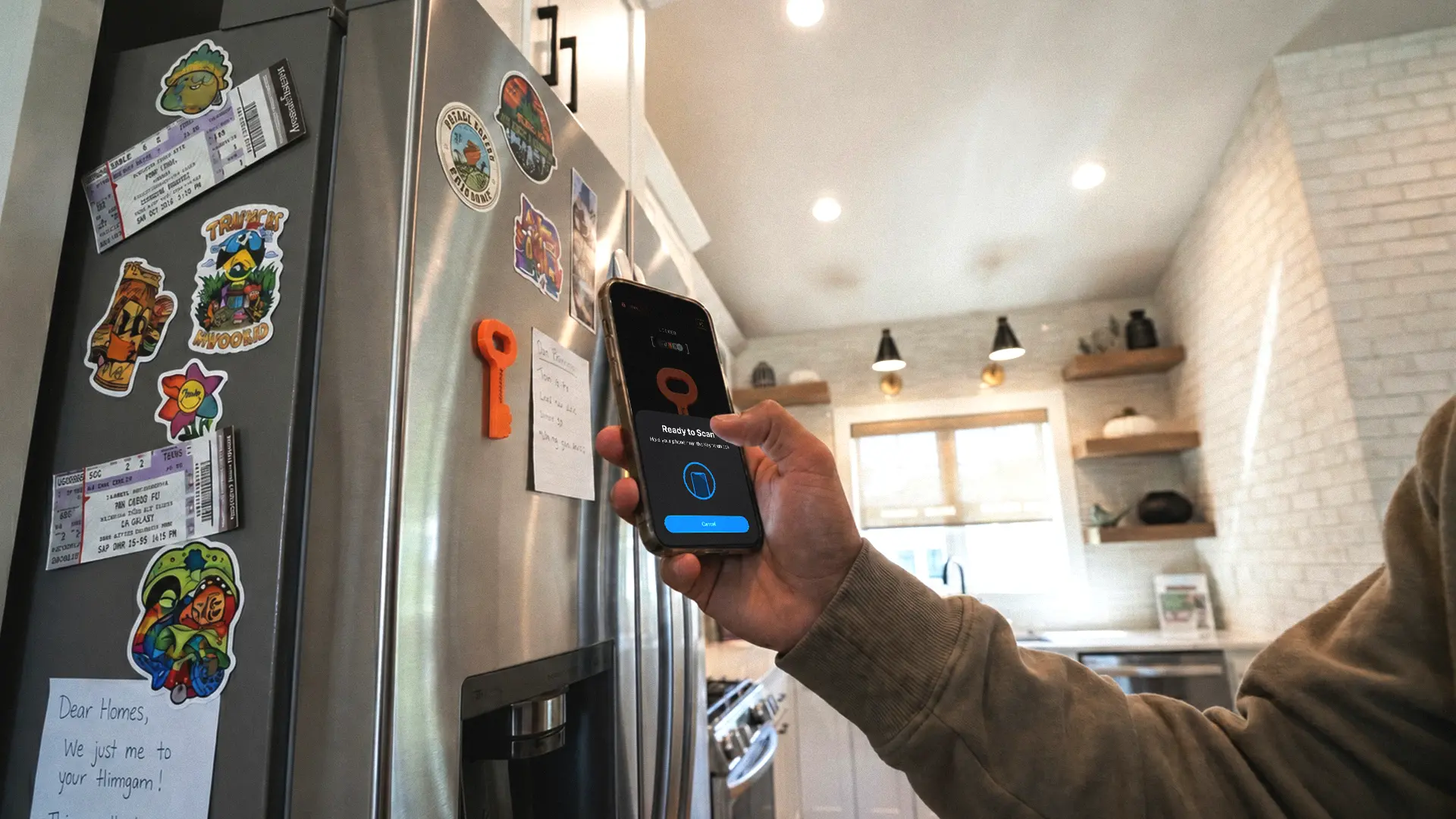
The Autonomous Key only ever unlocks. Its app keeps your chosen apps locked by default, and each scan opens a window of up to 60 minutes, after which the apps close again until you scan for another.
That difference matters more than it sounds. With a switch, forgetting to flip it back on leaves you unblocked indefinitely. With a default-locked model, doing nothing returns you to blocked. If your failure mode is forgetting rather than caving, the resting state is the spec to look at.
What both have in common
Neither device has a battery and neither needs wifi after setup, because passive NFC draws power from the phone during the tap.
The core idea behind both is physical separation. The block only holds if the object is out of reach, so you leave the Brick or the Autonomous Key in another room, a drawer, or with someone else. That is what makes either one harder to defeat than a software timer you can cancel from the phone already in your hand.
Hardware: a cube on the fridge or a key on your keyring
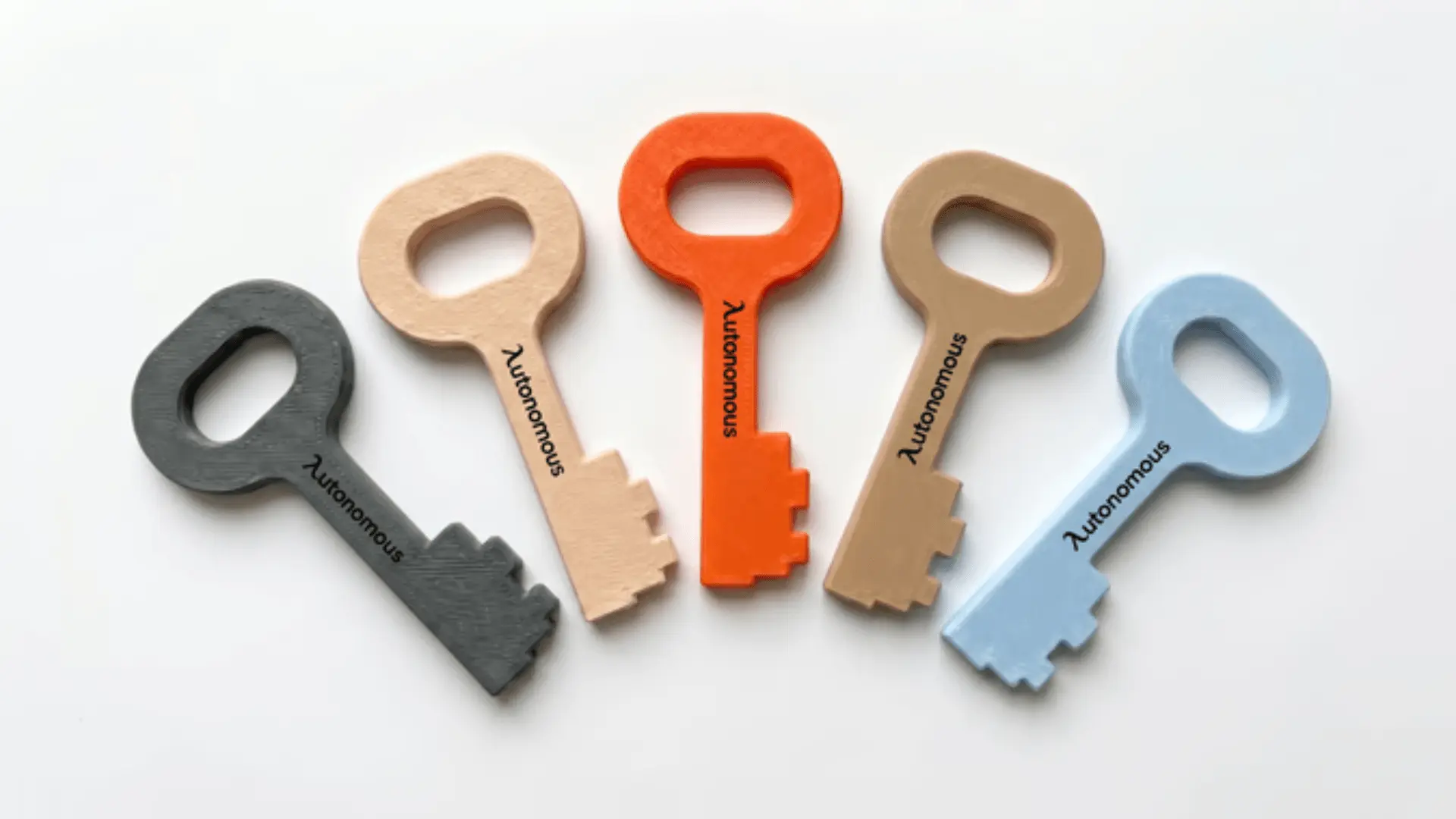
The two devices are built for different places. Brick is a roughly 2-inch cube with a magnet on the back, designed to stick somewhere fixed so you have to walk to it. The Autonomous Key measures 3.1 x 1.5 x 0.1 inches in PLA, thin enough to hang on a keyring or drop in a bag, and it comes in five colours with an optional name or logo.
This changes who each one suits:
- A fixed cube is the stricter setup if you work from one desk, because distance does the enforcing for you.
- A key that travels fits better if you move between an office, a commute and home, and still want the option to unlock somewhere other than your kitchen.
It also opens a different kind of commitment. A key can be handed to someone else, so the object is not in a room you could walk to, it is in another person's pocket. Neither shape is automatically stricter, though. A cube left on the same desk you are sitting at is no harder to reach than a key in your pocket.
What each one costs
Both devices are one-time purchases with no subscription, which already separates them from tools like Unpluq and Opal that charge yearly. Between the two, the gap is wide: the Autonomous Key sits at the bottom of the physical-blocker market and Brick sits near the top. The table above has the current figures.
What the extra money buys on the Brick side is a track record: two years of shipping, iterated manufacturing, and reviews in outlets including Good Morning America and Business Insider.
What it does not buy is different physics. The underlying part in both products is an inexpensive passive NFC chip in a finished enclosure. Neither company is doing anything exotic with silicon, which is why the price gap is a pricing decision rather than a hardware one.
If you have already tried and abandoned a software blocker, either price is small next to the time you are trying to buy back.
Platform and setup
Both work on iPhone and Android, and Android is where they differ most. The Autonomous Key supports Android 8 and above through native NFC, and iOS 15 and above on iPhone, with the same unlock behaviour on each.
Brick supports iOS 17 and above and Android 12 and above, so it needs a newer phone than the Autonomous Key on both platforms, which run from iOS 15 and Android 8. Core blocking works the same on each, but some Brick features, such as blocking a specific website without blocking the whole browser, are currently iOS only. If you are on an older device, the Key's lower OS requirements may decide it for you.
Setup on either device follows the same three steps:
- Pair the object with the app once.
- Choose which apps go into the blocked group.
- Decide where the object lives.
That third step is the one that actually determines whether either product works for you. Everything else takes a few minutes and never needs revisiting.
Strictness and bypass
Both devices are hard to bypass for the same reason, and it has little to do with software: move the object out of reach and there is no fast way back in. The differences show up in what happens when you do nothing.
The differences show up in what happens when you do nothing:
- Brick adds a deliberately strict rule, a limited number of lifetime emergency unlocks. Some owners treat that as the entire point; others find it too rigid to live with.
- The Autonomous Key does not use a fixed emergency allowance. Apps stay locked by default and each scan opens up to 60 minutes before they close again.
With the Autonomous Key the friction comes from where it lives, and from the fact that locked is the resting state rather than something you have to remember to switch on.
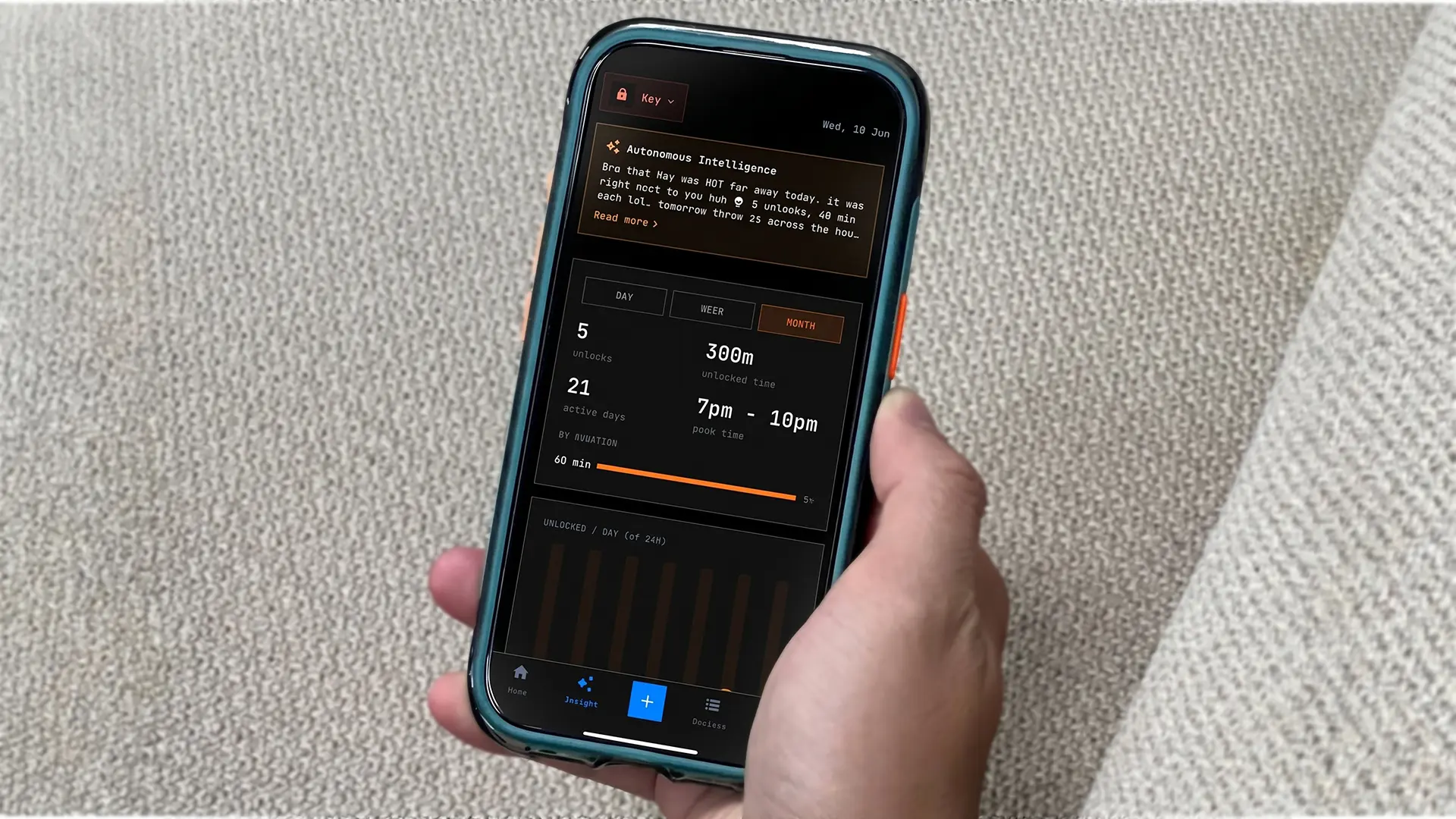
Key Intelligence adds a layer neither approach has on its own. It tracks how often you reach for the Autonomous Key, how much unlocked time you are spending, and which apps keep pulling you back, so the pattern becomes visible instead of just felt.
That is reporting, not enforcement. It will tell you that you unlocked five times between 7pm and 10pm. It will not stop the sixth.
Neither approach is automatically better. A hard cap suits you if you want a rule you cannot argue with. Distance suits you if you would rather control the object than negotiate with a counter.
Brick vs Autonomous Key: which should you buy?
Buy Brick if you want the longer track record
Two years on the market, mainstream press coverage, and a magnet-backed cube built to stay on a fridge add up to a proven and deliberately inflexible setup. If you work from one place and want maximum physical distance, that fixed form is a feature rather than a limitation.
Buy the Autonomous Key if you want portability and a lower price
The Autonomous Key gives you the same physical-friction approach at a fraction of the cost, with a device that travels and a default-locked model rather than a switch. It runs on Android 8+ and iOS 15+, needs no battery and no subscription, and Key Intelligence shows you where the unlocks are actually going.
The honest trade is track record for price and portability. The Autonomous Key is the newer product with the shorter public record, and if a long review history is what makes you comfortable spending money, that is a fair reason to pay more for Brick.
If you have already decided physical friction is the answer and you want the cheapest credible way to test it on either platform, the Autonomous Key is built for exactly that. If neither shape suits you, one of the other Brick alternatives for iPhone and Android may fit better.
Frequently asked questions
What is the difference between Brick and the Autonomous Key?
Brick is a magnet-backed cube you tap to lock and tap again to unlock. The Autonomous Key is a keyring-sized tag whose app keeps apps locked by default, so each scan opens up to 60 minutes before they close again. The other differences are cost, hardware size and Android support.
Which is cheaper, Brick or the Autonomous Key?
The Autonomous Key is cheaper by a wide margin, and both are one-time purchases with no subscription. Brick sits near the top of the physical-blocker market and the Autonomous Key sits near the bottom. Current figures for both are in the comparison table above, since prices change periodically.
Do Brick and the Autonomous Key work on Android?
Both work on Android. The Autonomous Key supports Android 8 and above through native NFC and iOS 15 and above on iPhone, with the same behaviour on each. Brick runs on Android too, though reviewers and Play Store users consistently report the Android version trails the iPhone one.
Is the Autonomous Key available yet?
Yes. The Autonomous Key is shipping and available directly from Autonomous in five colours, with an optional name or logo. Brick is also shipping, so availability no longer separates the two products the way it did earlier in 2026. Both are stocked and delivered directly by their makers.
Which is harder to bypass, Brick or the Autonomous Key?
Both are hard to bypass because both depend on leaving the object out of reach. Brick adds a fixed number of lifetime emergency unlocks. The Autonomous Key keeps apps locked by default and grants up to 60 minutes per scan. Choose the hard cap or the locked resting state, depending on which you trust yourself with less.
Is the Autonomous Key worth it?
The Autonomous Key is worth it if you want physical-friction blocking on either platform at the lowest cost in the category, in a device small enough to carry rather than mount. The trade is a shorter public review record than Brick, which has been shipping and collecting feedback for two years.
Can the Autonomous Key replace Brick?
For the core job, locking distracting apps behind a physical scan, the Autonomous Key does the same thing as Brick for less. Whether it replaces Brick for you depends on shape and unlock model: a fixed cube with a hard unlock cap, or a portable key with a default-locked state and timed sessions.
Where can I buy Brick or the Autonomous Key?
Brick sells through getbrick.app. The Autonomous Key is available directly from Autonomous in five colours with an optional name or logo. Both ship now and both are one-time purchases with no subscription. Prices change periodically, so check current pricing on each site before ordering.
Conclusion
Brick vs Autonomous Key is the same idea built for two different lives. If you want a proven cube that stays on the fridge and a hard cap on emergency unlocks, Brick has earned its price through two years of shipping.
If you want that same physical friction in something that hangs on your keyring, behaves the same on Android as on iPhone, and stays locked unless you actively unlock it, the Autonomous Key is the cheaper way in. Either way, the device only works if you are willing to put it somewhere you cannot casually reach.
References
- Good Morning America (2026). Two-week Brick review. Confirms Brick pricing and the tap-to-unlock model.
- Business Insider (2025). Long-term Brick use review. Source for the reported 2-inch square form factor.
- Google Play, Brick listing (2026). Source for reported Android experience issues.