Best AI Gadgets and Devices of 2026 Ranked by Their Job
The best AI gadgets in 2026 each do one job you already repeat: Autonomous Intern 2 for tasks that run while your laptop sleeps, Oura Ring 5 for sleep, AirPods Pro 3 or Pixel Buds Pro 2 for translation, Roborock Saros 20 for floors and Plaud NotePin S for meetings. The catch sits behind the price tag: most need a phone app, many send data to the cloud, and several charge monthly for full AI features. Each pick below lists what it needs, one limit and who should skip it.
Autonomous publishes this guide and makes seven of the picks, each labeled Autonomous and listed inside the job it was built for; the rest of the range is on its AI gadgets page. Every other pick is the current model on its maker's site. This guide is built from makers' specs and plans and from owner reports, not from our own hands-on tests, so read the specs for all of these AI devices as the maker's claims.
| Job | Pick | Why | What it needs | From |
|---|---|---|---|---|
| Tasks that run 24/7 | Autonomous Intern 2 | Runs scheduled jobs while you are away | Telegram, Slack or Discord; cloud models | $299 |
| An AI agent with a body | Autonomous Lamp | Camera, voice and a body for your agent | An agent you choose; cloud or local model | $999 |
| Pocket voice assistant | Rabbit R1 | One button for answers and recordings | No subscription | $199 |
| Sleep and recovery | Oura Ring 5 | Daily scores with no screen | Membership for full insights | $399 |
| Workouts | Galaxy Watch Ultra2 | GPS, workouts and sleep in one | Samsung Galaxy phone | $699.99 |
| Translation on iPhone | AirPods Pro 3 | Live Translation in your ears | Apple Intelligence iPhone | $249 |
| Translation on Android | Pixel Buds Pro 2 | Live Translate plus Gemini | Android phone | $229 |
| Floors | Roborock Saros 20 | Climbs sills, spots 300+ obstacle types | App; camera in your home | $1,599.99 |
| Voice help at home | Google Home Speaker | Gemini you can interrupt | Optional Google Home Premium | $99.99 |
| Meeting notes | Plaud NotePin S | Wearable transcripts and summaries | Phone app; 300 free minutes a month | $179 |
| Camera glasses | Ray-Ban Meta (Gen 3) | Hands-free photos and answers | Phone app | $449 |
| Display glasses | Even Realities G2 | Text in view, no camera | Phone app; ring optional | $599 |
| Coding agents by voice | Autonomous Harness Device | Speak a task to any agent | Agents on your computers | $149 |
| Coding agents at a glance | Autonomous Harness Pro | One screen per agent | Mac or Linux with the Harness app | $299 |
| Drinking enough water | Autonomous Hydrate | Weighs every sip | App, USB-C power | $39 |
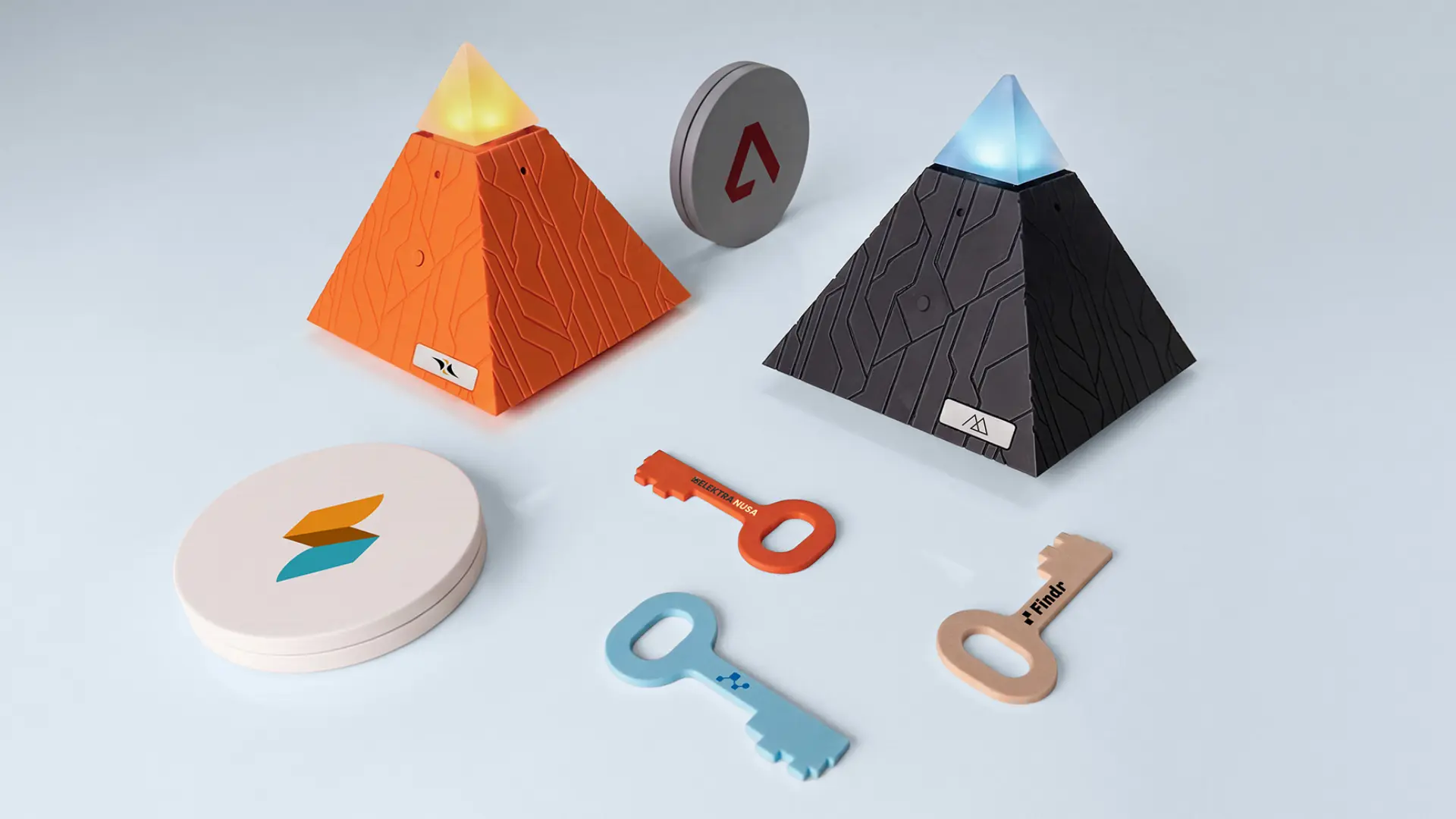
| Phone distraction | Autonomous Key | Locks apps until you tap it | NFC phone, no subscription | $19 |
| Room air and sitting time | Autonomous Desk Pro AI | Sensors tied to your own sessions | Desk app | $599 |
If you only buy one: under $100, Autonomous Key, Autonomous Hydrate or Google Home Speaker; over $100 and up to $300, AirPods Pro 3 or Pixel Buds Pro 2, or Intern 2 if you have a task to automate; over $300 and up to $500, Oura Ring 5 or Ray-Ban Meta (Gen 3).
Best AI gadgets that run tasks for you
An AI agent gadget is worth buying only if the task runs without you: a morning brief, a watch on a web page, an inbox sorted before you sit down. Intern 2 does that headless, Lamp adds a body and a voice, and the Rabbit R1 is a pocket shortcut to an assistant.
Autonomous Intern 2: for scheduled jobs that run 24/7
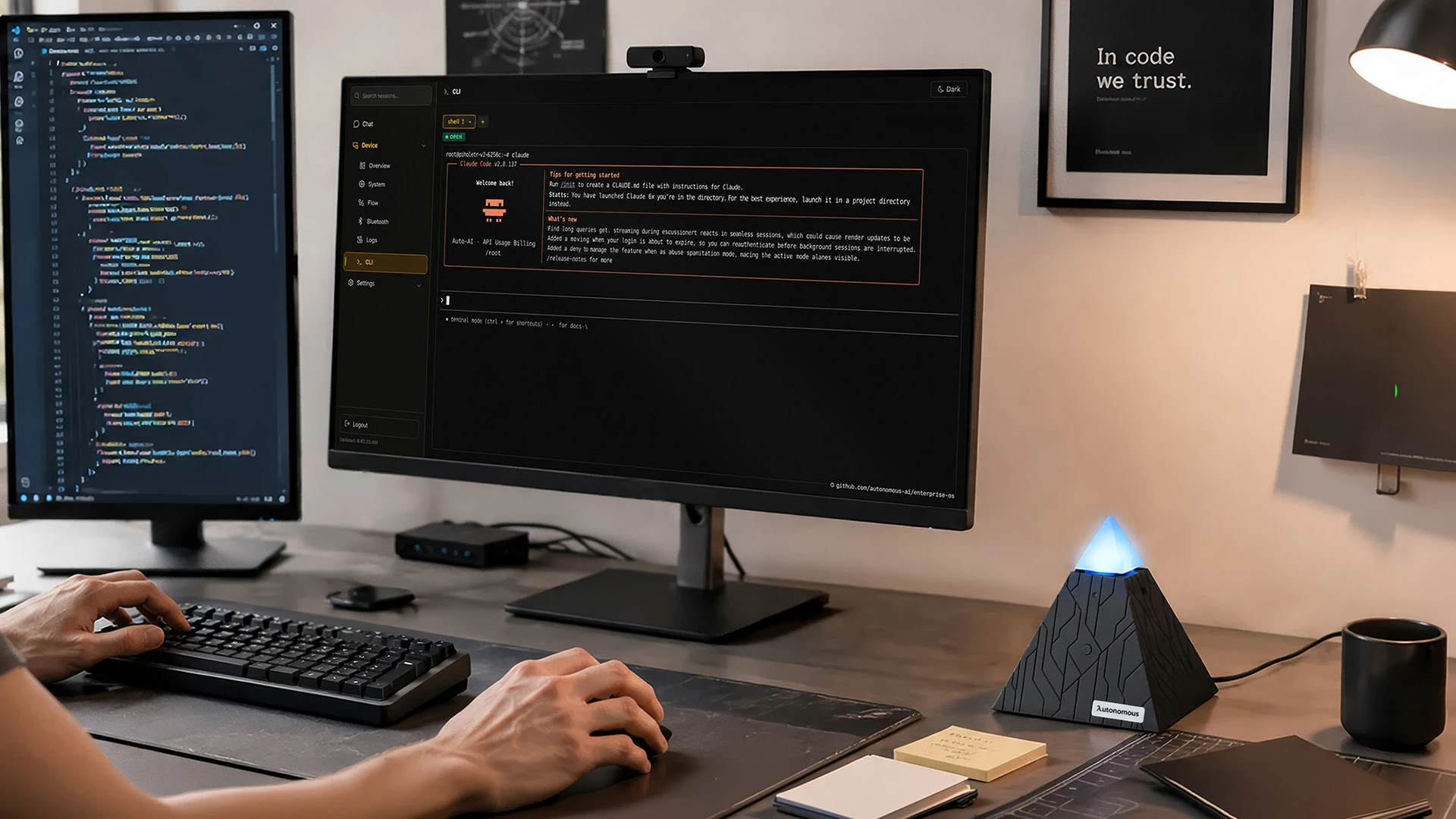
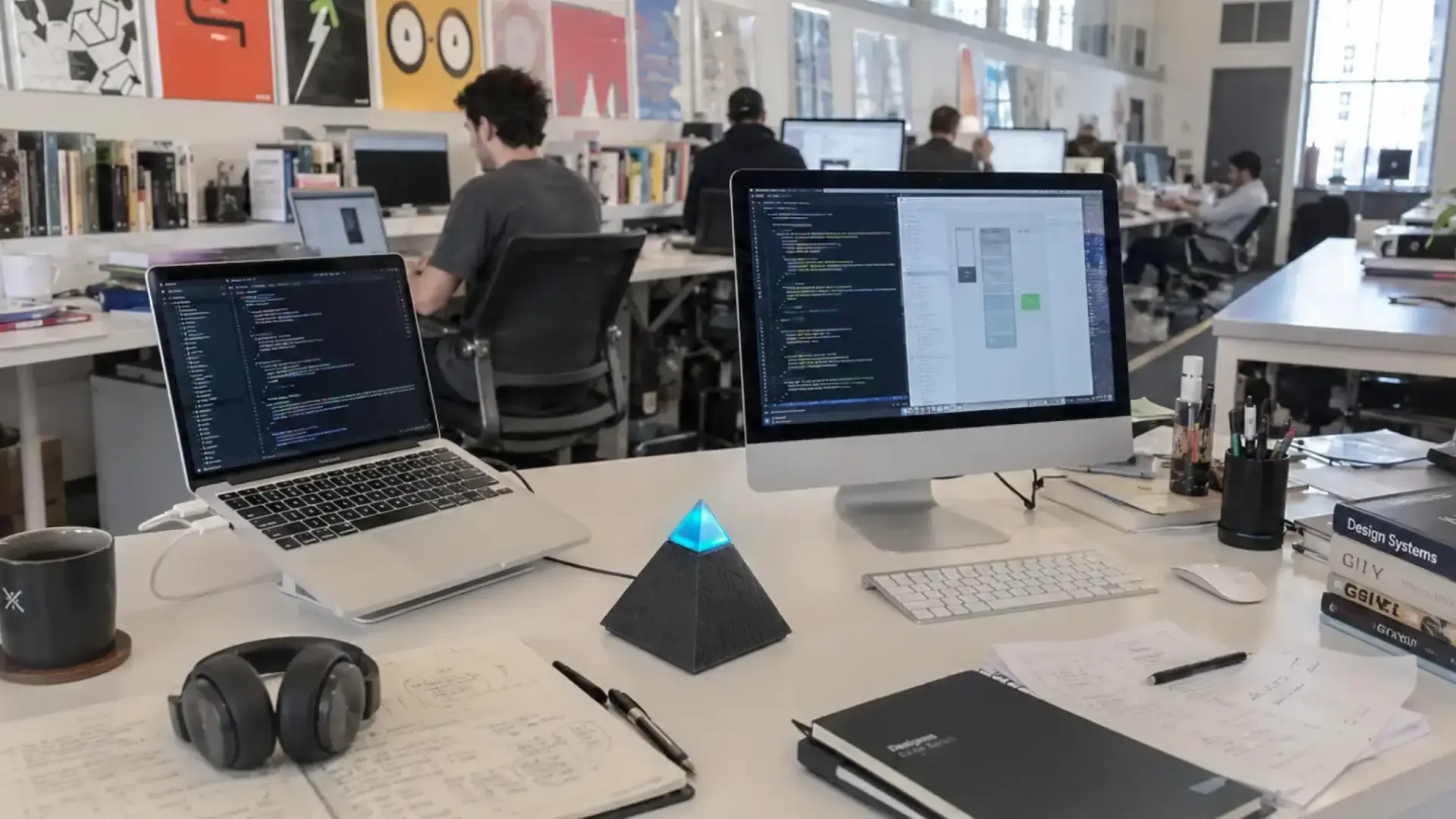
Autonomous Intern 2 is a 4.7-inch box that runs a local AI agent around the clock, handling scheduled jobs such as research digests, GitHub watching, service health checks and draft emails while your laptop is closed.
It ships with OpenClaw or Hermes ready to run, and Claude Code, Codex or your own agents install on top. You talk to it through Telegram, Slack or Discord, and it picks a model per task (Autonomous names Opus, Sonnet, DeepSeek and Qwen). API keys and project context are stored as files on the device, while the models it calls run in the cloud.
| Pros | Cons |
|---|---|
|
|
Skip it if you cannot name the repeat task it would run. It earns its place on day one only when you know the job it will do every morning.
Autonomous Lamp: for an AI agent with a body
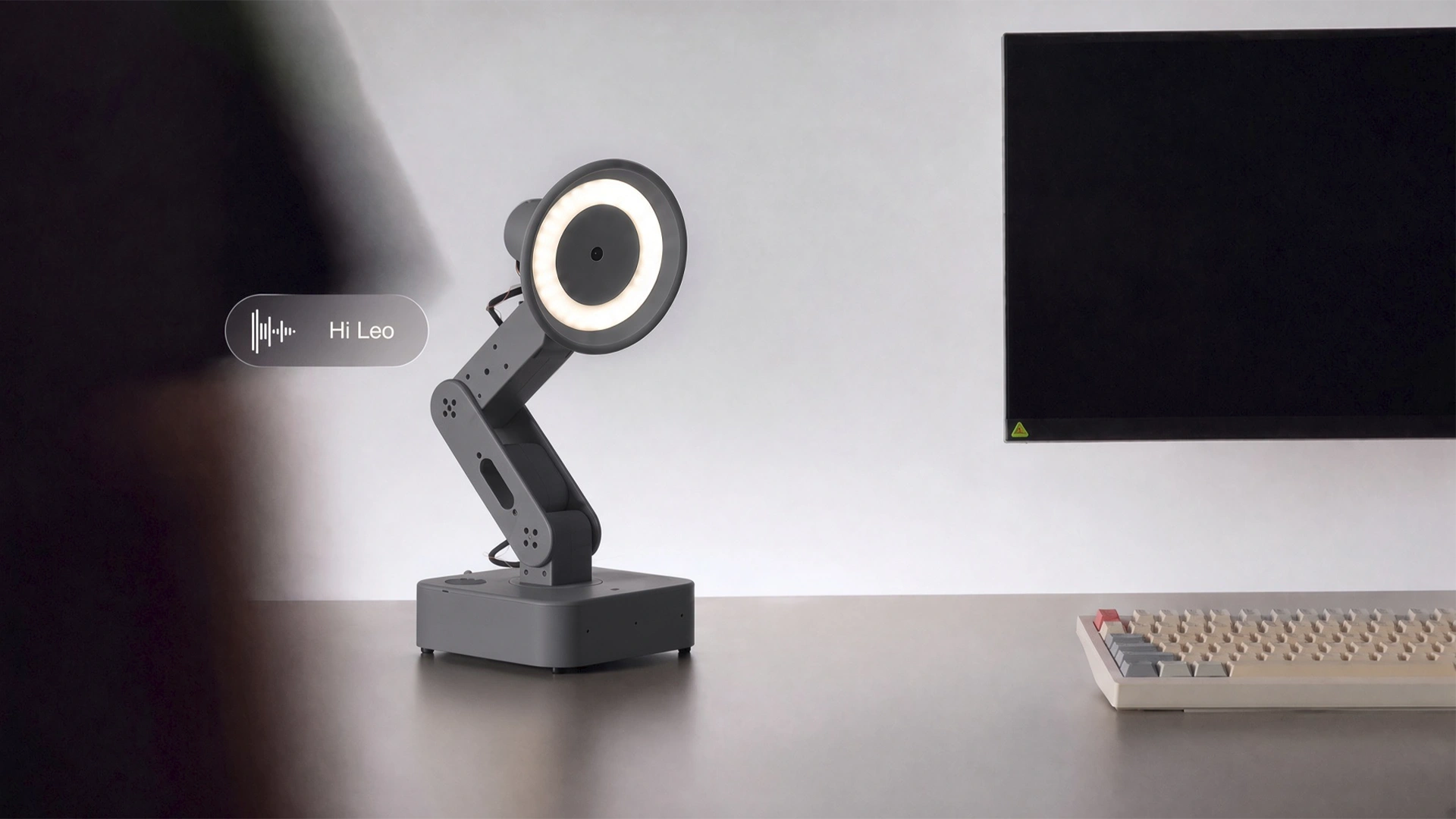
Autonomous Lamp is a desk robot that gives an AI agent a camera, microphones, speakers, light and a body with five servos, so it can nod, tilt and play recorded gestures while it talks with you.
You choose the brain: Hermes, Claude Code, Codex, OpenClaw, OpenCode and PicoClaw are supported, connected to a cloud model or a compatible model on your own hardware. Ready skills cover conversation, play and posture or break nudges; you can build a Home Assistant connection or a check on agents running on another machine.
Lamp also senses CO2, airborne particles, temperature and humidity, so you can ask about the room or set a heads-up when a reading drifts. It is a robot that behaves like it's alive, and the open-source OS lets you add your own gestures and skills.
| Pros | Cons |
|---|---|
|
|
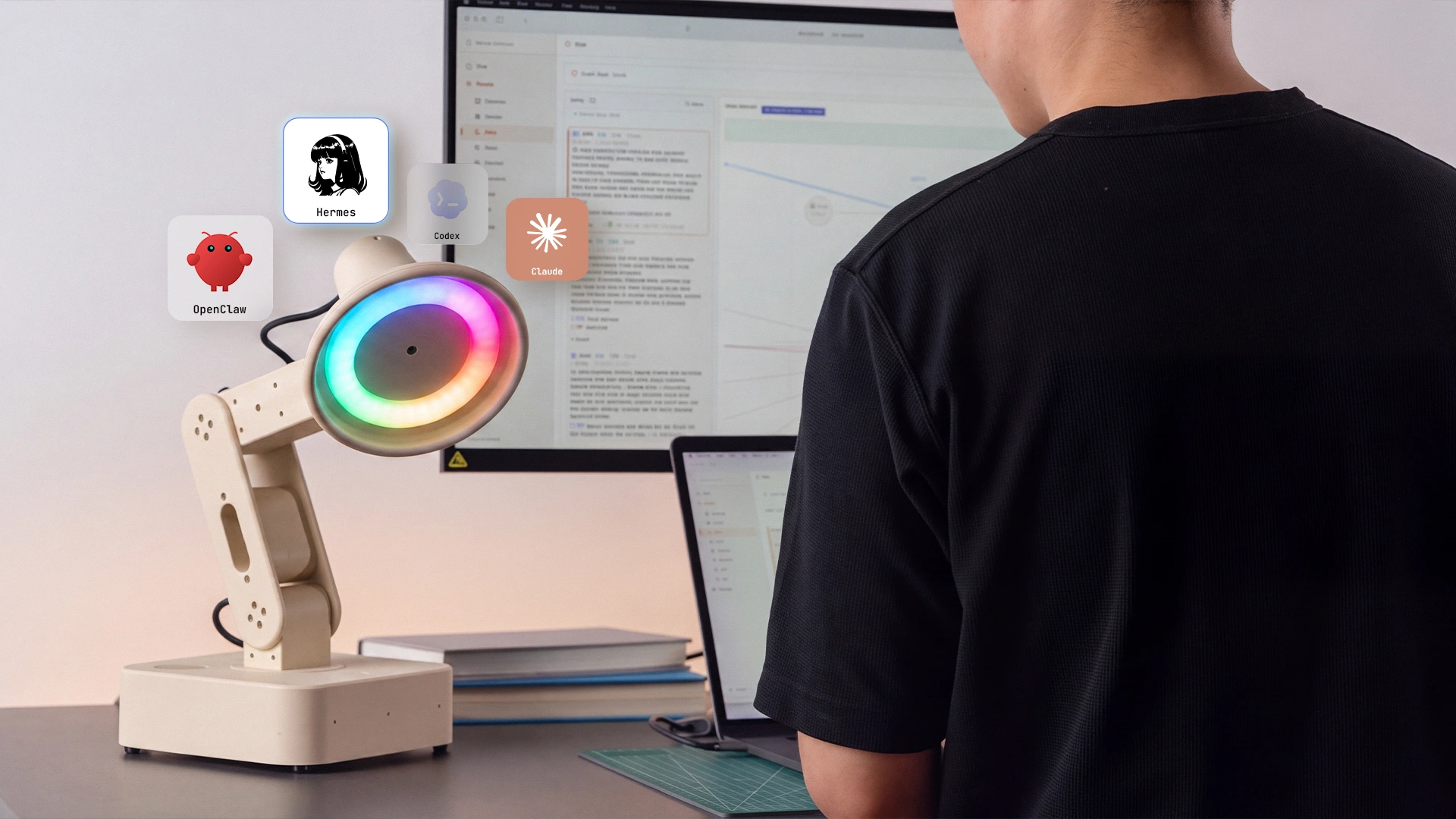
Skip it if all you want is unattended work; Intern 2 does that for less. Lamp is the pick for people who want the agent in the room; the closest alternatives are other AI desk robots.
Rabbit R1: for voice tasks away from your phone
The Rabbit R1 is a pocket device with a push-to-talk button that sends what you say to rabbit OS3, so you can ask, translate or record without opening an app.
Rabbit lists it at $199 with no subscription, including unlimited recordings, transcripts and AI summaries through its magic recorder. Rabbit's own page warns that the output may not be accurate and should be checked, which is true of every assistant here but worth reading before you buy a dedicated one.
| Pros | Cons |
|---|---|
|
|
Skip it if your phone's assistant already covers quick questions; for most people it does. It suits someone who wants a single button for voice notes and answers, kept apart from the phone.
Best AI wearables for sleep and health
The best AI gadgets for health tracking match the number you will act on: a ring for sleep and recovery with nothing on your wrist, a watch for workouts and GPS.
Oura Ring 5: for sleep and recovery without a screen
The Oura Ring 5 is a titanium ring that turns sleep, heart rate and activity into daily scores and guidance in the Oura app, with no screen to check.
Oura lists it from $399, with 6 to 9 days of battery depending on ring size and use. Full insights need an Oura membership at $5.99 a month or $69.99 a year in the US, with the first month free. If the membership is the dealbreaker, the RingConn Gen 2 Air ($199) tracks sleep and activity with no subscription and up to 10 days of battery, per RingConn.
| Pros | Cons |
|---|---|
|
|
Samsung Galaxy Watch Ultra2: for training data with a Galaxy phone
The Samsung Galaxy Watch Ultra2 is Samsung's current rugged smartwatch, with Galaxy AI features such as a morning Energy Score, Bedtime Guidance and a sleep apnea check.
Samsung lists it from $699.99, with an 800 mAh battery, up to 20 hours of outdoor workouts with GPS and fast charging to 40% in about 30 minutes. Samsung's fine print on the Ultra2 page says Galaxy AI features need a compatible Samsung Galaxy phone, the Samsung Health app and a Samsung account, and it describes the sleep apnea feature as FDA-cleared sleep apnea risk detection that looks for signs of moderate to severe obstructive sleep apnea.
| Pros | Cons |
|---|---|
|
|
Best AI earbuds for live translation
For live translation, buy the earbuds that match your phone: AirPods Pro 3 for iPhone, Pixel Buds Pro 2 for Android. Translation runs through the phone's own AI, so it does not cross platforms. These are everyday earbuds with translation added; dedicated AI translator earbuds are a different trade.
AirPods Pro 3: for iPhone owners
AirPods Pro 3 add Live Translation, powered by Apple Intelligence: you hear the other person in your language, and your reply shows up translated on your iPhone screen.
Apple lists them at $249, with a heart rate sensor for workouts and the Hearing Test and Hearing Aid features. Live Translation needs an Apple Intelligence iPhone and is labeled beta. One line in Apple's fine print is worth reading: some Apple Intelligence features that use server-side models have daily usage limits, and Apple says expanded access will cost a fee in the future.
| Pros | Cons |
|---|---|
|
|
Pixel Buds Pro 2: for Android owners
Pixel Buds Pro 2 bring Live Translate and hands-free Gemini Live to Android, with Google's Tensor A1 chip running the noise cancellation.
You hear the translation in your ear while the other person hears it from your phone speaker. Google lists them at $229. They pair with any Bluetooth device, but the full feature set needs an Android 6.0 or newer phone with a Google account.
| Pros | Cons |
|---|---|
|
|
Best AI gadgets for home
For the best AI gadgets at home, the AI that matters is what a device sees and hears: a robot vacuum's obstacle recognition and a speaker's assistant. Both put a camera or microphone in shared rooms, so decide that first.
Roborock Saros 20: for floors with thresholds and clutter
The Roborock Saros 20 is Roborock's current flagship robot vacuum and the upgrade over the Saros 10R, with 3D time-of-flight navigation and an RGB camera that Roborock says recognize more than 300 types of obstacles.
Roborock lists 36,000 Pa of suction, a 3.14-inch body for low furniture and a lifting chassis that crosses double thresholds up to 3.46 inches (1.77 plus 1.69). The list price is $1,599.99. The same camera supports remote video calls, so it also works as a camera that roams your home.
| Pros | Cons |
|---|---|
|
|
Skip it if your home is one level of open hard floor; the threshold climbing and obstacle recognition are most of what you pay for. It suits homes with rugs, cables on the floor and doorway sills.
Google Home Speaker: for voice help with Gemini
The Google Home Speaker is Google's $99.99 smart speaker built for Gemini for Home, so you can talk naturally, interrupt and ask follow-up questions.
Quick answers, tasks and smart home control work without a plan. Google Home Premium unlocks the more capable Gemini and lets you ask about Nest Cam history, for $10 a month or $100 a year, with a $20 a month tier above it; new buyers get a 30-day trial. A switch on the bottom mutes the microphone.
| Pros | Cons |
|---|---|
|
|
In an Alexa home, the match is Alexa+, which Amazon says costs $19.99 a month or comes free with Prime, on Echo devices such as the Echo Hub wall panel. Pick by the ecosystem your lights and locks already use. Google no longer lists the Nest Hub Max that earlier versions of this guide recommended.
Best AI note taker for meetings
For meetings, a wearable recorder that transcribes and summarizes beats a general assistant, because the job is capture, not conversation.
Plaud NotePin S: for in-person and online meetings
The Plaud NotePin S is a 17.4 g recorder you wear as a clip, pin, necklace or wristband, and Plaud turns what it hears into transcripts and summaries with decisions and next steps.
Plaud lists it at $179, with up to 20 hours of recording and pickup from up to 3 meters. The free Starter plan includes 300 transcription minutes a month. Pro (1,200 minutes) costs $17.99 a month or $8.33 a month billed yearly, and Unlimited costs $29.99 a month or $20 a month billed yearly. Plaud says your data is not used to train AI models unless you opt in.
| Pros | Cons |
|---|---|
|
|
Count your meeting hours before you pay for a plan: 300 free minutes covers five hours a month. Check consent rules before recording other people, since many workplaces and some states require everyone's permission.
Best AI smart glasses
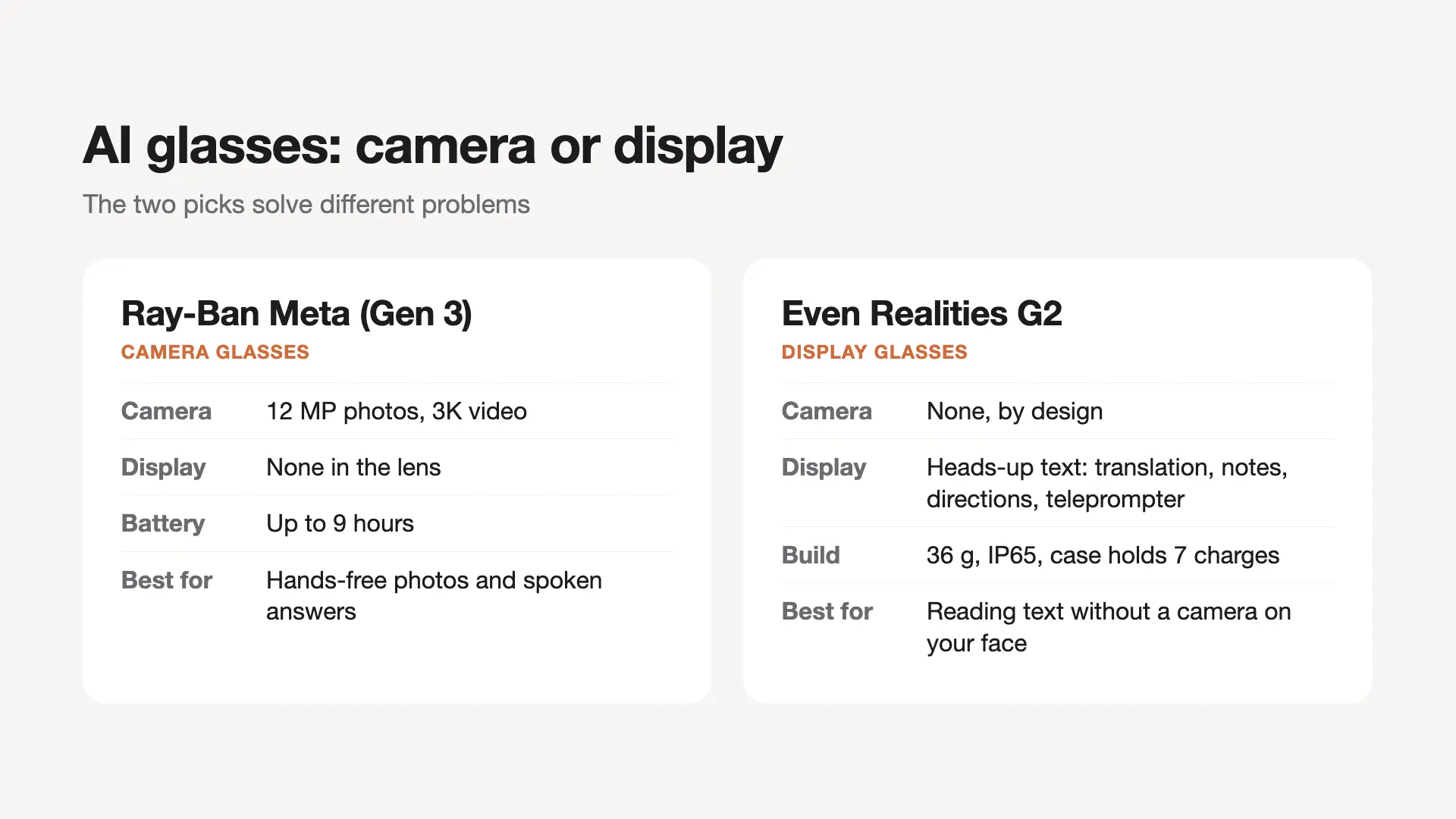
AI glasses split on whether you want a camera. Ray-Ban Meta (Gen 3) has one for hands-free photos and answers about what you see; Even Realities G2 has none and shows text in your view instead.
Ray-Ban Meta (Gen 3): for hands-free photos and answers
Ray-Ban Meta (Gen 3) are Meta's current camera glasses, with a 12 MP camera, 3K video and up to nine hours of battery, which Meta says is an hour more than Gen 2.
Meta lists them from $449. The assistant is Meta AI, set up through the Meta AI app on your phone. Meta also launched Ray-Ban Meta Audio at $349, which it sells for the assistant and open-ear audio, with up to 12 hours of battery.
| Pros | Cons |
|---|---|
|
|
Skip camera glasses if you work in places where recording is not allowed, such as clinics, some offices and locker rooms.
Even Realities G2: for text in your view with no camera
Even Realities G2 are 36 g display glasses with no camera that show translation, notes, directions and teleprompter text in your line of sight.
The Conversate feature shows context when an unfamiliar name or term comes up and writes a summary in the Even app afterward. Even lists G2 from $599 with prescription lenses, IP65 dust and water resistance, and a case that holds seven full charges. The optional Even R1 ring ($249) adds tap and scroll control.
| Pros | Cons |
|---|---|
|
|
Skip them if capture is the point; they are built for reading prompts in a conversation or on stage, not for recording it.
AI gadgets for people who run coding agents
Harness Device and Harness Pro only matter if you run AI coding agents such as Claude Code, Codex or Cursor; anyone else can skip this section. They solve the problem of running multiple Claude Code agents at once: knowing which one is done, which is stuck and which is waiting on you.
Harness Device: for sending tasks to agents by voice
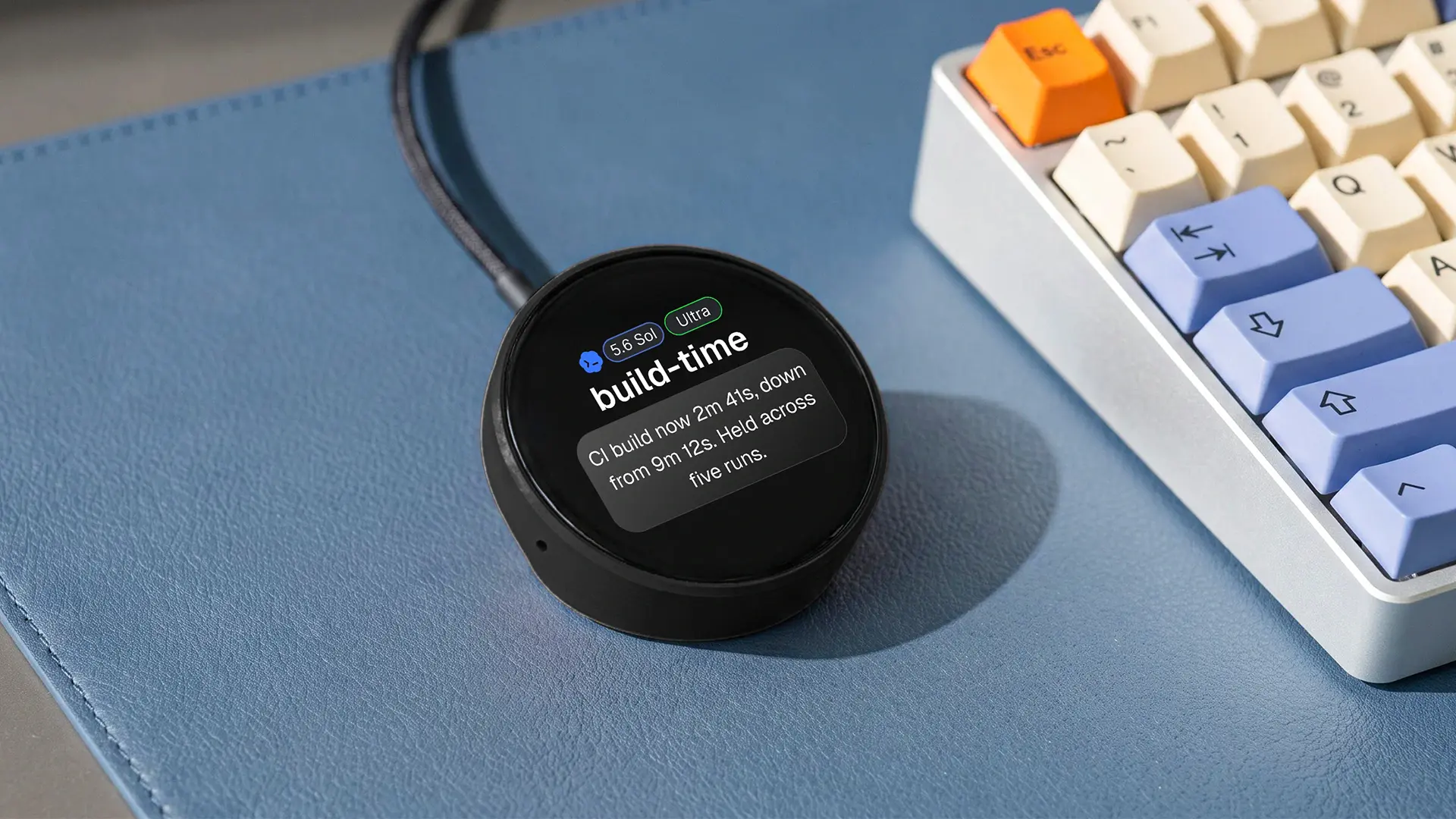
Harness Device is a matte-black disc that sits at the base of your monitor: tap the face, say a task, and it goes to the agent already running on your laptop, server or cloud machine.
The round, always-on display shows what is running and for how long, finished work as it returns and what your agents have spent today. It works with Claude Code, Codex, Cursor, OpenCode, Hermes, Devin, Copilot and more. The agents keep running on your own machines, and Autonomous says only the result and anything that needs your confirmation come back to the device.
| Pros | Cons |
|---|---|
|
|

Skip it if you run one agent in one terminal, because the terminal already tells you everything. Check your permission settings first if you plan to dispatch tasks by voice, since nothing asks you to approve them.
Harness Pro: for watching every agent on one screen
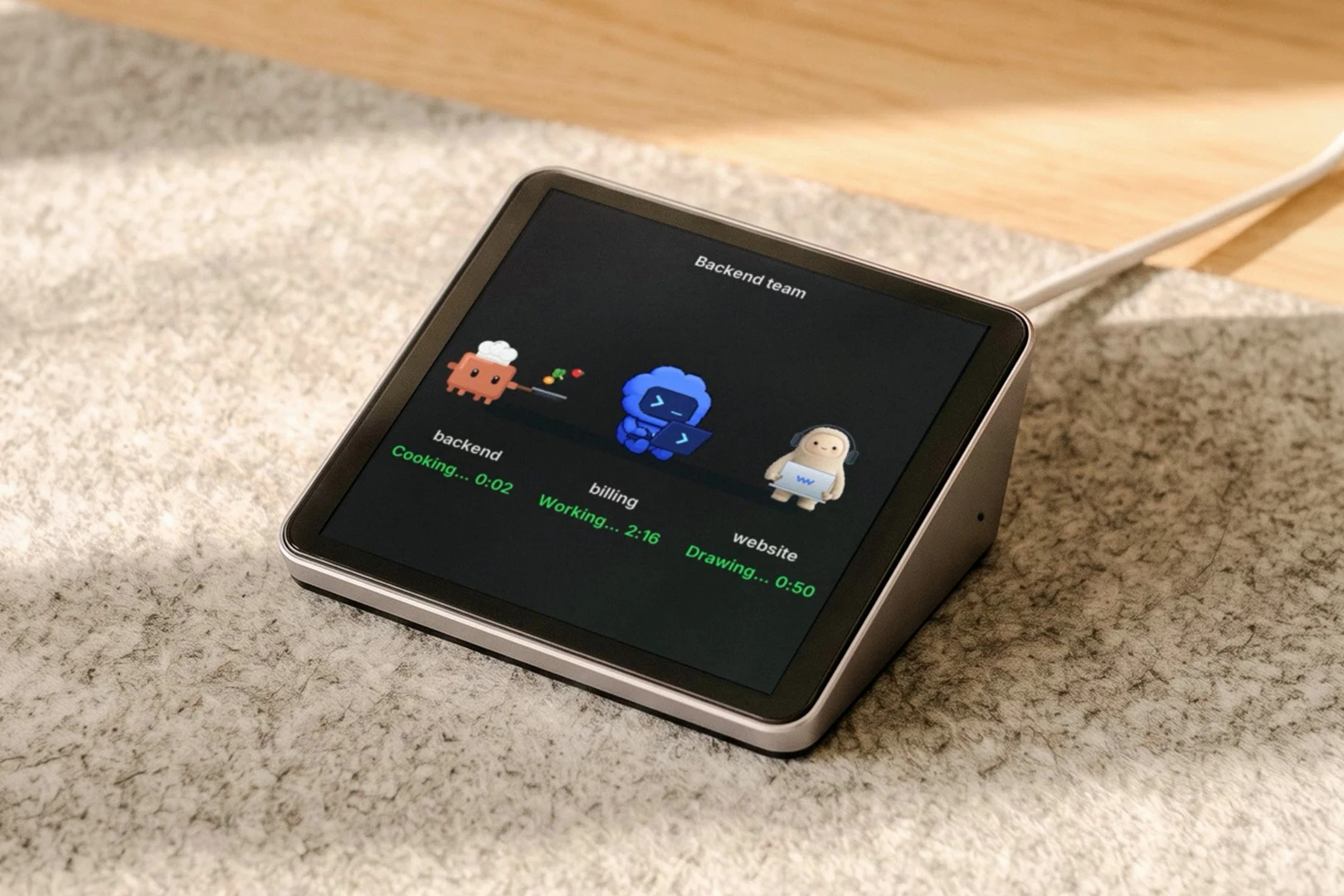
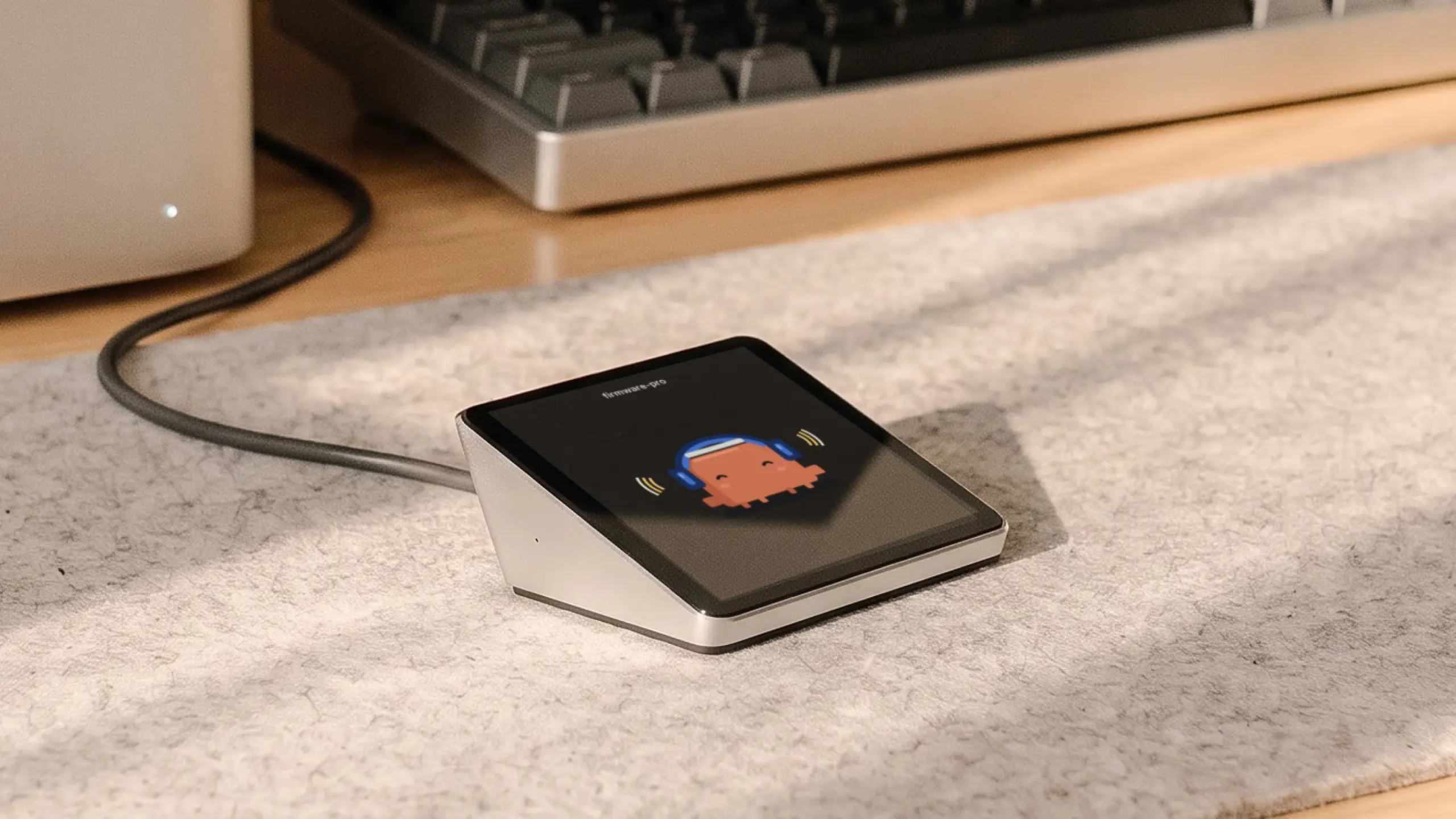
Harness Pro is a 3.95-inch square touch screen (720 x 720) that plugs into a Mac by USB-C and shows every agent across your machines, one per screen, with a swipe between them.
It talks to the Harness app for Mac and Linux, which reaches agents on your other computers. Tap an agent, speak, then tap to send; voice goes through cloud speech-to-text. It has three microphones, no battery, and takes power and updates over the cable. Autonomous marks the current specs as preliminary.
| Pros | Cons |
|---|---|
|
|
Pick Pro over the Device if you want to read status at a glance rather than talk to it. Pick the Device if you would rather speak a task than read a screen.
Best AI gadgets for work and focus at your desk
The three desk gadgets here work without you opening an app: a coaster that weighs your water, a key that locks apps and a desk that reads the room. All three are made by Autonomous.
Autonomous Hydrate: an AI gadget under $50 for drinking water
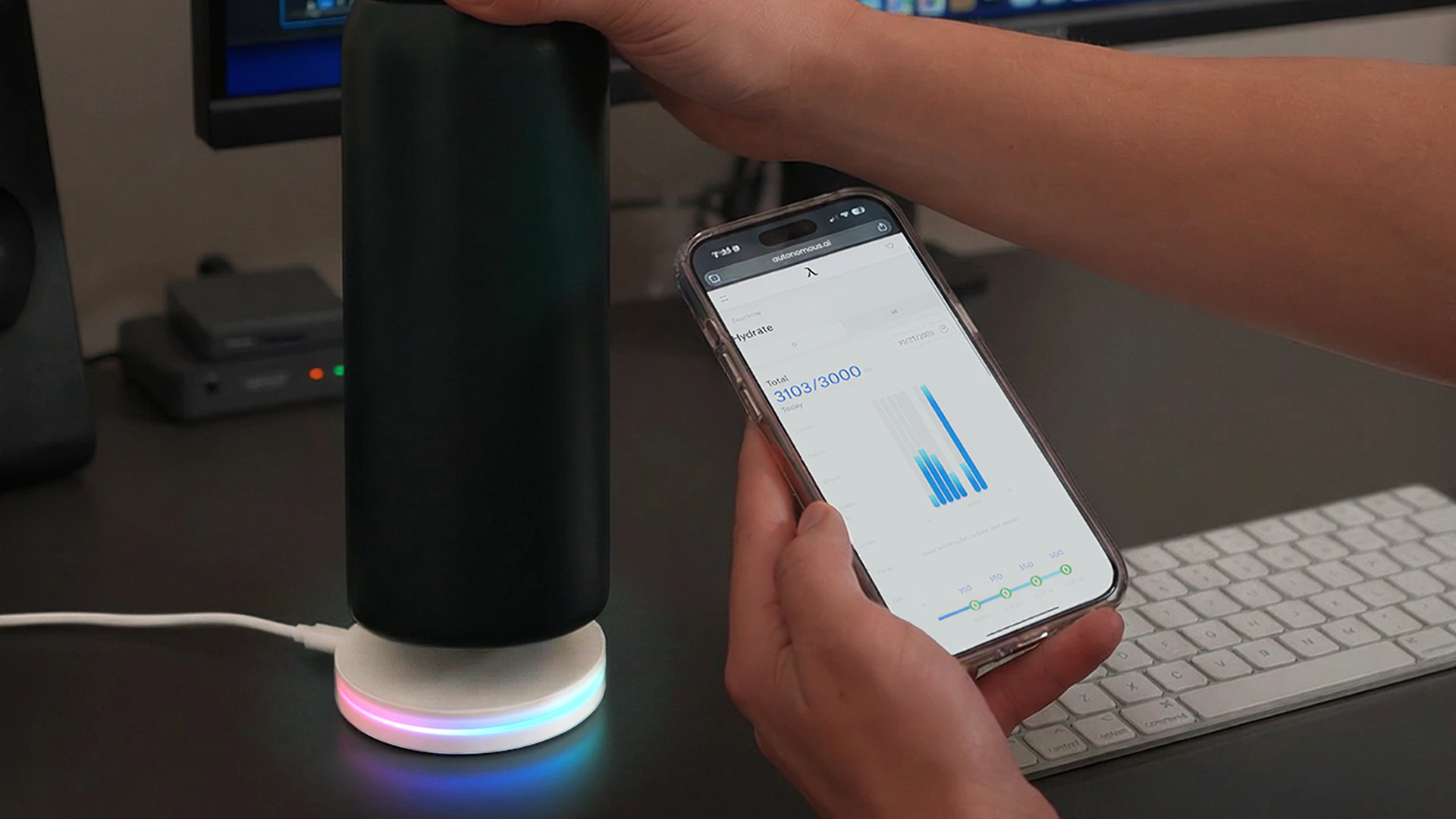
Autonomous Hydrate is a 3.54-inch coaster that weighs every sip from any cup or bottle and logs it in ml or oz, so there is nothing to type.
Its AI reads your pattern back each day: when you drink, when you stop and one thing to try tomorrow. Reminders happen on the desk rather than your phone, every 15, 30 or 60 minutes or on your own schedule, as a glow, a short vibration or a buzz. It runs on USB-C power and sets up in the app in about two minutes, per Autonomous.
| Pros | Cons |
|---|---|
|
|
Autonomous says it plainly on the product page: if you already finish your water every day, skip this. It suits people who look up at 4 p.m. and find the cup still full.

Autonomous Key: for locking the apps we open on autopilot
Autonomous Key is a passive NFC key that keeps the apps you pick locked until you tap your phone to it, with up to 60 minutes of use per unlock.
Key Intelligence logs each unlock, how long apps stayed open and the hours we tend to reach for them, then reads the pattern back in a deliberately snarky tone. It needs an NFC phone on Android 8 or iOS 15 and later, has no battery and no subscription, and one Key works with several phones.
| Pros | Cons |
|---|---|
|
|
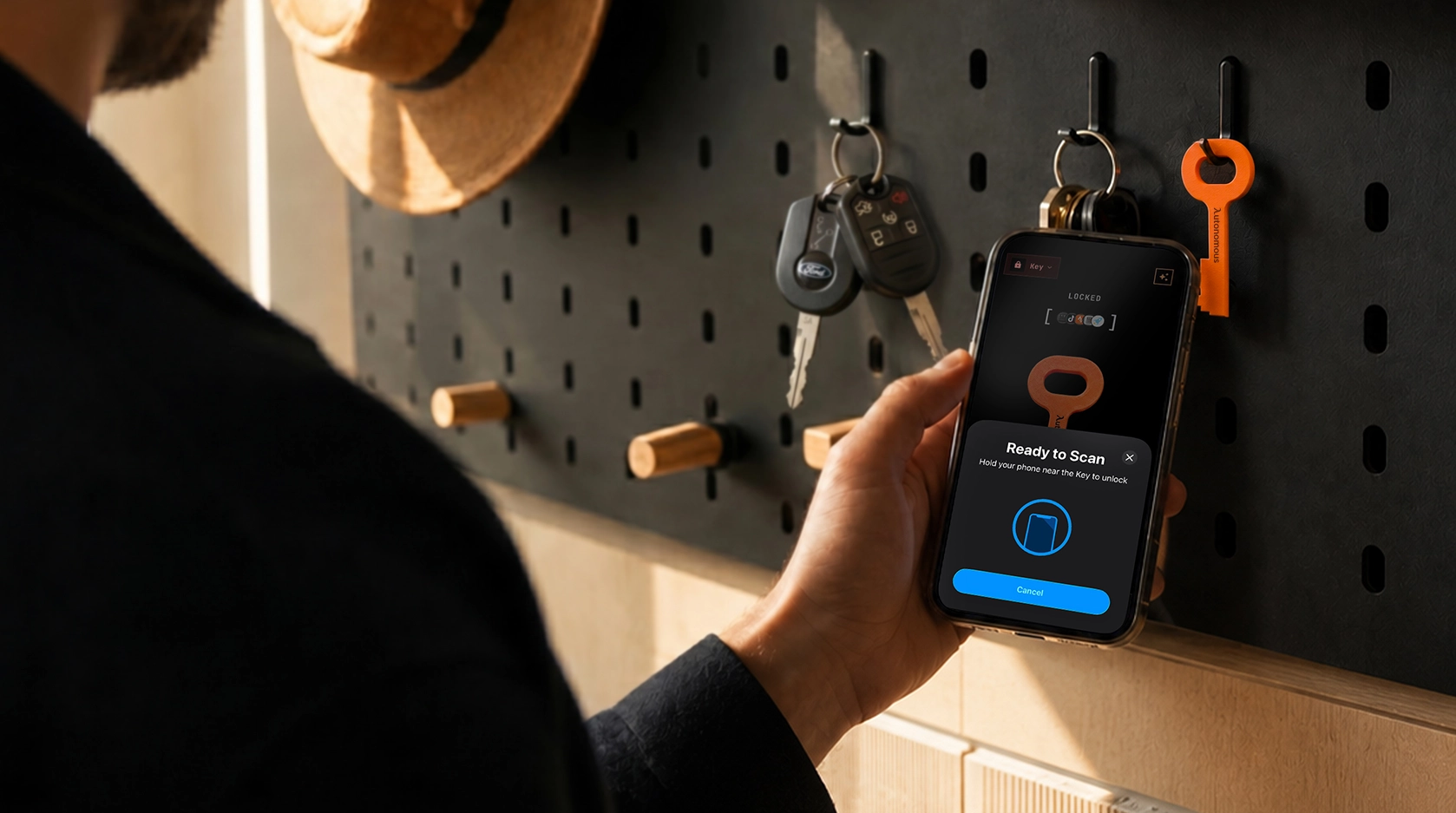
It is not for anyone whose job lives inside those apps all day. Owners report that keeping the Key out of reach, in another room or at home, is what makes it work.
Autonomous Desk Pro AI: for tracking room air and sitting time
Autonomous Desk Pro AI is a standing desk with six sensors in its control hub that track CO2, particles, VOCs, noise and whether you are at the desk. Autonomous lists a Sensirion SCD41 that measures CO2 directly rather than estimating it, plus mmWave radar and a time-of-flight sensor, so readings count only while you are actually there.
The AI part is the follow-up. It scores eight readings out of 100, pushes a note when one crosses a line (the product page example is CO2 at 1,240 ppm, or 49 minutes in the chair) and answers plain questions such as "How long have I been sitting?" from your stored desk data. Sound level is computed in the desk and no audio is recorded, per the product page.
| Pros | Cons |
|---|---|
|
|

Skip it if your current desk works and you only want a CO2 number; a standalone air monitor does that for less. It makes sense if you are buying a standing desk anyway and want the room data matched to the hours you actually sat there.


How to choose an AI gadget that stays in use
Pick an AI gadget by the job it repeats, then check four things the box does not show: what the plan costs after the trial, where the AI runs, what it can see or hear, and how long you have to return it.
Add the AI plan to the price before you compare
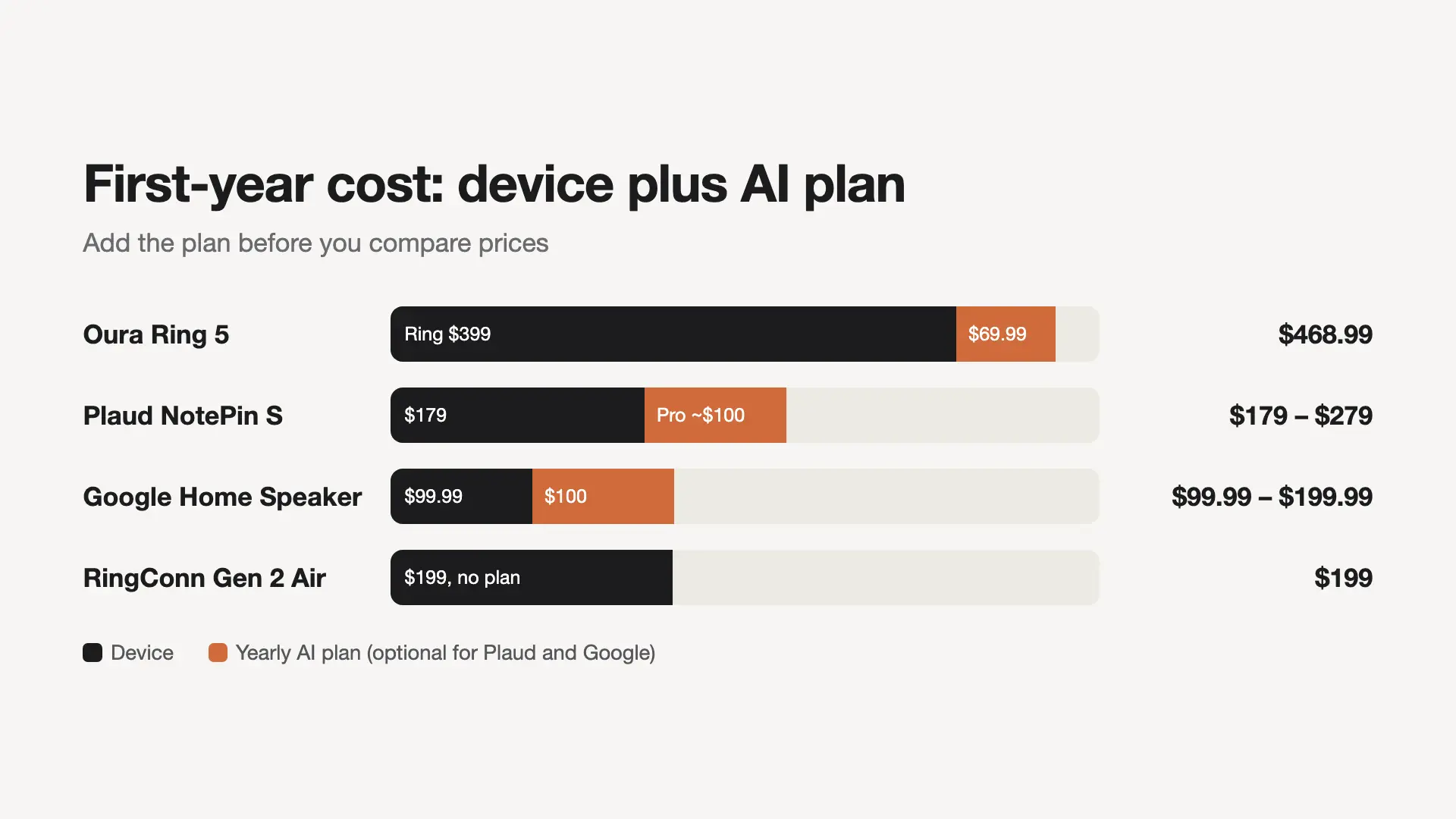
A gadget that needs a plan costs more in year one than its price tag says. The Oura Ring 5 and the RingConn Gen 2 Air both track sleep, but with Oura's yearly membership the first-year gap is about $270, not $200.
| Gadget | Device | Plan for full AI features | First year |
|---|---|---|---|
| Autonomous Key | $19 | None | $19 |
| Rabbit R1 | $199 | None | $199 |
| RingConn Gen 2 Air | $199 | None | $199 |
| Google Home Speaker | $99.99 | Optional, $100 a year | $99.99 to $199.99 |
| Plaud NotePin S | $179 | Free 300 min; Pro $8.33 a month yearly | $179 to about $279 |
| Oura Ring 5 | $399 | $69.99 a year | $468.99 |
Watch for fees that are announced but not yet charged. Apple's AirPods Pro 3 fine print says expanded access to server-side Apple Intelligence features will cost a fee later. Agent hardware such as Intern 2 calls cloud models, so read the current usage terms before heavy use. Put a calendar reminder on the last day of any free trial.
Check where the AI runs
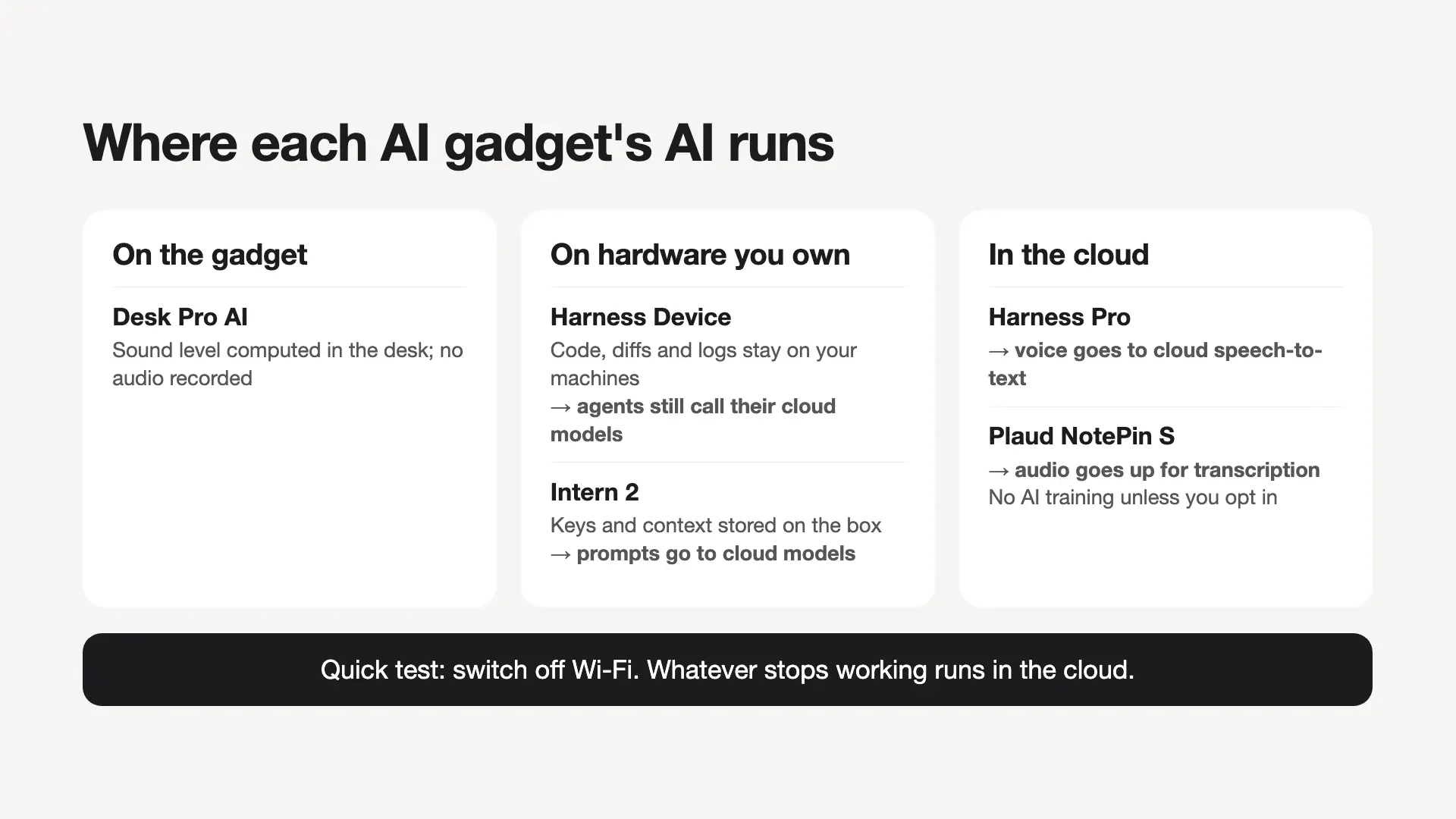
On-device processing works without a connection and keeps raw data on the gadget, while cloud processing is more capable but sends data out and needs a network. Most AI gadgets mix the two, so check each part.
- On the gadget: Desk Pro AI computes sound level in the desk and records no audio.
- On hardware you own: Harness Device keeps code, diffs and logs on your machines and sends only results to the device, but the agents it drives still call their own cloud models. Intern 2 keeps keys and context as files on the box, but its prompts go to cloud models.
- In the cloud: Harness Pro sends voice to cloud speech-to-text; Plaud NotePin S sends audio up for transcription, and Plaud says it does not use your data for AI training unless you opt in.
A quick test: switch off Wi-Fi. Whatever stops working runs in the cloud.
Decide what it may see and hear
A camera or always-on microphone in a shared room needs everyone's agreement, not only yours. Sort the picks before you buy:
- Camera: Ray-Ban Meta (Gen 3), Roborock Saros 20, Autonomous Lamp.
- Microphone, no camera: Google Home Speaker (with a mute switch), Plaud NotePin S, Harness Device, Even Realities G2.
- Neither: Autonomous Key and Hydrate.
Check charging and the return window
Every extra charger is one more reason a gadget ends up in a drawer, so compare battery life against how you wear or carry it. Oura lists 6 to 9 days, RingConn up to 10 days and Ray-Ban Meta (Gen 3) up to nine hours.
Then use the return window as a trial. Rabbit lists free 30-day returns, and so does Autonomous for Intern 2, Harness Device, Hydrate and Desk Pro. Set a reminder for day 21: if you have not reached for the gadget on your own that week, send it back.
FAQs
What are the best AI devices right now?
The best AI devices right now are the ones built around one repeat job: Oura Ring 5 for sleep, AirPods Pro 3 or Pixel Buds Pro 2 for translation, Roborock Saros 20 for floors, Plaud NotePin S for meetings, and Autonomous Intern 2 for scheduled tasks. Pick by the job you repeat weekly.
What is an AI gadget?
An AI gadget, also called an AI device, is hardware that uses an AI model to understand what it sees, hears or measures and respond, instead of following fixed rules. Everyday examples include earbuds that translate speech, a robot vacuum that recognizes cables and socks, and a ring that turns sleep data into advice.
What are the best AI accessories?
The best AI accessories add AI to something you already use: earbuds with live translation, glasses with an assistant, a ring that reads sleep, or a key that locks phone apps. They work best when they pair with the phone or computer you own, so check compatibility first.
What are good AI gadgets for men?
Good AI gadgets for men are the same picks that suit anyone, chosen by habit: a Galaxy Watch Ultra2 or Oura Ring 5 for training and sleep, Ray-Ban Meta (Gen 3) for hands-free photos, and Harness Device for developers who run coding agents. Match the gadget to a daily routine, not a category.
What AI gadgets are good for students?
For students, the most useful AI gadgets are cheap and focused: Autonomous Key to lock social apps during study blocks, translation earbuds for language practice, and a Plaud recorder for lectures. Ask before recording a class, since many schools require the instructor's permission.
What is the best AI gadget for productivity?
The best AI gadget for productivity is one that works while you do something else. Autonomous Intern 2 runs scheduled tasks 24/7, Plaud NotePin S captures meetings, and Harness Device dispatches work to coding agents by voice. Choose the one that removes a task you already do every week.
What is the best AI gadget under $50?
Autonomous Hydrate and Autonomous Key are the AI gadgets under $50 in this guide. Hydrate weighs every sip and reminds you to drink on your desk, and Key locks distracting apps until you tap it, with an AI summary of your unlock habits and no subscription.
Do AI gadgets need a subscription?
Many AI gadgets need a subscription for their full features, but not all. Oura and Plaud charge monthly for full insights or more minutes, and Google Home Premium unlocks a stronger Gemini. Rabbit R1, RingConn Gen 2 Air and Autonomous Key list no subscription. Add the yearly plan to the price before comparing.
Are AI gadgets good gifts for adults?
AI gadgets make good gifts for adults when they work on day one with what the person already owns. Translation earbuds, a smart ring or Hydrate are safe picks. Intern 2 suits people who already use AI tools at work. Check the ship date on Harness Device's product page before buying it as a holiday gift.
Do AI gadgets keep your data private?
Some AI gadgets keep data on the device, but most send at least part of it to a cloud service. Check what runs locally, whether the maker trains on your data (Plaud says it does not unless you opt in), and whether the gadget has a camera or a microphone mute switch.
Final verdict on the best AI gadgets
The best AI gadgets own a single job you already repeat, so buy for that job and nothing else; the table at the top maps each job to its pick. Skip the gadget that promises to do everything. Before you pay, check where its AI runs and add the yearly plan to the price, then use the return window to see whether you reach for it on your own.
References
- Rabbit: rabbit r1 product page
- Plaud: AI plan pricing
- Roborock: Saros 20 specifications and FAQ
- Google Store: Google Home Speaker and Google Home Premium
- Amazon: Alexa+ cost and availability
- Meta: Ray-Ban Meta Audio and the Gen 3 lineup
- Even Realities: G2 and R1 store
- Apple: AirPods Pro 3 features and footnotes
- Oura: membership pricing
- RingConn: Gen 2 Air
- Samsung: Galaxy Watch Ultra2