Best AI Desk Robots in 2026: Companions vs Work Bots

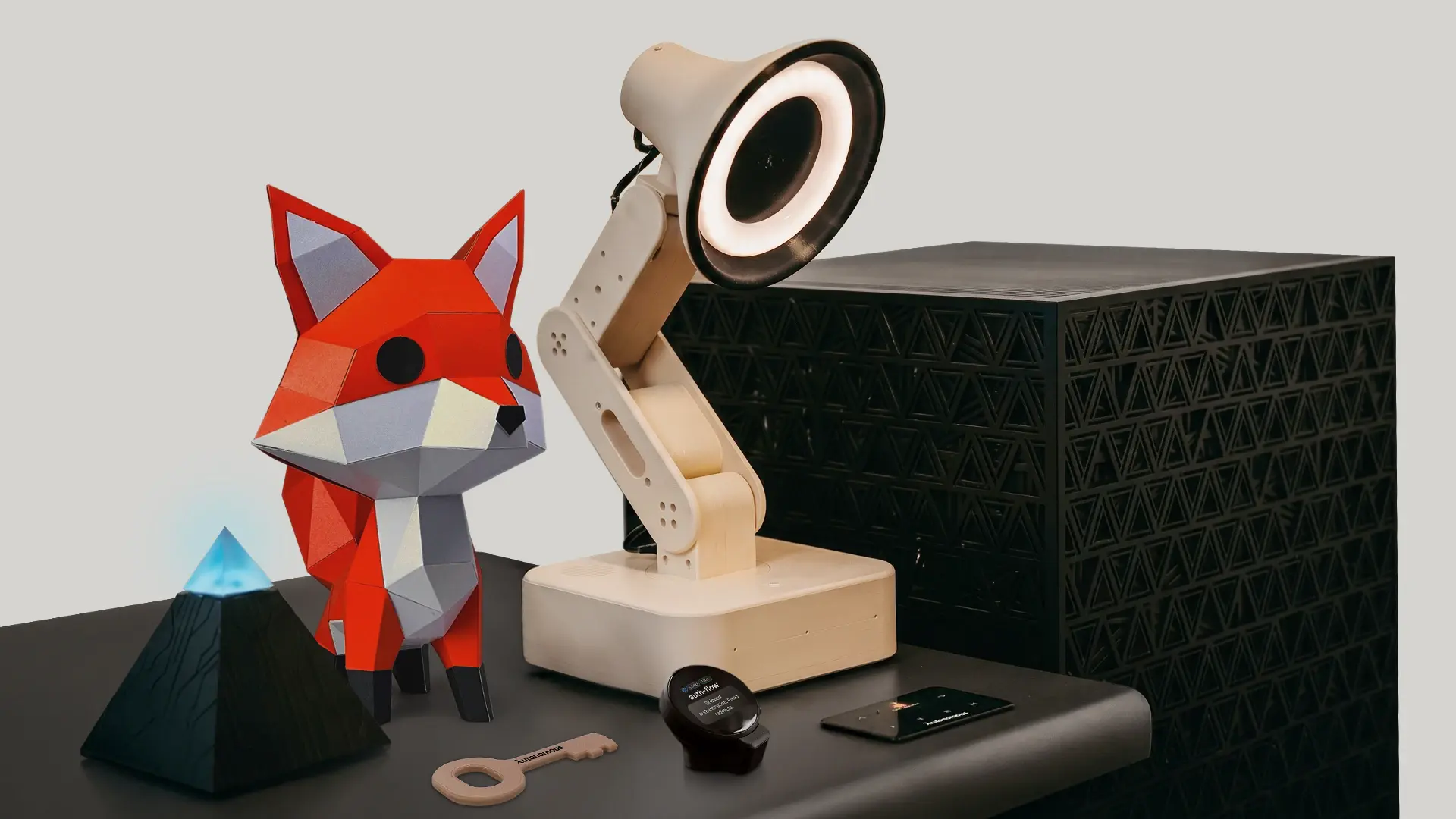
The best AI desk robot for getting work done is the Autonomous Lamp, because it runs AI agents and installable skills. For a desk buddy that keeps you company, EMO, Loona and Eilik lead. The catch is that most of the field are scripted companions, LOOI needs your phone and Vector charges a subscription for voice, and battery models last 1.5 to 5 hours per charge where makers list it.
Below, the eight best AI desk robots are compared on what they do, what powers them, what they cost to keep running and who each suits, plus a test that separates companions from robots that run real tasks.
The best AI desk robots at a glance
Only one of the eight runs real tasks out of the box; the rest are companions, a phone-powered body or a build kit. Prices change periodically, so check the store before you buy.
| Robot | Price | Real AI tasks or scripted | Needs phone or app | Power | Best for |
|---|---|---|---|---|---|
| Autonomous Lamp | $699 | Runs AI agents and skills | App for setup, no docked phone | Plugs in (12V DC), no battery | Desk work with an agent |
| EMO | $279 | Scripted reactions | App for setup | Battery, hours not listed | An expressive desk pet |
| Loona | $429 | Scripted play | App for games | Battery, about 2 h of play | A pet that moves and plays |
| LOOI | $220 | Phone runs the behavior | Your phone is the brain | Battery, about 5 h | Using a phone you own |
| Aibi Pocket | $249 (pre-order) | Chat and games | App | Battery, charging base | A companion that travels |
| Eilik | $139.99 | Scripted expressions | Works without Wi-Fi | Battery, about 1.5 h | A budget desk buddy |
| Vector 2.0 | $249.99 | Voice commands, paid | App | Battery, hours not listed | Fans of the original |
| Reachy Mini | $399 Lite, $499 Wireless | Whatever you program | Lite needs a computer | Lite tethered, Wireless on battery | Makers who code |
For a $200 to $700 budget, buy by the job you want done:
- Work at your desk: Lamp, at the top of that range (see the table).
- A companion under $300: EMO at $279, or Vector at $249.99, about $350 in year one with the yearly ChatGPT voice plan.
- A phone you already own: LOOI at $220.
- Building and coding: Reachy Mini Lite at $399.
What an AI desk robot is, and what a desk buddy is
An AI desk robot is a small robot that sits on your desk and senses you through a camera and microphones, then answers with movement, a face and a voice. "Desktop robot", "AI desk companion", "desk buddy" and "AI desk assistant" mostly name the same thing; the companion and buddy labels stress personality over usefulness.
The split that matters is not the name. It is whether the robot only performs reactions its maker scripted, or whether it can run AI agents that carry out tasks for you. Only Lamp does this out of the box; Reachy Mini can if you program it. The rest are the first kind, and that is fine if company is what you want.
Companion or work bot: a three-question test
A desk robot counts as a work bot only if it passes three checks: you can choose the AI that drives it, it can act outside its own body, and you can change what it does without waiting for the maker's next update. A companion fails all three and can still be a good buy.
- Can you pick the AI? Some companions let you pick a chat model (Vector, LOOI), but that only changes how they talk; a work bot lets you swap the agent that acts.
- Can it act somewhere else? Ask it to do one thing that lives outside the robot: check your calendar or hand a task to an agent on your computer. A companion answers with an animation; a work bot changes something.
- Can you change its skills? Look for skills you can install and edit yourself, not only firmware updates from the maker.
Also ask what still needs the cloud, because almost every robot here does. LOOI borrows your phone, Vector puts voice commands behind a paid plan, and Lamp runs on Autonomous's hosted AI by default. Autonomous's own FAQ says Lamp works with a compatible local model, but fully local conversation also needs speech and vision services on your own hardware, so choosing a local model alone does not make the whole system offline. Check the maker's FAQ for that answer before you buy any of them.
The 8 best AI desk robots, by what you want them to do
The list starts with the one work-capable robot, then runs from the most polished companions to the phone-powered, budget and maker picks. Each one ends with its honest catch and who it suits.
1. Autonomous Lamp: for a desk robot that runs real work
Lamp is a fully assembled, open-source desk robot built to run AI agents and skills rather than canned animations. It moves on 5 position-feedback servos and has a wide-angle camera with face tracking and motion sensing, a microphone array, stereo speakers, an 8-core ARM64 CPU and 6 GB of RAM.
Setup takes Wi-Fi and the Autonomous app. After you sign in, it runs on Autonomous's hosted AI right away for its brain, voice, face recognition and mood, and you can switch to your own agent or keys later. No code is needed to start. The software is Autonomous OS, open source, and its README says it also runs on Intern and Reachy Mini, or on a robot you add yourself.
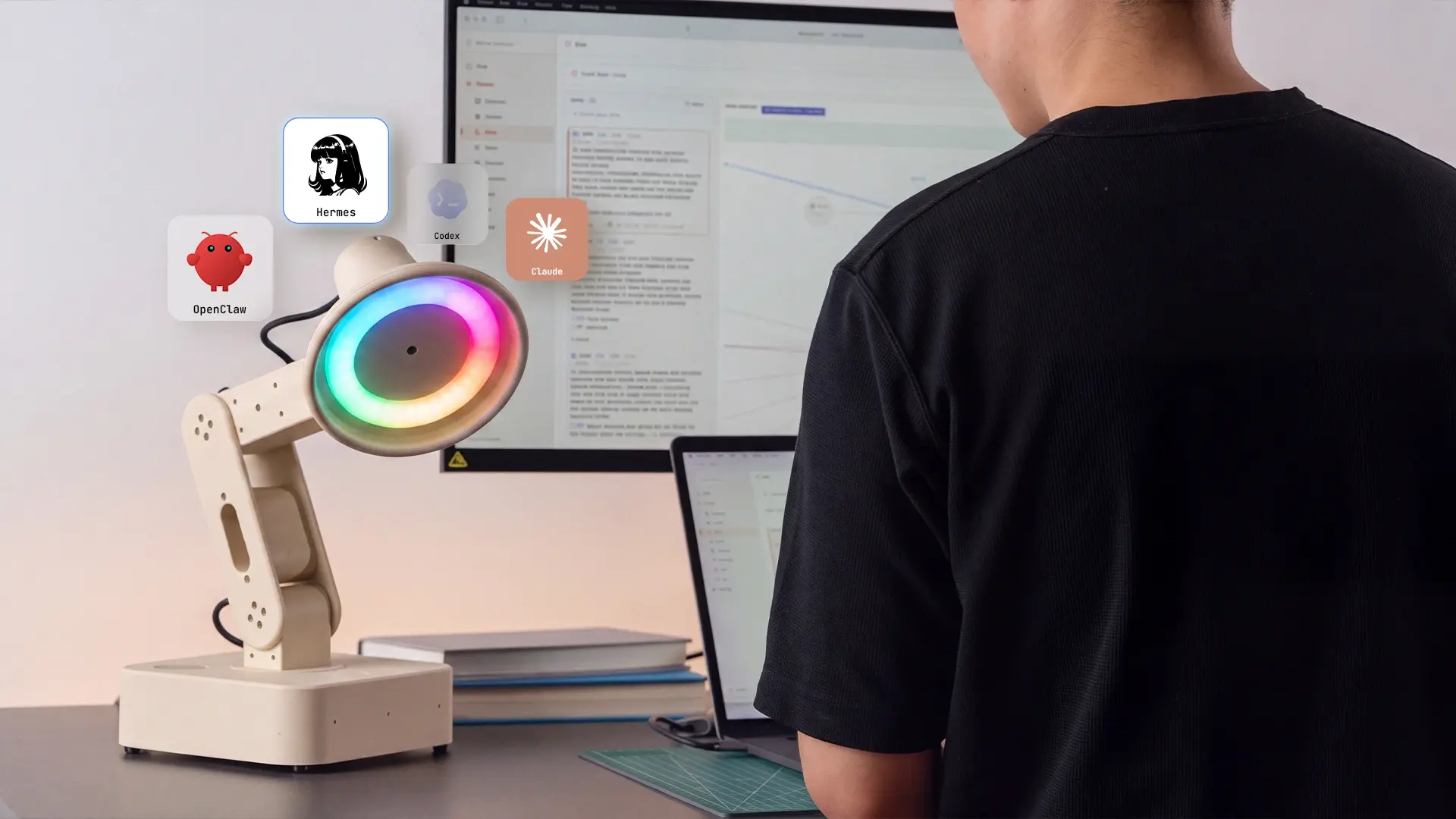
The agent support is the part developers notice: Claude Code, Codex, Hermes, OpenClaw, OpenCode and PicoClaw, several of which are AI coding tools you may already use. On the product page, skills include posture feedback, hydration reminders and a break routine (camera-based skills use a supported sensing service), a Home Assistant connection, and work with your calendar, a project tool or an agent on another machine. You can browse and install skills, change their instructions and make gestures in Blender.
The honest catch: it plugs into 12V DC power and has no battery, so it stays where you set it. It is newer than EMO or Vector and has no owner reviews on its product page yet, it costs more than any other pick here, and face recognition needs you to enroll first. Sleep and microphone or camera controls let you choose when it interacts.
| Pros | Cons |
|---|---|
|
|
Best for: developers and tech workers who want a desk robot that does something useful and stays open to change.
2. EMO: for an expressive desk pet
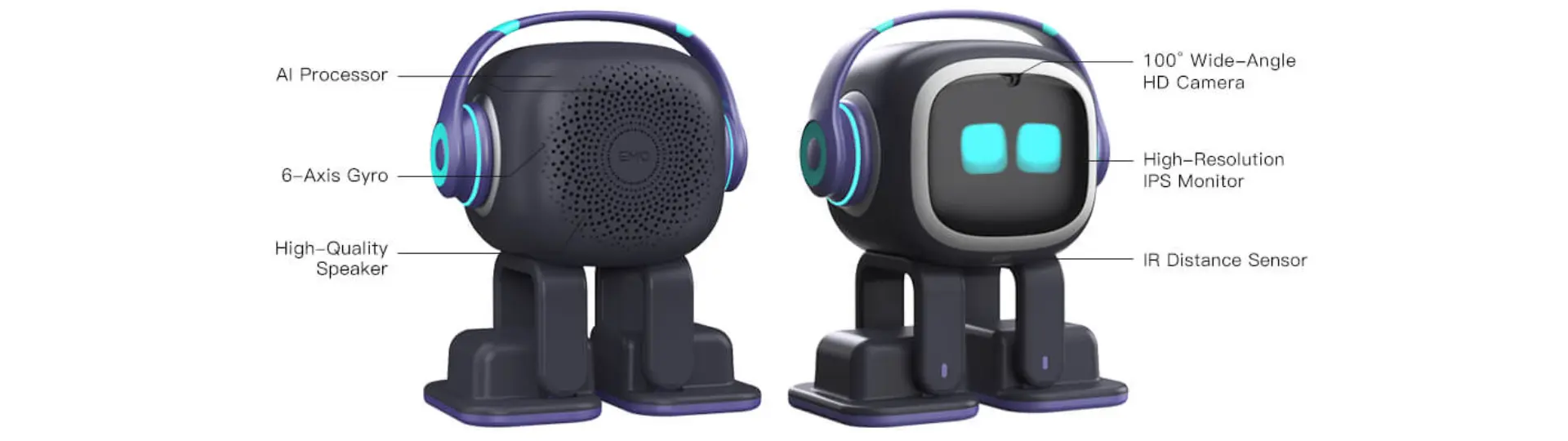
EMO from Living.AI is the most polished pure companion here, at $279 ($289 in white). It roams the desktop, recognizes faces and reacts with a wide range of expressions, sounds and small dances. Living.AI lists shipping in about two weeks.
The catch shows up before EMO moves. Owners report that it joins only 2.4GHz Wi-Fi, so routers that steer devices to 5GHz can break setup, and a password with symbols can stop it cold. Once online it is a charming pet, but its reactions are scripted, so it never runs tasks.
| Pros | Cons |
|---|---|
|
|
Best for: gift buyers and anyone who wants charm and presence over usefulness.
3. Loona: for a robot pet that moves and plays
Loona from KEYi Tech is the most doglike robot on the list, priced at $429 (listed down from $529). It rolls around on its own, plays app-based games, follows faces and gestures and reacts with expressive eyes, and KEYi backs it with a 1-year warranty.
The catch is runtime. KEYi lists about 2 hours of play per charge from a 1,350 mAh battery, and owners report its camera tricks need decent light. KEYi also sells a separate product, Loona DeskMate, which is a phone dock rather than this robot, so check which one you are buying.
| Pros | Cons |
|---|---|
|
|
Best for: people who want a lively pet that leaves the desk, or a family gift.

4. LOOI: for turning your phone into a desk robot
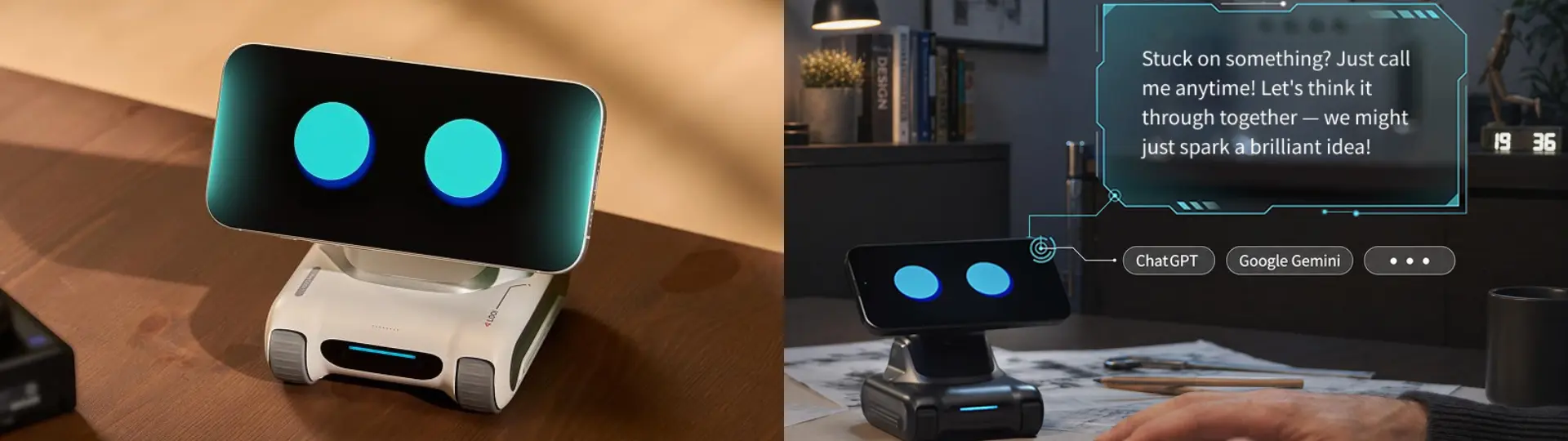
LOOI is a $220 treaded body that uses your iPhone or Android phone as its face, camera and processor. Its 6,000 mAh body battery runs about 5 hours continuously, the longest listed runtime among the eight, and it has real character, wiggling, backing off and roaming the desk.
The catch is the phone. While it is docked, your phone is busy, and owners report that it needs a recent model to avoid lag, plus an app with missed wake words and updates that change features. It is a good way to test the idea, and a looser fit if you need your phone during the workday.
| Pros | Cons |
|---|---|
|
|
Best for: people who want the cheapest way to try a desk robot with a phone they already own.
5. Aibi Pocket: for a companion that travels
Aibi Pocket is Living.AI's palm-size companion, $249 on pre-order and shipping about two weeks after you order. It comes from the EMO team, sits on a small charging base at your desk and can clip to a bag, with face recognition, chat and mini-games.
The catch is consistency. Owners report voice recognition that misses, short battery life and Wi-Fi drops, and features lean on a connection. It is a playful pocket pet, not an assistant.
| Pros | Cons |
|---|---|
|
|
Best for: someone who wants a cute companion that goes where they go.

6. Eilik: for a budget desk buddy
Eilik from Energize Lab is the simplest desk buddy here at $139.99, or $269.98 for a two-pack. It has an expressive screen face and moving head and arms, charges over USB-C and, per its FAQ, works without Wi-Fi, so there is no network setup to fight.
The catch: Energize Lab lists about 1.5 hours per charge from a 450 mAh battery, and it does not hold a two-way voice conversation. Two Eiliks react to each other, which is why owners often buy the pair, but that is programmed gestures and sounds, not real dialogue.
| Pros | Cons |
|---|---|
|
|
Best for: a low-cost gift, and older kids and teens.

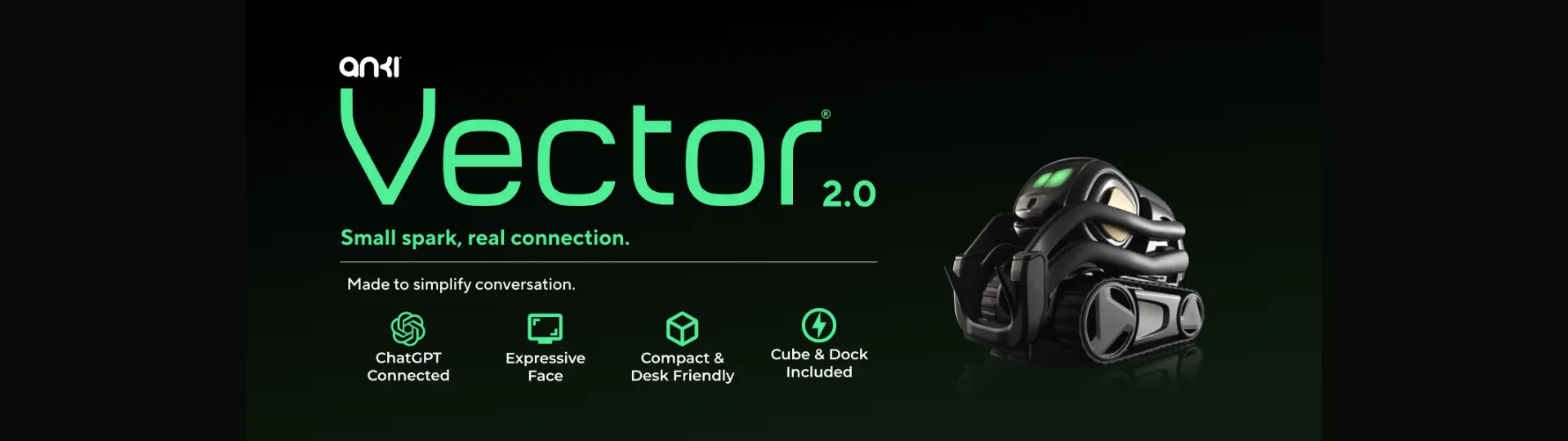
7. Vector 2.0: for fans who accept a subscription
Vector 2.0 is the revived Anki robot, now sold by Digital Dream Labs at $249.99 new, with open-box units from $189.99. It still has one of the best-loved personalities in the category, with expressive eyes, desk navigation and a habit of greeting you.
The catch is the subscription. The store says voice commands need a paid plan, with the first 28 days free: a ChatGPT plan at $11.99 a month or $99.99 a year, or a Claude plan at $14.99 a month or $139.99 a year. That puts the first year at about $350 even on the cheaper yearly plan. Community owners run WirePod, a free self-hosted server, to restore voice without the plan.
| Pros | Cons |
|---|---|
|
|
Best for: existing fans and tinkerers who are fine with the plan or with WirePod.
8. Reachy Mini: for makers who want to program it
Reachy Mini, from Pollen Robotics and Hugging Face, is a build-it-yourself robot with a moving head, camera, mics and antennas, programmed in Python. The Lite version is $399 and needs a Mac, PC or Linux machine; the Wireless version is $499 with a battery and a Raspberry Pi CM4 built in. Reachy Mini can also run Autonomous OS, the open-source system behind Lamp, and Pollen's Microduck biped is next in line.
The catch: it ships as a kit that takes about 2.5 hours to assemble, and Pollen says it ships within 90 days of purchase. It is a project, not a plug-and-play pet. The wider field of open-source desk robots, from StackChan to Doly, has its own ranking.
| Pros | Cons |
|---|---|
|
|
Best for: makers, coders and students who want to build behavior themselves.
Other desk robots worth knowing
Five more robots suit narrower needs. Miko 3 ($299) is a learning robot for younger kids. Yonbo X1 ($799 for the Standard Kit) is a family robot more than a desk one. EBO X ($999) is a rolling home robot. StackChan from M5Stack ($99) and Doly ($572 on sale, "No Subscription Required") are open builds for tinkerers.
How to choose an AI desk robot: a buying checklist
Choose the camp first, companion or work bot, then rule out robots by phone, power, network and running cost. Each check comes from a catch named in the picks above.
- Task or company: run the three-question test above. If none of the answers matter to you, a companion is the better value.
- Phone dependency: LOOI needs your phone docked to work. Lamp needs the app for setup, not a docked phone.
- Battery or plug: battery robots here run about 1.5 hours (Eilik) to 5 hours (LOOI) where makers list it. A plugged-in robot like Lamp never runs flat but stays in one spot.
- Wi-Fi setup: check whether your router can offer a 2.4GHz network, since owners report EMO will not join 5GHz.
- Subscription: add any plan to the price. Vector's voice plan adds $99.99 to $139.99 a year on yearly plans, more if paid monthly.
- Kids or adults: younger kids do better with a learning robot like Miko 3; desk robots for adults are where agents and programming come in.
- Open or closed: if you want to change the code, look for an open OS or SDK (Lamp, Reachy Mini, StackChan).
A companion is worth it if you want something that makes the desk feel alive, and a work bot only if you will give it tasks. For the full price picture across robot types, see what an AI robot costs.
FAQs
What is the best desk robot?
The best desk robot for work is the Autonomous Lamp, since it runs AI agents and skills you can install and edit. For a companion, EMO is the most expressive, Loona the most playful, LOOI the cheapest way to use your own phone, and Eilik the simplest budget desk buddy.
Can an AI desk robot help with work?
Yes, but only the few that run AI agents and skills. Lamp works with agents such as Claude Code and Codex, and its skills cover break routines, posture feedback, calendars, project tools and Home Assistant. Companion robots like EMO, Loona and Eilik react and play but do not carry out tasks.
Do desk robots need Wi-Fi or a phone?
Most need Wi-Fi and an app, and a few need your phone the whole time. LOOI uses your phone as its brain. Lamp needs Wi-Fi and the Autonomous app but no docked phone. Eilik works without Wi-Fi, and owners report EMO joins only 2.4GHz networks.
How much does an AI desk robot cost?
AI desk robots cost from about $99 for StackChan and $139.99 for Eilik, through $220 to $429 for LOOI, EMO and Loona, up to about $1,000 for premium home robots like EBO X; the table lists every pick. Add any subscription, such as Vector's voice plan. Prices change often, so check the store.
Which desk robot is best for kids or adults?
For younger kids, a learning robot like Miko 3 fits better than any desk robot here. Eilik suits older kids and teens because it needs no Wi-Fi and does not hold open conversations. Adults who want more than a pet should look at Lamp for work or Reachy Mini for building.
What is the difference between a desk robot, a desktop robot and an AI desk companion?
They mostly name the same thing: a small robot that sits on your desk and reacts to you. "AI desk companion" and "desk buddy" stress personality. The difference that matters is whether it only plays scripted reactions or can run tasks through an AI agent.
Are phone-powered robots like LOOI worth it?
They are worth it if you own a recent phone and want the cheapest way to turn a phone you already own into a robot. LOOI costs $220 and runs about 5 hours per body charge, but your phone is busy while docked and owners report app lag. For a robot that keeps your phone free, try EMO or Lamp.
Can you build your own desk robot?
Yes, kits make it a weekend project. Reachy Mini Lite takes about 2.5 hours to assemble and is programmed in Python, StackChan is a smaller open build, and Autonomous OS is open source with room to add your own robot. Expect a hobby project rather than a finished companion.
Conclusion
The best AI desk robots split cleanly once you ask what you want on the desk. If you want a robot that runs agents and skills, Lamp is the work bot of the group. If you want company, EMO, Loona and Eilik cover charm, play and price, LOOI makes your phone the robot, and Reachy Mini is for building. Check power, phone, Wi-Fi and subscription before you pay, and the right pick usually becomes clear.