The Best Under-Desk PC Mounts

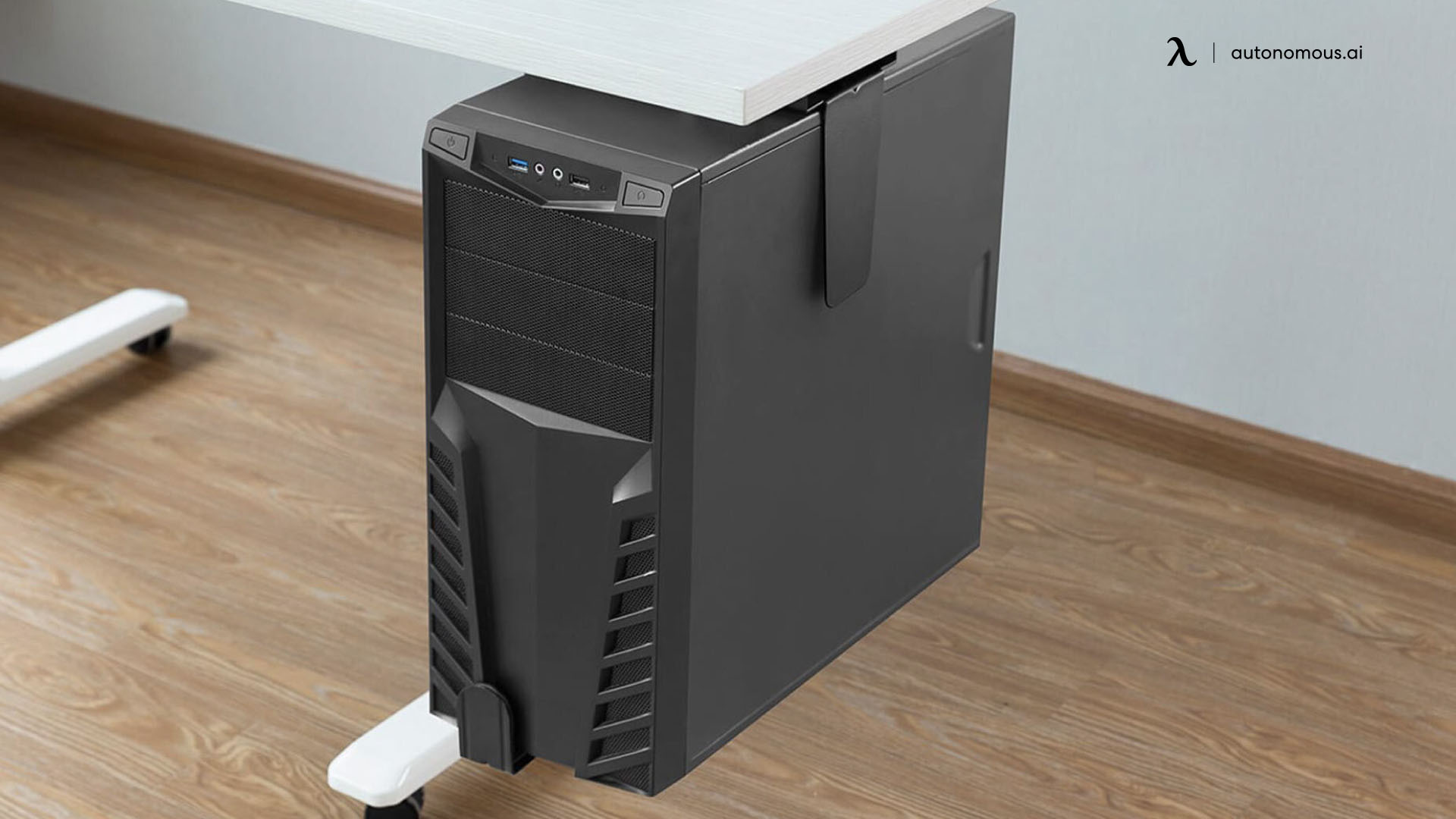
An under-desk PC mount gets your computer tower off the floor - away from dust, kicks, water spills, and the dead zone behind your chair. The right mount also lets the tower travel with a standing desk during height changes, keeps cables routed cleanly, and frees the floor for cable management or a footrest. The wrong mount sags under a heavy gaming rig, doesn't fit the case you actually own, or blocks the desk's anti-collision sensors during height adjustment.
This guide covers seven under-desk PC mounts that hold up under daily use - verified weight capacities, real width and height ranges, and which mount fits which case. Plus the Autonomous Desk Pro specs that determine whether any of these mounts will actually work on your desk.
The seven best under-desk PC mounts at a glance
Mount | Weight capacity | Width range | Height range | Mount type | Best for |
VIVO MOUNT-PC04A | 66 lbs | 5"–10" | 13.75"–21.5" | Screw-in | Standard mid-tower PCs |
VIVO MOUNT-PC04B | 66 lbs | 5"–10" | 16"–24" | Screw-in (with secure locking) | Standard mid-tower on standing desks |
VIVO MOUNT-PC04L / PC04B-L | 66 lbs | 9"–14" | 17"–25" | Screw-in | Wider gaming cases (full ATX) |
monTEK Clamp-On PC Mount | 66 lbs | 7.1"–11.8" | 16.1"–25.6" | Clamp-on (no drilling) | Renters, standing desks, no-screw installs |
HUMANCENTRIC Adjustable CPU Holder | 22 lbs | 3.5"–7.5" | 12"–21" | Screw-in | Compact / SFF cases |
Mount-It! Under-Desk PC Mount (model varies) | 22–44 lbs | Varies by SKU | Varies by SKU | Screw-in (some wall) | Budget - verify the specific model |
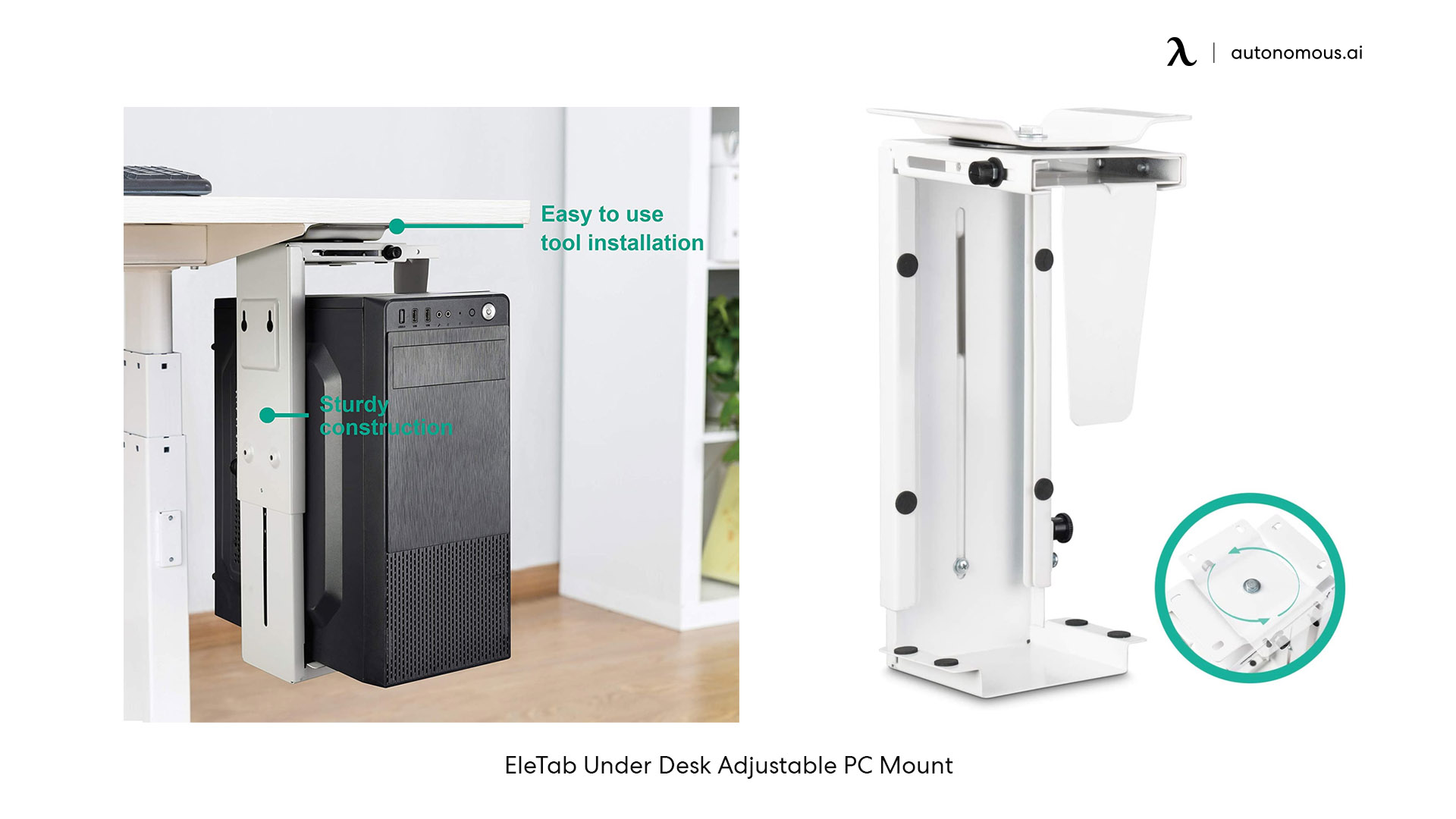
EleTab Under-Desk Adjustable PC Mount | 55 lbs | 5"–10" | 14"–22" | Screw-in | Value pick with 360° swivel |
The seven under-desk PC mounts reviewed
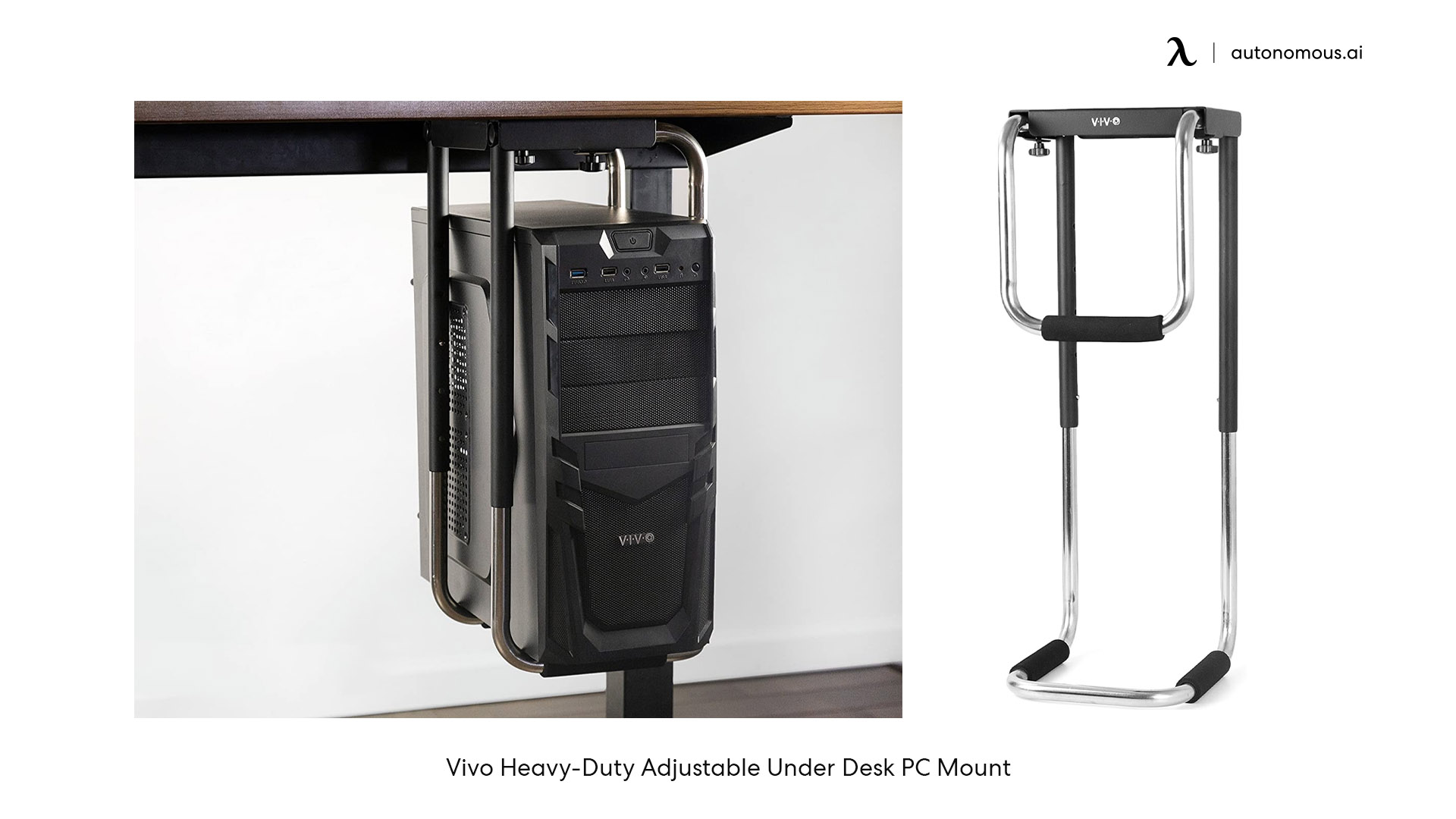
1. VIVO MOUNT-PC04A - the established standard
The VIVO MOUNT-PC04A is the most-recommended under-desk PC mount for standard mid-tower gaming and office PCs. 66 lb weight capacity, width range 5"–10", height range 13.75"–21.5" across 5 settings. Open-frame design for ventilation. Installs via 4 screws into the underside of the desktop. Requires a desktop at least 0.75" thick with 8.5" clearance from the desk frame to the outer edge.
The PC04A is the original VIVO 66 lb mount - fewer features than the PC04B but a lower price point. Buy this if your PC weighs under 60 lbs, your case is 5"–10" wide, and you don't need secure locking for a standing desk.
Approximate price: $40–$55 · 66 lbs · Screw-in install
2. VIVO MOUNT-PC04B - the standing-desk pick
The VIVO MOUNT-PC04B is the updated version of the PC04A with secure locking that keeps the case from sliding during desk height changes. Same 66 lb weight capacity, width range 5"–10", height range 16"–24". The taller minimum height (16" vs 13.75") makes it the better fit for full-size mid-towers under a standing desk.
Buy this specifically for standing desk builds - the secure locking prevents the case from working loose during repeated height cycles, which is the failure point on non-locking mounts.
Approximate price: $50–$65 · 66 lbs · Screw-in install · Standing-desk locking
3. VIVO MOUNT-PC04L / PC04B-L - the wide-case pick for full ATX builds
The VIVO MOUNT-PC04L (also sold as MOUNT-PC04B-L) is the X-Large version of the PC04 series for wider gaming cases. Same 66 lb capacity, width range 9"–14", height range 17"–25" across 5 settings. Open-frame ventilation, padded interior.
Buy this if your case is wider than 10" - Lian Li O11 Dynamic, Corsair 7000D, NZXT H9, or any full-tower with custom airflow. Same weight capacity as the standard PC04 series; the X-Large variant just opens up the width range for cases the standard model can't fit.
Approximate price: $65–$85 · 66 lbs · Screw-in install · For wider cases
4. monTEK Clamp-On PC Mount - the no-screws answer
The monTEK clamp-on mount is the answer for "under desk pc mount no screws" - it attaches to the underside of the desktop without drilling. 66 lb weight capacity, height range 16.1"–25.6", width range 7.1"–11.8", ventilated cooling design. Clamps to most desk edges and stays in place under load.
Best for renters, MDF or laminate desktops where screws don't hold well, or anyone who doesn't want to permanently modify their desk. Verify the clamp fits your desk thickness before ordering (typical range 0.5"–2").
Approximate price: $60–$75 · 66 lbs · Clamp-on (no drilling)
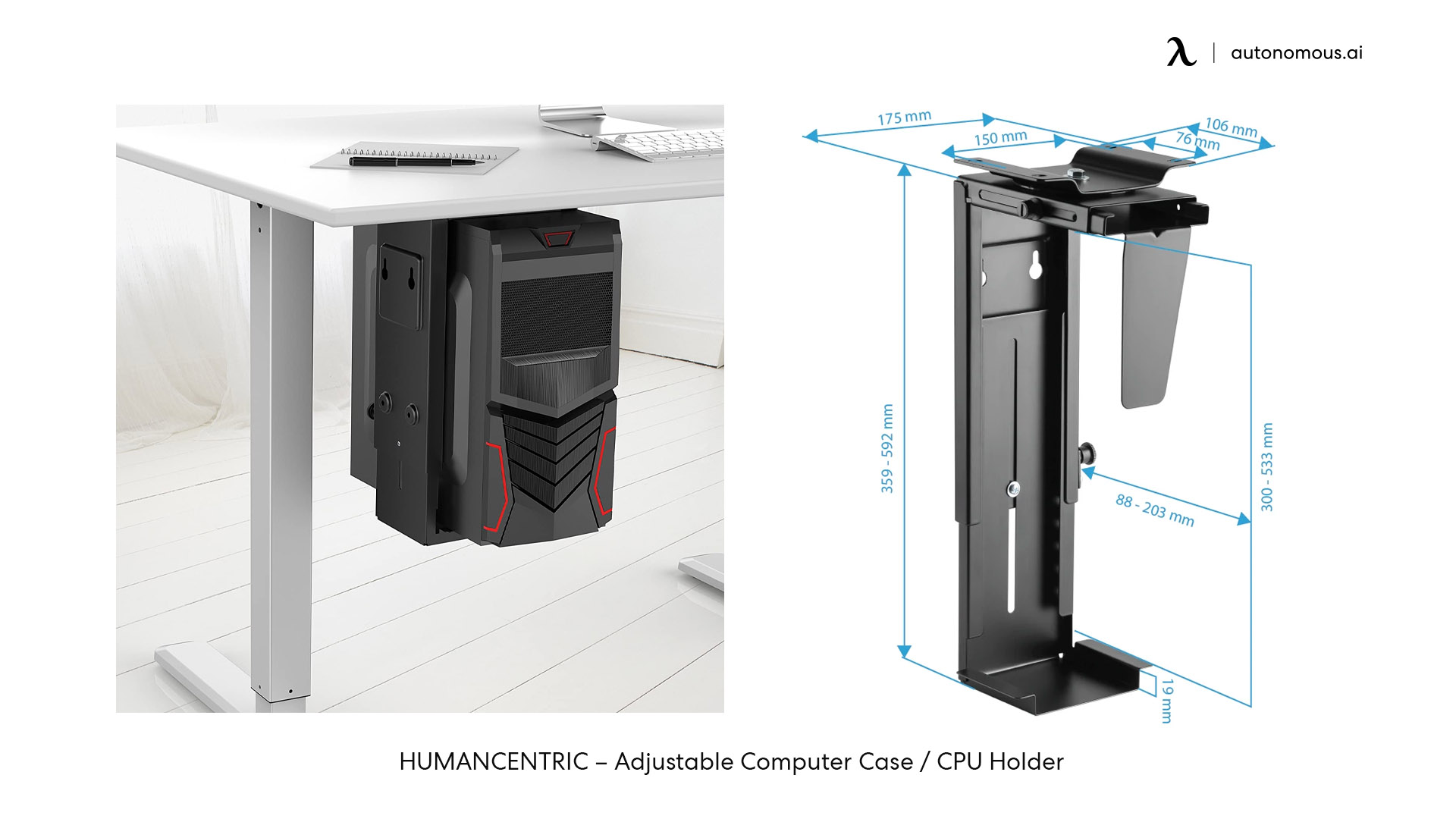
5. HUMANCENTRIC Adjustable CPU Holder - the compact-case pick
The HUMANCENTRIC adjustable CPU holder is the right mount for small form factor (SFF) PCs and compact mid-towers. 22 lb capacity, width range 3.5"–7.5", height range 12"–21". Padded interior to protect case finish. Seamless rotation for port access.
Buy this if your case is narrow - SFF builds, NUC-style machines, or compact mid-towers under 7.5" wide. The 22 lb capacity rules out heavier builds. Some HUMANCENTRIC kits include wall-mount hardware and some are desk-only - check the specific SKU before ordering if wall mounting matters.
Approximate price: $45–$60 · 22 lbs · Screw-in install · For compact cases
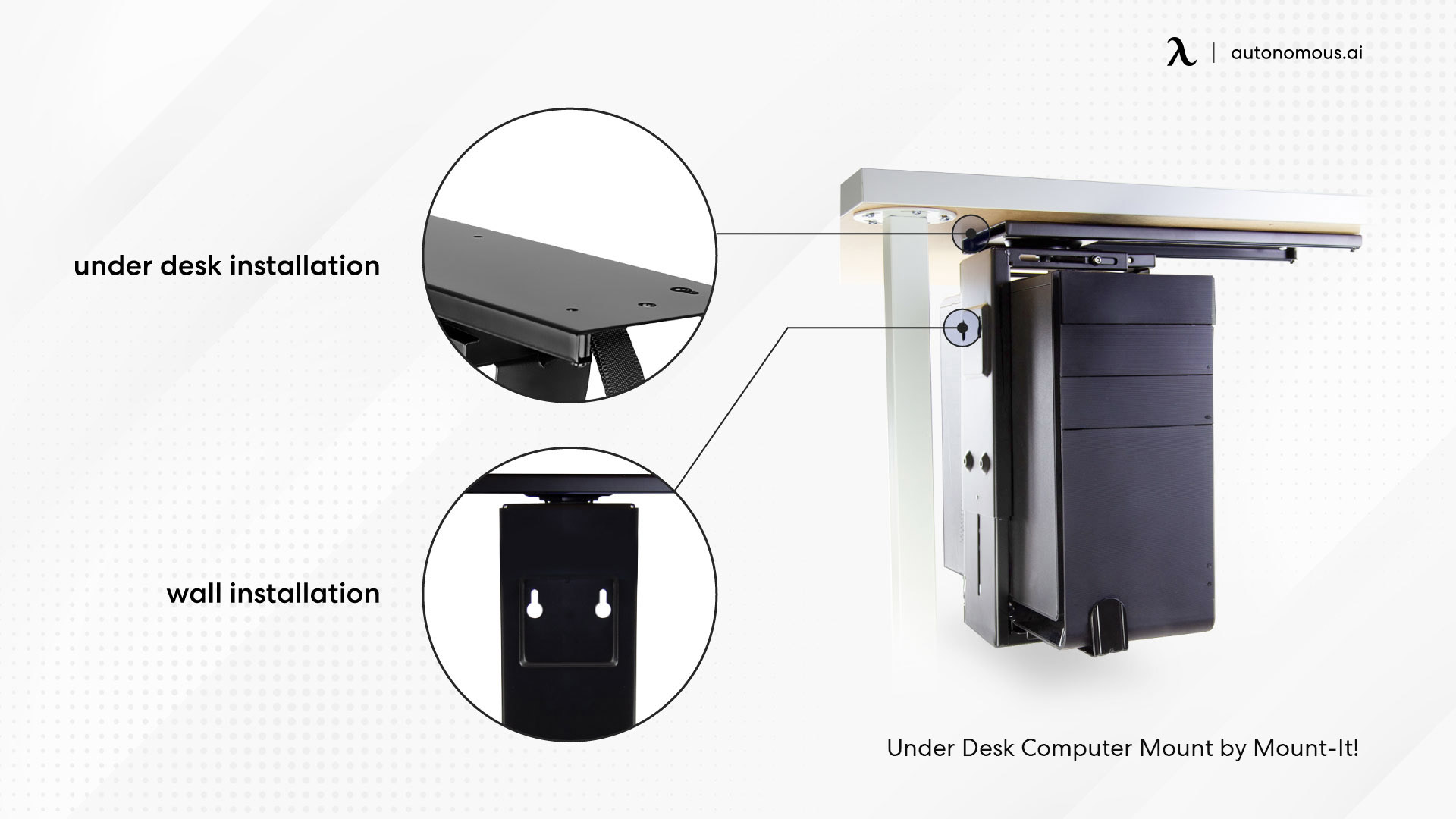
6. Mount-It! Under-Desk PC Mount - verify the specific model
Mount-It! sells multiple under-desk PC mount models with different weight capacities. The MI-7150 rates 22 lbs; other Mount-It! models reach 44 lbs. The brand name alone doesn't tell you the capacity - verify the exact model number against your PC weight before ordering. Some models also include wall-mount hardware.
Use Mount-It! when you find the specific SKU that matches your PC's weight and case dimensions. Treating "Mount-It!" as a single product creates capacity mismatches because the lineup spans multiple SKUs.
Approximate price: $40–$70 · 22–44 lbs depending on model · Screw-in or wall mount
7. EleTab Under-Desk Adjustable PC Mount - the value pick
The EleTab adjustable PC mount is the budget option in the heavy-duty tier. 55 lb capacity (verify on the specific listing - capacity claims vary across retailers), five adjustable height settings from 14"–22", width range 5"–10", padded dots for case protection, 360° swivel for port access.
Buy this if your PC weighs under 50 lbs and you want a lower price than the VIVO PC04. EleTab is a value-tier brand - fewer long-term reviews than VIVO or HUMANCENTRIC, but covers most standard mid-tower builds within its rating.
Approximate price: $35–$45 · 55 lbs · Screw-in install · Budget pick
A note on 77 lb generic mounts
For PCs above 60 lbs assembled - custom water cooling loops, full-tower workstation builds - 77 lb capacity mounts add headroom that 66 lb mounts don't have. Multiple brands sell at this capacity (LuronTeK and similar). These are typically white-label products on Amazon and similar marketplaces, with shorter warranty terms and less established long-term durability than VIVO or HUMANCENTRIC equivalents. If the 77 lb rating is genuinely required, buy from a seller with a clear return policy and check buyer reviews for any reports of frame failure under load.
How the Autonomous Desk Pro fits an under-desk PC mount
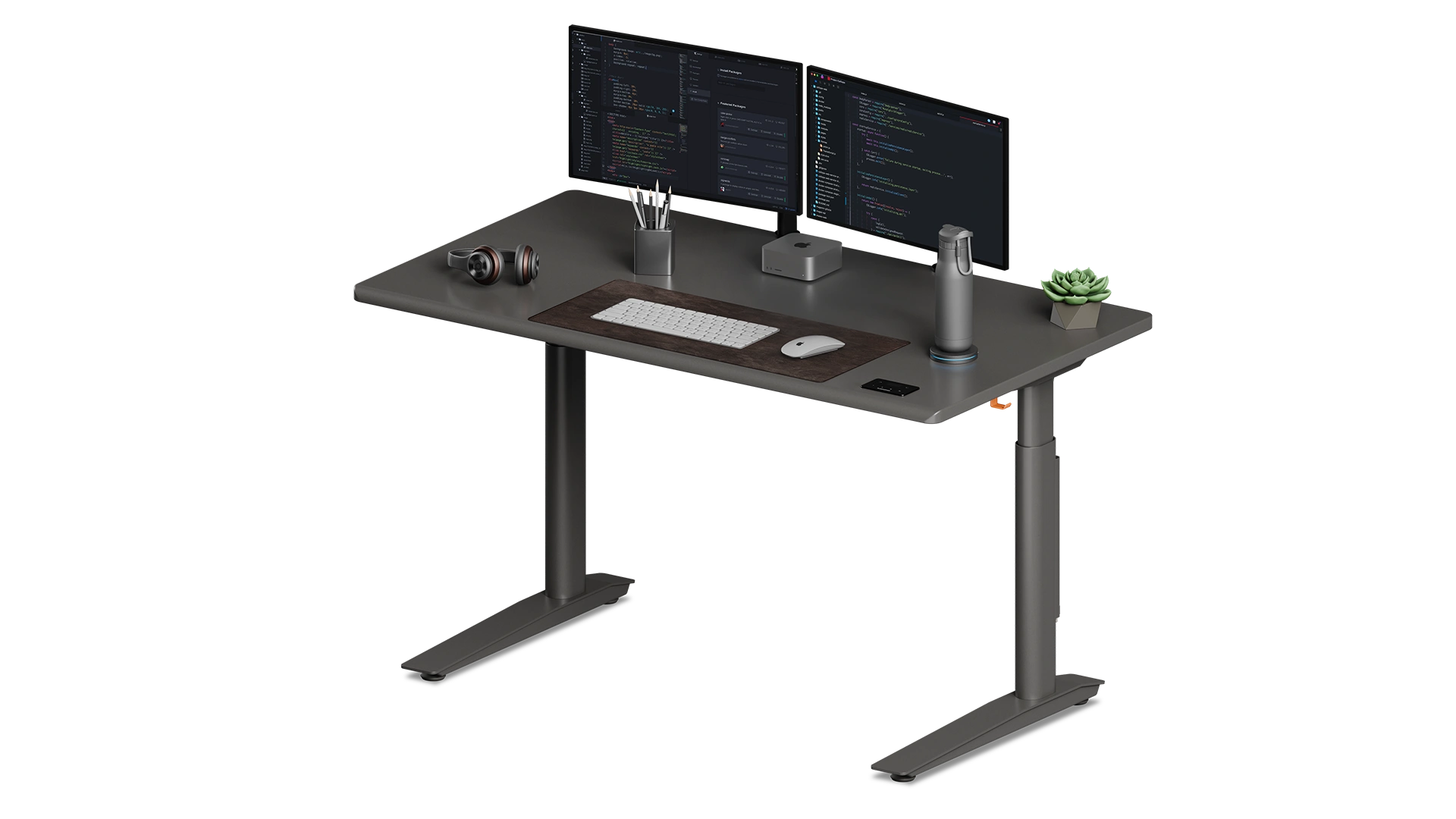
A PC mount is only as good as the desk it bolts into. The Autonomous Desk Pro hits the three specs that matter for under-desk PC mounting:
330 lb capacity. A 60 lb PC on a 66 lb mount adds 126 lbs of underside load. Combined with monitors, arms, and peripherals, total desk load can hit 200+ lbs. The Desk Pro's 330 lb rating sits well above that - no sag, no motor strain, no early replacement.
1" desktop with 8.5"+ frame clearance. Most screw-in mounts (VIVO PC04 series, HUMANCENTRIC, EleTab) need 0.75"+ desktop thickness and at least 8.5" of clearance from the desk frame to the outer edge. The Desk Pro's 1"+ MDF top across all sizes meets the thickness requirement, and the dual-leg frame leaves the full underside open for mounting.
Sub-30 dB motors. Standing desks with louder motors interrupt calls and recordings when adjusting height. The Desk Pro's dual motors run under 30 dB at full speed - quiet enough that adjusting height with a mounted PC doesn't show up on a microphone or interrupt focus work. The integrated cable tray with built-in outlets handles the doubled cable count a mounted PC adds.
Lifetime frame warranty. Use code BLOGFIRST5 for an extra 5% off.
Frequently asked questions
What's the best under-desk PC mount?
The best under-desk PC mount for most buyers is the VIVO MOUNT-PC04A or PC04B at 66 lb capacity - fits standard mid-tower gaming and office PCs with a 5"–10" width range and screw-in installation. For wider gaming cases (10"+), the VIVO MOUNT-PC04L (X-Large) handles cases up to 14" wide at the same 66 lb capacity. For no-drill installation, the monTEK clamp-on mount delivers 66 lb capacity without screws.
Can I use an under-desk PC mount on a standing desk?
An under-desk PC mount works on a standing desk if the mount has secure locking that keeps the case stable during height changes. The VIVO MOUNT-PC04B specifically includes secure locking designed for standing desks. Avoid mounts without locking or with strap-only retention - the PC can slide during sudden height adjustments and pull on cables.
What's the best under-desk PC mount with no screws?
The monTEK clamp-on PC mount is the answer for no-drill installation - it clamps to the underside of the desktop without screws. 66 lb weight capacity, fits desks 0.5"–2" thick. The right choice for renters, MDF desktops where screws don't hold well, or anyone who doesn't want permanent modifications.
How much weight can an under-desk PC mount hold?
Most under-desk PC mounts hold 22–66 lbs. Standard mid-tower mounts (VIVO PC04 series) handle 66 lbs. Value-tier mounts (EleTab) handle 55 lbs. Compact-case mounts (HUMANCENTRIC, Mount-It! MI-7150) handle 22 lbs. Heavy-duty mounts rated for full ATX or water-cooled builds reach 77 lbs but typically from generic brands with shorter warranties. Always buy a mount rated at least 20 lbs higher than your actual PC weight to handle dynamic load during desk movement.
Will an under-desk PC mount fit my standing desk?
An under-desk PC mount fits a standing desk if the desktop has at least 8.5" of clearance from the desk frame to the outer edge, the desktop is at least 0.75" thick for screw mounts, and the underside is flat. The Autonomous Desk Pro and Desk 2 both have flat undersides with at least 1" thickness across all top sizes - both work with standard under-desk mounts. Measure both the underside clearance AND your PC case width before ordering.
Do I need a heavy-duty PC mount for a gaming rig?
A gaming rig with a mid-tower case and standard air cooling typically weighs 25–40 lbs - the 66 lb VIVO MOUNT-PC04A or PC04B handles it. For wider cases (10"+ width), the VIVO MOUNT-PC04L handles the same weight with the wider width range. For full-tower water-cooled builds approaching 60 lbs, a 77 lb-rated mount adds the necessary headroom.
Can I mount my PC on the back of the desk instead of under it?
Some PC mounts (Mount-It! and certain HUMANCENTRIC SKUs) offer both under-desk and wall-mount configurations. Wall or back-of-desk mounting works better for renters or for very heavy PCs where the desk underside can't take the load. Verify the specific mount model supports both installation methods before ordering.
How do I install an under-desk PC mount?
Most screw-in PC mounts install in 15–30 minutes with the included hardware. Mark the mount position on the desk underside, pre-drill pilot holes (critical for hardwood and MDF - skip this step and the desktop splits), screw the bracket in, and secure the PC with the included straps. For clamp-on mounts, the install is tool-free - clamp to the desk edge, tighten, place PC.
Will an under-desk PC mount block my desk's anti-collision sensor?
Most PC mounts don't block anti-collision sensors because they sit above the floor at standing-desk minimum height. However, some PC cases protrude below the desk frame during full descent on a sit-stand desk. Test the full sit-stand range with the PC mounted before settling on a final position to avoid the case hitting the floor or anti-collision tripping mid-cycle.
Are under-desk PC mounts worth it?
An under-desk PC mount is worth it for anyone with a standing desk, kids or pets near the workspace, frequent floor cleaning, or recurring cable management problems. Getting the PC off the floor protects it from dust, kicks, spills, and accidental water damage, and lets the tower travel with a sit-stand desk during height changes. The $40–$80 cost pays back the first time the PC doesn't get knocked over.
Can I move my PC to a different desk with the mount?
Screw-in PC mounts are typically permanent installations - moving requires unscrewing the bracket, filling the holes, and reinstalling at the new desk. Clamp-on mounts (monTEK) move freely between desks since there's no permanent attachment. For renters or anyone who moves frequently, the clamp-on type pays back in flexibility.
Bottom line
The right under-desk PC mount depends on three specs: PC weight, case width, and whether you can drill into the desk. For standard mid-tower gaming or office PCs (25–40 lbs, 5"–10" wide), the VIVO MOUNT-PC04A or PC04B at 66 lb capacity is the most-recommended pick. For wider cases (10"+), the VIVO MOUNT-PC04L (X-Large) handles 9"–14" widths at the same 66 lb rating. For no-drill installation, the monTEK clamp-on mount delivers 66 lb capacity without screws. The mount itself only matters if the desk supports it - load capacity, desktop thickness, frame clearance, and motor noise all factor in.