What Is a Physical App Blocker? NFC Phone Locks 2026

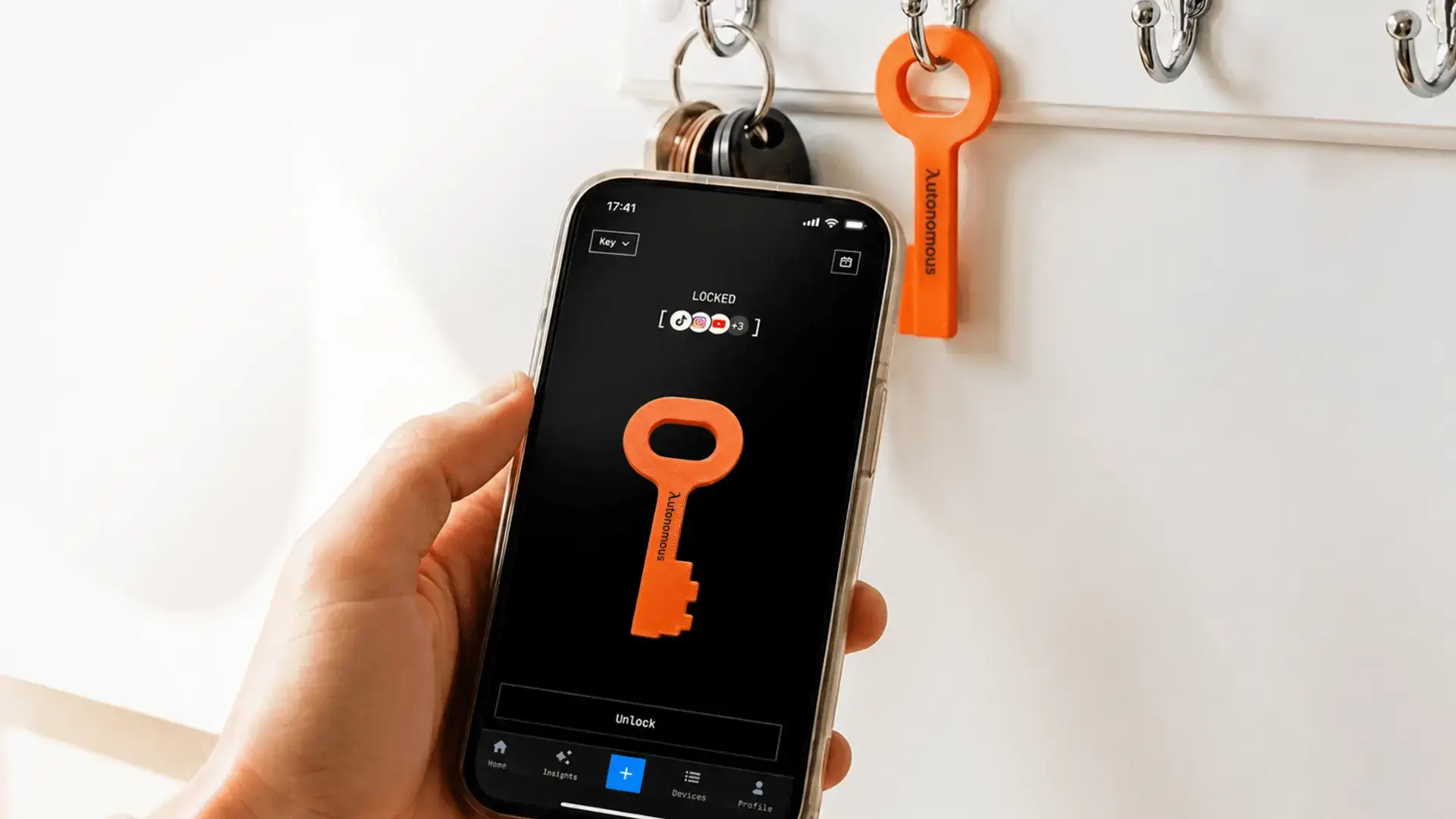
A physical app blocker is a small NFC tag, card or key that pairs with a companion app and acts as the only way to unlock the apps you have chosen to block. The important idea is separation. With a normal screen time app, the button that ends the block sits on the same phone you are trying to put down, so getting past it takes two taps in a weak moment. A physical blocker moves that button onto an object you can leave in another room.
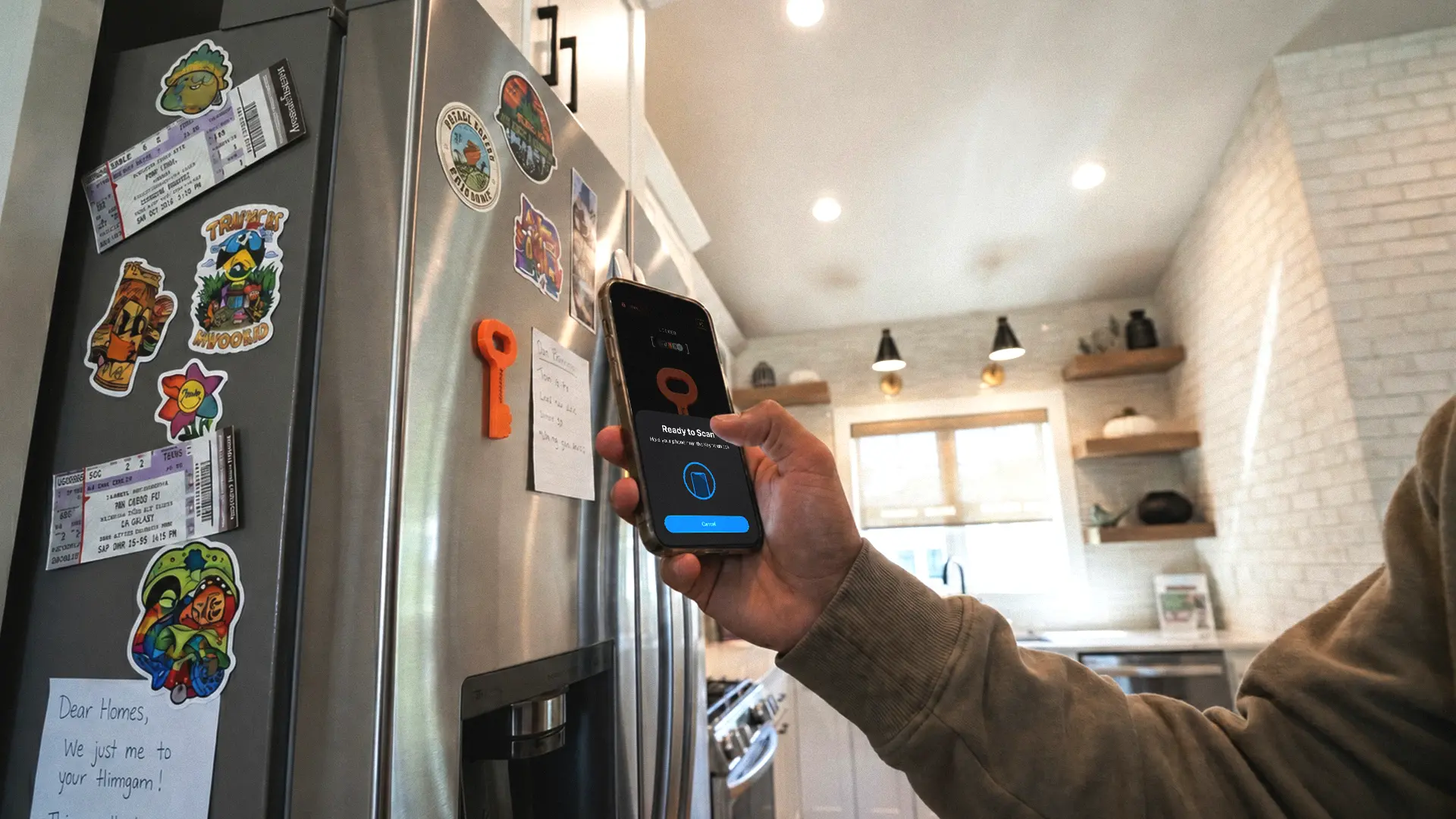
Most of these devices use passive NFC, the same technology as a contactless card. There is no battery and nothing to charge. The tag draws the tiny amount of power it needs from your phone during the tap, so the object itself never runs out and never needs maintenance. You tap to unlock, the apps open for a set time or until you tap again, and then they lock.
How does a physical app blocker work?
A physical app blocker works by pairing a passive NFC object to an app once, then requiring a physical tap on that object to open your blocked apps. The block is enforced in software, but the key to lifting it is the physical tag, so the strength of the whole system comes from where you keep that tag.
Setup is the same across almost every product on the market:
- Install the companion app and pair the tag by holding it to your phone.
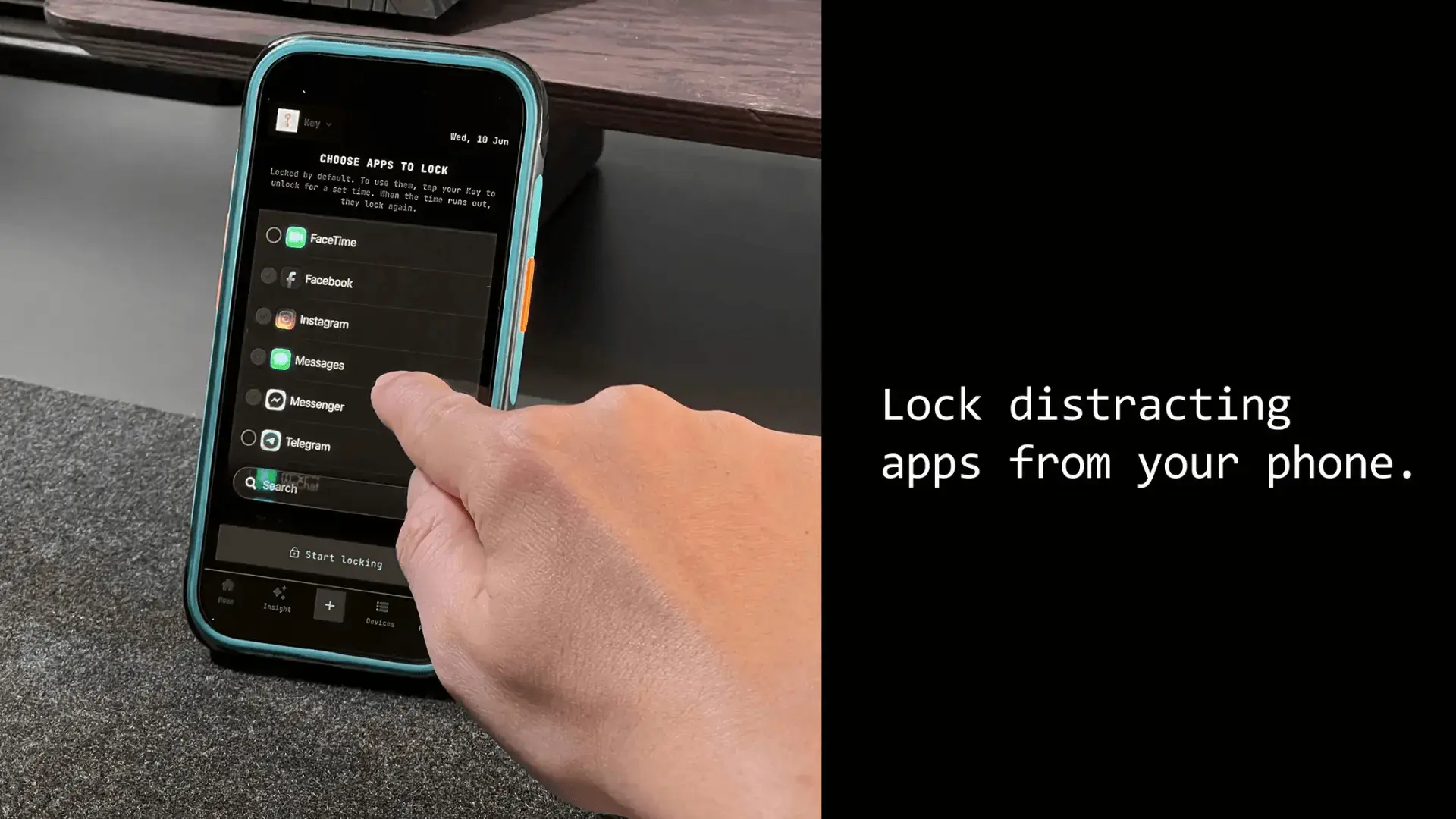
- Choose which apps go into the blocked group. Most apps let you build several modes, such as work, sleep and family.
- Decide how blocking starts, either by tapping the tag or on a schedule you set.
- Put the tag somewhere out of easy reach so the friction actually exists.
That last step does more work than any feature. A tag sitting on the same desk as you is no harder to reach than the phone itself, so the people who get results from these devices are the ones who leave the tag in another room, a drawer, or with someone else.
There are two unlock models, and the difference matters. Some devices are tap to lock and tap to unlock, which works like a switch: you turn the block on, and it stays on until you turn it off. Others keep apps locked by default and open a timed window on each tap, so the apps re-lock on their own. If your problem is forgetting to turn the block back on, the locked-by-default model protects you in a way a switch does not.
Do physical app blockers actually work?
Physical app blockers work for people who bypass software blocks, and they fail in one specific way worth naming up front. They work because you cannot tap past an object that is in another room, so the pause of going to get it breaks the automatic reach. They fail when you leave the tag beside you, and every device has some escape hatch, whether a few emergency unlocks, a timed override, or deleting the app between sessions. None can stop a truly determined person.
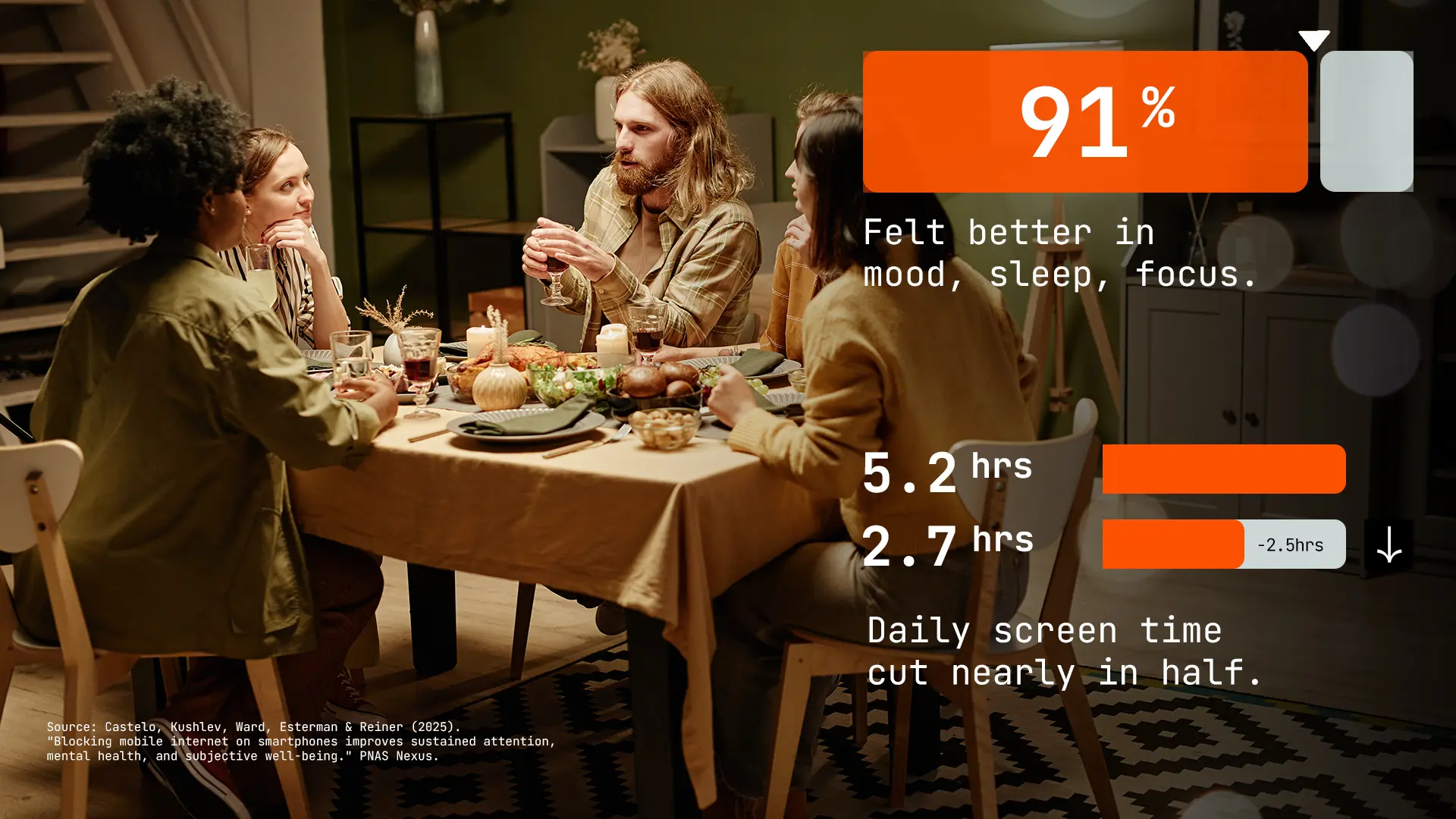
The research supports a narrower claim than most marketing suggests. A 2025 randomized controlled trial in PNAS Nexus found that blocking mobile internet for two weeks improved attention, mood and wellbeing and cut daily screen time roughly in half. That study blocked all mobile internet rather than selected apps, so no single app blocker can claim those numbers as its own result.
The more useful finding is that only about a quarter of the people who signed up stuck to the block using software alone. That is the clearest argument there is for physical friction: intention was not enough for most people who genuinely had it. If you are dealing with something heavier than distraction, a device is not a substitute for talking to a professional.
Physical app blocker vs software blocker
A physical app blocker moves the unlock control onto a separate object, while a software blocker keeps it on your phone, and that single difference explains most of the trade-offs between them.
Physical app blocker | Software blocker | |
Where the off switch lives | On a tag you can leave elsewhere | On the phone you are avoiding |
Bypass difficulty | Harder, requires the object | Easy, a few taps in settings |
Upfront cost | One-time device, or free app plus a tag | Often free to download |
Ongoing cost | Usually none | Often a subscription |
Works offline | Yes, passive NFC needs no signal | Depends on the app |
Best for | People who bypass software blocks | People who mainly need awareness and data |
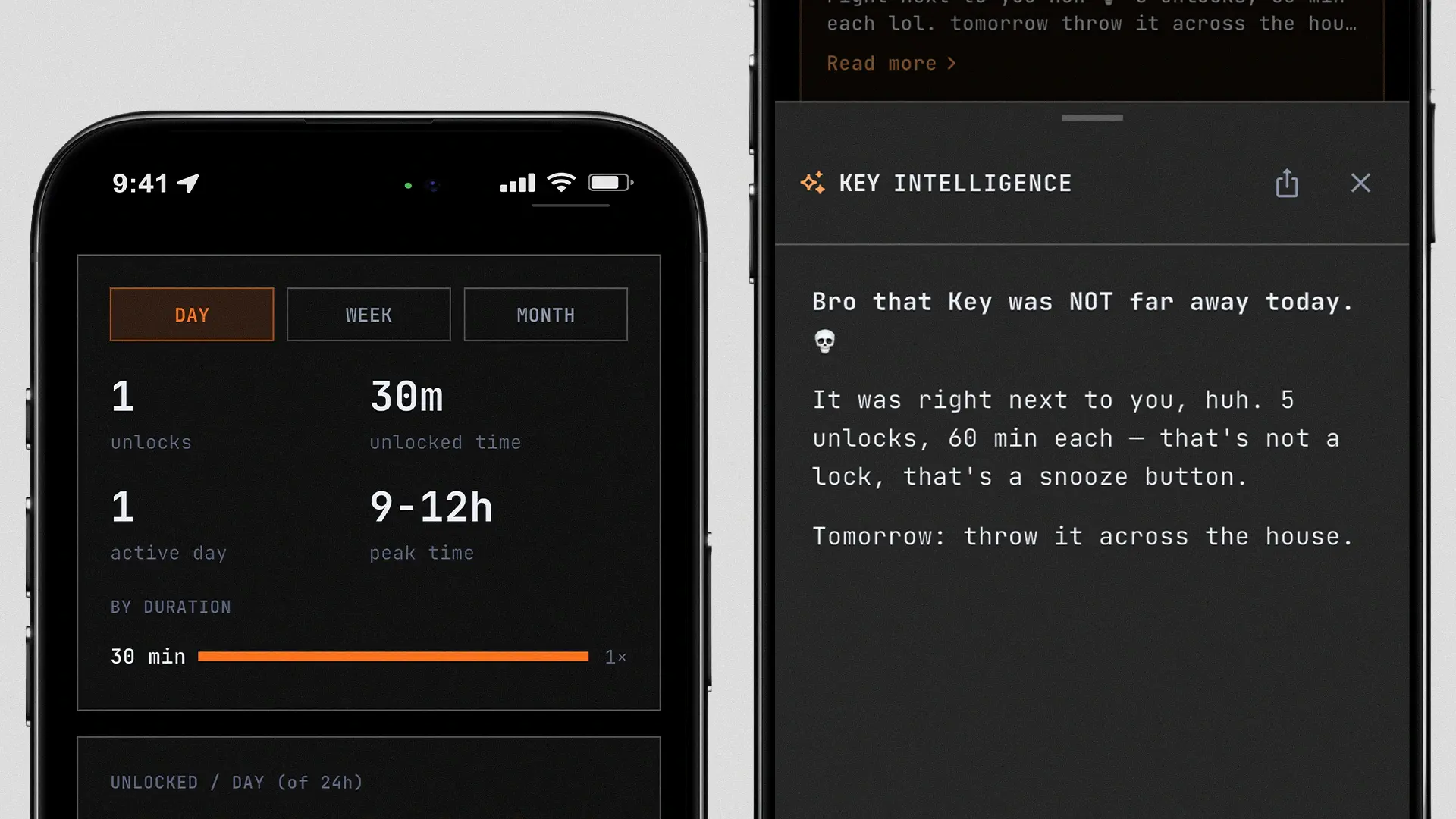
Software blockers like Opal are better at analytics and habit tracking, and they cost nothing to try. The catch is structural: the block relies on the same device that holds the temptation. A physical blocker is weaker on data and stronger on enforcement, which is the right trade for anyone who already knows they will cancel a software block.
How much does a physical app blocker cost?
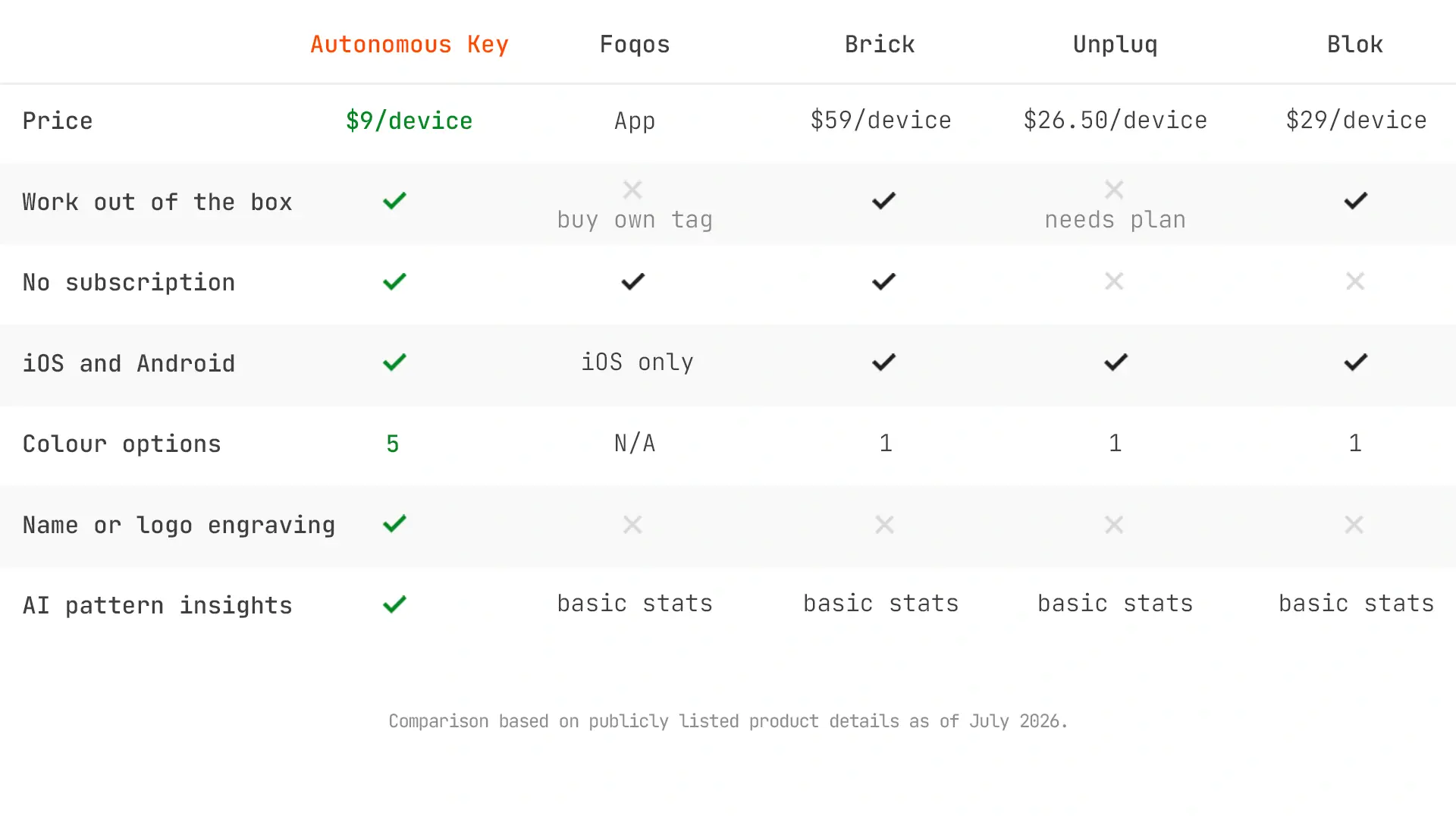
Physical app blockers range from free apps that use a sub-dollar NFC tag up to finished devices at $99, with a couple of subscription options around $60 a year. Because most are one-time purchases, the fairest way to compare them is over the length of time you will actually keep a habit tool, not by sticker price alone.
Key | Foqos | Bloom | Brick | Blok | |
Type | Free app, any tag | Steel NFC card | NFC cube, magnet | NFC card, bundled plan | |
Cost | $9 one-time | Free, tag under $1 | About $39 one-time | $59 to $99 one-time | From about $60 a year |
Over 2 years | $9 | Under $1 | About $39 | $59 to $99 | About $120 |
Subscription | ✗ | ✗ | ✗ | ✗ | ✓ |
iPhone | ✓ | ✓ | ✓ | ✓ | ✓ |
Android | ✓ | ✗ | ✓ | ✓ | ✓ |
Works out of the box | ✓ | ✗ buy own tag | ✓ | ✓ | ✓ |
Two things stand out. Subscription tools like Blok end up the most expensive over any period longer than a year, despite not being the priciest upfront, because you never stop paying. And among finished devices that work out of the box, the range runs from about $9 to about $99 for hardware that does fundamentally the same job, since the part inside every one of them is an inexpensive passive NFC chip. The price is mostly a branding and design decision, not a hardware one.
How to choose a physical app blocker
The right physical app blocker depends on three questions, in order:
Which phone do you use?
This eliminates options fast. Foqos is iPhone only, TapBlok is Android only, and most finished devices including Bloom, Brick, Locked, Scrolly and the Autonomous Key work on both.
Will you accept a subscription?
To spend nothing, Foqos on iPhone or TapBlok on Android is the free, open-source route if you are happy to buy a bare NFC tag and set it up yourself. Otherwise you are choosing among one-time devices from about $9 to $99, or the two subscription products.
How absolute do you need the block?
Match the unlock model to how you fail. If you cave in the moment, buy distance and leave the tag far away. If you forget to re-enable the block, pick a device that stays locked by default rather than a tap-on, tap-off switch.
For a finished device on either platform at the lowest cost, the Autonomous Key is the cheapest in the category. It is a passive NFC key that keeps your chosen apps locked by default, opening a window of up to 60 minutes on each tap before they lock again, and it runs on iOS 15 and above and Android 8 and above with no subscription.
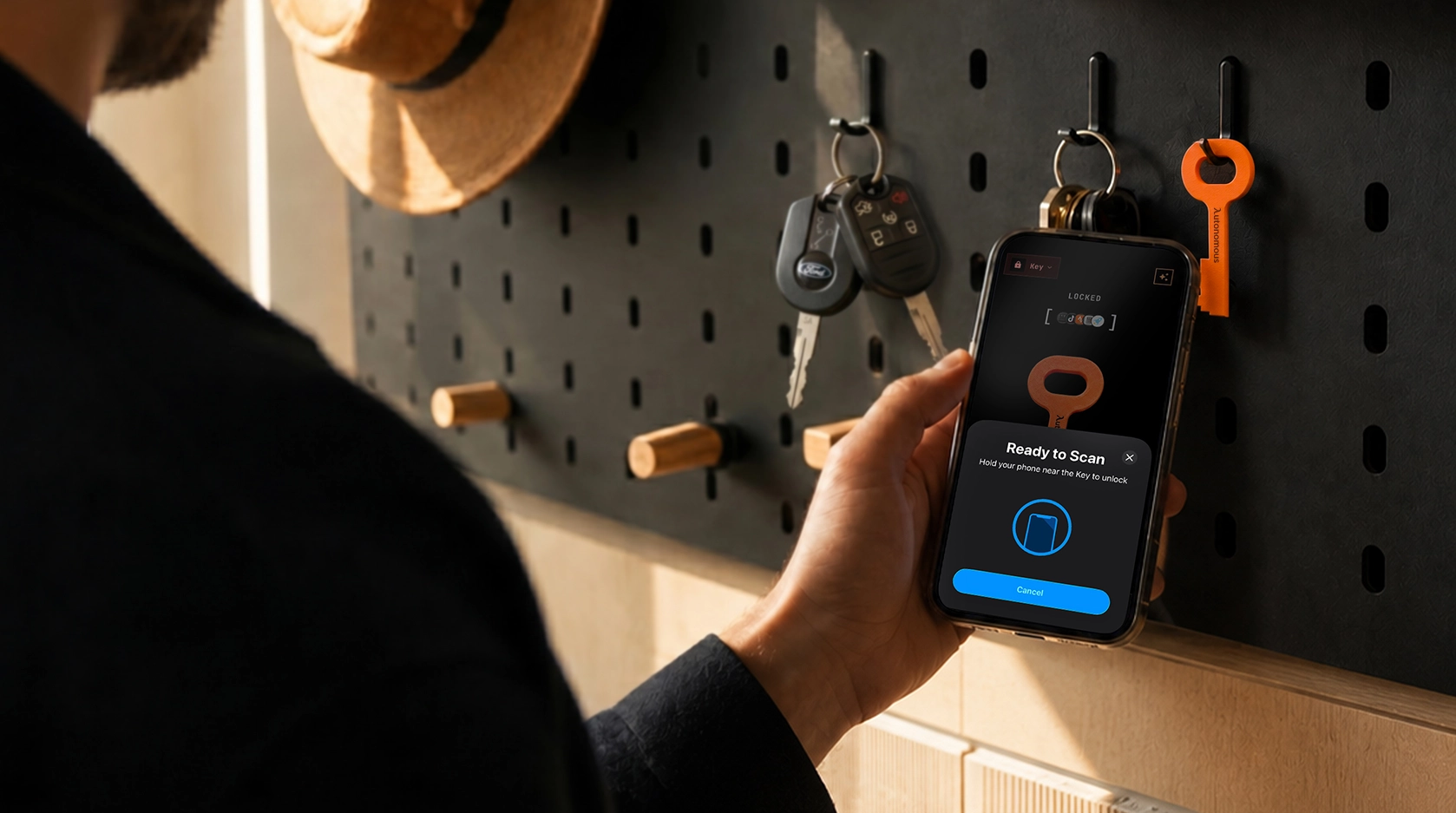
Keep in mind that it is newer than Brick or Bloom and has a shorter public review record, so if a long track record is what reassures you, an established device may suit you better. If you already know Brick and want the full field, our roundup of Brick alternatives compares the main options side by side.
Frequently asked questions
Do physical app blockers actually work?
Physical app blockers work for people who bypass software blocks, because the unlock control sits on an object you can leave out of reach rather than on your phone. They only work through distance, though. A tag left beside you does nothing, and every device has some emergency override, so none can stop a truly determined user.
What is the cheapest physical app blocker?
Foqos and TapBlok are cheapest overall, since both are free apps that work with any NFC tag costing under a dollar. Among finished devices that work out of the box, the Autonomous Key is the cheapest at a fraction of most competitors, which sit between about $39 and $99. Subscription options cost the most over time.
Are there free physical app blockers?
Yes. Foqos on iPhone and TapBlok on Android are both free and open source, and each turns any standard NFC tag or printed QR code into an app lock. You supply the tag, which costs under a dollar. The trade is that you set them up yourself rather than buying a finished device.
Do physical app blockers work on Android?
Many do. The Autonomous Key, Bloom, Brick, Locked, Scrolly and Unpluq all run on Android and iPhone, and TapBlok is a free Android-only option. Foqos is the main iPhone-only product. Android blocking is sometimes slightly less absolute than iPhone, because Android lacks a direct equivalent of Apple's Screen Time system.
Can you bypass a physical app blocker?
You can, but not quickly, which is the point. The block is enforced in software, so a determined user can use an emergency unlock, wait out a timer, or delete the app between sessions. What a physical blocker removes is the instant, thoughtless bypass, since unlocking requires the physical tag rather than a tap in settings.
Do physical app blockers need a subscription?
Most do not. Foqos, TapBlok, the Autonomous Key, Bloom, Brick, Locked and Scrolly are one-time costs or free with no recurring fee. Unpluq and Blok are the main subscription products, and both cost more over two years than any one-time device, despite similar hardware.
How is a physical app blocker different from Screen Time?
Screen Time and app timers live on your phone, so the passcode that ends a limit is always within reach in a weak moment. A physical app blocker puts the unlock on a separate object, so getting back into a blocked app means physically fetching the tag. That extra step is what makes it harder to bypass on impulse.
Conclusion
Physical app blockers work because they change your environment instead of relying on willpower, and the market now has enough options that you do not need to overpay to test the idea. Which device you pick matters less than whether you actually leave it out of reach.
If you are curious and want to spend nothing, start with a free NFC tag and Foqos or TapBlok. If you want a finished device that works on any phone, a low-cost one-time option does the same job as the $99 versions. The only setup that fails is the one where the tag stays on the desk beside you.
References
- Castelo N, Kushlev K, Ward AF, Esterman M, Reiner PB (2025).
- PNAS Nexus, 4(2), pgaf017.