Standing Desk Not Moving - Troubleshooting Guide

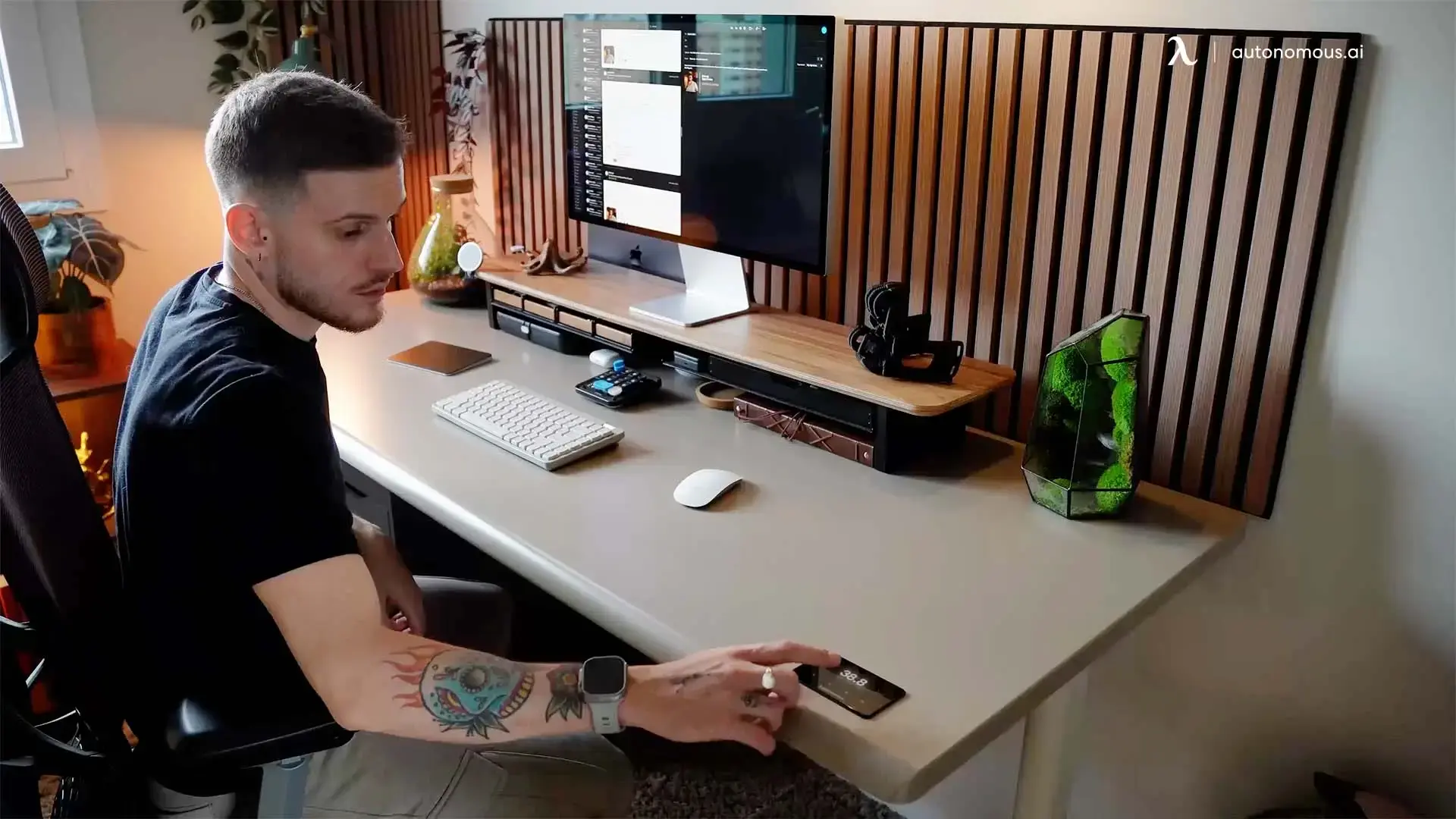
A standing desk that stops working is almost always one of four problems - and only one of them needs a factory reset. The other three are easier fixes that take under five minutes. This guide walks through the symptoms in the order you should check them, so you don't reset a desk that just needed its cables reseated.
The diagnostic flow:
- Won't move at all → power, cables, or anti-collision
- Moves one direction only → overload protection or stuck end-stop
- Moves erratically, beeps, or one leg lags → out-of-sync controller (reset needed)
- Was working, stopped after a power outage → memory cleared (reset needed)
Run through these in order. The fixes for problems 1 and 2 take 30 seconds. Problems 3 and 4 need the reset procedure linked below.
Problem 1: Desk won't move at all
If pressing Up or Down does nothing - no movement, no beep, no display change - the issue is upstream of the motors.
Check these in order:
- Power outlet. Confirm the outlet has power. Plug a phone charger into the same outlet and verify. Surge protectors fail more often than people expect; if the desk is on one, try a wall outlet directly.
- Power cable. Inspect both ends - at the wall and at the control box under the desk. The control box connection is the more common failure; the cable can work loose during height changes.
- Keypad cable. Trace the cable from the keypad to the control box. Reseat both ends. A loose keypad cable produces exactly the "desk does nothing" symptom even when everything else is fine.
- Anti-collision triggered. Some desks lock themselves after detecting an obstruction during the last movement. Move anything that could have been hit (chairs, file cabinets, monitor arms) and try again.
If none of those bring the desk back, move to Problem 3 - the controller likely needs a reset.

Problem 2: Desk moves one direction only
If the desk moves Up but not Down - or vice versa - the controller is fine but it's actively refusing to move in the blocked direction. Two common causes:
Overload protection engaged.
The desk has a weight rating. Going past it triggers the overload sensor and locks descent until the weight is reduced. Remove items from the desktop, wait 30 seconds, retry. Standard weight limits: Autonomous Desk 2 is 250 lb, Desk Pro is 330 lb.
End-stop reached or upper-limit set.
Some desks have a programmable upper limit to prevent the desktop from hitting a wall-mounted shelf or cabinet. If you've set this limit and the desk is now trying to move past it, the desk will refuse. Check the keypad for an upper-limit setting and clear or raise it.
Problem 3: Desk moves erratically, beeps, or legs out of sync
If one leg moves and the other doesn't, the desk lifts unevenly, or you hear beeping during movement, the controller is out of sync. This is the case where a reset is the answer.
The reset clears the controller's stored calibration and forces the legs to re-zero at the lowest position. For the procedure:
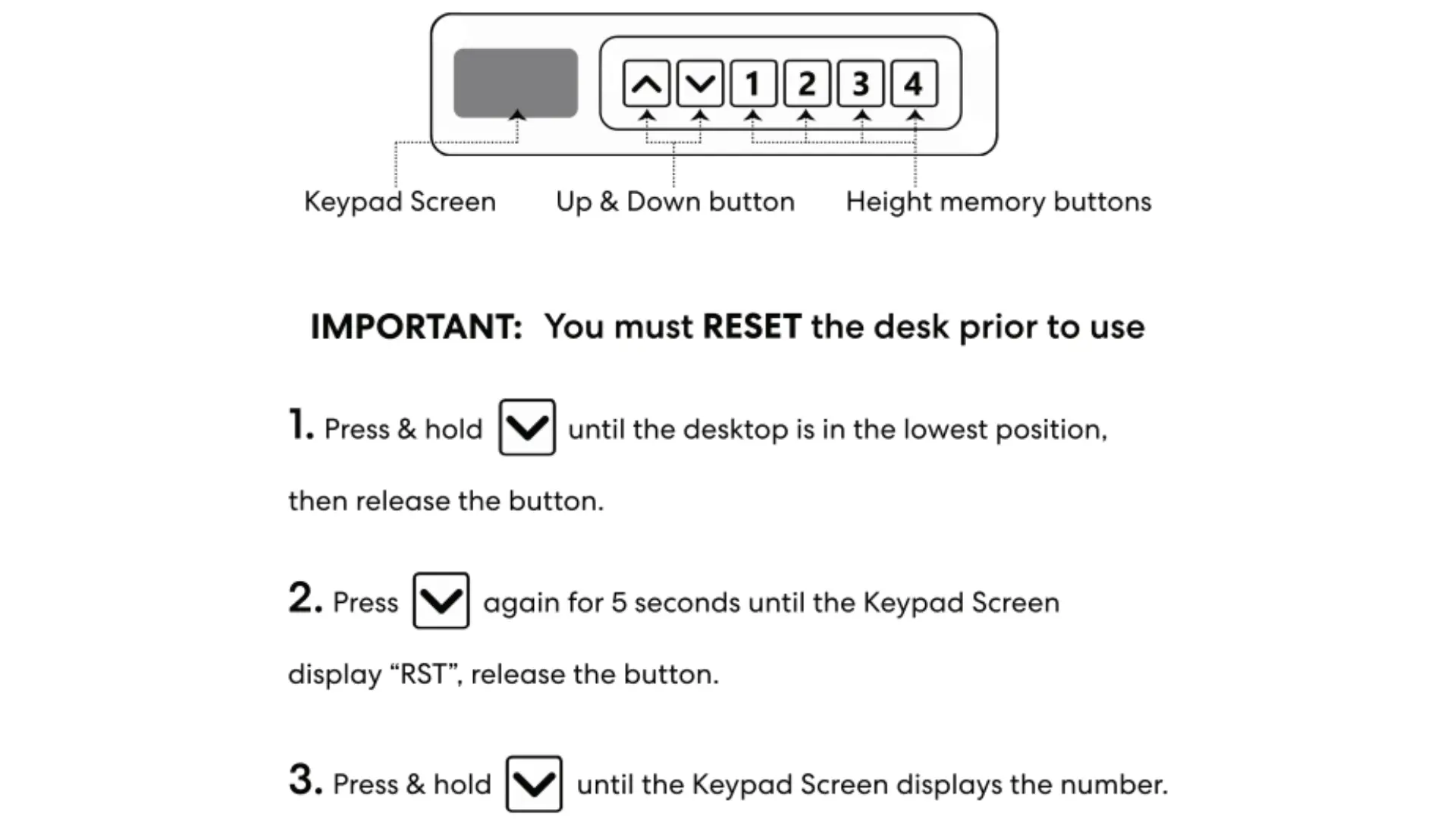
- Autonomous Desk 2: How to reset a standing desk - the Desk 2 procedure uses the Down button only.
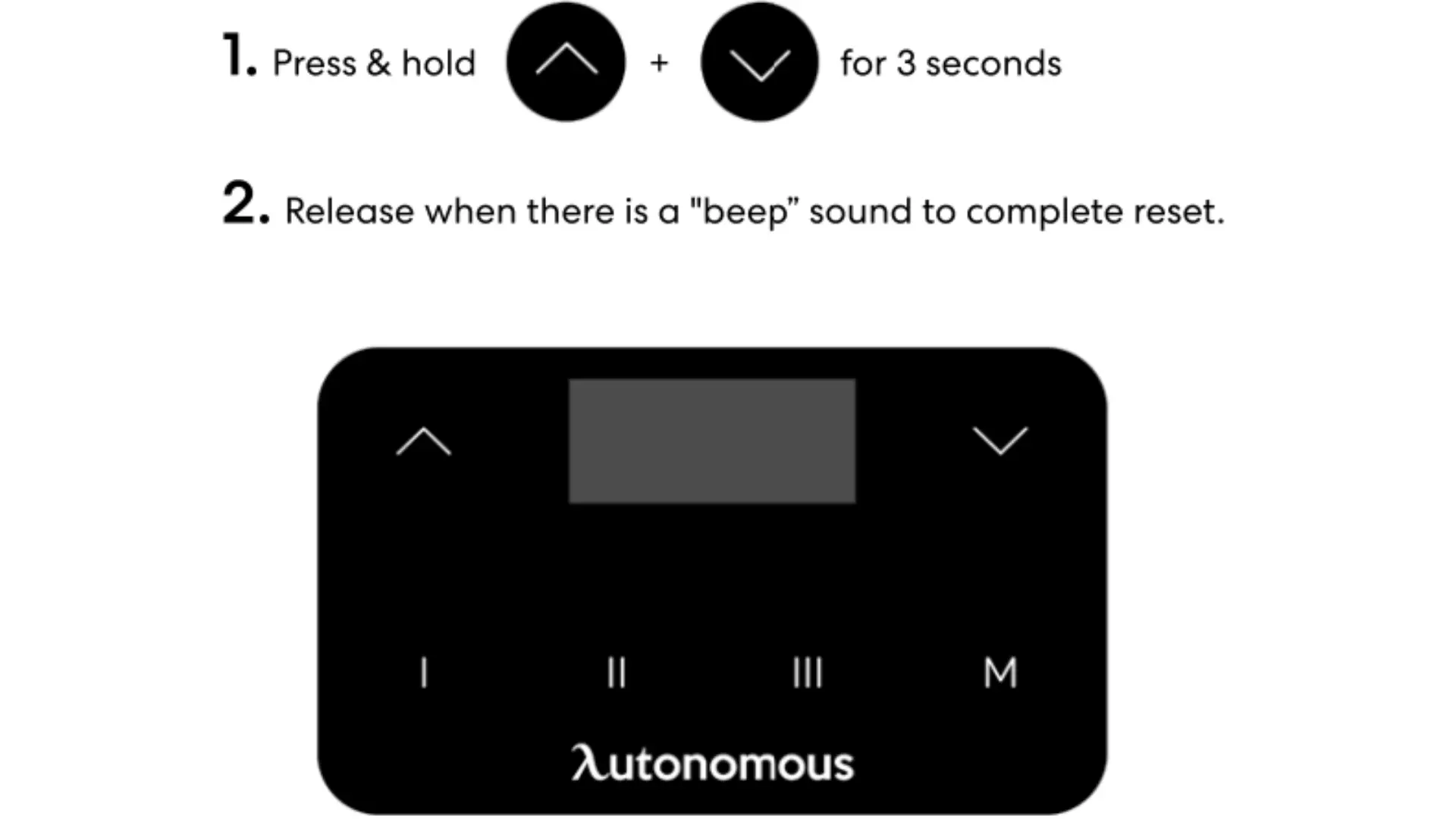
- Autonomous Desk Pro: Same guide - the Desk Pro procedure uses Up + Down held simultaneously for 3 seconds.
After the reset, save your memory presets again (see below).
Problem 4: Desk stopped working after a power outage
A power outage can clear the controller's height memory and trigger an internal lock that prevents normal operation. The fix is the same as Problem 3 - a factory reset to clear the lock and re-calibrate.
After the reset, the desk will move only in response to direct Up/Down input until the memory presets are set again.
How to set memory presets on an Autonomous desk
After a reset, or on a new desk, the memory presets need to be programmed. The Autonomous Desk 2 and Desk Pro both use the same procedure with slightly different keypads.
Desk 2 (numbered keypad 1, 2, 3, 4)
- Use the Up/Down buttons to move the desk to your preferred sitting height.
- Press and hold the M button until the screen flashes "S."
- Press the number button (1, 2, 3, or 4) you want to assign to this height. The screen will confirm.
- Repeat for additional heights - up to four memory presets total.
To recall a saved height, press the corresponding number once.
Desk Pro (touch keypad I, II, III, M)
- Use the Up/Down buttons to move the desk to your preferred sitting height.
- Press and hold the M button until the keypad indicates the save mode.
- Press the Roman numeral button (I, II, or III) you want to assign to this height.
- Repeat for standing and any additional heights.
To recall a saved height, press the corresponding Roman numeral once.
When the desk has a real hardware problem
If you've worked through all four problems above and reset the desk twice, the issue isn't software. Common hardware failures:
Symptom | Likely cause | Next step |
One motor completely dead, other works | Failed motor or disconnected motor cable | Reseat the motor cable; if no change, warranty replacement |
Loud grinding noise during movement | Stripped gears inside a leg | Warranty replacement of the affected leg |
Display blank, no response to any button | Failed control box | Warranty replacement of the control box |
Movement starts then immediately stops, repeats | Stripped gear or failing motor under load | Reduce desk weight, retry; if persists, warranty |
For Autonomous desks under warranty, contact support through the chat widget at the bottom of any Autonomous page. The Desk Pro carries a lifetime frame warranty; the Desk 2 carries a 10-year frame warranty.
Frequently asked questions
Why is my Autonomous standing desk not moving?
An Autonomous standing desk that stops moving usually has one of four causes: a loose power or keypad cable, the anti-collision sensor tripped by an obstruction, overload protection triggered by too much weight on the desktop, or a controller out of sync after a power outage. Check the cables and obstructions first, then run a factory reset if the desk still won't respond.
Why won't my standing desk go up or down?
A standing desk that won't move usually has a loose cable, an obstruction triggering anti-collision, or an overheated motor. Most desks have a 2-minute-on, 18-minute-off duty cycle - if you've been adjusting repeatedly, wait 20 minutes before trying again.
Why does my standing desk only move down?
A standing desk that only moves down has typically hit overload protection or a programmable upper-height limit. Remove weight from the desktop, then check the keypad for an upper-limit setting that may need to be raised or cleared.
How do I set memory presets on an Autonomous standing desk?
Move the desk to your preferred height, then press and hold the M button until the screen indicates save mode. Press a numbered button (1–4 on Desk 2) or a Roman numeral button (I–III on Desk Pro) to assign that height to the preset. Repeat for additional heights - up to four presets total on Desk 2, three plus the M position on Desk Pro.
How do I save sitting and standing positions on my standing desk?
Move the desk to your preferred sitting height, hold the M button until save mode activates, and press button 1 to assign. Move to your standing height, hold M again, and press button 2. The desk will move between the two heights at the press of either button.
Why does my standing desk lose its memory settings?
A standing desk loses its memory settings after a power outage, an unplug event, or a factory reset. The controller stores presets in volatile memory that clears when power is interrupted. After power returns, the presets must be set again.
How long does an Autonomous standing desk last?
An Autonomous standing desk is built for 10+ years of daily use. The Desk Pro carries a lifetime frame warranty; the Desk 2 carries a 10-year frame warranty. Motors, control boxes, and keypads are covered for the warranty period. The most common wear part is the keypad cable connection, which can be reseated if it works loose.
What's the weight capacity of an Autonomous standing desk?
Autonomous standing desks vary by model. The Desk 2 lifts 250 lb. The Desk Pro lifts 330 lb. The Desk Pro 3-Stage lifts 330 lb. The Desk 2 Expanse Walnut lifts 310 lb. Exceeding the weight limit triggers overload protection and locks descent until weight is reduced.
The short version
A standing desk that stops working is almost always a cable, an obstruction, or weight on the desktop - not a hardware failure. Check the cables, clear the desk and the floor under it, wait if the motor's been running hot, and only then run a reset. If two resets don't fix it, contact warranty.