


The 8 Best AI Desk Robots of 2026

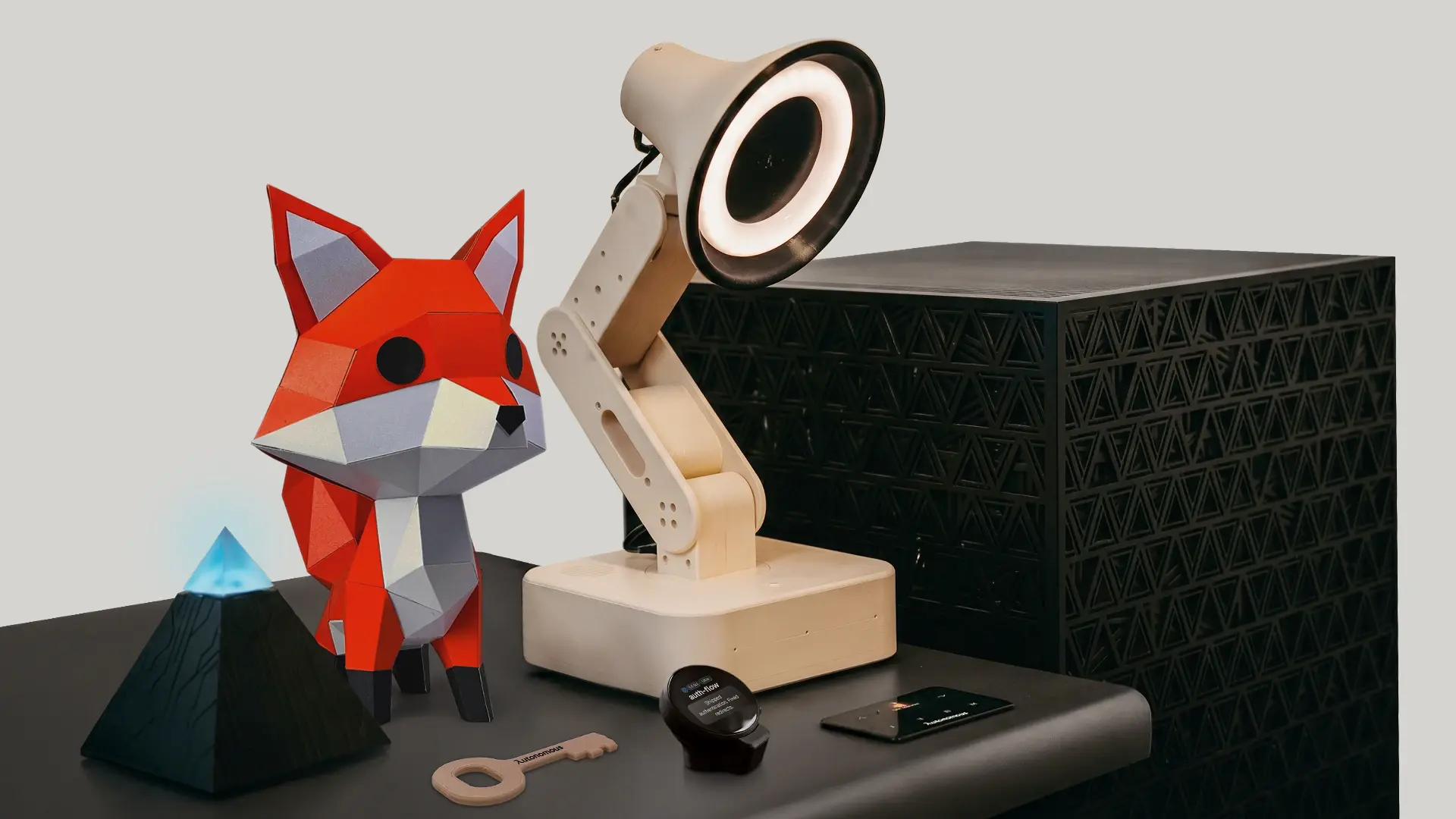
The best AI desk robots of 2026 fall into two camps: charming companions that react to you, and robots that actually do things. Most roundups only cover the first, so they end up ranking near-identical pets. This guide walks the whole field, from expressive pets like EMO to phone-powered newcomers like LOOI and the open, work-capable Autonomous Lamp, and judges each on one test: does it earn the space on your desk, or end up in a drawer by month two.
What an AI desk robot actually is
An AI desk robot is a small robot that lives on your desk and reacts to you through a camera, microphone, and moving body. The newer ones also run AI that carries out real tasks, and that is the 2026 dividing line.
For years these were expressive toys: cute, animated, fun for a week. Now a handful run actual AI agents, and others borrow your phone's brain to feel smart. The gap between a robot that performs and one that helps is what separates this list, so keep it in mind as you read.
How AI desk robots work
Most AI desk robots work in one of two ways, and the difference decides what they can do:
- On the robot itself: an AI agent runs onboard, so the robot senses the room, decides, and acts on its own. This is the most capable and independent.
- Through your phone: your phone docks and becomes the robot's brain and face, using its camera and processor. Clever and cheap, but it ties up your phone.
- App-tethered: the robot is mostly a shell and a phone app does the thinking, which is the most limited.
Underneath, a camera and microphones handle sensing, servos handle movement, and an AI model handles reasoning. The more of that lives on the robot, the more it can do without help.
What you can actually do with one
What you can do with an AI desk robot ranges from simple company to real work, depending on the model:
- Companion end: it reacts, shows character, plays, and keeps you company while you work.
- Capable end: it runs skills that do something, like watching your desk, changing the music to match your mood, reminding you to take a break, or acting as an AI email assistant and running AI coding tools.
Decide which end you want before you shop, because a pure pet and a task-runner are very different things to live with.
AI desk robots at a glance
Here is the field in one view, with 2026 prices from live listings. Prices move often, so confirm before buying.
Robot | Real AI tasks | Needs your phone | Best for |
|---|---|---|---|
Autonomous Lamp | ✓agent, real skills | ✗standalone | Getting work done, open control |
EMO | ✗scripted | ✗standalone | Expressive desk pet |
Loona | ✗scripted | ✗standalone | Playful, mobile robot pet |
LOOI | Partial (phone) | ✓phone is the brain | Cheapest way in |
Aibi Pocket Pet | Partial (cloud) | App-tethered | A companion on the go |
Eilik | ✗ | ✗standalone | Budget desk buddy |
Anki Vector 2.0 | Limited (subscription) | ✗standalone | Veterans and tinkerers |
Reachy Mini | DIY (build it) | ✗standalone | Makers and coders |
The best AI desk robots of 2026
Here is the current field, with an honest read on who each one is for.
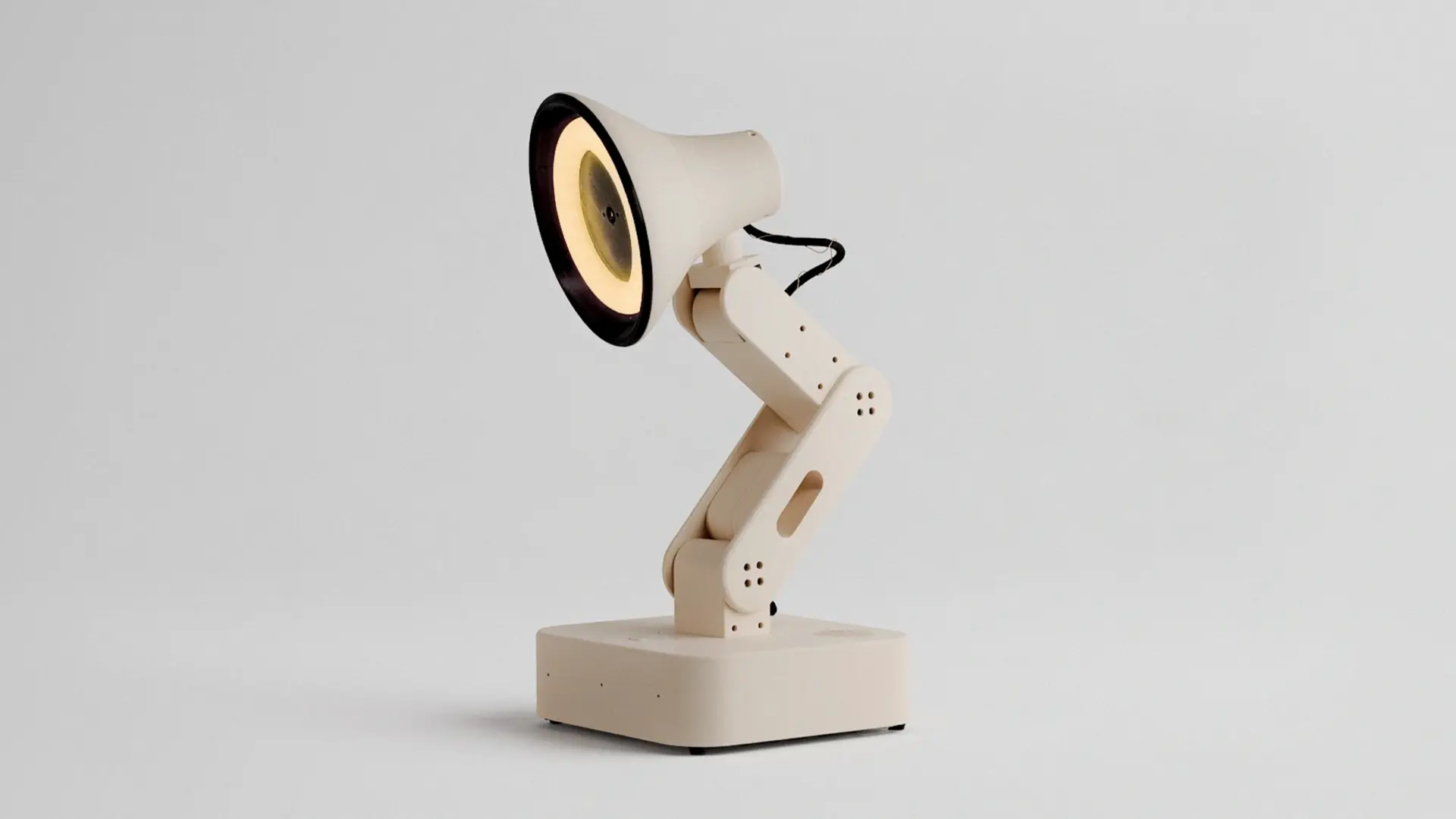
1. Autonomous Lamp: best for real work and open control
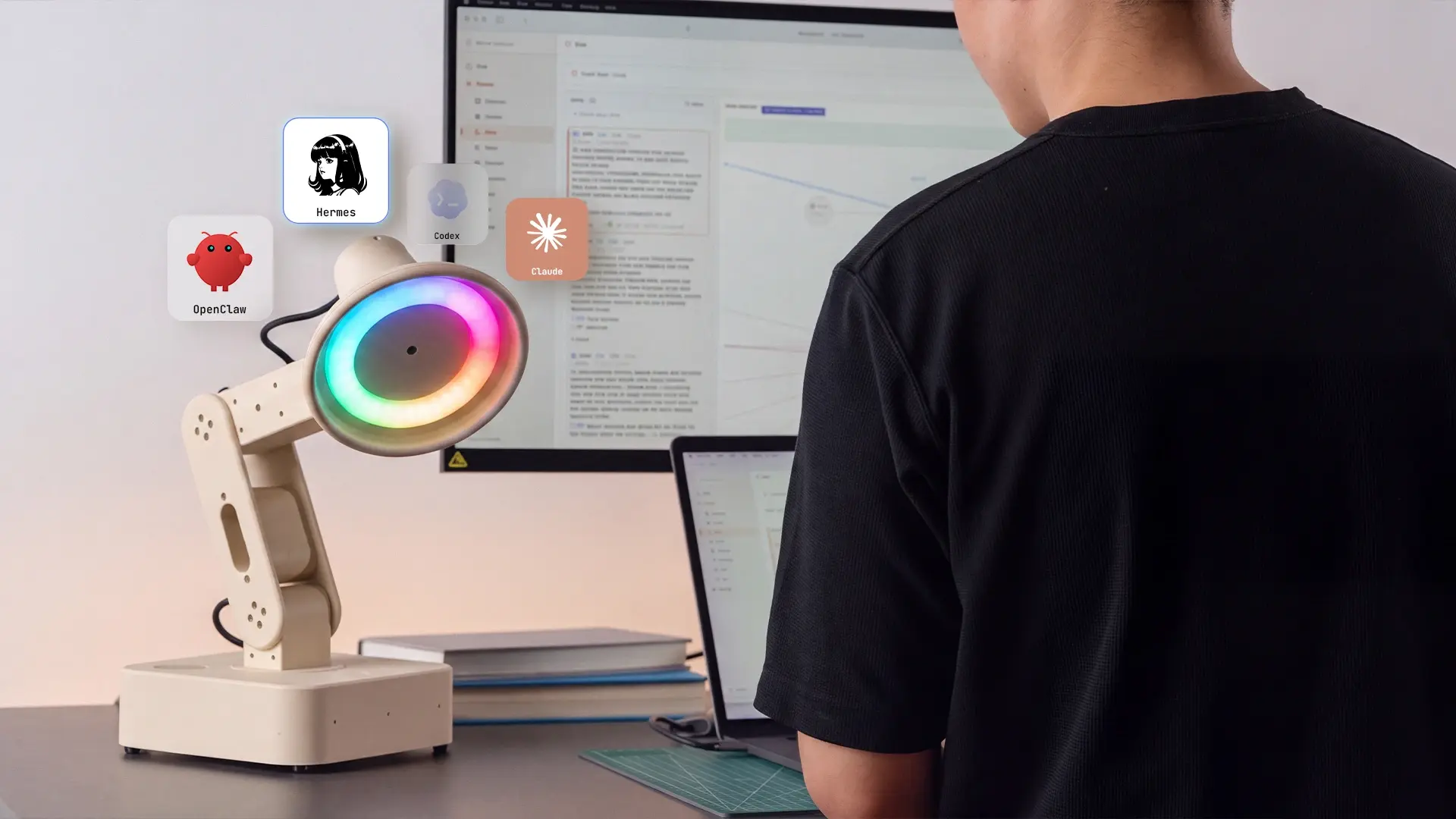
The Autonomous Lamp is the pick if you want a desk robot that does real tasks and stays yours to change. An AI agent runs on the robot itself, so it does not borrow your phone, and it reasons about what it sees and hears, then acts through skills rather than replaying canned animations.
Those skills are real and named: it can guard your desk while you are away, read your mood and change the music, nudge you when it is time to sleep, and handle desk work like your Gmail, GitHub, or your Mac. You add more by browsing a store, describing what you want in plain language, or uploading your own. It is also open: run OpenClaw, Hermes, Codex, Claude, or your own model, and the same operating system even runs on other robots like a Reachy Mini.
Pros:
- Runs real tasks through an onboard AI agent, not scripted reactions
- Standalone, so it does not tie up your phone
- Open source, with a swappable AI or your own model, and a growing skill store
- The same Autonomous OS runs on other robots, so you are not locked to one body
Keep in mind: it is newer than the established pets and ships in September, so it has less of an owner track record than EMO or Vector.
Best for: people who want a robot that actually does things and stays open to customize.
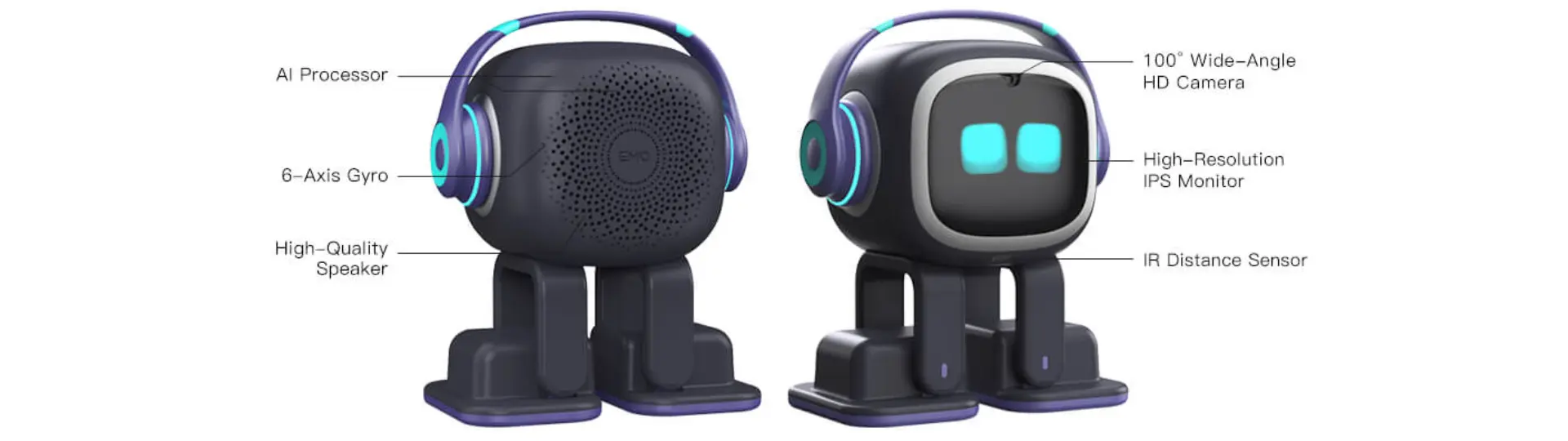
2. EMO: best expressive desk pet
EMO is the most polished expressive pet in the field, and if pure charm is what you want, it is hard to beat. It roams your desk on its own, runs through more than a thousand expressions, recognizes faces and names, and needs no subscription. Living.AI ships updates every few months, so it keeps gaining tricks.
The honest catch shows up before EMO even moves: owners widely report a painful setup. It only joins 2.4GHz WiFi, so modern routers that push devices to 5GHz can break the handshake, and a WiFi password with symbols in it can stop setup cold. Once online it is durable and safe to leave roaming, but it stays a scripted companion, so it reacts beautifully without ever running real tasks.
Pros:
- More than a thousand expressions and refined, autonomous desk roaming
- Recognizes faces and remembers names, with no subscription
- Steady updates and an active owner community
Cons:
- WiFi setup is a common headache (2.4GHz only, fussy about passwords)
- Reactions are scripted, so it does not run tasks or real work
- Premium for what is, at heart, a companion
Best for: people who want pure charm and presence over usefulness.
3. Loona: best playful, mobile robot pet
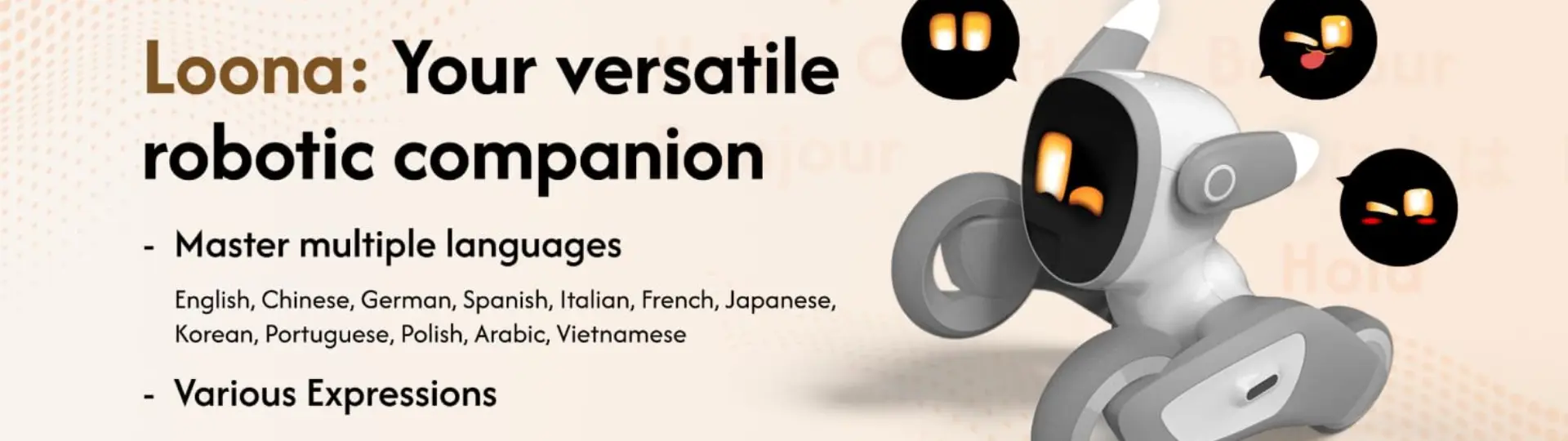
Loona is the most doglike robot here, and the pick if you want one that moves and plays rather than sits. Built by KEYi Tech, it rolls around on its own, chases a ball, does tricks, recognizes faces and gestures, and reacts with expressive eyes and sounds, with ChatGPT folded in for light conversation. Of the pure companions, it has the widest range of motion.
The honest limits are real. Its camera-driven tricks need decent lighting to work well, so a dim room dulls it, and owners report mixed durability and support experiences. It is a lively pet, not a worker, so like EMO it charms without running tasks. On iPhone, KEYi also sells a separate product, the Loona DeskMate, which is a phone dock rather than this standalone robot.
Pros:
- The most mobile and playful pet on this list, with real tricks
- Recognizes faces and gestures, and reacts expressively
- ChatGPT-based chat and an active feature roadmap
Cons:
- Camera-based play needs good lighting to shine
- Mixed reports on durability and support
- A companion, not a task-runner
Best for: people who want a lively, mobile robot pet with personality.
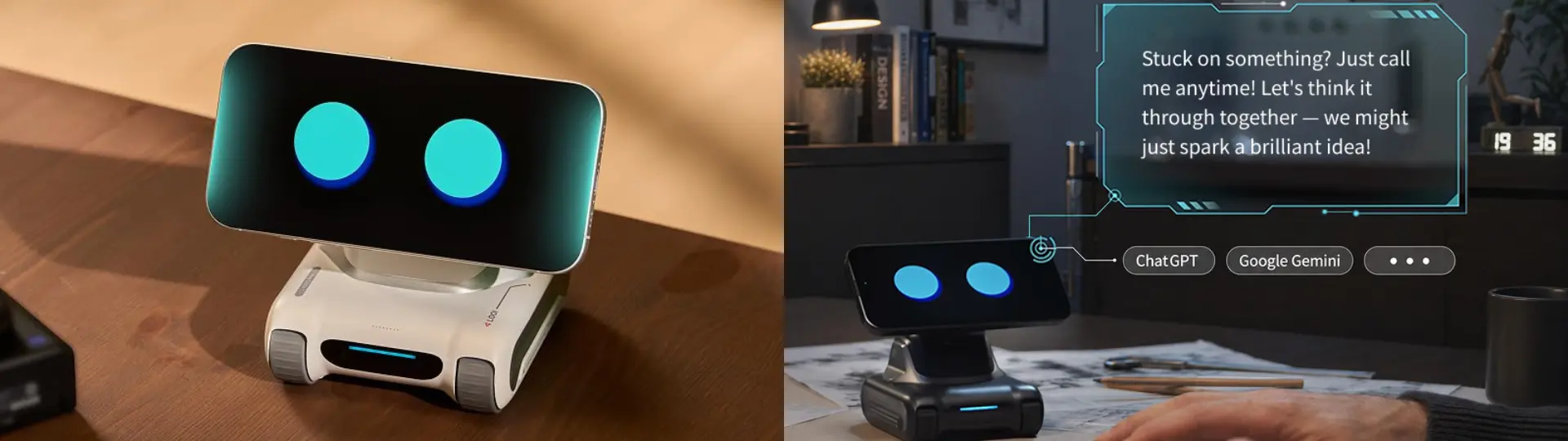
4. LOOI: the cheapest way to turn your phone into a robot
LOOI is the budget entry, and its trick is that you supply the brain. Your smartphone magnetically docks to a small treaded body and becomes the robot's face, camera, and processor, so a roughly $179 body borrows the phone you already own. It has real character, with more than a thousand small behaviors: it wiggles when petted, backs away when startled, naps when ignored, and roams your desk with working cliff detection. It also charges the phone while docked.
The honest limits are the phone dependency and the software. Because it runs live camera tracking and AI on your phone at once, it needs a recent one, an iPhone 12 or a current Android flagship, or it lags badly, and it ties that phone up while docked. Owners also report an app that still needs work: sluggish responses, a wake word that often misses, and updates that have changed the voice or broken features. On iPhone, Loona DeskMate is a similar MagSafe option with a motorized head.
Pros:
- The cheapest way into a characterful desk robot
- Uses your own phone, and charges it while docked
- Over a thousand playful behaviors and an evolving personality
Cons:
- Needs a recent phone and ties it up while docked
- App is still rough: lag, missed wake words, feature-changing updates
- More toy than task-runner
Best for: people who want the cheapest, most playful way to test the idea.
5. Aibi Pocket Pet: best companion on the go
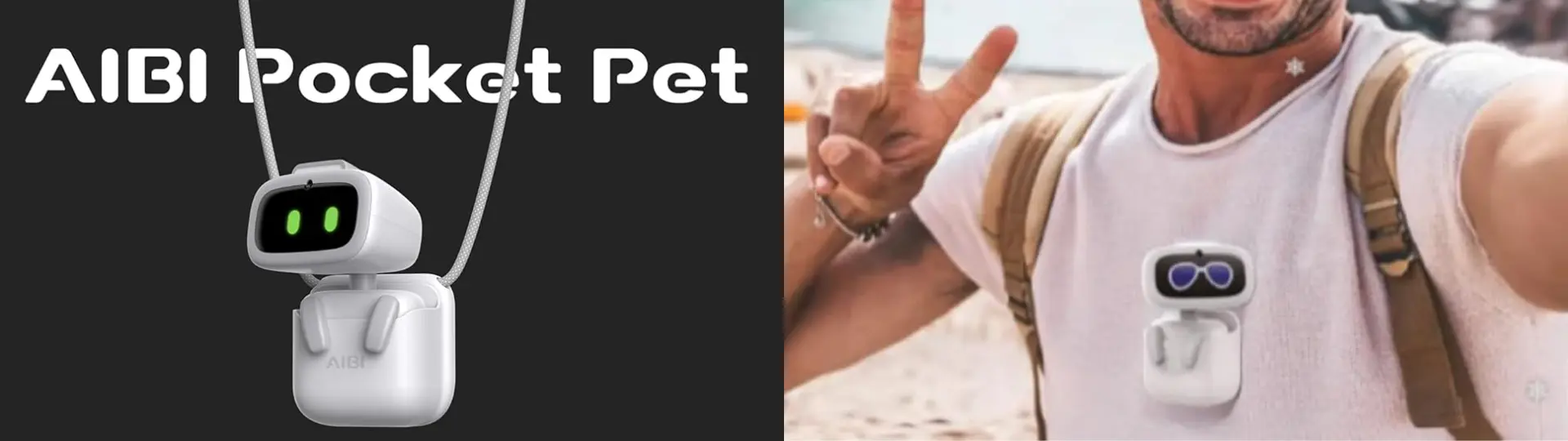
Aibi is the portable pick, small enough to sit in your palm, clip to a bag, or stick to the side of your screen. Made by Living.AI, the same team behind EMO, it packs a camera for face recognition, ChatGPT conversation, mini-games, and even guided breathing, and it lives on a small charging base at your desk or travels with you.
When two Aibis meet, they chat over near-field communication, and a nice touch is that it has no power button; you turn it off by holding it upside down and tapping its head.
The honest limits are consistency. Owners report voice recognition that misses, short battery life, and WiFi that drops, plus an app that can feel slow, and it is very much a playful companion rather than an assistant. Setup, at least, is smooth and quick.
Pros:
- Genuinely pocketable and wearable, unlike any other robot here
- ChatGPT chat, face recognition, and a charming, tactile design
- Smooth setup and playful extras like games and breathing coaching
Cons:
- Voice recognition, battery life, and WiFi can be inconsistent
- App can feel slow, and features lean on a connection
- A companion for fun, not a task-runner
Best for: people who want a cute AI companion that travels with them.
6. Eilik: best budget desk buddy
Eilik is the affordable way into desk robots, and it earns a strong reputation for the price, with owners rating it around 4.3 out of 5. It has an OLED face, four servos, and touch sensors, and its expressions are contextual rather than a fixed loop, so months in you still see reactions you have not seen before. Energize Lab keeps shipping free firmware updates, and it works completely offline.
Its best trick is social: put two together and they acknowledge each other, mirror moods, and bicker like a tiny sitcom, which is why owners often buy a pair. The honest limits are simple. Battery life is about 90 minutes on a one-hour charge, and it does not hold a two-way voice conversation. Its multi-robot chatter is really programmed gestures and sounds, not real dialogue, and some owners tire of the patterns after a while.
Pros:
- Affordable, standalone, and does not need your phone
- Hundreds of contextual expressions, kept fresh by free updates
- Works fully offline, and is delightful in pairs
Cons:
- About 90 minutes of battery per charge
- No real two-way voice or AI tasks
- Sound effects can distract in a quiet room
Best for: a fun, low-cost desk companion, and a solid pick for older kids and teens.

7. Anki Vector 2.0: the veteran, revived
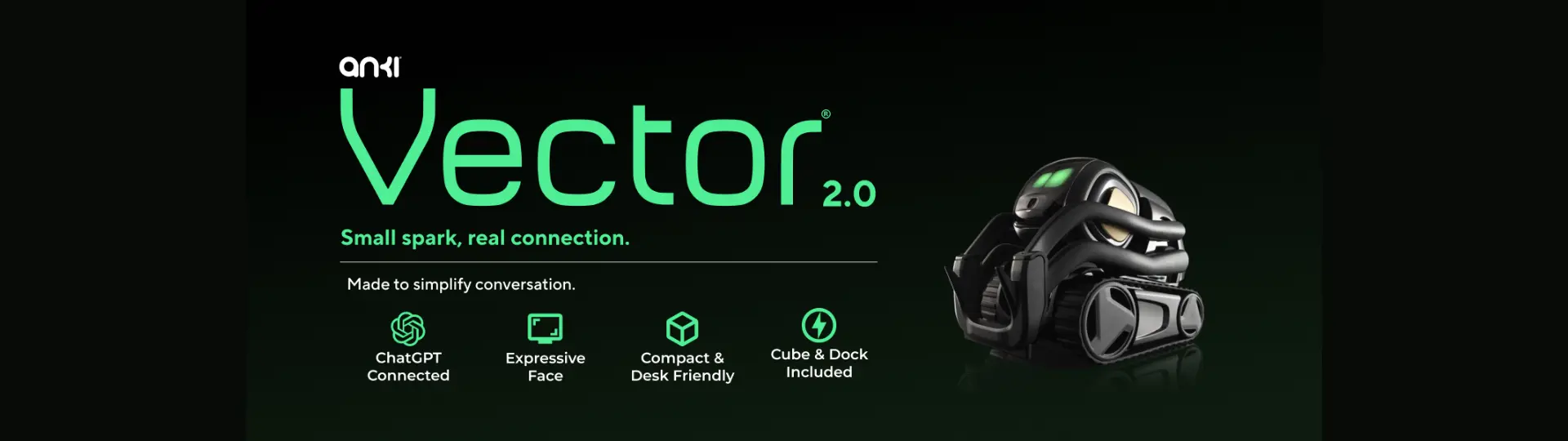
Vector still has the most beloved personality in this category, with expressive eyes, desk navigation, and genuine petlike charm. After Anki shut down, Digital Dream Labs kept it alive and now sells a revived Vector 2.0, often around $185, so it is not dead, though its age shows against newer robots.
The catch is the subscription. Voice commands and updates require a paid membership, priced by which AI backend you pick: a ChatGPT tier around $12 a month or a Claude tier around $15. Add short battery life and a bumpy update history, and it feels like older hardware kept alive by a paywall. The bright spot for tinkerers is WirePod, a free self-hosted server that restores Vector's functions without the subscription.
Pros:
- The most charming, well-loved personality in the category
- Navigates the desk, greets you, and handles timers and weather
- A strong tinkering scene, including free WirePod self-hosting
Cons:
- Voice commands and updates sit behind a paid subscription
- Aging hardware, short battery, and a shaky update history
- Long-term support depends on a company owners do not fully trust
Best for: tinkerers and existing fans who accept the age and the subscription.
8. Reachy Mini: best open-source kit
Reachy Mini, from Pollen Robotics and Hugging Face, is the open-source choice for people who want to build and program their own robot. It is fully open, programmable in Python, and plugged into the Hugging Face community, with a moving head, camera, mics, and expressive antennas, plus a simulator so you can write behavior before the hardware arrives.
Two honest notes shape who it is for. It ships as a kit that takes a couple of hours to assemble, and it is early and experimental rather than plug-and-play. If you want a cheaper open-source start, StackChan by M5Stack is a tiny build near $99, and Doly is a more polished open robot around $430. The open-source field is deep enough that it has its own guide.
Pros:
- Fully open-source hardware and software, with a real Python SDK and simulator
- Backed by the Hugging Face community, models, and shared behaviors
- A genuinely great platform to learn and experiment on
Cons:
- Ships as a kit you assemble, and needs some Python comfort
- Early and experimental, so it is not plug-and-play
- Rolling deliveries mean you may wait
Best for: makers, coders, and researchers who want a project.
A few more worth knowing
Three robots sit just outside the main list but answer specific needs. For kids, purpose-built learning robots like Miko 3 (around $299) or the ChatGPT-powered Yonbo X1 (around $570 to $800, and a mobile family robot more than a desk one) are safer, age-appropriate fits. For a whole room, the EBO X, around $799, adds home monitoring and a bigger presence. And if openness is your priority, StackChan, Doly, and Reachy Mini anchor a separate open-source field with its own tradeoffs.
Which AI desk robot is right for you
The field looks crowded until you answer one question: do you want a companion or a robot that does things. That single choice cuts the list in half.
- For getting work done and an open, changeable robot: the Autonomous Lamp.
- For a pure expressive pet with the most polish: EMO.
- For a lively, mobile robot pet: Loona.
- For the cheapest, most playful way in: LOOI.
- For a companion that travels with you: Aibi Pocket Pet.
- For a standalone budget buddy or a gift for older kids: Eilik.
- For a charming veteran you are willing to tinker with: Anki Vector 2.0.
- For building and coding your own: Reachy Mini.
Decide the camp first, and the specific robot follows almost on its own.
FAQs
Which AI desk robot is the best?
It depends on what you want. For a robot that runs real tasks and stays open to customize, the Autonomous Lamp leads. For a pure expressive pet, EMO is the most polished, Loona is the most mobile, and LOOI is the cheapest way in. There is no single best, only the best for how you will actually use it.
What is the difference between an AI desk robot and an AI desk companion?
There is no firm difference; the terms are used interchangeably. Both describe a small robot that sees, hears, and reacts on your desk. In practice, companion tends to stress personality and presence, while some desk robots go further and run real tasks through an onboard AI agent rather than just reacting.
How much does an AI desk robot cost?
Prices in 2026 run from about $139 for a budget buddy like Eilik to roughly $179 for a phone-powered LOOI, around $249 to $279 for Aibi or EMO, about $449 for Loona, and up toward $499 for a work-capable, open robot. Open-source kits start near $99. Prices change often, so check current listings.
Which desk robot actually does real work?
The Autonomous Lamp is the standout, because an AI agent runs on the robot and handles real skills, from guarding your desk to managing Gmail and GitHub. Most desk robots, including EMO, Loona, and Eilik, are expressive companions that react charmingly but do not run tasks.
Are phone-powered desk robots like LOOI worth it?
They are worth it if you want the cheapest, most playful way in and own a recent phone. LOOI and the iPhone-only Loona DeskMate use your phone as the brain, which keeps the price low but ties up the phone and leans on app software that is still rough. For a standalone robot, EMO or the Lamp fit better.
Which desk robot is best for kids?
For younger kids, purpose-built learning robots like Miko 3 or Yonbo X1 are a safer fit than the agent-driven or hobbyist models here. Eilik suits older kids and teens, and Reachy Mini can be a great build project with adult help. Match the robot to the age and to play or learning.
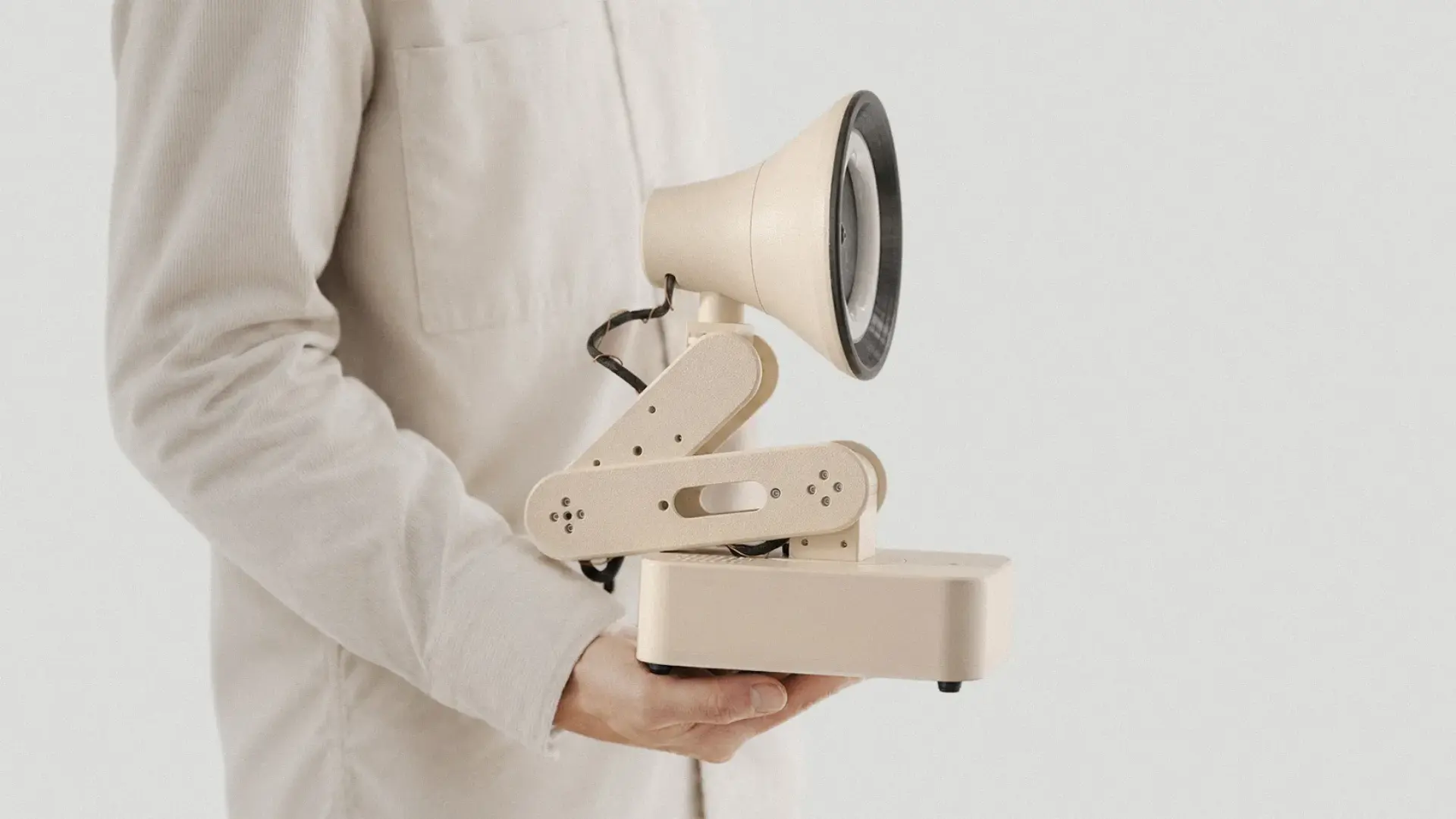
Conclusion
The best AI desk robot for you comes down to one honest question: do you want a companion or a workmate. The expressive robots like EMO, Loona, and Aibi are lovely and will make you smile, the phone-powered LOOI is a cheap and playful way in, and the newer, work-capable and open robots do things and keep changing what they do.
Pick the camp that fits how you will actually use it, and the specific robot follows easily. The field is finally more than cute, and that is the real story of 2026.