Forward Leaning Chair: Benefits, Types & Buying Tips

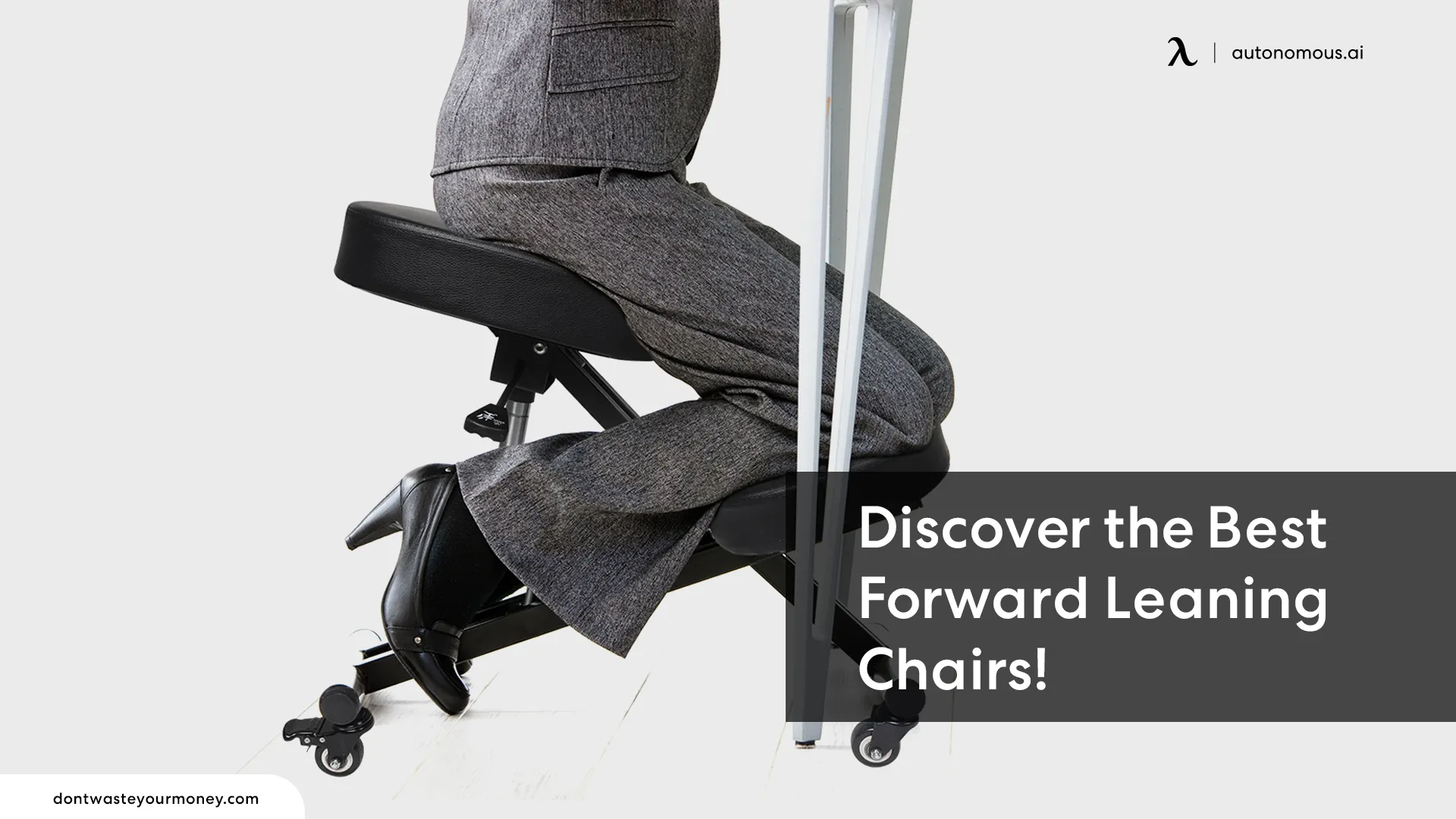
A forward leaning chair can make sense if you regularly move toward your desk to write, draw, or do detailed work. The useful feature depends on what happens when you lean: do you need the seat to angle forward, or something to support your chest? Those are different purchases. This guide explains the benefits and limits of each design, compares three options, and shows you what to check before buying. Start with the task that brings you forward, rather than assuming a chair will correct the habit on its own.
What is a forward leaning chair?
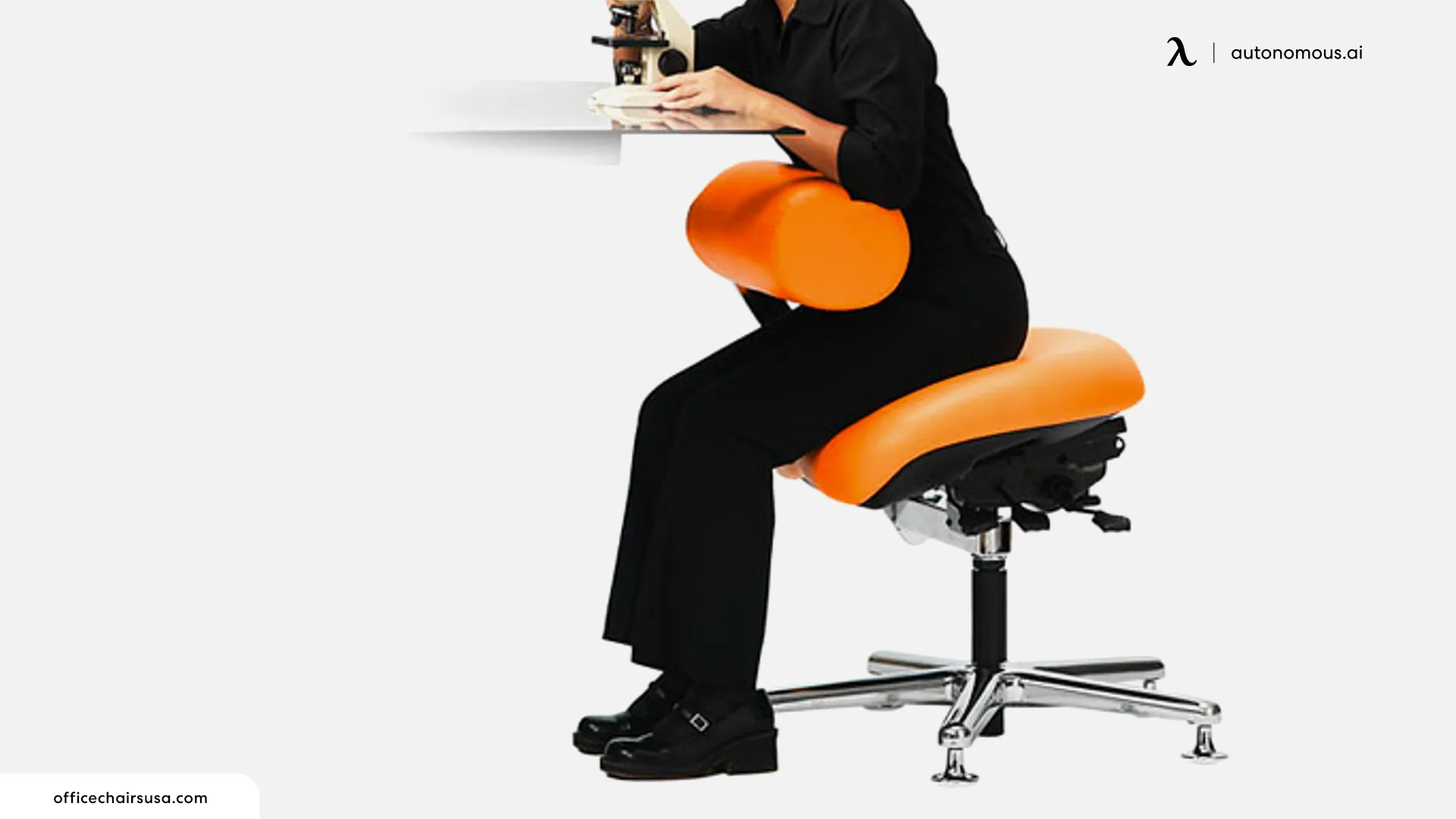
A forward leaning chair supports work in a forward position through an adjustable seat angle, a front torso support, or a design that allows supported backward sitting. The term covers several chair types, so the name alone does not tell you how the chair works.
Our ErgoChair Pro has separate controls for seat tilt, seat depth, and backrest recline. Seat tilt changes the angle of the cushion; seat depth slides it forward or backward; recline changes your leaning-back position. Knowing which control does what helps you choose a useful setting instead of simply moving the seat closer to the desk.
| Chair type | What supports you | When to consider it |
|---|---|---|
| Office chair with forward tilt | The seat angles forward; the backrest and armrests depend on the model. | You want a slight forward working position for writing or keyboard work, with a familiar office-chair layout. |
| Chair with chest or front torso support | A pad in front of your body provides a contact point when you lean. | Your task requires you to work away from a conventional backrest. |
| Saddle chair designed for backward sitting | The shaped backrest can face your torso when you sit backward. | You want to alternate between forward-facing, backward-facing, and higher sitting positions. |
| Kneeling chair | A sloped seat and shin pads share your weight. | You want an alternative sitting position and can comfortably use shin support. It does not automatically provide chest support. |
Forward leaning chair benefits and limitations
A forward leaning chair can offer another working position and, with the right design, support that remains useful when you move toward a task. Its value depends on fit and use, rather than the forward angle alone.
- More position choices: an adjustable forward slope gives you an alternative to a level seat.
- A different view of close work: a forward position may improve your viewing angle for work on a tabletop.
- Support in front: a torso pad can provide contact where a conventional backrest cannot reach you during a forward task.
There are limits. The Canadian Centre for Occupational Health and Safety (CCOHS) notes that forward-sloping seats can increase leg effort, cause sliding, and shift pressure onto the arms if the user leans on the desk. A steeper angle is not automatically better.
Judge the chair by whether you can work comfortably and change position easily. Claims that forward sitting will strengthen your core, fix spinal alignment, or prevent back pain go beyond what these features alone establish.
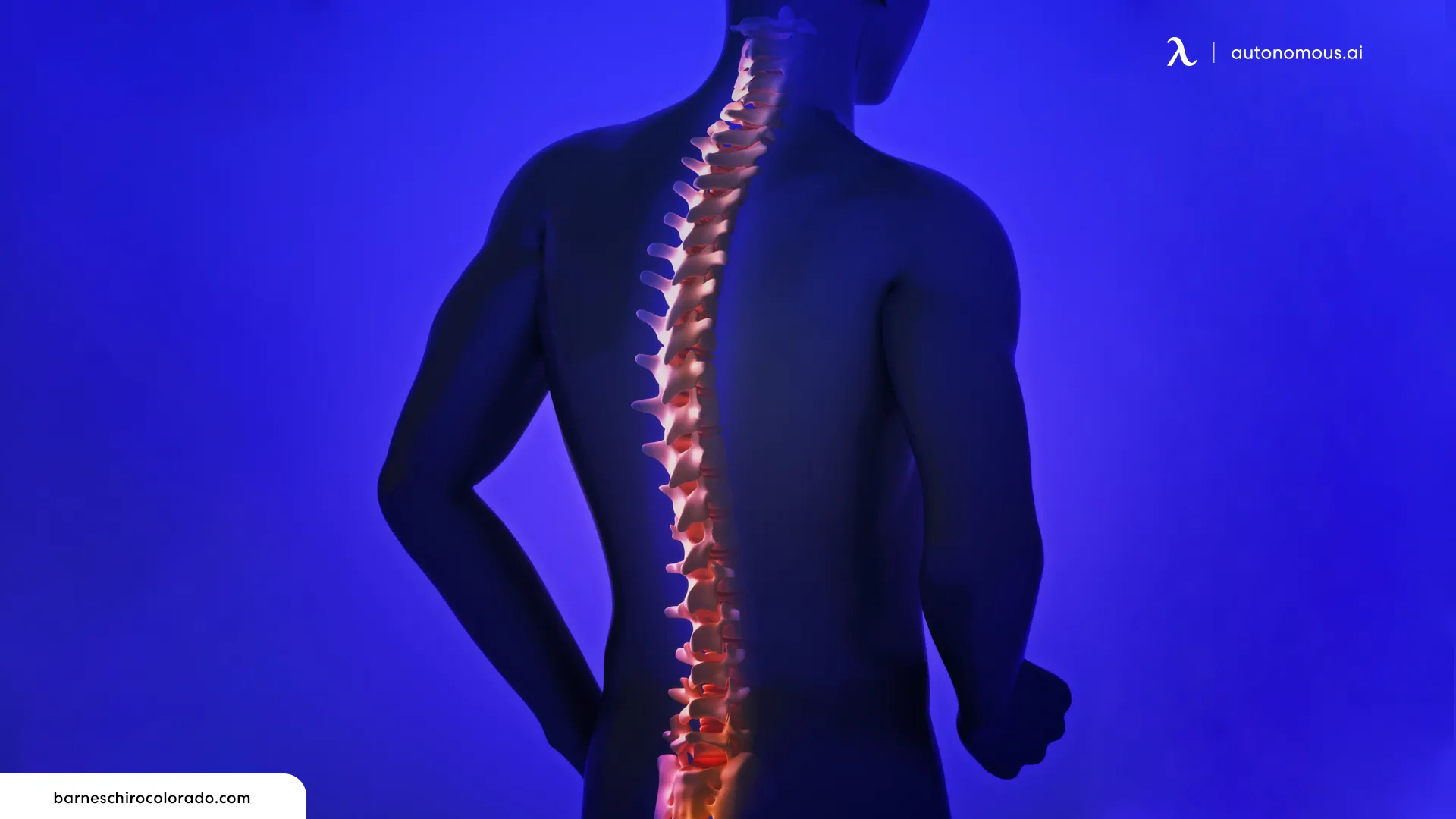
Do you need a forward leaning chair with chest support?
A forward leaning chair with chest support is worth considering when your work repeatedly takes your torso away from the backrest and you need support in that position. A seat that tilts forward changes your sitting angle; it does not add a pad in front of your body.
The Job Accommodation Network identifies torso-supporting forward leaning chairs as an alternative for people whose impairments limit sitting. That makes the support location important, especially when a standard chair leaves someone unsupported during their actual work.
For detailed assembly, illustration, or similar close work, test the chair with the tools you use. Can you reach the task without lifting your shoulders? Does the pad leave room for your arms? Can you move away from it and sit upright again? A support that blocks access to the desk can defeat the reason for buying it.
If you lean forward mainly to read a small screen or reach a distant keyboard, adjust those items first. A chest pad may add support, but the screen or keyboard would still be in the wrong place.
Three chair options for different ways of leaning forward
Autonomous ErgoChair Pro offers an independent seat-angle adjustment, HÅG Capisco supports multiple sitting directions, and Neutral Posture AbChair provides a movable front support. The comparisons below are based on manufacturer specifications and published guidance, rather than hands-on ratings.
1. Autonomous ErgoChair Pro: separate seat tilt for desk work
The Autonomous ErgoChair Pro has an independent seat-tilt adjustment that lets you angle the cushion forward for a different working position. Its seat-depth and backrest-recline controls are separate, so you can adjust the slope without confusing it with sliding the cushion or leaning back.
It is a relevant starting point if you write, draw, or work at a keyboard and want to try a slight forward seat angle in a conventional office chair. Adjust the seat and desk together so your feet remain supported and your work stays within reach. The Pro does not have a chest pad, so it serves a different need from a chair with front torso support.
| Pros | Cons |
|---|---|
| Separate seat-tilt and seat-depth controls help you adjust angle and fit independently. | No chest pad for tasks that need front torso contact. |
| Adjustable lumbar support, armrests, and backrest recline support other working positions. | Several controls take time to learn; identify the seat-tilt handle before adjusting. |
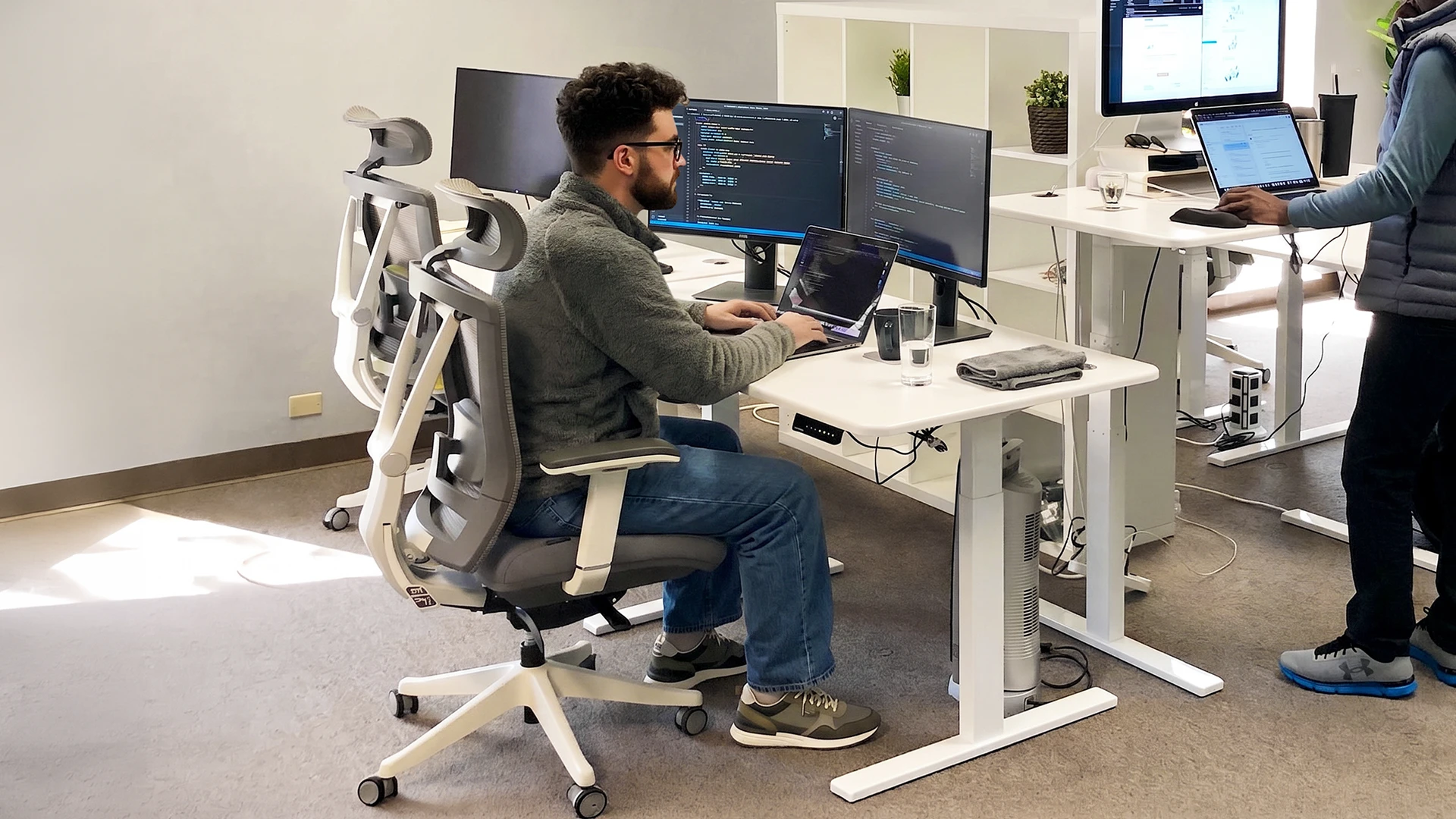
How to adjust the ErgoChair Pro: the video below demonstrates seat tilt and the chair's other adjustment controls.
2. HÅG Capisco: a saddle chair for changing sitting direction
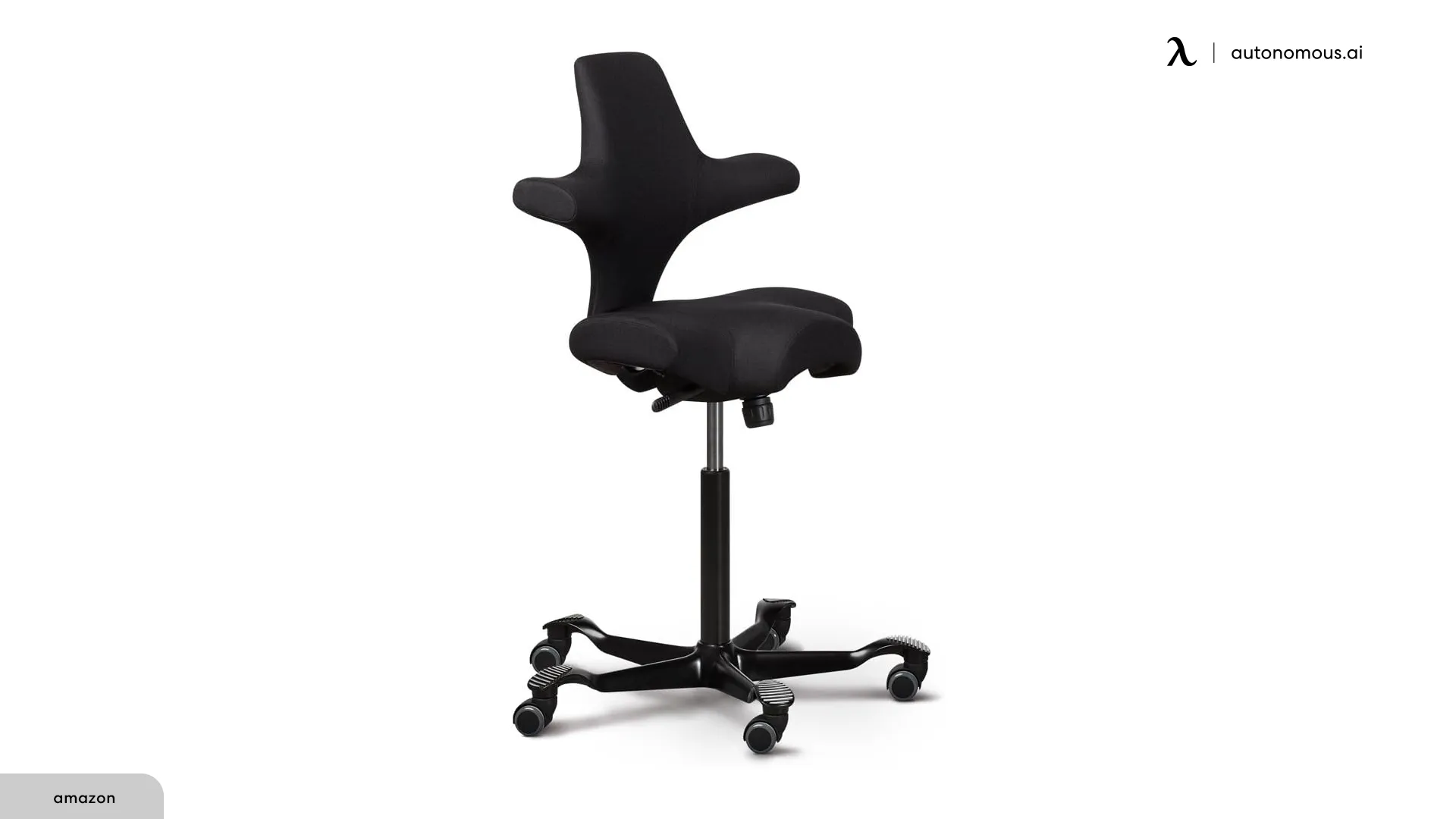
The HÅG Capisco is designed for forward-facing, backward-facing, and sideways sitting. Its saddle seat and shaped backrest make it an alternative for people who want to change how they approach a desk.
Backward sitting places the backrest in front of your torso, but its shape and contact area differ from a dedicated chest pad. Try that position at your own desk height before choosing it for front support. Select the lift height to suit your work surface and foot support; a taller configuration is not automatically a better fit.
A saddle chair also feels different from a broad, flat office seat. The useful test is whether you want to use its alternate positions during your working day.
| Pros | Cons |
|---|---|
| Designed for several sitting directions. | The saddle shape may not suit your preferred sitting position. |
| Backward sitting brings the backrest in front of the torso. | Front contact differs from an independently positioned chest pad. |
3. Neutral Posture AbChair: a movable support for forward tasks
The Neutral Posture AbChair uses an adjustable AbRest support with rotation and swivel movement. This gives it a different function from a chair that only changes the slope of its seat.
It is a relevant comparison for inspection, laboratory, or other close work where the location of torso support matters. The AbRest can be positioned in front, but the right configuration depends on the working height and the space your arms need. Request a demonstration of the exact seat and support combination before ordering.
| Pros | Cons |
|---|---|
| Movable support can be positioned for forward work. | Pad placement needs to match your task and body. |
| Seat and support options allow different configurations. | A specialist configuration needs more selection work than a standard task chair. |
What to check before buying a lean forward office chair
The deciding checks are what moves, where your body remains supported, and whether you can return to a comfortable resting position. A chair that passes those checks at your desk is more useful than one with a long list of unrelated adjustments.
| Feature | What to check |
|---|---|
| Forward-tilt mechanism | Confirm that the seat angles forward. Seat-depth adjustment, backrest recline, and tilt tension perform different jobs. |
| Seat height and depth | Your feet need support, and the front edge should leave clearance behind your knees. A forward setting should not make you brace to avoid sliding. |
| Chest-support adjustment | Check the pad's height, reach, and angle against your actual task. You should be able to breathe comfortably and move your arms freely. |
| Desk and armrest clearance | Check whether the arms or torso pad stop you from getting close enough to work. |
| Upright and resting positions | Try moving from the forward task to upright sitting. You need a usable position when the close work stops. |
| Trial and return terms | Confirm the terms for your exact configuration, including custom upholstery or specialist parts, before ordering. |
When comparing office chairs, start with the mechanism your task requires, then compare fit and everyday adjustments. For a smaller frame, the minimum seat height and usable depth of petite office chairs may matter more than adding another tilt setting.
During a trial, do the work that prompted your search. Write on paper, use your drawing tablet, or handle the same tools. Then switch to an ordinary task. Notice whether the new support helps both situations or gets in the way of one.
How to set up a forward leaning desk chair
Set up a forward leaning desk chair around your feet, work surface, and viewing position before adding more tilt or front support. Change one setting at a time so you can tell what helps.
- Begin with a supported sitting position. Adjust seat height and depth so your feet rest on the floor or a suitable footrest and the seat edge does not press behind your knees.
- Bring the work within reach. Keep the keyboard and mouse close. For paper work, try an angled document holder instead of repeatedly lowering your head toward a flat page.
- Set the viewing height. Position the monitor around eye level or slightly below. For extended laptop use, separate the screen from the keyboard with a stand and external input devices.
- Add the chair's forward setting. Follow the manufacturer's instructions. Reduce the slope if you slide or need sustained leg effort to stay in place.
- Check the whole movement. Try the forward task, sit upright, and move away from the desk. A useful adjustment should still let you change position.
WorkSafe Queensland recommends varying posture and considering the whole workstation. If discomfort continues, an ergonomic assessment can help identify whether the chair, desk, task, or another factor needs attention.
How to adjust forward seat tilt on the ErgoChair Pro
The ErgoChair Pro's seat-tilt handle unlocks the cushion angle separately from the seat-depth slider and recline control. Start with the seat close to level, then try a slight forward slope.
- Identify the seat-tilt handle. Match the control to the function-guide diagram or the video in the ErgoChair Pro section. The seat-depth lever slides the cushion; it does not change the slope.
- Unlock the angle. Flip the seat-tilt handle clockwise to activate the adjustment.
- Set and lock the seat. Adjust to a comfortable forward angle, then flip the handle counterclockwise to lock your chosen position.
- Try your normal task. Keep your feet supported and check whether you can write or type without sliding. Reduce the slope if you need to brace yourself.
Our ErgoChair Pro adjustments also cover seat depth, lumbar support, armrests, and recline. Use these controls together to fit the chair to your desk.
Why is my office chair leaning forward unexpectedly?
An office chair that suddenly leans forward needs an adjustment or service check; that movement does not establish that it has an ergonomic forward-tilt feature. Check the model's instructions to find out whether an intentional seat-angle setting is engaged.
If the movement is new, uneven, or accompanied by looseness, stop using the chair and contact the manufacturer or a qualified repair service. Do not try to create forward tilt by changing the base, removing structural parts, or propping up the rear of the chair.
Frequently asked questions
Does the Autonomous ErgoChair Pro have forward seat tilt?
Yes, the Autonomous ErgoChair Pro has a separate seat-tilt control for adjusting the cushion angle, including a forward working position. Seat tilt is different from sliding the seat pan forward or reclining the backrest. The Pro does not have a chest pad for front torso support.
Is a forward leaning chair better for posture?
A forward leaning chair may suit a particular task, but it is not automatically better for posture than a well-fitted conventional chair. Compare how each supports you while you work and change position. Sliding, bracing with your legs, or leaning heavily on the desk suggests the setting needs attention.
What is the difference between forward tilt and chest support?
Forward tilt changes the angle of the seat, while chest support adds a contact point in front of your torso. A chair can have one feature without the other. For close work that takes you away from the backrest, check where support remains available throughout the task.
Can you use a lean forward chair all day?
A lean forward chair may be part of an everyday setup, but that does not mean you should hold a forward position all day. Check that you can also sit upright or rest comfortably. Choose a design that allows position changes and take opportunities to move away from the chair.
Is a kneeling chair the same as a forward leaning chair?
A kneeling chair is one form of sloped seating, but it supports the shins rather than automatically supporting the chest. It changes where your weight is carried and can restrict some movements. Compare that arrangement with a forward-tilt office chair or torso-support chair according to your task and comfort.
Can a forward leaning chair fix back or neck pain?
A forward leaning chair cannot be assumed to fix back or neck pain. It may change support during a task, but desk height, viewing distance, reach, and time in one position also matter. If pain persists or a medical condition affects sitting, seek an assessment tailored to your needs.
Choosing the right support
The right forward leaning chair supports the task that brings you forward and gives you a comfortable way to change position afterward. Choose forward seat tilt for an angle adjustment, front torso support when you need contact away from the backrest, or a multi-position design if you will use its alternate sitting directions. Before ordering, try the exact configuration with the work you actually do.
References
- CCOHS: forward-sloping, kneeling, and other alternative chairs
- Job Accommodation Network: torso support and forward leaning chairs
- CCOHS: matching a chair to the person, workstation, and task
- CCOHS: adjusting seat height, seat depth, and armrests
- WorkSafe Queensland: workstation setup and position changes