AI Automation for Small Businesses: Practical 2026 Guide

.webp)
Running a small business means wearing every hat - sales, operations, customer service, admin. The work doesn't shrink; the hours do. AI automation for small businesses has shifted from experimental to operational, with tools now accessible at price points and complexity levels that don't require a technical team or an enterprise budget.
This guide covers what's worth automating, which tools fit different business types, and how to build a first workflow without overcomplicating it.
What AI Automation Actually Means for a Small Business
Most definitions of AI automation start with technology. A more useful place to start is the work itself.
Every small business runs on a layer of repetitive, low-decision tasks - the kind an AI secretary is built around: confirming appointments, sorting incoming emails, following up on quotes, updating contact records. These tasks aren't complex, but they consume time that compounds across a week. AI automation handles this layer by combining pattern recognition with action: it reads a condition, determines what needs to happen, and executes across whatever tools are connected to it.
This is different from basic rule-based automation, where a fixed trigger produces a fixed output. An automation AI agent goes further - it interprets context, adapts to variation in inputs, and can manage multi-step sequences without a human initiating each one.
For small businesses, the practical shift is this: work that previously required someone's attention to start, monitor, and close can now run in the background against defined parameters.
The difference between rule-based and AI automation
Rule-based automation does one thing when one thing happens. A form submission triggers an email - every time, the same email. It's useful but rigid.
AI automation for small businesses operates with more flexibility. The same form submission might trigger a different response based on the inquiry type, route to a different team member based on availability, and log the interaction into a CRM with a generated summary - all without manual input.
Why accessibility has changed
Until recently, implementing this kind of system required either a developer or a dedicated operations hire. The tooling has shifted. No-code platforms and pre-built AI agents have brought implementation time down from weeks to hours for standard workflows. Cost has followed the same curve - most entry-level AI automation tools start under $50 per month, with functional free tiers available across several platforms.
AI for small businesses now has a genuine on-ramp - the barrier is no longer technical skill - it's knowing which process to start with.

The 6 Business Tasks Small Businesses Are Automating Right Now
The most effective AI automation use cases for small businesses aren't the most sophisticated ones - they're the most frequent ones. The tasks eating 30 minutes here, an hour there, across every working day. Below are the six areas where small businesses are seeing the most direct return from automation.
1. Customer Service & Inquiry Handling
Customer questions don’t arrive on a schedule, and response time expectations have compressed significantly-making AI automation for customer service essential to deliver timely and efficient support at scale. AI-powered chatbots handle the first layer of incoming inquiries - FAQs, order status, pricing, availability - and route anything requiring human judgment accordingly. For businesses selling digital products or running paid communities, Whop has AI built directly into the platform - handling member inquiries, automating community actions, and managing access - no separate chatbot required.
In practice this creates a tiered service model: the AI resolves the high-volume, low-complexity interactions, and your team focuses on the ones that actually need them. Each interaction gets logged and synced to the CRM automatically, so nothing falls through and no one is manually updating contact records after every exchange.
2. Email Management & Follow-Ups
Inbox volume is a known productivity drain, but the more specific problem for small businesses is follow-up failure - leads that go cold because no one caught the gap, proposals that expired because the timing was missed.
An automation AI agent connected to the inbox addresses both: it sorts incoming mail by priority, flags threads requiring action, and triggers follow-up sequences based on defined conditions, such as a proposal unopened after 48 hours or a new inquiry with no response logged.
Different AI email assistants like Reply.io and HubSpot handle outbound sequencing, while Zapier connects the logic across whatever email and CRM combination is already in use.
3. Scheduling & Calendar Management
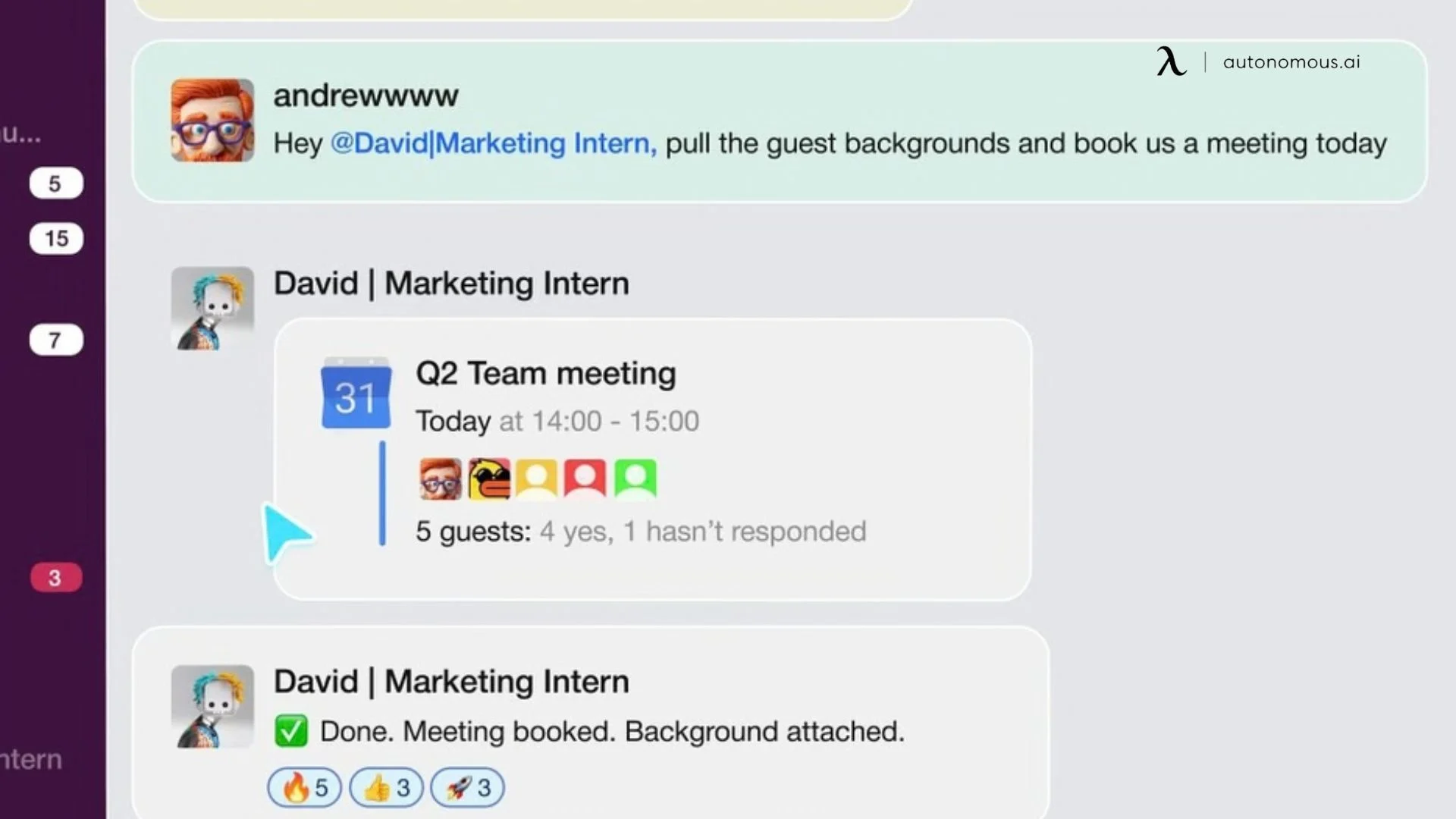
Every confirmation email exchanged, every time zone checked manually, every reminder sent by hand is time that compounds invisibly across the week. An AI scheduling assistant eliminates the entire back-and-forth - reading live availability, booking the slot, sending confirmations, and handling rescheduling without a single manual step between inquiry and confirmed appointment.
More advanced tools like Motion and Reclaim.ai go beyond booking: they actively reprioritize the calendar when new demands come in, protecting high-value time blocks without requiring the owner to manually restructure the day.
4. Marketing Content & Social Media
Content consistency is a persistent operational problem for lean teams - not because the ideas aren't there, but because execution requires time that competes with everything else.
Brand voice controls in AI agents like Ocoya and Jasper keep output from reading as generic, though a human review pass before anything goes live remains necessary. Where this compounds in value is consistency - content goes out on schedule regardless of how the rest of the week is running.
5. Bookkeeping & Financial Admin
Transaction categorization, reconciliation, invoice processing, and anomaly detection are high-volume, pattern-driven, and consequential when errors compound - the operational ground an AI-powered financial assistant is built to cover.
QuickBooks Intuit Assist and Booke.ai handle the daily processing load and surface only the exceptions that require a decision. For small business owners spending several hours per month on financial admin, this is one of the cleaner automation use cases: the input is structured, the rules are definable, and the output is auditable.
6. Internal Workflow & Operations
Every business event - a new order, a completed call, a submitted form - should trigger a defined next step. In practice, that handoff is where execution breaks down. An automation AI agent manages this layer: when a trigger fires, it assigns the task to the right person, sends the relevant notification, logs the activity, and advances the process without anyone manually initiating it.
On the meeting side, transcription platforms convert calls into structured summaries and action items automatically, removing the documentation burden from whoever just ran the meeting. The cumulative effect is an operation where fewer things require a person to remember to do them.
These six categories cover the operational surface area where AI automation for small businesses delivers consistent, measurable return without requiring custom development or technical expertise to implement.

Choosing the Right AI Automation Tools for Your Business
The tool landscape for AI automation is wide, and most comparisons default to listing every option available. A more useful frame is fit - matching the tool category to the operational profile of the business using it.
A few variables determine this: team size, technical comfort, which business functions need automating first, and whether the priority is depth in one area or coverage across several. Most small businesses considering automation for small businesses are better served starting narrow - one workflow, one tool - than trying to build a comprehensive stack in the first month.
- For Non-Technical Teams Who Want Fast Setup
The priority here is low configuration overhead and fast time-to-value. Workflow automation platforms in this category use visual builders and pre-built templates to cover the highest-demand use cases - email management, CRM updates, scheduling, support triage - without requiring engineering involvement.
The differentiator to look for is breadth of app integrations and whether the platform supports AI agents for open-ended tasks, not just fixed trigger-action sequences. For example, Zapier's strength is breadth of app connections; Make.com gives more control over complex logic; Lindy is better suited to teams that want AI agents handling open-ended tasks rather than fixed trigger-action sequences.
- For Marketing-Heavy Small Businesses
Content production and distribution workflows are well-served by purpose-built tools that handle the creation layer - drafting, reformatting, scheduling - separately from the CRM and campaign management side. For businesses where marketing output is the primary operational bottleneck, this category delivers faster visible return than automating internal workflows first. Look for tools with brand voice controls - output consistency matters more than raw generation speed.
- For Customer Service-First Businesses
The core capability to evaluate is how well the tool learns from existing business data - past tickets, help documentation, product information - rather than operating as a generic chatbot. Integration depth with existing customer records determines whether the automation adds real operational value or simply adds a response layer that still requires manual follow-up.
- For Finance And Operations
Bookkeeping automation is one of the more mature categories - most major accounting platforms now have AI features built in rather than requiring a separate tool. The evaluation criteria here are accuracy, auditability, and how cleanly the tool surfaces exceptions for human review rather than processing everything silently. QuickBooks Intuit Assist and Booke.ai address the bookkeeping layer. For broader operational workflow automation - task routing, process triggers, internal notifications - Make.com and Zapier are the flexible options at this tier.
- For Teams With Some Technical Capacity
When standard workflow templates have been implemented and the next layer of automation requires more conditional logic - multi-step agent behavior, custom scoring, deeper system integrations - the AI tools for data analysts category shifts toward platforms that support that complexity.

A Different Category - AI Automation Built Into Hardware
At some point, the automation stack itself becomes the thing that needs managing. Another platform to log into, another integration to reconfigure, another workflow that breaks when an upstream tool updates without notice. For small businesses running several software subscriptions in parallel - each covering a narrow function - the overhead of maintaining the system quietly offsets what it was supposed to save.
Autonomous Intern approaches this differently. It is a dedicated personal AI device that sits on the desk and operates through the messaging platforms already in use - WhatsApp, Telegram, Slack, Discord, iMessage. No new interface to learn, no dashboard to open. Text it a task, it executes.

What AI Automation Actually Costs (And What People Get Wrong)
AI automation costs less to start than many small businesses expect, but more to maintain than most people plan for. The monthly software fee is only one part of the budget. Basic automation tools often have free or affordable paid plans, while more advanced AI agents or testing platforms like testRigor cost more because they handle deeper workflows and integrations.
The bigger cost is setup. Before automation works reliably, you need to map the process, configure the tool, connect systems, test the workflow, and account for edge cases.
For simple tasks, setup may take a few hours. For multi-step workflows across several tools, it can take much longer. That doesn’t make automation a bad investment-it just means the real cost includes both software and implementation.
1. Where The Real Cost Lives
The less visible ongoing cost is maintenance. Automations are not fully set-and-forget systems. Connected tools update. APIs change without advance notice. Business processes evolve - new products, revised pricing, team structure changes - and those changes need to be reflected in the automations built around them. A workflow that runs cleanly for months may require reconfiguration when one of its connected platforms releases an update.
For small businesses new to AI for small businesses, this is worth understanding early: the initial build is one investment, and keeping it current is another. Neither is prohibitive, but treating automation as a one-time setup cost leads to automations that stop reflecting how the business actually operates.
2. A Practical Way To Evaluate Roi
Rather than applying a general timeframe, the more reliable approach is building the calculation from the business's own numbers. Identify the specific task being automated. Estimate the time it currently consumes per week. Assign the effective hourly cost of whoever is doing it. Then weigh that against the tool's monthly cost plus a realistic estimate of setup time. Whether the numbers justify moving forward is a conclusion the business owner is best positioned to reach - the variables differ enough across operations that a generalized answer wouldn't be accurate.
This calculation works best when applied to a single, well-defined workflow rather than an entire operational overhaul. AI automation for small businesses tends to compound in value - the first automation frees time and attention to identify the second - but the case for each one is clearest when evaluated individually against its own cost and return.
3. What Not To Spend On Yet
Enterprise-tier AI platforms with advanced features, custom model training, or dedicated implementation support are built for organizations with defined automation programs already in place. For a small business at the beginning of this process, the marginal capability gain over mid-tier tools rarely justifies the cost difference. Starting with a platform that matches current process complexity - and moving to more sophisticated tooling when the need becomes demonstrable - is the more grounded approach.

FAQs
Is AI automation worth it for small businesses?
AI automation for small businesses is generally worth it when applied to repetitive, low-decision tasks like scheduling, follow-ups, inquiry handling, and bookkeeping. The operational return is often measurable within the first few months of consistent use. Its effectiveness depends on how clearly the underlying workflow is defined.
What tasks can small businesses automate with AI?
The most common AI automation use cases for small businesses include customer service responses, appointment scheduling, follow-up email sequences, social media scheduling, invoice processing, and internal workflow routing. More advanced AI automation includes lead research, meeting preparation, competitive intelligence, and financial reporting.
What is the best AI automation tool for small businesses?
There is no single best AI automation software for every small business - the right choice depends on what needs to be automated and the team's technical comfort level. Workflow platforms like Zapier and Make.com suit teams that want to connect existing apps and automate defined trigger-action sequences. For businesses that want a single device handling multiple operational functions without managing a software stack, dedicated AI hardware like Autonomous Intern offers an alternative entry point.
How much does AI automation cost for a small business?
The cost of AI automation for small businesses varies based on platform, feature depth, and usage. Many tools offer free tiers, while paid plans scale with complexity. Beyond software costs, time spent setting up and maintaining workflows is a key part of the investment.
What are the risks of using AI automation in a small business?
The main risks include over-automating customer interactions, building workflows on unclear processes, and underestimating maintenance as tools evolve. Data privacy is also important, especially when handling customer information. Starting with internal workflows can reduce risk.
Can AI automation replace employees in a small business?
AI automation does not replace employees in small businesses. It handles repetitive, process-driven tasks, allowing employees to focus on higher-value work like decision-making, relationships, and strategy.
Where should a small business start with AI automation?
A small business should start AI automation with a single high-frequency task that follows a clear pattern, such as scheduling or follow-up emails. Mapping the process first and testing one tool before scaling helps ensure consistent results.
What is the ROI of AI automation for small businesses?
ROI from AI automation for small businesses is best measured at the workflow level. It compares time saved and labor cost against tool and setup costs. Because variables differ, ROI is most accurate when calculated using the business’s own data after a trial period.

Conclusion
AI automation for small businesses is no longer a capability gap between small operators and larger competitors. The tools exist, the entry points are accessible, and the operational case is straightforward: identify the work that runs on repetition, build one automation around it, and measure what comes back.
The compounding effect is where the real value sits. One stable automation frees the attention needed to identify the next. Done incrementally and with process clarity as the foundation, the operational layer of a small business gradually shifts from something that requires constant management to something that largely runs itself.
Data privacy is also a consideration - any AI tool that processes customer information should be evaluated against AI privacy and security standards, particularly around how data is stored, who can access it, and whether it leaves the business's environment.
The starting point is a single workflow. Everything else follows from there.