AI Secretary: How It Replaces Your Admin Work

Table of Contents
Most professionals spend close to two hours daily on tasks that do not require their expertise — responding to emails, managing calendars, transcribing meeting notes, tracking follow-ups that go unaddressed. These are administrative functions, not revenue-generating work, yet they consume the hours that should go elsewhere.
An AI secretary is software or a dedicated device that automates those functions: scheduling, email triage, meeting summaries, and follow-up management. The concept has moved beyond simple calendar bots into tools that handle the full scope of administrative work across the platforms where it already happens.
What Does an AI Secretary Actually Handle?
The scope of what a modern AI secretary manages has expanded well beyond calendar scheduling. To understand the value, it helps to look at specific administrative tasks — and what changes when a digital secretary absorbs them.
- Email triage:
An inbox receives dozens of messages daily, most of them routine: confirmations, internal updates, status notifications. They consume attention without requiring action. What an AI secretary does is categorize that inflow by urgency, draft responses based on prior communication patterns, and separate the messages that need a reply from the ones that just need to be read. The shift is from continuously scanning an inbox to checking a filtered queue.
- Scheduling and calendar management:
Coordinating availability across multiple people or projects generates a disproportionate amount of communication — messages back and forth, tentative holds that expire, updates when one meeting shifts and pushes three others. The core problem is not the calendar itself but the coordination overhead around it. A secretary AI monitors schedule changes in real time, identifies conflicts before they cascade, and adjusts availability across connected platforms. Only decisions that genuinely require human input surface to the user.
- Meeting follow-ups:
Someone has to document what was discussed, what was decided, and who owns the next step. Often, nobody does — the information lives briefly in memory and then disperses. A digital secretary records the conversation and produces a structured summary with action items and owners, distributed to attendees immediately after the meeting ends. The transcript is searchable afterward, so the context is retrievable when the same project resurfaces weeks later.
- Follow-up tracking:
The failure point in most professional workflows is not the initial conversation but what comes after it. Proposals promised by Friday. Client check-ins pushed to next week. Agreed deadlines that quietly expire. This is where a digital secretary adds the most operational value — it monitors messages for commitments and deadlines, then triggers reminders or draft follow-ups at the right time. The system handles the persistence that humans lose after the third reschedule.
For users comparing hardware-based approaches to this persistence problem, Fieldy AI reviews and complaints provide useful context on how a wearable device handles continuous context capture in practice.
AI Secretary vs. Virtual Assistant vs. AI Executive Assistant
The category sits in a crowded namespace. AI assistant, virtual assistant, AI executive assistant, AI receptionist — these terms are used interchangeably in most product marketing, which makes evaluation harder than it needs to be. The distinctions are functional, not cosmetic.
Term | Primary function | Limitation |
AI secretary | Full administrative stack — email, scheduling, follow-ups, cross-channel monitoring | Strongest on pattern-based, repeatable work |
Virtual assistant (human) | Remote professional handling administrative and strategic tasks | Higher cost; required for judgment-intensive work |
AI executive assistant | Scheduling, email, and briefing support for senior-level workflows | Often single-surface; limited cross-platform coverage |
AI receptionist | Inbound call handling and intake | Voice-channel only; narrow task scope |
AI scheduling assistant | Calendar coordination and meeting booking | No coverage beyond scheduling |
The distinction that matters most in practice is between an AI secretary and an AI scheduling assistant. The latter is frequently marketed as the former — it handles one function well and stops there. A genuine secretary AI operates across the full administrative surface: communication, scheduling, documentation, and follow-up, treated as a connected workflow rather than isolated tasks.
The human virtual assistant comparison deserves its own note. The two are not in direct competition. Where volume is high and tasks are repeatable, an AI secretary handles the load more efficiently. Where work requires relationship nuance, cultural judgment, or strategic input, a human remains the right resource. Most professionals who deploy an AI secretary are not replacing a VA — they are absorbing the administrative work that currently falls on themselves.
How to Choose an AI Secretary: Six Criteria That Actually Matter
Understanding the tool types narrows the field. Evaluating within them requires looking past feature lists — most AI secretaries market the same capabilities. The differences that determine daily usefulness are more specific.
- Task Coverage:
The first question is scope. A single-function tool — an email assistant, a scheduling bot — handles one administrative surface well but leaves the rest uncovered. The user then coordinates between tools, which is itself an administrative task. A secretary AI that covers the full stack — scheduling, email, meeting documentation, and follow-up — removes that coordination layer. The tradeoff is that broader tools take more setup. Narrower tools start faster but plateau sooner.
- Integration Depth:
Coverage across surfaces matters more than depth within one. A tool connected to every platform a professional uses — email, calendar, Slack, CRM — sees the full administrative picture. One that lives inside a single ecosystem, such as Google Workspace or Microsoft 365, handles that environment well but creates a gap everywhere else. For professionals whose work spans multiple platforms, that gap is where things fall through.
- Privacy and Data Handling.:
Administrative data is sensitive — email content, calendar details, meeting transcripts, client communications. Cloud-based tools route that data through external servers, which means trusting a third-party infrastructure with access to daily operations. Systems that process locally keep that data on the device — the core premise behind private AI — which changes the privacy calculation significantly. That is a structural guarantee, not a policy commitment.
- Setup and Configuration:
A tool that requires extensive initial setup — connecting accounts, defining workflows, training on communication patterns — delivers more value once configured, but the activation energy required to reach that point causes many users to abandon the tool before it becomes useful. The best systems are those where the gap between installation and first useful action is short, even if full customization takes longer.
- Cost Structure:
Point solutions are typically priced individually — a transcription subscription here, a scheduling tool there. The cumulative monthly cost across three or four tools often exceeds what a consolidated system charges, especially when the best productivity apps each carry their own subscription. More importantly, a single tool with a clear pricing model is easier to evaluate against the time it saves. Fragmented subscriptions obscure that calculation.
These criteria do not change by industry or role. What changes is which one carries the most weight for a given workflow — a consideration the next section addresses directly.

Who Gets the Most Value from an AI Secretary
An AI secretary delivers measurable value across a wide range of professional contexts. The profiles that benefit most, however, share one specific condition: administrative load is structural to their work, not situational. It accumulates daily regardless of how organized they are or how efficiently they operate.
- Solo Operators And Freelancers:
This group carries the full administrative load alone — scheduling, email, invoicing follow-ups, meeting documentation. There is no one to delegate to, so admin tasks either get done during productive hours or get delayed until they become urgent. They are a competing priority that directly reduces billable hours and eats into time that should go toward deep work. A freelancer billing hourly loses material revenue every week to logistics that do not require their expertise. A digital secretary that handles the routine layer does not just save time — it reclaims revenue capacity.
- Service-based Business Owners:
Lawyers, consultants, real estate agents, accountants — professionals whose revenue comes from client-facing work but whose days include significant non-billable administration. Client intake, follow-up emails, meeting notes, CRM updates. Each interaction carries administrative weight that does not generate revenue directly. This is where a secretary AI changes the equation: conversations become records automatically, follow-ups trigger without manual prompting, and the gap between a meeting ending and the next action being taken narrows from days to minutes.
- Small Team Leads And Managers:
The challenge here is not individual admin volume but coordination overhead. Managing schedules across multiple people, tracking action items from meetings, ensuring follow-ups are assigned and completed — this is administrative work that scales with team size. An AI secretary operating inside team communication channels surfaces overdue items, flags conflicting commitments, and reduces the coordination burden — not by adding a new tool, but by embedding awareness into the tools the team already uses.
What these profiles share is not industry or company size. It is the ratio between administrative volume and the capacity available to handle it. Where that ratio is consistently high, a well-configured AI secretary returns value immediately and compounds over time as it accumulates working context.

How Autonomous Intern Works as an AI Secretary
The evaluation criteria from earlier — task coverage, integration depth, privacy, setup, and cost — converge on a practical question: is there one system that covers the full administrative workflow without the fragmentation of combining multiple point solutions?

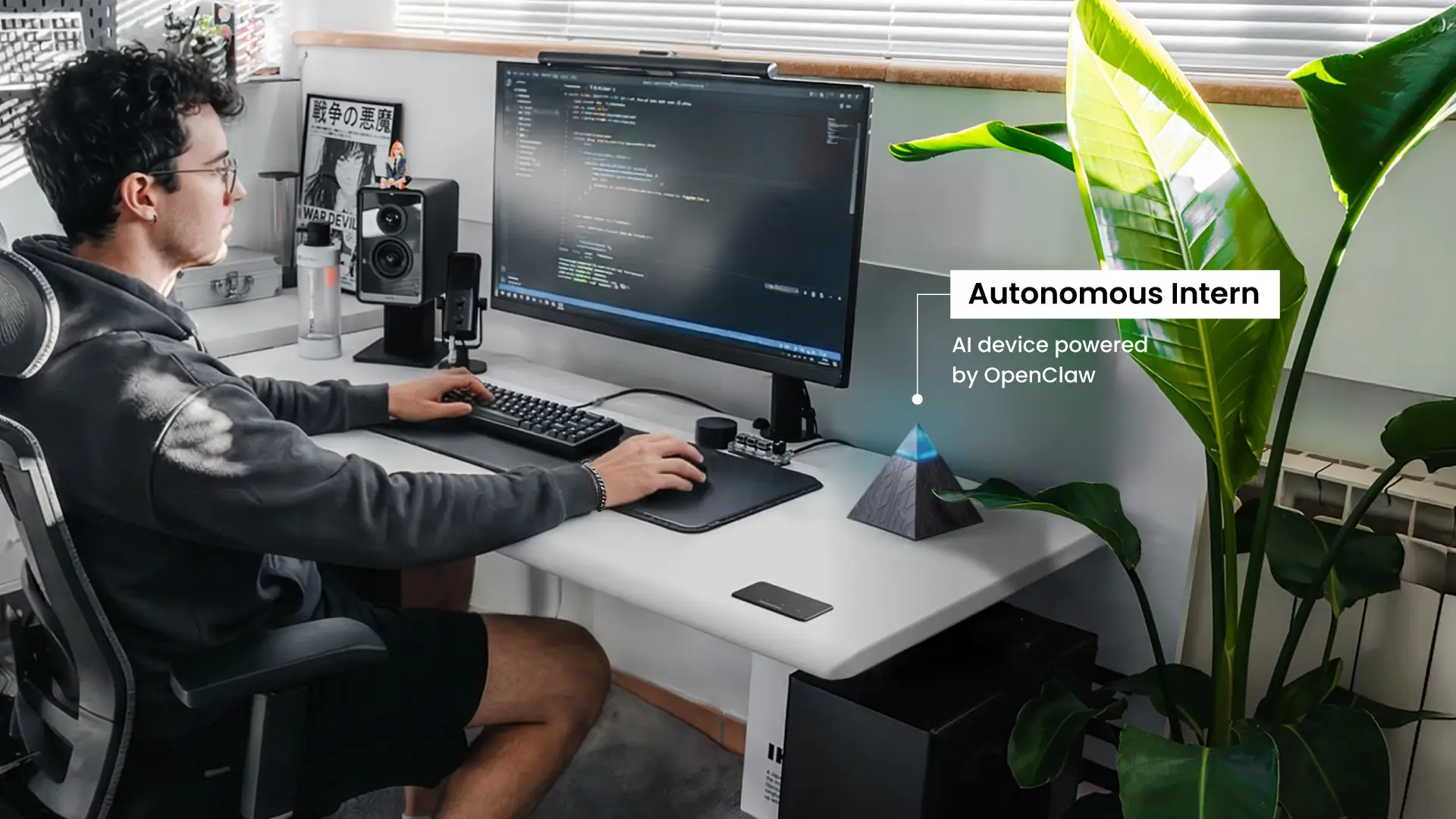
One device replaces the subscription stack. Most professionals who need secretary AI functionality end up managing separate tools for scheduling, email management, meeting transcription, and follow-up tracking. Each has its own interface, its own subscription, and its own gap in coverage. Intern consolidates these functions into a single device — one system, one setup, one place to direct administrative work.
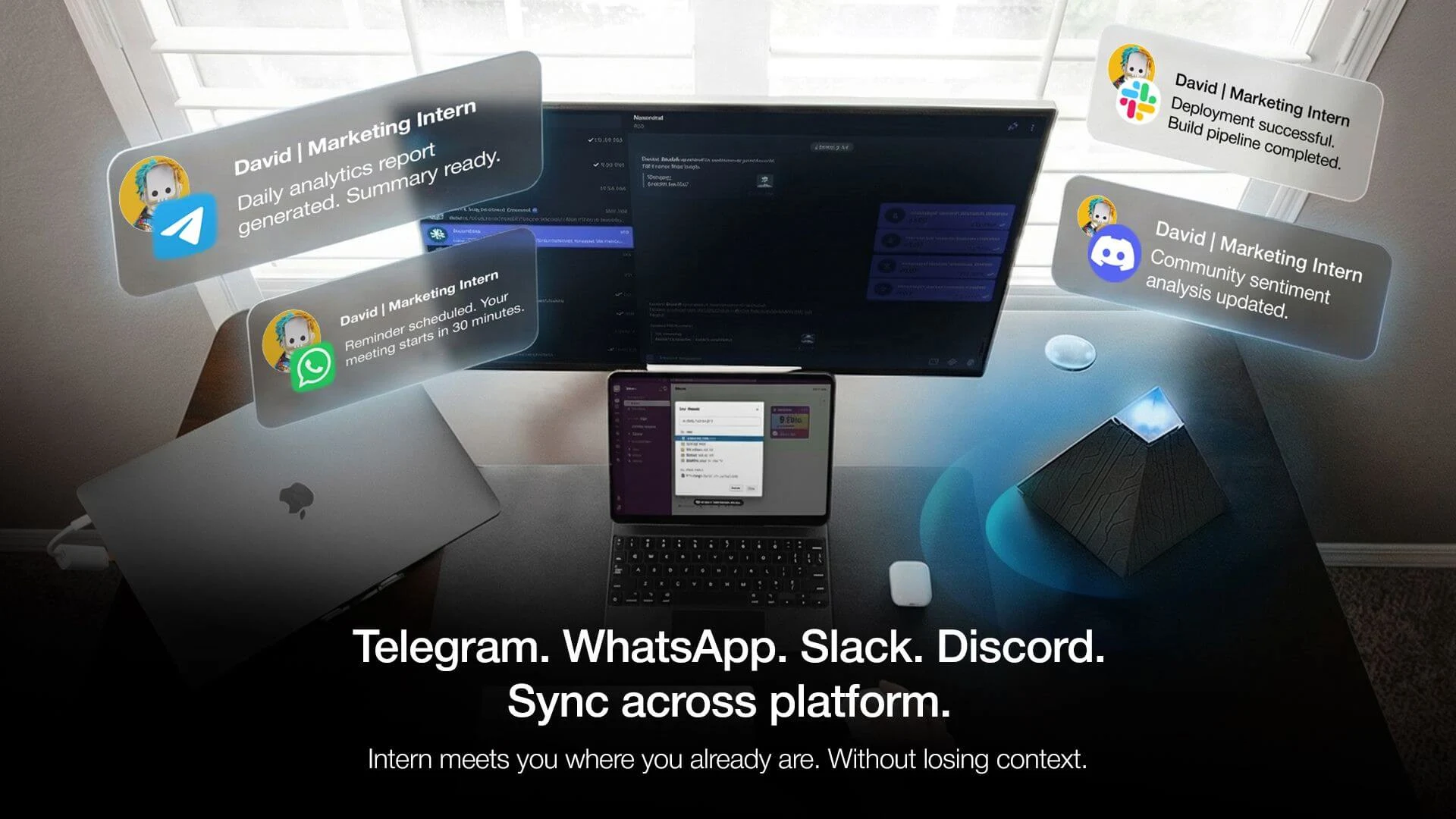
It works inside the tools already in use. Autonomous Intern connects to Slack, WhatsApp, Telegram, and Discord — the channels where administrative tasks actually surface. No dashboard. No app switching. The admin work happens where the communication happens.
Three scenarios illustrate what that looks like in practice:
A client moves a meeting in Slack. Autonomous Intern checks for conflicts across other commitments and surfaces the impact within the thread. The calendar updates without anyone opening it.
A consultant finishes a client call on WhatsApp. By the time the call ends, Autonomous Intern has already drafted a summary, logged discussion points into a connected CRM, and queued a reminder for the next touchpoint — absorbing what would normally be ten minutes of manual entry into the closing seconds of the call itself.
A deadline from a meeting two weeks ago needs follow-up. This personal AI assistant surfaces the reminder in the relevant channel with the original context attached — what was agreed, who owned it, when it was due. The system held the thread so no one had to.
It gets more useful over time. Most AI tools treat each session as isolated. Intern retains working context across time — communication patterns, recurring contacts, active projects, priority signals. An instruction that required explicit context in week one requires none in week four, because Intern has already built the operational picture of how the professional works. That accumulation is what separates a tool that assists from one that anticipates.
Administrative data stays on the device. Cloud-based AI secretary tools route data — email content, meeting transcripts, client communications — through external servers, creating exposure that a privacy policy addresses but cannot eliminate structurally. Because Autonomous Intern runs AI locally, sensitive administrative data never leaves the device. The privacy protection is architectural, not contractual.
Setup in minutes, not sessions. Plug in the device, connect the messaging channels, and Intern starts operating. No workflow builder. No automation logic to define. The gap between installation and first useful action is short — which is where most tools lose users before the value materializes.
One-time cost, not a recurring line item. At $299 with no subscription, Intern is priced as office infrastructure: a fixed cost evaluated once, not a monthly charge justified each cycle. For professionals currently paying for two or more point solutions, the device covers its own cost within a few months. And because administrative data stays on-device rather than routing through cloud servers, the privacy exposure that comes with cloud-based tools does not apply here.
What separates this personal AI device from the broader AI secretary category is not a feature list. It is the decision to consolidate the full admin stack into one locally running device — eliminating the fragmentation, subscription overhead, and context gaps that come from managing multiple tools.
FAQs
What is the best AI secretary for managing emails, scheduling, and follow-ups?
The best AI secretary handles more than email and scheduling. It should cover the full administrative workflow, including meeting documentation and follow-up tracking, so tasks don’t get split across multiple tools.
What is the difference between an AI secretary and an AI scheduling assistant?
An AI scheduling assistant focuses only on booking meetings and resolving calendar conflicts. An AI secretary covers the broader administrative stack, including communication, documentation, and follow-up management.
Can an AI secretary replace a virtual assistant for daily admin work?
An AI secretary can replace a virtual assistant for high-volume, repeatable tasks like inbox management, scheduling, and follow-up tracking. A human assistant is still better for work that requires judgment, relationship handling, or strategic input.
How much does an AI secretary cost compared to using multiple tools?
AI secretary costs vary from monthly subscriptions for individual tools to one-time systems that combine them. In many cases, using a single AI secretary costs less than managing separate tools for scheduling, transcription, and follow-ups.
Is an AI secretary safe for handling emails, meetings, and sensitive data?
Safety depends on how the system processes data. AI secretaries that run locally keep administrative data on-device, while cloud-based tools send that data through external servers.
What features should I look for in the best AI secretary?
The most important features are full task coverage (email, scheduling, meetings, follow-ups), strong integrations across platforms, and minimal setup time. The goal is to reduce coordination work, not add another tool to manage.
Is there a free AI secretary?
There are free AI tools that can help with parts of secretary work, such as scheduling, note-taking, or drafting emails, but most free options do not cover the full administrative workflow in one system. If you need email triage, meeting documentation, and follow-up tracking together, free tools usually become fragmented fast.
What is the best AI secretary for freelancers or small business owners?
The best AI secretary for freelancers or small business owners is one that reduces administrative load across the tools they already use, especially email, scheduling, meeting notes, and follow-ups. For these users, broad task coverage and low coordination overhead usually matter more than advanced enterprise features.
The Bottom Line
The administrative workload that most professionals carry is not going to decrease. What changes is whether it is managed manually across fragmented tools or handled by a system built for that specific purpose. An AI secretary, when chosen and configured well, does not add another tool to the stack — it replaces the coordination overhead that the stack itself creates. The starting point is not the feature list. It is understanding which administrative tasks consume the most time, which platforms they happen in, and whether a consolidated system can absorb them without requiring the user to manage yet another interface.