7 Best AI Assistants of 2026: Reviewed for Real Workflows


AI assistants have moved well past setting timers and answering trivia. Today's tools draft emails, manage calendars, write code, and run multi-step workflows with minimal input. But the category has gotten noisy — dozens of products claim to do everything, making it harder to figure out what actually fits your workflow.
This guide breaks down how AI assistants work under the hood, the main types available now, and which tools deliver real value depending on what you need them to do.
What Is an AI Assistant?
An AI assistant is software that uses artificial intelligence to understand natural language and complete tasks on your behalf. You type or speak a request — and it responds with useful output: an answer, a draft, a scheduled meeting, a summary of a 40-page document.
That definition covers a wide range. A free AI assistant like Siri handles voice commands on your phone. A ChatGPT AI assistant session helps you brainstorm marketing copy or debug code. A Gemini AI assistant embedded in Google Workspace pulls action items from meeting transcripts and drops them into your task list. An office AI assistant built into Microsoft 365 drafts documents from internal files without leaving the tab you're already working in. They all qualify — but they solve fundamentally different problems.
What has changed is the underlying technology. Early AI assistants ran on rigid scripts — if your phrasing didn't match their rules, they failed. Modern ones are built on large language models trained across massive datasets, which means they interpret meaning and context rather than matching keywords. They understand that "move my 3 pm to Thursday" and "reschedule this afternoon's call to later in the week" are the same request.
1. AI Assistant vs. Chatbot
Chatbots follow pre-built decision trees. They handle FAQ pages and order tracking well enough, but the moment a conversation goes off-script, they stall. AI assistants work differently — they hold context across an entire conversation, interpret ambiguity instead of choking on it, and generate original responses rather than pulling from a fixed library. If a chatbot is a vending machine — press the right button, get a set output — an AI assistant is closer to a colleague who listens, thinks, and responds based on what you actually meant.
2. AI Assistant vs. AI agent
This distinction matters more in 2026 than it did a year ago. An AI assistant waits for input — you ask, it delivers. An AI agent pursues a goal autonomously. You tell it "keep my inbox under 20 unread emails," and it triages, drafts replies, and archives on its own — without prompting at each step. Most AI assistant platforms are adding agentic features, blurring the line. But the core difference remains: assistants react, agents act. Understanding AI agents vs. AI assistants before choosing a tool prevents a common mistake — expecting autonomous execution from something that still needs you in the loop.

How Do AI Assistants Work?
Every AI assistant follows the same core loop, whether it's answering a quick question or managing a multi-step workflow across tools. Understanding the five stages makes it easier to judge where a tool is strong and where it is likely to fall short.
- Input
You type a prompt, speak a command, or share a file. For voice, speech recognition converts audio to text before any processing begins — preserving intent across accents, background noise, and incomplete sentences.
- Understanding
Natural language processing parses the meaning of your request, not just the words. "Send the Q3 deck to Sarah and ask if Tuesday works" requires the assistant to separate two actions, identify the right contact, locate the file, and infer which Tuesday you mean. Modern assistants built on large language models handle this kind of ambiguity without breaking — earlier rule-based systems did not.
- Retrieval
LLMs carry broad knowledge, but it has a cutoff date. Most capable AI assistants layer in retrieval-augmented generation — pulling real-time data from your calendar, email, CRM, or the web before responding. This is what separates a useful answer from a confident one built on stale information.
- Response Generation
Output is constructed from your context, retrieved data, and trained patterns — not pulled from a template. The quality difference between AI assistants shows most clearly here: strong models ground responses in your specific situation. Weaker ones produce generic output regardless of what you actually asked.
- Learning
Most assistants do not restrain from your conversations in real time. They refine context within a session and store preferences across them — remembered instructions, preferred formats, past decisions. This layer is still early across most tools, but it is where functional becomes indispensable — particularly for users already running a stack of best productivity apps that an assistant can connect across.
The five stages only deliver value when they connect cleanly. Strong retrieval with weak generation buries good information in an unusable response. A powerful model with no real-time data gives confident answers built on outdated facts. The tools worth using get the full chain right.
Types of AI Assistants
The category has grown broad enough that "AI assistant" no longer tells you much on its own. What matters is what a tool is designed to do and where it operates. Five types cover most of what is available today.
- Virtual Personal Assistants
Siri, Alexa, and Google Assistant are voice-first tools built into phones, speakers, and smart home devices. They handle quick commands well — setting timers, checking the weather, controlling lights — and their strength is convenience and device integration. The tradeoff is depth: ask one to summarize a report or draft an email and you will hit a ceiling fast.
- Generative AI Assistants
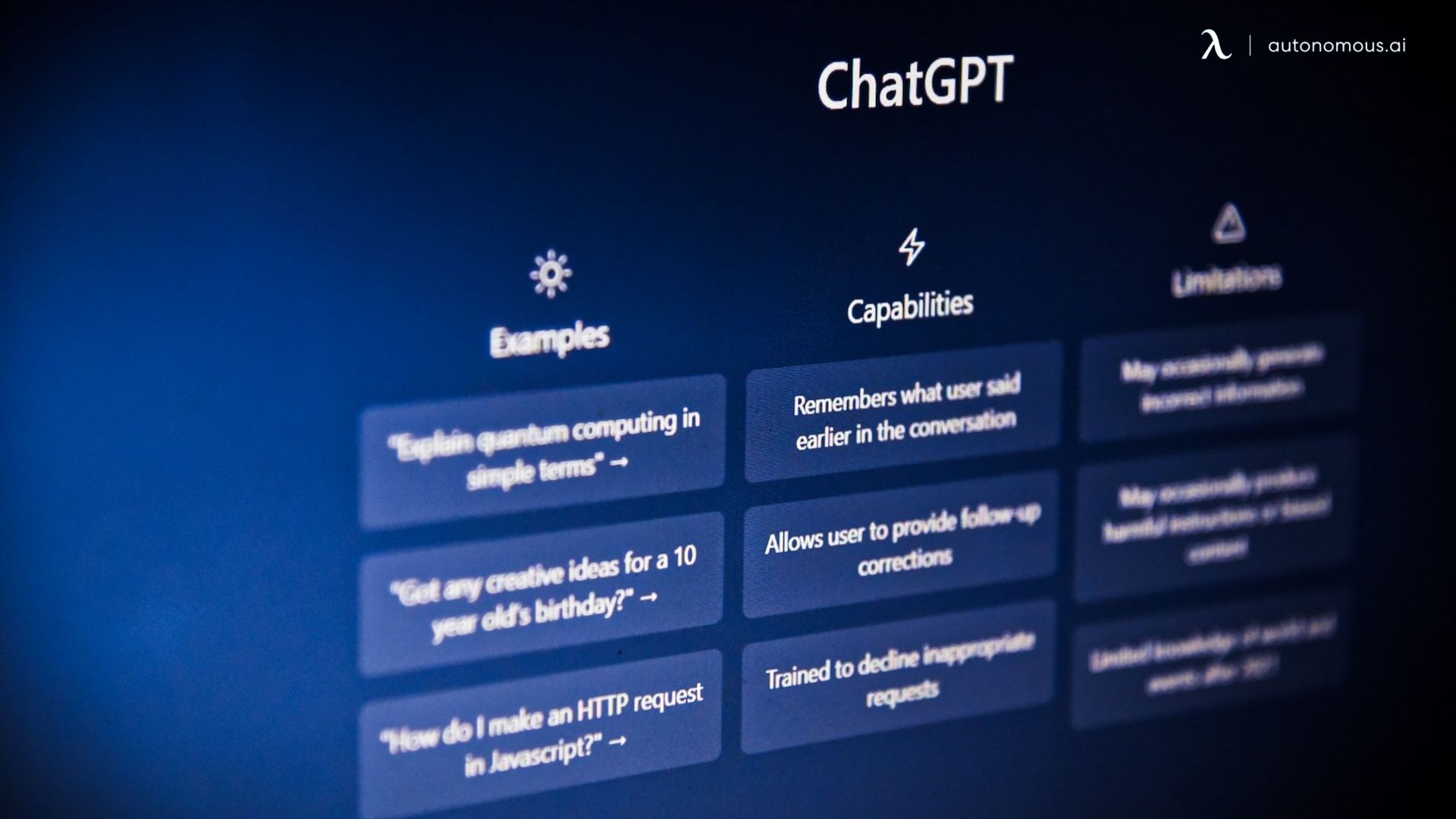
ChatGPT, Claude, and Gemini are built on large language models and handle open-ended work: writing, analysis, coding, research, and brainstorming. General-purpose by design, they are flexible across a wide range of tasks but only as useful as the context and prompts you provide. Each session typically starts fresh unless the tool has an explicit memory layer configured.
For workflows centered on content and documentation, there's significant overlap with dedicated AI writing tools that trade breadth for deeper writing-specific features.
- Enterprise Workplace Assistants
Microsoft Copilot is the clearest example — an AI assistant embedded across Word, Excel, PowerPoint, Outlook, and Teams, with responses grounded in your organization's internal files and communications. Other tools focus on IT support and internal knowledge retrieval. This category lives inside tools teams already use, which removes switching friction but often creates ecosystem lock-in.
- Task-Specific Assistants
Not every problem needs a general-purpose model — the same logic applies to visual work, where AI image generation tools handle a specialized category that most AI assistants don't cover well. GitHub Copilot focuses on code generation — one example of how AI tools for coding have moved well beyond what general-purpose assistants cover.
Jasper and Writer target content production with brand voice controls built in. These tools trade breadth for precision — they solve one problem well and stop there.
- Agentic AI Assistants
The newest and fastest-evolving category. Tools let you build custom AI agents that execute multi-step workflows autonomously — triaging emails, updating CRMs, scheduling follow-ups — without waiting for a prompt at each step. The distinction from other types is initiative: most AI assistants react to input; agentic systems act toward a goal. The line between this category and the others is blurring as generative and enterprise tools add autonomous features.
As these systems mature, they're also being explored in adjacent areas such as wellbeing and workload management, intersecting with broader discussions around AI for mental health in the workplace.
Knowing which type fits your actual need — quick commands, deep knowledge work, team-wide automation — is still the most practical filter before evaluating any specific product.

Best AI Assistants in 2026
Choosing the right AI assistant depends less on which one is "best" and more on what you actually need it to do. A tool built for deep research will not help you manage your calendar, and a scheduling assistant will not write your quarterly report.
The 7 tools below were evaluated across four criteria: task coverage, integration depth, context retention, and real-world consistency — not marketing claims or benchmark scores. Each was tested against common knowledge work scenarios.
- At a Glance:
Here’s a quick comparison of the best AI assistants for writing, research, scheduling, meetings, and workplace productivity:
AI Tool | Best For | Key Limitation | Pricing |
ChatGPT | General writing, coding, brainstorming, and research | Limited memory across sessions | Free; Paid plan: $20/month |
Claude | Long documents, deep reading, and complex analysis | Fewer third-party integrations | Free; Paid plan: $20/month |
Gemini | Google Workspace productivity and Gmail/Docs workflows | Less effective outside the Google ecosystem | Free; Paid plan: $19.99/month |
Microsoft Copilot | Microsoft 365 productivity, Office workflows, and enterprise use | Higher cost and works best inside the Microsoft ecosystem | $30/user/month |
Perplexity | Research with sources, fact-checking, and quick answers | Limited for full content creation and workflow automation | Free; Paid plan: $20/month |
Granola | AI meeting notes, call summaries, and transcription | Mainly focused on meetings | Free; Paid plan: $18/month |
Reclaim | AI calendar scheduling, time blocking, and productivity planning | Focused only on scheduling and lacks a mobile app | Free; Paid plan: $10/user/month |
1. ChatGPT
Best for: Generalists who need one tool across writing, coding, research, and light automation.
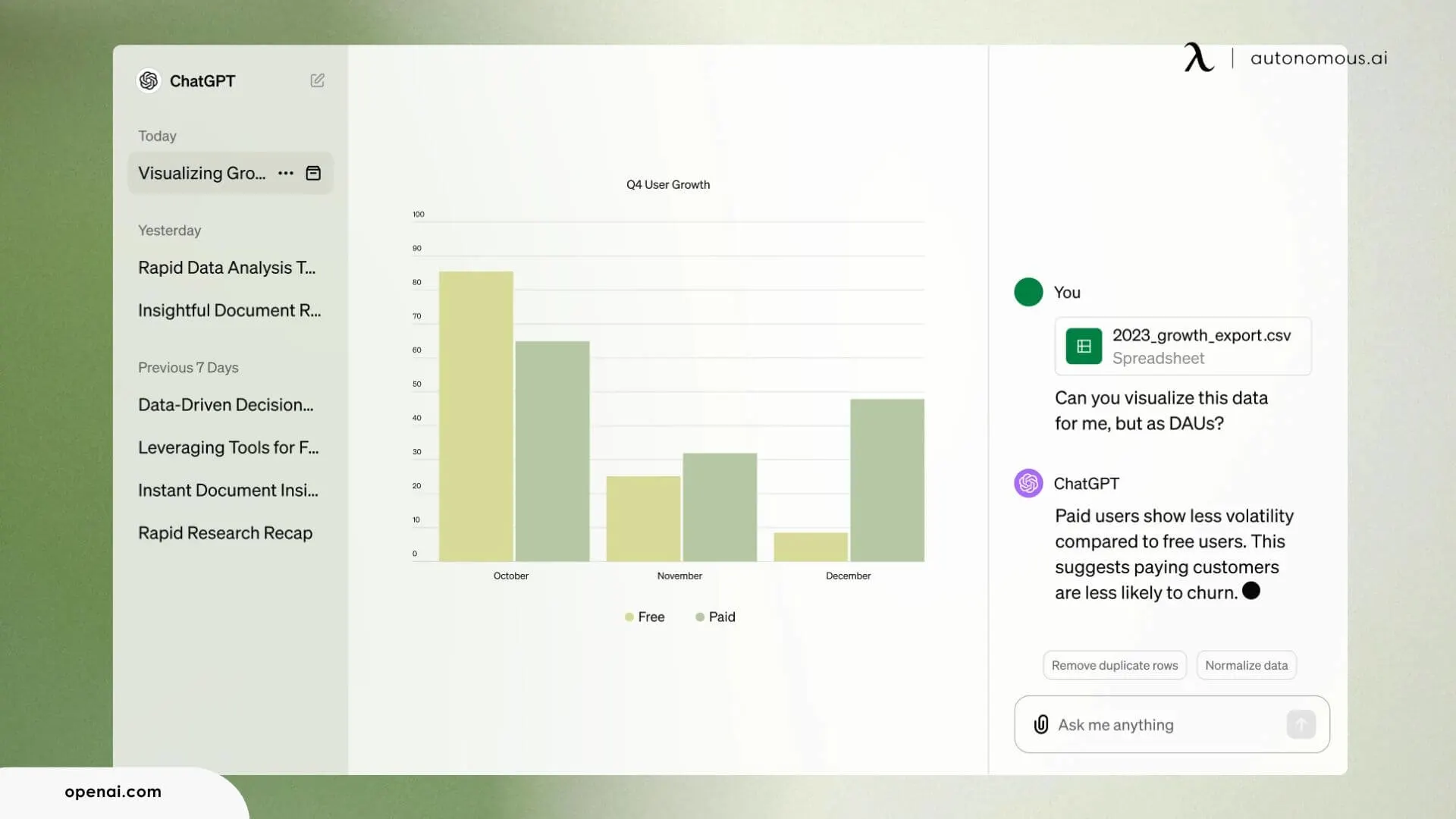
ChatGPT remains the default entry point for most people exploring AI assistants — and for good reason. It handles the widest range of tasks without requiring specialization or setup: draft a blog post, debug a script, analyze a spreadsheet, summarize a research paper, all in the same session. Model flexibility adds another layer — GPT-4o covers everyday work well, while o3 handles tasks that need deeper, multi-step reasoning.
The ecosystem around it is where ChatGPT earns its place for serious work. Custom GPTs let you build reusable mini-assistants tuned to specific tasks — a tone-of-voice checker, a competitor research bot, a weekly report format. Integration support extends into Zapier, Google Docs, and Slack, pushing it well beyond a chat window into a genuine AI assistant platform for individuals and teams — and a natural fit alongside best AI tools for marketing already in a workflow.
The limitation is continuity. ChatGPT doesn't retain context between sessions without repeated prompting. It won't remember your preferred frameworks, past decisions, or project-specific details unless you manually configure custom instructions — and even those have depth limits. For one-off tasks, it's excellent. For ongoing work that builds on itself week over week, the gaps show.
Price: Free tier available. Plus at $20/month. Pro at $200/month.
2. Claude
Best for: Knowledge workers handling long documents, complex writing, and analysis-heavy tasks.
Claude takes a different approach than most AI assistant platforms. Where others optimize for speed and breadth, Claude leans into depth — long-context reasoning, nuanced writing, and extended analysis that holds together across complex inputs without losing the thread.
That makes it particularly effective for synthesis work: comparing vendor proposals, reviewing dense technical documentation, drafting detailed briefs from scattered source material. It consistently outperforms tools that prioritize surface-level output when the work requires judgment.
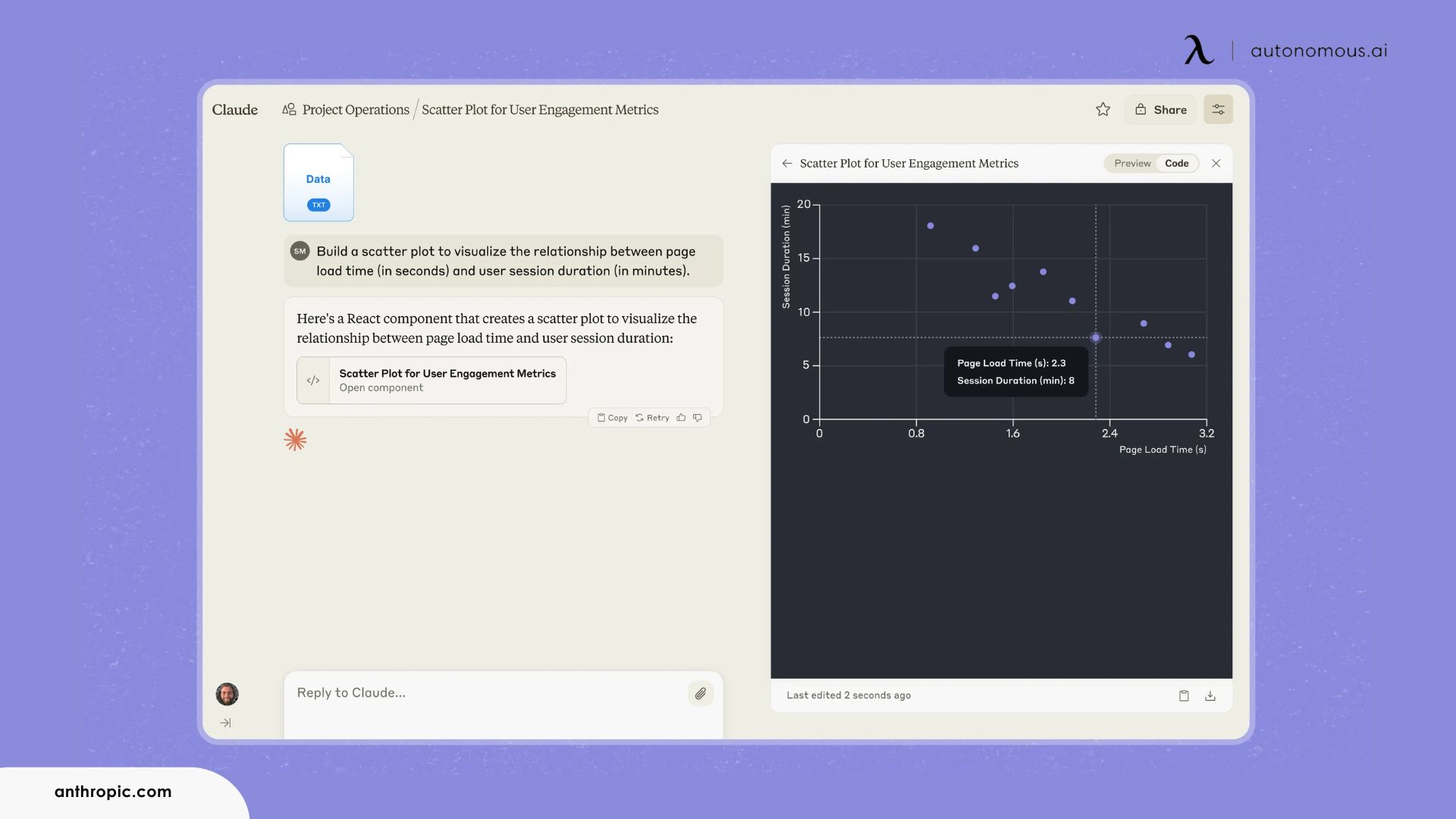
Built-in file creation and a code execution environment extend its usefulness beyond text responses — it can generate polished documents, analyze uploaded data, and produce working artifacts in the same session. The Projects feature adds persistent context and custom instructions, partially addressing the session continuity limitations common across most AI assistants for work.
The main limitation is ecosystem depth. Claude AI lacks the plugin marketplace and third-party integrations available in competing tools. It functions best as a focused workspace rather than a central hub across a broader stack. For workflows that rely on multi-app automation or external triggers, it will feel contained.
Price: Free tier available. Pro at $20/month. Team at $30/user/month.
3. Gemini
Best for: Teams and individuals already invested in Google Workspace who want AI embedded in their daily tools.
Gemini's core advantage isn't the model — it's where the model operates. Embedded directly into Gmail, Docs, Sheets, Slides, Meet, and Calendar, it works inside the tools rather than alongside them. No copying text between apps. No switching tabs. You draft a reply inside your inbox, clean data inside your spreadsheet, or build a presentation outline inside Slides — without leaving the surface you're already on.
For teams fully committed to Google Workspace, that integration reduces workflow friction in ways standalone AI assistants can't replicate. The Gemini AI assistant summarizes email threads in Gmail, suggests context-aware edits in Docs, and pulls meeting action items from Meet transcripts directly into Tasks.
Deep Think mode adds a step-change for heavier analytical work, breaking complex problems into structured reasoning steps before generating output. On select Android devices, Gemini Nano handles lightweight requests on-device with lower latency — though on-device availability remains limited to specific hardware for now.
The limitation is the walled garden. Gemini thrives inside Google's ecosystem and underperforms outside it. Teams split across Microsoft, Notion, or Slack will find the integration advantage shrinks considerably. It's a powerful AI assistant for work within Google — not a universal one.
Price: Free tier available. Google One AI Premium at $19.99/month.
4. Microsoft Copilot
Best for: Organizations already using Microsoft 365 that want AI integrated at the enterprise level without onboarding a separate platform
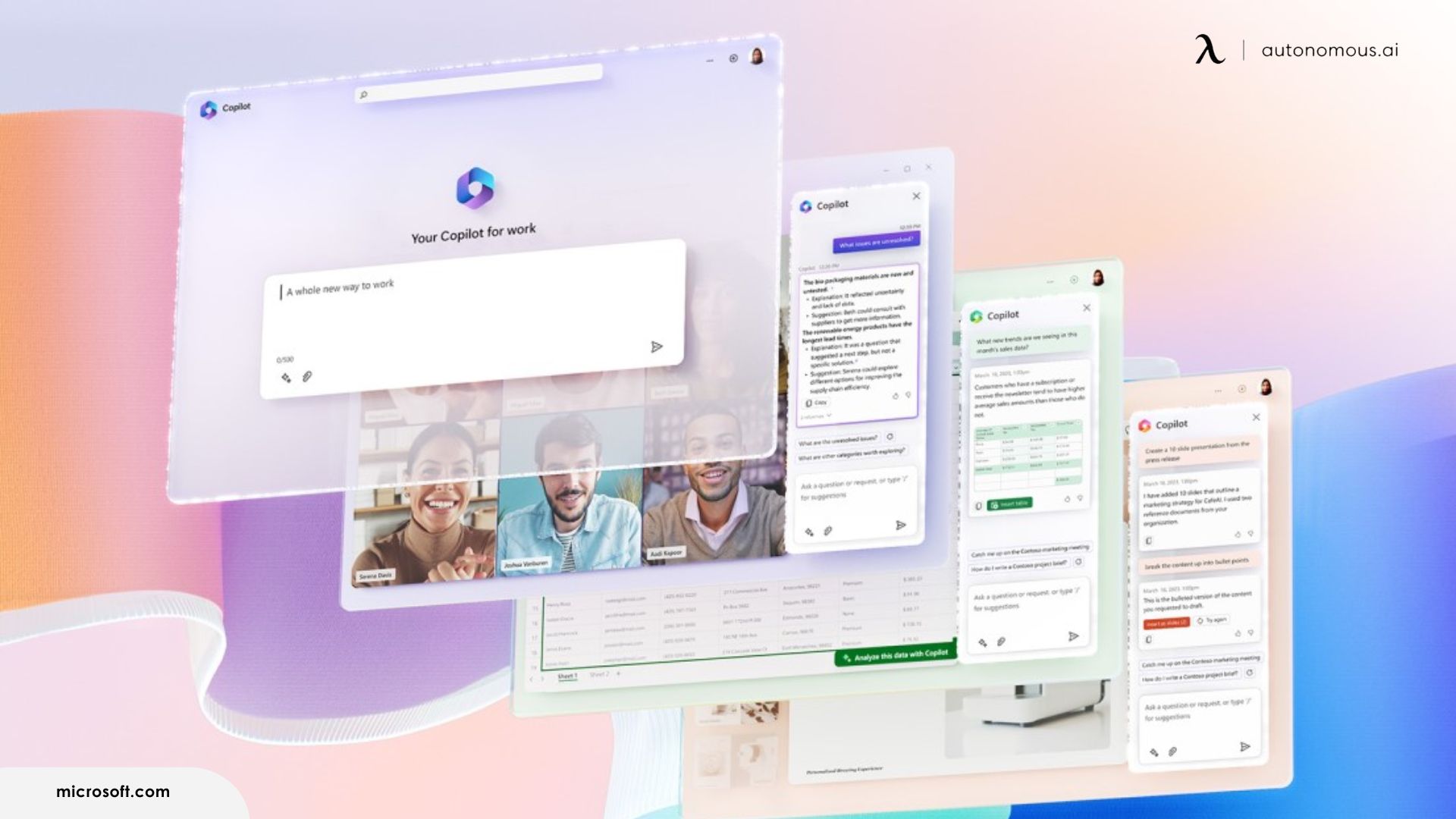
Microsoft Copilot is the clearest example of an office AI assistant built for enterprise-scale adoption. It doesn't ask organizations to adopt a new platform — it shows up inside the one they already pay for: Word, Excel, PowerPoint, Outlook, and Teams.
The value compounds across everyday knowledge work. In Word, it drafts documents using context from SharePoint and internal files. In Excel, it builds formulas, summaries, and visualizations from plain-language prompts. In Teams, it generates meeting recaps with action items assigned to specific participants. In Outlook, it summarizes long email threads and suggests replies aligned with the conversation's tone. Individually these features save minutes — across teams and weeks, the time savings translate into a measurable ROI.
For IT and operations teams evaluating an AI assistant for business deployment, Copilot fits within Microsoft 365's existing security framework: data governance, role-based access controls, audit logging. It also respects organizational permissions — employees only access content they're already authorized to see.
The limitation is cost and lock-in. At $30 per user per month on top of Microsoft 365 licensing, it carries one of the higher AI assistant subscription costs on the market. Its effectiveness also drops sharply outside the Microsoft ecosystem — powerful within part of the stack, largely absent everywhere else.
Price: $30/user/month (requires Microsoft 365 subscription).
5. Perplexity
Best for: Researchers, analysts, and anyone whose work depends on accurate, sourced information rather than generated text.
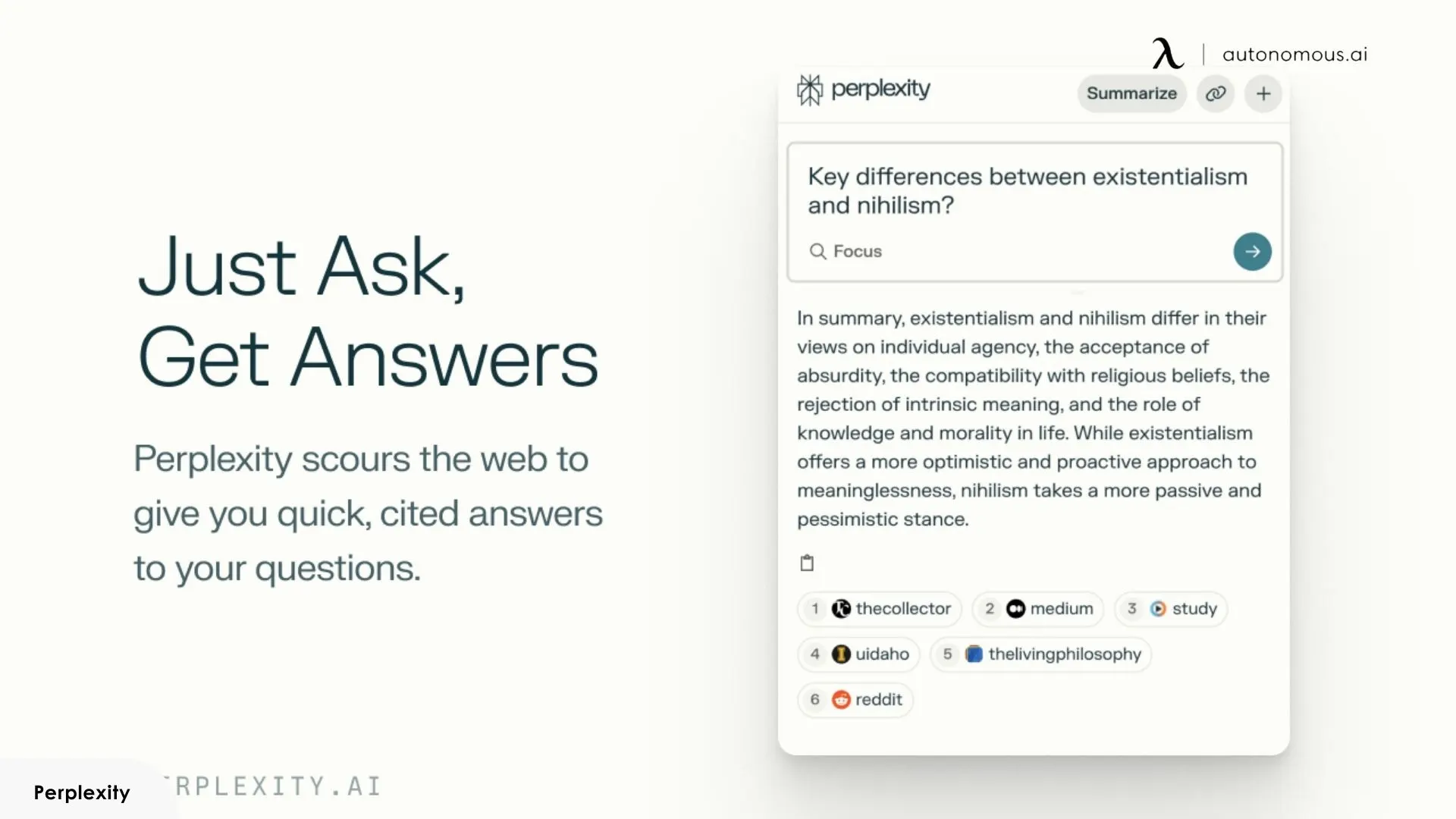
Perplexity occupies a different space than the other tools on this list. It's not built for content generation or workflow automation — it's built for research. Ask a question, and it returns a structured answer with inline citations linked to original sources. You see exactly where each claim comes from, verify it, follow the trail deeper. That transparency makes it more trustworthy for factual work than generative AI assistants that present information confidently without showing their evidence.
The experience is closer to having a research analyst on call than a chatbot. Perplexity pulls from live web data by default — answers reflect current information rather than a static training cutoff. For competitive analysis, market research, fact-checking before a presentation, or exploring an unfamiliar topic before committing to a direction, it consistently delivers cleaner starting points than asking a general-purpose model the same question.
Pro features expand the scope: file uploads, longer multi-step research sessions, and model selection across multiple providers. The interface stays minimal throughout, keeping focus on the output rather than the tool itself.
The limitation is scope. Perplexity doesn't write long-form content, can't execute code, won't manage a calendar, and has no meaningful integration layer with other work tools. It does one thing — answer questions with sourced evidence — and stops there. If you need the best AI assistant for end-to-end workflows, this isn't it. If you need answers you can trust, it's hard to beat.
Price: Free tier available. Pro at $20/month.
6. Granola
Best for: Professionals in back-to-back meetings who need reliable, structured notes without disrupting the conversation.
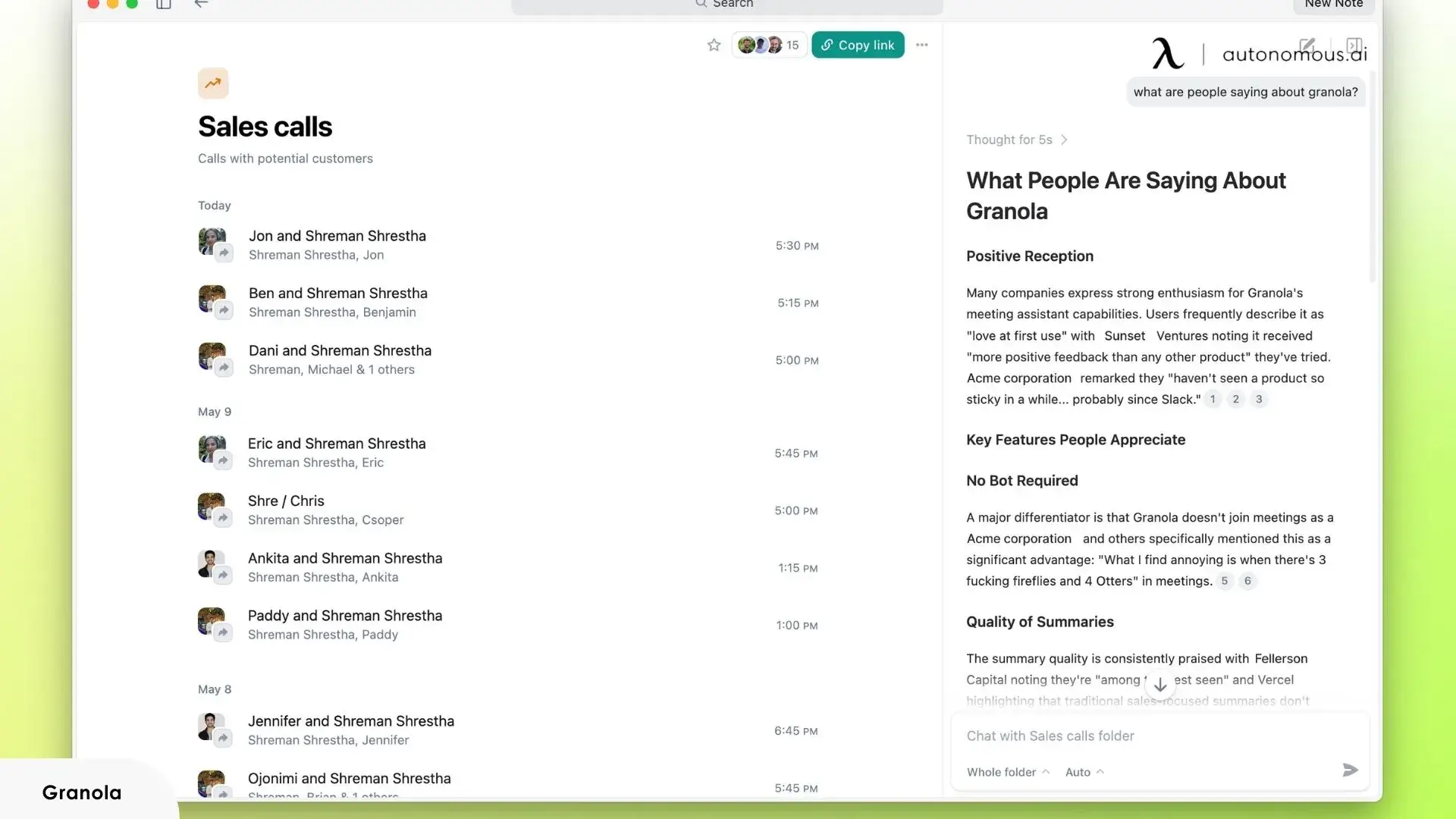
Granola runs quietly in the background during calls and meetings, capturing conversation in real time and generating structured notes without requiring manual input. Unlike meeting assistants that join as a separate bot participant — flagging their presence to everyone on the call — Granola works through your device's audio, though local recording policies vary by platform and organization, so it's worth checking what applies to your setup before deploying it across team calls.
Post-meeting output is where it earns its place. Notes are organized by topic, decisions, and action items rather than delivered as a raw transcript dump. For professionals moving across back-to-back calls, that structure removes the work of organizing notes after the fact — the useful version is ready when the meeting ends. In practice, it's one of the few meeting tools that consistently delivers usable structure without post-editing.
The limitation is hard scope. Granola does one thing: meetings. It has no broader workflow automation, no deep integration with task managers beyond basic export, and no functionality outside of conversation capture. It's a specialized tool, not a general-purpose AI assistant for work.
Price: Free tier available. Pro at $18/month. Business pricing for teams.
7. Reclaim
Best for: Busy professionals and team leads who need AI-driven calendar management to protect focus time and reduce scheduling overhead.
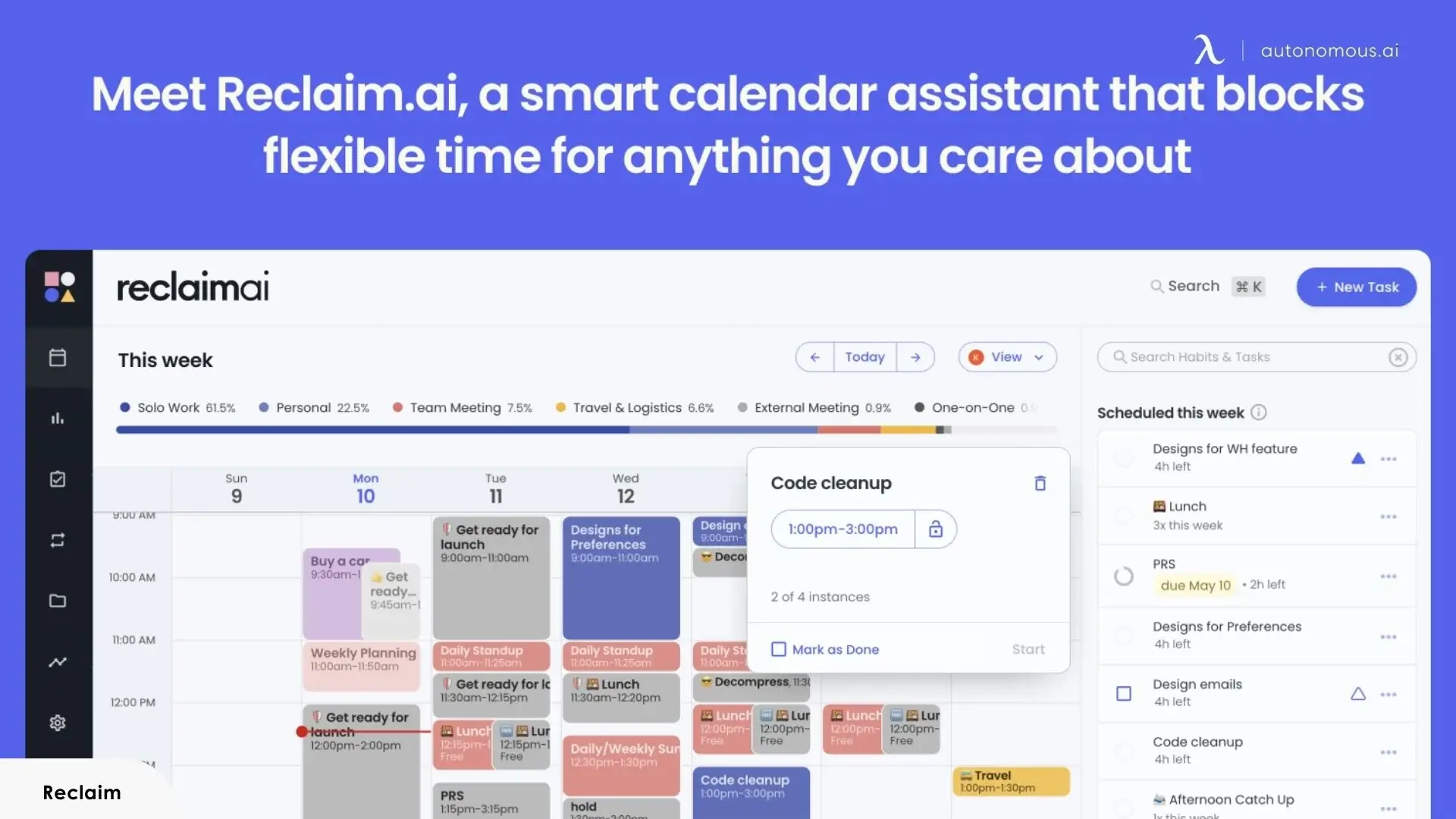
Reclaim approaches scheduling as an optimization problem rather than a booking interface. It works from user-assigned priorities and patterns across your task list and calendar — automatically blocking time for deep work, recurring habits, and meetings, then adjusting dynamically as your schedule shifts throughout the day.
That shift from reactive to proactive time management is the core value proposition. Rather than surfacing scheduling conflicts for you to resolve manually, Reclaim handles the rescheduling itself — balancing commitments against priorities without requiring intervention at each step. In day-to-day use, the automatic rescheduling removes a category of low-value decision-making that compounds across a full week. Integration with Google Calendar, Slack status sync, and task managers like Todoist and Asana keeps it connected to the broader work context rather than operating in isolation.
The limitation is narrow scope. Reclaim manages time — it doesn't write, research, communicate, or automate beyond scheduling. There's also no mobile app, which limits usefulness for anyone who manages their schedule away from a desktop.
Price: Free tier available. Starter at $10/user/month.
Beyond Software: AI Assistants as Physical Devices
The tools above share one structural limitation: they exist only when you open them. Close the tab, switch contexts, and the assistant disappears from your workflow entirely.
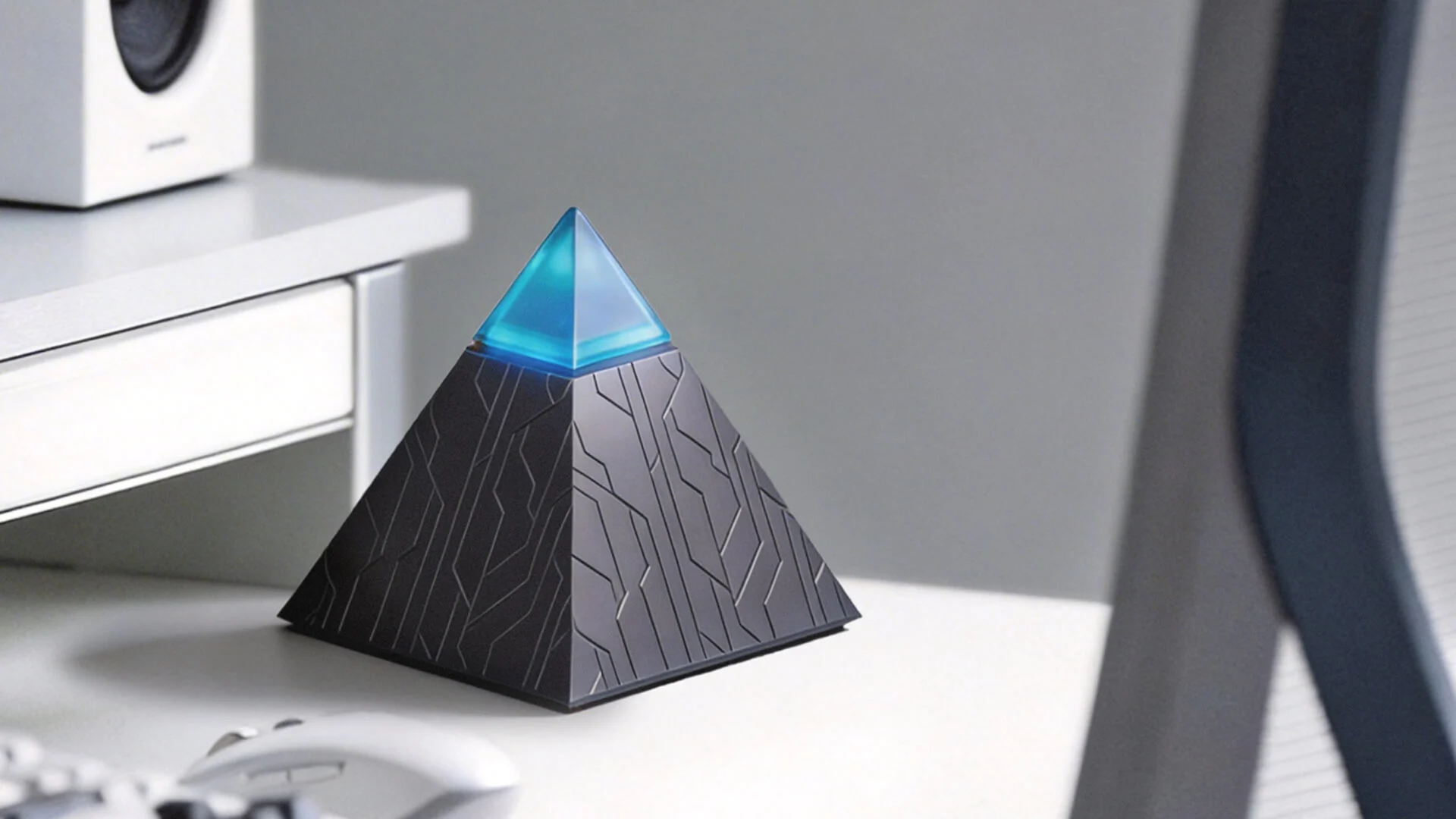
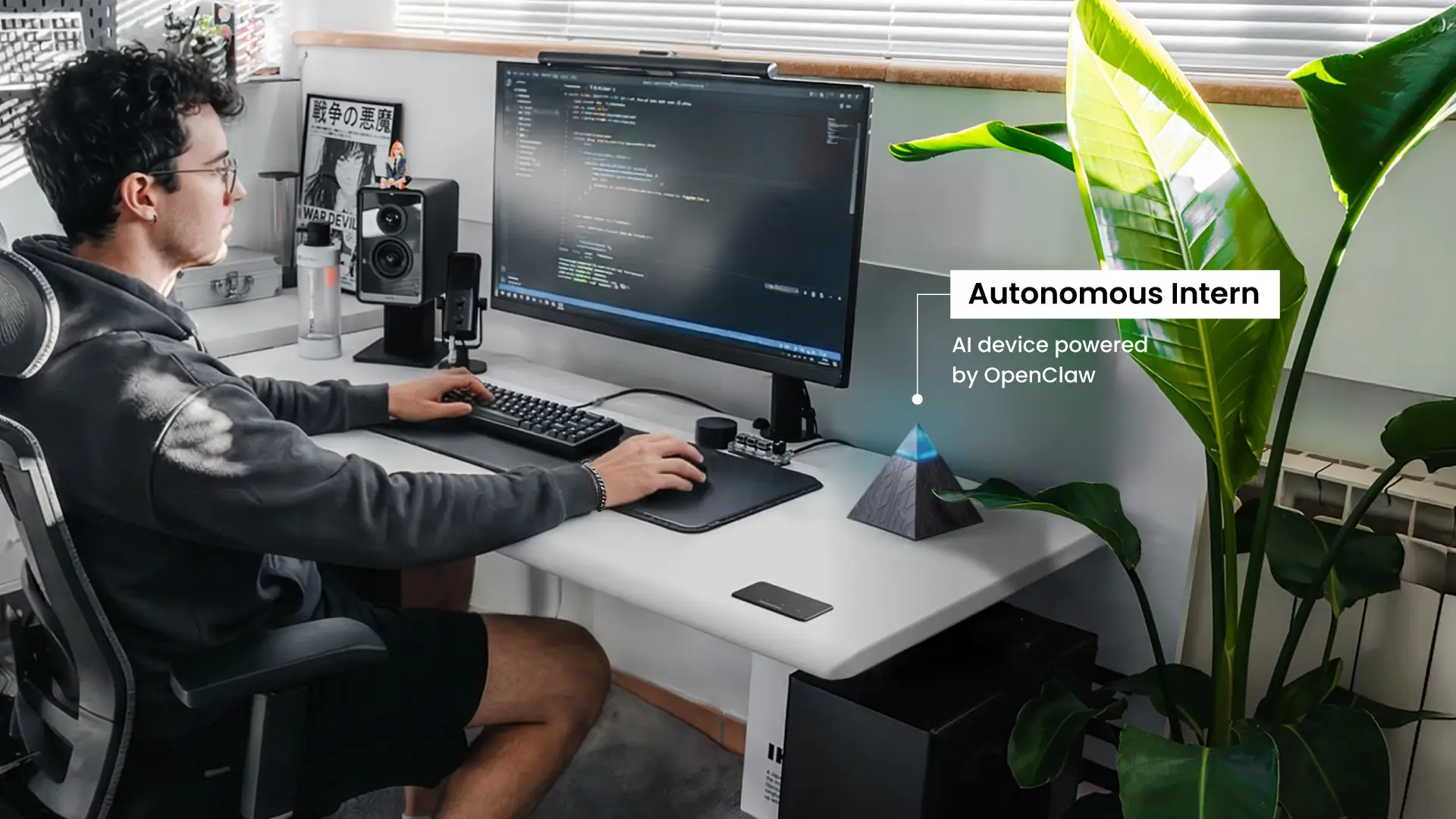
Autonomous Intern takes a different approach. It's a compact device that sits on your desk, stays on, and operates through the messaging apps you already use — WhatsApp, Slack, Telegram, Discord, iMessage. There's no interface to open and no context to re-establish. It handles scheduling, research, inbox management, and workflow tasks through the same thread where your actual work happens.
Everything runs locally on the device. Inputs don't pass through external servers — which makes it a practical option for professionals handling sensitive client data, legal correspondence, or internal business information where cloud-based processing isn't viable.
This personal AI assistant is built for knowledge workers who want an AI assistant that runs continuously without requiring active management — not a replacement for the tools above, but a different deployment model entirely.
How to Choose the Right AI Assistant
When evaluating options across categories — from chat-based tools to the Fieldy AI assistant wearable and desk-based devices — the priority should always be fit with your actual workflow.
The right AI assistant is not the most capable one — it is the one that fits where you actually work.
- Start with the bottleneck, not the feature list:
Identify the task that costs you the most time or attention. Writing and research points toward ChatGPT or Claude. Scheduling chaos points toward Reclaim. Back-to-back meetings with poor documentation points toward Granola. Matching the AI assistant to a specific problem consistently outperforms picking a popular tool and looking for ways to use it.
- Check where you already work:
The best AI assistant for work is useless if it does not connect to your existing tools. Google Workspace teams get more from Gemini than from Copilot. Microsoft 365 organizations get the reverse. If your stack is fragmented across platforms, a standalone tool like ChatGPT or Claude gives flexibility without ecosystem lock-in.
- Be realistic about what free gets you:
Most AI assistants offer a free tier — and for light individual use, it is often enough. But free versions typically cap usage, limit model access, and restrict features like file uploads and memory. If you are evaluating an AI assistant for work at team scale, test the paid tier. The free experience will not reflect what your team needs in daily use.
- Consider how much presence you need:
Browser-based AI assistants require you to initiate every interaction. If your workflow needs something that monitors, acts, and stays on without being opened — an always-on device like Autonomous Intern operates closer to an AI PC assistant than a browser tab. Not every workflow needs this, but it is worth knowing the option exists before assuming software is the only path.
- Avoid over-consolidating:
The instinct to find one AI assistant app that does everything usually produces mediocre results across the board. A focused pairing — one generalist AI assistant for thinking and content work, one specialist for your biggest operational bottleneck — consistently outperforms a single tool stretched beyond its strengths.

FAQs
What is an AI assistant?
An AI assistant is software that uses artificial intelligence to understand natural language and perform tasks for users. People interact with an AI assistant by typing or speaking requests. These tools can answer questions, write content, summarize documents, manage schedules, or automate workflows.
What are examples of AI assistants?
Common AI assistant examples include ChatGPT, Claude, Gemini, Microsoft Copilot, Siri, and Alexa. Some AI assistants focus on knowledge work like writing or coding, while others handle voice commands, scheduling, or enterprise productivity. Each type is designed for different use cases.
How do AI assistants work?
AI assistants work by combining large language models, natural language processing, and external data retrieval. When you ask a question, the system interprets the request, gathers relevant information, and generates a response. Many modern AI assistants also connect to tools like calendars, documents, and emails to complete tasks.
What is the best AI assistant right now?
The best AI assistant depends on the type of task you want to automate. ChatGPT and Claude are popular for writing, research, and coding, while Gemini and Microsoft Copilot are optimized for Google Workspace or Microsoft 365 environments. Task-specific assistants like Reclaim or Granola specialize in scheduling and meeting management.
Is ChatGPT considered an AI assistant?
Yes, ChatGPT is an AI assistant designed to help with writing, coding, research, and analysis through conversation. Unlike traditional chatbots, it generates original responses and can reason across complex prompts. It is widely used as a general-purpose AI assistant for knowledge work.
What’s the difference between an AI assistant and a chatbot?
The difference between an AI assistant and a chatbot is how they generate responses. Chatbots typically follow scripted decision trees, while AI assistants use large language models to understand context and produce original answers.
What’s the difference between an AI assistant and an AI agent?
An AI assistant responds to prompts and helps complete tasks when asked. An AI agent can act autonomously toward a goal, executing multi-step workflows without continuous input.
Can an AI assistant replace human work?
AI assistants can automate repetitive tasks such as writing drafts, summarizing documents, or organizing information. However, they usually augment human productivity rather than fully replace human expertise.
How do people use AI assistants at work?
People use AI assistants for work to handle repetitive tasks and speed up knowledge work. Common use cases include drafting emails, summarizing meeting notes, analyzing reports, writing code, researching topics, and organizing schedules. Many professionals combine a general AI assistant with specialized tools for meetings or scheduling.
Are AI assistants free to use?
Many AI assistants offer free versions, including tools like ChatGPT, Gemini, and Claude. Free plans typically include basic functionality and limited usage. Paid plans usually unlock more advanced models, higher usage limits, file analysis, integrations, and collaboration features for professional work.

Conclusion
The right AI assistant is not the most powerful one — it's the one that fits where your work actually happens.
For most knowledge workers, that means starting with the workflow that costs the most time. If it's writing and research, ChatGPT or Claude will cover the majority of the load. If it's staying organized inside Google or Microsoft's ecosystem, Gemini and Copilot reduce friction without adding new tools to manage. If meetings and scheduling are the bottleneck, Granola and Reclaim solve specific problems cleanly.
The category is also no longer limited to software. As AI assistants move toward always-on, context-aware execution, the question of where an assistant lives — browser tab, enterprise platform, or physical device — is becoming as relevant as what it can do.
The best starting point is a single workflow, not a full stack overhaul. Pick the tool that removes the most friction from the work you do every day. Everything else follows from there.