Claude AI Explained: How It Compares to ChatGPT

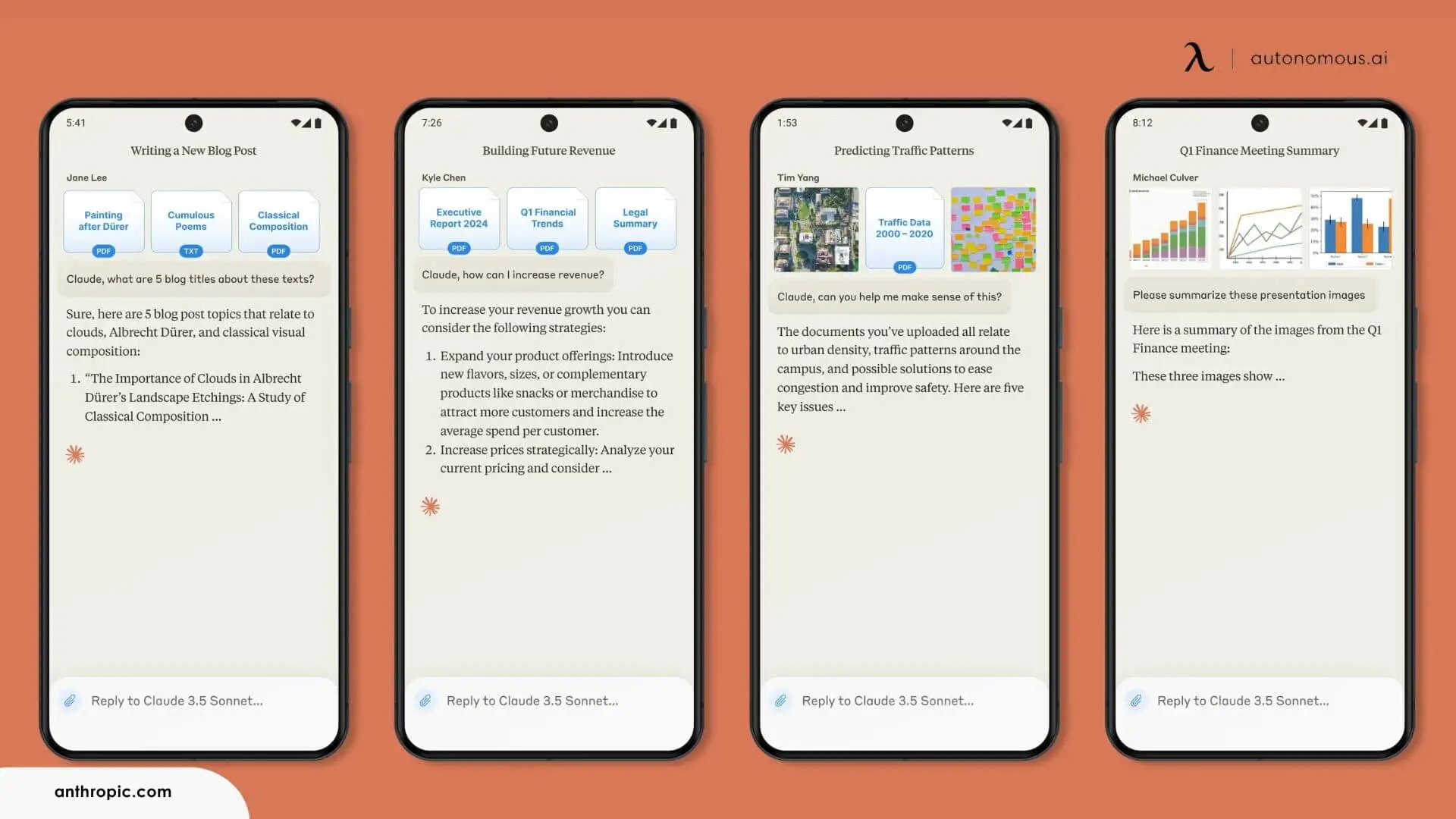
Claude AI is a conversational AI system created by Anthropic for tasks that benefit from extended context and structured thinking. It is often used for writing, analysis, and coding workflows where clarity and continuity matter more than speed or novelty. This guide covers what Claude is, how it works, its model lineup, pricing, real-world use cases, and how it compares with ChatGPT.
What Is Claude AI?
Claude AI is a large language model–based assistant designed to help users work through complex material over longer interactions. Instead of prioritizing quick, short-form responses, Claude is built to maintain coherence across lengthy documents, follow detailed instructions, and support analytical tasks that unfold over multiple steps.
Like other large language models, Claude generates text by recognizing patterns learned during training. Its distinction lies in how it is tuned and deployed: Anthropic emphasizes reliability, cautious response behavior, and alignment with professional and research-oriented use cases. As a result, Claude is widely adopted by developers, researchers, educators, and knowledge workers who use it as a support AI tool for reasoning, drafting, and problem-solving rather than as a casual chatbot.
Claude is available through consumer applications, organizational plans, and developer APIs, with capabilities and usage limits that vary depending on how it is accessed.
How Claude AI Works
Claude AI runs on large language models, a category of artificial intelligence that generates text by predicting word sequences from patterns in large datasets. Claude does not exhibit human understanding or intent; it evaluates probabilities within a given context and follows the foundational mechanics in AI language models.
What differentiates Claude is how it is optimized at the system level. Anthropic has focused on improving Claude’s ability to maintain coherence across long inputs, follow detailed instructions, and respond cautiously when information is incomplete or ambiguous. These priorities influence how Claude behaves in practice, especially during tasks that involve extended documents or multi-step reasoning.
Claude is designed to process prompts that include large amounts of text, such as reports, research papers, or codebases. When responding, it attempts to preserve relevant context throughout the exchange rather than treating each message as an isolated request. This makes it better suited for workflows where continuity matters, though it also means that longer or more complex prompts can consume usage limits more quickly.
Importantly, Claude’s responses are shaped not only by its underlying model, but also by additional system rules and constraints intended to guide behavior. These controls influence how Claude handles sensitive topics, uncertainty, and edge cases, helping reduce the likelihood of unsafe or misleading outputs while keeping responses useful for practical work.
Claude Models Explained
Claude is not a single AI model, but a family of models released and updated over time by Anthropic. Each generation and variant is designed to serve different performance needs, balancing speed, capability, and cost.
1. Early Versions of Claude
The first version of Claude was released in March 2023. It was followed by Claude 2 in July 2023, which expanded the model’s ability to handle longer inputs and more complex prompts. These early versions established Claude’s focus on long-context processing and instruction-following, setting it apart from many consumer-oriented chatbots at the time.
2. Claude 3 Model Family
In March 2024, Anthropic introduced Claude 3, a major update that split the system into three distinct models:
- Haiku – Designed for speed and efficiency, Haiku is intended for short, lightweight tasks where fast responses and lower cost matter most.
- Sonnet – A general-purpose model that balances responsiveness with stronger reasoning and instruction accuracy, making it suitable for everyday professional use.
- Opus – The most capable model in the lineup, built for complex tasks such as advanced reasoning, mathematics, and software development.
This tiered structure allows users to choose a model based on the complexity of their task rather than relying on a single, one-size-fits-all system.
3. Model Updates and New Versions
Anthropic has continued to update individual models rather than replacing the entire lineup at once. In October 2024, both Haiku and Sonnet were upgraded to Claude 3.5, improving performance while preserving their original roles.
By May 2025, Anthropic released further upgrades to its higher-capability models, introducing Sonnet 4 and Opus 4. According to Anthropic, these versions improved instruction-following, reasoning quality, and coding performance compared to earlier releases.
Anthropic has stated that Claude 3.5 Haiku delivers performance comparable to earlier Opus models while remaining the fastest option, and has described Opus 4 as its most advanced model to date, particularly for coding and complex reasoning tasks. These descriptions reflect Anthropic’s own positioning rather than independent benchmarks.
Claude’s Constitutional AI and Safety Approach
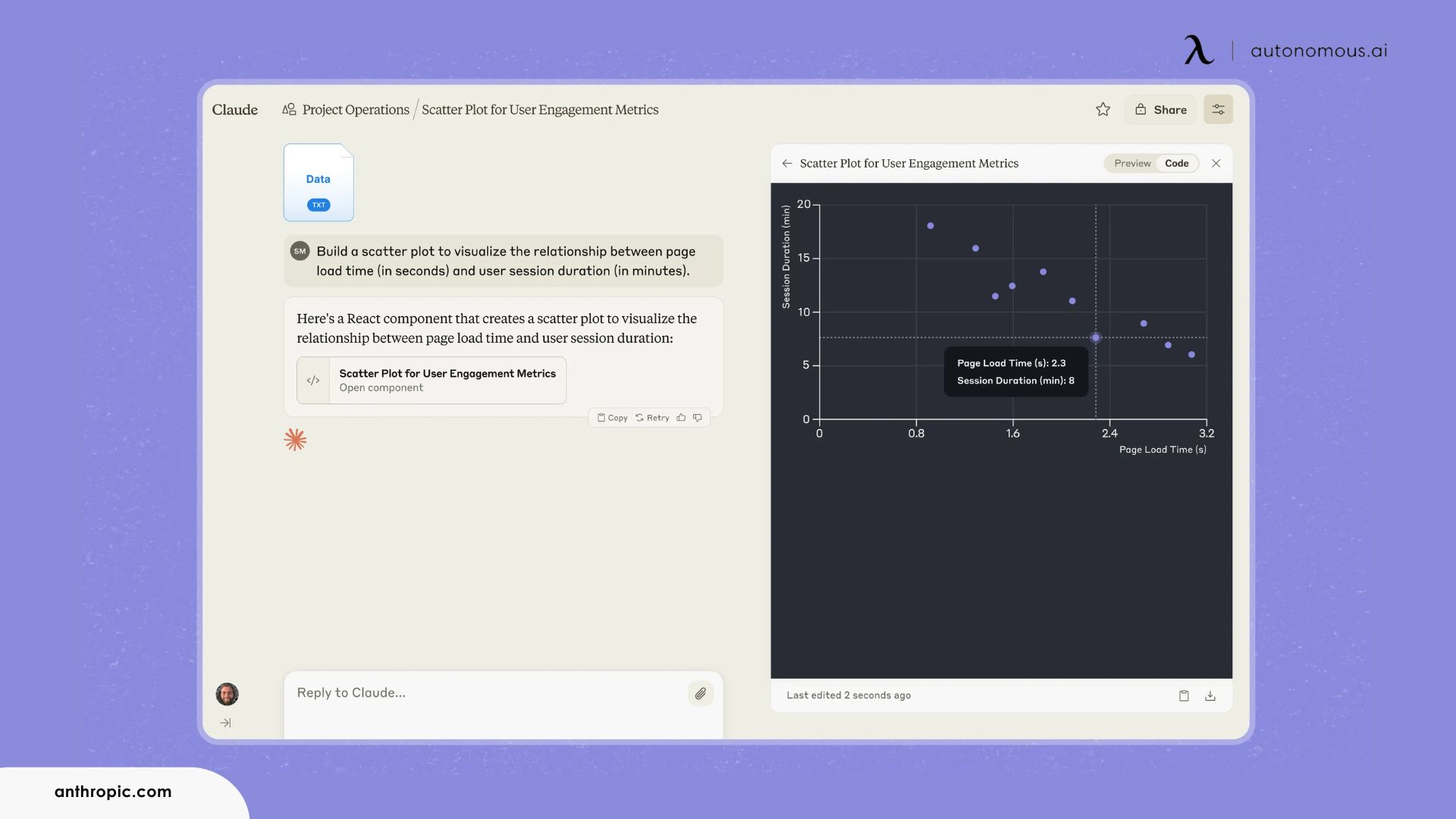
A defining feature of Claude’s design is Anthropic’s focus on alignment and safety through an approach known as constitutional AI. Instead of relying primarily on post-generation filtering, this method embeds a set of guiding principles into how the model evaluates and responds to prompts.
These principles form a behavioral framework intended to keep responses helpful, consistent, and within defined safety boundaries. Anthropic states that this framework draws from widely recognized ethical and human-rights sources, including documents such as the United Nations’ Universal Declaration of Human Rights, with the goal of making alignment more transparent and auditable.
Safety Benefits and Practical Implications
In practice, constitutional AI shapes how Claude handles sensitive or ambiguous requests. The model tends to flag unclear information, decline requests that conflict with safety principles, and favor measured responses over speculation. This behavior makes Claude suitable for environments where response quality and risk tolerance matter, including education, research, and professional use.
Industry analysts have generally viewed Anthropic’s transparency around alignment as a positive signal. Afraz Jaffri, a senior director analyst at Gartner, told CNET that this approach can increase confidence when deploying AI systems in higher-safety contexts.
Limitations and Oversight
Constitutional AI does not eliminate unexpected behavior. Analysts caution that built-in safeguards should function as one layer within a broader risk-management strategy rather than as a standalone solution. Anthropic’s own research shows that even aligned models can behave unpredictably under certain conditions, particularly when interacting with advanced capabilities.
As a result, experts recommend additional monitoring and external guardrails for production or sensitive deployments. Claude’s safety philosophy emphasizes restraint and reliability over autonomy, reinforcing the need for human oversight in complex or high-impact use cases.
What You Can Do With Claude AI
Claude AI can support a wide range of text-based tasks, but it is most effective when used for work that benefits from sustained context, careful reasoning, or structured output. Rather than acting as a general-purpose assistant for every scenario, Claude tends to perform best when applied to specific categories of knowledge work.
1. Writing and Editing Long-Form Content
One of Claude’s most common use cases involves working with long documents. Users rely on it to:
- Edit and revise reports, essays, and policy documents in ways consistent with AI writing tools
- Improve clarity and organization in technical writing, a core function shared by many paraphrase AI tools
- Summarize lengthy materials while preserving key details, a capability frequently applied across AI tools for marketing
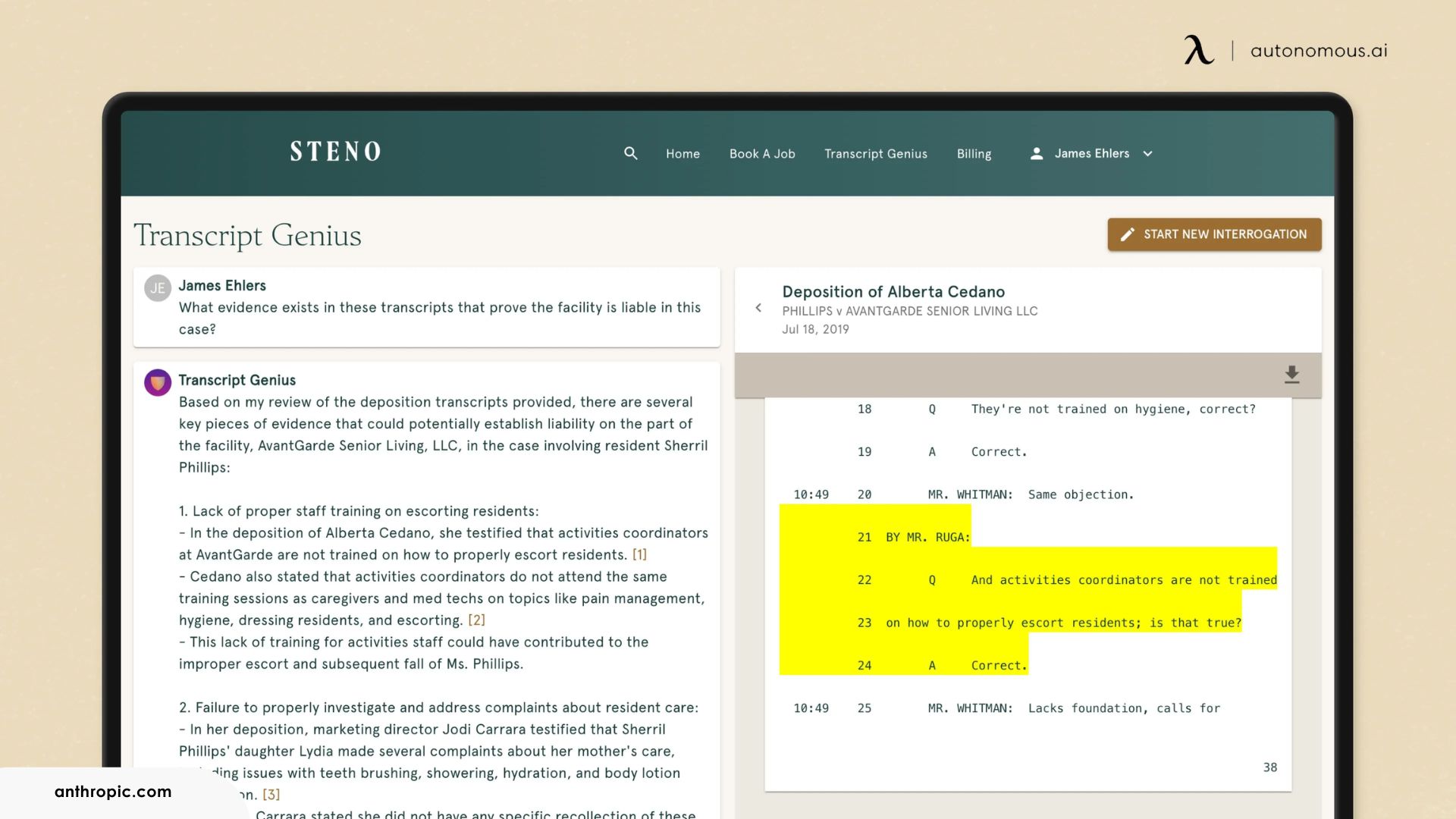
Claude maintains context across large inputs, which reduces coherence loss and minimizes contradictions between earlier and later sections compared with systems optimized for short interactions.
2. Research and Information Synthesis
Claude often functions as a research support tool rather than a source of original facts. Typical workflows include:
- Synthesizing information from multiple documents, a common application across AI tools for students
- Identifying themes or patterns in dense material, a task frequently associated with AI tools for resume building
- Structuring arguments or outlines for review while maintaining logical flow
Claude does not replace subject-matter expertise, but it accelerates early-stage analysis and reduces the time needed to organize complex information.
3. Coding and Software Development Support
In technical workflows, Claude commonly supports tasks that require structured reasoning and contextual awareness. Users apply it to:
- Explain unfamiliar code or libraries, a function aligned with broader AI tools for coding
- Refactor existing code to improve readability and structure, a frequent need in modern app building software
- Identify logical errors or edge cases within complex code paths
- Translate written requirements into functional code while preserving intent
Claude delivers the most value in reasoning-heavy tasks, such as understanding interactions across a codebase, rather than in generating isolated code snippets without surrounding context.
4. Decision Support and Structured Thinking
Some users apply Claude as a thinking aid for non-technical problems, such as:
- Breaking down complex decisions into smaller components
- Evaluating tradeoffs between options
- Drafting frameworks or checklists
In these cases, Claude functions less as an answer engine and more as a tool for organizing thought, with the final judgment remaining with the user.
Claude App
The most direct way to use Claude AI is through the Claude app, which is available via web and mobile interfaces. Anthropic offers several plan tiers for individuals, teams, and enterprises, each with different usage limits and administrative features.
All Claude app plans provide access to Anthropic’s core model family - Haiku, Sonnet, and Opus - but usage limits vary depending on subscription level, overall demand, and how the models are used. More complex tasks, such as long prompts or large-context interactions with higher-capability models, consume limits more quickly than short or lightweight requests.
Usage limits are not fixed solely by plan tier. During periods of high demand, access may be more restricted, and limits can fluctuate based on system capacity. This variability means that Claude is best suited for workflows where occasional throttling can be accommodated, rather than for uninterrupted, time-critical automation without fallback options.
All individual Claude app plans share the same maximum context window of approximately 200,000 tokens. When conversations exceed this length, earlier portions are automatically summarized so that the exchange can continue, though fine-grained details from earlier messages may be compressed in the process.
For organizations, Team and Enterprise plans extend the app with features such as single sign-on, role-based access controls, higher usage limits, and integrations with third-party tools.
Where Claude Runs When Your Laptop is Closed
Claude's models run on Anthropic's servers, so you cannot self-host them, but the agent loop around Claude can run on hardware you own. As of June 2026, the Autonomous Intern is a 4.7-inch desktop computer that keeps a Claude model reachable over Telegram, Slack, or Discord while your laptop sleeps. It ships with Sonnet 4.6 and Opus 4.6 and accepts any OpenAI-compatible model.
The tradeoff is scope. The Intern runs standing work - inbox triage, GitHub issues, scheduled posts, scraping - and calls Claude through your own API account; the reasoning still happens on Anthropic's side. API keys and project context live as files on the device, not a third-party cloud. If you only open Claude in a browser a few times a day, you do not need it. If you run agents overnight, that is the gap it fills.

Pricing and Plans Overview
Anthropic offers Claude through both subscription-based plans and usage-based API pricing.
Individual Plans
- Free plan: Allows users to try Claude at no cost with limited usage. Limits reset periodically and are intended for light or exploratory use.
- Pro plan: Priced at USD 20 per month, offering higher usage limits and more consistent access compared to the free tier.
- Max plans: Higher-capacity plans priced above the Pro tier, designed for intensive individual use. These plans provide significantly increased usage, priority access during peak hours, and access to advanced tools such as Claude Code.
Team and Enterprise Plans
Team plans are billed per member and include collaboration and access-management features. Enterprise plans are customized for large organizations and typically include higher limits, enhanced security controls, and expanded integration options.
API Pricing
Claude is also available via API, with pricing based on token usage. Tokens represent units of text processed by the model, including both input and output. Costs vary by model, reflecting differences in capability and resource usage. This structure allows developers to scale costs according to actual consumption rather than fixed subscription tiers.
Because pricing and limits may change over time, Anthropic recommends reviewing current documentation before committing to production deployments.
Frequently Asked Questions
Who owns Claude AI?
Claude AI is owned and developed by Anthropic, an independent AI research company. Anthropic designs and operates Claude as part of its broader AI platform.
Who makes or developed Claude AI?
Anthropic developed Claude AI and continues to maintain and update the model family. The company focuses on building AI systems with an emphasis on safety, reliability, and alignment.
When was Claude AI released?
Anthropic released the first version of Claude in March 2023. Subsequent versions expanded its capabilities, including longer context handling and improved reasoning.
Is Claude AI free to use?
Claude AI offers a free plan with usage limits. Paid plans provide higher limits, priority access, and additional features.
Is Claude AI free or does it have limits?
Claude AI enforces usage limits on all plans, including the free tier. Limits vary by plan, model selection, prompt length, and overall system demand.
Does Claude AI have an app or desktop app?
Claude AI is available through a web-based app and mobile apps. Anthropic does not currently offer a standalone desktop application, but users can access Claude through browsers and supported integrations.
How do you use Claude AI?
Users interact with Claude by entering text prompts through the Claude app or API. Claude responds within the same interface, maintaining context across longer conversations.
Is Claude AI better than ChatGPT?
Claude AI performs better in tasks that require long-context handling and careful instruction-following. ChatGPT offers a broader ecosystem and multimodal features, so the better option depends on the task.
Should I use Claude or ChatGPT?
Claude suits workflows that require depth, continuity, and structured reasoning. ChatGPT works better for users who need integrations, multimodal tools, or general-purpose assistance.
Is Claude AI good for coding?
Claude AI works well for explaining, refactoring, and reasoning about code, especially across large codebases. It performs best in logic-heavy tasks rather than short, isolated code generation.
Can Claude AI read PDFs or other documents?
Claude AI supports document uploads such as PDFs, DOCX, and CSV files. File size, page count, and analysis limits depend on the plan and current system constraints.
Is Claude AI safe?
Claude AI uses Anthropic’s constitutional AI approach to guide responses with predefined safety principles. Despite these safeguards, users should apply human oversight in sensitive or high-impact scenarios.
Conclusion
Claude AI is best understood as a system optimized for thoughtful, structured assistance rather than speed or novelty. Its strengths lie in handling long context, supporting careful reasoning, and maintaining coherence across complex tasks.
For developers, researchers, and knowledge workers who regularly work with dense information or large codebases, Claude offers a focused alternative to more general-purpose AI assistants. Used intentionally - and with appropriate safeguards - it can meaningfully reduce cognitive overhead while keeping humans in control of final decisions.