Autonomous Grid
Running a private AI fleet on 3 Mac Studios and 100 laptops
Over the past year, we have been building a private AI fleet at our office. We run LLM inference, image generation, and agent workflows entirely on local hardware, with no cloud APIs and no data leaving the building.
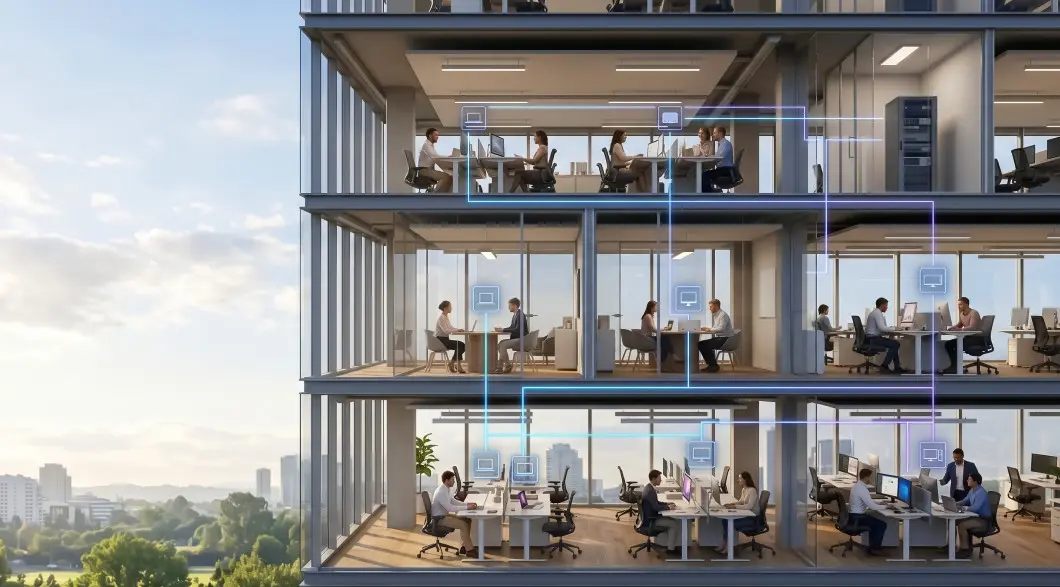
This post covers how we turned three Mac Studios and over a hundred office laptops into a working fleet, what we learned about distributed inference across mixed hardware, and the limitations we still face.
The Problem
We needed AI for internal tools: social media content, product images, research analysis, scheduling. All of it required an LLM, sometimes an image model, and some orchestration to connect them.
The easy path was cloud APIs. But that meant uploading internal docs to someone else's servers. Leaking internal conversations to whatever company we were paying. Paying per-seat subscriptions for things we could run ourselves.
We already had the hardware. Three Mac Studio M2 Ultras, each with 192 GB of memory. Over a hundred office laptops sitting idle most of the day. Linux workstations in the engineering corner. None of it worked together. Each machine was an island with its own model, its own queue, its own way of doing things.
The Single Queue Bottleneck
Our first setup was straightforward. One Mac Studio running Ollama with Qwen. One endpoint. One queue.
It worked until someone ran a heavy job. A big analysis at 64K context could lock the machine for 30 seconds. During that time, every other request stalled. The system looked alive, but nothing came out. Then more people retried the same query, thinking it had dropped. Now you have multiple requests fighting for the same machine.
The conventional answer is vertical scaling: a bigger GPU, more VRAM, a single more powerful machine. This does not fix the problem. One queue is one queue regardless of how fast the machine behind it is. And when that machine goes down, every user sees "connection refused."
One Queue Per Machine
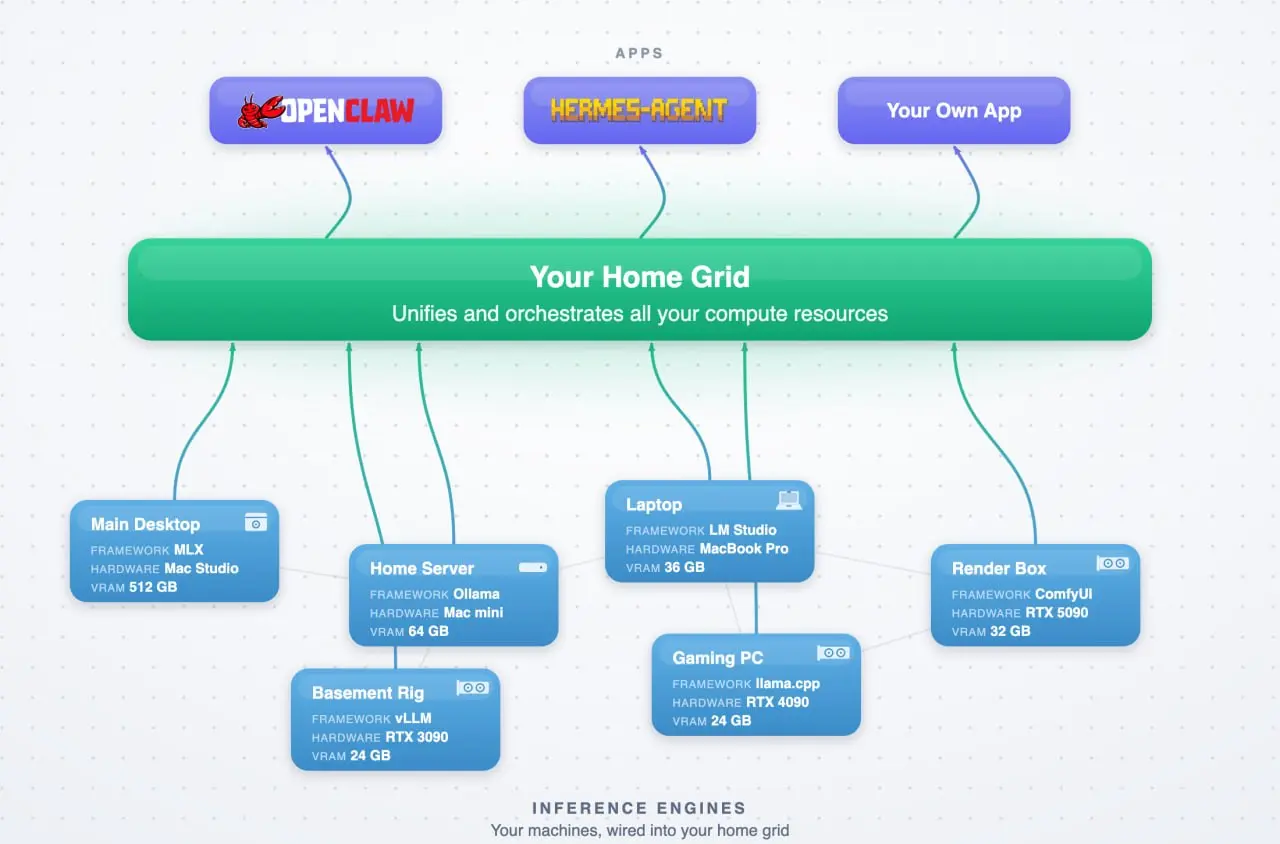
We replaced the single queue with a different model. Each machine maintains its own independent queue. A lightweight router we built called Grid accepts all incoming requests and forwards each one to the machine with the shortest queue.
This changes the failure mode completely. A heavy job on machine A has no effect on machine B or C. While one machine processes a long analysis, the other two keep serving lightweight requests at full speed. Three machines, three independent queues, each clearing at about 80 tokens per second on Qwen 3.6-35B-A3B (a MoE model, roughly 3B active parameters per token).
Throughput scales roughly linearly with machine count. A 30-second job on Machine A does not block the 20 short requests completing on machines B and C in the same window. The bottleneck shifted from queue contention to figuring out how to stack three Mac Studios on a desk safely.
Hardware
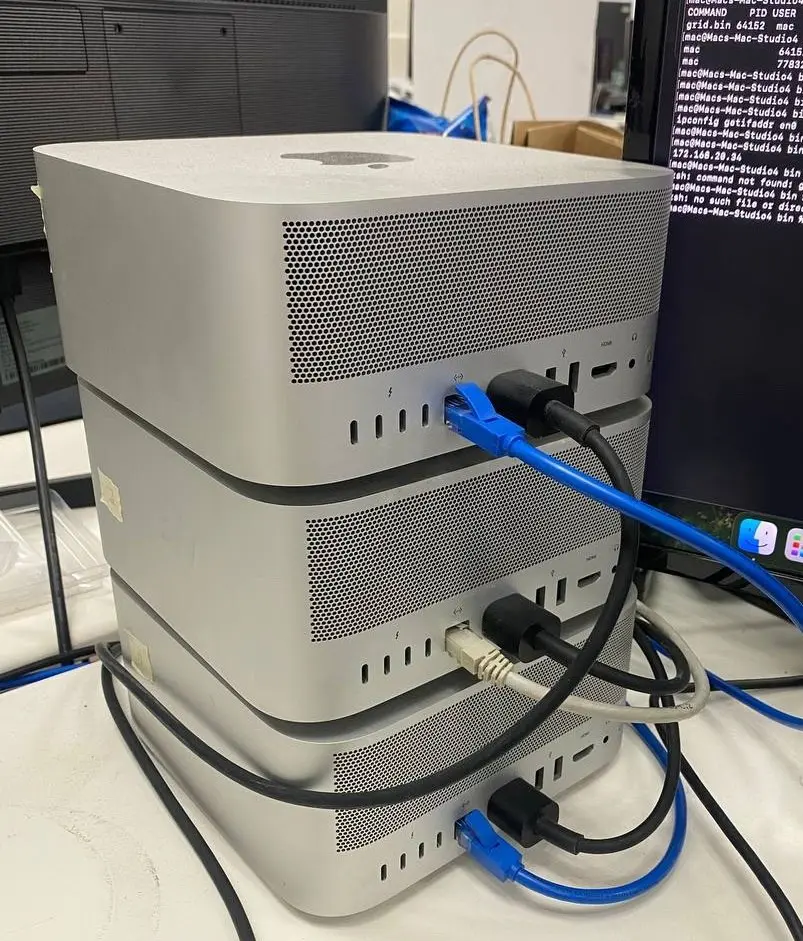
Each Mac Studio M2 Ultra delivers 800 GB/s memory bandwidth and 192 GB of unified memory shared between CPU and GPU. This shared pool is the key advantage over discrete GPUs. A 24 GB VRAM card hits OOM at roughly two concurrent 64K-context sessions. A single Mac Studio handles about 17 sessions at the same context length.
With three machines, we get roughly 50 concurrent sessions. At 25 percent simultaneous usage, this covers a team of about 200 people. A 500-token response at peak takes about 12 seconds. Queue wait time stays under half a second.
Power draw for all three underload is 300 to 385 watts total. A single enterprise GPU machine draws more than that at idle.
For lighter workloads, we connect office laptops and Linux workstations to the fleet. These run agent gateways that accept tasks from the router and execute them locally: text generation on CPU, image tasks routed back to the Studios, classification on integrated GPUs. The router handles capability-aware dispatch and routes around unavailable machines.
Cost
The three Mac Studios cost about $17,000 total, purchased used in mint condition. No cloud GPU instances. No API subscriptions. No data transfer costs. Every request stays inside the building.
Comparable throughput on cloud instances would cost significantly more per month for computing alone and would require data to leave the local network.
What Broke
We ran into three limitations worth noting:
- First, the fleet depends entirely on the local network. If the LAN goes down, every machine becomes isolated. The fleet disappears. Redundant networking gear helps, but this remains the single biggest operational risk.
- Second, machines leave the network. Employee laptops go home at the end of the day. Workstations get rebooted for updates. The fleet must handle machines joining and leaving without manual intervention. Grid detects machine health automatically and routes around unavailable nodes.
- Third, setup is not yet zero-touch. Each machine needs about 10 minutes of configuration to join the fleet. For non-technical team members, this is a barrier. We are working on a solution where joining is as easy as connecting to Wi-Fi.
Open Source
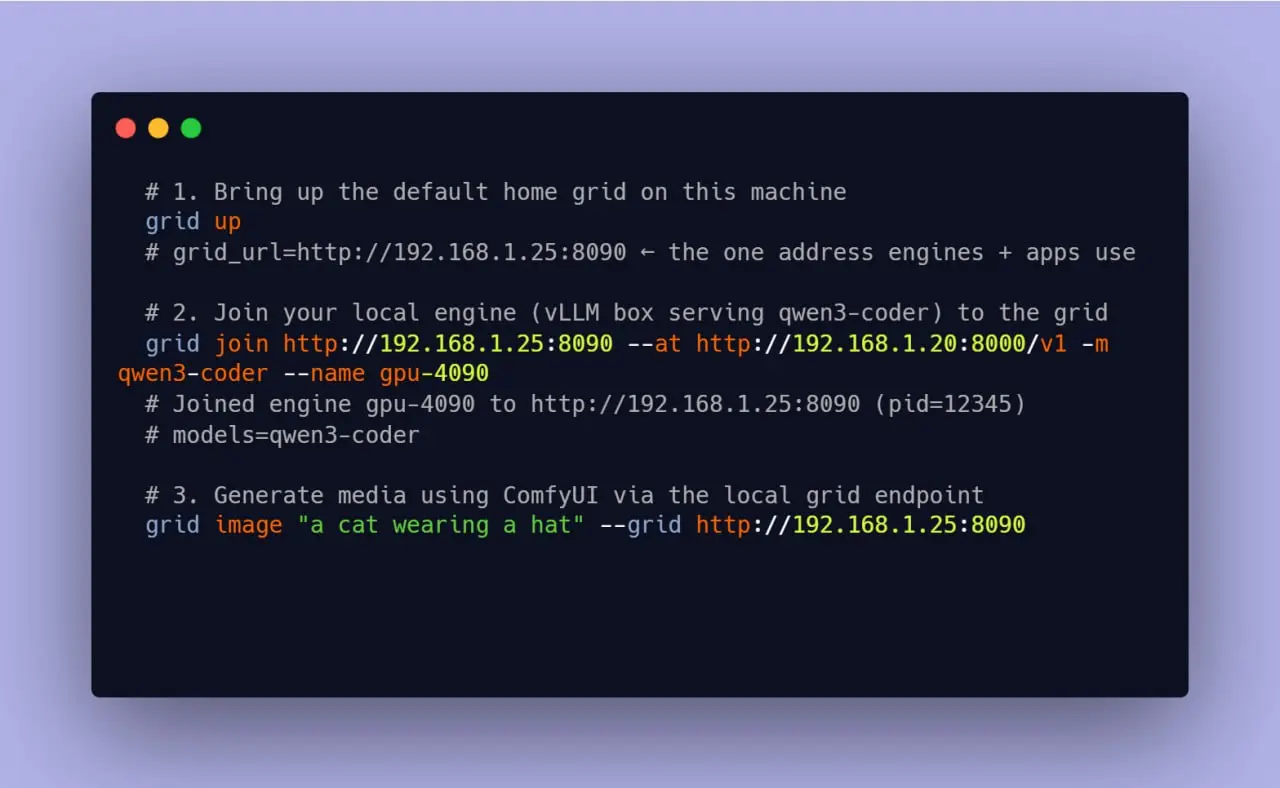
Grid is released as an open-source project under the MIT license. It manages machine discovery, health checking, capability-aware routing, and fault tolerance across heterogeneous hardware. The code and documentation are available on GitHub.
Our goal is to make private AI as easy as plugging into a cloud API but running entirely on hardware you already own. We are not there yet, particularly on zero-touch configuration. But the foundation works: three Mac Studios, a hundred office laptops, and a single endpoint.
Grid is open source at github.com/autonomous-ai/autonomous-grid