Top 10 Criss-Cross Chairs With Arms for Your Desk

.webp)
A criss cross chair with arms needs to do two things at once: leave room for your folded legs and support your forearms when you work. A wide cushion alone does not guarantee both. Our ErgoChair Pro has a 19-inch-wide seat, while the Pipersong Criss Cross Chair lists a 27-inch seat, so they offer very different starting points for fit. Below, compare 10 options, understand what their armrests actually do, and check whether the chair works for both cross-legged sitting and ordinary desk work.
How to choose a criss cross chair with arms
The right criss cross chair with arms lets you change sitting positions without trapping your knees against the arm supports or losing useful forearm support. Start with how you sit, then check the cushion, arm structure, and desk together.
Among cross-legged office chairs, there is a difference between a broad seat designed for both legs to fold onto it and a conventional task chair you can occasionally tuck a leg into. Body size and mobility affect the fit, so there is no single seat-width cutoff that guarantees comfort for everyone.
- Measure the space your legs use. On a stable, comfortable seat, note the width and depth your knees and ankles occupy in your preferred position. Avoid forcing your legs into a smaller shape to match a chair.
- Check between the arm supports. Overall chair width includes parts outside the sitting area. A wide cushion can still have a narrower opening between the upright arm posts.
- Try the arms in their working position. If your legs fit only with both armrests folded away, check how you will support your forearms while typing.
- Return to feet-down sitting. You should also be able to use the backrest, reach the keyboard, and support your feet without the seat pressing behind your knees.
Which armrests work for cross-legged sitting?
Armrests work for cross-legged sitting when their pads and supporting posts clear your legs in the position you actually use. Adjustment labels describe movement, but they do not establish the size of that opening.
| Armrest design | What it changes | What to watch |
|---|---|---|
| Height-adjustable | Raises or lowers the arm pad. | The upright support may remain beside your knee. |
| 3D, 4D, or 6D | Offers several pad movements, depending on the model. | Moving the pad outward does not necessarily move the whole arm structure. |
| Flip-up or fold-away | Moves the armrest away from the seat opening. | Arm support is unavailable while that arm is folded away. |
| Width-adjustable arm assembly | Moves the supporting assembly farther from your body. | Check its actual range and whether it still reaches your forearms. |
If clearing the side of the seat is your priority, flip-up armrests deserve attention. If you want arm support while keeping both legs folded, the space between the arms in their lowered position matters more.
10 criss cross chairs with arms to compare
These 10 chairs offer different combinations of arm support, seat space, and office adjustments. The list includes purpose-built criss-cross designs and conventional task chairs to trial for occasional position changes; it is based on manufacturer information, not hands-on comfort rankings.
| Chair | Arm design | Fit detail to know |
|---|---|---|
| Autonomous ErgoChair Pro | Adjustable armrests | 19-inch seat width; office-chair fit, not an extra-wide platform. |
| Autonomous ErgoChair Ultra 2 | Adjustable armrests | 18-inch seat width; lower armrest range does not remove the side supports. |
| Autonomous ErgoChair Mesh | 3D armrests | 19-inch mesh seat; check contact with the seat frame. |
| Pipersong Criss Cross Chair | Foldable arms with pad adjustment | 27 x 22-inch seat; allow room for the chair at your desk. |
| Welax P3 | Several arm variants offered | Select the exact series and arm configuration before comparing. |
| EMIAH C590 | Flip-up arms | Padded reclining design; test arm clearance with your legs folded. |
| Giantex Criss Cross Chair | Flip-up arms | Listed seat height starts at 20.5 inches. |
| Steelcase Gesture | 360-degree adjustable arms | Movable arms for desk work; check the remaining space between supports. |
| SIHOO Doro S300 | 6D coordinated arms | Mesh task chair; arm adjustability does not guarantee full-tuck fit. |
| Razer Fujin Pro | 4D padded arms | Mesh seat with a surrounding frame; test ankle and knee contact. |
1. Autonomous ErgoChair Pro: conventional desk-chair adjustments
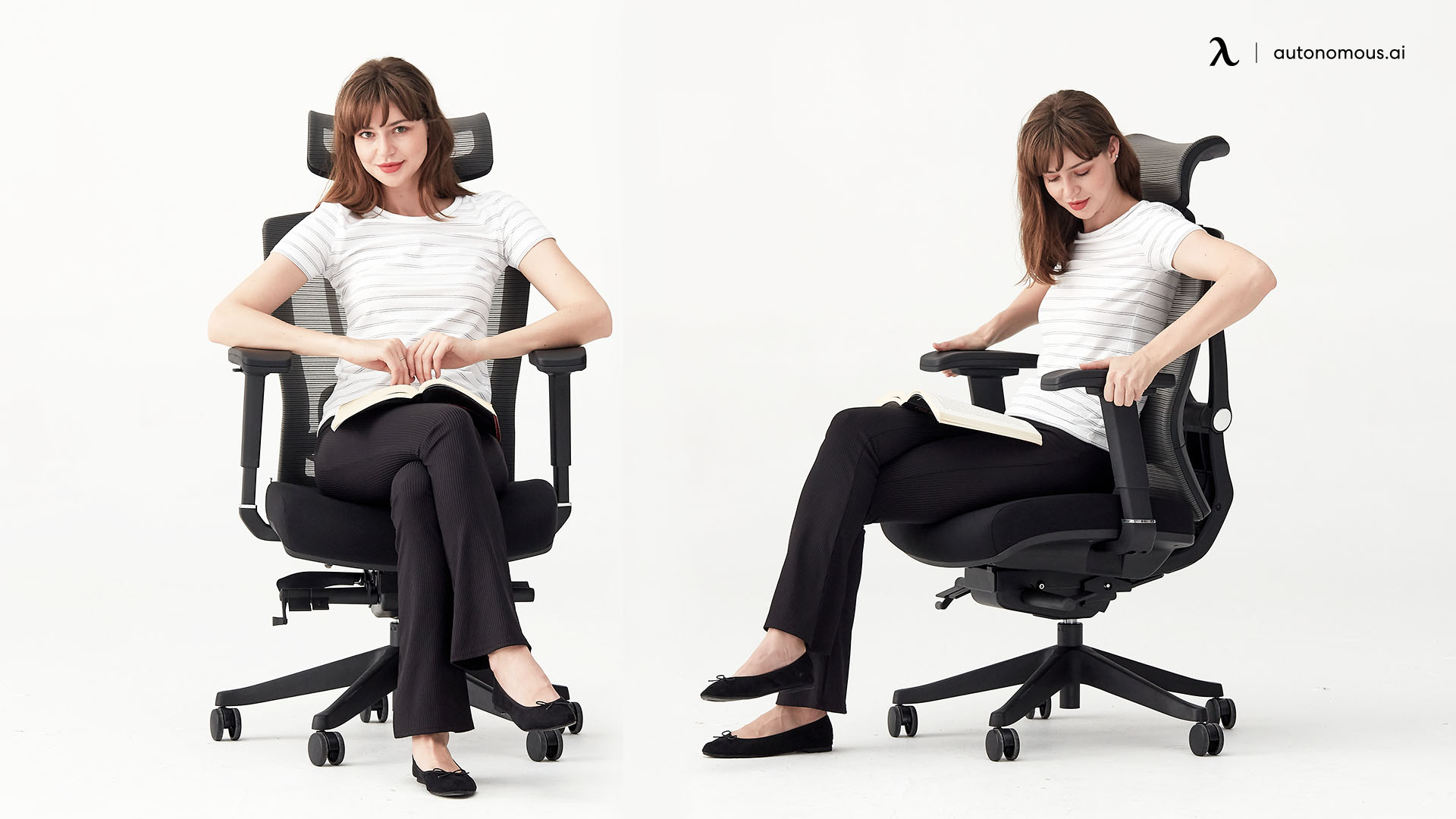
The ErgoChair Pro combines a 19-inch-wide cushioned seat with adjustable armrests, seat depth, lumbar support, and recline. It is a conventional task chair to consider if you alternate between feet-down work and a tucked-leg position.
The 19-inch width is the important limit: extending seat depth does not make the cushion wider. During a trial, check your knees against the arm supports and confirm that your forearms can rest comfortably without reaching outward. Do not choose it as an extra-wide criss-cross chair solely because its arms adjust.
| Pros | Cons |
|---|---|
| Cushioned seat with separate depth adjustment. | A 19-inch seat may not accommodate your full folded-leg position. |
| Adjustable lumbar support and armrests for ordinary desk work. | The side supports still need to clear your knees. |
2. Autonomous ErgoChair Ultra 2: a smaller seat with lower arm settings
The ErgoChair Ultra 2 has an 18-inch-wide seat and an armrest-height range of 7 to 11 inches above the seat. Its adjustable depth and flexing backrest offer a different fit from the Pro, rather than a wider sitting surface.
The lower arm setting may matter for your elbow height, but lowering a pad does not remove the arm structure beside your leg. Compare the Ultra 2 if its smaller seat suits your ordinary sitting position, then trial the leg position you want to add.
| Pros | Cons |
|---|---|
| Adjustable seat depth and lower armrest settings. | The 18-inch seat is narrower than the Pro's. |
| Flexing backrest for changes in seated position. | Lower arm height alone does not create knee clearance. |

3. Autonomous ErgoChair Mesh: mesh seating with adjustable arms
The ErgoChair Mesh offers a 19-inch-wide mesh seat and 3D armrests. It is an alternative to a foam cushion if you prefer mesh for regular desk work.
For cross-legged use, pay attention to the seat perimeter as well as the mesh surface. Check whether an ankle or the outside of a knee lands on the frame, and whether moving the arm pads leaves the supports clear of your legs. Mesh flexibility does not replace enough usable space.
| Pros | Cons |
|---|---|
| Mesh seat for those who prefer it to a foam cushion. | Hard frame contact can matter with legs folded onto the seat. |
| Adjustable arms and seat depth for desk fit. | The 19-inch width is not an extra-wide criss-cross platform. |
.jpg)
4. Pipersong Criss Cross Chair: a broader seat with folding arms
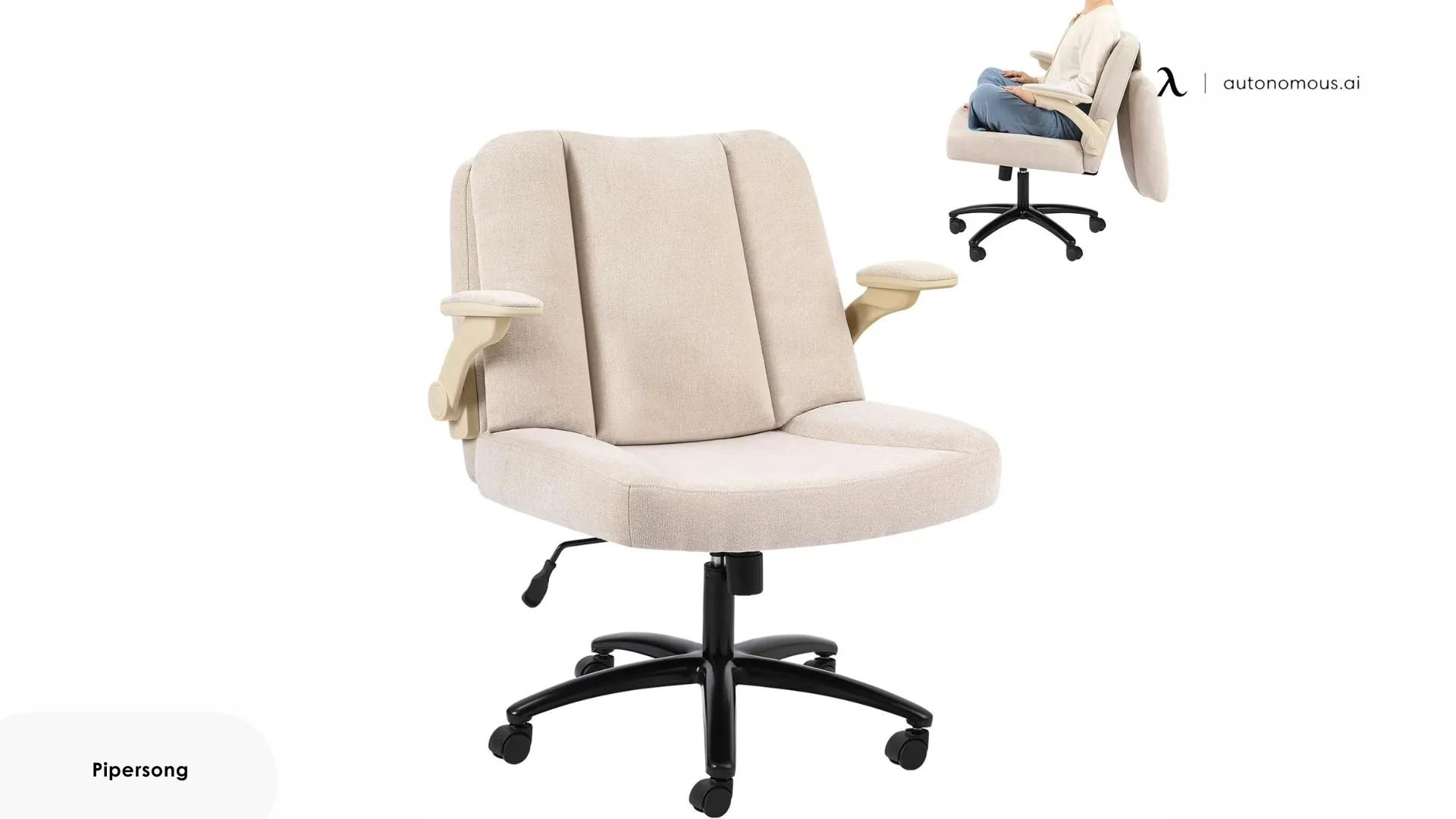
The Pipersong Criss Cross Chair has a listed 27 x 22-inch seat and foldable armrests with front-to-back and angle adjustment. This is the dedicated Criss Cross model, distinct from the brand's Meditation Chair designs.
Its wider seat makes it a useful starting point when both legs on the cushion are your priority. The back cushion flips away to release more legroom, and the chair includes wheels and stationary bell glides. Check your desk opening and selected-color availability before ordering.
| Pros | Cons |
|---|---|
| 27 x 22-inch seat with foldable arms. | The broad seat needs enough room at your desk. |
| Wheels and stationary glides are included. | Folding arms away also removes their forearm support. |
5. Welax P3: check the selected arm configuration
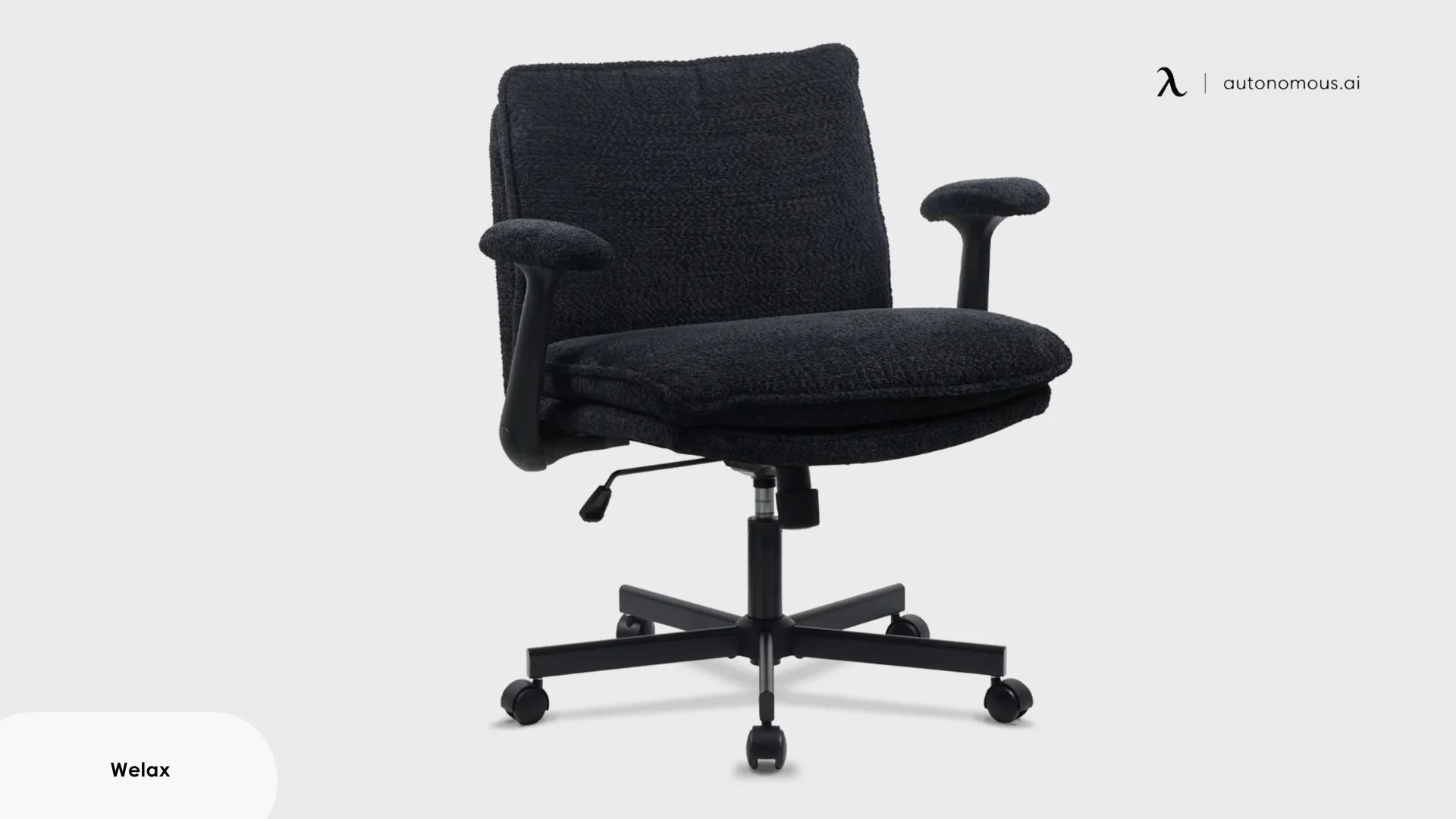
The Welax P3 is a cushioned criss-cross chair offered through a listing with several series and armrest choices. The current selector includes 2D, flip-up, and five-position options, so the selected configuration matters.
Compare the exact arm mechanism you intend to buy. A height-adjustable arm and one that folds away do different jobs, even when pictured with a similar seat. Match the selected variant's images and size information to the space your legs need.
| Pros | Cons |
|---|---|
| Cushioned design aimed at cross-legged sitting. | Several series and arm options share the selector. |
| Arm configurations offer different ways to use the seat. | Do not assume every configuration folds away. |
6. EMIAH C590: flip-up arms with a reclining layout
The EMIAH C590 combines flip-up armrests, a reclining backrest, and a footrest in a padded office-chair design. It is worth comparing if you want arms for desk work and the ability to move them away for another sitting position.
Try the lowered arms as well as the open position. The chair may give your legs more room with the arms raised, but you still need a comfortable arrangement for keyboard work. Select the standard or heated-massage version deliberately; added functions do not establish better fit.
| Pros | Cons |
|---|---|
| Flip-up arms allow a more open side entry. | Raised arms cannot support your forearms. |
| Reclining backrest and footrest for a separate resting position. | Extra features do not resolve a seat or arm-clearance mismatch. |

7. Giantex Criss Cross Chair: flip-up arms and a higher seat range
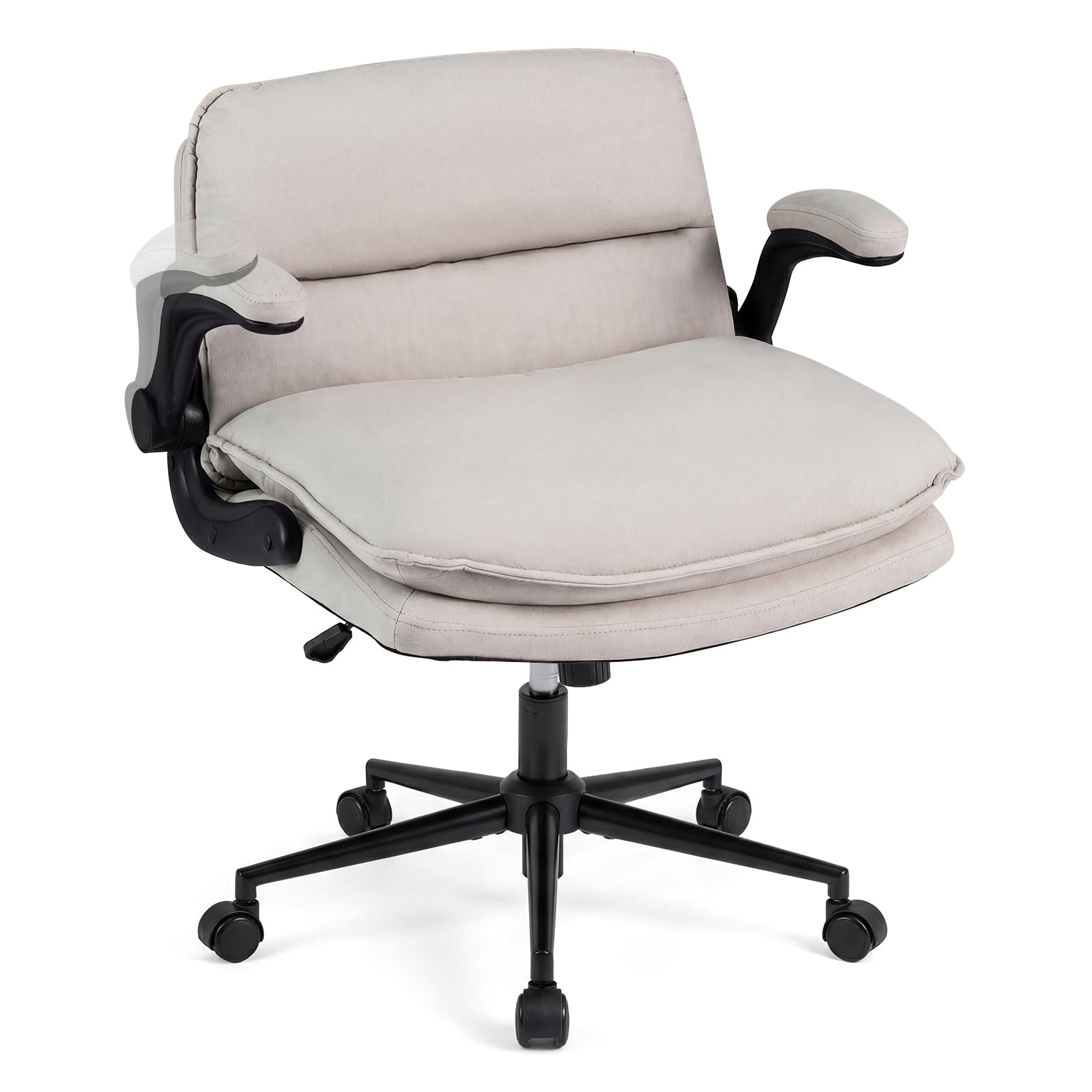
The Giantex Criss Cross Chair pairs a padded seat with flip-up arms, wheels, and a listed seat-height range of 20.5 to 24 inches. That minimum height deserves attention if you need a low chair for feet-down work.
It offers an open-sided position when the arms are raised, but a broad-looking cushion does not establish the usable opening with them lowered. Check both positions and whether the seat height works at your desk. A footrest may be needed when your feet cannot reach the floor comfortably.
| Pros | Cons |
|---|---|
| Flip-up arms and a padded sitting surface. | A 20.5-inch minimum seat height can be too high for some users. |
| Swivel base and wheels for desk positioning. | Confirm the usable seat space with the arms down. |
8. Steelcase Gesture: arm movement for changing tasks
The Steelcase Gesture uses 360-degree adjustable arms and adjustable seat depth to accommodate different working positions. It is a conventional office chair with movable arm assemblies, rather than a wide criss-cross lounge seat.
The useful trial is whether moving the arms outward clears your legs while keeping the pads within reach of your forearms. Check the actual seat and arm opening instead of assuming the movement range guarantees a full folded-leg position. Choose the task-chair height for a standard desk; the image shows the taller stool configuration.
| Pros | Cons |
|---|---|
| Arm movement supports changes between desk tasks. | Arm mobility is not a guarantee of folded-leg clearance. |
| Adjustable seat depth for ordinary seated fit. | It is not a dedicated extra-wide criss-cross platform. |
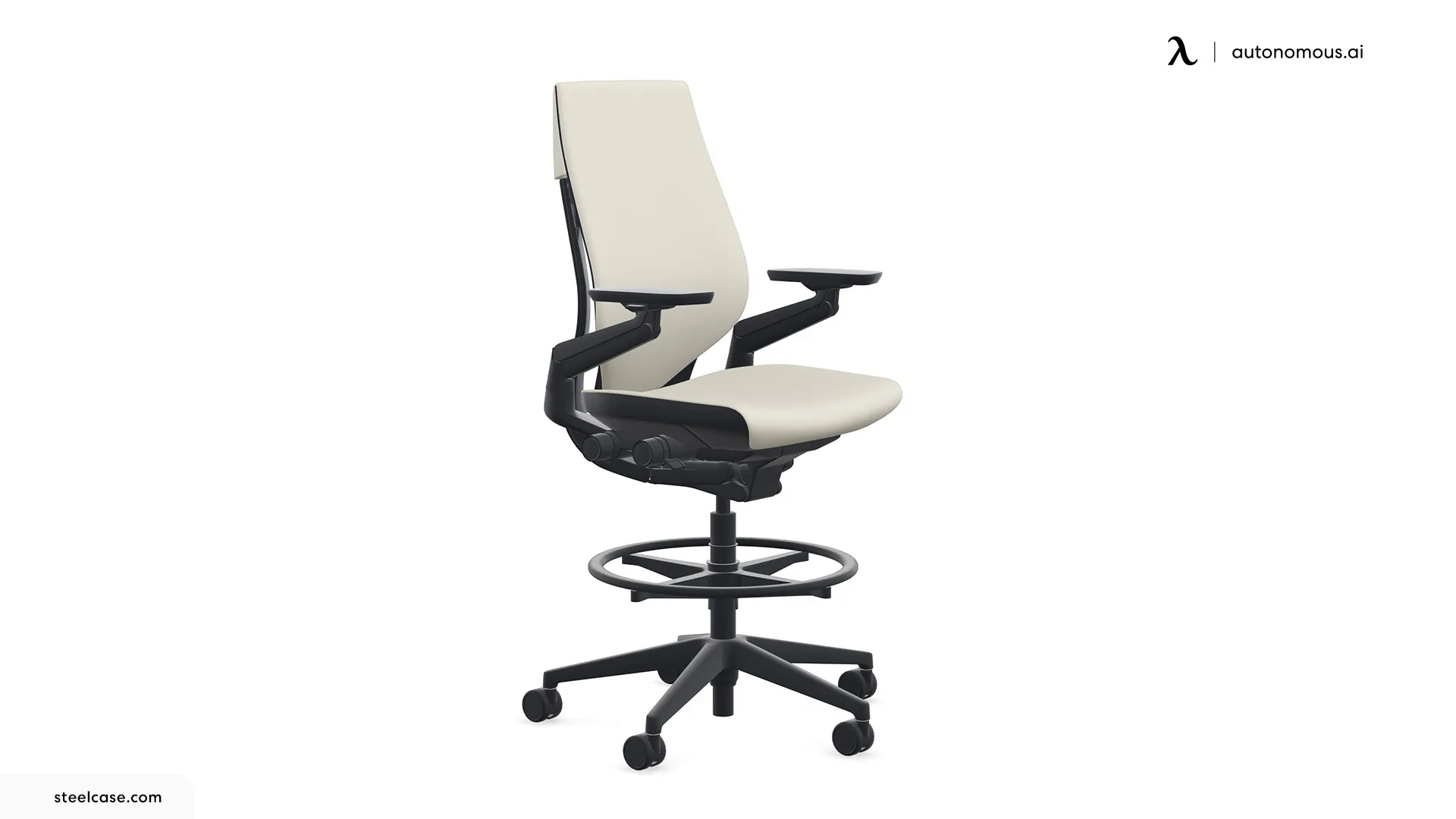
9. SIHOO Doro S300: mesh seating with coordinated arm adjustment
The SIHOO Doro S300 combines a mesh seat with 6D coordinated armrests and adjustable back support. It belongs on the task-chair side of this comparison, where everyday desk fit is the starting point.
Check where your knees sit relative to the arm assemblies and whether your ankles contact the seat edge. The 6D label describes adjustment features; it is not a measurement of the space available for your legs.
| Pros | Cons |
|---|---|
| Several arm adjustments for fitting desk tasks. | The arm structures remain a possible obstacle for folded legs. |
| Mesh seating for users who prefer that surface. | Seat-edge contact needs a personal fit check. |
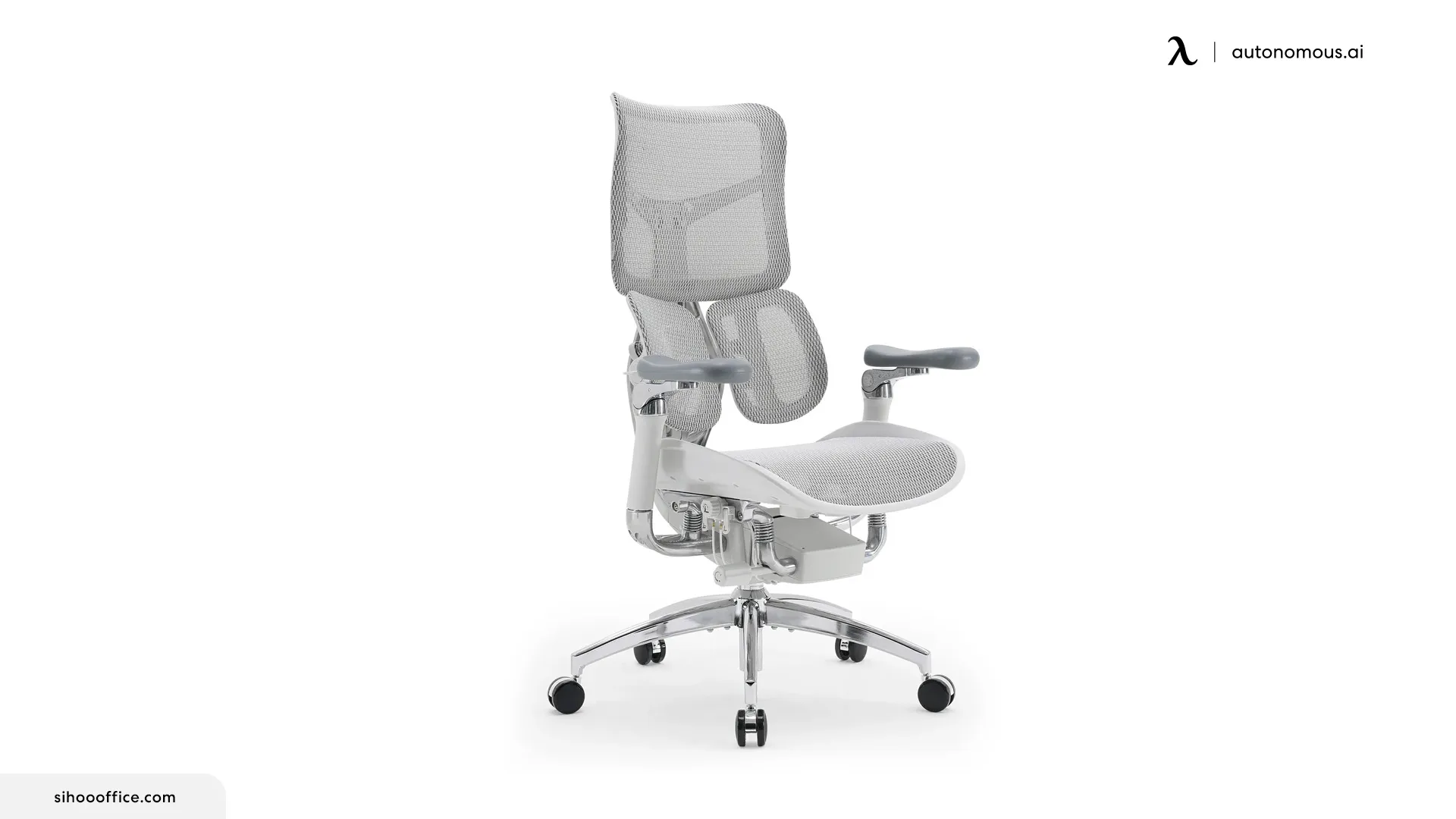
10. Razer Fujin Pro: adjustable arms for work and gaming
The Razer Fujin Pro offers a mesh seat and 4D padded armrests that adjust in height, depth, lateral position, and angle. It provides a conventional desk-and-gaming layout rather than a dedicated oversized seat.
Use the arm adjustments to fit your keyboard or mouse position, then check whether your preferred leg tuck remains comfortable. Pay attention to the surrounding seat frame: more arm movement cannot change where an ankle lands on that edge.
| Pros | Cons |
|---|---|
| 4D arms allow several pad adjustments. | Adjustable pads do not remove the supporting arm structures. |
| Mesh seat and adjustable lumbar support for desk use. | Check frame contact before using it with both legs folded. |
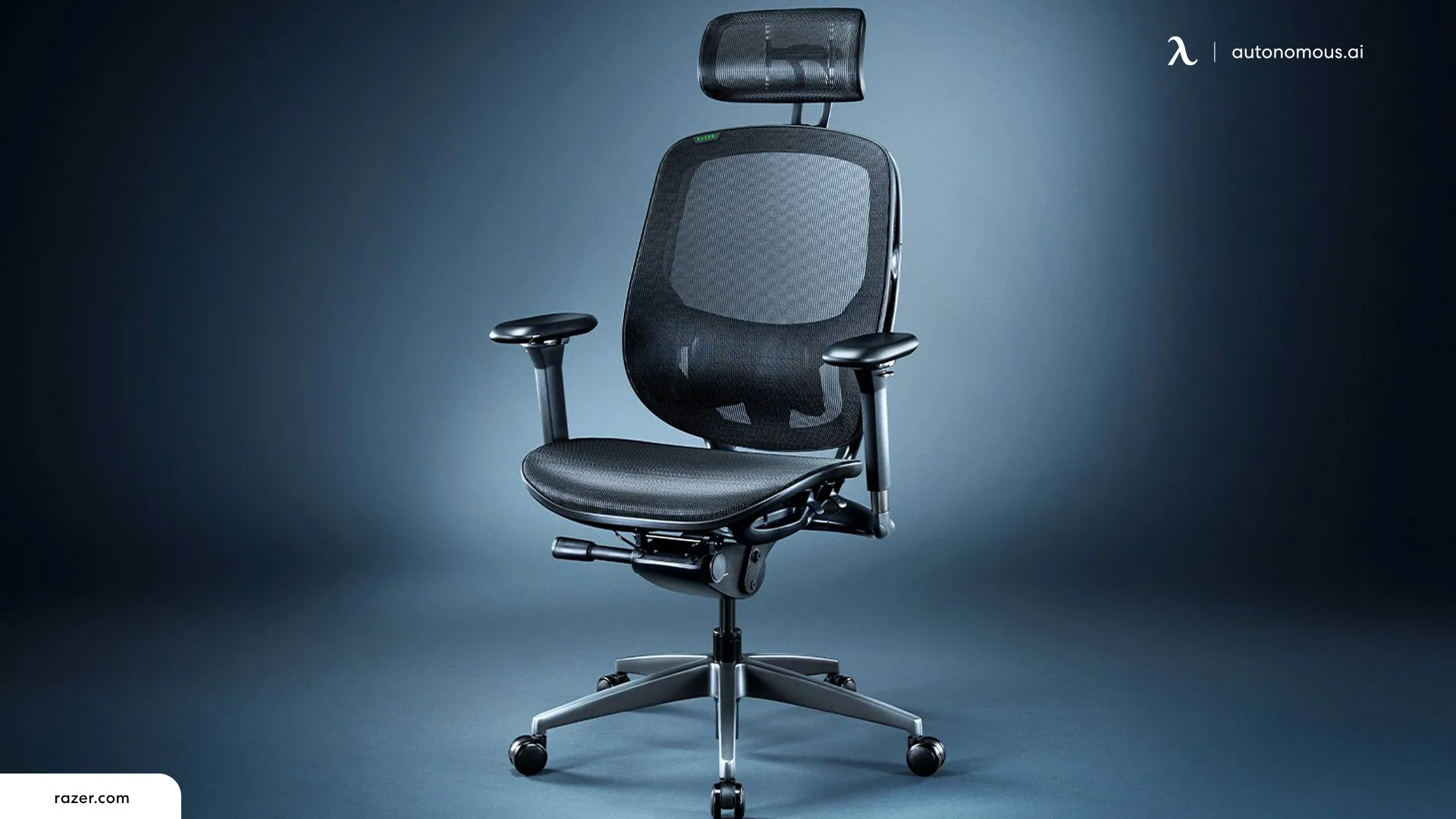
Test the chair in two working positions
A useful chair trial includes both your preferred cross-legged position and feet-down typing at your usual desk. Neither position should depend on squeezing past an arm post or reaching forward because the chair cannot get close enough.
- Set up feet-down sitting first. Adjust seat height and depth so your feet are supported, the seat clears the backs of your knees, and the backrest is usable.
- Bring the chair to the desk. Set the arms so your shoulders can relax and your forearms have support. Check that they clear the underside of the desk.
- Try your normal leg position. Notice contact at the knees, ankles, and seat edge. Do not force the position to make the chair seem wide enough.
- Check the arms again. If they must fold up, confirm that your desk can provide comfortable forearm support without reaching or pressing against a hard edge.
- Change position and stand up. You should be able to move your legs out and leave the chair without awkwardly threading them around the arms.
For a criss cross chair with wheels, choose casters suited to the floor and check stability as you enter or leave the seat. Stationary glides can be an alternative where the manufacturer offers them.
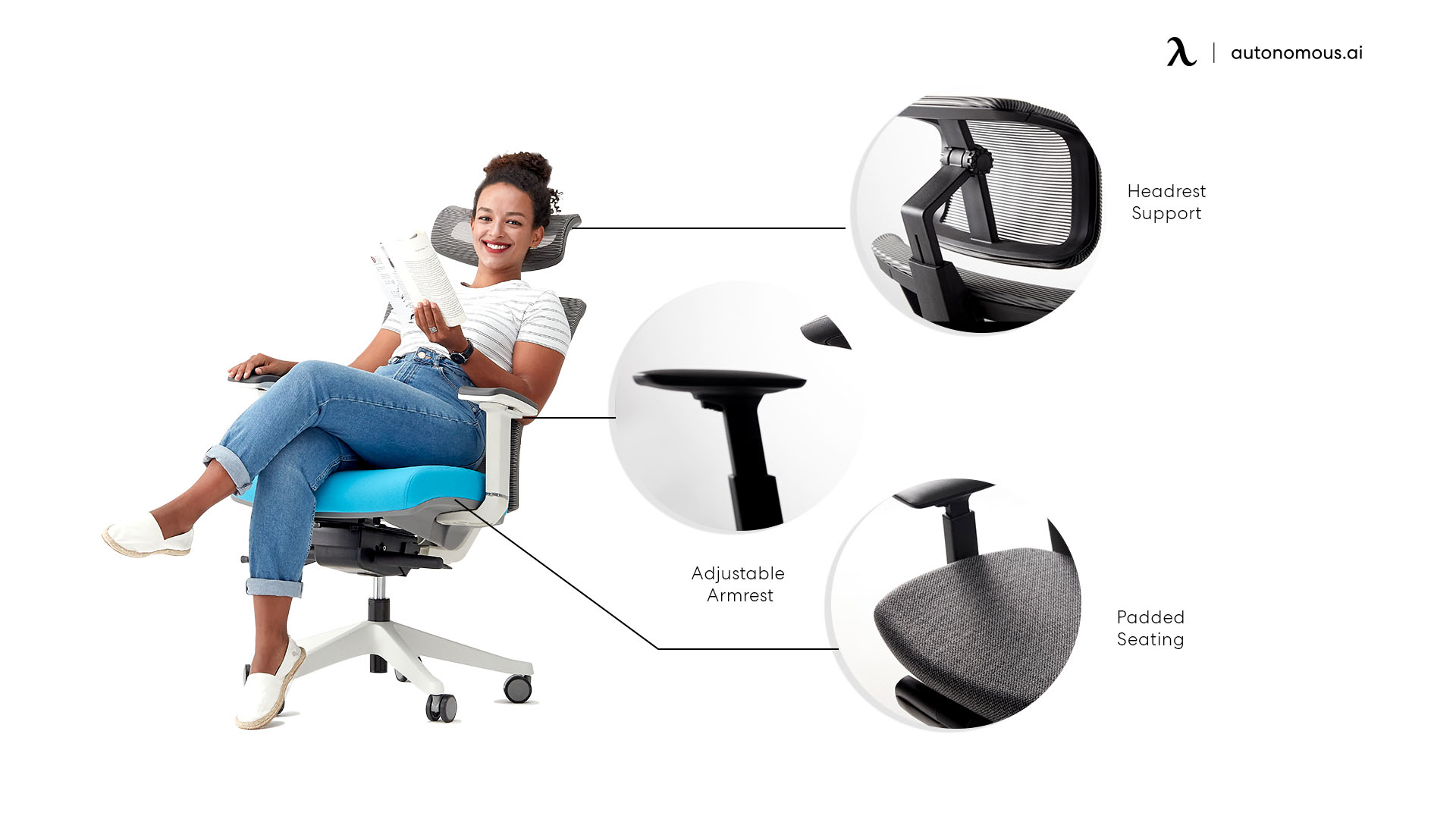
Is a criss cross chair with arms good for desk work?
A criss cross chair with arms can suit desk work when it fits you in more than one position and allows comfortable access to the keyboard and mouse. The armrests should help support work without blocking movement or forcing your shoulders upward.
CCOHS emphasizes matching the chair to the person, workstation, and task. WorkSafe Queensland also recommends varying posture. For cross-legged sitting, treat comfort as a reason to change position when needed, rather than a reason to hold one position throughout the day. Move your legs if you notice pain, tingling, or numbness; persistent symptoms warrant professional advice.
.jpg)
Frequently asked questions
What makes a criss cross chair with arms different?
A criss cross chair with arms combines room for a folded-leg position with forearm supports. Some models use broad cushions and folding arms; others are conventional task chairs with adjustable arms. The important distinction is whether your legs fit while the armrests remain usable for your work.
How wide should a cross-legged chair with arms be?
A cross-legged chair with arms needs enough usable width and depth for your own folded-leg position; there is no universal measurement that guarantees fit. Compare the cushion dimensions with the opening between arm supports. A chair's overall width includes parts that do not provide sitting space.
Are flip-up arms better than adjustable arms?
Flip-up arms are useful when you need to clear the side of the seat, while adjustable arms help position the pads for work. Neither design is automatically better. If you want arm support while sitting cross-legged, check the opening with the arms lowered, not only folded away.
Can the ErgoChair Pro work for cross-legged sitting?
The ErgoChair Pro may fit a tucked-leg position for some users, but its 19-inch-wide seat does not guarantee room for both folded legs. Trial your usual position with the armrests set for typing. Adjustable seat depth changes front-to-back space; it does not widen the seat or arm opening.
Are criss cross chairs with arms suitable for gaming?
A criss cross chair with arms can suit gaming if the seat fits, the arm pads match your controller or desk position, and you can change posture easily. Test it during the task you actually do. A gaming label does not establish knee clearance or comfort with folded legs.
Can I add armrests to an armless criss cross chair?
Add armrests to an armless criss cross chair only when the manufacturer provides a compatible mounting system or approved kit. Generic brackets and armrest extensions do not establish structural compatibility. Added arms may also reduce the legroom that made the original chair comfortable, so check the resulting opening.
Choose usable space, then arm support
The right criss cross chair with arms fits your legs and still supports the work you do. Start with a broad-seat design if both legs on the cushion are your priority, or trial a conventional task chair if you mainly sit feet down and occasionally tuck a leg. Before ordering, confirm the selected arm configuration, desk clearance, total delivered price, and return terms.