Steelcase Leap V2 Review - 8 Years of Evidence

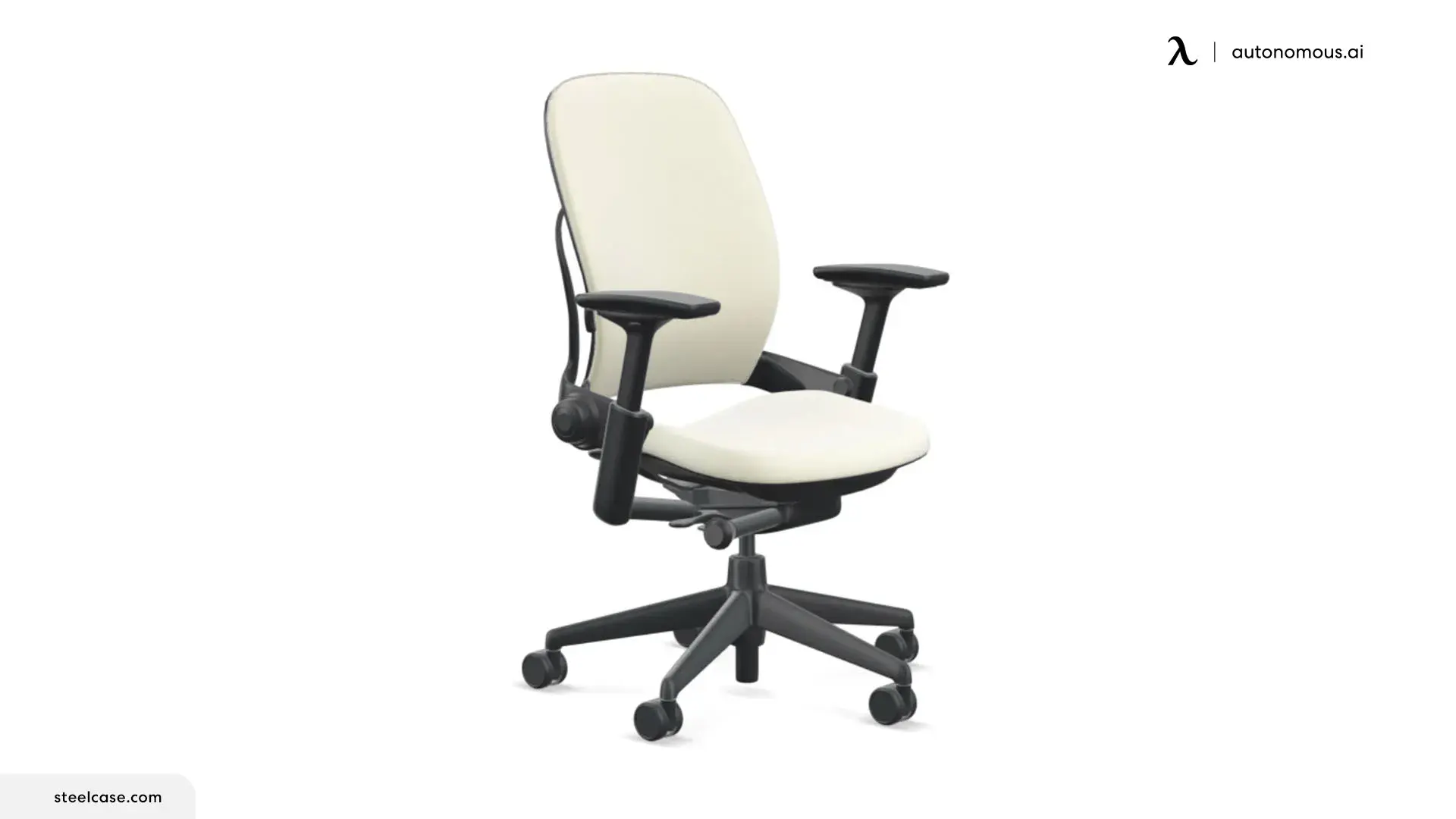
The Steelcase Leap V2 has been reviewed continuously since its 2006 launch. The signal across that window matters more than any single review: TechGearLab named it the best of 18 chairs in 2018. Tomasz Szynalski went through three units to find one without backrest noise in 2019. BTOD's editor moved off it for marathon sessions after three years of daily use in 2026. The backrest still wins. The seat pad, headrest, and pricing trajectory still lose.
We tested the Leap V2 head-to-head against our ErgoChair Ultra 2 because the two chairs occupy the same ergonomic category - fully adjustable, dynamic-back task chairs - at very different prices. This review is what we found, plus what 8 years of independent reviews already established. Specs and reasoning, not affiliate marketing.
What every long-term review agrees on
The Leap's reputation rests on three things that don't change over time:
The backrest.
A flexible plastic shell anchored only at the bottom and at chest level, with a tension knob that lets you adjust how firmly it resists lumbar flexion. Szynalski's verdict in 2019: the best backrest of any chair he'd tested, alongside the Steelcase Please. BTOD's verdict in 2026: still one of the best in the business. The mechanism adapts to spine curvature without forcing a fixed lumbar bump on the user.
The armrests.
4D-adjustable - height, width, depth, pivot - and Szynalski calls the material "unimprovable." BTOD's 2026 review names them "probably my favorite armrests overall." Across every review, the Leap's armrests are the reference standard.
The build.
BTOD refurbishes Leap V2 chairs dating back to 2006. The structural components still function 15–20 years out. Steelcase backs the chair with a 12-year warranty; real-world evidence runs longer.
What every long-term review flags as a problem
Backrest noise and lag.
Szynalski went through three units before getting one without clanking. His 2019 conclusion: 1 in 3 new Leaps shipped with serious noise issues. The mechanism's complexity - backrest coupled to a sliding seatpan - is the likely cause. Independent dealers and Steelcase social-media replies have confirmed this is a known quirk.
The crooked-back design.
Multiple reviews and Reddit threads document that the Leap's backrest tensioner pushes harder on the right side than the left, twisting the user's torso slightly. Szynalski didn't notice it for two years, then couldn't unfeel it. The newer Gesture model corrected the design - Steelcase appears aware. Not all units show it equally, but the design is the source.
The seat pad.
Thin by design, but too thin for marathon use. BTOD's 2026 reviewer transitioned off the chair for 8+ hour sessions after three years and now uses it only for shorter home-office work. The tailbone area is the specific complaint.
The headrest.
Three reviewers, three negative verdicts. Szynalski: "looks like it was designed by an unpaid intern." BTOD: pushes the head forward, drops from set position, not worth the $180 add-on. The flaw is geometric - the headrest moves up-and-down only, with no forward adjustment to track the head as the chair reclines.
The seat foam runs hot.
Szynalski uncomfortable above 25°C (77°F). Thicker foam than the Steelcase Amia or Think; loses to any mesh chair on thermal comfort.
Price and policy drift.
A 4-way-arm Leap V2 with adjustable lumbar runs about $1,399 new on Steelcase.com as of 2026, up from earlier years. Steelcase's return window dropped from 30 days to 14. BTOD sells fully refurbished units at $640.99, which is the more honest entry point for most buyers.
Steelcase Leap V1 vs V2
The Leap V1 launched in 1999 and ran through 2006. The V2 has been in production since 2006 and is the version every modern review covers. Seven differences matter:
- V2's flexible backrest shell - the LiveBack system in current marketing - was redesigned for finer flex distribution. V1's was simpler.
- V2 added the lower-back firmness tensioner knob. V1 had a fixed firmness.
- V2's 4D armrests replaced V1's narrower-range arms.
- V2's seat slider depth-adjustment range is wider.
- V2's tilt limiter has 5 stops vs V1's 4.
- V2's base and casters are heavier-duty.
- V2's parts are still in production; V1 parts have to be sourced refurbished.
If you're buying refurbished, take the V2. Functionally there is no reason to buy a V1.
Steelcase Leap V2 vs Gesture
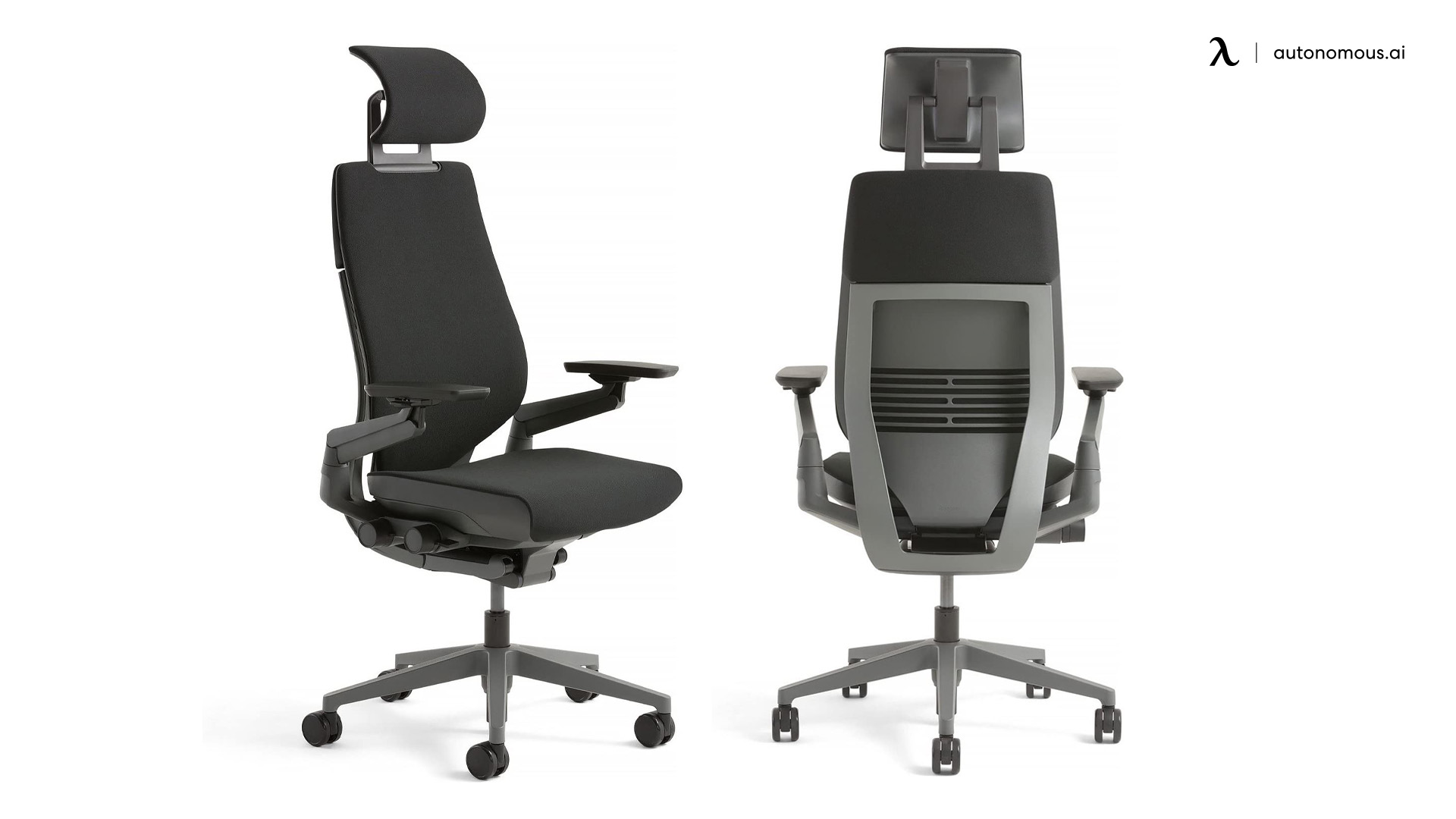
The Gesture is Steelcase's $1,500+ chair built around the assumption that users now hold phones and tablets in addition to typing, so the armrests need a wider movement range than the Leap's already wide range. That is the headline difference.
Where they split:
- Leap: flexible LiveBack shell, adjustable lumbar firmness, sticky recline, 5-stop tilt limiter, 12-year warranty
- Gesture: thicker fixed lumbar (no firmness adjustment), more aggressive armrest range, hotter foam, similar warranty
Szynalski's verdict in his Gesture review: the non-adjustable lumbar was excessive for his spine, and the thick seat foam ran too hot. He chose the Leap. The Gesture wins if you actively need extreme armrest positions (drawing tablet, phone-heavy work). For everything else, the Leap's backrest engineering wins.
Steelcase Leap V2 vs Herman Miller Aeron
The Aeron is the other reference office chair in this category. Around $1,800 new for a standard Size B with PostureFit SL. The split is straightforward:
- Aeron strength: mesh seat and back. Runs cool. Best-in-class thermal comfort.
- Leap strength: adjustable lumbar firmness, seat depth slider, and a backrest that flexes across the panel rather than relying on tension in the mesh.
- Aeron weakness: no seat depth adjustment on any size. The Size A is 16" fixed; Size B is fixed; Size C is fixed. Petite users and tall users with short femurs can't tune the seat.
- Leap weakness: thin seat foam, hot in warm rooms, noisy mechanism on some units.
If your office runs above 77°F or you sit in a warm climate, Aeron. If your femur length doesn't match your overall height, Leap. If neither applies, the decision is foam-vs-mesh preference and price.
.webp)
Herman Miller Embody vs Steelcase Leap V2
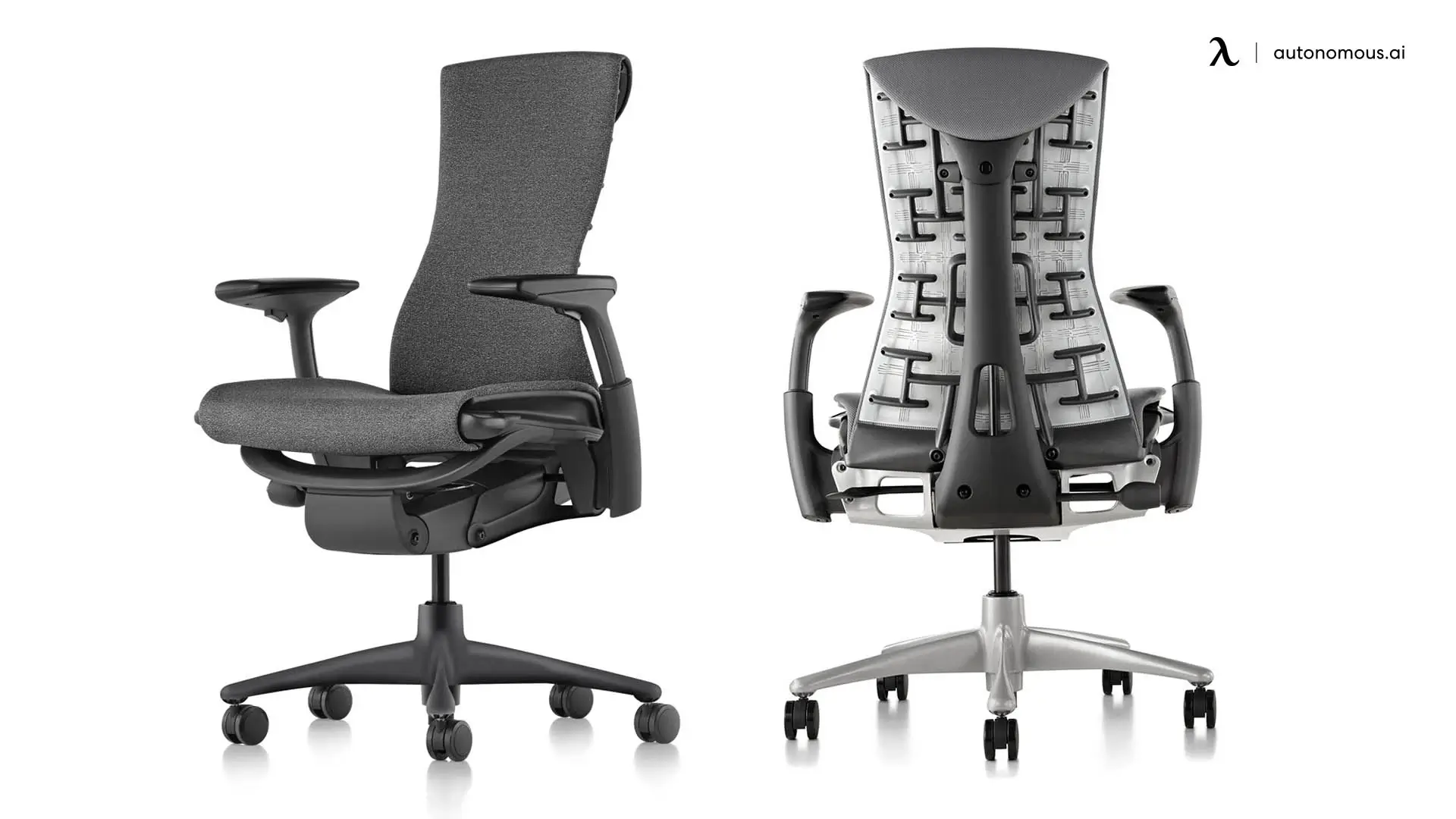
The Embody costs around $1,800–$2,000 and uses a "pixelated" backrest of small individual elements that move independently - closer to a dynamic load-distribution system than a flexing shell.
- Embody strength: continuous micro-movement support, very high adjustability, designed for users who shift posture constantly
- Embody weakness: the seat is a known love-or-hate. Many users find it too firm or too odd-feeling. The chair photographs distinctively, which makes it polarizing in person.
- Leap strength: more conventional comfort profile, broader fit envelope (5'2"–6'6")
- Leap weakness: less micro-movement than the Embody's seat-back system
Szynalski tested both. His verdict: the Leap is the default recommendation; the Embody is the right call only if you've sat in it and specifically prefer the support style.
Steelcase Leap V2 vs Autonomous ErgoChair Ultra 2
We built the Ultra 2 in the same category as the Leap - fully adjustable, dynamic-back, lifetime-warranty task chair - at $499. Here's the head-to-head:
Spec | Steelcase Leap V2 | ErgoChair Ultra 2 |
Price (new, recommended config) | ~$1,399 | $499 |
Backrest | LiveBack flexible shell, adjustable firmness | Three linked support zones, full-panel flex |
Lumbar | Adjustable height + firmness | Adaptive, no fixed bump |
Armrests | 4D | 4D |
Seat height | 15.5" – 20.5" | 18" – 23" |
Seat depth | 15.7" – 18.5" (adjustable) | 18" – 20.5" (adjustable) |
Seat construction | Foam over pan | TPE webbing + polymer coil springs, 4-layer |
Weight capacity | 400 lb | 320 lb |
Frame | Modular assembly | In-house welded |
Warranty | 12 years | Lifetime (frame and mechanism) |
Known issues | Backrest noise (1 in 3 units historically), crooked-back design, thin seat pad, hot foam, $180 useless headrest | 18" minimum seat height (requires footrest under 5'2"), US-only shipping |
Where the Leap wins: lower minimum seat height (15.5" vs 18") fits users 5'2"–5'5" without a footrest. Adjustable lumbar firmness knob is a genuinely useful feature the Ultra 2 substitutes with an adaptive system. 400 lb capacity is higher than the Ultra 2's 320 lb.
Where the Ultra 2 wins: $900 cheaper at the recommended configuration. Welded frame eliminates the mechanical complexity that causes the Leap's documented noise and lag issues. TPE-and-spring seat construction addresses the thin-foam tailbone complaint that pushed BTOD's editor off the Leap after three years. Lifetime warranty vs 12-year. Reading the back-frame engineering breakdown shows the design intent.
Where they tie: 4D armrests, full adjustability, dynamic backrest, 8+ year build quality target.
The honest read: a refurbished Leap V2 at BTOD's $640 sits in the same price band as the Ultra 2 at $499. New Leap at $1,399 is harder to justify against a $499 Ultra 2 unless the 15.5" minimum seat height or the lumbar firmness knob is specifically what you need. Both are real reasons. Most buyers don't need them.

FAQs
Is the Steelcase Leap V2 worth $1,399?
For most buyers, no - a refurbished Leap V2 at ~$640 delivers the same chair with the same warranty term remaining, or an Ultra 2 at $499 delivers the same adjustability tier with a lifetime warranty. The new Leap at $1,399 makes sense if you specifically need the 15.5" minimum seat height or want first-owner foam.
How long does a Steelcase Leap V2 last?
BTOD refurbishes Leap V2 chairs from 2006 with structural components still functional. Steelcase warranties the chair for 12 years. Real-world lifespan with normal office use runs 15–20 years.
What is the difference between Leap V1 and V2?
The V2 added the LiveBack flexible backrest shell, the lower-back firmness tensioner, 4D armrests, and a wider seat depth slider range. The V2 has been in production since 2006; V1 parts must be sourced refurbished.
Should I buy the Leap V2 headrest?
No, based on three independent reviews. It pushes the head forward instead of supporting it, drops from set position over time, and costs $180 as an add-on. Buy the chair without and consider an aftermarket headrest if you need one.
Is the Steelcase Leap V2 good for tall users?
Yes, up to about 6'6". The seat raises to 20.5" and the backrest is tall enough to support the shoulders of users in that range. Above 6'6", consider the Leap Plus (wider seat) or a larger chair.
Is the Steelcase Leap V2 good for petite users?
Yes, down to about 5'2". The 15.5" minimum seat height is one of the lowest in the premium-chair category. Users under 5'2" will need a footrest with the Leap or a chair with an even lower seat (Aeron Size A at 14.75").
How does the Leap V2 compare to the Autonomous ErgoChair Ultra 2?
The Ultra 2 matches the Leap on adjustability and 4D armrests at $499 vs $1,399 new. The Leap's lower minimum seat height (15.5" vs 18") fits 5'2"–5'5" users without a footrest. The Ultra 2's welded frame avoids the noise and lag issues documented across multiple Leap units, and the warranty is lifetime vs 12-year.
References
- Szynalski, T. (2019). Review of the Steelcase Leap (v2) chair. Hope This Helps. Multi-unit independent testing with documented backrest lag, crooked-back design, and noise issues.
- Wise, D., & Palmer, A. (2018). Steelcase Leap Review. TechGearLab. Top pick of 18 chairs tested.
- Knighton, G. (2026). What I Think About the Steelcase Leap V2 3 Years Later. BTOD.com. Three-year daily-use longitudinal review.
- TechRadar. Steelcase Leap review. Editorial review.
- MMORPG.com. Steelcase Leap V2 review - almost perfect. Gaming-context review.
- Vergara, M., & Page, Á. (1998). An empirical study of preferred settings for lumbar support on adjustable office chairs. Applied Ergonomics. National Library of Medicine.