AI Tools for Project Management 2026: What Works vs What Doesn’t


Quick Answer: The best AI tool for project management depends on what is slowing your team down. ClickUp and Asana are strong for tracking work, Notion AI is better for planning, Motion helps with scheduling, and execution-focused tools help teams follow through after plans are made.
Table of Contents
Project management tools are good at organizing work. They are less reliable at making sure the work actually gets done.
If you’ve used any AI tool for project management, you’ve likely seen the same pattern. Tasks are created, timelines are set, and dashboards look complete — but follow-ups get missed, updates lag behind, and coordination becomes the real bottleneck.
This is where AI assistants are starting to help, but not in the way most people expect.
Instead of replacing project managers, AI is reducing the overhead around managing work. It can summarize updates, suggest priorities, automate scheduling, and reduce the need for constant manual tracking.
However, not all AI powered tools for project management solve the same problem.
Some focus on planning. Some focus on tracking. Very few focus on execution.
This guide breaks down the best tools available today based on what they actually do, where they fall short, and how to choose the right one based on your workflow.
What are AI tools for project management?
AI tools for project management are software systems that use machine learning and automation to help teams plan, track, and coordinate work more efficiently.
Instead of manually updating tasks, chasing status updates, or organizing timelines, these tools assist with repetitive coordination tasks. They can summarize project progress, suggest deadlines, automate scheduling, and highlight risks based on past data.
In practice, an AI tool for project management acts as a support layer rather than a replacement for project managers. It reduces the time spent on operational work so teams can focus more on execution and decision-making.
Most tools today focus on three core areas:
- structuring tasks and workflows
- tracking progress and updates
- improving visibility across teams
However, they still depend on human input to stay accurate. If tasks are not updated or workflows are unclear, the output from AI becomes less useful.
This is why using AI for project management is less about automation alone, and more about improving how work flows between people, tools, and decisions.

Types of AI tools for project management
AI tools for project management generally fall into three categories based on where they support the workflow: planning, coordination, and execution.
Understanding this distinction matters because most tools solve only one part of the problem. Choosing the wrong type often leads to more complexity instead of better outcomes.
1. Planning tools
Planning tools help teams structure work before it starts.
They are used to create project documents, define tasks, and map out timelines. AI in this category assists by generating outlines, summarizing notes, and organizing information into actionable plans.
Common use cases include:
- drafting project briefs
- breaking down tasks from high-level goals
- organizing documentation
Tools like Notion AI and ClickUp AI are strongest here. They reduce the time needed to go from idea to structured plan.
The limitation is that planning does not guarantee execution. Once the plan is created, teams still need to manage and follow through on the work.
2. Coordination tools
Coordination tools focus on managing work after it has been planned.
They help assign tasks, track progress, and keep teams aligned. AI features in this category include automated updates, deadline suggestions, and workload balancing.
Typical functions include:
- task assignment and tracking
- progress updates and notifications
- scheduling and timeline adjustments
Tools like Asana, Motion, and Monday.com fit into this category. They are effective when workflows are already defined and teams need visibility.
The limitation is that they still rely heavily on manual input. If updates are not maintained, the system quickly becomes outdated.
3. Execution tools
Execution tools focus on moving work forward after it has been tracked.
Instead of organizing tasks, they help complete them. This includes generating follow-ups, summarizing discussions into actions, and coordinating work across tools without requiring constant manual updates.
Use cases include:
- drafting follow-up messages
- turning meeting notes into tasks
- coordinating next steps across teams
This is a newer category, but it addresses a common gap. Many teams do not struggle with planning or tracking — they struggle with keeping work moving.
An ai tool for project management in this category acts more like an assistant than a dashboard. It reduces friction between tasks and outcomes.
Best AI tools for project management (2026)
The best AI tools for project management depend on where your workflow slows down.
Some tools help you plan work. Some help you track it. A smaller group helps you actually move it forward.
These tools are not interchangeable. Choosing the right one depends on whether your bottleneck is planning, coordination, or execution.
Tool | Best for | Where it helps most | Limitation |
Autonomous Intern | Execution | Follow-ups, coordination, turning plans into action | Not a full PM system |
ClickUp AI | Planning + structure | Tasks, docs, workflows in one place | Needs consistent updates |
Asana AI | Coordination | Tracking progress, team alignment | Limited execution support |
Notion AI | Planning | Docs, briefs, knowledge base | Weak tracking + execution |
Motion | Scheduling | Prioritization and calendar automation | Not a full PM workflow |
Monday.com AI | Tracking | Visual workflows + automation | Depends on structured setup |
Wrike AI | Enterprise workflows | Reporting, workload management | Complex setup |
Trello + AI | Simplicity | Lightweight task management | Limited scalability |
Height AI | Automation | Auto-updating tasks | Less control over logic |
Taskade AI | Collaboration | Brainstorming and early planning | Not built for complex teams |
1. Autonomous Intern
Best for: Turning plans into execution
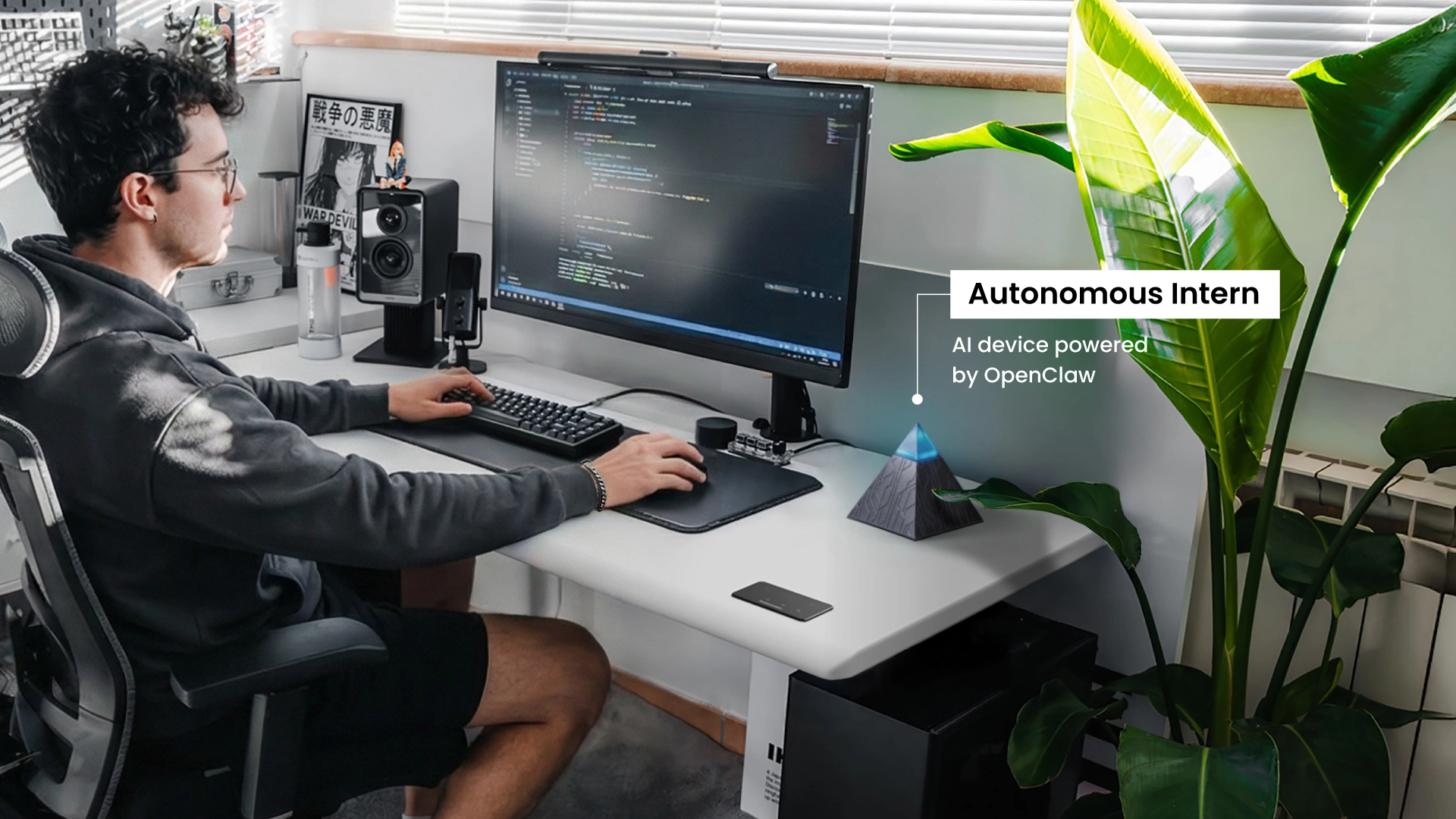
Autonomous Intern works more like an AI assistant for project management that helps teams follow through on work after tasks are created.
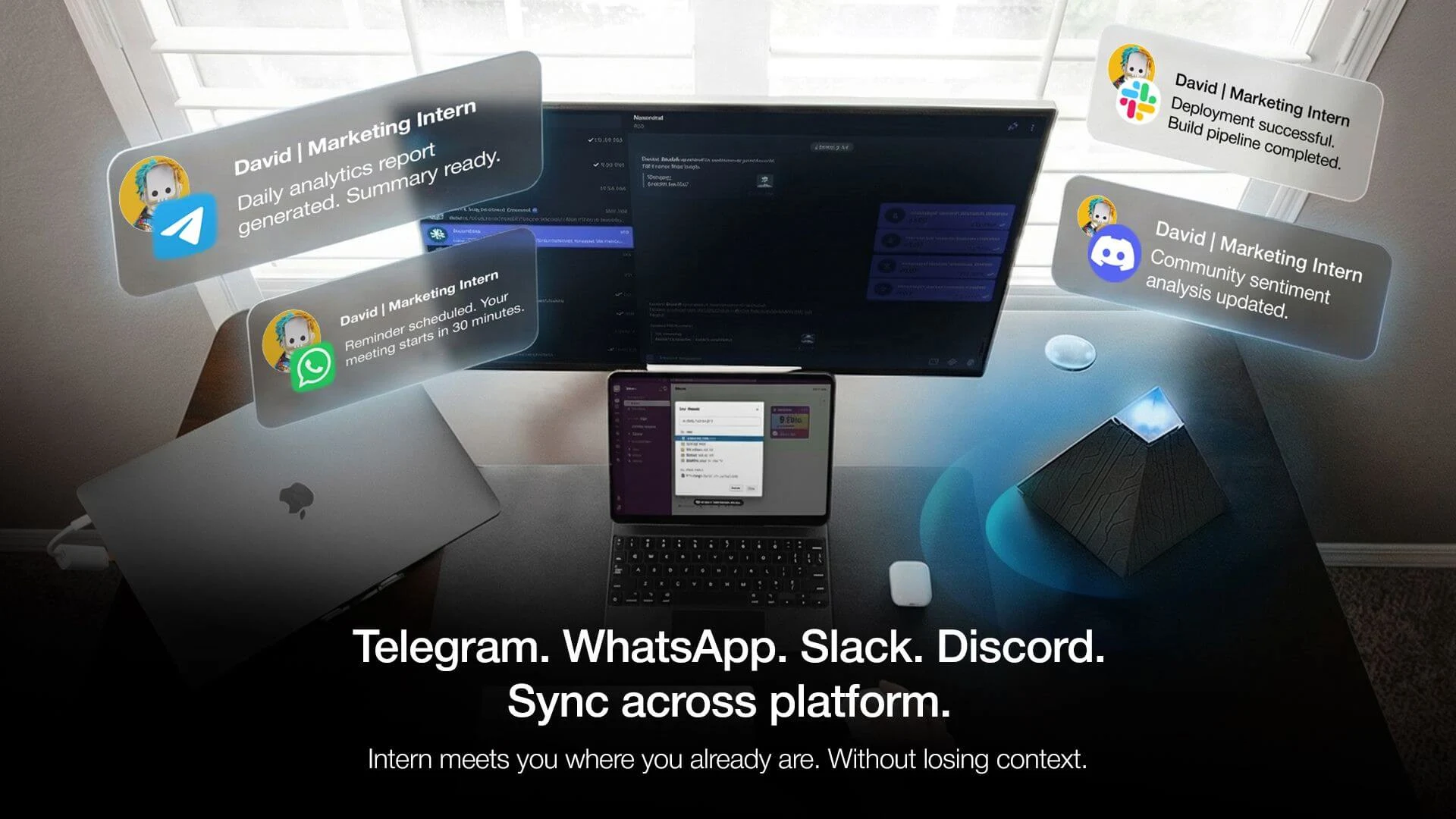
Instead of managing boards or timelines, it operates through chat tools like Slack or Telegram. It helps handle execution tasks such as writing follow-ups, summarizing meetings into action items, coordinating next steps, and keeping projects moving without constant manual updates.
In practice, this feels less like tracking work and more like delegating it. Teams use it to turn discussions into tasks, remind stakeholders about deadlines, and draft updates or reports based on ongoing work.
The limitation is that it does not replace a full project management system. It works best alongside tools like Asana or ClickUp rather than on its own.
It makes the most sense for teams that already have structure, but struggle with execution and coordination.
2. ClickUp AI
Best for: Structured task and document workflows
ClickUp AI is strongest for teams that want to centralize project management into one system.
It combines task management, documentation, and planning, with AI features that help generate task descriptions, summarize content, and organize workflows. This reduces the time needed to build and maintain structured project setups.
In practice, it works well for teams that need consistency and control across projects. Everything lives in one place, which makes it easier to standardize processes.
The trade-off is that it still depends heavily on user input. If tasks are not updated regularly, the system can become outdated, and AI suggestions lose accuracy.
ClickUp AI is best for teams that are willing to maintain structure and want a single source of truth for their work.
3. Asana AI
Best for: Workflow tracking and team coordination
Asana AI is designed to improve visibility across ongoing projects.
It helps summarize updates, suggest priorities, and highlight risks, making it easier for teams to stay aligned without constant check-ins. This is especially useful for larger teams managing multiple projects at once.
In practice, it acts as a coordination layer. It shows what is happening and where attention is needed, but it does not directly move work forward.
The limitation is that tasks still rely on users to update and complete them. Projects can appear organized while progress slows behind the scenes.
Asana AI is best for teams that already have strong workflows and need better coordination, not execution.
4. Notion AI
Best for: Planning and documentation
Notion AI is strongest at the beginning of the project lifecycle.
It helps teams turn ideas into structured plans by generating project briefs, organizing documentation, and building knowledge bases. This makes it useful for planning, brainstorming, and aligning teams before work starts.
In practice, it works as a thinking and planning tool rather than a management system. Teams often use it to define what needs to be done, then move execution elsewhere.
The limitation is that it lacks built-in tracking and execution capabilities. Projects still require separate tools to manage progress.
Notion AI is best for teams that need clarity and structure early, but not for managing day-to-day execution.
5. Motion
Best for: AI scheduling and prioritization
Motion focuses on one specific problem: deciding what to work on next.
It automatically schedules tasks based on deadlines, priorities, and availability, adjusting calendars in real time. This removes the need for manual planning and helps individuals stay focused on high-priority work.
In practice, it works best for individuals or small teams juggling multiple deadlines. It reduces decision fatigue around scheduling.
The limitation is that it does not handle full project workflows. It organizes time, not projects.
Motion is best for users who struggle with prioritization rather than coordination.
6. Monday.com AI
Best for: Visual project tracking with AI automation
Monday.com AI combines visual project boards with automation and reporting.
It helps teams track tasks, generate updates, and reduce manual reporting effort. This makes it useful for teams that rely on visibility across multiple workflows.
In practice, it works well when processes are clearly defined and repeatable. The visual layout makes it easy to understand project status at a glance.
The limitation is that it still depends on structured input. Without consistent updates, automation becomes less reliable.
Monday.com AI is best for teams that want visibility and automation within an existing workflow structure.
7. Wrike AI
Best for: Enterprise workflow management
Wrike AI is designed for large organizations managing complex projects.
It supports workload management, forecasting, and detailed reporting, helping teams track multiple projects across departments. This makes it suitable for environments where oversight and coordination are critical.
In practice, it provides strong control and visibility, but requires time to set up and maintain.
The trade-off is complexity. Smaller teams may find it too heavy for their needs.
Wrike AI is best for enterprises that need structured control rather than flexibility.
8. Trello + AI
Best for: Simple task management with lightweight AI
Trello remains one of the easiest tools to adopt for project management.
With AI features, it can automate simple actions and provide suggestions, making it more efficient without adding complexity. This is useful for small teams or straightforward workflows.
In practice, it works best when projects are simple and easy to track visually.
The limitation is scalability. It lacks the depth needed for more complex or multi-layered projects.
Trello + AI is best for teams that value simplicity over advanced features.
9. Height AI
Best for: Automated project updates
Height AI focuses on minimizing the need for manual task updates.
It automatically updates project status based on activity, helping keep tasks accurate without constant input. This reduces administrative work and keeps projects more current.
In practice, this removes one of the biggest pain points in project management — maintaining task accuracy.
The limitation is control. Automation may not always reflect nuance, especially in complex workflows.
Height AI is best for teams that want less manual tracking and are comfortable with automation handling updates.
10. Taskade AI
Best for: Lightweight collaboration and brainstorming
Taskade AI is designed for quick collaboration and early-stage planning.
It helps generate ideas, create task lists, and organize simple workflows in a lightweight interface. This makes it useful for brainstorming and small projects.
In practice, it works well for fast-moving teams that need flexibility.
The limitation is depth. It is not built for managing complex or long-term projects.
Taskade AI is best for teams that prioritize speed and simplicity over structure.
FAQs
What is the best AI tool for project management?
The best AI tool for project management depends on your workflow. ClickUp and Asana are strong for task tracking, Notion AI is better for planning and documentation, and Motion focuses on scheduling. Tools that act as an AI assistant for project management can help with follow-ups and coordination after tasks are created.
How do AI tools help in project management?
AI tools help automate repetitive coordination tasks such as summarizing updates, suggesting priorities, scheduling work, and tracking progress. They reduce manual effort and improve visibility, allowing teams to focus more on execution.
Can AI replace project managers?
No. AI can support project managers by handling routine tasks, but it cannot replace decision-making, leadership, or context-based judgment. Human input is still required to guide projects and resolve complex situations.
What are the limitations of AI in project management?
AI tools often depend on structured data and consistent updates. They can organize and track work, but they do not fully handle execution. Tasks still require human follow-through, especially when coordination or judgment is needed.
Are AI tools for project management worth it?
Yes, if they reduce coordination overhead. AI tools are most valuable when teams spend too much time updating tasks, managing timelines, or chasing follow-ups. The benefit depends on how well the tool fits your workflow.
What is the difference between AI project management tools and AI assistants?
AI project management tools focus on planning and tracking tasks. AI assistants focus on execution, such as drafting updates, sending follow-ups, and coordinating next steps. Both can be used together but serve different roles.
Do I need technical skills to use AI for project management?
No. Most modern AI tools are designed for non-technical users and include simple interfaces. They can be used without coding, especially in tools like ClickUp, Asana, and Notion.
How do I choose the right AI tool for project management?
Start by identifying where your workflow slows down. If planning is the issue, use documentation tools. If tracking is the problem, use task management tools. If execution and follow-ups are the bottleneck, look for tools that help move work forward.
Conclusion
AI is changing project management, but not by replacing the role itself.
It is reducing the amount of manual coordination required to keep projects moving — updating tasks, summarizing progress, scheduling work, and keeping teams aligned.
Most tools today focus on planning or tracking. Fewer focus on execution.
That distinction matters.
Choosing the right AI tool for project management is not about features. It is about understanding where your workflow slows down and selecting an AI tool that addresses that specific gap.
AI works best when it supports the process, not when it tries to replace it.
The teams that benefit the most are not the ones using the most tools. They are the ones using the right type of support at the right stage of the workflow.