ErgoChair Pro
Black Friday price.
Built for 12-hour sessions.
Best Office Desk Accessories for an Organized Workstation


The most useful office desk accessories give active paper, cables, frequently used tools, or a device a defined place without taking away typing and mouse space. Before buying anything, spend five minutes identifying the item that travels, spreads, or interrupts your work; measure the free work zone; then note whether the item needs power, mounting, or office approval. That small audit keeps a workstation from becoming a storage shelf.
The 15 picks below cover the jobs a fixed or shared professional desk actually needs to do: route a cable bundle, contain papers and supplies, protect the work surface, reclaim vertical space, clean a device, or park a phone. Prices change periodically and can vary by retailer or location.
| Accessory | Problem it solves | Current US price |
|---|---|---|
| Autonomous Cable Tray | Routes a power strip and cable bundle below a compatible desk | $49 |
| ErgoClick 3D | Gives a mouse wrist rest a fixed place | $39 |
| IKEA DRÖNJÖNS Desk Organizer | Contains small supplies and chargers | $21.99 |
| IKEA DRÖNJÖNS Letter Tray, 2-Pack | Separates papers that still need action | $19.99 |
| IKEA RISSLA Desk Pad | Defines and protects a paper-and-device surface | $41.99 |
| OXO Good Grips Sweep & Swipe Laptop Cleaner | Removes dry debris and smudges from devices | $14.99 |
| Lamicall Adjustable Cell Phone Stand | Gives a phone a fixed viewing position | $13.99 |
| IKEA ELLOVEN Monitor Stand | Raises a monitor and adds a drawer | $29.99 |
| IKEA VATTENKAR Desktop Shelf | Moves small tools upward | $34.99 |
| IKEA KALKSTUFF Cable Holder | Keeps cable ends reachable | $3.99 |
| IKEA KOPPLA Power Strip | Adds three grounded outlets | $9.99 / 2-pack |
| IKEA FÖRSÄSONG Cable Tray | Routes a small clamp-on cable bundle | $12.99 |
| IKEA FODERTRÅG Organizer | Holds a changing handoff queue | $5.49 |
| IKEA SKÅDIS Pegboard | Creates approved vertical storage | $19.99 |
| Autonomous Hydrate | Gives a drink a defined desk place | $29 sale |
15 office desk accessories that solve a defined problem
These office desk accessories work when each one replaces a recurring bit of desk friction, not when every surface gets another object. Choose in this order: clear a cable or paper problem first, then contain small tools, then add vertical space or a device position; add power only with workplace approval.
Autonomous Cable Tray keeps a power strip and cables below a compatible desk
The Autonomous Cable Tray is a steel tray for a power strip and multiple cables. It measures 35.4 inches long by 6.3 inches wide by 2.5 inches high, holds up to 35 lb, and is listed for no-drill installation and compatibility with an Autonomous Desk. Check the underside of the desk, the cable path, and approval requirements before installing it.
| Pros | Cons |
|---|---|
| Moves the power strip and cable bundle out of the work zone without drilling. | Its verified compatibility is with Autonomous Desk, not every desk, and its 35 lb limit still matters. |
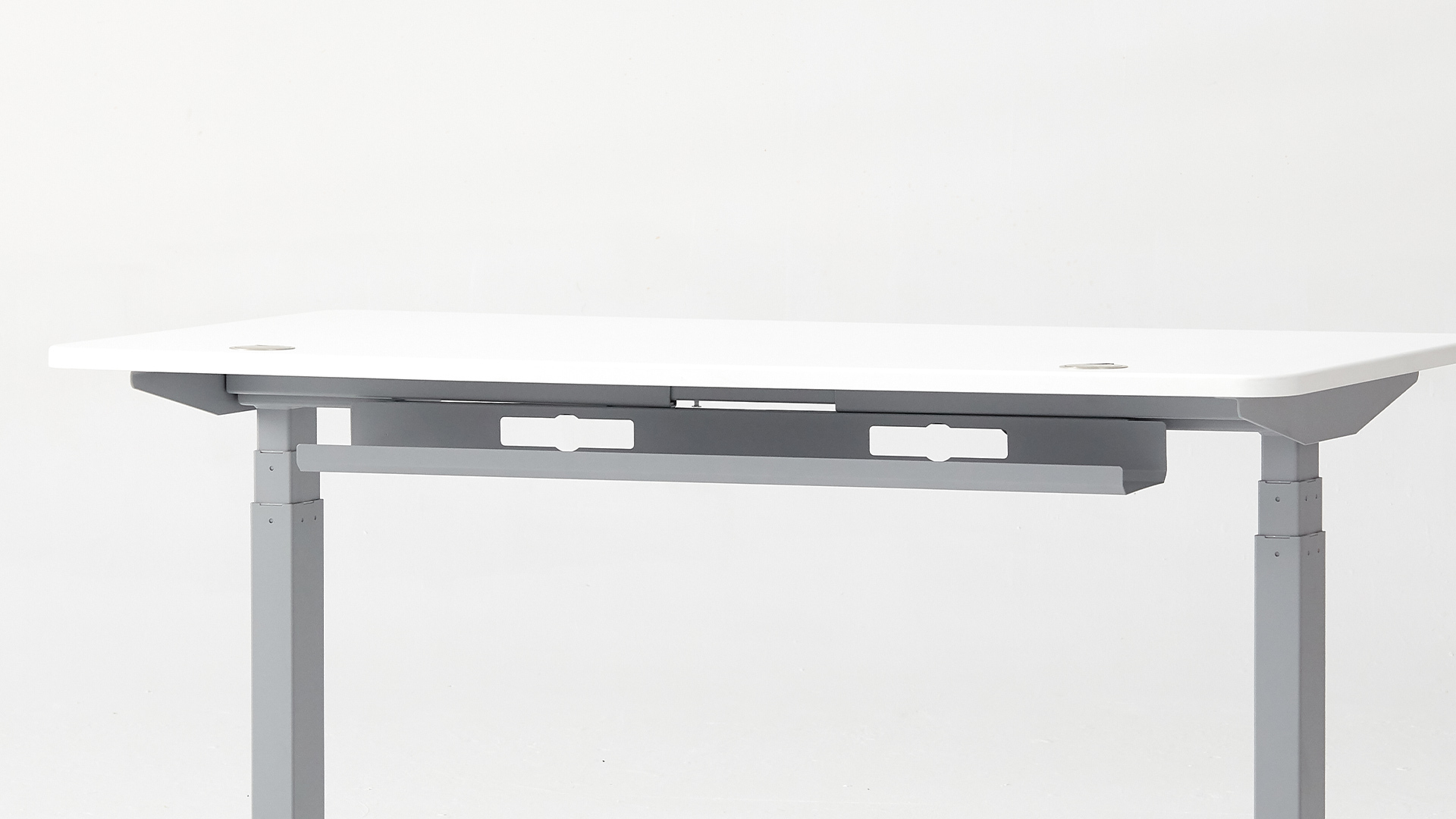
A tray clears the desktop, but it does not fix a cable route that is too short or crosses a leg area. Lay out the full path with the desk at its normal position before fastening anything.

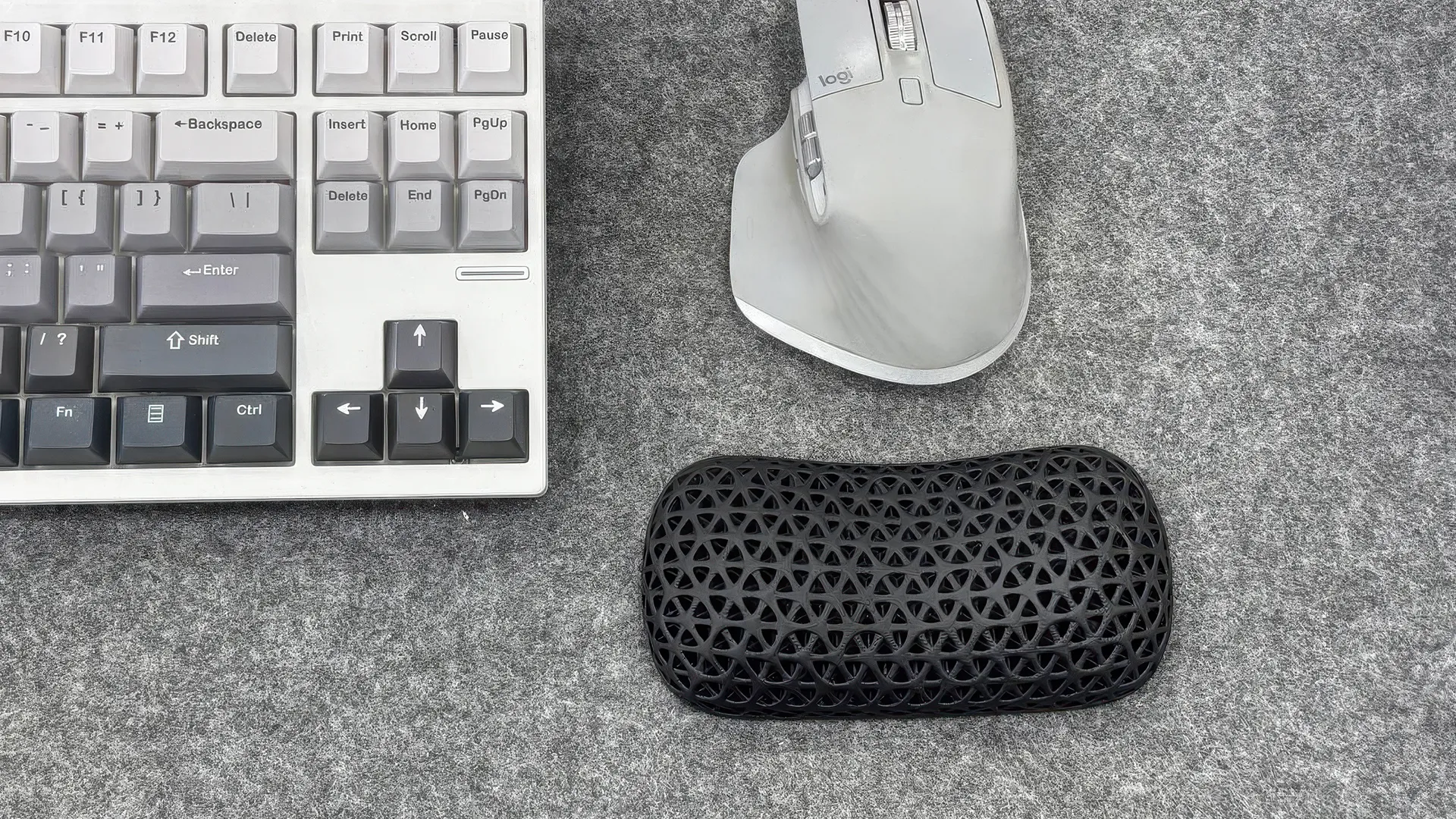
ErgoClick 3D gives a mouse wrist rest a defined place
ErgoClick 3D is a 5.7 by 2.7 by 1 inch mouse wrist rest made with 3D-printed TPU seats and a nylon-plastic frame. The product page says it works with optical and laser mice. It suits someone who wants their mouse hand to return to the same spot, but it is not a reason to crowd the mouse zone or a substitute for a usable mouse position.
| Pros | Cons |
|---|---|
| Its small footprint can make a mouse station easier to find on a shared desk. | No customer rating is shown on the supplied product data, and the page does not establish fit beyond the product dimensions. |
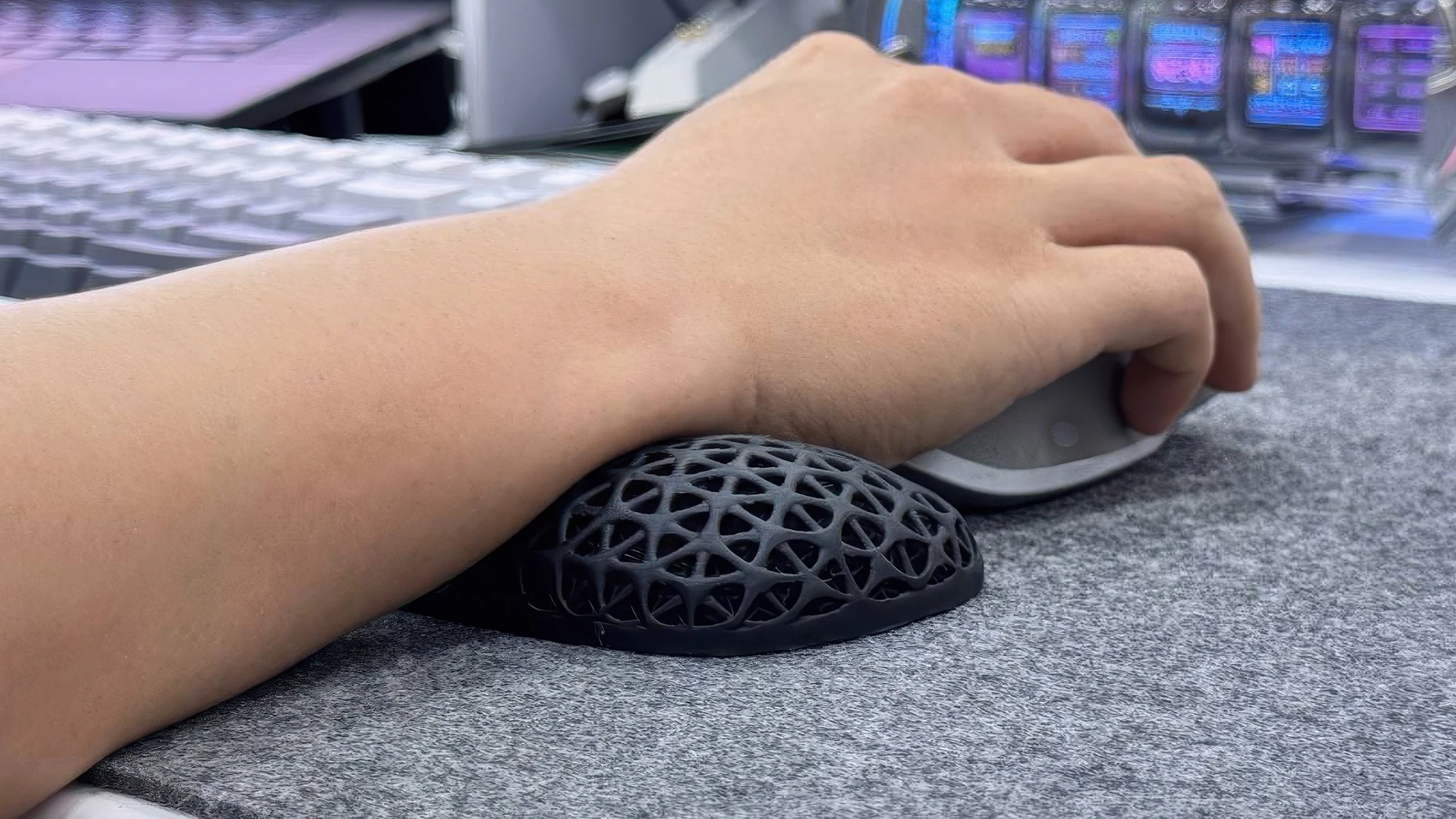
Measure the free mousing area with the keyboard in its normal position. If the rest forces the mouse into a narrow strip or makes the wrist bend to reach it, leave the area clear instead.
IKEA DRÖNJÖNS Desk Organizer contains loose tools and chargers
The IKEA DRÖNJÖNS Desk Organizer is a powder-coated steel organizer with polyester scratch protection. Its 9 3/4 by 7 3/4 by 7 3/4 inch footprint is for pens, stationery, USB sticks, and chargers. It suits a desk where small items keep drifting into the keyboard area, not a desk that needs archive storage.
| Pros | Cons |
|---|---|
| Small supplies have one visible container, with soft plastic feet to protect the surface. | No load capacity is published, and local fulfillment must be checked at checkout. |

IKEA DRÖNJÖNS Letter Tray separates papers that still need action
The IKEA DRÖNJÖNS Letter Tray two-pack gives active papers two levels instead of one growing stack. Each tray is powder-coated steel and measures 13 1/2 by 9 1/2 by 2 3/4 inches; the pair can be stacked or used separately. Assign one level to items that need a decision and one to items that need filing or handoff.
| Pros | Cons |
|---|---|
| Two separate levels make paper flow visible without mixing it with supplies. | The maker does not publish a sheet capacity, so it is not a substitute for long-term storage. |

IKEA RISSLA Desk Pad defines a protected work surface
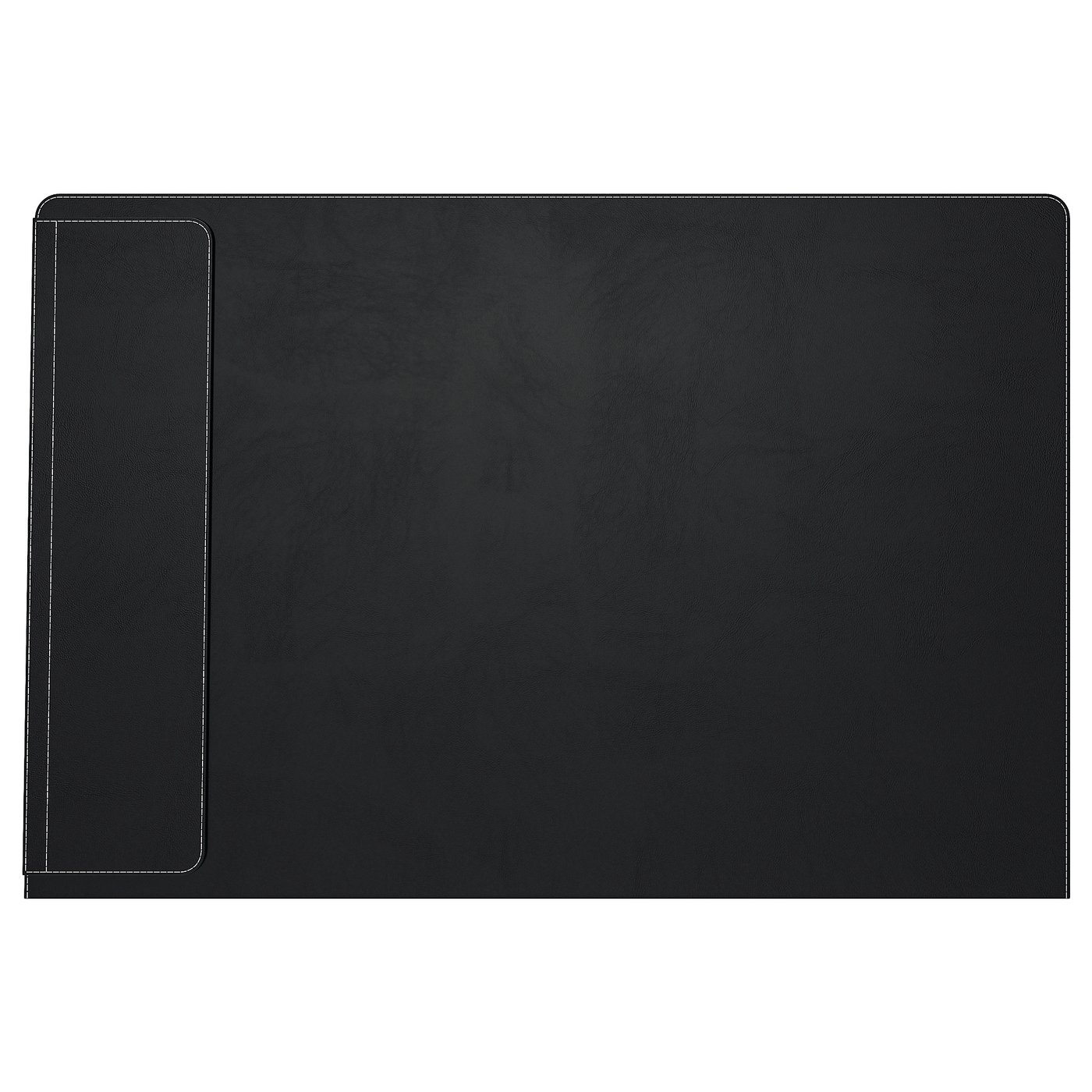
The IKEA RISSLA Desk Pad gives paper, a keyboard, and a device a defined area on a desk. It measures 33 7/8 by 22 7/8 inches and has a weighted bent front edge to help it stay in place. The pad protects the surface from dirt and scratches, but it is not a charging mat and the maker makes no wireless-charger compatibility claim.
| Pros | Cons |
|---|---|
| A large, fixed boundary can keep paper and daily devices from spreading into the mouse zone. | It takes substantial desktop space and includes steel, so do not assume it works with a wireless charger. |
OXO Good Grips Sweep & Swipe Laptop Cleaner handles dry device cleanup
The OXO Good Grips Sweep & Swipe Laptop Cleaner combines a retractable brush with a shaped microfiber pad and cap. It is made for laptops, phones, and tablets: use the brush for crumbs and dirt, then the pad for smudges and fingerprints. It is a dry cleaning accessory, not a liquid cleaner, dock, or charger.
| Pros | Cons |
|---|---|
| The two tools address dry debris and screen smudges in a compact format. | It does not charge or hold a device, and the microfiber needs spot cleaning with warm water and mild soap. |

Lamicall Adjustable Cell Phone Stand gives a phone one viewing position
The Lamicall Adjustable Cell Phone Stand is an aluminum desktop dock for 4 to 8 inch smartphones. Its hook and maximum supported phone or case thickness are both 14 mm. It makes sense when a phone keeps landing beside the keyboard, but it is a stand, not a charger; larger phones should be used in landscape orientation.
| Pros | Cons |
|---|---|
| A fixed phone position can stop a device from taking over the paper or mouse area. | It does not provide charging, and the 14 mm hook limit can rule out a thick case. |

IKEA ELLOVEN Monitor Stand with Drawer combines a small lift and keyboard parking
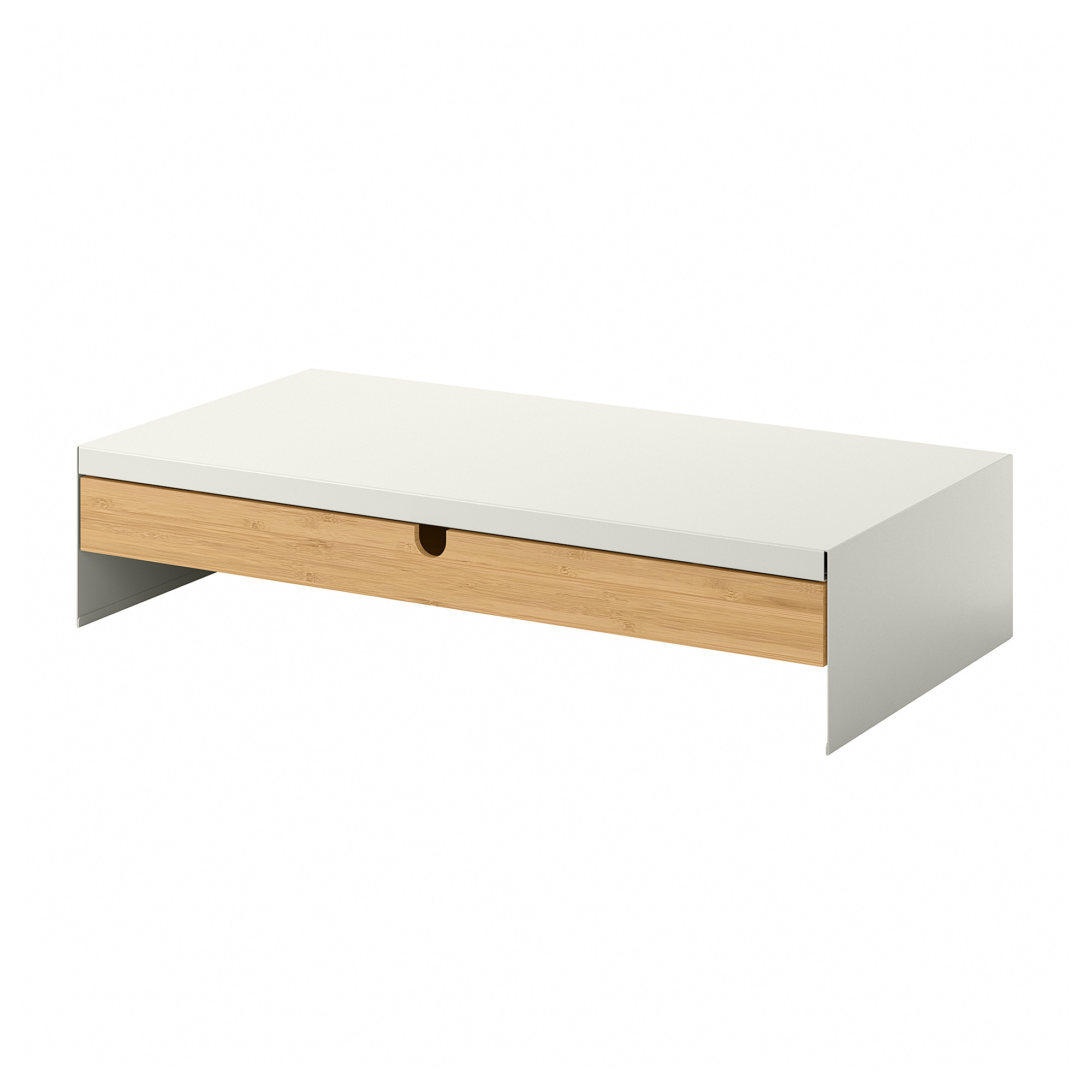
The IKEA ELLOVEN Monitor Stand with Drawer is 18 1/2 inches wide, 10 1/4 inches deep, and 4 inches high, with a 44 lb maximum load. Its drawer interior is 17 3/4 by 9 1/2 inches; there is a rear cable opening and space below the drawer for a keyboard. It is useful when a monitor base and loose small items compete for the same shallow surface.
| Pros | Cons |
|---|---|
| Reclaims the space below a monitor while adding a contained drawer. | The 4 inch lift is fixed, and its 10 1/4 inch depth can crowd a shallow desk. |
IKEA VATTENKAR Desktop Shelf puts frequently used tools above the main work zone
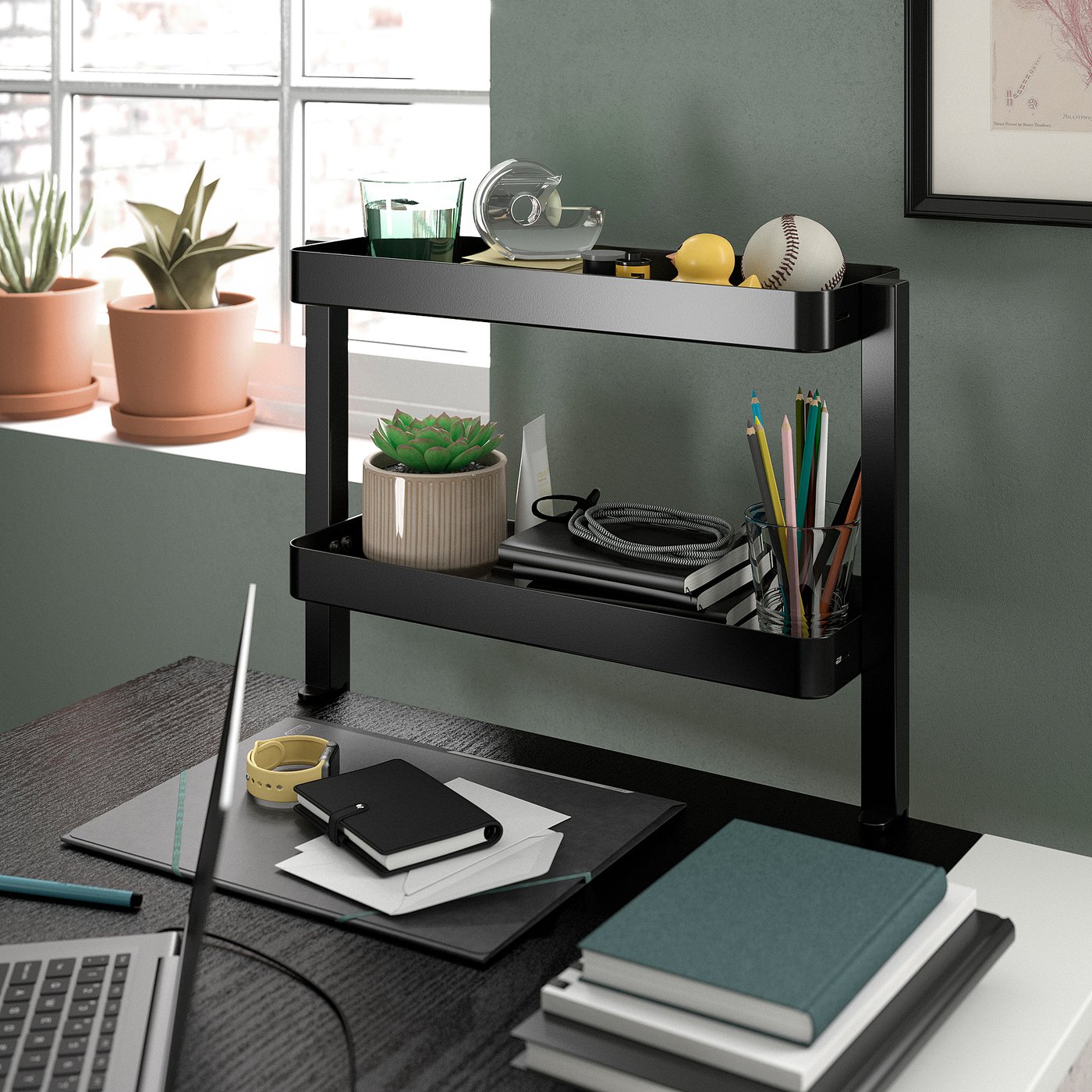
The IKEA VATTENKAR Desktop Shelf is a powder-coated steel shelf measuring 19 1/4 inches wide, 6 inches deep, and 14 1/4 inches high. Its shelves adjust to three positions. It uses screw mounts with soft surfaces intended to protect the desktop from pressure marks and scratches, making it an option for a compact set of small tools rather than another loose bin.
| Pros | Cons |
|---|---|
| Uses vertical space while taking only 6 inches of desk depth. | It still clamps to the tabletop, so desk-edge fit and office approval are necessary. |
IKEA KALKSTUFF Cable Holder keeps the loose ends reachable
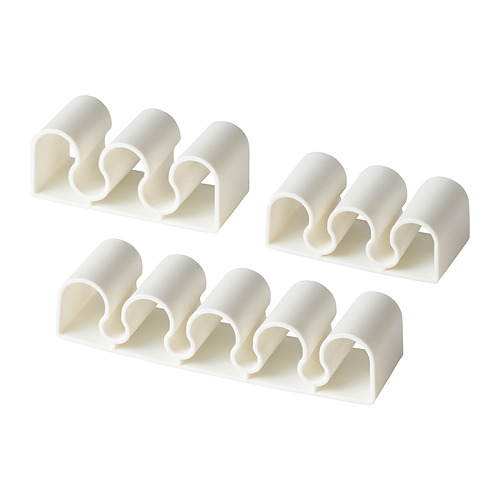
The IKEA KALKSTUFF set includes three adhesive cable holders in two channel sizes. Two are for smaller 3-6 mm cables such as USB leads, while the larger holder is for 5-8 mm cables such as HDMI. It addresses the last few inches of a cable route, where a charging or display lead otherwise drops behind the desk; it does not replace a tray for a power strip.
| Pros | Cons |
|---|---|
| Creates a predictable landing spot for commonly unplugged cable ends. | Double-sided tape can leave marks or damage delicate surfaces on removal. |
IKEA KOPPLA 3 Outlet Power Strip is a compact power option only where policy permits
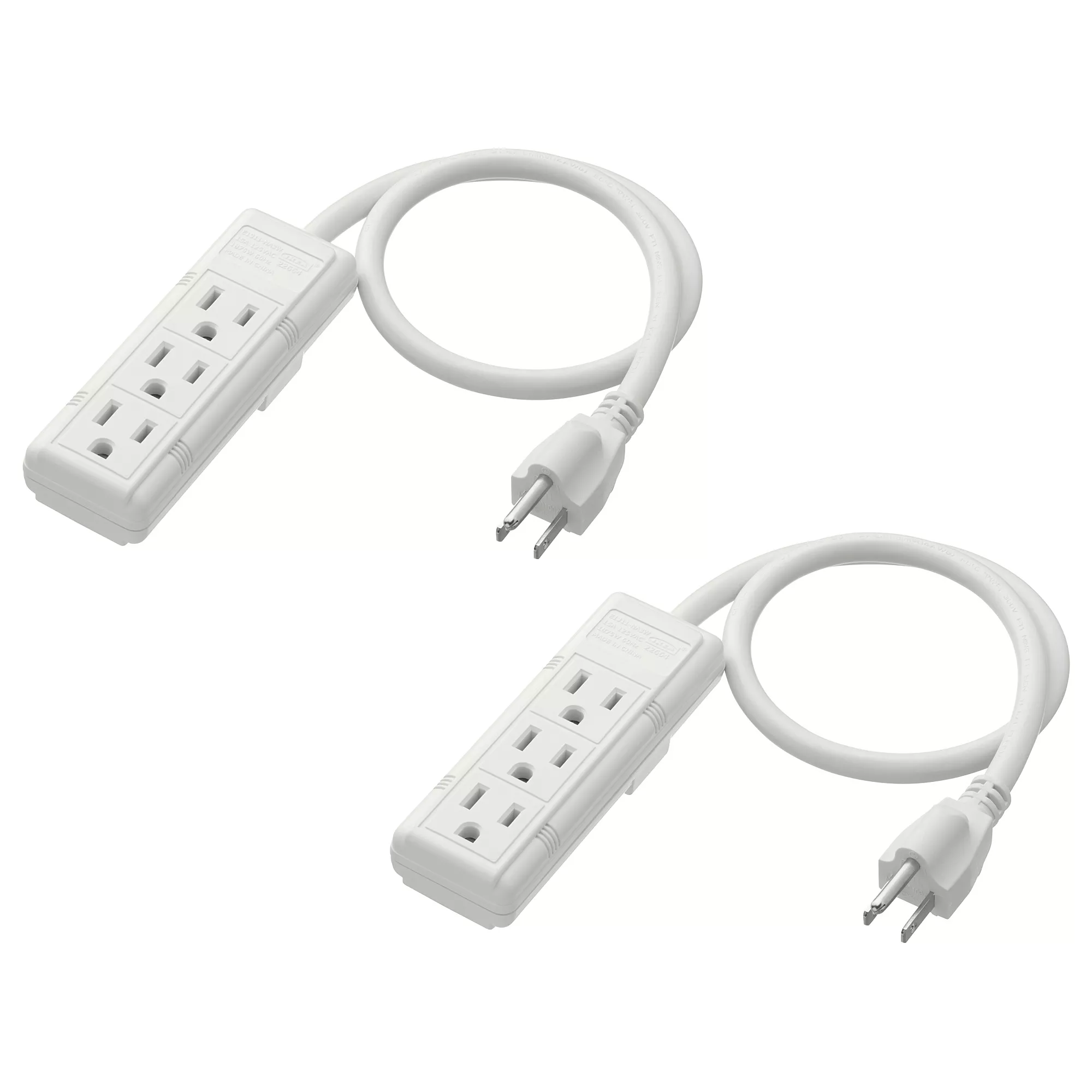
The grounded IKEA KOPPLA 3 Outlet Power Strip comes as a two-pack. Each strip has three outlets and a 19 3/4 inch cord. It can be a compact starting point for a permitted desk-side route before a cable tray is installed, but it is not a universal answer for managed offices or a license to daisy-chain power.
| Pros | Cons |
|---|---|
| Three grounded outlets in a small package, sold as a two-pack. | The short cord and workplace electrical rules can rule it out; confirm both first. |
IKEA FÖRSÄSONG Cable Management Tray is the compact clamp-on alternative
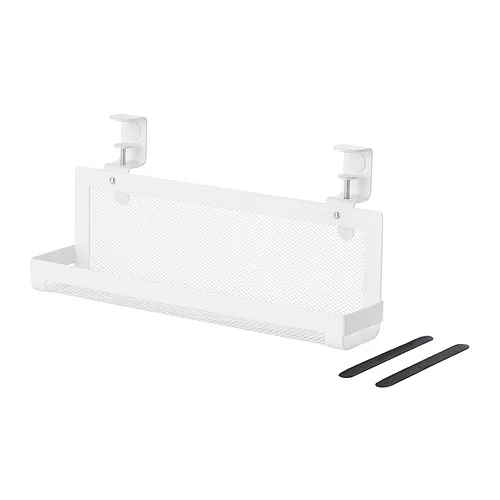
The IKEA FÖRSÄSONG Cable Management Tray is a 15 inch steel tray with clamps, two touch-and-close fastenings, and a 7 lb maximum load. It fits 5/8 to 1 5/8 inch surfaces and measures 15 by 4 1/4 by 6 3/4 inches. Use it for a small cable bundle where a full-width tray is unnecessary, rather than assuming it can carry the same load or fit as the longer Autonomous Cable Tray.
| Pros | Cons |
|---|---|
| A removable, short option for a modest cable bundle. | Its 7 lb limit and clamp range are much narrower than a full-width under-desk tray. |
IKEA FODERTRÅG Organizer separates a short handoff queue
The IKEA FODERTRÅG Organizer for Desk/Wall is a freestanding 9 3/4 by 7 by 6 inch polypropylene bin with at least 50% recycled material. Units can be stacked, with IKEA recommending no more than three vertically. It suits a visible, changing queue of mail, keys, or handoff items that should not be mixed with stationery; it is not document storage or a locking container.
| Pros | Cons |
|---|---|
| Freestanding use gives changing items a clear, removable home. | Wall mounting needs separate screws and permission, while the open bin offers no security. |

IKEA SKÅDIS Pegboard creates approved vertical storage for a small supply kit
The IKEA SKÅDIS Pegboard measures 14 1/4 inches wide by 22 inches high and includes a rail for wall mounting. Desk or wardrobe-side use requires separately sold connectors, while wall mounting requires separate screws. It can move a small supply kit off the work surface, but only on a wall or side approved for the mounting method and only after adding the SKÅDIS accessories that hold the items.
| Pros | Cons |
|---|---|
| Creates vertical storage instead of adding another desktop container. | Mounting hardware and storage accessories are separate, and a shared wall needs approval. |

Autonomous Hydrate gives a cup or bottle a defined desk place
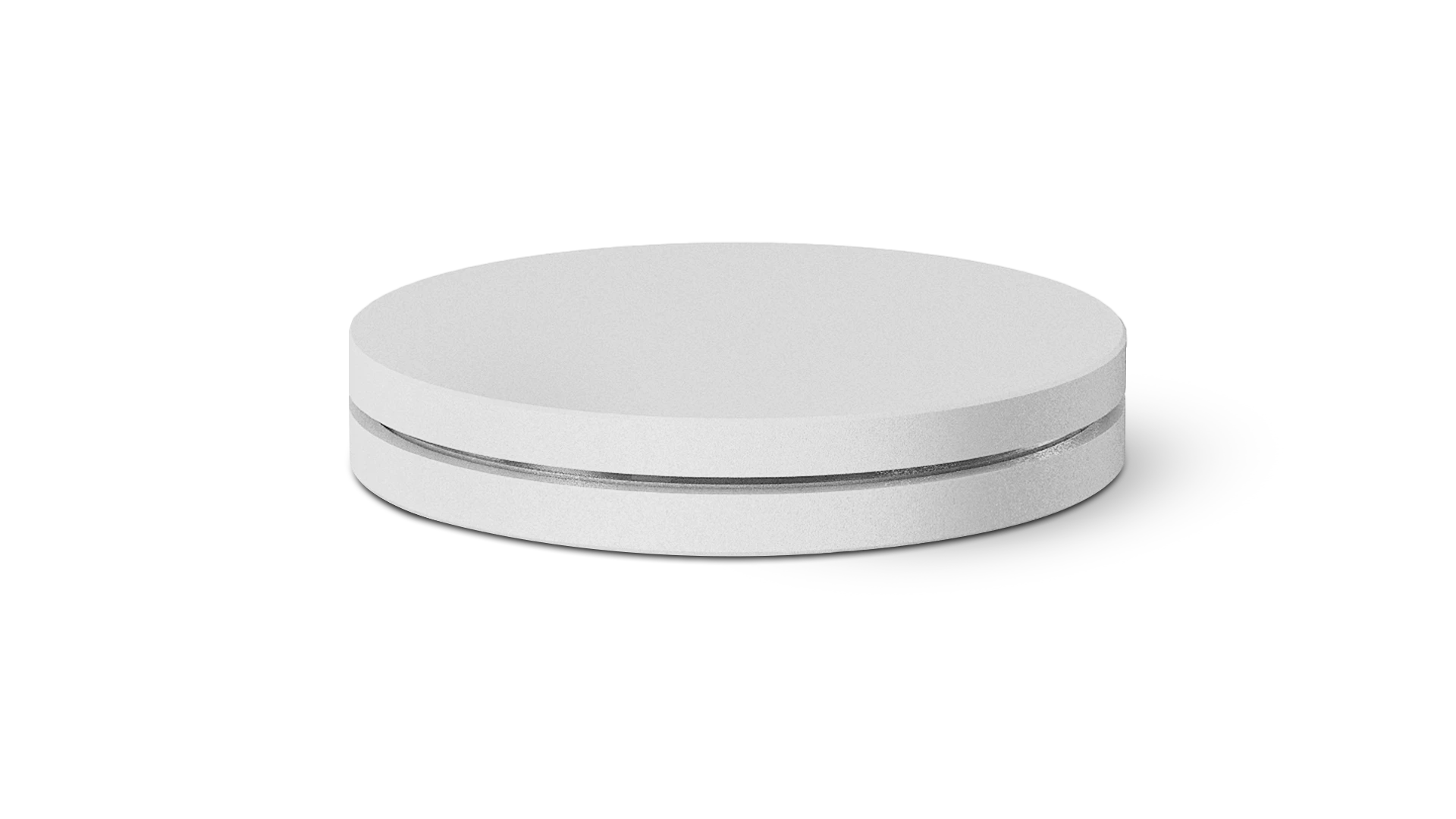
Autonomous Hydrate is a 3.54 inch diameter, 0.6 inch high water-tracking coaster that works with a cup or bottle and connects by USB-C. Its companion app can use a light, vibration, or buzzer reminder. The $29 promotional price was observed on November 25, 2026, reduced from $39, so confirm it before purchase. In a shared office, select a visual or vibration reminder if a buzzer would distract nearby coworkers.
| Pros | Cons |
|---|---|
| Gives a drink a fixed place while offering app-connected reminders. | Needs USB-C power and app setup; it is unnecessary if an ordinary coaster is enough. |
Run a five-minute workstation audit before adding accessories
A workstation audit starts by naming the one item that keeps moving or interrupting work. If it is paper, separate active work from filing. If it is cables, trace the route from the device to power. If it is a phone or tool, mark the place it lands most often.
Next, measure the free typing and mouse area with your normal equipment in place. That check is more useful than buying a matching set of office accessories. A tray, organizer, or pad earns its spot only if it leaves enough surface for the work you actually do.
Check permission, desk fit, and the job an accessory cannot do
Shared offices often have rules about drilling, clamps, power routing, cleaning products, and personal equipment. Ask before changing the underside of a desk or a shared power setup. A cable tray can contain a bundle, for example, but it cannot make an unsafe route acceptable.
Paper flow is different from storage. Keep only papers that need action in a letter tray; move completed work elsewhere. A phone stand is not a charger, and a laptop cleaner is not a device dock. For a desk that moves, use the standing desk accessories guide to plan cable travel and mounting around the desk mechanism.
FAQs
What office desk accessories are essential?
Essential office desk accessories are the ones that solve a recurring workspace problem: cables, active papers, small tools, a device position, or a protected work surface. Start with the problem that interrupts work most often, then add one item only if it preserves typing and mouse space.
What are useful workstation accessories for a shared office?
Useful workstation accessories for a shared office are portable or approval-friendly items that give supplies, papers, or a phone a fixed place. Check workplace rules before adding a cable tray, changing power routing, using a cleaner, or bringing any item that affects a shared desk.
How do I organize office desk accessories?
Organize office desk accessories by job, not by appearance. Keep active papers in a dedicated tray, small tools in one organizer, cables on one planned path, and the mouse zone clear. Move archives, spare supplies, and decorative objects off the primary work surface.
What is the best under desk cable management approach?
The best under desk cable management approach follows the complete route from device to power without crossing a leg area or straining a cable. Measure the path at the desk's normal position, confirm the desk and installation method are compatible, and get approval before altering a workplace setup.
How do I choose a desk organizer?
Choose a desk organizer by measuring the supplies that currently spread across the work surface and the free space beside the keyboard. A compact organizer suits pens, chargers, and small tools; it does not replace a filing system or add useful space if it crowds the mouse area.
Should I use a desk pad at work?
Use a desk pad at work when it defines a useful paper-and-device zone while leaving room for normal typing and mouse movement. Measure first, and do not treat a desk pad as a charging surface unless its maker specifically confirms that capability.
Do phone stands improve productivity?
A phone stand can make a desk easier to manage by giving the phone one predictable position instead of letting it occupy the keyboard or paper area. It does not reduce notifications or charge the phone, so it only helps when the placement problem is the real problem.
Conclusion: Office Desk Accessories Should Solve One Job
Office desk accessories work best when each one removes a specific source of friction and leaves the main work zone open. Start with the item that interrupts you most, check its footprint and any office rules, then stop when the desk has clear places for work instead of more things on it.
References

Desk Pro
Black Friday price.
So 12 hours isn’t 12 hours sitting.