AI Legal Assistant Guide for Lawyers and Legal Teams


An AI legal assistant is software built on a large language model that drafts, summarizes and reviews legal documents, while a licensed attorney stays responsible for every output.
For a solo lawyer or small firm, the short answer on what to use: public research can go into any tool; client work goes only into a business or legal tool whose contract bars training and sets retention; and a model on your own hardware makes sense once the volume and sensitivity of client files justify running it.
Below: what these tools handle, how to vet one, and where the model runs.
What Is an AI Legal Assistant?
An AI legal assistant is a tool that uses large language models to read and write legal text on request, usually grounded in case law, statutes or your firm's own documents. You ask in plain English, and it returns a draft, a summary or a list of flagged clauses. Some people search for a "robotic legal assistant", but nearly all of these products are software, not machines.
Three kinds of tools get called by this name, and they behave differently:
- General chatbot (consumer ChatGPT, Claude, Gemini): draws on training data and the web, with no citator. Risk: invented citations and consumer data terms.
- Legal AI platform (CoCounsel, Lexis+ AI Protégé, Harvey): draws on licensed case law, statutes and your uploads. Risk: citations still need checks, and you pay per seat.
- Model you run yourself (open-weight model on firm hardware): draws on your own files and templates. Risk: no built-in legal database, and you maintain it.
A legal research database like Westlaw or Lexis finds sources and leaves the reading to you. An AI legal research assistant reads those sources and writes an answer, which saves time but moves your job from finding authority to checking it.

What Can an AI Legal Assistant Do?
An AI legal assistant handles first passes on high-volume work: research summaries, contract review, drafting, document triage, intake and admin. You decide what is true and what goes out.
| Task | What the AI does | What you still check |
|---|---|---|
| Legal research | Answers plain-English questions with cited cases and statutes | Each citation exists and says what is claimed |
| Contract review | Flags missing or off-standard clauses against your playbook | Whether a flag matters for this deal |
| Drafting | Demand letters, NDAs, engagement letters, memos, motion outlines | Facts, tone, jurisdiction-specific language |
| Due diligence and discovery | Sorts documents, finds change-of-control clauses, summarizes records | A sample of the "not relevant" pile |
| Regulatory tracking | Watches agency updates and flags changes to your policies | Effective dates and whether it applies |
| Intake, deadlines and time entry | Sorts requests, drafts replies, reminders and time narratives | Conflicts, court deadline rules, the hours |
For in-house lawyers tracking regulatory changes, an assistant can watch agency updates in near real time. Ask which sources it monitors and how fast a new rule shows up.
A model trained on your firm's own templates and precedents writes closer to house style, but your best documents then sit wherever that model lives.
For calendars and routine replies, the overlap with an AI scheduling assistant is large. Deadline reminders help, but they do not replace docketing software for a litigation practice.
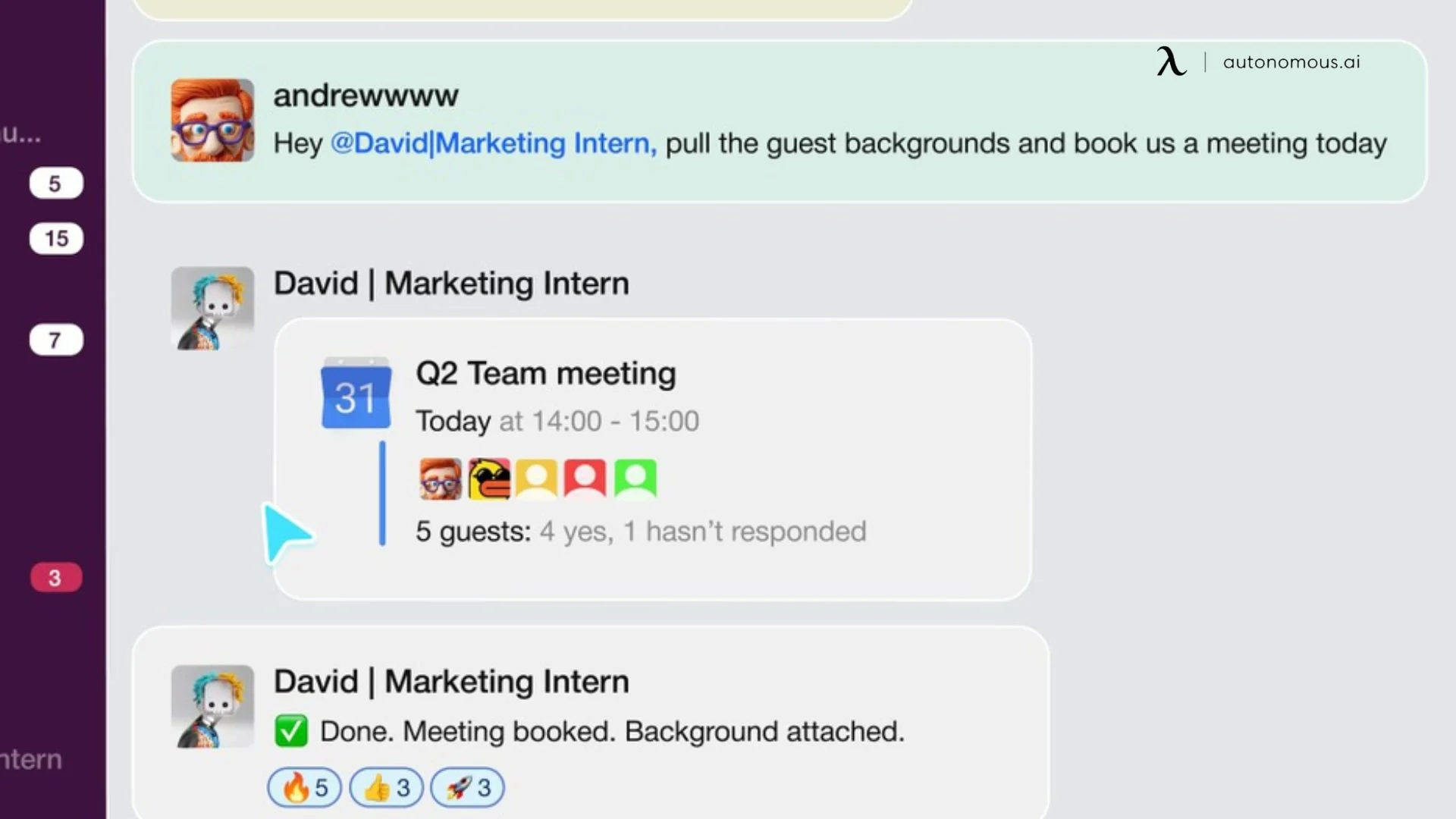
The same intake logic runs an AI secretary: capture a request from whatever channel it arrives in, label it, and route it without someone reading every message first.
Who Uses an AI Legal Assistant?
Solo attorneys, small and plaintiff firms, in-house teams and paralegals use AI legal assistants most. Small teams with no associate to delegate to feel the gain fastest.
AI legal assistant for solo lawyers and small firms
A solo lawyer is also the researcher, the paralegal and the office manager. An AI tool takes the first read of a contract, the first draft of a client update and the first pass at research. Fewer small interruptions is a large part of a productive work environment when you practice alone. Check first whether the plan you can afford keeps prompts out of model training.
Personal injury and plaintiff firms
Personal injury and other plaintiff firms use AI legal assistants for intake, medical record summaries and first drafts of demand letters. Medical records are among the most sensitive files a firm holds, so data terms matter more than features.
In-house legal teams
In-house teams use AI to clear the request queue: NDAs, vendor contracts, policy questions and regulatory updates. Proactive AI that sorts and drafts before anyone asks keeps legal from becoming the team everyone routes around.
Paralegals and legal operations
Paralegals often gain hours, because document sorting, research summaries and first drafts make up much of their week. The work that stays human is the work that needs context: deposition prep, odd documents, and knowing which client wants a call instead of an email.
Small business owners
Non-lawyers use AI legal tools to understand a contract before they pay for advice. That is useful prep, not representation: a tool can point to an auto-renewal clause, but it cannot tell you whether to sign.

How to Choose an AI Legal Assistant
Choose an AI legal assistant by testing it on your own tasks, then getting its data terms in writing, then checking where it runs. Feature lists look alike across vendors; the differences show up in citations, contracts and cost.
Run this known-answer test before you buy:
- Pick five research questions from closed matters where you already know the right answer and authority.
- Add one question that has no good authority, and see whether the tool says so or invents a case.
- Open every citation it returns and check that the case exists and says what the summary claims.
- Repeat with one contract you know well and compare its flags to your own markup.
Then ask the vendor these data questions and get the answers in the contract:
- Do prompts, uploads or outputs train any model, by default or ever?
- How long are they kept, and can you set or shorten that period?
- Who at the vendor or its model providers can read them, and when?
- Where is the data processed: shared cloud, a tenant reserved for your firm, or your own hardware?
Three practical checks finish the list:
- Integrations: look for your document management system (iManage, NetDocuments), practice management software and Word or Outlook. A tool with its own login for every task gets dropped.
- Cost model: per seat, per token on an API, or hardware bought once.
- Jurisdiction coverage: most tools center on US federal and state law, so ask which countries the database covers if you research foreign precedents and statutes.
A generative AI legal assistant that passes the known-answer test and puts its training terms in writing is worth a pilot. One that fails either is not, however good the demo looks.
Where Your AI Legal Assistant Runs: Cloud, Private Cloud or On-Premises
Where an AI legal assistant runs decides who holds your client data: a consumer app, a business or legal service under contract, a cloud tenant reserved for your firm, or hardware in your own office. None of these makes a setup ethical or compliant by itself, but each changes what you have to verify and what you can tell a client.
The duty behind this is ABA Model Rule 1.6, which asks lawyers to make reasonable efforts to prevent the unauthorized disclosure of, or unauthorized access to, information relating to a client's representation.
ABA Formal Opinion 512 (July 29, 2024) applies that to generative AI. As summarized in the Harvard Journal of Law and Technology, it says informed client consent is required before entering client information into self-learning tools designed so that their output could disclose that information.
The opinion also asks lawyers to weigh the likelihood of disclosure, the sensitivity of the information and how hard safeguards are to put in place.
Vendor terms are not paperwork: in United States v. Heppner (SDNY, February 2026), a court held that a criminal defendant's chats with a consumer AI chatbot were not privileged, partly because the terms let the provider train on prompts and share data with regulators, according to a Proskauer client alert. The case involved a client acting alone and left open how enterprise tools would be treated.
| Setup | Who holds the data | Training and retention | Suits |
|---|---|---|---|
| Consumer chatbot (free or personal plan) | The vendor and its model providers | Set by the plan; may train on prompts | Non-client work, public law research |
| Business or legal SaaS under contract | The vendor, under your firm's contract | No training and set retention, if contracted | Client work once those terms are in the contract |
| Private cloud or enterprise tenant | The vendor, in a tenant for your firm | Usually no training; retention set by contract | Mid-size firms with an IT or legal ops lead |
| On-premises (models on firm hardware) | Your firm | None to a third party; you set retention | Privileged files, firms that want models they control |
Setup effort and cost shape differ just as much:
- Consumer chatbot: ready in minutes; free or monthly per user.
- Business or legal SaaS: days, plus a terms review; monthly or annual per seat.
- Private cloud tenant: days to weeks, plus IT review; higher per seat, often annual.
- On-premises: weeks, and someone must run the machine; hardware upfront, no per-prompt bill.

A lower-cost middle path is a business tier of a general chatbot with no-training and retention terms. Anthropic's pricing page, for example, lists two Claude plans:
- Claude Team (standard seat): $25 per seat per month billed monthly, $20 billed annually. No model training on your content by default; no custom data retention controls.
- Claude Enterprise (self-serve): $20 per seat per month billed annually, 20-seat minimum, plus usage at API rates. No training by default; custom retention controls included.
Note the gap: the Team plan does not train on your content by default but lists no custom retention controls, so it meets only half of the client-work test above. A general chatbot also has no citator, so pair it with a legal research tool for case law. Source: Claude pricing. Legal platforms such as CoCounsel and Harvey quote their own terms and pricing.
Running models on your own hardware is the plain version of on-premise AI: prompts and documents go to a machine in your building, so there is no vendor training clause to read.
The trade-offs: open-weight models lack a licensed case-law database, someone has to maintain the machine, and hardware has a capacity limit. For scale, Autonomous lists its 2-GPU Computer 2 holding 52 tokens per second per user with 24 users on a 27B open model.

A workable split for most firms: keep public research in any tool; send client material only to a tool whose contract bars training and sets retention, or to a model on hardware you own. Write that split into a one-page policy so staff do not decide case by case.
How Autonomous Fits: AI for Lawyers and Legal Teams
Autonomous makes the Autonomous Computer, which runs open AI models inside your office for privileged work, and Intern 2, a small agent server for admin tasks that sends work to cloud models. Neither includes a legal research database: a local model still needs a citation-checked research tool such as CoCounsel or Lexis+ AI for case law.
| Product | Where the model runs | Good legal use | List price |
|---|---|---|---|
| Autonomous Computer 4 | In your office, 4 GPUs (128 or 384 GB VRAM) | Firm-wide drafting and review of privileged files | $43,900 |
| Autonomous Computer 2 | On a desk, 2 GPUs (64 or 192 GB VRAM) | A solo lawyer or small team's private model | $26,100 |
| Autonomous Intern 2 | Cloud models (Opus, Sonnet, DeepSeek, Qwen) | Reminders, routine emails, scheduled tasks | $299 |
Autonomous Computer for privileged files
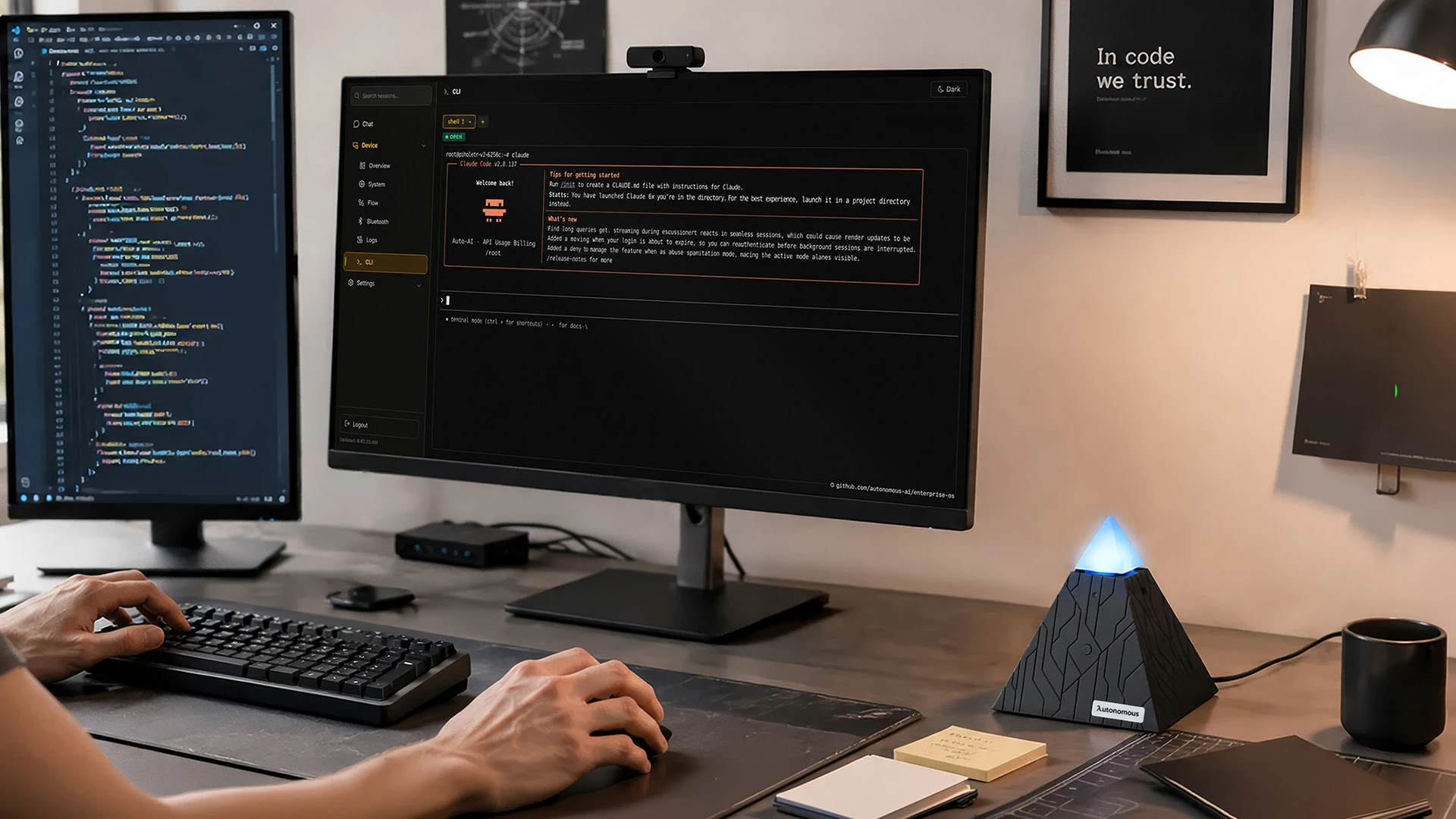
Autonomous Computer runs open-weight models on GPUs in your building. Autonomous says prompts never leave the building and nobody trains on your work; weights sit on your disk, so there is no per-token bill and no model gets pulled.
It also lists fine-tuning "on what only you know", which answers the request for an AI legal assistant trained on the firm's own templates and precedents. It is a way to run AI locally at firm scale.
Computer 4 has four RTX 5090 or four RTX PRO 6000 cards, 192 GB of ECC memory, Ubuntu with vLLM and SGLang preinstalled, and a 3-year warranty. Computer 2 is the desk-size option for a solo lawyer or small team, not for large concurrent use.
One honest limit: it is a server, not an app. Someone has to set up and update the model, and the product pages make no compliance claims, so your own security review still applies.

Intern 2 for low-sensitivity admin work
Intern 2 is a plug-and-play agent server that runs OpenClaw or Hermes and picks a cloud model for each task.
You message it on Telegram, Slack, Discord or by voice, like a personal AI assistant. API keys, project context and writing style stay in local files, but tasks go to cloud models, so keep client documents and privileged facts out of it.
Inside that limit it handles reminders, scheduled tasks and routine emails such as "we received your documents", working as an AI email assistant that drafts for you to review. It has a 1-year warranty and a 4.5 rating from 19 reviews.
What AI Legal Assistants Can't Do
AI legal assistants cannot take responsibility for their work, so every output that reaches a client, a court or the other side needs attorney review. That covers research memos, citations, filed documents, contract markups and client advice. Only internal admin drafts carry low risk, and even those get a read before they are sent.
Hallucinated citations
The dangerous error is a citation that looks real. Citing a Bloomberg Law analysis, an Illinois ARDC ethics counsel reports that since 2023, over 280 court filings have included hallucinated citations from AI tools, and sanctions have included fines. The practical rule from that article: even if the first few citations check out, verify every one.
Legal judgment and strategy
A legal AI tool can flag that a liability cap sits below your standard. It cannot weigh that cap against the client relationship, the deal value and what the other side will accept. Unsettled law and messy facts are where its pattern matching is weakest.
Supervision and competence duties
Using AI does not pause professional duties; it adds to them. Lawyers supervise AI output the way they supervise a paralegal (Model Rule 5.3 covers nonlawyer assistance), and the competence duty in Model Rule 1.1 asks lawyers to keep up with the benefits and risks of the technology they use.
State regulators add their own guidance: the Illinois ARDC's guide says confidential data should never be processed in public AI tools, even with client consent.
Jurisdiction gaps
Coverage of foreign law, local court rules and narrow regulatory areas varies by tool. If a summary covers a jurisdiction outside the vendor's stated database, treat it as a lead, not an answer.
Predictive analytics
Outcome-prediction tools read past rulings and judge patterns. They repeat the biases in that history and have little to say about new fact patterns, so use them to frame risk, not to set strategy.

Your First 30 Days With an AI Legal Assistant
Start the tool on non-client work, write a short policy, and add a review step before anything leaves the firm. A month is enough to learn whether a tool saves time on your real tasks.
- Week 1: Pick two tasks and one tool. Test on public cases, old matters with names removed, or your own templates.
- Week 2: Run the known-answer test. Log every wrong citation and every place the tool should have said "I don't know".
- Week 3: Write a one-page policy: which data goes to which tool, who reviews output, and what the client is told.
- Week 4: Compare time spent with and without the tool on the same task type, then decide whether to buy, switch or move privileged work to a model you host.
FAQs
Can artificial intelligence be used for legal assistance?
Yes, AI can assist with legal work such as research summaries, contract review, drafting and intake, as long as a lawyer reviews the output. It cannot give legal advice on its own authority, and every citation it produces should be checked against the source before anyone relies on it.
Is there a legal version of ChatGPT?
Yes, several legal AI tools work like ChatGPT but draw on legal sources, including Thomson Reuters CoCounsel, LexisNexis Protégé and Harvey. They ground answers in case law and statutes, which cuts invented citations. OpenAI also markets ChatGPT to law firms.
What is the best AI legal assistant?
The best AI legal assistant is the one that passes a known-answer test on your own tasks and puts its data terms in writing. Research-heavy litigators lean toward tools built on Westlaw or Lexis, contract teams toward Word-based reviewers, and firms with privileged files toward models they host.
What is Lexis AI called?
LexisNexis calls its legal AI assistant Protégé, offered within Lexis+ AI. It answers research questions, drafts and summarizes using the LexisNexis database of cases and statutes. Like any legal AI, its citations and summaries still need attorney review before use.
Is Claude or ChatGPT better for lawyers?
Neither is clearly better for lawyers; both are general models without a built-in citator. The plan matters more than the brand: business plans that exclude prompts from training are safer than consumer plans. For case law, pair either one with a legal research database.
Can an AI legal assistant research foreign precedents and statutes?
An AI legal assistant can research foreign precedents and statutes only as far as its database reaches. Most tools center on US federal and state law, so ask the vendor which countries and courts it covers, and treat any answer outside that list as a lead to verify, not a finding.
Does using AI waive attorney-client privilege?
It can, depending on the tool's terms and who uses it. In United States v. Heppner (2026), a court found a client's chats with a consumer AI tool were not privileged, partly because the provider's terms allowed it to use the data.
Which AI legal assistant outputs still require attorney review?
Every output that reaches a client, a court or opposing counsel requires attorney review: research memos, citations, filings, contract markups and client advice. Low-risk internal drafts such as meeting reminders need only a quick read. When unsure, treat AI output as a junior clerk's first draft.
Will AI replace paralegals or lawyers?
No, AI is not replacing paralegals or lawyers, but it is changing their work. It takes over first drafts, sorting and summaries. People keep the judgment, client contact, strategy and professional responsibility, which no current tool can carry.
Is there a free AI legal assistant?
Yes, some legal AI tools offer free tiers or trials, and general chatbots have free plans, but free plans are for testing and non-client work. Check whether the plan uses prompts for training before typing anything about a client, and expect usage limits and no licensed case-law database.
Conclusion
An AI legal assistant saves the most time on first drafts, first reads and first-pass research, and it needs a lawyer at the end of every one of them. Pick a tool by testing it on questions you can already answer, then read its training and retention terms.
The question most guides skip is where the model runs. Public research can live in the cloud. Client material belongs only in a tool whose contract bars training and sets retention, or on a model running on hardware you own.
References
- American Bar Association: Model Rule 1.6, Confidentiality of Information
- American Bar Association: Comment on Model Rule 1.1, Competence
- American Bar Association: Model Rule 5.3, Responsibilities Regarding Nonlawyer Assistance
- American Bar Association: ABA issues first ethics guidance on a lawyer's use of AI tools (Formal Opinion 512, July 29, 2024)
- Illinois Courts: Paste in Haste, the fallout of AI hallucinations in court filings and the ARDC's guide to implementing AI (January 2026)
- Harvard Journal of Law and Technology: AI, confidentiality, and the stratified legal profession
- Proskauer: SDNY addresses privilege and work product implications of using unsecured public AI tools