The Best 8-Hour Office Chairs, Tested Hour by Hour

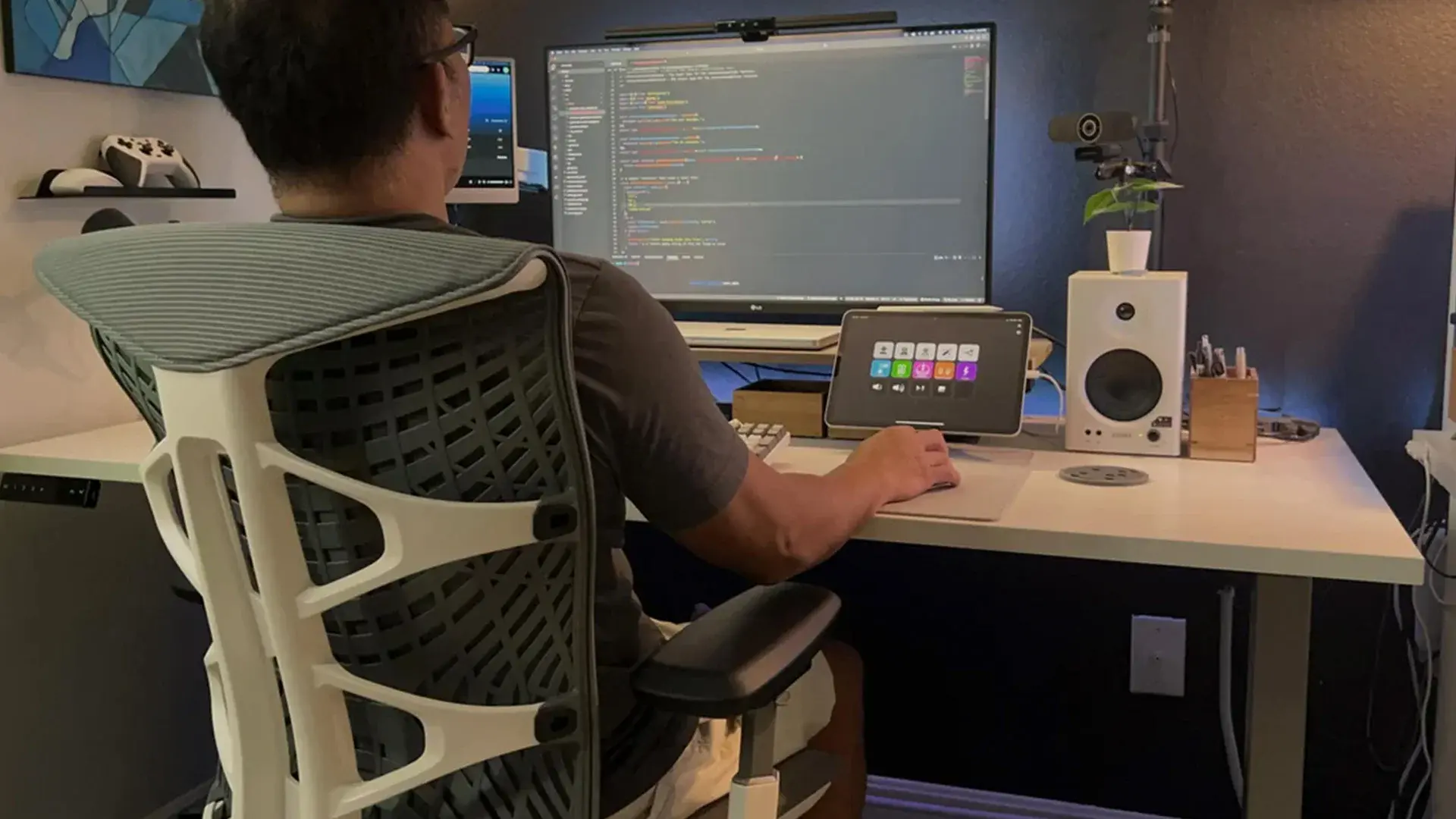
The best 8-hour office chair survives the four things that fail across a full workday: seat compression, lumbar fade, arm pressure, and heat. Most chairs feel fine for the first hour, then give out by hour six when the foam flattens and the lumbar vanishes into the backrest. This guide rates seven chairs on where each breaks down and where it holds:
the Autonomous ErgoChair Ultra 2 and Pro clear the most failure modes for the least money, the Aeron leads on heat, and the Leap V2 on lumbar.
The right chair is the one that breaks last where you sit longest.
How an 8-hour office chair earns the name
A chair earns the "8-hour" label by surviving four failure modes:
Seat compression. Foam under 2.5 lb/ft³ density compresses through a workday and never recovers, so by hour five you are effectively sitting on the seat pan. Tensioned mesh and webbing-and-spring constructions avoid this entirely; high-density foam delays it.
Lumbar fade. Fixed lumbar pads work for the body shape they were designed for. For everyone else, the pad either pushes in the wrong spot or disappears as you shift. Adaptive or adjustable lumbar systems are the only structures that hold up across a full day of posture changes.[1]
Arm pressure. Arms account for roughly 10% of body weight. Thinly padded armrests transmit that load to the wrist and shoulder by hour four. The cure is multi-axis arm adjustment (4D) plus enough pad thickness to spread the load.
Heat buildup. Foam traps body heat, so by hour three in a fabric chair you are warmer than you realized, and by hour five you are shifting because of temperature, not posture. Mesh, back, seat, or both, is the only structural answer.
Beyond the four failure modes, chairs built for genuine all-day use are tested to industry durability standards like ANSI/BIFMA X5.1, which cycle the seat, back, and tilt mechanism far past a single workday, so a long warranty is a reliable proxy for an 8-hour rating.[3]
What follows are seven chairs tested against those four. The chairs that earn this list survive all four; the ones that do not fail honestly somewhere.
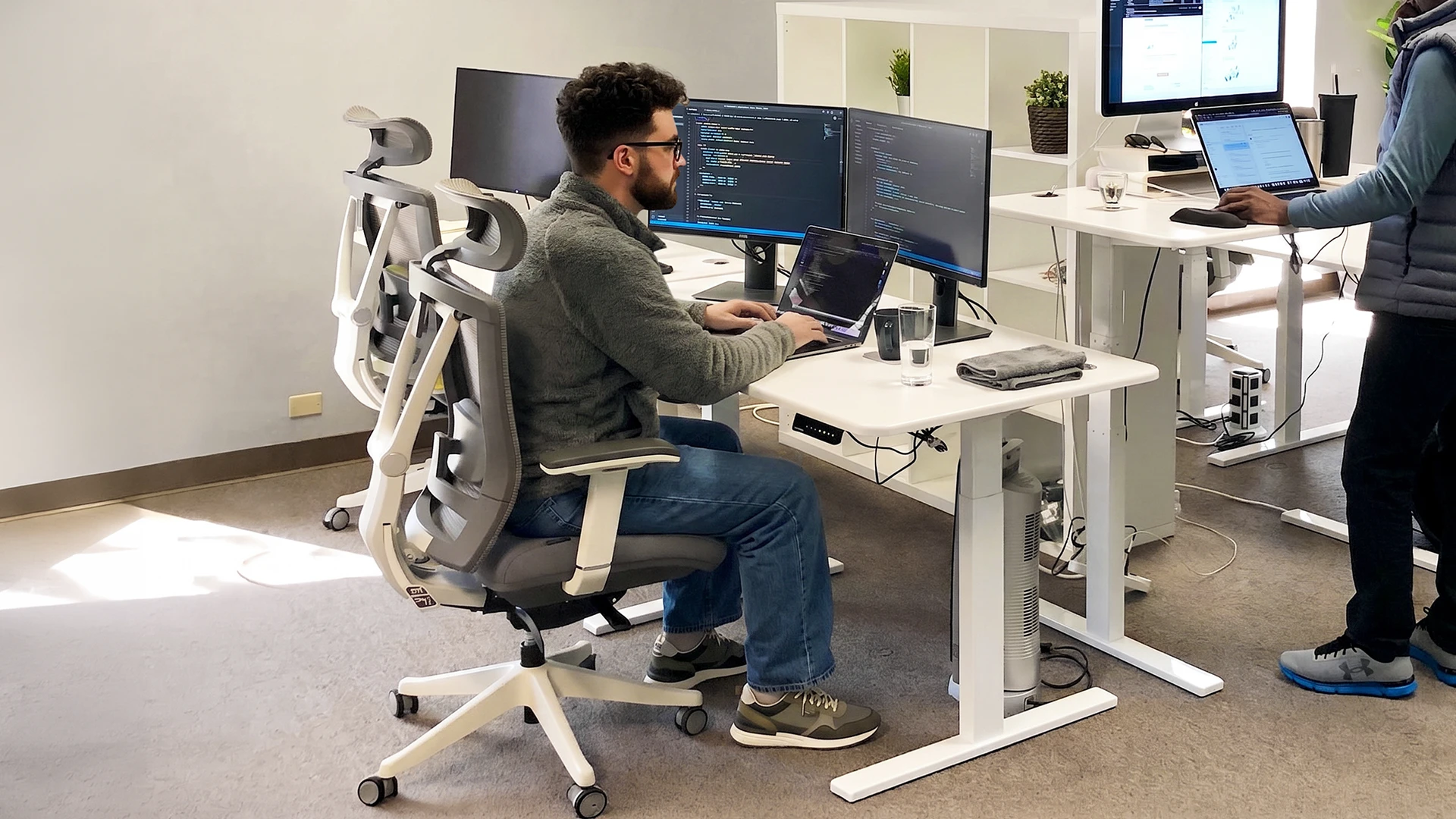
What actually holds up past hour six
The chairs that look built for endurance are often the ones that fail it. A plush, high-backed leather executive chair feels great for the first hour, which is exactly the problem: thick soft foam compresses and never fully recovers, so by hour five you are on the seat pan; a tall fixed back with no lumbar adjustment fits one body shape and no other; and bonded leather traps heat by hour three. Padding you can see is not support you can feel eight hours in.
What carries you through a workday is harder to photograph: a seat that resists compression, a lumbar you can place at your own spine, arms that adjust to your shoulders, and a back that stays cool. That is what the rest of this guide sorts by, and it names the chairs that lose a round as readily as the ones that win it.
Expensive is not automatically better and cheap is not automatically worse: a well-adjusted mesh chair under $200 can outlast a $600 leather executive chair, and a $1,500 chair earns its price on heat and durability.
The six 8-hour office chairs that hold up
| ErgoChair Pro | ErgoChair Ultra 2 | UPLIFT Intuition | X-Chair X1 | Leap V2 | Aeron | Humanscale | |
| Price | $499 | $449 | $649 | ~$700 | ~$998 | $1,479+ | $1,479+ |
| Warranty | Lifetime | Lifetime | 15-year | 15-yr frame | 12-year | 12-year | 15-year |
| Capacity | 300 lb | 320 lb | 300 lb | 275 lb | 400 lb | 300-350 lb | 300 lb |
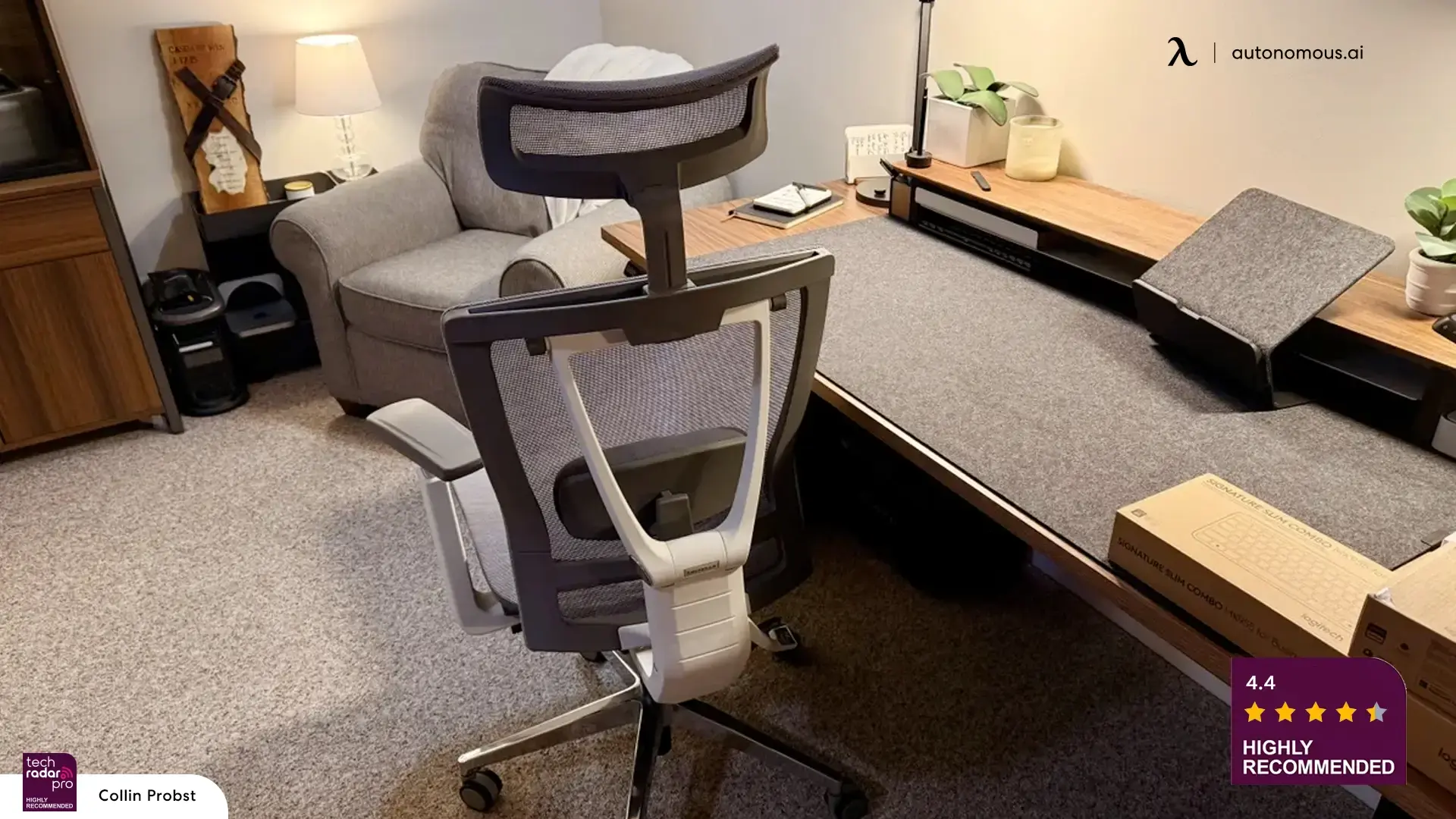
1. Autonomous ErgoChair Pro - Best for fine-tuning the fit
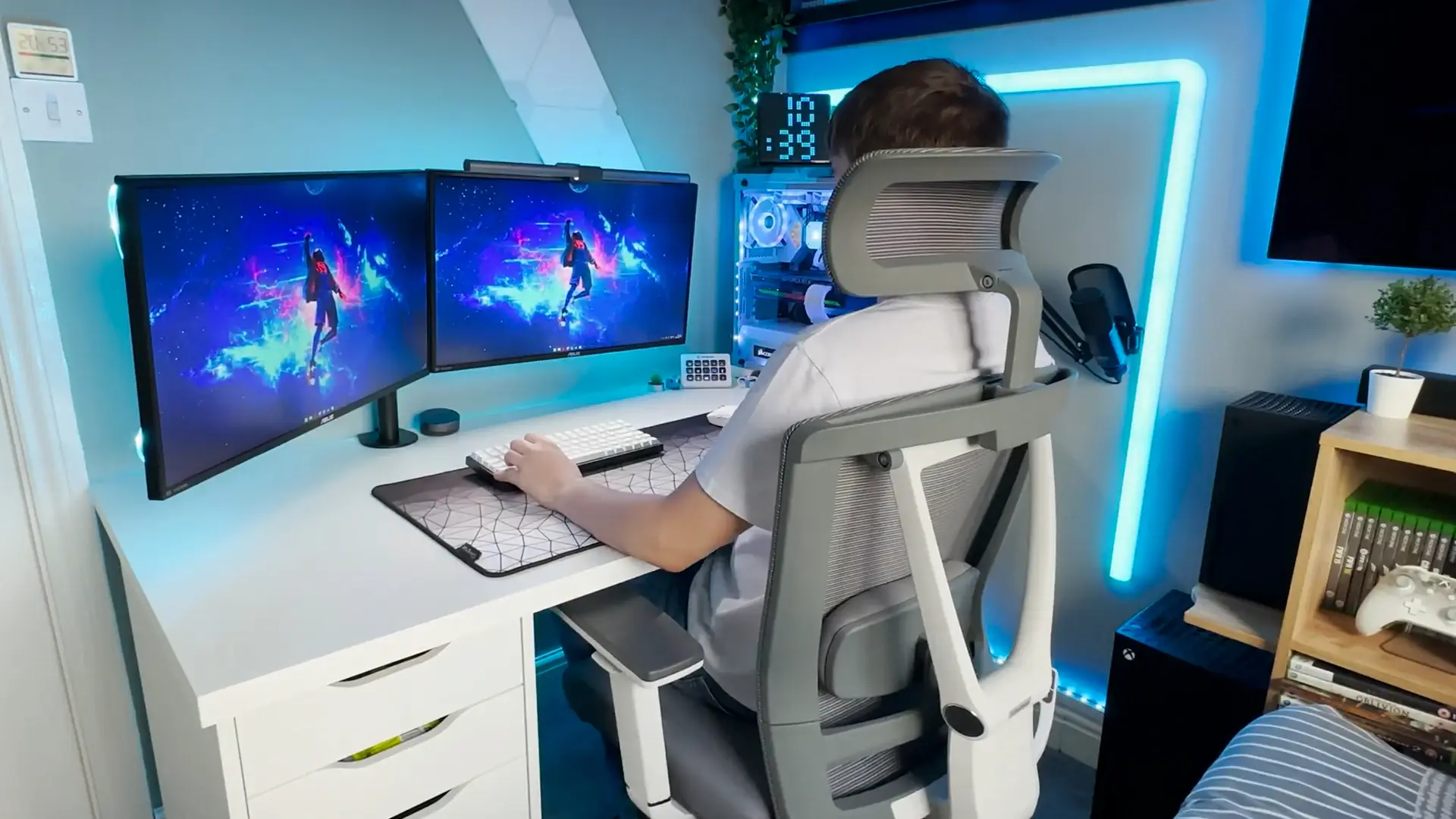
The ErgoChair Pro rewards setup. The lumbar slides independently of the backrest angle, seat depth adjusts without affecting tilt, and the armrests move on three axes without locking you into presets. Through an 8-hour day, that matters because you can address specific pressure points, a tight lower back at hour five, shoulder tension after a long call, without undoing the rest of your setup.
The synchro-tilt mechanism is the second reason it survives a full day. When you recline, the backrest moves at a steeper angle than the seat, keeping your thighs supported rather than sliding you forward. Autonomous documents all eleven axes and their tested ranges against the ergonomics literature.[4]
Hour-by-hour: comfortable through hour four with default settings. The lumbar sliding mechanism is the difference at hour five, since most chairs at this price embed the lumbar in the backrest and it disappears as you shift. The Pro's lumbar stays where you set it.
Where it shows wear: the armrest padding is on the thinner side, and by hour six users who lean on their elbows start feeling it. Sliding the pad forward keeps the contact area off the elbow point.
Specs:
- 9 degrees of freedom, sliding lumbar (6-inch slide), synchro-tilt
- 22° recline across 5 lockable positions
- Seat height 18.5 to 22", seat depth 19 to 21.5"
- 3D armrests, 11 to 14" above the seat
- 300 lb capacity, lifetime warranty
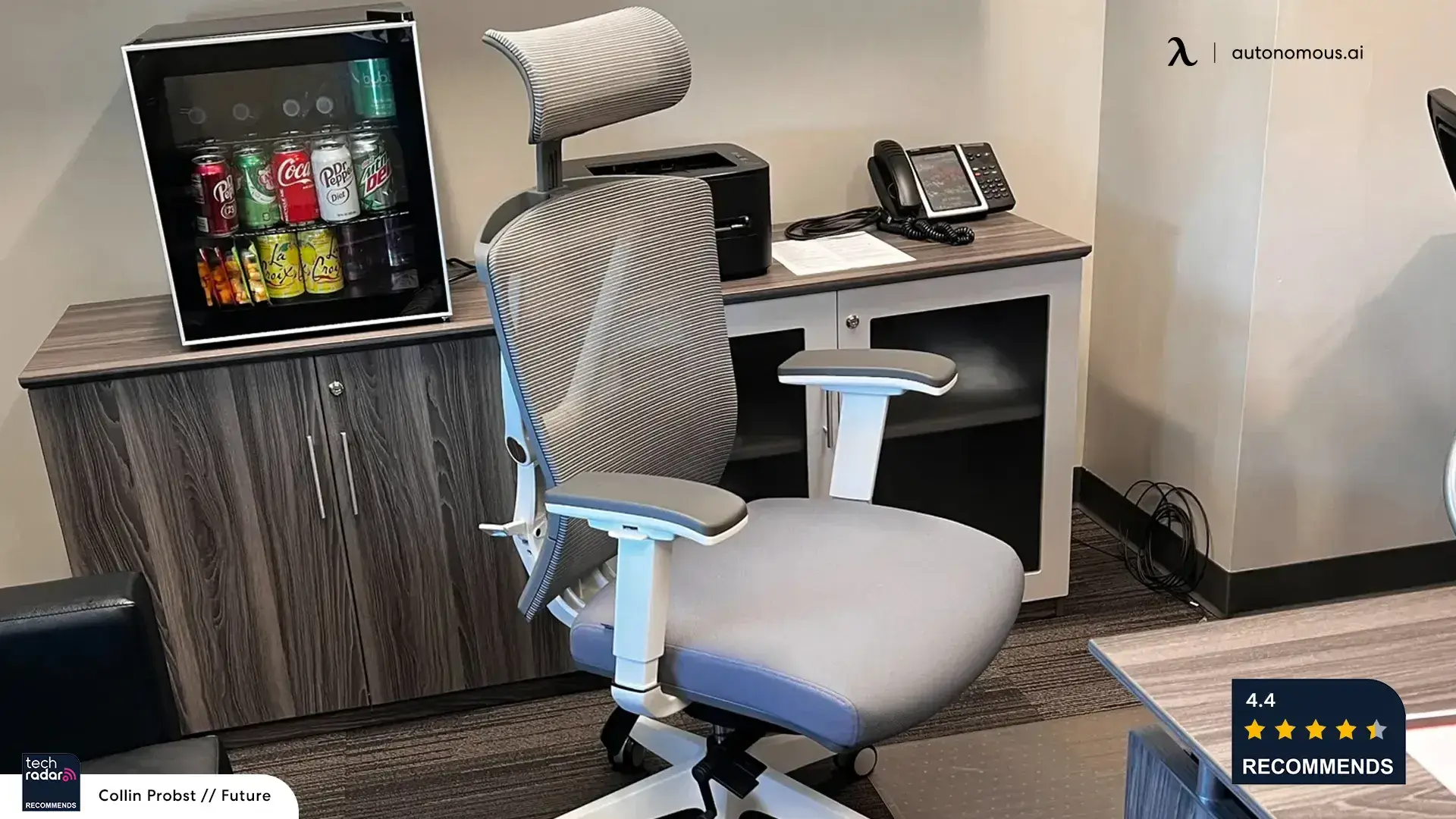
2. Autonomous ErgoChair Ultra 2 - Best for posture shifts across the day
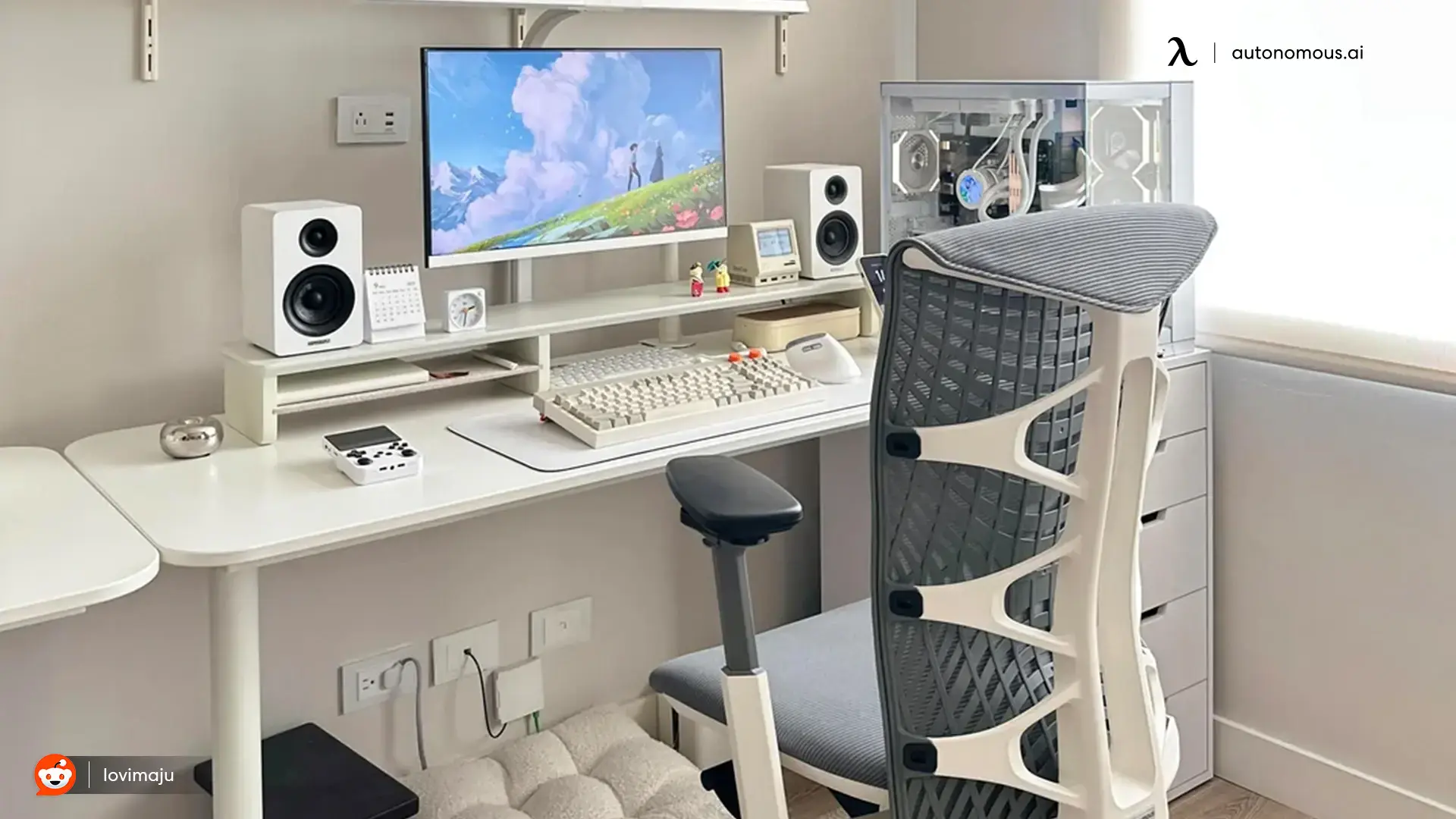
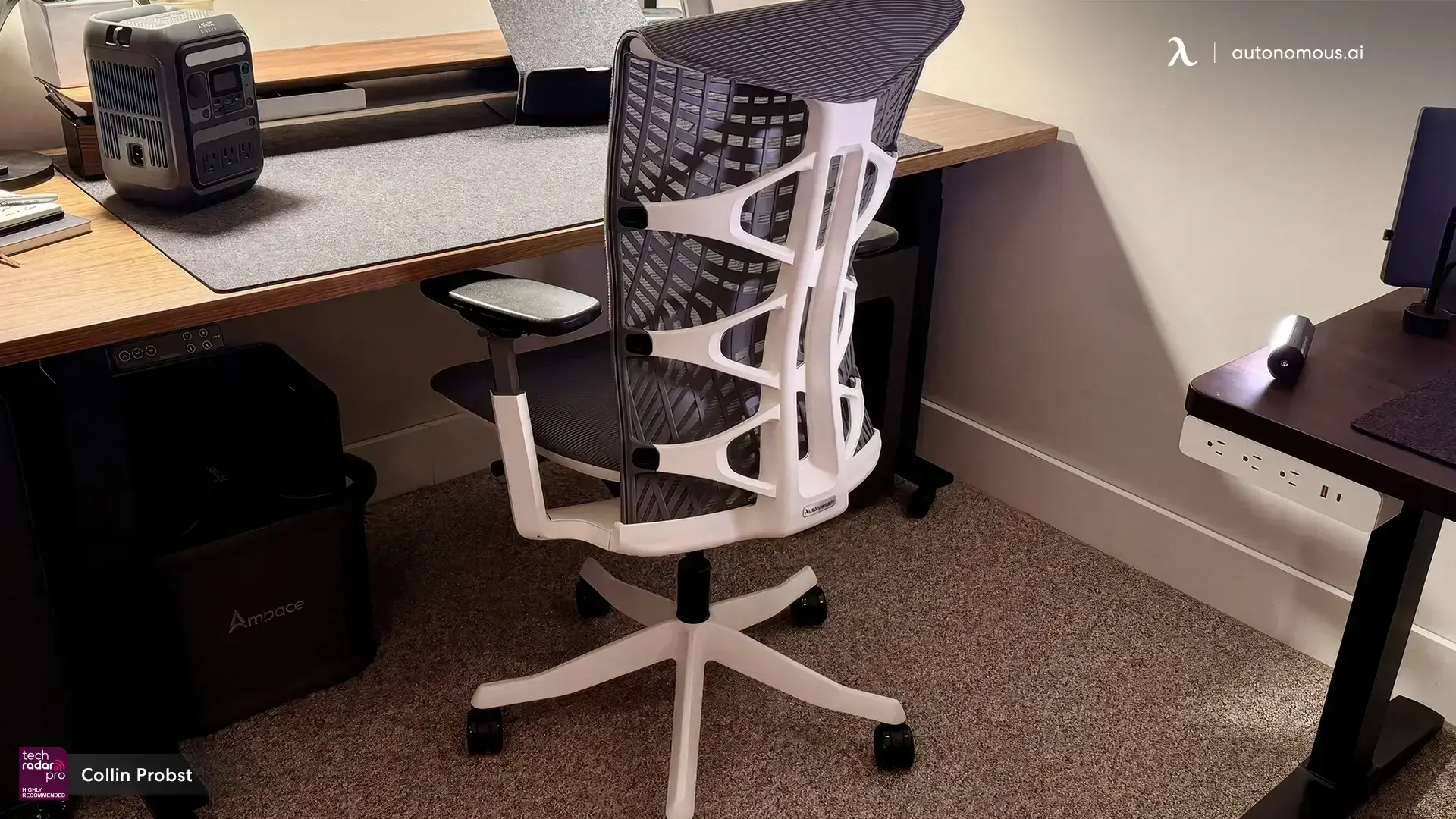
The Ultra 2 wins on the two failure modes the Pro does not fully address: seat compression and heat. The seat is four layers, polyester, molded foam, TPE webbing, and polymer coil springs. Foam alone develops a permanent dent and concentrates pressure at the sit bones; the webbing-and-spring layer spreads load across the full seat as it flexes and returns the seat to flat between sessions. The back is a lumberless flex-frame of 62 pressure nodes that flex as one system, an active-sitting design where the support tracks your spine as you shift rather than waiting for it.[5]
Hour-by-hour: comfortable through hour three at any setting. Where it pulls ahead of the Pro is hour four onward: the seat does not bottom out, the back panel keeps tracking the spine as you shift, and the mesh runs cool through hour eight.
Where it breaks: the 18-inch minimum seat height fits 5'3" and taller without modification; users under 5'2" may need a footrest or lower-seated petite office chairs to keep their feet flat. That is a workaround, not a flaw, but worth naming.
Specs:
- 4-layer seat, lumberless flex-frame (62 pressure nodes), synchro-tilt
- 25° recline
- Seat height 18 to 23", seat depth 18 to 20.5"
- 4D armrests, 7 to 11" above the seat
- 320 lb capacity, lifetime warranty
- CAD files open-sourced on GitHub
3. UPLIFT Intuition - Best all-mesh comfort under $700
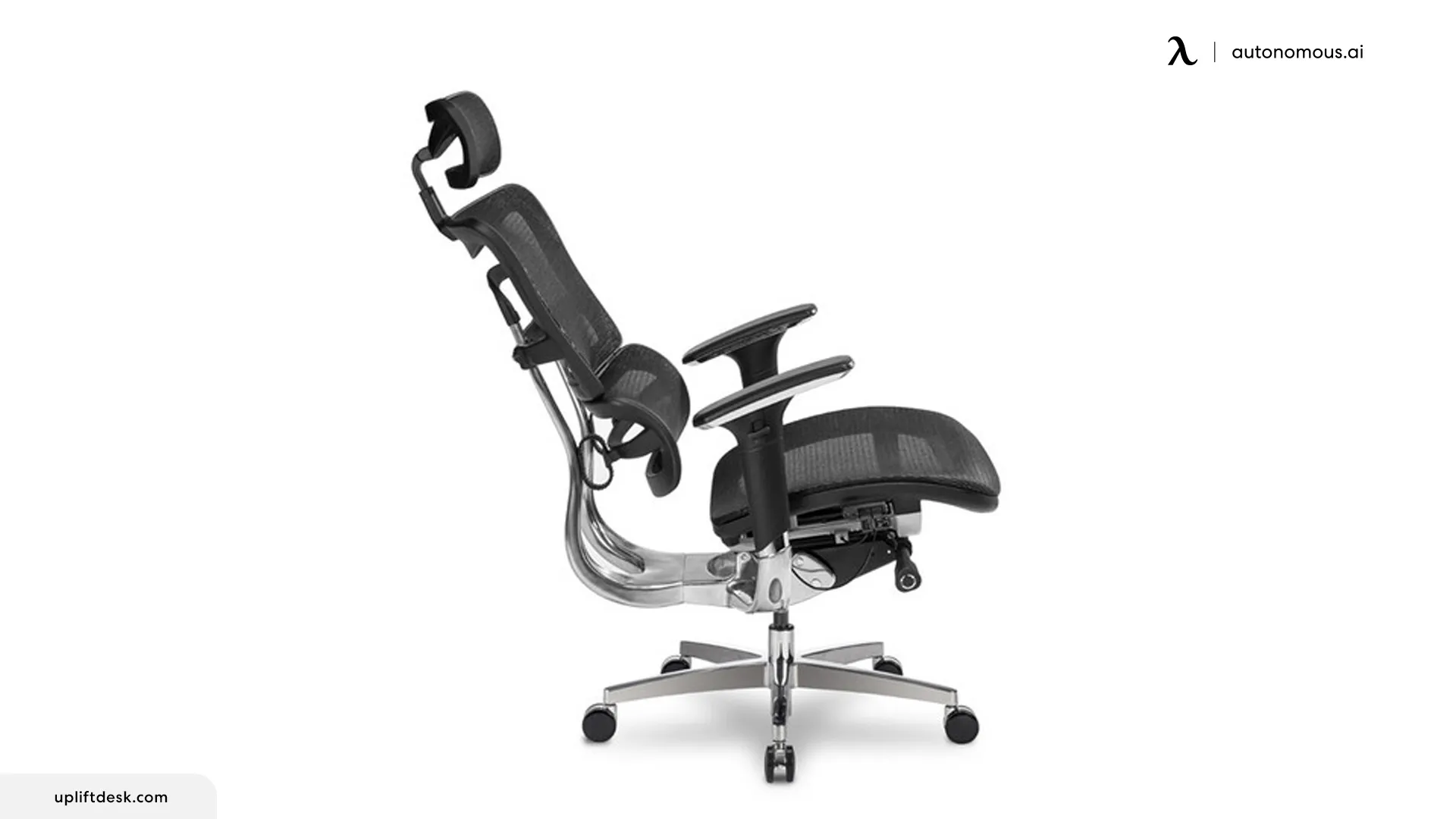
The Intuition is the closest chair on this list to what Autonomous is doing, and it is a genuinely strong one. It runs breathable mesh on the seat, back, and headrest, so nothing compresses or traps heat, pairs that with a self-adjusting lumbar that tracks your lower back as you move, and adds an Italian synchro-tilt that reclines up to 45 degrees and locks anywhere along the way. The headrest is included at no extra charge, it is tested to ANSI/BIFMA X5.1, and it carries a 15-year warranty. At $649 it is a legitimately good 8-hour chair.
Hour-by-hour: cool and even all day, since the all-mesh seat and back never bottom out or heat up, and the self-adjusting lumbar holds without any fiddling.
Where the value math turns: the Intuition matches the Autonomous approach closely, which is what makes it a fair comparison. The ErgoChair Ultra 2 gives you the same cooling mesh-and-webbing seat and self-adapting back for $449, with 4D arms and a lifetime frame warranty where the Intuition has 3-way arms and 15 years. The Intuition answers with a deeper 45-degree recline and a self-adjusting lumbar some people prefer over a slider. They are close chairs that clear the same failure modes, and the Ultra 2 does it for $200 less, which is where the value lands.
Specs:
- Dual mesh seat, back, and headrest; headrest included free
- Self-adjusting dynamic lumbar, Italian synchro-tilt, 45° recline with infinite lock
- Adjustable seat depth, 3-way arms (height, depth, pivot), waterfall mesh seat
- 300 lb capacity, 15-year warranty, ANSI/BIFMA X5.1 tested
- Price: $649 (headrest included)
4. X-Chair X1 - Best for a plush, low-effort setup
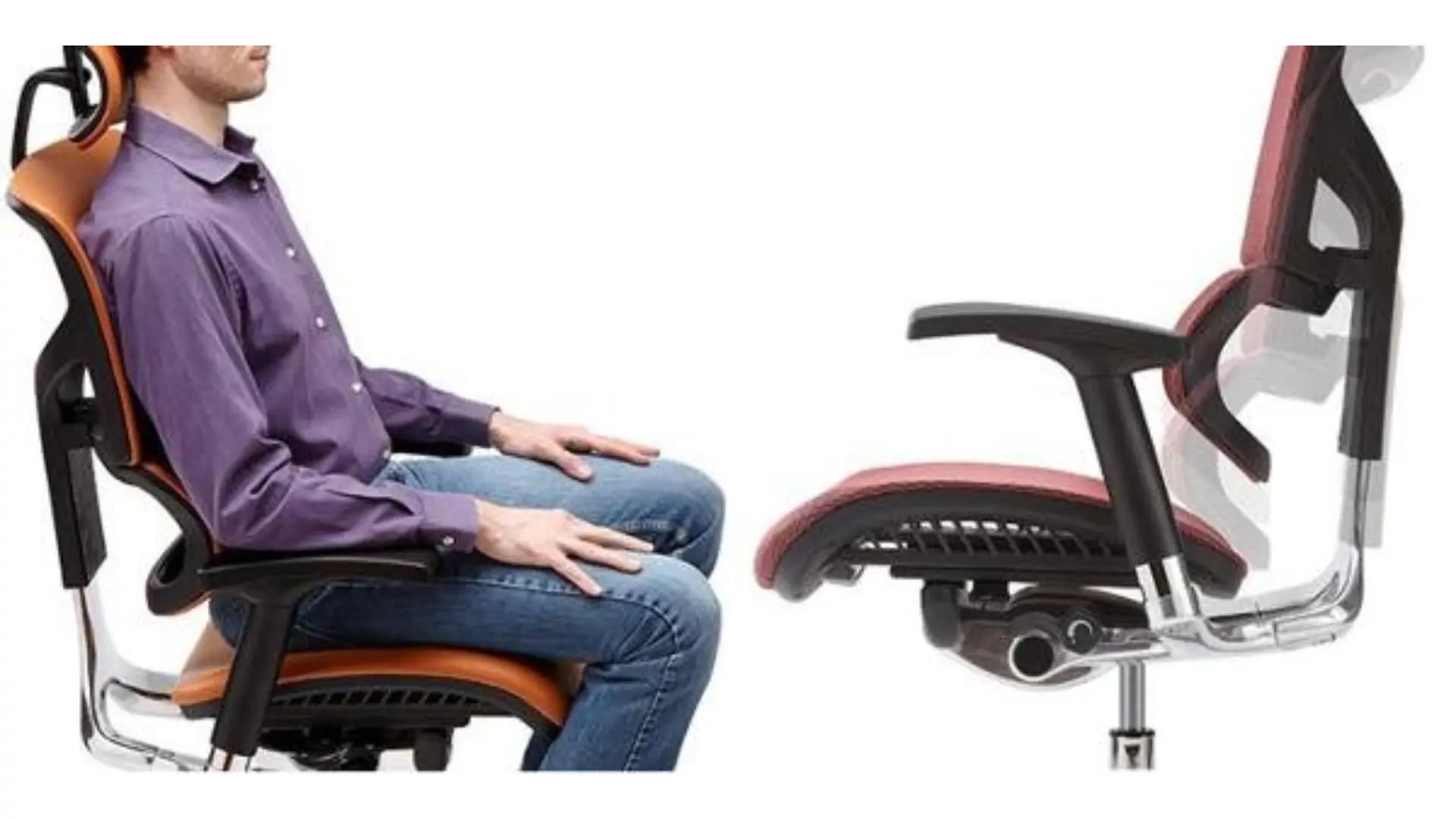
The X1 is the most heavily marketed chair on this list, and the comfort is real: a flex mesh back, a Dynamic Variable Lumbar that self-adjusts as you move, 4D arms, and an EVR recline that leans back smoothly without a tension dial. For someone who wants to sit down and be comfortable without fiddling with settings, it delivers.
Hour-by-hour: comfortable from the start, with the self-adjusting lumbar keeping the lower back supported as you shift.
Where it breaks: the seat is a padded cushion rather than mesh or webbing, so it warms and softens over a long day, and the X1's signature comforts are add-ons. The matching headrest, the heating, cooling, and massage module, and upgraded wheels are all paid extras that push a loaded X1 past $900. The core chair is capable, but its best-known features are upsells, where the Autonomous chairs include the flex-frame, 4D arms, and a headrest in the base price.
Specs:
- Flex mesh back, Dynamic Variable Lumbar (self-adjusting), 4D arms, EVR recline
- Seat height 15.6 to 19.75", seat depth 16 to 18", armrests 7.1 to 10.6" above the seat
- Padded foam seat; headrest, heat and cooling module, and upgraded wheels are paid add-ons
- 275 lb capacity, 15-year frame warranty (5-year on parts)
- Price: around $650 to $800 base, over $900 loaded
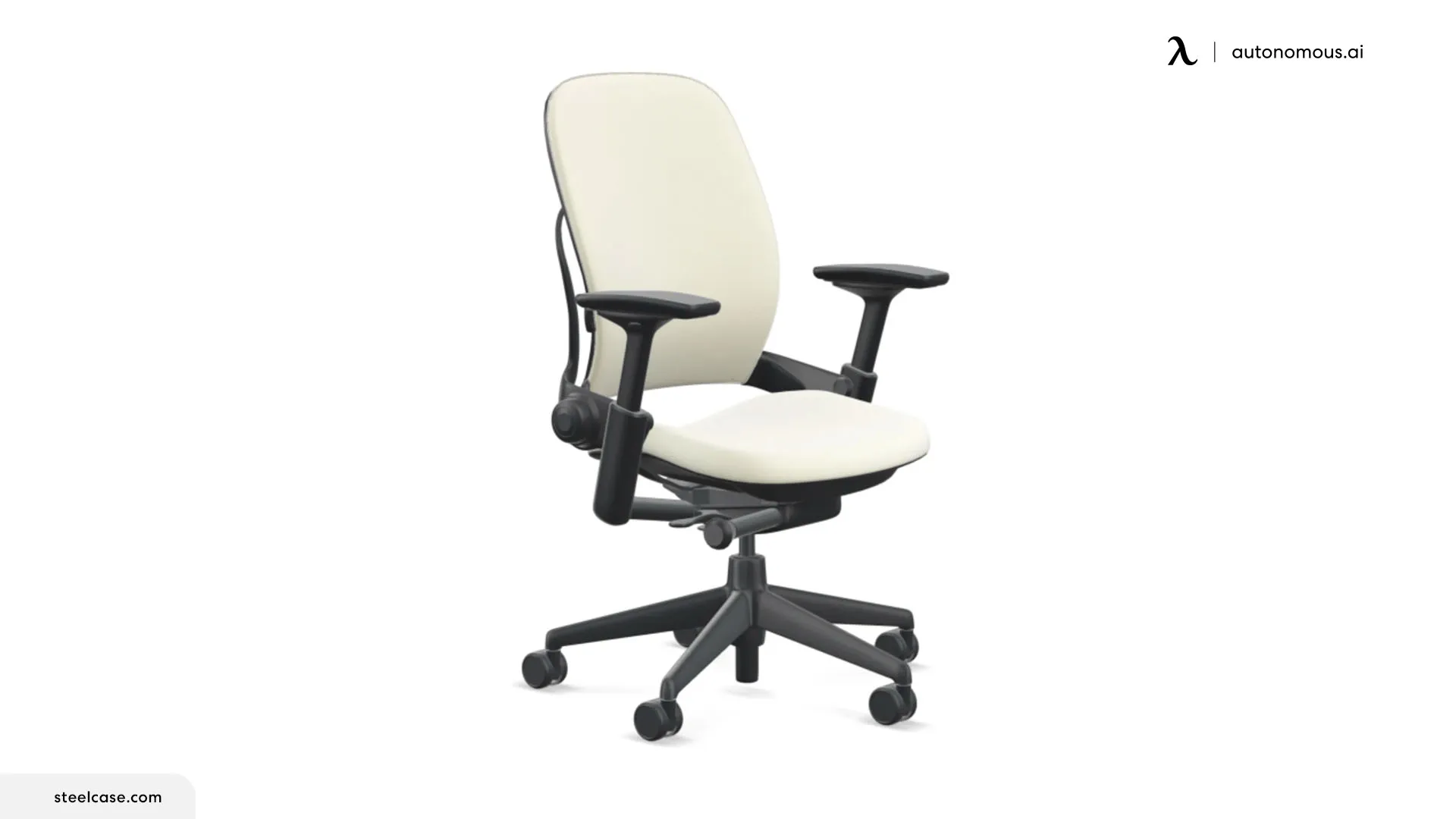
5. Steelcase Leap V2 - Best backrest shape change
The Leap V2's LiveBack mechanism is the single best-engineered answer in the category to lumbar fade. The backrest does not just recline, it changes shape: when you lean back, the lower section curves to maintain contact with the small of your back while the upper section opens. Through hour five and six, when most lumbar pads have flattened out, the Leap keeps tracking the spine.
Hour-by-hour: strongest performance hour four onward. The shape-changing backrest is the defining feature, and it earns the price for users who shift positions frequently.
Where it breaks: the seat is foam over fabric. By hour four it runs warmer than mesh alternatives, and by hour six the foam compresses against the sit bones in a way mesh does not.
The new MSRP is $998, but the chair has the deepest remanufactured market in the category: reputable dealers sell refurbished units around $650 with a five-year dealer warranty, and the core sitting experience is identical to new. Most buyers should start there.
Specs:
- LiveBack shape-changing backrest, adjustable seat depth
- 4D arms, two-way lumbar (height and firmness)
- 400 lb capacity, 12-year warranty new
- Price: around $998 new, or ~$650 refurbished
6. Herman Miller Aeron - Best for heat dissipation
The Aeron is the only major chair in the category with no foam anywhere. Seat and back are both 8Z Pellicle - a mesh divided into eight tension zones, firmer at the edges to hold position, softer at the center to conform. The result: airflow through the entire seating surface, no temperature buildup, no foam compression. Through an 8-hour day in a warm room, this matters more than any other feature.
Hour-by-hour: excellent through hour two. The seat is firm, described as floating by some and hard against the sit bones by others. The first three weeks are the adjustment period; most users either acclimate or return the chair.
Where it breaks: no seat depth adjustment. Sizes A, B, and C are fixed at 16", 17", and 18", so you cannot dial in for shorter or longer femurs, and getting the size wrong leaves the chair uncomfortable by day two.
The Aeron starts at $1,479 new. Authorized dealer and remanufactured pricing runs lower at times. Twelve-year warranty regardless.
Specs:
- 8Z Pellicle all-mesh seat and back, PostureFit SL lumbar
- Three sizes (A/B/C), no seat depth adjustment
- 300 to 350 lb capacity by size, 12-year warranty, 24/7-use rated
- Price: from around $1,479
.webp)
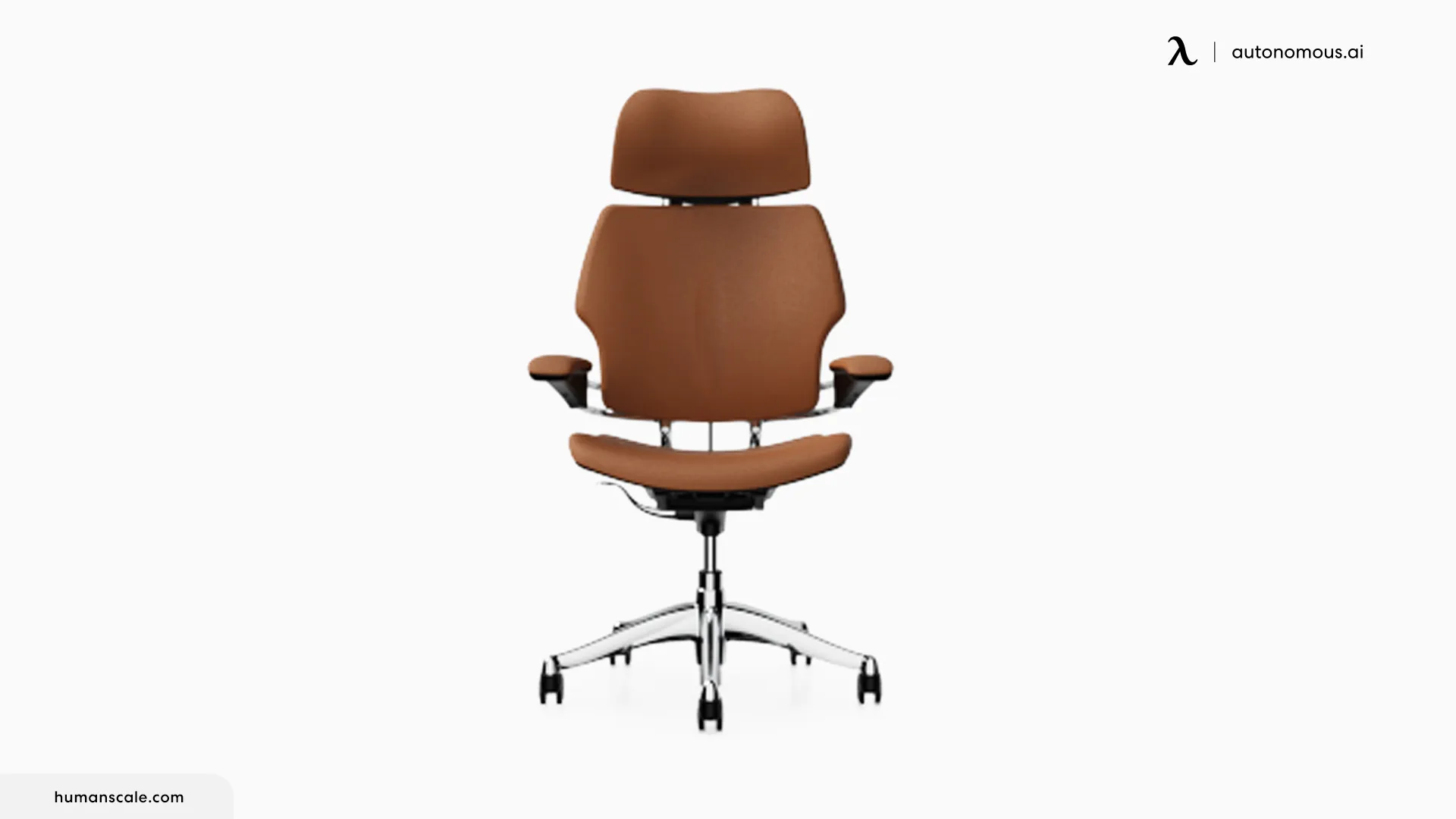
7. Humanscale Freedom - Best for users who hate adjusting
The Freedom is the anti-Pro. Where the ErgoChair Pro rewards setup, the Freedom rewards skipping it. The recline is weight-sensitive, so the chair calibrates resistance to your body weight the moment you sit down, and the armrests are attached to the backrest, so they move in sync with the recline. There is no lumbar dial and no tilt-tension knob. The chair adjusts to you rather than asking you to adjust it.
Hour-by-hour: comfortable from minute one. Through hour eight, the recline tracking and synchronized arms reduce the micro-corrections that add up across a long day.
Where it breaks: the armrests sit wider than average, which is fine for broader frames but leaves smaller users reaching outward. And the no-adjust philosophy means if your body wants slightly more lumbar projection or a different tilt feel, you cannot get it.
Specs:
- Weight-sensitive recline, no tension dial, synchronized arms
- Headrest available
- 300 lb capacity, 15-year warranty
- Price: from around $1,479
How the seven chairs compare for a full workday
Four questions decide an 8-hour chair: does the seat resist compression, does the lumbar hold, do the arms stay comfortable, and does it stay cool. Here is how the seven answer by hour eight.
| Holds up through hour 8 | Pro | Ultra 2 | Intuition | X1 | Leap | Aeron | Freedom |
| Seat resists compression | ✗ | ✓ | ✓ | ~ | ✗ | ✓ | ~ |
| Lumbar holds all day | ✓ | ✓ | ✓ | ✓ | ✓ | ~ | ✗ |
| Arms stay comfortable | ~ | ✓ | ✓ | ✓ | ✓ | ✓ | ✓ |
| Stays cool all day | ~ | ✓ | ✓ | ~ | ✗ | ✓ | ~ |
Read down the columns and each chair shows its trade. Two chairs clear all four rows, the Ultra 2 and the UPLIFT Intuition, and the Ultra 2 does it for $200 less, with 4D arms and a lifetime frame warranty against the Intuition's 3-way arms and 15 years. The Aeron clears three, giving up only fine lumbar adjustment. The Steelcase Leap V2 wins lumbar and arms but loses the seat and heat rows to its foam, and the X-Chair X1 holds lumbar and arms while resting on a padded seat. The Humanscale Freedom holds the arms with its zero-setup recline but drops adjustable lumbar, and the ErgoChair Pro clears lumbar outright and trades the seat and heat rows for the deepest adjustment at its price.
No single chair wins every row, and the cheapest chair here, the Ultra 2, is one of only two that clear all four. The right chair is the one that clears the rows you feel most.
FAQs
What is an 8 hour chair?
An 8-hour chair is an office chair intended for a full working day rather than occasional sitting. It should offer adjustable seat height, back support, durable cushioning, and a comfortable recline. The label is not a guarantee of fit, so take movement breaks and verify the chair's dimensions.
What makes a chair an 8-hour chair?
An 8-hour office chair survives four failure modes through a full workday: seat compression, lumbar fade, arm pressure, and heat buildup. Most chairs handle one or two; the chairs in this guide handle three or four. Look for high-density foam or mesh seating, adaptive or adjustable lumbar, multi-axis armrests, and a breathable back.
How much should I spend on an 8-hour desk chair?
The functional floor is around $400 to $500 for chairs with full adjustability and warranties beyond three years. The ErgoChair Pro and Ultra 2 sit at that floor, $499 and $449, with lifetime warranties. Premium chairs ($1,000 to $2,000) extend warranties to 12 to 15 years, but the ergonomic benefit beyond the $500 tier is incremental, not transformational.
Is mesh or foam better for 8 hours a day?
Mesh dissipates heat and never compresses, but can feel firm against the sit bones for the first few weeks. High-density foam (2.5 lb/ft³ or higher) cushions better but runs warmer and compresses over time. For most users the best 8-hour seat is a hybrid: foam for cushioning, mesh or webbing underneath for breathability.
Will an 8-hour chair help with back pain?
A properly adjusted ergonomic chair reduces the postural strain behind most desk-related back pain. The two adjustments that matter most are lumbar height (support at your belt line, not your shoulder blades) and seat depth (two to three fingers between the seat front and the back of your knees).[2] Adjust both correctly and most chair-related pain eases.
Are expensive chairs worth it for 8-hour use?
For long daily use, the $1,000 to $2,000 tier adds longer warranties, 12 to 15 years versus 5 to 7. The functional ergonomic benefit over a well-adjusted $500 chair is modest, and the lifetime warranty on the ErgoChair Pro and Ultra 2 closes most of the durability gap at less than half the price.
What is the best 8-hour office chair for tall users?
The ErgoChair Pro is the better Autonomous chair for users 5'10" and above, since its backrest runs taller than the Ultra 2's. For users above 6'2", the Steelcase Leap V2 with the tall cylinder option or the Aeron Size C are the standard answers.
Are office chairs actually rated for 8 hours of use?
Yes, in a durability sense. Office seating is tested to standards like ANSI/BIFMA X5.1 that cycle the frame, tilt, and seat far past a single day, and some chairs like the Aeron are rated for 24/7 use.[3] There is no formal 8-hour badge, so a long warranty is the practical sign it is built for full days.
What is the best active-sitting chair for 8-hour days?
The best active-sitting chair for long days lets your spine move instead of locking it in one position. The ErgoChair Ultra 2 is the pick here, since its lumberless flex-frame flexes with every shift across a full workday, so you stay supported while you move rather than settling into a single fixed posture.
What is the best-looking 8-hour chair for a living-room home office?
A chair can look stylish and living-room appropriate and still support 8-hour days when it hides its ergonomics behind clean lines, a matte frame, and woven or knit-look mesh rather than gaming-style shapes. The Herman Miller Aeron and the Autonomous ErgoChair line both read as minimalist furniture while carrying full-day support.
What type of chair is best for office work?
An adjustable ergonomic task chair is usually the best type for office work. Choose one with seat height adjustment, lumbar support, adequate seat depth, and armrests that fit your desk height. Breathable materials can help during long sessions, but personal fit matters more than any single feature.
Bottom line
The right 8-hour office chair is the one that handles all four failure modes, seat compression, lumbar fade, arm pressure, and heat, through a full workday. At $449 to $499 with a lifetime warranty, the ErgoChair Pro and Ultra 2 cover the most ground per dollar: the Pro for fine-grained adjustment, and the Ultra 2 for people who want the webbing seat and flex-frame back. The mid-priced names like the UPLIFT Intuition and X-Chair are strong chairs in their own right, and the premium office chairs add longevity and refinement, not a fundamentally different sitting experience. Start with how you actually sit, then pick the chair that breaks last where you sit longest.
References
- Occupational Safety and Health Administration (OSHA). Computer Workstations eTool: Chairs and back support. https://www.osha.gov/etools/computer-workstations/components/chairs
- Cornell University Ergonomics Web (CUergo). Guidelines for seated posture, lumbar and seat-depth adjustment. https://ergo.human.cornell.edu/
- BIFMA (Business and Institutional Furniture Manufacturers Association). ANSI/BIFMA X5.1 durability and structural testing standard for office seating. https://www.bifma.org/
- Autonomous. ErgoChair Pro engineering: nine adjustment zones and eleven axes of motion, with ranges validated against the ergonomics literature and cycle-tested to ANSI/BIFMA X5.1. https://www.autonomous.ai/engineering/autonomous-chair-ergonomics
- Autonomous. ErgoChair Ultra 2 engineering: the dynamic flex-frame back and its support-zone design. https://www.autonomous.ai/engineering/human-form-innovation
- Autonomous. ErgoChair Ultra 2 open-hardware design files (CAD, bill of materials, assembly guide). https://github.com/autonomous-ai/autonomous-chair
- Tom's Hardware. Autonomous ErgoChair Pro review (independent). https://www.tomshardware.com/peripherals/gaming-chairs/autonomous-ergochair-pro-review
- PC Gamer. Autonomous ErgoChair Ultra 2 review (independent). https://www.pcgamer.com/hardware/gaming-chairs/autonomous-ergochair-ultra-2-review/
- TechRadar. Autonomous ErgoChair Ultra 2 office chair review (independent). https://www.techradar.com/pro/autonomous-ergochair-ultra-2-office-chair-review