12 Best Gaming Chairs in 2026: Budget to Premium Picks
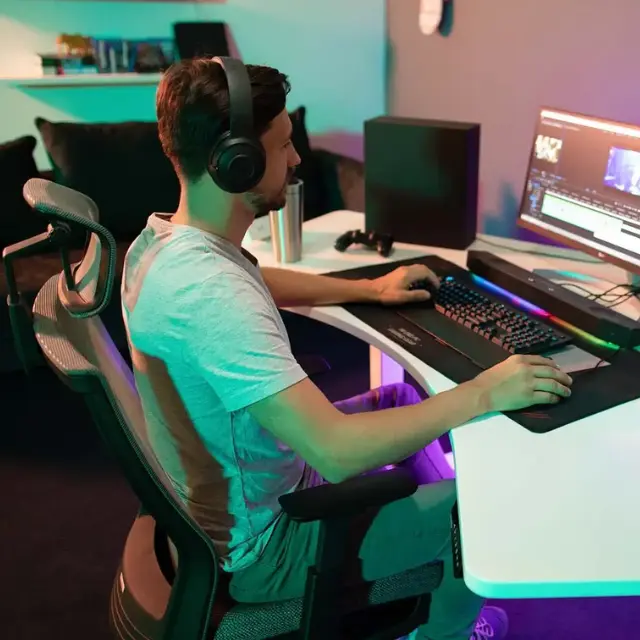
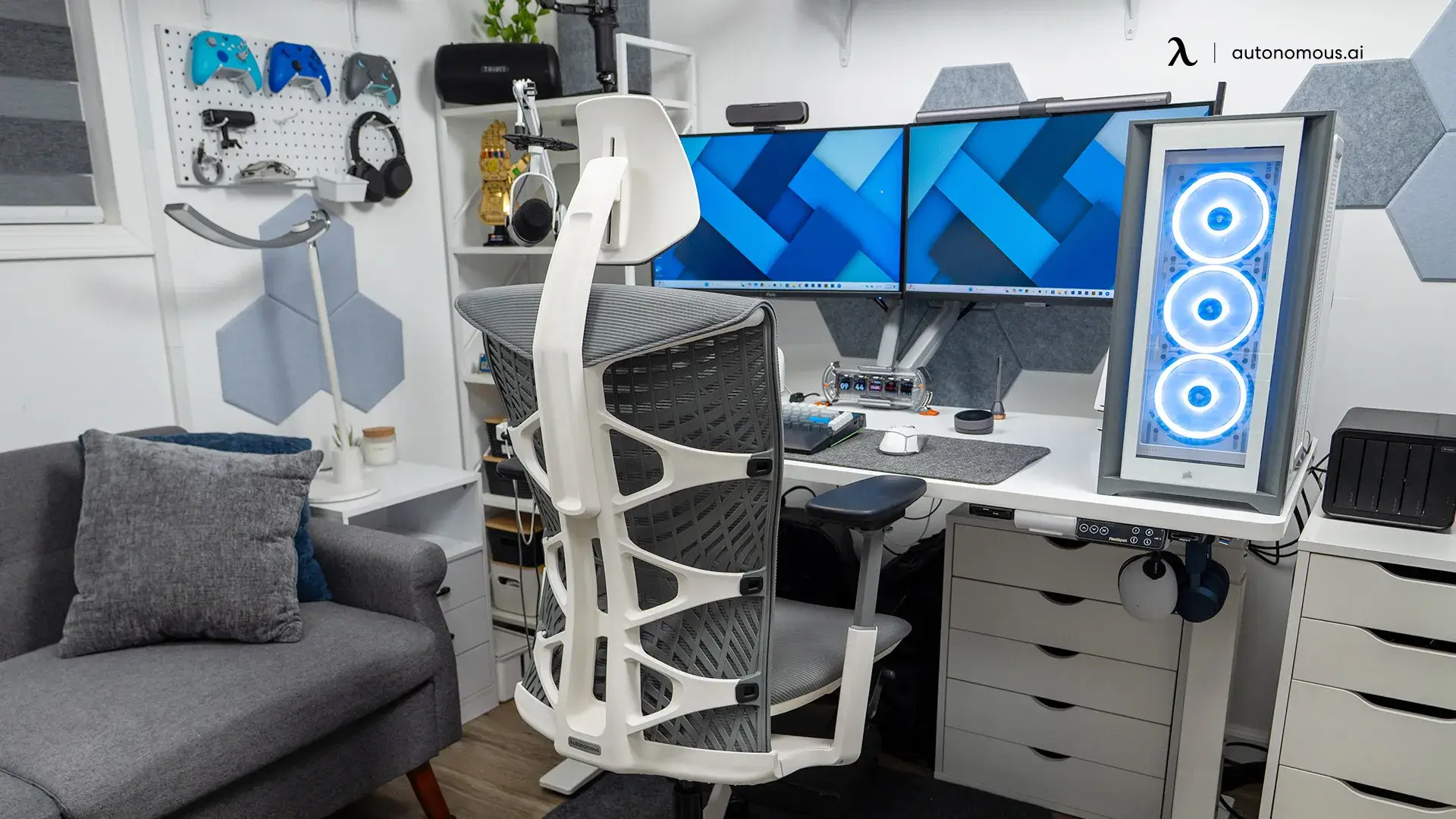
The best gaming chair is not necessarily the one that reclines the farthest or looks most like a race-car seat. If you play on a PC for four hours and then work at the same desk, seat depth, lumbar placement, and armrest movement often matter more than the logo. If you mainly use a controller from a sofa-height screen, the answer is different.
These twelve gaming chairs cover the main shopping decisions in 2026: all-day comfort, budget models, traditional racing designs, larger builds, and console gaming. The recommendations are based on manufacturer specifications and named independent reviews, not invented hands-on tests.
Quick comparison: best gaming chairs in 2026
| Chair | Best for | Weight capacity | Key trade-off |
|---|---|---|---|
| Autonomous ErgoChair Ultra 2 | Best for long PC gaming and work | 320 lbs | 18-inch seat width |
| Autonomous ErgoChair Mesh | Best breathable chair for PC gaming | 300 lbs | Mesh feel is not for everyone |
| Secretlab TITAN Evo | Best traditional gaming chair overall | Up to 395 lbs (XL) | Size-dependent fit |
| Corsair TC100 Relaxed | Best budget gaming chair | 264 lbs | 2D arms and loose lumbar pillow |
| Autonomous ErgoChair Core | Best budget ergonomic option for PC gaming | 242.5 lbs | 20-inch minimum seat height |
| Autonomous ErgoChair Pro | Best gaming chair for work-and-play adjustments | 300 lbs | Not an oversized seat |
| Razer Iskur V2 NewGen | Best newer gaming chair for adjustable lumbar | 299 lbs | Premium-priced synthetic leather |
| Herman Miller x Logitech G Embody | Best premium comfort-focused gaming chair | 300 lbs | Very high cost |
| AndaSeat Kaiser 4 XL | Best for tall and broad gamers | 395 lbs (XL) | Large footprint |
| AutoFull M6 Pro | Best gaming chair with active cooling and heating | 330 lbs | Added electronics and cable management |
| Razer Enki X | Best pared-down alternative to premium racing chairs | 299 lbs | Less lumbar adjustability |
| Playseat Puma | Best console or living-room gaming seat | Not verified here | Not for a regular PC desk |
What to look for in a comfortable gaming chair
Four checks matter more than an impressive-sounding feature list:
- Seat fit. Compare usable width, seat depth, and your preferred seat height. Thick side bolsters can reduce the space available to your thighs.
- Lower-back support. Decide whether you want a sliding lumbar pad, an adaptive backrest, or a simple pillow. These designs feel different when you lean toward your screen.
- Armrests and recline. PC gaming uses a keyboard and mouse; controller gaming usually needs a different elbow position. Adjustable arm width and tilt locking help both.
- Long-session materials. Mesh, fabric, foam, and leatherette manage heat differently. A rated weight limit tells you what the frame supports, not whether the seat will stay comfortable for you.
When a PC doubles as a work machine, the distinction between a gaming chair and ergonomic office chair becomes especially relevant. The best fit may be an ergonomic task chair instead of a racing shell.
The 12 best gaming chairs for comfort, value, and fit
1. Autonomous ErgoChair Ultra 2, best for long PC gaming and work
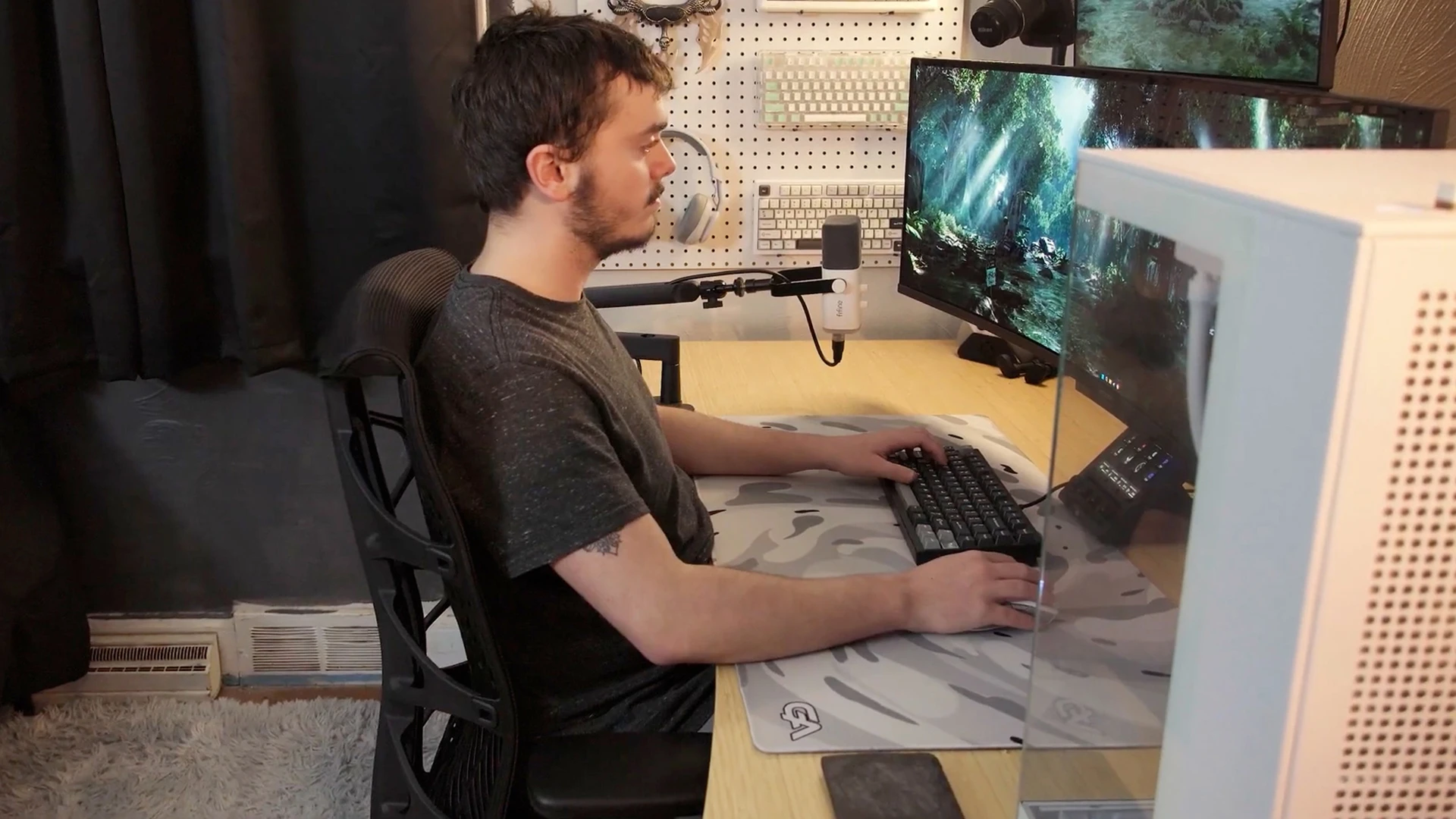
Autonomous ErgoChair Ultra 2 is a strong option for long PC gaming sessions that also include work or streaming. Its four-layer seat uses foam, TPE webbing, and polymer coil springs with 62 pressure nodes, an alternative to the single thick foam cushion common in racing-style gaming chairs.
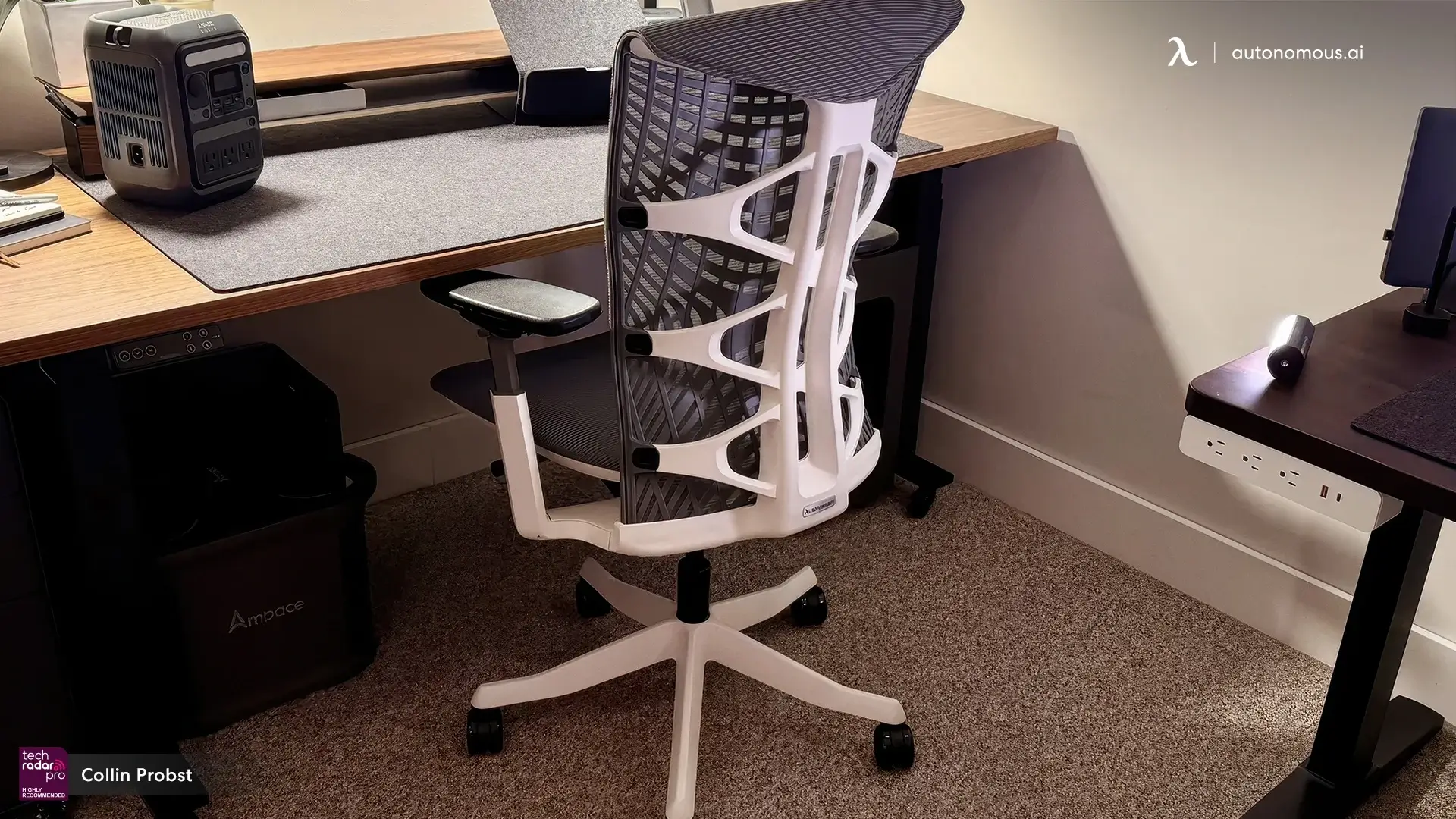
The TPE-backed flex frame is designed to respond when you lean toward the monitor and then settle into a recline. In a PC gaming setup, that change of position happens constantly between keyboard-and-mouse play, controller use, and breaks. Its 4D arms are useful when the keyboard and controller ask for different elbow positions.
For mouse-and-keyboard use, the desk around the chair matters too: monitor distance, keyboard position, and cable space all affect a PC gaming desk setup.
The seat is 18 inches wide, depth adjusts from 18 to 20.5 inches, and the rated load is 320 lbs. If those dimensions suit you, the open-source chair design and published engineering details make the construction unusually easy to scrutinize.
| Pros | Cons |
|---|---|
|
|
Quick specs: 320 lb capacity; 18-inch seat width; 18–20.5-inch depth; 25° backrest tilt; lifetime warranty.
2. Autonomous ErgoChair Mesh, best breathable chair for PC gaming
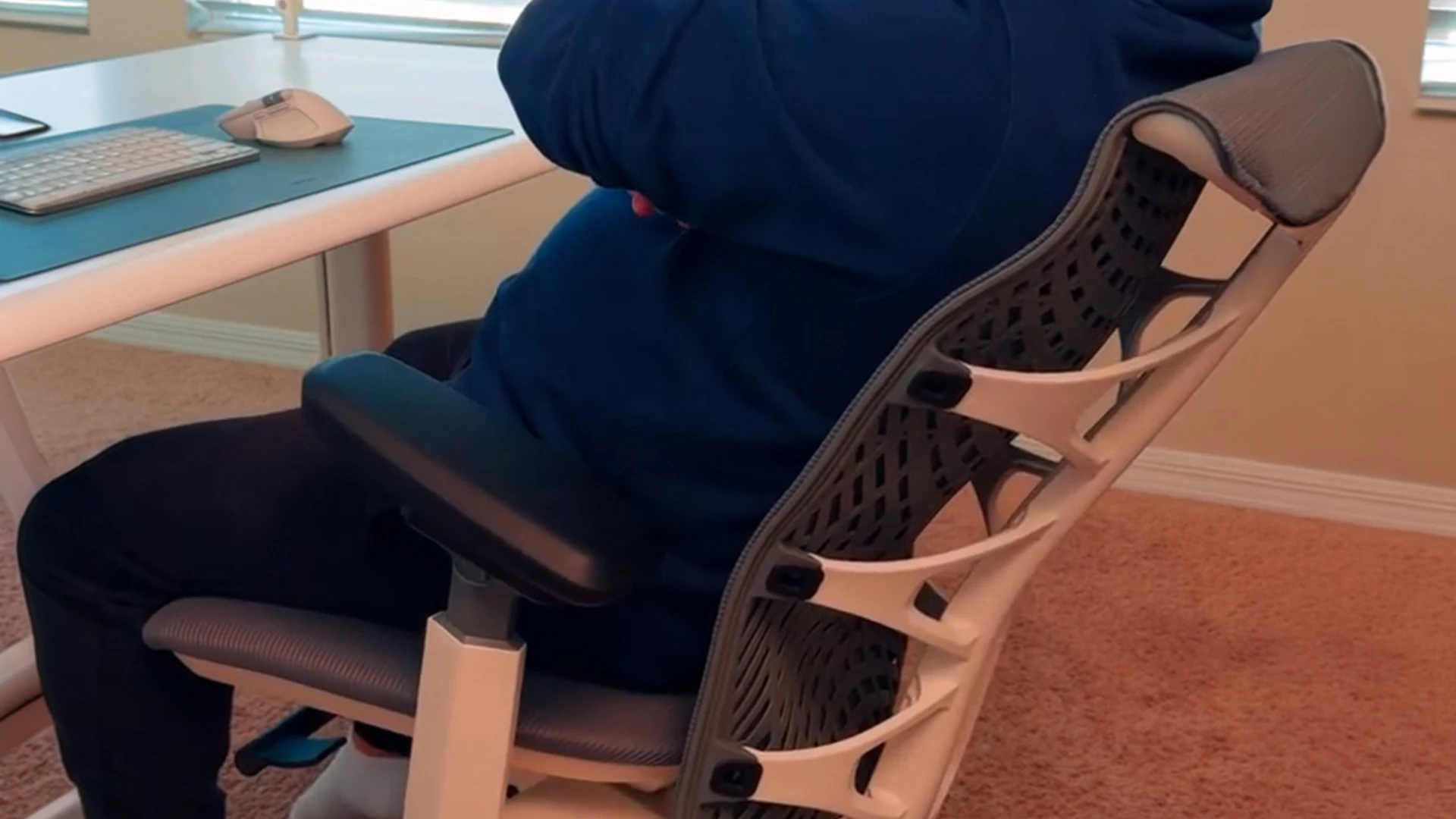
Autonomous ErgoChair Mesh is built for PC gamers who run warm and prefer a ventilated seat and back to thick upholstery. Its Ultra Air Mesh support surface and adjustable lumbar cushion make it a practical fit for long sessions at the same desk, without a racing-shell design.
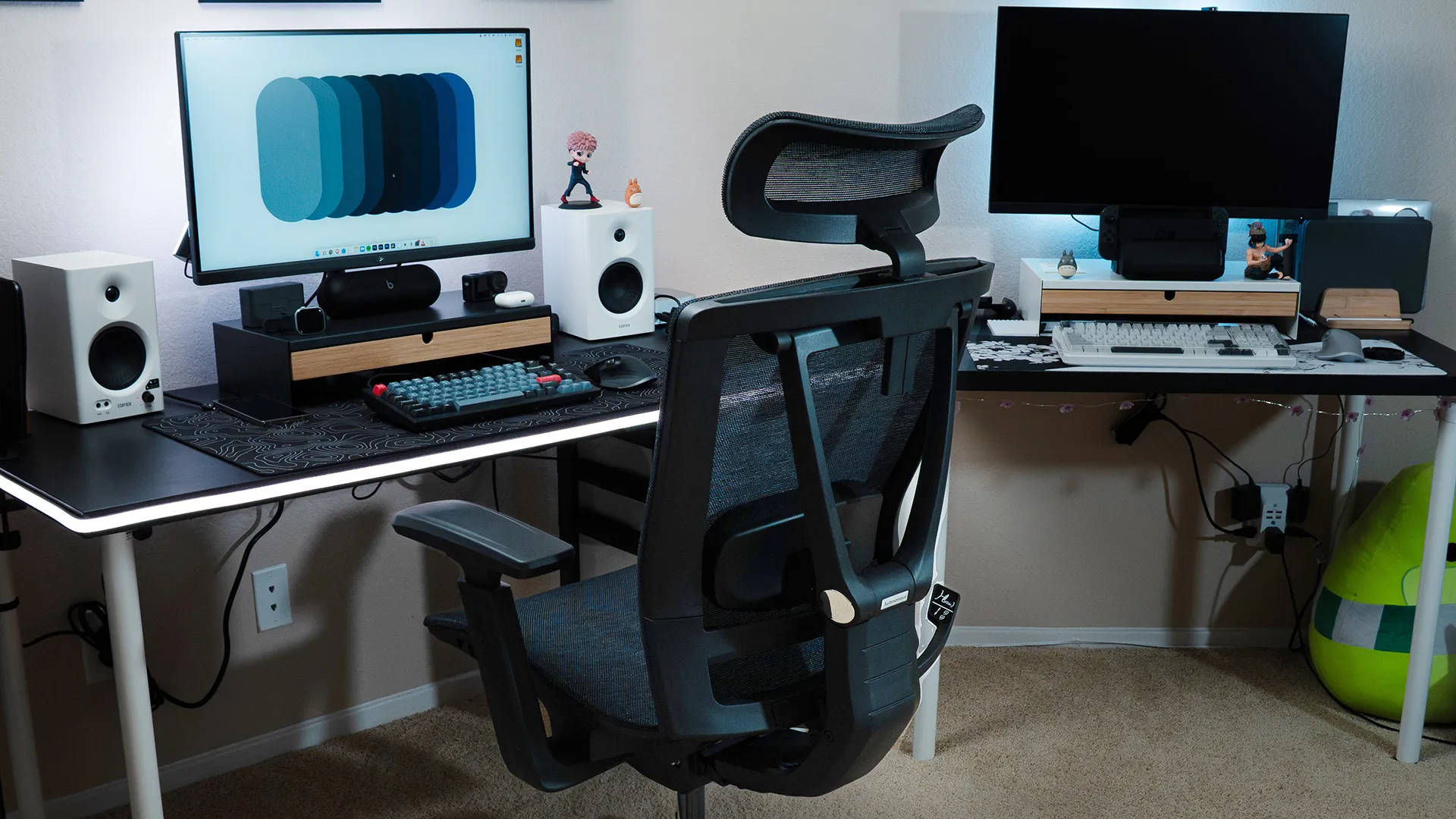
The question I would ask about a gaming chair in a hot room is not how far it reclines, but where heat builds up after two hours. ErgoChair Mesh uses a ventilated mesh surface at the main contact points, giving airflow a more central role than an upholstered racing chair. Airflow can improve comfort, but it will not replace good room ventilation.
The flexible lumbar cushion can slide to match your lower-back position, and the backrest offers five lockable recline positions. Its 3D armrests and 2:1 synchro-tilt are especially relevant to keyboard-and-mouse play: you can tune forearm position and lean back between matches without relying on a separate lumbar pillow.
The limit to check is fit. Mesh has a 19-inch-wide seat, 18–20-inch adjustable depth, and an 18.5–21.5-inch seat-height range. It is rated for 300 lbs. Gamers wanting a deep lounge recline or a soft, padded bucket seat may prefer a different style.
| Pros | Cons |
|---|---|
|
|
Quick specs: 300 lb capacity; 19-inch seat width; 18–20-inch seat depth; 18.5–21.5-inch seat height; 22° tilt range; lifetime warranty.
.jpg)
.jpg)
3. Secretlab TITAN Evo, best traditional gaming chair overall
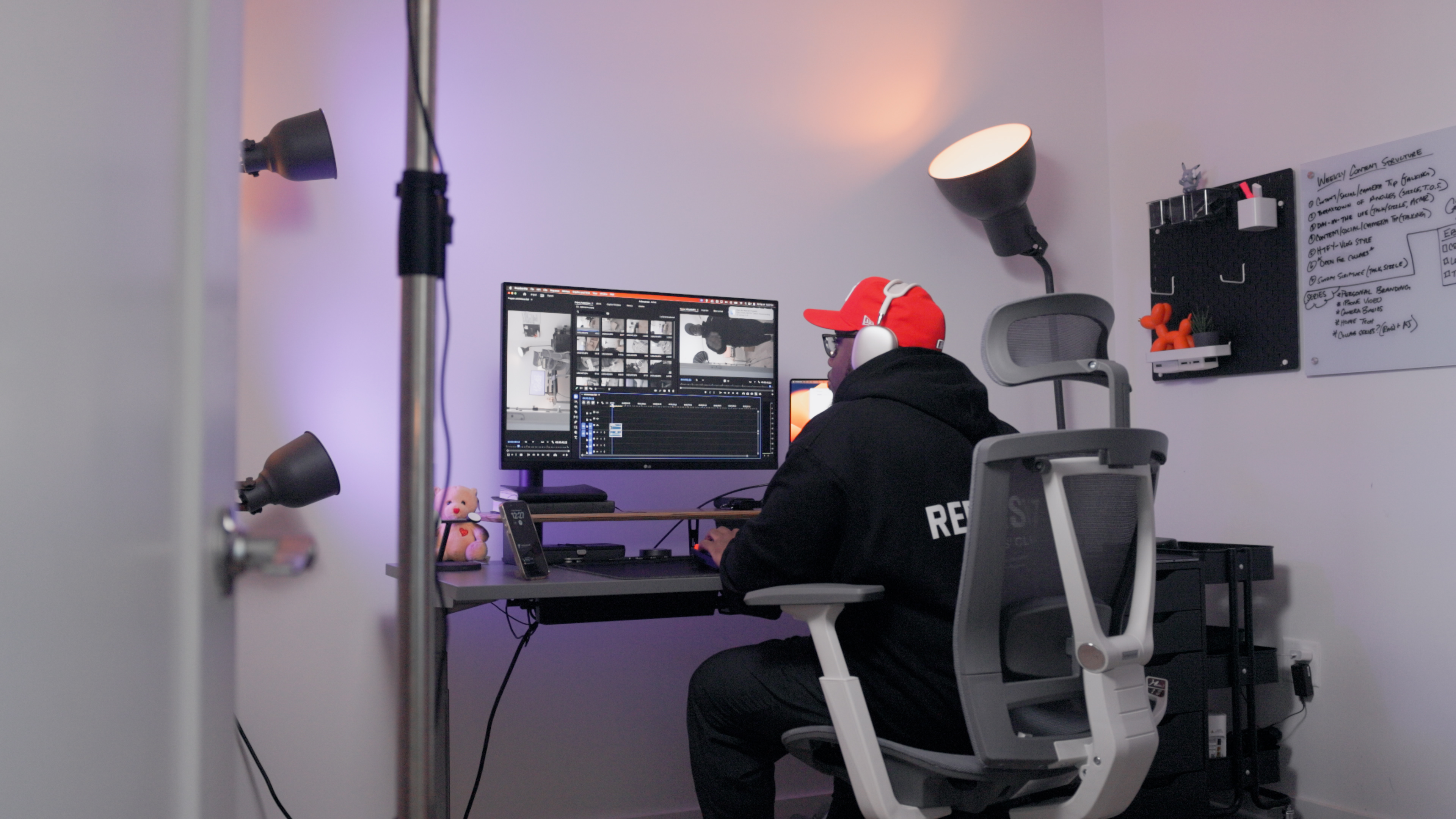
Secretlab TITAN Evo is a conventional high-back gaming chair with a practical advantage: Small, Regular, and XL versions provide different fit options. Its adjustable L-ADAPT lumbar system and magnetic head pillow offer more positioning control than basic racing chairs with loose cushions.
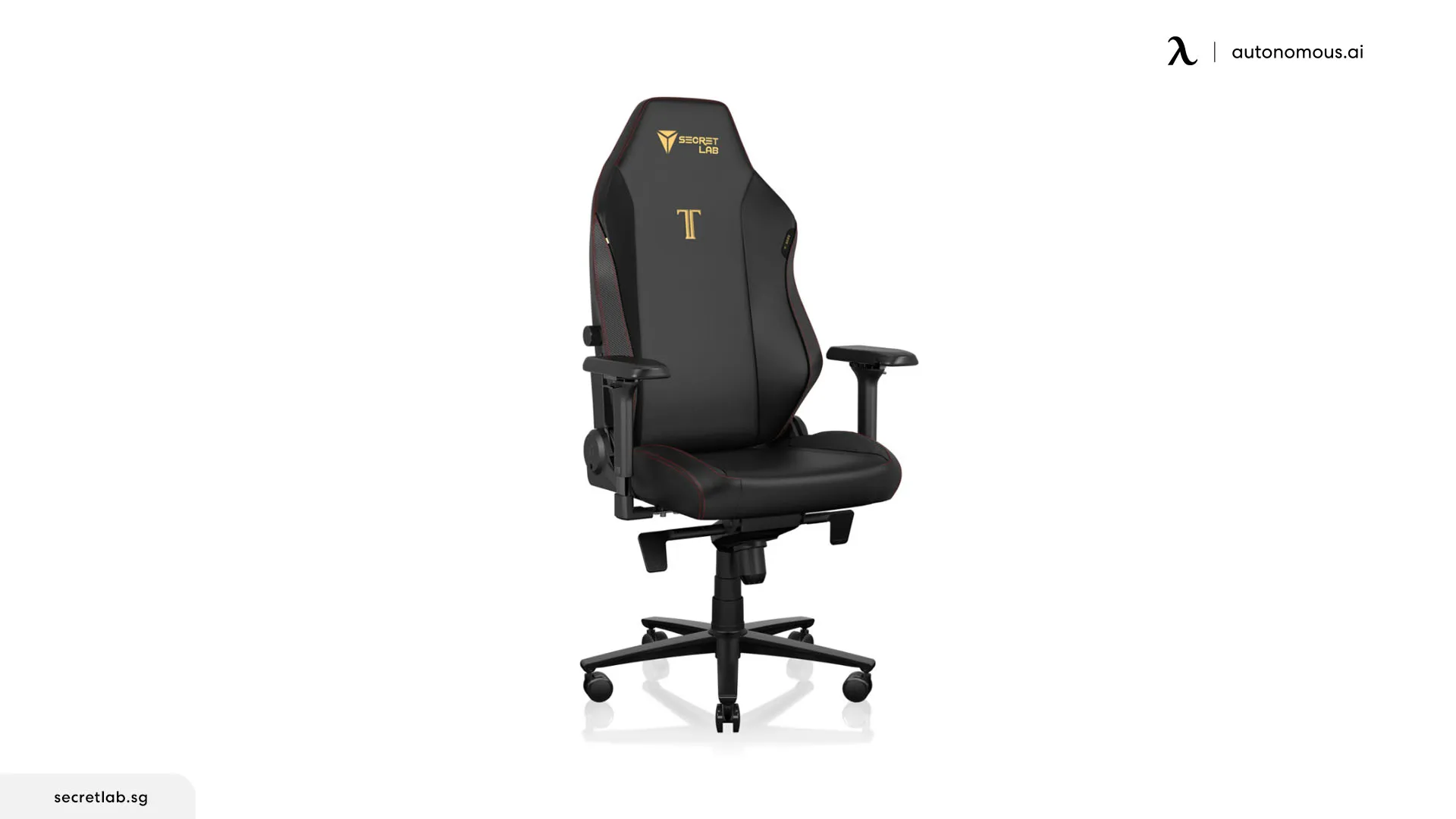
A 165-degree backrest recline is useful if you switch from upright PC play to a controller or a long break. The pebble-style seat has less pronounced side bolstering than many racing shells, which may help users who shift position.
Do not read the XL load rating as applying to every model. Secretlab lists the XL for up to 395 lbs; the smaller sizes have lower limits. Check width and height recommendations before picking upholstery or a color.
| Pros | Cons |
|---|---|
|
|
Quick specs: Small, Regular, and XL; 165° recline; XL maximum load 395 lbs; upholstery options vary.
4. Corsair TC100 Relaxed, best budget gaming chair
Corsair TC100 Relaxed is a budget gaming chair designed with a less restrictive seat than narrow racing-style buckets. Its 54 cm seat base gives room to shift position, although the bolsters reduce the usable width. It favors straightforward comfort features over premium adjustment mechanisms.
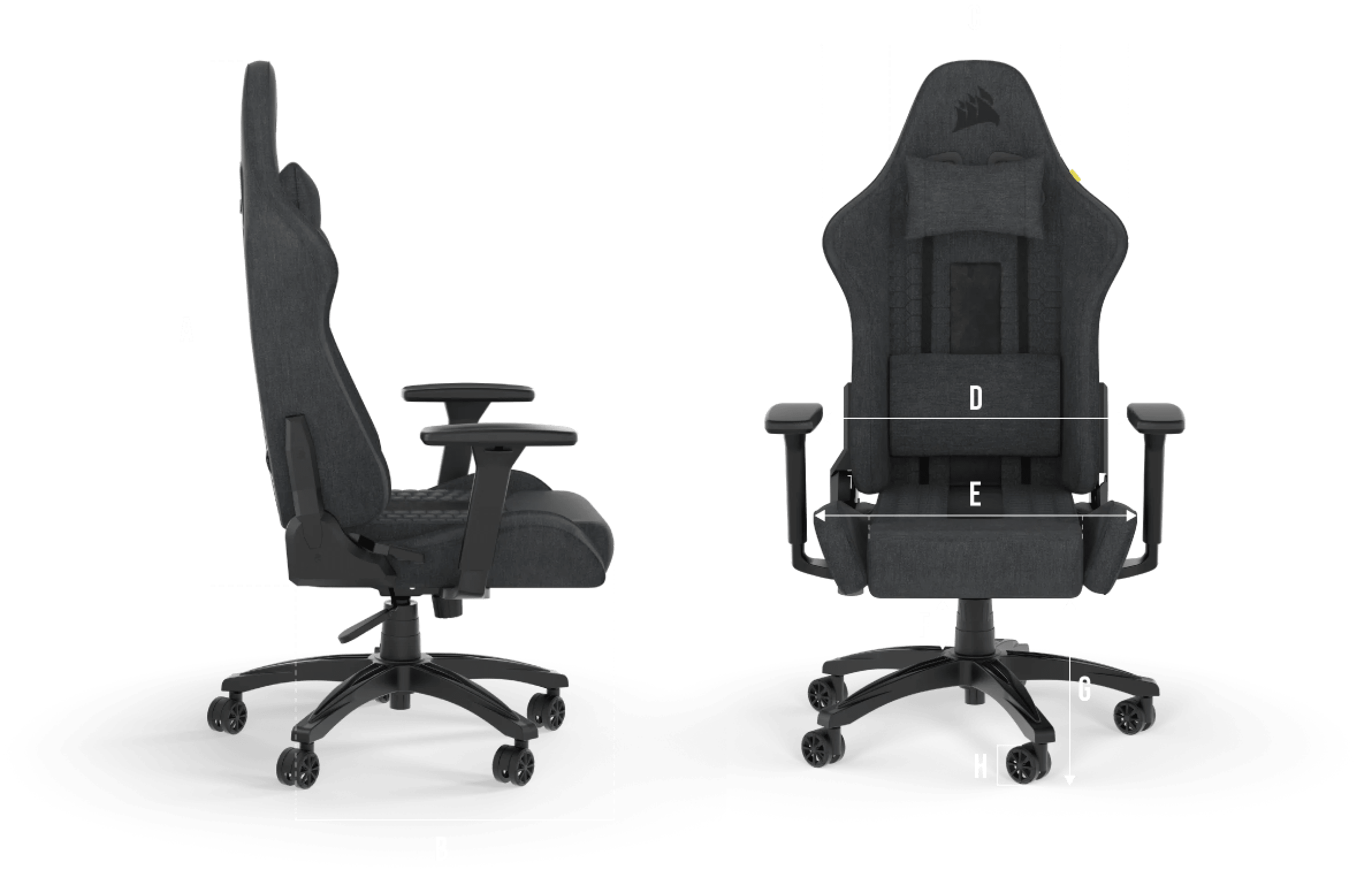
The seat reclines to 160 degrees, and both a head pillow and a lumbar pillow are included. That makes breaks easy, but a strapped pillow cannot match the positional control of a built-in adjustable lumbar system. The armrests move in two directions rather than four.
Corsair rates it for 120 kg (264 lbs) and users up to about 6 ft 2 in. The fabric version is worth comparing against leatherette if warm-room comfort matters. TechRadar also highlights it as a budget pick, while noting the compromises in materials and assembly.
| Pros | Cons |
|---|---|
|
|
Quick specs: 264 lb capacity; 54 cm seat base width; 50 cm depth; 90–160° recline; 2-year warranty.
5. Autonomous ErgoChair Core, best budget ergonomic option for PC gaming
Autonomous ErgoChair Core brings a dual-backrest design and adjustable seat depth into budget-oriented PC gaming. If your gaming setup doubles as a study or work desk, its adaptive mesh back, 3D armrests, and generous seat-height range may be more useful than racing upholstery or decorative cushions.
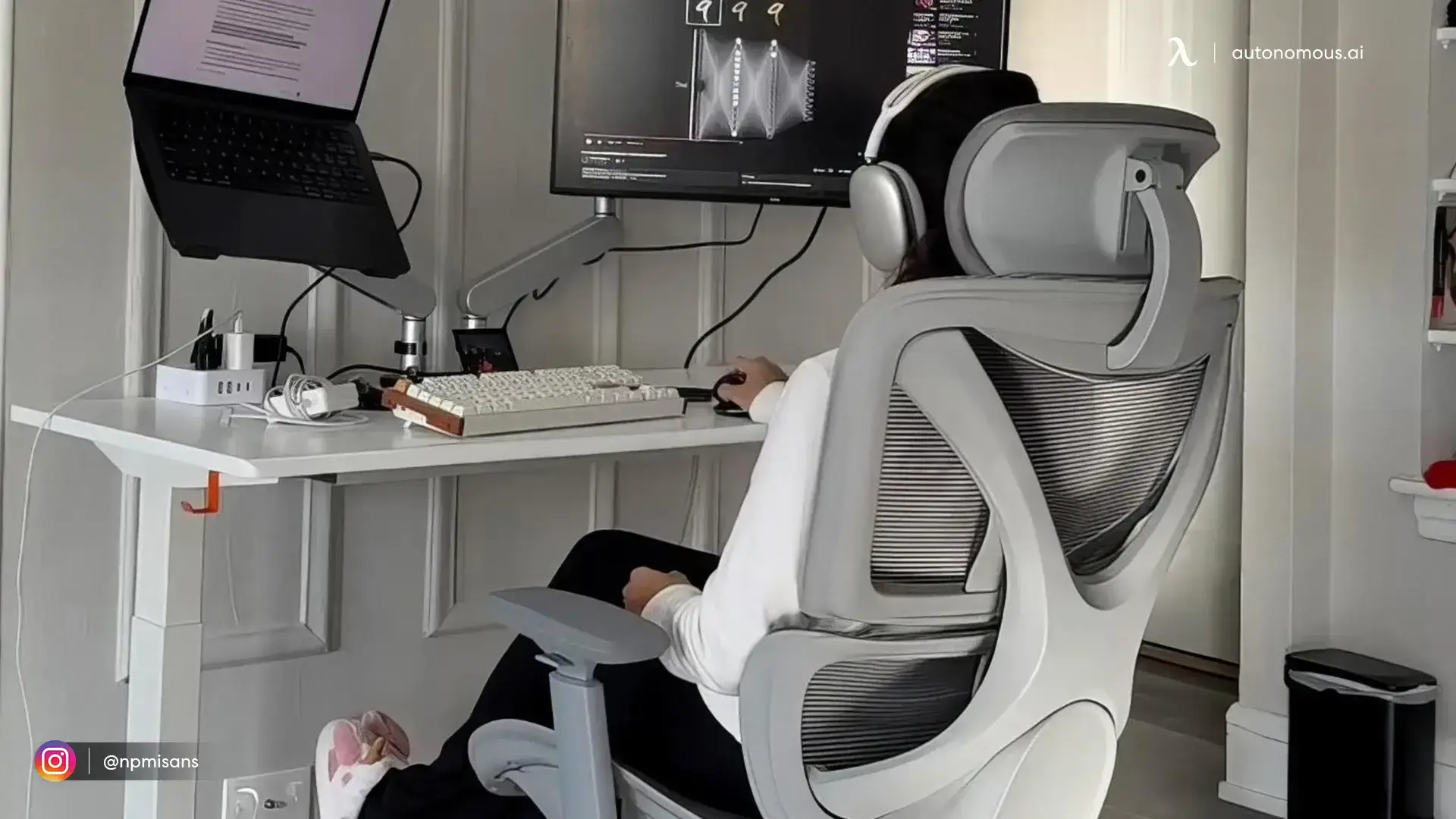
A budget chair often forces a choice between adjustable seating and an interesting gaming appearance. The ErgoChair Core puts the money toward fit: the upper and lower back panels provide separate contact zones, while the seat slides from 18.5 to 20.5 inches deep. That gives you a way to position thigh support instead of accepting one fixed cushion depth.
Its seat height adjusts from 20 to 23.8 inches, noticeably higher than many entry-level gaming chairs. That can help longer-legged players, but it is also the reason shorter users should be cautious: the minimum position may leave their feet unsupported. The 130° recline works for changing position between matches, though it is not a 160° lounge chair.
The Core is rated for 242.5 lbs and comes with a two-year warranty. If you need more load capacity, a lower starting seat position, or a lifetime warranty, compare Mesh, Pro, and Ultra 2 rather than assuming all four fit the same person.
| Pros | Cons |
|---|---|
|
|
Quick specs: 242.5 lb capacity; 20-inch seat width; 18.5–20.5-inch depth; 20–23.8-inch seat height; 130° maximum recline; two-year warranty.
6. Autonomous ErgoChair Pro, best gaming chair for work-and-play adjustments
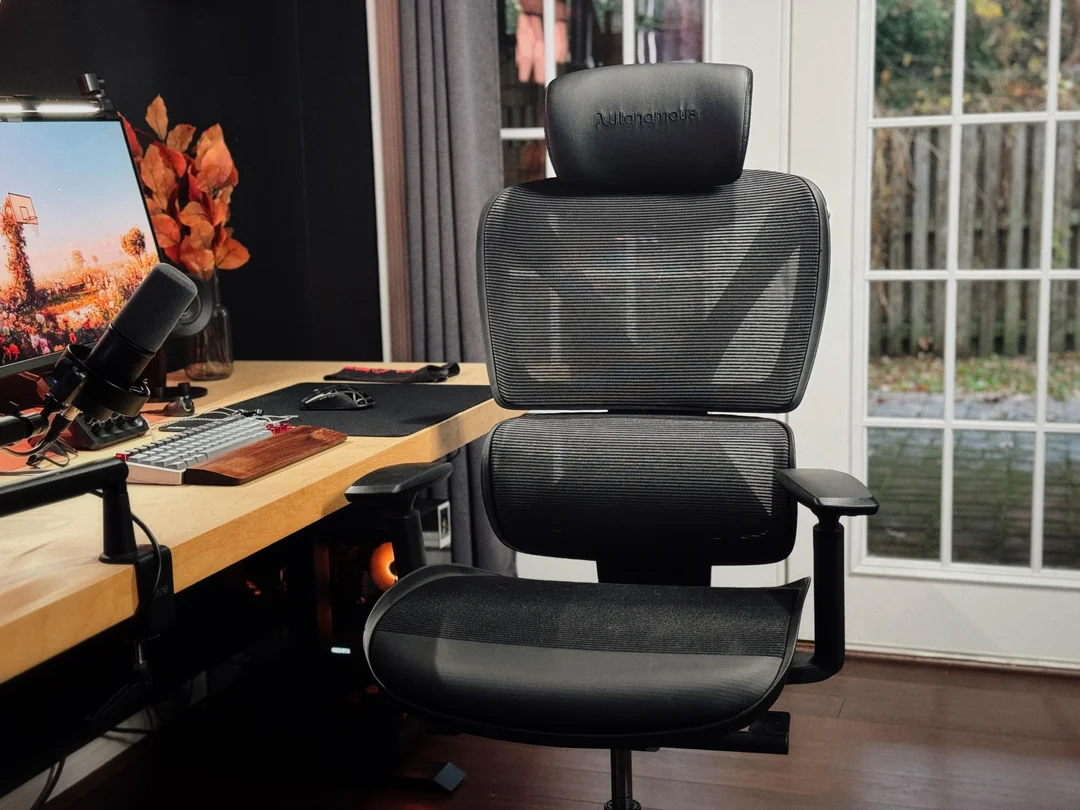
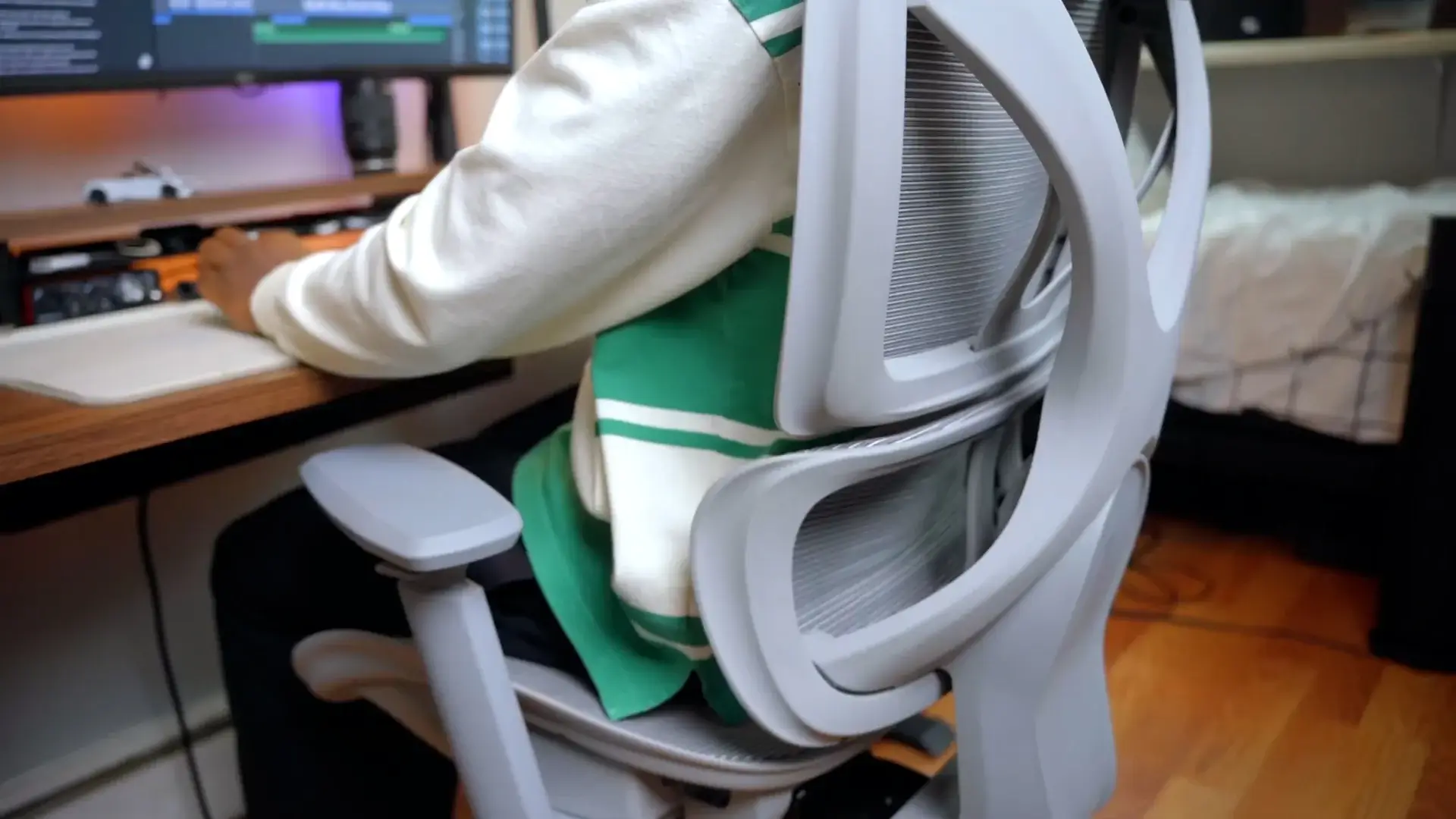
Autonomous ErgoChair Pro works well as a work-and-play chair for PC gamers who need a more tailored sitting position. Its 19–21.5-inch adjustable seat depth, vertically sliding lumbar support, and synchro-tilt offer more fit control than a typical racing chair with a fixed seat.
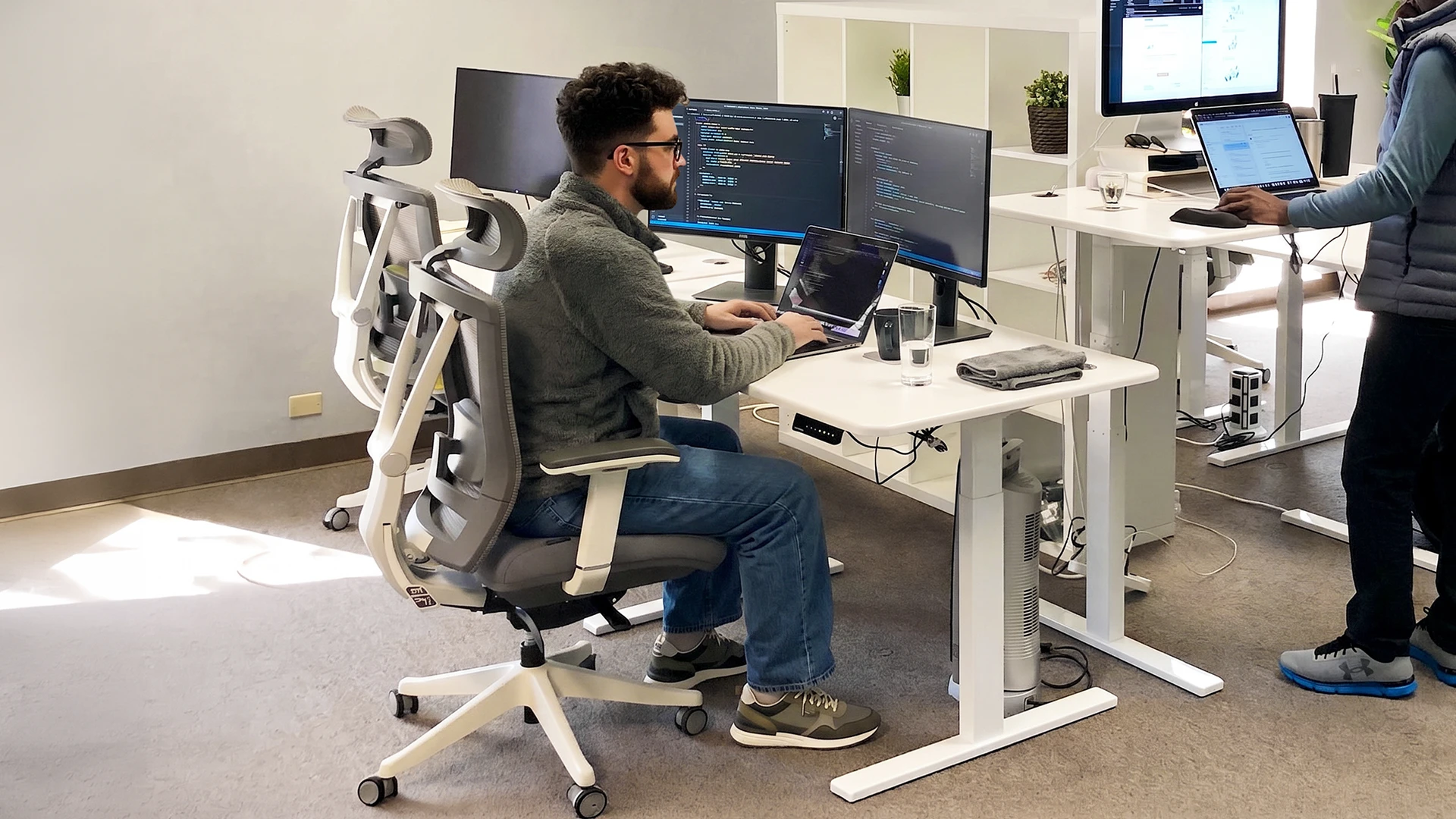
Picture switching from focused keyboard play to a controller. You can recline while keeping the seat relatively level, then reset the arms for your desk. The backrest is tall and the seat measures 19 inches wide, which may suit someone who needs more length without a wide racing shell.
For players comparing sustained back support across categories, gaming-chair lumbar support is a separate fit consideration, not a medical guarantee.
The manufacturer lists nine degrees of adjustment, a 300 lb rated capacity, and lifetime coverage. Unlike a bucket seat, it does not have pronounced side wings, though the actual 19-inch seating width still needs to match your measurements.
| Pros | Cons |
|---|---|
|
|
Quick specs: 300 lb capacity; 19-inch seat width; 19–21.5-inch depth; 22° recline; lifetime warranty.
7. Razer Iskur V2 NewGen, best newer gaming chair for adjustable lumbar
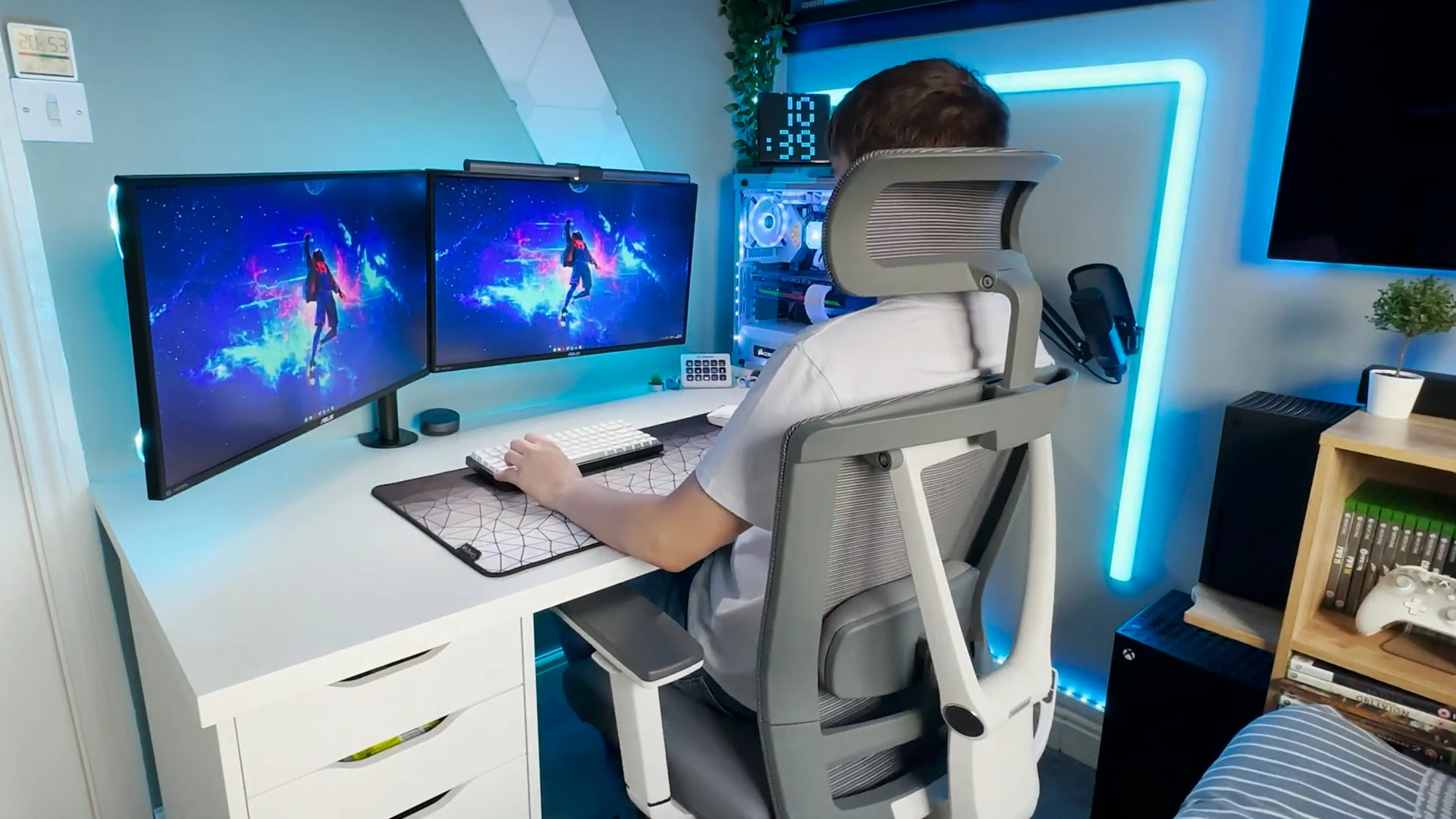
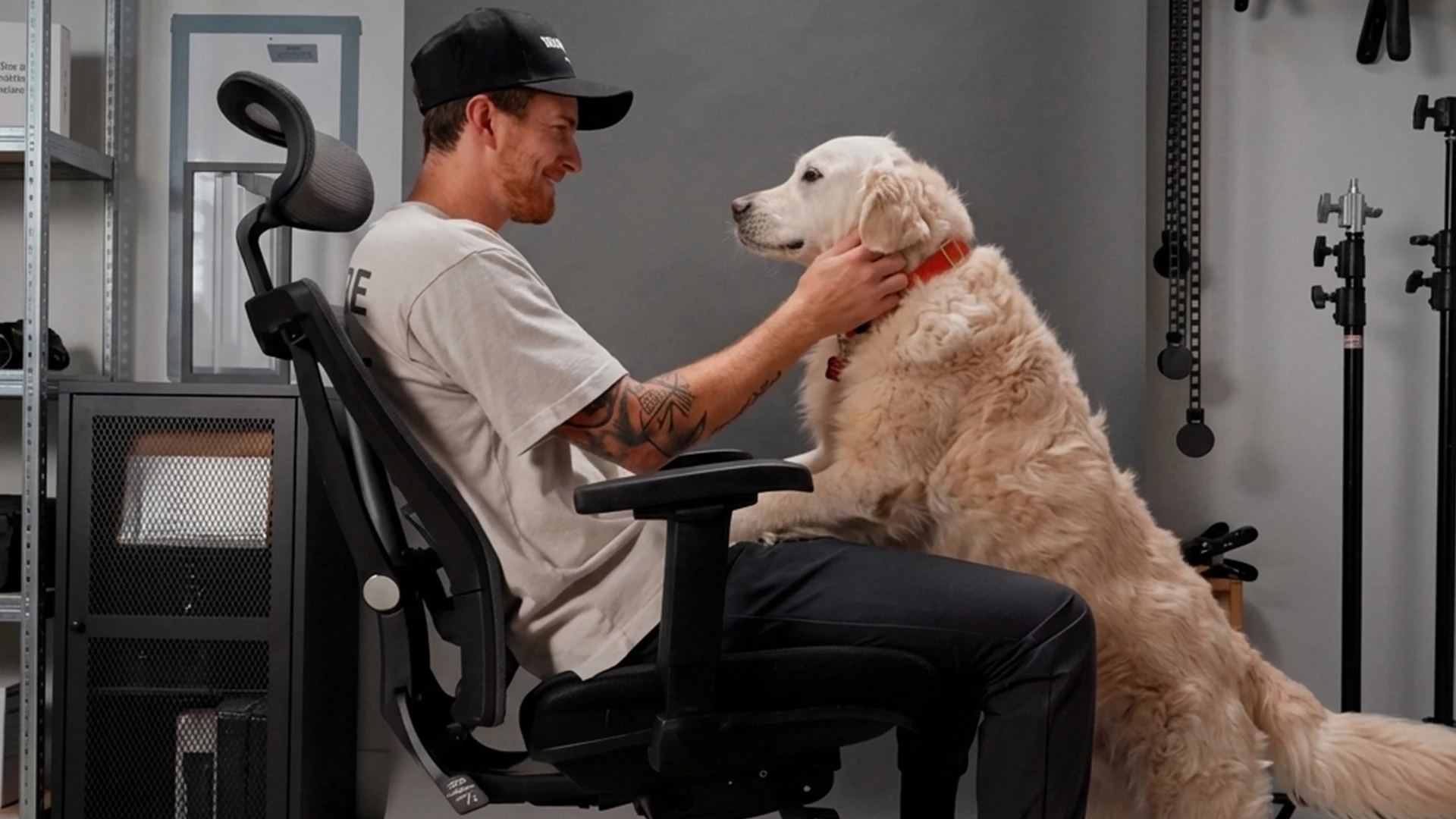
Razer Iskur V2 NewGen focuses on adjustable lower-back support through its HyperFlex lumbar system, which can respond to changes in posture rather than holding the back against one fixed pad. It suits gamers who like upholstered racing-style chairs but want more adaptable support.
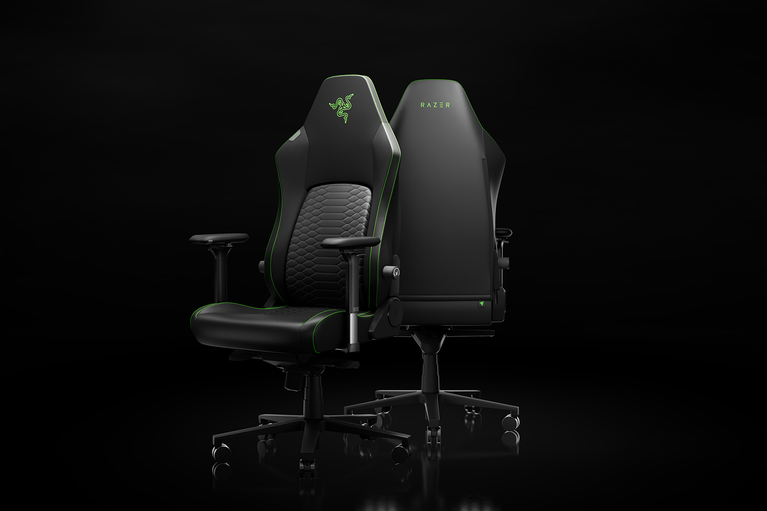
The NewGen version adds perforated dual-density cold-cured foam and Razer’s Gen-2 EPU leather with CoolTouch branding. Those are product design features, not proof that it is cooler than mesh in every room; independent reviews still note a difference between synthetic leather and open mesh.
The chair reclines to 152 degrees with 4D arms. It is a premium-priced alternative to TC100, and its lumbar system is the reason to pay more, not the logo.
| Pros | Cons |
|---|---|
|
|
Quick specs: Rated to about 299 lbs; 152° recline; 4D armrests; HyperFlex lumbar system.
8. Herman Miller x Logitech G Embody, best premium comfort-focused gaming chair
Herman Miller x Logitech G Embody prioritizes responsive ergonomic support over racing-chair styling. Its BackFit adjustment and seat with independent support elements are designed to accommodate small posture changes during long desk sessions, making it relevant to serious keyboard-and-mouse gamers.
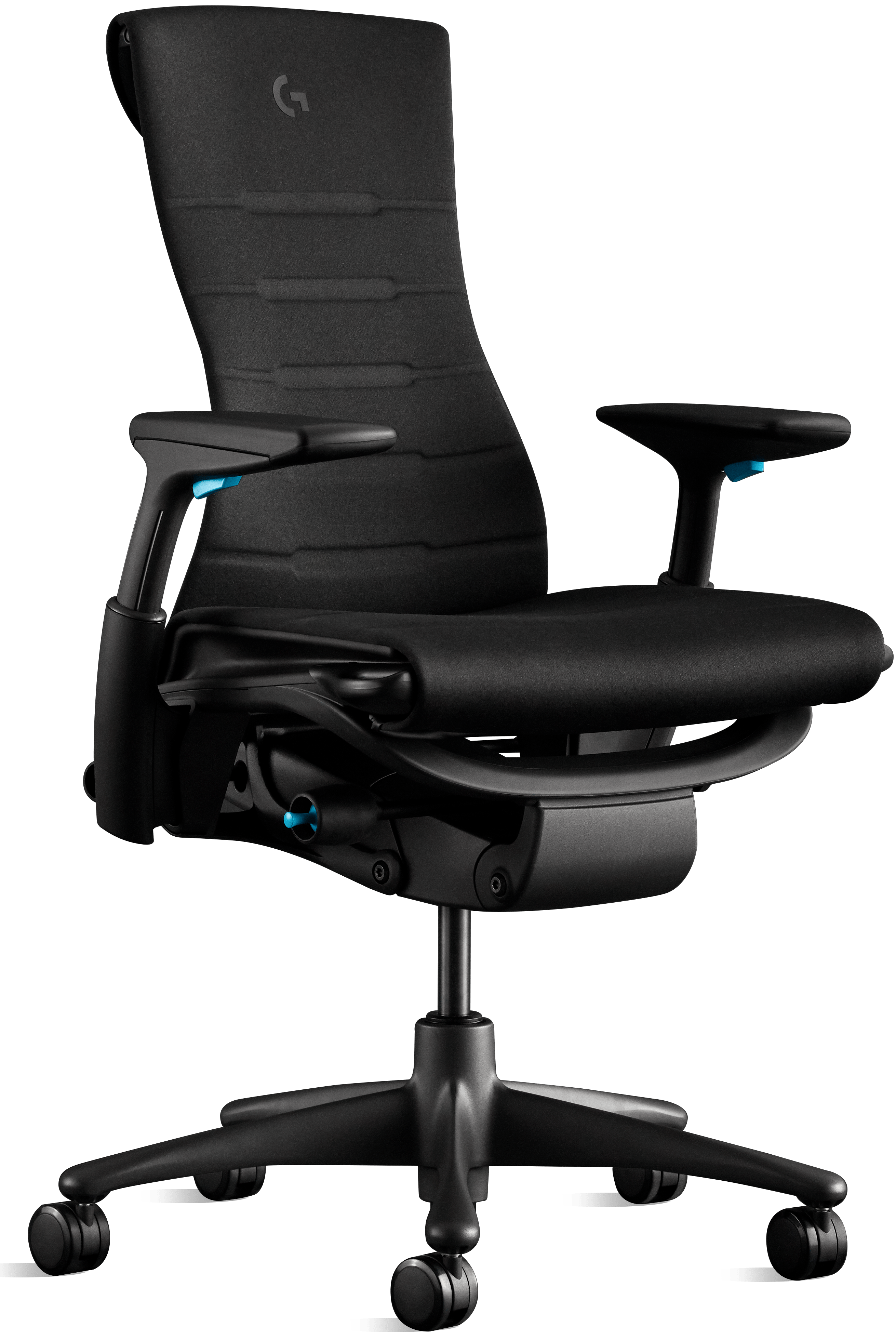
Seat depth adjusts from 15 to 18 inches and seat height from 16 to 20.5 inches. That makes it adjustable, but not automatically a fit for a very tall user needing a deep seat. Its arms adjust for height and width, and it arrives assembled.
Herman Miller lists a 12-year warranty and 300 lb capacity. The cost is difficult to justify for an occasional gamer; for someone at the same desk every day, the engineering and service terms become a more relevant comparison.
| Pros | Cons |
|---|---|
|
|
Quick specs: 300 lb capacity; 15–18-inch seat depth; 16–20.5-inch seat height; 12-year warranty.
9. AndaSeat Kaiser 4 XL, best for tall and broad gamers
AndaSeat Kaiser 4 XL is built for tall, broad gamers who need more room than a standard gaming seat provides. The XL configuration is listed for users approximately 5 ft 11 in to 6 ft 11 in and up to 395 lbs, making exact size selection central to the purchase.
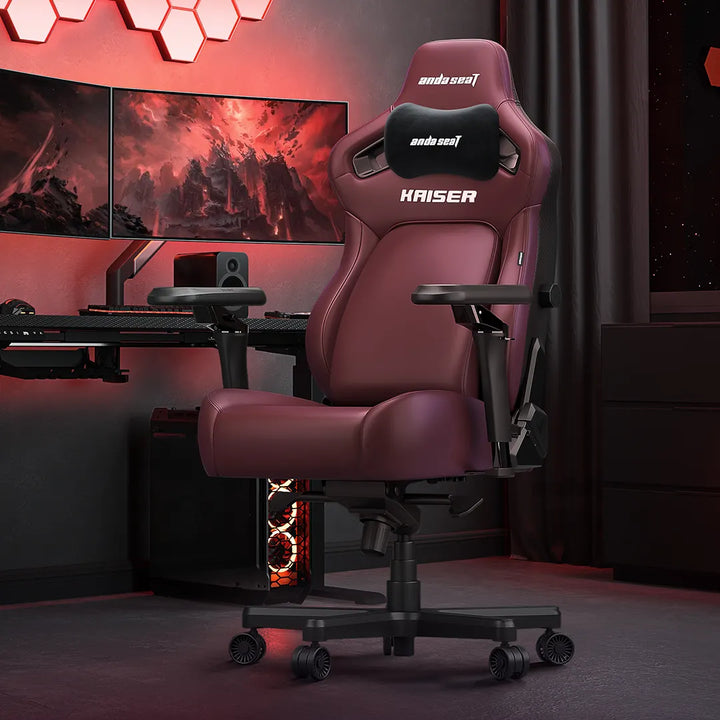
The pop-out lumbar lets you change the contact point more substantially than a fixed cushion. It also has six-direction adjustable arms, which helps when a broad upper body needs the forearm supports pushed outward or rotated for a controller.
Chair width and higher load ratings are a separate shopping problem covered in the gaming chairs for big guys comparison.
The trade-off is sheer bulk. An XL gaming chair occupies more floor area and may not tuck neatly beneath a narrow desk. Users who do not need the extra dimensions should not pay for them by default.
| Pros | Cons |
|---|---|
|
|
Quick specs: XL size: 5 ft 11 in–6 ft 11 in; up to 395 lbs; 6D armrests; pop-out lumbar.
10. AutoFull M6 Pro, best gaming chair with active cooling and heating
AutoFull M6 Pro stands out for built-in seat ventilation and heating, features rarely found together in gaming chairs. It is a specialist option for gamers who want active climate control in addition to adjustable lumbar support and recline. Its advertised temperature performance is manufacturer-supplied, not independently measured here.
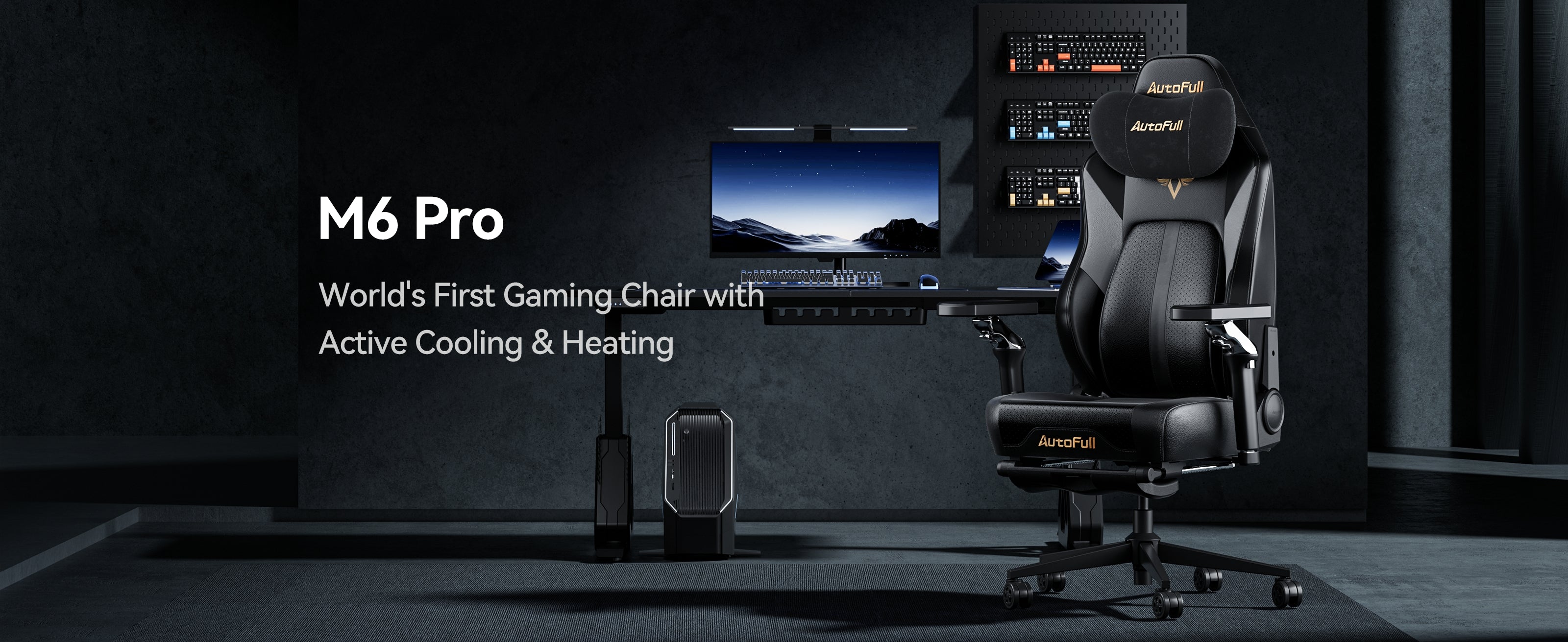
The dynamic lumbar backrest, multi-direction adjustable armrests, and 160-degree recline add meaningful adjustments beyond the climate system. That also means more functions to check during setup, and more complex components than a conventional manual chair.
The current AutoFull product page lists a 330 lb maximum. If your room is already cool and you rarely use a footrest or deep recline, the extra electronics may not be worth paying for.
| Pros | Cons |
|---|---|
|
|
Quick specs: 330 lb maximum; active seat ventilation/heating; 160° recline; foldable multi-direction arms.
11. Razer Enki X, best pared-down alternative to premium racing chairs
Razer Enki X offers a simpler racing-style gaming seat for buyers who do not need the advanced lumbar controls of the Iskur line. Its relatively open seat shape can make shifting between keyboard and controller play easier than in aggressively bolstered bucket-style chairs, depending on body fit.
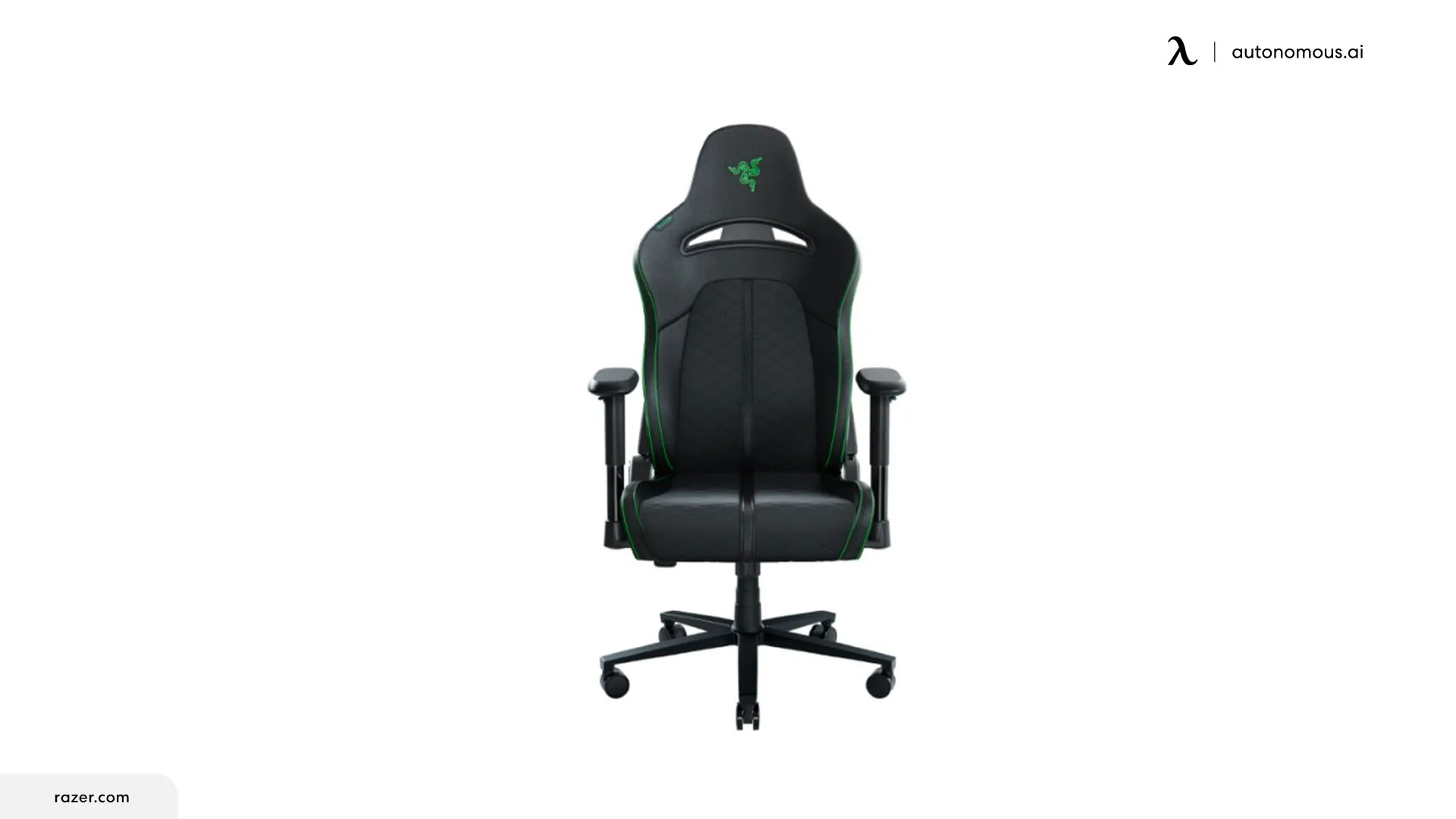
You lose the highly adjustable lumbar system of the Iskur series. That is not a trivial omission for someone who needs lower-back contact at a precise height or depth. Treat Enki X as a budget-oriented alternative for someone who fits its built-in curve.
The trade is simplicity rather than a guarantee of better comfort. If you cannot try it in person, compare its dimensions and return terms with Corsair TC100, which is another straightforward entry-level gaming chair.
| Pros | Cons |
|---|---|
|
|
Quick specs: Racing-style seating; integrated lumbar shape; verify current SKU capacity and dimensions before purchase.
12. Playseat Puma, best console or living-room gaming seat
Playseat Puma is made for a different kind of gaming: low-seated controller play in front of a television. Its rocker-style position encourages movement without a desk-height armrest or wheeled base, so it belongs in a console setup rather than at a keyboard-and-mouse workstation.
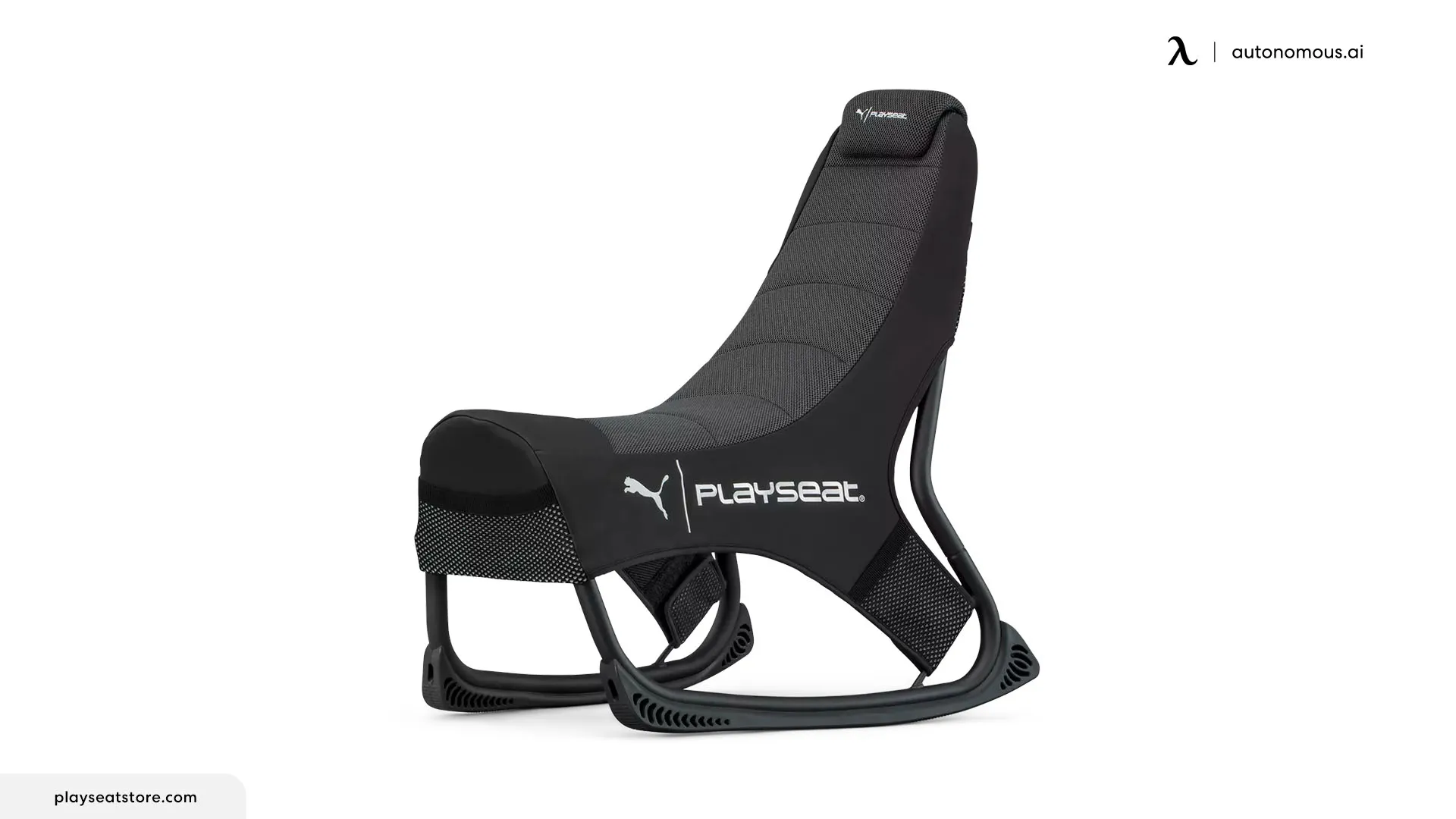
This low-profile setup has more in common with floor gaming chairs than with a conventional office chair.
It has no desk-height arm position and no rolling office-chair base. Those limitations are exactly why it works in a living room but not for a PC desk with a mouse, keyboard, and monitor.
This is included to distinguish desk gaming from lounge gaming, not because everyone should own a gaming-specific rocker. Check floor space, body fit, and whether you can get in and out of the low seat comfortably.
| Pros | Cons |
|---|---|
|
|
Quick specs: Low-profile console seat; no casters; check current configuration and dimensions.
Best budget gaming chairs: where do you save money?
Budget gaming chairs split into two useful categories: racing-style recliners and ergonomic desk chairs. Corsair TC100 Relaxed offers a roomier racing shape and 160-degree recline; Razer Enki X simplifies the racing formula. Autonomous ErgoChair Core takes a different route, using dual-backrest support, a sliding seat, and 3D arms for keyboard-and-mouse play. Choose based on how you sit, not just the chair silhouette.
| Budget priority | Start with | What you give up |
|---|---|---|
| Recline and roomier racing shape | Corsair TC100 Relaxed | Advanced adjustable lumbar support |
| Simple Razer racing design | Razer Enki X | HyperFlex-style lumbar controls |
| Budget ergonomic PC gaming | Autonomous ErgoChair Core | Deep recline, lower minimum seat height, and a longer warranty |
| One chair for work and gaming | ErgoChair Pro or Ultra 2 | Racing-chair looks and deep lounge recline |
For prices, compare current listings rather than treating a previous year’s sale as the normal cost. Also compare warranty terms, spare parts, and return eligibility.
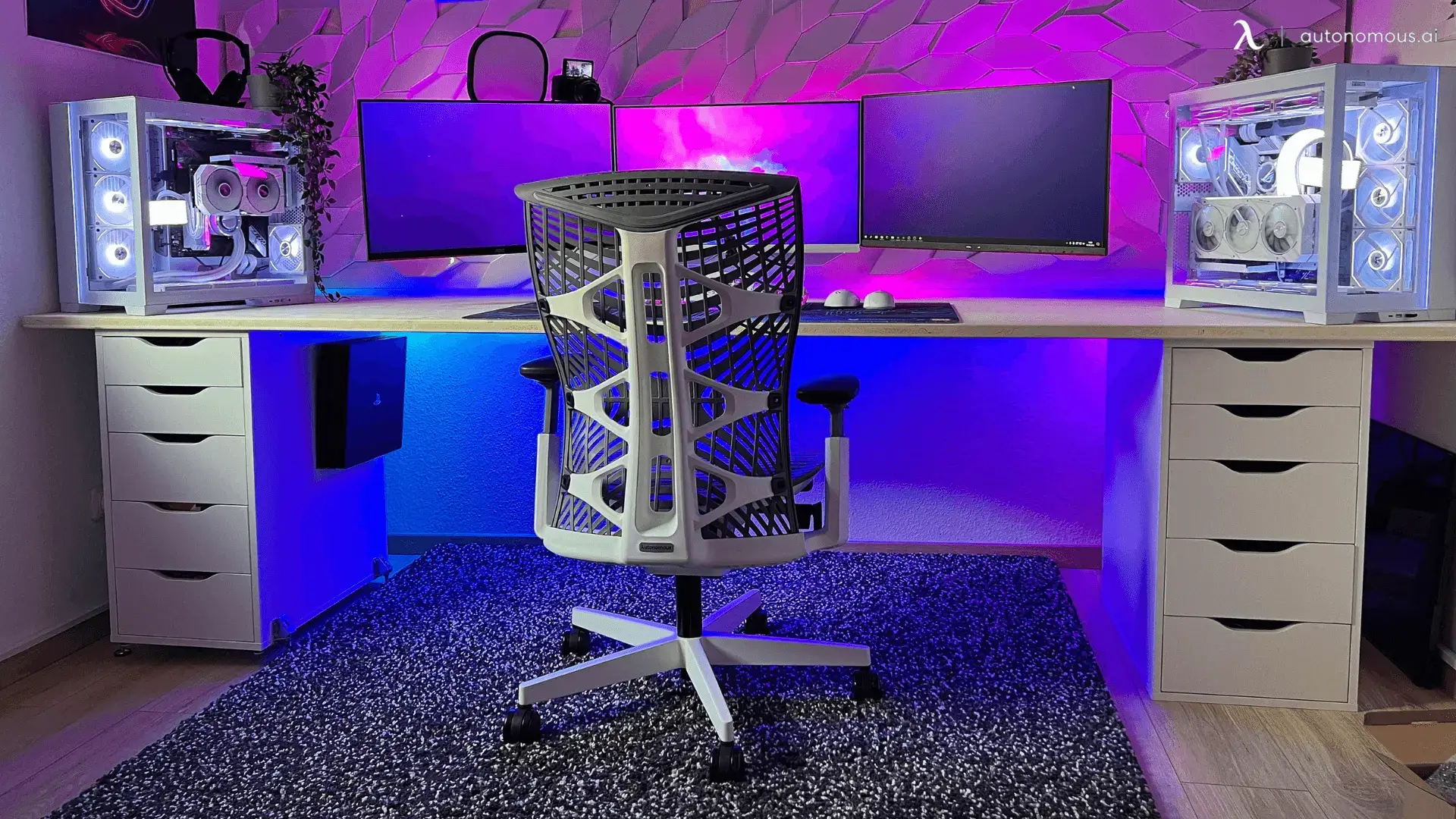
Which gaming chair is most comfortable for long sessions?
Comfort depends on fit and movement, so there is no chair that wins for every body. The useful comparison is how each seat handles support after you change position:
- ErgoChair Ultra 2: a flexible backrest and multilayer seat suit people who lean forward, sit upright, and recline throughout the day.
- ErgoChair Mesh: a ventilated mesh seat and back with adjustable lumbar support suit warm gaming rooms and players who want a conventional adjustable backrest.
- ErgoChair Pro: a movable lumbar pad and longer adjustable seat suit people who need precise lower-back contact or extra thigh support.
- Secretlab TITAN Evo: a sized racing shell, adjustable lumbar, and deep recline suit people who want gaming aesthetics and a relaxation position.
- Herman Miller x Logitech G Embody: distributed seat support and BackFit adjustment suit shoppers considering a very expensive ergonomic chair for daily desk use.
These are design-based distinctions, not controlled pressure-map results. Published reviews from PC Gamer, TechRadar, and Tom’s Hardware describe meaningful differences in firmness, fit, and long-term comfort, but their testers are not interchangeable with your measurements.
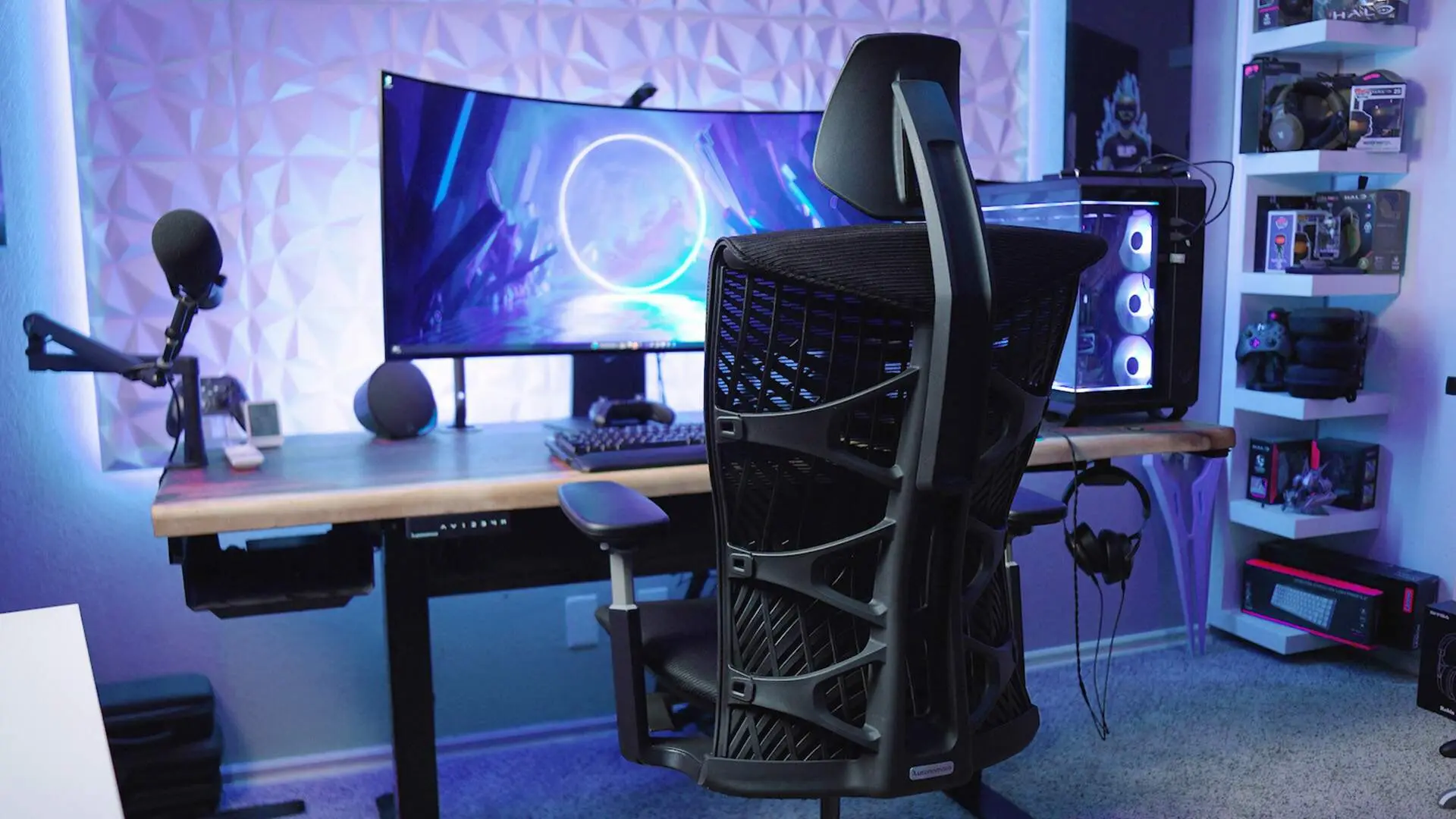
How to set up a gaming chair for PC gaming
Even a well-chosen chair can feel wrong if your screen, desk, and armrests are set up for someone else.
- Set seat height. Rest your feet on the floor or a stable footrest, keeping the thighs supported without pressure behind the knees.
- Set depth and back support. Sit back against the rest, leave some knee clearance, and position lumbar support to your lower back, not your mid-back.
- Adjust armrests for the game. Let the shoulders relax and keep forearms supported at keyboard height; reset width or angle when using a controller.
- Dial in recline. Choose a repeatable working angle and tilt resistance; do not rely on maximum recline as a measure of ergonomic quality.
- Move between matches. Change posture and take short breaks rather than expecting a chair to eliminate the effects of sitting for hours.
The gaming chair dimensions that matter most are the ones matching your own sitting measurements, rather than a manufacturer’s preferred height range alone.
FAQs
What is a good gaming chair brand?
A reliable gaming chair brand offers transparent specifications, supportive adjustments, and a warranty that matches expected use. Look beyond logos and sponsored reviews: compare seat width, cushioning, upholstery, lumbar design, and customer support. An ergonomic task-chair brand may be a better fit if you also work for long hours.
What is the best gaming chair in 2026?
There is no single best gaming chair for everyone. Secretlab TITAN Evo is a strong conventional racing-style choice, while Autonomous ErgoChair Ultra 2 suits PC gamers who want flexible back support for work-and-play sessions. Compare seat fit, lumbar design, and return terms.
What are the best budget gaming chairs?
Corsair TC100 Relaxed is a budget racing-style choice with deep recline. Autonomous ErgoChair Core is the ergonomic alternative for PC gamers who value an adjustable seat and dual-backrest support. Razer Enki X keeps the racing design simpler. Compare fit and current pricing.
What is the most comfortable gaming chair for long hours?
Comfort depends on fit, material, and movement. Autonomous ErgoChair Ultra 2 has a flexible backrest and multilayer seat; ErgoChair Mesh emphasizes airflow and adjustable lumbar contact. Herman Miller x Logitech G Embody adds BackFit adjustment. None is guaranteed to fit every gamer.
How to sit comfy in a gaming chair?
To sit comfortably in a gaming chair, adjust seat height so your feet are supported, place your screen at a natural viewing height, and set armrests near elbow level. Use lumbar and neck pillows only where they fill a real gap. Recline slightly and change positions during long sessions.
Are ergonomic office chairs better than gaming chairs?
Not automatically. Ergonomic office chairs may offer more seat-depth and lumbar adjustments, while gaming chairs may offer deeper recline and a high backrest. For PC gaming and daily work, compare fit and adjustability before choosing based on appearance.
Which gaming chair is best for a PC setup?
For a PC desk, look for armrests that position the forearms near keyboard height, a seat depth that supports the thighs, and back support that works upright. ErgoChair Pro is designed around fine-tuned adjustment; Ultra 2 emphasizes flexible whole-back support.
Do gaming chairs help with back pain?
A better-fitting chair can support a more comfortable sitting position, but a gaming chair does not treat back pain. Check lumbar position, seat depth, armrest height, and how often you move. Persistent or severe pain warrants medical advice.
Are racing-style gaming chairs good for big guys?
Only when the actual seat width and maximum rated weight fit the user. Secretlab TITAN Evo XL and AndaSeat Kaiser 4 XL offer larger configurations, but dimensions differ. Avoid assuming that a wide-looking backrest means the seat is equally wide.
What chair should console gamers use?
Console gamers who sit near a television may prefer a reclined or low-profile seat such as Playseat Puma. A low seat without desk-height armrests is generally a poor match for a mouse-and-keyboard PC setup.
What chair does Clix use?
Pro players may change their chairs with sponsorships, teams, and setups. Confirm the model from the player’s latest verified stream or equipment list rather than treating an older social post as a current recommendation.
Is an Ingrem gaming recliner a good alternative?
An Ingrem-style cockpit combines reclining seating with screen mounts and a dedicated station. It can suit an immersive fixed setup, but it is larger and less flexible than an office chair at a regular desk. Compare floor space and monitor mounting before buying.
Bottom line
For the best gaming chair, measure your body and decide how you actually play before comparing aesthetics. A conventional racing chair such as Secretlab TITAN Evo offers sizing options and deep recline. Corsair TC100 Relaxed is a more accessible starting point for budget shoppers.
If one chair must handle PC gaming and full workdays, the Autonomous ergonomic chair lineup deserves a closer look. Ultra 2 focuses on adaptive back support and a multilayer seat; Mesh prioritizes ventilation and adjustable lumbar fit; Pro offers longer seat-depth travel; and Core brings a dual backrest to budget PC gaming. Their dimensions and weight ratings differ, so match the chair to your body rather than buying on the gaming label.
References
- Secretlab TITAN Evo product information
- Corsair TC100 Relaxed specifications
- Razer Iskur V2 NewGen specifications
- AndaSeat Kaiser 4 Series information
- AutoFull M6 Pro manufacturer information
- Herman Miller Embody Gaming Chair specifications
- PC Gamer best gaming chairs (updated October 2026)
- TechRadar gaming chair comparison (2026)
- Tom’s Hardware gaming chair comparison (2026)
- OSHA chair ergonomics