


Best Gaming Laptops by Price: $500 to $2,000 Picks

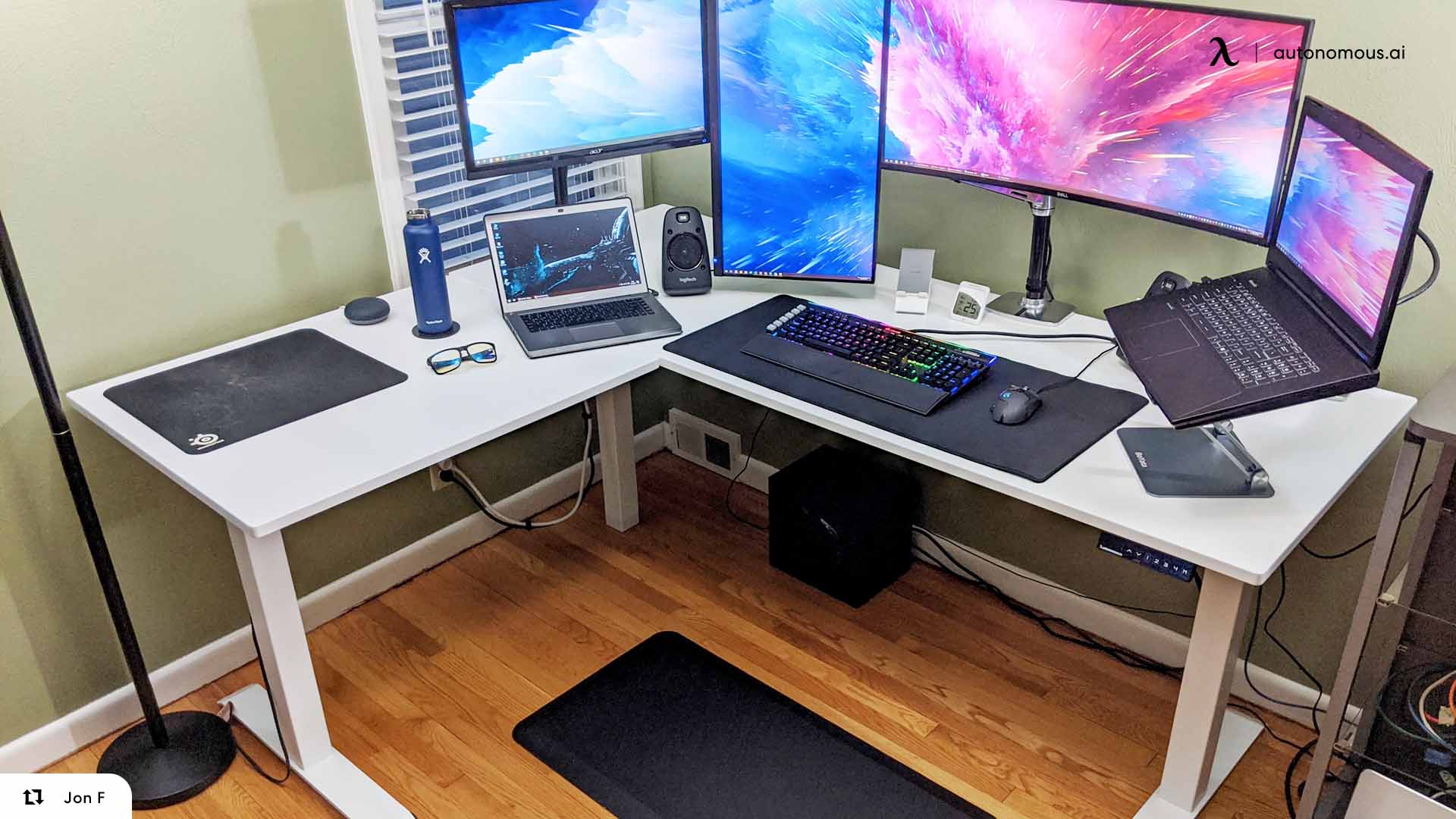
The decision most people are actually making is not which brand, it is how much to spend and what that gets them. A gaming laptop at $900 and one at $1,900 both run the same games, and the difference shows up as resolution, refresh rate and how long the machine stays quiet under load. This guide covers the best gaming laptops at five budgets, what each tier realistically delivers, and the one specification that separates two laptops with identical GPU names.
Best gaming laptops at a glance
The seven machines below cover every budget from $800 to $2,000, with the routes for under $500 explained in that section.
Model | Tier | GPU | Display | RAM |
HP Victus 15.6 | Under $800 | RTX 3050 | 15.6in 144Hz FHD | 16GB |
MSI Thin A15 | Under $1,000 | RTX 3050 | 15.6in 144Hz FHD | 16GB DDR5 |
Acer Nitro V 15 | Under $1,000 | RTX 5050 8GB | 15.6in 165Hz FHD IPS | 16GB |
Acer Nitro V 16 | Under $1,500 | RTX 5050 | 16in 180Hz IPS | 16GB DDR5 |
ASUS TUF Gaming A16 | Under $1,500 | RTX 5060 | 16in 165Hz FHD+ | 16GB DDR5 |
MSI Crosshair A16 | Under $2,000 | RTX 5060 | 16in 240Hz QHD+ | 32GB DDR5 |
Acer Predator Helios Neo 18 AI | Under $2,000 | RTX 5070 Ti | 18in 240Hz IPS | 16GB |
If you only read one more section, make it the wattage one below. Two laptops in this table can share a GPU name and still perform differently, and the table cannot show you that.
How to choose a gaming laptop in 2026
Four specs decide a gaming laptop, and the GPU is only the first. Match the GPU tier to the resolution you actually play at, then check the rest before comparing prices.
GPU tier | Realistic resolution |
RTX 3050, 5050 | 1080p |
RTX 5060 | 1080p high refresh, or 1440p turned down |
RTX 5070 | 1440p |
RTX 5070 Ti, 5080 | 1440p high refresh |
RTX 5090 | 4K |
Buy the panel and the GPU as a pair, since a 240Hz screen on a 1080p card is wasted and a 4K panel below a 5080 means playing at a lower resolution anyway. On memory, the ceiling matters more than what is fitted: 16GB is fine now, but a machine that takes 32GB later is the cheaper way to extend its life.
Still weighing a tower against a portable machine? The gaming pc vs laptop comparison covers that trade before you commit to a budget.
The wattage number that changes everything
The same GPU name can mean very different performance, because laptop makers choose how much power to give it. The Razer Blade 14 runs its RTX 5070 at up to 115W. The HP Omen Transcend 14 runs the same GPU at 65W. Same silicon, same price bracket, different machine.
The figure to look up is TGP, or total graphics power. Review sites and manufacturer spec pages publish it; retail listings rarely do. When two laptops share a GPU and a price, it is what separates them.
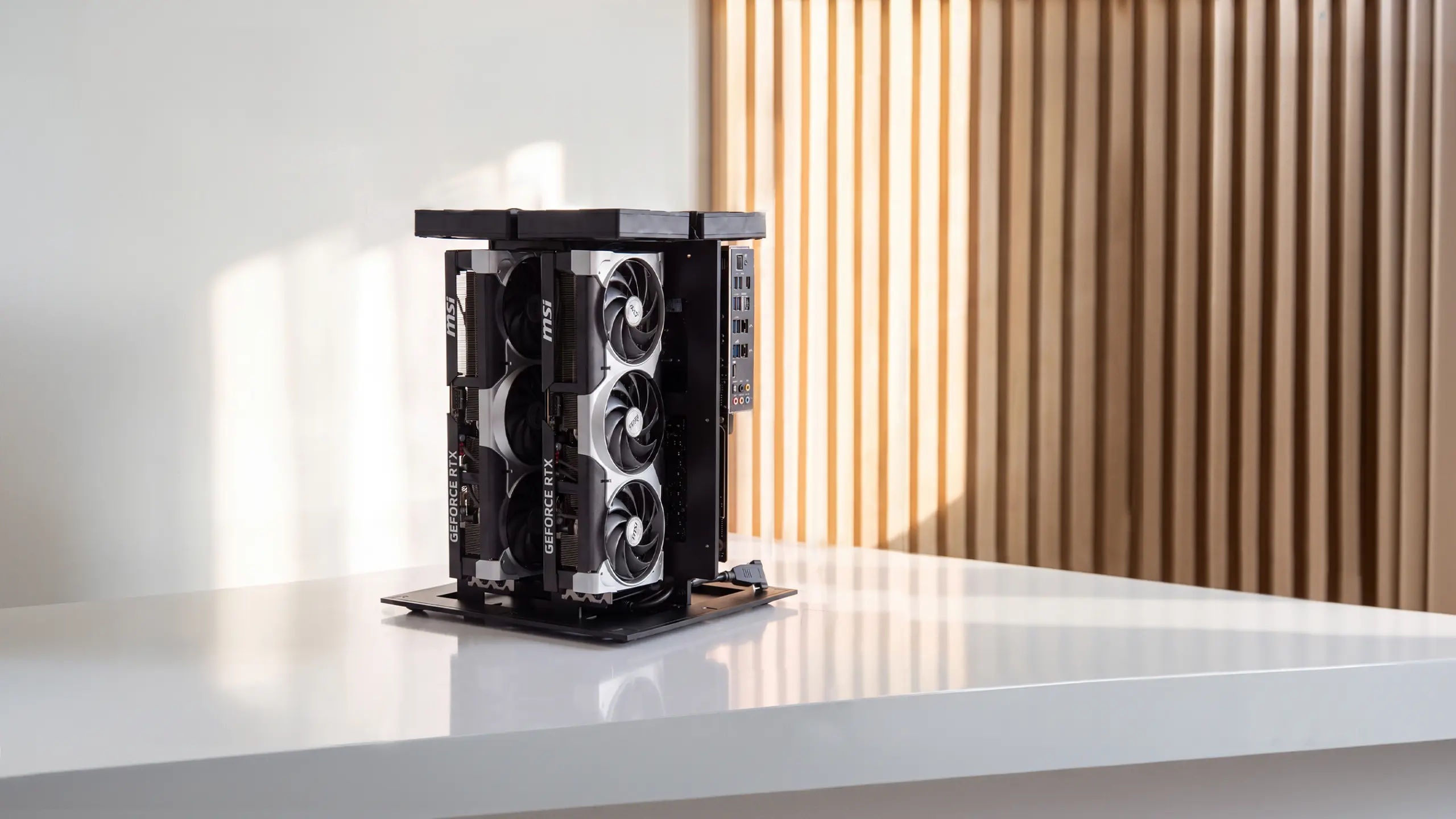
It also explains why desktops outrun their laptop namesakes. The Autonomous Computer 2 runs two RTX 5090s on a 2000W supply, while a whole gaming laptop fits inside a fraction of that. It is an AI workstation rather than a gaming machine, but the contrast is the point.
Best gaming laptop under $500
At under $500 there is no current-generation gaming laptop on sale new, so the realistic routes are refurbished or previous-generation machines with an RTX 3050 at best. Expect 1080p at low to medium settings in demanding titles and comfortable performance in esports games.
Three routes work at this price. One does not.
1. Manufacturer-refurbished RTX 3050 machines
The best value under $500, because you get a real discrete GPU and a warranty. Buy from the manufacturer's own outlet rather than a marketplace seller, since the warranty is the whole point of choosing refurbished over used.
What to check: that the GPU is an RTX 3050 and not an MX-series or integrated chip, and that the RAM is socketed rather than soldered.
2. Discounted HP Victus and Acer Nitro, previous generation
Both lines run continuous promotions and the outgoing generation drops into this range around major sale periods. These are the same chassis families that sit in the $800 and $1,000 tiers below, one generation back.
What to check: the panel. Older units in this range often ship 60Hz, and the 144Hz version is worth waiting for.
3. Esports-only machines with integrated graphics
Valid only if you play Valorant, CS2, League or Rocket League and nothing heavier. Modern integrated graphics handle those titles at 1080p. They will not run a current AAA release at a playable frame rate, so be honest with yourself about the games list first.
What not to buy at this price: Anything with 8GB of soldered RAM. It is the one compromise that cannot be fixed later, and it is the most common trap in this bracket.
If the budget is this tight, spend what is left on the room rather than the machine. A budget gaming laptop setup built around a cheaper laptop plays better than an expensive laptop on a bad desk.
Best gaming laptop under $800
Under $800 buys a current entry-level gaming laptop with an RTX 3050, which handles 1080p at medium to high settings in most titles. This is the first tier where a new machine with a warranty beats a refurbished one.
Be aware that this bracket sits right on a price edge. Both picks below list slightly above $800 and drop under it on promotion, which is when to buy.
1. HP Victus 15.6-inch, the one to watch for a discount
The reference machine at this level: an RTX 3050 with a Core i5-12450H, 16GB of RAM and a 144Hz 1080p panel. Lists around $835 and regularly discounts below $800.
- Best for: a first gaming laptop where 1080p at 60fps or better is the goal.
- The catch: it is a two-generation-old GPU, so it will age out sooner than the $1,000 tier.
2. MSI Thin A15, the AMD alternative
Same GPU and the same class of panel, built around a Ryzen 5-7535HS instead. Worth comparing directly against the Victus on whichever is discounted further on the day.
- Best for: buyers who want the same performance and prefer AMD, or who find it cheaper.
- The catch: identical to the Victus. You are buying an RTX 3050 in 2026.
What to expect at this tier: 60fps or better at 1080p in most current games with settings adjusted, and comfortably higher in esports titles. What you give up against the next tier is refresh headroom and the ability to hold settings high as games get more demanding.
Best gaming laptop under $1,000
Under $1,000 moves you to an RTX 5050 and a higher refresh panel, which is the first configuration most people would call comfortably future-proof for 1080p. The jump from the $800 tier is a current-generation GPU rather than a two-generation-old one.
1. Acer Nitro V 15, the best pick under $1,000
An RTX 5050 with 8GB of VRAM, a Core i5-13420H and a 15.6-inch 165Hz 1080p IPS panel. This is the cheapest route to a current-generation GPU and the clearest upgrade over the $800 tier.
- Best for: anyone who wants a machine that still plays well in three years rather than two.
- The catch: 16GB of RAM as standard, so check the upgrade ceiling before buying.
2. Acer Nitro V 16, if you can stretch slightly
The same RTX 5050 in a larger chassis with a Core 7 240H and a 16-inch 180Hz display. Typically prices above $1,000, so it belongs here only when discounted.
Best for: buyers who want the bigger screen and the extra refresh.
3. MSI Thin A15, the budget fallback
If the Nitro V is out of stock or the price has moved, the Thin A15 with an RTX 3050 is the safe alternative under $1,000. It is a step back in GPU generation for a step down in price.
Best for: holding to a hard budget when the RTX 5050 options are unavailable.
Where the wattage point starts mattering: This is the first tier where two machines with the same GPU name diverge meaningfully. Two RTX 5050 laptops at the same price can perform differently depending on how much power the chassis allows, so check the TGP before choosing between them.
Best gaming laptop under $1,500
Under $1,500 is where an RTX 5060 and a high refresh display become realistic together, which makes it the best value tier on this list. It is also the point where build quality, keyboard and cooling stop being afterthoughts.
1. ASUS TUF Gaming A16, the best value on this page
An RTX 5060 with a Ryzen 7 260, 16GB of DDR5 and a 16-inch 165Hz FHD+ panel. The clearest pick in the whole guide, because the GPU and the display are matched to each other rather than one outrunning the other.
- Best for: most buyers. If you do not want to think about it, this is the tier and this is the machine.
- The catch: 512GB of storage, which fills fast with modern install sizes. Budget for an SSD upgrade.
2. ASUS TUF Gaming A14, if portability matters
Under 3.3 lb with an RTX 5060 running at up to 105W, which is an unusually good power-to-weight combination in a 14-inch chassis.
- Best for: students and anyone carrying the machine daily.
- The catch: a mid-level IPS panel rather than the OLED options further up.
3. Acer Nitro V 16, the cheaper alternative
The RTX 5050 machine from the tier above, which lands here at full price. A step down in GPU for a step down in cost.
Best for: buyers who want the 16-inch 180Hz screen and can accept the older GPU tier.
What to expect at this tier: 1440p gaming with settings adjusted, or 1080p at high refresh with headroom to spare. For most buyers this is the sweet spot, and going higher buys resolution rather than playability.
Best gaming laptop under $2,000
Under $2,000 buys an RTX 5070 or 5070 Ti, which is genuine 1440p at high refresh rather than 1440p with compromises. This is the tier where display, chassis and cooling all reach a standard that holds up over years rather than months.
1. Acer Predator Helios Neo 18 AI, the most performance for the money
An RTX 5070 Ti with a Core Ultra 9 275HX and an 18-inch 240Hz panel. The largest chassis here, which is why it sustains the highest GPU power of the three.
- Best for: a desktop replacement that rarely moves.
- The catch: it prices at the very top of this bracket or just above, and an 18-inch machine needs real desk depth. See the big-screen section below before committing.
2. MSI Crosshair A16, the display upgrade
An RTX 5060 with a 16-inch QHD+ 240Hz panel and 32GB of DDR5, in both Intel and AMD configurations. A lower GPU tier than the Helios but a considerably better screen and double the RAM.
- Best for: buyers who value the panel and the memory over raw GPU headroom.
- The catch: you are paying a $2,000-tier price for a $1,500-tier GPU. Worth it only if the display matters to you.
3. Razer Blade 14, the portable one
3.63 lb with an RTX 5070 running at up to 115W and a 120Hz OLED panel. The highest GPU power of any 14-inch machine listed here.
- Best for: buyers who need real performance in something genuinely carryable.
- The catch: Razer commands a premium over equivalent specs elsewhere.
The wattage warning bites hardest here: A 65W RTX 5070 in a thin chassis and a 115W RTX 5070 in a thicker one carry the same name and sit in the same price bracket while performing differently. The HP Omen Transcend 14 runs its RTX 5070 at 65W; the Blade 14 runs the same GPU at 115W. Look up the TGP before choosing.
What you still need after the laptop
A gaming laptop on a bare desk is about half a setup, because the screen sits below eye level and the machine vents into the surface it is standing on. Three things close the gap, in this order.
A stand and an external monitor. Raising the laptop and putting a second screen at eye height is the single biggest comfort upgrade available, and it costs less than any component change inside the machine.
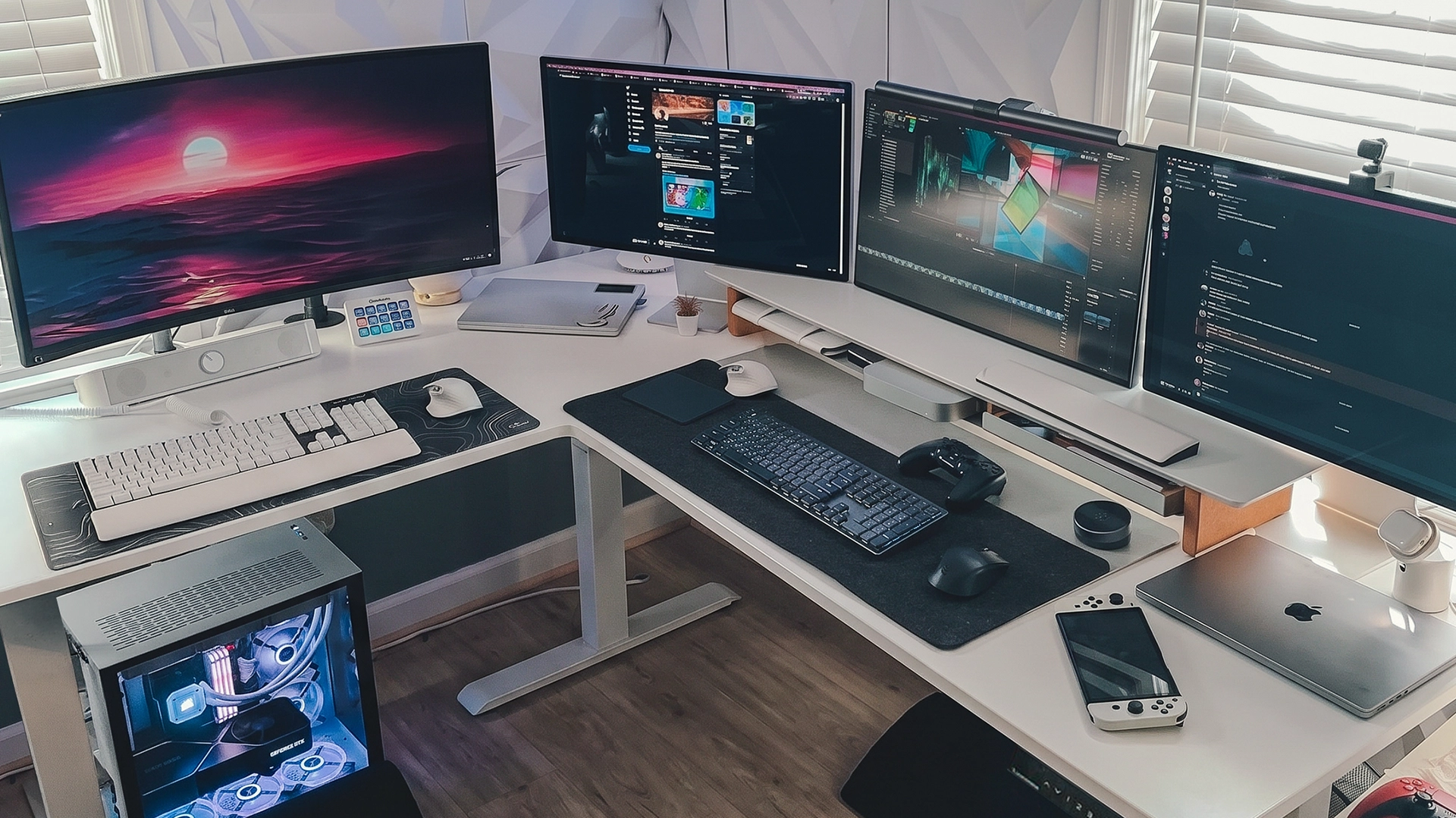
A standing desk with the depth for both. A 16-inch laptop in front of a monitor needs more room than a shallow desk gives you, which the big-screen section above covers in detail.
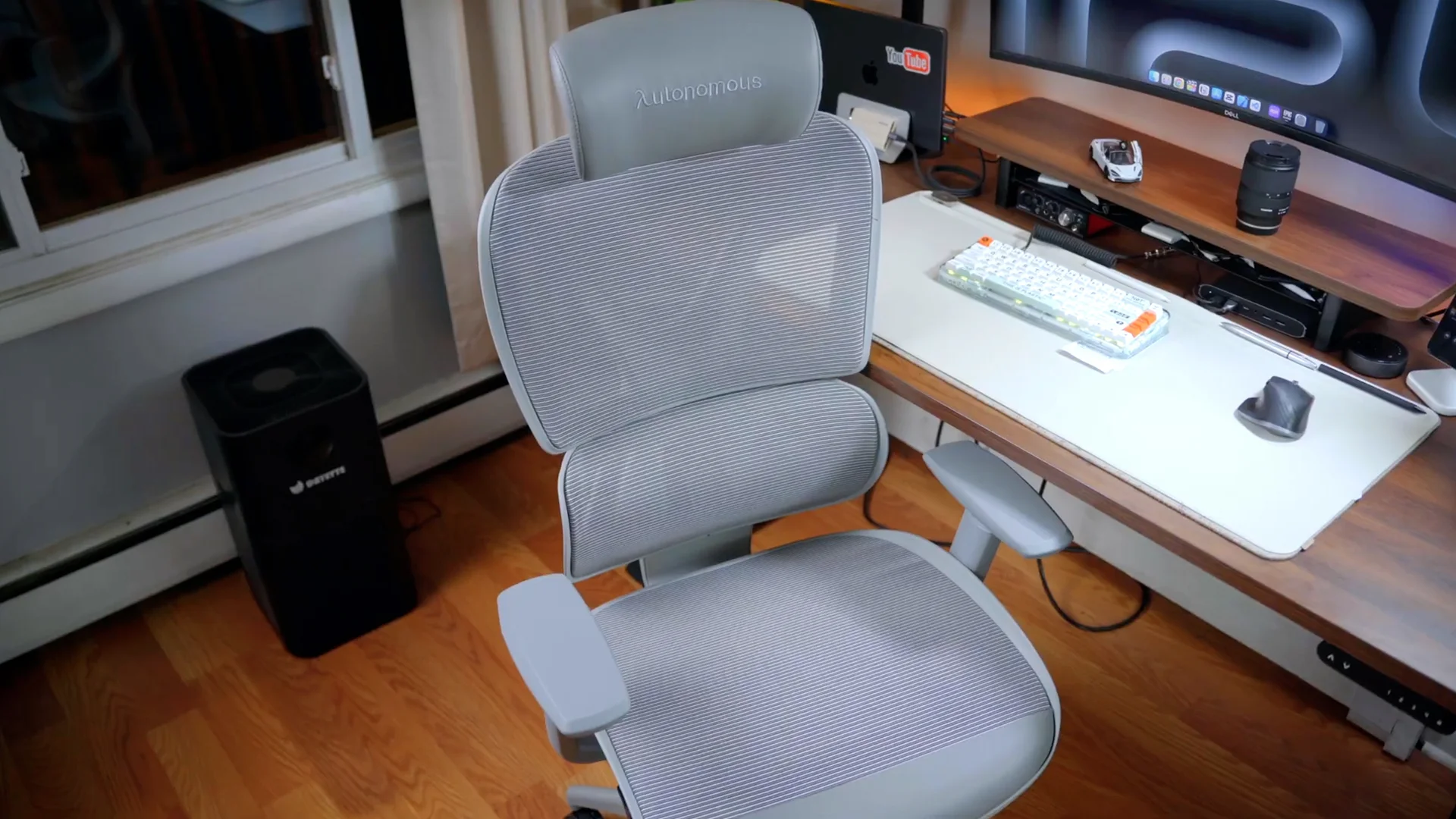
Seating that suits the session length. Gaming laptop sessions run long, and an ergonomic chair does more for how a session ends than any spec in the table above.
FAQs
How much should you spend on a gaming laptop?
Between $1,000 and $1,500 for most people. That range buys a current-generation GPU, a high refresh display and cooling that holds up, which is the combination that determines whether a laptop still plays well in three years. Below $800 you are buying previous-generation hardware, and above $2,000 you are buying resolution rather than playability.
What is the most recommended gaming laptop?
There is no single answer, because the recommendation changes with budget. At under $1,000 the Acer Nitro V with an RTX 5050 is the common pick, and at under $1,500 the ASUS TUF Gaming A16 with an RTX 5060 appears most often. Both figures come from sources updated in 2026 and should be re-checked before buying.
Which brand is best for a gaming laptop?
Brand matters less than configuration, because the same brand ships both excellent and mediocre machines depending on the chassis and the GPU wattage inside it. Compare the specific configuration rather than the badge, and check the TGP figure, which varies more between models from one brand than between brands.
Is the RTX 5090 laptop worth it?
Only if you genuinely intend to play at 4K or run GPU-heavy creative work. For 1440p gaming, which is where most people actually play, an RTX 5070 or 5070 Ti delivers high refresh performance for roughly half the money. The 5090 is a resolution purchase, not a playability one.
Is 16GB of RAM enough for gaming in 2026?
Yes for gaming today, but check the upgrade ceiling before you buy. Games are still comfortable at 16GB, and adding RAM later is the cheapest way to extend a laptop's life, so a machine with a free slot or support for 32GB is worth more than one shipping 16GB soldered.
How long do gaming laptops last?
Around four to six years of useful gaming life, with the GPU rather than the machine being what ages out. Thermal performance also degrades as fans collect dust and thermal paste dries, so cooling maintenance affects lifespan as much as the original specification does.
Do you need a monitor with a gaming laptop?
Not to play, but it changes the experience considerably. A laptop screen sits well below eye level on a desk, which is the main cause of neck strain in long sessions, and an external display is usually larger and higher refresh than the built-in panel. A stand plus one external monitor is the standard fix, and the laptop and monitor setup layouts cover how to arrange the two.
Final thoughts
The best gaming laptop for you is decided by budget first and configuration second. Set the tier, match the GPU to the resolution you actually play at, and then check the wattage figure before choosing between two machines that look identical on paper. For most buyers the $1,000 to $1,500 range is where the value sits, and anything saved there is better spent on a monitor and a desk that put the screen at the right height.
References
- Tom's Hardware, gaming laptop deals and picks under $1,000, updated 7 August 2026, tomshardware.com
- UltrabookReview, best thin-and-light gaming laptops 2026 with published weights, updated 5 August 2026, ultrabookreview.com
- Newegg Insider, best gaming laptops under $1,500 in 2026, updated 14 May 2026, newegg.com