Home Office Tech Accessories for Geeks Sorted by Problem

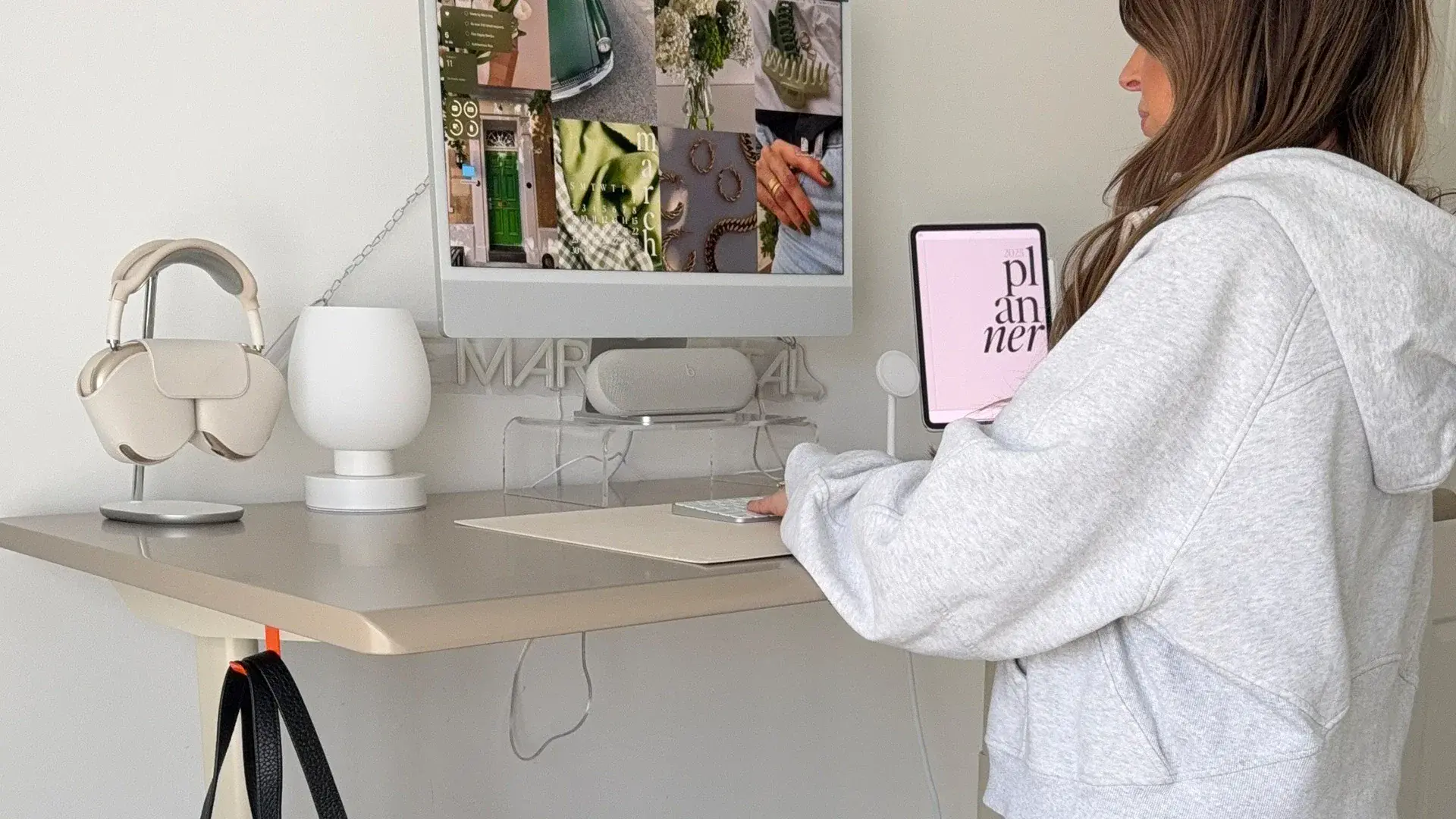
The home office tech accessories worth buying are the ones that fix a problem you hit at the desk every day: tangled cables, a screen at the wrong height, a dark face on calls, sore wrists, or focus that slips. Below, 19 picks are grouped by that problem, each with who it suits and one honest limit. Autonomous, the store behind this guide, makes 10 of them; the other 9 come from Logitech, CalDigit, VIVO and other brands, with specs from each maker's product page, not our own testing.
Home Office Tech Accessories at a Glance
Start with the desk and cables if the setup feels cramped, the arm and light bar if your neck or eyes complain, and the webcam and mic if you live on calls. The table follows the order of the sections below.
| Accessory | Problem it fixes | Price | Best for |
|---|---|---|---|
| Autonomous Desk Core | One fixed desk height | $349 | A small office with one or two monitors |
| Autonomous Cable Tray | Cords hanging under the desk | $49 | Autonomous desk owners |
| CalDigit TS4 | Five cables to plug in every morning | $379.99 | A laptop docked at the same desk daily |
| VIVO STAND-V001Q Monitor Arm | Screen too low, stand eats desk depth | $69.99 | 13 to 32 inch monitors up to 20 lb |
| Quntis Monitor Light Bar Focus | Dark desk, glare on the screen | $79.99 | Evening work in a dim room |
| Logitech Brio 500 | Grainy laptop camera in low light | $129.99 | Daily video calls |
| Elgato Wave:3 MK.2 | Thin or echoing voice on calls | $169.99 | Presenting, teaching, recording |
| ErgoChair Core | A chair that does not adjust | $299 | Seat depth and headrest on a budget |
| ErgoClick 3D | Pressure under the mouse wrist | $39 | Long days on a mouse |
| Autonomous Flow Board | Standing still for hours | $149 | Standing desk users |
| Logitech Lift | Forearm strain from a flat mouse | $79.99 | Small to medium hands |
| Keychron Q11 | Hands cramped on one keyboard | $204.99 | Developers who remap keys |
| Autonomous Hydrate | Forgetting to drink | $39 | People who live at the desk |
| Levoit Core 300S-P | Stale air in a closed room | $149.99 | An office of about 200 sq ft |
| Harness Device | Losing track of coding agents | $149 | Several agents running at once |
| Harness Pro | Agents spread across machines | $299 | Mac and Linux multi-machine setups |
| Intern 2 | Recurring tasks nobody runs | $299 | Agents running off the main laptop |
| Autonomous Key | Phone breaks that turn into 20 minutes | $19 | Anyone who scrolls between builds |
| soundcore Space One | Household noise | $99.99 | A shared or noisy home |
Prices change periodically, Autonomous prices included, so check the product page before you buy.
If You Only Have $300, Buy These First
On a tight budget, buy the ErgoClick 3D wrist rest, the VIVO monitor arm and the Quntis light bar first, since they fix wrist pressure, screen height and a dark desk. All three come to about $189, well inside $300. This assumes you already have a desk and chair you can work at.
| Accessory | Problem it fixes | Price |
|---|---|---|
| ErgoClick 3D | Pressure under the mouse wrist | $39 |
| VIVO STAND-V001Q Monitor Arm | Screen too low, stand eats desk depth | $69.99 |
| Quntis Monitor Light Bar Focus | Dark desk, glare on the screen | $79.99 |
| Total | Wrists, screen height and light | $188.98 |
If you are on video calls every day and the desk is already bright, swap the light bar for the Logitech Brio 500 webcam; the three picks then come to about $239. Prices change periodically, Autonomous prices included, so check each product page before you buy.
Leave the bigger items until a specific problem shows up. The CalDigit TS4 dock earns its price once you plug in three or more cables every morning, and the Elgato Wave:3 mic once people ask you to repeat yourself or you present and record. The Desk Core is worth it when your current desk is the wrong height for your elbows, and the ErgoChair Core when your chair does not adjust its seat depth or height to fit you.
Desk and Cable Setup
A standing desk, a cable tray and a dock fix what makes a home desk feel messy: one fixed height, cords hanging to the floor, and five cables to plug in every morning. The first two picks are Autonomous; the dock is from CalDigit.
Autonomous Desk Core Standing Desk
Autonomous Desk Core is a single-motor standing desk with a 48 by 24 inch top that adjusts from 29.4 to 47.5 inches high. Autonomous lists a lift speed of 1 inch per second, a 176 lb capacity, motor noise at or under 50 dB, ANSI/BIFMA and UL certification, and assembly in under 30 minutes. It also ships with one cable tray, which matters for the next pick.
It suits a small home office with one or two monitors; Autonomous says two typical 24-inch screens fit side by side. One honest limit: the lowest setting is 29.4 inches, so measure your seated elbow height first if you are on the shorter side. A mic near the frame can pick up the motor, so change height between calls. For a bigger top or a dual motor, compare the other standing desks in the range.

Autonomous Cable Tray for Under-Desk Cables
Autonomous Cable Tray is a solid steel tray from the Autonomous office accessories line, 35.4 inches long, that bolts to the desk frame with no drilling and holds up to 35 lb, enough for a power strip, adapters and a dock. It has an anti-rust finish and a 1-year warranty.
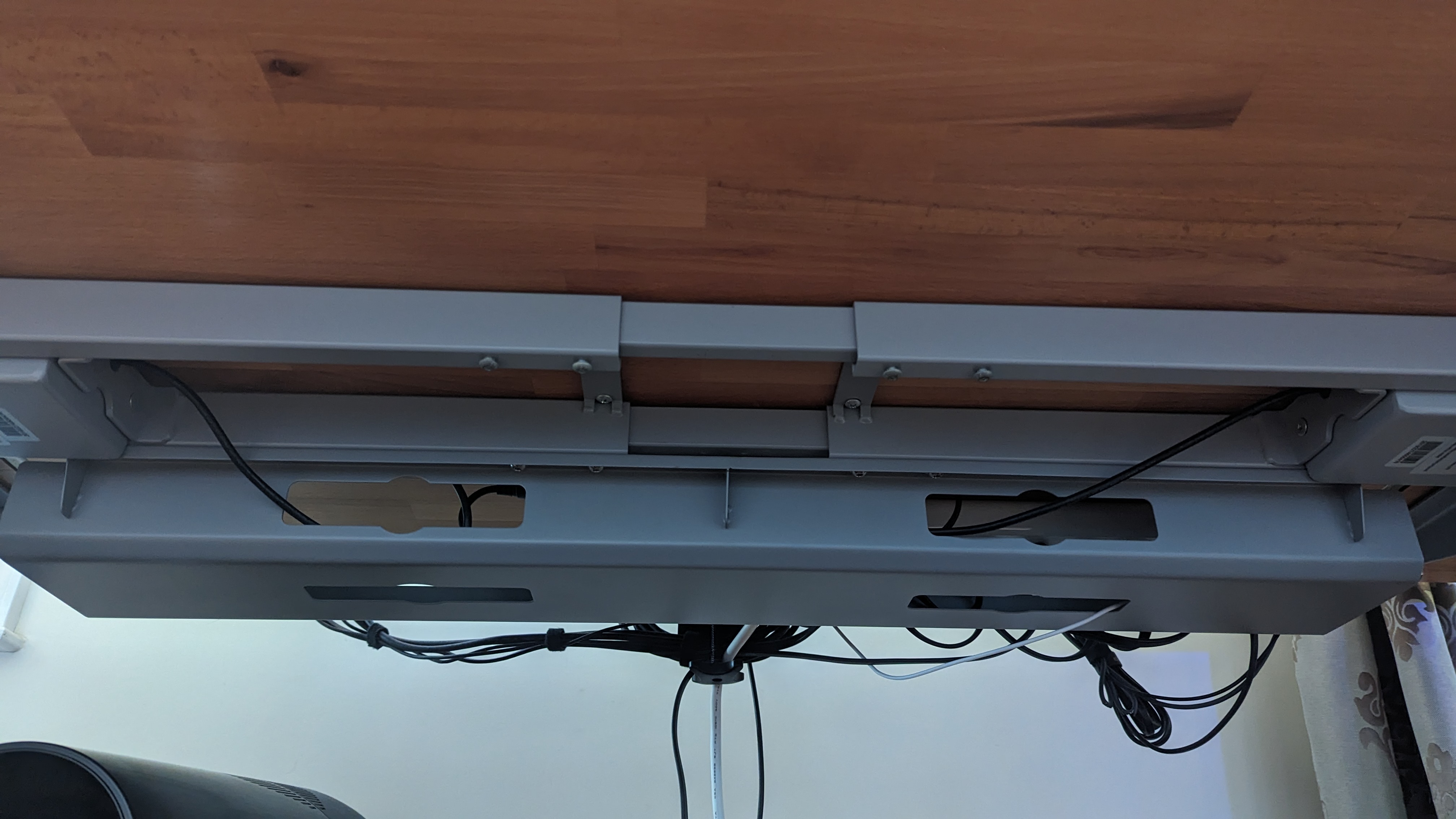
It is made for current Autonomous frames, including the Desk 2 and the DIY L-Shaped. The product page says it does not fit desk frames made with partner brands, and on first-generation Home Edition desks the included screws are too short. Desk Core already includes one tray, so this is for other Autonomous desks or a second run of cables. One owner reports a catch: mounted facing backward, it can run into the desk's own power brick.

CalDigit TS4 Thunderbolt Dock
The CalDigit TS4 is a Thunderbolt 4 dock with 18 ports and up to 98W of laptop charging, so one cable from the laptop brings in power, monitors, wired internet and USB devices. CalDigit lists 2.5 Gigabit Ethernet, three Thunderbolt 4 ports, SD and microSD readers, support for macOS and Windows, and a 2-year warranty.
It suits a developer who docks a laptop at the same desk every day. Check two things first. A laptop whose charger is rated above 98W will charge more slowly on the dock. And base M1, M2 and M3 Macs cannot run two displays through it (the M3 MacBook Air only with its lid closed); that needs a Pro or Max chip, an M4 or newer, or a Thunderbolt Windows PC. For one monitor and a mouse, a simple USB-C hub is enough.

Screen Height and Desk Lighting
The top of your monitor should sit at or slightly below eye level, 20 to 40 inches from your eyes, according to OSHA's computer workstation guidance. A monitor arm gets the height and distance right on most desks, and a light bar lights the desk without putting glare on the screen. Both picks in this section are from other brands.
VIVO Pneumatic Monitor Arm
The VIVO STAND-V001Q is a single gas-spring monitor arm for 13 to 32 inch screens that weigh 2.2 to 20 lb, with VESA 75 or 100 mounting. VIVO lists a C-clamp for desks 0.5 to 3 inches thick or a grommet mount, tilt, 180° swivel, full rotation, built-in cable management and a 3-year warranty.
It suits anyone whose monitor stand leaves the screen too low or takes up desk depth. Check the monitor's weight and VESA holes before ordering, since a large curved screen can pass 20 lb. Desk Core's 0.7 inch top is inside the clamp range, near the thin end. Before you clamp it on, read through the steps for installing a monitor arm.

Quntis Monitor Light Bar for a Dark Desk
The Quntis Monitor Light Bar Focus is a 20.1 inch light that clips to the top of the monitor and aims down at the desk, not at the screen. Quntis lists a 45° asymmetric optic, 3000K to 6500K color temperature at CRI 95, an auto-dimming sensor, a wireless dial, USB power, and a clip for flat or curved monitors 0.12 to 2.36 inches thick.
It suits a desk in a dark corner or late-evening work, where a regular lamp would bounce light off the screen. One clash to plan for: the light bar and a webcam both want the top edge of the monitor, so check there is room for both before you buy. It also takes one USB port.

Calls and Video Meetings
A webcam that corrects for poor light and a microphone close to your mouth fix most call complaints: a dark face, a grainy picture and a voice that echoes. Both picks here are from other brands.
Logitech Brio 500 Webcam
The Logitech Brio 500 is a 1080p HDR webcam made for video calls at a desk. Logitech lists RightLight 4 light correction for dim rooms, auto-framing, noise-reducing mics and a Show Mode.
It suits a laptop user whose built-in camera looks grainy once the sun goes down. It records at 1080p, not 4K, which is enough for meetings; skip it if you also film videos and want 4K.

Elgato Wave:3 MK.2 USB Microphone
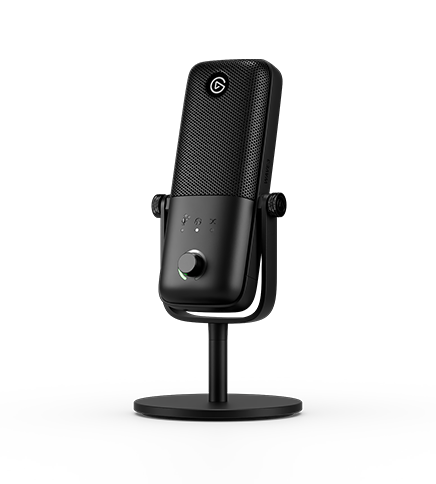
The Elgato Wave:3 MK.2 is a USB microphone you speak into from the front, the side with the dial, at 4 to 8 inches from your mouth. Elgato lists effects processing and Clipguard 2.0 on the mic itself, an LED level ring, and use without any software; its Wave Link app is only needed for custom effects.
It suits someone who presents, teaches or records, and whose headset mic sounds thin. The limit is distance: Elgato puts the best range at the 4 to 8 inches above, and the shock mount is sold separately, so plan a boom arm or a spot close to the keyboard.
Wrist, Back and Leg Comfort
A long desk day shows up in the back, the wrists and the legs, and an adjustable chair, a better mouse setup and a way to move while standing cover all three. The first three picks are Autonomous; the mouse and keyboard are from Logitech and Keychron.
ErgoChair Core Office Chair
ErgoChair Core is a mesh office chair with an adjustable headrest, armrests, back tilt, seat depth and seat height. Autonomous lists a 20 to 23.8 inch seat height, an 18.5 to 20.5 inch seat depth range, a 40° tilt range, a 242.5 lb weight capacity and a 2-year warranty.
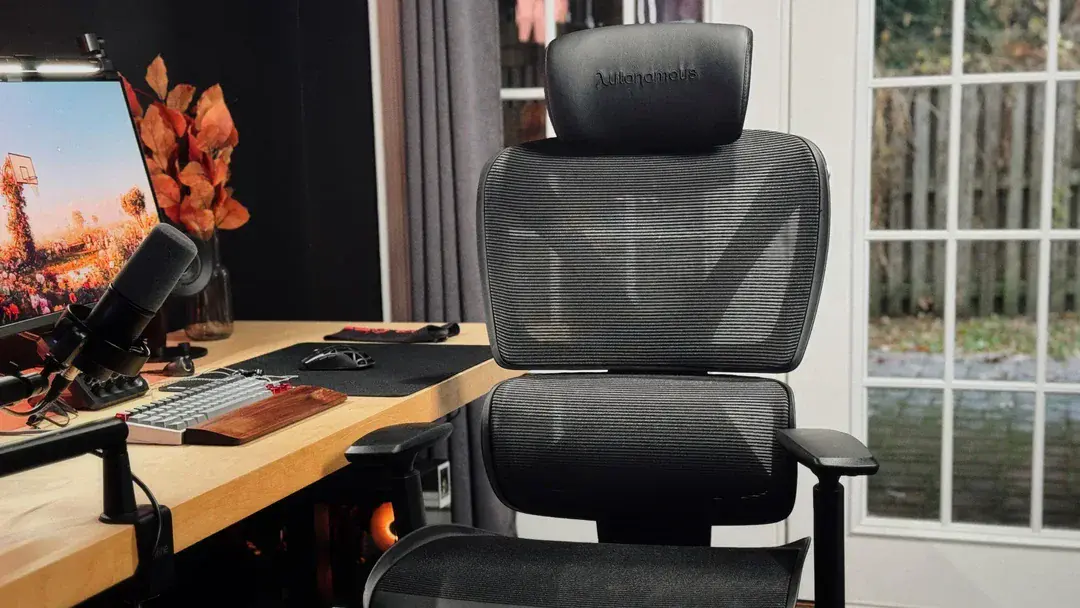
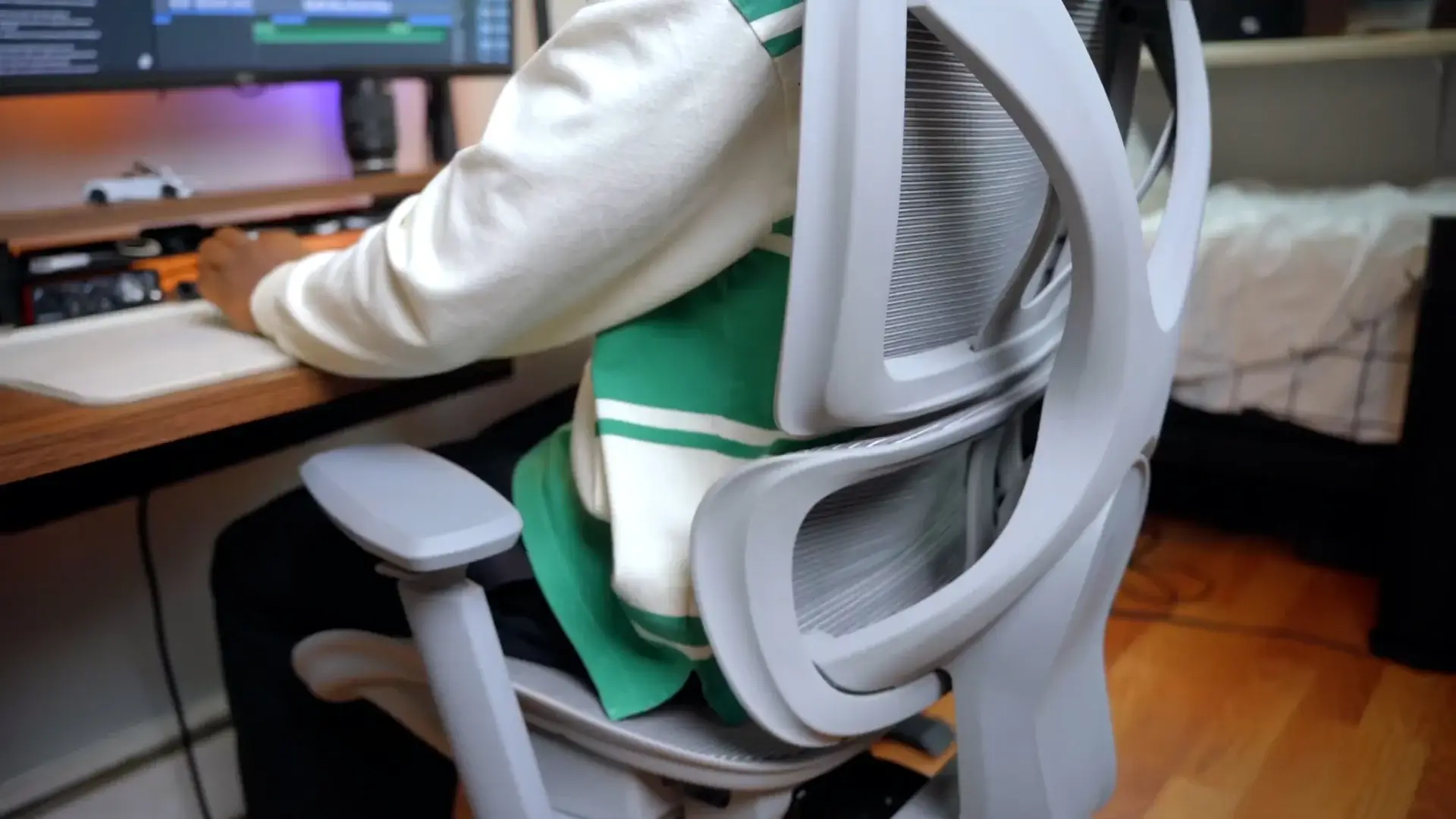
It suits a home office where seat depth and headrest adjustment matter more than an adjustable lumbar. Two honest limits: the lumbar support is built into the backrest rather than adjustable, and the 242.5 lb capacity is lower than some office chairs, so check it against your weight.

ErgoClick 3D Mouse Wrist Rest
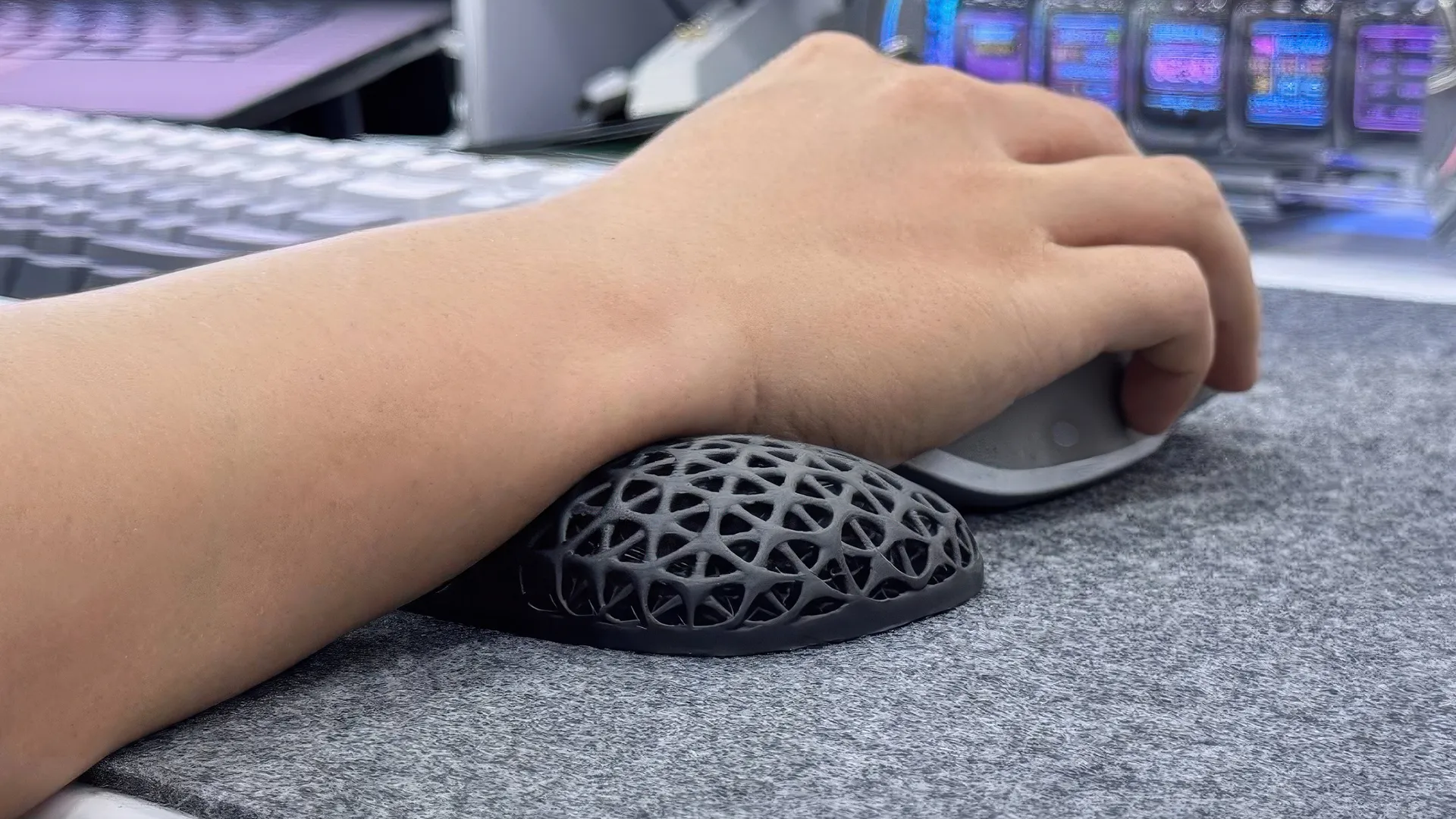
ErgoClick 3D is a 3D printed wrist rest for the mouse hand: a TPU lattice on a nylon frame, 5.7 inches long, 2.7 inches wide and 1 inch high. Autonomous lists it as working with all mouse types, with the lattice there to cut pressure and heat under the wrist, plus a 1-year warranty.
It suits long days on a mouse, at work or in games. It only supports the mouse hand, so it does nothing for the keyboard side of the desk.
Autonomous Flow Board Balance Board
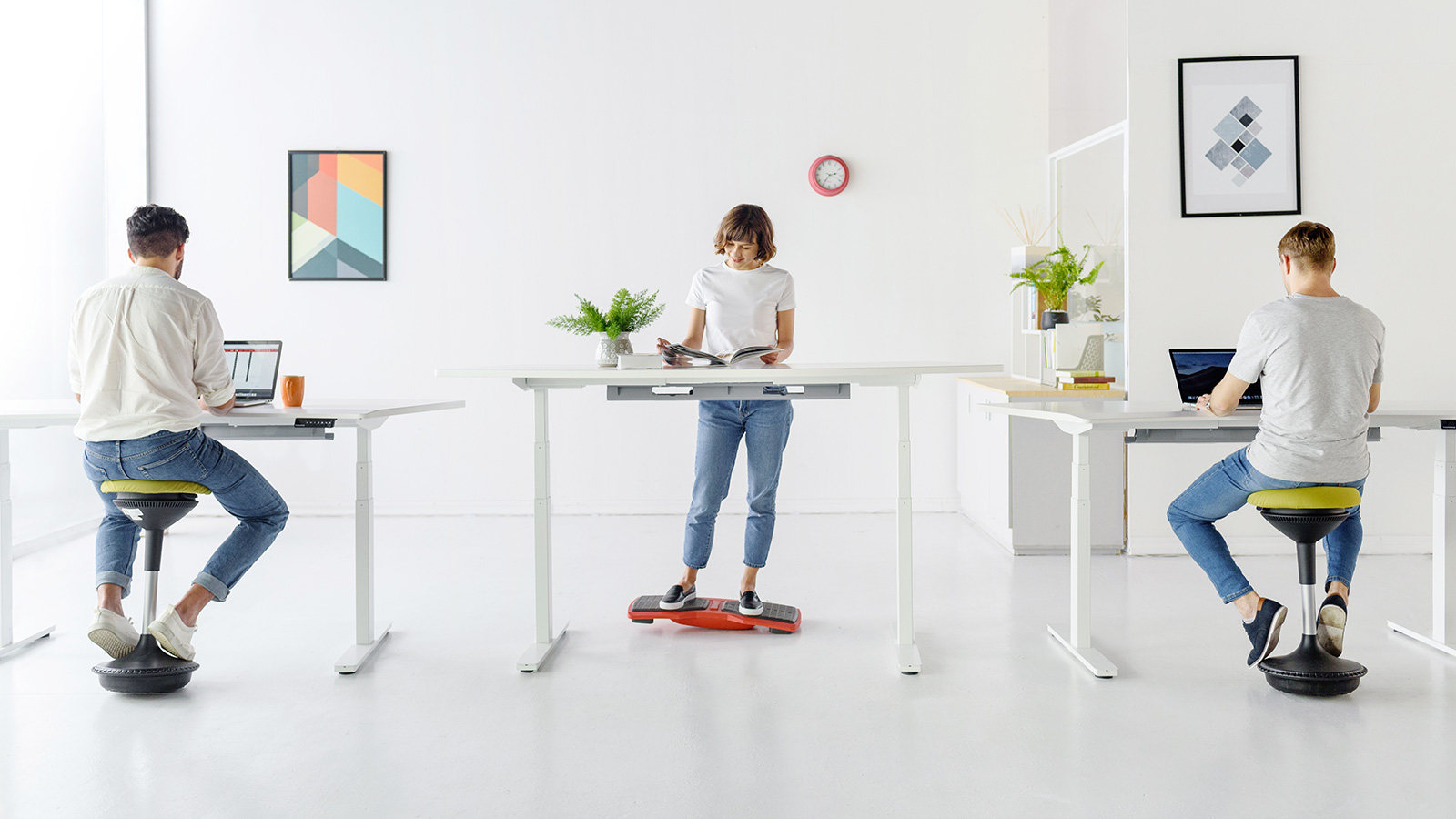
Autonomous Flow Board is a balance board for a standing desk with a semi-spherical fulcrum that tilts in every direction, and it flips over to work as a footrest when you sit. Autonomous lists a 330 lb capacity, a 7 lb board, a 12 inch width and a 1-year warranty.
It suits someone who already has a standing desk but stands in one spot for long stretches. It needs floor space under the desk, where the chair also wants to roll, and balancing while typing is a skill, so start in short sessions.
Logitech Lift Vertical Mouse
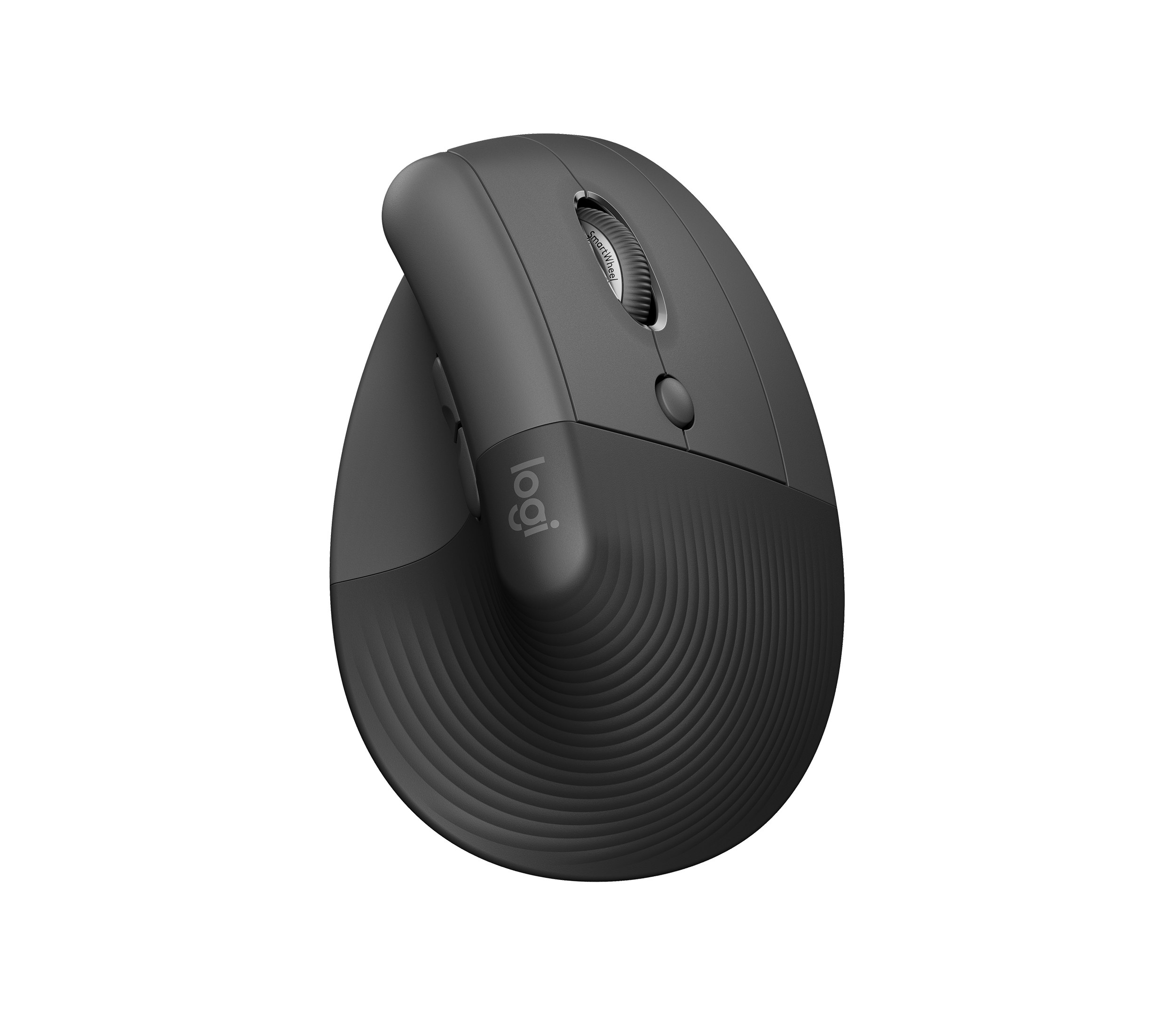
The Logitech Lift is a vertical mouse set at a 57° angle, so the hand rests in a handshake position, and Logitech sizes it for small to medium hands. It connects over Bluetooth or a Logi Bolt receiver, switches between up to 3 devices, and runs on one AA battery that Logitech rates for up to 24 months.
It suits someone who feels the mouse in the forearm by late afternoon. Skip it if your hands are large. It also has no side scroll wheel; Logitech says horizontal scrolling needs a shortcut set in Logi Options+. A left-handed version is sold too.
Keychron Q11 Split Mechanical Keyboard
The Keychron Q11 is a split 75% mechanical keyboard in an all-metal case. The two halves are separate, so you can space and angle them to fit your hands. Keychron lists hot-swappable switches, QMK firmware with a web app for remapping keys and macros, Mac and Windows keycaps, and a wired connection.
It suits developers who want to remap keys and spread their hands. Two limits: it is wired only, with the wireless Q11 Ultra 8K sold separately for more, and the assembled board weighs 1,186 g, so it stays on the desk rather than in a bag.

Water and Air at the Desk
A water reminder and a purifier sized for the room cover two things a closed home office tends to neglect: drinking enough and filtering the air. Hydrate is from Autonomous; the purifier is from Levoit.
Autonomous Hydrate Water-Tracking Coaster
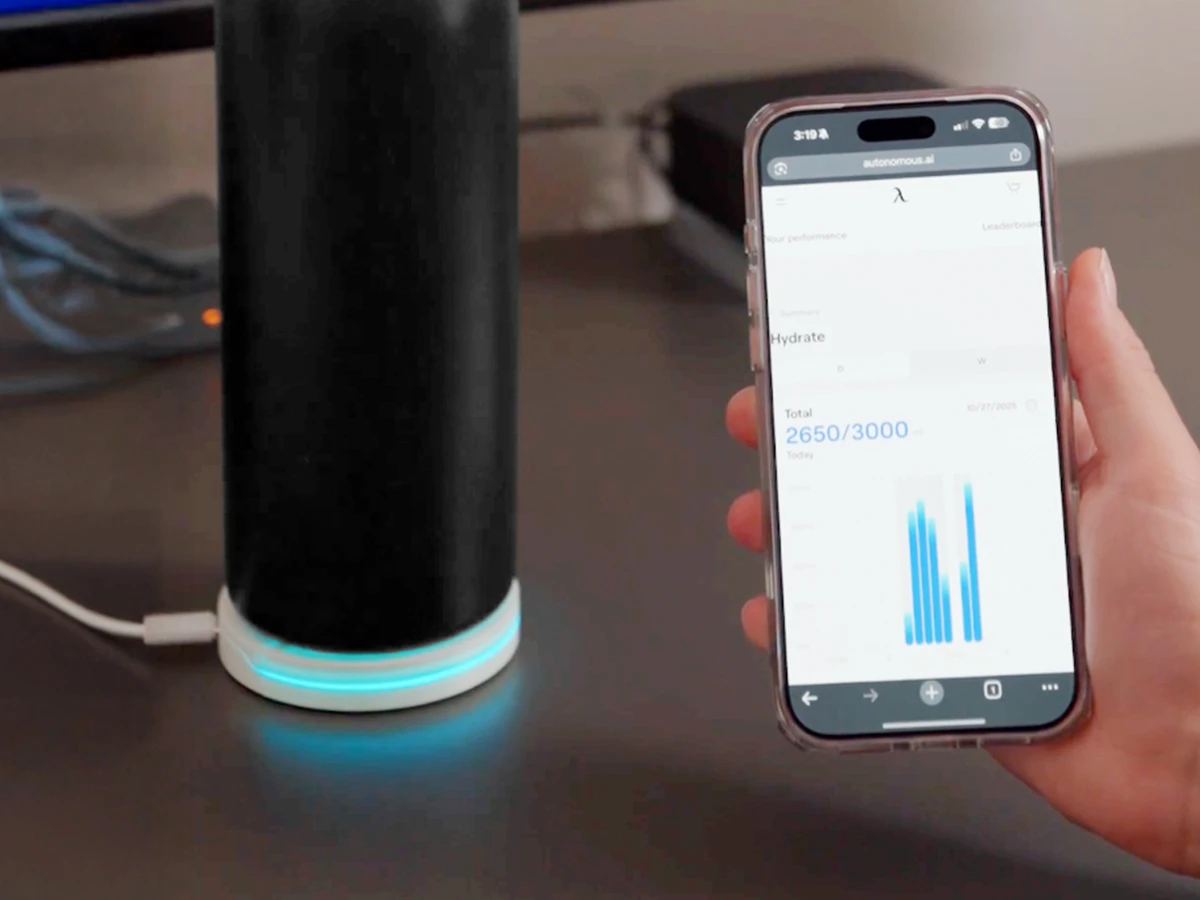
Autonomous Hydrate is a smart coaster that weighs the cup or bottle on it, logs each sip in ml or oz, and reminds you on the desk with a glow, a short vibration or a light buzz. Reminders run every 15, 30 or 60 minutes or on a schedule you set. The base is 3.54 inches across and powers over USB-C.
It suits people who live at the desk and look up at 4 pm to find the cup still full. The product page says it plainly: if you already finish your water every day, skip it.
Levoit Core 300S-P Air Purifier
The Levoit Core 300S-P is a smart air purifier with a clean air delivery rate (CADR) of 141 CFM, control through the VeSync app, Alexa or Google Assistant, and a 2-year warranty.
Check the room size math before buying. Levoit lists 1,051 sq ft at one air change per hour but 219 sq ft at 4.8 changes, and the EPA's sizing chart pairs about 130 CFM with a 200 sq ft room with an 8-foot ceiling. So it fits a spare-bedroom office, not an open living area. Levoit lists 22 to 50 dB, so turn it down before a call.

Focus and AI Agent Gadgets
The newest kind of home office tech is hardware for AI agents: a device that takes spoken tasks, a screen that shows what each agent is doing, and a small computer that runs agents around the clock. The first four picks are Autonomous; the headphones are from soundcore. If you want toys rather than tools, the gadgets for a geeky desk setup cover that side.
Harness Device for Coding Agents
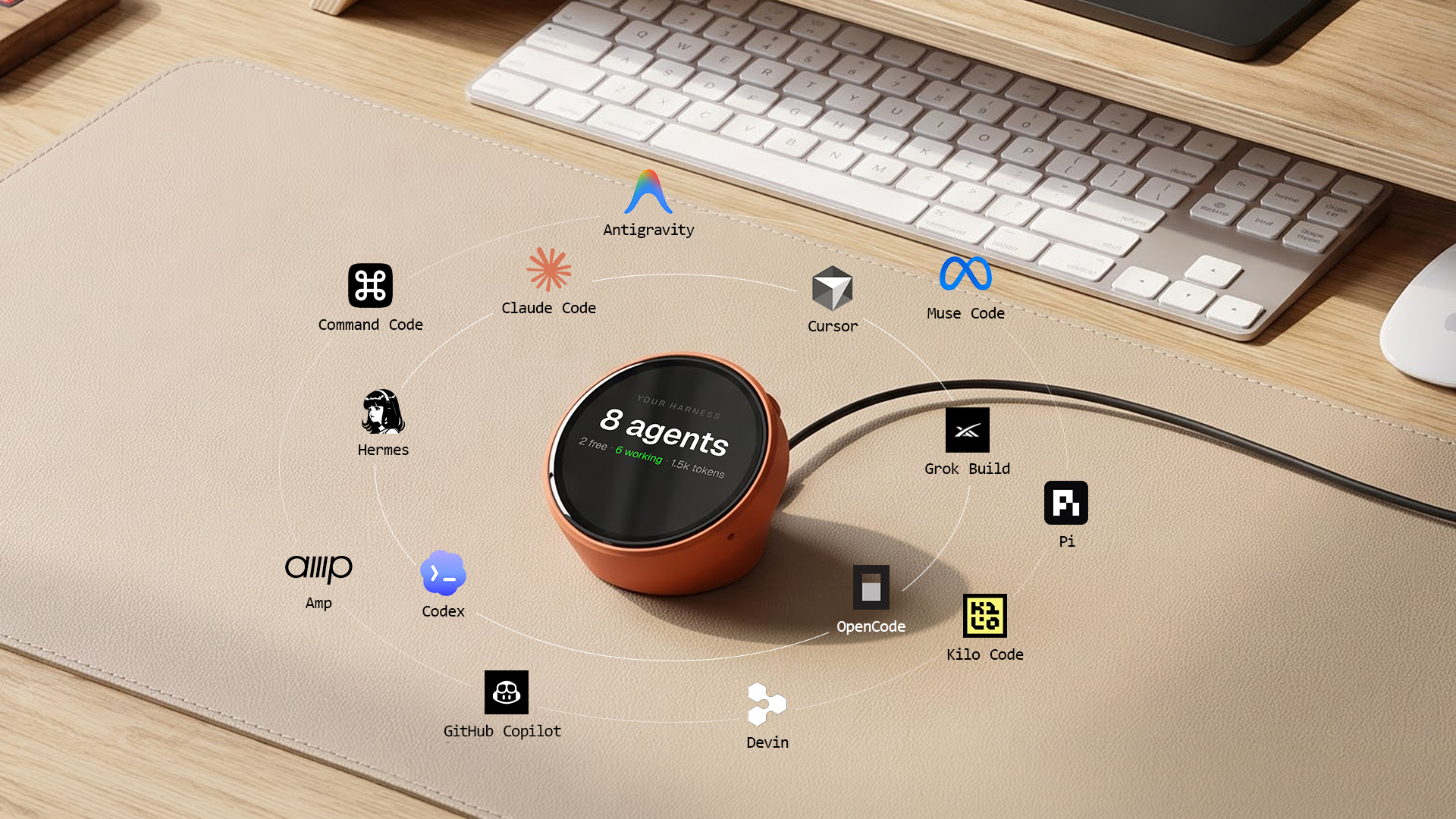
Harness Device is a round desk device for coding agents: tap its face, say the next task, and it sends the work to the agent already running on your laptop, a server or the cloud. Autonomous lists it as working with Claude Code, Codex, Cursor, OpenCode and more, with an always-on display that shows what is running, the finished work and what the agents spent today.
It suits someone running several agents who loses track of which one is waiting. It runs on Wi-Fi and USB-C power, and the project is open source down to the firmware. One limit to set up for: Autonomous lists its autonomy setting as auto-allow, so spoken work runs with no approval tap. Scope each agent's permissions before handing it voice tasks.
Harness Pro Agent Screen
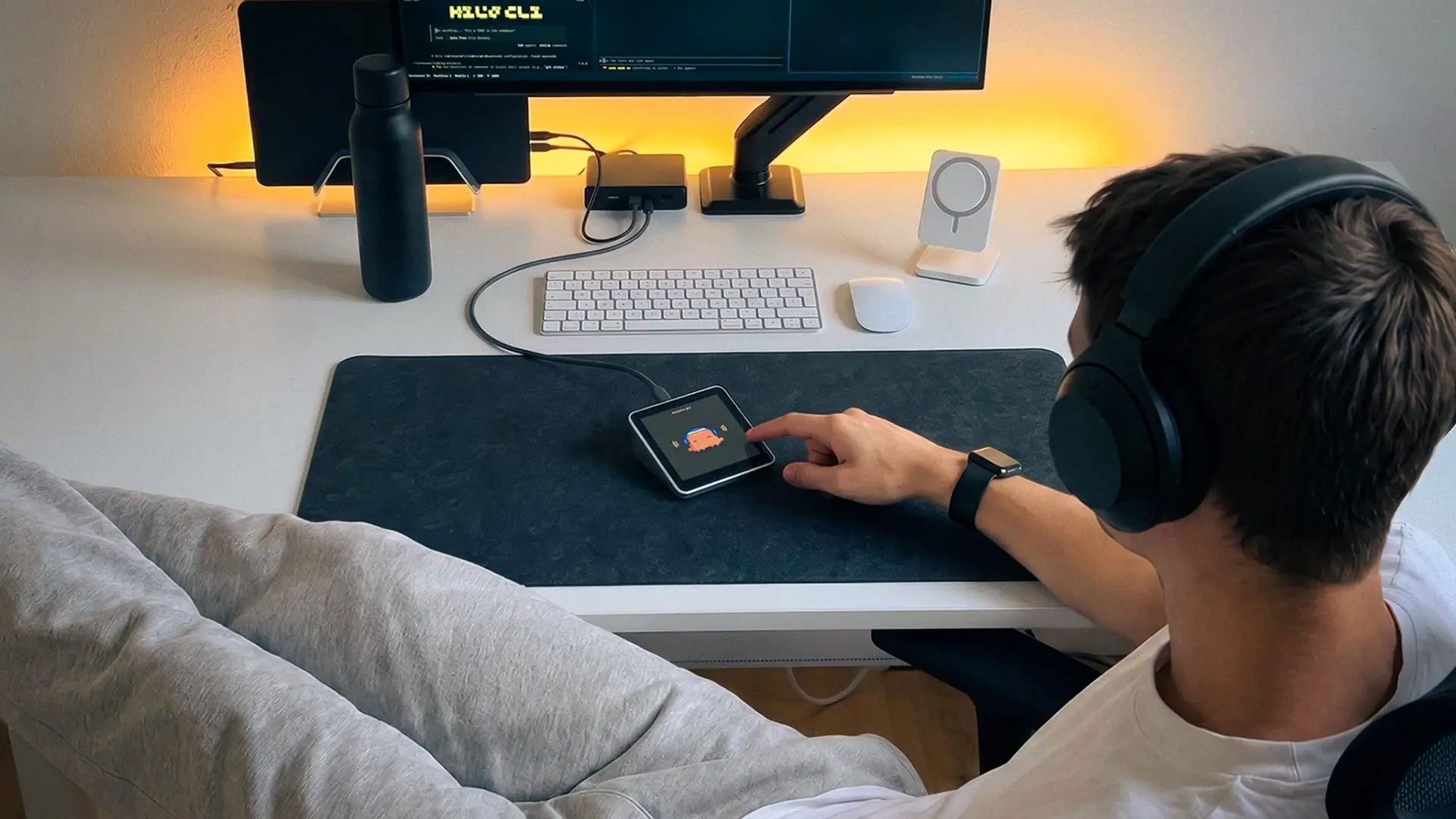
Harness Pro is a small square touchscreen that shows every agent across your machines, one per screen, and lets you tap and speak to give the next instruction. Autonomous lists a 3.95 inch, 720 by 720 display, a CNC aluminum body with the face tilted about 20°, three microphones, and power over one USB-C cable with no battery.
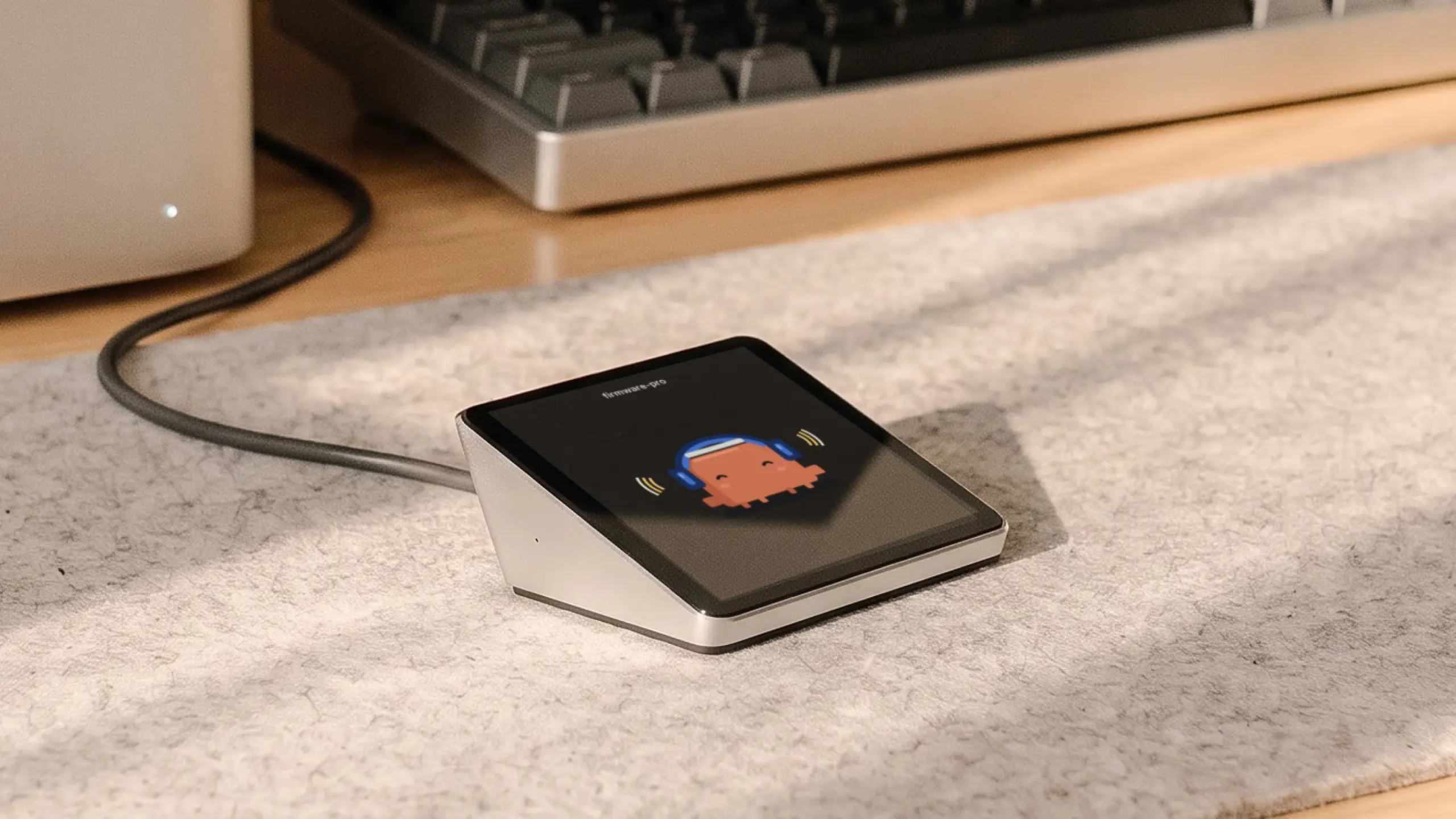
It suits a developer with a laptop, a desktop and a server who wants one glance at all of them. It plugs into a computer running the Harness app, which Autonomous lists for Mac and Linux, so Windows users should check first. Some specs are marked preliminary and it ships later than Harness Device, so check the date on the product page.
Intern 2 AI Agent Computer
Intern 2 is a small AI agent computer that sits on the desk and runs agents around the clock, preloaded with OpenClaw or Hermes, with Claude Code and Codex ready to install. You message it on Telegram, Slack or Discord, or talk to it, and it handles recurring jobs such as service health checks, research digests, GitHub watching and draft emails.

It suits someone who wants agents running somewhere other than the main laptop. It picks a model for each task, so heavy daily use depends on the usage allowance; check the current terms on the product page. The Developer Edition opens the shell for your own stack. It is open source, runs on USB-C power and has a 1-year warranty.
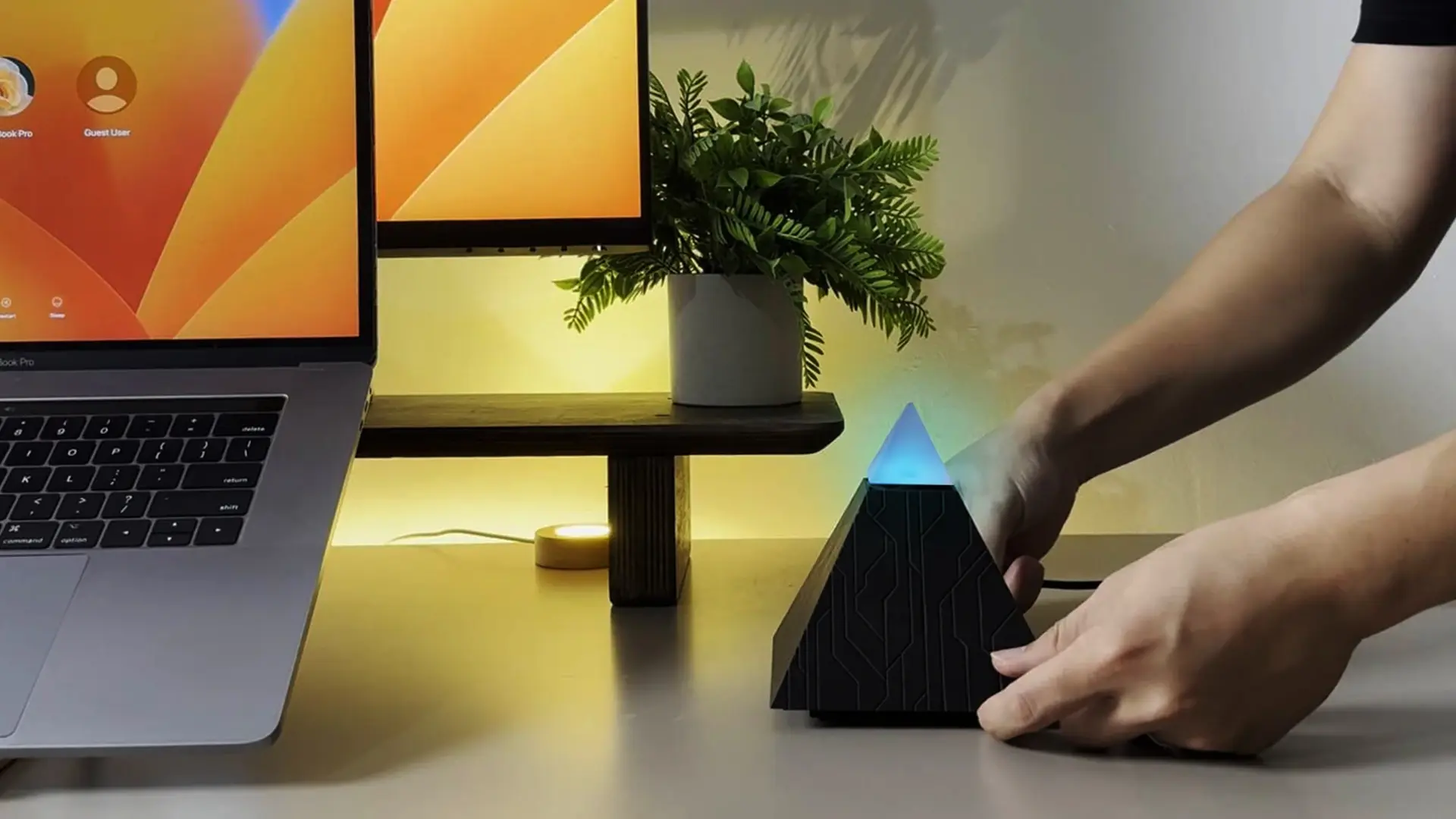
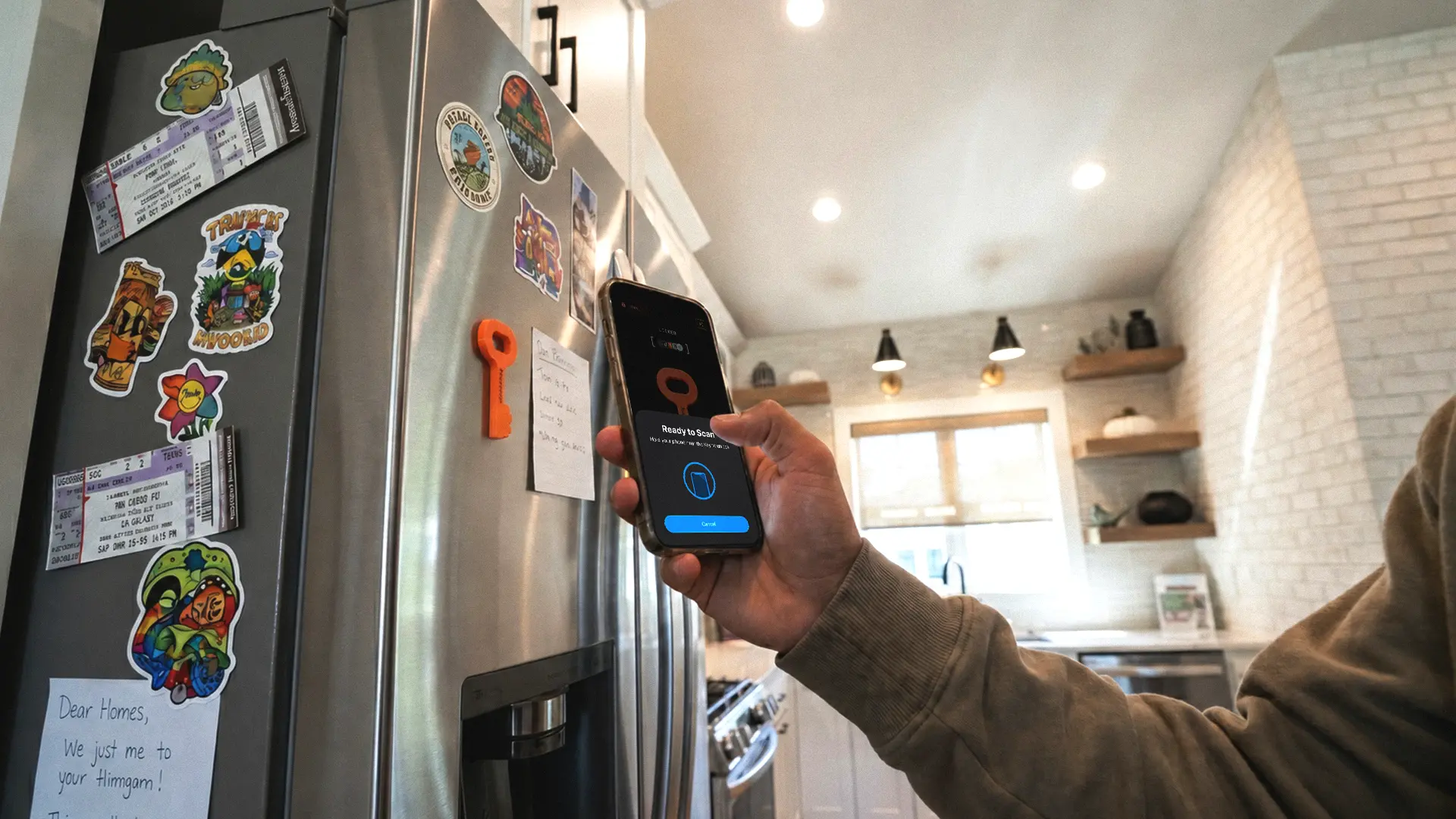
Autonomous Key App Lock for Phone Breaks
Autonomous Key is a small NFC key that keeps chosen phone apps locked until the phone taps it, then opens them for up to 60 minutes per unlock. It needs no battery or charging, works on Android 8 or later and iOS 15 or later, and has no subscription.
It is a fix for a habit most of us share: picking up the phone while a build runs and losing 20 minutes. It adds friction rather than a hard block. It only works if the Key stays out of reach, and the app gives one emergency unlock for when the Key goes missing.
soundcore Space One Noise-Canceling Headphones
The soundcore Space One is a pair of over-ear headphones with adaptive noise canceling and 5 transparency levels, for working through household noise. soundcore lists 40 hours of battery with noise canceling on and 55 hours with it off.
It suits a shared home where the TV, kids or street noise reach the desk. soundcore lists up to 98% noise reduction from its own lab test, so expect less in a real room. If you take many calls, a separate mic like the Wave:3 above keeps your voice clearer.

What Every Home Office Needs First
Every home office needs a desk at the right height, a chair that fits, a screen at eye level and light without glare before any gadget. Buy in that order, then add the rest as problems show up.
- Desk and chair: measure your seated elbow height and check that the desk's lowest setting reaches it, along with the other features of an ergonomic computer desk such as depth and stability.
- Screen: top of the screen at or slightly below eye level, 20 to 40 inches away. If the stand cannot get there, an arm can.
- Light: light the desk, not the screen. OSHA's quick tip is to place the monitor at a right angle to the window.
- Cables and power: count the cables you plug in each morning. At three or more, a dock pays off; match its charging watts to your laptop's charger.
- Calls: fix the light on your face and the mic distance first, since a sharper camera does not fix a dark room.
One check covers all of it: sit down for a normal workday and write down every time you reach, squint, unplug or get up to fix something. That list, not a gadget ranking, is your shopping list.
FAQs
What are tech accessories for a home office?
Tech accessories for a home office are the devices that plug into or sit around your computer and desk: monitor arms, docks, webcams, microphones, mice, keyboards, light bars and, more recently, AI agent hardware. The useful ones fix a specific daily problem rather than adding one more screen to look at.
What does every home office need?
Every home office needs a desk at the right height, a chair that adjusts to you, a screen at or slightly below eye level, and light that does not glare on the screen. After that, add a dock, a webcam and a mic based on how many cables and calls your day has.
What are some good gadgets for a home office?
Good home office gadgets solve one problem each: a monitor light bar for a dark desk, a dock for a one-cable laptop setup, a water-tracking coaster for forgotten water, and an app lock for phone breaks. Pick by the problem you feel most often, not by the spec sheet.
What are good computer accessories for professionals and developers?
Good computer accessories for professionals and developers are a Thunderbolt or USB-C dock, a monitor arm, a split or remappable keyboard, a vertical mouse and, for agent-heavy work, a device that shows what each AI agent is doing. Start with the keyboard and screen, since you touch them every hour.
Are smart gadgets worth it in a home office?
Smart gadgets are worth it when the smart part replaces a habit you keep forgetting, like a coaster that reminds you to drink or a purifier you can turn down from your phone before a call. Skip the ones whose app only adds another notification.
Do you need a docking station for a home office?
You need a docking station if you plug a laptop into two or more devices at the desk every day, such as monitors, Ethernet and a keyboard. Check that the dock's charging wattage matches your laptop charger and that your laptop supports the number of monitors you plan to run.
How much does a home office tech setup cost?
A basic home office tech setup with a monitor arm, a light bar, a webcam and a vertical mouse costs about $360 at the prices in the table above. Adding a standing desk, a chair and a dock takes it past $1,000. Prices change, so check each product page.
Bottom Line on Home Office Tech Accessories
The home office tech accessories that earn their place fix something you notice every day, so buy for the problem, not the category. Get the desk, chair, screen and light right first, add a dock, webcam and mic if your day runs on cables and calls, and save agent hardware for last.