


7 Black and White Gaming Setup Ideas That Actually Work

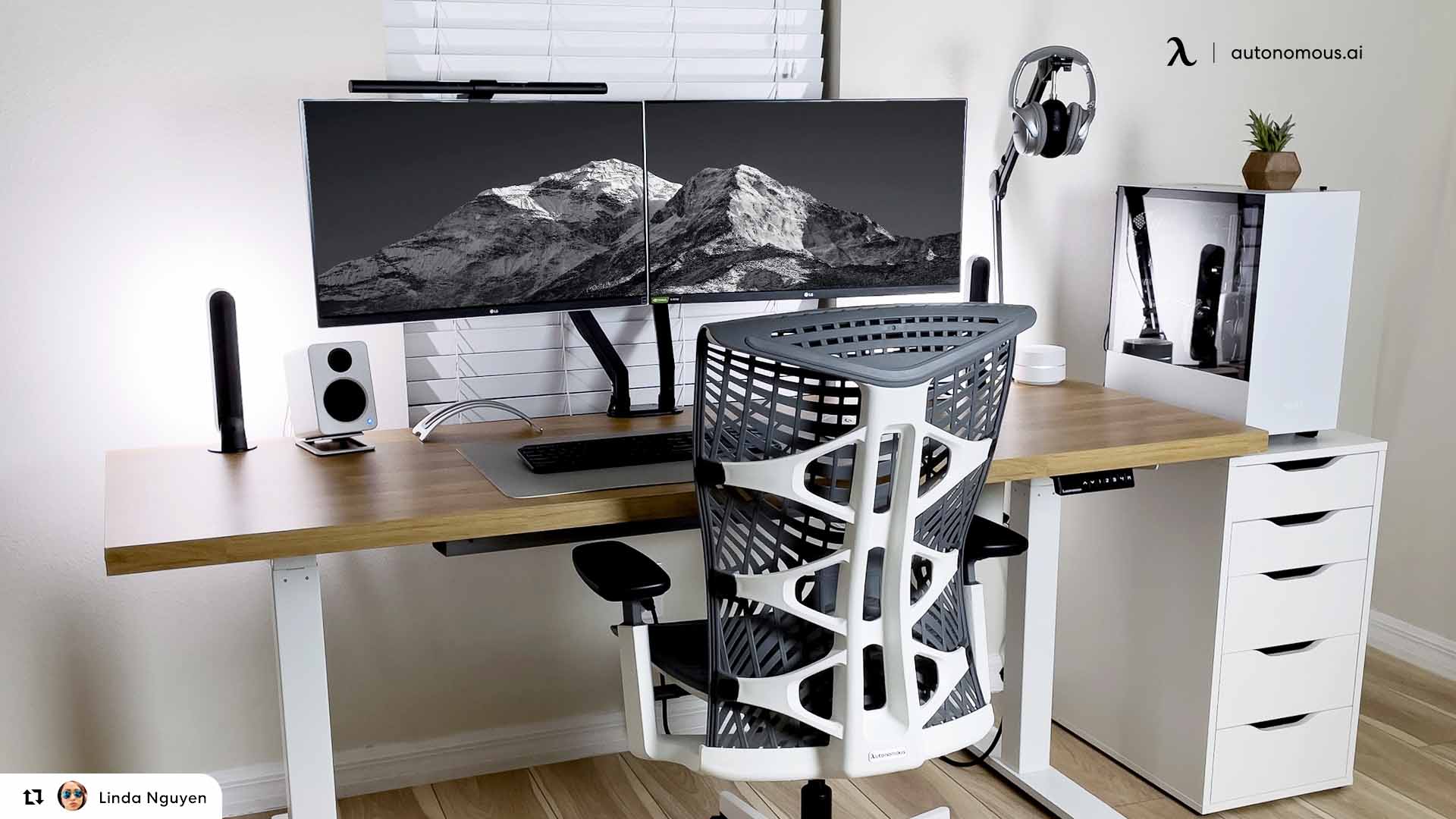
A black and white gaming setup is the easiest look to start and the easiest to get slightly wrong. Two colours sounds simple until the greys stop matching, the cables give the game away, and a room that looked sharp in photos feels flat in person. The builds that hold up all do the same few things: they pick one dominant colour, repeat the second one deliberately, and put the dark surface where hands go. Here are seven black and white gaming setup ideas that work in real rooms, the rules behind them, and how to pick a desk and chair that fit.
Black and white gaming setup ideas
1. White desk, black chair, black peripherals
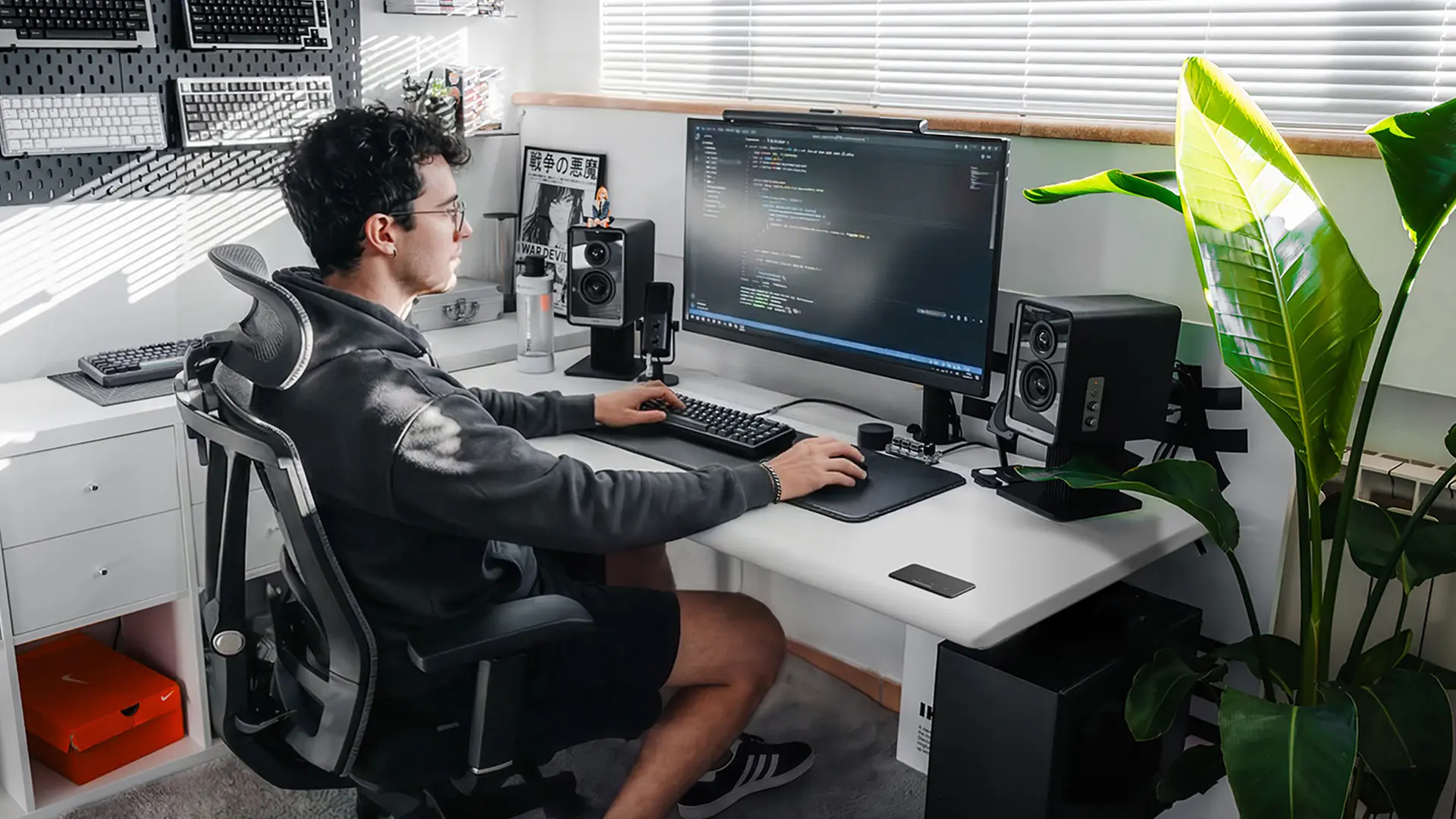
The most reliable two-tone build is a white desk with everything you touch in black. Deskmat, keyboard, mouse, monitor arms and chair all go dark, and the desk becomes the backdrop rather than the feature.
This works because it solves two problems at once. Visually, the dark objects have somewhere to sit, so the setup reads as composed instead of scattered. Practically, the surfaces that collect wear are the dark ones, and a white desktop stays clean because nothing abrasive lives directly on it.
The failure mode is going halfway. A black chair alone in a white room looks like the chair you already owned.
2. All black, with white as the light source
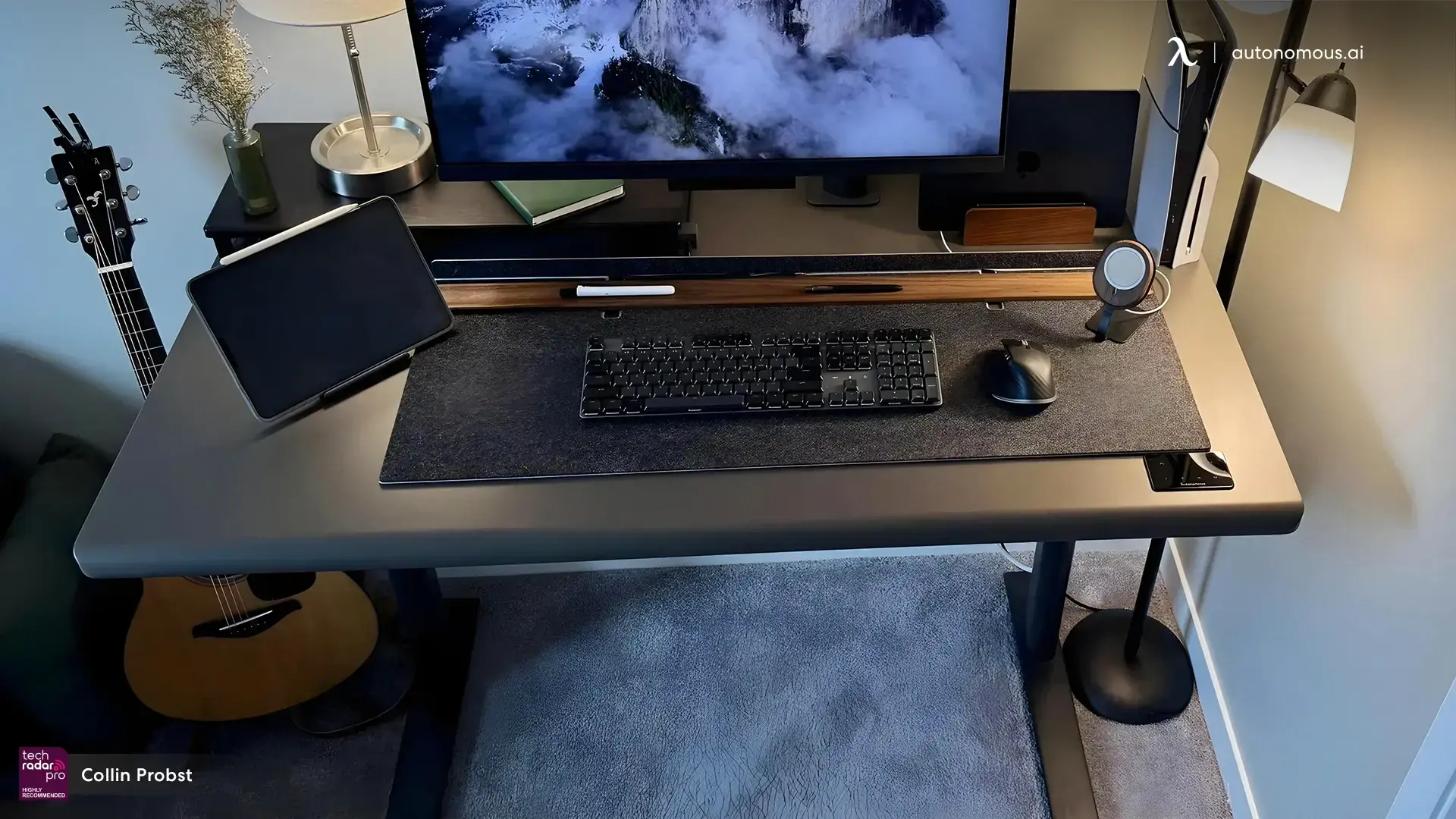
An all black setup uses the screen and the lighting as its only white, which is why it looks better in person than in photographs. Black desk, black chair, black peripherals, then a light bar or bias lighting behind the monitor doing all the contrast work.
This is the build most often chosen by people who actually work at the desk all day, because there is nothing bright in peripheral vision. It is also the hardest to photograph, so it shows up far less on Pinterest than it does in real rooms.
Add one warm element to stop it feeling like a server rack. Wood, a plant, or a fabric chair back is usually enough.
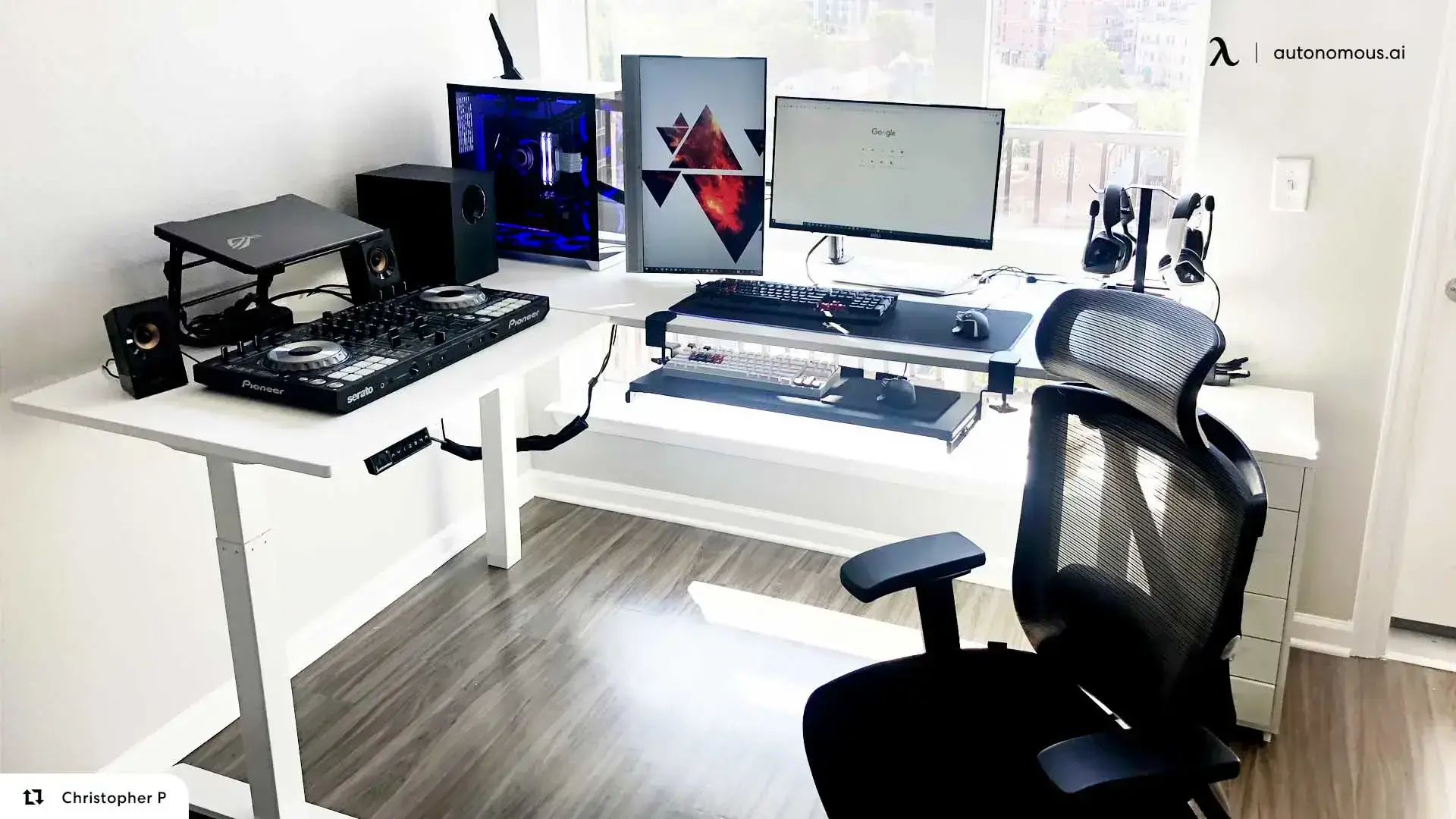
3. Split the scheme along an L-shaped desk
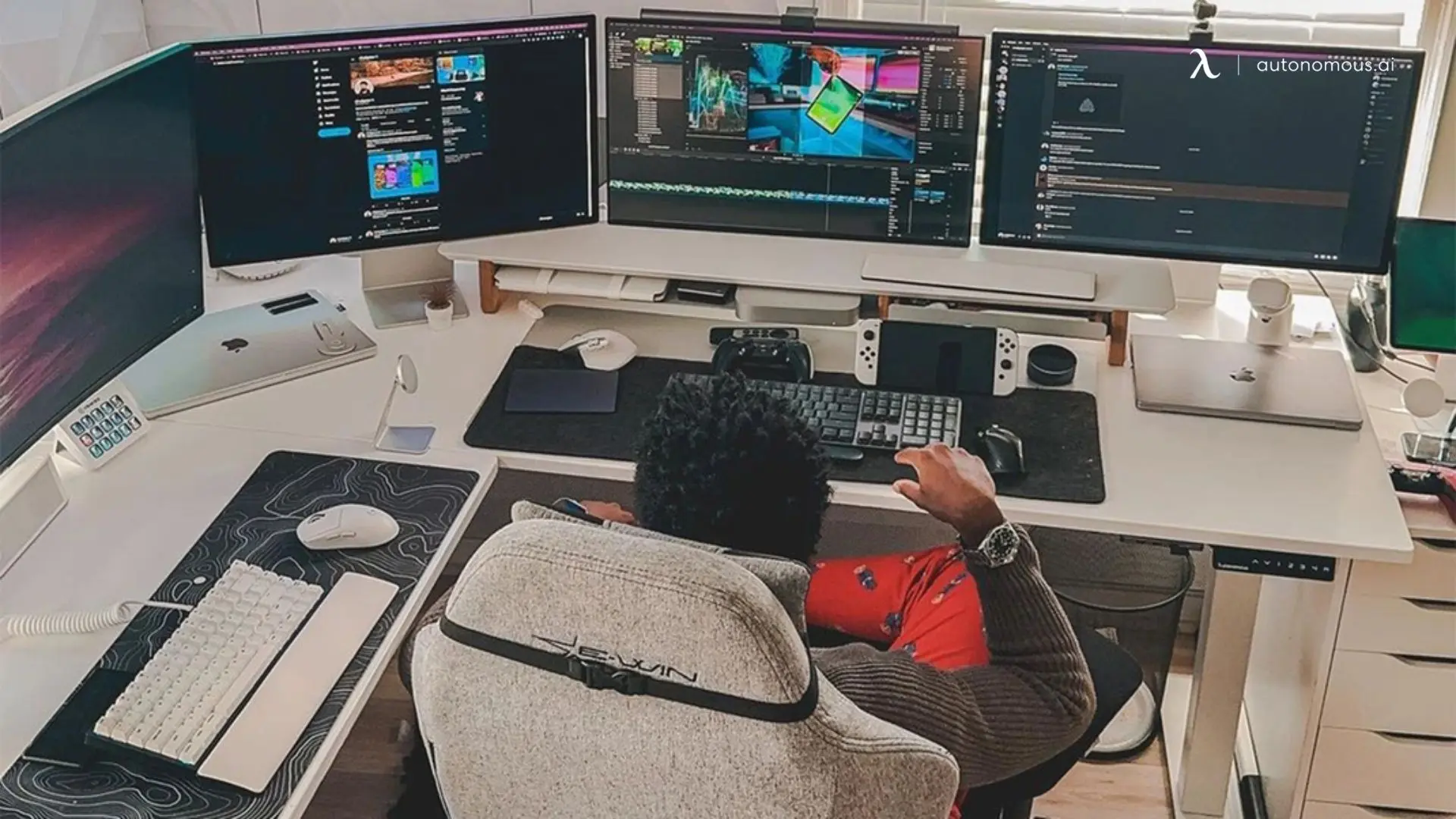
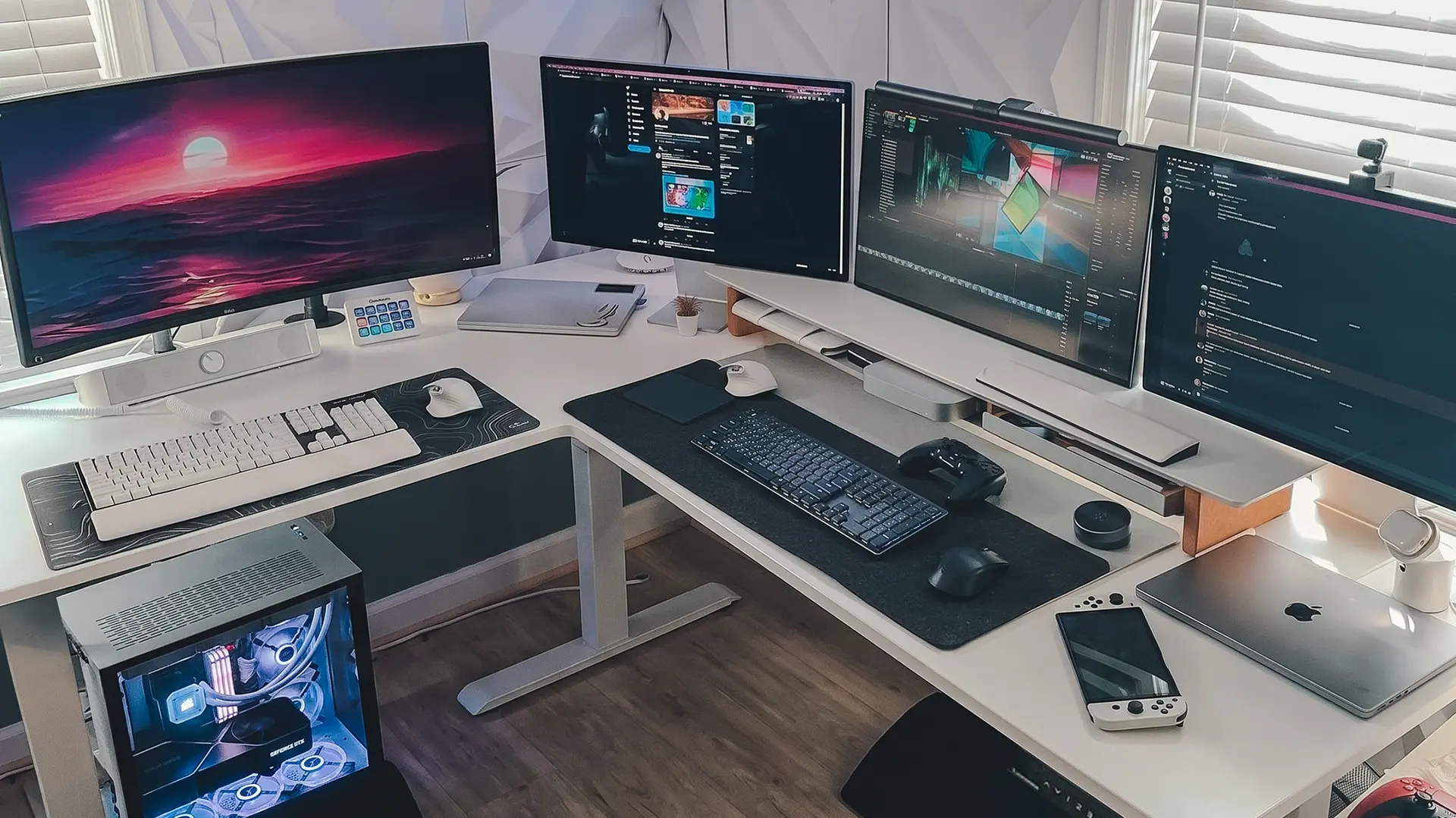
An L-shaped desk lets the two tones follow the furniture instead of being applied on top of it. Keep the long leg light for the main gaming station and let the return carry the darker gear, or run the colours the other way if your PC tower sits on the short side.
This is the only layout where a two-tone scheme has a natural boundary. On a straight desk you are choosing where the colours meet. On an L, the corner decides for you.
It also handles the mixed-use problem well. If one leg is work and the other is gaming, the colour change marks the switch without needing two rooms.
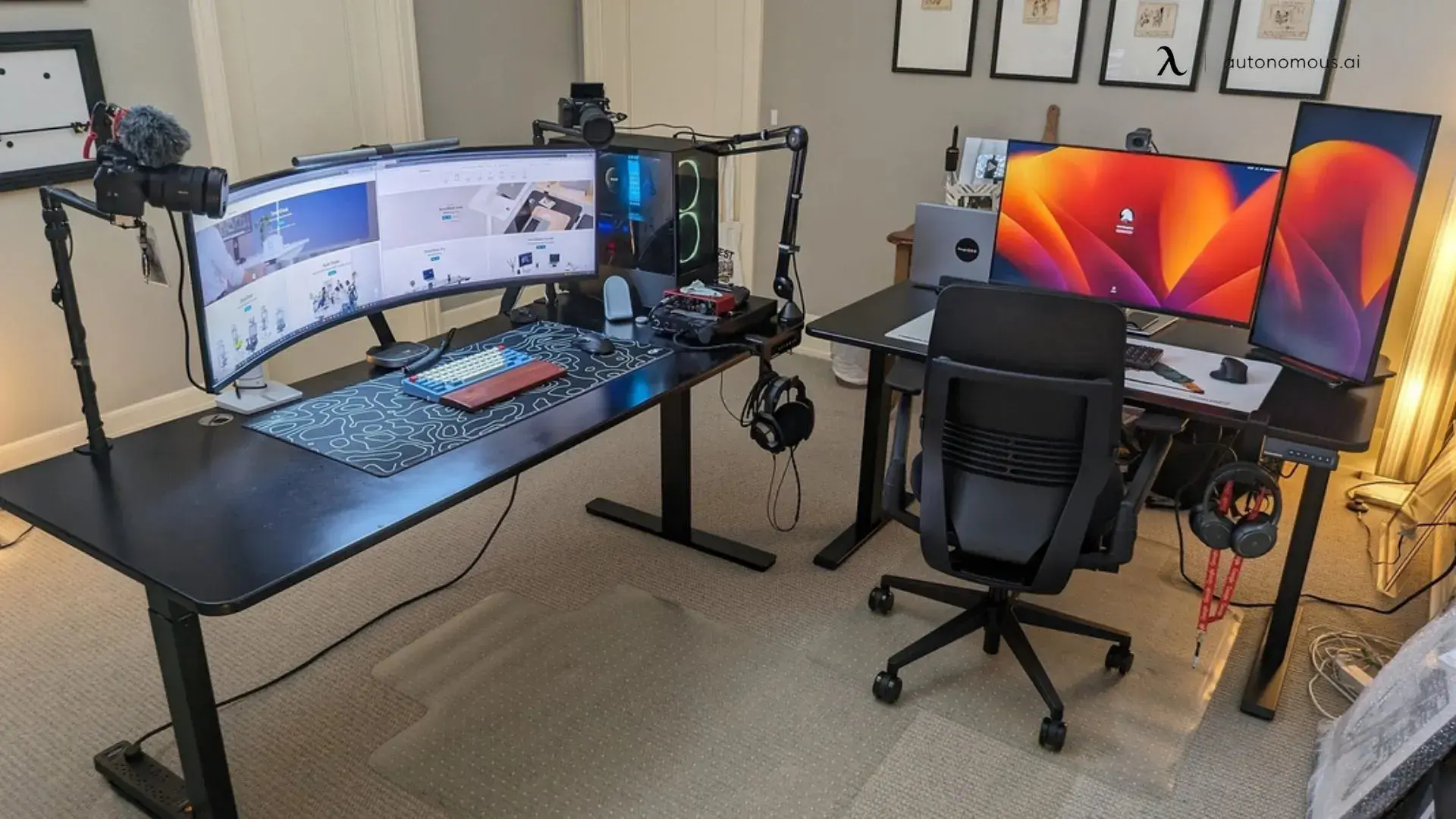
4. Two stations, one scheme
If you run a separate work desk and gaming desk, matching the frames and varying the tops keeps the room coherent without making it look like an office. Two identical desks read as furniture showroom. Two desks that share a frame colour read as a deliberate pair.
The same trick applies to chairs. Two different chairs in the same colour look intentional. Two identical chairs in different colours look like a mistake.
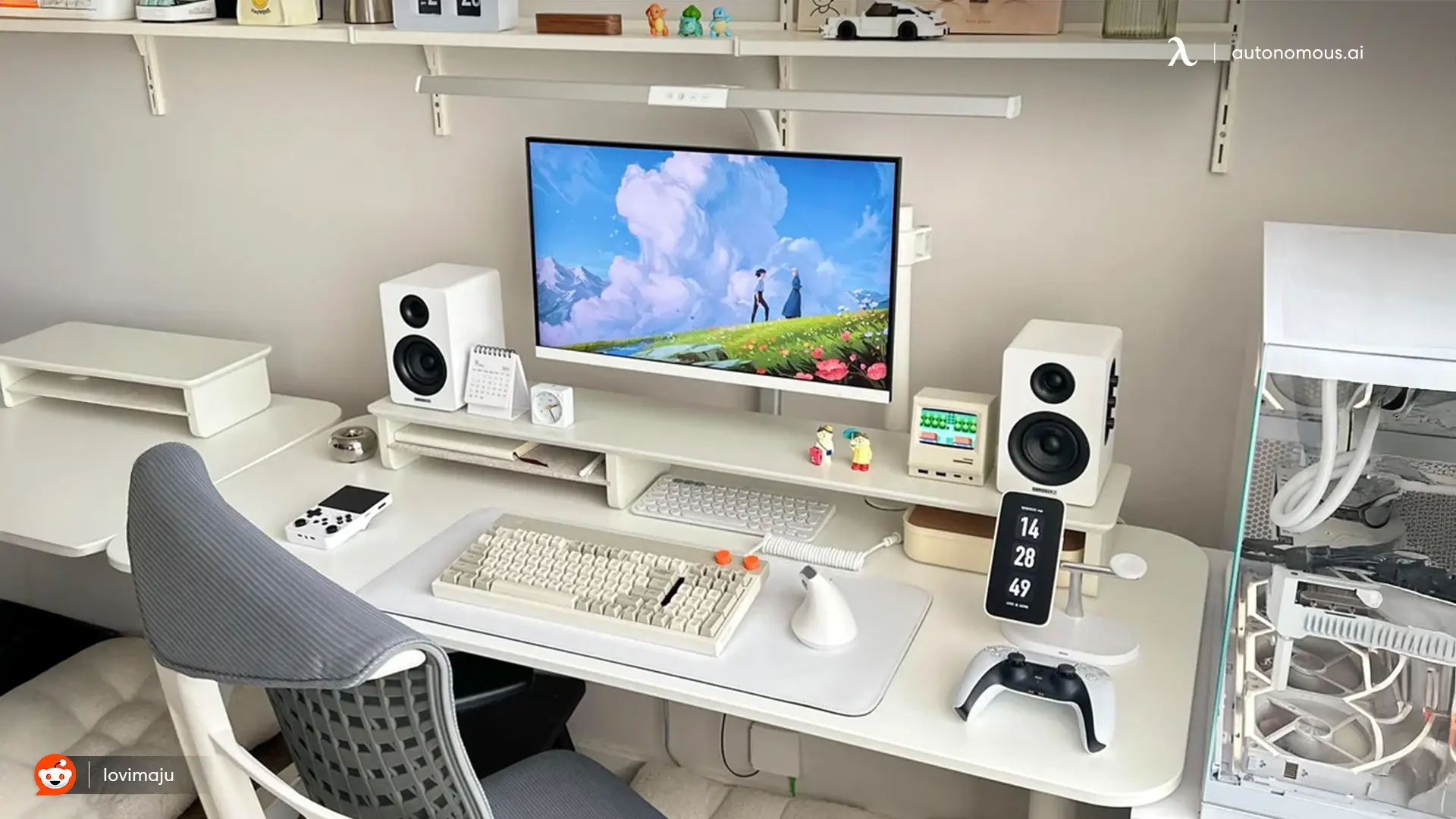
5. Warm white instead of cold white
Not every white setup has to be clinical. Pairing a light desk with wood shelving, warm bulbs and cream peripherals gives you the same clean base with none of the showroom feeling, and it photographs far more comfortably.
This is the version that works in a bedroom or a shared space, where a pure white and black scheme can feel severe. Beige and off-white finishes belong here rather than a bright white.
The one rule: pick warm or cool and commit. Mixing a cool white desk with warm wood and warm bulbs is what makes a grey chair suddenly look beige.
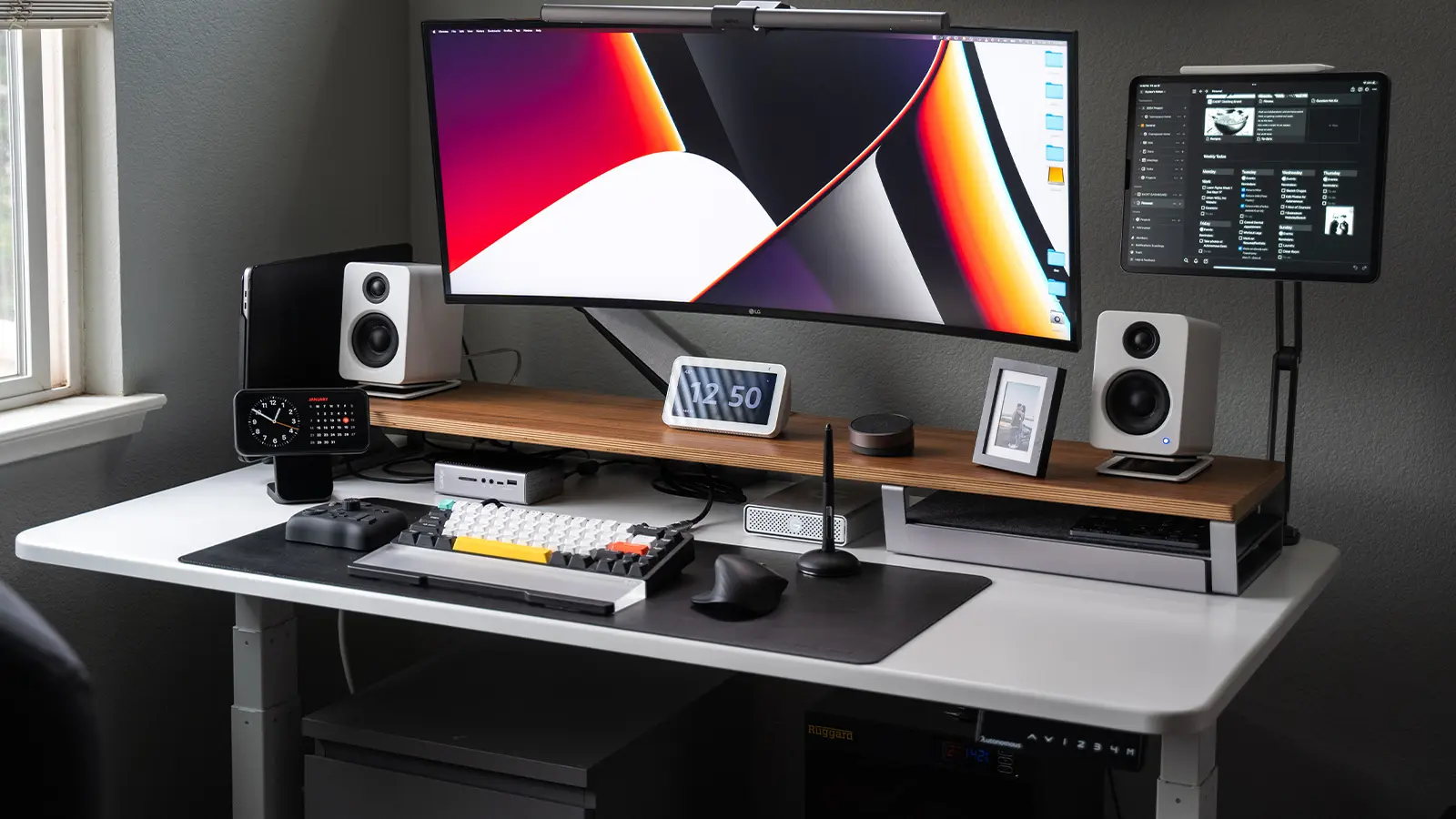
6. White desk against a dark wall
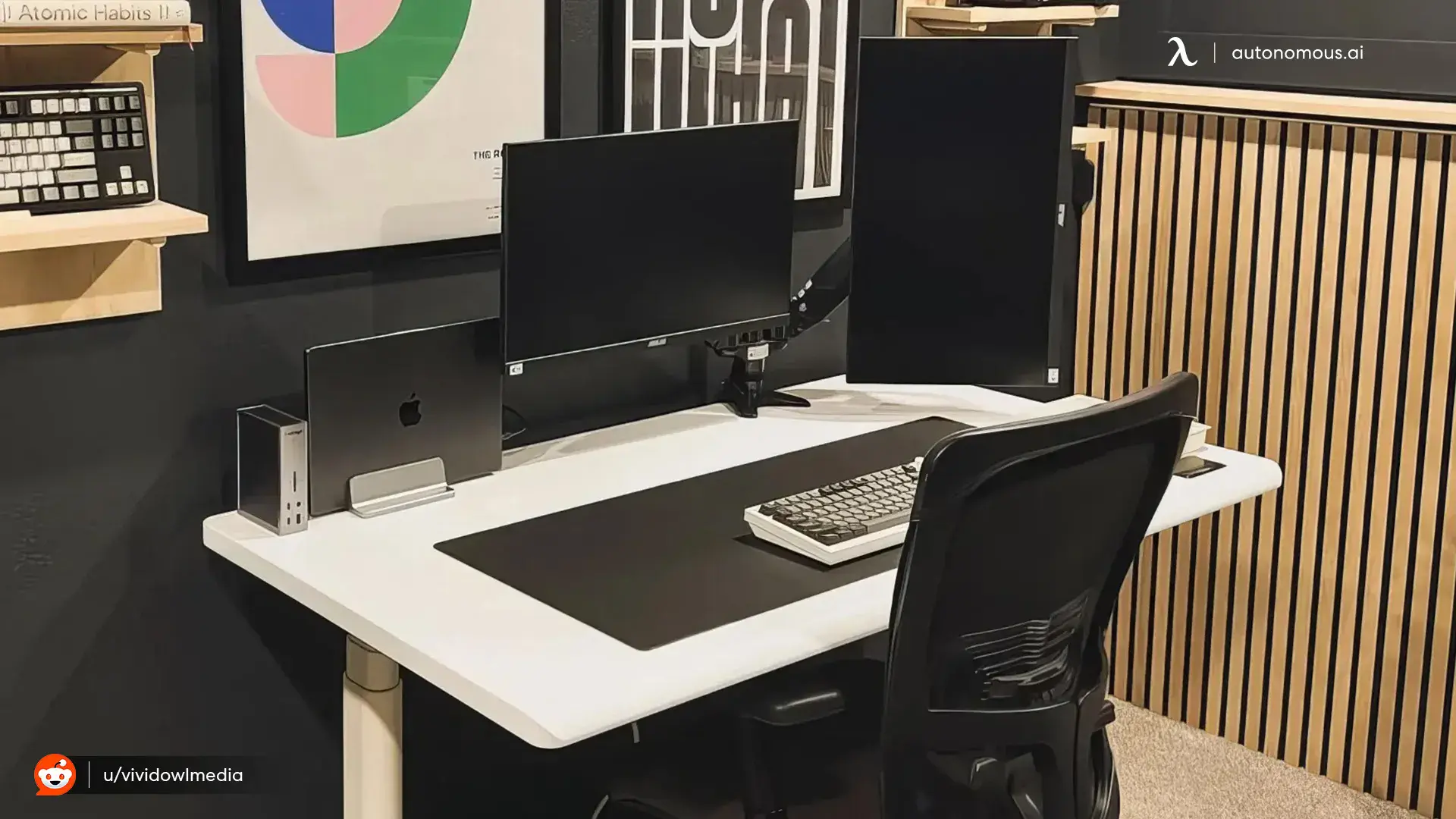
Reversing the contrast puts the desk forward instead of the room, and it gives you a two-tone setup without owning any black furniture. A light desk against a charcoal or black wall does the work that a black chair would otherwise have to do.
This is the cheapest idea on the list, because paint costs less than furniture. It is also the one that most improves how the setup looks on camera, since the monitor stops floating against a matching background.
Pair it with a wood monitor shelf if the room is starting to feel cold.
7. Grayscale rather than strictly two colours
Adding one mid grey to a black and white scheme usually makes it look more considered, not less. Pure black against pure white is high contrast everywhere, which flattens depth. A grey computer chair or a grey wall gives the eye a step between the extremes.
This is why so many setups that read as black and white in photos actually contain three tones. A light grey mesh chair against a white desk photographs as white and behaves as a transition.
If a build feels harsh and you cannot work out why, it is usually missing this.
How to stop a two-tone setup looking accidental
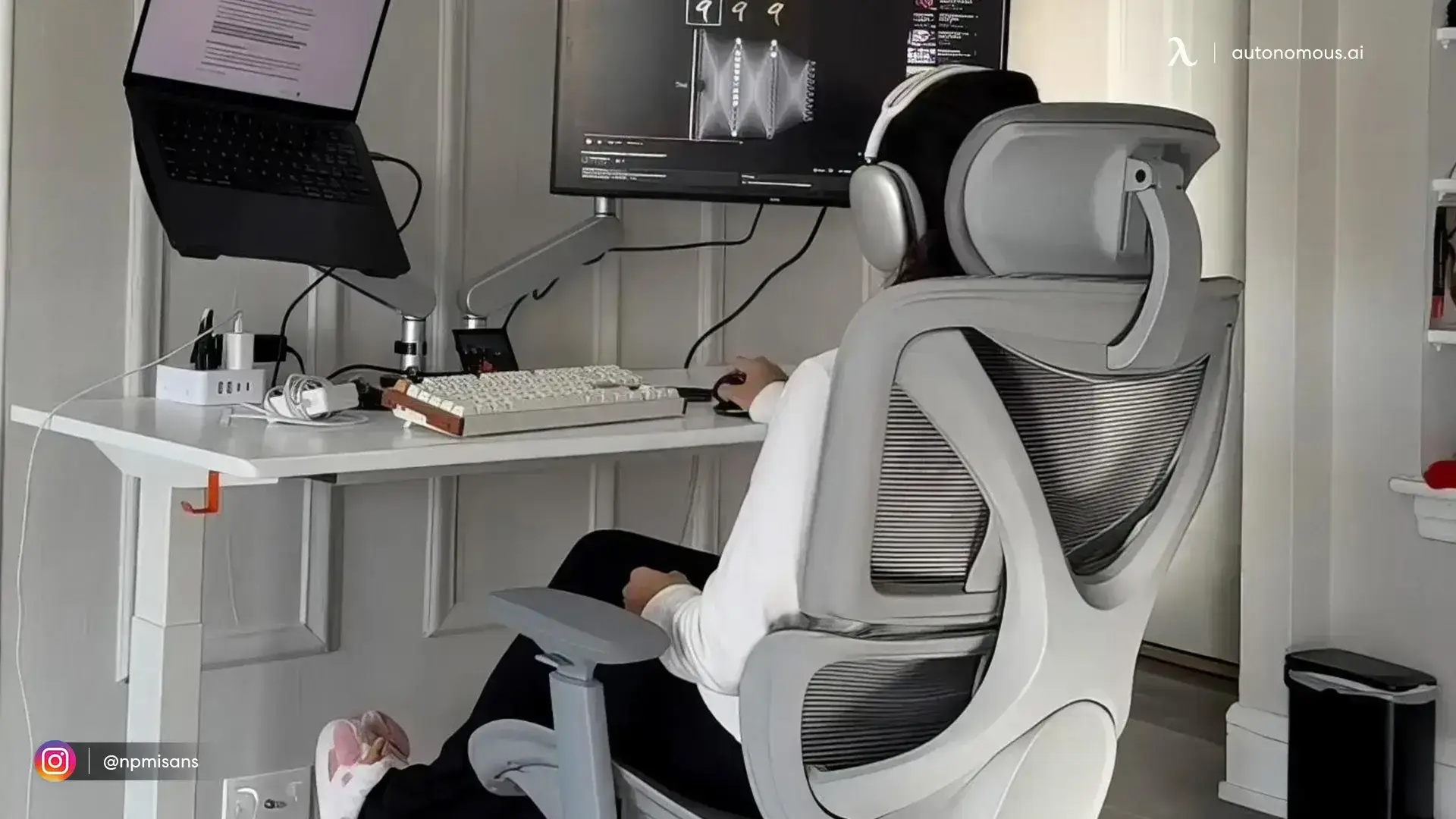
Two-tone works when the second colour appears at least three times, and fails when it appears once. That is the whole rule, and most builds that feel off are failing it.
Three habits do the rest.
Match the frame to the top, or contrast it on purpose. A white top on a black frame is a design choice. A white top on a slightly different white frame is a mistake you will notice every day.
Put the darker colour where your hands go. Keyboards, deskmats, mice and chair arms all wear and mark. Dark surfaces hide that, light ones advertise it.
Let the cables pick a side. In a monochrome build, cable colour is the detail that gives everything away. White cables on a light desk, black on a dark one, and a tray for anything you cannot recolour.
Building a black and white gaming room, not just a desk
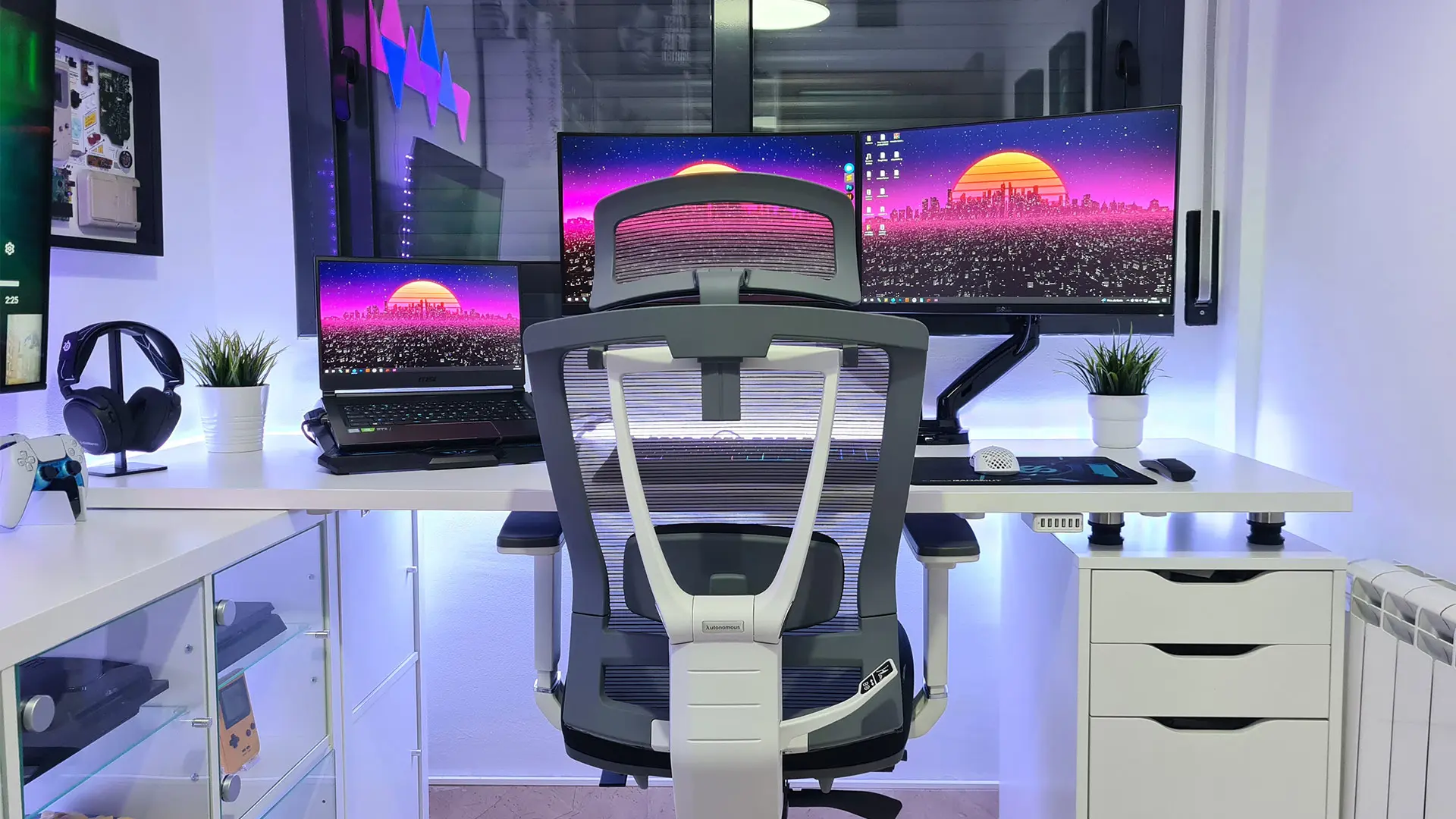
The room decides how much contrast the desk has to carry, so paint before you buy furniture if you have the choice. A white desk in a white room needs a dark chair and dark peripherals just to have shape. The same desk against a charcoal wall already has its contrast and can take lighter accessories.
Four things do most of the work at room level.
The wall behind the monitor. It is the only wall most people see on camera. Making it the dark one gives you contrast for free and stops the monitor bezel from floating.
The floor. A dark rug under a light desk grounds it. A white rug under a white desk on pale flooring erases the boundary between desk and room, which is the most common reason a monochrome build reads as flat.
Shelving. Open shelves in the opposite colour to the wall give the second tone somewhere to repeat without adding furniture. Two floating shelves is usually enough.
Lighting temperature. Keep every bulb in the room at one colour temperature. Mixed warm and cool light is what makes a grey chair look beige next to a white desk.
Picking a desk and chair to match
Once you know which direction the scheme runs, the furniture choice is narrow. Every standing desk in the Autonomous line comes in a white or light finish, three of the five add a true black, and every ergonomic chair comes in black with a grey alternative on most models.
These are the six that suit a two-tone scheme best.
Piece | Colours | Fits |
Desk 2 | White or Black top, White or Black frame | Idea 1, mixing top and frame |
Desk Pro | Onyx Black, Pearl White | Idea 2, all black |
Desk 2 L-Shaped | White or Black, top and frame | Idea 3, splitting the L |
ErgoChair Pro | All Black, Cool Gray, Black-White | Two-tone in one piece |
ErgoChair Mesh | Cool Gray, Black | Idea 7, grey against black |
ErgoChair Core | Onyx Black, Dover Gray | Idea 1, black seat |
FAQs
How do you make a black and white gaming setup look good?
Pick one dominant colour and repeat the second one at least three times. A single black item in a white room reads as leftover furniture, while a black chair plus a black deskmat plus black monitor arms reads as a decision. Adding one mid grey usually makes the whole scheme look more considered.
Is a black or white gaming setup better?
Neither, but they suit different rooms. Black setups keep nothing bright in peripheral vision, which suits long sessions and dark rooms, and they photograph poorly. White setups look brighter in small or shared spaces and photograph well, but they show marks and need a deskmat.
What colours go with a black and white gaming setup?
One accent, used sparingly. Wood tones warm it without competing, and a single RGB colour used only in bias lighting adds depth without breaking the scheme. Adding two or more accent colours turns a monochrome build into a general one.
Does a white desk get dirty faster than a black one?
Both show wear, just differently. White surfaces show marks and stains, black surfaces show dust, fingerprints and scratches. In practice a black desk needs wiping more often and a white desk needs a deskmat, which is why most durable two-tone builds put the dark surface under your hands.
Which Autonomous desks come in both black and white?
Three of the five. The Desk 2, the Desk Pro and the Desk 2 L-Shaped each offer a black and a white option. The Desk Core runs Stone Beige, Titanium White and Meteor Grey, and the Desk Levitate 2 pairs an ash top with a Moderate White frame.
What colours do Autonomous chairs come in?
Every ErgoChair comes in black, and the Core, Mesh, Ultra 2 and Ultra 2 Plus each add a grey. The ErgoChair Pro offers three choices: All Black, Cool Gray, and a two-tone Black-White that carries the whole scheme in one piece.
Is a black and white gaming setup harder to light?
Slightly. Light surfaces bounce light and can blow out on camera, dark ones absorb it and crush detail. Bias lighting behind the monitor plus one soft key light handles both, and it is the single change that most improves how a monochrome build looks on video.
What about an all white gaming setup?
An all white build works with a light desk, white peripherals and a light grey seat, since Cool Gray and Dover Gray are the lightest chairs offered and photograph as white. If a fully white room is the goal rather than a two-tone one, the white gaming setups guide is built around it.
Final thoughts
A black and white gaming setup works when you pick a direction and repeat it. Decide whether the desk or the chair carries the dark colour, bring that tone back at least three more times across the peripherals and the room, and put the darker surface where your hands rest. Paint the wall behind the monitor before you buy anything, because it is the cheapest contrast you will ever add. Then pick the desk and chair to fit the scheme you have already chosen, rather than the other way round.
References
- Business and Institutional Furniture Manufacturers Association, ANSI/BIFMA G1 ergonomics guideline for seating and work surface dimensions, bifma.org
- Illuminating Engineering Society, recommended practice for screen-based task lighting and luminance ratios, ies.org