Office Accessories. Upgrade with the small things.- Tech Gadgets, Office Accessories, Desk Accessories

Office Accessories FAQs

What are the must-have office accessories for a productive workspace?

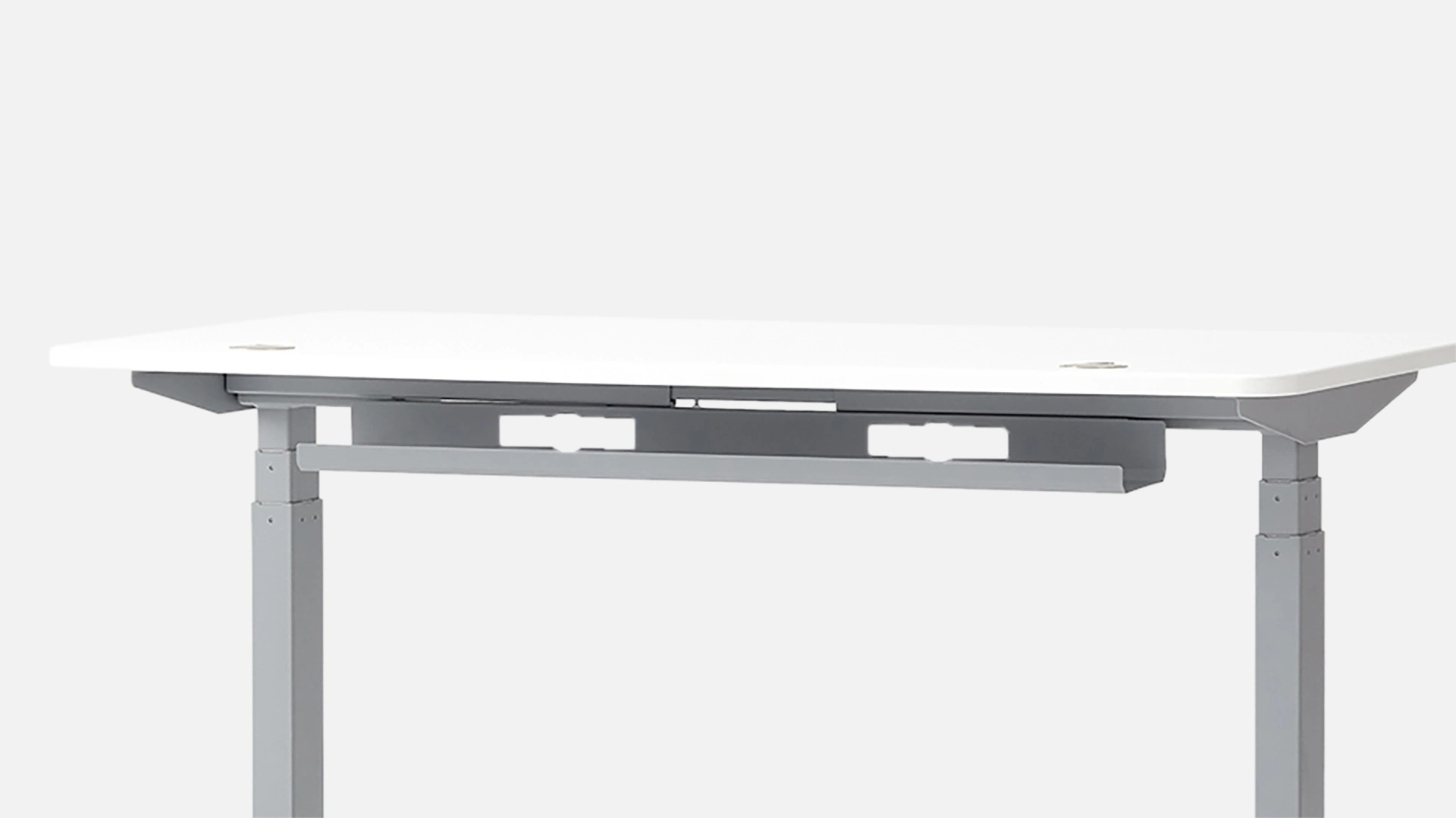
The best office accessories solve specific problems — cable clutter, poor posture, distraction, or discomfort. Start with the essentials: a cable tray to manage desk wiring, a filing cabinet or desk drawer for storage, and an anti-fatigue mat if you use a standing desk. From there, add based on your workflow: a privacy panel for focus in open spaces, a wrist rest for long typing sessions, or a balance board for standing comfort. The right accessories don't just look good — they make you more comfortable and more productive without demanding attention.

What are the coolest office gadgets available right now?

The standout cool office gadgets on this page include the Autonomous Intern — an AI assistant that handles emails, scheduling, and research via WhatsApp, Slack, Telegram, or iMessage, keeping your personal data on-device. The Hydrate AI tracks your water intake and syncs with your routine, and the ErgoWalk 3D brings active balance to standing desk sessions. These are office tech gadgets built around how people actually work, not novelty for its own sake.

What are the best work from home accessories?

The best work from home accessories are the ones that make your home office feel intentional rather than improvised. Cable management keeps the desk clean. A privacy panel creates a visual barrier in shared spaces. A desk drawer handles the small-item clutter that accumulates on every work surface. A wrist rest and anti-fatigue mat address the physical wear that comes with long hours at home. Individually each is small — together they make working from home significantly more comfortable and focused.

What are smart office gadgets worth buying?

Smart office gadgets earn their place by saving time or reducing friction in your workday. The Autonomous Intern qualifies — it takes on real tasks (email sorting, calendar management, research) so you don't have to context-switch constantly. The Hydrate AI is a smaller but genuinely useful health-tracking tool that works quietly in the background. Beyond AI gadgets, a power strip with built-in USB ports is a smart office tech upgrade that eliminates adapter clutter without requiring any tech setup at all.

What office tech accessories help with focus and productivity?

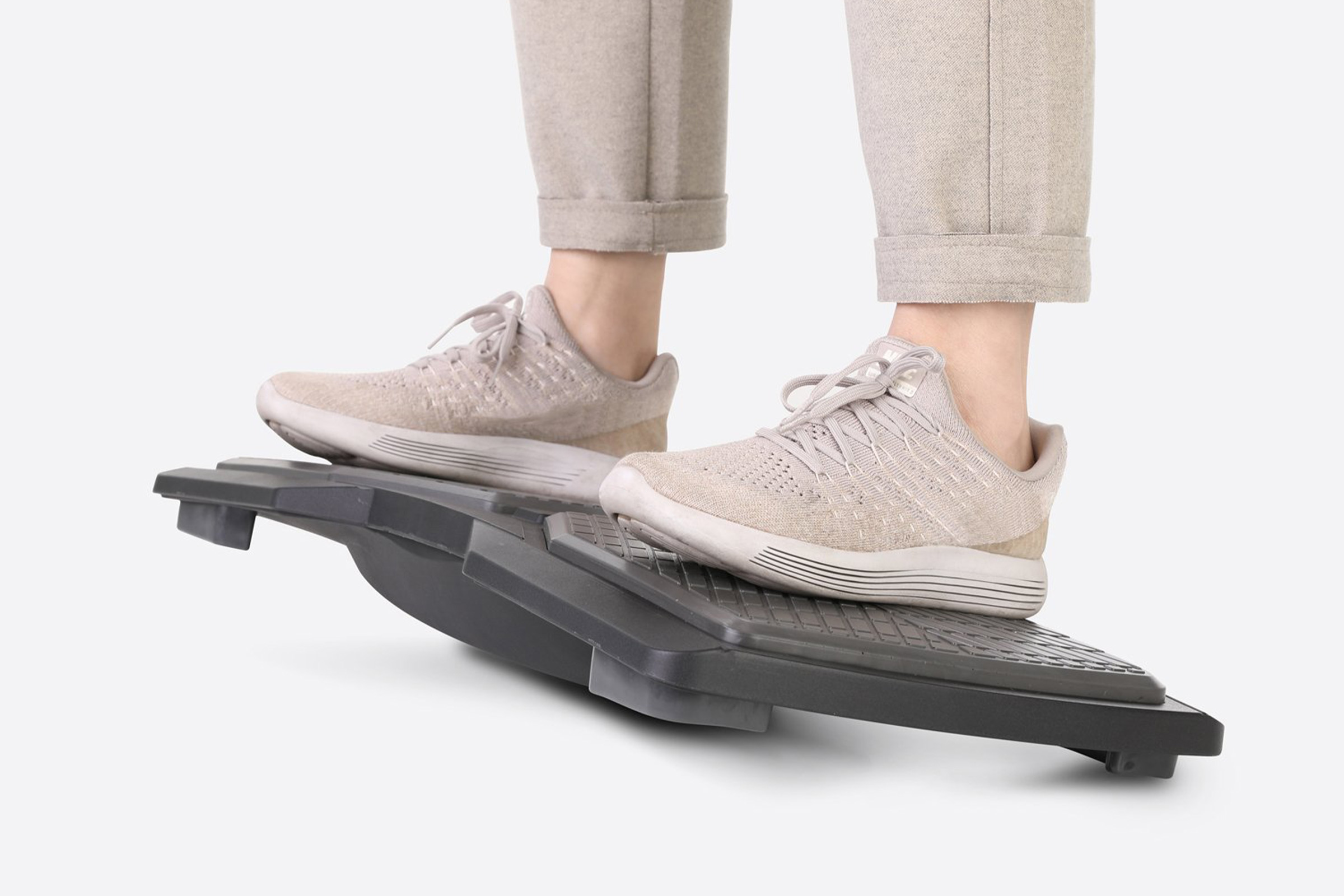
Physical environment shapes focus more than most people give it credit for. The Autonomous Privacy Panel blocks visual distractions in open offices or shared home spaces — immediately useful for video calls and deep work. The Autonomous Flow Board is a balance board designed specifically for active standing, keeping your body in light motion during long sessions to maintain energy and alertness. Small environmental adjustments add up quickly when you're working 6–8 hours a day.

What are good office toys or desk accessories that reduce stress?

Balance boards serve double duty — they're functional standing desk accessories that also give your body something to do during mentally demanding work, which many people find reduces fidgeting and mental fatigue. The Flow Board falls into this category: subtle enough to use during calls, engaging enough to make standing less static. Beyond that, any accessory that keeps your space organized and clutter-free reduces the low-grade cognitive load that a messy desk creates throughout the day.

What tech accessories should I have for my office desk?

The baseline tech accessories for a clean desk setup: a USB power strip or power cube (the Uncaged Ergonomics Power Cube on this page is compact and includes USB-A/C ports), a cable tray to hide the resulting wiring, and a wrist rest if you type for extended periods. The Deltahub Carpio 2.0 ergonomic wrist rest is worth noting specifically — it's designed to float slightly above the desk surface, reducing friction and wrist pressure more effectively than standard foam pads.

What home office gadgets are actually worth the money?

The home office gadgets worth buying are the ones you'll use every day. A desk drawer ($33) is worth it if you're constantly digging through your surface for small items. An anti-fatigue mat ($73) pays off immediately if you stand at your desk for more than 30 minutes a day. A filing cabinet ($229) is worth it if paper and documents are genuinely part of your workflow. The AI tools — Intern and Hydrate — are worth it if the time they save or the habits they build have real value in your day. Start with utility; novelty fades faster than a good cable tray does.

Are these office accessories HSA/FSA eligible?

Select ergonomic office accessories on this page — including anti-fatigue mats and wrist rests — may qualify for HSA/FSA reimbursement when used for therapeutic purposes. Use the HSA/FSA filter at the top of the page to see eligible items, and confirm with your benefits administrator if you need clarification on specific products.

Do these accessories work with any desk setup or only Autonomous desks?

Most accessories on this page are universal — cable trays, anti-fatigue mats, wrist rests, power strips, and filing cabinets work with any desk brand or setup. The Autonomous Desk Drawer and Privacy Panel are designed to integrate with Autonomous desk surfaces specifically. Third-party products (Uncaged Ergonomics, Deltahub, Mount-It, The Office Oasis) are broadly compatible across desk brands and setups.

Office Accessories That Actually Earn Their Place on Your Desk

Not every office accessory is worth the counter space. The best ones disappear into your workflow — you notice them when they're missing, not when they're there. A cable tray you set up once and never think about again. A desk drawer that keeps your surface clear without any effort. An anti-fatigue mat that makes 90 minutes of standing feel like 30. That's the standard the accessories on this page are built around: real utility, used every day.

Cool Office Gadgets with Actual Purpose

The most interesting office gadgets here aren't decorative — they're functional in ways that weren't possible a few years ago. The Autonomous Intern is an AI that handles emails, research, and scheduling through the apps you already use (WhatsApp, Slack, Telegram, iMessage), without sending your data to external servers. The Hydrate AI monitors your water intake and works quietly in the background. These are smart office gadgets designed around the actual texture of work — not novelty that loses its appeal after a week.

Work From Home Accessories That Make the Difference

Working from home puts more of the setup responsibility on you. Office buildings handle cable routing, furniture, and privacy — at home, you do. The right work from home accessories close those gaps: a privacy panel for video calls and focused sessions, cable management for a clean desk surface, storage that keeps documents off the floor, and ergonomic tools that compensate for the informal posture most home setups encourage. Small upgrades, consistent daily payoff.

Productivity Gadgets That Work in the Background

The best productivity gadgets don't demand your attention — they reduce friction so you can give more of it to actual work. A power cube with built-in USB ports eliminates the adapter tangle that wastes small amounts of time dozens of times a day. A wrist rest removes the micro-adjustments your hand makes when it's unsupported. A balance board keeps your body active during long standing sessions, which sustains energy and focus without requiring any conscious effort. These are office tech upgrades that work because they fix real, recurring friction — not because they look impressive on a desk.

Must-Have Office Accessories by Need

Cable clutter → Cable Tray or Mount-It Under Desk Cable Tray. Surface clutter → Desk Drawer or Filing Cabinet. Standing fatigue → Anti Fatigue Mat or Flow Board. Wrist strain → ErgoRest 3D or Deltahub Carpio 2.0. Distractions → Privacy Panel. AI tasks → Autonomous Intern. Build your setup around what's actually slowing you down — that's always the most efficient starting point.