10 Hideaway Desk Ideas That Hide Your Workstation

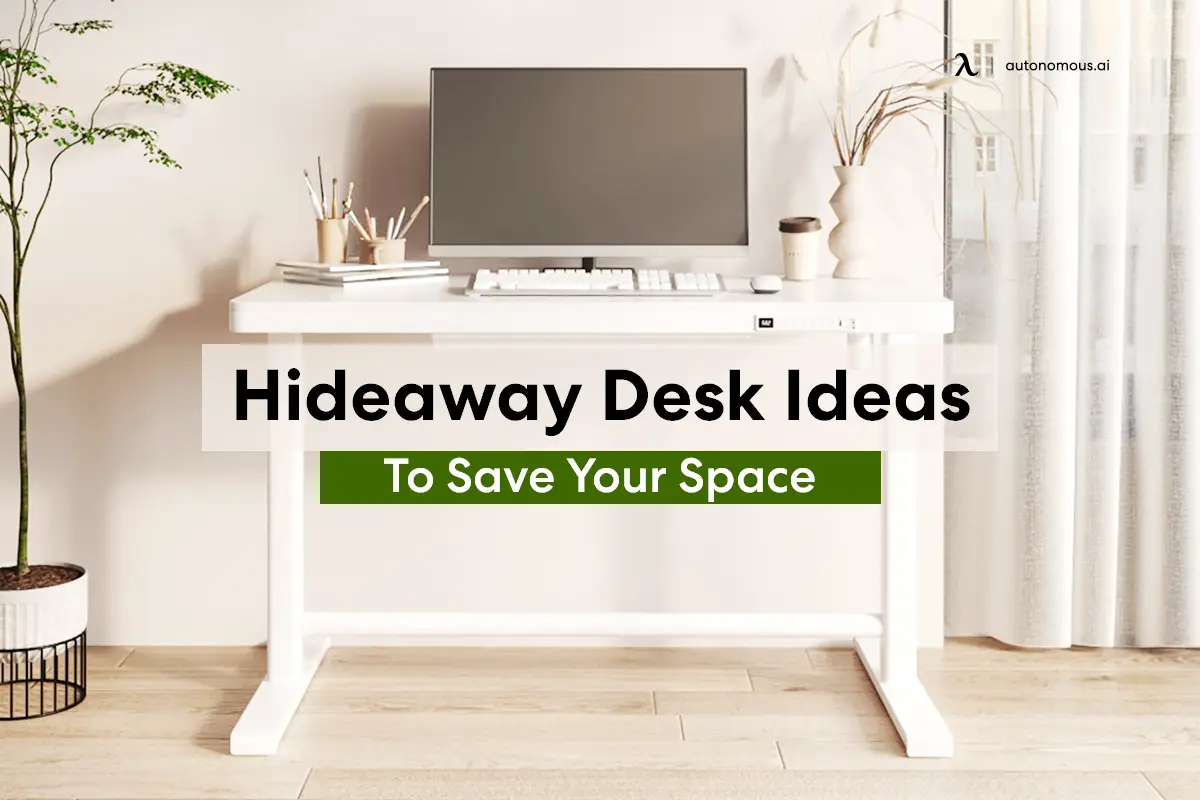
A hidden desk is a workstation that folds away, closes behind doors or disappears into existing furniture when work is done. For a laptop, a wall-mounted drop-down surface can be enough. If you use an external monitor, a hideaway desk cabinet or purpose-built fold-away workstation usually makes more sense because it can conceal the screen, keyboard and cables together.
These 10 hideaway desk ideas cover renters, small bedrooms, living rooms and full computer setups. The important decision is what must disappear: just the tabletop, all your computer equipment, or the entire working area. Measure the open and closed positions before choosing one.
Quick comparison: which hidden desk idea fits your space?
| Hideaway design | What disappears | Monitor fit | Main trade-off |
|---|---|---|---|
| Wall-mounted fold-down desk | Desktop folds into wall unit | Usually laptop-focused | Wall mounting and weight limit |
| Closed-door desk cabinet | Whole workstation behind doors | Possible with measured compartment | Takes cabinet floor space |
| Wall-mounted monitor workstation | Screens, keyboard and top | Model-specific single or dual screens | Wall load and screen thickness |
| Secretary desk | Writing top and small accessories | Usually limited | Shallow usable work area |
| Freestanding folding desk | Desk stored completely elsewhere | Usually remove monitor first | Daily setup and teardown |
| Closet office | Entire workstation behind closet doors | Possible if depth and air flow allow | Closet storage is displaced |
| Bookcase with fold-out table | Work surface folds into shelves | Laptop-first | Shelf depth and stability |
| Dresser with pull-out worktop | Writing surface slides inside furniture | Not ideal for full monitor setup | Custom structural support |
| Desk with concealed monitor lift | Monitor retracts below desk | Specialized size and weight limits | Mechanical and electrical complexity |
| Murphy bed with integrated desk | Desk converts into bed/guest room | Check item clearances | High installation complexity |
Monitor fit, opening clearance, load rating and wall suitability depend on the specific unit.
10 hideaway desk ideas for small homes and real work setups
Start with the layout that matches your equipment. A desk that folds flat is useful for occasional laptop work; a hidden computer desk needs extra planning for display depth, cables and ventilation.
1. Fold a wall-mounted desk into a shallow cabinet
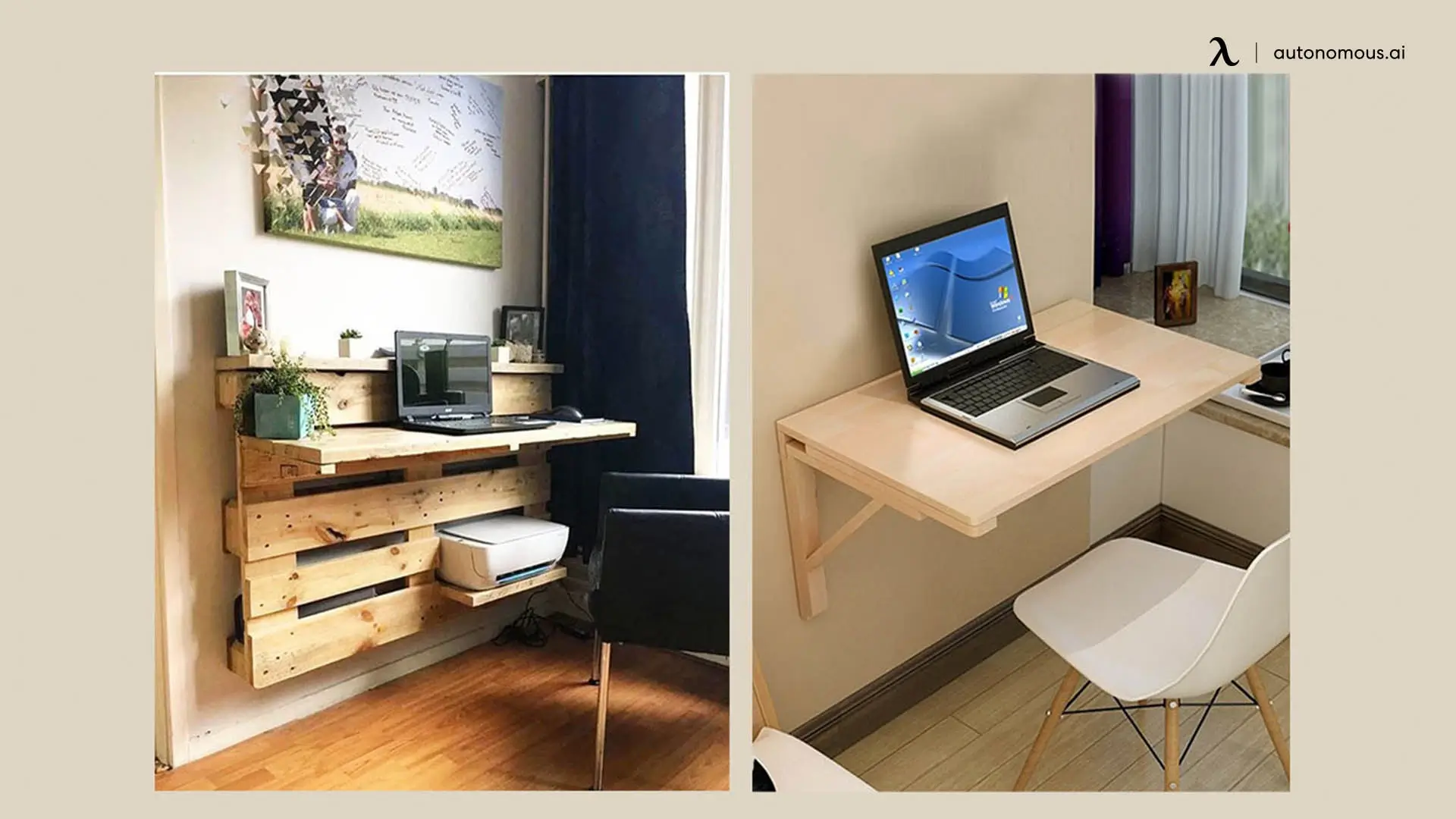
A wall-mounted fold-down desk creates a working surface from otherwise unused wall space, then closes into a shallow panel or cabinet. It suits a bedroom corner, small entryway or living room where a conventional desk would block circulation. The wall stays occupied, but the floor opens up after work.
Choose the mounting system around the actual wall type, published load rating and weight of your laptop, arms and supplies. The open panel should sit at a comfortable typing height and leave space for your chair. Gas struts are useful only when the product is rated and installed correctly; they do not compensate for weak wall fixings. A simple wall desk is generally a poor place for a heavy external monitor unless the manufacturer designed space for one.
2. Close a full home office inside a desk cabinet or armoire
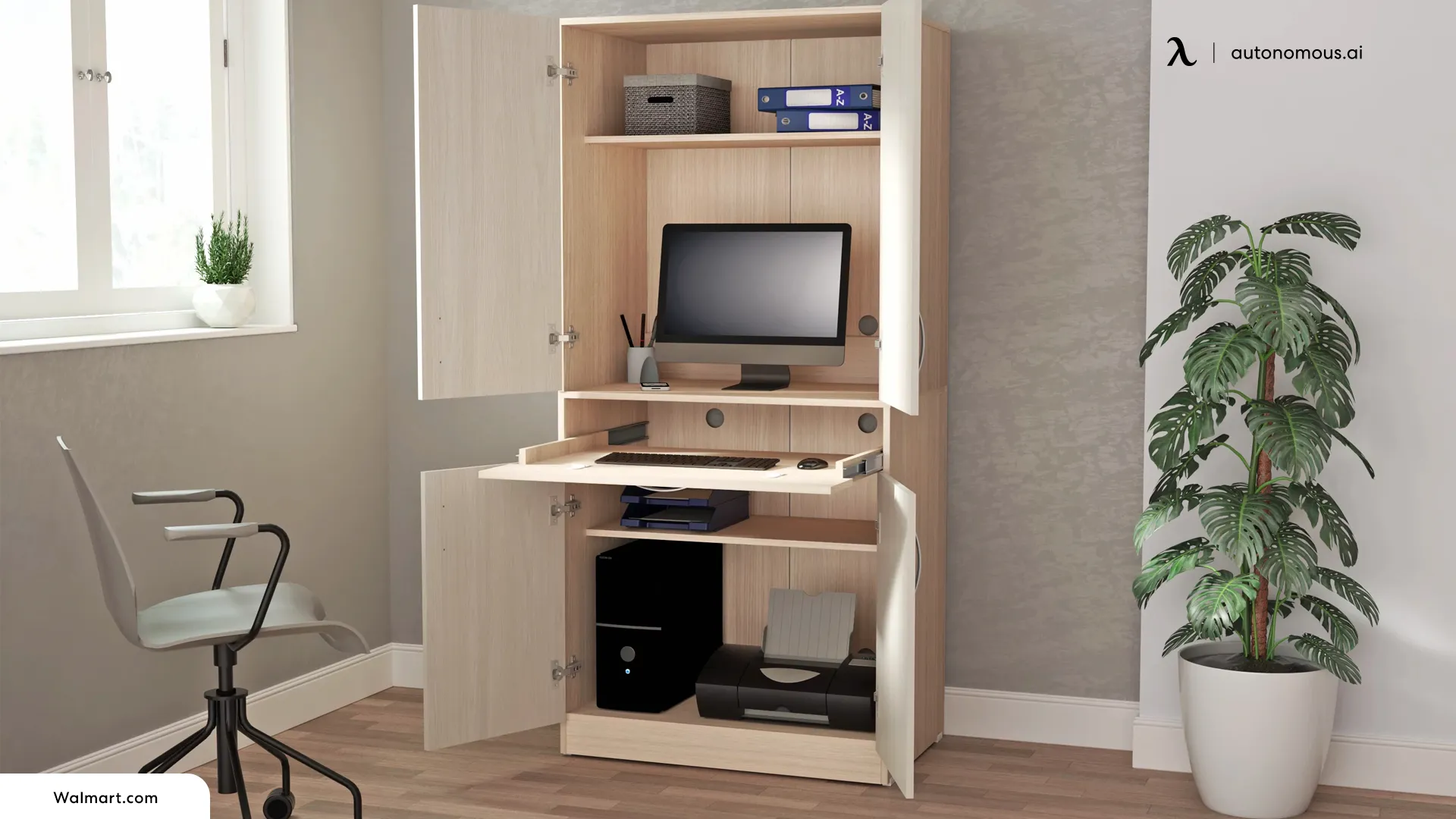
A hidden desk cabinet is the most direct choice when you want to keep a monitor, keyboard, paperwork and accessories set up between workdays. Instead of disconnecting everything, you open cabinet doors and work from a desktop inside the armoire. The result is a furniture piece, not an exposed office, when you close it.
For a hidden computer desk cabinet, measure clear interior width and depth, not just the furniture’s outside dimensions. Check that the monitor sits at a comfortable viewing distance, the chair can approach the opening, the mouse has space and the doors do not obstruct your elbows. If you want two displays, verify the dual-monitor layout on a narrow desk against the actual cabinet opening.
Tall cabinets also need anti-tip anchoring. Run equipment with sufficient airflow and keep doors open whenever the computer and charger are generating heat. Never trap cords in hinges or run power cables through walls as an improvised wiring solution.
3. Hide monitors inside a wall-mounted fold-away workstation
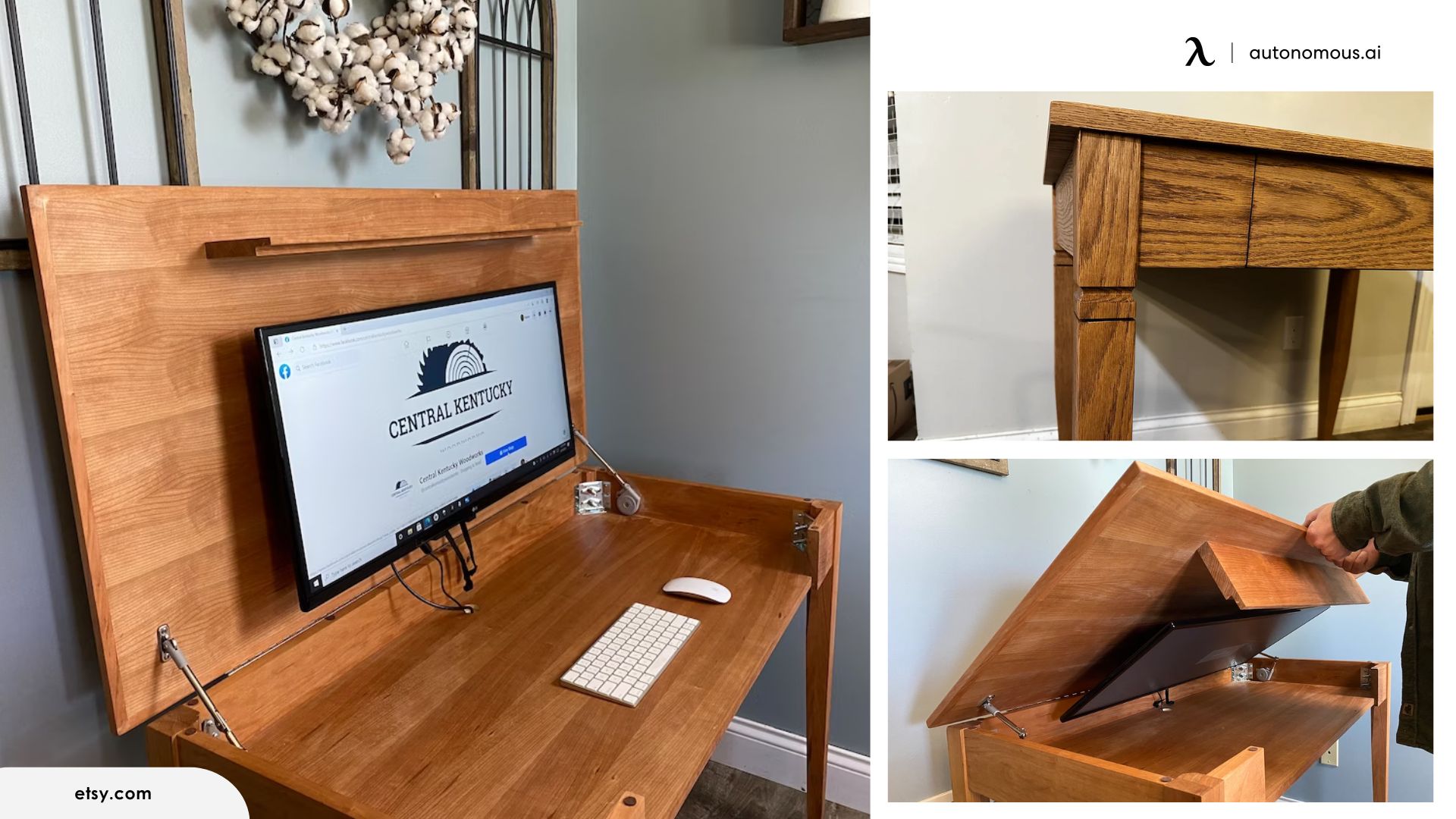
A monitor-ready fold-away wall desk keeps screens inside the closing unit rather than leaving them exposed above a basic hinged tabletop. It is particularly relevant for software work, remote meetings and compact homes where a laptop screen is not enough.
A concrete example is Pith & Stem DropTop Duo 24. The manufacturer specifies a 121 × 61 cm worktop and a compartment for two 24-inch VESA-compatible screens with an available monitor envelope of 112 × 35 × 6 cm. That is a physical fit limit, not a guarantee for every display sold as 24 inches. Check the monitor body without its stand, the mount, screen thickness and cables before buying.
This style avoids disassembling your setup nightly but costs more and makes wall strength and service access important. It is also different from a built-in monitor lift: the whole work surface closes, not just the screen.
4. Choose a secretary desk that closes like ordinary furniture
A secretary desk turns a narrow cabinet into a writing surface with a hinged front. It can look like a small chest or sideboard when closed, which makes it a natural fit for a living room or bedroom without a dedicated office.
The inside often has compartments for notebooks, chargers and small accessories. What it usually lacks is depth for a large monitor, a full-size mouse pad and regular cable connections. Make sure the drop-front panel is supported in the open position, the writing edge is comfortable and the laptop and power brick can be stored without forcing the door shut.
For occasional email or journaling, this can be a better-looking and less complicated choice than a wall system. If you need dual screens eight hours a day, a purpose-built cabinet is more realistic.
5. Use a freestanding folding desk you can stow away
A freestanding folding desk is the renter-friendly option because it does not require a built-in unit or holes in the wall. You can store the table behind a wardrobe, under a bed if it fits, or in a closet and bring it out only for work.
Check the folded thickness and weight, but also the open stability, tabletop depth and locking supports. Lightweight does not always mean flimsy, just as solid wood does not guarantee a stable hinge. Pick the desk based on its published load rating, how it resists sideways movement and whether the floor is level. Set a fixed storage spot so folding it away is actually convenient.
The drawback is equipment continuity: monitors and desktop PCs generally need to be moved or stored separately, so this is best for a laptop, notebook and portable peripherals.
6. Convert a closet into a closed-door office, or cloffice
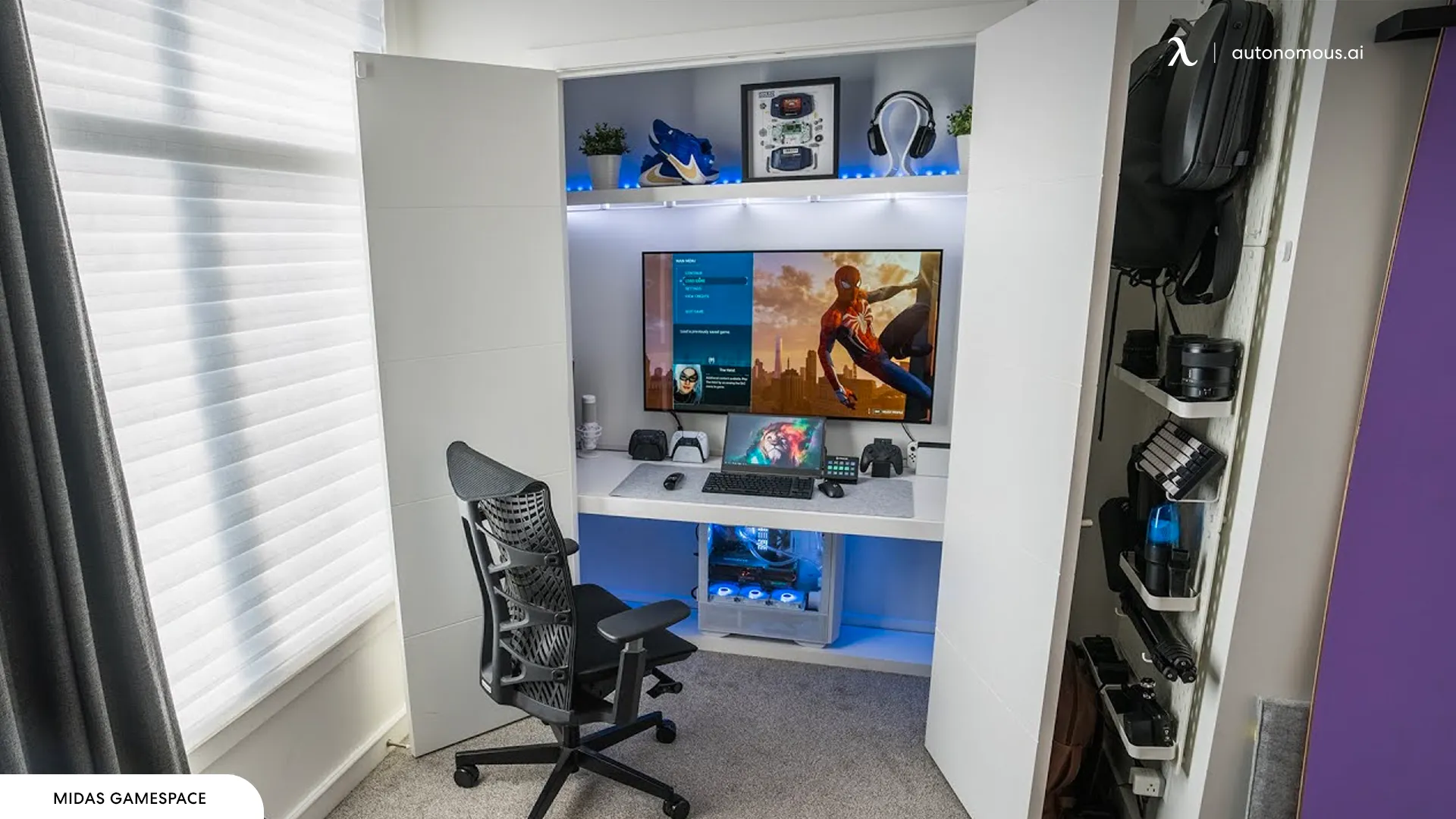
A cloffice is a desk and storage area built into an existing closet. It can hide a full workstation behind ordinary bedroom or hallway doors without needing a freestanding cabinet. Keep the closet’s actual interior width, depth, door opening and outlets in view before planning the worktop.
Check seated headroom and knee clearance, not only whether a board fits from wall to wall. Sliding or outward-opening doors can be easier than bifold doors that cover part of the workspace when open. Provide usable task light and enough ventilation while equipment is on. The door should close over powered-down equipment without compressing screens or cables.
If the bedroom already feels crowded, compare bedroom desk placements before removing shelving or committing to carpentry. A closet that becomes an office is also a closet no longer available for clothing.
7. Put a fold-out desktop into a bookcase or storage wall
A bookcase with a folding tabletop saves space by using the same vertical furniture for books, stationery and a work surface. The desk does not need its own independent footprint while closed. It is a practical middle ground between a wall cabinet and a larger custom-built office.
The IKEA IVAR unit with folding table is one documented example: the storage structure is about 11¾ inches deep when folded and 35⅞ inches deep when open, with a tabletop approximately 31½ inches wide and 29½ inches high. That offers real workspace when needed, but its width is better suited to one laptop than a large dual-monitor setup.
Follow the manufacturer’s cross-bracing, wall anchoring and load instructions. If making a custom version, the fold-down support, tabletop span, shelf attachments and wall fixing need to be designed as a connected system. Other built-in desk configurations may work better for wider equipment.
8. Add a pull-out desk to a dresser or fitted cabinet
A pull-out desktop hides within a dresser or storage unit on slides, so the room still looks like a bedroom or living area. It is most useful when the working kit is small: a laptop, documents and a compact keyboard. Closing the worktop restores access to the furniture without leaving a permanent desk sticking into the room.
This is a carpentry project rather than a universal drawer upgrade. Standard drawer runners and thin dressers may not support a person leaning on an extended surface. Use hardware rated for the full projected load and suitable for the cabinet structure, with secure anti-tip installation. Check that the desk clears drawer handles, door swings and your knees. Do not route powered cables through the slides.
If the workstation needs a heavy monitor or a desktop computer, it is usually safer and simpler to use a supported fixed shelf behind cabinet doors instead of a long, fully extended pull-out tray.
9. Install a desk that retracts the monitor below the tabletop
A monitor-lift desk hides the screen rather than the desk itself. When work ends, the display descends into a compartment or folds beneath a closing lid, leaving a clear work surface for hobbies, meetings or dining. This is distinct from a cabinet that hides the entire workstation.
Monitor-lift hardware has model-specific limits for case width, VESA pattern, screen weight, travel and enclosure depth. Do not choose from diagonal screen size alone; even a 22-inch monitor’s full case dimensions can differ from its advertised diagonal. You also need a safe cable path and enough clearance below the desktop for legs and equipment.
For model-specific lift mechanisms and monitor fit limits, compare desks that hide monitors before buying a retractable system.
10. Combine a guest bed with an integrated fold-away desk
A Murphy bed and desk combination turns one room into an office during the day and a guest bedroom at night. It makes the most sense when there is no separate spare room and both functions need a full-sized footprint at different times.
The Resource Furniture Circe Desk is a real example of the mechanism: the manufacturer describes a seven-foot work surface that remains level as the wall bed is lowered. The ability to leave items on the desk is model-specific; it does not mean tall monitors, unsecured drinks or other objects can remain in any position. Verify the maker’s height and clearance limits.
The trade-off is cost and installation. The bed system has to be securely mounted according to the manufacturer’s instructions, and the room must have room for the bed’s full swing. This is a structural furniture purchase, not an ordinary DIY desk hinge.
How to choose a hidden desk cabinet for a computer and monitor
A hidden computer desk should pass three tests before you compare finish or color: the equipment must fit with the doors closed, the open desk must be comfortable, and the cables must remain safe throughout movement.
| Measure or check | Why it matters |
|---|---|
| Clear internal opening | The monitor, arms and keyboard must fit between cabinet sides and doors |
| Monitor case width, height and depth | Display diagonal does not include the enclosure’s space or VESA mount |
| Open worktop depth | OSHA advises at least 20 inches of eye-to-screen distance |
| Chair and knee clearance | Cabinet rails, drawers and doors must not block a comfortable sitting position |
| Wall and anti-tip restraints | Tall cabinets and mounted desks need suitable anchoring for their loads |
| Power and ventilation | Operating electronics need airflow; cords must not be crushed or pulled by moving parts |
Do a full dry run with painter’s tape: mark the closed furniture footprint, trace its fully open depth, pull out a chair and walk past it. A hidden desk that blocks a hallway whenever it is open solves only half the space problem. Use desk dimensions for broader worktop benchmarks; this type of furniture has no universal minimum size.
DIY hidden desk ideas: safe upgrades to furniture you already own
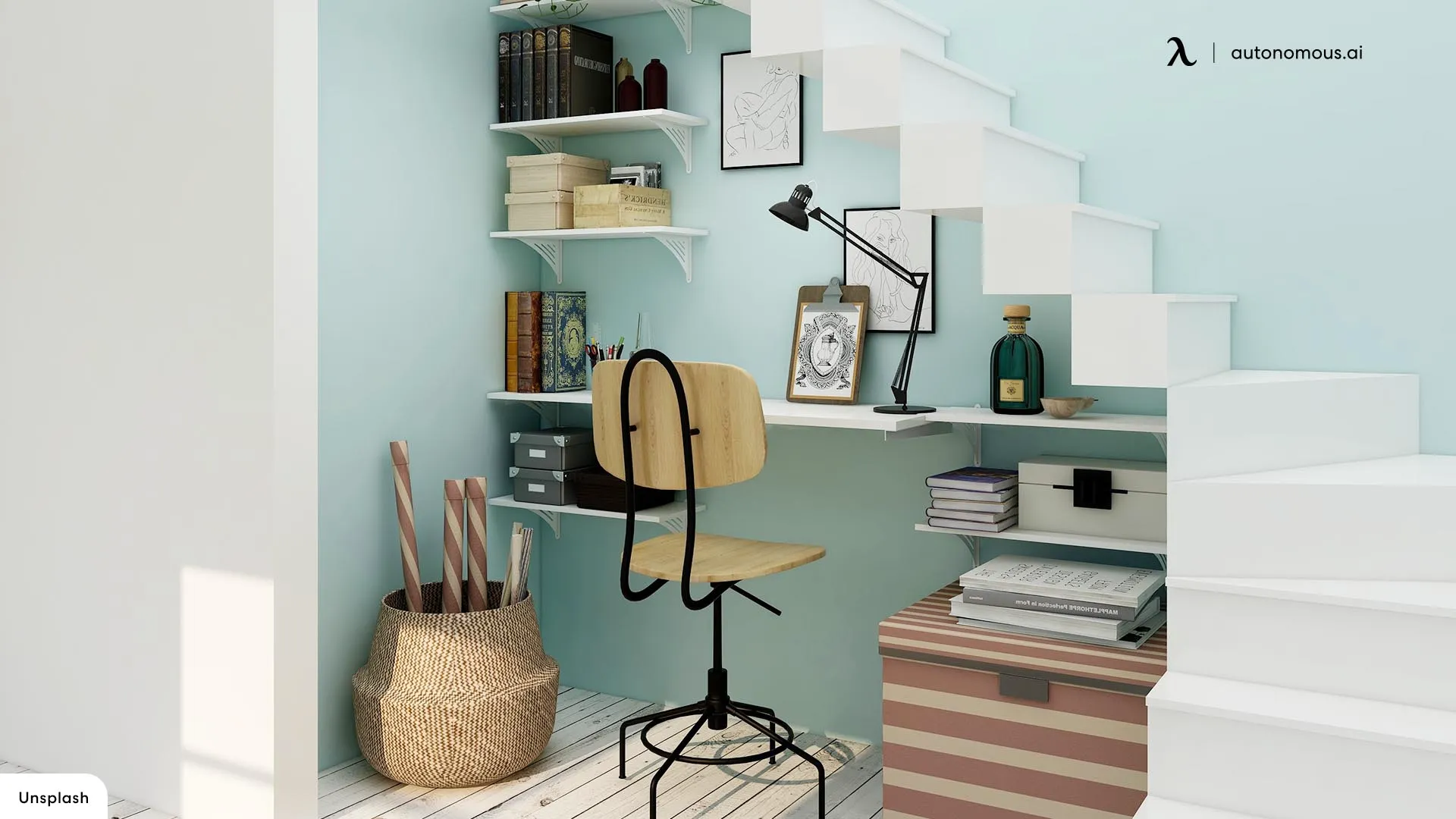
The most practical DIY hidden desk projects start with an existing sturdy structure, then add a reversible surface or concealment method rather than cutting major supports. It is easier to reuse a closet or freestanding cabinet than to engineer a new hidden monitor lift from scratch.
- Pick the concealment mechanism. Doors hide a whole setup; a fold-down panel hides the tabletop; curtains or sliding screens conceal an existing desk visually.
- Measure the open setup. Include chair travel, elbow height, monitor distance, door swing and any drawer runners.
- Check structural suitability. Follow furniture wall-anchor instructions; do not assume an old shelf or dresser drawer can support an extended worktop.
- Plan power safely. Use a suitable outlet and manufacturer-approved routing; do not pinch power cords or improvise concealed in-wall wiring.
- Test closure with everything powered off. Confirm hinges, monitor edges, cables and stored accessories clear the moving parts.
If all you need is visual concealment, placing a divider or sliding panel in front of an existing workstation can be easier than replacing the desk. You still need ventilation and accessible power, and a rolling screen must remain stable.
Can you hide a standing desk?
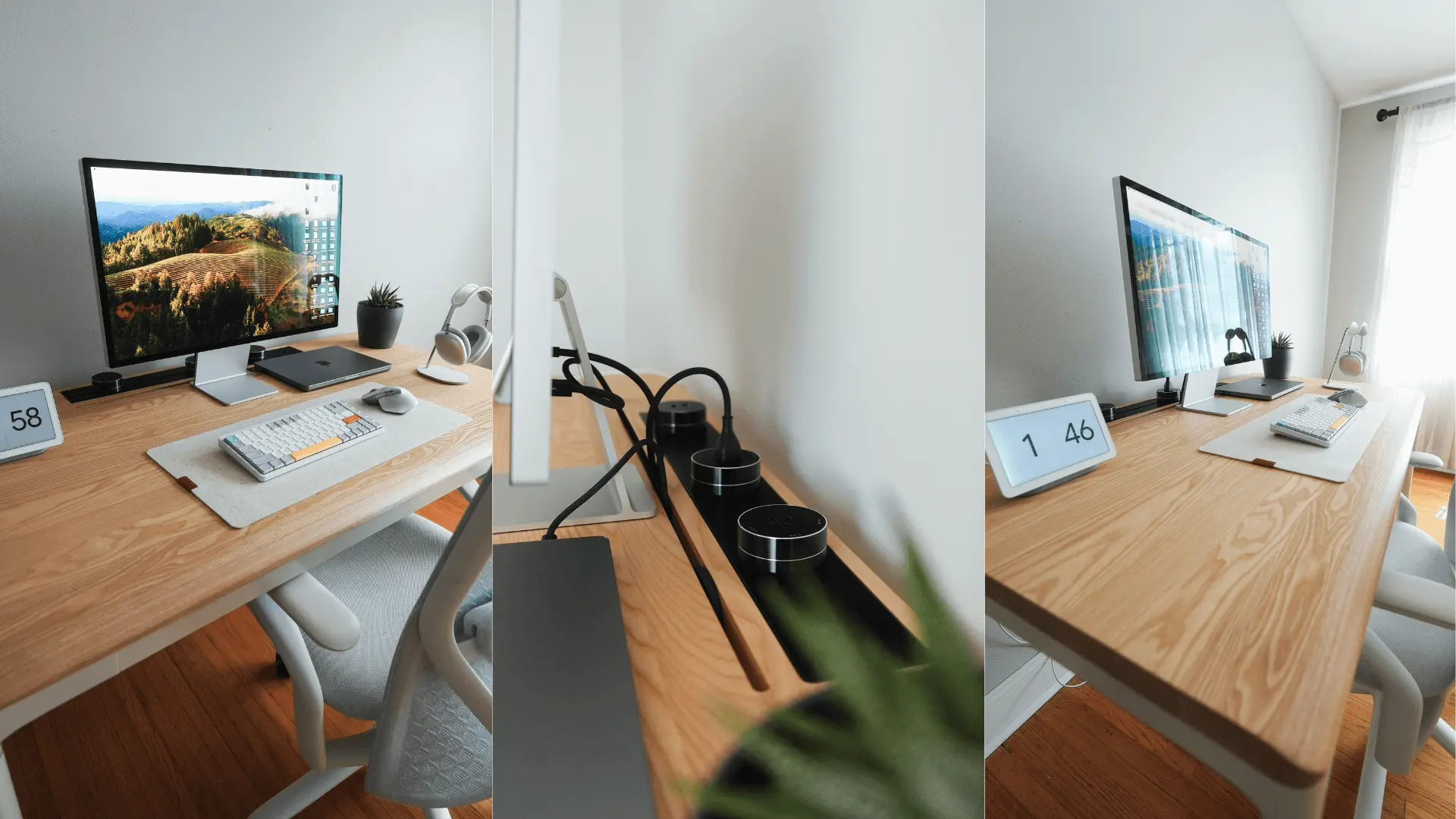
A conventional height-adjustable desk does not fold away simply because it rises and lowers. To conceal one, use a suitable cabinet surround, a room divider or a sliding panel that clears the frame at every height. Never enclose the lifting mechanism so closely that the top can strike a shelf or pinch cables.
The need to vary working height can make a compact standing desk more useful than a fixed secretary desk. The trade-off is that the desk remains in the room, even if a decorative screen hides it from view. For a moving setup, cable management through the full desk travel is particularly important.
FAQs
What is a hidden desk called?
A hidden desk may be called a hideaway desk, Murphy desk, fold-down desk, secretary desk, cloffice or cabinet desk, depending on its mechanism. A true hidden workstation conceals equipment behind doors or panels; a folding desk usually needs to be stored elsewhere.
What is the best hidden desk for a home office?
A closed-door armoire is practical for an everyday computer setup because the monitor and peripherals can stay in place. For laptop-only work, a wall-mounted fold-down desk or compact secretary desk may use less room. Measure both open and closed dimensions.
Can a hideaway desk cabinet hold two monitors?
Yes, if the clear inside width, depth, monitor mounts and cable space fit both displays. A purpose-built wall-mounted workstation may be another option. Check actual monitor case dimensions, rather than using the advertised diagonal size as a fitting guarantee.
What is the difference between a hidden desk and a stow-away desk?
A hidden desk usually stays installed but closes behind a door or panel. A stow-away desk typically folds or collapses so you can store it elsewhere. Both save visible space, but only certain hidden desks leave the computer equipment set up inside.
Can you hide a computer desk without buying new furniture?
Yes. A closet office, fitted curtain or sliding partition can conceal an existing desk without replacing the top. Check that the covering does not block ventilation or pinch cables, and keep the work area accessible while the computer is on.
Do hideaway desks work for gaming or desktop computers?
Some do. A deep cabinet or monitor-ready fold-away workstation can suit gaming hardware if there is enough clearance, cooling and cable management. Small secretary desks and folding laptop tables generally lack space for a large tower and dual monitors.
Can I DIY a hidden desk inside a dresser?
A pull-out work surface is possible only if the cabinet and slide hardware are rated for its extended load. Standard drawers may not provide adequate support. Anchor tall furniture and consider a fixed shelf behind doors for heavier equipment.
Are hideaway standing desks available?
Some custom installations conceal an adjustable desk behind cabinetry or sliding panels. A normal standing desk does not fold away on its own. Check the moving height range and clearance around the frame before enclosing or screening it.
Bottom line
The best hidden desk is the one that conceals the equipment you actually use without making daily work awkward. Choose a fold-down or folding desk for a laptop, a closed cabinet for a complete hidden office, or a purpose-built wall workstation when the screen must disappear with the desk.
Before ordering, measure the open footprint, closed depth, monitor envelope, chair clearance and wall or cabinet support. A practical hideaway desk should be easy to open every morning and safe to put away every evening.