6 Best Desks That Hide Monitors When Not in Use 2026

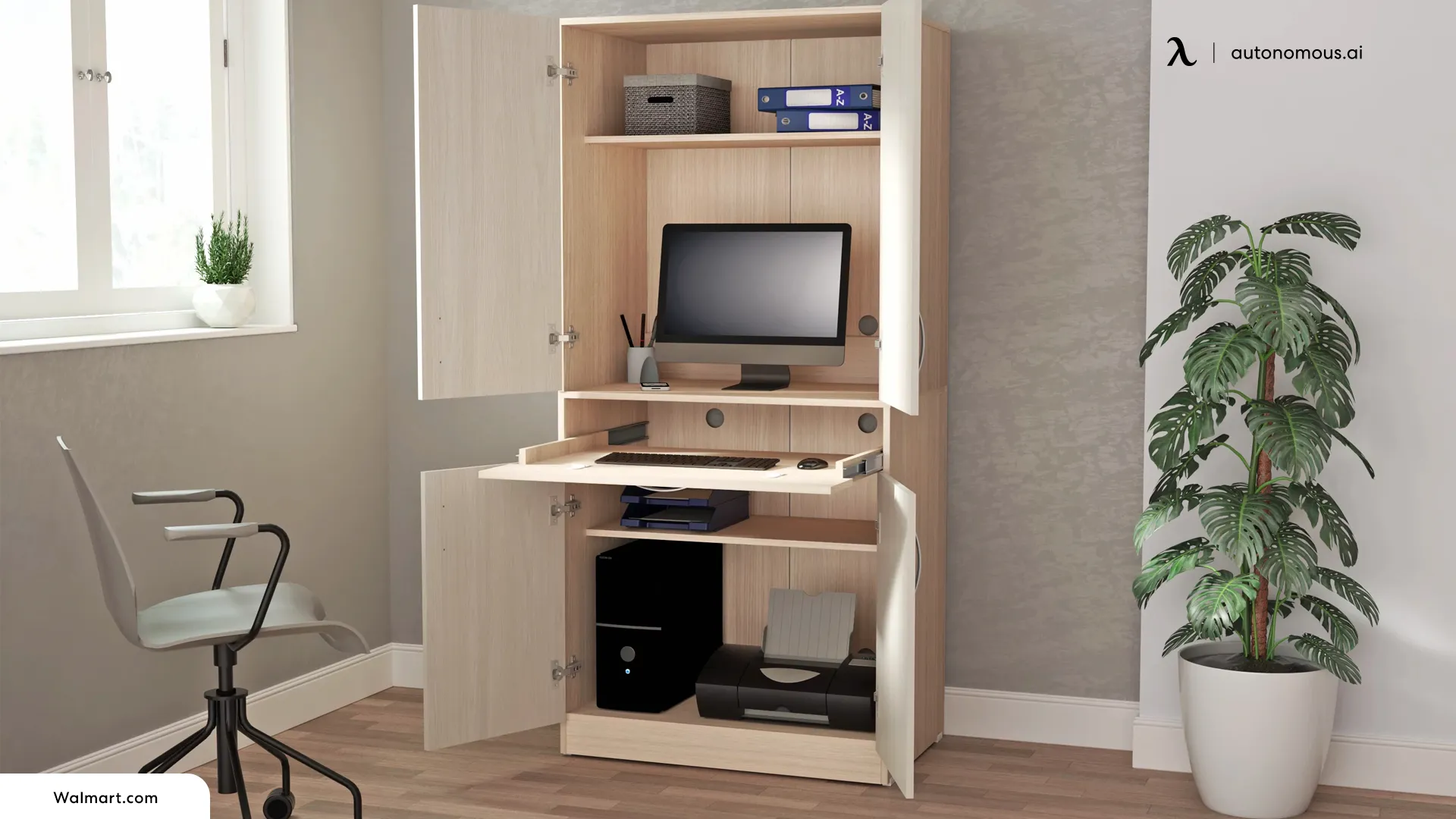
A desk that hides a monitor when not in use should give you your work surface back, not just make the screen look tidier. A true hidden monitor desk stores the display below the desktop or behind a closing panel. That is different from a lift-top desk, which raises the work surface but usually leaves the monitor visible.
For a shared home office, the appeal is obvious: the screen is there for work, then disappears when the same table becomes a writing, craft, or family space. The catch is that most purpose-built monitor lift desks are still made for classrooms, training rooms, and conference spaces. Their mechanisms work, but their sizes, prices, and order processes may not suit a home.
These six examples show what you can actually buy or configure in 2026, how each mechanism works, and where a custom home-office build makes more sense.
Quick comparison: desks that hide monitors
| Desk | Best for | How the screen hides | Important limit |
|---|---|---|---|
| SMARTdesks flipIT Lift | Best motorless vertical lift | Display retracts into desktop compartment | Up to 24" nominal screen; 23" maximum case width |
| RightAngle Delta View | Classrooms and shared workspaces | Gas-assisted Hover lift | Single and dual configurations; confirm display fit |
| Egan DS4230 | Best electric built-in lift | Powered lift retracts below worktop | VESA monitors up to 27" |
| SMARTdesks HorizonLine | Adjustable pop-up monitor arm | Spring-balanced arm stores beneath surface | 22" case width and 18 lb maximum |
| SMARTdesks iLid Dual | Best for hiding two monitors | Dual screens fold beneath hinged lid | Up to 23" W x 16" H per monitor |
| Pith & Stem DropTop | Best home-office hideaway alternative | Entire wall-mounted desk closes | Not a monitor lift inside a freestanding desk |
Which type of desk hides a monitor when it is not in use?
There are four practical ways to make a monitor disappear from a workspace. The right mechanism depends on whether you want an uninterrupted tabletop, easy setup, or room for more than one display.
- Vertical monitor lift: the screen travels up through an opening and retracts into a compartment. This creates a genuinely clear desktop when closed.
- Flip-top or flipIT mount: the monitor pivots down into the desk and a lid closes over it. It can be compact, but hinge clearance and screen depth matter.
- Below-desk articulated arm: a spring-balanced arm moves the display through a cutout or opening. It can offer flexible viewing angles but needs unobstructed space underneath.
- Fold-away workstation: the complete desk closes against a wall or inside a cabinet. It hides the monitor without storing it inside a conventional desktop.
A monitor lift is also different from putting the computer hardware inside the furniture. An in-desk PC build concerns the computer case, cooling, and components; a hidden monitor desk concerns where the display goes between sessions.
The 6 best desks that hide monitors
1. SMARTdesks flipIT Lift, best motorless desk with hidden monitor lift
Bottom line: the most direct option if you want a monitor to rise out of the desk without adding a separate electric lift motor.
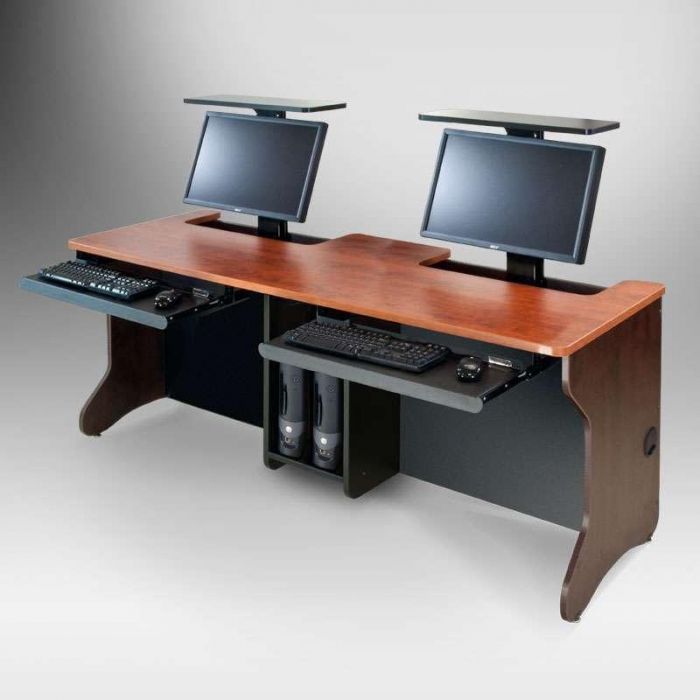
The SMARTdesks flipIT Lift puts a display in a recessed compartment and uses a controlled motorless mechanism to bring it into view. Press the lid down to raise the screen; reverse the movement to leave a usable desk surface for writing or meetings.
The detail that makes this different from a generic pop-up monitor mount is its documented fit envelope. The integrated model supports VESA-compatible monitors up to a nominal 24 inches, with a maximum case width of 23 inches. The maker offers separate mechanisms for monitors weighing 5–15 lbs or 15–24 lbs, plus eleven mounting positions for screen height.
For a home buyer, the trade-off is the furniture format. This is an education-oriented, purpose-built desk with a keyboard tray and optional CPU bay, not a small accessory that fits onto any existing table. Verify the monitor's actual width and weight before ordering.
| Pros | Cons |
|---|---|
|
|
Quick specs: VESA-compatible; up to 24" nominal display; 23" max case width; 5–15 or 15–24 lb lift variants.
2. RightAngle Delta View, best convertible computer desk for shared rooms
Bottom line: a strong fit when one desk needs to switch repeatedly between computer work and a clear surface for teaching, collaboration, or paperwork.
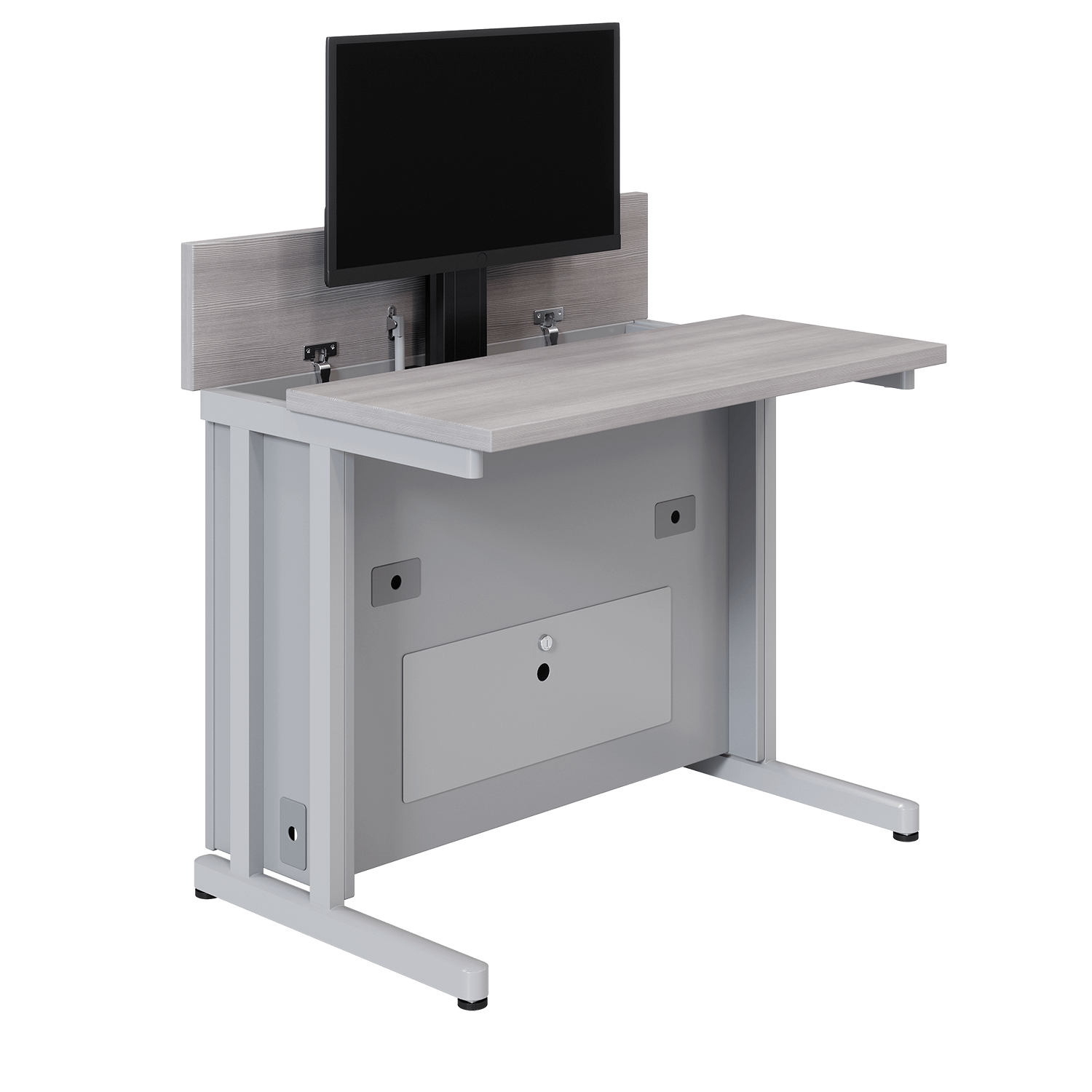
The RightAngle Delta View uses a gas-assisted Hover monitor lift. A gentle push reveals the screen; when it is lowered, the desk again functions as a conventional table. The lift does not require electrical power, although the computer and display still do.
I would choose this style over a decorative cabinet for spaces where the desk changes roles several times a day. The manufacturer provides single- and dual-user configurations, removable access panels, cable management, and optional locking storage. Those details matter more than the finish when the mechanism will be used every day.
Its biggest drawback for a residential buyer is scale and ordering complexity. You are configuring institutional furniture rather than buying a generic compact home desk. The published product page does not establish a universal monitor-size limit, so ask RightAngle to confirm your display before purchasing.
| Pros | Cons |
|---|---|
|
|
Quick specs: Hover gas-assisted lift; powder-coated steel frame; single/dual configurations; optional lock.
3. Egan DS4230, best electric desk with a retractable monitor
Bottom line: the clearest electric-lift choice here for a single VESA-compatible monitor up to 27 inches, especially in an AV or training workspace.
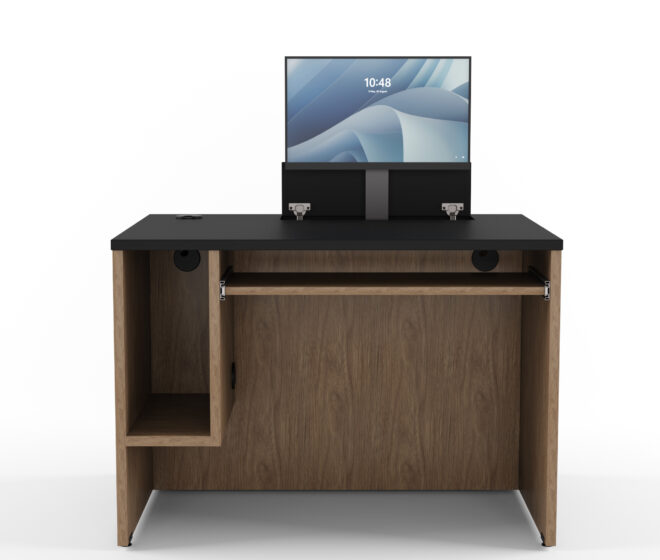
Unlike gas-assisted and flip-top desks, the Egan DS4230 uses a powered lift integrated into the work surface. The screen rises for digital tasks and retracts when the desktop needs to stay open for another activity.
The specifications make the shopping decision unusually clear: Egan lists support for most VESA-compatible monitors up to 27 inches, a pull-out keyboard shelf, and a configurable CPU compartment on either side. The desk itself measures approximately 42.25 inches wide by 30.5 inches deep and 30.125 inches high.
That is a practical format for a lectern or instructor desk but may feel deep in a small apartment. Before ordering, confirm VESA fit, the actual monitor dimensions, power routing, and whether the furniture ships as a project-configured product.
| Pros | Cons |
|---|---|
|
|
Quick specs: Electric lift; up to 27" VESA monitor; desk approximately 42.25" W x 30.5" D x 30.125" H.
4. SMARTdesks HorizonLine, best hidden pop-up monitor arm
Bottom line: an alternative to a full vertical lift if you want an adjustable monitor arm that can drop beneath the work surface.
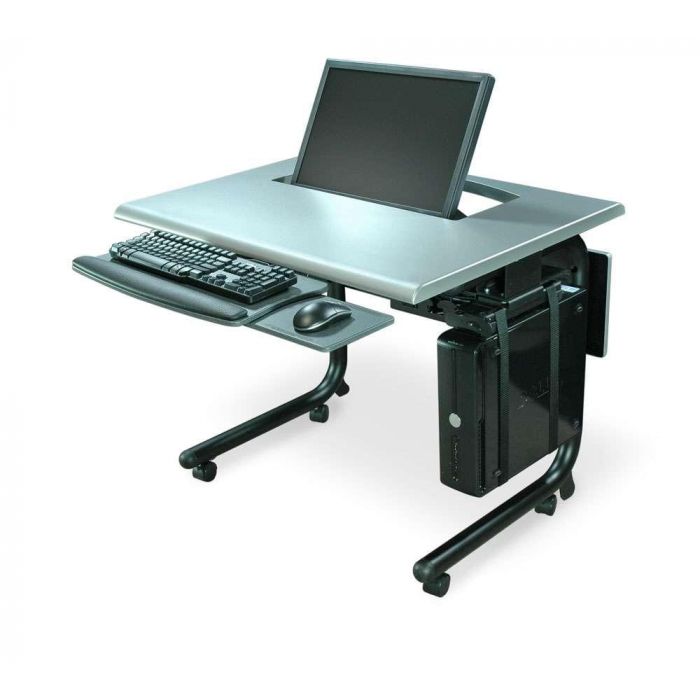
The HorizonLine Monitor Lift Desk uses a spring-balanced articulated arm instead of a straight up-and-down lift. You bring the display into position for work, adjust its angle, and store it below the top when finished.
This offers a different trade-off: more manual positioning freedom, but more attention to the geometry of the screen and the cutout. SMARTdesks lists a VESA-compatible arm with a maximum monitor case width of approximately 22 inches and maximum weight of 18 lbs. The supplied arm has several swivel, tilt, and pivot adjustments.
It is available in single- or double-width formats, with optional keyboard trays and cable management. For users who frequently change screen position, the arm can be useful; for someone wanting a one-touch reveal, the powered Egan system is the more appropriate mechanism.
| Pros | Cons |
|---|---|
|
|
Quick specs: VESA arm; up to about 22" case width; 18 lb maximum monitor weight; optional keyboard tray.
5. SMARTdesks iLid Dual, best desk that hides two monitors
Bottom line: the purpose-built choice for a workstation with two displays that need to close down together.
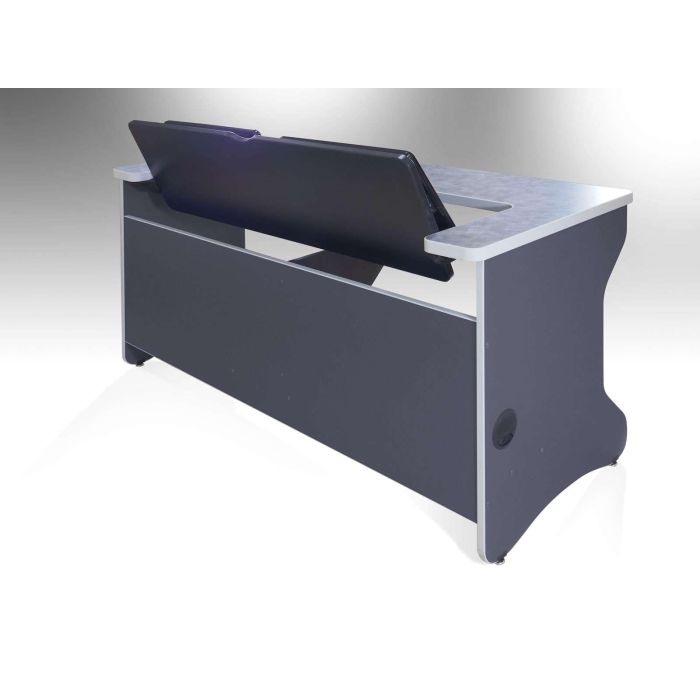
The SMARTdesks iLid Dual handles a problem that single-screen lift desks do not: hiding two monitors while keeping one work surface. The displays mount inside a hinged lid that opens like a laptop and closes flush with the desktop.
Each monitor can measure up to 23 inches wide by 16 inches high, according to the manufacturer. That is a physical case-size limit, not a guarantee that two advertised 23-inch-diagonal monitors will always fit. The manufacturer offers the desk in 54- and 60-inch widths, with a compact keyboard tray and built-in cable routing.
This is most sensible for a dual-screen classroom station or a workbench that changes roles during the day. For an ultrawide or a gaming monitor on a thick arm, the lid geometry is a reason to rule it out before buying.
| Pros | Cons |
|---|---|
|
|
Quick specs: Two displays, each up to 23" W x 16" H; desk available in 54" or 60" widths; hinge tilt up to 120°.
6. Pith & Stem DropTop, best way to hide an entire home-office monitor setup
Bottom line: a more realistic small-home option if the goal is to make your monitor and desk disappear after work, rather than retract a screen through the desktop.
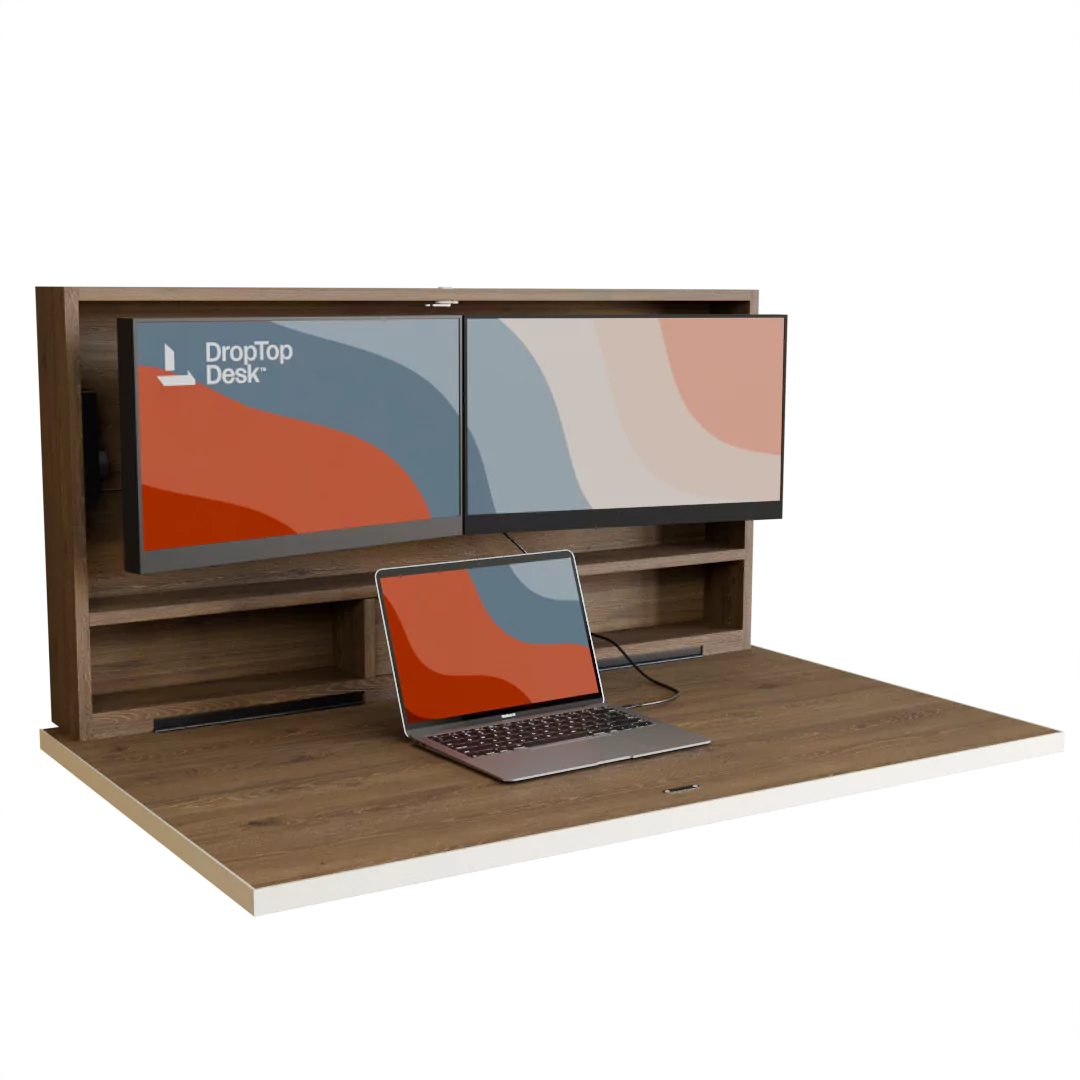
The Pith & Stem DropTop takes the opposite approach from classroom monitor lifts. The work surface folds up against the wall, concealing the mounted screens and accessories inside the closed unit. When shut, it reads more like wall furniture than an exposed workstation.
That makes it especially relevant to the query “desk that hides monitor when not in use.” Many people do not need the screen to sink under a tabletop; they simply want the room back when the workday ends. DropTop avoids the deep under-desk cabinet of a conventional lift system.
The compromise is that this is a wall-mounted folding desk, not a freestanding table with a retractable monitor. Wall mounting, clearances, screen fit, and the exact variant's load rating must all be checked. The vendor's pages display different load figures for different models, so do not treat one figure as applying to the whole range.
| Pros | Cons |
|---|---|
|
|
Quick specs: Wall-mounted fold-away desk; optional integrated screen setups depend on selected configuration; confirm mounting and load limits.
What to check before buying a desk with a hidden monitor lift
The biggest buying mistakes happen when a lift is chosen from its advertised screen size alone. Five checks will eliminate most compatibility surprises.
- Measure the monitor case, not only its diagonal. Record overall width, height, thickness, and the position of ports. A 27-inch screen may still be too wide for a 24-inch-class lift housing.
- Confirm the VESA pattern and monitor weight. Check the lift's approved weight band, not just the desk's weight rating. Include the screen's mass without its original stand only when the manufacturer specifies that mounting setup.
- Check compartment depth and service access. The screen must clear the underside structure, cable connectors, and any keyboard tray when closed. Access panels matter when a cable or lift component needs replacement.
- Plan cables through the whole movement. Use strain relief and allow enough movement for the screen to raise and lower. Keep power and signal cables away from hinges, drive tracks, and pinch points.
- Test the viewing position. A concealed monitor is only useful if the open position is comfortable. OSHA recommends keeping the top of the screen at or slightly below eye level and a viewing distance of roughly 20–40 inches, adjusted for your task and screen.
A lift-top furniture listing is not proof of hidden-monitor storage. If the specifications only mention a rising tabletop or generic hidden drawers, the screen probably stays in view.
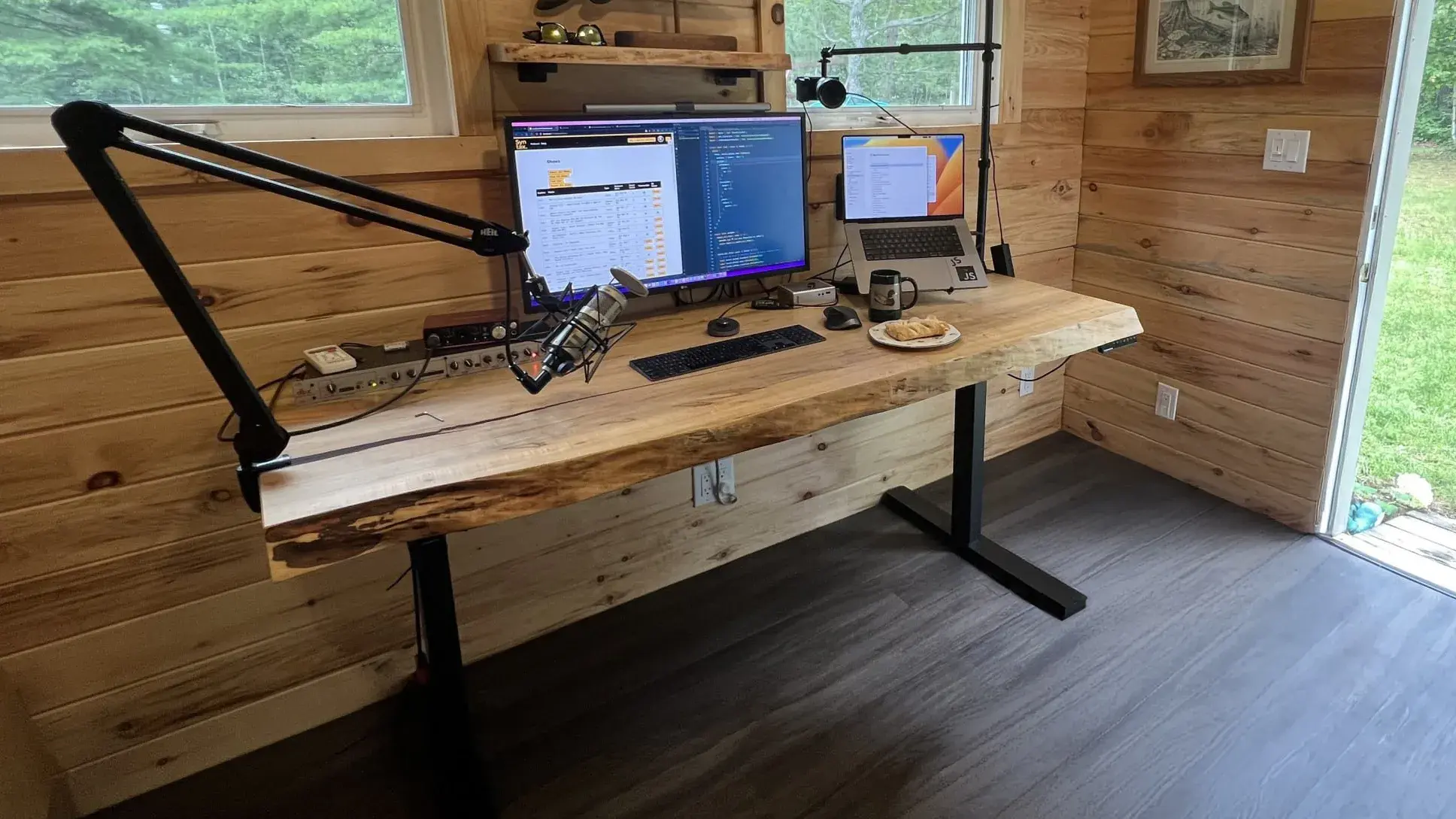
Can you build a hidden monitor desk using a standing desk frame?
Yes, a custom monitor-lift desktop could potentially sit on a motorized standing desk frame, but the lift, enclosure, mounting structure, and electrical routing must be engineered separately. A standing desk motor moves the whole desktop; it does not retract the monitor.
A height-adjustable standing desk can be a useful foundation for a custom surface. The Autonomous Desk DIY frame is especially relevant because it is sold without a desktop. Its straight 2-Stage variant has dual motors and a 250 lb lifting capacity; the L-shaped frame is rated for 400 lbs.
Those capacities apply to the lifting system and are not certification for a custom cutout, monitor-lift compartment, or moving electrical enclosure. The safe design depends on the custom desktop's rigidity, mounting points, overall load distribution, and the lift manufacturer's instructions.
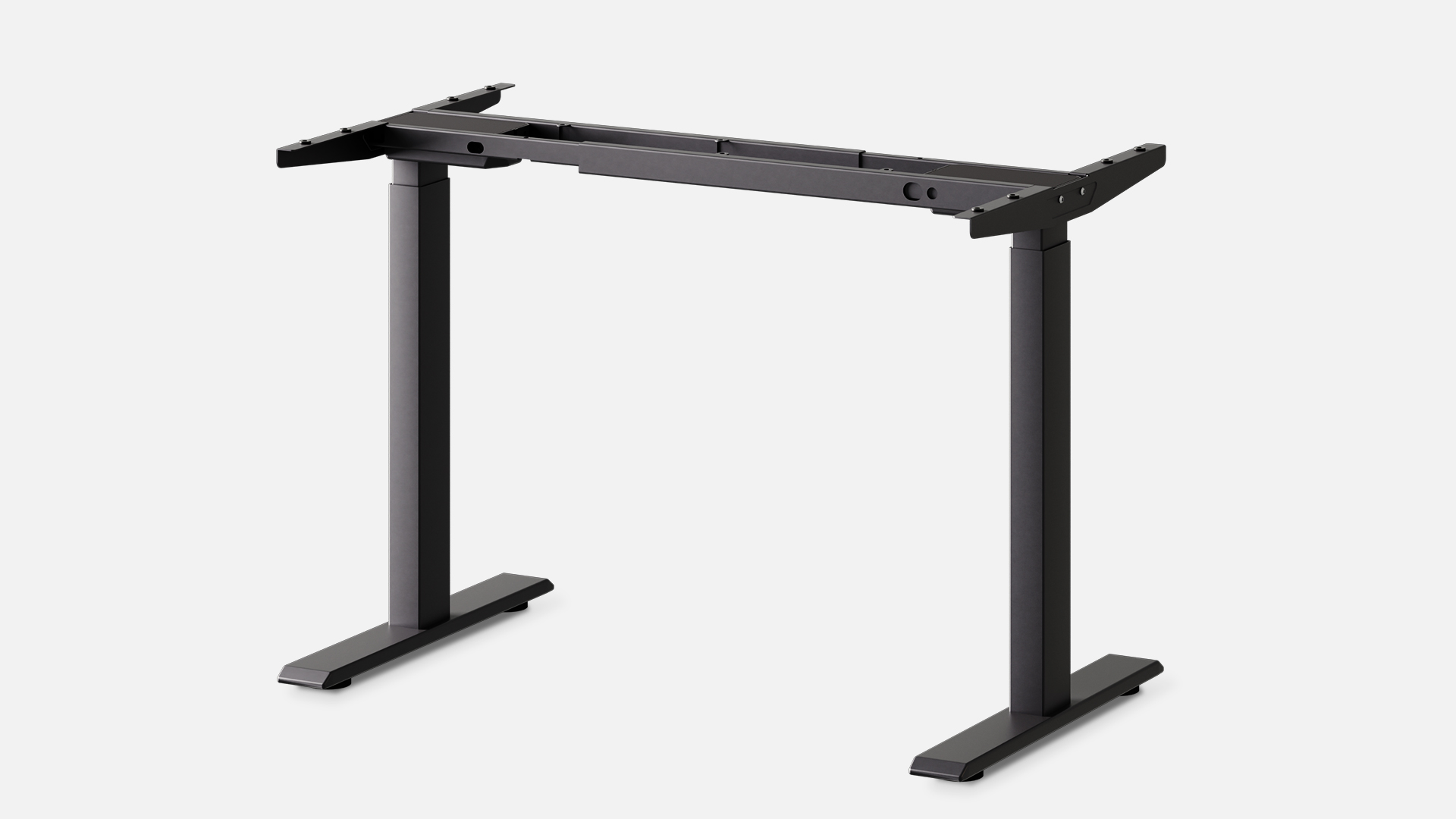
For a custom sit-stand hidden monitor desk, work through these checks before cutting the desktop:
- Choose the actual monitor lift first. Get its cutout drawing, travel height, VESA and weight limits, power requirements, and service clearances.
- Design a rigid desktop and enclosure. Check whether the cutout leaves enough material around mounting locations; do not assume a normal tabletop remains strong after a large opening is removed.
- Calculate the full moving load. Count the desktop, enclosure, monitor, lift, accessories, PC, and any mounted arms. Stay within the frame rating and validate attachment geometry.
- Check collision clearance at both height extremes. The enclosure must clear the legs, crossbars, knees, floor, and nearby furniture throughout the desk's movement.
- Verify cable travel and safe service access. Test the monitor's lift motion separately from the desk's height motion. Never rely on an unverified anti-collision feature to protect electronics or fingers.
Custom systems with unusually heavy screens or enclosures may also need a frame with a different support geometry. The distinction between four-leg standing desk designs and ordinary two-leg frames is useful when planning the structure, but neither type guarantees compatibility with a cutout.
How to hide a computer monitor when not in use without a monitor-lift desk
A built-in monitor lift is not the only way to clear a shared room. If you do not need the screen to travel through the desktop, simpler approaches may be easier to maintain.
- Fold the whole workstation away. A wall cabinet or fold-down desk closes over the equipment. This is a different branch of hideaway desk design and often makes more sense in a living room.
- Hide the display behind cabinet doors. A secretary desk or armoire can contain a conventional monitor and keyboard, provided there is enough interior depth and ventilation.
- Reposition a monitor on an adjustable arm. This may move the screen out of the main sight line, although it usually does not leave a fully clear tabletop.
- Clear the floor and under-desk area separately. An under-desk PC mount can relocate the computer tower, but it does not hide the monitor itself.
For most home users, the first decision is whether you need a clear work surface or simply a room that no longer looks like an office. That answer determines whether the added complexity of an integrated lift is worth it.
FAQs
What is the best desk that hides a monitor when not in use?
For a true built-in lift, SMARTdesks flipIT Lift is a practical motorless choice; Egan DS4230 offers an electric lift for compatible monitors up to 27 inches. For a small home, a fold-away workstation such as Pith & Stem DropTop may be easier to accommodate.
How does a desk with a hidden monitor lift work?
A hidden monitor lift raises the screen through an opening when needed and lowers it into a compartment afterward. Depending on the design, it may use an electric motor, a gas-assisted mechanism, or a controlled motorless lift. The desktop becomes usable again when closed.
Can a hidden monitor desk hold a 27-inch screen?
Some can. Egan lists its DS4230 for most VESA-compatible monitors up to 27 inches. Other lifts have smaller case-width and weight limits. Check the complete monitor dimensions, VESA pattern, and the specific lift's load rating before purchasing.
Do desks with hidden monitors come with storage?
Many include a recessed monitor compartment, and some add keyboard trays, CPU bays, or cable access panels. Storage varies by model: RightAngle Delta View offers optional locking storage, while Egan DS4230 includes a configurable CPU compartment. A lift enclosure is not necessarily general-purpose storage.
What is the difference between a flip-top desk and a monitor lift desk?
A flip-top hidden-monitor desk rotates the screen into a concealed position beneath a hinged lid. A vertical monitor lift raises and lowers the screen through a slot or opening. Both can clear the surface, but they require different below-desk space and screen clearances.
Can you hide two monitors inside one desk?
Yes. The SMARTdesks iLid Dual uses a hinged mechanism for two monitors, with manufacturer-listed limits of 23 inches wide by 16 inches high per display. Confirm the actual case dimensions and mounting requirements before assuming two particular monitors will fit.
Are hidden monitor desks suitable for a home office?
Yes, but many built-in lift desks are designed for schools or conference rooms and may be larger or quote-based. Home users can also consider a wall-mounted fold-away workstation, a cabinet desk, or a custom lift enclosure where space and compatibility allow.
Can a regular standing desk hide a monitor?
Not by itself. A standing desk changes the height of the work surface. Hiding a monitor requires a separate storage mechanism, such as a lift, fold-down panel, or cabinet. Custom integrations need verified structural support, cable clearance, and compatible hardware.
Bottom line
The best desk with a hidden monitor lift is the one that fits your actual screen and clears the surface you need for everything else. SMARTdesks, RightAngle, and Egan offer purpose-built mechanisms for retracting or folding displays away, but most are aimed at institutional buyers.
For a shared home office, decide whether you need the monitor to disappear inside the desktop or whether closing the entire workspace solves the problem. If you want both monitor concealment and sit-stand movement, a custom design can be explored using a frame-only foundation, but the lift and enclosure remain separate engineering decisions.
References
- SMARTdesks. flipIT Lift Motorless Monitor Lift Computer Desk. Manufacturer specifications.
- RightAngle Products. Delta View Computer Desk with Hidden Monitor Lift. Manufacturer specifications.
- Egan Visual. DS4230 Desk with Monitor Lift. Manufacturer specifications.
- SMARTdesks. HorizonLine Monitor Lift Desk. Manufacturer specifications.
- SMARTdesks. iLid Dual Monitor Flip-Screen Computer Desk. Manufacturer specifications.
- Pith & Stem. DropTop Wall-Mounted Desk. Manufacturer product information.
- OSHA. Computer Workstations eTool: Monitors. Monitor placement guidance.
- Autonomous. Desk DIY product specifications. Desk DIY frame.