


The 9 Best Standing Desks of 2026, Plus a Converter

I have spent nine years testing desks, and here is the thing the spec sheets bury: the number that sells a standing desk is almost never the number that matters six months in. Brands lead with lift capacity, but capacity is the spec that almost never fails. The two that decide whether you still like the desk a year later are stability at full height and what the warranty actually covers once you read the fine print.
So I stopped ranking desks by their headline numbers. Below are nine standing desks I would actually recommend, plus one converter for people who want to keep the desk they own, with what each is like to live with and how to set any of them up. If you have owned a desk that felt solid in the showroom and shook by month six, none of this will surprise you.
Quick comparison
FlexiSpot E7 | Uplift V3 | Jarvis | Vernal Core3 | Magnus Pro | ApexDesk | ||||
Fits to | ~6'4" | ~6'2" | ~6'4" | ~6'4" | ~6'4" | ~6'8" | ~6'7" | ~6'5" | ~6'5" |
Capacity (lbs) | 330 | 250 | 400 | 355 | 355 | 350 | 353 | 265 | 235 |
Warranty | Lifetime | 10 yr | 10 yr | 15 yr | 15 yr | 7 yr | 15 yr | 5 yr | 2 yr |
Price | $499 | $449 | $1,149 | $480 | $599 | $650 | $460 | $800 | $500 |
The standing desks I would actually recommend
The best standing desk for most people is a three-stage, dual-motor frame that holds steady at full height and carries a warranty covering the motors, not just the steel. These nine cover every setup and budget, starting with the three I keep coming back to.
1. Autonomous Desk Pro - Best for long hours
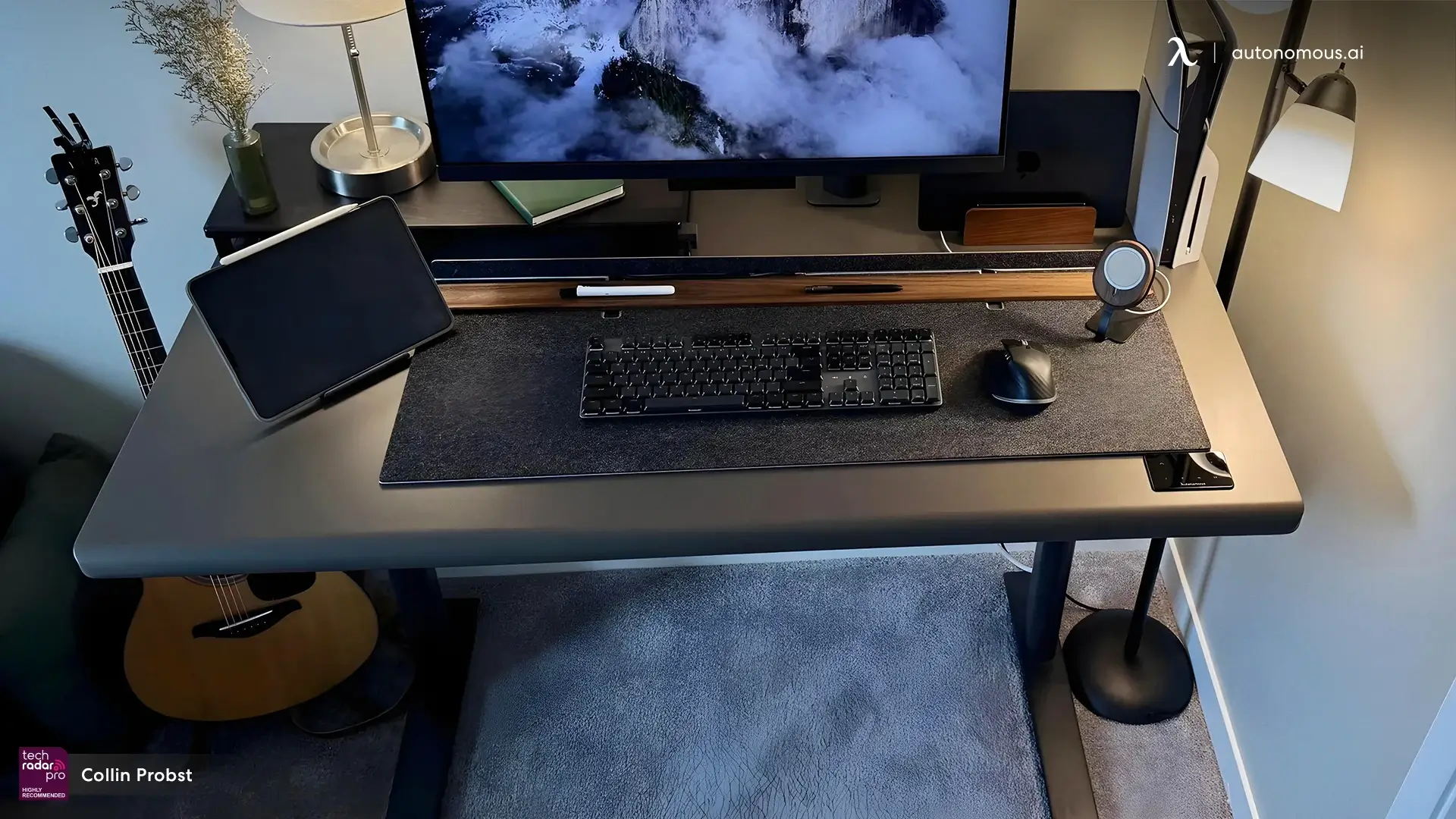
The Desk Pro is the desk I recommend first for anyone who works in long, uninterrupted stretches, because stability at full height is the thing it gets right. It uses a C-frame, which drops the front crossbar so your knees have clearance, and an oval-section steel leg that spreads load through the tube wall instead of one welded seam.
Specs:
- height range 29.5-48.5"
- capacity 330 lbs
- dual motor, 1.2"/sec lift
- noise under 30 dB
- 50,000-cycle bench-tested frame
- lifetime frame warranty, 2-year top
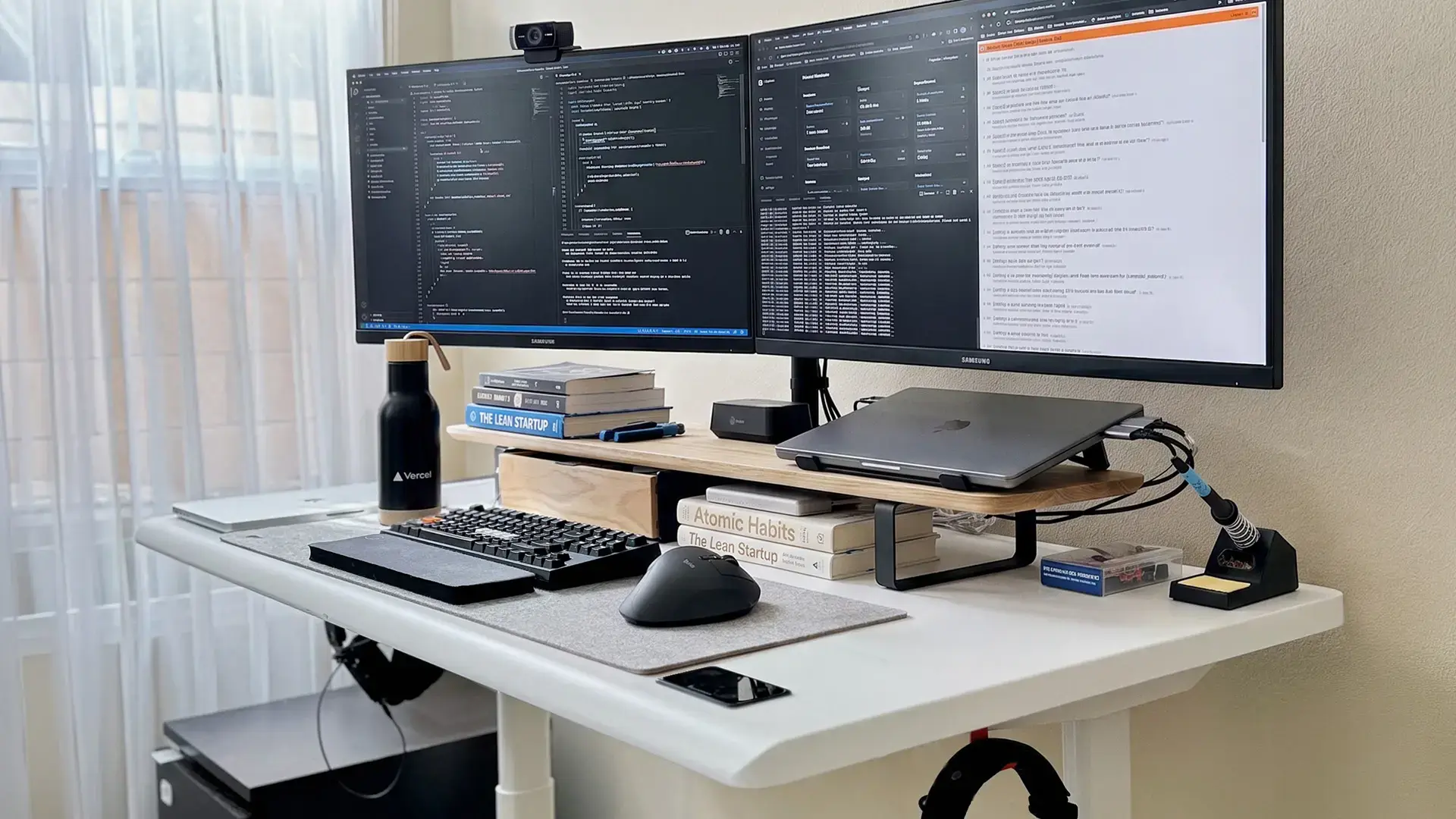
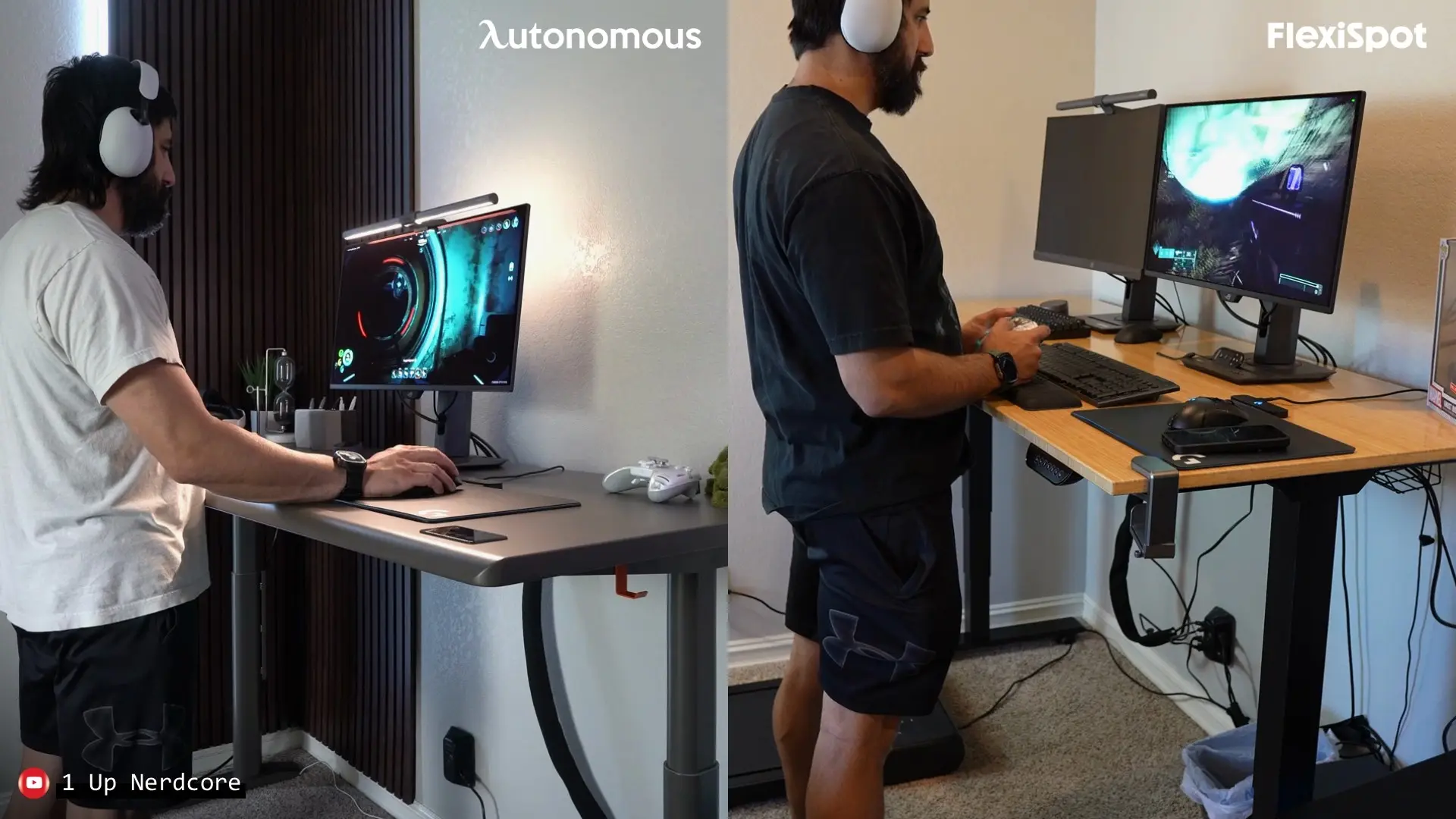
Raised to standing height with two monitors and a laptop, it stayed planted, which is where most desks start to shimmy. The motor is the quietest I have measured at desk height, under 30 dB, so it will not cut into a call. The 1.2-inch HDF top has a rounded front edge that keeps the corner off your wrists at hour ten, and the frame is rated to 50,000 raises, roughly a decade of daily use.
What earns it the top spot is the lifetime warranty.
Pros
- Holds steady at full standing height under a heavy load
- Quietest lift here at under 30 dB
- Lifetime frame warranty on a 50,000-cycle frame
Keep in mind
- It is a premium frame, so it is not the cheapest way to get standing
2. Autonomous Desk 2 - Best overall value
The Desk 2 is the standing desk I point most people to, because it does almost everything the Pro does for less and has the track record to prove it lasts. It is the same frame architecture Autonomous has shipped since 2015, revised three times without a full redesign, which is the kind of longevity you cannot fake on a spec sheet.

Specs:
- height range 27.2-46.5"
- capacity 250 lbs
- dual motor, 1.1"/sec lift, 4 presets
- noise under 45 dB
- anti-collision, FSC-certified wood top
- 10-year frame warranty
It handled a full setup of monitors, a PC, and office accessories without cursor jitter when I leaned on it, and the dual motor holds four presets so switching sit-to-stand is one button.
Tops come in FSC-certified bamboo and oak alongside black and white, on a 1-inch warp-proof core with a rounded front edge. At 46.5 inches its top end is a touch lower than the Pro, so above 6 foot 2 check that against your standing elbow height using my ideal standing desk height guide.
Pros
- Ten-year frame warranty and a chassis proven since 2015
- No wobble under a full monitor-and-PC load
- FSC-certified wood tops with a wrist-friendly edge
Keep in mind
- The 46.5-inch top height is a little low for users over about 6 foot 2
3. Autonomous Desk 2 L-Shaped - Best for corners
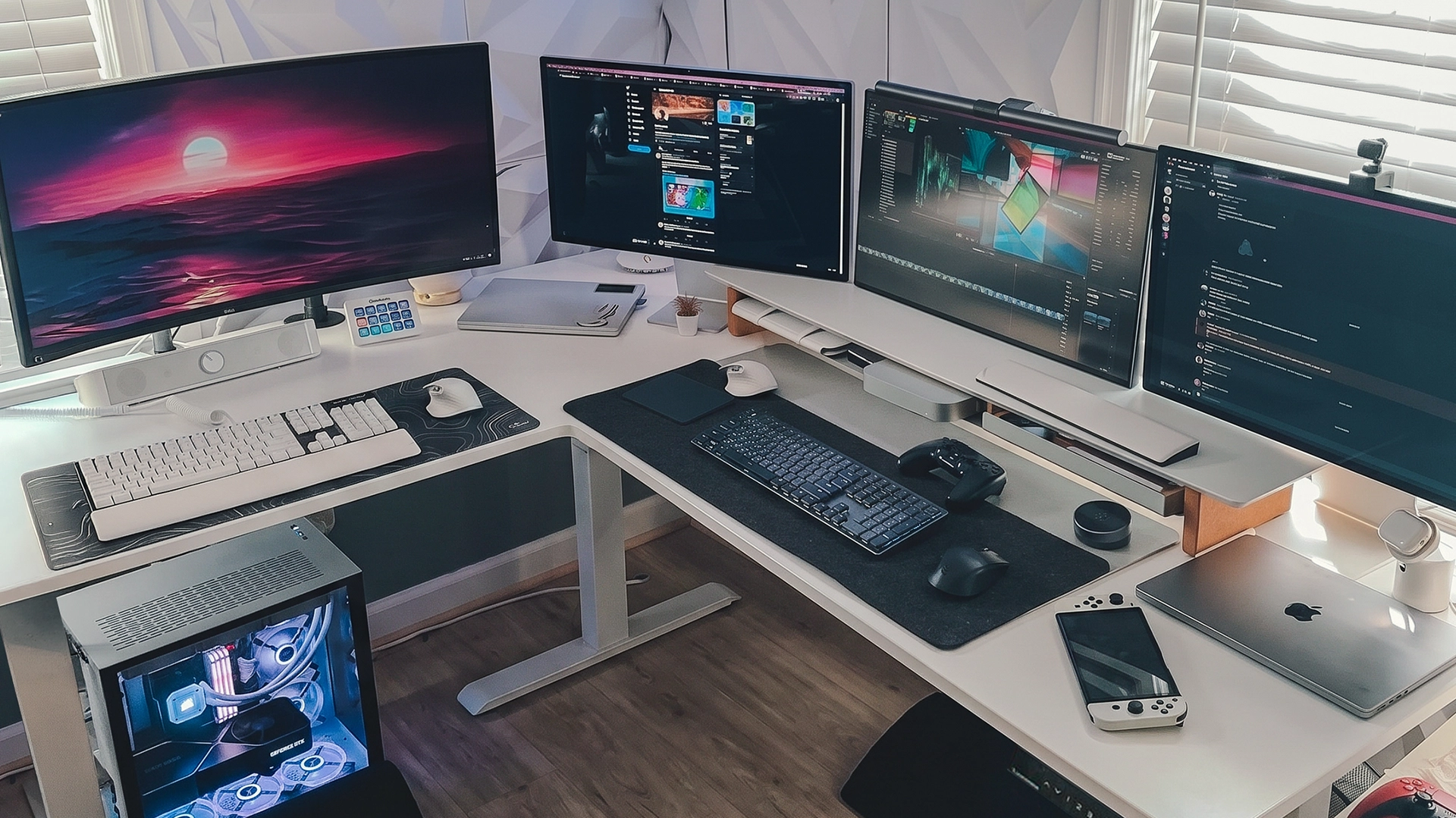
The L-Shaped is the desk to get if you work in a corner or run a setup that needs two work zones. Its third motor keeps the large wrapped surface rigid as it lifts, so it moves as one piece instead of two panels rising out of sync.
Specs:
- height range 29.4-48"
- capacity 400 lbs, the highest here
- triple motor
- roughly 77-inch wrapped surface
- lab-tested to ANSI/BIFMA X5.5
- 10-year frame warranty
Across a triple-monitor load it stayed flat and steady through the full height range, which is the hard part for a desk this size. At 400 pounds it carries the most weight of anything on this list, and the 77-inch wrap gives you a real second zone for a second machine or a hardware bench. It is the most expensive Autonomous desk and the footprint is large, so measure your corner first. For a storage-focused build, weigh it against the options in my L-shaped standing desks with storage guide.
Pros
- Triple motor keeps a large corner surface rigid as it lifts
- 400-pound capacity, the highest on this list
- Roughly 77 inches of surface across two zones
Keep in mind
- Large footprint and premium price, so measure the corner first
So which of the Autonomous desks is for you? If you work long days and want the steadiest, quietest frame, get the Desk Pro; if you want most of that for less, the Desk 2 is the value pick; and if you need a corner, the L-Shaped is the one.
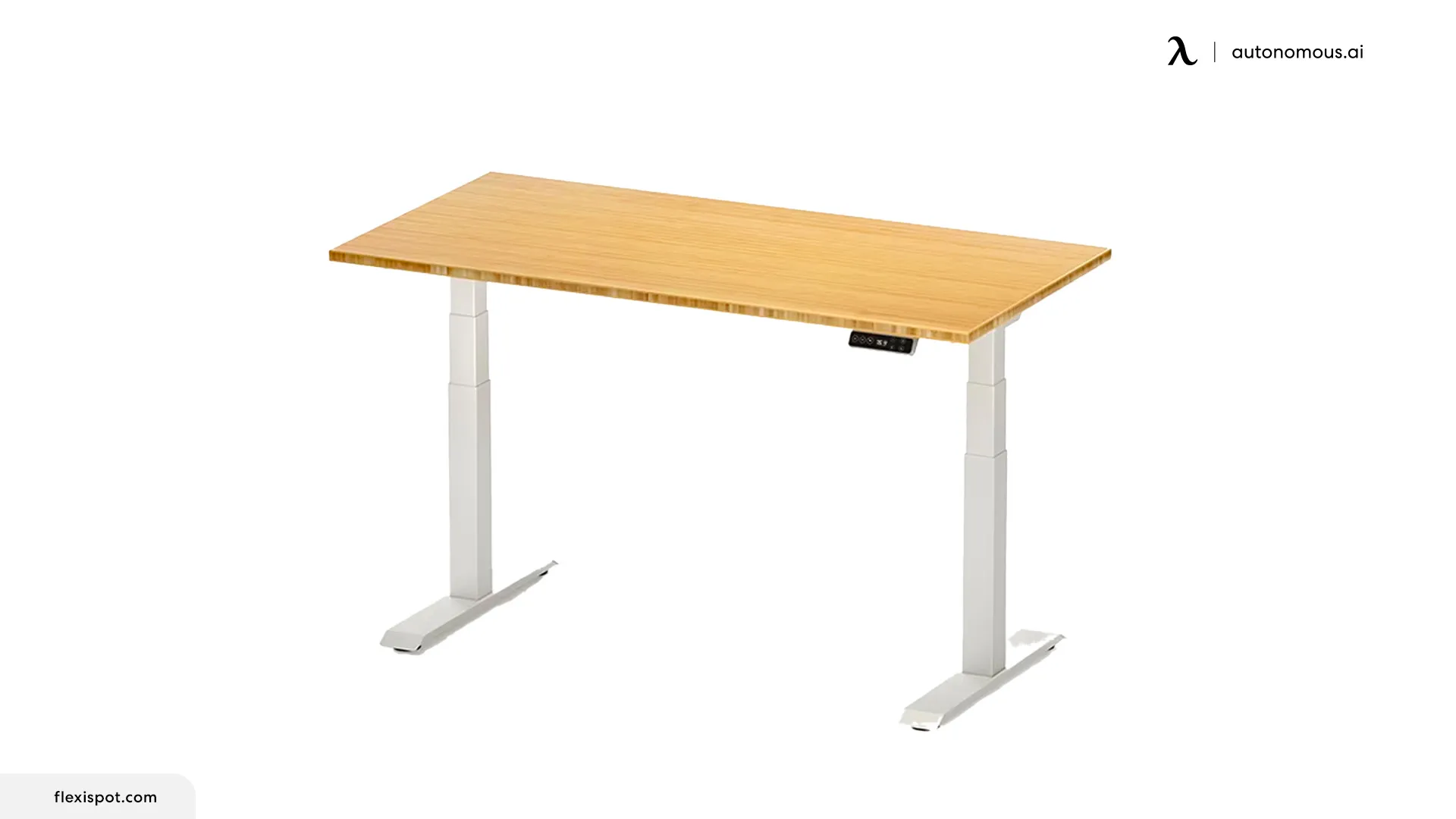
4. FlexiSpot E7 - Best stability for the price
The FlexiSpot E7 is the desk I recommend when you want strong specs without paying a premium. It pairs a three-stage, dual-motor frame with a 15-year warranty that covers the motors and electronics, not just the steel, which is rarer than it should be.
Specs:
- height range 22.8-48.4"
- capacity 355 lbs
- dual motor, 3-stage
- noise under 45 dB
- anti-collision, 15-year full warranty
At standing height it holds steady for a two-leg frame, and 355 pounds is genuine headroom for a multi-monitor setup. The tops and finishes are more utilitarian than the premium desks, and assembly is a bit more involved, but on specs per dollar nothing here beats it, usually around $480 depending on top.
Pros
- 15-year warranty covering motors and frame together
- 355-pound capacity for the money
- Three-stage frame is steady at full height
Cons
- Utilitarian styling and finishes
- Assembly is heavier and more involved than most
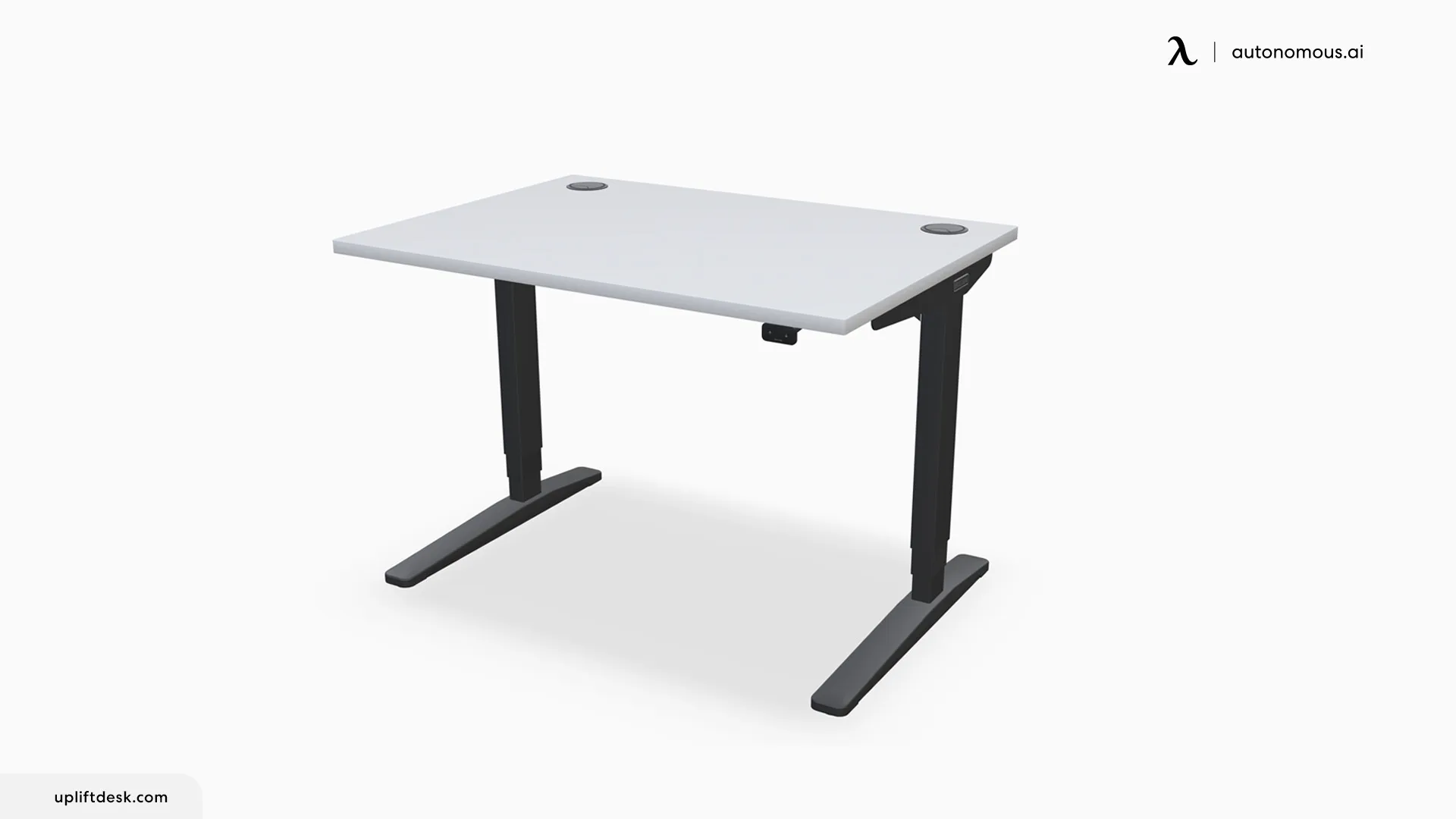
3. Uplift V3 - Best for customization
The Uplift V3 is the desk to choose if you want to configure every detail, from dozens of desktop styles to frame colors and keypads. Its TremorGuard feet and I-beam crossbar make it one of the steadiest desks at full height.
Specs:
- height range 22.6-48.7"
- capacity 355 lbs
- dual motor, 3-stage
- around 30 desktop styles
- 15-year full warranty
The V3 is noticeably more rigid than earlier Uplifts, and the 15-year warranty covers the whole system, not just the frame. The catch is price: it climbs quickly once you add options, starting around $599. For adjustability and long-term coverage, it is the benchmark, and the desk I recommend when customization matters more than cost.
Pros
- The widest range of tops, colors, and keypads here
- Very steady at full height, with a 15-year full warranty
- A wide height range that suits most bodies
Cons
- Gets expensive fast once you add customizations
- Base price is higher than the equally warrantied E7
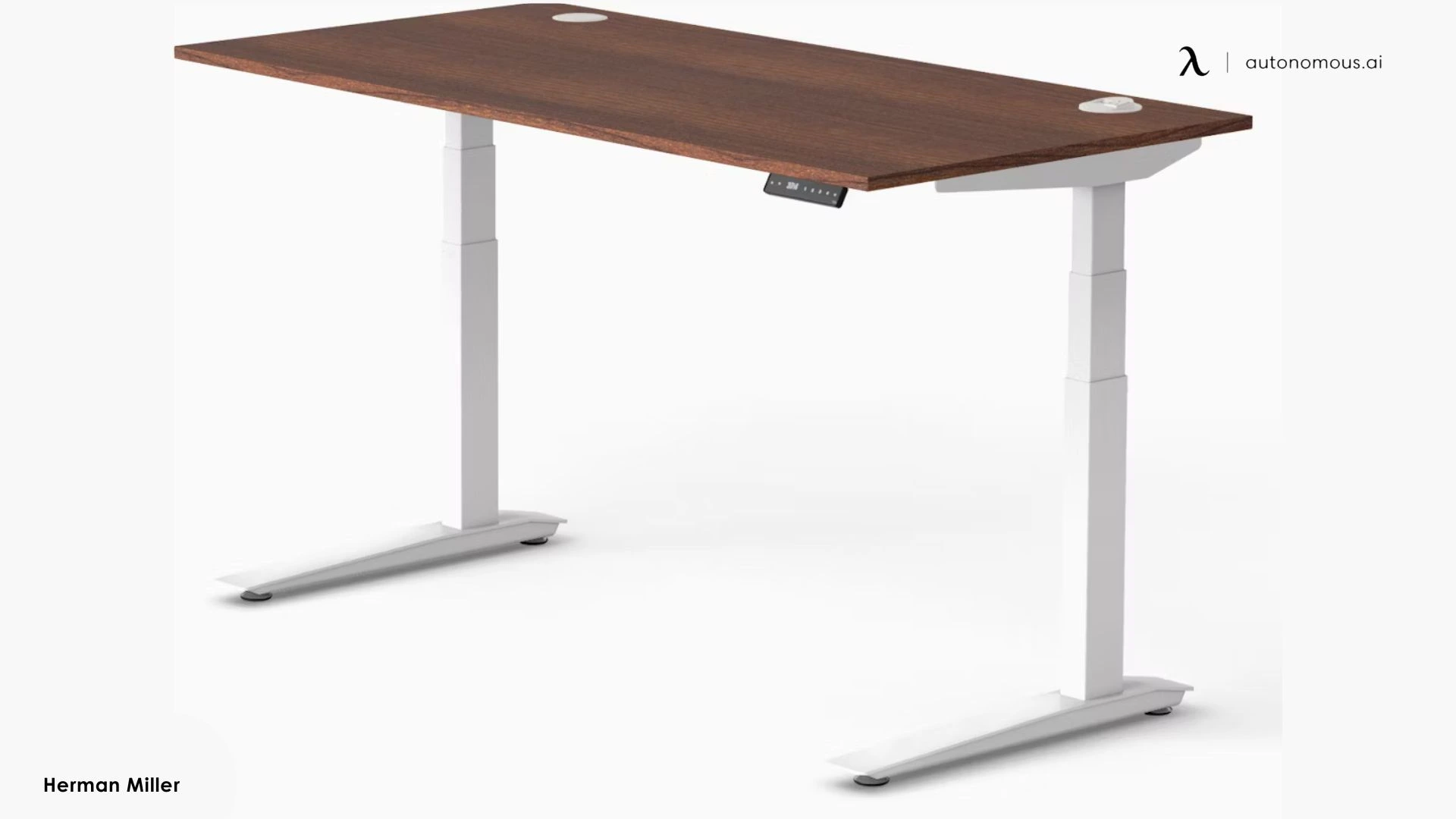
6. Herman Miller Jarvis - Best for tall users
The Jarvis has the widest height range on this list, topping out around 51 inches, which makes it the one I recommend for taller users. It is a three-stage, dual-motor frame with a well-earned reputation and a bamboo top option.
Specs:
- height range 25.6-51.1"
- capacity 350 lbs
- dual motor, 3-stage
- anti-collision, bamboo top option
- 7-year warranty
At 6 foot 4 and up, most desks top out too low once an anti-fatigue mat eats an inch of standing height; the Jarvis has the headroom. It is steady and well built. The warranty is 7 years, shorter than the 15 on the E7 and Uplift, and the motor runs a little louder at up to 50 dB. Pricing is premium, typically around $650 and up.
Pros
- The widest height range here, best for very tall users
- Solid build with a bamboo top option
- Reliable anti-collision detection
Cons
- 7-year warranty trails the 15-year leaders
- Runs a little louder and costs a premium
7. Vernal Core3 - Best for proven stability
The Vernal Core3 is the desk for buyers who want the stability claim backed by data, because Vernal publishes its own EN 527-2 lab test report rather than asking you to take the spec sheet on faith. It is a three-stage C-frame rated to 353 pounds.
Specs:
- height range 24.9-50.4"
- capacity 353 lbs
- dual motor, 3-stage C-frame
- 1.6"/sec lift, the fastest here
- anti-collision, 15-year warranty
The C-frame gives it the same legroom advantage as our Desk Pro, and at 1.6 inches per second it has the fastest lift I measured. The published stability testing and a 15-year warranty are unusual at around $460, and it comes in laminate or solid-hardwood tops. Only three presets is a minor step down from four, and it is a newer name than the incumbents.
Pros
- Publishes an independent stability test report
- Fastest lift here at 1.6 inches per second
- 15-year warranty at a mid-range price
Cons
- Three height presets rather than four
- A newer brand than the established players
.webp)
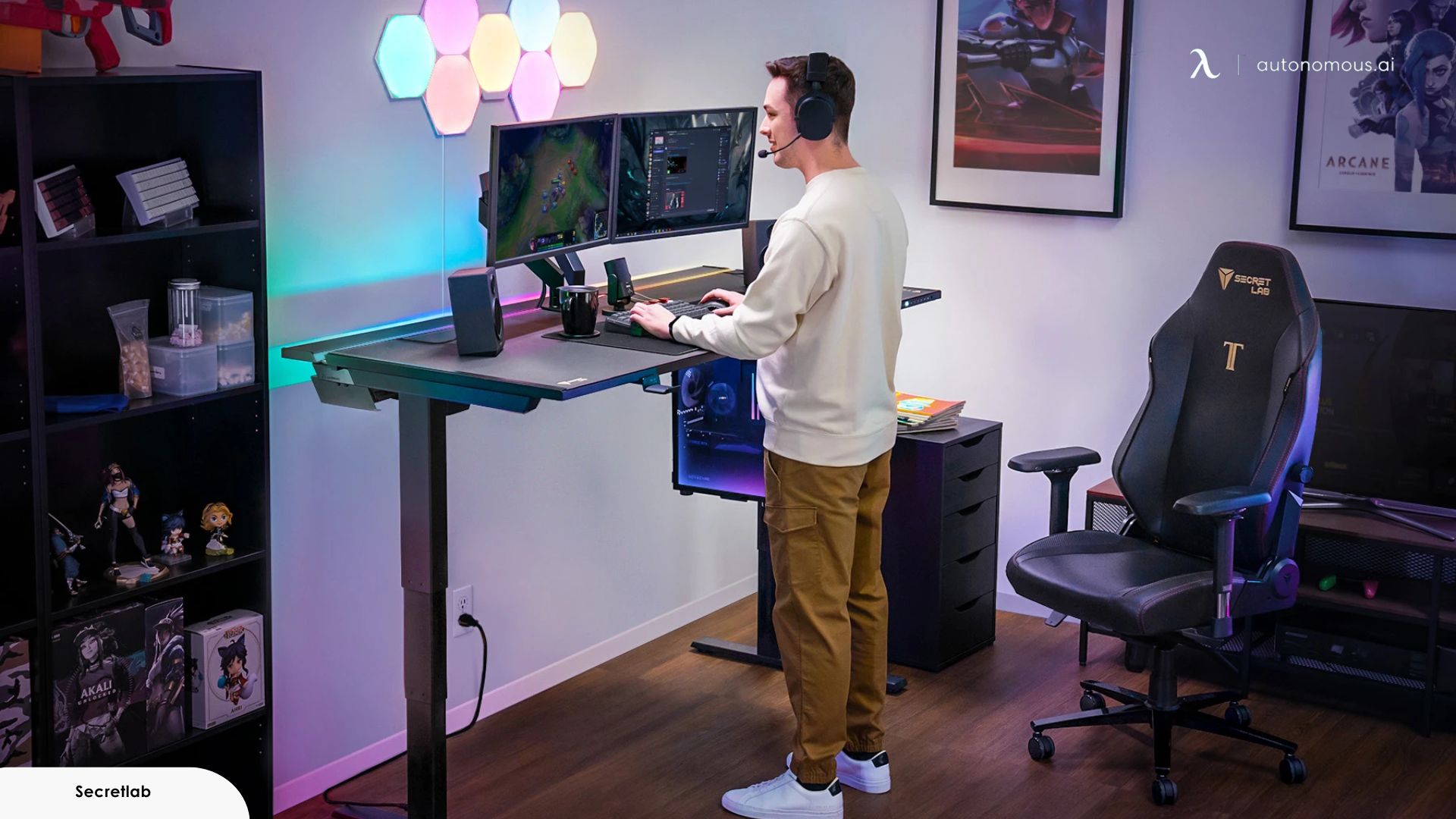
8. Secretlab Magnus Pro - Best cable management
The Secretlab Magnus Pro is the pick for a cable-heavy gaming or streaming setup, built around a magnetic ecosystem that hides wires without aftermarket parts. A full-length tray, a concealed power column, and a hinged cover make it the cleanest cable solution here.
Specs:
- height range 25.6-49.2"
- capacity 265 lbs
- dual motor, 3-stage
- magnetic cable-management system
- metal top, 5-year warranty
Nothing else at the consumer level matches its integrated routing, and the metal top feels premium. The trade-offs are a 5-year warranty that trails the leaders and a price that climbs once you add the magnetic accessories, often past $800. The metal top also will not take screw-in mounts. It is the desk for a battlestation, not a budget office.
Pros
- The best-integrated cable management of any desk here
- Durable metal surface with a premium feel
Cons
- 5-year warranty and a high price with accessories
- Metal top will not take screw-in aftermarket mounts
9. ApexDesk Elite Pro Series 60" - Best curved top
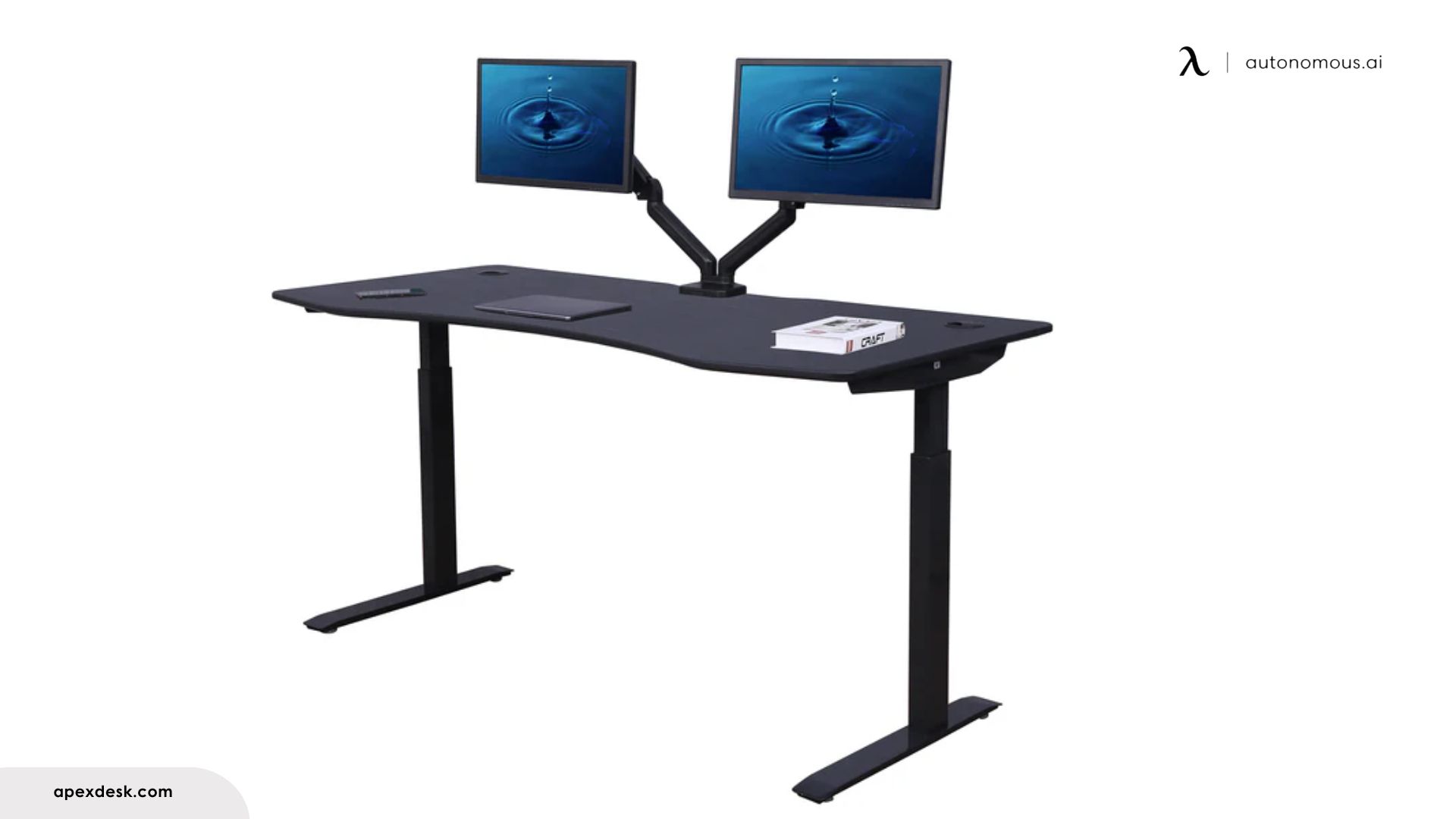
The ApexDesk Elite Pro is the pick if you want a curved, ergo-shaped top that lets you sit in closer, on a wide 60-inch surface. Its signature is the contoured front that wraps slightly around you, with the mid-section cut in to about 23 inches deep.
Specs:
- height range 30-49"
- capacity 235 lbs
- dual motor, 2-stage, 1.5"/sec
- 4 presets, curved 60 by 27 inch top
- no anti-collision
The ergo top is genuinely comfortable for a long multi-monitor session, and the surface is generous. But the frame specs trail the field: a two-stage frame is less steady at full height than the three-stage desks, capacity is 235 pounds, and it has no anti-collision, which most desks now include. Buy it for the top, not the frame. It runs around $500.
Pros
- Comfortable curved ergo top you can sit in closer to
- Large 60-inch work surface
Cons
- Two-stage frame is less steady at full height
- No anti-collision and a lower 235-pound capacity
10. VariDesk Pro Plus 36 - Best way to keep your desk
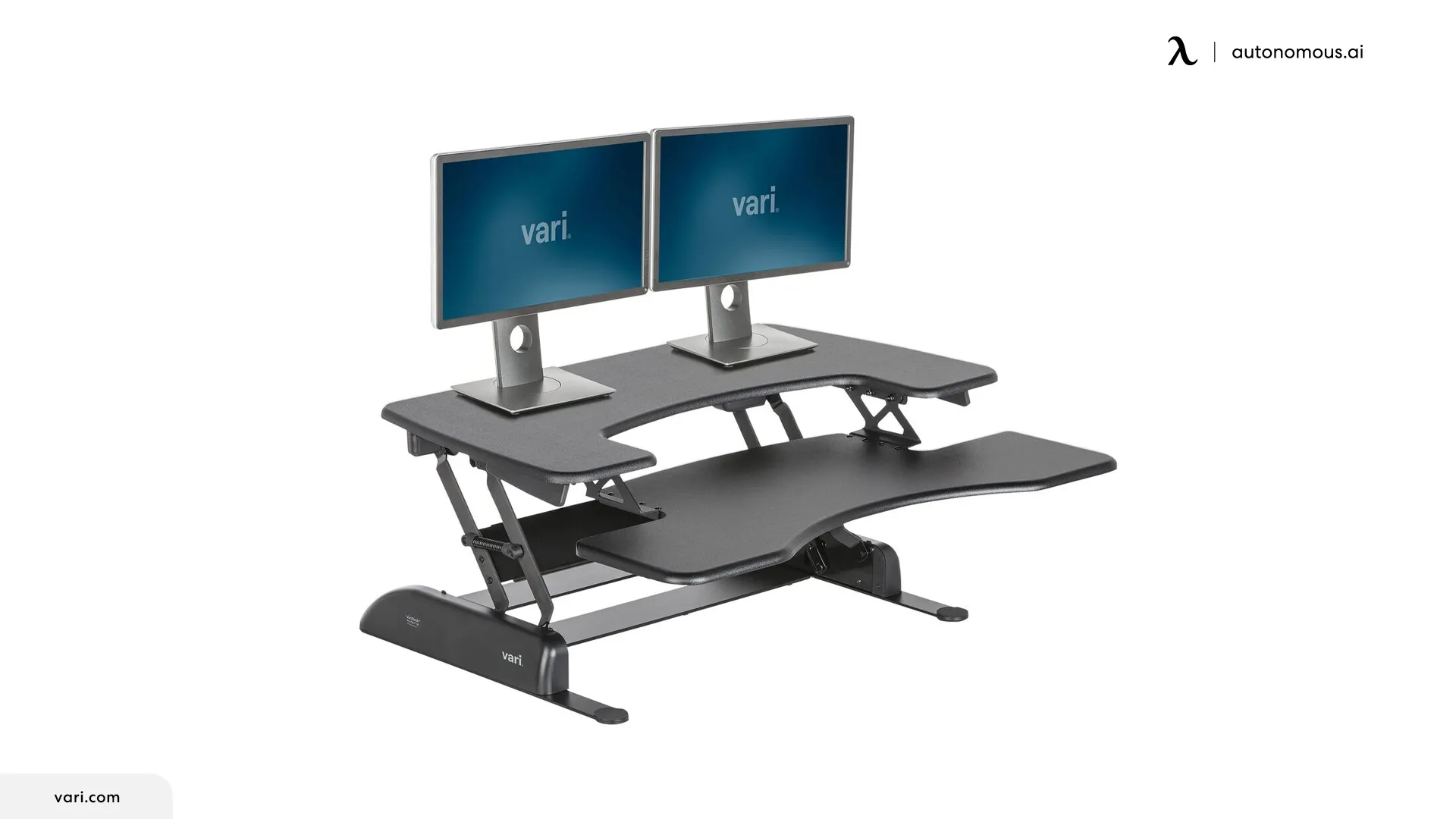
The VariDesk Pro Plus 36 is the pick if you do not want to replace your desk at all. It is a two-tier riser that sits on your existing desktop and lifts your monitors and keyboard to standing height, with no assembly on the manual version.
Specs:
- sits on an existing desk, no install
- two tiers: monitor deck plus keyboard tray
- 11 height settings, or a powered lift version
- holds roughly 35 to 44 pounds
- GREENGUARD Gold certified
For renters or anyone with a desk they like, a standing desk converter is the low-commitment way to start standing, and this one is spacious and quick to use. The honest limits: it is less stable at full height than a real standing desk, the keyboard tray sits above your desk surface rather than below it, and the front cutout puts your mouse a little far back. It runs around $395.
Pros
- No need to replace the desk you already have
- Two-tier design with room for dual monitors
Cons
- Less stable at full height than a full standing desk
- Raised keyboard tray and a smaller usable surface
How to choose a standing desk
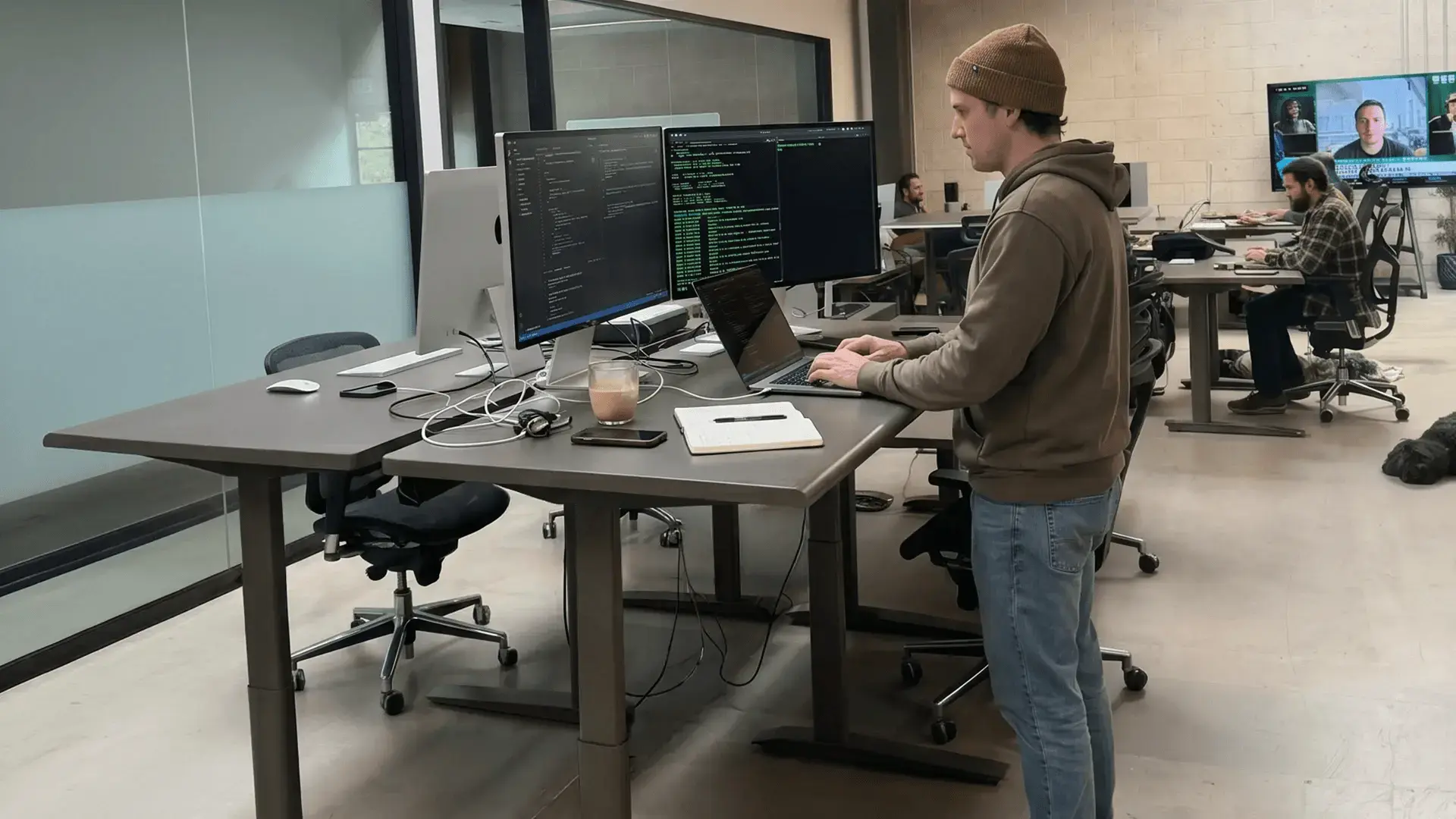
Two numbers tell you most of what you need: the top of the height range and whether the frame is two-stage or three-stage. If the top height clears your standing elbow height and the legs are three-stage, you have ruled out the two problems that ruin standing desks, a top that is too low and a wobble at full height. From there, pick by what you most need to get right.
Your main issue | The desk to choose |
Long hours, want it rock-steady | Autonomous Desk Pro, or FlexiSpot E7 |
Best value that lasts | Autonomous Desk 2, or Vernal Core3 |
A corner or two work zones | Autonomous Desk 2 L-Shaped |
Endless customization | Uplift V3 |
A very tall user | Herman Miller Jarvis |
Proof of stability | Vernal Core3 |
Cable-heavy gaming setup | Secretlab Magnus Pro |
A curved, sit-in-closer top | ApexDesk Elite Pro |
Keeping your existing desk | VariDesk Pro Plus 36 converter |
Then set it up for your body, because the right desk at the wrong height still leaves you sore:
- Set the standing height so your elbows rest near 90 degrees and the top of your monitor sits at eye level.
- Set your sit height the same way, then save both to presets so you actually switch through the day.
- Alternate roughly every 30 minutes, and add an anti-fatigue mat if your feet or legs tire when standing.
If back pain is what pushed you toward a standing desk, pair any of these with the habits in my standing desk for back pain guide, since the desk is only half the fix. And if an older desk is failing rather than missing, my motorized standing desk parts guide covers what is worth repairing.
FAQs
What is the best standing desk?
The best standing desk is the one whose height range, stability, and capacity match how you work, not the one with the highest headline spec. For long hours the Autonomous Desk Pro is my top pick; for strong specs at a lower price the FlexiSpot E7 is the best value, and the Vernal Core3 is a strong stability-first alternative.
What is the most stable standing desk?
The most stable standing desks use three-stage legs, a wide foot, and either a rigid crossbar or a C-frame to resist sway at full height. The Uplift V3 and FlexiSpot E7 lead among three-stage frames, while the C-frame Autonomous Desk Pro and Vernal Core3 stay steady with the bonus of extra legroom.
How much should a good standing desk cost?
A good motorized standing desk generally costs between $300 and $700, depending on frame stages, capacity, and surface quality. Entry desks with a two-stage frame sit at the low end, while premium three-stage frames with 15-year warranties sit toward the top. Large L-shaped desks run higher.
How much weight can a standing desk hold?
Most quality standing desks hold between 235 and 400 pounds, rated for the moving load with monitors and arms included. On this list capacity runs from 235 pounds on the ApexDesk up to 400 pounds on the Autonomous L-Shaped, with most mainstream desks landing around 250 to 355 pounds.
Which standing desk is best for tall users?
The best standing desk for tall users has a top height near or above 50 inches, so your elbows sit at 90 degrees while standing. The Herman Miller Jarvis reaches about 51 inches, the highest here, with the Vernal Core3 and Uplift V3 close behind, all good fits for users over 6 foot 4.
What is the quietest standing desk?
The quietest standing desks use dual or triple motors and run under about 30 dB at desk height. The Autonomous Desk Pro measures under 30 dB, quiet enough that a video call will not pick up the lift, which is its main edge over louder single-motor and budget frames.
Do standing desk warranties really differ?
Standing desk warranties differ more than the headline number suggests. Many cover the steel frame for 10 years but limit the motor and electronics, the parts that actually fail, to a few years. The FlexiSpot E7, Uplift V3, and Vernal Core3 cover the whole system for up to 15 years, which is the benchmark.
Is a standing desk converter as good as a standing desk?
A standing desk converter is not as stable as a full standing desk, but it is a good option if you want to keep your current desk. A riser like the VariDesk Pro Plus 36 sits on your existing top and lifts your monitors and keyboard, trading some stability and surface space for a no-commitment setup.
Bottom line
The best standing desk is not the one with the biggest number on the box, it is the one that still stands steady after a year of daily raises and covers its motor when it fails.
Check two things first, whether the top height clears your standing elbow height and whether the legs are three-stage, then pick by what you most need: the Autonomous Desk Pro for long steady hours, the Desk 2 for value that lasts, the FlexiSpot E7 or Vernal Core3 for stability at a fair price. Set your presets, alternate through the day, and a good desk pays for itself in how you feel by five o'clock.
References
- Occupational Safety and Health Administration (OSHA). Computer Workstations eTool: Good Working Positions. https://www.osha.gov/etools/computer-workstations/positions
- Cornell University Ergonomics Web. Office Ergonomics Guidelines. https://ergo.human.cornell.edu/
- Centers for Disease Control and Prevention. Physical Activity and Reducing Sedentary Time. https://www.cdc.gov/physical-activity/