10 DIY Monitor Stand Ideas With Step-by-Step Build Guides

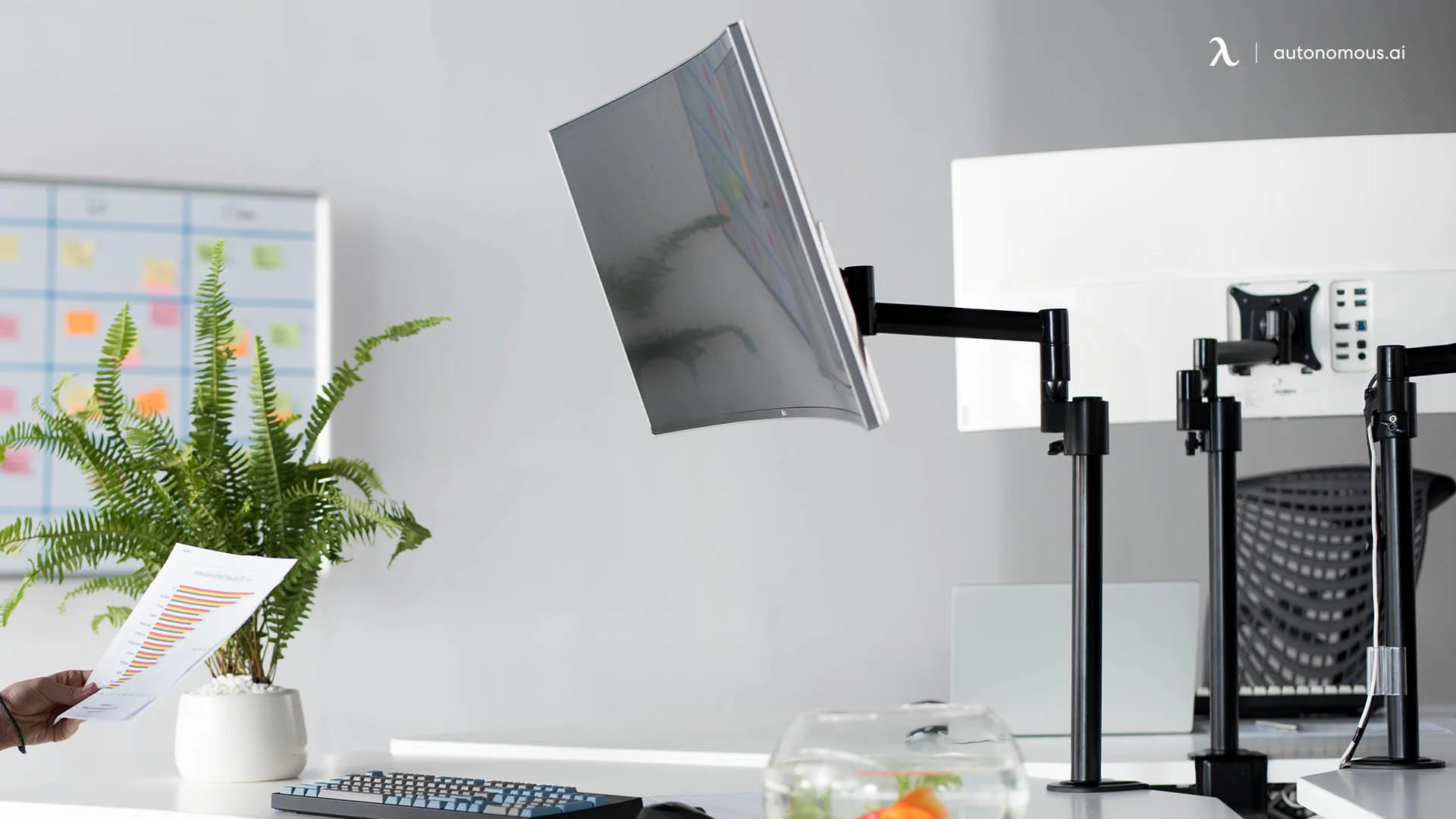
The quickest DIY monitor stand is a stack of books under the screen, and the one most people keep for years is a wood board on two blocks cut to the height their eyes need. Whatever you build, aim for the same result: the top of the screen at or slightly below eye level and 20 to 40 inches from your eyes, which is the range OSHA recommends.
A screen that sits too low pulls your head forward and leads to slouching by mid-afternoon. This guide shows you how to measure the height you need, then walks through 10 DIY monitor stand ideas with the tools and steps for each one: makeshift fixes, simple risers, dual and triple monitor stands, arms, wall mounts, and a floor stand.
DIY Monitor Stand Ideas Compared
Books, paper reams, and a crate need no tools, while a wood board on blocks is the easiest DIY monitor stand that lasts. Here is how all 10 ideas compare.
| Idea | Tools | Effort | Lifespan |
|---|---|---|---|
| Books or paper reams | None | Easy | Long term |
| Filled cardboard box | Tape | Easy | Short term |
| Wooden crate | None | Easy | Long term |
| Wood board on blocks | Saw, drill | Moderate | Long term |
| Shelf board on legs | Drill | Easy | Long term |
| Pipe riser | Pipe cutter, drill | Moderate | Long term |
| Dual or triple board | Saw, drill | Moderate | Long term |
| Wooden or PVC arm | Saw, drill, clamp | Advanced | Depends on joints |
| Wall shelf or mount | Drill, stud finder | Moderate | Long term |
| Floor stand | Pipe wrench, drill | Advanced | Long term |
How High Should a DIY Monitor Stand Be?
A DIY monitor stand should lift the screen until its top edge sits at or slightly below your eye level while you sit in your normal working posture. Measure before you build, because a riser that is an inch off is the most common reason a homemade stand gets rebuilt.
- Find your seated eye height from the floor. The Autonomous desk height calculator gives a sitting eye height range from your height, or you can measure it with a tape while seated.
- Measure your desk height from the floor to the desktop.
- Measure from the desktop to the top of the screen with the monitor at its lowest setting.
- Subtract: eye height minus desk height minus screen-top height. Build the riser to that number or up to an inch shorter, so the top of the screen lands just below eye level.
For example, with a seated eye height of 47 inches, a 29-inch desk, and a screen whose top sits 15 inches above the desk, the riser should be about 2 to 3 inches tall. If you wear bifocals, OSHA suggests a lower screen tilted up toward you, so subtract a little more.
Makeshift Monitor Stand Ideas You Can Use Today
A makeshift monitor stand is anything flat, rigid, and wider than the monitor's base that you can stack to the height you measured. These three need no tools and are a good way to test a height before you build something permanent.
Books or reams of printer paper
Hardcover books or sealed reams of printer paper are the fastest monitor riser you already own, and reams let you change the height one ream at a time.
- Pick books or reams that are wider than the monitor's base.
- Put the widest, heaviest item at the bottom.
- Add or remove one at a time until the top of the screen sits at or just below eye level.
- Press each corner of the monitor; if the stack shifts, swap in a wider item.
The same stack works under a laptop. In a dual monitor setup with a laptop, raise the laptop until its screen top lines up with the monitor beside it.

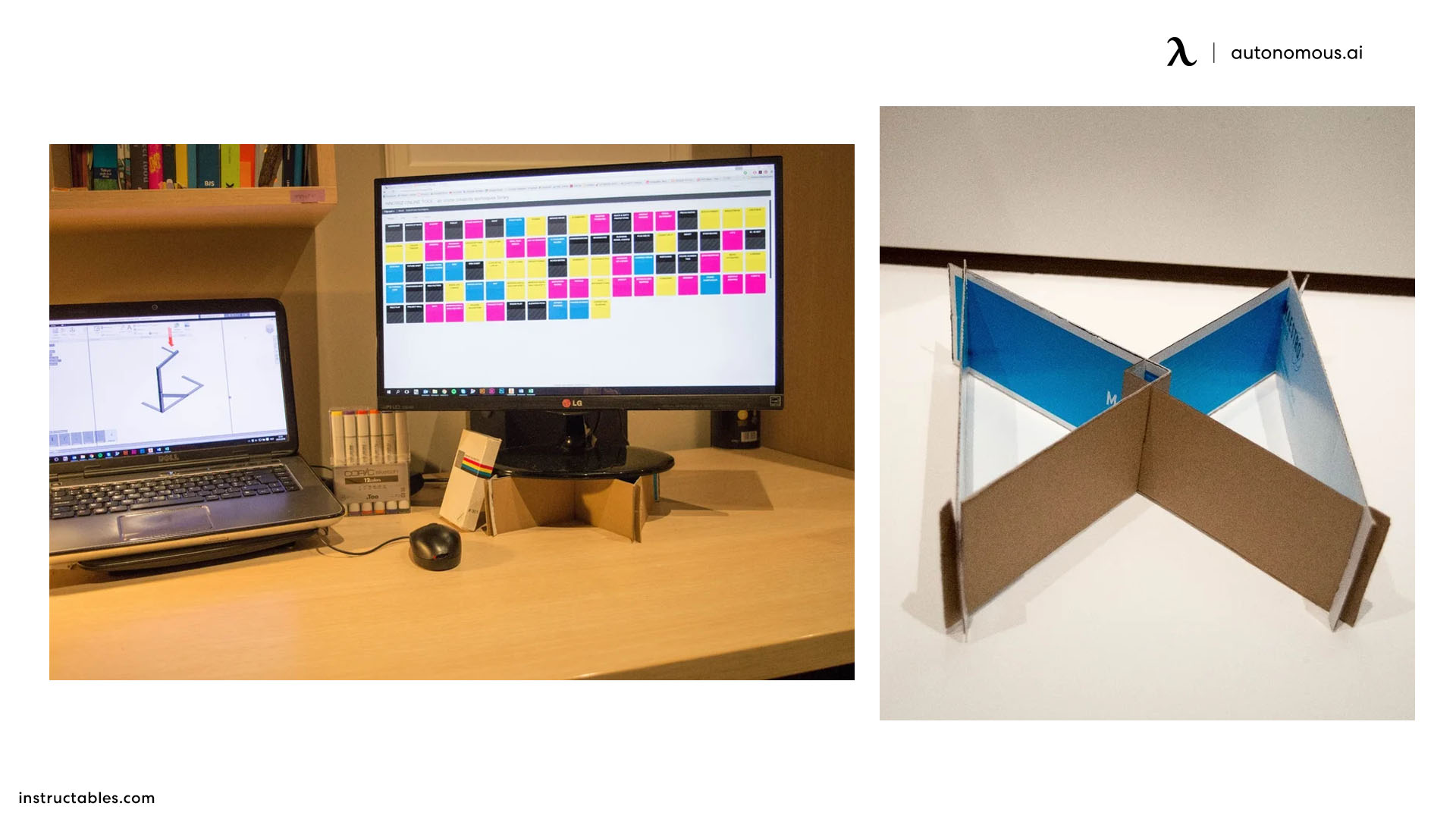
A reinforced cardboard box
A cardboard monitor stand works as a short-term fix for a light monitor, but only if the box is packed full so the top cannot crush.
- Pick a box a little wider and deeper than the monitor's base.
- Fill it tightly with folded cardboard or books.
- Tape every seam closed.
- Set it on a dry, flat spot and check it for sagging every few days.
Cardboard softens with humidity and spills, so treat it as a test before you build in wood.
A wooden crate or sturdy storage box
A wooden crate turned on its side raises the screen and gives you a shelf underneath for a notebook or keyboard.
- Turn the crate on its side with the open face toward you.
- Sand any rough edges and add felt pads under the corners.
- Check that it sits flat with no rocking.
- If it is too short, add a ream of paper on top; if it is too tall, pick a smaller crate.
Simple DIY Monitor Riser Builds
A simple DIY monitor riser is a flat board on short legs, and the three builds below cover most desks. All of them start with the height you measured above.
Wood board on blocks, the go-to DIY monitor stand
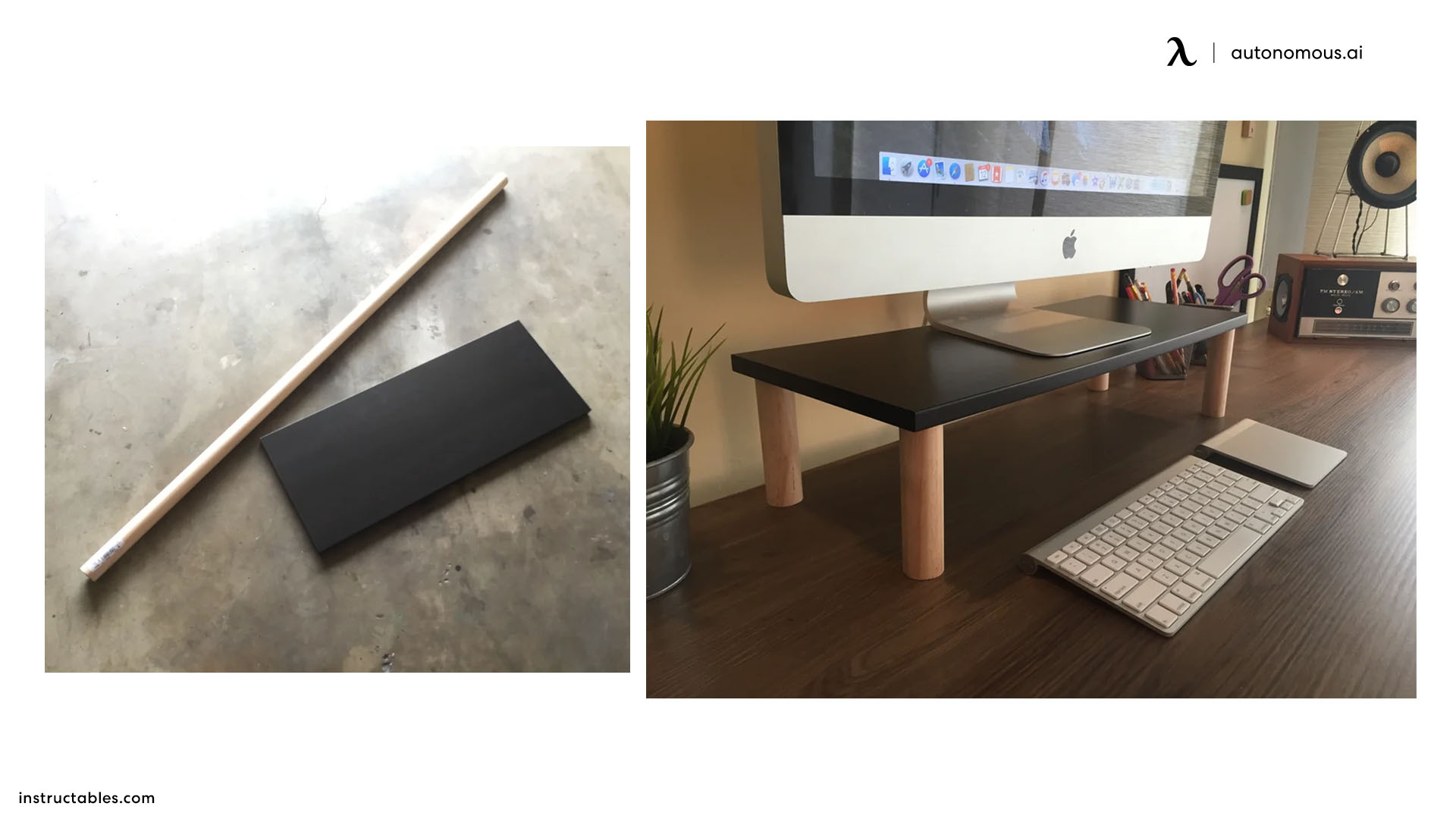
A wood board on two blocks is the most stable DIY monitor stand you can build with basic tools. You need one 3/4-inch board (plywood or hardwood), two or three wood blocks, wood glue, screws, sandpaper, a finish, and felt pads.
- Cut the board a few inches wider than the monitor's base.
- Cut the blocks to your riser height and check that they match exactly, since a small difference tilts the screen.
- Glue and screw the blocks near each end from the top, countersinking the screws so they sit flush.
- Sand, apply the finish, and add felt pads under the blocks.
- Load-test it with something heavier than the monitor before the screen goes on.
Shelf board on screw-in furniture legs
Screw-in furniture legs turn a store-bought shelf board into a monitor riser with no cutting beyond the board itself.
- Buy a shelf board and four screw-in legs with mounting plates, in the length you measured.
- Screw the plates to the underside, about an inch in from each corner.
- Thread in the legs and check that the board sits level.
- Slide your keyboard underneath when you are not using it.
Copper or PVC pipe riser
A pipe riser uses short lengths of copper or PVC pipe as legs, held to the board with flanges, for a lighter, industrial look.
- Cut four pieces of pipe to exactly the same length.
- Screw a flange to the underside of the board near each corner.
- Fit each pipe into a flange and tighten or glue it so it cannot spin.
- Add end caps or felt so the feet do not scratch the desk.
PVC can flex under a heavy screen, so use thicker pipe and keep the legs short.

DIY Dual Monitor Stand and Multi Monitor Risers
A DIY dual monitor stand works best as one long board rather than two separate risers, because a single board keeps both screens at the same height and angle. If space is tight, these tips for dual monitors on a small desk help with layout before you cut anything.
How to build a DIY dual monitor stand
A DIY dual monitor stand is a long board on three legs, sized to the combined width of both monitor bases plus a gap between them.
- Measure both monitor bases side by side and cut the board to that width plus a few inches.
- Cut three legs to the same height: one at each end and one in the middle so the board does not sag.
- Attach the legs the same way as the wood board build above.
- Set both screens on top and check that their top edges line up.
Curved screens angle in toward you, so a dual curved monitor setup needs a deeper board than two flat screens of the same size.
How to build a DIY triple monitor stand
Most triple monitor setup ideas put the center screen straight ahead and angle the two side screens in, and a DIY stand can follow the same shape.
- Build one center riser, then two side boards at the same height.
- Put a leg at each outer end and under every joint.
- Angle the side boards in until all three screens face you.
- Load-test the joints before the screens go on.
DIY Monitor Arm, Mount, and Floor Stand Ideas
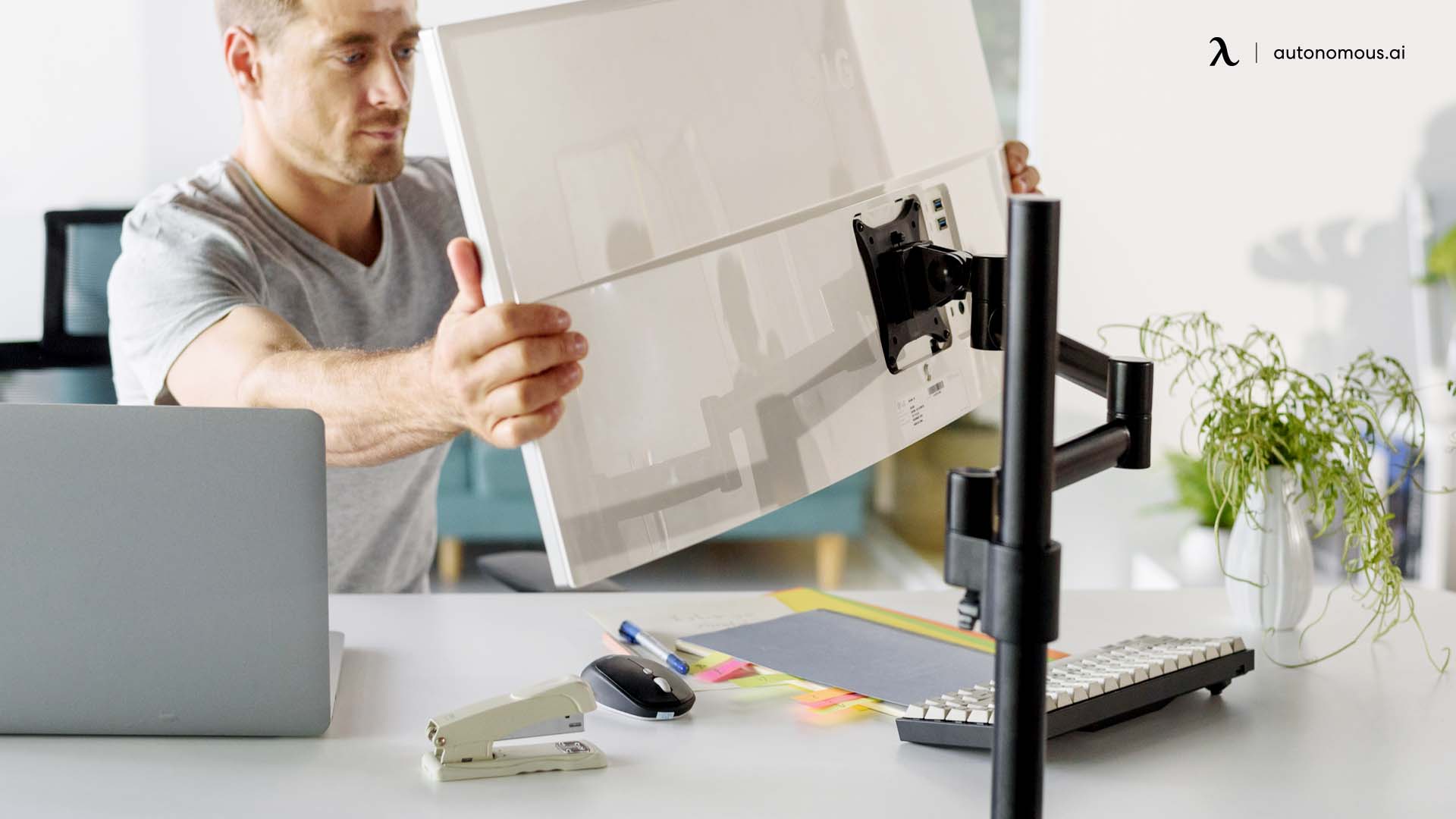
A DIY monitor arm or mount only works if your monitor has VESA mounting holes, four threaded holes on the back in a square pattern, most often 75 x 75 mm or 100 x 100 mm. To use them, you first remove the monitor stand that came with the screen. Screens without VESA holes need an adapter bracket that clamps around the back.
Wooden or PVC DIY monitor arm
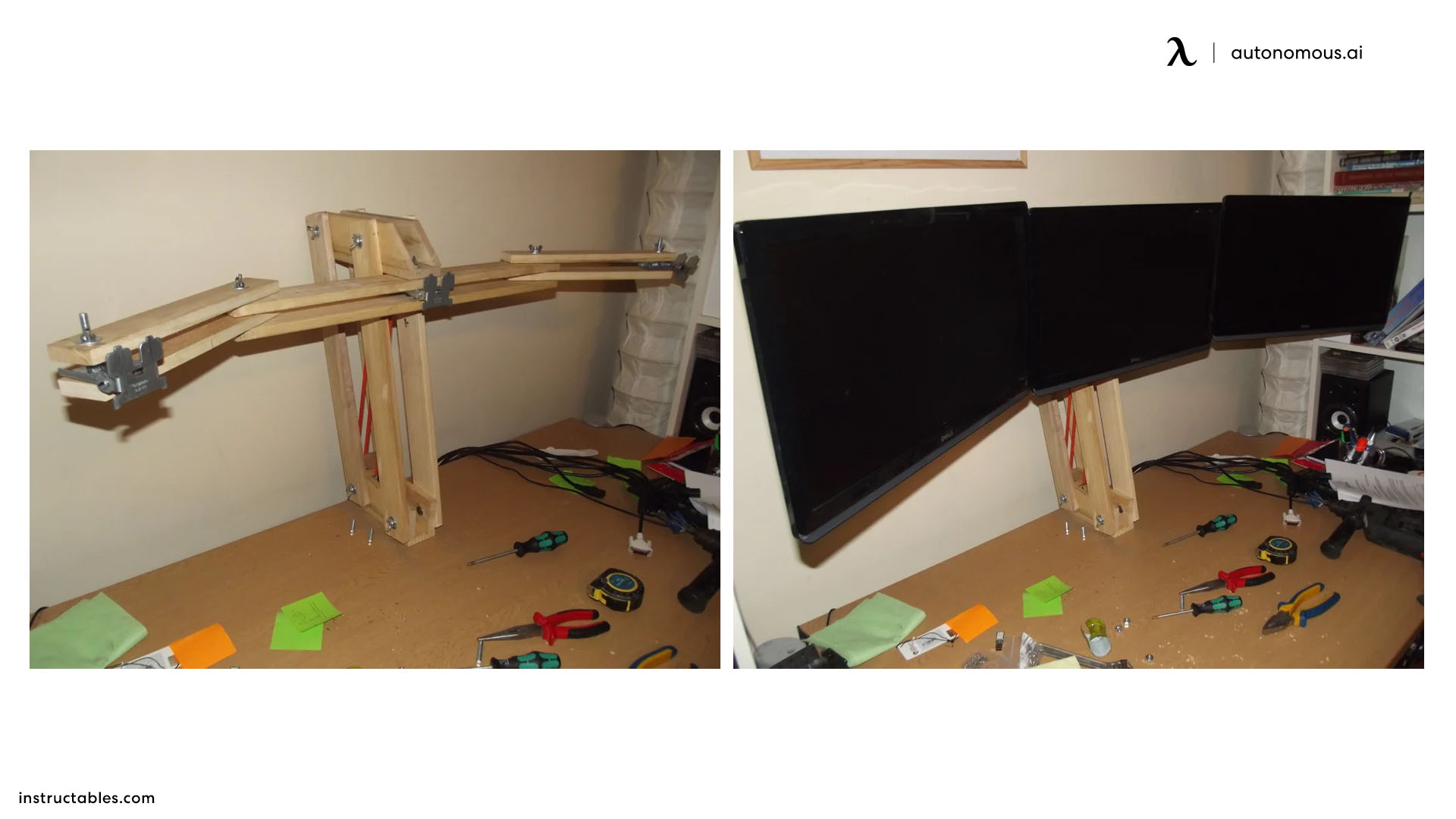
A homemade monitor arm clamps to the desk edge and holds the screen out over the desk, but the farther the screen sits from the clamp, the more force the joints carry.
- Cut a vertical post and two short arm sections from hardwood, or use thick PVC.
- Join them with bolts so the arm can pivot but not sag.
- Screw a plate to the end of the arm, drilled to your monitor's VESA pattern.
- Clamp the post to the desk edge, using the clamp tips in this monitor arm installation guide.
- Hang a weight heavier than the monitor on the arm for a day before mounting the screen.
Wall-mounted shelf or DIY wall mount
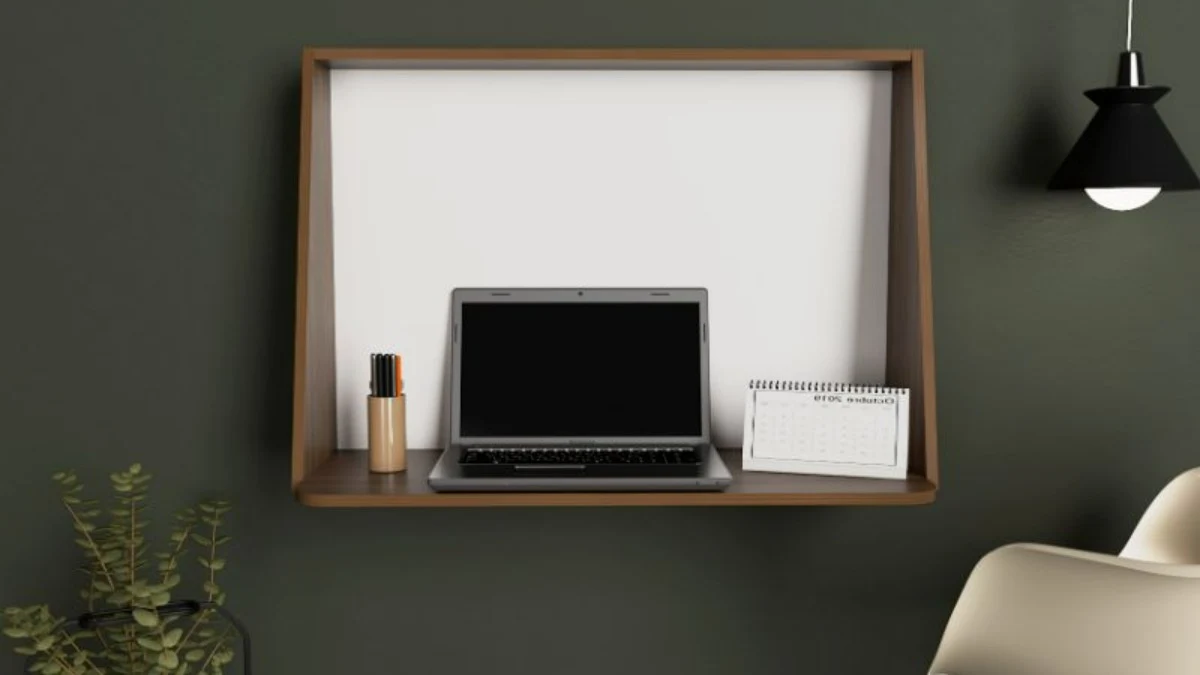
A wall-mounted shelf or VESA plate lifts the screen with nothing on the desk at all.
- Find the studs with a stud finder, or use anchors rated well above the monitor's weight.
- Mark the height so the top of the screen lands at or just below seated eye level.
- Screw the brackets or plate to the wall and check them with a level.
- Route the cables before the screen goes up.
A wall plate can also hold a screen in portrait, and a vertical monitor stand suits code and long documents.
DIY monitor floor stand
A DIY monitor floor stand puts the screen on a vertical post next to a couch, bed, or sim rig.
- Screw a threaded iron pipe into a floor flange.
- Bolt the flange to a heavy, wide base, such as thick plywood.
- Fix a VESA plate to the top of the pipe at your viewing height.
- Bump the post to test it; if it tips, widen or weigh down the base.
For heavy, curved, or ultrawide screens, one of these heavy-duty monitor arms with a rated clamp is safer than a homemade arm or post.
How to Check That a DIY Monitor Stand Is Safe and Ergonomic
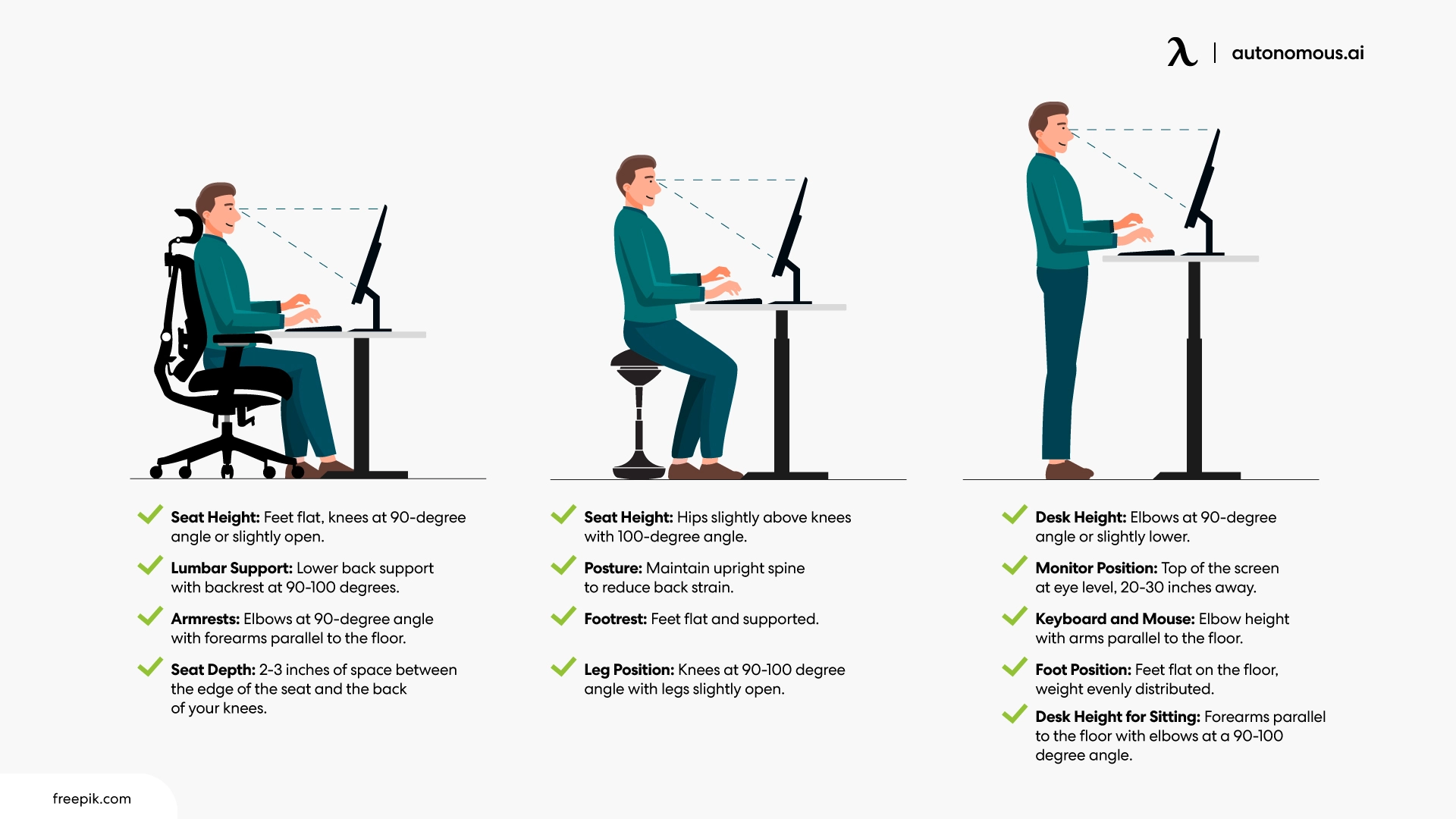
A DIY monitor stand is ready to use when it passes a height check, a distance check, and a load test. Run through these before your first full workday on it:
- Height: the top of the screen sits at or slightly below eye level, with the center of the screen 15 to 20 degrees below your line of sight.
- Distance: 20 to 40 inches from your eyes to the screen, closer for small text.
- Tilt: the screen tips back no more than about 10 to 20 degrees, so it faces your line of sight.
- Wobble: press on each corner and type for a minute; nothing should move.
- Load: leave something heavier than the monitor on the stand for a day before the screen goes on.
- Multiple screens: tops of all screens at the same height.
For the full background on why these numbers matter, see this guide to ideal monitor height.
Common DIY Monitor Stand Mistakes
- Using the computer case as a stand: OSHA notes this usually puts the screen too high for all but the tallest users.
- Building before you pick the screen: a 34-inch ultrawide needs a wider, deeper board than a 32-inch screen, so choose between a 32 or 34 inch monitor before you cut.
- Building before measuring: guessing the height is the main reason a riser gets rebuilt.
- Uneven legs: a few millimeters of difference tilts the screen and makes it rock.
- Overloading soft materials: cardboard and thin PVC sag over weeks, not minutes.
- Fixing the screen but not the chair: if your feet dangle or your shoulders lift, adjust the chair first, since posture starts from the seat up.
When a Standing Desk Beats a DIY Monitor Stand
A DIY monitor stand fixes screen height relative to the desk, so it cannot fix a desk that is the wrong height for your arms, and it cannot let you stand. A height-adjustable desk solves both. Because the desk moves to your elbow height whether you sit or stand, the distance from your eyes to the desktop stays about the same, so the riser you set while sitting keeps working when you stand.
Autonomous Desk 2
Autonomous Desk 2 is a dual-motor standing desk with a frame height range of 27.2 to 46.5 inches, a 250 lb lift capacity, four height presets, and anti-collision that stops the desk if it meets resistance. The motors run under 45 dB, the frame is certified to ANSI/BIFMA and UL standards, and it carries a 10-year frame warranty. Tops come in 53 by 29 inches or 70.5 by 30 inches, wide enough for a dual monitor riser. Code BLOGFIRST5 takes an extra 5% off.
WorkingAndGamingDeskMakeoverSetupTour2021_Autonomousx@JamesNguyen.webp)
FAQs
What can I use instead of a monitor stand?
You can use anything flat, rigid, and wider than the monitor's base: hardcover books, reams of printer paper, a wooden crate, a filled and taped cardboard box, or a shelf board on short legs. Stack it until the top of the screen sits at or slightly below eye level, and check that nothing rocks.
How do I prop up a monitor without a stand?
If the monitor has no stand at all, mount it rather than leaning it against something. Use its VESA holes with a wall plate, a desk arm, or a DIY bracket screwed into those holes. If it has no VESA holes, an adapter bracket that clamps around the back lets you attach it to an arm or mount.
How high should a monitor stand be?
A monitor stand should be tall enough to put the top of the screen at or slightly below your eye level. Subtract your desk height and the screen-top height from your seated eye height to get the riser height. For many people on a standard desk, that works out to just a few inches.
What is the cheapest DIY monitor stand?
The cheapest DIY monitor stand is free: books, reams of paper, or a sturdy box you already own. For a permanent version, a scrap board on two blocks costs little more than the screws and glue. Spend money only once you know the right height, so you build the riser once.
How do you make a DIY monitor stand step by step?
To make a DIY monitor stand, measure the riser height you need, cut a 3/4-inch board a few inches wider than the monitor base, and cut two blocks to that height. Glue and screw the blocks under each end, sand and finish it, add felt pads, then load-test it before the monitor goes on.
Can you add a monitor arm to any monitor?
You can add a monitor arm to any monitor that has VESA mounting holes, usually a 75 x 75 mm or 100 x 100 mm pattern on the back. Monitors without VESA holes need an adapter bracket that clamps around the screen. Also check the arm's weight rating against the monitor's weight without its stand.
How do I make a DIY monitor mount?
A basic DIY monitor mount is a flat plate or board drilled to match your monitor's VESA hole pattern, screwed to the monitor, then fixed to a wall stud, a desk clamp, or a pipe post. Use hardware rated above the monitor's weight and test the mount with extra weight first.
How do I build a DIY dual monitor stand?
Build a DIY dual monitor stand from one long board on legs, sized to the combined width of both monitor bases plus a gap. Add a center leg so the board does not sag, cut all legs to the same height, and check that the tops of both screens line up.
Conclusion
A DIY monitor stand is worth building once you know the height you need. Measure first, test with books or a box, then follow the steps for a wood or pipe riser, or a mount if you want the desk clear. If you are rethinking the whole space, these desk setups show how a raised screen fits into a complete workstation.