Computer Accessories Gifts That Upgrade Any Desk or Laptop


The best computer accessories gifts fix something the person deals with every day at the screen: a mouse and keyboard that work across devices, a hub for a laptop with too few ports, a stand that lifts the screen to eye level, a better webcam, or a wrist rest, chair or standing desk for long hours. Pick by their setup, not by the flashiest gadget.
Below are 19 computer gift ideas with prices and who each one suits, split into desk setup, AI gadget, laptop and all-day comfort picks, followed by a short compatibility check. For gifts beyond the computer, our gift shop sorts ideas by recipient and budget.
| Pick | Price | Best for |
|---|---|---|
| Autonomous Desk 2 | $449 | Anyone who sits at a computer all day |
| Autonomous Cable Tray | $49 | Standing desk owners with cable clutter |
| Logitech MX Keys S | $119.99 | Typists who switch between computers |
| Logitech MX Master 3S | $89.99 | Heavy mouse users and spreadsheet work |
| Logitech Brio 100 | $39.99 | Remote workers on daily video calls |
| Autonomous Intern 2 | $299 | People who want an AI agent for email and scheduling |
| Autonomous Harness Device | $149 | Developers who run coding agents |
| Autonomous Harness Pro | $299 | Developers with agents on several machines |
| Autonomous Lamp | $699 | Someone who wants a desktop AI companion robot |
| Caught Bug Tensegrity Sculpture | $29 | Programmers who like a desk joke |
| Drawbridge Castle Laptop Stand | $61 | Laptop users who like a fun desk piece |
| Rain Design mStand | $39.90 | MacBook owners with a separate keyboard |
| Anker 7-in-1 USB-C Hub (A83D2) | $25.99 | Laptops with only USB-C ports |
| Satechi OntheGo 7-in-1 Adapter | $59.99 | Laptop users who need Ethernet |
| ErgoChair Pro | $499 | Long work sessions and back support |
| ErgoClick 3D | $39 | Mouse users with sore wrists |
| Flow Board | $149 | Standing desk users who fidget |
| Hydrate | $39 | People who forget to drink water at work |
| Autonomous Key | $19 | Anyone who wants fewer phone breaks |
Computer Accessories Gifts for the Desk Setup
Desk setup gifts change how the whole workstation feels: the desk height, where the cables go, and the keyboard, mouse and camera used for hours a day. These suit someone with a fixed home office or a desktop computer.
Autonomous Desk 2 Standing Desk
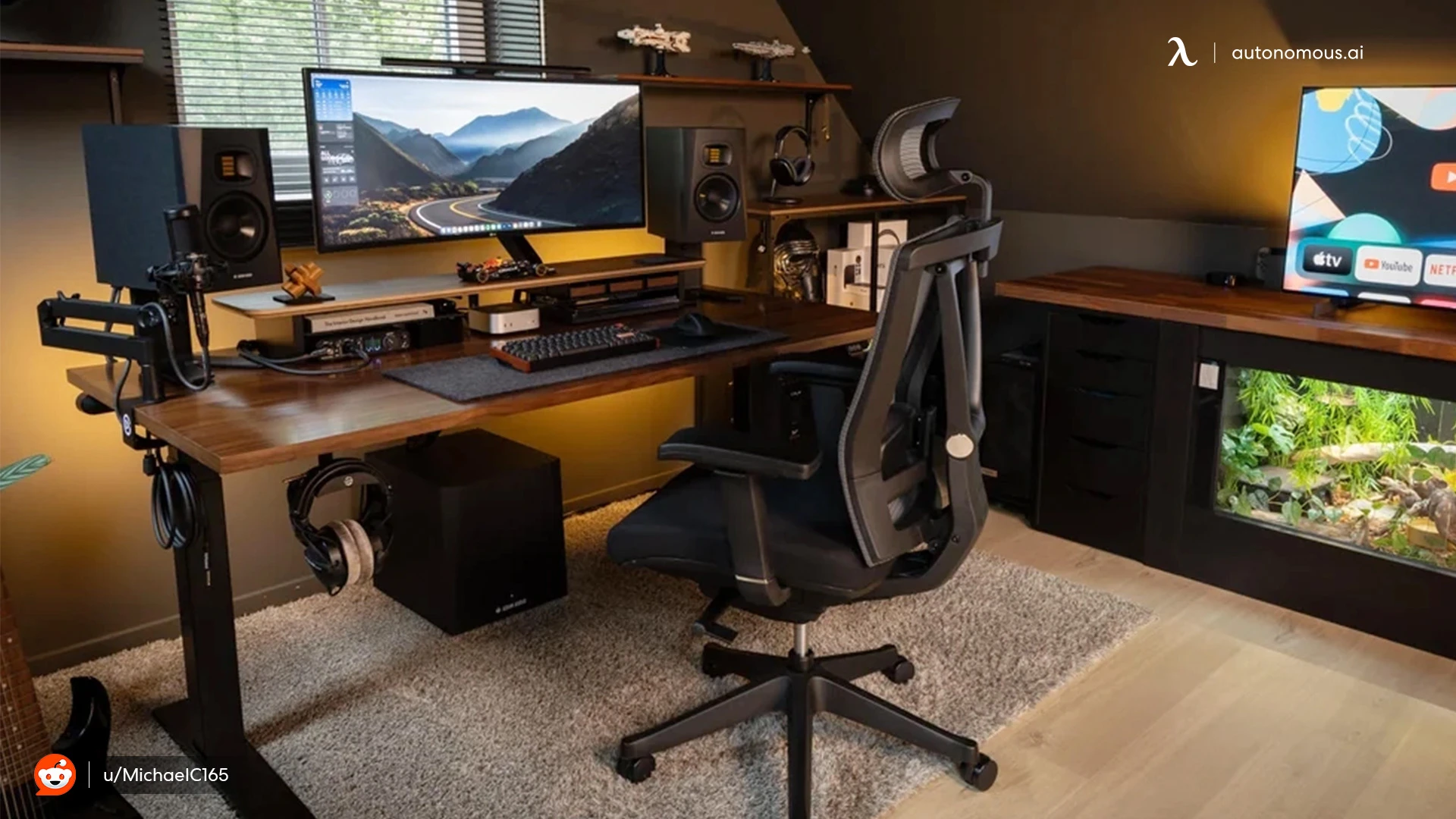
Autonomous Desk 2 is an electric standing desk with dual motors, a 250 lb lifting capacity and a height range of 27.2 to 46.5 inches. It comes in a 53 x 29 inch or a 70.5 x 30 inch top and carries a 10-year warranty; the product page shows 4.7 out of 5 from 3,743 reviews.
Why it fits: it is the biggest upgrade on this list for someone who works at a computer all day, since they can switch between sitting and standing without moving the setup. It is a large gift, so it works best as a shared or family gift, or for someone who is already planning a home office.

Autonomous Cable Tray for Desk Cable Management
The Autonomous Cable Tray is a steel tray that bolts to a standing desk frame with no drilling and holds a power strip up to 35 lb under the desktop. The product page rates it 4.7 out of 5 from 239 reviews.
Why it fits: chargers, monitor cables and a power strip end up on the floor of most computer desks. The tray lifts them off the floor so they rise with the desk. It needs a standing desk frame to bolt onto, so check what desk they have first. More ideas are in our guide to DIY cable management.

Logitech MX Keys S Wireless Keyboard
The Logitech MX Keys S is a backlit wireless keyboard with spherically dished keys, smart function keys and multi-device switching, listed at $119.99 on Logitech's US store with 4.63 out of 5 from 807 reviews.
Why it fits: someone who moves between a work laptop and a home computer can pair both and switch with a key instead of owning two keyboards. The backlight helps for late sessions.

Logitech MX Master 3S Wireless Mouse
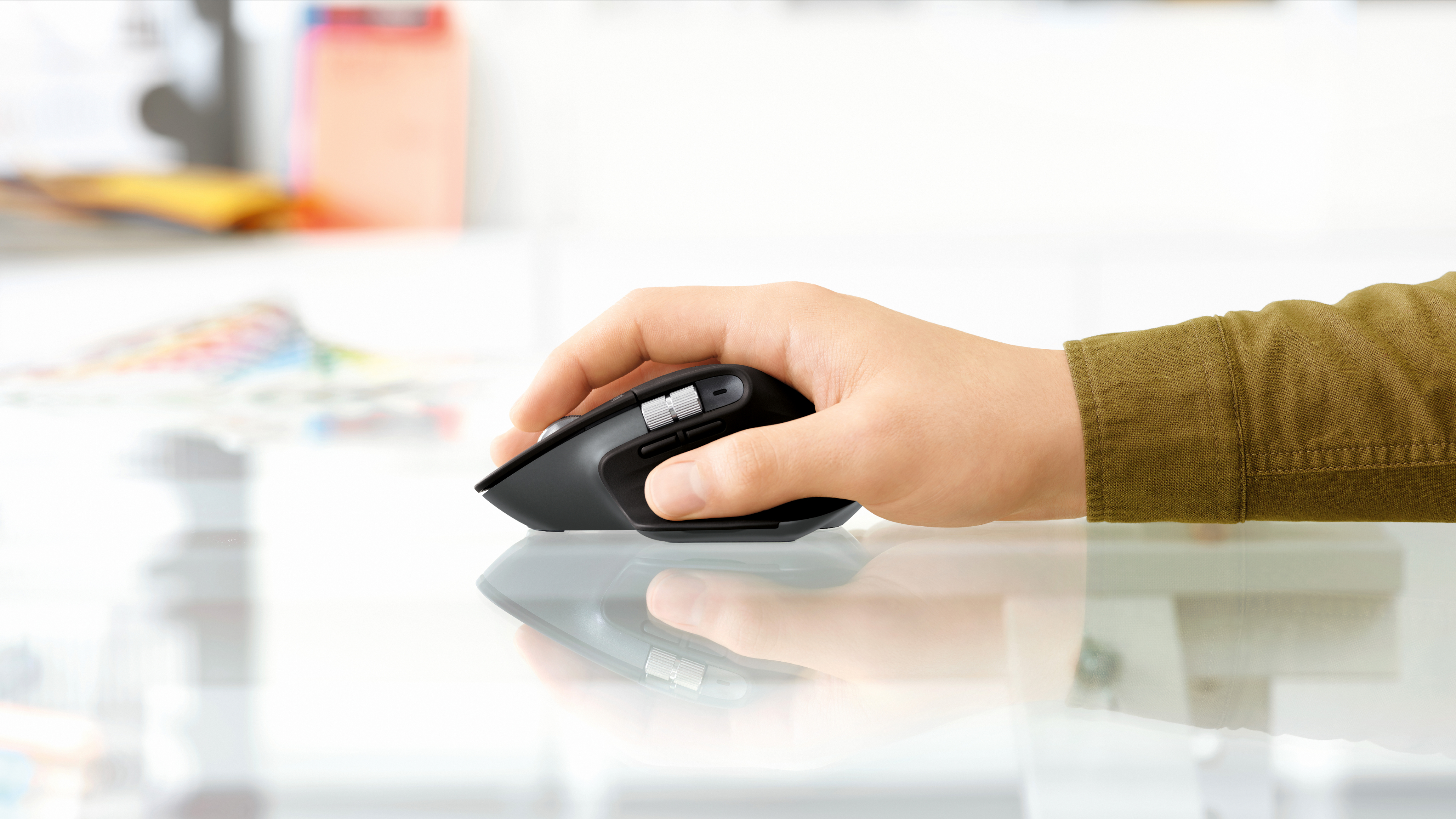
The Logitech MX Master 3S is a wireless mouse with an 8K optical sensor, quiet-click buttons and a MagSpeed scroll wheel, and it can flow between computers. Logitech's store showed it at $89.99, with other colors priced higher, and 4.47 out of 5 from 1,876 reviews.
Why it fits: the fast scroll wheel suits long documents, code and spreadsheets, and quiet clicks matter in a shared room or on calls. Check the color before ordering, since the price changes by finish.
Logitech Brio 100 Full HD Webcam
The Logitech Brio 100 is a 1080p, 30 fps webcam with auto light balance, a built-in mic and a privacy shutter, $39.99 on Logitech's store. It plugs in by USB-A on a 1.5 m cable.
Why it fits: most laptop cameras look soft in a dim room, and a webcam for computers that sits on the monitor gives a straighter angle on calls. If their laptop has only USB-C ports, add an adapter or the Anker hub below.

AI Gadgets and Desk Gifts for Someone Who Loves Computers
For someone who loves computers, the most fun gifts sit on the desk and do something: an AI agent device, a controller for coding agents, a desktop AI companion or a sculpture with a programmer joke. These suit people who already use AI tools at work or follow them closely.
Autonomous Intern 2 AI Agent for the Desk
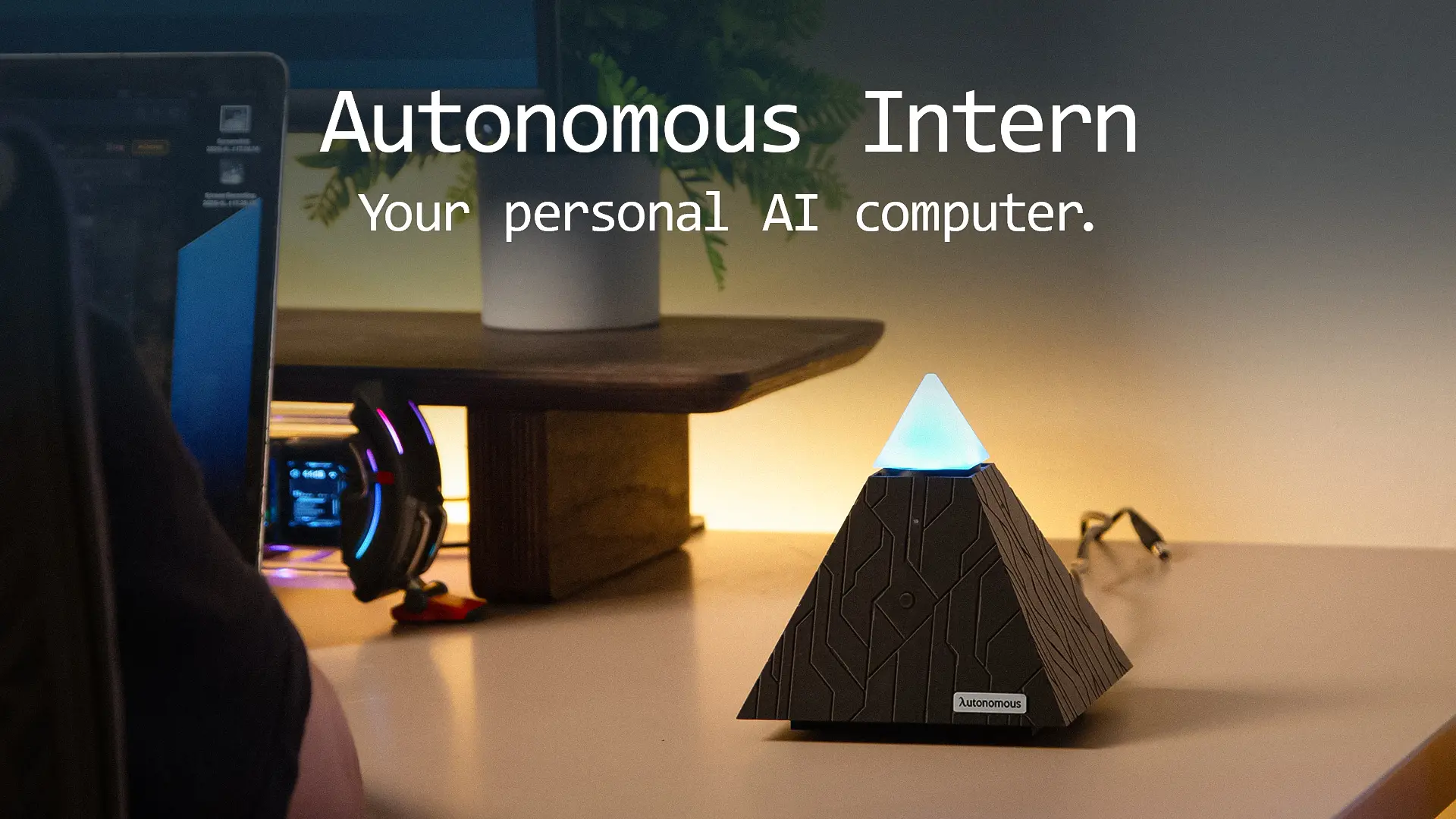
Intern 2 is an AI agent that lives on the desk: you text it or talk to it, and it handles emails, schedules and research. The product page shows 4.5 out of 5 from 19 reviews.
Why it fits: someone who spends the day switching between inbox, calendar and browser tabs can hand off the routine parts. It suits people who like trying new AI tools more than someone who wants a plug-in accessory.
Autonomous Harness Device for Coding Agents
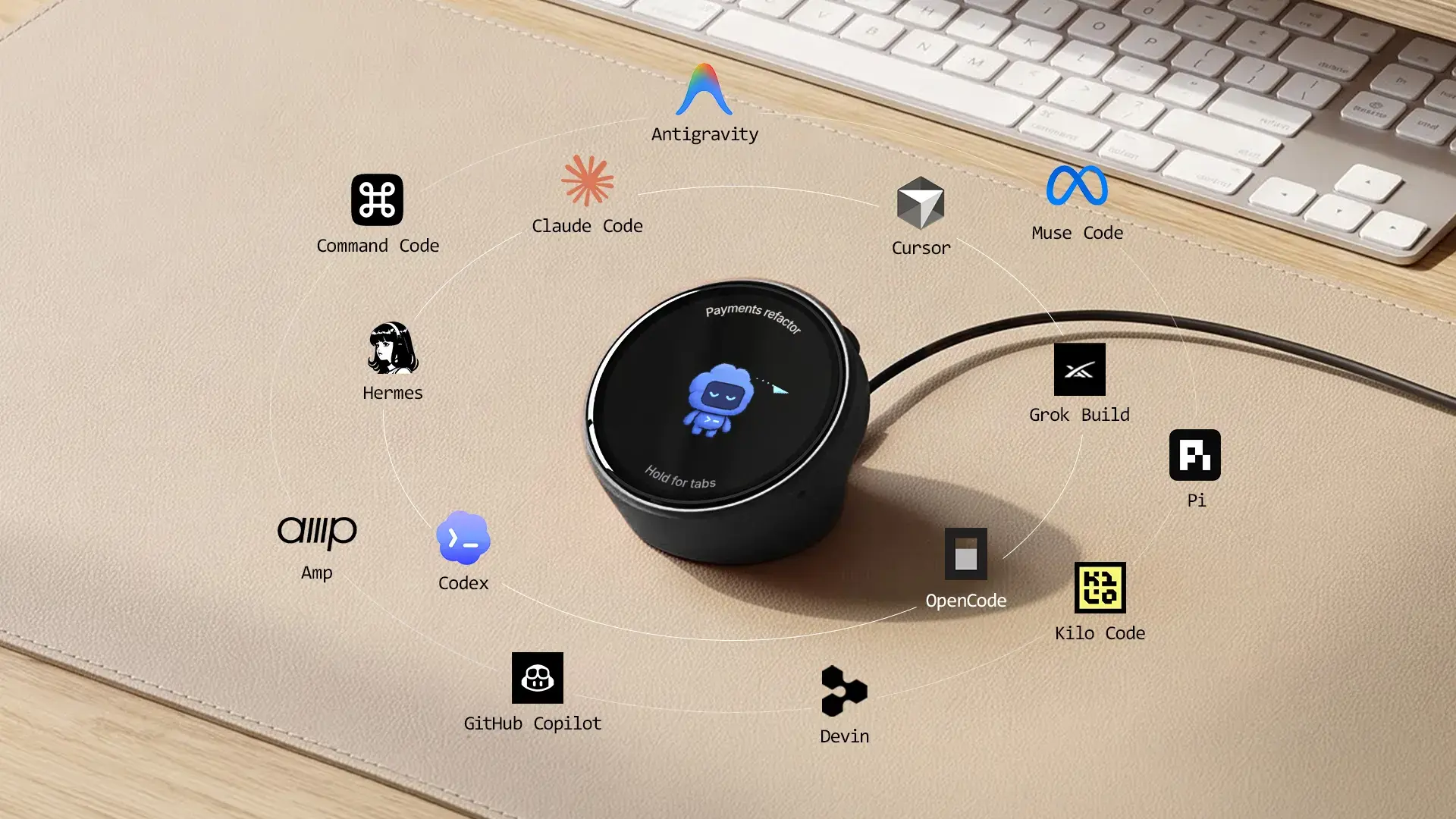
Harness Device is a small desk controller for people who run coding agents: you say the outcome, and the work goes out to the agents you use, such as Claude Code, Codex, Cursor and OpenCode. It is open source, and a stand ships in the box.
Why it fits: a developer who already runs several agents gets one place to start tasks instead of typing the same request into each tool. Check that they use at least one of the supported agents before buying.
Autonomous Harness Pro Desk Screen for AI Agents
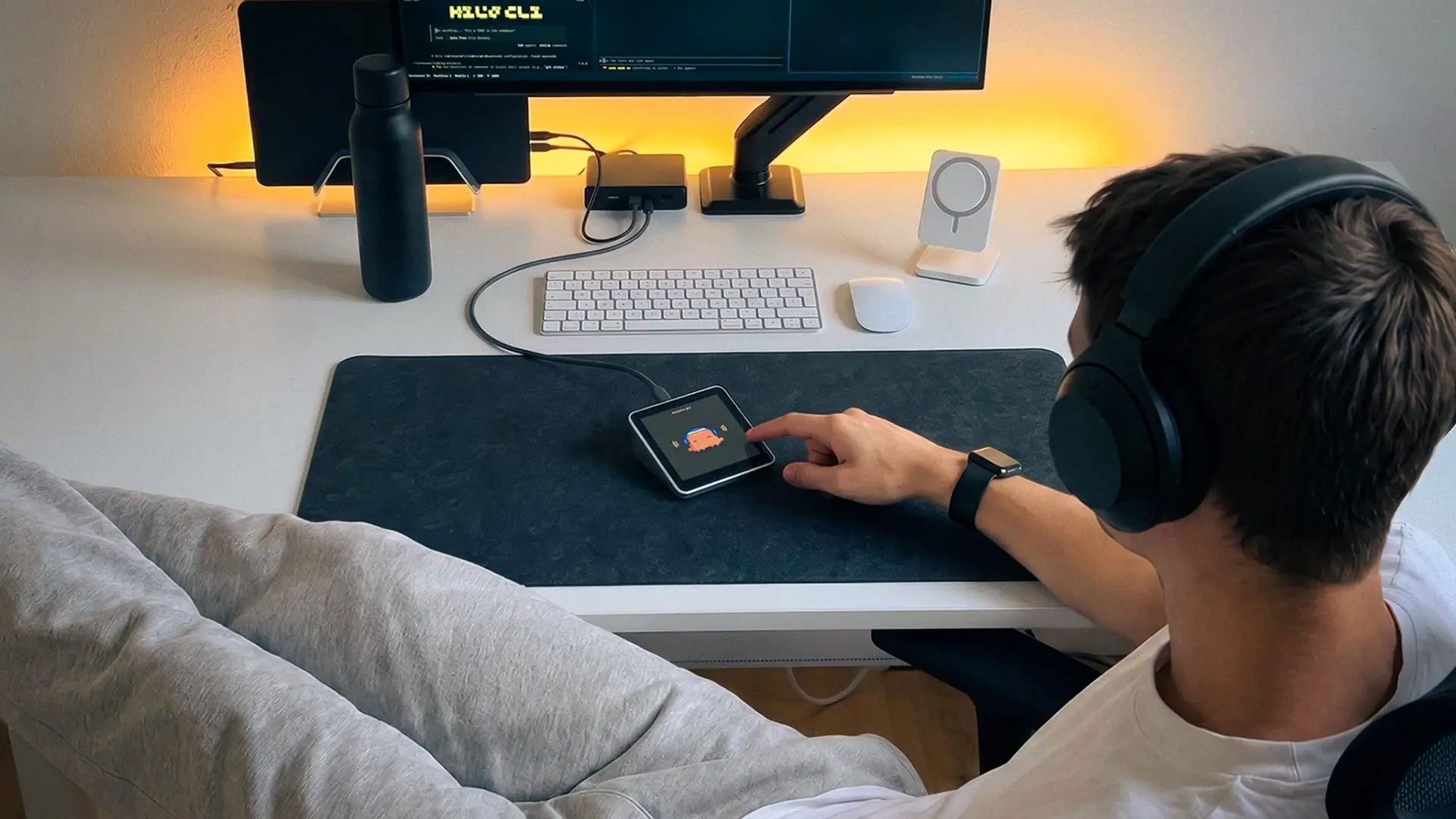
Harness Pro is a desk screen that shows what every coding agent is doing across your machines. You tap between agents or say the next task, and it works with Claude Code, Codex and Cursor.
Why it fits: it is the step up from Harness Device for a developer who keeps agents running on more than one computer and wants to see them all without switching windows.
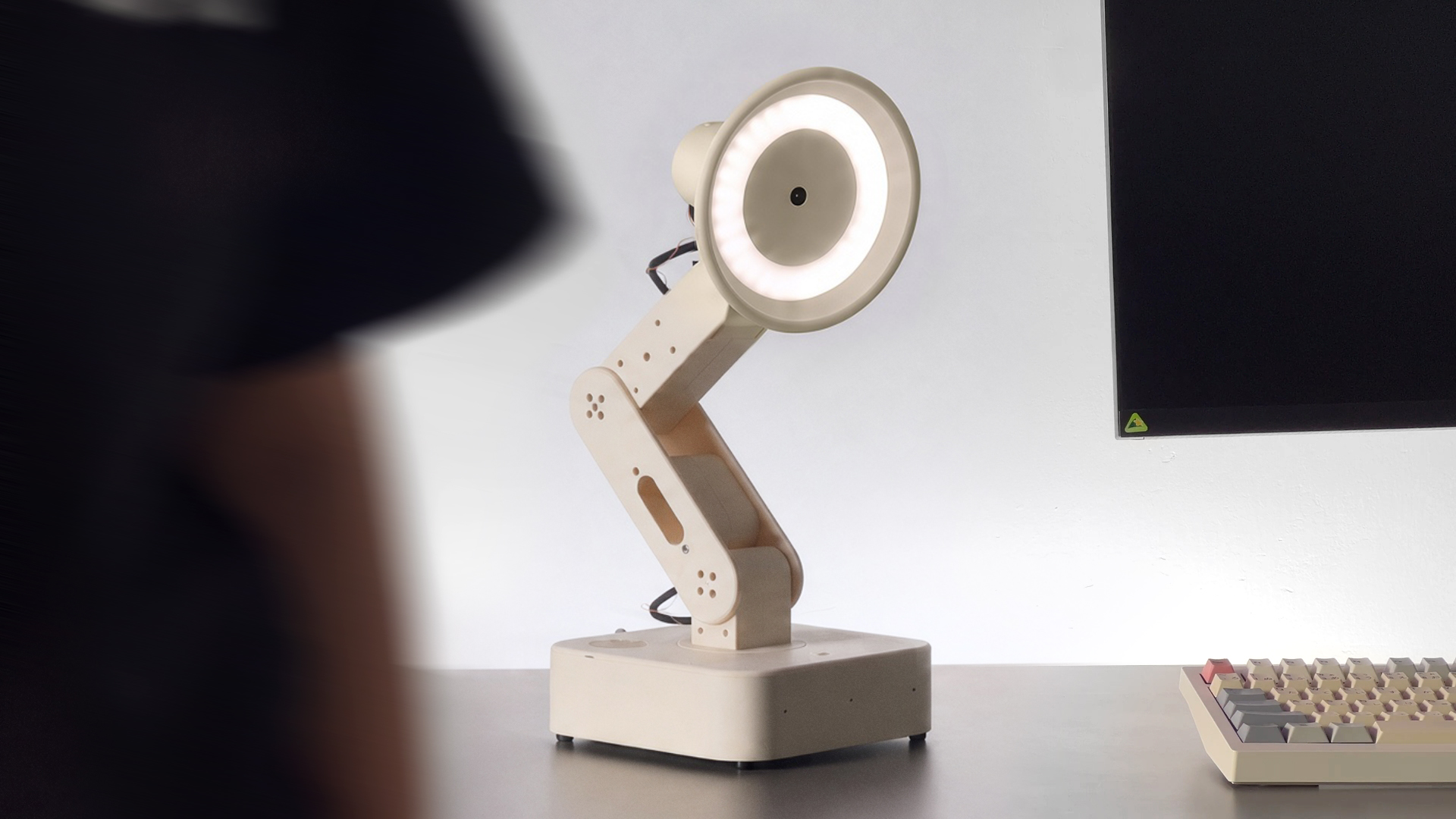
Autonomous Lamp Desktop AI Companion
Autonomous Lamp is a pre-assembled desktop AI companion robot. It sees, moves and talks, does real tasks with more than 100 skills, and writes new skills that you describe to it. It is open source.
Why it fits: it is the biggest gift in this section, for someone who wants a robot on the desk that they can teach new tricks, not just another screen.
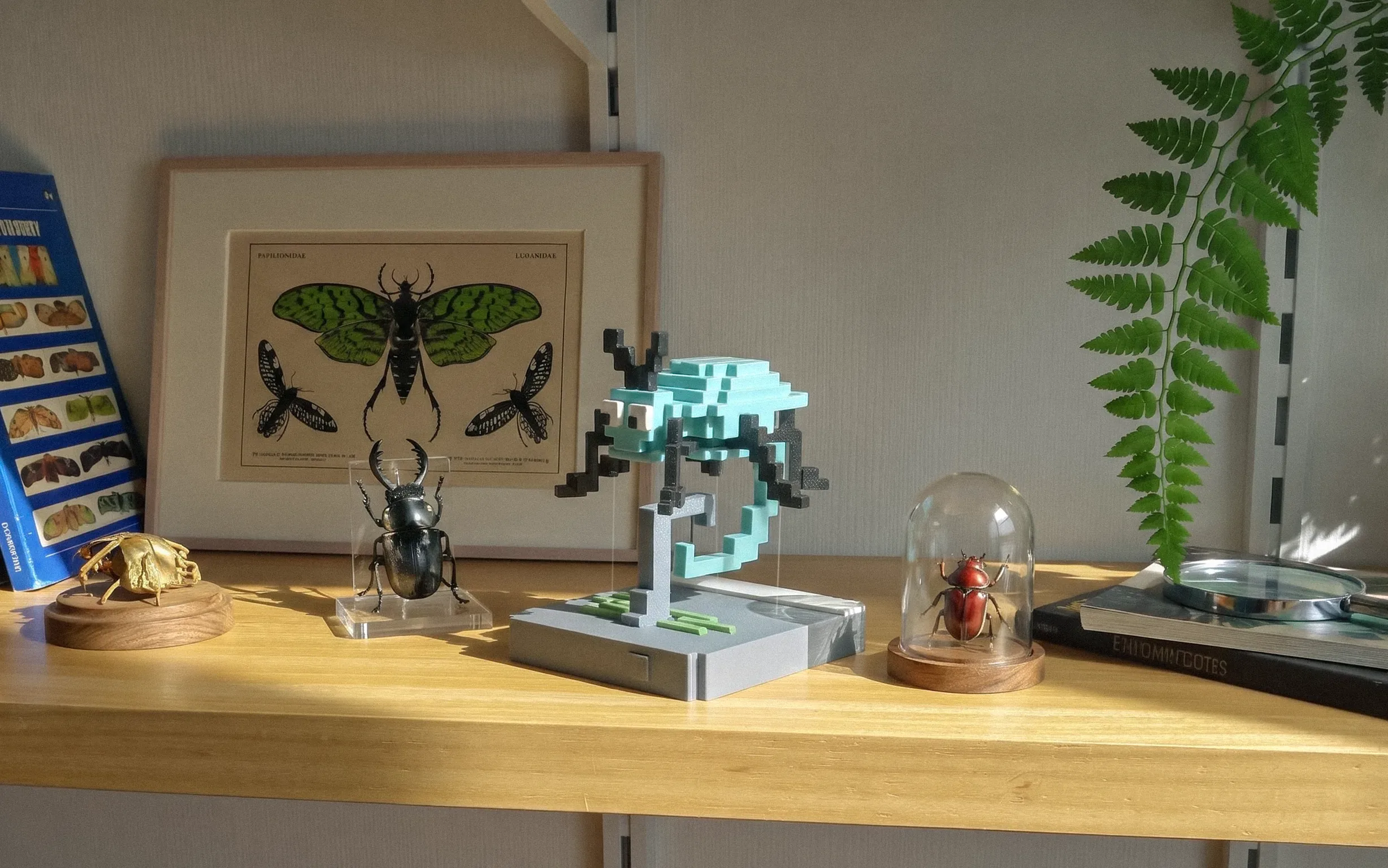
Caught Bug Tensegrity Sculpture for Programmers
The Caught Bug is a pixel beetle caught on a hook, floating over a navy base shaped like a code window. Two interlocking hooks and four clear nylon lines hold it in the air. It is about 3.9 x 3.9 x 4.7 inches, in matte PLA.
Why it fits: anyone who writes code will get the "caught a bug" joke, and the floating build makes people ask how it stays up. It is a small, low-cost desk gift next to the bigger devices above.
Laptop Accessories Gifts
Laptop accessories gifts solve the two common laptop problems: the screen sits too low, and there are too few ports. A stand and a hub together turn a laptop into a proper desk setup, which makes them good gifts for laptop lovers and students alike.

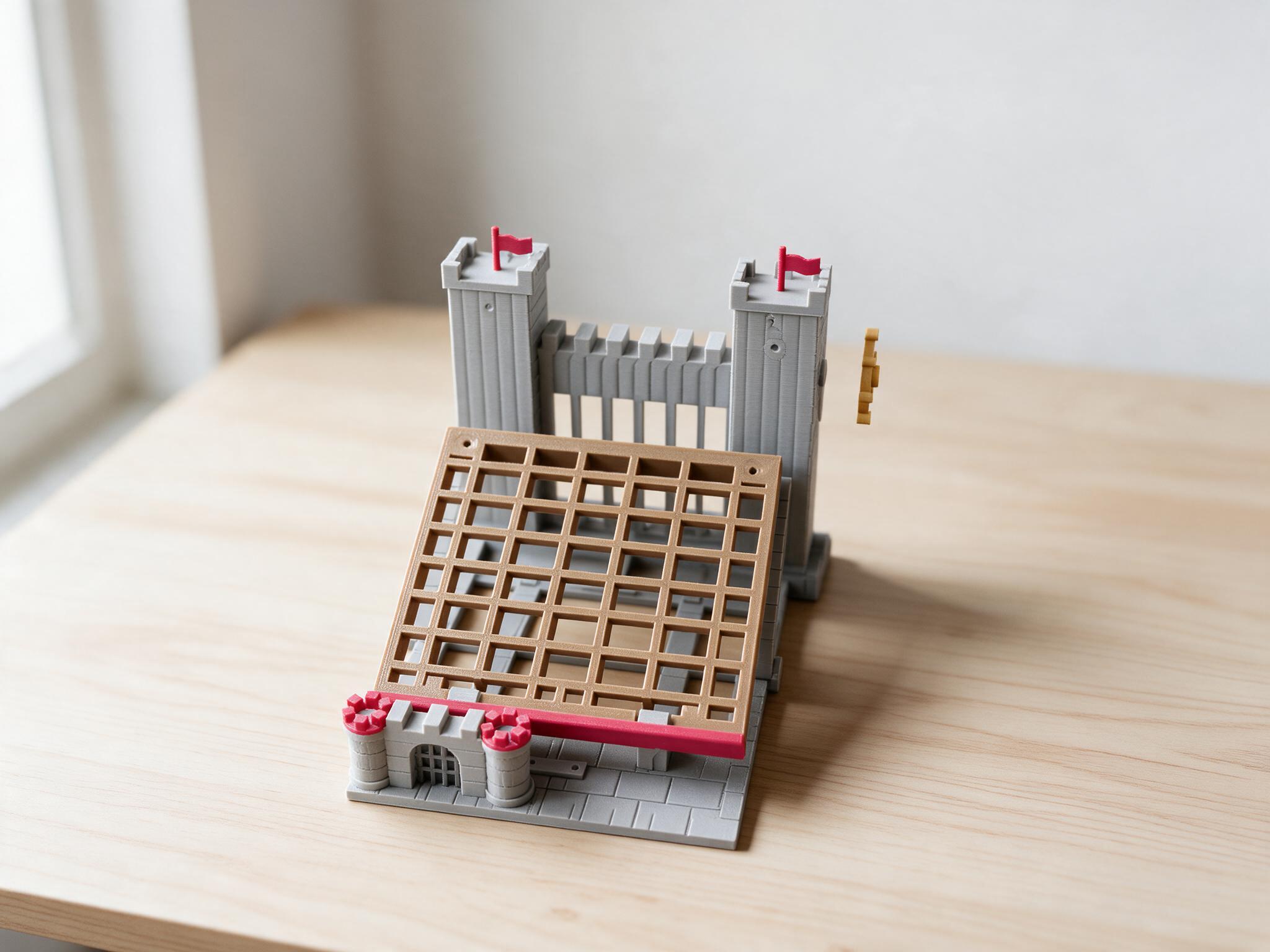
Drawbridge Castle Laptop Stand
The Drawbridge Castle Laptop Stand is a grey stone castle whose brown drawbridge is the laptop deck. Turning the ship's wheel works a self-locking worm winch that raises the deck from flat to 12 or 25 degrees and folds it back down. It takes about 12.3 x 16.5 inches of desk space.
Why it fits: it is a working laptop stand for someone who also likes a desk piece people ask about. Our list of desk toys has more pieces in the same spirit.
Rain Design mStand Laptop Stand
The Rain Design mStand is a one-piece aluminum laptop stand that raises the screen up to 6 inches and has a cable organizer at the back. B&H lists the black mStand at $39.90.
Why it fits: it matches the look of a MacBook and stays put on the desk. Because it lifts the keyboard too, it works best for someone who already uses a separate keyboard and mouse, such as the Logitech pair above.
Anker 7-in-1 USB-C Hub for Laptops
The Anker 7-in-1 USB-C Hub (A83D2) adds an HDMI port, two USB-A 3.0 ports, a USB-C data port, SD and microSD slots and a USB-C power delivery input to one laptop port. Anker lists it at $25.99.
Why it fits: thin laptops often have two USB-C ports and nothing else, so a monitor, a USB-A webcam and a camera card all need a hub. Pair it with the right cable to connect a laptop to a monitor.

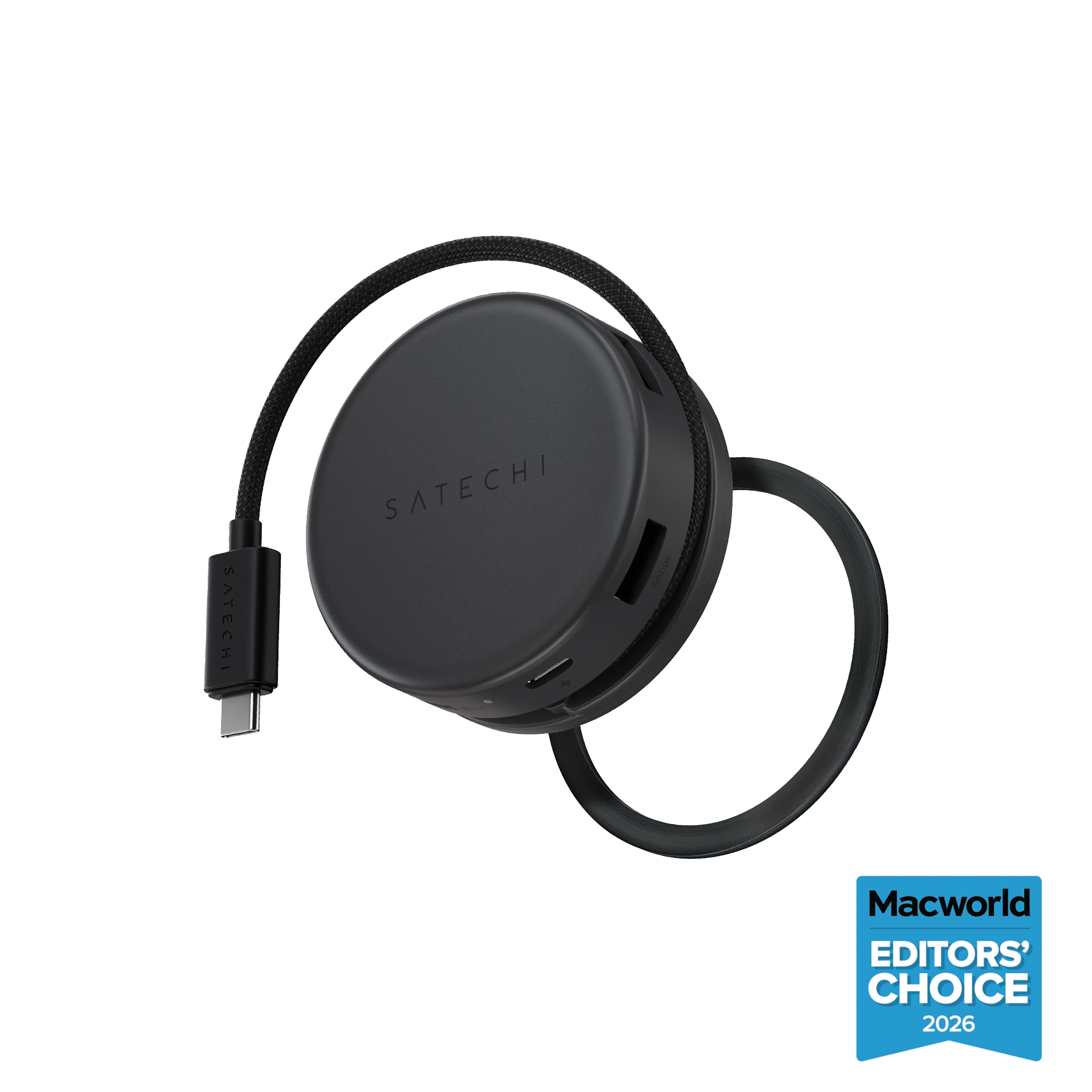
Satechi OntheGo 7-in-1 Multiport Adapter
The Satechi OntheGo 7-in-1 is a USB-C adapter with 4K HDMI, Ethernet, an SD slot and USB-C power delivery, $59.99 on Satechi's store.
Why it fits: it costs more than the Anker hub, and the reason to pay it is the Ethernet port, which helps someone on hotel or office networks where Wi-Fi drops during calls.
Gifts for Someone Who Works on a Computer All Day
Gifts for someone who works on a computer all day should ease what long hours do to the back, wrists, legs and attention. These picks cover the chair, the mouse hand, moving while standing, water and phone breaks.
ErgoChair Pro Ergonomic Chair
ErgoChair Pro is an ergonomic chair with a mesh back, adjustable lumbar support, synchro-tilt and 9 adjustments, rated for 300 lb with a lifetime warranty. The product page shows 4.6 out of 5 from 3,396 reviews.
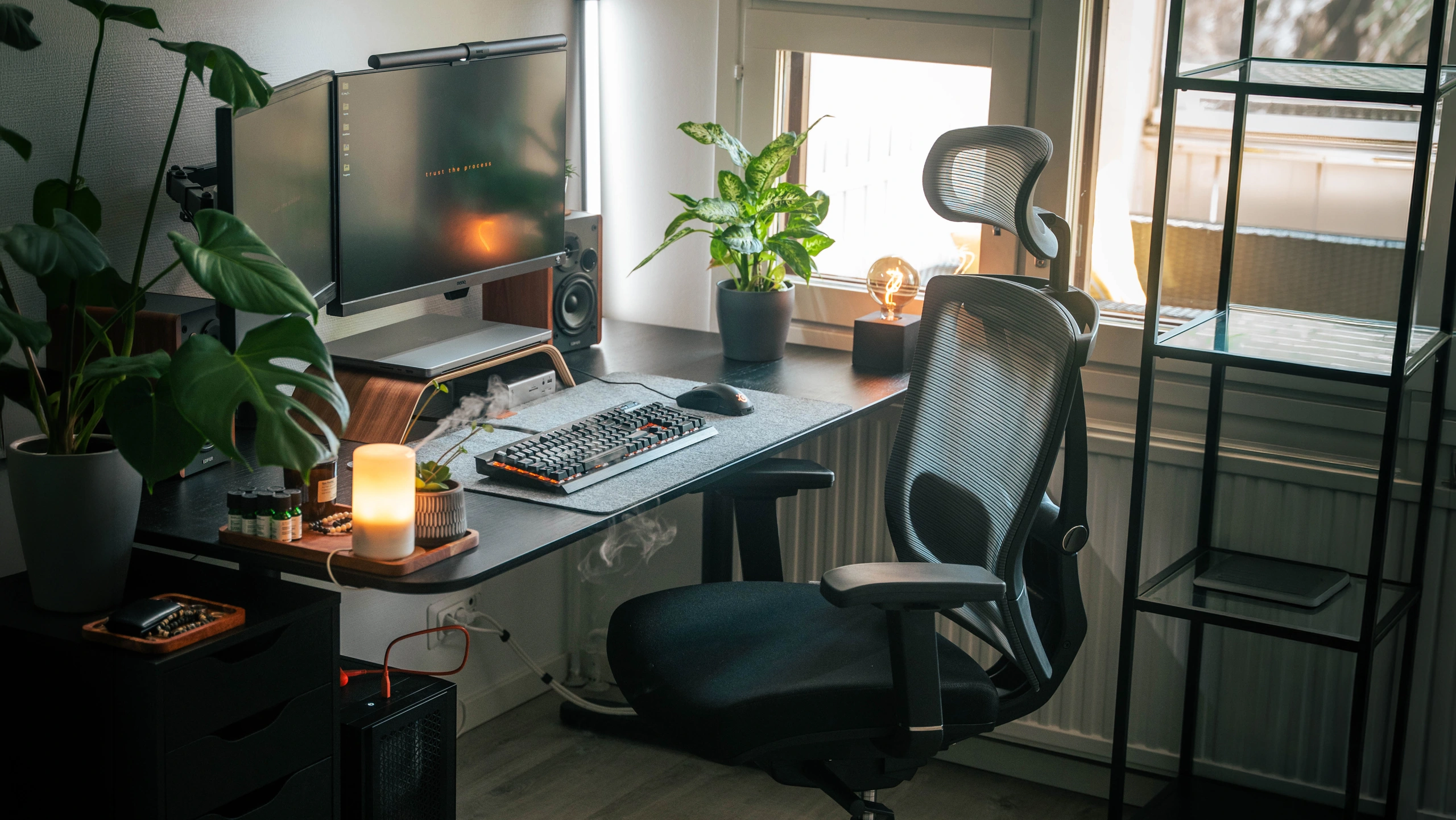
Why it fits: a chair is the computer accessory people use for the most hours, and adjustable lumbar support lets them set the back to their own spine instead of a fixed curve. Ask their height and weight first so the chair suits them.
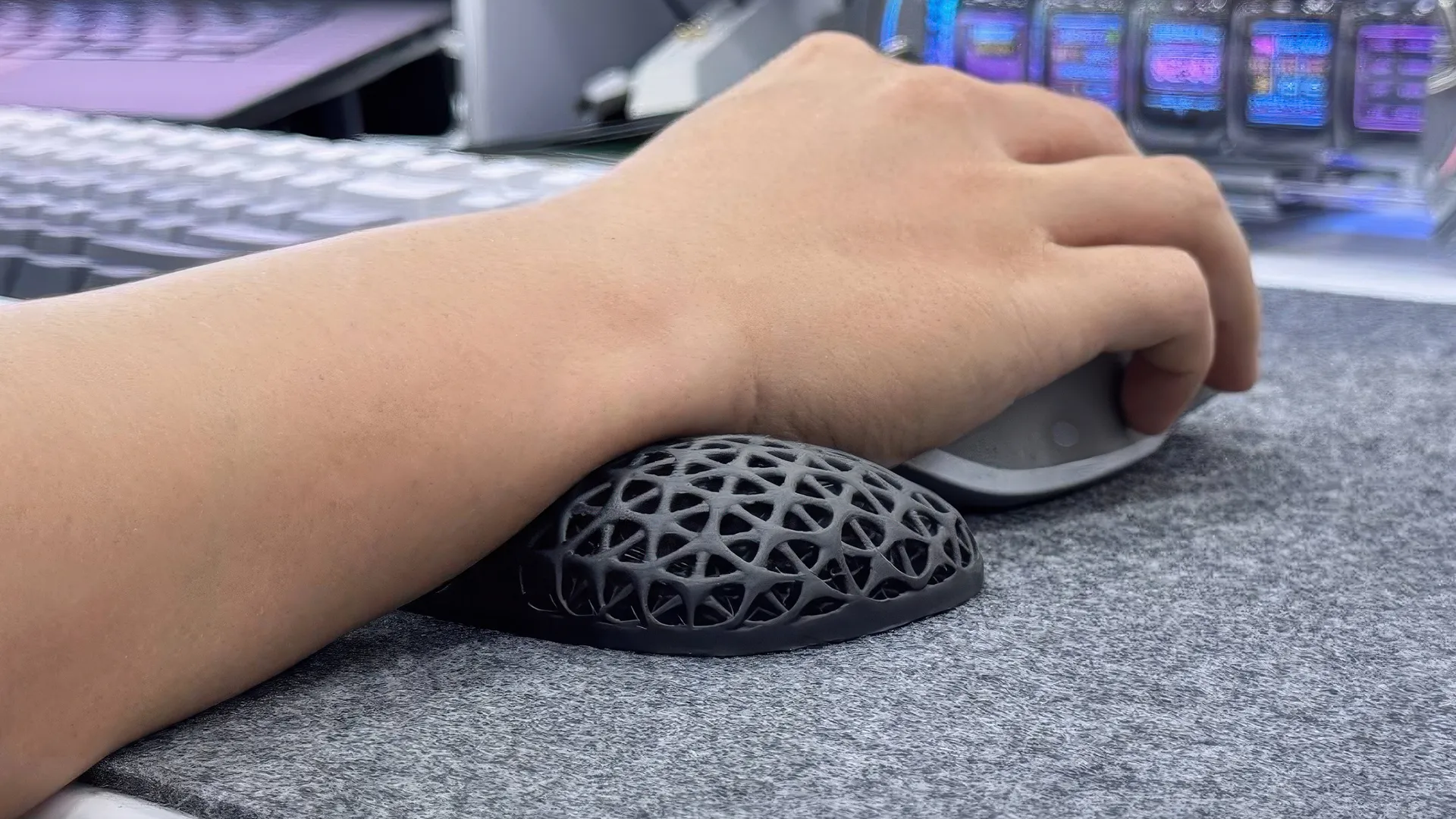
ErgoClick 3D Mouse Wrist Rest
ErgoClick 3D is a 3D-printed wrist rest for the mouse hand. Its open lattice lets air through, and the product page says it moves with the hand to reduce strain.
Why it fits: someone who mouses all day often rests the wrist on a hard desk edge. It is one of the small office accessories that still get used every day, and it pairs well with the MX Master 3S.
Flow Board Standing Balance Board
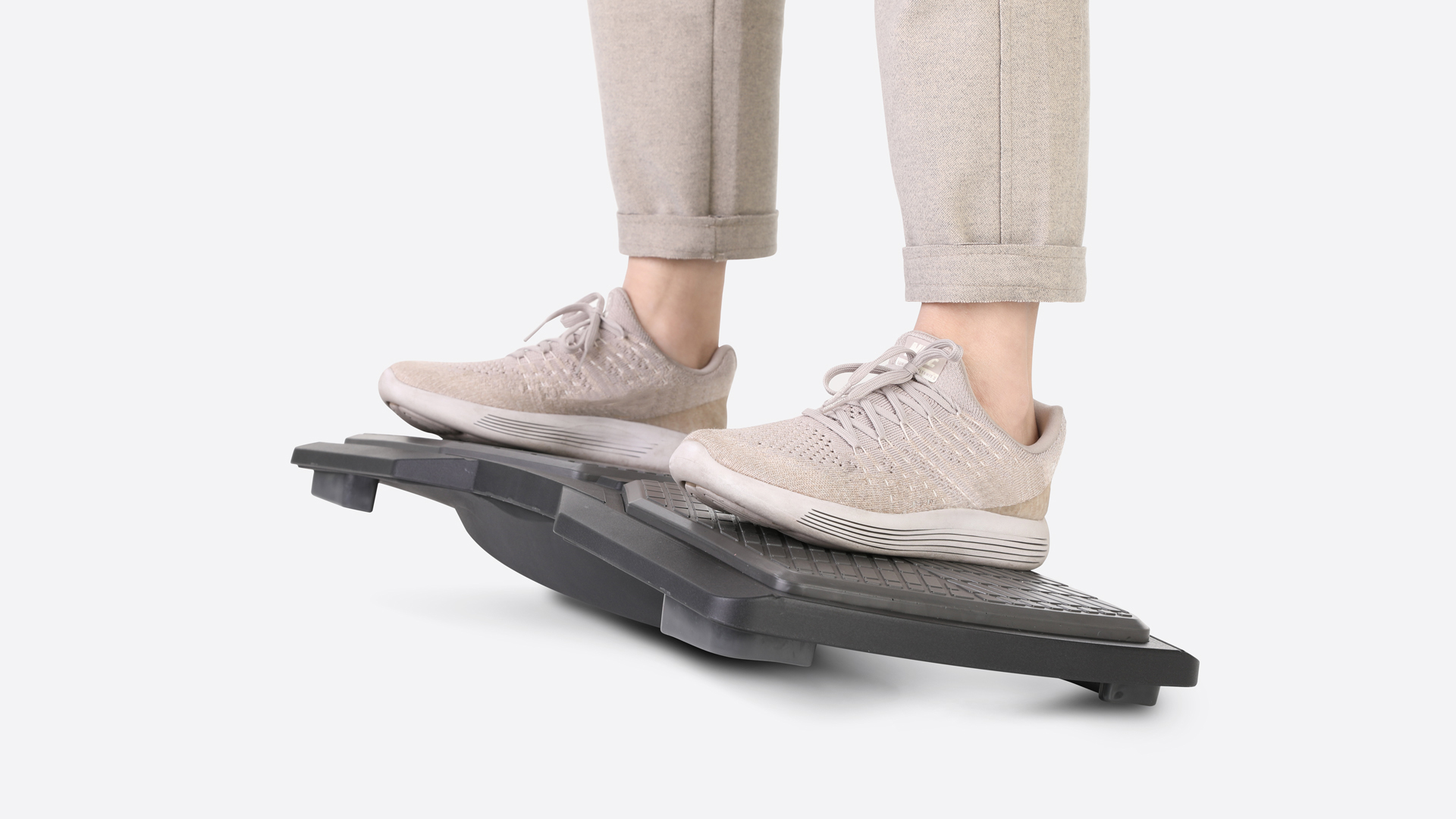
The Flow Board is a standing balance board on a 360-degree fulcrum that flips over to become a footrest, rated for 330 lb. The product page shows 4.7 out of 5 from 12 reviews.
Why it fits: it works as a footrest and as a stand-in for an anti-fatigue mat: someone who stands can rock and shift weight, then flip it for sitting.
Hydrate Smart Water Tracker
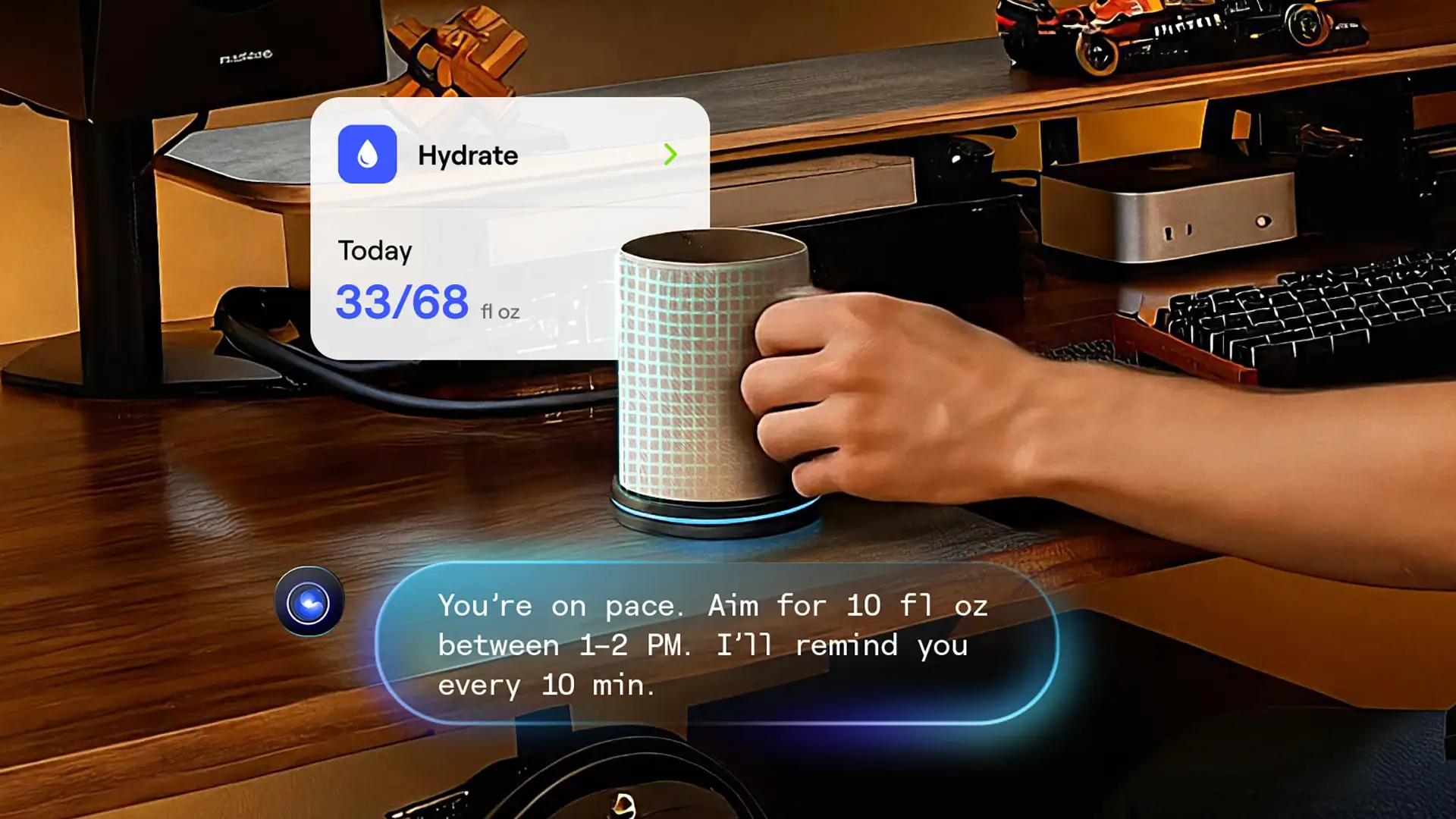
Hydrate is a desk coaster that tracks every sip from any cup or bottle placed on it and reminds you with a light or a buzzer. It runs on USB-C power. The product page shows 4.8 out of 5 from 37 reviews.
Why it fits: people deep in work forget to drink, and a reminder at the desk works without another phone notification. It is one of the practical AI gadgets that fit next to a keyboard.
Autonomous Key for Fewer Phone Breaks
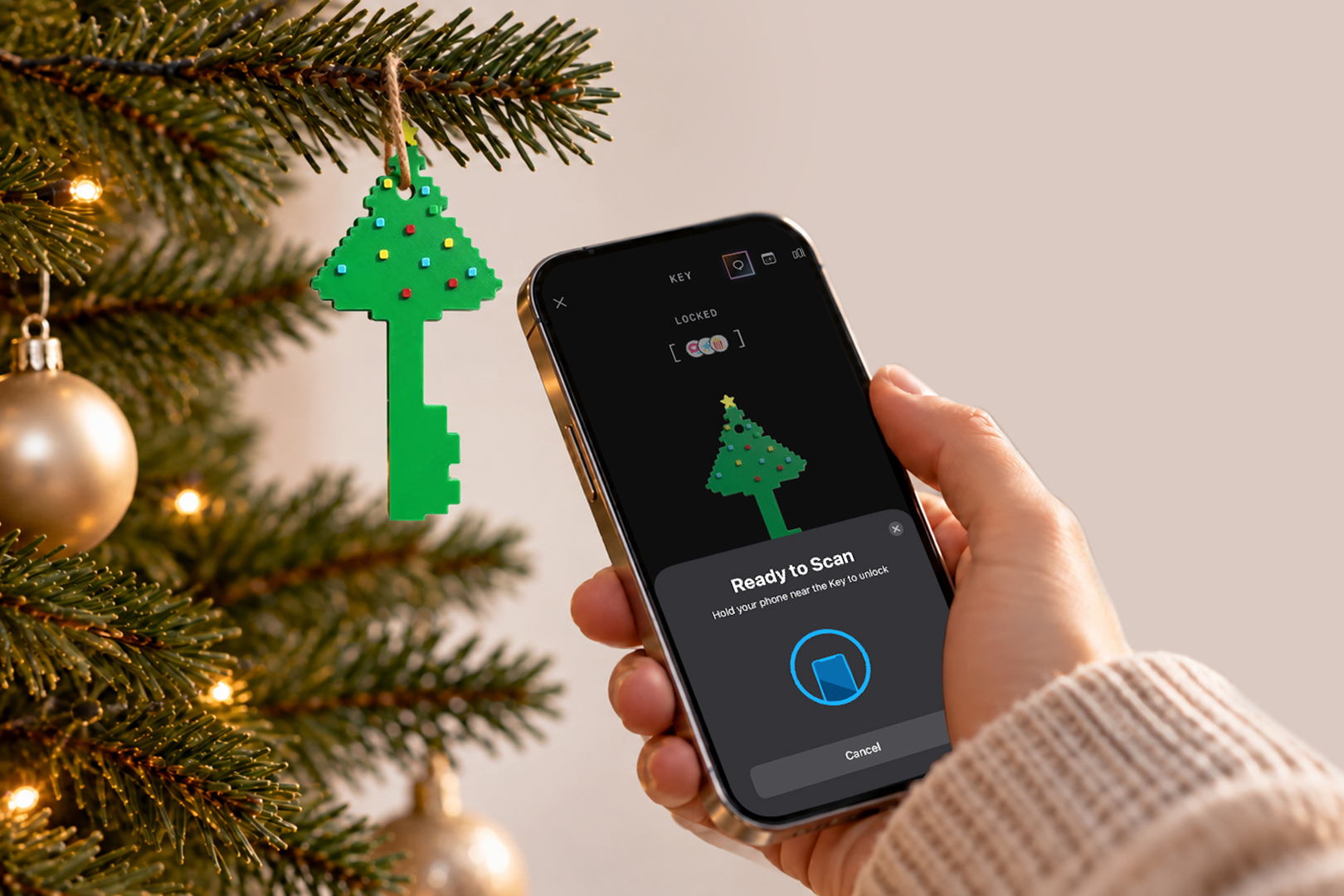
Autonomous Key is a small key that looks like a cute desk toy, which is what most of us notice first. It is also the smallest gift here, and it does a job: the phone apps we choose stay locked until we tap the key, with no battery to charge.
Why it fits: when a task gets hard, most of us reach for the phone out of habit. Keeping the apps behind a tap makes that a choice instead of a reflex.
How to Choose Computer Accessories Gifts
Choose computer accessories gifts by checking their setup first: the ports on their computer, the operating system and the desk they work at. A few quick checks prevent most returns:
- Laptop or desktop: laptop users get the most from a stand and a hub; desktop users from a keyboard, mouse, webcam or desk upgrade.
- Ports: many thin laptops have only USB-C. A USB-A device such as the Brio 100 then needs an adapter or a hub with USB-A ports.
- Mac or Windows: check that a keyboard has the right layout and that any companion software supports their system.
- Wireless or wired: wireless keeps a desk tidy; wired suits people who never want to charge a mouse.
- Desk type and space: under-desk items like the Cable Tray need a standing desk frame; a laptop stand needs room behind the keyboard.
- Work gifts: for coworkers, keep to neutral, plug-and-play items that pass an IT policy, such as a wrist rest, a hub or a webcam. Our list of goodbye gifts for coworkers has more ideas for leaving parties.
For a younger computer fan, our cool gadgets for teens list adds lower-priced picks for school and gaming.
FAQs
What are good computer accessories gifts?
Good computer accessories gifts are things used every day at the screen: a wireless mouse and keyboard, a USB-C hub, a laptop stand, a webcam, a wrist rest or a cable tray. Larger gifts include an ergonomic chair or a standing desk. Check their ports and desk before buying.
What is a good gift for someone who works on a computer all day?
A good gift for someone who works on a computer all day eases long hours: an ergonomic chair, a mouse wrist rest, a standing desk, a balance board or a water reminder. Smaller picks such as a quiet wireless mouse also help with daily comfort.
What are good laptop accessories gifts?
Good laptop accessories gifts are a laptop stand that lifts the screen, a USB-C hub that adds HDMI and USB-A ports, and a separate keyboard and mouse to use with the raised laptop. Check whether their laptop has only USB-C ports before choosing a hub.
What computer accessories are worth buying?
The computer accessories most worth buying are the ones touched every day: a comfortable mouse and keyboard, a stand or monitor at eye level, a decent webcam for calls, and a chair with adjustable lumbar support. Decorative gadgets that add clutter are rarely worth it.
What is a good tech gift under $50?
A good tech gift under $50 is a USB-C hub, a 1080p webcam, an aluminum laptop stand, a mouse wrist rest, a cable tray or a smart water tracker. Each one fixes a daily annoyance at the desk without needing to know much about the person's computer.
What do you buy a computer person for Christmas?
For a computer person at Christmas, buy an upgrade to the gear they use most, such as a better mouse, keyboard or webcam, or something for comfort like a chair or wrist rest. If unsure of their setup, choose a universal item like a USB-C hub or a webcam.
What computer gifts should I avoid?
Avoid computer gifts that depend on a setup you have not checked, such as a USB-A device for a USB-C-only laptop or a Windows keyboard for a Mac user. Also skip gadgets that need software they may not be allowed to install on a work computer.
Conclusion
Computer accessories gifts work when they fit the setup and get used every day. For laptop users, a stand and a hub make the biggest difference; for desk setups, a better keyboard, mouse or webcam; for someone at the screen all day, a chair, a wrist rest or a standing desk. Check ports and desk type first, and the gift will stay on the desk instead of in a drawer.