Sintra AI Review 2026: Does It Actually Do the Work?

.webp)
Sintra AI is a platform of twelve AI "employees" - named personas that draft sales, marketing, SEO, and support work for you in a chat. In this review I place it against the wider "AI employee" category: it's genuinely useful for the non-technical founder it targets, but it drafts ideas rather than executing them - nothing gets published or sent in your actual systems. Disclosure: we build a competing device, the Autonomous Intern.
What is Sintra AI?
Sintra AI is an "AI employees" platform aimed at solopreneurs and small businesses who need to cover many roles without hiring. Instead of one blank chatbot, you get twelve named helpers you assign work to in plain language, no prompt engineering required. It's one of the more recognizable AI tools for business, with Sintra reporting over 50,000 users and thousands of Trustpilot reviews.
The pieces that make it up:
- Twelve role-based helpers - Soshie (social), Emmie (email), Penn (copywriting), Milli (sales), Seomi (SEO), Cassie (support), Dexter (data), Vizzy (images), and more. You pick the one for the job.
- Brain AI - a shared memory layer that stores your brand voice, audience, and context, so every helper produces on-brand output without re-explaining yourself each time.
- Power-ups - pre-built task templates and light integrations that extend what each helper can do.
- Built for non-technical users - deliberately designed for people who find a raw ChatGPT window intimidating.
How Sintra actually works
Strip away the personas and Sintra is an orchestration layer over large language models: role-specific prompt templates plus a shared context store (Brain AI). That's not a knock - curated prompts wrapped in a friendly interface genuinely help non-technical users get better output than they'd coax from a blank chat box. But naming it matters, because it explains both the strengths and the ceiling.
The key point is that the "employees" are personas, not autonomous agents. Independent testers who dug in describe the behavior consistently: Sintra executes what you structure, it doesn't independently decide what to do next or act on outcomes. In agent terms, it's guided automation and ideation, not an autonomous system. That distinction is the difference between "help me write the email" and "send the email," and it runs through everything below.
What Sintra does well
Sintra earns its traction, and for its intended user it's a reasonable buy.
It makes AI approachable.
The employee metaphor and the guided, question-led onboarding lower the barrier for non-technical founders more than a blank prompt ever could. Reviewers repeatedly note the ideas are decent - the kind of suggestions a switched-on hire might make.
Curated prompts beat raw ChatGPT for beginners.
Each helper ships with prompt templates tuned for its domain, so a first-time user gets structured, on-topic output without learning to prompt.
Brain AI is a sound idea.
A persistent context store that learns your brand voice is the right instinct - AI tools should get more useful as they understand you, and Sintra's version works reasonably once you've fed it enough.
Breadth in one subscription.
For a solopreneur juggling copywriting, email, and social, having all of it under one roof has real convenience value.
Where Sintra falls short
This is where a close look gets critical, and where the independent reviews agree most.
It suggests, it doesn't execute - the big one.
As of 2026, Sintra has no native execution: it doesn't publish your social posts, send your emails, or update your CRM. Testers report the same pattern - its email helper drafts a sequence as well as a dedicated AI email assistant might, but you still copy-paste the output into whatever actually sends it. If you wanted a worker, you got a very organized intern who hands you a document.
Generalists wearing specialist name tags.
Each helper is a general LLM with a persona, not a purpose-built platform. Seomi gives SEO advice but has no keyword database, SERP tracking, or backlink data. Dexter is advisory, not integrated. For depth, a dedicated tool wins.
You don't control the model.
You can't choose the underlying model, bring your own, or run anything locally - and at least one reviewer argues the output quality trails the current frontier models. You're trusting Sintra's stack and its choices.
Your business context lives on their cloud.
Brain AI is powerful precisely because it holds sensitive detail - revenue, strategy, and the kind of customer data you'd normally guard inside dedicated AI tools for data analysts. One reviewer admitted the obvious discomfort of feeding that into a third-party wrapper. Nothing suggests wrongdoing, but it's a real consideration for sensitive operations.
The pricing has sharp edges.
No free plan (only a 14-day money-back guarantee), 250 credits a month on every tier so heavy users run dry, and the best rates require an annual commitment. Technical users often find ChatGPT at $20 produces comparable or better results with more control.

Sintra AI pricing
Sintra's pricing is simple on the surface and promotion-heavy in practice, so verify the current numbers on sintra.ai before committing.
Plan | Price | Includes |
Individual Helper | $39/mo | One helper and its curated prompts; no Brain AI |
Sintra X | $97/mo | All 12 helpers, Brain AI, and 90+ power-ups |
Credits | 250/mo (all plans) | Reset monthly, no rollover; paid top-ups available |
No free plan; a 14-day money-back guarantee is the only trial. Annual and quarterly billing cut the rate steeply (often 60%+ off), and first-time promos are common. The credit cap is identical on both plans - Sintra X buys more helpers, not more usage.
The honest read: at Sintra X, if it replaces a few hours of freelance copywriting a month, it pays for itself - but only if you use it consistently across several roles. For one or two functions, a single helper or a cheaper dedicated tool is better value.
Who Sintra is for (and who should skip it)
Buy Sintra if you're a non-technical solopreneur or small-business owner who wants broad, on-brand drafting across many functions in one place, and you're comfortable being the one who takes the output and acts on it. For that person, it's a genuine time-saver and the persona model makes delegation feel natural.
Skip it if you're technical and already fluent with ChatGPT (you'll get more control for less), if you need real analytical depth in any one area (buy the specialist tool), if you run a team (there's little true multi-user support), or if your actual need is execution - something that does the recurring work rather than drafting it.

The Sintra AI alternative for execution
That last group deserves a straight answer, because it's the most common frustration in Sintra's reviews: "it gives me good suggestions, but I still have to do everything." If that's your complaint, you don't want a better drafting persona - you want execution, and that's a different class of tool.
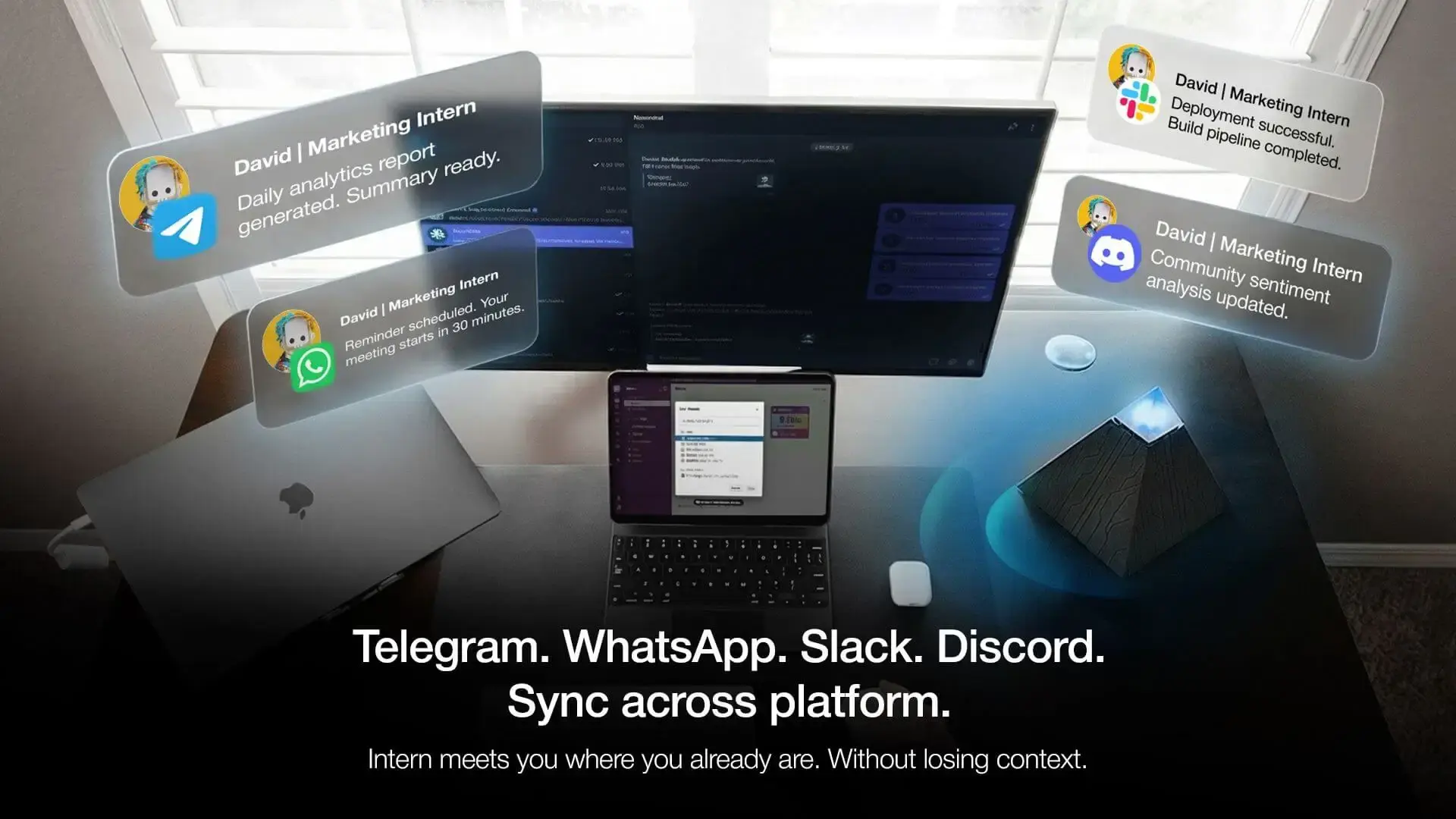
The Autonomous Intern sits on the opposite side of the exact gap Sintra has. It's a small desk device that runs an AI agent to act: triage the inbox, run a scheduled morning briefing, watch a page and report changes, handle recurring jobs on its own while you're not watching. Your credentials and context stay as local files on the device rather than a vendor's cloud, and because it's model-agnostic it can run current models, Claude included - the control Sintra doesn't give you.
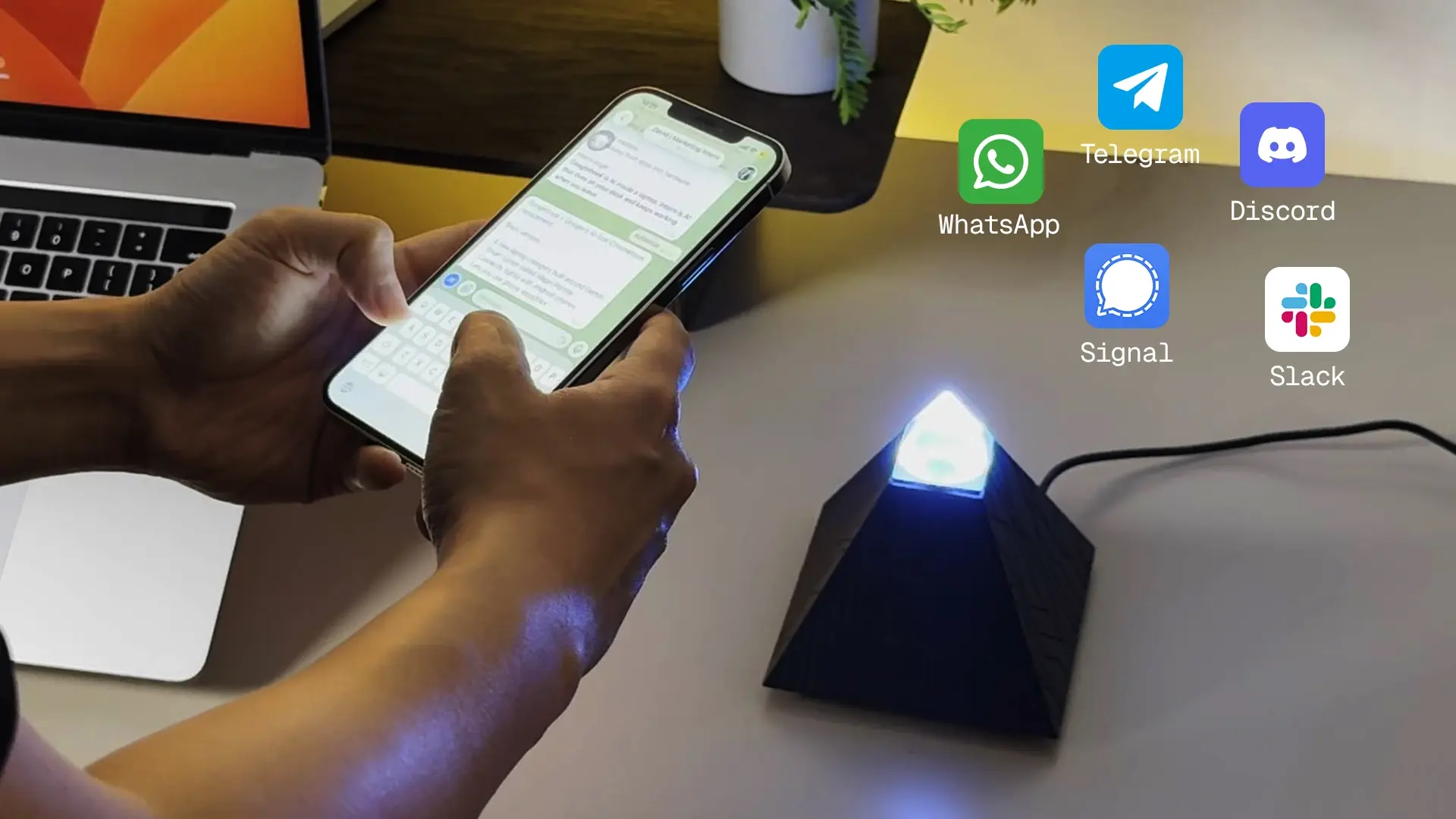
The honest tradeoff, so this stays a fair comparison: the Intern is a more technical tool than Sintra, and it's aimed at a different person. Sintra is built so a non-technical founder can draft marketing in minutes with zero setup; the Intern asks you to think in terms of jobs and agents, and it's execution-first, not a no-code content studio. If you're the non-technical marketer Sintra targets, Sintra - or one of the standalone AI tools for marketing - is the better fit. If your problem is that ideas aren't the bottleneck - doing is - that's what the Intern is for. Our personal AI assistant guide covers where each type lands.
FAQs
Is Sintra AI worth it?
For a non-technical solopreneur who wants broad drafting across sales, marketing, and support in one subscription, yes - at Sintra X it pays for itself if you use several helpers consistently. For technical users, single-function needs, or anyone needing execution, it's harder to justify over ChatGPT or a dedicated tool.
Does Sintra AI actually do the work or just suggest it?
It suggests and drafts. As of 2026 Sintra has no native execution - it doesn't publish posts, send emails, or update your systems, so you copy-paste its output into the tools that act. Treat it as an ideation and drafting layer, not an autonomous worker.
Does Sintra AI have a free trial?
No free plan or free trial. The only risk protection is a 14-day money-back guarantee, so you pay upfront and can request a refund within two weeks if it's not for you.
How much does Sintra AI cost?
A single Individual Helper is around $39/month and the full Sintra X bundle of 12 helpers is around $97/month, both with 250 monthly credits. Annual and quarterly billing cut the price steeply. Verify current numbers on sintra.ai, since promotions change often.
Is Sintra AI good for SEO or social media?
For ideas and drafts, it's fine - Seomi writes content briefs, Soshie writes captions. But neither executes: there's no keyword database or rank tracking, and it won't handle scheduling or publishing the way an AI scheduling assistant or a dedicated social tool does. For real SEO or social management you'll still need a purpose-built platform.
Is Sintra AI safe with my business data?
Sintra's Brain AI stores sensitive business context on its cloud to personalize output. There's no indication of misuse, but as with any third-party SaaS holding revenue and strategy details, weigh what you're comfortable uploading, especially versus tools that keep data on your own hardware.
Sintra AI vs ChatGPT - which is better?
ChatGPT is cheaper and more flexible if you can prompt; Sintra is easier for non-technical users because the personas and templates do the prompting for you. If you value structure and hand-holding, Sintra; if you value control and cost, ChatGPT.
Can Sintra AI replace an employee or a VA?
Partly. It replaces the drafting and ideation a VA does, but not the execution - scheduling, sending, updating systems, or judgment calls in external tools. A VA still wins for anything that requires acting, not just producing text.
Who should not buy Sintra AI?
Technical users fluent with ChatGPT, teams needing real collaboration, anyone needing depth in a single function, and anyone whose real need is execution rather than drafting. Sintra is built for non-technical breadth, not for any of those.
Conclusion
Sintra AI is a well-built, honestly successful product for the person it's designed for: the non-technical founder who wants approachable, on-brand drafting across a dozen business functions without touching a prompt. The employee metaphor works, the ideas are decent, and Brain AI is a sound idea. The ceiling is just as clear - it drafts but doesn't do, it's generalist under the specialist names, and you don't control the model or where your data lives. So the buying question is simple: if ideas are your bottleneck, Sintra helps; if doing is the bottleneck, you need a tool built to execute, and that's a different kind of product entirely.
References
- Efficient App, "Sintra AI Review 2026" - efficient.app/apps/sintra
- Lindy, "Sintra AI Review" and pricing analysis - lindy.ai/blog
- AllAble, "Sintra AI Review 2026: Is It Worth $97/Month?" - allable.ai
- EasyClaw, "Sintra AI Review 2026 (All 12 Helpers Tested)" - easyclaw.com
- Krater, "Sintra AI Review 2026: Honest Assessment" - krater.ai/blog
- Sintra official site (helpers, Brain AI, pricing) - sintra.ai