What Is a Riser Desk? How Desk Risers Work


A riser desk is a height-adjustable platform that sits on top of your existing desk and raises your monitor, keyboard, and mouse to standing height, letting you switch between sitting and standing without replacing your furniture. It's essentially a desk on top of a desk. You lift it when you want to stand and lower it when you want to sit, which brings the movement of a standing desk to a setup you already own. This guide explains exactly how riser desks work, the types available, and how to tell whether a riser or a full standing desk is the right fit for you.
What Is a Riser Desk?
A riser desk, also called a desk riser or standing desk converter, is a platform placed on top of a standard desk that raises part of your workspace to standing height. The three terms mean the same thing and are used interchangeably. Rather than replacing your whole desk, a riser adds sit-stand capability to the surface you already have, which is why it's often the first step people take toward a more active workday.
The appeal is simple. Most people sit for the majority of their working hours, and long stretches of unbroken sitting are linked to back pain, stiffness, and the mid-afternoon energy slump. A riser desk gives you a way to break up that static posture without buying new furniture or rearranging your office.
How Does a Riser Desk Work?
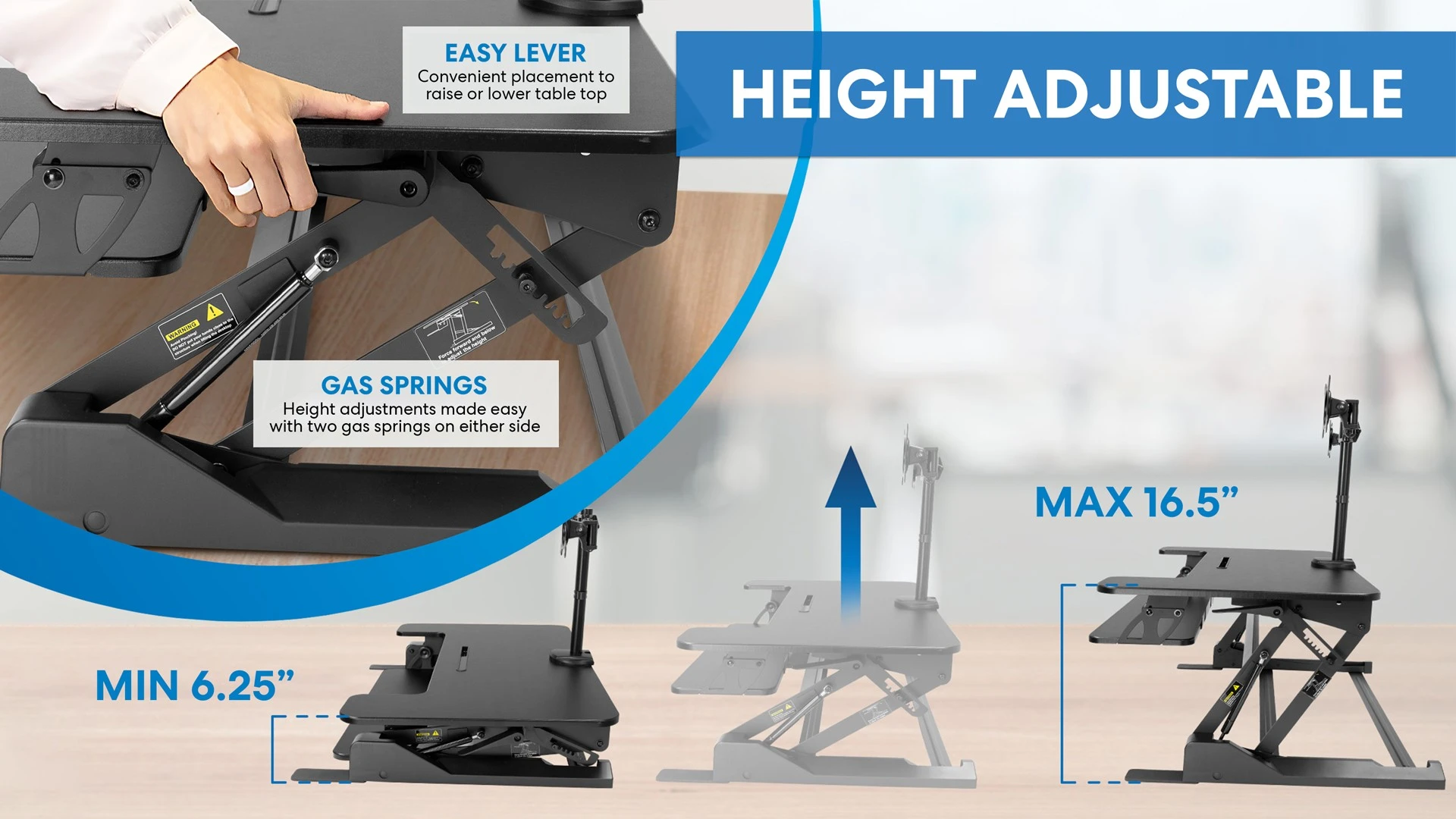
A riser desk works by lifting a platform up and down over your existing desktop, using one of four mechanisms depending on the model. Most risers have two tiers: an upper shelf for your monitor and a lower tray for your keyboard and mouse, which keeps your screen and hands at the correct relative heights as you move between sitting and standing.
The four common lift mechanisms are:
1. Gas spring (pneumatic)
The most popular type. You squeeze a lever and a gas piston lifts or lowers the platform smoothly. No electricity needed and fast to adjust.
2. Manual spring or lever
A mechanical lever system, usually the most affordable, though it takes a bit more physical effort to raise and lower.
3. Crank
You turn a handle to change height. Slower than a gas spring, but it gives precise control.
4. Electric
Height changes at the push of a button. Best if you switch positions often or find manual lifting uncomfortable.
To use one, you raise the platform until your screen and keyboard reach standing height, work for a while, then lower it back down to sit. The goal is alternating based on how you feel and what you're doing, not forcing yourself to stand for a set number of hours.
Types of Riser Desks
Riser desks come in a few main types, and the right one depends on your desk size, your equipment, and how much you plan to adjust it. Matching the type to your setup matters more than any single feature.
- Single-tier risers are one flat platform that raises a laptop or monitor. They're lightweight and portable, a good entry point, but the lack of a separate keyboard tray can compromise ergonomics.
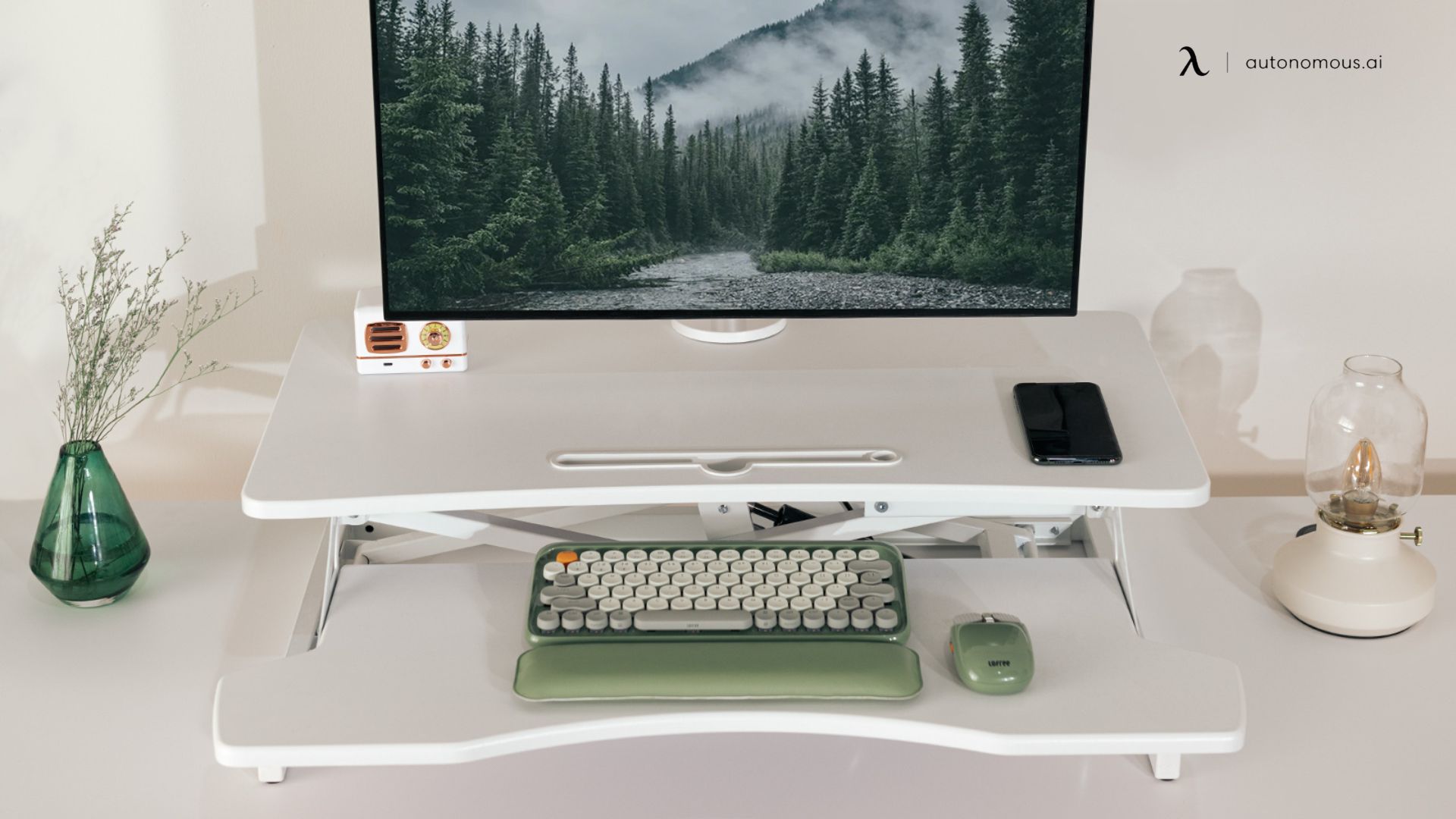
- Dual-tier risers are the most common design, with an upper platform for the monitor and a lower tray for the keyboard and mouse. Most ergonomists recommend this layout because it keeps the screen higher than the typing surface.
- Full-width risers span the width of your desk for larger setups, dual monitors, or anyone who needs more working surface.
- Compact risers have a smaller footprint, suited to cubicles, shared spaces, or a smaller home office desk.
- Electric risers add powered adjustment and, on some models, programmable height presets for returning to your ideal position instantly.
Benefits of a Riser Desk
The main benefit of a riser desk is that it lets you add movement to your workday at a low cost, without replacing the desk you already have. That combination of affordability and convenience is why risers have grown popular as an entry into sit-stand working. The specific benefits break down like this:
More movement, less stiffness.
Alternating between sitting and standing keeps your hips, spine, and muscles from locking into one position for hours at a time.
Better posture.
With your monitor at the right height and your keyboard properly placed, you naturally hold a straighter posture, which reduces neck, shoulder, and back strain.
Improved energy and focus.
Standing increases blood flow, which many people find softens the mid-afternoon energy dip that comes from sitting all day.
Affordable entry point.
A quality riser typically costs between $150 and $400, well below a full standing desk, making it a low-risk way to try the sit-stand approach.
No need to replace your desk.
If you like your current desk, a riser lets you keep it while still gaining sit-stand capability.
Riser Desk vs Standing Desk: What's the Difference?
The core difference is that a riser desk sits on top of your existing desk and raises only part of your workspace, while a standing desk replaces your desk entirely and raises the whole surface. This distinction is where a lot of people realize what they actually want. A riser lifts just the platform area; a full standing desk lifts everything, your monitor, keyboard, notebooks, and coffee cup, together in one motion.
Riser Desk | Full Standing Desk | |
What it is | Add-on that sits on your existing desk | Replaces the entire desk |
Work surface | Limited to the riser platform | Full desk surface at any height |
Setup | Ready in minutes, no tools | Assembly required |
Cost | $150-$400 | $400-$1,200+ |
Stability | Good for lighter loads; some wobble raised | Solid at any height |
Accessories | Limited monitor-mount options | Full support for arms, mounts, cable management |
Best for | Renters, budget setups, trying sit-stand | Long-term daily use, full ergonomic workstation |
The key limitation of a riser is that only a portion of your desk becomes height-adjustable. The rest stays at its original height, so if you spread out documents, use multiple office accessories, or need your full surface while standing, a riser can feel cramped. A full standing desk avoids that by lifting the entire workspace as one unit.
Who Should Choose a Full Standing Desk Instead?
You should choose a full standing desk over a riser if you spend most of your day at your desk and want a complete, long-term ergonomic setup. A riser is a genuinely good fit for some situations, but for heavier daily use, a full desk is the better investment from the start.
A full standing desk makes more sense if you spend six or more hours a day at your desk, use multiple monitors or a monitor arm, want to change heights instantly with a button, or are building a home office you intend to keep for years. A standing desk also keeps your entire work surface usable at both sitting and standing heights, which a riser can't do.
.webp)
A riser desk is the better pick if you're renting and can't replace furniture, you want a low-cost way to test whether standing suits you, your current desk has value you want to keep, or you only plan to stand occasionally for calls and email. If you find you're standing more than you expected, that's usually the sign it's time to consider a full desk. To find the right height for either option, our ergonomic desk height guide walks through the measurements.

How to Set Up Your Sit-Stand Workspace
Setting up your workspace correctly matters as much as which product you choose, because a poorly positioned screen or keyboard can create new aches while solving old ones. The same ergonomic rules apply whether you use a riser or a full desk:
- Monitor height: The top of your screen should sit at or just below eye level, so your neck stays neutral rather than craning up or looking down.
- Keyboard position: Your elbows should rest at roughly 90 degrees when typing, with wrists flat and relaxed, not bent upward.
- Standing posture: Stand with your weight even and feet about shoulder-width apart, and avoid locking your knees.
- Sit-stand ratio: A common recommendation is to break up each hour of sitting with 20 to 30 minutes of standing. Start with shorter intervals and build up as your body adapts.
- Anti-fatigue mat: If you stand on a hard floor for long stretches, a mat noticeably reduces leg fatigue.
Frequently Asked Questions
What is a desk riser?
A desk riser is the same thing as a riser desk or standing desk converter, and the terms are used interchangeably. It's a platform that sits on top of your existing desk and raises your monitor, keyboard, and mouse to standing height, letting you alternate between sitting and standing without replacing your furniture.
How does a riser desk work?
A riser desk works by raising and lowering a platform on top of your desk using a gas spring, manual lever, crank, or electric motor. Most models have two tiers, a top shelf for your monitor and a lower tray for your keyboard, so you can adjust the height to standing position and lower it back down to sit.
What is the difference between a riser desk and a standing desk?
A riser desk is a platform that sits on top of your existing desk and raises only part of your workspace, while a standing desk replaces your entire desk and moves the full surface up and down. A riser is cheaper and needs no assembly, while a full standing desk offers a complete, more stable sit-stand workstation.
How high should a riser desk be?
A riser desk should raise your keyboard to a height where your elbows sit at about 90 degrees while standing, which for most people is 10 to 12 inches above their seated desk height. Your monitor should rise along with it so the top of the screen stays at eye level.
Are desk risers worth it?
Desk risers are worth it for people who want a low-cost, no-commitment way to add sit-stand capability, especially renters or anyone keeping a desk they already own. For those who work long hours at a full desktop setup and want complete ergonomic flexibility, a full electric standing desk is usually the better long-term investment.
Are riser desks good for your back?
Riser desks can be good for your back when set up correctly, because they encourage you to change positions through the day and reduce the static load on your spine from prolonged sitting. The benefit depends on consistent use and proper ergonomic positioning for both sitting and standing.
Do riser desks wobble?
Riser desks can wobble slightly at full standing height, particularly single-arm or lighter models under heavier loads. Designs using X-frame or scissor-lift mechanisms tend to stay steadier, but a riser generally isn't as stable at height as a full standing desk with a solid frame.
Do desk risers damage your desk?
Desk risers don't damage a desk when used properly, since most include rubber or felt pads that prevent scratching and spread the weight. Because your desk supports the combined weight of the riser plus your equipment, avoid placing heavier risers on thin laminate or hollow-core desks that may sag over time.
Final Thoughts
A riser desk is a smart, low-cost way to bring movement into your workday, converting a desk you already own into a sit-stand workstation without new furniture or assembly. For renters, budget-conscious buyers, or anyone wanting to test the sit-stand approach, it's often the right first step.
For people building a serious workspace for long-term daily use, though, a full standing desk is usually the better investment, since it raises your entire surface, stays stable at any height, and supports the accessories a complete ergonomic setup needs. Either way, the real goal is the same: breaking up static posture with regular movement, which is one of the most worthwhile changes you can make to how you work.