30+ Gifts for Programmers and Coders 2026

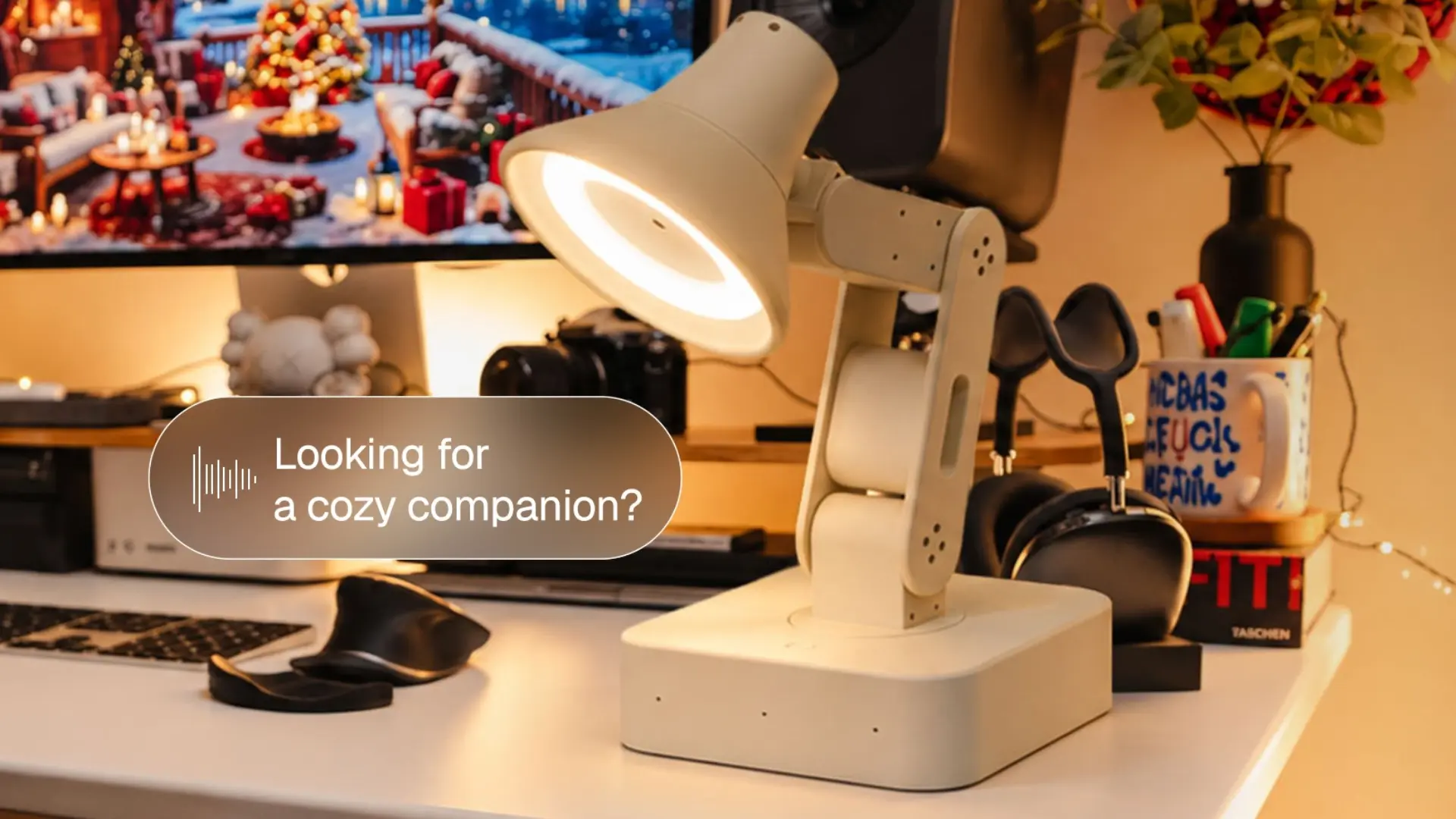
Buying for someone who writes code is harder than it looks. They already own a laptop, they have opinions about keyboards, and the funny mug you found has probably been gifted to them twice. Gifts for programmers work when they fit the day: long hours at a desk, deep focus, AI agents running in the background, and the occasional hardware project. This list covers 31 ideas for coders, software engineers, and students, from AI devices and 3D printed mechanical toys to workspace upgrades and learning gifts.
AI and Agent Gifts for Developers
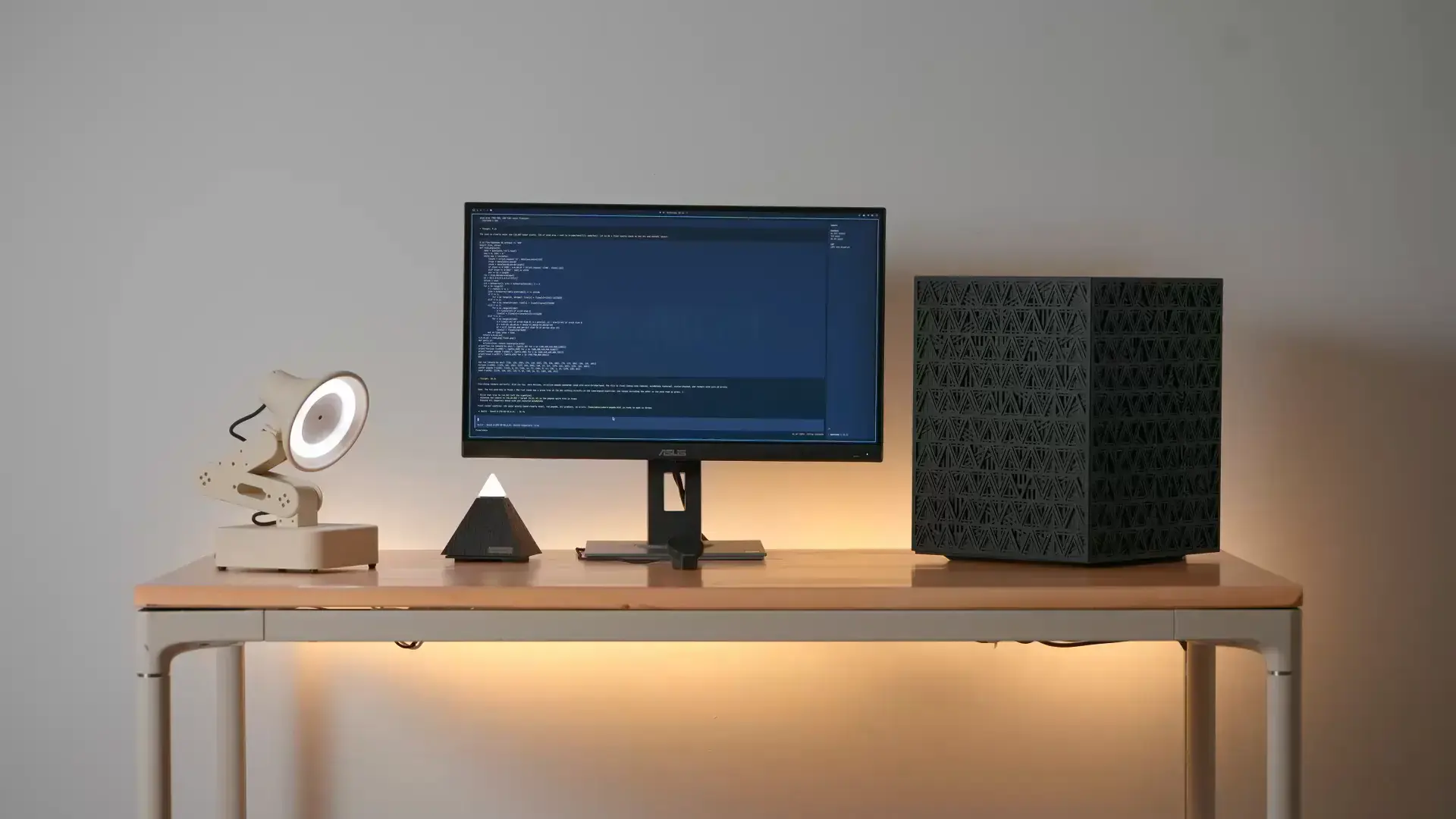
AI gifts suit developers who already use coding agents, and they are less likely to duplicate something the person owns. Harness, Intern 2, and Lamp are for people who work with agents or enjoy robotics, while Soul, Key, and Hydrate suit smaller budgets and everyday desk habits.
| Gift | Best for | Budget |
|---|---|---|
| Autonomous Harness | Coding-agent users | $149 |
| Autonomous Intern 2 | Agent automation | $299 |
| Autonomous Lamp | Robotics fans | $499 |
| Autonomous Soul | AI companion fans | $39 |
| Autonomous Key | Phone distractions | $19 |
| Autonomous Hydrate | Desk hydration | $39 |
| AI coding assistant plan | Trying coding agents | $10-$40/month |
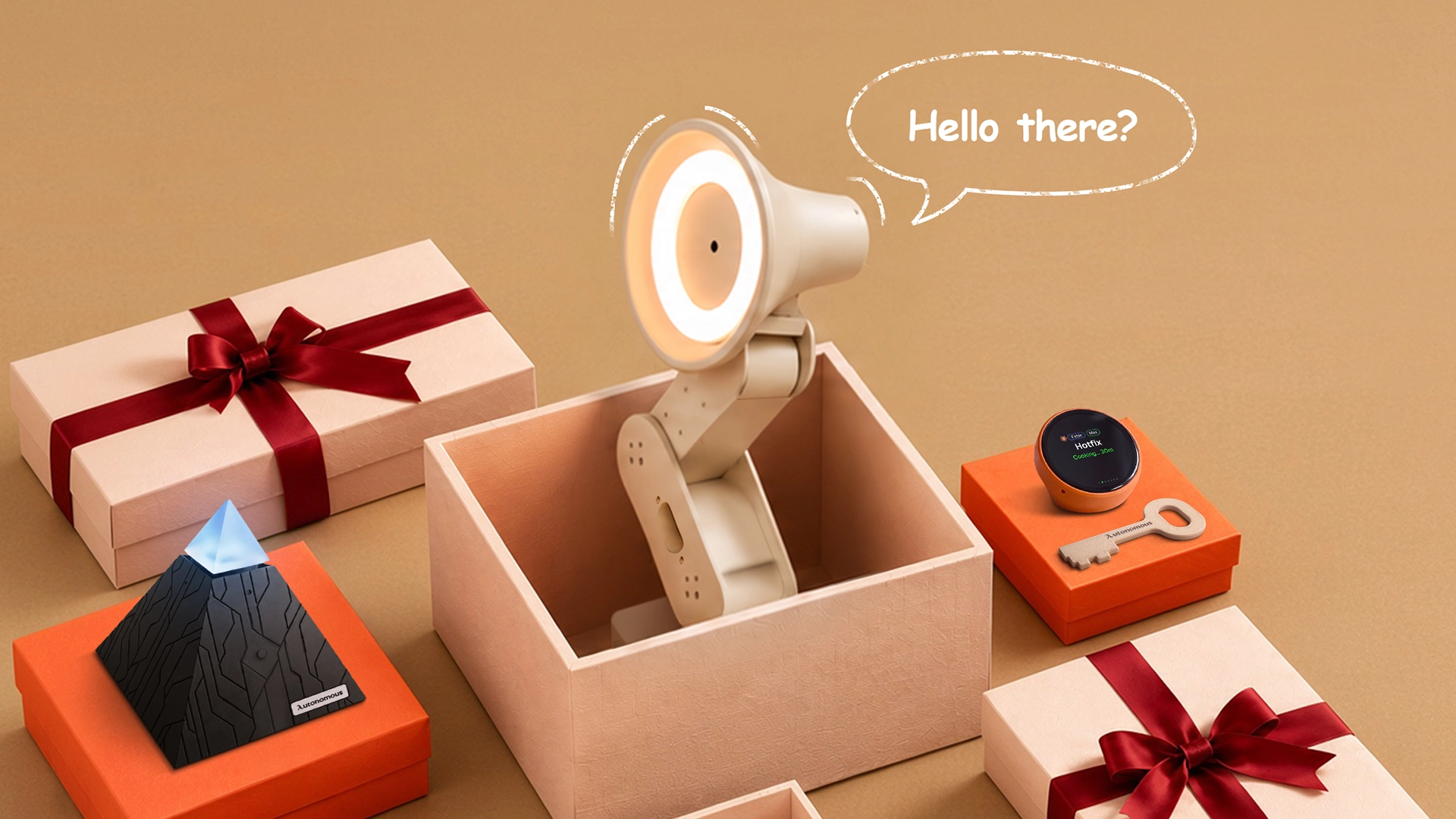
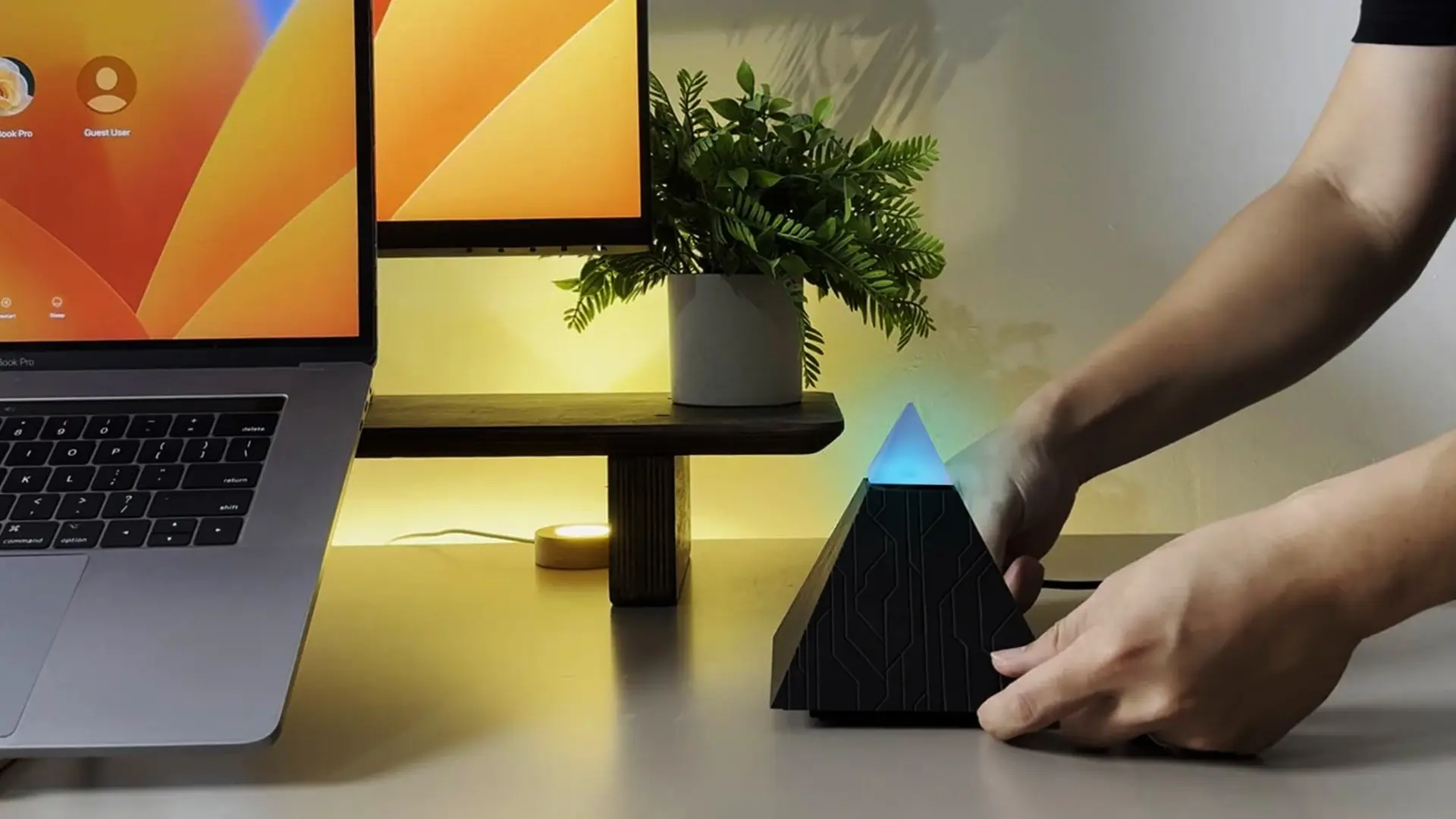
1. Autonomous Harness Device
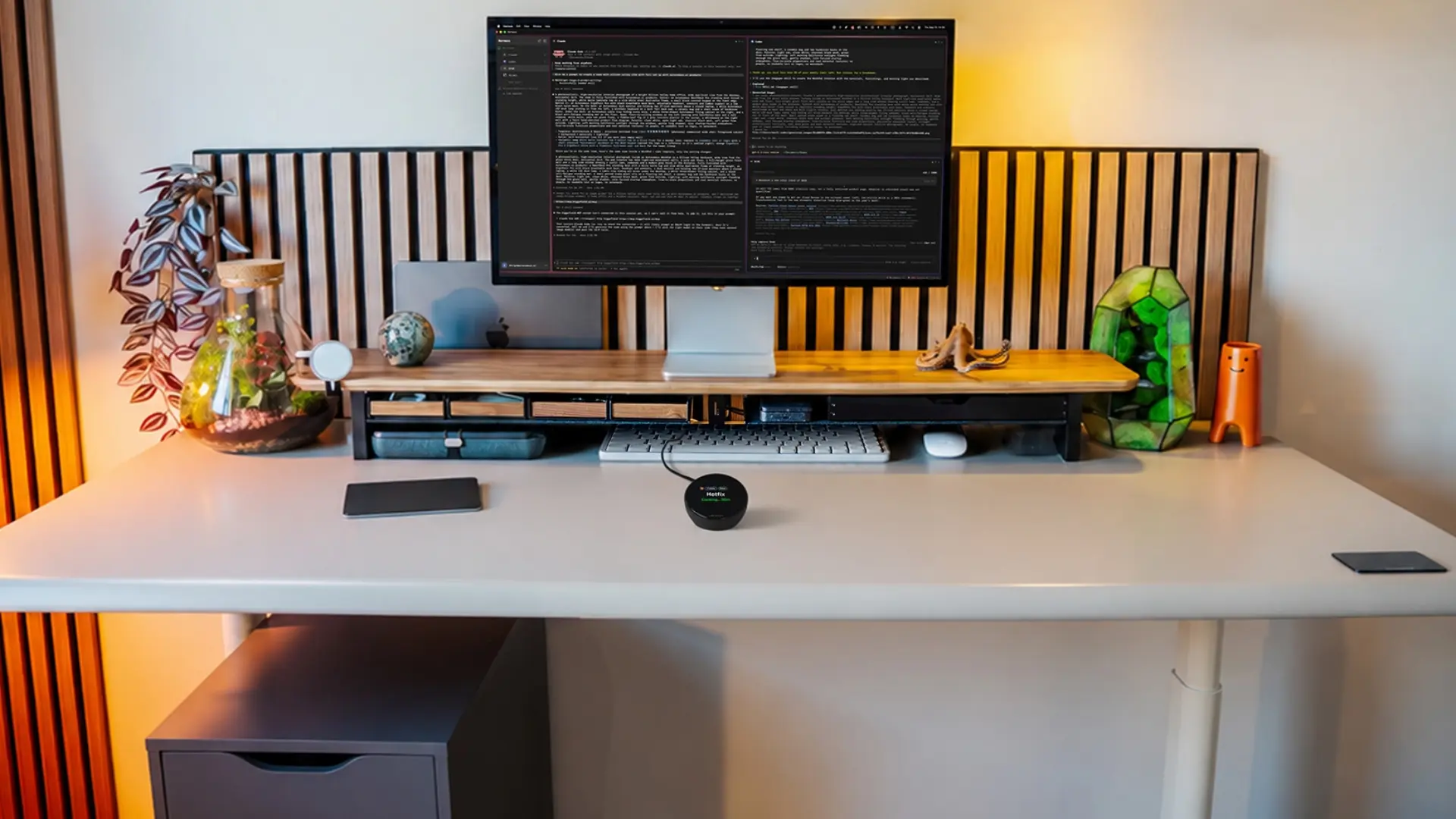
Harness is a desk device with a round, always-on display that shows running tasks with elapsed time, finished work as it returns, and the day's spend across your coding agents.
- How it works: double-tap the face and speak, since a far-field mic takes voice input, and the device plays one quiet tone when work comes back.
- Works with: Claude Code, Codex, Cursor, OpenCode, Hermes, and more agents, plus your own through an open protocol.
- Best for: engineers who run several agents at once. It does little for someone who does not use agents yet.
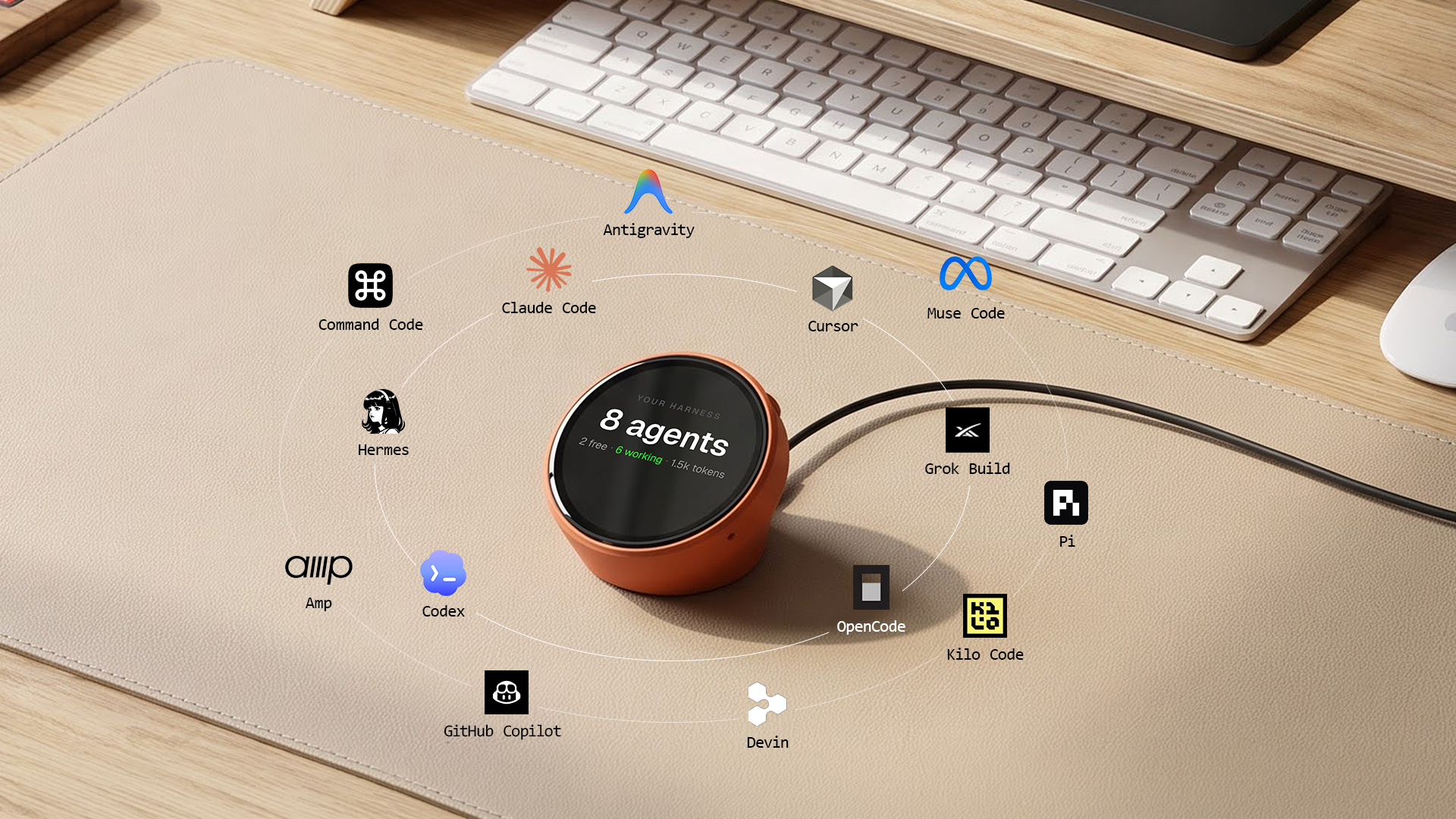
2. Autonomous Intern 2
Intern 2 is a 4.7-inch agent server that sits on the desk and handles email, scheduling, and research, reachable through Telegram, Slack, Discord, iMessage, or voice.
- Best for: founders, tech leads, and developers who run side projects and lose time to admin.
- Good to know: it comes in OpenClaw, Hermes, and Developer editions, and the Developer edition opens the shell for your own packages and agent frameworks.
- Honest note: someone has to connect the accounts it works with, so it suits a person who enjoys setting things up.
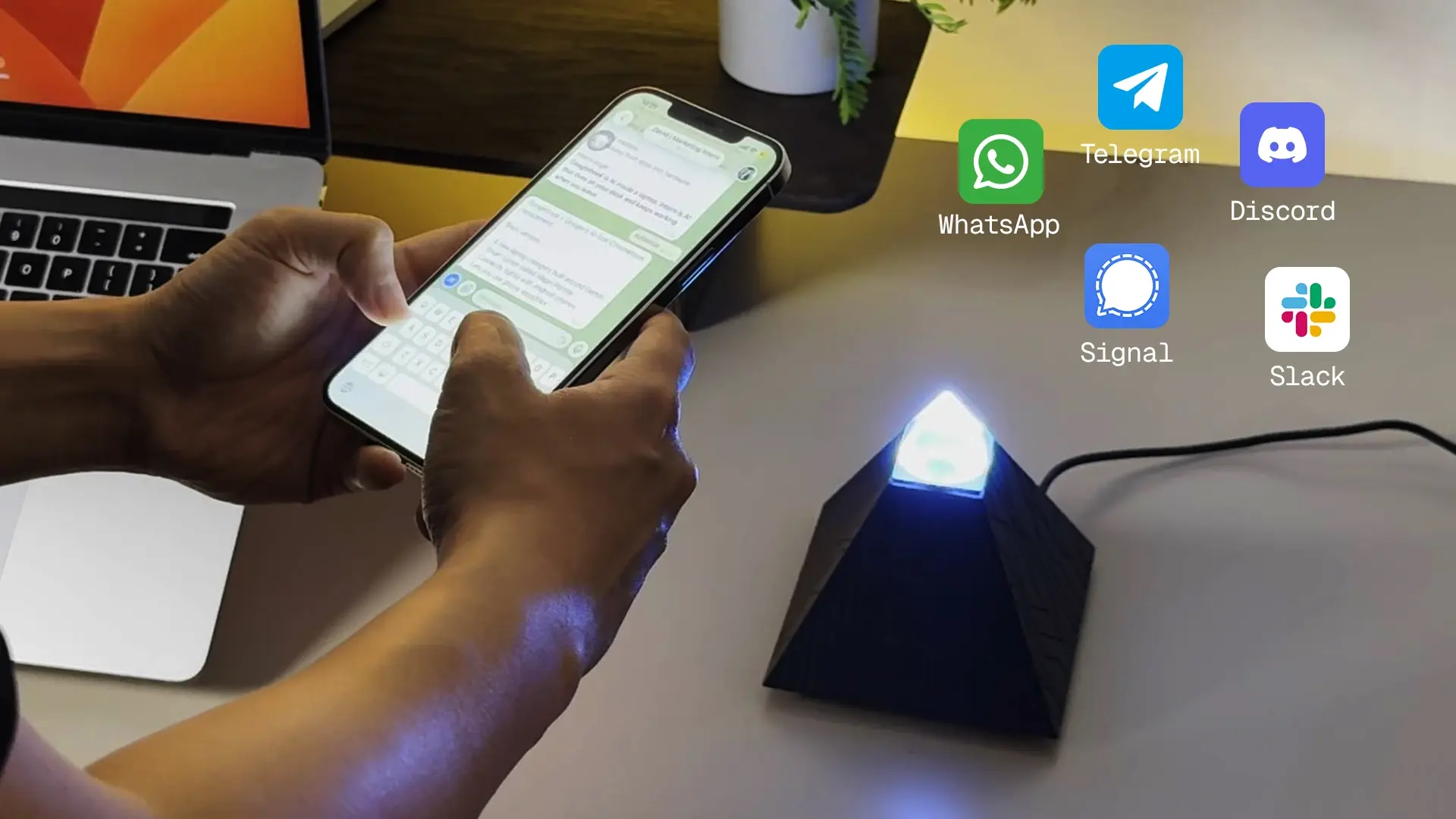
3. Autonomous Lamp
Autonomous Lamp is a pre-assembled AI desk robot that sees, moves, talks, and runs skills from a skill store.
- Best for: developers who like robots and want something on the desk that reacts to them.
- Good to know: it runs on Autonomous OS, which is open source, and new skills can be added by describing what they should do.
- Honest note: it needs a permanent spot on the desk and a power outlet, and it is a robot, not a light source.
.webp)
4. Autonomous Soul
Autonomous Soul is a flat-pack paper animal you fold by hand, with an AI character inside that remembers past conversations.
- How it works: tapping a phone on its passive NFC tag opens the chat in the Autonomous app, and the paper animal has no battery.
- Best for: a developer who likes a small desk object with a personality, or a Secret Santa exchange.
- Good to know: it is sold in blind packs, so you cannot pick the character, and folding takes about 20 minutes.
.webp)
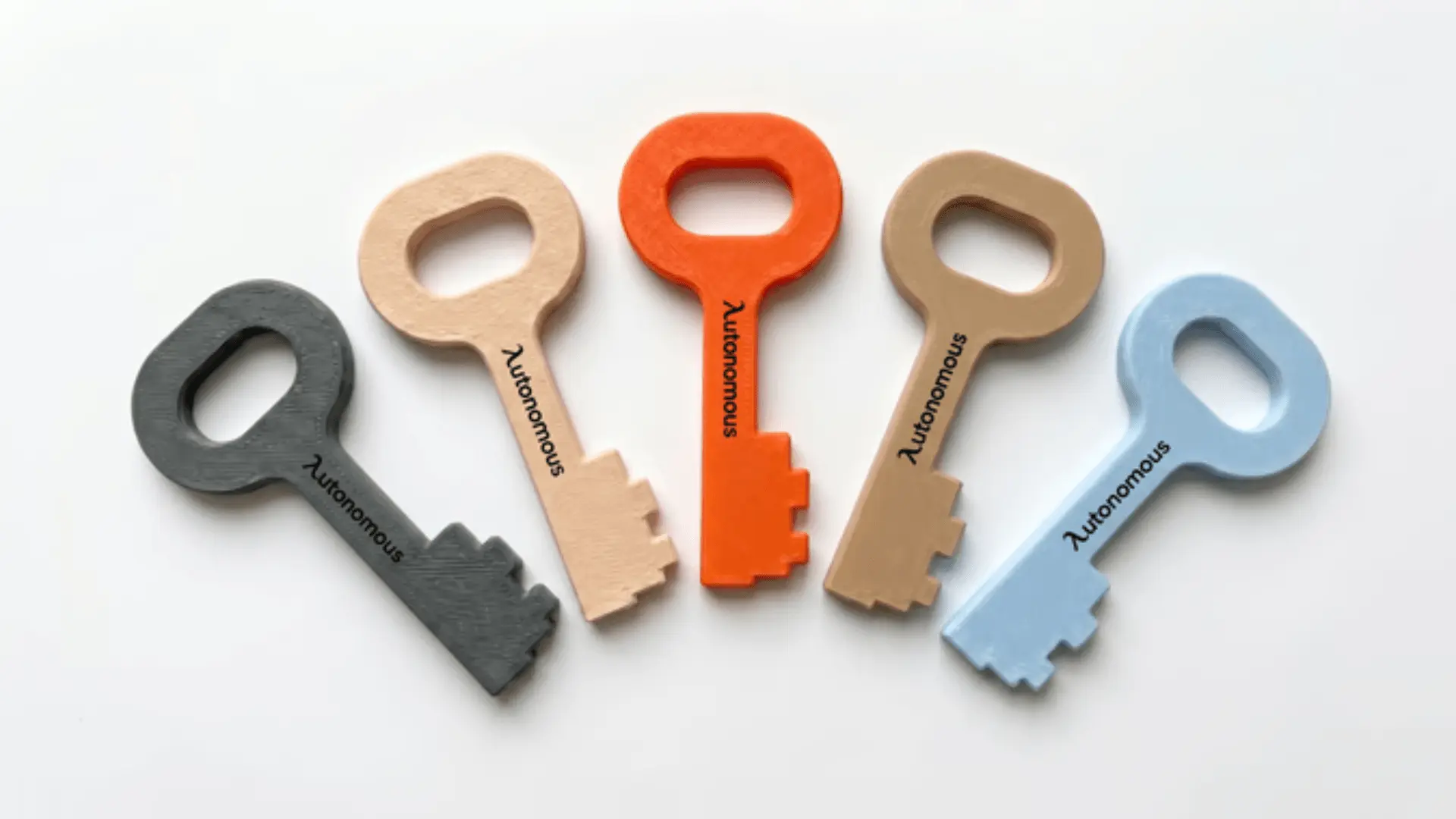
5. Autonomous Key
Autonomous Key is a passive NFC card that locks the phone apps you choose until you tap the phone to it.
- How it works: each unlock lasts up to 60 minutes, it has no battery, and the app has no subscription.
- Best for: focus blocks between builds and phone-free meetings.
- Good to know: it lands best as a set for a team or a household, so it reads as a shared habit rather than a hint to one person.
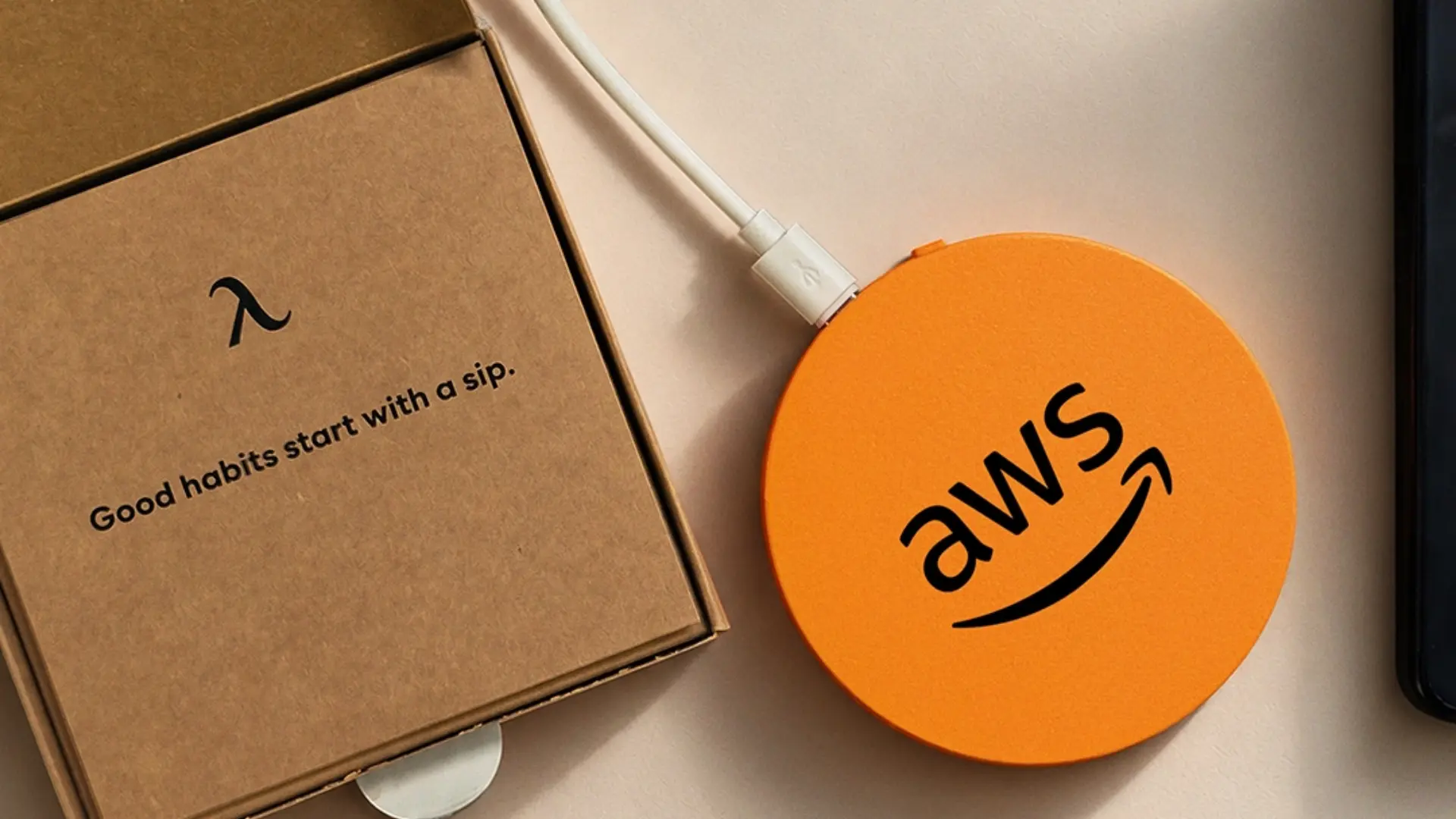
6. Autonomous Hydrate Smart Coaster
Hydrate is a smart coaster that tracks water by weight and reminds with a light, a vibration, or a buzzer on a 15, 30, or 60-minute timer, or a custom one.
- Works with: any suitable cup or bottle. It uses USB-C power.
- Best for: coders who keep a bottle on the desk through long sessions.
- Honest note: it only counts what happens on the coaster, so it suits someone who works at one desk most of the day.
7. AI Coding Assistant Plan
A prepaid plan for an AI coding assistant lets someone try agent-based coding without paying for it themselves.
- Best for: students and developers who are curious about coding agents but have not started using them.
- How to give it: check which tools their employer already pays for, since many companies provide one. A gift card from the provider, where available, is easier than sharing an account.
3D Printed Toys and Mechanical Gifts for Coders
Mechanical toys make interesting gifts for coders who enjoy linkages, moving parts, models, and small desk distractions. Autonomous makes 3D printed toys that use physical mechanisms rather than requiring an app or a battery. Some arrive assembled, while others are display models or tabletop games. They are not programming kits, so choose them for someone who enjoys mechanical design rather than someone specifically looking to learn coding.
| Toy | What it is | Price |
|---|---|---|
| Web Crawler | Poseable eight-legged desk crawler | $27 |
| Trotter | Wind-up four-legged walker | $29 |
| Sandwalker | 15-leg Jansen linkage walker | $83 |
| Rivet | Six-legged mecha spider model | $45 |
| Solar System | Magnetic orbital display model | $32 |
| Robot Chess Set | Chess with 3D printed robot pieces | $97 |
| Pocket Bowling | Mini flick-bowling desk game | $26 |
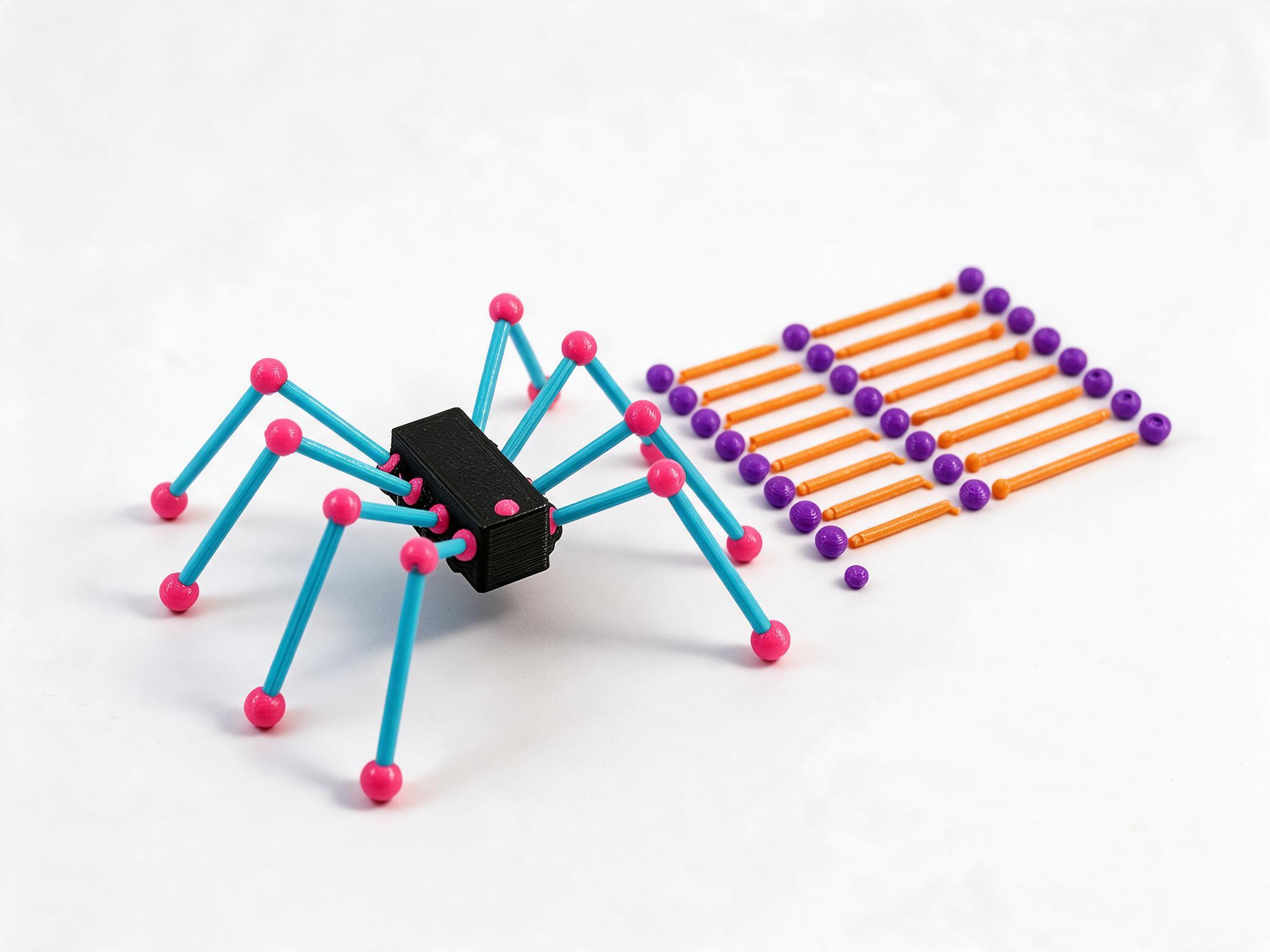
8. Web Crawler
Web Crawler is a poseable eight-legged desk creature that arrives assembled. Its ball-jointed hips and hinged knees let it stand, crouch, or cling to the edge of a shelf without motors or electronics.
The box includes two interchangeable leg color sets. There is no glue or screwdriver work involved, so it is more of a small mechanical display object than a building kit.
It suits a developer who likes unusual desk objects but doesn't want another device to charge. The joints are the interesting part, not a hidden software feature.
9. Trotter
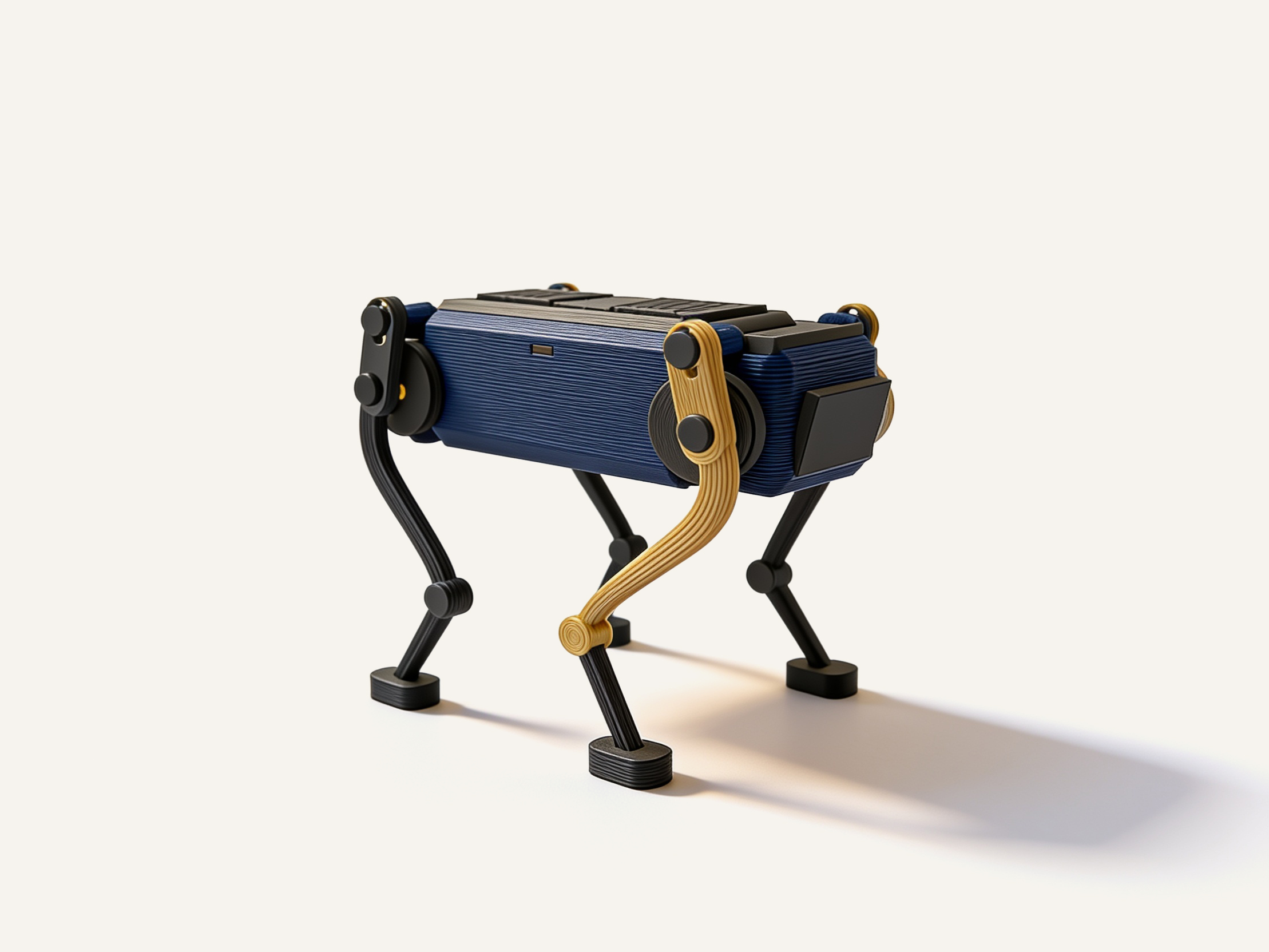
Trotter is a palm-size mechanical walker that moves forward on four legs when you wind the knob on its back.
Inside, a rubber band drives two crankshafts that swing the legs in sequence. The walking motion is the reason to own it, particularly for someone who enjoys seeing how a simple mechanism produces coordinated movement.
Every part is 3D printed, and it needs no batteries or electronic controls. Trotter is a small desk toy rather than a programmable robot, so don't buy it expecting to write code for it.
10. Sandwalker: 15-Leg Jansen Linkage Walker
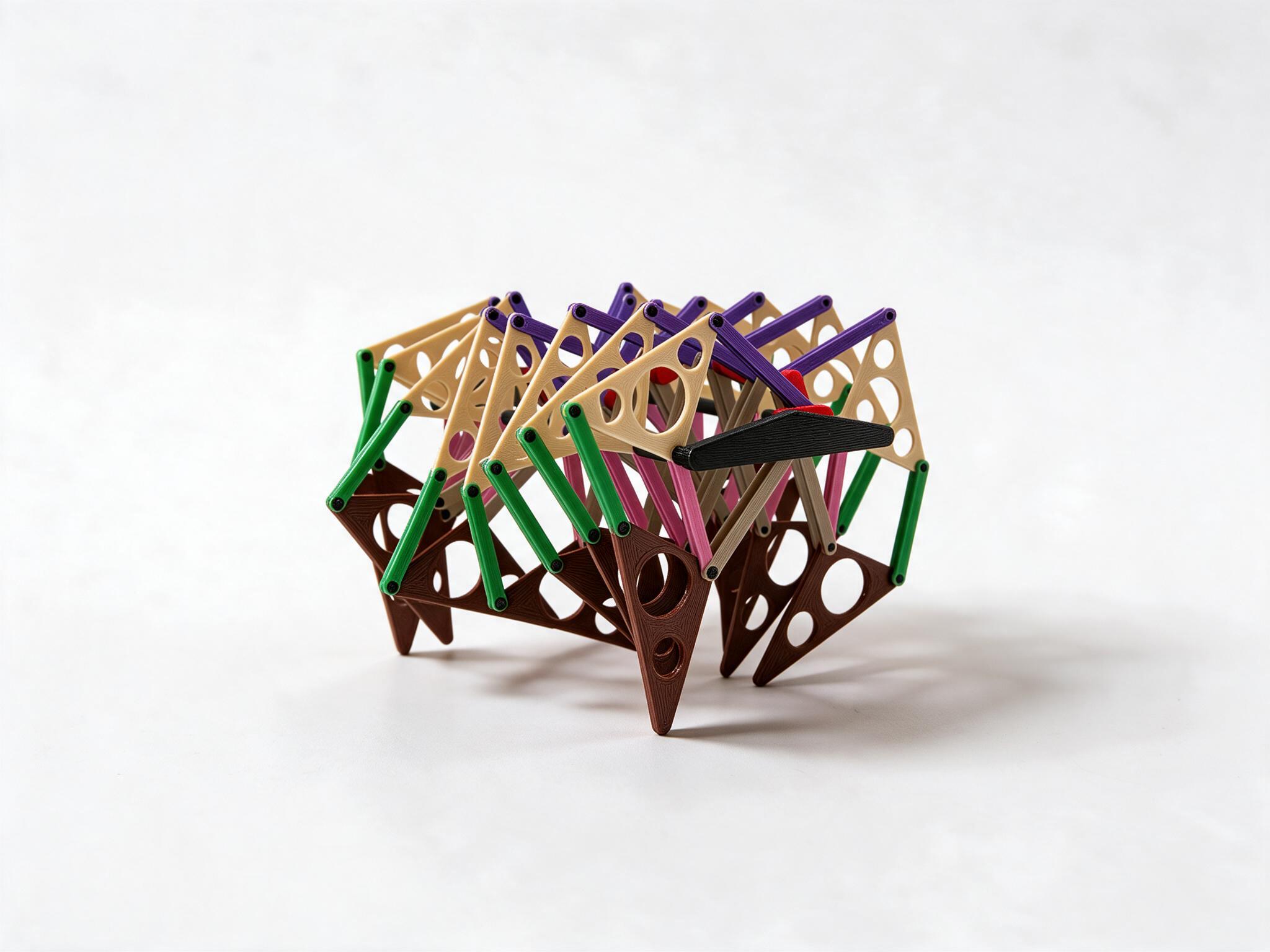
Sandwalker is a hand-cranked walking machine that uses fifteen Jansen-linkage legs to move across a flat surface.
Turn the knob and the linked legs trace a coordinated walking motion. It is a physical example of how geometry can turn rotary motion into a walking mechanism without electronic control.
This makes Sandwalker a more specialized gift for developers who also enjoy robotics, mechanical engineering, or kinetic sculpture.
It is not an autonomous robot and doesn't contain a controller that can be programmed. The appeal is being able to see and operate the mechanism directly.
11. Rivet
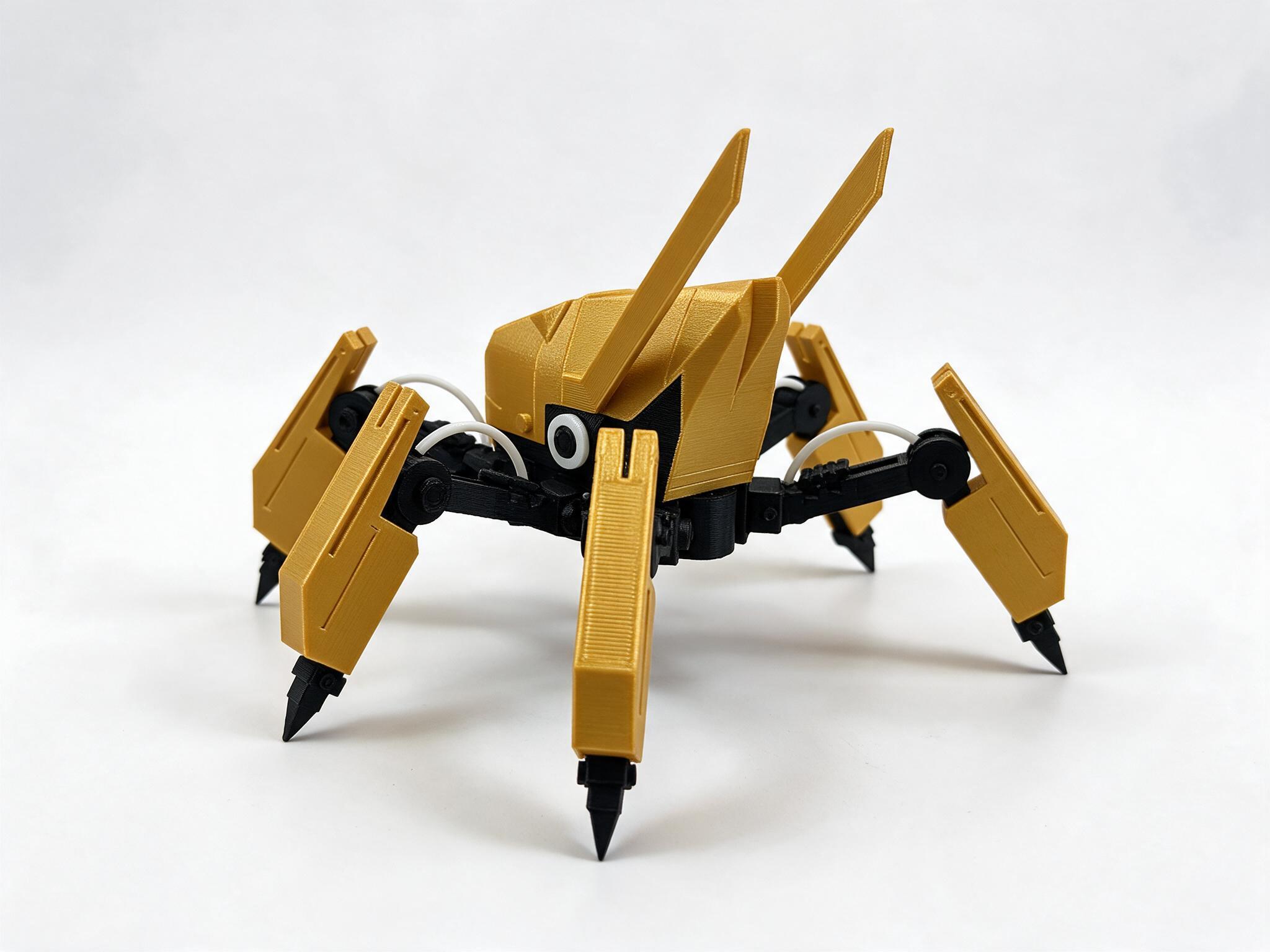
Rivet is a six-legged mecha spider display model with a yellow-and-black body, angular armor, and mechanical-looking claws.
The model is designed from sixteen printed part roles, giving it more visual detail than a single-piece desk figurine. Its legs, body panels, and cable-like details make it a good fit for someone interested in science fiction, robotics, or 3D modeling.
Rivet is primarily a display piece. It isn't a walking robot or an electronics kit, so the recipient should enjoy the design itself rather than expect programmable movement.
12. Solar System
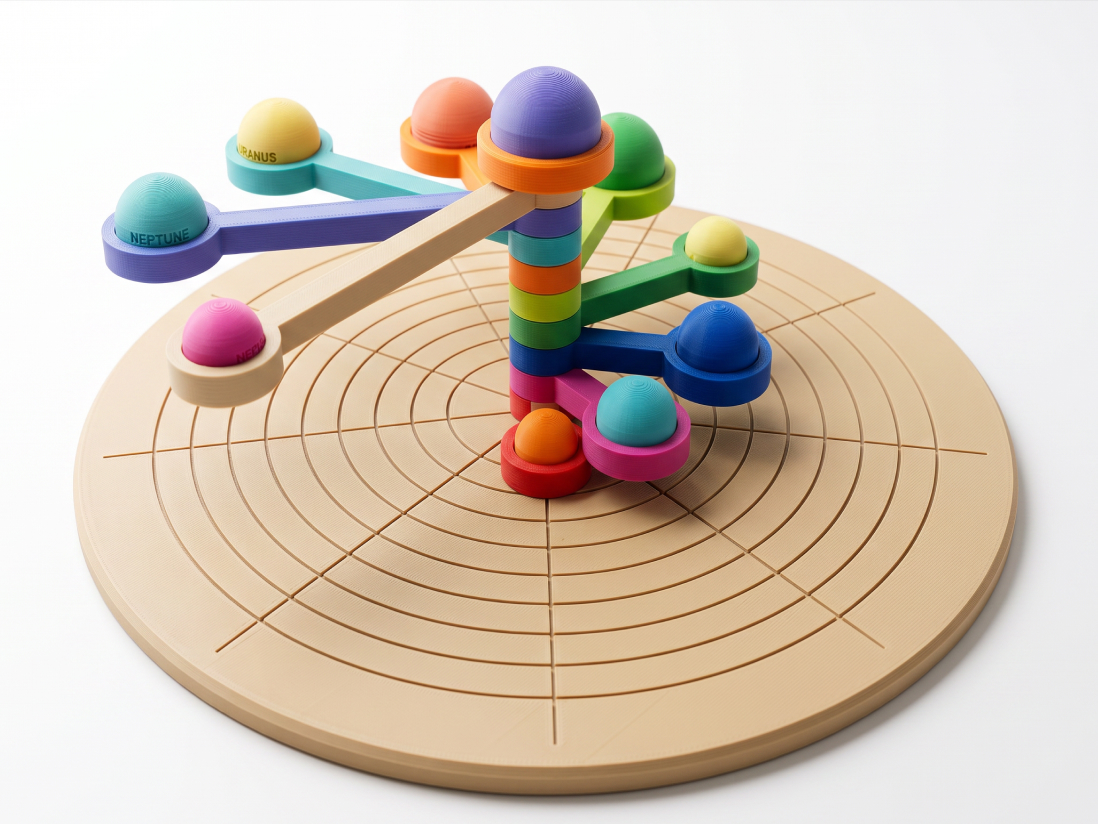
Solar System is a desktop orbital model with ten magnetic modules representing the Sun, eight planets, and Pluto.
The engraved base and movable orbit arms let users arrange the planetary models around a central column. Each arm can be rotated independently, making it an interactive display rather than a static printed ornament.
It is a good gift for someone interested in space, astronomy, or mechanical models. It also works as a desk object for a developer who prefers scientific themes over programming jokes.
The model isn't a motorized planetarium or a precise simulation of orbital motion. It is a hands-on representation of the solar system.
13. Robot Chess Set
Robot Chess Set is a complete chess set that replaces ordinary pieces with small 3D printed robot designs.
The two armies use terracotta and cream color schemes, with different robot shapes for kings, queens, bishops, knights, rooks, and pawns. The board assembles from four printed sections, while the pieces follow conventional chess roles.
It suits a developer who already plays chess or enjoys collecting unusual tabletop games. Unlike a decorative robot model, it can be used for a complete game.
It is a larger desk gift than most of the mechanical toys here, so check whether the recipient has enough room to keep the board set up or store it between games.

14. Pocket Bowling
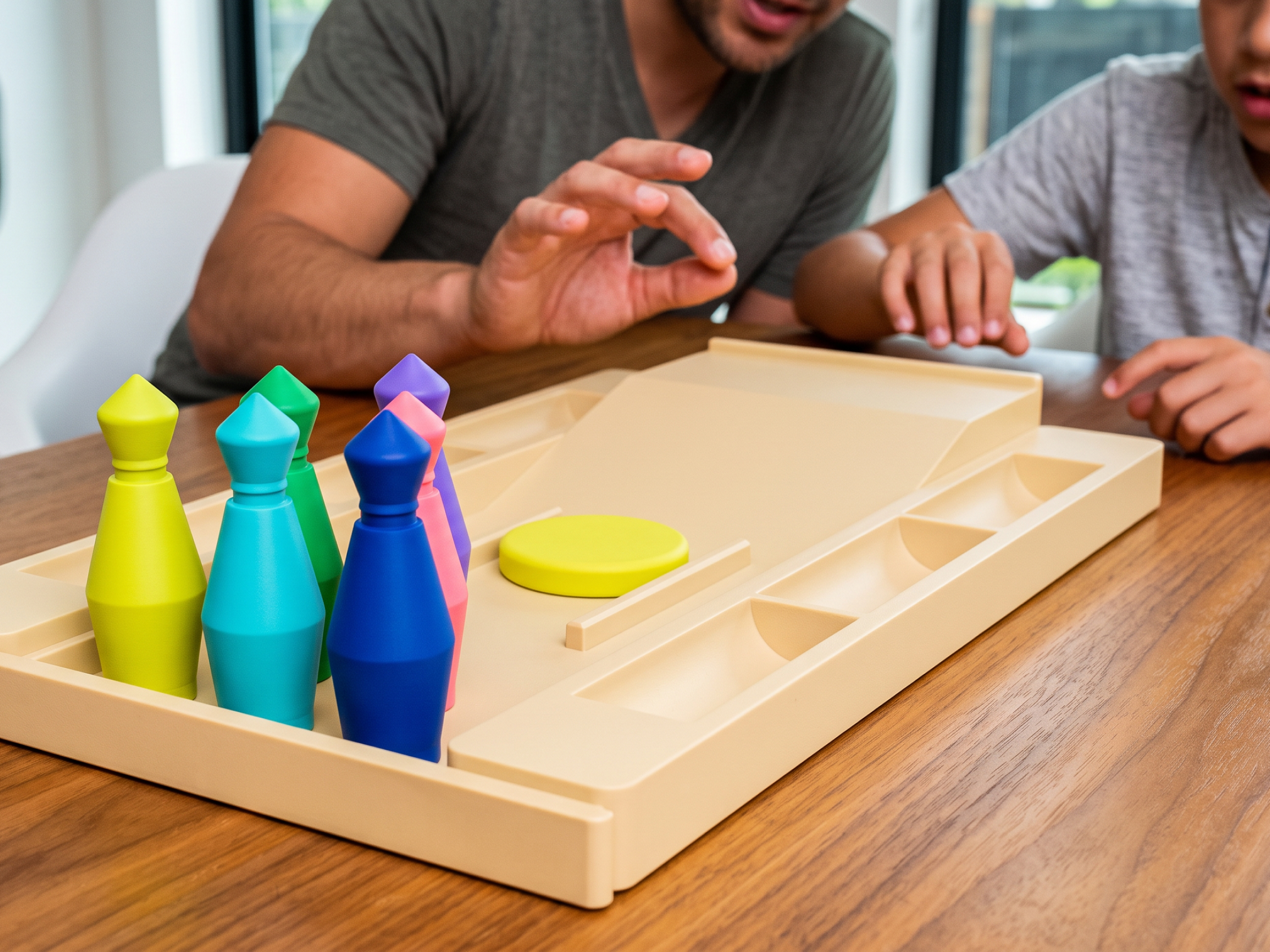
Pocket Bowling is a small tabletop game with six pins, a flick disc, and a lane tray that doubles as storage.
Players launch the disc from the ramp toward the pins. The whole set packs back into the tray after a game, so it doesn't need a permanent place on the desk.
This is a simple gift for a developer who likes short breaks between tasks. It offers a few minutes away from the keyboard without introducing another screen or app.
It is more of a casual desk game than a technical model, which makes it suitable when you don't know much about the recipient's hardware interests.
Desk and Chair Upgrades
A desk or chair is a larger gift for programmers and usually works best as a group gift, a partner gift, or a planned home-office upgrade. These products affect how someone sits and works for hours, so let the recipient confirm fit and available space before ordering.
| Gift | Best for | Budget |
|---|---|---|
| Autonomous Desk Pro | Adjustable workspace | From $499 |
| ErgoChair Pro | Long desk sessions | $499 |
| Footrest | Feet need support | $25-$60 |
15. Autonomous Desk Pro
Autonomous Desk Pro is a dual-motor standing desk on a C-frame with no front crossbar, so there is more legroom while sitting.
- Two versions: Desk Pro travels from 29.5 to 48.5 inches and lifts 330 lbs. Desk Pro AI travels from 24.25 to 53.5 inches, lifts 450 lbs, and adds sensors for CO₂, particulates, sound, and presence.
- Best for: programmers who sit for long periods and want to switch positions.
- Honest note: a desk is a large, heavy delivery that needs assembly. Ask before you surprise someone with one.
16. ErgoChair Pro
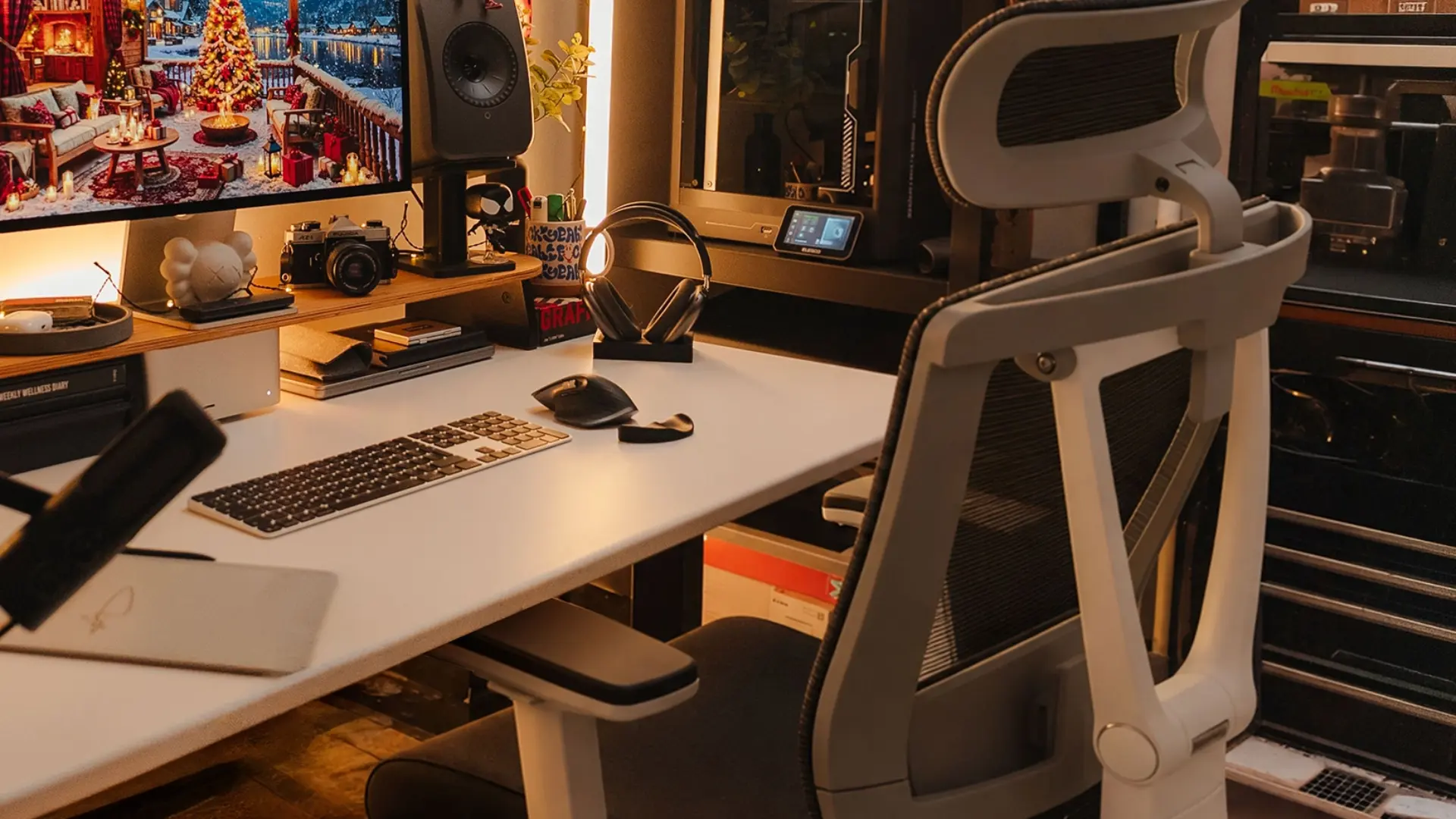
ErgoChair Pro is an ergonomic chair with a 6-inch lumbar height range, a 19 to 21.5-inch seat depth, and a recline that locks in five positions across a 22-degree range.
- Best for: coders still using a dining chair or a worn-out office chair.
- What owners report: the mesh back stays cool over long sessions, and the seat depth adjustment is a common highlight.
- Honest limitation: owners also report that the armrests lock only for height, not for slide or swivel, and that the headrest tension is loose.
- Specs: seat height 18.5 to 22 inches, 300 lb capacity.

17. Footrest
A footrest supports the feet when the chair is set high enough for the desk but the feet no longer rest flat on the floor.
- Best for: shorter users and anyone on a fixed-height desk.
- How to choose: look for a stable platform with a suitable height range, and check whether the recipient has enough legroom.
Keyboards and Mice
Keyboards and mice are gifts for programmers that get used for hours every day. They are also among the most personal choices on a desk, so check what the recipient already owns before buying a new one.
| Gift | Best for | Budget |
|---|---|---|
| Mechanical keyboard | Daily typing | $60-$200 |
| Split ergonomic keyboard | Long typing sessions | $100-$350 |
| Custom keycap set | Keyboard enthusiasts | $30-$100 |
| Vertical mouse or trackball | Mouse-heavy work | $30-$100 |
18. Mechanical Keyboard
A mechanical keyboard is a classic gift for a coder who still types on a laptop or a basic office keyboard.
- Best for: anyone who types all day and has never owned one.
- How to choose: a tenkeyless or 75% layout fits many desks. Hot-swappable switches let users change the feel later without soldering.
- Skip it if: they already have a keyboard they chose themselves. Keyboard fans are particular about switches and layouts.
19. Split Ergonomic Keyboard
A split ergonomic keyboard allows the two halves to sit farther apart, giving users more freedom to position their hands and forearms.
- Best for: software engineers who specifically want to try a split layout.
- Good to know: it takes practice to adjust to a different keyboard arrangement, so this works best for someone who has asked for one.
20. Custom Keycap Set
A custom keycap set changes the look and feel of a compatible mechanical keyboard without replacing the entire board.
- Best for: keyboard owners who like to customize their setup.
- How to choose: check the keyboard's layout, stem type, and keycap profile first. Some low-profile keyboards don't use ordinary keycaps.
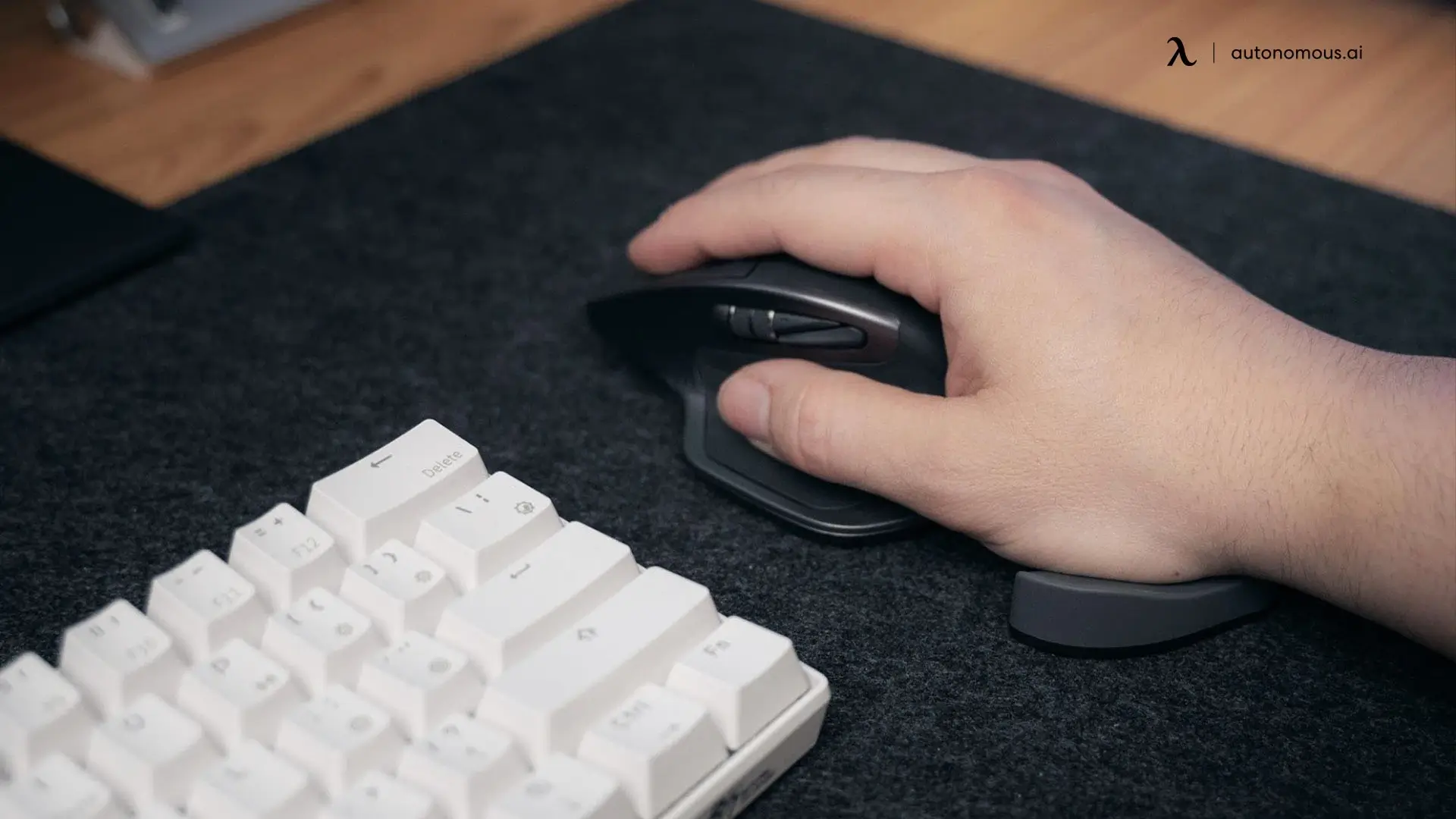
21. Vertical Mouse or Trackball
A vertical mouse or trackball gives users an alternative to the shape and movement of a conventional mouse.
- Best for: developers who spend a lot of time navigating design tools, browsers, or large codebases.
- How to choose: a vertical mouse feels closer to a normal mouse. A trackball keeps the device stationary but takes time to learn.
Screens, Light, and Desk Setup
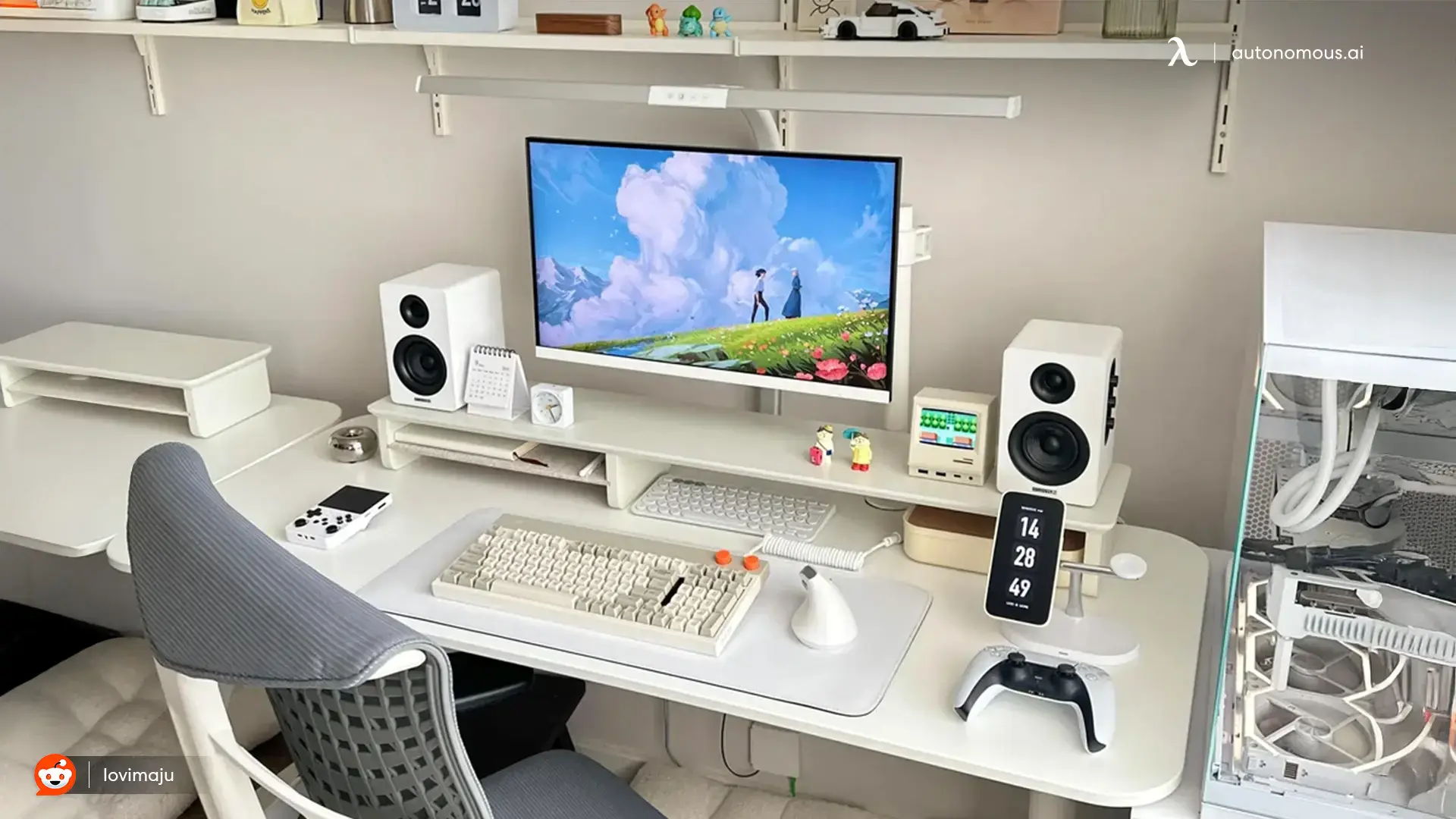
Screen and desk upgrades are useful for programmers working from laptops or crowded workstations. An additional display, better lighting, or a compatible docking station can change how they manage code, documentation, and other tools.
| Gift | Best for | Budget |
|---|---|---|
| Portable or second monitor | Laptop coders | $120-$300 |
| Monitor arm | Multi-screen desks | $40-$150 |
| Monitor light bar | Evening coding | $40-$120 |
| USB-C dock | Hybrid laptop users | $60-$250 |
| Large desk mat | Desk organization | $20-$50 |
22. Portable or Second Monitor
A second monitor gives a coder room for code on one screen and documentation, logs, or a browser on the other.
- Best for: laptop-only coders and computer science students.
- How to choose: a 15-inch portable USB-C screen can work for travel. A 27-inch monitor is another option for a fixed workstation.
- Check compatibility: confirm that the laptop supports the required display connection and resolution.
23. Monitor Arm
A monitor arm lifts a compatible display off the desk and lets the user adjust its position and viewing distance.
- Best for: multi-screen desks and anyone whose monitor stand offers limited adjustment.
- Why it matters: OSHA recommends positioning the screen at a comfortable height and distance. Poor screen placement can contribute to neck discomfort, sometimes called tech neck.
- Check compatibility: confirm monitor weight, VESA mounting pattern, and desk thickness.
24. Monitor Light Bar
A monitor light bar sits above the screen and directs light toward the desk surface.
- Best for: late-night coding and workspaces with limited task lighting.
- How to choose: look for adjustable brightness and color temperature, and check that the mounting clip fits the monitor.
25. USB-C Dock
A USB-C dock connects a compatible laptop to displays, power, networking, and other peripherals through fewer cables.
- Best for: developers who move a laptop between home and the office.
- How to choose: confirm how many external displays the laptop supports before buying a dock with several video ports.
26. Large Desk Mat
A large desk mat covers the area under the keyboard and mouse, giving both devices a shared surface.
- Best for: someone who already owns a good keyboard and mouse but wants to tidy the desk.
- How to choose: measure the available space and select a material suited to the recipient's mouse and cleaning preferences.

Focus Gifts for Programmers
Focus gifts for programmers help manage interruptions during long work sessions. Noise-canceling headphones suit busy surroundings, while a physical timer works for someone who prefers structured work blocks.
| Gift | Best for | Budget |
|---|---|---|
| Noise-canceling headphones | Open or shared offices | $100-$400 |
| Desk timer | Timed focus sessions | $15-$40 |
27. Noise-Canceling Headphones
Noise-canceling headphones reduce some background noise, which can make it easier to concentrate in a busy office or shared home.
- Best for: hybrid workers, open offices, and commuters.
- How to choose: compare comfort, microphone quality, and noise-canceling performance. Over-ear and in-ear models suit different preferences.
28. Desk Timer
A desk timer provides a physical countdown for focus sessions without needing to open another phone app.
- Best for: developers who like to timebox work and keep their phone out of reach.
- How to choose: a flip cube with preset times is simple. A visual countdown timer makes remaining time easier to see.
Books and Learning
Books and learning experiences make useful gifts for software engineers when the topic matches their interests or career goals. They are also alternatives to hardware when the recipient already has a carefully chosen desk setup.
| Gift | Best for | Budget |
|---|---|---|
| Programming books | Learning a new area | $25-$60 |
| Online course or learning plan | Students, career changers | $20-$40/month |
| Conference ticket | Mid/senior engineers | $200-$1,000+ |
29. Programming Books
A programming book makes a thoughtful gift when it fits the person's experience and technical interests.
- For general software development: The Pragmatic Programmer by David Thomas and Andrew Hunt, and A Philosophy of Software Design by John Ousterhout.
- For backend and data engineers: Designing Data-Intensive Applications by Martin Kleppmann.
- For students: Code by Charles Petzold, which explains how computers work from the ground up.
30. Online Course or Learning Platform Plan
An online course or learning platform plan suits students, career switchers, and developers who want to explore a specific topic.
- How to choose: ask what they want to learn next, such as a programming language, system design, or cloud certification.
- Good to know: confirm that the recipient doesn't already have access through work or school.
31. Conference Ticket
A conference ticket is a substantial gift for an engineer who wants to meet peers and learn from people working in their field.
- Best for: a partner gift, a team gift, or a manager supporting professional development.
- Good to know: travel and accommodation may cost more than the ticket, so agree on dates and who pays for what before purchasing.
.webp)
How to Choose a Gift for a Programmer
The right gift for a programmer depends on what they already own, what they spend their time doing, and how much they enjoy setting up unfamiliar hardware.
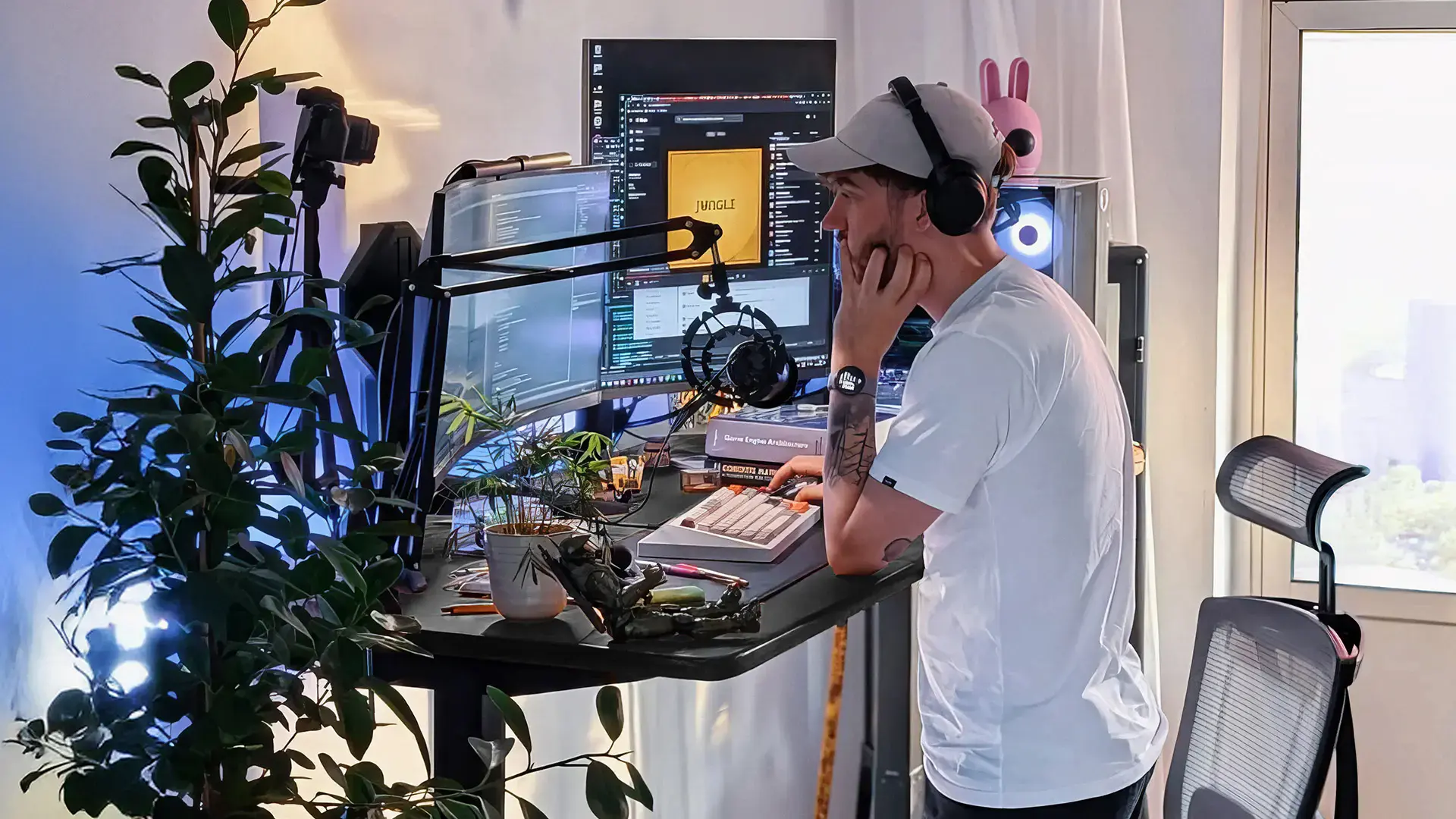
What do they use every day? Upgrades to a keyboard, mouse, screen, chair, or developer desk setup can be useful, but these are also personal purchases. Ask about their preferences before choosing an expensive peripheral.
Do they work with AI agents? Someone who uses Claude Code, Codex, or similar tools may appreciate Harness or another agent device. For someone who doesn't use coding agents, a book or a small mechanical toy may be a less complicated gift.
Do they enjoy physical mechanisms? A Jansen-linkage walker, poseable desk crawler, or 3D printed chess set is better suited to someone interested in mechanical design than someone looking for an actual coding project. These toys demonstrate movement or provide desk entertainment, but they don't replace programmable electronics kits.
Who is giving the gift? A partner or group can discuss a desk, chair, or conference ticket. Coworkers and Secret Santa participants usually need something smaller. A desk toy, Key, or other compact gift is easier to exchange without guessing someone's furniture or keyboard preferences.
What to skip:
- Blue-light-blocking glasses sold with unsupported promises about preventing computer-related eye strain. Regular breaks and appropriate screen setup are generally more useful.
- Generic programming jokes when you don't know whether the recipient finds them funny.
- Software subscriptions already provided by their employer.
- Mechanical desk toys when the recipient specifically wants a programmable robotics kit.
FAQs
What do you get a programmer who has everything?
Get a programmer who has everything something unusual that fits their interests, such as an AI coding device, a mechanical walker, a 3D printed robot chess set, or a conference ticket. The recipient's preferences matter more than novelty. A specialist book or a consumable gift can also work when their desk is already full.
What is a good gift for a software engineer?
A good gift for a software engineer improves something they use often or relates to a technical interest. A mechanical keyboard, monitor arm, AI coding device, or small engineering-themed toy can work. If you're unsure about their equipment, choose something that doesn't require a particular operating system or setup.
What are the coolest tech gifts for programmers?
Interesting tech gifts for programmers include physical coding-agent controllers, local AI agent computers, desk robots, and mechanical models that demonstrate how moving parts work. Harness, Intern 2, Lamp, and Sandwalker suit different interests. The best choice depends on whether the recipient prefers software automation, robotics, or mechanical design.
What is a good cheap gift for a coder?
A good inexpensive gift for a coder is a small item that fits their desk or interests. A poseable Web Crawler, wind-up Trotter, Pocket Bowling set, or physical app-blocking Key can work without requiring a major setup change. Check the current prices in the category tables and choose something the recipient would enjoy using.
What do you get a kid who likes coding?
A child interested in coding may enjoy a programmable robot or beginner microcontroller kit with age-appropriate instructions. Mechanical toys such as Trotter or Sandwalker can demonstrate physical movement, but they do not teach programming by themselves. Check the manufacturer's age guidance, small-part warnings, and required supervision before choosing a gift.
What is a good gift for a computer science student?
A useful gift for a computer science student might be a portable monitor, programming book, coding-assistant subscription, or a simple electronics project. Students often work from laptops with limited space, so portability and compatibility matter. For someone interested in physical computing, a mechanical model can also be an enjoyable desk gift.
Do programmers like mechanical keyboards as gifts?
Many programmers enjoy mechanical keyboards, but switch feel, layout, and sound are personal preferences. A keyboard is easier to get right when the recipient has asked for a specific model. Otherwise, a desk mat, book, or small mechanical toy is less likely to conflict with an existing setup.
The Bottom Line
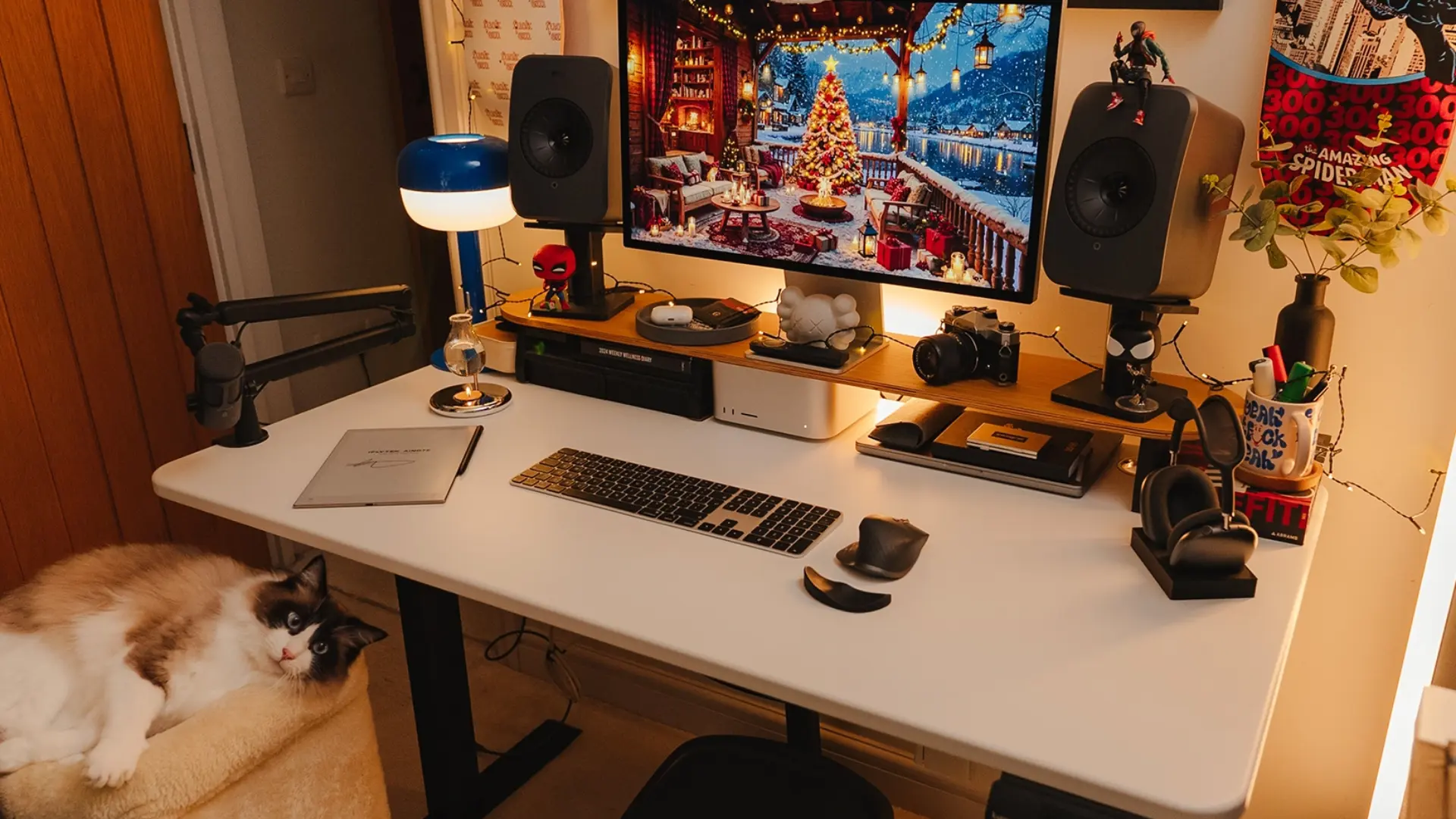
The best gifts for programmers reflect what the person actually enjoys, whether that is coding with AI agents, improving a workstation, or exploring mechanical design away from the screen. For someone who enjoys robots and moving parts, Autonomous's 3D printed toys offer a different kind of desk gift without requiring another app or subscription.
Start with the category that fits their interests, compare the practical details, and check personal preferences before buying keyboards, chairs, or other large equipment.