The 5 Best Standing Desks With Keyboard Trays

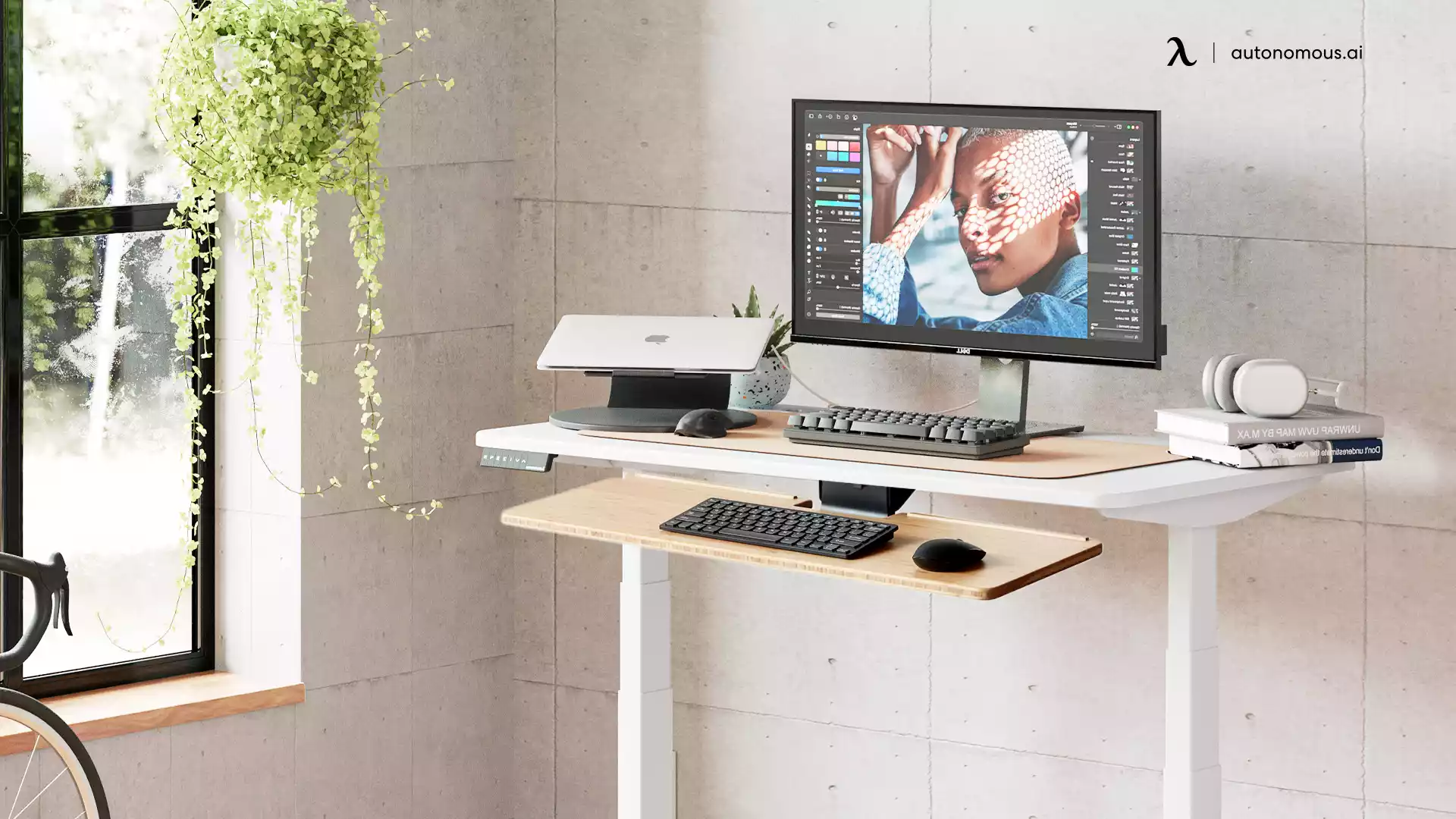
Choosing the best standing desk with a keyboard tray means solving two problems at once: posture and workspace organization. A keyboard tray lets you type comfortably without raising or lowering the whole desk to an awkward height, while freeing up prime surface area for everything else. Some desks build the tray in; on others you add a clamp-on tray to a desk you like, which keeps the choice of tray in your hands.
This guide covers the tray types first, then the best desks with a built-in tray, and the best desks to add your own tray to, with how to mount one on each.
Types of keyboard trays
Not all keyboard trays work the same way, and the right one depends on how you type. A tray is one of the essential standing desk accessories for comfort, and these are the common types you will see on or under a standing desk.
- Stationary trays. Fixed in place under the desktop. Simple, sturdy, and usually cheaper, but with little room to adjust your typing angle.
- Sliding trays. Glide in and out on rails, so you can tuck the keyboard away for a clean surface. A practical middle ground for most people.
- Ergonomic trays. Tilt, swivel, and move up and down to fine-tune wrist angle. The best choice for long sessions and neutral posture.
- Keyboard drawers. Combine a tray with light storage for pens or a notepad. Less common now, but useful if you want a bit of built-in organization.
What matters most is how well the tray supports your natural wrist alignment and keeps the surface usable.
The best standing desks with a keyboard tray
The five desks below all include a keyboard tray from the start, so you get typing comfort without buying a separate part. Here is a quick comparison, then a closer look at each.
Desk model | Best for | Tray | Adjustment | Standout |
Inbox Zero Lilja Electric | Home office pros, writers | Built-in | Dual motor, presets | Sleek, integrated tray |
EUREKA Ergonomic | Gamers, coders, heavy users | Wide, with wrist rest | Electric | Feature-rich, wide tray |
HUANUO Desk with Drawers | Tray plus storage | Built-in + 2 drawers | Electric, 4 presets | Tray and drawers in one |
ErGear Electric | Budget home offices | Built-in sliding | Electric | Tray included, low price |
FEZiBO Standing Desk | Value buyers | Built-in sliding | Electric | Affordable all-rounder |
1. Inbox Zero Lilja Electric Standing Desk - Best overall
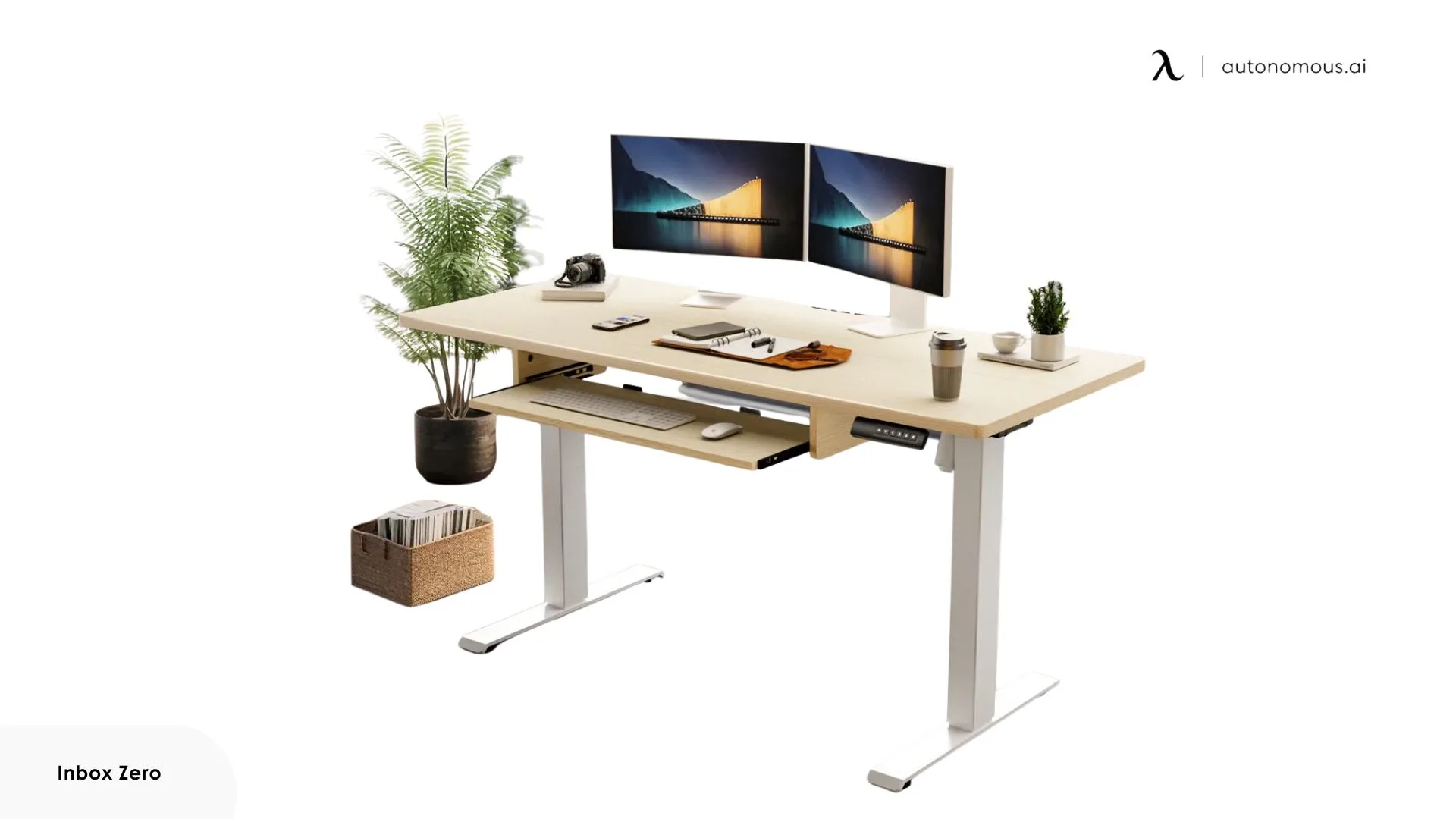
The Lilja is the best all-round pick, with a tray that is the draw. It is built in rather than added on, flush with the design, and large enough to hold both a keyboard and mouse comfortably.
The dual motors are quiet and the memory presets save time if you change positions often. What you do not get is deep ergonomic adjustment, since the tray does not tilt or angle, but if your priority is a clean, integrated setup that just works, this one delivers it.
Best for: remote workers and writers who want an integrated, budget-friendly height-adjustable desk with a keyboard tray.
2. EUREKA Ergonomic Standing Desk - Best for long sessions
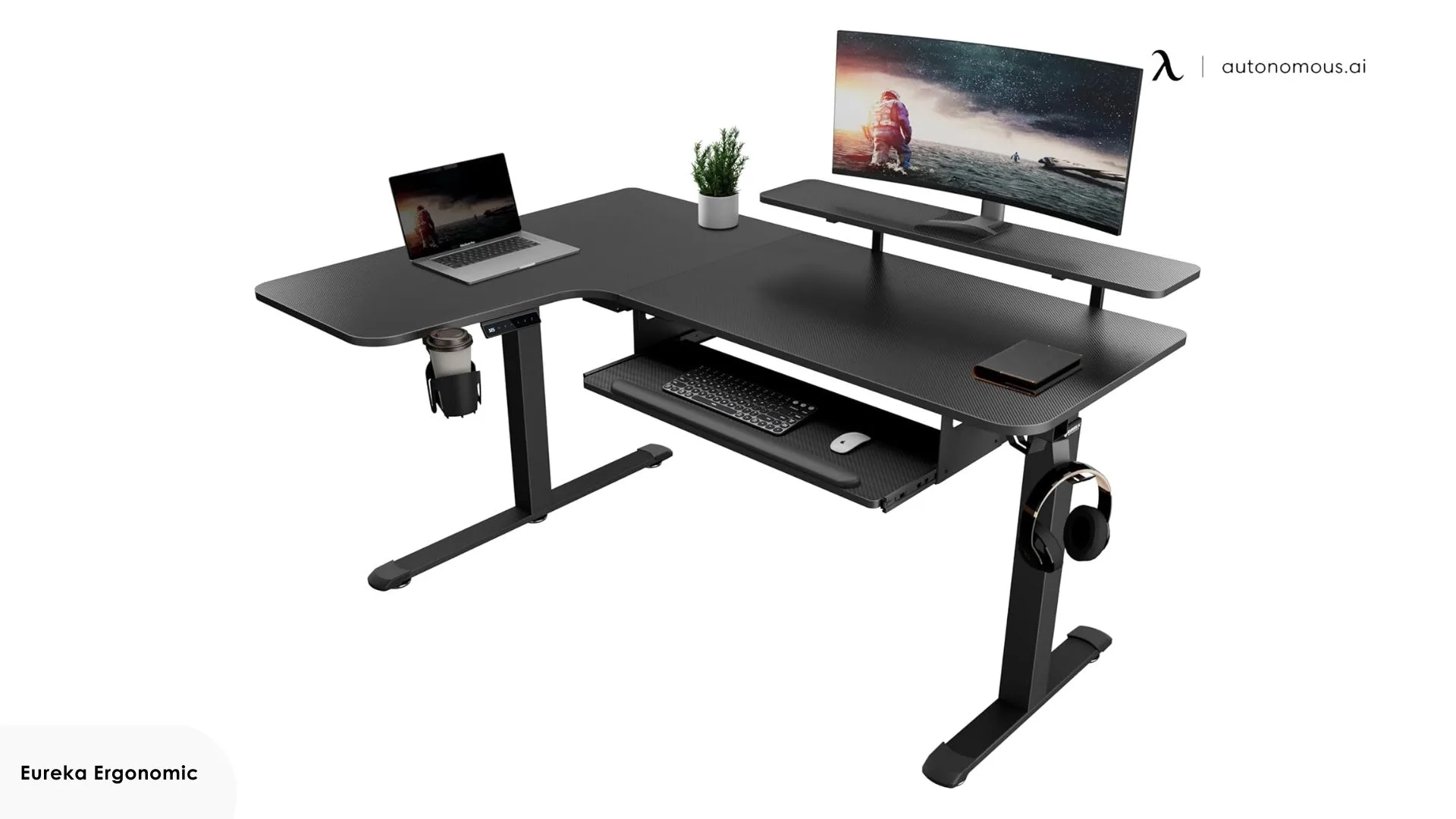
The EUREKA is the pick for people who obsess over details. The tray is wide and supportive, with a wrist rest that makes long typing sessions easier, and it comes with the extras many desks skip: USB ports, cable management, and a smooth electric lift.
The trade-offs are assembly and price. It takes more effort to set up than most, and it costs more, so it suits someone who genuinely uses the extra features rather than a simple setup.
Best for: gamers, coders, and professionals who want maximum comfort and features for long sessions.
3. HUANUO Standing Desk with Drawers and Keyboard Tray - Best with drawers
The HUANUO covers the common "keyboard tray and drawers" need in one desk. It comes in 48 or 55 inch widths with a roughly 24 to 27 inch tray, two fabric drawers, a C-clamp-compatible mount, and four height presets.
The tray drops your hands to a neutral typing height while the drawers hold small items, so you get comfort and light storage without buying separate parts. It is a mid-range desk rather than a premium frame, but the tray-plus-storage combination is genuinely useful for a tidy setup.
Best for: setups that want typing comfort and built-in storage together.
4. ErGear Electric Standing Desk - Best budget
The ErGear is the value pick if you want a tray built in without paying much. It is an electric 48 by 24 inch desk with a full-size sliding tray rated to about 22 pounds, a 176-pound top capacity, and a frame tested to 50,000 cycles.
The tray fits a full keyboard and mouse and clears the desktop for a monitor. It is a budget desk, so keep the load moderate and expect a simpler build than premium frames, but for a sit-stand setup with a tray included at a low price, it holds up.
Best for: budget home offices that want a tray without a separate purchase.
5. FEZiBO Standing Desk with Keyboard Tray - Best value all-rounder
The FEZiBO is a straightforward electric standing desk with a sliding keyboard tray that lowers your keyboard and mouse below the desktop edge to ease wrist pressure. It keeps the main surface clear for a laptop or monitor and moves smoothly between sitting and standing.
It does not pile on features, and the build is budget-tier, so it suits a simple setup more than a heavy multi-monitor rig. For an affordable desk with a functional built-in tray, though, it is a dependable everyday choice.
Best for: budget-conscious buyers who want a tray included without extras.
The best desks for adding your own keyboard tray
If you would rather pick your own tray, the seven desks below are steady, adjustable frames you mount the tray of your choice on. A clamp-on tray grips the front edge with no drilling and comes off cleanly; a screw-mounted tray drills into the top for a more permanent hold. The list is ordered by how well each takes a tray, from crossbar-free frames that suit a full sliding tray to thicker tops that need a wider clamp.
Desk | Best tray mount | Top | Capacity | Warranty | Price |
Desk Pro | Sliding tray, full clearance | 1.2" HDF | 330 lbs | Lifetime | $499 |
Desk Pro 3-Stage | Sliding tray, any height | 1.2" HDF | 330 lbs | 10 years | $699 |
Desk DIY | Any tray, custom mount | Build your own | 250 lbs | 10 years | $349 |
Desk 2 | Clamp-on or screw-on | 1" sealed MDF | 250 lbs | 10 years | $449 |
Desk Core | Easy clamp-on, thin top | 0.7" MDF | 176 lbs | 2 years | $349 |
Desk 2 L-Shaped | Clamp on either side | 1" MDF, reversible | 400 lbs | 10 years | $1,149 |
Desk Levitate 2 | Wide clamp or screw-on | Solid ash | 380 lbs | 10 years | $1,099 |
1. Desk Pro - Best for a sliding tray
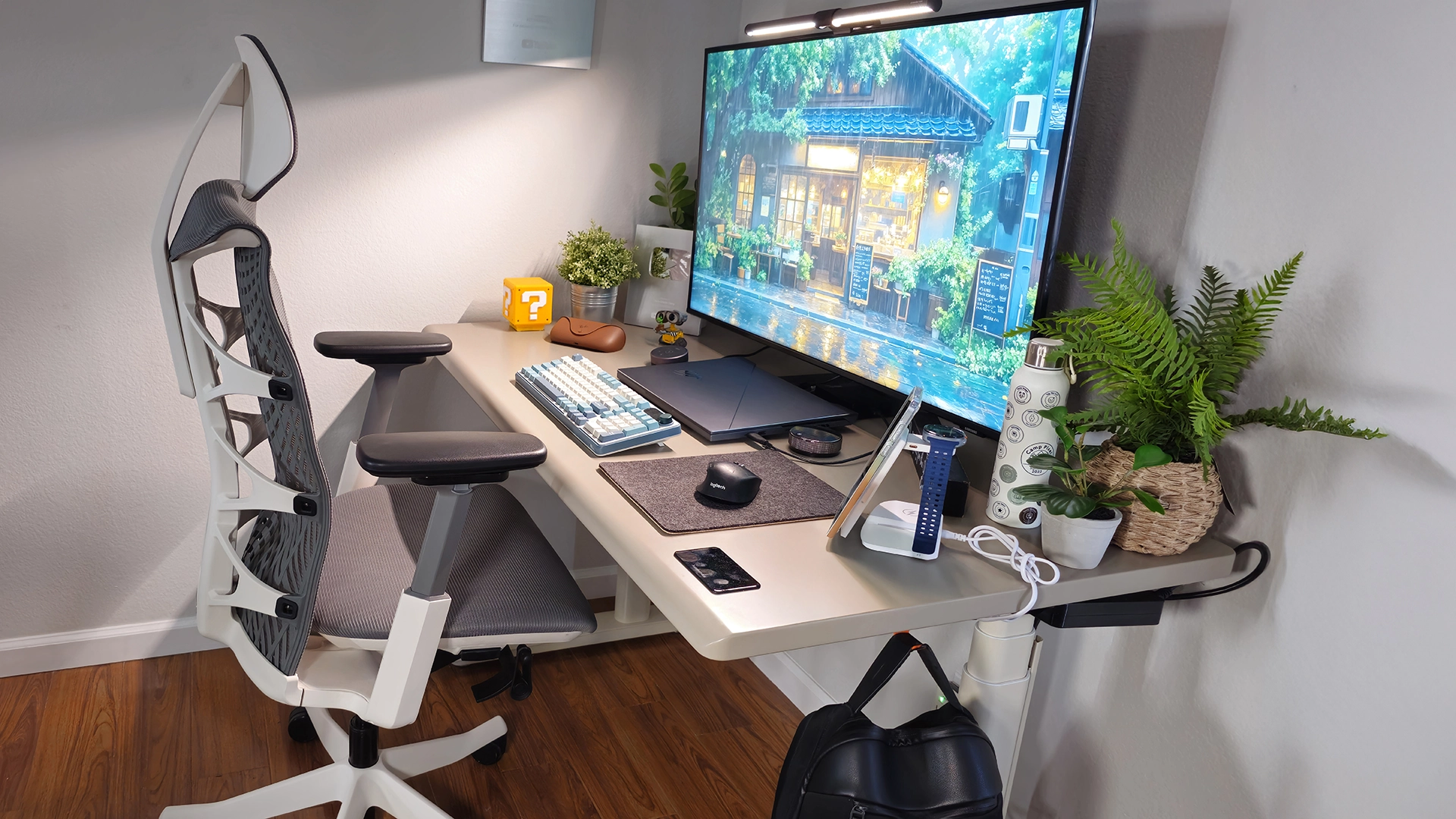
The Desk Pro is the steadiest, quietest base in the lineup and the easiest to fit a full sliding tray to. It runs a dual motor rated to 330 pounds at under 30 decibels, on a C-frame that owners repeatedly describe as holding rock-steady at full height with two monitors and a tower on top. The 1.2-inch HDF top is sealed with a low-emission Green Standard coating and shaped with a curved 34mm front edge that keeps a sharp corner off your wrists through long sessions.
The keypad sits flush in the surface under your palm, and a power strip and cable channel are built into the frame, so the desktop starts clean before you add anything. One long-time owner running dual monitors and a laptop dock noted zero shake even fully raised. It carries a lifetime frame warranty, the longest here.

Adding a tray: the C-frame is the reason this is the top pick. It removes the front crossbar, so an under-desk sliding tray has full clearance to travel in and out without hitting a support beam, which a T-frame cannot promise. Clamp the tray to the flat area just behind the curved edge with a clamp that opens to at least 1.2 inches, and keep it clear of the keypad at the front.
Keep in mind: the standard 53 by 29 inch top runs a little tight for three monitors plus a tray, as some owners mention. For a triple-monitor setup, choose the 70.5-inch Expanse top for the extra width.
Best for: developers and creatives who want the quietest, steadiest base for a full sliding tray.
2. Desk Pro 3-Stage - Best for mixed heights
The 3-stage Desk Pro shares the C-frame, sub-30-decibel motor, 330-pound capacity, and 1.2-inch HDF top of the standard Pro, but its three-stage standing desk legs stretch the range to 27.2 to 52.7 inches, the widest in the lineup. It also lifts faster, at 1.6 inches per second. A 6-foot-3 owner noted it was the first desk that reached a genuinely comfortable standing height for him, where most desks left him hunched.
That range is what makes it the pick for a desk more than one person uses, or for pairing with a tray at either extreme of height. The frame carries a 10-year warranty rather than the standard Pro's lifetime.
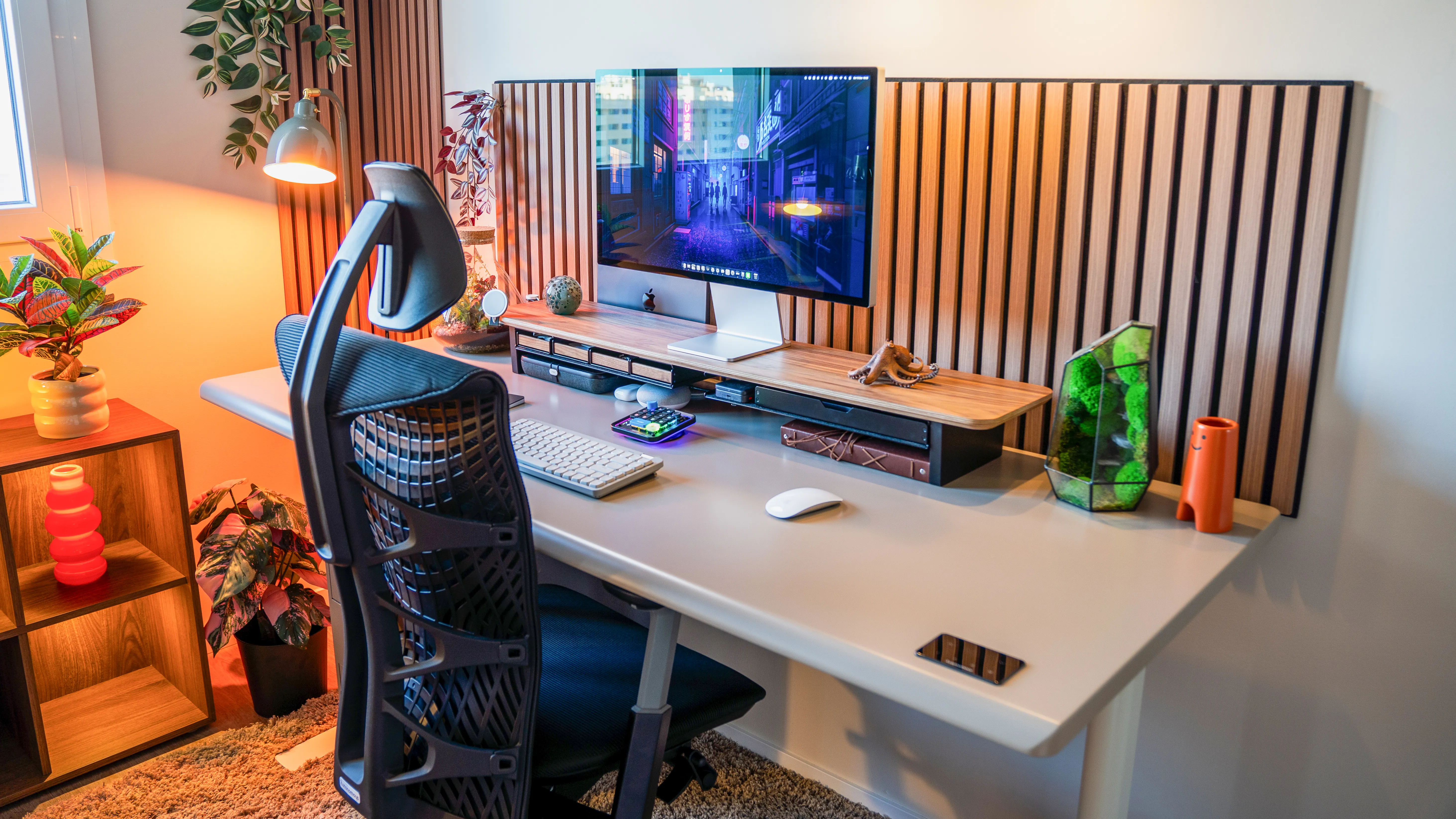
Adding a tray: mount a tray the same way as the standard Pro, clamping behind the 34mm edge or sliding it under the crossbar-free frame. The wider range is the bonus. With a tray dropping your hands below the surface, the 27.2-inch floor suits shorter typists seated, while the 52.7-inch top still clears a tall user standing, so one desk covers a household or a shared office.
Keep in mind: it is the priciest 2-person-friendly frame here, and like the standard Pro the 53-inch top favors one or two monitors over three.
Best for: shared or mixed-height desks that want a tray plus the widest height range.
3. Desk DIY - Best for a custom mount
The DIY is the frame on its own, so you build or supply your own surface. It ships as a dual-motor SPCC steel base rated to 250 pounds with anti-collision, a hardware kit, and a programmable keypad, under a 10-year warranty, and you can choose the L-shape frame instead if you want a corner. It is the most flexible starting point for a tray, and at 4.8 stars it is the highest-rated desk in the lineup.
Owners pair it with everything from IKEA butcher block to solid maple and ash tops, and several mention how easily a custom top bolts on to a frame that stays rock-solid under a camera and lighting rig.
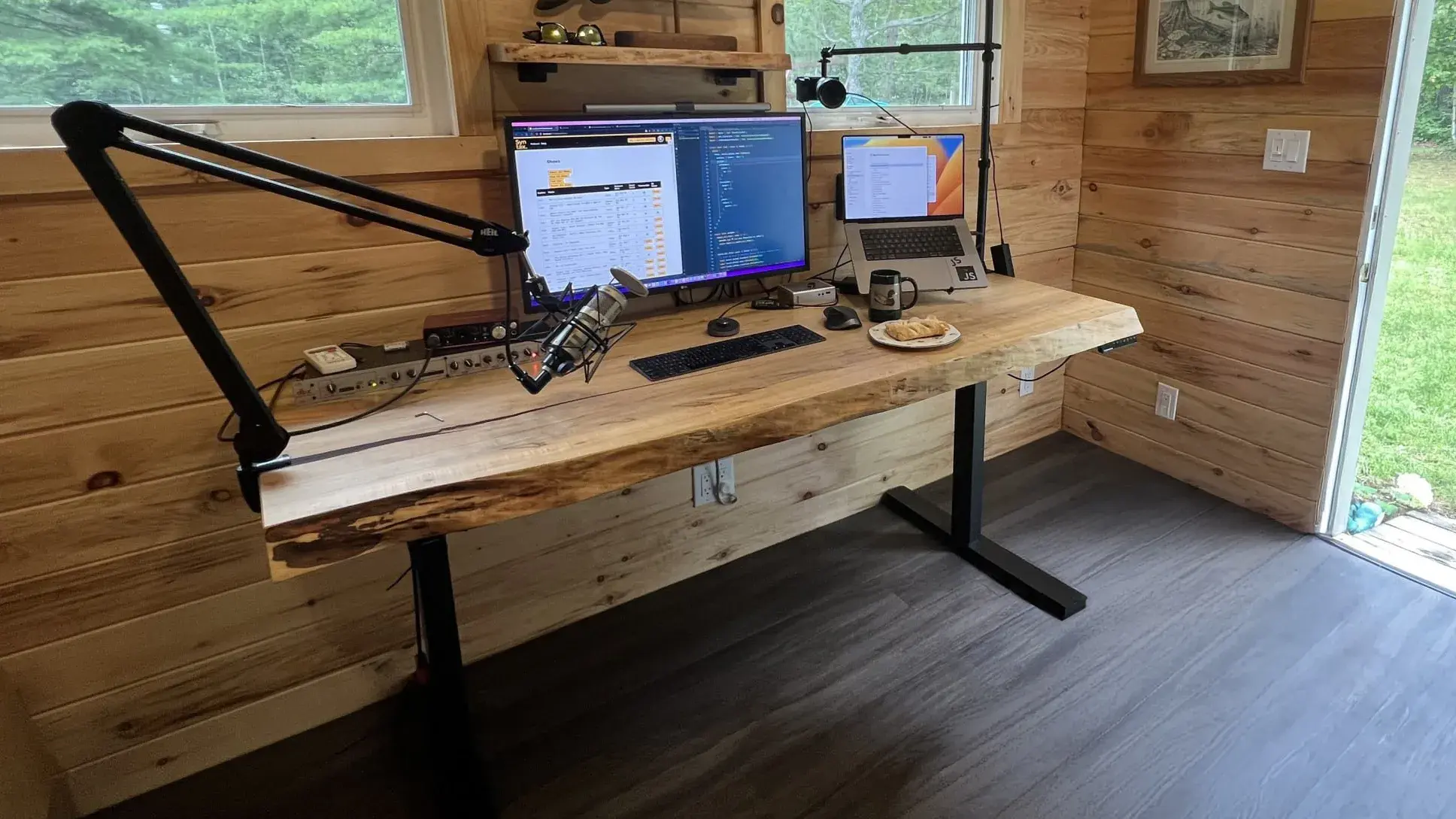
Adding a tray: because you choose the top, you control the two things that decide how a tray mounts. Pick a top thickness that matches your clamp, or, better, pre-drill the surface for a screw-mounted under-desk tray track before you attach it, so the tray is built in from day one. If you want a fully custom keyboard-tray setup with no compromise, this is where to start.
Keep in mind: you are buying a frame, not a finished desk, so budget for a top and the time to build it. A thick butcher-block top may need a wider clamp than a standard tray includes.
Best for: makers who want to design the surface and the tray mount from scratch.
4. Desk 2 - Best for everyday value
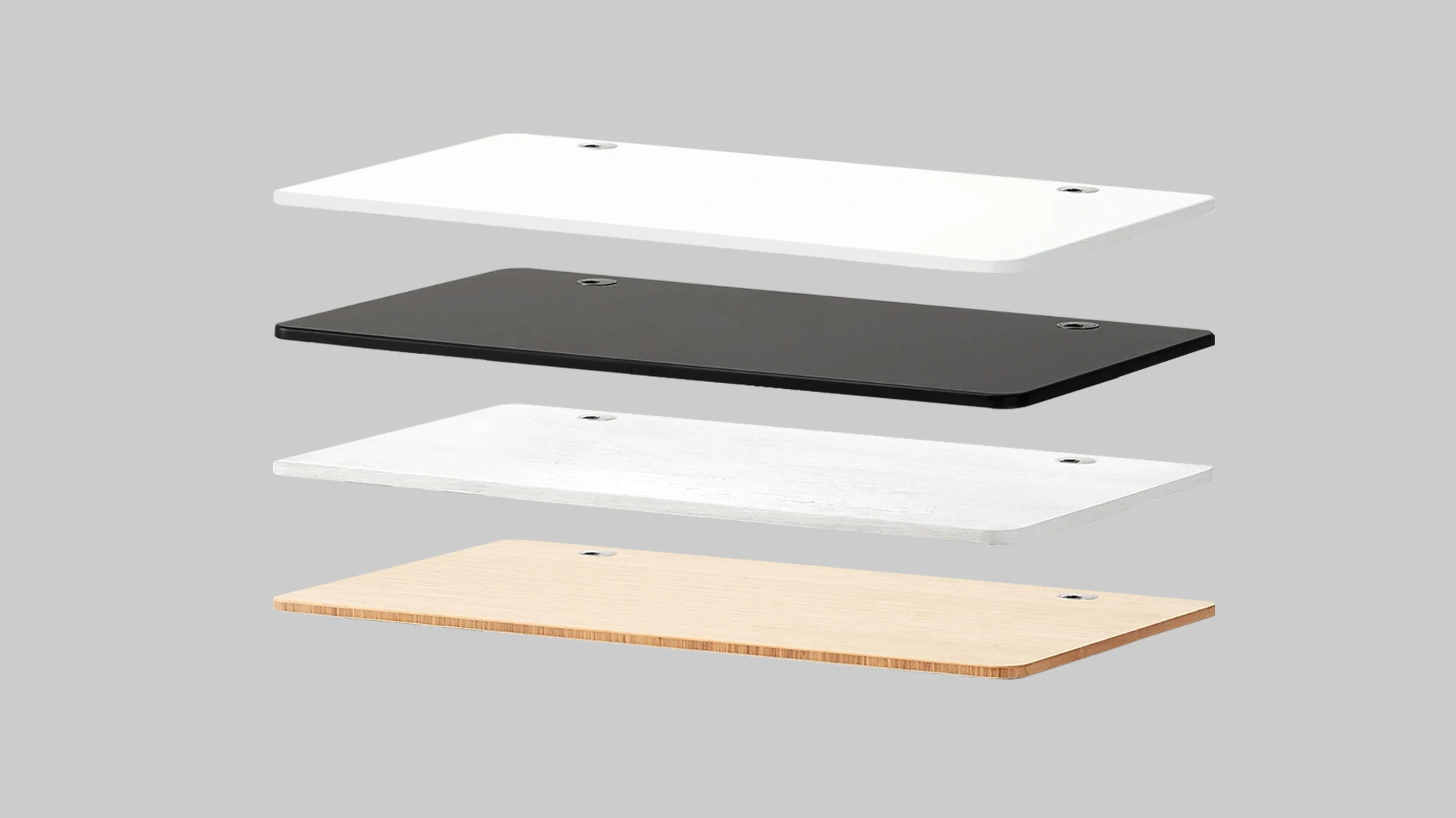
The Desk 2 is the steady, affordable baseline of the lineup, and the frame with the most hours behind it since 2015. It runs a dual motor to 250 pounds at under 45 decibels on a T-frame, with four presets and a 1-inch sealed MDF top backed by a 10-year warranty. Owners consistently call it sturdy for the price, with one noting it barely vibrates with a full glass of water on top, and another running a three-monitor setup for eight-hour days without complaint.
The matte top resists stains and scratches, and the rounded front edge keeps your wrists comfortable whether the tray is tucked in or out.

Adding a tray: the 1-inch top is thin enough that almost any clamp-on tray grips it without a wide clamp, which makes this the most forgiving base for a simple tray. Several desktop options also ship with pre-drilled holes, so you can screw-mount an under-desk tray instead of clamping. The T-frame does have a crossbar, so a deep sliding tray has less travel than on the Pro, but a standard clamp-on is unaffected.
Keep in mind: the lowest height is around 27 to 28 inches, which some shorter owners find a touch high for sitting, so pair a tray with a footrest if you are under about 5-foot-6.
Best for: remote workers and students who want a dependable desk to add a simple tray to.
5. Desk Core - Best for a tight budget
The Core is the best-value desk, built around a single motor, a 176-pound capacity, and a slim 0.7-inch MDF and particle-board top at the lineup's lowest price. Despite the budget billing, owners are surprised by how steady it feels, with several running two 27-inch monitors and a laptop on the compact 48 by 24 inch surface without wobble while typing fast. It shares the curved wrist-friendly edge and a C-frame with the pricier desks, and includes a cable tray.
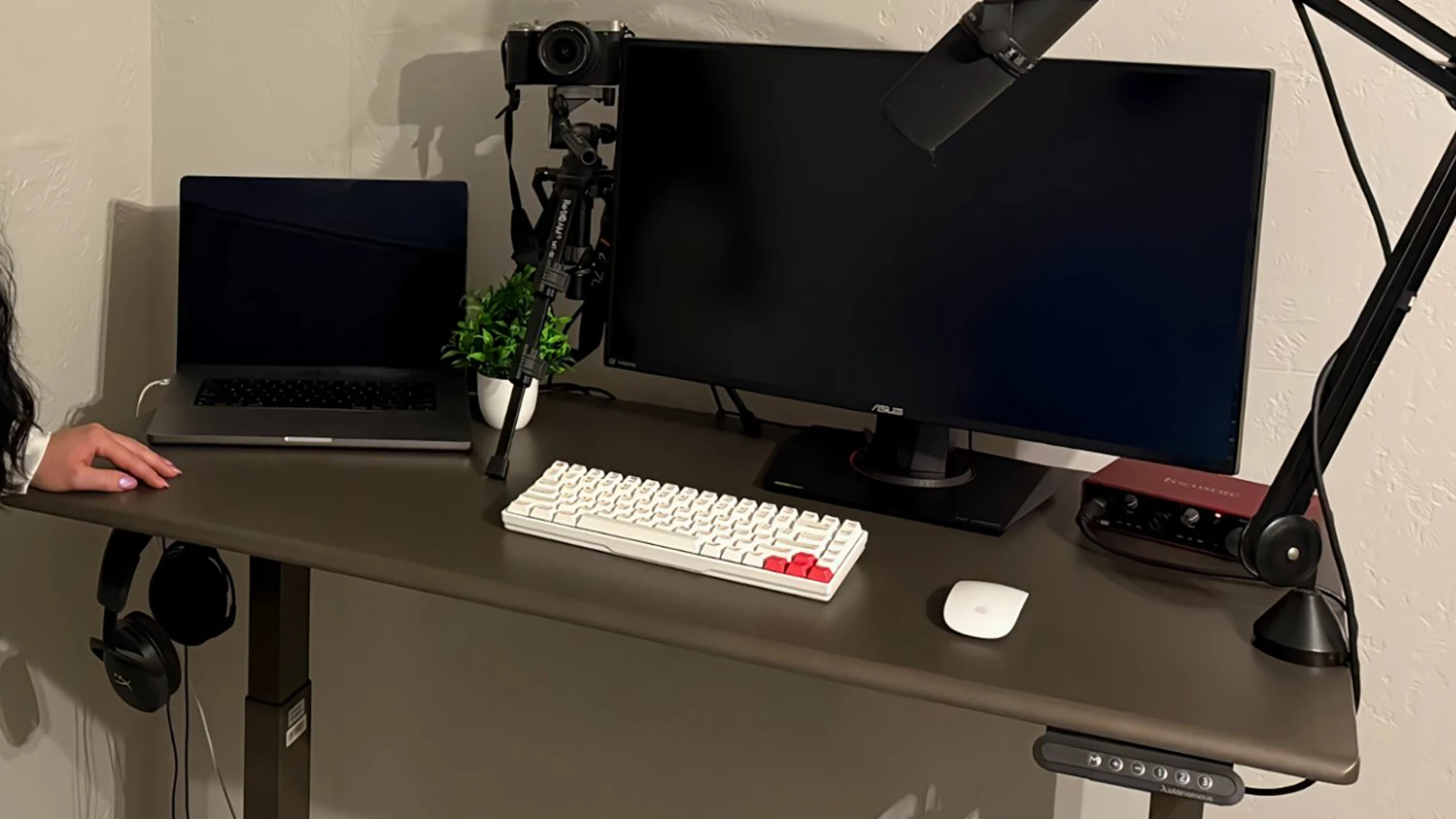
Adding a tray: the thin 0.7-inch top is the easiest here for a clamp-on tray, since even a compact clamp grips it, and the curved edge means you clamp just behind the bevel. Keep the tray and its load light to stay within the 176-pound capacity.
Keep in mind: two real limits. The Core is the one desk here without anti-collision, so it will not auto-stop if a mounted tray catches the chair on the way down, and the 48 by 24 inch top is small, so a tray plus a monitor leaves little room to spread out. It also carries the shortest warranty, 2 years.
Best for: budget buyers and first standing desks where a simple, light clamp-on tray is all you need.
6. Desk 2 L-Shaped - Best for corner setups
The L-Shaped wraps two tops around a corner for a 77-inch surface, driven by a triple motor with a 400-pound capacity, a fast 2.3-inch-per-second lift, and a reversible 1-inch MDF top. It is the pick when you want a tray plus a genuine second work zone. Owners running dual 32-inch monitors, a tower, and a pile of peripherals describe zero flex even leaning on the edges while typing, and several use the short return as a separate zone while the main run holds the keyboard and screens.

Adding a tray: the short side reverses left or right, so you mount the tray on whichever side you type from and it follows your chair. The 1-inch top takes a clamp-on easily, and with 77 inches of surface the tray never crowds your monitors or paperwork.
Keep in mind: two owner-reported catches. Cable management is trickier on a corner desk this size, and assembly runs closer to two hours, with the large MDF top awkward to flip alone. Plan the build with a second person.
Best for: corner setups and multitaskers who want typing comfort plus a second surface.
7. Desk Levitate 2 - Best for a hardwood top
The Levitate 2 is the premium, furniture-grade pick, with a solid ash top on a four-leg, four-motor frame rated to 380 pounds. The four-pillar standing desk design is the standout: owners repeatedly note it does not wobble at any height, and designers praise the smooth ash surface and clean joins. The contoured edge has a generous 1.89-inch radius that cradles the forearm, and cable management and outlets are built in.
3b463479-3290-404c-ad1d-6853ec654e71.jpg)
Adding a tray: the solid ash top is thicker and denser than the engineered surfaces above, so a clamp-on tray needs a clamp rated for a wider opening to grip behind the large contoured edge. The better route here is to use the solid wood, which holds a screw far more securely than MDF, for a screw-mounted tray that will not loosen over time. It comes with pre-drilled holes, and the dense top carries a heavier ergonomic tray without flex.
Keep in mind: two things. The height tops out around 44 to 45 inches, lower than the Pro, so very tall users get less standing headroom, and the hover sensor sits at the front, where one owner found an errant elbow could trigger a move, worth routing your tray and hands clear of it.
Best for: those who want a hardwood desk and a tray that mounts rock-solid.
FAQs
What is the best standing desk with a keyboard tray?
The best standing desk with a keyboard tray balances ergonomics, stability, and surface space. Look for smooth height adjustment, a sturdy frame that does not wobble, and a tray wide enough for both a keyboard and mouse. A steady desk plus a clamp-on tray you choose suits most people better than a fixed built-in tray.
Is a standing desk with a keyboard tray more ergonomic?
Yes. A tray lets the keyboard sit lower than the main surface, so your wrists stay straight and your elbows rest near a 90-degree angle while the monitor stays at eye level. That separation of typing height from screen height is the main ergonomic reason to add a tray to a standing desk.
Can I add a keyboard tray to a standing desk?
Yes. Most standing desks, including the Autonomous Desk 2 and Desk Pro, have a flat underside that takes a clamp-on or under-desk tray. This lets you add ergonomic typing height even if the desk did not include a tray, and you can pick the design and width that suit your keyboard and mouse.
Are built-in keyboard trays better than add-on trays?
Neither is simply better. Built-in trays look seamless and need no extra parts, but they fix the size and angle. Add-on clamp-on trays let you choose the exact tray and swap or upgrade it later, which is why they suit heavy typists. Choose built-in for looks, add-on for flexibility.
What is the ideal height for a keyboard tray?
Set the tray so your elbows bend close to 90 degrees and your wrists stay straight and neutral, not bent up or down. Position the monitor separately so your eyes land just below the top of the screen. Adjusting the two heights independently is the whole point of using a tray.
How wide should a keyboard tray be?
Most keyboard trays are about 25 to 30 inches wide, which fits a full keyboard and a mouse side by side. If you use a larger keyboard, an ultrawide mousepad, or a vertical mouse, look for a wider tray or one with an integrated wrist rest so nothing hangs off the edge.
Are standing desks with keyboard trays good for gaming?
They can be. A tray keeps your keyboard and mouse at a natural height while leaving the main surface free for multiple monitors, a headset stand, and other gear. For fast play, prioritize a stable tray that does not flex, since a wobbly tray is more distracting during gaming than during regular typing.
Which standing desk with a keyboard tray is best for small spaces?
For a small room, a compact desk with a slim retractable tray keeps the footprint down while still giving you ergonomic typing height. A clamp-on tray that tucks fully under the desktop also helps, since it adds no width and disappears when you are not typing, keeping the desk usable for other tasks.
Does adding a tray affect the desk's stability or warranty?
A clamp-on tray does not modify the desk, so it leaves stability and warranty untouched and comes off cleanly. A screw-mounted tray drills into the top, which is fine on solid surfaces like the Levitate 2's ash, but check that it does not affect your top warranty before mounting.
Conclusion
A standing desk with a keyboard tray is a small change that reshapes how you work. By separating typing height from monitor height, you cut wrist and shoulder strain, free up desktop space, and get a setup that feels natural whether you are working, gaming, or creating.
The right choice comes down to your priorities: a built-in tray for a seamless look, or a steady desk like the Autonomous Desk 2 or Desk Pro paired with the clamp-on tray you actually want. Fit it alongside under-desk storage hacks for your standing desk setup and the rest of a perfect home office setup with a standing desk, and sorting your posture now means less fatigue later.
References
- Occupational Safety and Health Administration (OSHA). Computer Workstations eTool: Keyboard and Input Devices. https://www.osha.gov/etools/computer-workstations/components/keyboards
- Cornell University Ergonomics Web. Keyboard and Mouse Placement. https://ergo.human.cornell.edu/