What Is Negative Tilt? Top Keyboard Trays to Support It

Table of Contents
Keyboard negative tilt refers to positioning the front edge of the keyboard slightly higher than the back so the hands slope gently downward while typing. This small adjustment can make a meaningful difference in how the wrists, forearms, and shoulders align during long work sessions.
Many computer desks and keyboards default to angles that subtly force the wrists upward, increasing tension over time. By understanding how negative tilt works and when it’s useful, it becomes easier to create a typing posture that feels more natural, reduces strain, and supports healthy habits at the desk without radically changing your setup.
What is Keyboard Tilt?
Keyboard tilt describes the angle at which a keyboard is positioned relative to the desk surface. Instead of remaining perfectly flat, the keyboard can be inclined upward or downward by adjusting its rear feet, using an adjustable keyboard tray, or choosing an ergonomic keyboard with negative tilt built in. This angle influences how the wrists and forearms align while typing.
When set thoughtfully, tilt helps keep the hands closer to a neutral posture and reduces unnecessary bending at the wrist. Understanding how keyboard tilt works makes it easier to choose an ergonomic keyboard negative tilt setup that supports comfort, control, and long-term joint health during extended typing sessions.
Positive vs. Negative Tilt Trough
Keyboard tilt generally falls into two directions, each shaping wrist posture in a very different way. Understanding this distinction helps explain why angle matters more than many people realize.
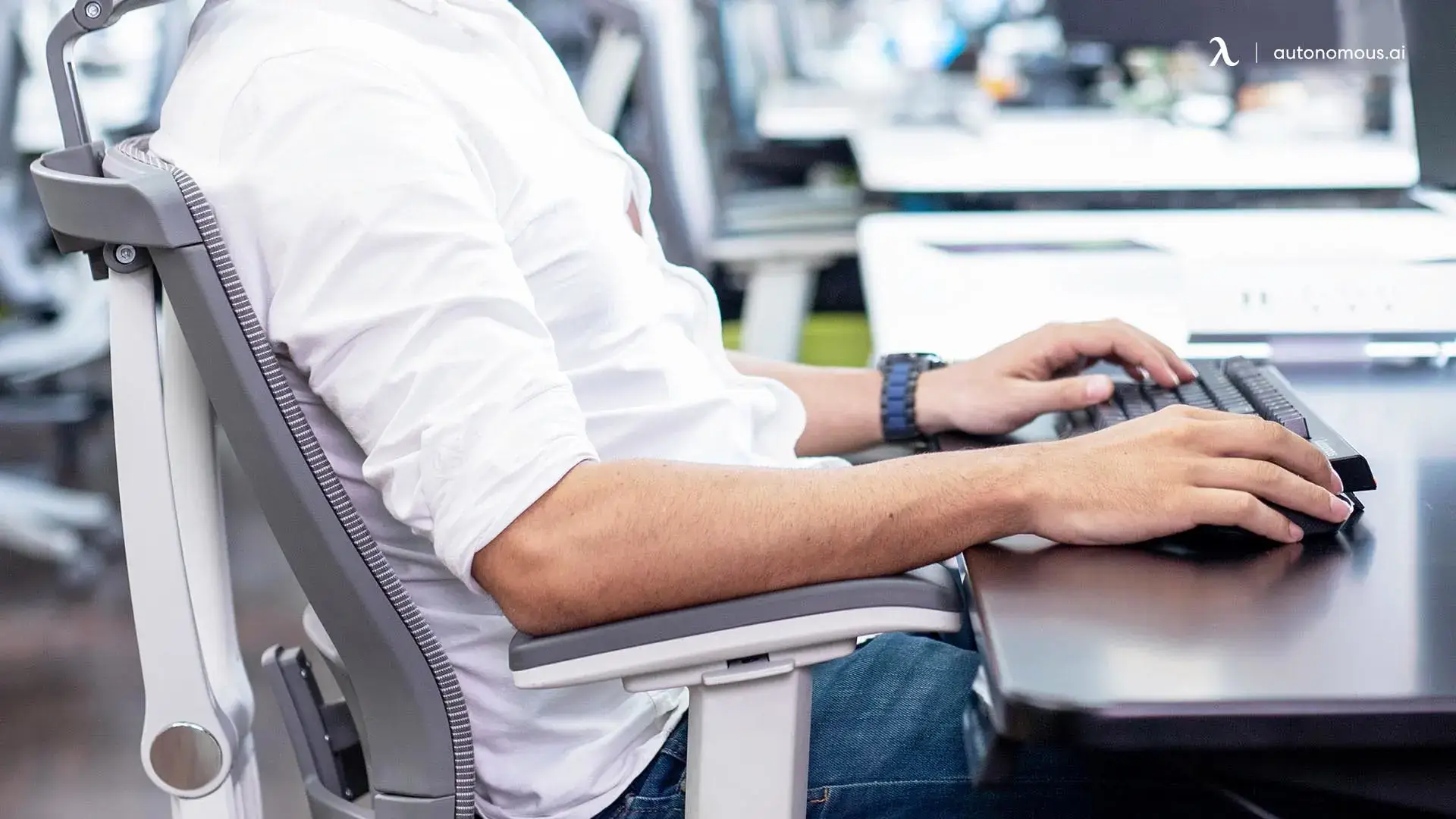
Positive tilt occurs when the back edge of the keyboard is raised, usually by extending the small feet underneath. This creates a slight upward slope toward the keys, which can make them easier to see. However, this angle also bends the wrists upward and increases extension at the joint. With sustained use, that posture tends to place more pressure on the tendons and nerves that pass through the wrist.
By contrast, negative tilt in a keyboard is when the keyboard is lifted from the bottom or the top of the keyboard is lowered with the help of a slanted keyboard tray for desk. This creates a gentle downward slope that allows the hands to fall more naturally in line with the forearms. In many ergonomic desk setups, this position reduces wrist extension and encourages a more relaxed typing posture, especially for people who type for hours at a time or work at standing desks.
Neither approach is universally perfect, but negative tilt is often favored when comfort, endurance, and joint alignment are the priority.
Positive vs. Neutral vs. Negative Keyboard Tilt
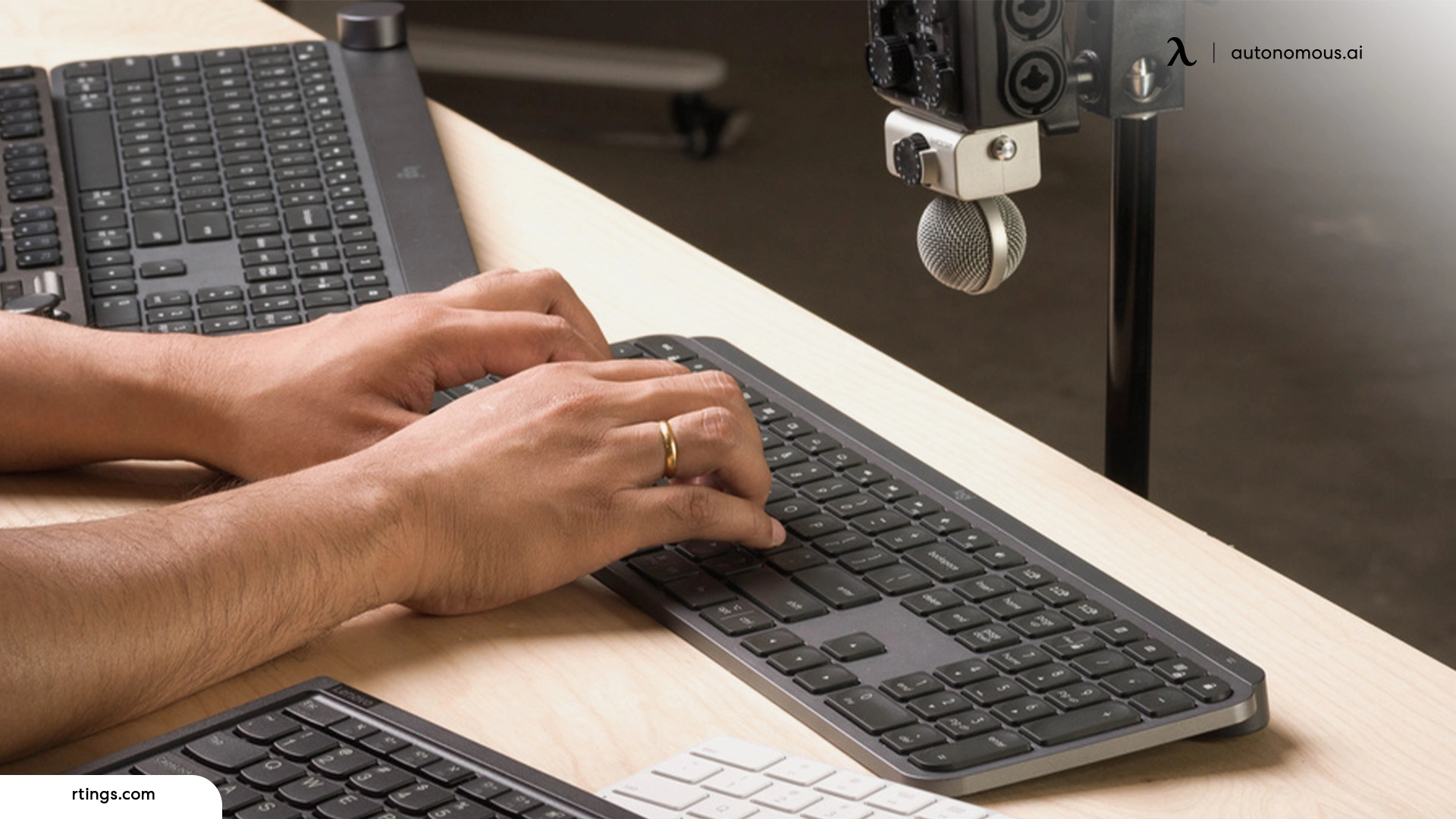
Each keyboard angle subtly changes how the hands and forearms carry load while typing. Positive tilt tends to lift the wrists into extension and increase pressure at the joint, while neutral tilt depends heavily on precise desk and ergonomic chair to stay aligned.
Keyboard negative tilt introduces a gentle downward slope that lets the hands fall naturally from the forearms, encouraging smoother movement and reducing joint stress during sustained computer work.
Tilt Position | Keyboard Angle Direction | Wrist Alignment | Muscle Load Pattern | Typical Use Case |
Positive Tilt | Back edge raised, keys slope upward toward the user | Wrists bend upward into extension | Higher load concentrated at the wrist joint and finger tendons | Short typing tasks, visual preference, legacy keyboard setups |
Neutral Tilt | Keyboard remains flat on the desk surface | Wrists remain mostly straight when desk height is well matched | Load distributed evenly but sensitive to desk height errors | General office use, laptop keyboards, casual typing |
Negative Tilt | Front edge raised or back edge lowered so keys slope downward | Wrists align closely with forearms in a near-neutral line | Load shared across forearm muscles with reduced wrist compression | Long typing sessions, standing desks, ergonomic workstations |
What Is the Ideal Negative Tilt Angle?
The ideal negative tilt angle is the one that keeps the wrist as close as possible to its neutral resting position while allowing the fingers to move freely across the keys. For most people, this falls between –5° and –12°, where the keyboard slopes gently away from the body and the forearms can descend naturally toward the hands.
Within this range, the wrist tends to remain straight rather than extended, which reduces compression through the carpal tunnel syndrome and minimizes tension in the flexor tendons. Angles shallower than this often provide little biomechanical benefit, while steeper slopes can shift strain into the fingers or create instability at the palm. Getting this detail right is one of the subtle factors that separates a productive work environment from one that slowly wears you down.
Individual anatomy matters. Arm length, hand size, and forearm thickness all influence how the wrist settles against the keyboard surface. The most reliable indicator is not the number itself, but whether the forearm, wrist, and hand form a nearly straight line when the fingers rest on the home row without lifting or bending.
How to Set Up a Negative Tilt Keyboard Correctly
1. Start With Your Body, Not the Keyboard
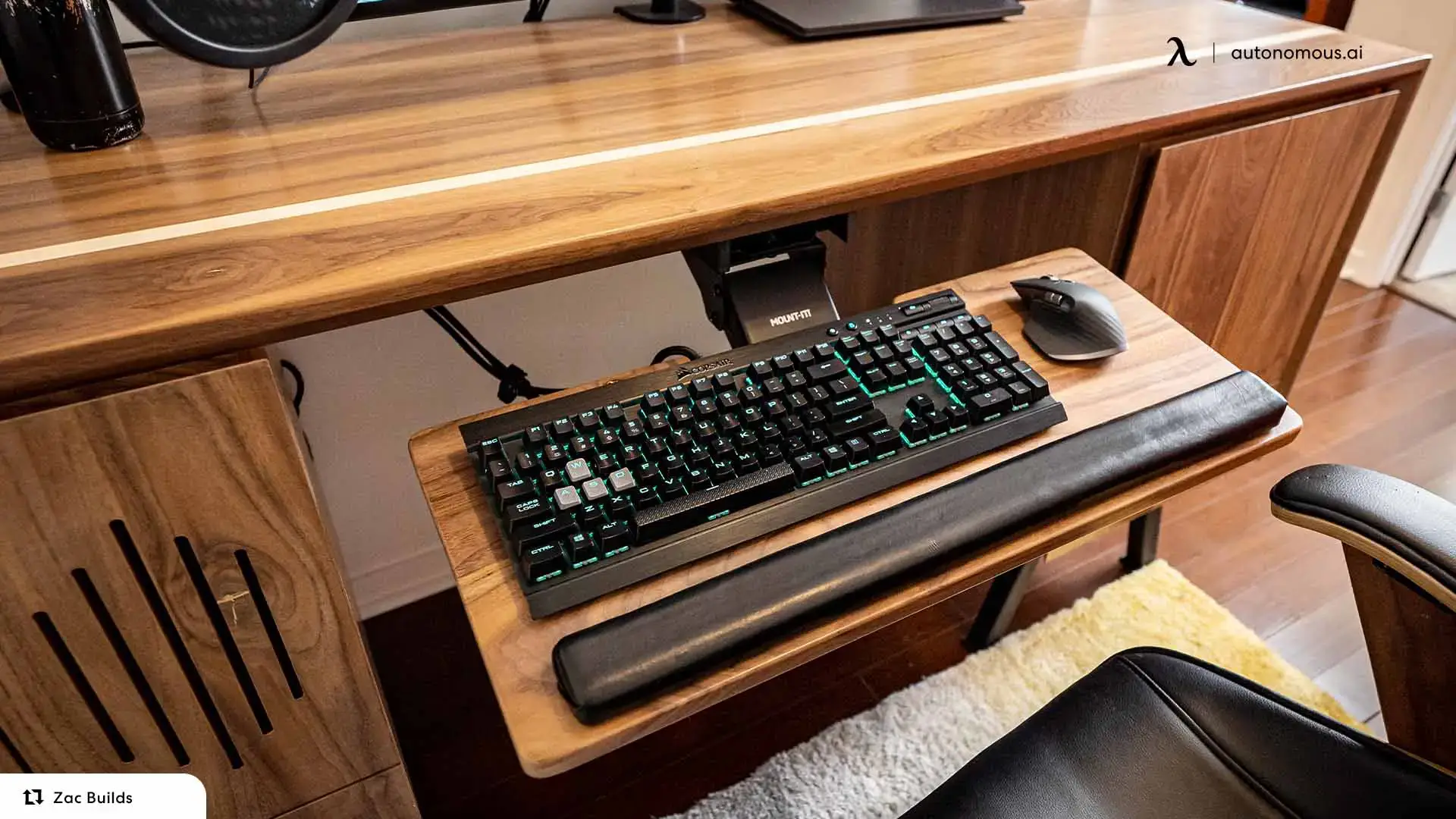
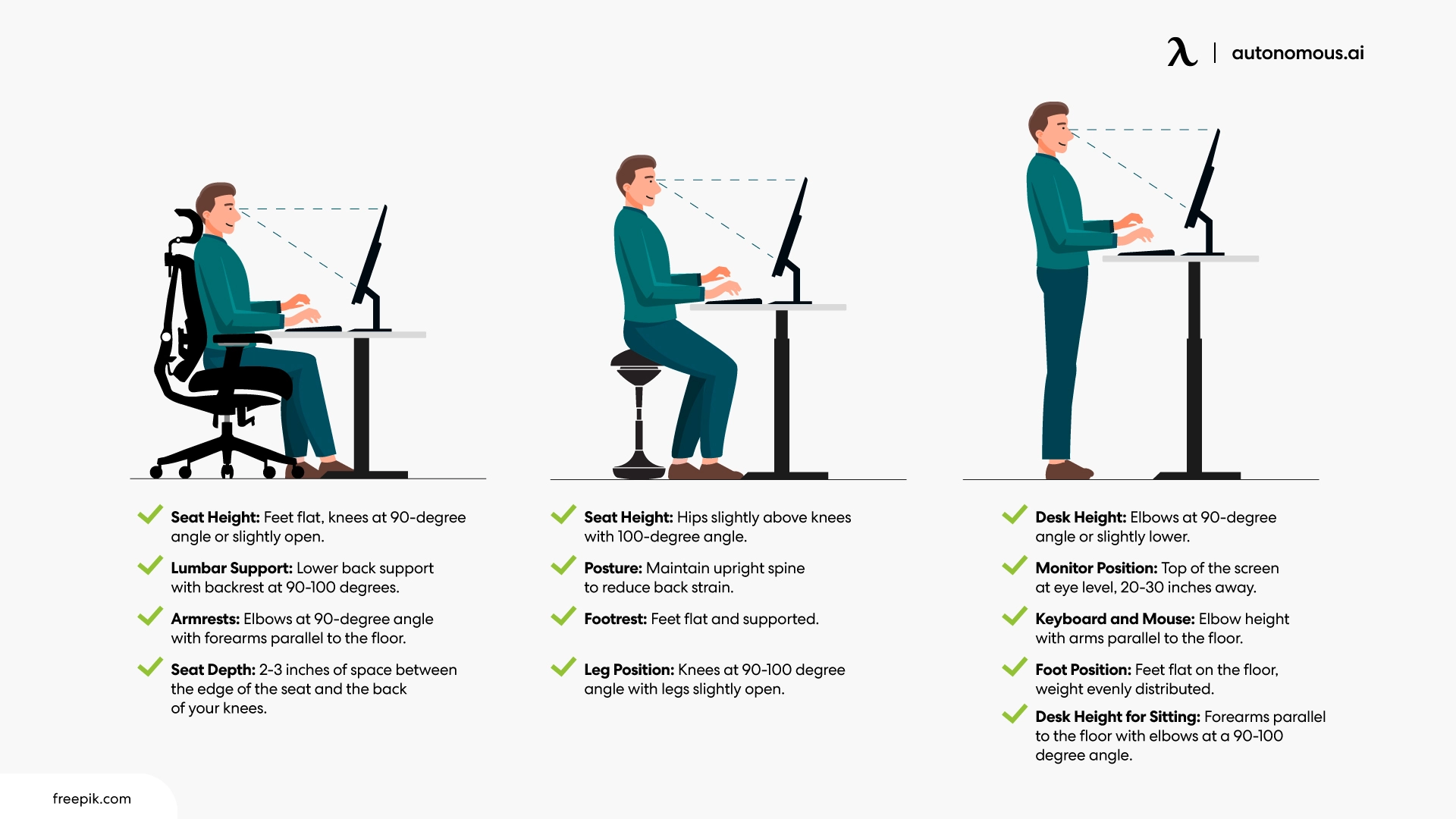
The key to proper negative tilt setup is working backward from your natural posture. Sit comfortably with your elbows hanging relaxed at your sides, bent at roughly 90 degrees. Now let your forearms extend forward and notice how they naturally angle slightly downward toward your hands—this gentle slope is your baseline. Your keyboard should meet your hands along this path, not force them to deviate from it.
This approach reflects one of the foundational ergonomic principles that applies across your entire workspace: the equipment should accommodate your anatomy, not the other way around. When the keyboard accommodates your anatomy, typing becomes something your body does effortlessly rather than something it endures.
2. Find the Elbow-to-Fingertip Line
The most reliable checkpoint is the alignment from your elbow to your fingertips. With your fingers resting lightly on the home row, trace an imaginary line from your elbow through your wrist to your knuckles. This line should be nearly straight, with no visible hinge or break at the wrist joint.
If your wrists angle upward to reach the keys, your negative tilt isn't steep enough, or your keyboard is positioned too high. If your palms press into the desk surface or your hands feel like they're sliding forward off the keys, you've overcorrected and the slope is too aggressive. The sweet spot feels almost invisible: your wrists neither flex or extend, they simply exist as a neutral bridge between forearm and hand.
3. Dial In the Distance
Angle is only half the equation. Where the keyboard sits relative to your torso matters just as much. Position it close enough that your elbows stay slightly behind your shoulders, forming an angle just over 90 degrees. This keeps your upper arms relaxed and vertical rather than reaching forward.
When the keyboard drifts too far away, your shoulders rounded forward to compensate, your elbows open wide, and tension migrates up into your neck and trapezius muscles. Even perfect tilt can't offset poor positioning, the two work as a system. This is why a standing desk with keyboard trays can be particularly effective, giving you independent control over both desk height and keyboard placement.
You should be able to type for extended periods without the urge to shake out your hands, stretch your wrists, or reposition yourself. If you find yourself fidgeting, something in the setup needs adjustment. True ergonomic alignment doesn't demand adaptation, it disappears into the background and lets you focus on the work itself.
Best Keyboard Trays for Ergonomic Working Position
Among the office accessories that improve workstation ergonomics, a well-designed tray offers one of the highest returns, combining adjustable height, controlled tilt movement, and stable positioning so the angle can be adapted to different body proportions and desk configurations.
The trays below offer varying approaches to tilt range, mounting style, and surface size, making them suitable for different workstation layouts and typing habits.
1. Uncaged Ergonomics KT1 Under-Desk Keyboard Tray
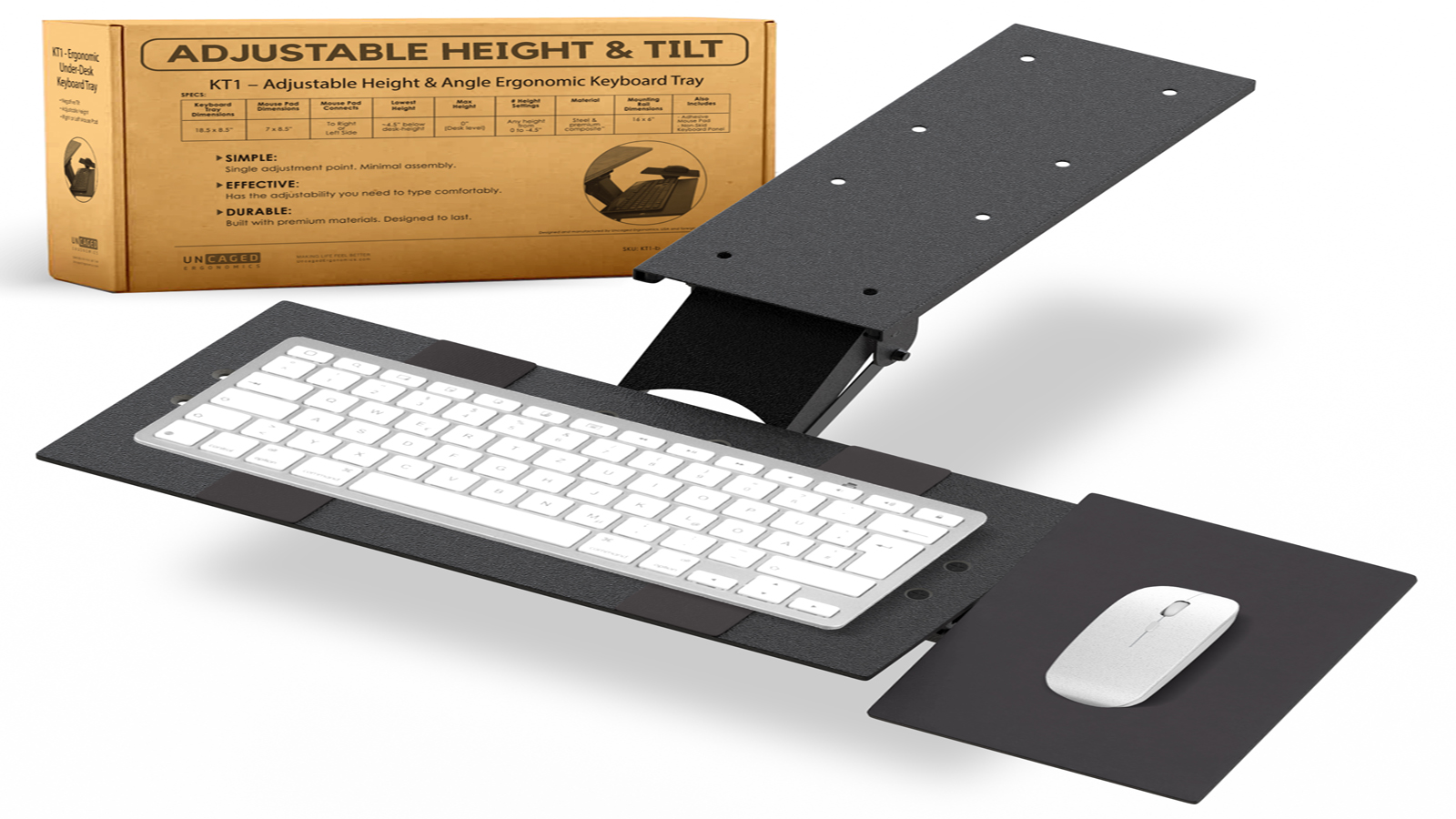
The Uncaged Ergonomics KT1 is a compact under-desk tray designed for users who want adjustable height and tilt without a large mounting system. Its mechanism allows the platform to rotate into a moderate negative tilt range while remaining stable during normal typing.
The tray’s height adjustment provides enough vertical travel to support forearm descent in many seated setups, and the swivel function makes it easier to position the keyboard closer to the body. The platform size is relatively small, which works well for standard keyboards but may feel limiting for users who rely heavily on wide mouse movements.
For users seeking a straightforward tray that offers controlled tilt and basic positioning flexibility, the KT1 provides a functional option without introducing complex adjustments or oversized hardware.
2. Mount-It! MI-7135 Under Desk Computer Keyboard and Mouse Tray
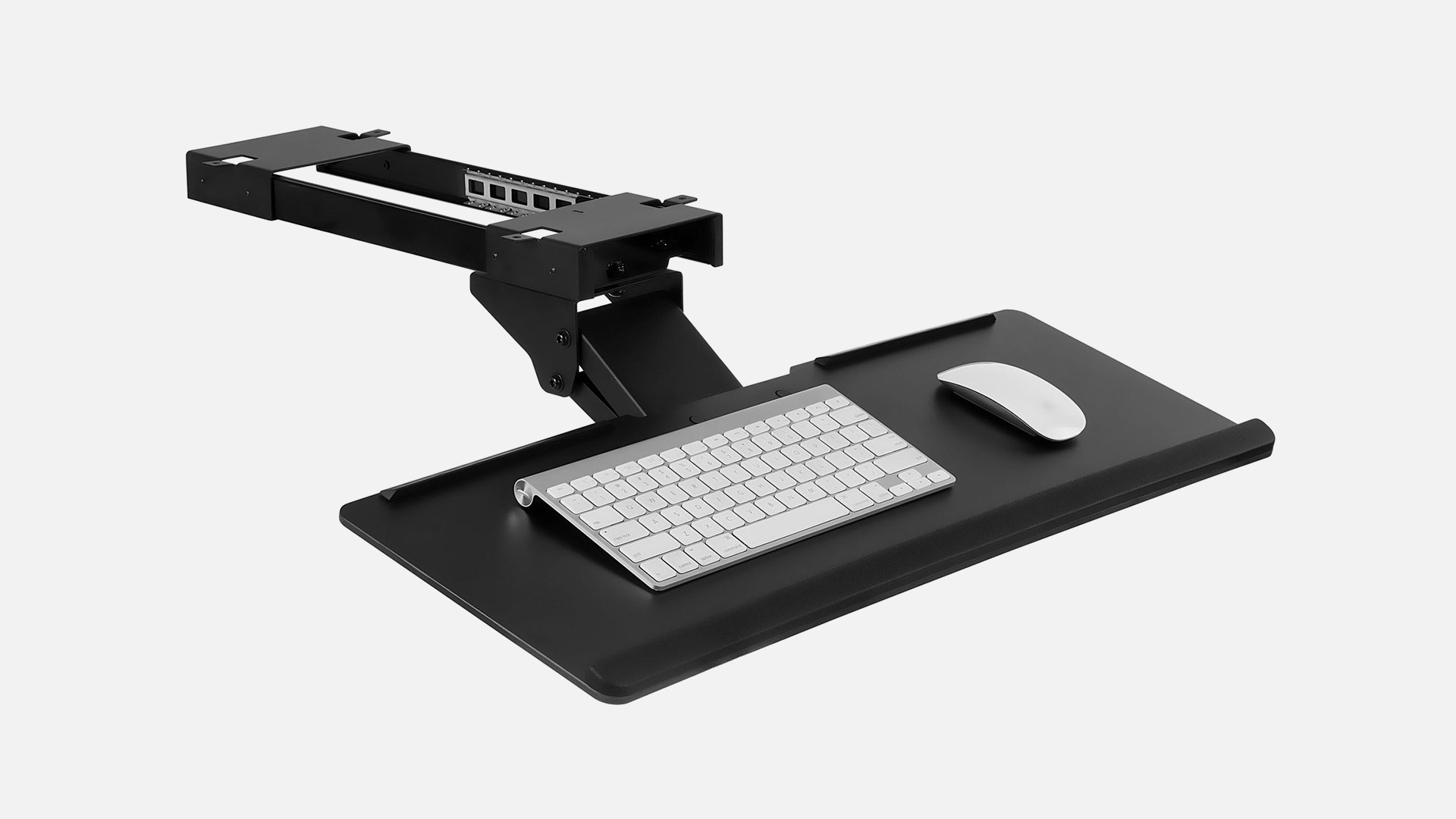
The Mount-It! MI-7135 offers a combined keyboard and mouse platform designed to support both height adjustment and controlled tilt movement. Its hinge mechanism allows the surface to rotate into a negative tilt position, making it suitable as a keyboard tray with negative tilt for users who need a simple, integrated solution.
The wider platform accommodates both keyboard and mouse on a single surface, which can help maintain consistent hand height across devices. In an ergonomic keyboard negative tilt setup, this unified layout reduces vertical transitions between typing and pointing, though the fixed mouse position may limit fine placement adjustments for some users.
Tilt control is gradual rather than highly precise, but stable enough for maintaining a moderate negative slope during routine typing. For users looking for a negative tilt keyboard tray that balances surface space with basic adjustability, the MI-7135 provides a practical option without complex mounting systems.
3. Vivo Under Desk Keyboard Tray
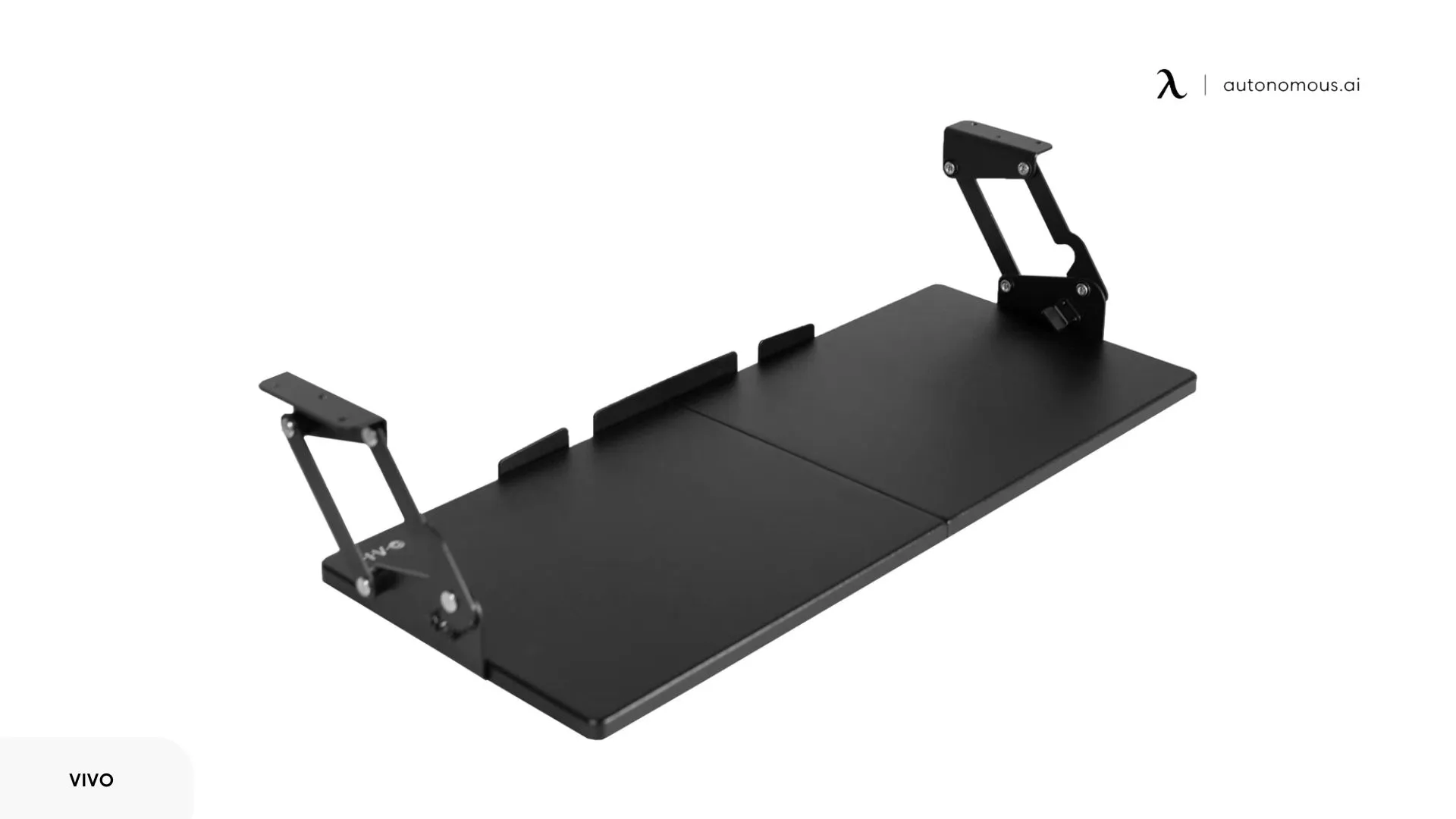
The Vivo under-desk keyboard tray is designed as a lightweight platform with adjustable tilt and a broad mounting range, making it adaptable to many desk types. Its tilt mechanism supports a downward slope that can be used as a negative tilt keyboard tray when positioned within a moderate angle range.
The platform offers enough width for standard keyboards and mouse use, though the surface remains relatively flat with limited contouring. In an ergonomic keyboard with negative tilt configuration, the tray allows basic wrist alignment but relies more heavily on correct height placement to achieve consistent forearm descent.
Movement is smooth for sliding and repositioning, but tilt adjustment is less granular than on more specialized systems. For those seeking a straightforward keyboard tray with negative tilt that fits easily under a variety of desks, this model provides functional adjustability without any complex hardware or advanced positioning controls.
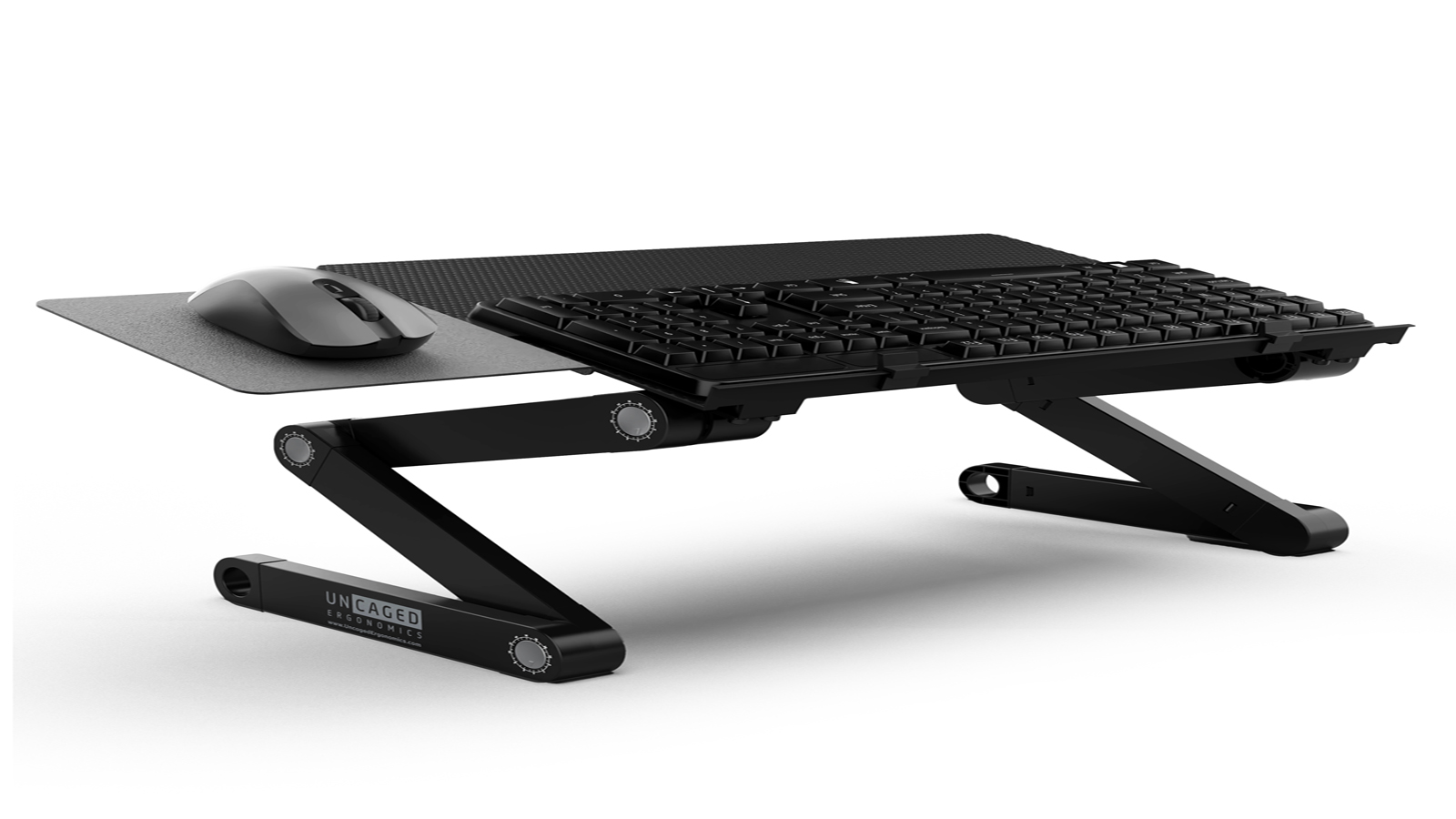
4. Uncaged Ergonomics WorkEZ Keyboard Tray
The Uncaged Ergonomics WorkEZ is designed for users who alternate frequently between sitting and standing and need the keyboard position to move with the body rather than remain fixed under the desk. Unlike traditional under-desk trays, this system mounts vertically and allows the keyboard surface to travel through a wide height range while maintaining tilt control.
Its tilting panel supports a downward slope suitable for an ergonomic keyboard negative tilt configuration when positioned near elbow height. Because the keyboard and mouse platforms can be separated and repositioned, users can adjust each hand independently to maintain consistent forearm alignment as posture changes.
The open-frame design prioritizes reach and height flexibility over compact storage. For users working at adjustable desks or switching positions throughout the day, the WorkEZ functions as a best negative tilt keyboard tray option when vertical range and posture transitions matter more than minimal under-desk hardware.
5. HUANUO Keyboard Tray Under Desk
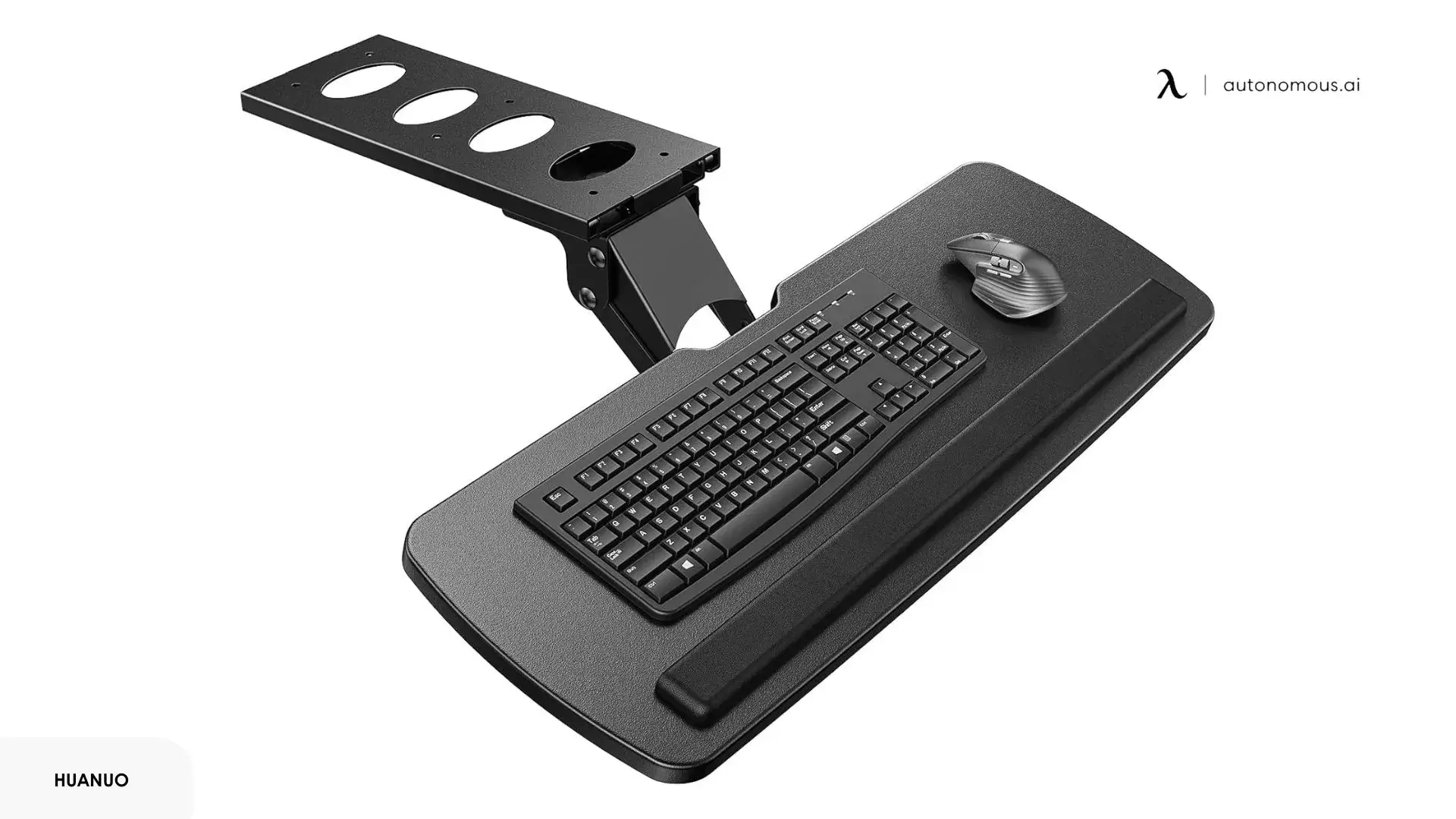
The HUANUO keyboard tray is a clamp-mounted platform designed for quick installation and basic height and tilt adjustment without permanent drilling. Its hinge mechanism allows the surface to rotate into a downward slope, making it usable as a negative tilt keyboard tray in compact workstation layouts.
The tray offers moderate surface area and a straightforward sliding track, which works well for standard keyboards and light mouse use. In an ergonomic keyboard with negative tilt setup, the clamp system allows the keyboard to be positioned closer to the user than fixed under-desk rails, though long-term stability depends on desk thickness and clamp tension.
Adjustment range is sufficient for seated work but more limited for users who frequently change posture. For setups where ease of installation matters more than advanced customization, this tray delivers a simple negative tilt option with straightforward positioning and minimal hardware.

FAQs
What is a negative tilt on a keyboard?
Negative tilt means the keyboard slopes slightly downward, with the front edge higher than the back. This position helps the hands descend naturally from the forearms instead of bending upward at the wrist.
What does negative tilt mean?
Negative tilt refers to angling the keyboard so the keys tilt away from the user rather than toward them. The goal is to reduce wrist extension and support a more neutral hand posture while typing.
What does negative tilt improve?
Keyboard negative tilt improves wrist alignment and forearm positioning by keeping the hands closer to a straight line with the arms. This can reduce joint compression and help limit strain during prolonged computer use.
What is the best angle for keyboard negative tilt?
Most ergonomic guidelines place effective negative tilt between –5° and –12°. The ideal angle keeps the forearm, wrist, and hand aligned in a near-straight line without forcing the palms to bear pressure.
Do I need a negative tilt keyboard or a negative tilt keyboard tray?
A negative tilt keyboard provides a fixed slope, while a negative tilt keyboard tray allows the angle and height to be adjusted precisely. Trays are often preferred because they adapt more easily to different desks and body proportions.
Is an ergonomic keyboard with negative tilt good for standing desks?
An ergonomic keyboard with negative tilt is often well suited for standing desks because the hands naturally approach the keys from above. A slight downward slope helps maintain wrist alignment as elbow height changes with posture.
Is it good to tilt your keyboard?
Tilting a keyboard can be helpful when the angle supports neutral wrist alignment. A slight negative tilt is often preferred in ergonomic setups, while steep positive tilt may increase stress at the wrist joint.
Why do pro players tilt their keyboard?
Many competitive players tilt their keyboards to adjust hand position, improve reach, or create more space for mouse movement. In some cases, a mild negative tilt also helps maintain wrist comfort during extended gaming sessions.

Final Takeaway
Keyboard negative tilt is a small adjustment that can meaningfully influence comfort, control, and long-term joint health at the desk. By allowing the hands to descend naturally from the forearms, this angle supports wrist alignment and reduces the subtle strain that often accumulates during daily typing.
Whether achieved through an ergonomic keyboard with negative tilt, an adjustable tray, or computer desks with keyboard trays built into the design, the goal is not perfection but consistency. A well-set slope, matched to your body and desk height, creates a typing posture that feels balanced, stable, and sustainable across hours of focused work.