10 Inspired Desk Ideas for a Desk Makeover in 2026

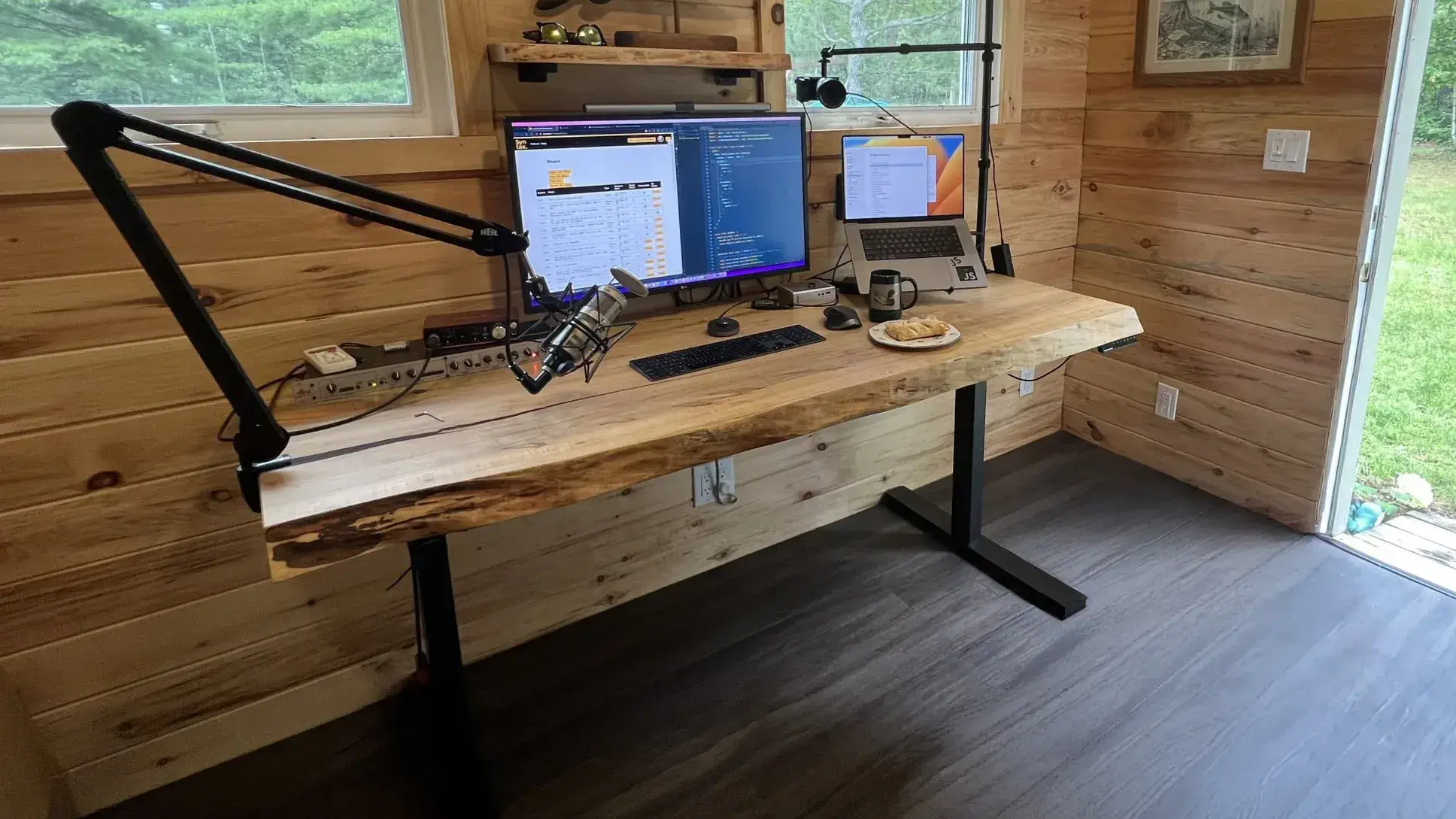
To revamp your desk on a budget, clear the surface, put your screen and keyboard where you use them, and route the cables before buying anything. Take a photo from your chair first. It can help you spot what bothers you most, whether it's a worn top, a glare patch on the screen or a pile of chargers in your writing space.
Start with the desk makeover ideas that solve that one problem. Keep the desk if a surface or layout change will do. Save the furniture choices for when you need a different working height, more room to work or a smaller footprint.
1. Pick a Style for Your Desk Makeover
Pick one style and leave the center of the desk open for the task you do most. When choosing desk decor, start with the colors already on your desk, chair or wall so you can reuse what fits.
Keep a Minimalist Desk Setup
For a minimalist desk setup, keep the tools you reach for every day at hand and put the rest in a drawer or box. Leave enough clear space for a notebook or whatever you use beside the keyboard.
Use Anime as a Color Cue
Pull one color from a favorite show or print, then repeat it in a small detail like a desk mat, keycaps or pencil cup. Put anime desk decor along the back edge or on a shelf to keep your mouse and writing area clear.
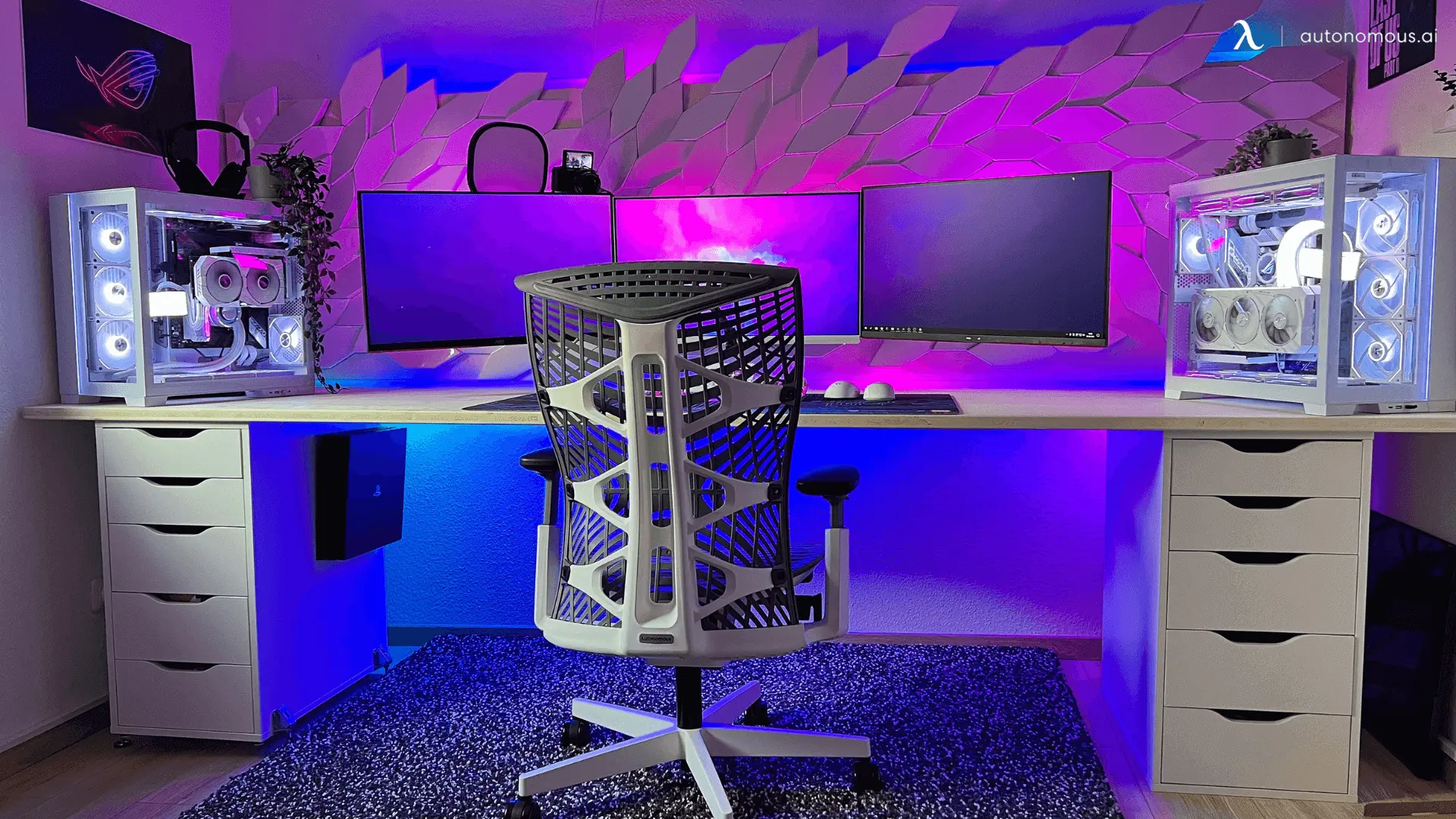
Add RGB Lighting Behind the Screen
Try one light strip behind the monitor or along the rear edge. Check it from your chair with the room lights down. If you can see the individual LEDs reflected in the screen, move the strip or aim it toward the wall.
2. Revamp Your Desk With Peel-and-Stick Wallpaper
A removable film can refresh a smooth, sound desktop with stains or shallow scuffs. Choose one rated for your surface and test a small piece on an inconspicuous spot with the same finish, especially if the desk is painted, veneered or rented.
- Clean and dry the top. Check the film maker's instructions for any surface preparation.
- Measure the top and leave enough material to trim. Peel back a little backing at a time and smooth the film from the center outward.
- Trim and finish the edges as directed. Keep seams away from spots where you set down drinks.
If the top is peeling or swollen, use a mat for a cosmetic cover while you assess the damage. A water-resistant film still leaves seams and edges where spills can get through.
3. Set Up Your Screen and Keyboard First
Center the main screen in your home office setup and bring the keyboard and mouse close enough to use with relaxed shoulders. Sit in the position you normally work in and set the top of the monitor at or slightly below eye level. For a laptop you use all day, try raising its screen and using a separate keyboard and mouse.

If the keyboard needs to sit lower, check that a sliding keyboard tray has room for your mouse and still clears your knees and chair arms.
4. Give a Plant Its Own Corner
Put a small plant where it gets suitable light without taking up room you need for work. A back corner can work if the pot sits on a saucer and leaves your monitor vents and cables clear. If the desktop is already full, try a floor plant beside it.

If your workspace is far from a window, try a dried stem or a print with greenery. Water live plants away from the desk and let the pot drain before putting it back.
5. Give Your Desk Makeover One Personal Touch
Start with something you actually use or enjoy seeing, such as a favorite mug, a framed photo or a small lamp. Place it after you've set up your laptop and monitor so you can see what's left of the usable surface.

Try the arrangement through a normal workday. If you keep moving an item to write or plug in a cable, give it a spot on a nearby shelf instead.
6. Use a Standing Desk When You Need Two Working Heights
A height-adjustable desk makes sense when you want the whole work surface to move between sitting and standing. Measure the keyboard height you need in both positions with your shoulders relaxed. Then check the height range of the standing desks you’re considering. Use the height with the top installed.
The Desk 2 clip shows seated and standing workstations with monitors and laptops in place.
On an electric desk, plan where the power cord will go before you fasten anything underneath. Leave enough slack for the full travel and make sure the monitor clears shelves and the chair arms clear the top.

7. Add a Converter to the Desk You Have
A standing desk converter can raise your keyboard and screen while you keep the table that already fits your room. Measure the base against the top and check the weight of your monitor against the converter’s rating.
Check the lowered keyboard height before you buy. Some converters leave the keys higher than the bare desk even at their lowest setting. If you already type with raised shoulders, the extra height may make seated work harder.
8. Set Up a Computer Desk Around Power and Cables
Give the keyboard and mouse the center of the desk, then choose one spot for the dock, charger and other gear you plug in. Connect everything before bundling cables so you can see which cords need to reach a front port and which can stay underneath.
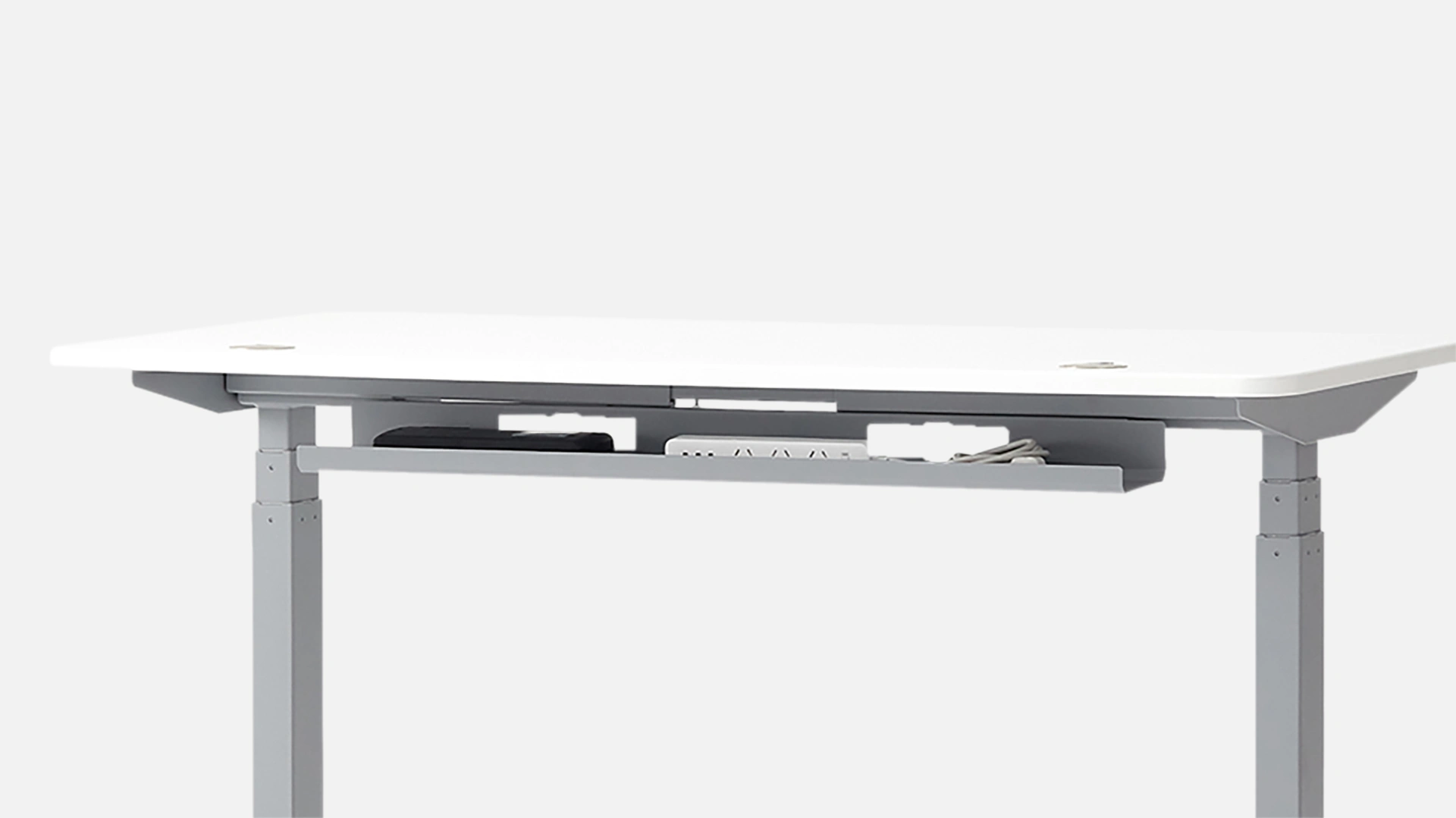
Use removable ties or an under-desk cable tray for the cords that stay put. Check the tray mounting points against your desk frame. Keep the plug you unplug often within reach, and on a sit-stand desk, move the top through its full range before tightening the ties.
If you’re replacing the desk and considering a computer desk with a keyboard tray, check that the tray extends far enough for the keys to clear the desktop and can tuck away when you need the front edge for writing.
9. Use an L-Shaped Desk to Separate Two Tasks
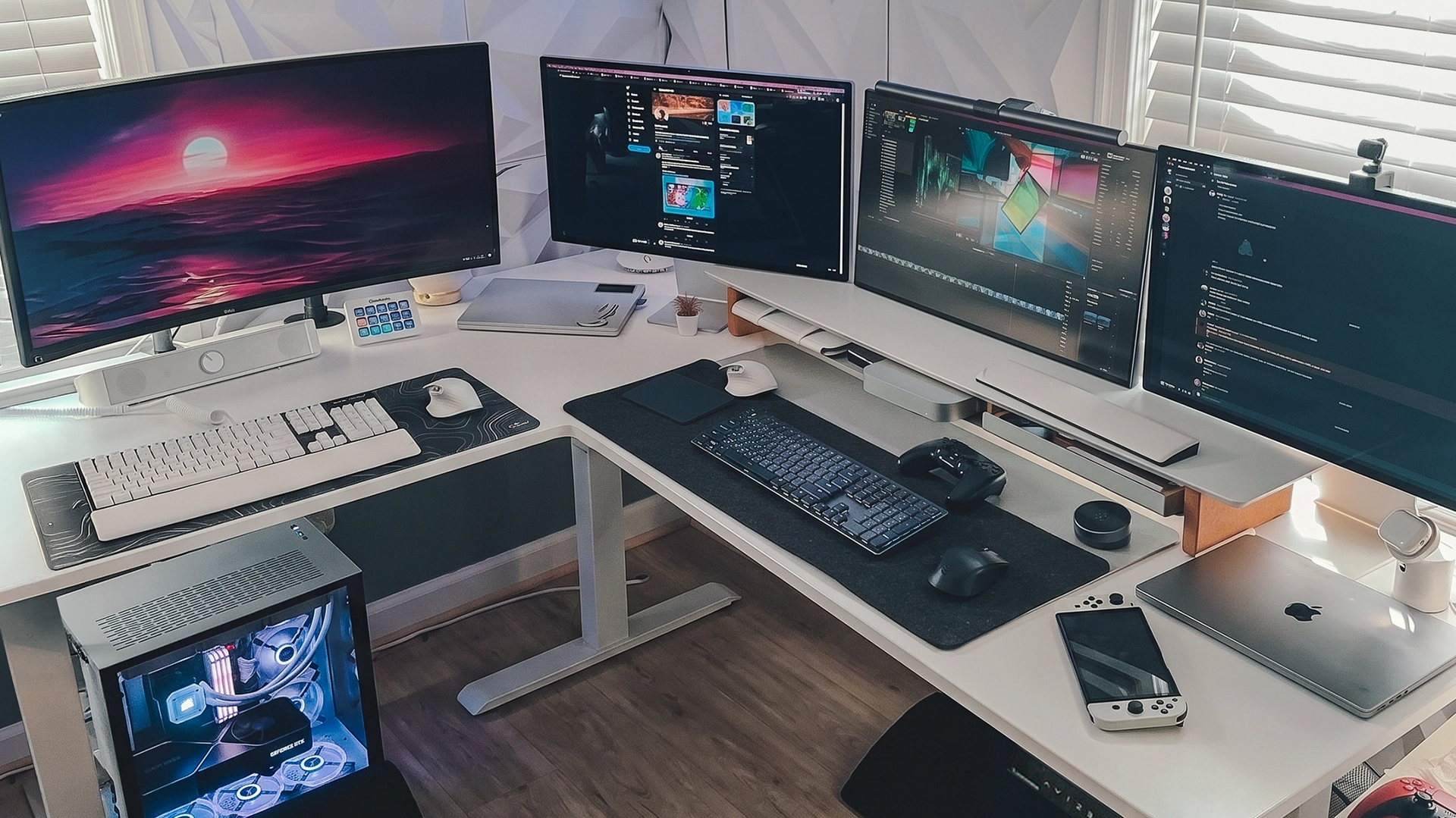
An L-shaped desk works well when you need a screen and a clear surface at the same time. Put the monitor on one side and leave the return open for paperwork, drawing or repair work. Mark both sides on the floor with tape and check the chair path and nearby drawers before you commit.
The Autonomous Desk 2 L-Shaped layout video shows how the return can go on either side.
Choose the side that keeps the doorway clear and puts the power cord within reach of an outlet. Set the return’s orientation before assembling the desk.
10. Make Room With a Compact Desk
A smaller desk can free up the space a chair or doorway needs. Lay out your monitor stand, keyboard and notebook on the desk you have, then measure the rectangle they use. Allow room to move the mouse and reach cables at the back.

If a smaller top fits those items, compare small standing desks by both top and frame depth.
If the alcove has an awkward shape, a DIY desk built to your measurements lets you choose the exact width and depth.
In a shared room, measure the chair path as well as the desk. A standing desk for a small apartment also needs room for the screen and cables to move when you raise the top.
FAQs
How can I do a desk revamp on a budget?
Start with a free reset. Clear the surface, move your main screen into line with the chair and bundle the cables you rarely unplug. Work at the desk for a day, then spend on the one problem that remains, such as a worn top or a dark writing area.
Can you put peel-and-stick wallpaper on a desk?
Yes, if the maker says it’s suitable for your desktop finish and the surface is smooth and sound. Test the adhesive in a hidden spot with the same finish. If the test lifts paint or leaves residue, cover the worn area with a removable desk mat instead.
What should I buy first for a desk makeover?
Buy the item that fixes the problem you notice most often. A mat can cover a scuffed spot, clips can keep a charging cord within reach, and a small lamp can light a notebook. Check what you can move or reuse before adding anything to the desk.
How do I make an old desk look new?
Clean the top, tighten loose hardware if the desk maker’s instructions allow it, and look for a compatible finish or covering. If you want to repaint or refinish the top, identify the material first. Solid wood, veneer and laminate need different preparation.
Is a standing desk worth it for a desk makeover?
A standing desk makes sense if you regularly switch between sitting and standing and need the whole work surface to move. If the desk already fits and you only need to lift your screen and keyboard, check whether a converter will work at both heights.
How can I hide cables without drilling into my desk?
Use reusable ties, removable clips or a clamp-on tray compatible with your desktop thickness. Test any adhesive on a hidden spot first. Leave loose enough loops for the devices you move, and check the cord length with an adjustable desk fully raised.
Conclusion
A desk makeover can start with one change you notice every day. Move the screen, clear a writing space or get the charger off the floor. Try the new arrangement before buying furniture. If the desk itself limits how you work, measure the room and your equipment before choosing a replacement.