How to Build a Garage Gaming Setup Your PC Can Survive
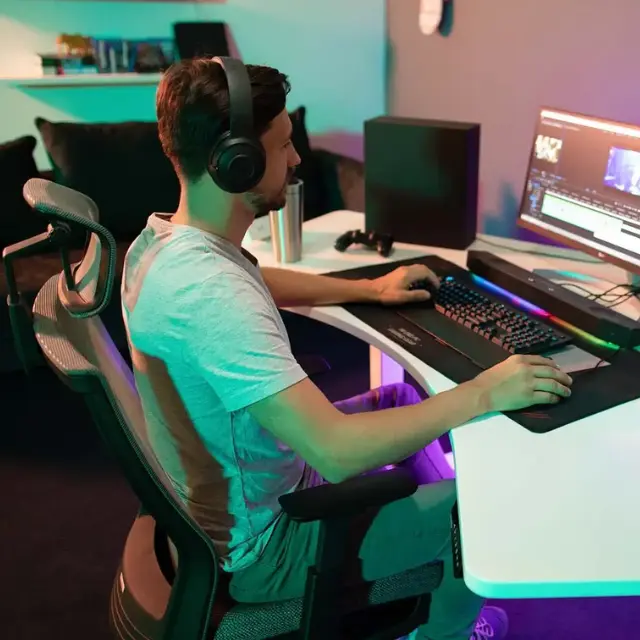
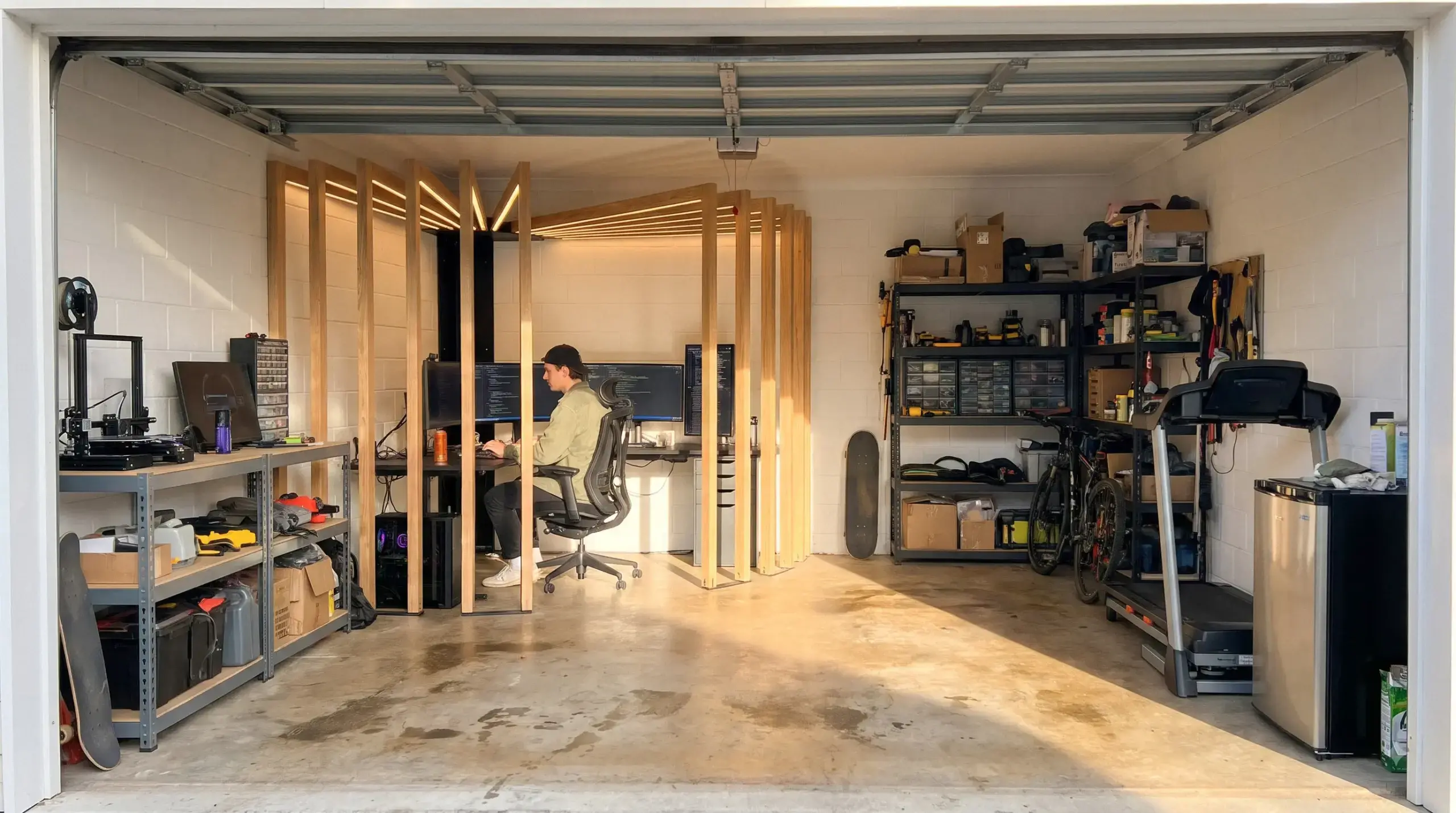
A garage gaming setup works when the room stays between 50 and 95°F and under 80% humidity, the operating limits Apple and Lenovo publish for their desktops. An uninsulated garage can pass those limits on a summer afternoon or a damp winter morning, so climate and power come before monitors and lights.
This guide covers heat, humidity, dust, wiring, internet, noise, floors, lighting, furniture and sharing the space with a car, then gives layout ideas and a cost plan.
Can you put a gaming PC in the garage?
Yes, a gaming PC can live in a garage if the room stays between about 50°F and 95°F and under 80% relative humidity while it runs. Those numbers are not comfort guesses. They are the operating limits PC makers publish for their desktops.
| Maker spec | Operating temperature | Operating humidity |
|---|---|---|
| Apple Mac Studio | 50 to 95°F (10 to 35°C) | 5% to 90%, noncondensing |
| Lenovo Legion T5 30IAX10 gaming tower | 41 to 95°F (5 to 35°C) | 20% to 80%, non-condensing |
| Lenovo desktop user guide | 50 to 95°F (10 to 35°C) | 10% to 80%, non-condensing |
The shared ceiling is 95°F, and in most garages the heat limit matters more than the cold one. A gaming PC turns nearly all the power it draws into heat, so a rig pulling 500 watts in a game warms a closed garage about as much as a 500-watt heater would.
Cold has its own rule. Lenovo's guide says a computer stored below 50°F should warm up slowly before use, which can take up to two hours, and that running it colder can cause permanent damage. In a winter garage, that means not hitting the power button the moment you walk in.
Check before you move anything: put a digital thermometer-hygrometer where the desk will go and read it morning and late afternoon for a week in your hottest and coldest months. The EPA notes these meters cost about $10 to $50 at hardware stores. If the afternoon reading passes 95°F, or humidity sits above 80%, fix the climate first.
How to keep a garage gaming setup cool in summer and warm in winter
Insulate first, then add one unit that both heats and cools, such as a ductless mini-split heat pump. Insulation keeps the swings small; the mini-split handles what is left without blocking a window.
- Garage door: it is usually the largest uninsulated surface. Foam panel kits, a new bottom seal and side weatherstripping cut both heat gain and drafts.
- Walls and ceiling: batts or rigid foam behind drywall do the most for summer heat coming through the roof.
- Cooling: a mini-split needs an installer and often a permit. A portable AC is the no-install option, but it needs a vent path through a window or wall.
- Heating: the mini-split covers it. If you use a space heater instead, the U.S. Fire Administration says to keep anything that can burn at least 3 feet away and to turn the heater off when you leave the room.
Once you are insulating walls and adding heat, the work overlaps with converting a garage into living space, including the permit questions. After the upgrades, repeat the one-week temperature log to confirm the room now stays in range.
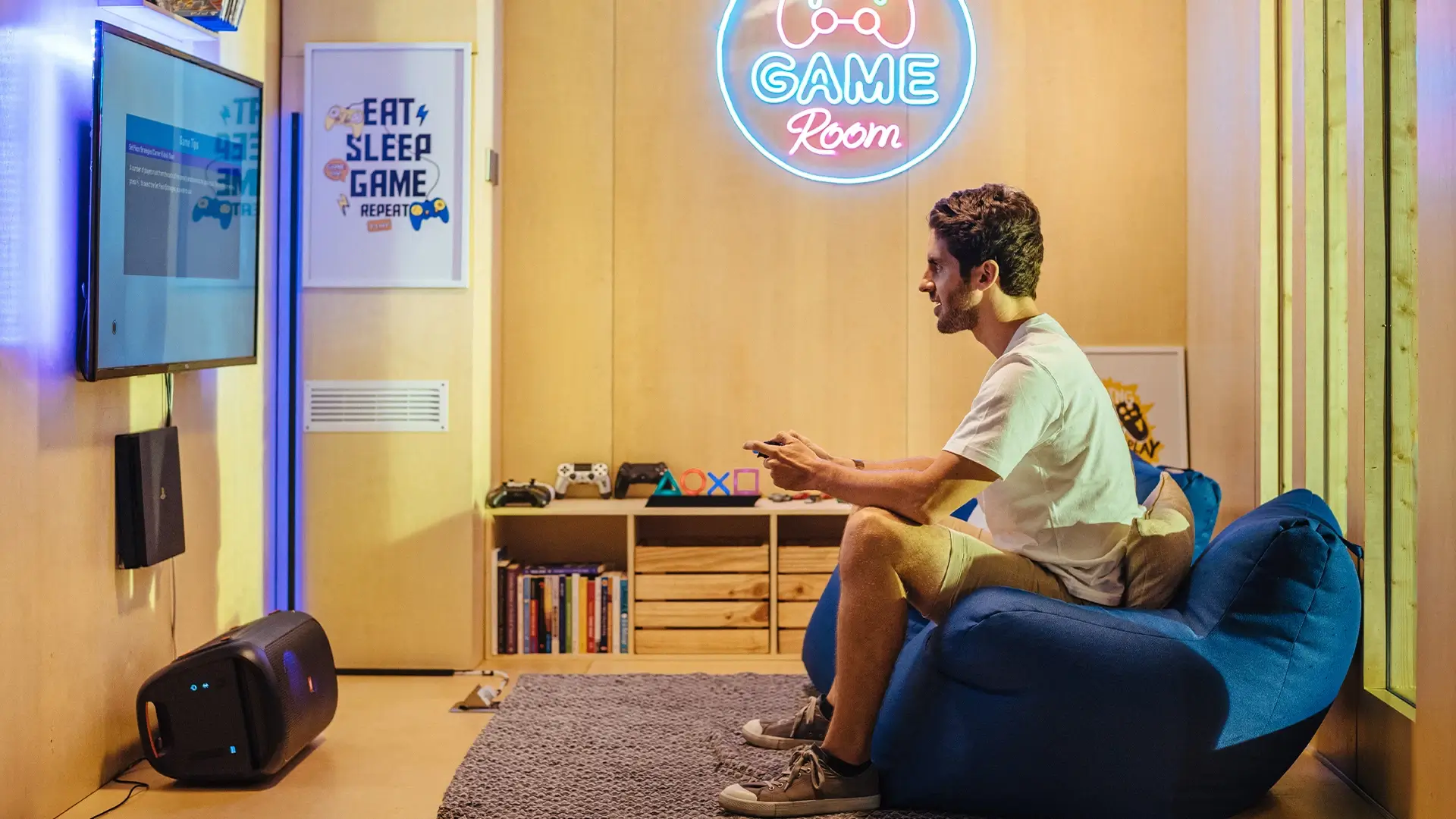
Humidity, condensation and dust in a garage PC setup
Keep garage humidity between 30% and 50% with a dehumidifier, which is the range the EPA recommends indoors, and well under the 80% most PC makers allow. Garages run damper than the house because of the slab, the door and wet cars.
Condensation is the bigger risk for electronics. It forms when warm, humid air meets a colder surface, for example when you open the door on a muggy morning after the room cooled overnight, or bring a cold laptop inside. If you see moisture on a case or screen, leave the device off until it has warmed up and dried.
Dust comes in every time the door opens, and from any workbench in the same space. Three habits help:
- Use a case with filtered front intakes and slightly more intake than exhaust airflow, so air leaves through the gaps instead of being pulled in through them.
- Keep the PC off the floor and away from the door, on the desk or a stand.
- Put controllers, headsets and games in closed storage, but never shut a running PC or console inside a cabinet.
Check: pull the PC's front filter after two weeks. If it is grey, clean it weekly until you learn how fast your garage loads it.
Power and wiring for a garage gaming setup
Put the PC on a circuit nothing big shares, protect it with a surge protector or UPS, and keep space heaters off that circuit. Garage outlets were usually wired for a door opener and a few tools, not for hours of gaming.
Current code reflects this. The City of St. Paul's garage wiring handout, based on the 2023 National Electrical Code, says garage receptacles in each vehicle bay must be on a 20-amp circuit with no other outlets (NEC 210.11(C)(4)), all garage receptacles need GFCI protection (NEC 210.8(A)), and new or changed garage circuits need an electrical permit. Your city may be on a different code edition, so ask its building department.
The real limit is the continuous-load budget. The NEC treats loads that run three hours or more as continuous and requires the breaker to be rated at least 125% of them (NEC 210.20(A)), which keeps a continuous load at 80% of the breaker rating. A long session counts.
| Circuit | Breaker rating at 120 V | Budget for 3+ hour loads (80%) |
|---|---|---|
| 15 amp | 1,800 W | 1,440 W (12 A) |
| 20 amp | 2,400 W | 1,920 W (16 A) |
A common 1,500-watt space heater draws 12.5 amps, which is already more than a 15-amp circuit should carry for hours. Add a gaming PC and two monitors and the breaker trips in the middle of a match. A power supply's rating is a ceiling, not its real draw, but plan with it anyway.
Check: switch off the breaker you think feeds the garage and note every outlet and light that goes dead. Add up the label watts of everything on that list. If the total passes the 80% figure, ask an electrician for a new circuit.
For protection, use a surge protector listed to UL 1449, or a UPS if short outages are common where you live, since its battery keeps the PC on long enough to save and shut down. Keep power strips off the floor where snowmelt and car drips collect; a cable tray under the desk holds the strip and the spare cable.
Internet for a garage PC setup: run Ethernet first
A wired Ethernet run from the router is the most reliable connection for a garage computer setup. Cat6 cable carries gigabit Ethernet up to 100 meters (328 feet), which covers most house-to-garage runs.
- Attached garage: drill through the shared wall from the nearest room or run the cable through the attic.
- Detached garage: use outdoor or direct-burial rated cable in conduit, not indoor cable.
- No cable possible: a mesh Wi-Fi node in the garage, ideally with a wired link back to the router; MoCA adapters if coax already reaches the garage; powerline adapters as the last try, plugged straight into the wall.
Check: before you commit, run a speed and ping test at the exact desk spot in the evening, when the house network is busiest. Compare it with a wired PC inside. A gap of more than a few milliseconds is your sign to run cable.
Noise and soundproofing in a garage gaming room
The garage door is where most sound leaks in and out, so seal it before buying acoustic panels. A thin door with gaps at the bottom and sides passes voices and bass to the street and lets traffic noise into your headset mic.
Acoustic panels and rugs cut echo inside the room; they do not block sound from leaving it. Blocking takes mass and airtight seals: weatherstripping, a heavy door bottom seal, an insulated door, a solid door to the house, and drywall over insulated walls. The steps to soundproof a gaming room apply here, with the big door as the first job.
Check: play a game at your normal volume, then stand in the nearest bedroom and at the end of the driveway. What you hear there is what the family and neighbors will hear.
Flooring for a garage gaming setup
Interlocking rubber or foam tiles over clean, sealed concrete are the simplest garage floor: warmer underfoot, easier on chair casters, and removable if the car returns. Carpet tiles cut echo more but hold dust; epoxy is easy to clean but stays cold, so add a rug under the desk and chair.
Test the slab before covering it. Tape a square of clear plastic, about 18 inches on a side, to the bare concrete and leave it overnight. Droplets underneath or a darker patch mean moisture is coming up through the slab, and rubber tiles laid on it can trap that moisture. Fix it with a sealer first.
Lighting and glare in a garage gaming room
Set the monitors side-on to windows and the garage door, not facing them or with them behind you, and keep the top of the screen at or slightly below eye level. That is OSHA's workstation guidance, which also puts the screen 20 to 40 inches from your eyes.
Bare LED shop tubes overhead are the usual glare source in a garage. Move them or add diffusers so no bright tube reflects in the screen from your seat, and add a soft bias light behind the monitor for night sessions. Check: sit in your gaming position with the screen off. Any light you can see reflected in the black panel will show during dark scenes.
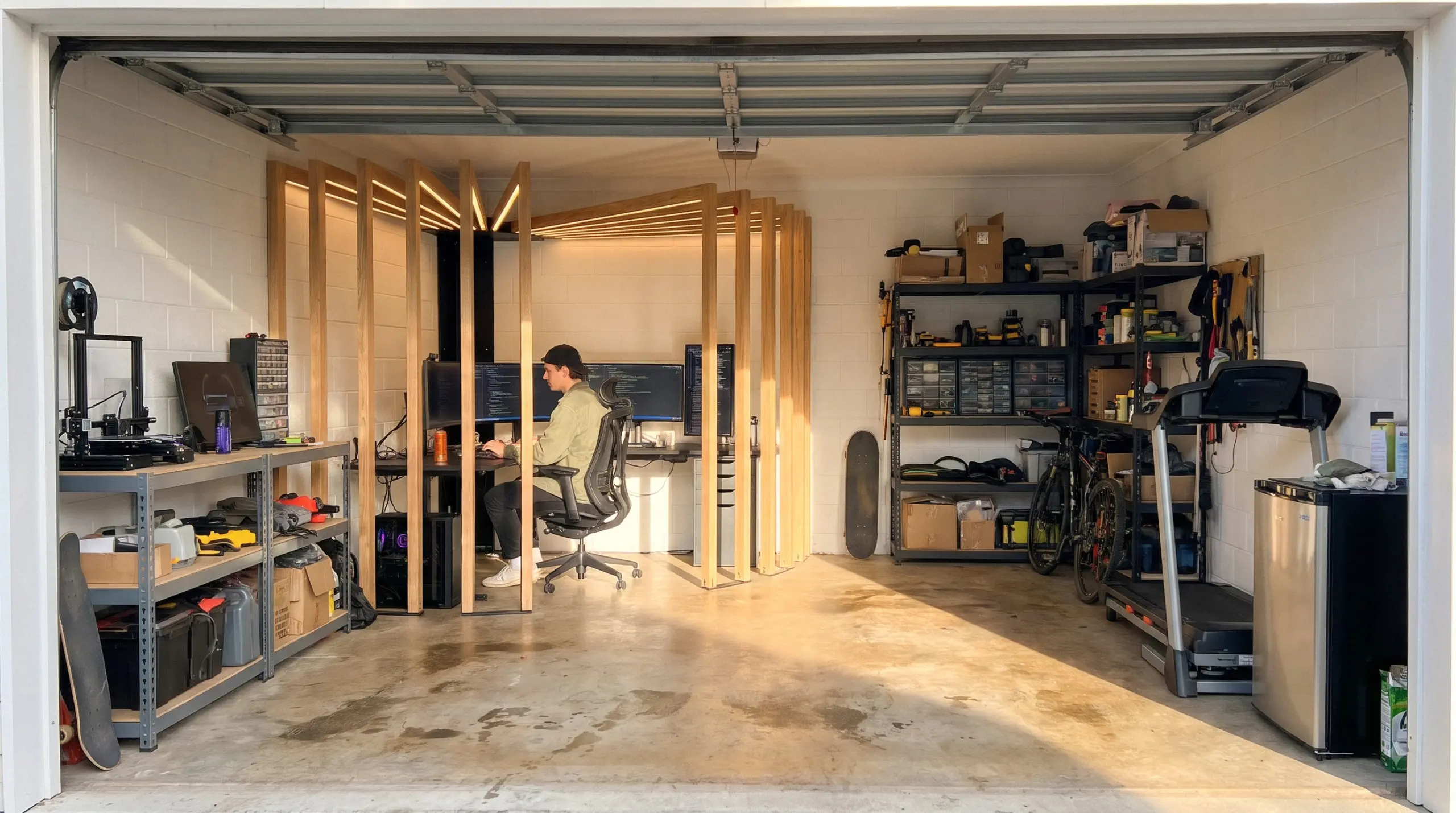
GaragePod, the corner kit covered below, has a built-in light, so run the same screen-off test with that light switched on.
Desk and chair for long sessions in the garage
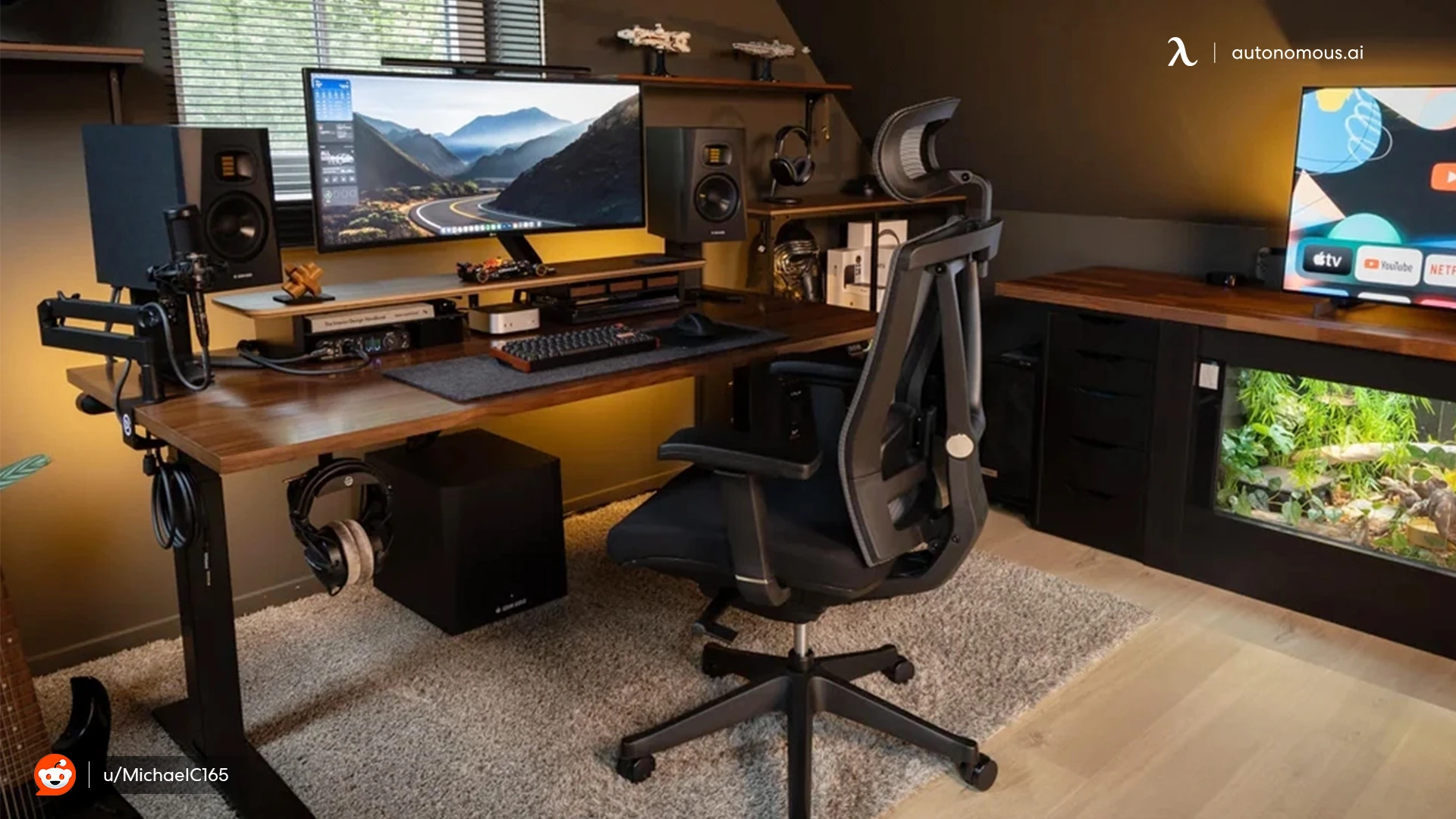
Choose a desk wide enough for the PC and screens on a stable frame, and a chair that adjusts fully and stays cool in a warm room. In a garage the furniture also has to cope with concrete floors and a room that runs warmer than the house.
The same rules as any ergonomic gaming setup apply: elbows at keyboard height, feet flat, screen at eye level.
Below are two options from Autonomous's gaming furniture range; specs come from the product pages, not independent testing.
Autonomous Desk 2 as a sit-stand garage gaming desk
Autonomous Desk 2 is a dual-motor standing desk with a 53 x 29-inch top or a 70.5 x 30-inch XL top. The frame runs from 27.2 to 46.5 inches, lifts up to 250 lb, saves four height presets and runs at under 45 dB. It is certified to ANSI/BIFMA and UL, with a 10-year frame warranty and 2 years on the top.
It suits a garage PC setup where you want to stand between matches or use the same desk for work. One honest limit: Autonomous notes that two 27-inch monitors fill almost all of a 53-inch top, so a dual-monitor gaming setup with a tower on the desk or a third screen points to the XL top. Leave cable slack for the full 19.3 inches of travel.
WorkingAndGamingDeskMakeoverSetupTour2021_Autonomousx@JamesNguyen.webp)
ErgoChair Pro for long sessions in a warm garage
ErgoChair Pro is a mesh-back ergonomic chair with nine adjustment points, including lumbar support that slides 6 inches up and down the backrest. It reclines 22 degrees with five lock positions, holds up to 300 lb, has an 18.5 to 22-inch seat height and carries a lifetime warranty.
The mesh back matters in a garage that runs warm in summer, and the sliding lumbar lets you set support once for long sessions. One honest limit: owners report the armrests lock for height but not for slide or swivel. On bare concrete, put the chair on tiles or a mat so grit does not wear the casters.
If you prefer racing-style gaming chairs, check that the lumbar support adjusts rather than relying on a loose pillow, and that the seat material will not get sticky in summer heat.
Garage gaming layout with room for the car
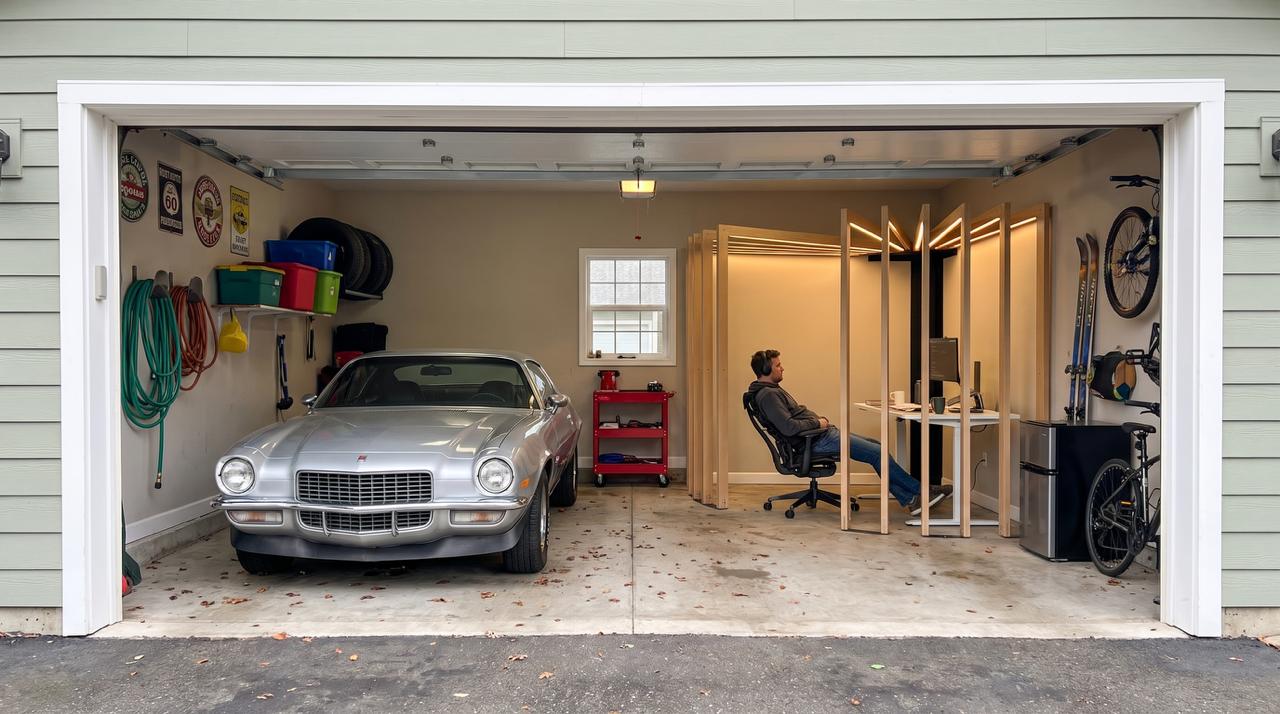
Give the setup a wall the car never reaches, usually the back wall or the side away from the door track. That keeps the PC away from engine heat, exhaust, rain blowing in and swinging car doors. Never warm up a car in an attached garage, even with the door open; the CDC lists this as a carbon monoxide rule.
- Split the space with an insulated stud wall if the car stays for good, or a heavy curtain or rolling divider if not.
- Leave the clearances printed on any water heater or furnace in the garage, and never box them in to make room.
- Move gasoline, paint and solvents away from the gaming zone and any heater.
If you only get one bay, many small gaming room ideas carry over directly. Check: park the car, open both front doors fully and tape the floor where the doors and your walking path land. The desk and chair go outside the tape.
A GaragePod gaming corner that leaves room for the car
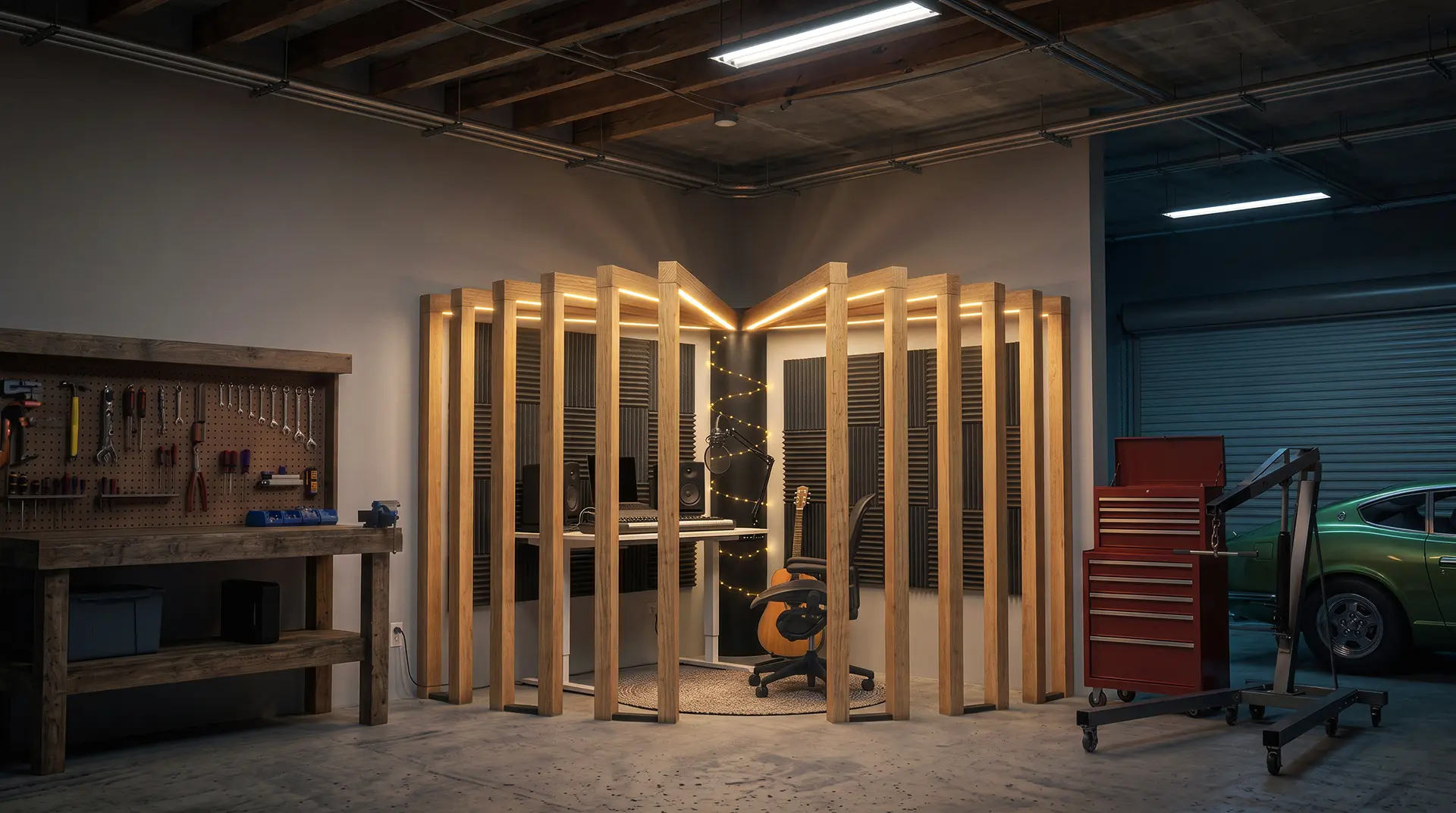
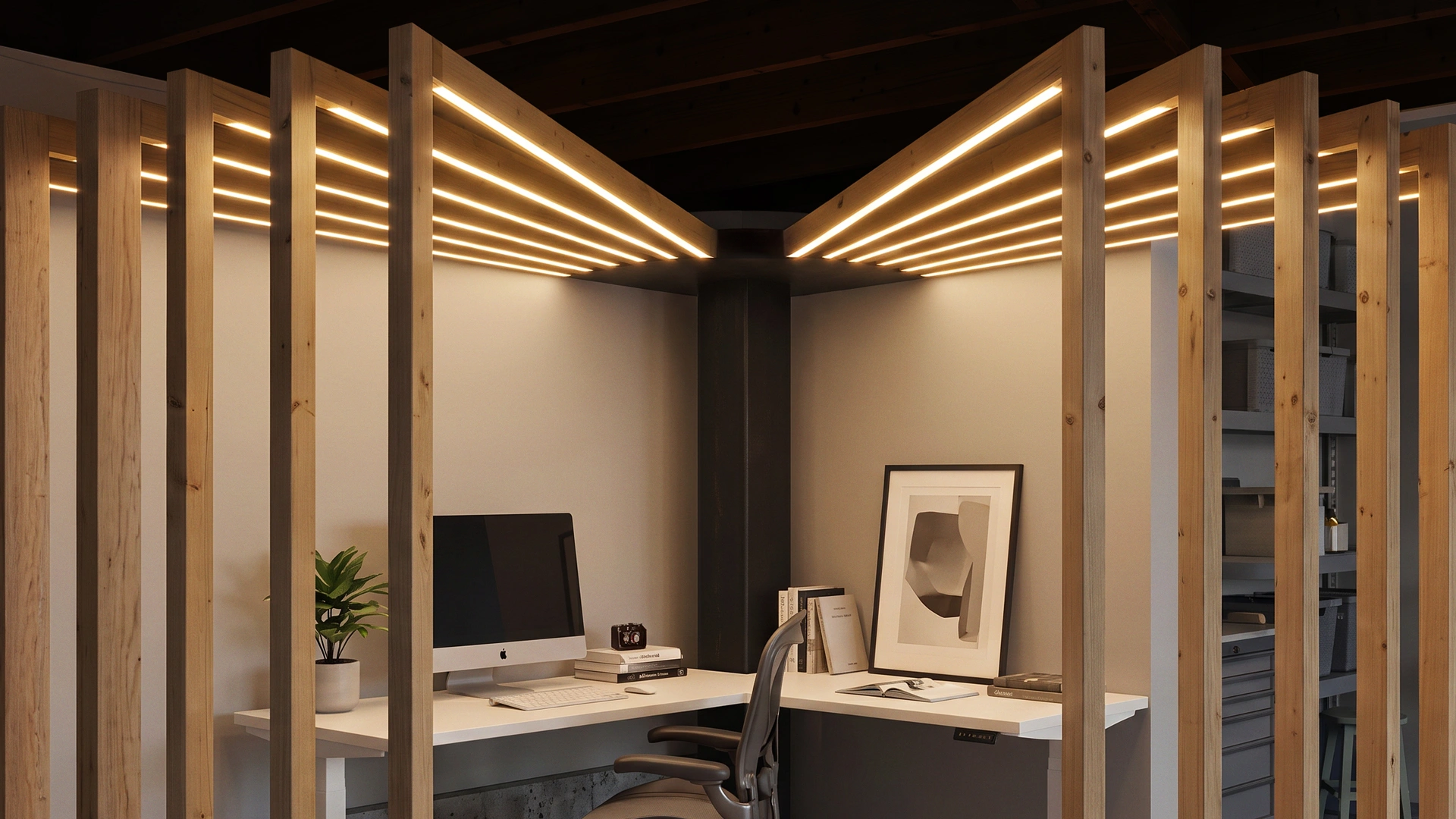
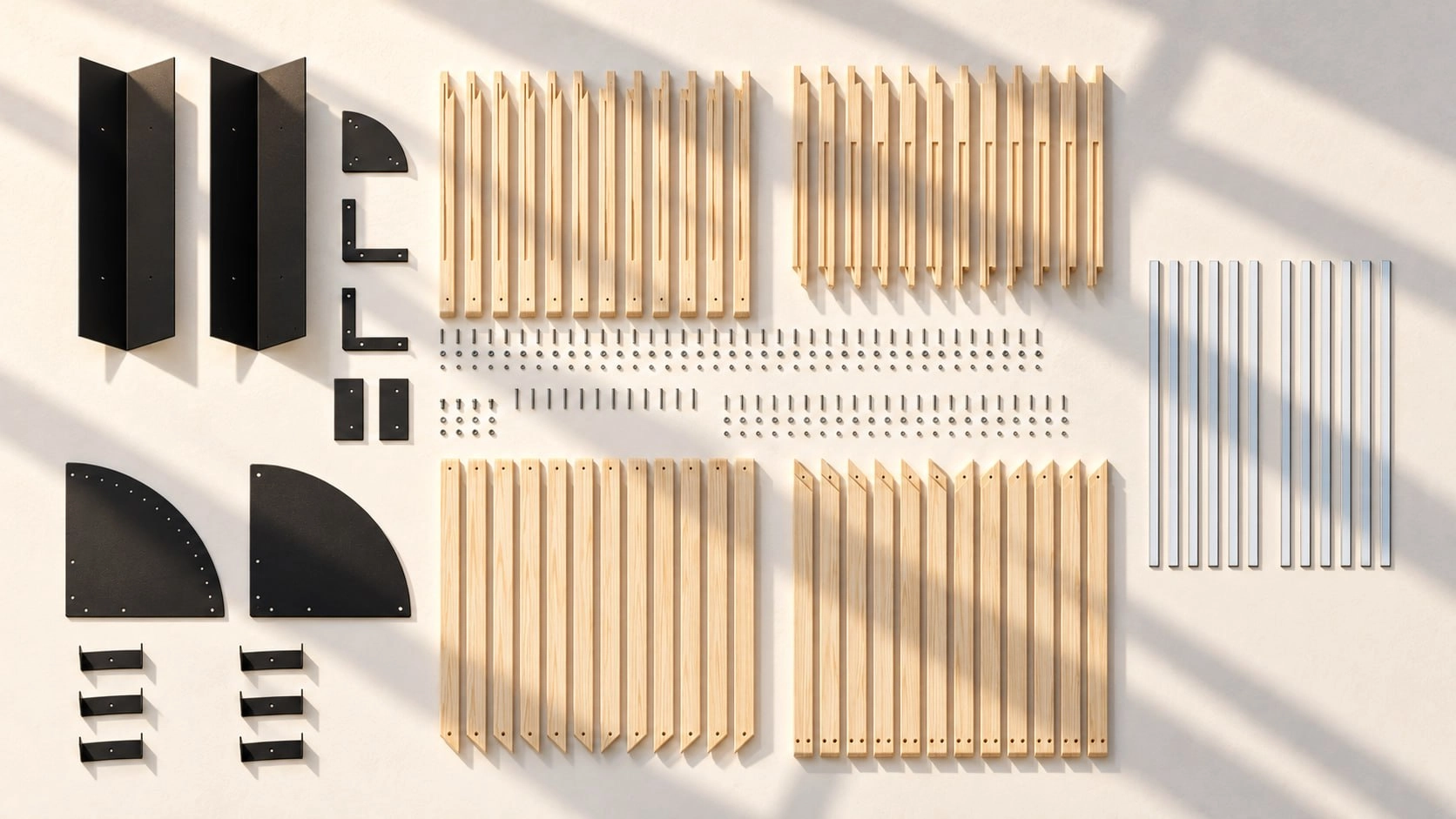
GaragePod turns one garage corner into a defined desk zone while the car and storage keep the rest of the floor. It is Autonomous's garage office kit: a freestanding steel frame with wood arms. It takes an 87 x 87-inch footprint, stands 87 inches tall and goes in the corner the car never reaches.
The column, hub, cap and curved floor rail are black steel, with about 12 wood arms set 11 inches apart and leveling feet for an uneven slab. LED strips built into the wood arms light the corner, and the kit plugs into a wall outlet. You assemble it yourself in 2 to 4 hours, in four steps, and since it is modular it can come apart and move with you.
For gaming, it suits one player or streamer who wants the desk, chair and lighting planned as one corner. The base kit has no furniture; the desk and chair come only with the paid setups. Desk Pro and ErgoChair Ultra 2 carry lifetime warranties, and the GaragePod frame and hardware carry 1 year.
| GaragePod option | What it includes | Price |
|---|---|---|
| GaragePod kit | Steel frame, wood arms with built-in LED strips, leveling feet | $3,999 early bird (list $4,999) |
| Solo Setup | Kit plus Desk Pro and ErgoChair Ultra 2 | +$899 |
| Corner Setup | Kit plus Desk 2 L-Shape and ErgoChair Ultra 2 | +$1,499 |
Prices change periodically; check the product page.
The limits matter more for a gaming PC than for a laptop. GaragePod is an open slat corner, not an enclosed or insulated room, and it does not block sound. The PC breathes the same garage air, so the 95°F ceiling, the humidity target and the dust habits above still apply, and the garage itself needs heat, light and power before the corner works year-round.
It is not a bedroom or a legal dwelling. For streaming, the open slats will not keep door or street noise out of your mic, so the door seals from the noise section still come first.
Check before ordering: tape an 87 x 87-inch square in the corner you picked and repeat the car-door test from the section above. The square has to stay outside the door tape, an outlet has to be in reach of the corner, and nothing overhead, such as a door track or shelf, can hang lower than 87 inches.
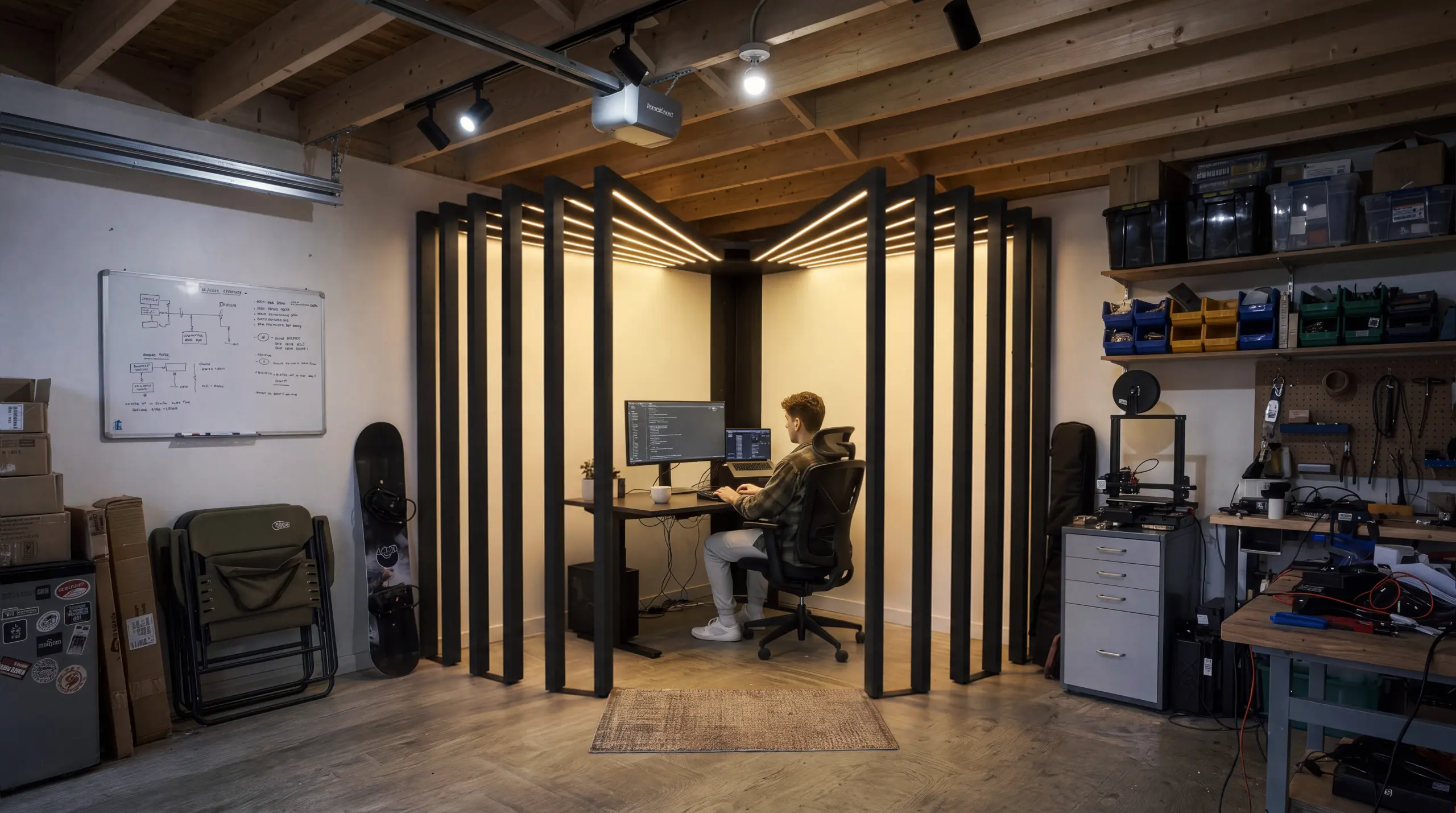
Garage gaming setup ideas
Pick a gaming garage layout by head count: one player fits a minimalist desk, a group needs a lounge or team hub, and remote workers need a hybrid zone. The seven ideas below run from smallest to largest.
1. Minimalist command center for one player
One desk, one or two monitors, a good chair and wall storage. It is the cheapest to keep in range because one PC adds the least heat.
It borrows the vertical storage tricks of a closet gaming setup.
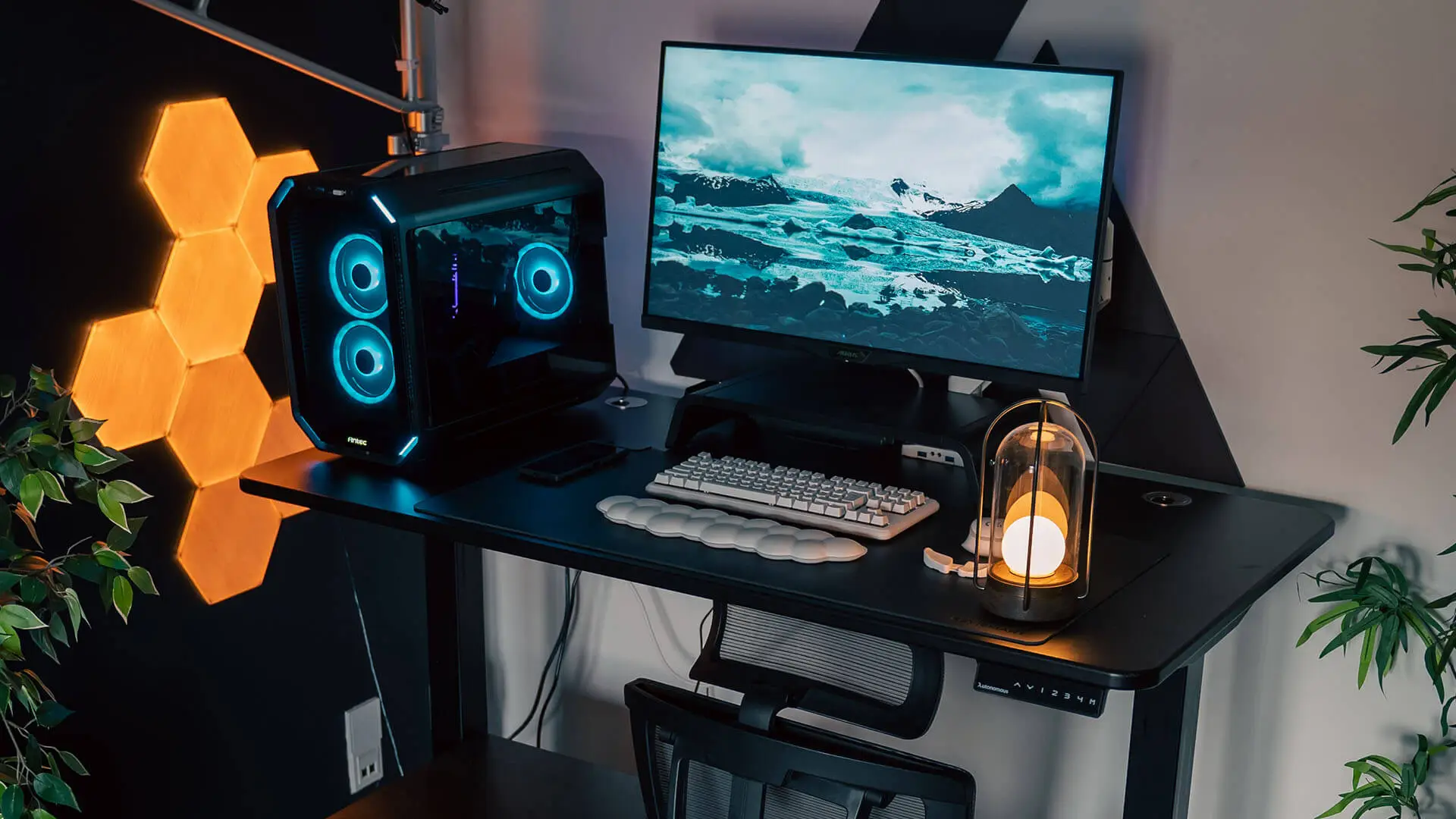
2. Multi-console lounge for couch co-op
A sofa, a wall-mounted TV and shelves for consoles. It feels like a living room gaming setup with more space and fewer complaints about noise. More people means more body heat, so size the cooling for a full room.
If you would rather keep the car in the garage, a man cave shed in the yard gives the lounge its own room.
3. RGB battlestation for streaming
LED strips, dark walls and a camera position planned from the start. Streaming adds a camera, lights and often a second PC, so check the circuit budget before adding them, and keep key lights diffused so they do not glare on the screen.
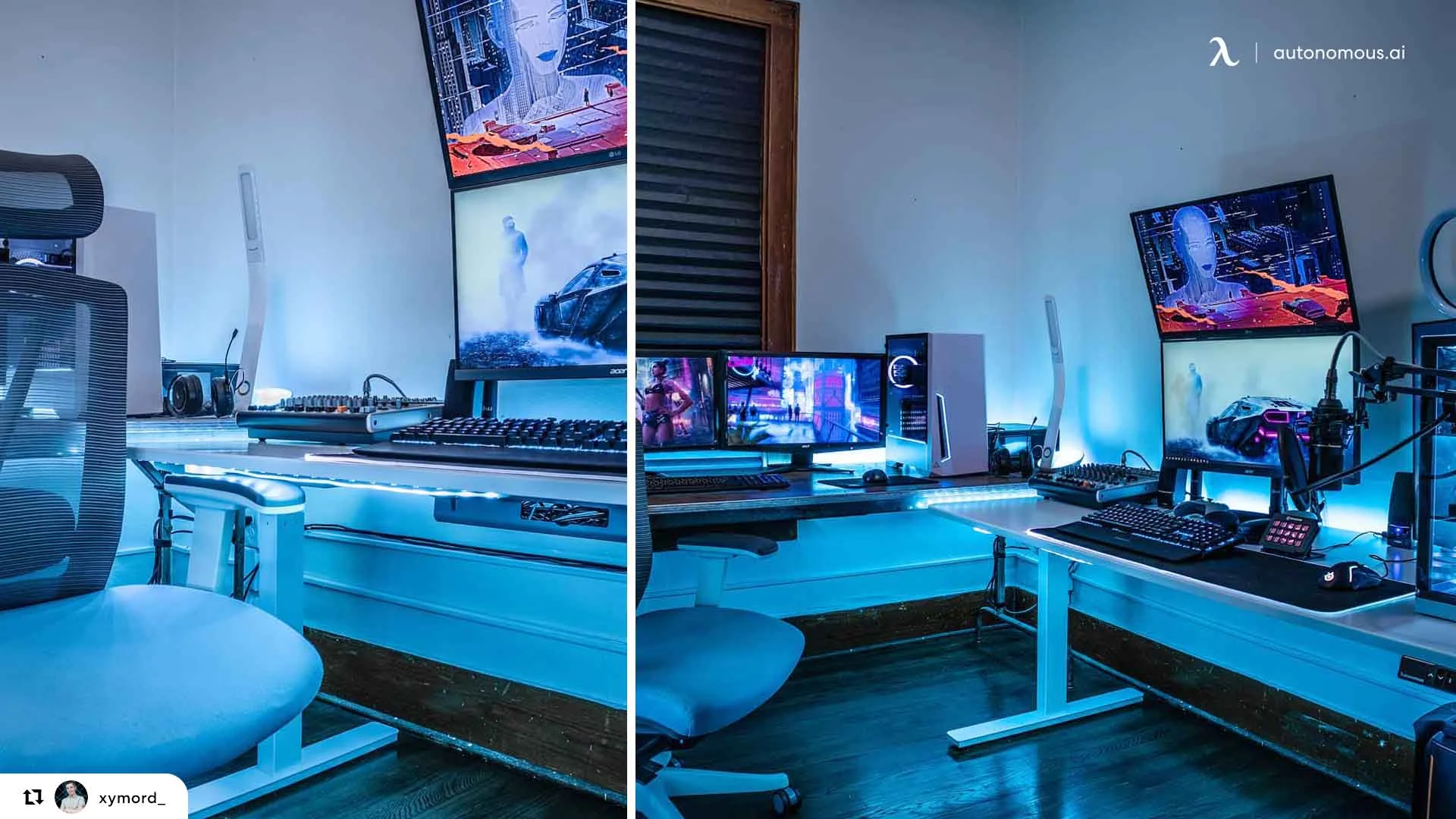
4. Racing and flight simulator bay
A garage has the floor space for a cockpit rig that will not fit in a bedroom. Pair it with curved monitors or a large TV, and bolt the rig to a flat, level part of the slab, since many garage floors slope toward the door.
5. Hybrid office and gaming zone
Work on one side, play on the other, or share one standing desk for both. This suits remote workers who want a home office setup by day and a gaming rig at night.
If work is the main use, the planning in these garage office ideas covers the office half in more detail.
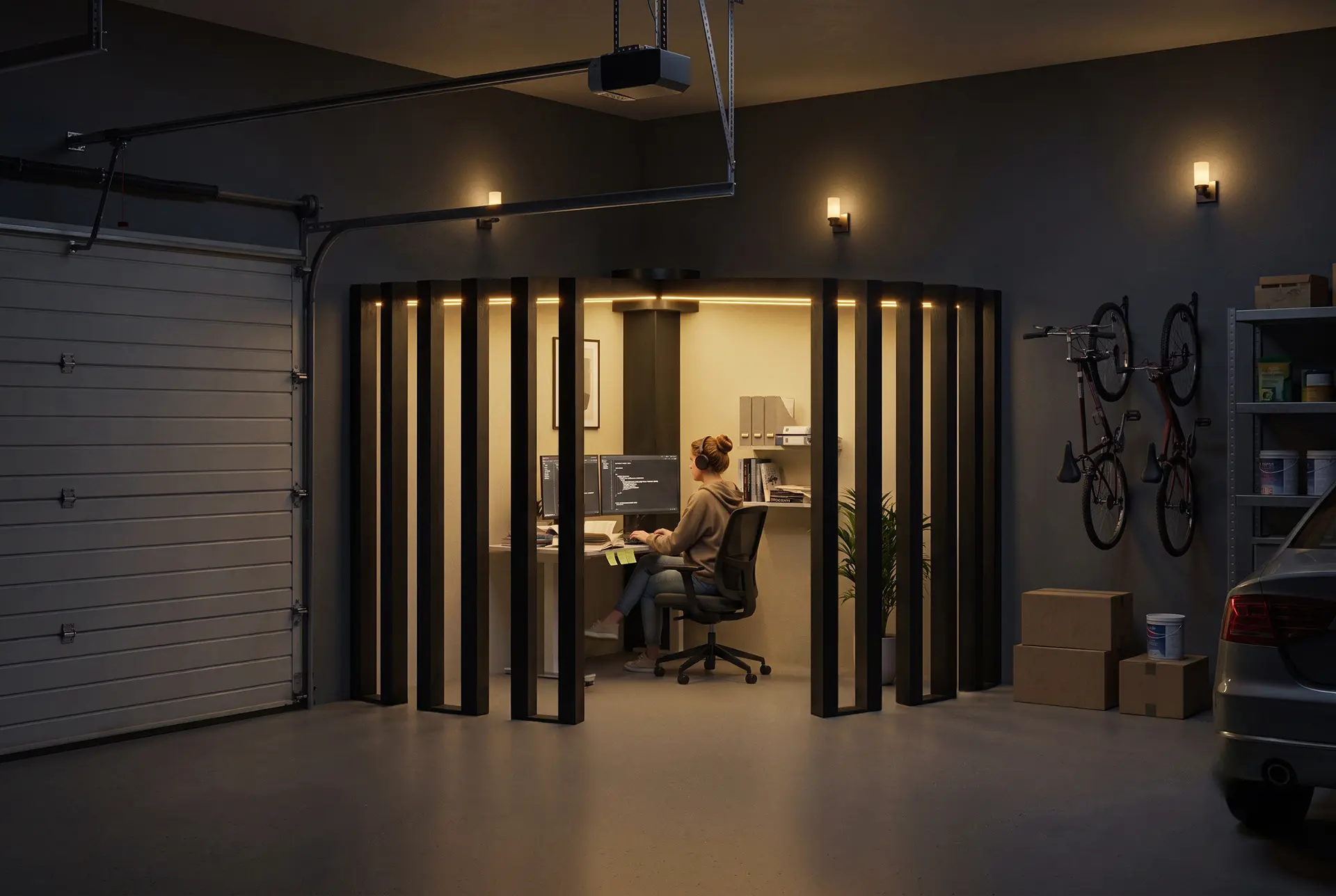
6. Retro arcade corner
One or two cabinets, a neon sign and a pair of bar stools next to a modern console area. Older cabinets pair CRT screens with wood cases, so they need the same humidity control as a PC.
7. Esports training hub for a team
Several desks, high-refresh monitors and wired Ethernet to every seat. Each extra gaming PC adds its draw to the circuit and its heat to the room, so check every machine against the budget table above and have an electrician confirm the plan.

What to budget for in a garage gaming setup
The garage upgrades set the floor of the budget: a new 20-amp circuit and a mini-split both need licensed installers and usually permits, so get those two quotes before pricing gear. For the gear side, this breakdown of how much a full gaming setup costs covers each part.
| Upgrade | You need it when | Who usually does it |
|---|---|---|
| Thermometer-hygrometer | Always, before anything else | DIY |
| Dehumidifier | Humidity regularly above 50-60% | DIY |
| Door insulation kit and weatherstripping | Almost always | DIY |
| Wall and ceiling insulation | The one-week log passes 95°F or drops below 50°F | DIY or contractor |
| Mini-split heat pump | Insulation alone does not keep the room in range | Licensed installer, often with a permit |
| New 20-amp circuit with GFCI | The PC shares a circuit with a heater, freezer or door opener | Electrician, with a permit |
| Ethernet run | The Wi-Fi ping test at the desk fails | DIY or low-voltage installer |
| Rubber floor tiles | Bare concrete | DIY |
| GaragePod corner kit | You want a defined desk corner while the car stays in the garage | DIY, 2 to 4 hours of assembly |
| Desk, chair, monitors, PC | Always | DIY |
When a backyard pod makes more sense than the garage
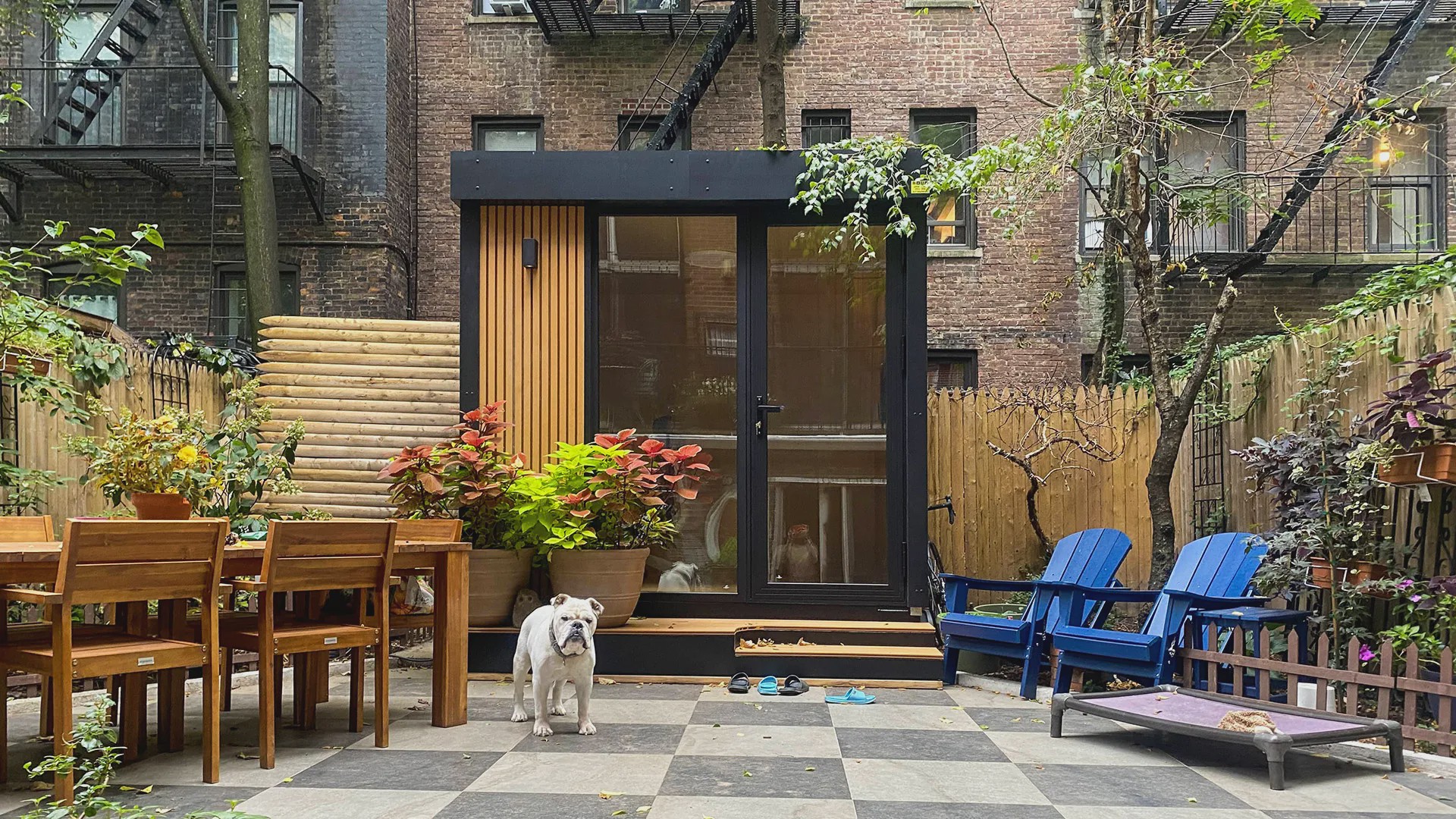
A backyard pod makes more sense when the garage has to keep the car, or when insulation, cooling and new wiring would cost more than a separate room. A pod is not a garage conversion; it is a second option when converting the garage is blocked.
For a commercial example, the Autonomous MetroPod is an 80 sq ft prefab room with a 7.25-foot ceiling. It installs in 1 to 2 days, comes with two wall outlets, a ceiling light and an Ethernet wall port, and connects to the house through a single power line. Autonomous says it stays below the permit threshold in most US cities, but check your own city's rules before ordering.
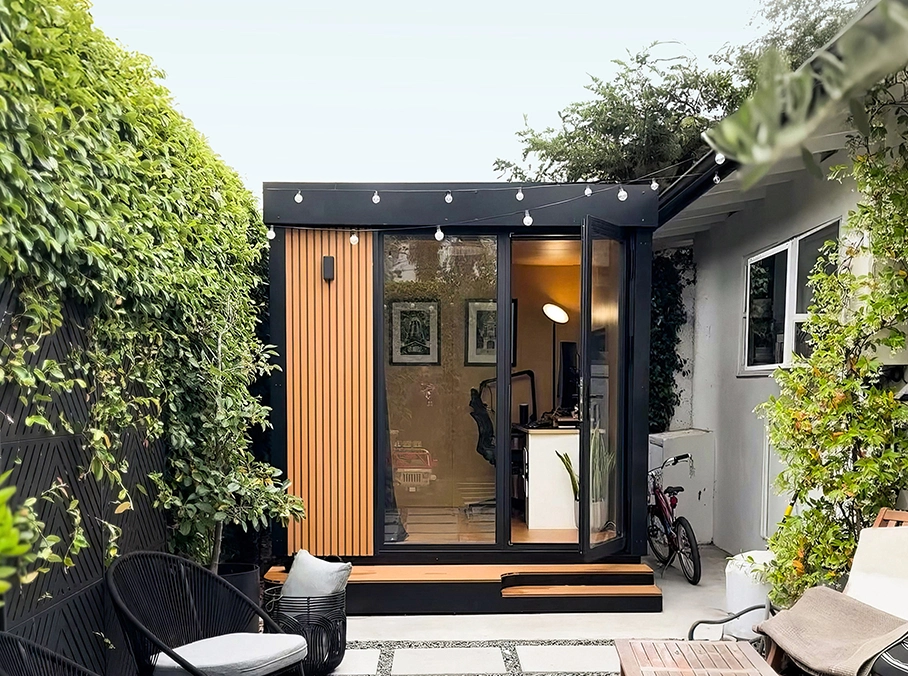
One honest limit: 80 sq ft fits one desk setup and a chair, not a lounge or a sim rig, and the warranty on materials and workmanship is 1 year. Larger backyard pods exist for bigger setups, with layouts for play on the gaming shed page.
FAQs
Can you have a gaming setup in the garage?
Yes, a garage can hold a gaming setup if the room stays between about 50°F and 95°F and under 80% humidity, which are the operating limits PC makers publish. Most garages need insulation, a dehumidifier and a proper circuit before they reach that range year-round.
Is it OK to keep a PC in the garage in winter?
Yes, a PC can stay in a winter garage if it warms up before use. Lenovo says a computer stored below 50°F should warm slowly, up to two hours, before you turn it on. Heating the room before sessions avoids the wait and condensation.
How hot is too hot for a gaming PC in a garage?
Above 95°F room temperature is too hot for most gaming PCs, because that is the top operating limit Apple and Lenovo list for their desktops. A PC under load also adds its own heat, so a closed garage near that limit will climb past it.
How do I convert my garage into a gaming room?
Convert a garage into a gaming room in this order: log temperature and humidity for a week, insulate the door and walls, add heating and cooling, check the electrical circuit, run Ethernet, lay flooring, fix lighting glare, then bring in the desk, chair and gear.
Do you need a permit to turn a garage into a gaming room?
You usually need a permit for new electrical circuits, a mini-split or structural changes, but not for furniture, rugs or acoustic panels. Turning the garage into habitable living space can trigger more rules, so ask your city's building department before you start.
Do I need a dedicated circuit for a gaming PC in the garage?
A dedicated circuit is the safe choice if anything heavy shares the garage outlets. A 15-amp circuit should carry about 1,440 watts for long sessions, and a 1,500-watt space heater alone passes that. Recent code editions also put garage receptacles on a 20-amp circuit.
How do I get internet to a garage PC setup?
Run an Ethernet cable from the router to the garage for the most stable connection; Cat6 works up to 328 feet. If cable is not possible, use a mesh Wi-Fi node with wired backhaul, MoCA over existing coax, or powerline adapters as a last option.
How can you soundproof a garage gaming setup?
Seal the garage door first with a heavy bottom seal and side weatherstripping, then add insulation and drywall to the walls. Acoustic panels and rugs reduce echo inside the room, but they do not stop sound from reaching neighbors or the house.
Final checks before you move the PC in
A garage gaming setup lasts when the room stays inside the PC's rated range, the circuit has headroom and the gear sits away from the car and the door. Run the one-week temperature and humidity log, add up the watts on the circuit, and test the connection at the desk spot before you buy anything else.
If your garage is small, the same principles scale down to a small man cave gaming room setup, where every square foot of the plan counts.
References
- Apple: Mac Studio technical specifications (operating requirements)
- Lenovo PSREF: Legion T5 30IAX10 specifications (operating environment)
- Lenovo user guide: Operating environment
- City of St. Paul DSI: Residential Garage Wiring (2023 NEC)
- EPA: A Brief Guide to Mold, Moisture and Your Home
- U.S. Fire Administration: Heating fire safety
- OSHA: Computer Workstations eTool, Monitors
- NFPA 70: National Electrical Code, 2023 edition (free access; Article 100 and 210.20(A))
- CDC: Winter safety tips (carbon monoxide)