Autonomous Desk Pro vs Pro AI vs Pro V1 Buying Guide

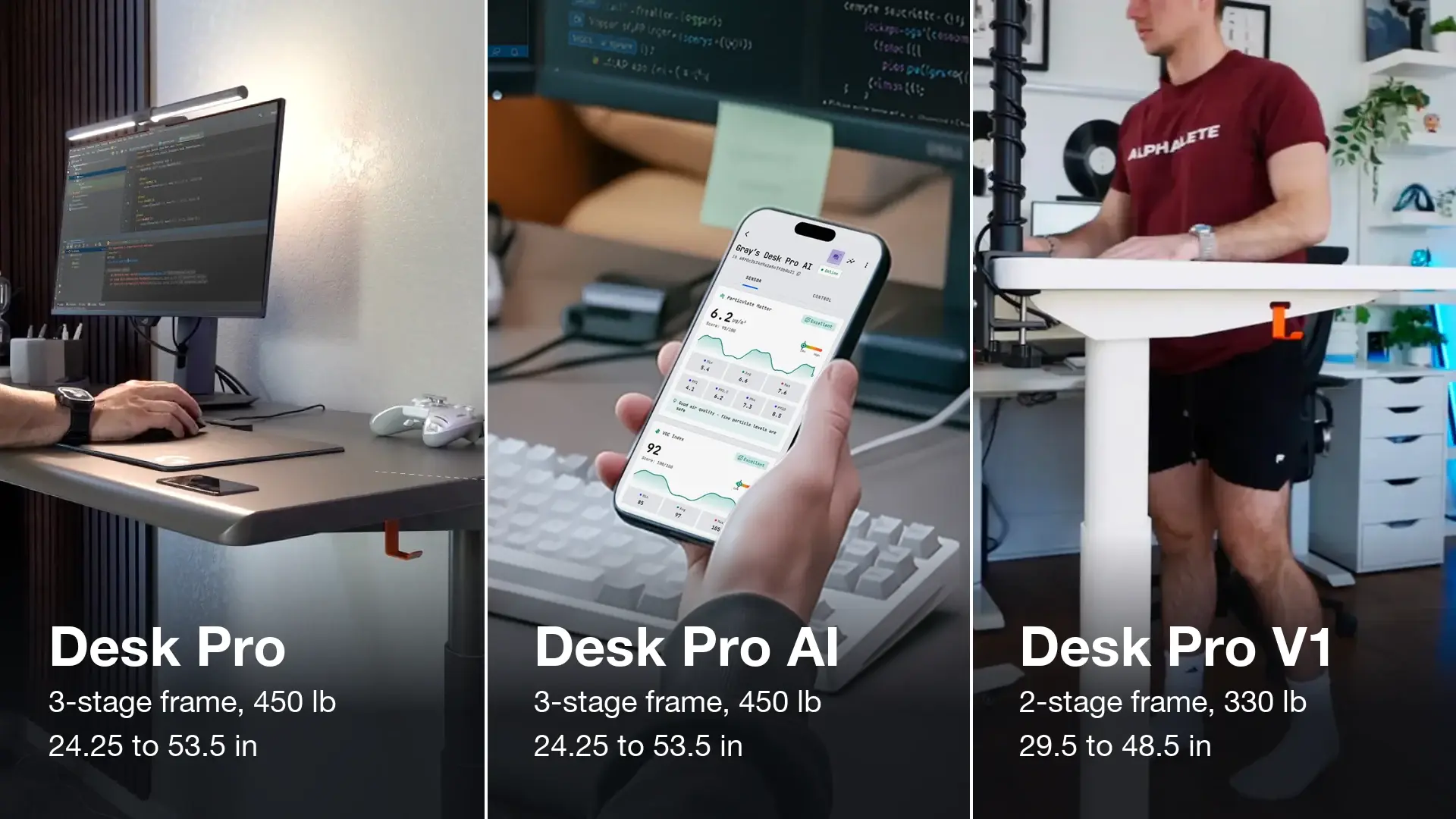
Autonomous Desk Pro vs Pro AI comes down to sensors: both use the same 3-stage frame, lift 450 lb and adjust from 24.25 to 53.5 inches, and Pro AI adds six built-in sensors and an app that reads your room and your sit-stand time. Desk Pro V1 is the 2-stage model: it lifts 330 lb and adjusts from 29.5 to 48.5 inches, in Pearl White or Stone Beige. So the two real questions are whether your height fits the V1 range and whether you want the sensors.
Autonomous Desk Pro vs Pro AI vs Pro V1 at a glance
Desk Pro and Pro AI match on every spec except sensors and price, while V1 differs on frame, height range, capacity and colors. The Pro AI premium buys only the sensor hub and app, not a different desk; the price rows show the gap at each size.
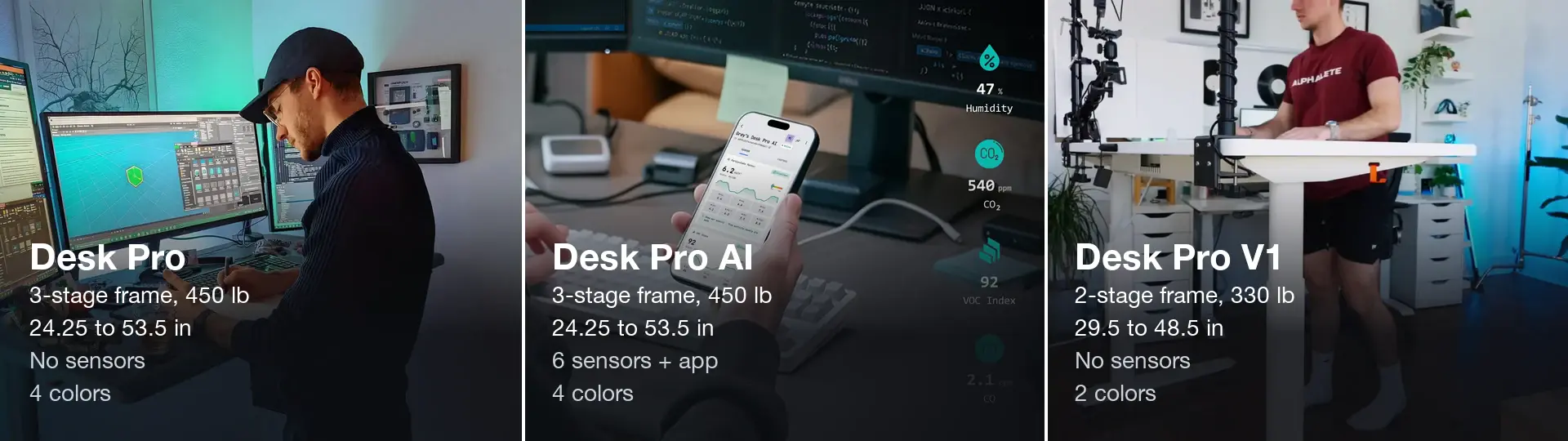
The table below adds travel, speed, noise, desktop sizes, warranty, list prices and ratings.
| Spec | Desk Pro | Desk Pro AI | Desk Pro V1 |
|---|---|---|---|
| Frame | 3-stage steel C-frame | 3-stage steel C-frame | 2-stage steel C-frame |
| Lifting capacity | 450 lb | 450 lb | 330 lb |
| Height (floor to worksurface) | 24.25-53.5 in | 24.25-53.5 in | 29.5-48.5 in |
| Height travel | 29.25 in | 29.25 in | 19 in |
| Motors and speed | Dual, 1.2 in/s | Dual, 1.2 in/s | Dual, 1.2 in/s |
| Lift noise | Under 30 dB | Under 30 dB | Under 30 dB |
| Desktop | 1.2 in HDF, 53 x 29 or 70.5 x 29 in | 1.2 in HDF, 53 x 29 or 70.5 x 29 in | 1.2 in HDF, 53 x 29 in; 70.5 x 29 in in Stone Beige only |
| Colors | Pearl White, Meteor Gray, Onyx Black, Stone Beige | Pearl White, Meteor Gray, Onyx Black, Stone Beige | Pearl White, Stone Beige |
| Sensors | None | Six (air, sound, presence, distance) | None |
| App readings and alerts | No | Yes | No |
| Warranty | Lifetime frame, 2-year top | Lifetime frame, 2-year top | Lifetime frame, 2-year top |
| Price, 53 x 29 in | $499 | $599 | $499 |
| Price, 70.5 x 29 in | $849 | $949 | $849, Stone Beige only |
| Rating | 4.7 from 316 reviews (shared page) | 4.7 from 316 reviews (shared page) | Not shown |
All three are built on a steel C-frame and share the parts you touch every day: a keypad set into the desktop, a 34 mm rounded front edge, anti-collision that stops the lift when it meets an obstacle, and free 30-day returns. The product pages list a lifetime frame and a 2-year top warranty but give no separate term for the motors or control box. Each frame is bench-tested to 50,000 cycles and certified to ANSI/BIFMA.
3-stage vs 2-stage: what the stage count changes
A stage is a telescoping section of each leg, not a motor. Desk Pro and Pro AI have three sections per leg, V1 has two, and all three desks have dual motors, one in each leg.
More sections let the leg collapse shorter and still extend further. That is why the 3-stage frame on Desk Pro and Pro AI travels 29.25 inches, against 19 inches on V1. In practice it starts 5.25 inches lower and finishes 5 inches higher than V1, and it lifts 120 lb more.
Stage count does not change speed or noise here: the motors on all three lift at 1.2 inches per second and are rated under 30 dB.
Autonomous publishes a TUV Rheinland stability report for the Desk Pro frame (VN26FTMK 001) with a worst-case oscillation of 0.2344 inches. At 46 inches, a deliberate 15 lb pull moves the top under a quarter inch. No matching figure is published for V1, so this is Desk Pro data, not a ranking of the two frames.
The 120 lb capacity gap matters most for heavy setups. Add up what sits on the top, such as monitors, arms, a desktop PC and speakers, and compare the total with 330 lb before you settle on V1.
Which height range fits you?
The right range is the one that reaches your elbow height both seated and standing. OSHA says your elbows should be about the same height as the keyboard, and CCOHS puts the standing work surface at about your standing elbow height, with elbows bent around 90 degrees.
Measure it before you choose. Sit in your chair with your feet flat and shoulders relaxed, bend your elbows to about 90 degrees, and have someone measure from the floor to the underside of your forearm. Then repeat it in your standing desk position, in the shoes you usually wear at your desk.
- Seated number below 29.5 inches: V1 cannot go low enough. You would need to raise your chair and add a footrest, or pick Desk Pro or Pro AI, which go down to 24.25 inches.
- Standing number above 48.5 inches: V1 cannot reach it. Desk Pro and Pro AI go up to 53.5 inches.
- Both numbers between 29.5 and 48.5 inches: V1 fits your body, and the choice moves to load, size and color.
Keep a little margin at each end. The keyboard sits on top of the desk, so its keys end up slightly above the number on the frame, and a thick chair cushion or new shoes can shift your ideal desk height.
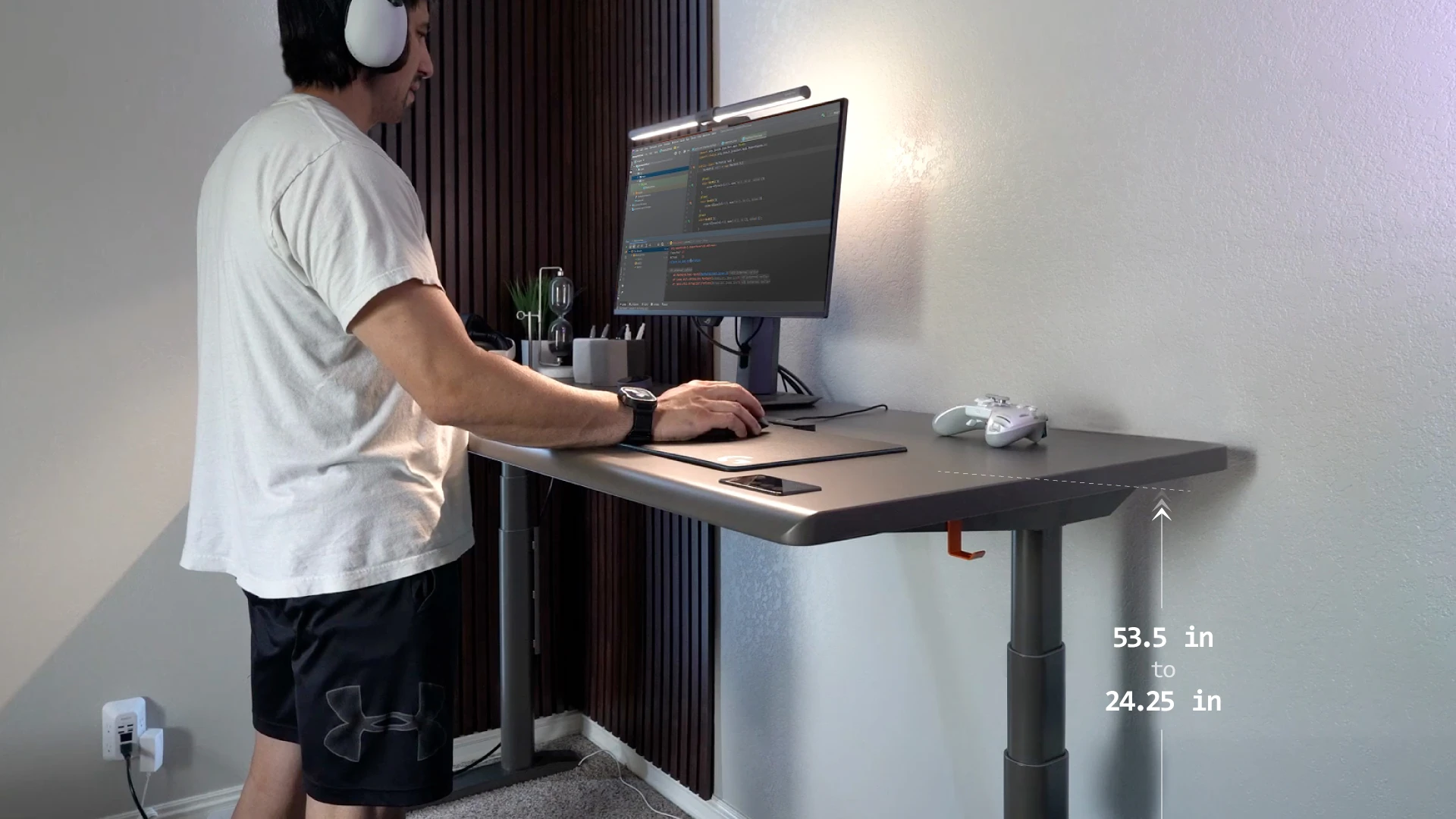
The wider range also helps when two people share one desk. A short and a tall user are more likely to both land inside 24.25 to 53.5 inches than inside 29.5 to 48.5 inches.
Autonomous Desk Pro vs Pro AI: is the sensor hub worth it?
Desk Pro AI is worth it if you want the desk to tell you when the room's air changes and how long you have been sitting; if you only want a sit-stand desk, Desk Pro is the same desk without that hub. Frame, top, sizes, colors and warranty are identical.
What the six Desk Pro AI sensors read
The Desk Pro AI sensor hub holds six sensors that report 13 readings in total, according to the product page spec table.
| Sensor | What it reads |
|---|---|
| Sensirion SCD41 | CO2 (photoacoustic NDIR), temperature, humidity |
| Sensirion SEN55 | Particulates PM1 to PM10, VOC, NOx, temperature, humidity |
| MiCS-5524 | Carbon monoxide |
| ICS-43434 | Sound level in dB, computed on the device, no audio recorded |
| HLK-LD2412 | Presence, by mmWave radar |
| VL53L0X | Distance, by time-of-flight |
Eight of the readings are scored in the app, including CO2, PM2.5, VOC, noise, humidity and carbon monoxide. Each scored metric gets a score out of 100, with the minimum, average and maximum for each session. The radar sensor tells sitting at the desk apart from walking past it.
What the app does with the readings
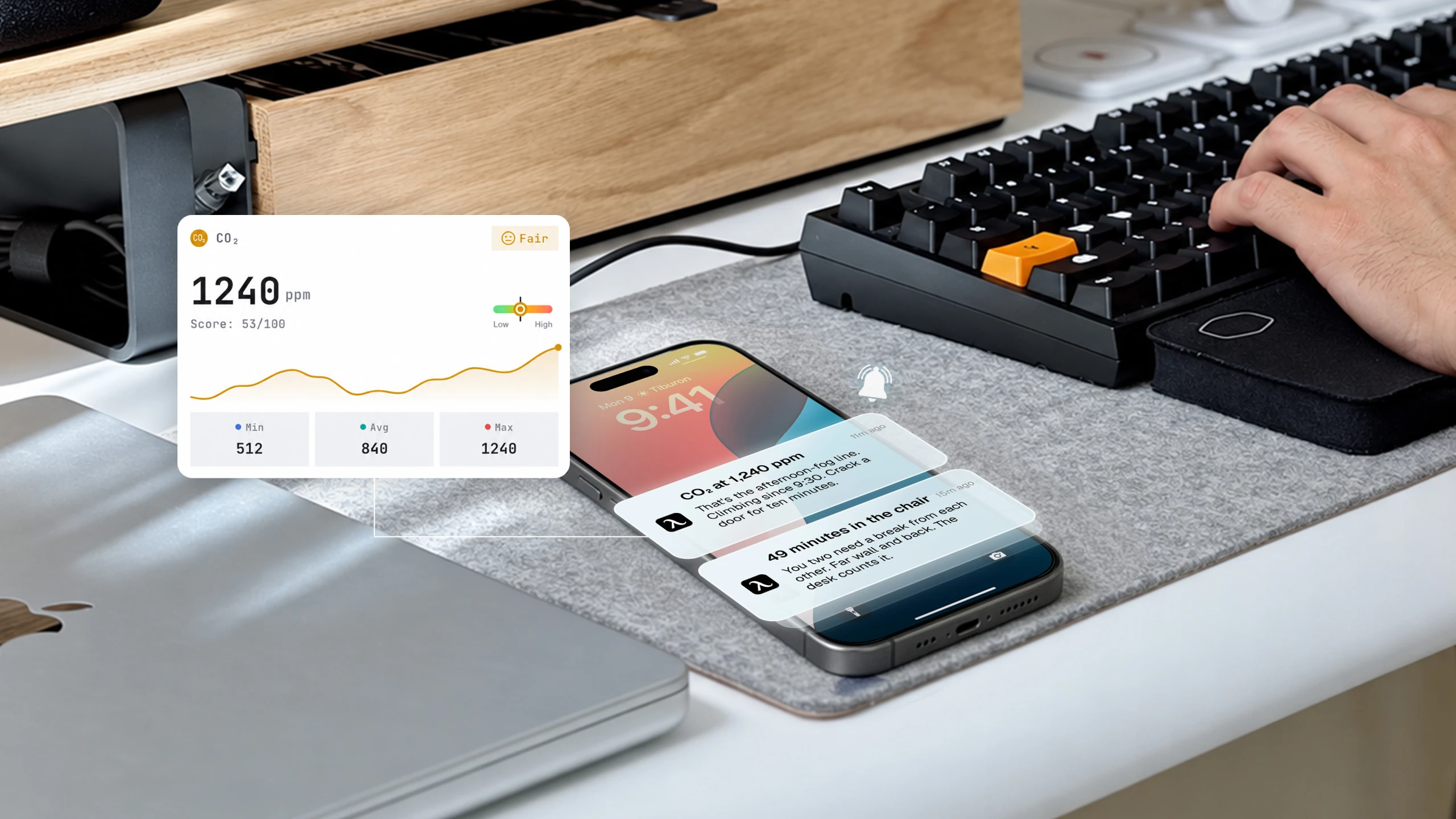
The app shows the readings live and sends a note when one crosses a line. The first card shows stand time, CO2, PM2.5, temperature, humidity and a room score. The product page gives two alert examples: CO2 at 1,240 ppm, or 49 minutes in the chair.
You can also ask questions in the app. Autonomous Intelligence answers from your own desk data, and the product page states that "nothing leaves the room." The sound sensor only computes a decibel level on the desk itself, with no audio recorded.
Who should pick Pro AI, and who should skip it
Pro AI suits someone who works long hours in a closed home office or a small room and wants a nudge when the air gets stale or the sitting stretch runs long. It also suits anyone who likes to check their own numbers, since the app keeps session lows, averages and highs.
Skip it if you already run an air monitor, if you do not want another app, or if you would rather put the difference toward the 70.5-inch top. Desk Pro gives you the same frame, height range and top without the hub.
For two monitors or a wide standing desk setup, the 70.5 x 29 in top gives 17.5 inches more width than the 53 x 29 in top, in all four colors on Pro and Pro AI. On V1, that size comes in Stone Beige only.


Both models come from the same Autonomous Desk Pro product page, where Pro and Pro AI are two choices under Model.
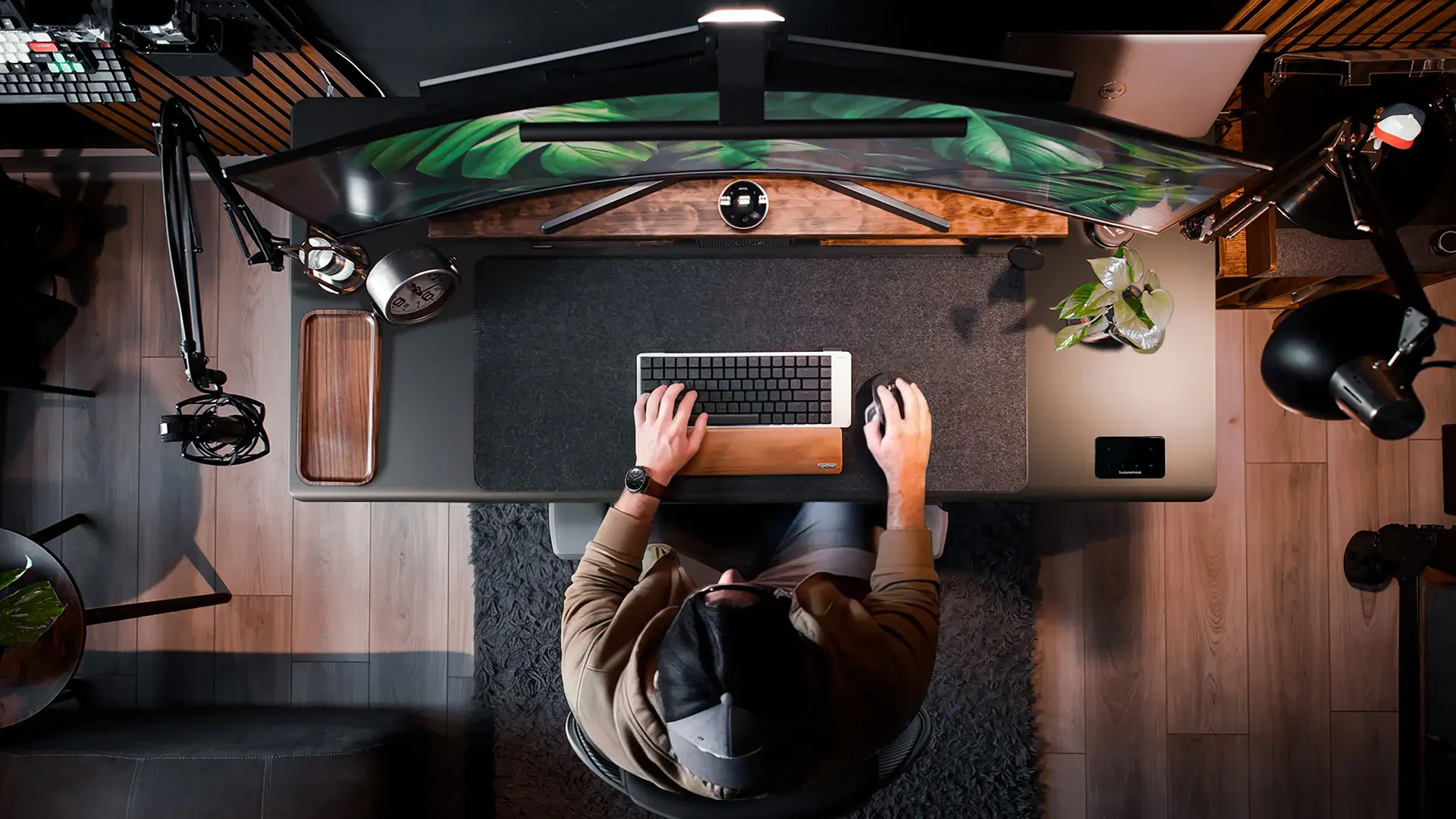
Who should choose Desk Pro V1?
Choose Desk Pro V1 if both your seated and standing elbow heights fall between 29.5 and 48.5 inches and your setup weighs well under 330 lb. It has the same keypad, rounded edge, motor speed, noise rating and warranty as Desk Pro.
Two limits to check first. V1 comes only in Pearl White and Stone Beige, and its 70.5-inch top is offered in Stone Beige only. It also has no sensors and no app.
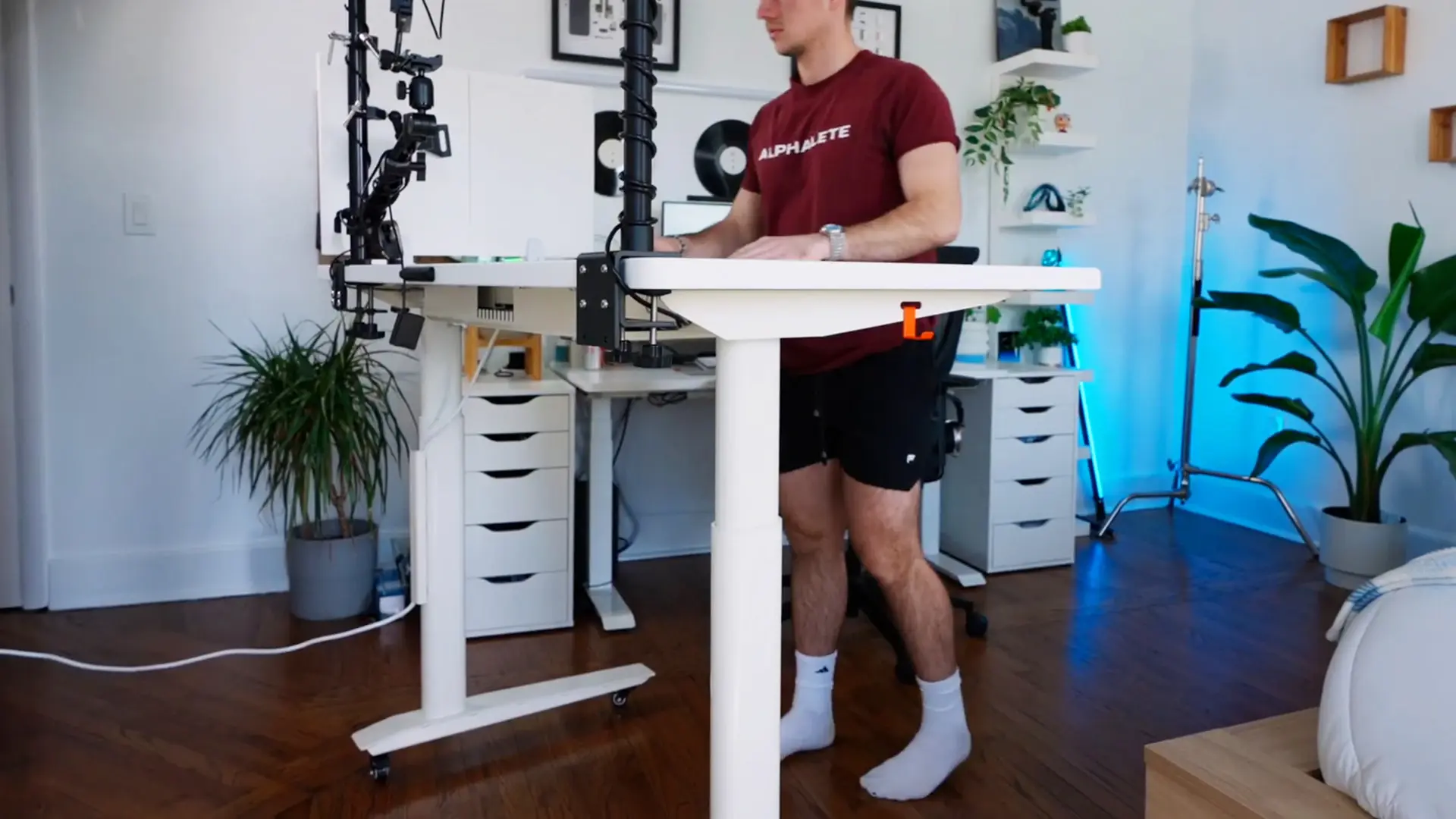
Below the Pro line, Desk Pro vs Desk 2 comes down to the same three specs: capacity, height range and warranty.
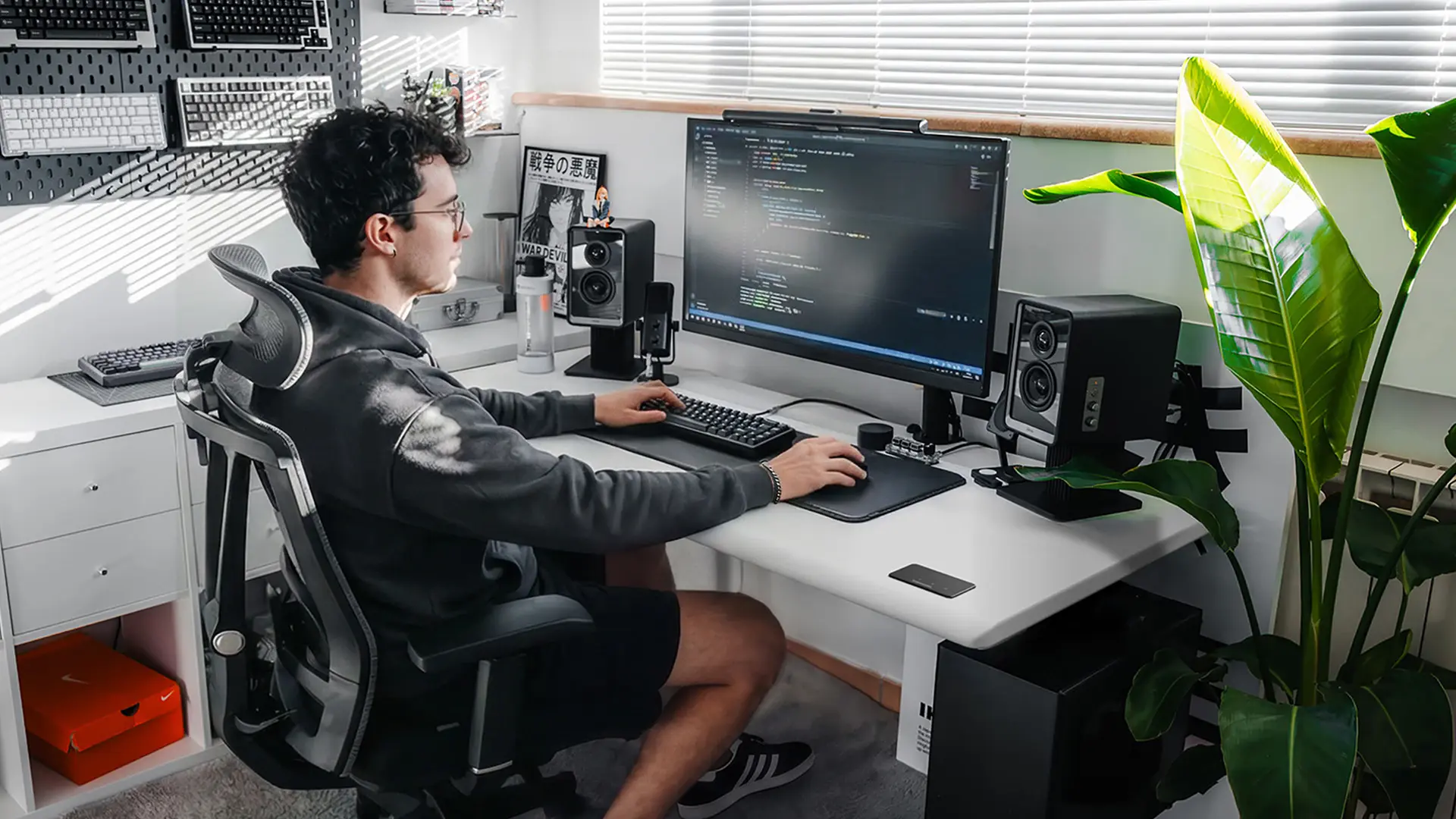
How to make sure you order the model you mean
Check the spec table on the product page after you pick a model: Desk Pro and Pro AI should show 450 lb and 24.25 to 53.5 inches, and V1 should show 330 lb and 29.5 to 48.5 inches.
The models live on two pages. Desk Pro and Pro AI share the page whose address still reads desk-5-pro, the name many older reviews use. You pick Pro or Pro AI under Model. Desk Pro V1 has its own Desk Pro V1 page, and its title says 2-stage.
Be careful with older reviews. Some reviews of the earlier SmartDesk Pro quote other numbers, such as a 26.2 to 52 inch range and a 310 lb limit. Those specs describe an older frame, not any of the three desks on this page, so go by the spec table for the model in your cart.
Which one should you choose?
Pick by your measurements first, then by features and budget. Height range and lift capacity rule a frame in or out before any feature does, here or among the best standing desks from other brands.
- Seated elbow height under 29.5 in or standing over 48.5 in: Desk Pro or Pro AI.
- Setup near or over 330 lb: Desk Pro or Pro AI, rated to 450 lb.
- You want air, noise and sit-stand readings: Desk Pro AI.
- You want the same frame without an app: Desk Pro.
- Meteor Gray or Onyx Black: Desk Pro or Pro AI; V1 does not come in those.
- You fit 29.5 to 48.5 in and do not need the extra range or load: Desk Pro V1.
- You need the desk soon: compare the ship dates shown for each model on the product page.
Desk Core sits below Desk Pro in the Autonomous range, and Autonomous Desk Core vs Pro is the other step down to weigh besides V1.
FAQs
Do Desk Pro and Desk Pro AI use the same frame?
Yes. Desk Pro and Desk Pro AI use the same 3-stage steel C-frame with dual motors, lift 450 lb and adjust from 24.25 to 53.5 inches. The top, sizes, colors and warranty also match. Pro AI only adds the six-sensor hub and the app.
Does Desk Pro V1 have the AI sensors?
No. Desk Pro V1 has no sensors and no app readings, and its spec table lists sensors as none. Only Desk Pro AI has the six-sensor hub, which reads air quality, sound level, presence and distance and sends alerts through the app.
Does a 3-stage standing desk have more motors than a 2-stage one?
No. Stage count is the number of telescoping sections in each leg, not the number of motors. Desk Pro, Pro AI and Pro V1 all have dual motors, one per leg. The third stage gives Pro and Pro AI 29.25 inches of travel against 19 inches on V1.
Which Desk Pro goes lowest and highest?
Desk Pro and Desk Pro AI go lowest and highest, from 24.25 to 53.5 inches measured floor to worksurface. Desk Pro V1 runs from 29.5 to 48.5 inches, so it starts 5.25 inches higher and stops 5 inches lower.
Is the Autonomous Desk Pro the same as the Desk 5 Pro or SmartDesk Pro?
Desk 5 Pro is the name in the product page address (/standing-desks/desk-5-pro), where Autonomous Desk Pro and Pro AI are sold today. Older SmartDesk Pro reviews describe an earlier frame with different specs, so trust the spec table: 450 lb and 24.25 to 53.5 inches.
Does Desk Pro AI record audio?
No. The product page spec table says the ICS-43434 sound sensor computes a decibel level on the device and records no audio. Autonomous Intelligence answers questions from your own desk data, and the page states that nothing leaves the room.
Conclusion
The Autonomous Desk Pro vs Pro AI choice is about sensors, not the desk: both share the 450 lb, 24.25 to 53.5 inch frame, and Pro AI adds six sensors and an app. Desk Pro V1 is the 2-stage option for people whose elbow heights sit inside 29.5 to 48.5 inches and whose setup stays under 330 lb.
Measure your seated and standing elbow height, add up your load, then pick. The 450 lb rating and 24.25 to 53.5 inch range are also the two numbers to hold up when you weigh an Autonomous vs FLEXISPOT desk.