Best Ergonomic Chairs for Lower Back Pain (2026)

Table of Contents
Lower back pain is one of the most common complaints among people who sit for long hours — and often, the chair is a contributing factor. A poorly designed seat can flatten the spine's natural curve, increase pressure on lumbar discs, and fatigue the muscles meant to hold you upright.
Choosing the right ergonomic chair for lower back pain isn't about finding the most expensive option. It's about identifying which features genuinely reduce that daily load on your spine — and which ones are packaging.
Does an Ergonomic Chair Actually Help Lower Back Pain?
Yes — but the outcome depends on two things: correct chair setup and regular movement throughout the day.
A 2025 meta-analysis of 24 randomized controlled trials published in the Journal of Clinical Medicine found significant reductions in musculoskeletal pain across multiple body regions among office workers who received ergonomic interventions, including adjustable seating. The lower back was among the regions showing statistically significant improvement.
Most people do not notice consistent relief immediately. A two-to-four-week adjustment period is typical — the muscles that have been compensating for poor spinal positioning gradually recalibrate once proper support is introduced.
The second condition carries equal weight. A well-designed ergonomic chair reduces cumulative mechanical load on the spine; it does not replace movement. Prolonged sitting in the same position for eight hours, even in a well-built chair, sustains pressure on the same spinal structures. Shifting position every 20 to 30 minutes is what prevents that load from compounding — not achieving a fixed "perfect posture."
A good ergonomic chair for lower back pain functions as a structural foundation. What you do in it determines the result.
What to Look for in an Office Chair for Lower Back Pain
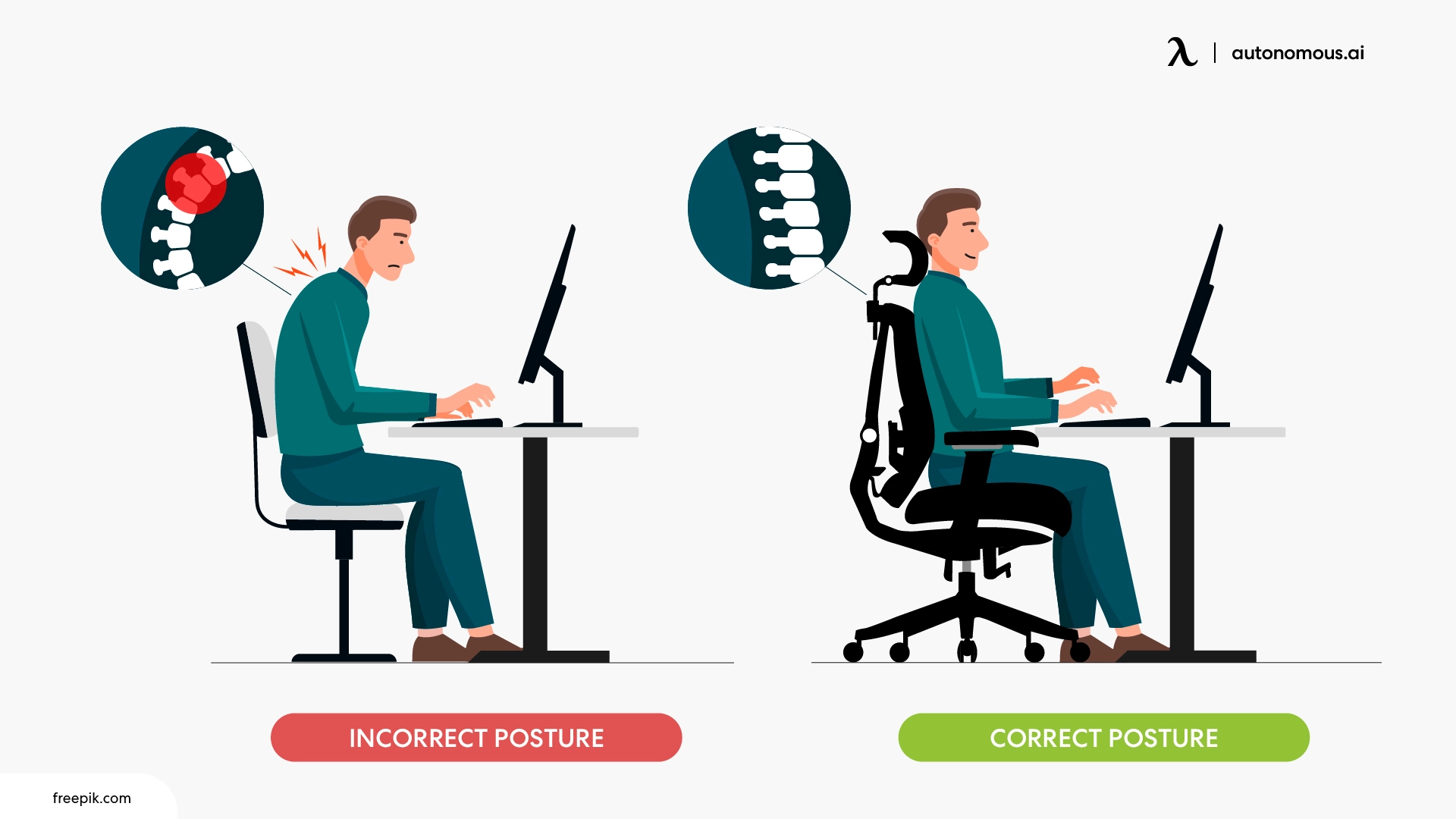
An ergonomic chair supports the lower back by working with your body's natural positioning — not by forcing it into a fixed shape.
A systematic review published in BMC Musculoskeletal Disorders found consistent evidence that chair interventions reduce musculoskeletal symptoms in predominantly seated workers, with seat height and depth adjustability identified as the most effective modifiable features. The research gives a useful starting point: fit and adjustability matter more than aesthetics or price tier.
Below are the four features with the most direct impact on lower back comfort during extended sitting.
- Adjustable Lumbar Support:
Lumbar support in an office chair is the mechanism that maintains the spine's natural inward curve at the lower back during seated work.
Fixed lumbar support — a padded bump built into the backrest at a single height — works for some body proportions and not others. When the support lands at the wrong point on the spine, it creates resistance rather than relief. An office chair with adjustable lumbar support adjusts in height to meet your spine's curve where it actually sits, and ideally in depth so you can control how firmly it presses.
For people whose lower back pain builds over the course of a day, the depth adjustment often matters more than the height. A support that presses too hard creates new tension; one that barely makes contact provides no benefit. Office chairs with both height and depth adjustment give you the precision to position support where your spine actually curves — rather than where the manufacturer assumed it would.
- Seat Depth:
Seat depth is the front-to-back measurement of the seat pan, and its fit relative to your leg length directly affects how your pelvis sits — and therefore how your lower back is positioned.
When a seat is too deep, you slide forward to avoid pressure behind the knees, which pulls the pelvis into a backward tilt and flattens the lumbar curve. Too shallow, and your thighs lose support, shifting load back into the lower spine. The correct fit allows you to sit fully back against the lumbar support while keeping roughly two to three finger-widths of space between the seat edge and the back of your knees.
An office chair with adjustable seat depth lets you find this position precisely rather than approximating it. For the best office chair for lower back support, this feature is as clinically relevant as lumbar adjustability — and consistently underweighted by buyers focused on backrest features alone.
- Recline With Seat Coordination:
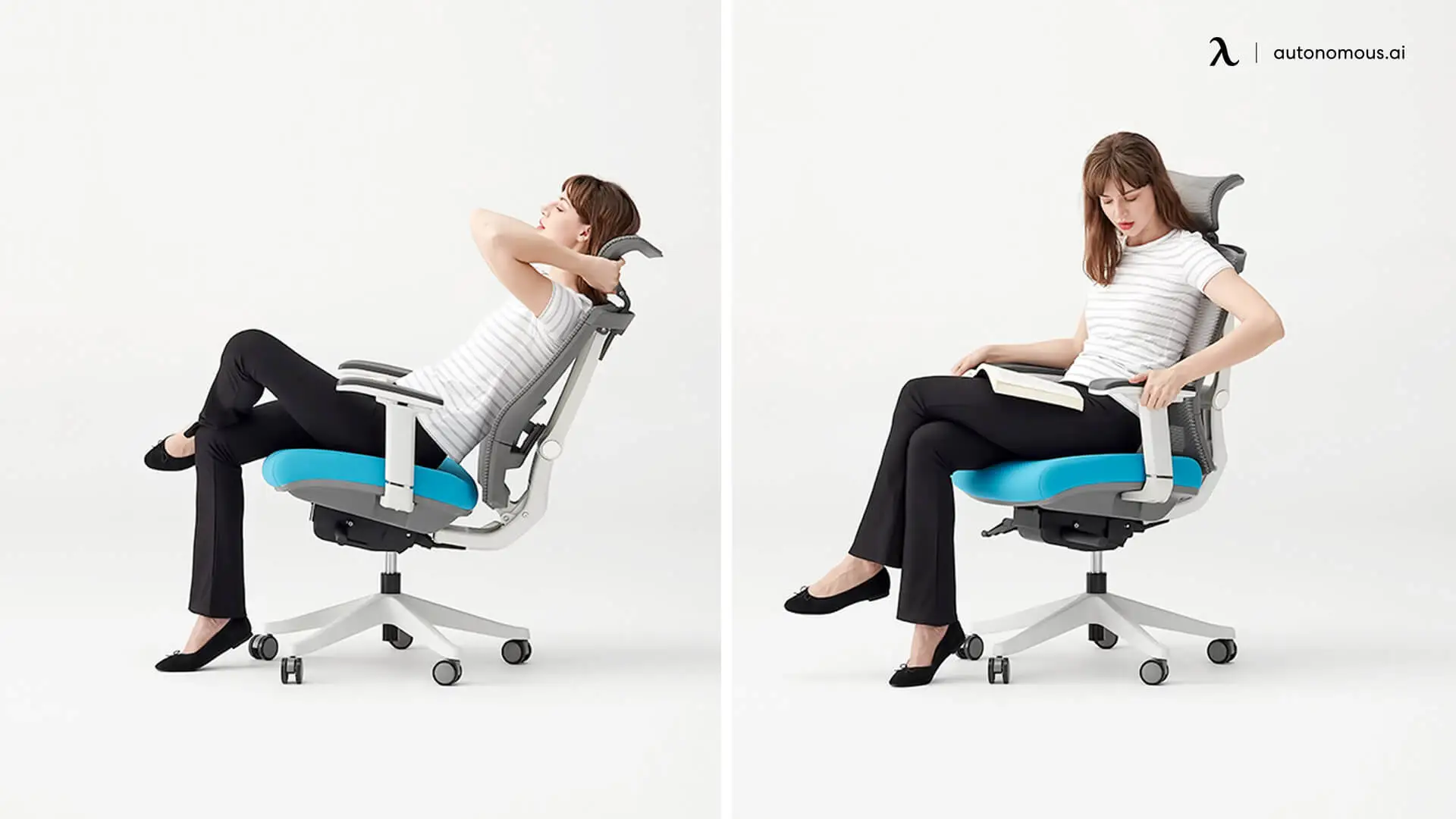
A reclining office chair reduces lower back pain by decreasing spinal compression — but only when the seat and backrest move together.
Sitting bolt upright at 90° places more compressive load on lumbar discs than a slight recline. A backrest that tilts independently from the seat creates a shearing position: your back moves while your hips stay fixed, which pulls the lumbar area away from its support. A synchronized recline — where the seat and backrest tilt in a coordinated ratio — maintains the relationship between your pelvis and lower back through the full range of movement.
A recline range of 100° to 120° covers the positions where disc pressure is meaningfully reduced without encouraging full rest posture. Lockable positions allow you to hold a specific angle during focused work rather than continuously managing the tension.
- Armrest Height and Width:
Armrests affect lower back load more indirectly than lumbar support, but the mechanism is real.
When armrests are too high, the shoulders elevate and tension transfers down through the thoracic spine. When they are absent or too low, the weight of the arms is carried through the upper back and shoulders, which subtly increases the load the lower spine has to stabilize. Properly adjusted armrests — elbows resting at roughly 90° without lifting the shoulders — offload that weight and reduce the compensatory strain that accumulates over a full workday. An office chair with adjustable arms gives you control over both height and width, which together determine whether the support actually reaches the right position for your proportions.
Match Your Pain Pattern to the Right Office Chair
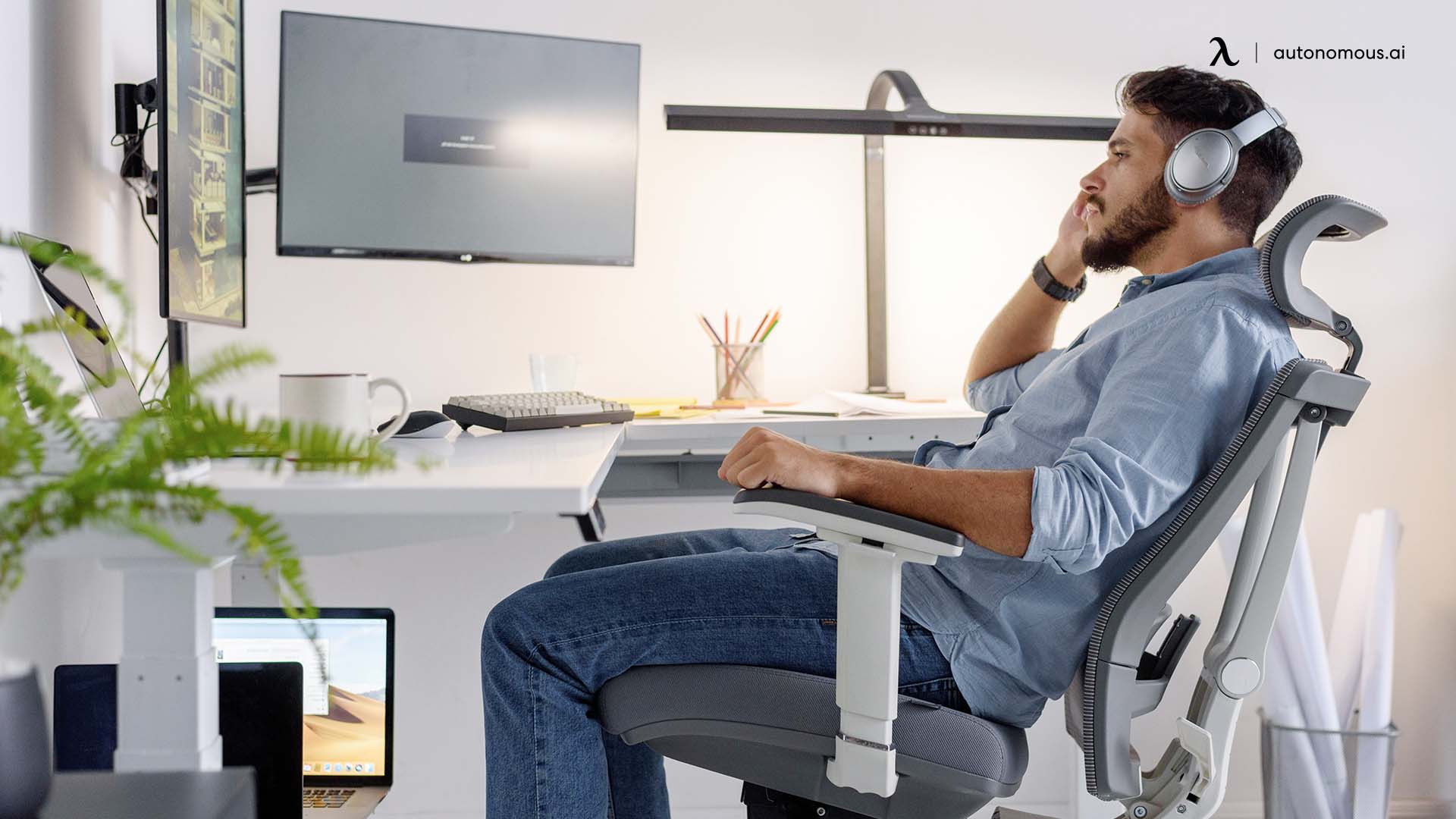
Not all lower back pain behaves the same way — and a chair that works well for one pain type can be the wrong choice for another. Before reviewing specific models, it helps to identify which pattern most closely matches your experience. The features that matter most follow directly from that.
- Pain That Builds After 30+ Minutes of Sitting Still
This pattern typically signals sustained disc compression. When the spine is held in one position without movement, pressure accumulates on the lumbar discs and the muscles supporting them begin to fatigue.
A good office chair for lower back pain in this case prioritizes dynamic movement over fixed support. Look for a synchronized recline with low tension resistance, or a flexible backrest that allows subtle postural shifts without losing contact. The goal is an active chair that moves with you rather than one that holds you in place.
- Pain That Worsens Sitting Upright at 90°
Sitting bolt upright is often assumed to be the correct posture — but for many people, it increases disc load rather than reducing it. A 90° hip angle compresses the lumbar spine more than a slight recline.
If your pain reliably worsens during upright, focused work, the most relevant feature is recline range. The best computer chair for lower back pain for this pattern should offer a lockable recline between 100° and 120°, with a seat that coordinates with the backrest rather than staying flat as you lean back. Opening the hip angle even slightly redistributes spinal load and gives the lumbar muscles room to decompress.
- Pain That Eases When You Stand
When standing consistently relieves your lower back and sitting consistently aggravates it, the pelvis is usually the underlying factor. In a standard seated position, the pelvis tends to rotate backward, flattening the lumbar curve. Standing reverses that rotation, which is why it brings relief.
Chairs with a forward seat tilt address this directly — by angling the seat pan slightly downward, they encourage the pelvis into a more open, forward position that approximates the hip angle of standing. Seat height also matters here: a higher seat position reduces hip flexion and maintains more of the natural lumbar curve. For people who find mesh too firm against the sit bones in a forward-tilted position, an office chair with cushion may be better tolerated over extended use.
- Pain That Eases When You Shift Positions
If changing position brings temporary relief but the pain returns once you settle, the issue is usually static load — not any single posture in particular. The lower back in this pattern doesn't need a specific type of support so much as it needs continuous variation.
A free-float recline mechanism or a backrest with built-in flexibility serves this pattern better than a locked or tension-heavy tilt. The movement itself is the support — the chair's job is to allow it without losing lumbar contact each time you shift.
- If Your Pain Has a Clinical Diagnosis
The four patterns above describe mechanical behavior. If your lower back pain has a diagnosed cause, the chair requirements become more specific.
Sciatica involves nerve compression rather than muscle fatigue alone, which changes which seat and lumbar features matter most. The best office chairs for sciatica address different priority features than a general lower back chair.
Herniated disc — particularly at L4–L5 or L5–S1 — requires specific attention to seat pressure distribution and lumbar depth, which differs from managing general lower back strain. The criteria for best office chairs for herniated discs differ from those applied to general lower back strain.
Spondylolisthesis involves a vertebra that has shifted forward relative to the one below it, which makes forward spinal flexion a higher-risk position. For this condition, a chair with firm lumbar depth control and a limited recline range is generally safer — the priority is maintaining a neutral spine rather than encouraging free movement through a wide range of positions.
Spinal stenosis involves a narrowed spinal canal that places pressure on the surrounding nerves. Most people with this condition find that a slight forward lean or open hip angle reduces symptoms, as spinal flexion tends to decompress the canal temporarily. Chairs with a forward seat tilt option and low recline tension are typically better tolerated than those that hold the spine in an extended upright position.
Use these patterns to filter the list below — not every chair suits every pain type, and the best ergonomic desk chair for lower back pain is the one matched to how your pain actually behaves.
Best Office Chairs for Lower Back Pain
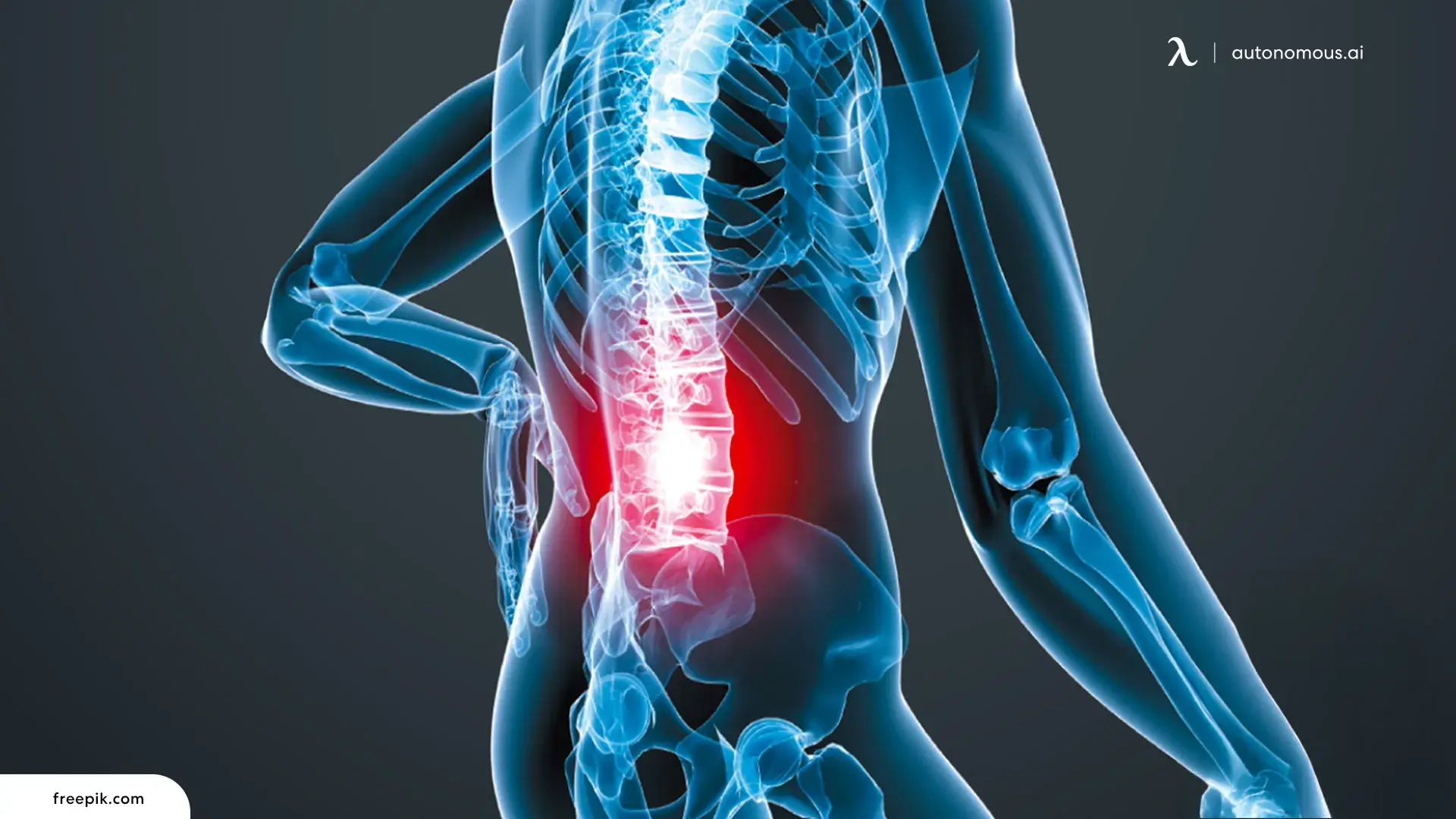
A good office chair for lower back support should do more than feel comfortable at first sit — it should support your spine as you shift, recline, and settle in for long hours. This section breaks down the best office chair for lower back problems that do that well, and explains what makes them effective for ongoing lower back support.
- Quick Comparison:
Chair | Lumbar Support Type | Price | Best For Lower Back Pain Type |
Autonomous ErgoChair Pro | Adjustable lumbar support (height + depth) | $399 | Lower back pain that builds over time or appears when shifting position |
Herman Miller Aeron | PostureFit SL dual-zone | $1,795 | Lower back pain from long sitting sessions, especially upright posture |
Steelcase Leap V2 | LiveBack system with adjustable firmness | $1,350 | Chronic lower back pain with frequent movement or posture changes |
Autonomous ErgoChair Ultra 2 | Integrated adaptive backrest | $599 | Lower back pain caused by poorly positioned lumbar support |
Branch Ergonomic Chair Pro | Adjustable lumbar support (height + depth) | $499 | General lower back fatigue from extended desk work |
Anthros Chair | Dual-back system (pelvis-first support) | $1,495 | Persistent lower back pain in L4–S1 or disc-related conditions |
Flexispot C7 | Dynamic adaptive lumbar support (lockable) | $319.99 | Variable lower back pain with changing posture needs |
Sihoo M18 | Adaptive auto-following lumbar support | $169.99 | Mild to moderate pain, standard body proportions |
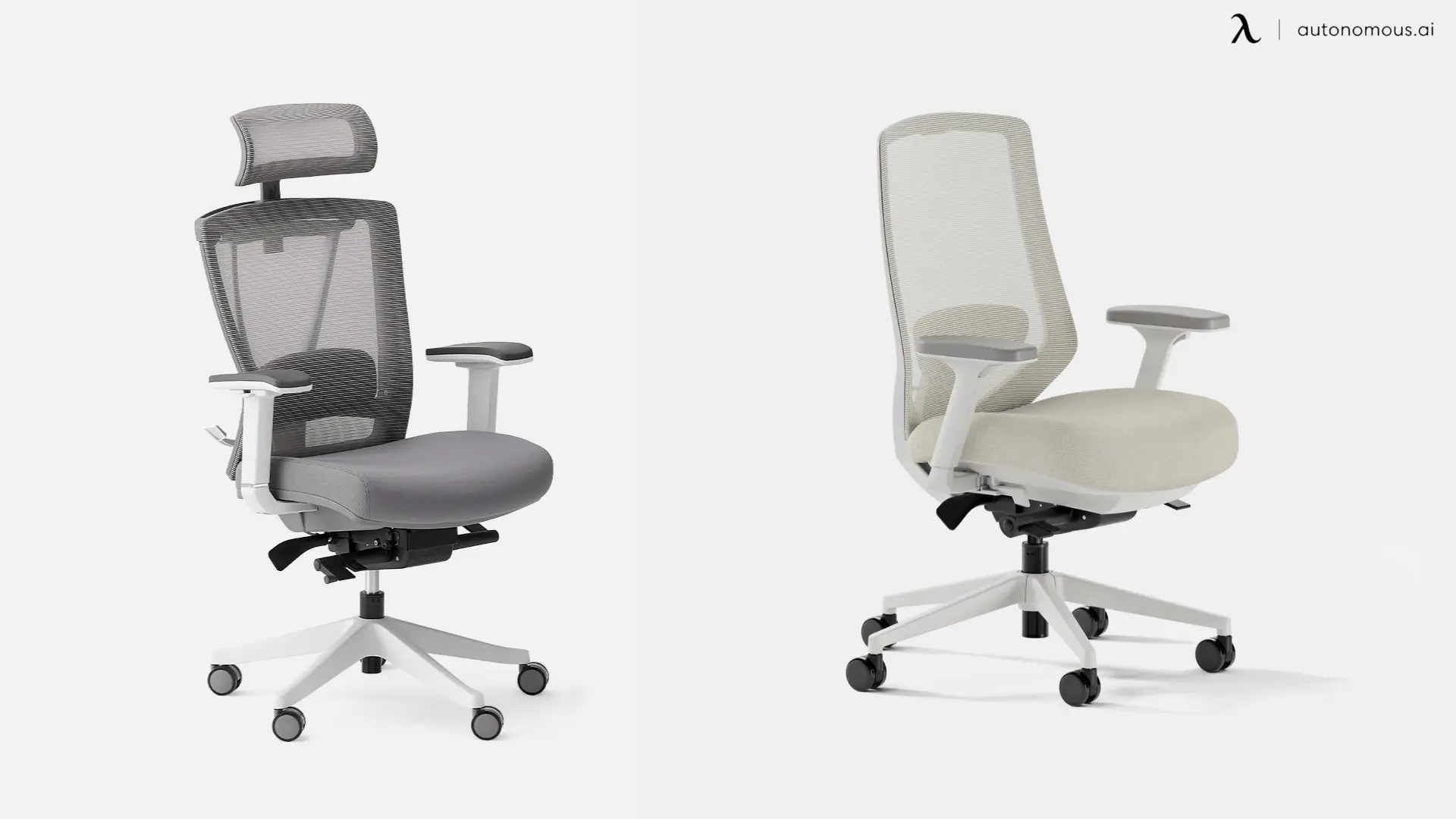
1. Autonomous ErgoChair Pro
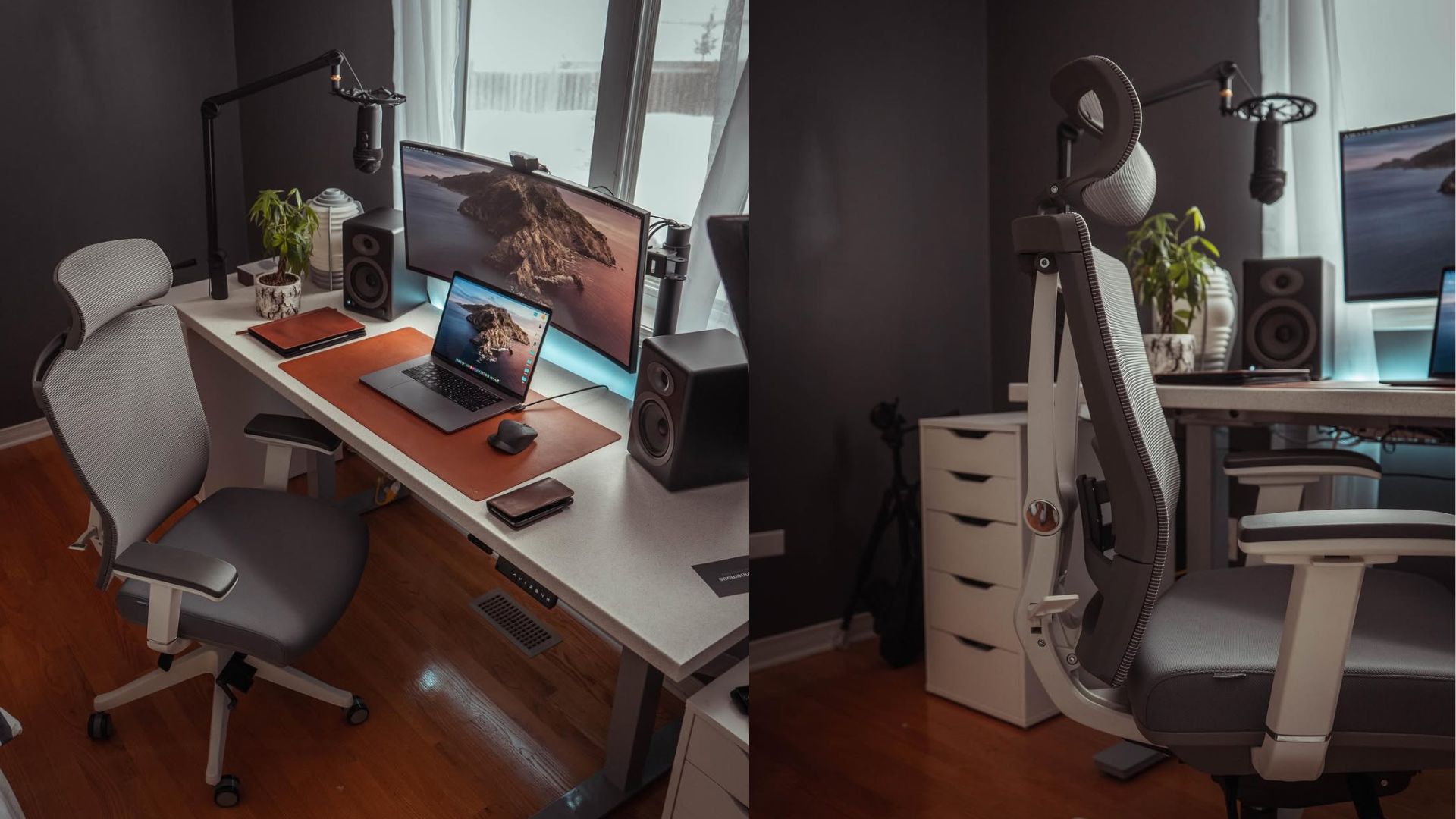
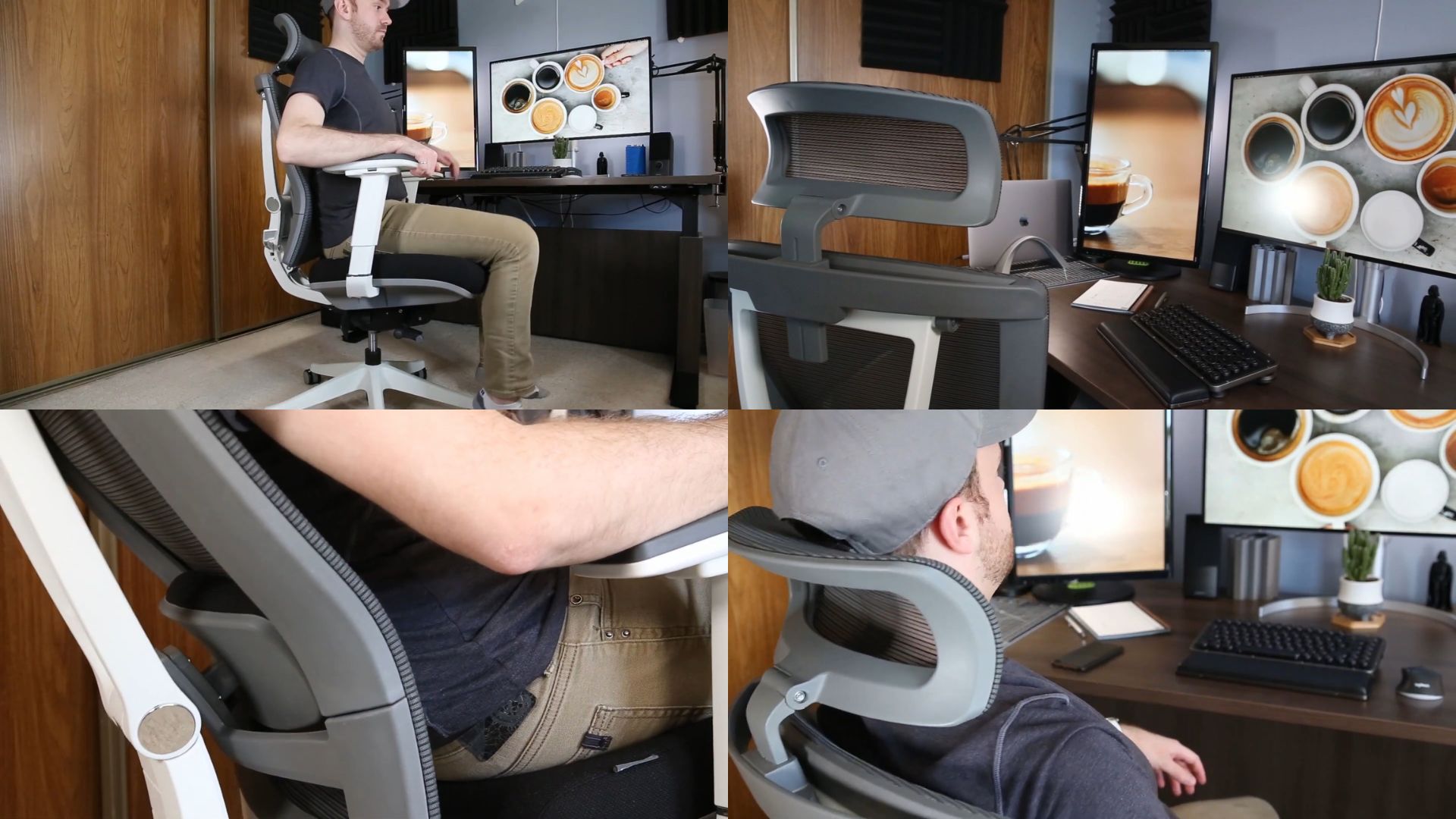
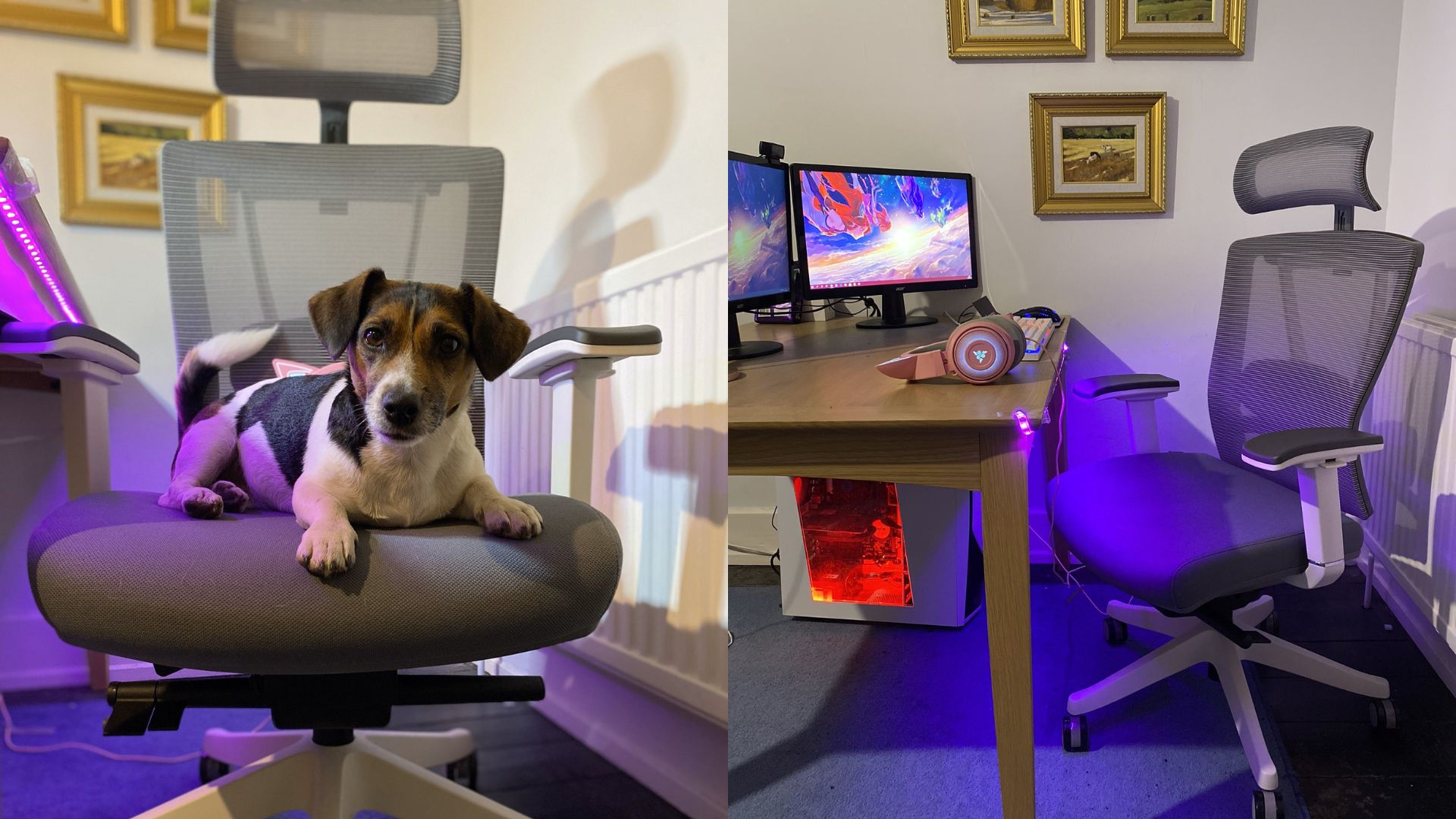
Most people evaluating an ergonomic chair for lower back pain focus on the lumbar pad first. The ErgoChair Pro's more important feature is what happens when you recline: the seat and backrest tilt together through a synchronized mechanism, which keeps the lumbar support in contact with your lower back as you shift rather than letting it drift away when you lean back. A lumbar pad that loses contact when you move is one that only helps when you're already sitting still — which is the position most likely to cause fatigue in the first place.
Lumbar support adjusts in both height and depth, and seat depth ranges from 19" to 21.5", covering a wider range of leg lengths than most chairs at this price. A mesh office chair with adjustable arms combines breathability with the arm positioning control that affects lower back load — both present in the ErgoChair Pro, and both relevant for people whose pain builds across the day rather than appearing immediately.
If your pain pattern from the section above is pain that builds after 30 minutes or pain that eases when you shift positions, the synchro-tilt and flexible backrest address both directly. If you need firm, cushioned contact against the lower back rather than breathable mesh, that preference points toward the ErgoChair Ultra 2 instead.
Specs:
- Lumbar adjustment: Height + depth
- Seat depth range: 19" – 21.5"
- Recline range: 90° – 120°, lockable
- Weight capacity: 300 lbs
Best for: Frequent position changers whose lower back pain builds from static sitting.
Not the right fit for: People who need cushioned lumbar contact or whose body dimensions fall outside the standard seat depth range.

2. Herman Miller Aeron
The feature that separates this expensive office chair from most ergonomic chairs is not the lumbar support — it is what sits below it. The PostureFit SL system targets both the lumbar region and the sacral area at the base of the spine. The sacrum is where the pelvis and spine meet; when it tilts backward during sitting, the lumbar curve above it flattens regardless of what the lumbar support does. The forward tilt function opens the hip angle beyond standard 90°, which reduces disc compression for people whose pain reliably worsens during upright focused work.
The significant constraint is sizing. This ergonomic desk chair for lower back pain comes in three fixed sizes with no seat depth adjustment — fit is determined at purchase based on body measurements, not calibrated afterward. If your proportions don't align with a clean size match, the PostureFit SL may not land where your spine needs it, which undermines the chair's primary advantage.
Specs:
- Lumbar adjustment: PostureFit SL, tension adjustable
- Seat depth range: Fixed by size (A/B/C)
- Recline range: ~94° – 104°
- Weight capacity: 350 lbs (size C)
Best for: People who sit for long uninterrupted sessions in an upright position and want sacral and lumbar support built into the chair's frame.
Not the right fit for: People between sizes, or those who need seat depth adjustment to correctly position the pelvis.
.webp)
3. Steelcase Leap V2
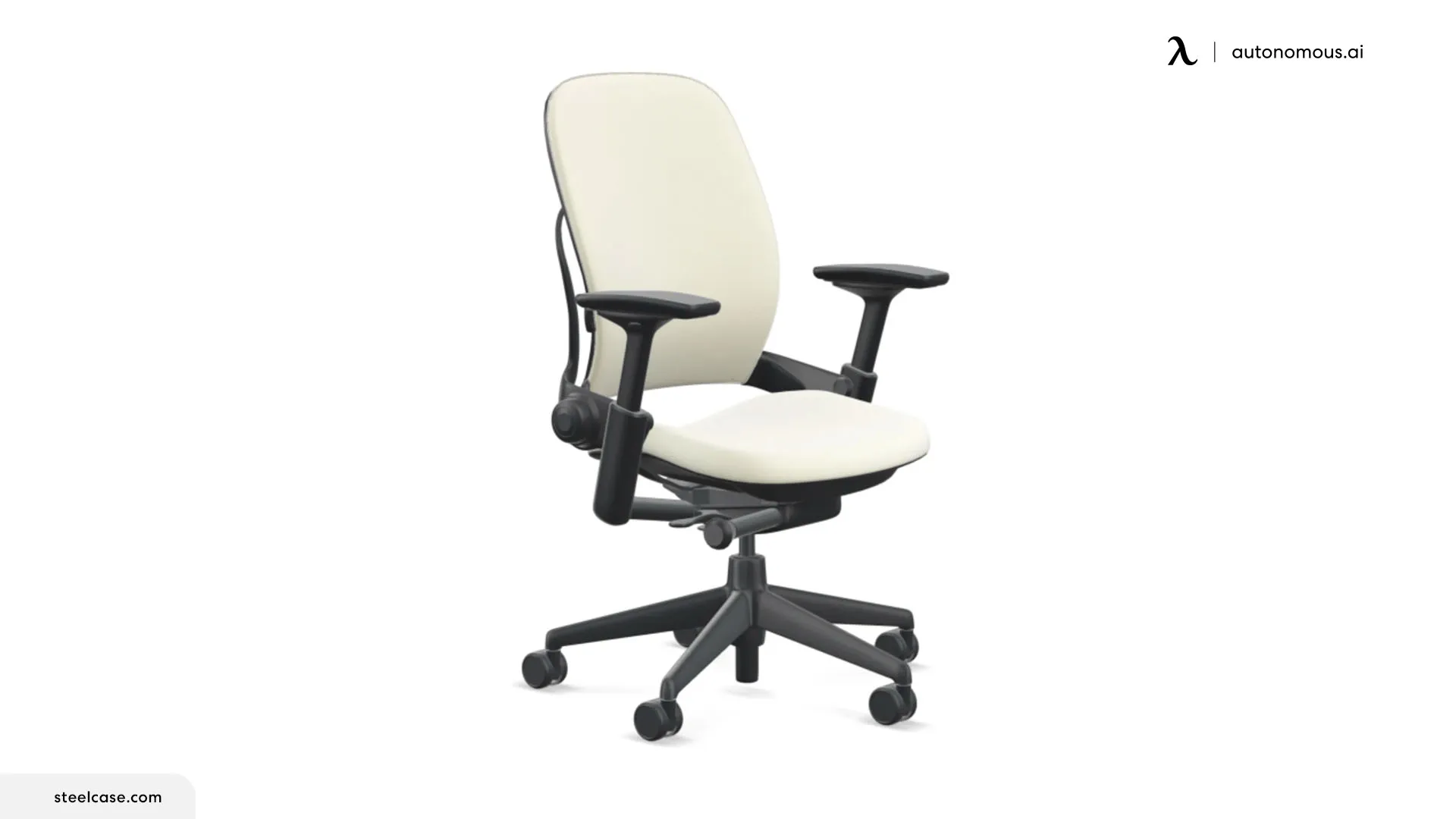
The Leap V2's dial controls how hard it presses, independently of position. For people with chronic lower back pain who have spent time in well-reviewed ergonomic chairs and still not found consistent relief, this distinction matters: the problem is often not where the support is positioned but how much pressure it delivers.
The LiveBack system allows the upper and lower sections of the backrest to flex independently, so the chair maintains contact across the full range of movement rather than fitting well only in one position. In practice, the firmness dial is what most people end up using most — not during initial setup, but after a few days of use when the difference between adequate support and genuine relief becomes apparent. It is a small adjustment with a disproportionate effect.
Between the Aeron and the Leap V2 at similar price tiers: if you want support that holds a position automatically, the Aeron's PostureFit SL is simpler. If you want precise control over lumbar pressure and move frequently while working, the Leap V2 gives you more direct management of both.
Specs:
- Lumbar adjustment: LiveBack adaptive + lower back firmness dial
- Seat depth range: Adjustable
- Recline range: ~90° – 116°
- Weight capacity: 400 lbs
Best for: Active movers and people with chronic lower back pain who need precise control over lumbar pressure.
Not the right fit for: People who prefer mesh construction or want a simpler, set-and-forget lumbar system.
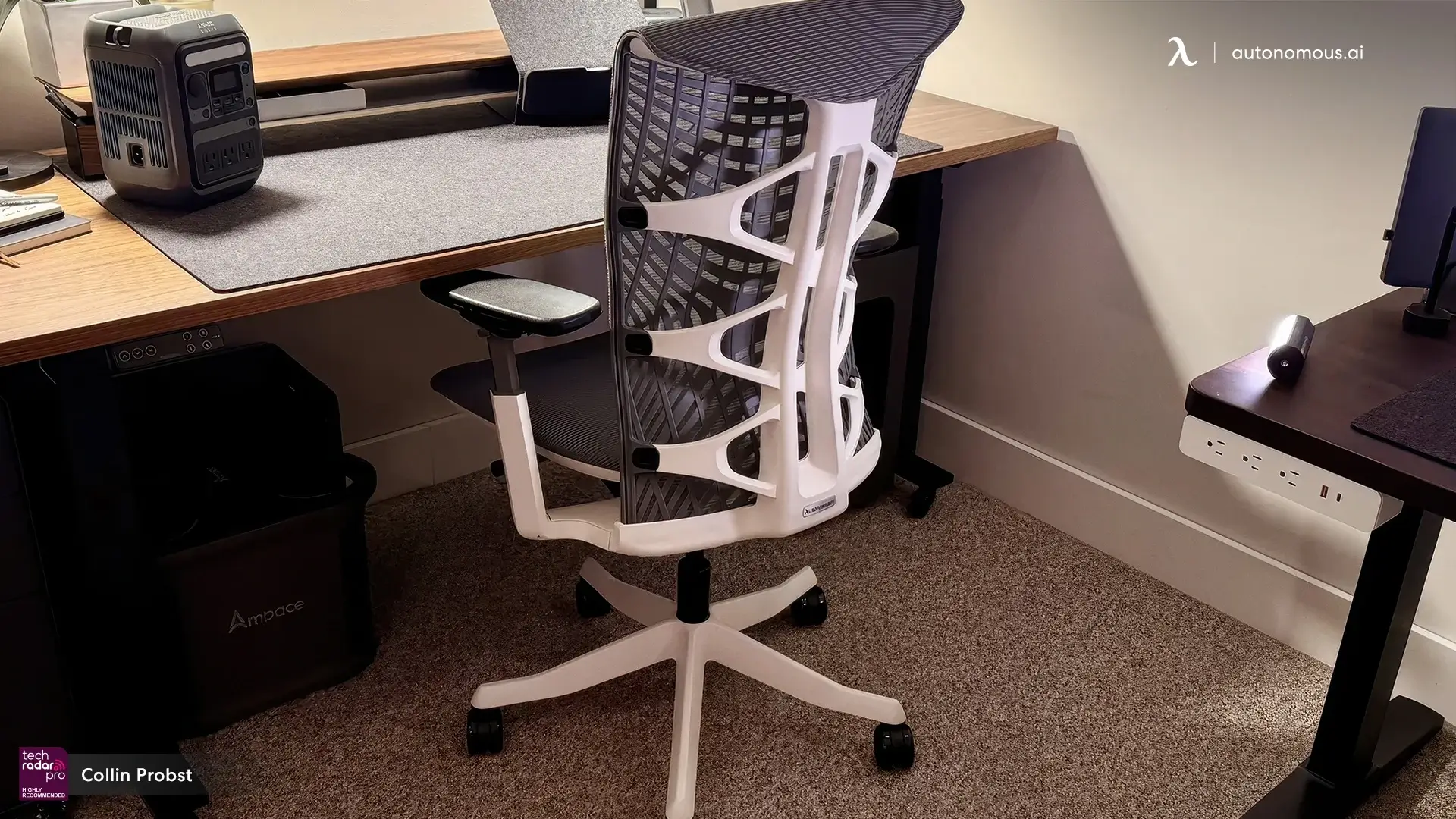
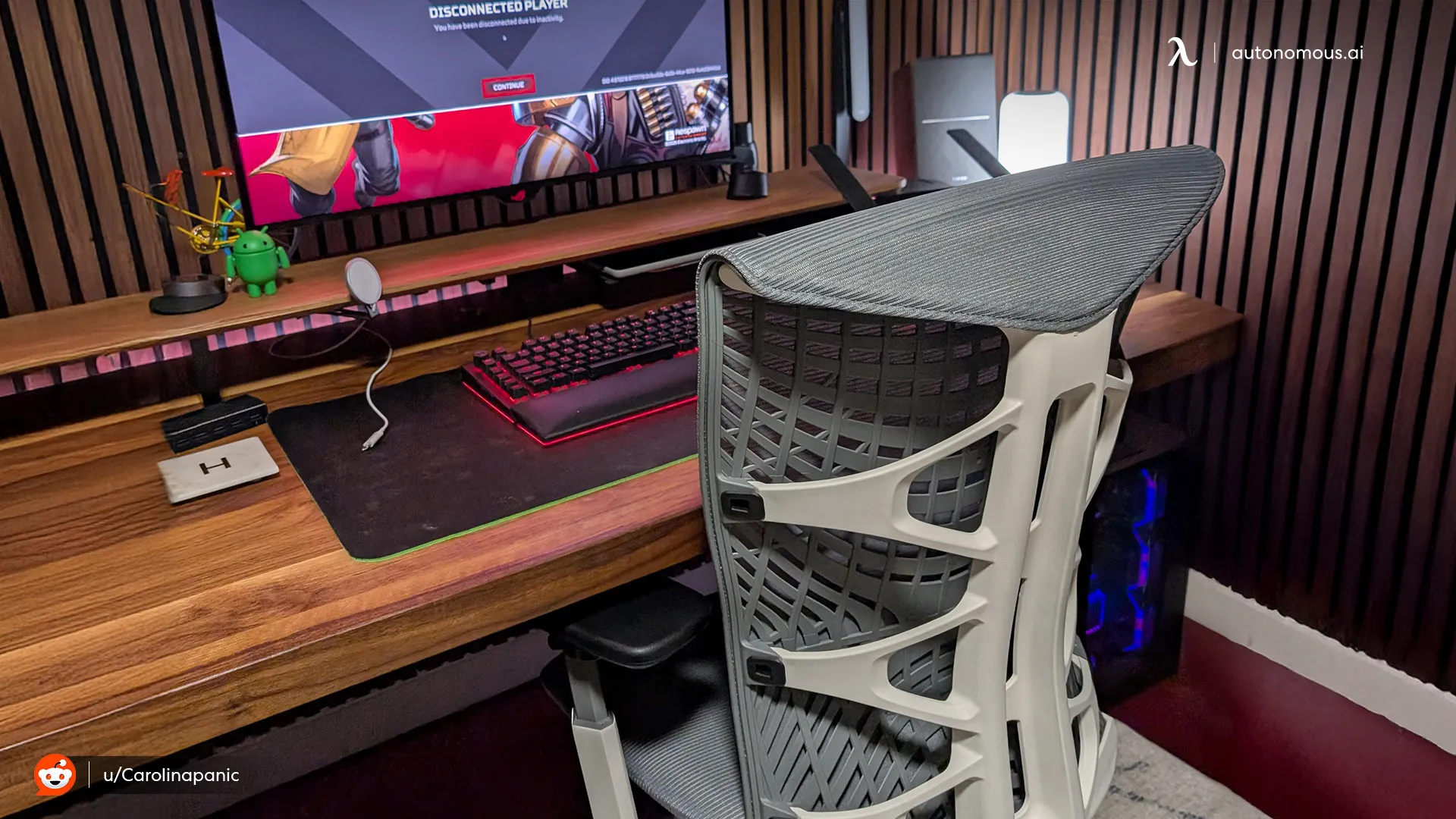
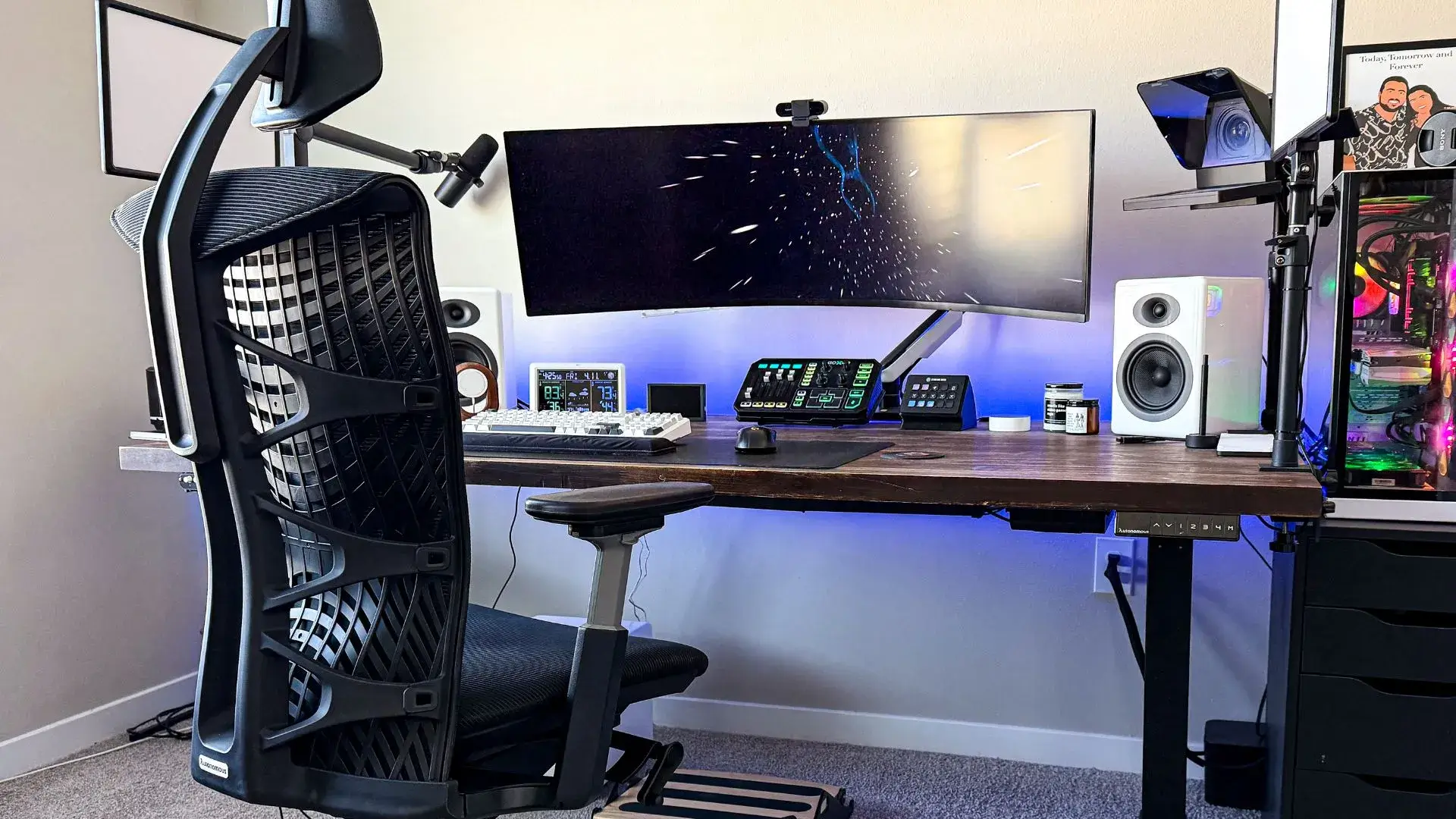
4. Autonomous ErgoChair Ultra 2
The most common complaint about adjustable lumbar pads is not that they don't work — it is that they are difficult to position correctly, and once positioned, they shift. The ErgoChair Ultra 2 removes the variable entirely. Lumbar support is integrated into the backrest's zone-by-zone flex system, which responds to how you are actually sitting rather than holding a position you set manually.
What makes this ergonomic chair for back pain work at the seat level is the layered construction underneath: TPE polymer, memory foam, spring matrix, and base foam distribute weight across the full seat surface rather than concentrating it at the sit bones. High pressure at the sit bones causes the pelvis to shift, which pulls the lumbar out of alignment regardless of how well the backrest is positioned. The seat and backrest work as a system here in a way that is less visible than the ErgoChair Pro's synchro-tilt but addresses the same underlying problem from a different angle.
The trade-off is precision. The integrated system responds to how you are sitting — it does not allow you to isolate pressure at a specific spinal level the way an external lumbar mechanism does. For people whose pain is concentrated in a narrow, identifiable zone that shifts day to day, that degree of manual control matters. The ErgoChair Pro serves that need more directly.
Specs:
- Lumbar adjustment: Integrated adaptive, zone-by-zone flex
- Seat depth range: Adjustable
- Recline range: Continuous, no fixed positions
- Weight capacity: 300 lbs
Best for: People who find lumbar pads uncomfortable or hard to position, and want lower back support integrated into the backrest structure, which is especially important in an 8-hour office chair.
Not the right fit for: People whose pain requires isolating pressure at a specific, identifiable spinal level that needs daily manual adjustment.

5. Branch Ergonomic Chair Pro
This ergonomic chair for lower back pain makes a straightforward case: adjustable lumbar height and depth, synchronized recline, adjustable seat depth, and 4D armrests — the complete set of features identified as most relevant to lower back comfort — at a price that does not require a clinical justification to spend. For the majority of people managing general lower back fatigue from desk work rather than a specific diagnosed condition, there is no functional gap between this chair and alternatives costing two to three times more.
The chair feels ordinary in the first hour — which turns out to be the point. Lower back pain from desk work builds across a day, not a sitting. What holds up after six hours matters more than what impresses in the first ten minutes, and the Branch holds up
If you are choosing between the Branch and the ErgoChair Pro at the same price point, the decision comes down to trial access and fit preference. Both chairs cover the same core feature set. Testing both against your specific pain pattern is worth doing if you have the option.
Specs:
- Lumbar adjustment: Height + depth
- Seat depth range: Adjustable
- Recline range: Up to 120°
- Weight capacity: 300 lbs
Best for: People managing general lower back fatigue who want a complete ergonomic feature set at mid-range pricing.
Not the right fit for: People with chronic, persistent, or clinically diagnosed lower back conditions who need a more specialized support approach.
6. Anthros Chair
Every other chair in this list approaches lower back pain by targeting the lumbar curve. The Anthros starts lower — at the pelvis. The reasoning is structural: the lumbar curve is a consequence of where the pelvis sits. If the pelvis rotates backward, the curve above it flattens regardless of what a lumbar pad does. Stabilizing the pelvis in a neutral position first allows the lumbar alignment to follow naturally rather than being forced by a support working against an unstable base.
For people with persistent lower back pain in the L4–S1 region who have worked through options including a low back office chair with lumbar support without consistent relief, the pelvis-first approach addresses the root mechanical cause rather than the symptomatic curve.
The dual-back system adjusts pelvic support and upper back support independently. The seat cushion is pressure-mapped to minimize peak pressure under the pelvis and thighs — high seat pressure is one of the factors that destabilizes pelvic positioning, so the cushion and the back system work toward the same goal from different directions. For lower back pain concentrated in the L4–S1 region — the area most commonly affected by disc compression — this addresses the root mechanical cause rather than the symptomatic curve.
Specs:
- Lumbar adjustment: Dual-back: pelvic + upper back, independent
- Seat depth range: Adjustable
- Recline range: Adjustable with tilt
- Weight capacity: 350 lbs
Best for: People with chronic or disc-related lower back pain at L4–S1 who have not found consistent relief from conventional lumbar support chairs.
Not the right fit for: People with general lower back fatigue or those who cannot justify a premium price without a specific clinical need.
.webp)
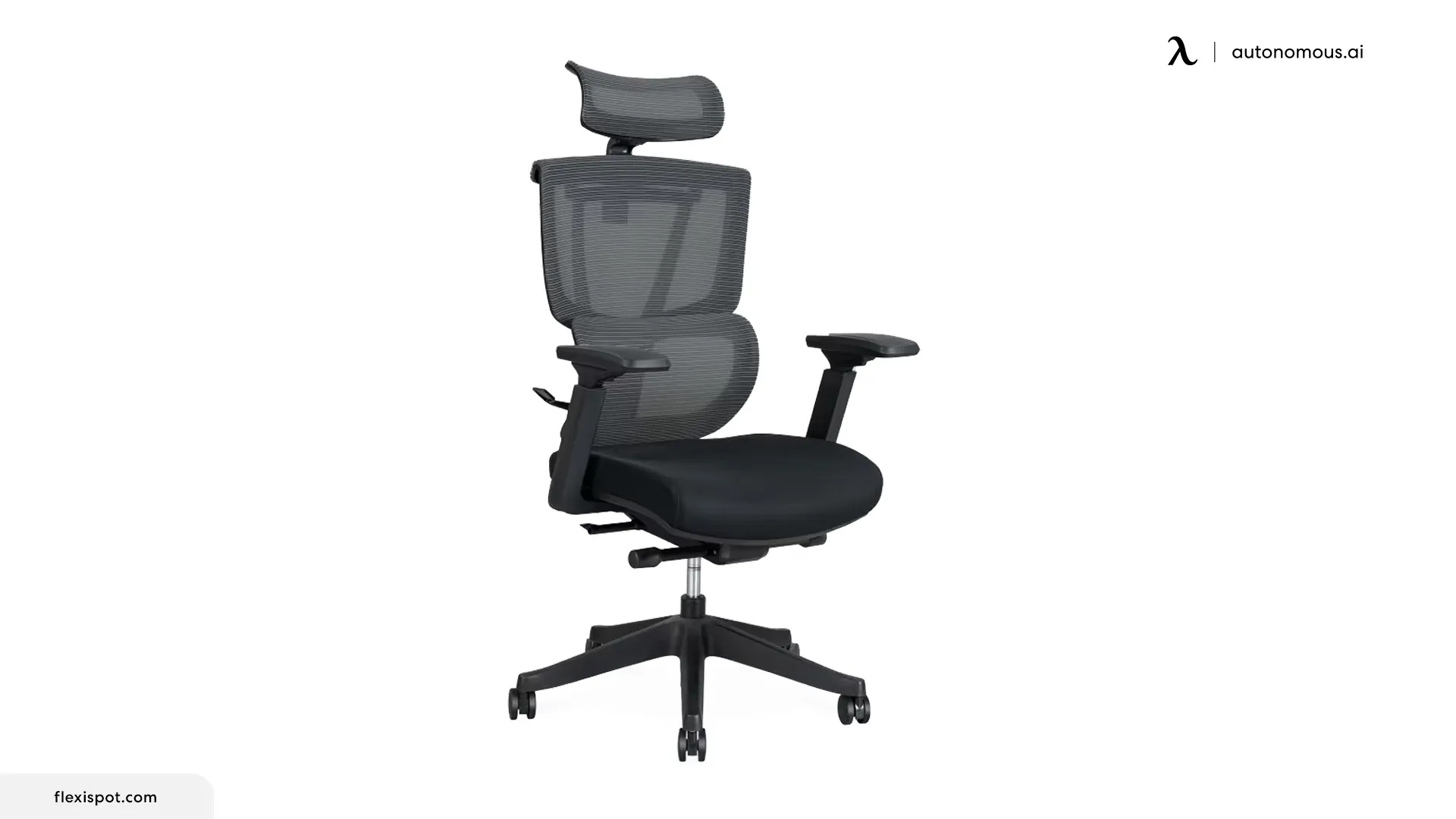
7. Flexispot C7 Ergonomic Office Chair
The feature that makes this ergonomic desk chair for lower back pain stand out at its price is the toggle between adaptive and fixed lumbar support. Most chairs in the under-$400 range offer one or the other — it offers both, with a mechanism that follows the spine through position changes and a lock that holds the support in place when you prefer consistent pressure.
The recline range of 90° to 128° across five lockable positions covers the full spectrum from upright work to genuine decompression. At this price point, the combination of dynamic lumbar, adjustable seat depth, and 4D armrests covers the three features that most directly affect lower back comfort — a combination that is uncommon below $400.
The chair supports up to 280 lbs — users whose weight exceeds this threshold will find better structural support in chairs with a higher weight rating, which also functions as a plus size desk chair at 300 lbs capacity. Below that, the lumbar placement and seat depth range may not correctly position the pelvis, which limits the support system's effectiveness regardless of its other features.
Specs:
- Lumbar adjustment: Dynamic adaptive + lockable
- Seat depth range: Adjustable
- Recline range: 90° – 128°, 5 lockable positions
- Weight capacity: 280 lbs
Best for: People whose pain varies in intensity or type, who want adaptive and fixed support options in one chair at a budget under $400.
Not the right fit for: Users under 5'4", or those whose weight exceeds 280 lbs.
8. Sihoo M18
The Sihoo M18 is an entry-level chair with one mechanism worth understanding before dismissing it on price: the auto-following lumbar system physically tracks the spine through position changes rather than staying fixed. When you lean forward, it follows. When you return upright, it resets. The gap problem — where you set up lumbar support correctly, then lean in to read something and lose contact entirely — is what this mechanism directly addresses.
What the M18 does not offer is seat depth adjustment. For people whose leg length falls within a standard range, this is manageable. For people who are significantly taller or shorter than average, the fixed seat depth may not position the pelvis correctly against the lumbar support — and a lumbar support that follows a misaligned spine is less useful than one working from a correctly positioned base.
For mild to moderate lower back pain with four to six hours of daily desk use, this ergonomic desk chair for lower back pain covers the core need at a price well below any other chair in this list.
It is best understood as a capable starting point — the right chair for someone upgrading from a non-ergonomic chair with no lumbar support at all, and whose pain is mild enough that the absence of seat depth adjustment does not undermine the fit.
Specs:
- Lumbar adjustment: Auto-following adaptive
- Seat depth range: Not adjustable
- Recline range: Up to 126°
- Weight capacity: 300 lbs
Best for: People with mild to moderate lower back pain looking for adaptive lumbar support at an entry price point, whose body dimensions align with the fixed seat depth.
Not the right fit for: People who are significantly taller or shorter than average, or those with chronic or clinically diagnosed lower back conditions requiring full adjustability.
.webp)
Beyond the Chair: Habits That Help To Ease the Lower Back Pain
Even the best office chair for lower back pain has a fixed ceiling on what it can do. A chair reduces mechanical load during sitting — it does not counteract eight hours of continuous compression, and it does not strengthen the muscles that support the spine when you are not sitting in it.
The habits below are not supplementary. For most people, they determine whether the chair works at all.
1. Move Before the Pain Starts
Lower back pain from desk work is cumulative. It does not appear at hour one — it builds across the day as the same spinal structures absorb sustained load without relief. Waiting until the pain appears to shift position means the damage has already accumulated.
The 20-8-2 rhythm is a practical framework: 20 minutes sitting, 8 minutes standing, 2 minutes moving. The specific numbers matter less than the principle — alternating positions throughout the day distributes load across different structures rather than concentrating it in the same place for hours. A height-adjustable standing desk makes this transition easier during work without interrupting focus.
2. Set the Chair Up Correctly Before Evaluating It
A common reason ergonomic chairs fail to relieve lower back pain is that they are never correctly configured. Most people adjust the seat height and leave everything else at factory settings.
The sequence that matters for lower back pain specifically:
- Set seat height so feet rest flat on the floor and knees sit at roughly 90°
- Adjust seat depth so two to three finger-widths remain between the seat edge and the back of the knees
- Position lumbar support so it makes gentle contact with the natural inward curve at the small of the back — not pushing into it, not sitting below it
- Set armrests so elbows rest at approximately 90° without lifting the shoulders
Each adjustment affects the others. Seat height changes where the lumbar lands. Seat depth changes how the pelvis sits. The order above works from the base of the body upward — which is the same direction the spine builds its alignment from.
3. How Long Before an Ergonomic Chair Helps Lower Back Pain
Switching to a well-designed ergonomic desk chair for lower back pain does not produce immediate relief for most people. The two-to-four-week adjustment period noted earlier is not a marketing claim — it reflects how the body responds to a change in mechanical environment. Muscles that have been compensating for poor support do not release immediately when that support improves.
Evaluating a chair in the first week is not a reliable test. If the setup is correct and the pain pattern matches the chair's mechanism, the relevant question is how the back feels at week three — not at day two.
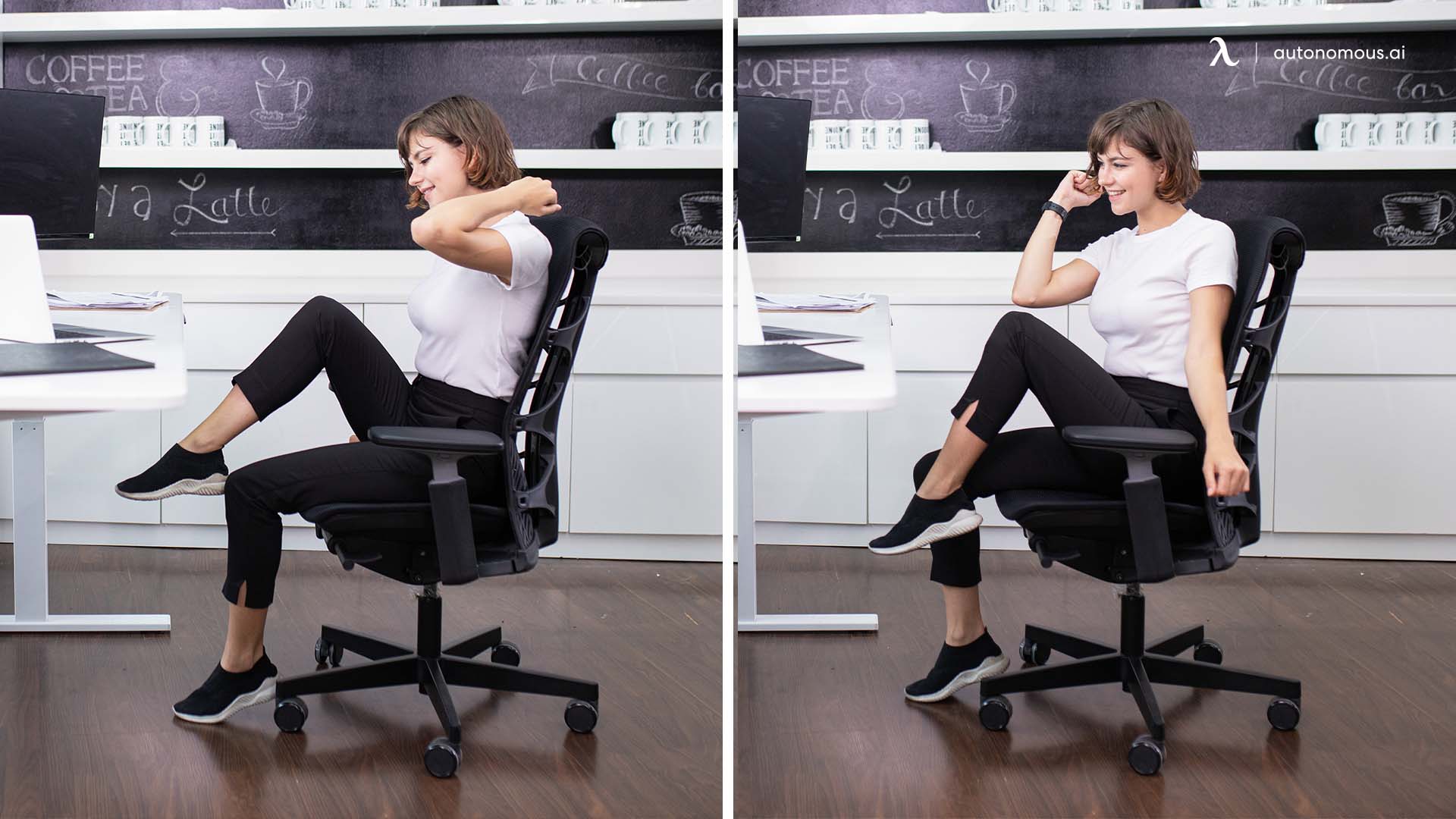
4. Pair the Chair With Targeted Movement
Sitting compresses the spine and tightens the hip flexors. Neither the best office chair for lower back pain nor a standing desk reverses hip flexor tightness — only movement does. Tight hip flexors are commonly associated with anterior pelvic tilt — a forward rotation of the pelvis that increases lumbar curve and adds compressive load to the lower back even when seated correctly.
Two minutes of hip flexor stretching — a simple low lunge held for 30 seconds per side — done once or twice during the workday addresses the most common underlying contributor to lower back pain that no chair feature can compensate for. A yoga pose for back pain practice targeting the hip flexors and hamstrings is worth building into the day for anyone who sits for more than five hours.
FAQs
What is the best ergonomic chair for lower back pain?
The best ergonomic chair for lower back pain is one with adjustable lumbar support, seat depth, and a synchronized recline. These features help maintain proper spinal alignment and reduce pressure during long sitting, which are the key factors in relieving lower back pain.
Do ergonomic chairs actually help lower back pain?
Yes, ergonomic chairs can reduce lower back pain when properly adjusted and used alongside regular movement. Research shows adjustable seating can significantly reduce musculoskeletal pain, but regular movement is still necessary for lasting relief.
How long does it take for an ergonomic chair to help lower back pain?
It typically takes 2 to 4 weeks for an ergonomic chair to improve lower back pain. This adjustment period allows your body to adapt to better posture and consistent lumbar support.
What should I look for in an ergonomic chair for lower back pain?
The most important features are adjustable lumbar support (height and depth), adjustable seat depth, synchronized recline between 100° and 120°, and armrests that support your elbows at about 90°. The Autonomous ErgoChair Pro is a strong example because it focuses on those essential adjustments.
What type of lumbar support is best for lower back pain?
The best lumbar support is adjustable in both height and depth to match your spine’s natural curve. Fixed support only works for limited body types, while adjustable systems provide more precise and consistent lower back support. The Autonomous ErgoChair Ultra 2 is more relevant here if you want a chair built around more adaptive back support.
Is an expensive ergonomic chair better for lower back pain?
An expensive ergonomic chair is not always better for lower back pain. Proper fit and adjustability matter more than price, while higher-end chairs mainly improve durability and adjustment precision. The Autonomous ErgoChair Ultra 2 supports this with dynamic ergonomic features designed for long sitting sessions.
How should I sit in an ergonomic chair to relieve lower back pain?
To sit properly in an ergonomic chair for lower back pain, keep your feet flat, knees at 90°, and lumbar support aligned with your lower back. Adjust seat depth and armrests to maintain a neutral spine without added strain.
How do I know if my chair is causing my lower back pain?
Your chair may be causing lower back pain if you feel discomfort after sitting, notice slouching, or cannot maintain a neutral spine. Poor seat depth or lack of lumbar support often leads to misalignment and increased strain over time.
How often should I get up if I have lower back pain?
You should move or change position every 20 to 30 minutes to reduce lower back pain. Even a well-designed ergonomic chair cannot prevent strain from prolonged sitting without regular movement.
The Final Verdict
Lower back pain from desk work rarely has a single cause — and a chair that works well for one person may do little for another. The right ergonomic chair for lower back pain is the one that matches how your pain actually behaves, fits your body's dimensions correctly, and is set up properly before you evaluate whether it is working.
The features that consistently matter most are adjustable lumbar support with both height and depth control, coordinated seat and backrest movement, and seat depth adjustment that positions the pelvis correctly. Everything else follows from those three.
Price does not determine the outcome here. A well-fitted chair at $399 will outperform a poorly fitted chair at $1,800. The comparison table and pain pattern section above exist for this reason — to filter the list down to the chairs whose mechanisms match your specific situation rather than leaving you to choose on brand recognition alone.
If your lower back pain is persistent, worsening, or has a clinical diagnosis behind it, a chair is one part of the solution. A spine specialist or physical therapist remains the more important variable.